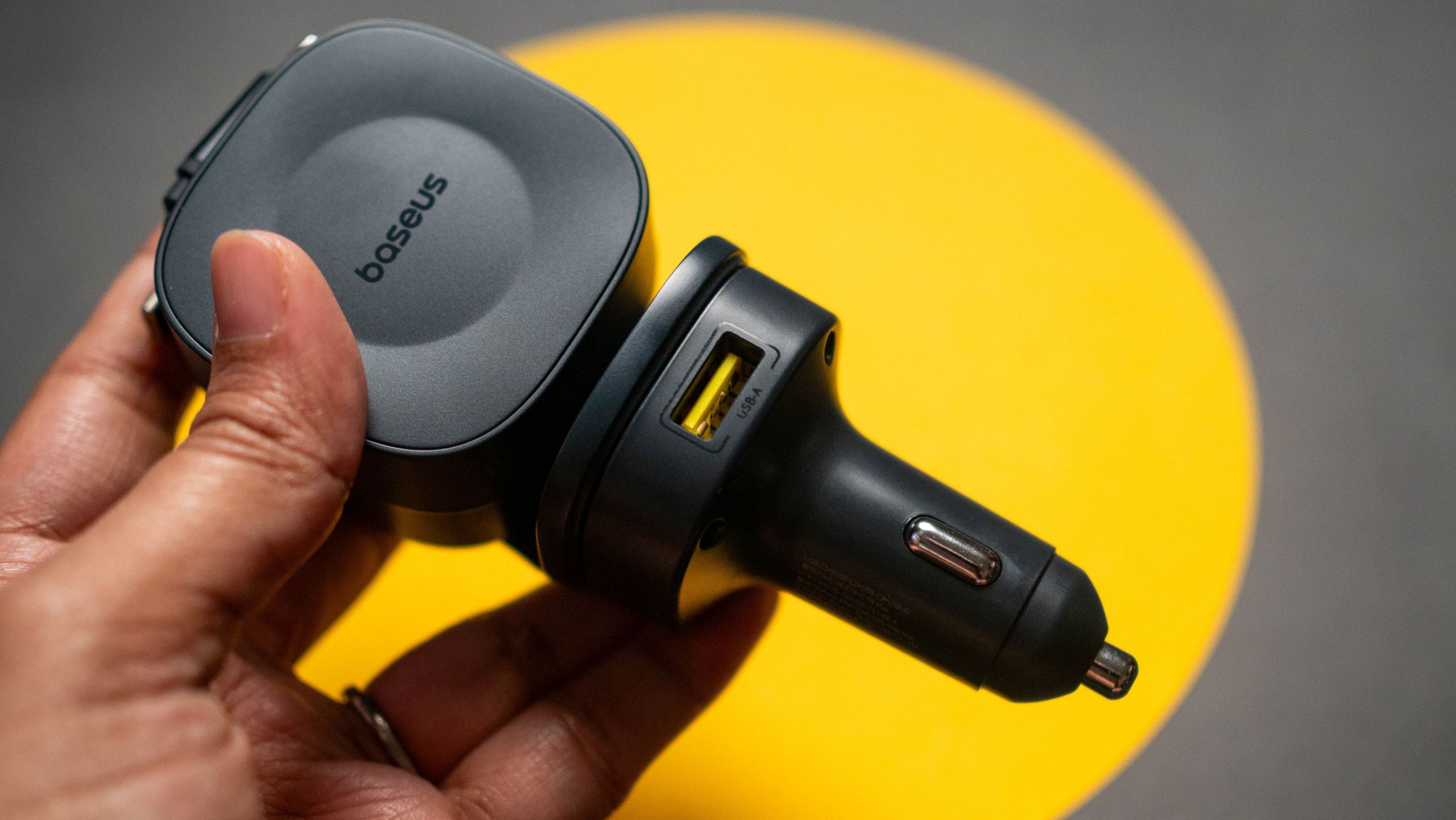
The top 3 reliable 100W car chargers that can actually power your laptop on the road


Plenty of excellent wireless car chargers can charge your phone on the go while also serving as a mount. I usually recommend these for everyday use, especially since the latest generation of wireless car chargers is Qi2 magnetic, so you don’t even need a clamp to mount your phone.

For long-haul journeys, I recommend wired car chargers instead because they support much faster charging speeds and let you recharge several devices at once. If you’re traveling with a laptop or a Chromebook, your car charger needs to support at least 60W to 65W minimum to be compatible.

This one WatchOS 27 feature just solved my biggest issue with Apple Watch


ZDNET’s key takeaways

  • This small WatchOS 27 update makes a big difference.
  • Apple rolled out the dynamic app grid on the Apple Watch.
  • You see fewer apps now, but that’s not a bad thing.

Think about all the apps on the Apple Watch that you use on a regular basis. You could probably count them on one hand or two. Me? I use the Fitness app most, followed by the Timer function, Messages, Activity, Heart Rate, and Sleep. That means that, out of the 40 or so apps displayed on my Apple Watch home screen, I use one-eighth of them each day.

Also: My favorite 5 Watch OS 27 upgrades – and how to try them yourself

The greatest software updates, in my opinion, don’t fundamentally reinvent a product. They simplify it. The dynamic app view on WatchOS 27 does exactly that.

CNET

Previous software generations displayed every app available on the home screen, and the app size on the home screen was as small as a nail’s head. For those with larger fingers, selecting the right apps or smoothly interfacing with the device required extra precision and intention.

Also: Apple Watch Series 12 review: Finally, the health tracker I’ve been waiting for

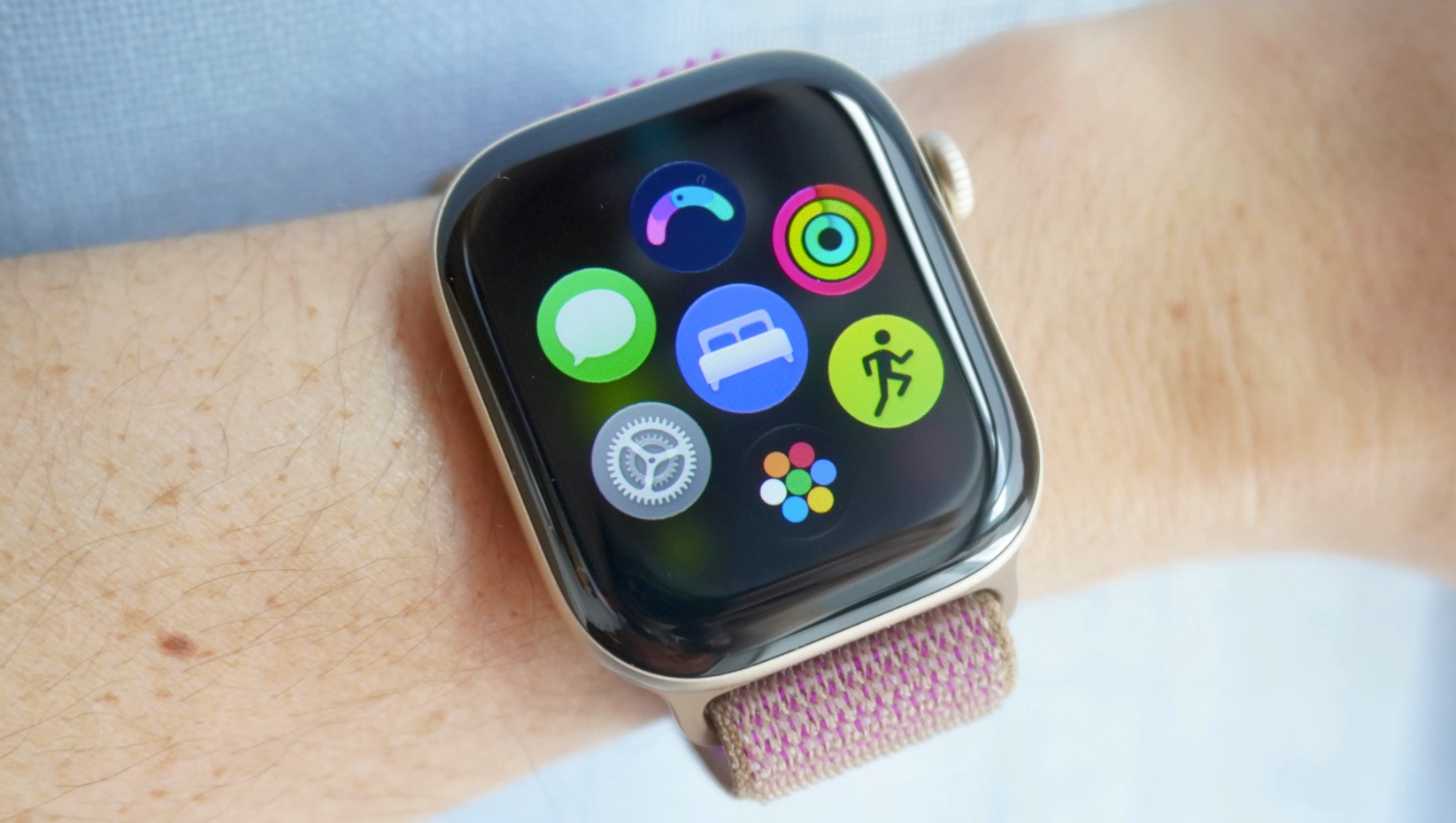
The dynamic app view keeps your most-used and recent apps front and center, and puts the other dozens of untouched apps on the Apple Watch one more touch away. You’ll see this when you click the Apple Watch’s digital crown. Six of your top apps appear on the screen, and at the bottom is an app bubble that opens to your full home screen.

I found myself using the home screen less and less through this new configuration. Most of what I needed was already one digital crown press and one app tap away. It reminds me that user interface design philosophies don’t refine through addition but through subtraction.

Also: My 5 favorite Siri AI ‘on-screen awareness’ tricks – and why

I hope other smartwatches include this app view in their next software updates, specifically Samsung’s Galaxy Watch and Google’s Pixel Watch lineup.

You can still toggle between the list view and the grid view on the Apple Watch by swiping to the bottom of your screen’s display. I personally prefer the grid view to the list view, even though it reduces the touch surface area, because it lets me see every app I have — no scrolling necessary.

Can your Apple Watch get this update?

WatchOS 27 is available on the Apple Watch Series 9, 10, 11, and 12, Apple Watch SE 3, and Apple Watch Ultra 2, 3, and 4. You’ll have to update your iPhone first to iOS 27 to get the WatchOS 27 software update.

What else is new on WatchOS 27?

Siri AI is the biggest update. The new assistant is more agentic, quicker, and conversational. It’s got its own app, too. A new widget opens the Smart Stack with a gesture — this comes in handy for viewing the new step-tracking configuration on the Series 12 or identifying a song playing through Apple’s improved Shazam.

The next retro games coming to Steam are a pair of extremely 1990s run-and-gunners where Spanish Goku fights mutants


This 90s Arcade Game Looked Like Dragon Ball Z Meets Aliens: Thunder Hoop Collection – YouTube
This 90s Arcade Game Looked Like Dragon Ball Z Meets Aliens: Thunder Hoop Collection - YouTube


Watch On

In the 1990s, Spanish videogame label Gaelco was responsible for a string of arcade games (and also electronic dartboards) that hardly anyone outside Spain knows about, bar perhaps the occasional breakout like World Rally.

Retro specialists QUByte Interactive are bringing two of Gaelco’s obscurities to Steam this year, resurrecting arcade action games Thunder Hoop and its sequel TH Strikes Back. The genetically engineered and oddly named Thunder Hoop of the title is a hand-blasting hero who fights armies of mutants unleashed by the evil Dr Genbreak.

Top Stories: Apple Leaks, Siri AI Settlement, and More


The Apple rumor mill never stops, and this week MacRumors was able to break the news of details on several upcoming products.

top stories 2026 09 26
We’re also still learning more about the just-released iPhone 18 Pro and Pro Max plus the upcoming iPhone Duo, while this week saw the debut of new Beats 360 headphones and the start of claim acceptance for the class action lawsuit over Siri AI delays, so read on below for all of the details on these stories and more!

Top Stories

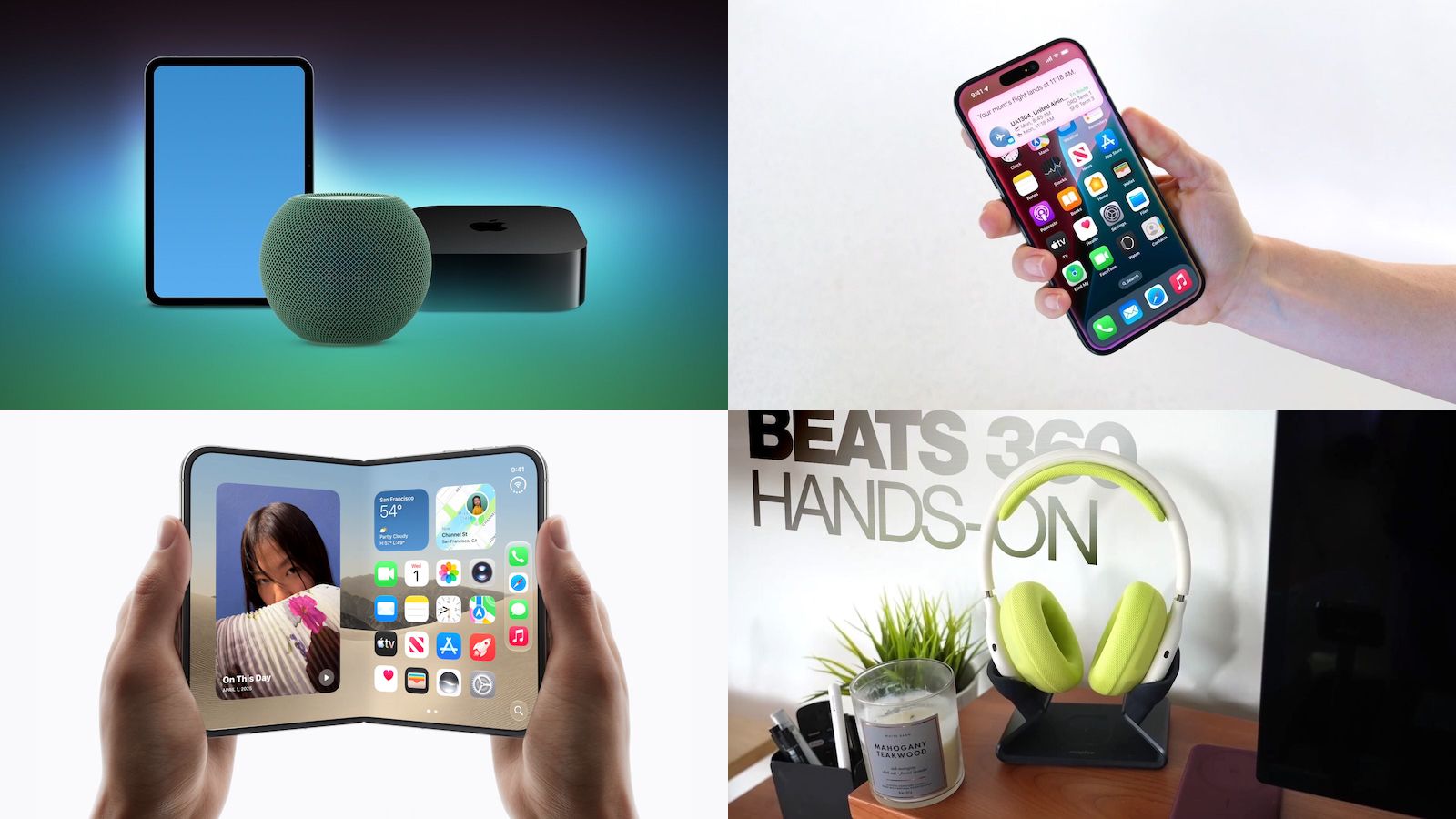
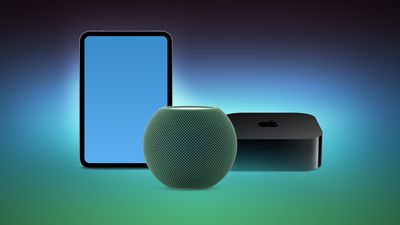
iPad Mini With A20 Pro, New HomePod Mini Colors, and New Apple TV 4K All Just Leaked

MacRumors this week leaked the next iPad mini, HomePod mini, and Apple TV 4K models, all of which are likely to be announced this October as part of another wave of product launches including an all-new operating system to accompany some of the new hardware.

HomePod minis Apple TV and iPad mini Leak FeatureHomePod minis Apple TV and iPad mini Leak Feature
The most notable iPad mini details revealed in the leaks include an A20 Pro chip, a new speaker design, and a landscape front camera, while images have revealed that the next HomePod mini will be available in new colors like green and pink. There is also evidence of an upcoming “Apple TV 4K (4th generation)” model, so it appears that a new Apple TV is finally coming soon after a four-year wait.

A separate Apple code leak has confirmed some rumored details for the 12th-generation iPad, although we’re not expecting that to launch until early next year.

Siri AI Settlement Website Now Live: Apple to Pay Some iPhone Owners

In May, Apple agreed to pay $250 million to settle a U.S. class action lawsuit over Siri AI’s delayed launch, and the settlement website is now live.

iOS 18 Siri Personal ContextiOS 18 Siri Personal Context
Apple will pay an estimated $25 per eligible iPhone to eligible customers, who can submit a claim via the settlement website between September 21 and December 21 of this year. The exact payment may be higher or lower than $25 depending on the total number of valid claims submitted and other factors, with the maximum amount set at $95.

Apple denies all of the allegations made in the lawsuit, but agreed to the settlement to avoid the costs and risks of a trial.

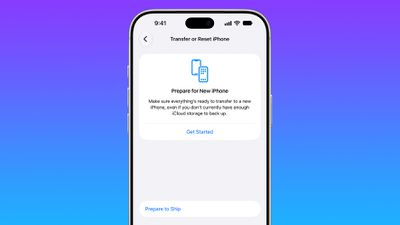
iPhone 18 Pro Max Requires ‘Prepare to Ship’ Battery Drain Before Shipping

The iPhone 18 Pro Max has a single-cell battery capacity over 20 watt-hours, which means there are additional shipping requirements. If an ‌iPhone 18 Pro‌ Max needs to be shipped somewhere, its maximum battery capacity has to be limited through firmware.

iphone 18 pro max prepareiphone 18 pro max prepare
According to Apple, the ‌iPhone 18 Pro‌ Max uses an “innovative battery-firmware solution” that limits battery capacity to below 20Wh between when the iPhone is manufactured and its delivery to a customer. Activating the iPhone removes the limit to make the battery’s full charging capacity available.

Customers who need to ship the ‌iPhone 18 Pro‌ Max for repair, trade-in, or other purposes have to use a new Prepare to Ship feature. Prepare to Ship discharges the battery to below 20Wh and sets a charge limit so the iPhone stays below the threshold during the shipping process.

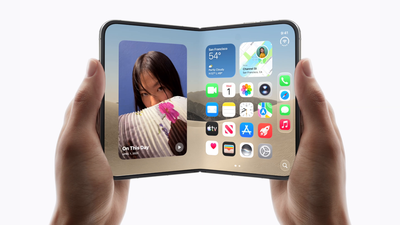
Apple Exec Says ‘Hold Us Accountable’ on iPhone Duo Crease

Apple hardware engineering VP Tom Marieb recently spoke with TechRadar and shared some candid thoughts about Apple’s upcoming iPhone Duo.

iPhone Duo Open large scalediPhone Duo Open large scaled
The ‌iPhone Duo‌ uses a matte nano-texture display, which is meant to cut down on glare and minimize the visibility of the crease. When asked if the ‌iPhone Duo‌’s crease would be more visible over time, as that’s what tends to happen on other foldables, Marieb said the nano-texture display would help. He asked people to hold the company “accountable” on crease visibility.

Marieb also discussed the Duo’s innovative hinge, the use of Ceramic Shield 2 on the front display, and more.

Beats 360 Deliver Customizability and a Revamped Over-Ear Headphone Design

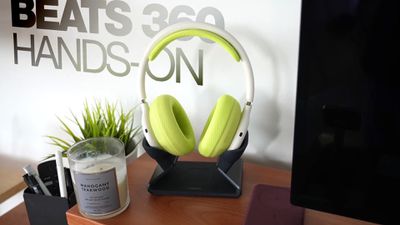
After months of teases and leaks, Apple’s Beats brand officially announced its new Beats 360 headphone this week. Priced at $349.99, Beats 360 represents a rethinking of the Beats over-ear headphone design, with an emphasis on sound quality, comfort, and customizability.

Beats 360 Hands On Thumb 2Beats 360 Hands On Thumb 2
Beats 360 is not a replacement for the brand’s Studio Pro over-ear headphone, as the Studio Pro will remain part of the Beats lineup at a reduced price point of $299.99, down from the previous $349.99. Compared to Studio Pro, Beats 360 features a completely new acoustic architecture that delivers up to 1.75× more active noise cancellation and a 12dB increase in output while maintaining clarity across all frequencies with low distortion.

Swappable ear and headband cushions let you customize your look by mixing and matching colors and materials, with Beats offering extra cushion kits at heavily discounted prices as part of a launch promo.

iPhone 20 Pro Display Sizes Leak Ahead of 2027 Launch

Apple’s 20th-anniversary iPhone lineup coming next year could feature slightly larger displays than the iPhone 18 Pro models, if a recent leak shared on Weibo is accurate.

Mostly Screen iPhone Purple Feature 2027Mostly Screen iPhone Purple Feature 2027
Prolific Chinese leaker Digital Chat Station claims that early iPhone 20 Pro display specifications include a 6.41-inch screen with a resolution of approximately 2,686 × 1,236 pixels, while the iPhone 20 Pro Max is said to have a 6.96-inch display with a resolution of around 2,912 × 1,340 pixels.

For comparison, the iPhone 18 Pro and iPhone 18 Pro Max feature 6.27 inches (rounded to 6.3 inches) and 6.86 inches (rounded to 6.9 inches) respectively. Meanwhile, the iPhone 18 Pro and 18 Pro Max resolutions are 2,622 × 1,206 pixels and 2,868 × 1,320 pixels, respectively.

MacRumors Newsletter

Each week, we publish an email newsletter like this highlighting the top Apple stories, making it a great way to get a bite-sized recap of the week hitting all of the major topics we’ve covered and tying together related stories for a big-picture view.

So if you want to have top stories like the above recap delivered to your email inbox each week, subscribe to our newsletter!

For Nier Automata, Yoko Taro just made the RPG he wanted to and “tried to stay hidden from Square Enix as much as possible”


Nier: Automata director Yoko Taro has a reputation for being weird and esoteric – not that the giant, moon-faced Emil mask he always wears in public has anything to do with it. The idiosyncratic dev’s games have a reputation for dark, twisted narratives that care more for their philosophical underpinnings than offering happy conclusions for their characters.

With the first Nier, released in 2010, the game featured two different protagonists, with a gruff older character on Xbox 360 and a boyish lead on PS3. In the West, both versions used the older protagonist. That approach “didn’t end in great sales,” Yoko told The Guardian in 2018, “so we stopped overthinking it.”

Your uncle’s frozen Mac says it’s infected after viewing a Google ad. Now what?


Researchers say they recently found Google ads delivering a sophisticated tech support scam that freezes the screens of both Windows and Mac devices and displays messages urgently instructing them to phone a bogus call center.

The ads were displayed all over the web, including on high-traffic maps, weather, real-estate, document-hosting, and sports sites. Users who called the number were then urged to pay hefty fees, grant remote access to their devices, or divulge personal information. From August 31 to September 14, security firm Netskope observed users from 619 customer organizations click on the malicious ads, although none of them were actually scammed because Netskope blocked the content.

Roughly 62 percent of the organizations were based in the US, with Japan and Australia accounting for the Nos. 2 and 3 spots. Since the firm has visibility into only a tiny sliver of Internet activity, the number of people exposed to the ads—including those who fell victim to it—is likely much higher. Netskope tracked more than 250 Google Ads campaign IDs across at least 284 legitimate publisher sites.

So, what about Uncle Louie?

“For the victim, that tradecraft turns an ordinary ad click into a browser that appears to seize up on a fake security warning,” Netskope said. “The locker fills the screen, hides the cursor, swallows the usual exit keys, and lags the browser, all to manufacture the sense of a broken machine and pressure the person into calling the number on the screen. Nothing on the computer is actually locked, but in the moment it is convincing enough to push people toward the scam.”

By now, many people, including a fair number of readers of this site, ridicule and shame people who fall for such scams. These criticisms fail to account for a sizable portion of Internet users who have little or no understanding of how computers and the Internet work. Combined with their need to get things done quickly and the growing difficulty of navigating the web, this lack of awareness makes a sizable portion of users prime targets. There’s little doubt that some critics have close friends and family who are among those who simply don’t know enough to be wary.

Stranded with You Free Download (Build 25539512)


Stranded with You PC Game


Stranded with You Direct Download:

You open your eyes and… find yourself on a desert island?! Bunker Tidy Up You and your childhood friend, Mitsuki Nanami, had not kept in contact for many years. But one day, she invited you on a trip for summer vacation. While on the trip, your ship was caught in a great storm, and the two of you ended up stranded on a desert island. Now you must explore, secure food and water, forage for supplies, and craft items in order to survive and escape the island. And through these shared hardships, your relationship with Mitsuki may begin to change.

Do all you can to survive on a desert island. Explore, create a shelter, search for supplies, fish, hunt, cut wood, mine, and much more. Train your stats and craft tools to increase your chances of success, discover new crafting recipes, and make your shelter feel a little more like home each day. But be careful not to overexert yourself, physically or mentally. This isn’t only your survival story, and Mitsuki is always there to help you. Once you are ready, you can create a boat and attempt to escape the island. The journey will be difficult, but failure can open the door to new innovations.

Screenshots

System Requirements

Minimum
Requires a 64-bit processor and operating system
OS *: Windows® 7/8/8.1/10/11
Processor: Intel Core2 Duo or better
Memory: 2 GB RAM
Graphics: DirectX 9/OpenGL 4.1 capable GPU
Storage: 1 GB available space
Support the game developers by purchasing the game on Steam

Installation Guide

Turn Off Your Antivirus Before Installing Any Game

1 :: Download Game
2 :: Extract Game
3 :: Launch The Game
4 :: Have Fun 🙂


These Xbox Players Got GTA 6 For Free The Hard Way


GTA VI isn’t cheap, but a few tricks can help make the price more manageable.

After so many years of waiting, the release of Grand Theft Auto 6 is finally on the horizon. The game’s pricing is pretty steep (albeit in line with AAA pricing norms of recent years) depending on what version you want. The Standard Edition retails for $80, and the Ultimate Edition is $100, which gives you access to a handful of exclusive cars, weapons and shops, as well as a few extra side activities. However, if you take advantage of the right Microsoft perks, you might be able to get the highly-anticipated title for free.

Multiple users on Reddit have shared success stories about free pre-ordered copies of GTA 6. Depending on the person, these have used slightly different methods: Financial_Specific24 got theirs by utilizing card points from the Xbox Mastercard, while user Automatic_Ad1665 got theirs solely through accruing Microsoft Rewards via everyday tasks. 

The former method is much more straightforward: purchases with the card net you points, with the biggest gains coming from Microsoft Store purchases, streaming subscriptions and food delivery. It’s not an advisable path for anyone who’s not in a position to get a new credit card, since the reward categories are pretty limited. But the Microsoft Rewards route is a simple, risk-free way to get GTA 6 for free — or at least a greatly reduced price.

How can you earn Microsoft Rewards?

1,000 Microsoft Rewards points are roughly equivalent to $1, so you’ll need to accrue 100,000 and trade them in for a gift card to get the GTA 6 Ultimate Edition at no cost. This number might seem daunting, but Microsoft offers a slew of ways to earn Rewards both online and on your Xbox. One of the fastest ways to earn points is through making purchases in the Microsoft Store, but that defeats the purpose of any GTA 6 discount you’d receive in the future.

On the Xbox mobile app, you can access Quests by tapping your profile picture and then viewing the Rewards tab. These Quests let you earn points through actions like playing on PC and console, using the Xbox app and weekly playing streaks. Points earned from these are amplified if you have a Game Pass subscription (which also opens you up to Game Pass-related Quests), with Premium and PC Only subscribers earning two times the points and Ultimate subscribers four times as many.

You can rack up Microsoft Rewards even when you aren’t gaming by interfacing with the Microsoft Rewards dashboard. Here you’ll find short daily activities like polls and quizzes, as well as a myriad of ways to earn through specific Bing searches. By setting Bing as your default search engine and using the Bing app, you can acquire even more points and multiplier streaks over time. As you accrue points, you’ll level up, which in turn means you earn larger Rewards from daily tasks. 

With some diligence, by the time the release of Grand Theft Auto 6 rolls around in November, you could see a sizable discount.

At Meta Connect, the company’s smart glasses were everywhere


If there was one thing that was obvious from Meta Connect this year, it’s that the social media giant is all-in on its burgeoning line of smart glasses.

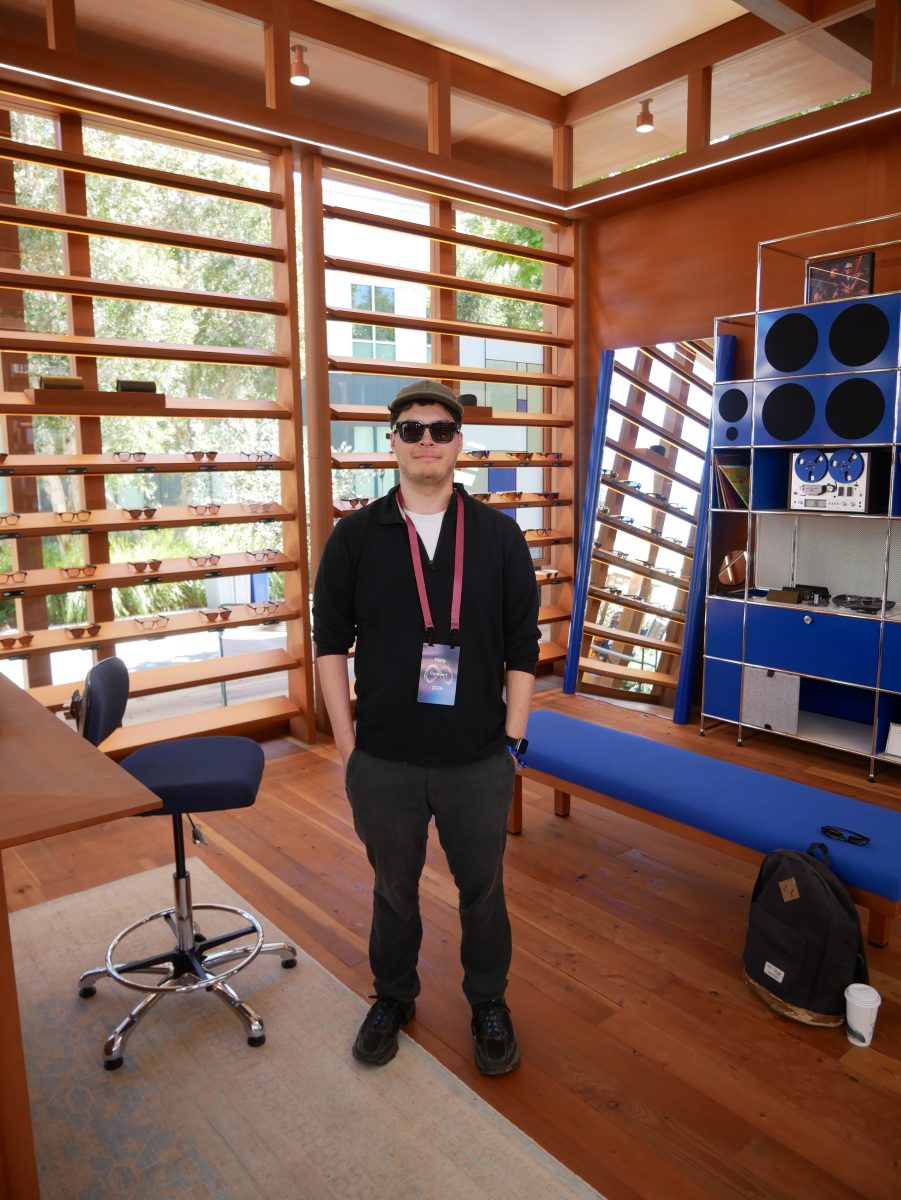
Indeed, the glasses were pretty much everywhere at the annual event, where Meta shows off its newest hardware and AI products. Both Meta staff and the flocks of influencers who frequent the event seemed to arrive with the glasses glued to their faces. Most of the demos the company offered this week also involved the glasses.

I swiftly joined the bespectacled masses and found myself trying on pair after pair of Meta’s high-tech specs.

One of the more notable products I had an opportunity to demo were Meta’s new, still-unreleased, audio-only smart glasses. News of these glasses emerged not long after the company weathered accusations that it was selling “pervert glasses,” with critics alleging that its camera-equipped specs could be used for nefarious surveillance purposes.

The new glasses come equipped with six microphones, but no camera, and they have no native way to record your surroundings, which should go a long way toward easing privacy concerns. They are significantly lighter than any of the other smart glasses I’ve worn, and they were quite comfortable.

The Meta staffer I talked to emphasized the glasses’ entertainment and communication options: You can listen to music easily (they’re more comfortable than earbuds) and take phone calls without reaching for your phone.

The glasses will also integrate with Muse, Meta’s personal agentic system, which can carry out tasks on the user’s behalf. The new integration, which isn’t yet available to the public, lets wearers speak to Muse and give it commands verbally. Meta also plans to personalize the agent, letting users pick from an assortment of cute digital avatars that can represent the agent when it communicates with them.

I was given an opportunity to try this out, which was fun but also somewhat comical. You have to be very direct with the agent, and you can’t talk to anyone else at the same time or it will get confused. Problematically, I kept chatting intermittently with the Meta staffer who’d given me the glasses, and the agent kept thinking I was speaking to it, so it would talk over her.

Still, in the right context, it’s easy to see how this new integration could be incredibly useful. If you don’t mind being seen in public talking to your own sunglasses, you’ll be able to ask Muse to take care of various digital tasks for you, like sending emails or reciting to-do lists, and it will handle them while you’re out grocery shopping or having a beer. You can also ask the glasses anything, and like a mobile version of ChatGPT, they’ll spit out an answer. (I asked the glasses a question about World War II, and they gave me a succinct and historically accurate response.)

Finally, I also got to test-drive a second audio-only pair: Meta’s new glasses for the hearing impaired. Given that hearing loss affects many families (some 50 million Americans are said to have some level of hearing loss), this device, unlike a lot of other modern tech gadgets, serves a clear and practical purpose.

Image Credits:Lucas Ropek

I spoke briefly with a member of Meta’s research team who said the glasses had been in development for about five years, and he pointed out a price difference that could make them appealing: Whereas a lot of hearing aids can run as high as $1,600, the glasses will sell for $150.

The experience of wearing these glasses was interesting. Meta had me put earplugs in before trying them on to simulate the hearing loss that the glasses are meant to help users overcome. Once the glasses were on, they seemed to amplify the voice of the person I was talking to. Users can switch the amplification from focused, which zeroes in on the person in front of them, to omnidirectional, which picks up sound from all around them, depending on how they want to experience their surroundings.

Mark Zuckerberg has made it clear that he believes smart glasses are the future, and it’s evident that his company is doing its best to fulfill that vision. But smart glasses remain a niche that has yet to truly find its footing. What was most obvious at Connect is that Meta has — in an attempt to succeed where others have failed — cast a very wide net, trying to make its glasses stylish, functional, and, most of all, useful.

Is this the future? Unsurprisingly, everyone at Connect seemed to think so. I suppose we’ll have to see if the rest of the world follows suit.

When you purchase through links in our articles, we may earn a small commission. This doesn’t affect our editorial independence.

Work Rest Boundary Plan for Home-Based Entrepreneurs


work rest boundary plan for home-based entrepreneurs
Envato.com

Working from home can feel like a gift at first. No commute, no packed lunch to remember, no awkward chat by the kettle when you’re trying to finish something. Yet for home-based entrepreneurs, the same freedom can quietly make work stretch into every corner of the day.

There’s always one more reply to send. One more invoice to check. One more idea that seems too good to leave until morning.

The trouble is, when your business lives where you live, the line between “I’m working” and “I’m at home” can become almost invisible. A work rest boundary plan gives that line some shape again. It’s not about squeezing every minute for output. It’s about building a routine you can actually keep.

The Always-On Home-Office Problem

When work has no clear beginning or end, your brain rarely gets the signal that it’s safe to switch modes. You might make dinner while thinking about a client query, then sit down to relax and spot another notification. Before long, evenings are half-worked and workdays feel oddly unfinished. A work rest boundary plan can help create a clearer separation between working hours and personal time.

This can affect more than your mood. Constantly changing between messages, admin, domestic tasks and focused work makes it harder to give anything proper attention. Important decisions may get pushed into the evening, when you’re tired and more likely to choose the quickest answer rather than the considered one.

Many of us have experienced that strange feeling of being busy all day but not quite certain what we achieved. It often isn’t a lack of effort. It’s a lack of boundaries.

A useful boundary is not a rigid rule that falls apart the moment life gets messy. It’s a repeatable cue. You begin work in a certain place, at roughly a certain time, with a short list. You finish with a clear action that says, “That’s enough for today.” A work rest boundary plan makes these cues easier to repeat consistently.

The Health and Safety Executive’s guidance on display screen equipment is also a helpful reminder that a home workspace deserves the same attention as any other workstation. Comfort, posture and screen setup matter, particularly if you spend long stretches at a desk.

Create a Workday You Can Repeat

The aim isn’t to copy somebody else’s perfect 5am routine. It’s to make a working pattern that suits your clients, responsibilities and energy levels.

Start by deciding when your workday will usually begin and end. “Usually” is the key word. Some days will need flexibility, especially when you run your own business, but a default finish time stops flexibility becoming permanent availability. A work rest boundary plan can help you maintain that separation.

Plan Priorities Before the Noise Begins

At the end of each workday, or during the first ten minutes of the next one, write down:

  • One task that would make the biggest difference
  • Two supporting tasks that are genuinely achievable
  • Small admin jobs that can be grouped together later

Keep the list short. A long list often becomes a catalogue of worries rather than a plan.

Try separating tasks by the kind of attention they need. For example, writing a proposal may need a quiet morning block, while scheduling social posts or answering routine emails can sit in a lower-energy part of the afternoon. This avoids spending your sharpest hour on your inbox. A work rest boundary plan can help you organise these tasks around your available energy.

Give Tasks a Home in the Calendar

A to-do list tells you what matters. A calendar helps you decide when it will happen.

Time blocking simply means reserving portions of the day for particular types of work. You might use:

  • A focus block for your most valuable task
  • A communication block for messages, calls and client updates
  • An admin block for invoices, filing and planning
  • A buffer block for the unexpected bits that always appear

You don’t need to fill every gap. In fact, leaving space is one of the kindest things you can do for future you. A calendar packed from morning to evening assumes nothing will take longer than expected, which is rarely realistic. A work rest boundary plan should leave enough room for unexpected tasks and proper rest.

If short bursts help you get started, you could try a timer-based approach such as the Pomodoro Technique, which traditionally alternates focused intervals with brief breaks. Don’t treat the timings as law, though. A 25-minute block may be useful for admin, while a detailed piece of client work may need a longer uninterrupted window.

Make a Defined Workspace, Even in a Small Home

Not everyone has a separate office, and that’s fine. A defined workspace can be one end of a table, a particular chair, or a desk that is cleared at the end of the day.

What matters is consistency. When you sit there, you’re working. When you leave it, you’re not.

A few practical touches can help:

  • Keep work equipment in one place rather than scattered around the house.
  • Position your screen and chair as comfortably as you can.
  • Use headphones if sound helps you focus.
  • Put personal distractions out of reach during focus blocks.
  • Pack your laptop away after work if your setup allows it.

That last point sounds simple, but closing a laptop and putting it in a drawer can be surprisingly effective. It creates a physical end point, rather than leaving work visible from the sofa.

Keep Your Routine Steady Without Losing Momentum

Rest isn’t the opposite of meaningful work. It’s part of maintaining the attention and judgement your business depends on.

You don’t need an elaborate wellness routine. Small, repeated actions tend to be more useful than grand plans that disappear after a week.

Build Breaks Into the Day

Set a reminder to stand up, refill your water, look away from the screen or walk around the room. A short change of position can stop you becoming stiff and mentally stuck.

If you can, step outside once during the working day. Even ten minutes away from the desk can create a proper pause between one task and the next. You might take a short walk after lunch or use the time to collect something locally.

Treat Meals as Actual Breaks

Eating while answering emails tends to give neither task much attention. Put a meal break in your calendar, move away from your workstation and let it be a pause.

It doesn’t have to be lengthy or picture-perfect. The point is to avoid turning every moment into a working moment.

Silence What Doesn’t Need You

Notifications make every app feel urgent. Most things aren’t.

During focused work, consider switching your phone to a quiet mode, closing email tabs and muting non-essential group chats. You can still be responsive without being instantly reachable. Tell clients when they can expect a reply, then meet that expectation consistently.

A simple auto-reply or note in your email signature can help: “My usual working hours are Monday to Friday, 9am to 5pm. I’ll respond as soon as I can within those times.”

Review the Week, Not Just the Day

Once a week, spend 20 minutes looking at what happened.

Ask yourself:

  • Which tasks took longer than expected?
  • What created unnecessary interruptions?
  • When did I do my clearest thinking?
  • Did I finish at the time I intended?
  • Is next week’s workload realistic?

This is not a chance to criticise yourself. It’s a practical check-in. Your routine should be adjusted to fit real life, not defended because it looked good on paper.

Add Accountability When You Work for Yourself

Without colleagues nearby, it’s easy for work to become vague. You may be responsible to clients, but still find that your own priorities slip between urgent requests.

A little outward structure can help.

Use Shared Calendars Where Appropriate

If you work with clients, contractors or a partner, share availability rather than trying to negotiate every meeting by message. Mark focus periods as unavailable and protect them as you would an appointment.

For client-facing work, be clear about turnaround times, meeting windows and your usual working days. People generally respond well to boundaries when they know what those boundaries are.

Find a Light-Touch Check-In

This could be a weekly call with another business owner, a co-working session, or simply messaging someone your three main priorities on Monday morning. The aim isn’t to report every minute. It’s to make your commitments visible.

Finish With a Shutdown Checklist

An end-of-day checklist stops unfinished thoughts following you into the evening. Keep it brief:

  • Note what has been completed
  • Move unfinished tasks to a specific future slot
  • Check tomorrov’s first priority
  • Close email and work tabs
  • Turn off or put away work equipment

Once you’ve done that, resist reopening things “just for a second”. If something truly needs attention, you can decide deliberately to return. Otherwise, let the day be finished.

Choose Leisure Intentionally, Not by Default

After a busy day, it’s tempting to scroll, stream or click through whatever appears first. There’s nothing wrong with screen-based leisure, but it works better when you choose it rather than drifting into it between tasks.

Try making a short list of things that genuinely help you feel rested. It might include reading, cooking, a walk, music, calling a friend, a film, a hobby or a programme you’ve saved for the evening.

For on-screen leisure, set a start and finish time before you begin. Keep it outside work blocks, and avoid using it as a background distraction while you’re trying to write, plan or speak with clients. Splitting your attention can make both work and leisure feel less satisfying.

Budget awareness matters here too. Decide in advance what forms of paid entertainment fit within your personal limits, and don’t treat leisure spending as part of your business plan. Your downtime should support a balanced life, not create another decision to manage tomorrow.

Optional Digital Leisure, With Boundaries

Adults in the UK who choose regulated online gaming can review Virgin Games’ new slots. This is entertainment for people aged 18+ only, not an income source, productivity tool or business solution.

If you choose to take part, set clear time and spending limits beforehand, keep it outside working hours, and use it only where gambling promotion is legal. For independent guidance and support, visit GamCare or the Gambling Commission.

A good home-working routine won’t make every day effortless. It will, however, give work a place in your life without allowing it to take over the whole thing. Start with one boundary this week, make it easy to repeat, and let the rest build from there.

Find a Home-Based Business to Start-Up >>> Hundreds of Business Listings.