A zero-day exploit circulating online allows people with physical access to a Windows 11 system to bypass default BitLocker protections and gain complete access to an encrypted drive within seconds.
The exploit, named YellowKey, was published earlier this week by a researcher who goes by the alias Nightmare-Eclipse. It reliably bypasses default Windows 11 deployments of BitLocker, the full-volume encryption protection Microsoft provides to make disk contents off-limits to anyone without the decryption key, which is stored in a secured piece of hardware known as a trusted platform module (TPM). BitLocker is a mandatory protection for many organizations, including those that contract with governments.
When one disk volume manipulates another
The core of the YellowKey exploit is a custom-made FsTx folder. Online documentation of this folder is hard to find. As explained later, the directory associated with the file fstx.dll appears to involve what Microsoft calls the transactional NTFS, which allows developers to have “transactional atomicity” for file operations in transactions with a single file, multiple files, or ones that span multiple sources.
The steps for carrying out the bypass are simple:
Copy the custom FsTx folder from the Nightmare-Eclipse exploit page to an NTFS- or FAT-formatted USB drive
Connect the USB drive to the BitLocker-protected device
Boot up the device and immediately press and hold down the [Ctrl] key
Enter Windows recovery
There are at least two ways to accomplish the third step. One way is to boot into Windows, hold down the [Shift] key, click on the power icon, and click restart. Another is to power on the device and restart it as soon as Windows starts booting.
In either case, a command (CMD.EXE) prompt appears. The prompt has full access to the entire drive contents, allowing an attacker to copy, modify, or delete them. In a normal Windows Recovery flow, the attacker would need to enter a BitLocker recovery key. Somehow, the YellowKey exploit bypasses this safeguard. Multiple researchers, including Kevin Beaumont and Will Dormann, have confirmed the exploit works as described here.
It’s unclear what in the custom FsTx folder causes the bypass. Dormann said that it appears to be related to Transactional NTFS, which itself uses command-log file system under the hood. Dormann further noted that by looking at the Windows fstx.dll, one will see code that explicitly looks for \System Volume Information\FsTx in the FsTxFindSessions() function.”
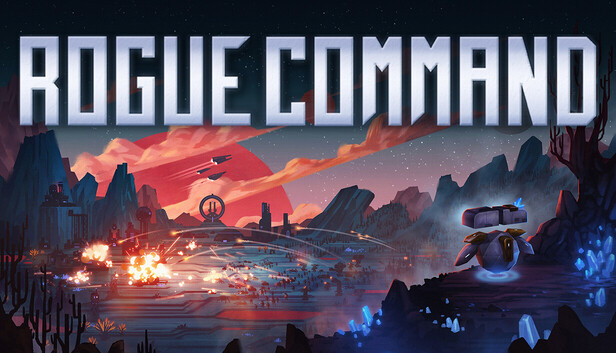
True RTS gameplay reinforced with roguelite build crafting. Control units with bullet-time precision. Call down bases and raise armies. Drafted from a different arsenal every run. Weave builds that break the game. Or the game breaks you.
THE RTS… Rogue Command is a single-player RTS that plays like the classics that defined the genre. Control your units, build your base, harvest resources, explore the map, defend positions and come up with a plan of attack. But now with every run the rules of the battlefield change and each battle is an opportunity to discover new ways to play.
GET SMARTER & GROW STRONGER Earn archive tokens to unlock permanent improvements in the vast skill tree of the Battle Archive. Push hard into a specific trait or spread your points wide to accumulate many smaller bonuses. Or unlock ways to control the randomness.
NUMEROUS ENEMIES & ENDLESS BATTLEFIELDS The planet-devouring PCX (Planetary Core Extraction Corporation) – has spread across the galaxy. Only the occasional Engineer with a crystalline consciousness infection standing in their way. Psychic Kung Fu Master
Dozens of enemy variants fielding armies with more than 150 units and buildings of their own will keep you sweating over every decision and force you to adapt. No battlefield will be the same. And conditions can suddenly shift:
“JUST ONE MORE RUN…” – AGAIN AND AGAIN A first win is only the start: 15 Ascensions with unique bosses provide escalating challenges for dozens or even hundreds of hours. Your command of the battlefield grows.
Most entrepreneurs take months to fine-tune their products, get their brand messaging right, and design an effective website. However, most of them have not bothered once about figuring out who exactly owns their domain name or if they can recover it in case anything happens tomorrow.
Digital systems are not fancy. They do not add to your revenues, and no one praises you for maintaining proper DNS systems. However, for individuals working from home or remotely, digital systems are crucial, because they underlie everything that you build online. Fail to take care of them, and you may be digging your own grave.
Your Domain Name Is Your Business Address — Treat It Like One
The domain name is not just a website address when running an online business. It is the digital property that your business identity, emails, and reputation depend on. Loss of control over your domain due to registration expiry, account lockout, or a dispute with the registrar can result in your whole site going offline and shutting down your business.
That is why you should be aware of the basics of a domain transfer, regardless of your intentions to ever switch domains. The knowledge of the domain transfer process will ensure that you are not trapped in any system, you are not a hostage to any platform, and you are always making independent decisions.
Why Home-Based Businesses Are Especially Vulnerable
Big firms have IT personnel, legal departments, and vendor relationships with service level agreements. When running an online business, the home office often has only one person handling everything, which makes information technology easy to ignore.
A few scenarios that trip up small and solo operators more often than you’d expect:
Registrar account tied to an old email address. If you can’t access that email, you may not be able to renew, transfer, or make changes to your domain at all.
Domain registered in a contractor’s name. Designers and developers sometimes register domains on behalf of clients. When the relationship ends, reclaiming ownership can become a legal headache.
Auto-renewal turned off during a billing change. Domains expire fast, and some expire quietly. Once a domain lapses, the path to recovery is expensive and not always guaranteed.
Hosting and registrar bundled together. Convenience bundles are appealing until you want to switch hosts — and realize your domain is locked in the same account.
None of these are catastrophic on their own, but each one represents a gap in ownership that can be exploited by circumstance.
What “Full Digital Ownership” Actually Looks Like
Owning your digital presence isn’t about micromanaging every setting. It’s about having access and clarity across the assets your business depends on. Here’s a practical checklist:
Domain Registration
Is the domain registered under your name or your business entity?
Are your contact details current in the registrar account?
Is auto-renewal enabled with a reliable payment method?
Do you know when it expires?
Email Infrastructure
Is your business email tied to your own domain (not a free email service)?
Are you using a professional email host, or is it bundled with your web hosting?
Do you have SPF, DKIM, and DMARC records configured? (Your email provider can help set these up — they protect against spoofing and improve deliverability.)
Website Hosting
Do you have independent access to your hosting account, separate from your domain registrar?
Can you move your site if your host changes pricing or discontinues a plan?
SSL Certificate
Is your site running on HTTPS?
Do you know when your certificate renews, and who manages it?
Going through this list once a year — even just as a 30-minute audit — can save you from problems that take weeks to untangle.
Building a Business You Actually Own
And there is another mind shift inherent in all of this: the distinction between utilizing digital technology and having digital infrastructure.
Social media profiles, e-commerce marketplaces, email marketing software — these are the means by which you work. They are valuable and important, but they are owned by someone else, run on someone else’s servers, governed by someone else’s terms of service, and they can be altered, limited, or revoked at any time. More than one entrepreneur or content creator has found out about this the hard way.
But your own domain name, your website, is something you own. Your own list of email subscribers, once exported and backed up elsewhere, is something you can control.
Practical Moves to Strengthen Your Ownership
If you’ve been operating reactively rather than intentionally when it comes to your digital assets, here are some concrete steps worth taking:
Consolidate where it makes sense. If your domain, hosting, and email are all with different providers, you’re managing three separate accounts, three sets of billing dates, and three support relationships. Consolidating can reduce friction — but make sure the registrar and host stay separate to preserve flexibility.
Keep credentials in a secure, accessible place. A password manager is the simplest solution. Every login tied to your business — registrar, hosting, email, analytics, CMS — should be documented and stored somewhere your business can recover if you’re unavailable.
Understand your renewal timeline. Most domain registrars allow you to register for multiple years at once. Paying for two or three years upfront isn’t just economical — it also removes the risk of an accidental lapse.
Separate your business and personal accounts. Your domain and hosting shouldn’t be registered to a personal email you might change or abandon. Use a dedicated business email as the account holder.
Download and back up your data regularly. Your website files, your email list, your customer database — these should be backed up somewhere outside your primary platform. Cloud storage is fine; total dependency on a single provider is not.
The Infrastructure Nobody Talks About in Business Content
All entrepreneurial advice deals primarily with marketing strategies, generating revenue and growth hacks. Infrastructure is almost an afterthought – both because infrastructure works without being seen, and because it’s not particularly sexy as content.
The entrepreneurs who end up creating sustainable businesses, however, are more likely to be those who understand the realities of running an online business and have attended to the mundane aspects of their operations. You know exactly where your domain is hosted and how to access it; you’ve checked your backup services; you’ve had that tough talk with a developer about getting your accounts transferred.
This is not only to avoid trouble in the future – it will also allow you to grow quicker when necessary. Whether you need to move your website to a faster hosting service, upgrade your email provider, or hire a new technical administrator, all these actions are easier when you don’t have to fix a mess first.
A Note on Growing Teams
If you’re expanding from solo freelancer to a small team, digital ownership becomes even more important. You’ll need to think about:
Shared account access (without sharing your personal master credentials)
Role-based permissions for platforms that support them
Clear documentation of who manages what
Offboarding processes so access is revoked when someone leaves
None of this requires an IT department. It requires about an afternoon of focused attention and the discipline to keep the documentation updated.
Conclusion: Boring Infrastructure Is Good Business
Those that view their technological backbone as a dynamic ecosystem, rather than something that can simply be set up and ignored, are more likely to survive in tough times and adapt quickly to favorable conditions.
Running an online business does not require becoming a technologist. It requires knowing what you control, knowing how to get to it, and making sure that no one else has the key to your business behind your back.
This is not a technical question. It is a business discipline. And it is one of the most under-appreciated competitive advantages of operating your business from home.
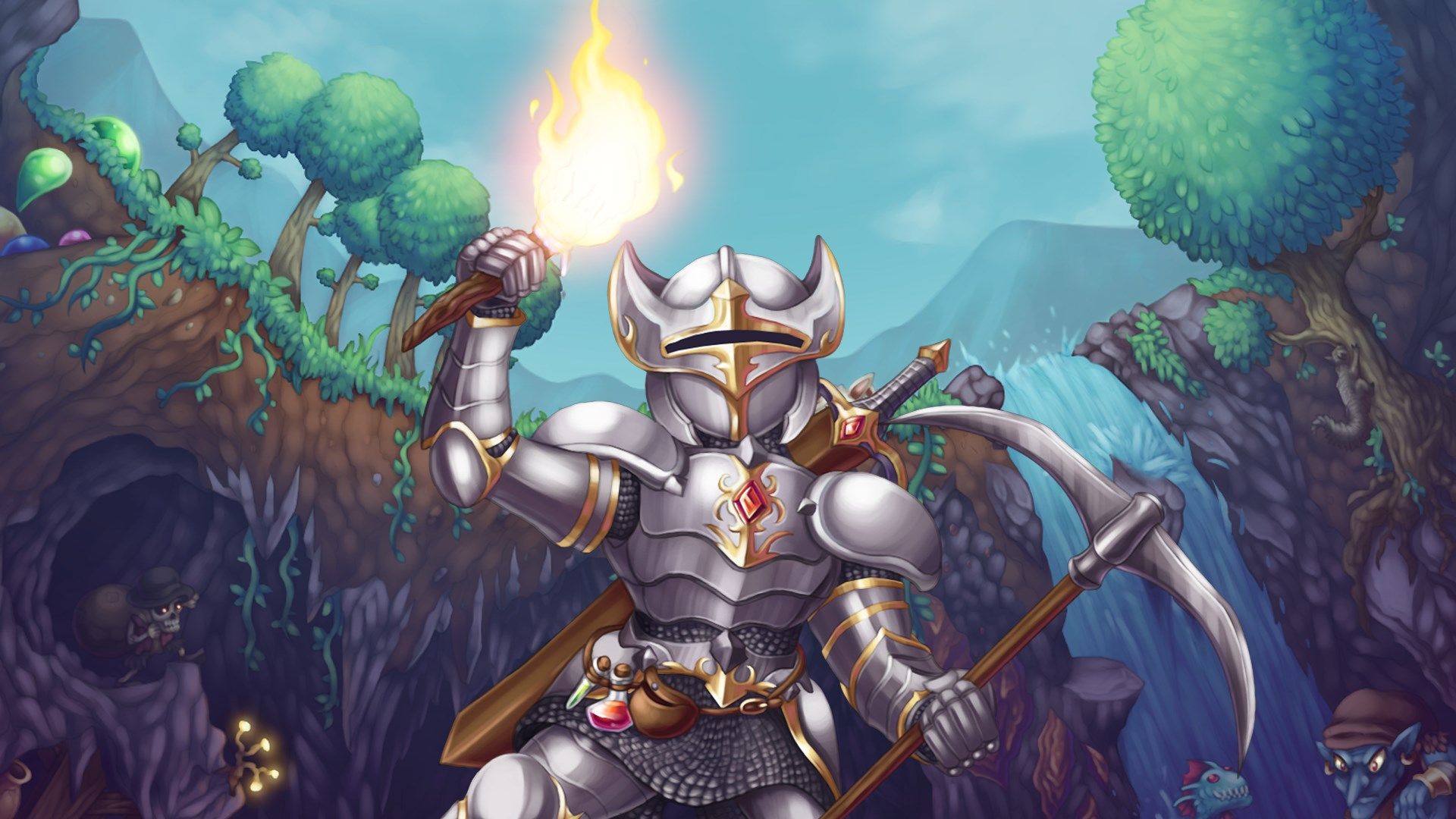
Whenever I remember I have 80 hours logged in Terraria, I’m a little shocked because it doesn’t feel like I put nearly that much time into it. Turns out, those are rookie numbers anyway—in a blog post published yesterday, developer Re-Logic shared a bunch of stats and revealed that the average PC player’s logged time was 101 hours and 18 minutes.
Given how many players don’t complete the RPGs they buy, that’s a pretty impressive stat for a 15-year-old survival game. It probably helps that it’s pretty good—Luke Winkie called it “one of the best adventures out there” in his 83% re-review from 2018—and that it just can’t seem to stop growing, with each new gargantuan update making former claims that it was finished seem increasingly absurd.
Another notable stat from the post is that the game has sold a whopping 70 million copies across various platforms, beating out mega hits like The Witcher 3. PC is unsurprisingly the most popular platform by far with 39.6 million copies sold (and 12.3 million tModLoader downloads on Steam). It’s perhaps more evidence that there is virtue in being able to run on anything.
Latest Videos From
The post goes on to state that the team is done with the whole “final update” shtick, and there’s more on the way. “Well, for now we are comfortable confirming that crossplay is on deck soon… and that Terraria Updates will continue beyond 1.4.6/crossplay,” the blog reads. “How that will work and what those entail will be shared as we go along.”
The game is bigger than ever, hopping on the crossover train with games like Palworld and sitting at over 35,000 concurrent players as I write this, according to SteamDB. In the endless high tide of new early access survival games to sift through and live service games that come and go with the wind, Terraria refuses to fade away.
Keep up to date with the most important stories and the best deals, as picked by the PC Gamer team.
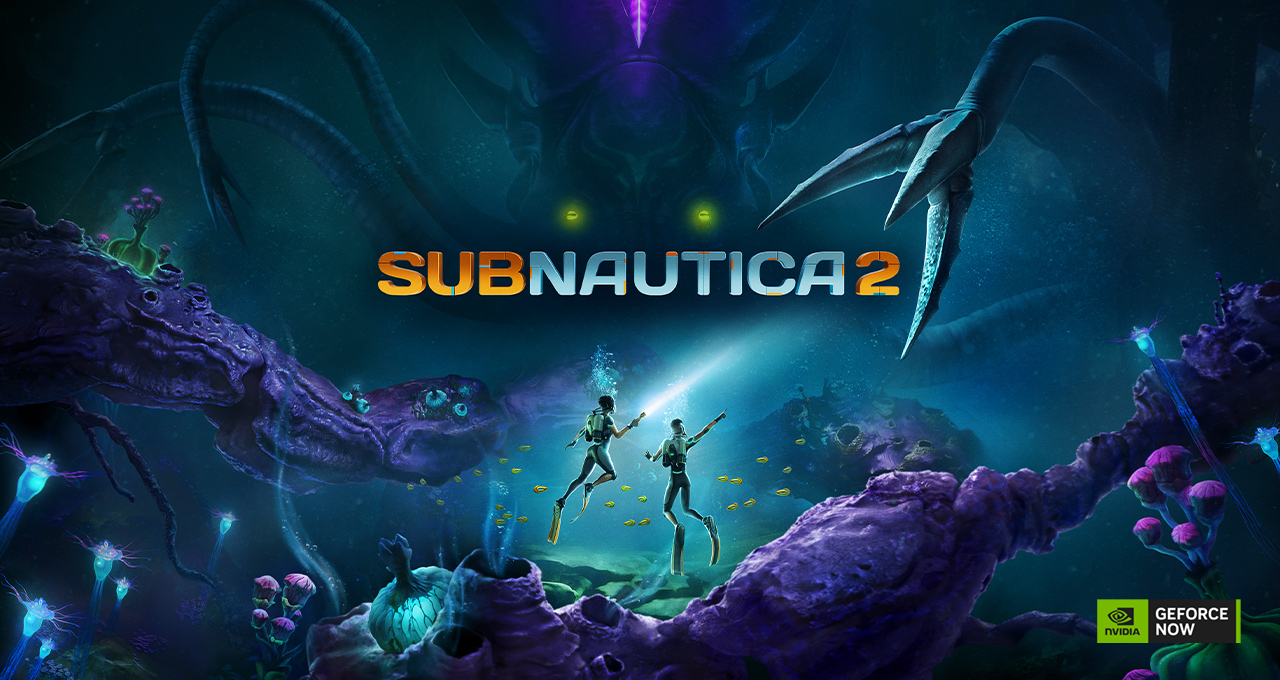
Dive masks on — Subnautica 2 is making a splash on GeForce NOW day-and-date with launch, so members can plunge into the title’s brand-new alien ocean from almost any device.
It leads 11 new games joining the cloud this week.
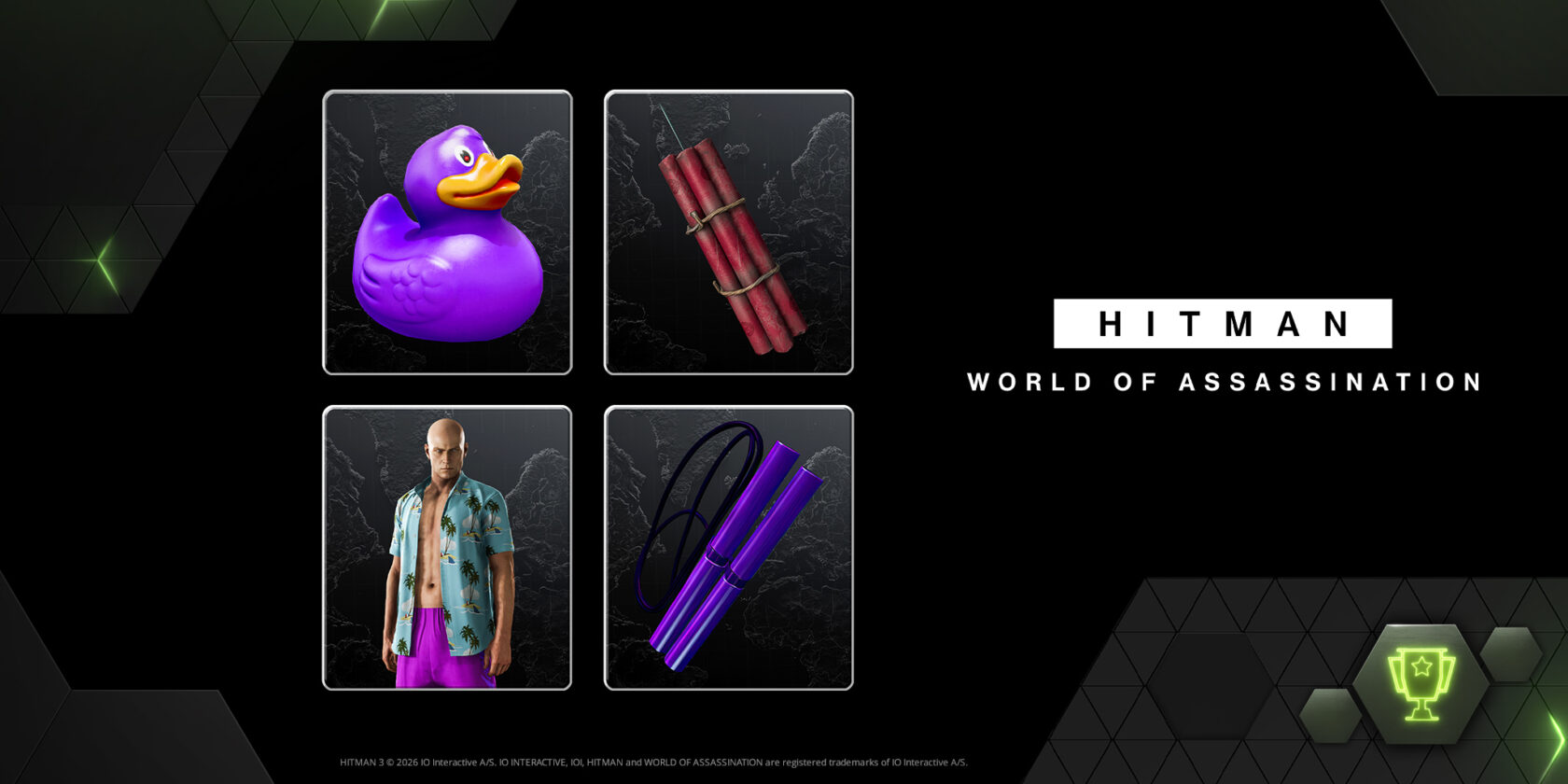
A limited-time HITMAN World of Assassination reward event brings signature tools of the trade — equal parts precision and unpredictability. At the same time Le Chiffre from CASINO ROYALE, played by the legendary actor Mads Mikkelsen, returns to HITMAN World of Assassination. Play for free through May 25 and earn a unique reward for 007 First Light.
Meanwhile, engines are already revving — the highly anticipated Forza Horizon 6 races onto the scene with early access, starting today for players who preordered the Premium Edition on Steam or purchased the Premium Upgrade Bundle for PC Game Pass. GeForce NOW members can jump in once early access becomes available on the service — no preinstalls or downloads needed.
It all highlights what GeForce NOW does best: turning PC gaming collections into play-anywhere experiences across devices, with no install, updates or the latest hardware required.
Making Waves
Explore the unknown with the cloud.
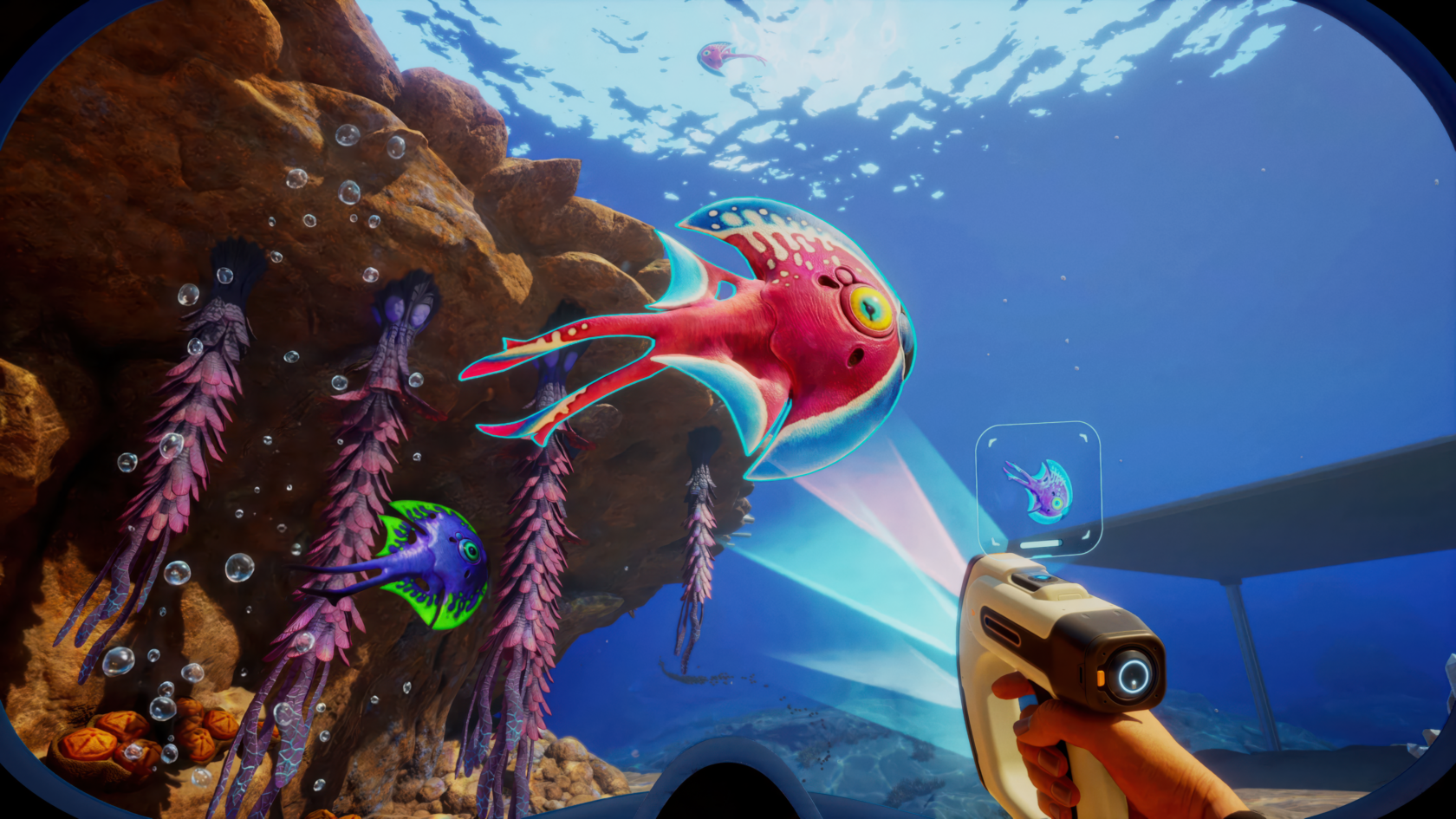
Jump into a shared-world ocean frontier in Subnautica 2 — where survival, exploration and creativity rise to the surface together. Every reef, trench and stormy horizon is crafted to be swum through, studied and slowly tamed as players chart their own course beneath alien waves.
Descend into a living seascape of dynamic ecosystems, mysterious ruins and creatures that range from curious to colossal. Take on story-driven missions, dive into resource-rich biomes and construct bases above and below the surface to turn hostile waters into a home. Whether playing solo or with a crew, the ocean stays vast and unpredictable.
On GeForce NOW, every current, glow and shadow streams with crisp detail and fluid performance straight from the cloud. Members can plunge into the depths in moments, skipping downloads and hardware upgrades.
Keep It Classy
Shaken, stirred and slightly unhinged.
Suit up, agent — things are getting a little explosive.
A new HITMAN World of Assassination reward event lands on GeForce NOW, giving members a stylish (and slightly unhinged) way to make an impression.
Each item leans into HITMAN’s signature tone — equal parts precision, chaos and dark humor. Here’s what’s waiting:
Free users: The Purple Streak Explosive Duck — a remote explosive disguised as an innocent rubber toy.
Performance members: The Purple Streak Explosive Duck and the Bomb Dynamite, a classic TNT bundle built for loud, messy exits.
Ultimate members: Full Ultimate Bundle — adds the Purple Streak Fiber Wire (a sleek, silent takedown tool) and the Purple Streak Swimwear Suit (a bold outfit that trades stealth for style) to the Purple Streak Explosive Duck and the Bomb Dynamite.
Starting today, all members get access to the rewards, which will remain available through Sunday, June 14, first come, first served. To claim, log in to a GeForce NOW account, head to the rewards section in the account portal and redeem.
One mission, a handful of questionable tools and a clear message: Stealth is optional, style is not.
Splashy New Games
In addition, members can look for the following:
Battlestar Galactica: Scattered Hopes (New release on Steam, May 11)
The Gaijin single sign-on feature is coming soon and is currently in development with Gaijin. Updates will be shared in a future GeForce NOW Thursday once the feature is live.
What are you planning to play this weekend? Let us know on X or in the comments below.
The vibes around the current AI boom aren’t great, even in the tech industry, according to a lengthy social media post from Menlo Ventures partner Deedy Das.
Das described San Francisco as “pretty frenetic right now,” as “the divide in outcomes is the worst I’ve ever seen.”
Using a “back of the envelope AI calculation,” he projected that there are around 10,000 people — founders and employees at companies like OpenAI, Anthropic, and Nvidia — that have “hit retirement wealth of well above $20M,” while everyone else worries “they can work their well-paying (but <$500k) job for their whole life and never get there.”
Plus, “layoffs are in full swing,” and “many software engineers feel that their life’s skill is no longer useful,” leading to confusion about the best career paths and “a deep malaise about work (and its future),” Das said.
This prompted some eye-rolling on X, with entrepreneur Deva Hazarika arguing that “most of the people in this post” are “incredibly fortunate and can simply make a choice to be happy.”
Another user suggested it’s “pretty damn novel & also kinda nasty” that in the current cycle, “the same technology is both the lottery ticket & the thing eating your fallback.”
The vibes in SF feel pretty frenetic right now. The divide in outcomes is the worst I’ve ever seen.
Over the last 5yrs, a group of ~10k people – employees at Anthropic, OpenAI, xAI, Nvidia, Meta TBD, founders – have hit retirement wealth of well above $20M (back of the envelope…
xAI has launched Grok Build, “a coding agent of its own to serve as competitor to its rivals’ products, such as Anthropic’s Claude Code,” reports Engadget:
As Bloomberg notes, xAI has been trying to catch up to its rival companies like Anthropic and OpenAI. Elon Musk, the company’s founder and CEO, previously admitted that it has fallen behind its competitors when it comes to coding. A couple of months ago, Musk said he was rebuilding xAI “from the foundations up” after several co-founders had left the company. One of the company’s executives reportedly told staffers to work on getting Grok to match Claude’s performance across various tasks.
More details from PCMag:
Grok Build is currently available in beta to those with a SuperGrok Heavy subscription, which starts at $300 per month. Just download it from the xAI website and log in. It’s described as “a powerful new coding agent and CLI for professional software engineering and complex coding work.” In its early version, xAI is seeking feedback and looking to fix any bugs… Only a few features have been highlighted, including a plan mode that lets you review, edit, and approve a plan before execution, and support for existing plug-ins and workflows.
Directive 8020 brings Supermassive Games’ signature brand of cinematic horror into a more action-heavy, survival-horror-flavoured space. The studio has always had a knack for tense choices, grisly consequences, and making you deeply suspicious of every dark corridor, but this time, that familiar formula is heading into sci-fi territory.
So, we’ve rounded up the best games like Directive 8020, from choice-driven horror stories to sci-fi scares, lurking threats, and games where everything can go horribly wrong very, very quickly.
1. Silent Hill f
Silent Hill f is an exceptional entry in one of horror’s most beloved series, and a great pick if what you’re after is lurking terror, unsettling imagery, and a story packed with twists and turns. You take control of Hinako as she explores her hometown, now swallowed by a strange fog that has warped everything into something deeply unpleasant. It’s eerie, stylish, and deeply unnerving, which makes it an easy recommendation for anyone after a strong dose of psychological horror.
Perfect For: Players who want psychological horror, unsettling storytelling, and the constant feeling that something is very, very wrong.
2. Alien Isolation
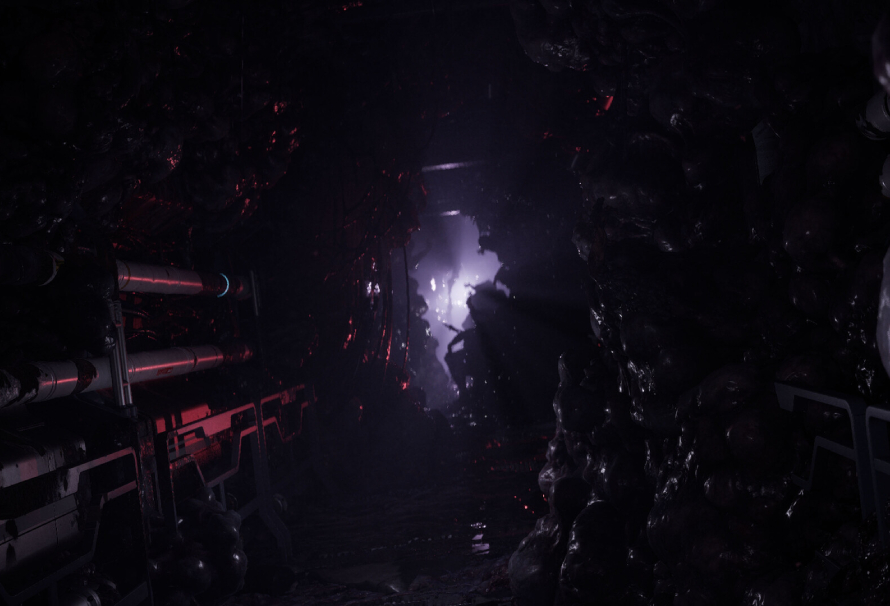
Alien: Isolation is the perfect game if you want to spend every waking second fearing for your digital life. You play as Amanda Ripley, skulking through dark corridors and trying to survive while a relentless Xenomorph stalks you from the shadows. The game uses plenty of clever tricks to make sure you never feel safe for long, and while you’re desperately trying to stay alive, you’re also uncovering the truth about what happened to your mother. Lovely stuff, really, if your idea of lovely is constant terror.
Perfect For: Anyone who wants sci-fi horror, ruthless enemies, and the horrible knowledge that hiding under a desk might not actually save you.
3. The Quarry
The Quarry is all about trying to keep yourself and a group of teenage counsellors alive in the very classic horror setup of a summer camp gone horribly wrong. It’s packed with choices, grisly outcomes, and the kind of “please don’t go into the dark woods alone” moments that make Supermassive’s games so much fun. It’s also playable with others, which adds a nice bit of chaos to the whole thing. Really, this is our stand-in for Supermassive’s wider catalogue, because if you want something like Directive 8020, it makes sense to start with another game from the same developer.
Perfect For: Fans of cinematic horror, branching choices, and trying very hard not to get a full cast of characters killed.
4. Resident Evil Requiem
Resident Evil Requiem is another strong choice from a long-running survival horror series, and it delivers that familiar mix of tension, action, and deeply unpleasant monsters. This one puts you in control of Grace Ashcroft and Leon S. Kennedy as they try to survive the horrors connected to the Umbrella Corporation. It’s a great pick if you like your horror with a bit more firepower, a lot of stress, and the occasional moment where you realise you probably should have saved those bullets.
Perfect For: Survival horror fans who want action, tension, iconic characters, and plenty of reasons to regret wasting ammo.
5. Prey
Prey fits the bill nicely because it’s creepy, clever, and set in space, which is a pretty good starting point when looking for something in the same general orbit as Directive 8020. It’s also just a stunning game all-around, with a fantastic concept and loads of ways to approach its many problems using your growing set of strange tools and abilities. Also, sometimes mugs come to life and try to eat you, and frankly, there just aren’t enough games willing to commit to that bit. Then again, almost anything in Prey could be an alien, so you’re better off trusting absolutely nothing.
Perfect For: Players who like sci-fi horror, immersive problem-solving, and being suspicious of every single coffee cup in a room.
6. Detroit Become Human
Quantic Dream games can be a little divisive, and Detroit: Become Human has moments where it lays things on a bit thick, but it’s still an excellent game if you want choice-driven storytelling with a sci-fi edge. It explores advanced androids, personhood, and what it means to be alive, all while giving you plenty of decisions that can send the story in different directions. It’s also a beautiful game to explore, and if you want to feel like every choice you make matters, this is still one of the better options out there.
Perfect For: Players who want cinematic sci-fi, branching narratives, and the pressure of knowing one bad decision can change everything.
7. Sherlock Holmes The Awakened
We’re finishing up with probably the biggest curveball on the list. Sherlock Holmes The Awakened comes from Frogwares, which means there’s plenty of investigating to do, a story that pulls you along, and, in this case, a thick layer of horror and tension. You take control of Mr Holmes himself as he dives into a mystery far stranger than his usual cases, with the Cthulhu Mythos creeping in and making everyone involved question absolutely everything they know. It might not seem like an obvious match at first, but if you’re here for mystery, dread, and a story that keeps getting weirder, it absolutely earns its place.
Perfect For: Players who want investigation, cosmic horror, and a mystery that becomes much stranger than anyone reasonably asked for.
Jason Coles
Jason likes to focus on roguelikes and co-op games; in a dream world he’d make a living writing about Dark Souls. As well as being a writer he also does personal training and accounting and can occasionally be seen on other people’s streams. Being a big fan of fluffy things means he has two cats, both of whom refuse to let him sleep, but at least they are cute.
I guess we can call Forza Horizon 6 letting players go to Japan and race against a mech a success then. The incarnation of Forza Horizon with kei trucks and indestructible cherry blossom trees in it is available four days early for people who buy the premium edition, and they have turned up in droves. It hit a peak of 178,009 players on Steam alone according to SteamDB, which puts it well ahead of Forza Horizon 5, the previous entry peaking at 81,096 players on Steam four-and-a-half years ago.
It does seem like Forza Horizon 6 has earned that dominance, though. Our Phil Savage gave it an 84 in his review, saying, “There is a staggering amount to do, and an absurd number of cars to do it all in. No other racing series operates on this scale, with this much sandbox freedom.”
Latest Videos From
Those players forking out $120 for the premium edition (or £110 in the UK, or $190 in Australian dollarydoos), aren’t just doing it for the privilege of playing four days early, though. That outlay also nets you two expansions, a car pass and two car packs, as well as a welcome pack and a VIP membership. If you know you’re going to be buying the DLC anyway, I can see why you’d put your money down ahead of time. As the kind of person who bought a lot of Total War DLC the piecemeal way, I can understand why you’d rather take the hit to your budget all at once, in advance.
Keep up to date with the most important stories and the best deals, as picked by the PC Gamer team.
Book-style folding phones are built for creativity and productivity. You get the best of a tablet and a traditional smartphone, all in one package, and the Razr Fold has some of the best multitasking features I’ve used on any foldable phone to date.
Surprisingly, though, several of the best multitasking features aren’t enabled by default on the Motorola Razr Fold, but I’ve been using it for a few weeks now and have unearthed several phenomenal features that are letting me get tons of things done without having to use multiple devices.
From three-way split screen apps to the grid-based multitasking UI, floating windows, and even a desktop OS-like taskbar, there are tons of ways to do everything everywhere all at once on your Razr Fold.
Split it to win it
(Image credit: Nicholas Sutrich / Android Central)
Book-style foldables like the Razr Fold are my favorite kind of smartphone. You get a normal screen on the outside for everyday tasks, and then you can open it up to reveal a massive tablet-sized screen that’ll really let you get things done. I’ve worked from my Razr Fold on the go more than a few times, and that’s all thanks to a handful of fantastic multitasking features that Motorola built into the phone.
The good news is that while many of my favorite foldable power features aren’t enabled by default, many of them are located in a single section within the settings menu. Let’s begin with the taskbar, which is the easiest way to treat this tablet like it’s a proper tablet, letting you instantly launch apps and run them in split-screen without having to navigate back home or perform some annoyingly finicky gesture.
1. Open the settings menu by tapping Settings in the app drawer on your home screen, or swiping down on the status bar and tapping the gear icon.
2. Select Foldable display from the list.
Get the latest news from Android Central, your trusted companion in the world of Android
3. Tap Task Bar.
4. Select Always show.
(Image credit: Android Central)
Now, when you unfold your Razr Fold, you’ll see a dedicated taskbar at the bottom of the screen. This taskbar stays put while you have apps open and makes it easy to multitask. You can tap an icon to launch an app in full-screen mode, or press on an icon and drag it to a part of the screen to launch an action.
Try opening one app full-screen first, then tap and drag another app’s icon to one of the following locations:
(Image credit: Android Central)
The left or right half of the screen will split apps vertically, making them the same size as if you were running them on the outer display. This is perfect for apps that don’t scale to tablet size very well.
The top or bottom half of the screen will split apps horizontally. I’ve never found a good use for this one, but I’m sure someone will find an app combination where splitting them like this makes sense. Both apps will be short and extra wide, so this is definitely a specialized need.
The middle of the screen will put the new app on a floating window, which can be moved around, resized, minimized, etc., just like windows on a Windows or Mac computer.
So far, all of this is pretty standard for any book-style foldable you can buy today, but Motorola has built in some truly special multitasking features for when you want to run three apps side by side or two full-screen apps at the same time.
1. Start by opening an app in full-screen.
2. Drag another app’s icon to the left or right side of the screen to split the apps vertically.
3. Find a third app icon, then press and drag it to the Add button that appears in the middle of the screen toward the top.
Now, you should see two apps running in a two-way vertical split, with a third hanging just off the side of the screen. Any time you want to swap over to this third app, just tap the window to slide the carousel. The key here is to tap the window, don’t swipe over.
Swap full-screen apps
You can also run two full-screen apps back-to-back, giving you access to two tablet-sized apps that you can switch between with a single tap. Here’s how to do that:
1. Unfold your Razr Fold and use the large screen.
2. Open any app you want.
3. On the taskbar, press and drag an app’s icon to the left or right side of the screen to run two apps side-by-side.
4. Press and hold the white bar in the middle of your screen that splits the apps, then drag it to the left or right until you see the window shape change, then let go.
5. The second app should now be stacked “behind” the foreground app. To switch to it, tap the app window on the side of the screen.
6. To go back to single-app fullscreen, press and hold the white bar on the side of the app, then drag it all the way to the side to make it fullscreen.
This 90:10 split, as it became known when the OnePlus Open debuted it in 2023, is the best and fastest way to multitask between two or three apps at a time, especially when using the Razr Fold’s larger inner display. If you find yourself commonly using the same apps, you can tap on the white bar that splits each app’s window, then tap Save app pair to create a custom pair on your taskbar.
You can use the same tactics to split apps horizontally on the outer screen, but it’s less effective since that screen is smaller. Still, give it a try next time you need to run two apps at once, and you might be pleasantly surprised with how well it works!
Lastly, you’ll want to swap out the massive tiles in the Overview menu for something that makes a lot more sense on a huge display. This feature only works on the large inner display, unfortunately, but it’s still worth taking the time to do it.
1. If you use gesture navigation, open Overview by swiping up and holding on the home bar until the multitasking screen appears
Or, if you use navigation buttons, tap the multitasking square key to open Overview.
2. At the top of the screen, tap the grid icon to switch to grid view.
(Image credit: Android Central)
Now, you can quickly switch between several apps at once instead of just one or two. It’s a lot more efficient and makes a lot more sense for a screen of this size. And that’s everything you need to know about multitasking on the Motorola Razr Fold!
Unlock the full power of your smartphone experience with a Motorola Razr Fold. Two screens and powerful multitasking features make it easy to get everything done at once, no matter where you might find yourself.