Meta recently updated its commercial terms of use, declaring that the company can “use any content from [a business account’s] domains, web pages, or URLs to provide, develop, improve, research, train, and maintain the integrity of” Meta products and services.
However, a Meta spokesperson insisted that the updated terms did not reflect a change in the way Meta crawls the web. And now, The Verge reports that the provision has been removed.
“We’ve heard you and want to clarify: the crawling terms we consolidated only applied to our ads and business products, and we’ve clarified that in the terms themselves,” the company said in a statement. “It does not change how Meta uses web crawlers.”
For years, Voicemod has given people a way to change their voices online, which they’ve done for any number of benign reasons — for game players with feminine-pitched voices to avoid harassment, for those with damaged vocal cords to simulate their former voices, for anonymity or even just for fun. Now the company has a new product to bring its voice-changing tech on the go in a physical device that magnetically clips on the back of phones.
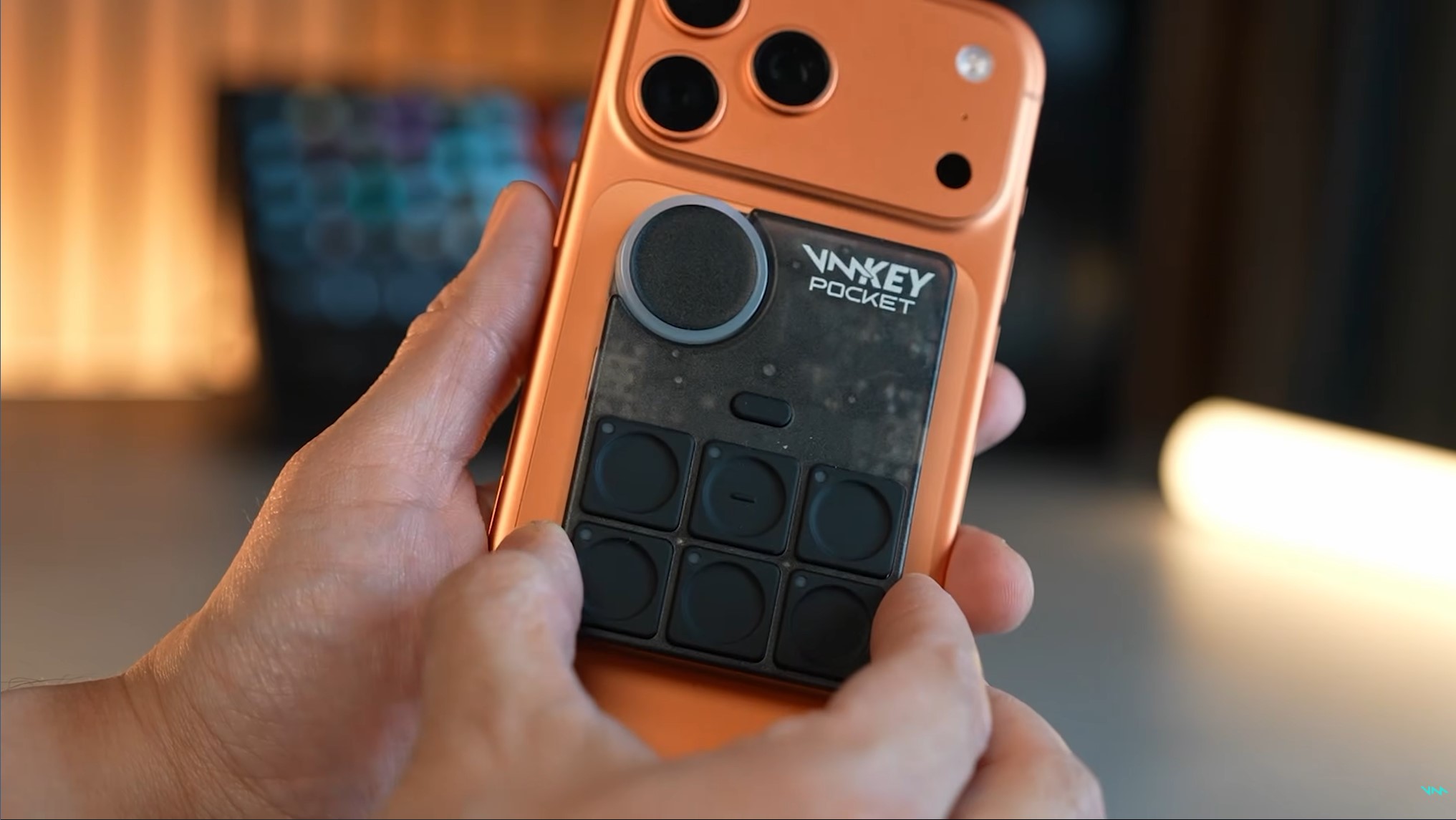
The Voicemod Key Pocket, available to preorder now for $130, is a small soundboard about the size of a magnetic battery and serves as a controller interface for the company’s voice-changing apps. The half-dozen buttons on the back of the device can be used to switch between voices or audio effects while streaming or playing games, while the wheel adjusts volume of the projected voice.
The Key Pocket works in tandem with the Voicemod app, but all voice processing is done locally and in real time separate from games and streaming apps in order to maximize privacy as well as performance, according to a Voicemod statement. The Voicemod app provides access to over 200 original voices made by the company, over 76,000 voices made by the service’s community and over 800,000 sounds and memes made by users.
The Key Pocket is a versatile gizmo, with an LED wheel at the top-left corner for toggling voices and checking sound setup, while programmable trigger buttons enable swapping between voices and soundboard playback. The device supports wired and Bluetooth wireless headsets, has USB passthrough charging and clips securely to the back of phones with MagSafe-compatible magnets.
Beyond phones, the Key Pocket works on tablets and consoles, including PS4 and PS5, Xbox Series X/S, Nintendo Switch 2 and the Meta Quest 2, 3 and 3S headsets. It can plug into USB-C, wired 3.5mm ports or connect via Bluetooth.
There are plenty of reasons folks might want to change their voice, from goofing off with friends to avoiding harassment when gaming online — a sad reality for gamers with feminine voices. It’s also an accessibility boon for people who have health conditions or other circumstances leading them to want to change their vocal timbre and pitch.
These days, changing voices can be cause for concern, especially with artificial-intelligence scams spoofing the voices of loved ones to extort money. But when I sat down at Mobile World Congress 2026 earlier this year to chat with Voicemod’s Daniel Pearson, vice president of marketing, and Alex Bordanova, chief product and technology officer, they explained how it aligned with the ethos of the company. The Key Pocket is the result of years of Voicemod’s work to support the idea that one’s online voice is as much an expression of identity as their visual look.
“Everyone has their digital visual appearance where they tweak their cosmetics and skins, but when it comes to voice, it’s kind of been left out, right? It’s this missing half of digital identity,” said Pearson.
As voice-changing tech makes its way into Fortnite, Arc Raiders, Marvel Rivals and other spaces for online third spaces, people are opening up to the idea that their personal expression isn’t just limited to how they’re seen, but also how they’re heard — or as Pearson calls it, their “sonic identity.”
Voicemod
When voice becomes a way to express identity
In our earlier chat, Pearson and Bordanova laid out what Voicemod meant to its community, with the latter describing one memorable story from last October’s TwitchCon 2025. A woman approached him explaining that she was a streamer who lost her voice for about six months but was able to make up for it with Voicemod’s tech.
“She used an AI voice, because that was enough to turn something audible out of just very nuanced sounds that she could project,” Bordanova said.
It spurred discussion about ways the Voicemod team might preserve the community’s voices — a vault, say, to future-proof their voices in the event that health or injury might limit their speaking.
The Voicemod creators don’t just see its tech as just to alter voices for fun or privacy — they see it as an expression machine, one that reflects who you are online. That comes in the form of a voice tweaked to a desired pitch and timbre, but also more abstract communication, like a soundboard. Yes, the signature toy of radio shock jocks from yesteryear is an aspect of expression, too, especially among a community where sounds take on specific meanings.
“It’s giving you the capacity to react and expand by giving extra context that you and your friends understand, but the normies don’t,” said Pearson.
“[Gamers] are social beings, they don’t want to have the default skin. They want to have their own skin customized,” Pearson said. “If the game just gives you 5-10 skins, you’re gonna want the next one, you want to differentiate yourself.”
The company’s Voicelab enables further voice tweaking with fun effects. One could, if they wanted, change their voice to sound like they were wearing a helmet in a cave inside a volcano — wacky but evocative sonic context placing the person in a specific space and circumstance. It enhances expression and storytelling and uses AI to do it. But not the AI you’re thinking of.
AI has been at the heart of Voicemod — but not generative AI
There’s no denying that technological advancement has enabled voice generation, but Voicemod came long before that. It was founded 14 years ago, using digital sound processing to alter voices, launching first on an iPhone 3GS, Bordanova explained.
What their tech enabled that traditional DSP could not is changing the timbre of the voice — its tone, color and personality. Using math, Voicemod’s tech could change a vocal signal in ways that would simulate changing the human organs that naturally shape one’s voice, like elongating or shrinking the vocal cords or altering the width of your throat or nose.
More traditional AI powered Voicemod’s older methods of voice changing, which improved thanks to technological developments. The company’s advantage was to be one of the first to invest heavily in AI’s use in voice changing, Bordanova said.
“There was something unique, something very special, that would evolve us from being a voice changer to having fun with friends online, into giving real utility for a 24/7 use case,” Bordanova said.
What he clarifies is that Voicemod’s tech isn’t based on generative AI, unlike the tech behind voice processing tricks like Google’s live translation. Instead, their language models are around 20 megabytes in weight, and take about a week to train. Unlike the immense large language models used in generative AI, Voicemod’s are small enough to fully download on phones and other client-side devices. They can be consulted immediately on device for 42 millisecond latency, rather than need to go to the cloud.
That doesn’t mean they’ll never use LLMs — but the use case they’re envisioning is as a glorified assistant helping people find the right toggles and settings to get the voice they want from existing choices.
“You can type, I want the voice of SpongeBob and the LLM would pick the right effect and parameters and just create the voice for us,” Bordanova said.
Voicemod
Expression on the go, through your phone to your digital life
Back in March at MWC 2026, I chatted with Bordanova and Pearson when they brought out a prototype for the Key Pocket, the follow-up to the company’s earlier Voicemod Key, a dongle device that aimed to help change voices for console play. Even in its cruder form, the Key Pocket felt special.
As even the prototype was MagSafe compatible, I clipped it to the back of my own iPhone 15 Pro Max. Even if the device wasn’t far enough along to be usable with software, I could still simulate how it would feel in action with my phone rotated sideways, as if I had it active while gaming. The row of buttons rested below my fingers, easy to press if I wanted to tweak my voice or trigger vocal or sound effects. The volume wheel was nice and accessible. If I was streaming or chatting with my friends, the Key Pocket would be a nice accessory to have.
While a lot of gaming happens at home on PC and console, mobile gaming is a huge sector. The Key Pocket is a neat tool for gamers who either play on the go or who opt to play on phones for other reasons — possibly because they can’t afford pricey bigger platforms, which have only gotten more expensive since the RAM shortage. Odds are good that the phone in many gamers’ pockets can play the games they want, and the Key Pocket could help with their so-called sonic identity.
Voicemod’s goal goes beyond the Key Pocket to eventually integrate their tech at a system level, so that anyone booting up a computer or phone could use the tens of thousands of voices created by the Voicemod community (along with the filters and sound effects) to modify their aural appearance anywhere on the device.
“The last frontier is to get rid of the hardware,” Bordanova said.
Expanding Voicemod’s tech across a device’s software and apps would broaden its appeal — imagine not just customizing your voice in games and voice chats with friends, but work Zooms and other calls. Having the same options and interface available everywhere you could use your voice would open up possibilities for folks who’ve never thought about tweaking their voices.
But any mobile gamer will tell you that external controls make a world of difference compared to on-screen digital buttons. Integrating voice tech into the back end of devices is good, but having the Key Pocket soundboard at the touch of your fingers is a far more tactile and responsive set of controls. For streamers and presenters on the go who rely on exact timing, the Key Pocket is a neat solution. Sometimes all you need is an attractively designed gadget to expose folks to new tech possibilities — and in this case, the potential to express themselves online in a way they may not have considered before.
David Lumb
Managing Editor, Mobile
David Lumb is a managing editor for the mobile team, covering mobile and gaming spaces. Before CNET, he covered tech, gaming, and culture for TechRadar, Engadget, Popular Mechanics, NBC Asian America, Increment, Fast Company and others. As a true Californian, he lives for coffee, beaches and burritos.
See full bio
Red Barrels’ Outlast series has long held a reputation for pushing the envelope further than most horror games, with depictions of violence, gore and nudity that can be shocking even within a medium well versed in delivering scares. But it isn’t just audiences who have found the studio’s games shocking beyond the virtual horror norm. As co-founder Phillipe Morin recently revealed, there have been numerous instances where people in and around the studio have found working with the material frightening to the point of being traumatic.
In a chat with Gamespot, Morin discussed the studio’s unflinching approach to horror, explaining that it wasn’t a deliberate attempt to court controversy, and was simply a “personal preference” on Morin and the other co-founders’ behalf. “We didn’t start like ‘Oh, we’ve got to make the goriest game out there'” Morin explained. “It was just, ‘we’re making a horror game, so obviously we’ll make it gory. I remember even the scriptwriter early on was saying, ‘There’s never too much blood.'”
Nonetheless, the intense and graphic nature of Outlast’ horror has proved triggering within the studio. During the interview, Morin recalls one incident involving an individual associated with Red Barrels—possibly an employee, though Morin doesn’t state this explicitly. “We started pushing and pushing, and you know, I remember there was a playtest, and somebody, after a couple of hours, basically ran out of the studio to go cry outside.” Apparently, this person never returned to the studio.
Latest Videos FromPC Gamer
The Outlast Trials – Official Trailer | IGN Fan Fest 2024 – YouTube
Morin says that Red Barrels is not oblivious to the potential effect of its games on people, and that this informs how the studio approaches recruitment. “When we do job interviews, we always make sure that people are fully aware of the kind of content we create and the kind of conversations needed to create that content,” he explains, adding that “People have to be comfortable with that because obviously you hear stuff in the studio that [if] you said the same thing in a different studio, you’d end up in a meeting with HR.”
Yet these attempts at transparency with potential employees have not always been successful, as Morin explains. “We had one case of somebody who started working with us on Monday, and then on Thursday they resigned because even though they knew about the gore and the violence, they had a blind spot for other things, more so about religion, and they were not comfortable with that.” While Morin doesn’t specify when this occurred, it’s likely that it happened during the development of Outlast 2, the story of which revolves around a violent Christian cult.
Yet while some people may have found Red Barrels’ horror to be too much, the broader audience has absolutely lapped it up. The most recent game in the series, The Outlast Trials, sold half a million copies in its first week of early access, while the series as a whole has attracted a whopping 60 million players since 2013. Hence, if Red Barrels ever does make Outlast 3, it’s unlikely the studio will soften its approach.
Keep up to date with the most important stories and the best deals, as picked by the PC Gamer team.
I still remember early on getting frustrated when I got client drawings full of broken references (XREFs), you never knew if it was something important that was missing or simply a reference they meant to remove.
Chasing down and trying to get missing files is always a pain in the a**
There are so many ways to prevent these issues, and today’s email is all about streamlining and better understanding how External References work within AutoCAD.
Once you learn to utilize the power of XREFs, it really is a time saver that makes collaboration and keeping drawings organized easier.
So this week’s tip (and video) is one I wish I had back then 👇
💡 Quick Tip: Use OVERLAY for Most XREFs
When attaching an XREF, you’ll see two options: Attach and Overlay.
Attach includes the XREF in any future files that reference yours Overlay shows it only in the current file — it won’t be nested further
Use Overlay as your default — it helps avoid circular references and layer chaos when collaborating or building multi-sheet plans.
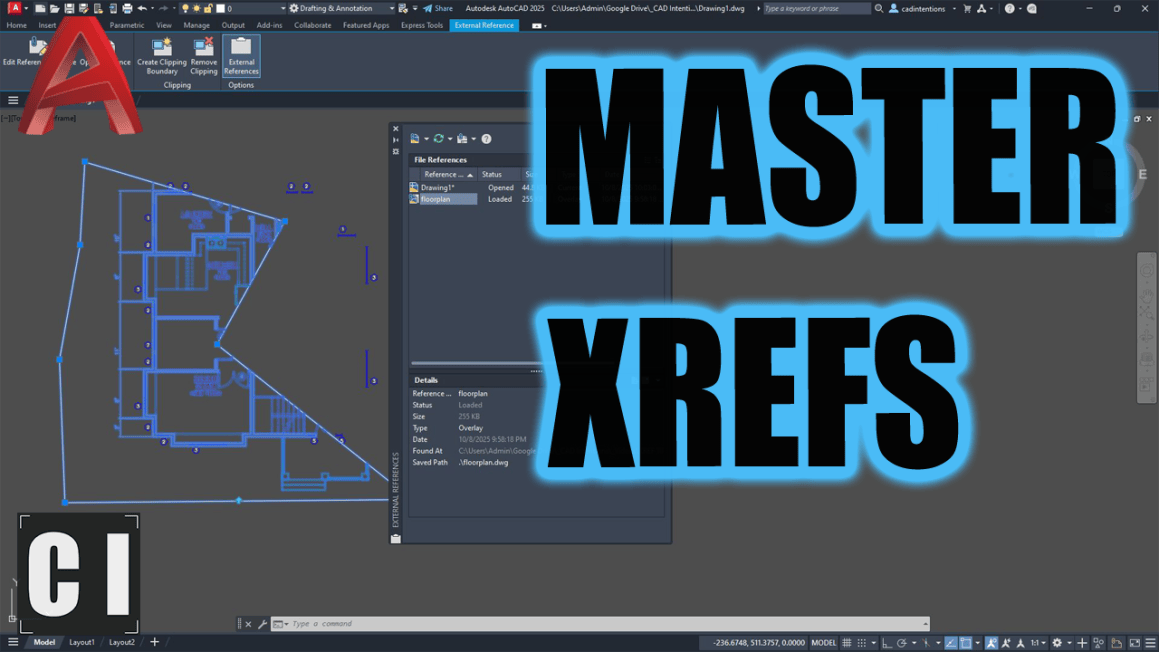
Feature Video: Master XREFs in AutoCAD (The Right Way)
If you’ve ever struggled with:
Bloated, messy DWG files
Broken XREF paths
Missing viewports or annotations
Or just not knowing when to use Attach vs Overlay…
This video will walk you through it all. It’s a beginner-friendly, practical crash course to finally get XREFs working for you, not against you.
💬 Let me know in the comments if you’ve ever had an XREF fail on you.
🛠 Tool of the Week: Autodesk Forma
Forma is Autodesk’s next-generation cloud-based platform for early-stage planning and design — and it’s seriously powerful.
Whether you’re working in architecture, urban planning, or site design, Forma helps you:
✅ Explore massing concepts faster ✅ Analyze environmental impacts (sunlight, wind, noise) ✅ Collaborate across teams in real time ✅ Generate insights before jumping into detailed BIM work
It integrates with Revit and is built for designers who want data-backed decision-making before detailed modeling even begins.
If you’re enjoying these tips and want to go deeper, check out my AutoCAD Fundamentals & Workflows course. It’s packed with the real-world systems I use every day: templates, plotting, layout workflows, title blocks, and more.
That’s it for this week! Let me know some of your XREF tips & Tricks in the comments or by hitting reply!
Cheers and happy drafting, Brandon
P.S. If you’ve got a colleague who’s still just inserting entire drawings into your working drawings, forward this email or send them a link!
They’ll thank you later.
The following two tabs change content below.
Brandon is a Civil Designer, Aspiring Blogger/Creator, Husband, Father to two Amazing Kids and Tech Aficionado from a small town in Canada. He has been obsessed with design and technology since he can remember and working as a Civil Designer for nearly as long. Brandon’s blog and Youtube channel, CADIntentions.com has been his outlet and excuse for keeping up with new tech and trends in the CAD design world for the last 10 years growing to more than 60,000 subscribers and over 15,000,000 views, while also being the source of many great friendships and unique opportunities.
If you would like to Sponsor CAD Intentions or Work together in some way, Please visit my About Page and send me an email: http://cadintentions.com/about-me/
For millions of gamers, November is all about one video game: Grand Theft Auto 6. Rockstar’s much-anticipated open-world crime game is likely to spark a cultural moment that we haven’t seen in games since Animal Crossing: New Horizons in 2020. While that’s exciting, it’s also bound to leave players who don’t care about GTA a little bored considering that so many developers have moved their games out of November entirely to avoid getting lost in the storm.
The good news for anyone looking for some good GTA 6 counter-programming is that there are more games coming out next month. While it’s not as crowded a field as we typically get in November, there’s still sure to be something for you. Here’s a look at some of the highlights you can expect to play if you’re avoiding the streets of Vice City.
Gravhounds
Release date: Nov. 2
Where to play: Windows PC, Xbox Series X
In a crowded Gamescom Opening Night Live stream, Gravhounds was a real attention-grabber. The upcoming co-op shooter puts you and your friends in control of gun-toting dogs forced to shoot their way through an alien planet. With base building mechanics and some gravity-bending physics to toy with, it could wind up being a goofy multiplayer hit. It’s set to launch into early access starting on Nov. 2.
Godzilla: Destroy All Monsters Melee Remastered
Release date: Nov. 3
Where to play: Nintendo Switch 2, PlayStation 5, Windows PC, Xbox Series X
Anyone who grew up in the GameCube era will no doubt remember Godzilla: Destroy All Monster Melee, if only for its iconic cover art. 24 years after its release, the cult classic kaiju brawler is returning in a freshly remastered form complete with online multiplayer. If you’ve never played it, don’t sleep on it: It’s a surprisingly fun casual fighting game that’s filled with classic monsters.
World of Warcraft: Forever
Release date: Nov. 4
Where to play: Windows PC
Arguably, World of Warcraft: Foreveris as big a deal as GTA 6 — at least for a specific era of players. Blizzard is embracing 2000s nostalgia by creating an all-new version of its legendary MMO that features retro graphics and brand-new content. It’s a dream come true for players who have just always wanted more from World of Warcraft, but as they remember it back in its heyday.
The Legend of Zelda: Ocarina of Time
Release date: Nov. 5
Where to play: Nintendo Switch 2
Considering that GTA 6 isn’t coming to Switch 2, we always knew that Nintendo would need to pull out the big guns to counter-program it. It doesn’t get much bigger than a remake of the greatest game of all time. The Legend of Zelda: Ocarina of Time is getting a modern makeover complete with dreamy visuals, modernized controls, and even a jump button.
Escape Academy 2: Back 2 School
Release date: Nov. 5
Where to play: PlayStation 5, Windows PC, Xbox Series X
For those looking for a multiplayer game to play in lieu of GTA 6 missing an opportunity for co-op, Escape Academy 2: Back 2 School is your best bet. The multiplayer puzzle game will drop you and a pal into a series of escape rooms designed by people who used to make them in real life. It even features local split screen, making it a perfect couples game for Jason and Lucia.
Warhammer Survivors
Release date: Nov. 10
Where to play: Android, iOS, Nintendo Switch, Nintendo Switch 2, PlayStation 5, Windows PC, Xbox Series X
Sometimes a game title says it all. Warhammer Survivors is Vampire Survivors, but Warhammer. It’s made by the developers behind the excellent Warhammer 40,000: Boltgun, a studio that has already proven that it knows how to work Warhammer lore into a good retro genre game.
Barbie Rewind
Release date: Nov. 12
Where to play: Nintendo Switch, PlayStation 5, Windows PC, Xbox Series X
Barbie Rewind might be the smartest bit of counter-programming you’ll find in November. While GTA 6 is catering to those who crave a hyper-violent crime simulator, this good-natured retro collection pulls together tons of beloved Barbie games released between 1991 and 2007. If you grew up playing games like Barbie: Super Model, this may very well be your GTA 6.
Sonic Pico Park
Release date: Nov. 12
Where to play: Nintendo Switch, Nintendo Switch 2, Windows PC
Even Sonic the Hedgehog isn’t scared of GTA 6. Sega will celebrate the Blue Blur’s 35th anniversary this year with Sonic Pico Park, a Sonic-themed spin-off of the multiplayer Pico Park series. Expect a 2D puzzle platformer that gives you a lot of reasons to curse your friends as you work together to solve co-op puzzles.
Pikmin 4 – Nintendo Switch 2 Edition + Dandori Academy
Release date: Nov. 12
Where to play: Nintendo Switch 2
Pikmin 4 is the latest Switch game to get the full Switch 2 Edition treatment, and it’s a great choice. The strategy game is one of the Switch’s best thanks to its satisfying critter-commanding and feel-good vibe. The updated version comes with Dandori Academy, a stage-structured challenge mode that’s meant to test your organization skills.
Milki Delivery
Release date: Nov. 17
Where to play: Windows PC
If you’re more of a cozy gamer, Milki Delivery should be on your radar. The 2D indie charmer puts you in charge of a dairy delivery service. You’ll bike around the scenic countryside delivering milk straight from your cows to the locals. It all has the inviting vibes of a Studio Ghibli film.
A photo captures an event but a handwritten note can add character. A birthday message, a doodle, and a signature can help turn an ordinary picture into something personal. Strokara combines these concepts in the form of an Android application designed to let users draw on pictures and present the process in the form of a re-watched animation.
In this review, the functionalities of the application are considered in the way they have been advertised by the company rather than personal tests.
The app Strokara is available on Google Play and allows the user to draw anything on any picture and play back the drawing process in the same order, and speed. In the description, the app is said to be inspired by Samsung’s Live Message but still be an independent application.
The appeal of the application is easy to understand. A prepared message will provide the user with everything at once while an animated one allows seeing the process of creation. For example, a birthday photo can come to life as a handwritten message gradually appears, while a holiday picture can be enhanced with a drawing that reveals itself stroke by stroke.
Drawing Tools That Express Personality
The complete toolkit consists of 23 brush styles, configurable stroke widths, a color wheel and 19 different fonts. The user can also insert emojis and shapes that can be resized, rotated, and moved. The image processing functions include cutting, rotating and flipping.
Flexibility in creativity is very important because different tasks require different approaches. A simple handwritten note may work well with a family photograph while a colorful variant will work well for a party invitation or a holiday card.
A simple composition will often produce the best results. It is good to use a couple of simple strokes and a few words for the animation. Too much decorative filling will make the photo difficult to see.
An Additional Reason to Use Your S Pen
Strokara allows finger-drawn illustrations, but the distinctive feature is that with the help of an S Pen users will access the pressure sensitivity feature.
This is what makes the app attractive for Galaxy users who would like to get additional creative use of their pen. Writing naturally fits into this context: the action itself will be shown to the audience.
Finger input also contributes to popularity of the idea, since one does not have to create a work of art for animated cards: even a small message written by hand or a simple outline can be warmer than a complicated art work.
Sharing and Privacy
It is easy to share the resulting creation through MP4 or GIF options, or, better to say, it is better to send them via a chat in a messenger instead of signing up for a new platform.
As stated by the developer, Strokara is capable of working offline, has no advertisements, does not require any subscription and doesn’t gather personal user information. The price is currently $2.99 according to listings in Google Play. This is what the developers say and nobody has verified their claims.
The Final Verdict
Strokara is based on a simple premise: to add a personal touch to photo messages, allowing viewers to watch sketches and handwritten messages take shape. Its target audience includes casual hobbyists, users who enjoy adding a personal touch to their messages, and S Pen fanatics seeking for something interesting to do.
The responsiveness of the app, export quality and user efficiency still need testing; however, judging by the features that are already advertised, Strokara offers an attractive idea of introducing some creativity to the common pictures.
A quick step removes the small chance of anything going wrong and requiring more of your time.
Mikhail Artamonov/Shutterstock
If your phone has a SIM tray, it’s not something you likely open often, but there are still reasons to. You may be switching to an MVNO to save money, or maybe you’re temporarily swapping out your normal SIM for a cheaper local carrier when travelling. In some cases, your carrier will send you a replacement card if yours is damaged.
Most of today’s smartphones let you switch SIMs with the phone on, so you don’t need to switch your device off for the process. But there are modest benefits if you do, and for something so quick, it’s better to be safe if you have a few minutes.
How to replace the SIM
We’re talking about physical SIM cards, which you have to remove from your phone by hand. eSIM replacement should be as simple as using a QR code, carrier app or direct transfer between different smartphones. Most eSIM-compatible phones can store many eSIMS, though only a few can be active at once.
Physical SIM card replacement involves these steps:
Optionally, power down your phone or enable airplane mode.
Pop the tray out, usually by gently pushing a paperclip or SIM ejector tool into the ejection pinhole on the phone.
Change the card, ensuring you use the correct card size.
Pop the tray back into place.
Enter your PIN or restart if the phone requests it.
If you have a dual-SIM phone that supports two physical cards, check which SIM you intend to swap before you begin.
While many argue eSIM is a superior technology because it requires no moving parts, others still appreciate the convenience and relative privacy true SIM cards provide. They make it easy to install and use over-the-counter pay-as-you-go SIM-based accounts, for example.
The small potential risks of SIM replacement
PeopleImages/Shutterstock
Most potential dangers of SIM replacement are physical. You might accidentally insert dirt, grime or moisture into the SIM tray, or force a larger card into a smaller slot incorrectly. You could also break the SIM tray so it no longer aligns correctly, or otherwise harm the card. A damaged SIM card or one incorrectly inserted may cause the phone to continue trying (and failing) to create a network connection, draining its battery and causing it to overheat.
Most people never encounter these problems, since slowing down and being careful does the trick. In most cases, your phone will take a moment to read the new SIM and find the network. Then it will be available for service, subject to account setup requirements.
The benefit of turning your phone off before swapping the SIM is minor. It forces your phone to look at the fresh information provided on the new card when it powers on again, helping register your device on its new network more quickly by reading the new carrier settings. This reduces the chance you’ll encounter a software-based “network error” message when you swap.
More to think about when swapping SIMs
Before the 2010s, SIM slots were usually located underneath a phone’s removable battery, which obviously required powering off the device to access. Over time, as removable batteries became less common, SIM trays were moved to the outside of phones. Early models using this setup would often show a network error if you swapped SIMs while the phone was on, but they quickly became hot-swappable and this was no longer a problem.
You don’t even need to switch your device off completely to make the phone refresh its carrier settings from the card. You’ll get a similar result if you turn on airplane mode, wait 30 seconds before swapping the SIM and turn airplane mode off again once the new SIM is inserted. This should prevent any carrier hiccups during the process.
A warning on SD cards
Unlike the iPhone, some Android devices still include a microSD card slot. In some cases, this is in the same tray as the SIM, though placement varies. If this is the case for you, as when ejecting an external drive, it’s important to unmount the microSD card before removing the SIM to prevent losing data. On Samsung devices: open the My Files app, find the SD Card, tap the three-dot menu next to it and choose Unmount. Search the Settings app or check online documentation if you’re not sure how this works for your device.
So while the benefits are slight, switching off your phone when replacing the SIM can prevent software-related glitches. If you don’t want to power down, use airplane mode instead. And in case you encounter a network error after swapping, always try restarting your device first.
Over The Hill isn’t like other games. It isn’t interested in pushing you to your absolute limits, nor is it trying to sell you on intense competition. Instead, it focuses on one thing above all else: the journey.
After one of the strangest intro sequences you’ll experience this year, you’re cut loose in a vast, open world built entirely for exploration. While there are plenty of secrets to uncover along the trail, most rewards come in the form of cosmetics and car upgrades—tooling up your vehicle so you can venture even deeper into the wilderness.
Just You, Your Off-roader, and the Open Trail
The core gameplay loop is beautifully straightforward: you take an off-roader and drive around different landscapes. That’s it.
You aren’t tearing around corners at breakneck speeds. Instead, you’re trundling along at a leisurely pace, dodging massive boulders, snapping photos of local wildlife, and keeping a keen eye out for stray goats. When the terrain turns brutal, mastering your vehicle’s winch becomes second nature to pull yourself out of muddy ruts and tricky spots.
Better Together: 4-Player Co-op
You don’t have to tackle the trail solo, either. You and up to three friends can jump into co-op together to explore the wilderness as a convoy.
While you can use your winches to haul each other out of tight jams, the real draw is simply taking in the scenic views together. If you’re looking for a game where you can unclip your brain and just let your thoughts float off into the distance, this is it.
The Verdict: Unwind with Over The Hill
If you love the idea of kicking back, taking in the outdoors, and spotting a bear in its natural habitat, Over The Hill is well worth your time. It’s a wonderful lesson in gaming relaxation and good vibes—no high-pressure objectives, no flashy tricks, just pure, low-stress exploration.
Chances are, your backlog could use a game like Over The Hill. Why not jump in and enjoy the ride?
Jason Coles
Jason likes to focus on roguelikes and co-op games; in a dream world he’d make a living writing about Dark Souls. As well as being a writer he also does personal training and accounting and can occasionally be seen on other people’s streams. Being a big fan of fluffy things means he has two cats, both of whom refuse to let him sleep, but at least they are cute.
With the devs behind RimWorld gearing up for their next game with a recent engine switch, it’d be entirely fair if you were hankering for something new (if still familiar enough) yourself. Trailblazers: Into The March is one such game, having introduced itself to us earlier this year, a mishmash of the aforementioned colony sim, Nausicaa, Moebius, Andrei Tarkovski, Jeff Vandermeer, and FTL: Faster Than Light by Edwin’s measure. And now you don’t just have to look at its trailers, because there’s a demo for you to have a go at.
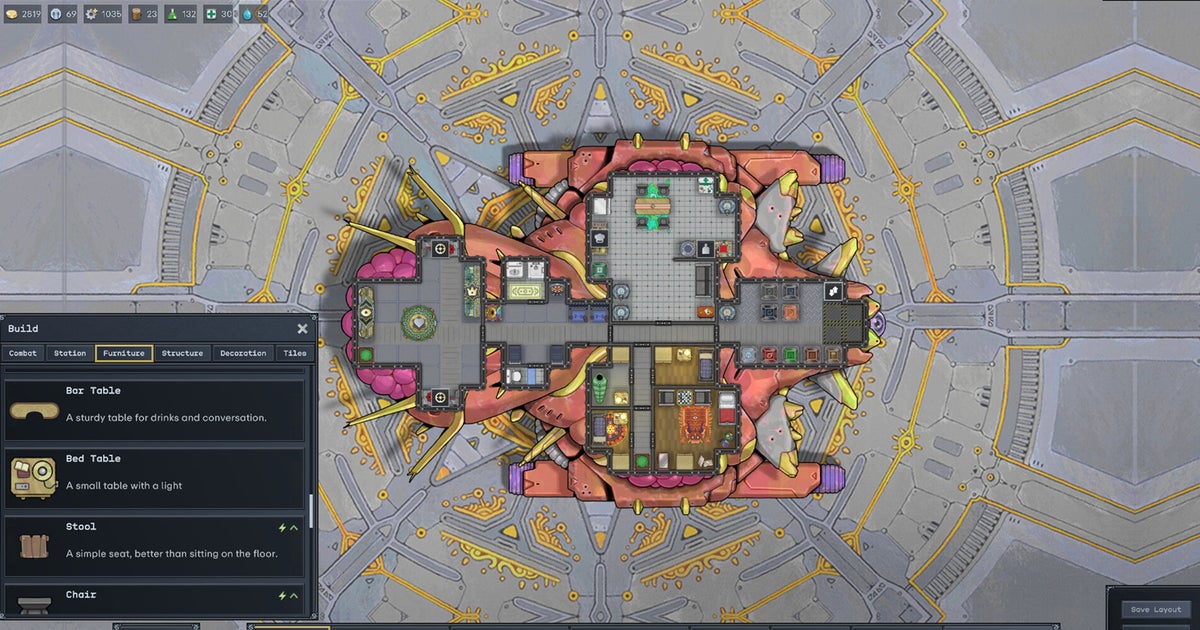
“In today’s demo, we have packed in so much for you to explore. From overcoming dangerous excursions to battling threatening foes,” explain developer Strangers of the demo. “Take on contracts from the fixer and build out your perfect Trailblazing crew!” If you’ve not actually clocked roguelite colony-sim Trailblazer before today, you are said titular Trailblazer, a captain of a landship which are essentially big, honking, vaguely animal-shaped, Shadow of the Colossus sized crafts you pilot across the ground, taking on similar such opposing vessels.
Your Landship is customizable, and it must be filled with all sorts of simulated crew members, each complete with their own backgrounds and abilities. In the macro, combat sees you commanding your ship in real-time action battles, with the option of tactical pause to be, well, tactical with. In the micro, you command your crew to see through said battles. There’s a big ole world to explore (the titular March), where you’ll be “encountering enigmatic wonders and unpredictable events along the way,” so says the game’s Steam page.
It’s got a funny mix of art too. When looking at all of your crew members aboard your ship, they resemble those tiny toy wooden puppets that collapse when you press a button beneath them. Their character portraits are a lot more detailed, but more obviously procedurally (not AI) generated, with some lush recurring character NPC portraits to show how beautiful this game can get. Neat stuff! No release date just yet, but you can check out that demo, or just throw it a wishlist, on Steam.
What if a PTZ camera could continue gaining new capabilities after purchase? That’s the idea behind the PTZOptics Rise 4K, a professional PTZ camera designed to combine broadcast-quality imaging with ongoing software innovation.
PTZOptics Head of Product Geoff Robinson recently discussed the engineering behind Rise 4K and how the company’s software-defined approach allows camera technology to evolve through updates. Rather than limiting a camera to its original feature set, continued development can add functionality, enhance performance, and support new production workflows.
The conversation also explored real-world PTZOptics applications, including a Move 4K installation at the City of Daytona Beach Fire Station and an immersive AV experience center at USK Electronics. For livestreamers, video producers, houses of worship, and content creators, the Rise 4K represents an approach to camera technology that emphasizes both professional image quality and long-term flexibility as production needs change.