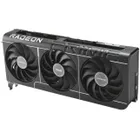
Why GPU Costs Explode as AI Products Scale


Quick summary

Why do GPU costs surge when scaling AI products? As AI models grow in size and complexity, their compute and memory needs expand super‑linearly. A constrained supply of GPUs—dominated by a few vendors and high‑bandwidth memory suppliers—pushes prices upward. Hidden costs such as underutilised resources, egress fees and compliance overhead further inflate budgets. Clarifai’s compute orchestration platform optimises utilisation through dynamic scaling and smart scheduling, cutting unnecessary expenditure.

Setting the stage

Artificial intelligence’s meteoric rise is powered by specialised chips called Graphics Processing Units (GPUs), which excel at the parallel linear‑algebra operations underpinning deep learning. But as organisations move from prototypes to production, they often discover that GPU costs balloon, eating into margins and slowing innovation. This article unpacks the economic, technological and environmental forces behind this phenomenon and outlines practical strategies to rein in costs, featuring insights from Clarifai, a leader in AI platforms and model orchestration.

Quick digest

  • Supply bottlenecks: A handful of vendors control the GPU market, and the supply of high‑bandwidth memory (HBM) is sold out until at least 2026.
  • Scaling mathematics: Compute requirements grow faster than model size; training and inference for large models can require tens of thousands of GPUs.
  • Hidden costs: Idle GPUs, egress fees, compliance and human talent add to the bill.
  • Underutilisation: Autoscaling mismatches and poor forecasting can leave GPUs idle 70 %–85 % of the time.
  • Environmental impact: AI inference could consume up to 326 TWh yearly by 2028.
  • Alternatives: Mid‑tier GPUs, optical chips and decentralised networks offer new cost curves.
  • Cost controls: FinOps practices, model optimisation (quantisation, LoRA), caching, and Clarifai’s compute orchestration help cut costs by up to 40 %.

Let’s dive deeper into each area.

Understanding the GPU Supply Crunch

How did we get here?

The modern AI boom relies on a tight oligopoly of GPU suppliers. One dominant vendor commands roughly 92 % of the discrete GPU market, while high‑bandwidth memory (HBM) production is concentrated among three manufacturers—SK Hynix (~50 %), Samsung (~40 %) and Micron (~10 %). This triopoly means that when AI demand surges, supply can’t keep pace. Memory makers have already sold out HBM production through 2026, driving price hikes and longer lead times. As AI data centres consume 70 % of high‑end memory production by 2026, other industries—from consumer electronics to automotive—are squeezed.

Scarcity and price escalation

Analysts expect the HBM market to grow from US$35 billion in 2025 to $100 billion by 2028, reflecting both demand and price inflation. Scarcity leads to rationing; major hyperscalers secure future supply via multi‑year contracts, leaving smaller players to scour the spot market. This environment forces startups and enterprises to pay premiums or wait months for GPUs. Even large companies misjudge the supply crunch: Meta underestimated its GPU needs by 400 %, leading to an emergency order of 50 000 H100 GPUs that added roughly $800 million to its budget.

Expert insights

  • Market analysts warn that the GPU+HBM architecture is energy‑intensive and may become unsustainable, urging exploration of new compute paradigms.
  • Supply‑chain researchers highlight that micron, Samsung and SK Hynix control HBM supply, creating structural bottlenecks.
  • Clarifai perspective: by orchestrating compute across different GPU types and geographies, Clarifai’s platform mitigates dependency on scarce hardware and can shift workloads to available resources.

Why AI Models Eat GPUs: The Mathematics of Scaling

How compute demands scale

Deep learning workloads scale in non‑intuitive ways. For a transformer‑based model with n tokens and p parameters, the inference cost is roughly 2 × n × p floating‑point operations (FLOPs), while training costs ~6 × p FLOPs per token. Doubling parameters while also increasing sequence length multiplies FLOPs by more than four, meaning compute grows super‑linearly. Large language models like GPT‑3 require hundreds of trillions of FLOPs and over a terabyte of memory, necessitating distributed training across thousands of GPUs.

Memory and VRAM considerations

Memory becomes a critical constraint. Practical guidelines suggest ~16 GB of VRAM per billion parameters. Fine‑tuning a 70‑billion‑parameter model can thus demand more than 1.1 TB of GPU memory, far exceeding a single GPU’s capacity. To meet memory needs, models are split across many GPUs, which introduces communication overhead and increases total cost. Even when scaled out, utilisation can be disappointing: training GPT‑4 across 25 000 A100 GPUs achieved only 32–36 % utilisation, meaning two‑thirds of the hardware sat idle.

Expert insights

  • Andreessen Horowitz notes that demand for compute outstrips supply by roughly ten times, and compute costs dominate AI budgets.
  • Fluence researchers explain that mid‑tier GPUs can be cost‑effective for smaller models, while high‑end GPUs are necessary only for the largest architectures; understanding VRAM per parameter helps avoid over‑purchase.
  • Clarifai engineers highlight that dynamic batching and quantisation can lower memory requirements and enable smaller GPU clusters.

Clarifai context

Clarifai supports fine‑tuning and inference on models ranging from compact LLMs to multi‑billion‑parameter giants. Its local runner allows developers to experiment on mid‑tier GPUs or even CPUs, and then deploy at scale through its orchestrated platform—helping teams align hardware to workload size.

Hidden Costs Beyond GPU Hourly Rates

What costs are often overlooked?

When budgeting for AI infrastructure, many teams focus on the sticker price of GPU instances. Yet hidden costs abound. Idle GPUs and over‑provisioned autoscaling are major culprits; asynchronous workloads lead to long idle periods, with some fintech firms burning $15 000–$40 000 per month on unused GPUs. Costs also lurk in network egress fees, storage replication, compliance, data pipelines and human talent. High availability requirements often double or triple storage and network expenses. Additionally, advanced security features, regulatory compliance and model auditing can add 5–10 % to total budgets.

Inference dominates spend

According to the FinOps Foundation, inference can account for 80–90 % of total AI spending, dwarfing training costs. This is because once a model is in production, it serves millions of queries around the clock. Worse, GPU utilisation during inference can dip as low as 15–30 %, meaning most of the hardware sits idle while still accruing charges.

Expert insights

  • Cloud cost analysts emphasise that compliance, data pipelines and human talent costs are often neglected in budgets.
  • FinOps authors underscore the importance of GPU pooling and dynamic scaling to improve utilisation.
  • Clarifai engineers note that caching repeated prompts and using model quantisation can reduce compute load and improve throughput.

Clarifai solutions

Clarifai’s Compute Orchestration continuously monitors GPU utilisation and automatically scales replicas up or down, reducing idle time. Its inference API supports server‑side batching and caching, which combine multiple small requests into a single GPU operation. These features minimise hidden costs while maintaining low latency.

Underutilisation, Autoscaling Pitfalls & FinOps Strategies

Why autoscaling can backfire

Autoscaling is often marketed as a cost‑control solution, but AI workloads have unique traits—high memory consumption, asynchronous queues and latency sensitivity—that make autoscaling tricky. Sudden spikes can lead to over‑provisioning, while slow scale‑down leaves GPUs idle. IDC warns that large enterprises underestimate AI infrastructure costs by 30 %, and FinOps newsletters note that costs can change rapidly due to fluctuating GPU prices, token usage, inference throughput and hidden fees.

FinOps principles to the rescue

The FinOps Foundation advocates cross‑functional financial governance, encouraging engineers, finance teams and executives to collaborate. Key practices include:

  1. Rightsizing models and hardware: Use the smallest model that satisfies accuracy requirements; select GPUs based on VRAM needs; avoid over‑provisioning.
  2. Monitoring unit economics: Track cost per inference or per thousand tokens; adjust thresholds and budgets accordingly.
  3. Dynamic pooling and scheduling: Share GPUs across services using queueing or priority scheduling; release resources quickly after jobs finish.
  4. AI‑powered FinOps: Use predictive agents to detect cost spikes and recommend actions; a 2025 report found that AI‑native FinOps helped reduce cloud spend by 30–40 %.

Expert insights

  • FinOps leaders report that underutilisation can reach 70–85 %, making pooling essential.
  • IDC analysts say companies must expand FinOps teams and adopt real‑time governance as AI workloads scale unpredictably.
  • Clarifai viewpoint: Clarifai’s platform offers real‑time cost dashboards and integrates with FinOps workflows to trigger alerts when utilisation drops.

Clarifai implementation tips

With Clarifai, teams can set autoscaling policies that tune concurrency and instance counts based on throughput, and enable serverless inference to offload idle capacity automatically. Clarifai’s cost dashboards help FinOps teams spot anomalies and adjust budgets on the fly.

The Energy & Environmental Dimension

How energy use becomes a constraint

AI’s appetite isn’t just financial—it’s energy‑hungry. Analysts estimate that AI inference could consume 165–326 TWh of electricity annually by 2028, equivalent to powering 22 % of U.S. households. Training a large model once can use over 1,000 MWh of energy, and generating 1,000 images with a popular model emits carbon akin to driving a car for four miles. Data centres must buy energy at fluctuating rates; some providers even build their own nuclear reactors to ensure supply.

Material and environmental footprint

Beyond electricity, GPUs are built from scarce materials—rare earth elements, cobalt, tantalum—that have environmental and geopolitical implications. A study on material footprints suggests that training GPT‑4 could require 1,174–8,800 A100 GPUs, resulting in up to seven tons of toxic elements in the supply chain. Extending GPU lifespan from one to three years and increasing utilisation from 20 % to 60 % can reduce GPU needs by 93 %.

Expert insights

  • Energy researchers warn that AI’s energy demand could strain national grids and drive up electricity prices.
  • Materials scientists call for greater recycling and for exploring less resource‑intensive hardware.
  • Clarifai sustainability team: By improving utilisation through orchestration and supporting quantisation, Clarifai reduces energy per inference, aligning with environmental goals.

Clarifai’s green approach

Clarifai offers model quantisation and layer‑offloading features that shrink model size without major accuracy loss, enabling deployment on smaller, more energy‑efficient hardware. The platform’s scheduling ensures high utilisation, minimising idle power draw. Teams can also run on‑premise inference using Clarifai’s local runner, thereby utilising existing hardware and reducing cloud energy overhead.

Beyond GPUs: Alternative Hardware & Efficient Algorithms

Exploring alternatives

While GPUs dominate today, the future of AI hardware is diversifying. Mid‑tier GPUs, often overlooked, can handle many production workloads at lower cost; they may cost a fraction of high‑end GPUs and deliver adequate performance when combined with algorithmic optimisations. Alternative accelerators like TPUs, AMD’s MI300X and domain‑specific ASICs are gaining traction. The memory shortage has also spurred interest in photonic or optical chips. Research teams demonstrated photonic convolution chips performing machine‑learning operations at 10–100× energy efficiency compared with electronic GPUs. These chips use lasers and miniature lenses to process data with light, achieving near‑zero energy consumption.

Efficient algorithms

Hardware is only half the story. Algorithmic innovations can drastically reduce compute demand:

  • Quantisation: Reducing precision from FP32 to INT8 or lower cuts memory usage and increases throughput.
  • Pruning: Removing redundant parameters lowers model size and compute.
  • Low‑rank adaptation (LoRA): Fine‑tunes large models by learning low‑rank weight matrices, avoiding full‑model updates.
  • Dynamic batching and caching: Groups requests or reuses outputs to improve GPU throughput.

Clarifai’s platform implements these techniques—its dynamic batching merges multiple inferences into one GPU call, and quantisation reduces memory footprint, enabling smaller GPUs to serve large models without accuracy degradation.

Expert insights

  • Hardware researchers argue that photonic chips could reset AI’s cost curve, delivering unprecedented throughput and energy efficiency.
  • University of Florida engineers achieved 98 % accuracy using an optical chip that performs convolution with near‑zero energy. This suggests a path to sustainable AI acceleration.
  • Clarifai engineers stress that software optimisation is the low‑hanging fruit; quantisation and LoRA can reduce costs by 40 % without new hardware.

Clarifai support

Clarifai allows developers to choose inference hardware, from CPUs and mid‑tier GPUs to high‑end clusters, based on model size and performance needs. Its platform provides built‑in quantisation, pruning, LoRA fine‑tuning and dynamic batching. Teams can thus start on affordable hardware and migrate seamlessly as workloads grow.

Decentralised GPU Networks & Multi‑Cloud Strategies

What is DePIN?

Decentralised Physical Infrastructure Networks (DePIN) connect distributed GPUs via blockchain or token incentives, allowing individuals or small data centres to rent out unused capacity. They promise dramatic cost reductions—studies suggest savings of 50–80 % compared with hyperscale clouds. DePIN providers assemble global pools of GPUs; one network manages over 40,000 GPUs, including ~3,000 H100s, enabling researchers to train models quickly. Companies can access thousands of GPUs across continents without building their own data centres.

Multi‑cloud and cost arbitrage

Beyond DePIN, multi‑cloud strategies are gaining traction as organisations seek to avoid vendor lock‑in and leverage price differences across regions. The DePIN market is projected to reach $3.5 trillion by 2028. Adopting DePIN and multi‑cloud can hedge against supply shocks and price spikes, as workloads can migrate to whichever provider offers better price‑performance. However, challenges include data privacy, compliance and variable latency.

Expert insights

  • Decentralised advocates argue that pooling distributed GPUs shortens training cycles and reduces costs.
  • Analysts note that 89 % of organisations already use multiple clouds, paving the way for DePIN adoption.
  • Engineers caution that data encryption, model sharding and secure scheduling are essential to protect IP.

Clarifai’s role

Clarifai supports deploying models across multi‑cloud or on‑premise environments, making it easier to adopt decentralised or specialised GPU providers. Its abstraction layer hides complexity so developers can focus on models rather than infrastructure. Security features, including encryption and access controls, help teams safely leverage global GPU pools.

Strategies to Control GPU Costs

Rightsize models and hardware

Start by choosing the smallest model that meets requirements and selecting GPUs based on VRAM per parameter guidelines. Evaluate whether a mid‑tier GPU suffices or if high‑end hardware is necessary. When using Clarifai, you can fine‑tune smaller models on local machines and upgrade seamlessly when needed.

Implement quantisation, pruning and LoRA

Reducing precision and pruning redundant parameters can shrink models by up to 4×, while LoRA enables efficient fine‑tuning. Clarifai’s training tools allow you to apply quantisation and LoRA without deep engineering effort. This lowers memory footprint and speeds up inference.

Use dynamic batching and caching

Serve multiple requests together and cache repeated prompts to improve throughput. Clarifai’s server‑side batching automatically merges requests, and its caching layer stores popular outputs, reducing GPU invocations. This is especially valuable when inference constitutes 80–90 % of spend.

Pool GPUs and adopt spot instances

Share GPUs across services via dynamic scheduling; this can raise utilisation from 15–30 % to 60–80 %. When possible, use spot or pre‑emptible instances for non‑critical workloads. Clarifai’s orchestration can schedule workloads across mixed instance types to balance cost and reliability.

Practise FinOps

Establish cross‑functional FinOps teams, set budgets, monitor cost per inference, and regularly review spending patterns. Adopt AI‑powered FinOps agents to predict cost spikes and suggest optimisations—enterprises using these tools reduced cloud spend by 30–40 %. Integrate cost dashboards into your workflows; Clarifai’s reporting tools facilitate this.

Explore decentralised providers & multi‑cloud

Consider DePIN networks or specialised GPU clouds for training workloads where security and latency allow. These options can deliver savings of 50–80 %. Use multi‑cloud strategies to avoid vendor lock‑in and exploit regional price differences.

Negotiate long‑term contracts & hedging

For sustained high‑volume usage, negotiate reserved instance or long‑term contracts with cloud providers. Hedge against price volatility by diversifying across suppliers.

Case Studies & Real‑World Stories

Meta’s procurement surprise

An instructive example comes from a major social media company that underestimated GPU demand by 400 %, forcing it to purchase 50 000 H100 GPUs on short notice. This added $800 million to its budget and strained supply chains. The episode underscores the importance of accurate capacity planning and illustrates how scarcity can inflate costs.

Fintech firm’s idle GPUs

A fintech company adopted autoscaling for AI inference but saw GPUs idle for over 75 % of runtime, wasting $15 000–$40 000 per month. Implementing dynamic pooling and queue‑based scheduling raised utilisation and cut costs by 30 %.

Large‑model training budgets

Training state‑of‑the‑art models can require tens of thousands of H100/A100 GPUs, each costing $25 000–$40 000. Compute expenses for top‑tier models can exceed $100 million, excluding data collection, compliance and human talent. Some projects mitigate this by using open‑source models and synthetic data to reduce training costs by 25–50 %.

Clarifai client success story

A logistics company deployed a real‑time document‑processing model through Clarifai. Initially, they provisioned a large number of GPUs to meet peak demand. After enabling Clarifai’s Compute Orchestration with dynamic batching and caching, GPU utilisation rose from 30 % to 70 %, cutting inference costs by 40 %. They also applied quantisation, reducing model size by 3×, which allowed them to use mid‑tier GPUs for most workloads. These optimisations freed budget for additional R&D and improved sustainability.

The Future of AI Hardware & FinOps

Hardware outlook

The HBM market is expected to triple in value between 2025 and 2028, indicating ongoing demand and potential price pressure. Hardware vendors are exploring silicon photonics, planning to integrate optical communication into GPUs by 2026. Photonic processors may leapfrog current designs, offering two orders‑of‑magnitude improvements in throughput and efficiency. Meanwhile, custom ASICs tailored to specific models could challenge GPUs.

FinOps evolution

As AI spending grows, financial governance will mature. AI‑native FinOps agents will become standard, automatically correlating model performance with costs and recommending actions. Regulatory pressures will push for transparency in AI energy usage and material sourcing. Nations such as India are planning to diversify compute supply and build domestic capabilities to avoid supply‑side choke points. Organisations will need to consider environmental, social and governance (ESG) metrics alongside cost and performance.

Expert perspectives

  • Economists caution that the GPU+HBM architecture may hit a wall, making alternative paradigms necessary.
  • DePIN advocates foresee $3.5 trillion of value unlocked by decentralised infrastructure by 2028.
  • FinOps leaders emphasise that AI financial governance will become a board‑level priority, requiring cultural change and new tools.

Clarifai’s roadmap

Clarifai continually integrates new hardware back ends. As photonic and other accelerators mature, Clarifai plans to provide abstracted support, allowing customers to leverage these breakthroughs without rewriting code. Its FinOps dashboards will evolve with AI‑driven recommendations and ESG metrics, helping customers balance cost, performance and sustainability.

Conclusion & Recommendations

GPU costs explode as AI products scale due to scarce supply, super‑linear compute requirements and hidden operational overheads. Underutilisation and misconfigured autoscaling further inflate budgets, while energy and environmental costs become significant. Yet there are ways to tame the beast:

  • Understand supply constraints and plan procurement early; consider multi‑cloud and decentralised providers.
  • Rightsize models and hardware, using VRAM guidelines and mid‑tier GPUs where possible.
  • Optimise algorithms with quantisation, pruning, LoRA and dynamic batching—easy to implement via Clarifai’s platform.
  • Adopt FinOps practices: monitor unit economics, create cross‑functional teams and leverage AI‑powered cost agents.
  • Explore alternative hardware like optical chips and be ready for a photonic future.
  • Use Clarifai’s Compute Orchestration and Inference Platform to automatically scale resources, cache results and reduce idle time.

By combining technological innovations with disciplined financial governance, organisations can harness AI’s potential without breaking the bank. As hardware and algorithms evolve, staying agile and informed will be the key to sustainable and cost‑effective AI.

FAQs

Q1: Why are GPUs so expensive for AI workloads? The GPU market is dominated by a few vendors and depends on scarce high‑bandwidth memory; demand far exceeds supply. AI models also require huge amounts of computation and memory, driving up hardware usage and costs.

Q2: How does Clarifai help reduce GPU costs? Clarifai’s Compute Orchestration monitors utilisation and dynamically scales instances, minimising idle GPUs. Its inference API provides server‑side batching and caching, while training tools offer quantisation and LoRA to shrink models, reducing compute requirements.

Q3: What hidden costs should I budget for? Besides GPU hourly rates, account for idle time, network egress, storage replication, compliance, security and human talent. Inference often dominates spending.

Q4: Are there alternatives to GPUs? Yes. Mid‑tier GPUs can suffice for many tasks; TPUs and custom ASICs target specific workloads; photonic chips promise 10–100× energy efficiency. Algorithmic optimisations like quantisation and pruning can also reduce reliance on high‑end GPUs.

Q5: What is DePIN and should I use it? DePIN stands for Decentralised Physical Infrastructure Networks. These networks pool GPUs from around the world via blockchain incentives, offering cost savings of 50–80 %. They can be attractive for large training jobs but require careful consideration of data security and compliance


It looks like XeSS 3 and multi-frame generation can be enabled on older Intel GPUs with the most minor of tweaks, so it’s not just Panther Lake that gets in on the fun


Intel has been keen to talk up the benefits of XeSS 3 and multi-frame generation in recent months, alongside the launch of its very impressive Panther Lake mobile chips and their powerful iGPUs. However, as things currently stand, it’s only officially supported on systems with Xe3-cored graphics chips—i.e. Panther Lake only.

Intel says support for older GPUs is on its way, but that hasn’t stopped several Redditors from messing around with Intel’s latest graphics drivers—and apparently it’s surprisingly easy to enable XeSS 3 on most Intel graphics chips right now (via Sweclockers). A quick bit of file swapping seems to do the trick, and commenters are reporting the benefits of multi-frame generation on both the Intel Arc B580 and Arc A770 desktop GPUs, among others.

c# – Custom WPF Window ignoring specific keystrokes


I’m working on a Visual Studio Extension that creates a popup WPF Window, the window does have a TextBox in which can be input text.

The problem I’m facing is: Whenever I have the TextBox focused and send Backspace/Ctrl + A or Esc to it, the keystrokes goes to whatever document window I had active before instead of the TextBox.

In the gif: I have the TextBox focused it recognize normal keystrokes like a-z, but when i send Ctrl+A to it, it goes to the document window in the background, same thing for Backspace, it erases things in the document instead of the TextBox which is active.

I have created a minimal reproducible example, the code can be found here:
https://github.com/jinjiere/VSExtension

A similar issue related to these keystrokes:
https://developercommunity.visualstudio.com/t/Issue-where-backspace-ctrlz-and-other/11023655?ref=native&refTime=1769989905247&refUserId=67e5f4a0-c9fb-6b2b-9ad6-7f2145a23b45

I’m not sure if its a VS bug, I have also report it here: https://developercommunity.visualstudio.com/t/Custom-WPF-Window-ignore-specific-keystr/11037258

SpaceX Acquires xAI in $1.25 Trillion All-Stock Deal


Elon Musk’s SpaceX has acquired his AI startup xAI in an all-stock deal that values the combined entity at $1.25 trillion, ahead of what would be the largest initial public offering in history. SpaceX pegged its own valuation at $1 trillion — a markup from the $800 billion it commanded in a December secondary stock sale — and priced xAI at $250 billion based on a recent $20 billion funding round that valued the two-year-old AI company at $230 billion.

SpaceX CFO Bret Johnsen told investors on a call Monday that shares in the combined company would be priced at $527 and that xAI shares would convert into SpaceX stock at a roughly seven-to-one exchange rate. The company is still targeting a June IPO expected to raise as much as $50 billion, surpassing Saudi Aramco’s $29 billion listing in 2019.

Musk said the least expensive way to do AI computation within two to three years will be in space. “Global electricity demand for AI simply cannot be met with terrestrial solutions, even in the near term, without imposing hardship on communities and the environment,” he wrote. SpaceX filed last Friday for permission to launch up to a million satellites into Earth’s orbit. xAI merged with Musk’s social media platform X last March in a $113 billion deal, and Tesla announced a $2 billion investment in xAI last week.

Berry Bury Berry Free Download (Build 21737428)


Berry Bury Berry Preinstalled Worldofpcgames

Berry Bury Berry Direct Download

A juicy first-person incremental game about growing berries and tossing them down an ominous hole. Earn money and upgrades. Make new friends with sentient berry pals. Grow and control the hole as you unearth why nobody leaves this accursed garden. Bury it all, Berry everything.

Berry Bury Berry is a surreal first-person incremental game about growing berries and putting them in a hole. Lots and lots of berries. Make and Upgrade Berry Buddies to grow higher and higher tiers of berries! Use all that sweet sweet money earned to unlock upgrades and tools to help increase profits and explore more of the accursed garden! Grow and gain control of the Hole to bury things deep below. Millennium Dream

Use all that sweet sweet money earned to unlock upgrades and tools to help increase profits and explore more of the accursed garden!

Features and System Requirements:

  • Multiple endings! Unearth the secrets of the accursed garden and it’s inhabitants!
  • Expansive upgrade tree with unlockable gadgets and tools
  • Highly addictive incremental game fun, in a bouncy and squishy world

Screenshots

System Requirements

Minimum
OS *: Windows 10 64-bit
Processor: Intel i5 or Higher
Memory: 8 MB RAM
Graphics: DX9 (shader model 3.0) or DX11 with feature level 9.3 capabilities
Storage: 600 MB available space
Support the game developers by purchasing the game on Steam

Installation Guide

Turn Off Your Antivirus Before Installing Any Game

1 :: Download Game
2 :: Extract Game
3 :: Launch The Game
4 :: Have Fun 🙂

Guide for the New Product Design Process When Hiring a Design Services Firm


A new product development process typically starts with a design opportunity, which essentially is the realization that you have a chance to introduce a new product that offers a solution to an existing user problem. You then connect with a new product design team, asking for a certain product to be developed, prototyped, tested, manufactured, and finally launched to the market. Design opportunities may arise out of unmet needs or unrealized market demand for a better alternative to an existing product. The design team will set out to analyze the viability of the idea. If there’s indeed a design opportunity, the development can quickly move on to the next phase.

While the process itself is important, a great product is more likely to come out of the work of a great design team as well. Most design teams apply pretty much the same development process, from research and ideation to iterative prototyping and manufacturing. But not all of them have an equal level of expertise and experience to execute every phase of the process well enough to deliver a brief, accurate product design. And when it comes to hiring a design team to handle a new product development, Cad Crowd is bar none the most comprehensive freelancing platform to help you discover multidisciplinary professionals with the know-how to transform ideas and concepts into tangible market-ready products. 

RELATED: Designing for Visual Impact with Your Product Design Services Company

Research

Each and every phase of a product development process holds an important role in determining success, but the research part must be singled out as the biggest contributor to the way the project moves forward. The information you gather as a product designer during the research phase will define and affect all the major points throughout the undertaking, from design specification and prototyping to manufacturing and even post-launch product management. Research primarily involves taking a deeper look into the design opportunity to better understand and clarify what the consumers want.

Main focus areas may include an analysis of competitors’ products (or anything that basically offers a similar solution), an exploration of the available and feasible materials to make the product, and an assessment of potential manufacturing methods. A lot of the details that emerge from the research may help you gain new knowledge about the market, price points, factory partners, marketing strategies, and other aspects of product discovery that influence many design decisions later on.

It’s just near impossible to launch a new product development without research, as it opens the door to an in-depth awareness of the contexts surrounding the project, including the business goals, market landscape, target consumers, quality standards, buyers’ expectations, brand identity, and so forth. All these contexts will be used as the foundation of every design decision to keep you on the right track and ensure that the eventual product is something people actually want.

RELATED: How Innovative Design Techniques Can Supercharge Your New Product Concept

Feasibility study

The discovery of a design opportunity brings the excitement of a potential for market success. But it’s important to remember that not every idea leads to a great product. You must first validate the design opportunity by conducting a proper feasibility study and an inquiry into the real-world market demand. A feasibility study is especially crucial when you’re developing a physical product. Bear in mind that you’ll be spending a lot of time and money creating a product and releasing it into the market for people to buy. This is how you regain the initial investment and eventually make profits.

In order to make as much profit as possible, the product designed by expert new concept design & product development firms needs to offer real value to consumers (so it sells in high numbers) while keeping the production cost low. And within the realm of manufacturing, mass production brings down the cost per unit. It follows the same basic formula of “total production cost divided by the number of units produced,” which roughly translates to “the more units you produce, the lower you have to pay for the manufacturing of each unit. 

Suppose your new product is a water bottle. In all likelihood, you’ll release thousands of those water bottles into the market at launch. You’ve already spent a vast amount of money researching, developing, and prototyping the product, so you might as well manufacture it in high volume, allowing you to sell each unit at a reasonable price and gain a competitive advantage. Because you’re entering a market already flooded by similar products, a proper balance between quality and price is a clever strategy to give your brand a fighting chance in the competitive landscape.

In the absence of a feasibility study, you blindly send the products to compete with existing alternatives. If the product fails to generate interest among consumers and sells poorly, much of the money you’ve poured into the development is as good as gone. You can’t improve the design when the products are already on store shelves. Unlike software or apps that can receive patches to fix bugs, a physical product comes with a greater sense of urgency to be done right the first time. 

RELATED:  From sketch to prototype with product design services for companies at Cad Crowd

product design firm

A feasibility study isn’t just about figuring out whether the water battle can be produced, but it also concerns the business side of product development. Other than an analysis of potential market demand and competitors’ products, the study should include a comprehensive risk assessment as well. There needs to be an encompassing evaluation for financial risks that may emerge from technical challenges, environmental impacts, operational costs, legal issues, etc.

An accurate estimation of product development cost can provide hints into the financial viability of a product; this is where you calculate how much financial investment the development takes, the cost of production per unit, and the amount of money you make for every unit sold. This information enables the design team (or project manager) to come up with an effective plan for resource allocation. Does the design team have enough budget and human resources to ensure a successful product development? If resources are tight, is there any way to keep the development running more efficiently?

Idea generation

Every product people see and use every day starts as an idea. Some say an idea can arrive out of nowhere and lead you to an innovative product design the market has never seen before, but product developers can’t always count on such a sudden brainwave. It doesn’t happen too often, and when it does, there’s no guarantee it’s a good one. Following the research phase, the design team should gather for an idea generation session. At the very least, the session should involve the project manager, the designer, and the engineer. An ideation phase is meant to generate as many product concepts as possible from differing perspectives.

The main purpose isn’t to define how the final product should look and what features it needs, but to come up with multiple available design options that align with the market demand. An idea generation doesn’t have to be a sophisticated process. It can be as simple as a brainstorming session supplemented by social media exploration and Internet search. Make sure to write down the ideas in an organized fashion, so you can keep track of everything, because you will have to refer back to the notes repeatedly over the course of the session. Sketches and drawings created by CAD drafting professionals (with annotations) are simple yet probably the most effective tools for the job.

RELATED: Top 31 Websites to Hire Concept Design Experts and CAD Engineers for Companies & Firms

Don’t even think about using CAD software. You don’t need it at this point, but you will definitely use it later in the development process. If you want to be a bit more elaborate, the design team can take advantage of tools like Facebook Groups or online forums to conduct surveys. However, you’re not asking the public to give you ideas; the surveys are intended as communication channels to discover consumers’ interest in new products, pain points they experience with the existing products, what features they want, and so on. You can then formulate ideas based on the information.

Back in the research phase, you’ve already defined what problem the product is supposed to solve. Keep in mind that a product can only become an attractive option to the existing alternatives if it offers a good solution to a problem. The idea generation phase must therefore strive to discover a viable design that may take care of this problem in an easy, practical, and affordable manner. That being said, an effective ideation also needs to be judgment-free, meaning everyone is encouraged to come up with any suggestion or concept of a product. Some of those ideas will be bad, others are terrible, but a few concepts may seem promising enough. The focus is on quantity, not quality, so everything is welcome so long as it still makes sense.

Idea screening

Never confuse “idea generation” with “idea screening,” as the latter needs a completely different approach from the former. While they’re both intended to discover viable product design, idea screening is where every single concept generated during the previous phase will be scrutinized for technical and financial feasibility. At the end of the screening process, it’s expected that the consumer product design team has put aside all the ideas that are not going to work, either because it’s implausible from a technical point of view or due to budget constraints. A proper screening prevents you from spending time and money on something that’s highly unlikely to materialize.

It’s better to narrow down the options to the most promising and realistic design, so you can utilize the resources more effectively. Ideas are not actually that difficult to generate; what’s difficult is choosing the right one to develop further. Because a new product development process is almost always an expensive venture, the design team must establish an efficient strategy to manage ideas and implement prioritization. Ideally, only the best option deserves resource allocation. 

RELATED: Best Tips for Creating a New Invention or New Product Design

For example, during an idea generation for a new water bottle, there are more than 20 ideas with sketches and drawings recorded by the CAD drawing expert. In an attempt to be unique or striking, one member of the design team created a concept of a sports water bottle made entirely out of stained-glass materials. It’s not technically impossible, but carrying such a brittle product for outdoor activities isn’t exactly popular. Another member suggests a design of an otherwise typical water bottle, except that the lid is positioned in the middle rather than at the top as normally expected. The design should dismiss those ideas and look for something better.

A scoring system can make idea screening easier. Rate the product based on such factors as manufacturability, potential market size, and alignment with the design team’s capabilities. Features and usability must be taken into consideration as well. For instance, the ideal water bottle should be easy to use, clean, refill, and carry. The materials should be safe, durable, and easily sourced. As for the aesthetics, don’t forget to include ergonomics (the shape and form of the product) into the equation, too. The idea that ends up at the top of the scoring system is the one worth developing.

product prototype design services

Working backwards

Sometimes, it pays to use the “working backwards” technique during the idea generation and screening phases, although this is mostly reserved for the more complex products like electronics or mechanical implements. As the name suggests, the technique requires you to start from the endpoint of a design process. Suppose you want to build the thinnest Bluetooth-enabled stereo speaker in the market; the 3D product modeling team uses a sketch or a 3D model of the product in question, and then works backward to figure out the necessary engineering steps to achieve the design.

Design specification

With the market research and ideation phases done, it’s now time to focus on the best concept selected from the screening process. At this point in the development, even the best concept still only represents a rough notion of a product. Everything is imprecise and will need a lot of work until it actually resembles a refined concept. A big part of the work is to define the product specification, which may include details like dimensions, materials, aesthetics (colors, ergonomics, textures, etc.), and cost. Depending on the product type, a design specification may contain information about functionality, technologies to be utilized to fabricate or manufacture the product, and how the product should be used.

RELATED: Innovation Best Practices: Strategies for Better & Faster Product Design Services

Design specification is all about defining the product’s function and form, as well as the user experience it should deliver. The purpose is for the product engineer to create a workable concept that can be feasibly developed into a user-friendly product. More importantly, the concept can give you a clear vision of how this product will provide a solution to an existing problem. Design specification isn’t always final; the concept created from this phase doesn’t necessarily represent the market-ready product. There might be multiple rounds of refinements and changes at a later date, especially after prototyping and testing phases.

Concept development

A follow-up on the design specification phase, the team embarks on concept development work to transform the idea into something a little bit more concrete. You’re not creating a prototype here, but a digital visualization of the product drawn on a computer screen using CAD software. 3D modeling design services are much more preferable than two-dimensional sketches as it offers a clear visualization of the product’s physical shape. The initial mock-up might not look realistic, but at least it can accurately represent the form and proportion/dimension.

Once the wireframe model has been created, the design team can keep on refining the concept by giving it additional details such as colors, textures, and patterns on the surface to achieve a more lifelike appearance. The vast majority of modern 3D CAD software packages offer the option to mimic the looks of various materials such as metal, plastics, woods, stones, and so forth. No matter what you make, make sure every little detail is drawn in accordance with the design specification.

But a product concept development isn’t only about translating the design specification into a 3D visualization design. It’s also about evaluation. The digital mock-up allows the design team to present the concept in a much more discernible format to stakeholders. Having a clear visualization of a product concept as a presentation tool makes it easier to elicit feedback from everyone involved in the project. If you can see and understand the concept, you’re likely to notice whether the design team has done something that accurately aligns with the project brief or misses the mark. Either way, you (as a client) can give honest feedback to the team.

RELATED: Top 51 3D Product Rendering Design & Best 3D Visualization Services Companies in the US

It may take a few rounds of feedback and refinements throughout the concept development phase. The additional insights and criticisms from the stakeholders enable the team to iterate on the design in the hope of discovering the optimal solution. The good thing is that all the modifications to the mock-up happen on a computer screen. There’s no physical object involved in this process to save time and money. The goal is to address potential flaws at the earliest time possible and build an aesthetic design that can differentiate the product from all others in the market.

Business analysis

With the final concept in hand, the next logical step is to analyze and calculate how much money it will take for the product design expert to transform the concept into a physical product. Although it’s difficult to be precise about it, at least the design team has a rough idea of the amount of money (and other resources) required to bring the concept to life. Among the major points of consideration are the cost for prototyping and manufacturing. An experienced design team should be able to provide an estimate, allowing you to set a maximum budget limit to avoid overspending. Based on the available budget, the project manager can set a course of action to make the best of the provided resources.

Prototyping

Certainly, the most exciting step of a new product design process, the prototyping phase, is where the concept transforms into a physical object. A prototype is an early version of a product, with a lot of imperfections. The idea behind physical prototyping is to give the prototype design team the chance to run multiple tests to see if the product looks and works as intended. It sounds like a fun (and potentially expensive) experiment depending on how well the prototype performs, but there can be various mishaps such as dimension errors, poor ergonomics, feature malfunctions, and so forth.

Many things can go wrong, but every discovery of a mistake is a lesson that yields valuable insights into creative solutions. By far, the most widely used prototyping methods are 3D printing services and CNC machining. Each has its own advantages and drawbacks, depending on the nature of the product itself. For example, 3D printing is great for creating a physical prototype made entirely of plastic material. Thanks to the proliferation of consumer-grade 3D printers, it has now become easier, quicker, and more affordable to create a physical object from a CAD file. CNC machining is just as accurate, but the method is mostly intended for a prototype made of metal.

RELATED: Designing Prototypes: 3D Design Services for Inventors and Companies

Simulations

Computer simulation software actually allows you to test a product without having a physical prototype. In essence, the technique requires you to build an accurate 3D model (of the product) and run it through many different virtual usage scenarios and stress tests. Popular tools such as Finite Element Analysis (FEA) engineering services and Computational Fluid Dynamics (CFD) offer a detailed overview of product or material behavior when exposed to real-world forces, for instance, exposure to extreme temperatures, electromagnetics, vibration, and weight or load. Virtual simulations help designers and engineers identify weak points in a product assembly and discover room for improvement without creating a physical prototype.

Testing and iteration

Virtual simulations are great and all, but a physical prototype remains a crucial point in a product design process. A physical prototype is still the best way to understand real-world user experience and feel the ergonomics of a design. You need to know if the product actually is easy-to-use and does offer an effective solution to a user problem. Regardless of the prototyping method used, a new product development is always an iterative process. A physical prototype provides clues as to how to make the next one better in every aspect, including usability, safety, durability, and functionality. Note that you may need more than several rounds of testing and iteration before the product achieves its optimal design. 

Manufacturing

At the end of the prototyping phase, you have a final design ready to be mass-produced. The design for manufacturing and assembly team collaborates with a manufacturing partner to make sure that the production units are identical to the final prototype. Every detail from the materials, dimensions, forms, functionality, and appearance of the mass-produced units will go through a quality assurance process to verify the overall build quality and performance. Once everything is verified, the product is ready for market launch.

RELATED: DFM For New Product Design Excellence: Complete Guide for Company Success

How Cad Crowd can help

A successful new product design process requires a well-balanced combination of creativity, excellent attention to detail, financial sensibility, persistence, and excellent project management skills. From the moment you bump into a design opportunity all the way to the manufacturing process, things might not always run smoothly without occasional mishaps. The mark of a great team is to handle every setback with a positive attitude and a willingness to strive for innovations and effective solutions. And as previously mentioned, you’ll be hard-pressed to find a more extensive platform for hiring professional product designers than Cad Crowd. Get a free quote today!

author avatar

MacKenzie Brown is the founder and CEO of Cad Crowd. With over 18 years of experience in launching and scaling platforms specializing in CAD services, product design, manufacturing, hardware, and software development, MacKenzie is a recognized authority in the engineering industry. Under his leadership, Cad Crowd serves esteemed clients like NASA, JPL, the U.S. Navy, and Fortune 500 companies, empowering innovators with access to high-quality design and engineering talent.

Connect with me: LinkedIn ✦ X ✦ Cad Crowd

“WE DID IT!”: Highguard 5v5 is “here to stay,” and players are psyched that the studio is doing what it should’ve done in the first place


When I played my first Highguard game last week, my literal first thought was: oh, there needs to be more players on this map. The 3v3 raid mode was fun enough, but the map is more than big enough to support, and even benefit from, 4v4, 5v5, or even 6v6 matches. Others felt the same, and so Wildlight very quickly added what was described at the time as a “limited-time” 5v5 mode, and now, the studio says that mode will be permanent.

Over on Twitter, Wildlight says there were about the same amount of people playing 5v5 as the original 3v3 over the weekend, which apparently was all they needed to see.


Firefox is giving users the AI tool they really want: A kill switch


firefox android browser logo 1

Andy Walker / Android Authority

TL;DR

  • Firefox 148 adds a new AI controls section that lets you manage or fully disable the browser’s AI features.
  • A single toggle can block all current and future AI tools, including chatbots, translations, and link previews.
  • The update rolls out on February 24, with early access available now in Firefox Nightly.

Some people get excited whenever a company introduces its users to new AI tools, but a growing contingent has only one question: how do I turn this off? With its next desktop update, Firefox is finally offering a clear answer.

Do you use AI features on your phone?

1320 votes

According to a post on the Mozilla blog, Firefox 148 will add a new AI controls section to the browser’s settings when it rolls out on February 24. This gives you a single place to manage Firefox’s generative AI features, including a master toggle that blocks both current and future AI tools altogether.

Don’t want to miss the best from Android Authority?

google preferred source badge light@2xgoogle preferred source badge dark@2x

At launch, those controls include automatic translation, AI-generated alt text in PDFs, AI-assisted tab grouping, link previews that summarize pages before you open them, and the AI chatbot in the sidebar. Turning on Block AI enhancements does more than disable these features — it also prevents Firefox from prompting you about future AI additions.

Mozilla says your preferences will persist across updates, and you can change them at any time. The new controls will appear first in Firefox Nightly builds before reaching the stable release later this month. Firefox obviously isn’t backing away from AI entirely, but it is an acknowledgment that the tech is already grating on some users.

Thank you for being part of our community. Read our Comment Policy before posting.

Bethesda keeps the Fallout remaster hopium flowing by showing Aaron Moten inside Fallout 3 and New Vegas


What do you do if you suddenly have a hit TV show based on a videogame? Well, making a new videogame for fans to buy and play would be a good start—but what if the TV show is Fallout and you’re Bethesda?

Since Fallout 5 could still be as much as a decade away, there’s another possibility to keep Fallout fans busy with something newish, at least: remasters of Fallout 3 and Fallout: New Vegas. I imagine we’ll probably get at least one of those remasters in the future: the same leak that was right about the Oblivion remaster also said a Fallout 3 remaster was in the works.

Agentic AI Needs Judgement, Not Just Autonomy


Agentic AI has become the dominant architecture for organisations trying to get value for their AI investment. Single shot Large Language Model (LLM) queries have a high risk of hallucination, Retrieval Augmented Generation (RAG) is limited to search and summarisation and is brittle at scale, and so the world is turning to multi-step reasoning models and agentic AI. 

Many think the idea of agents is new, but it isn’t. It goes back decades and books were written about them in the 1990’s.  

Breaking complex work into smaller steps, assigning them to specialised agents, and allowing those agents to plan and act autonomously is a powerful idea, because it mirrors how human teams work.

There is value here. 

Agentic systems can manage workflows, coordinate tools and operate at a speed and scale that human teams cannot match. It is not surprising that they are being explored so widely given the relatively low levels of return on previous LLM-based architectures.

But as agentic approaches move from experimentation into operational environments, particularly in regulated sectors, a familiar problem is resurfacing. Does the promise live up to the reality? 

As we explore this further, consider the following.  

Prediction is not the same as judgement and planning is not the same as reasoning. These distinctions matter.

The problems that agentic AI does not fix

Most agentic systems today are powered by LLMs, impressive word prediction machines that are astounding but have innate weaknesses; they’re imprecise, non-deterministic and although partially observable, are impossible to audit. 

An agentic system is made up of smaller more deliberate LLM-powered micro-processes. Even when an AI process is broken into agentic steps, the underlying weaknesses remain in each of those steps. Each is still predicting what is likely, not reasoning over knowledge to determine what is correct.

For many tasks, it is completely acceptable to mentally insert the word “probably” before an agentic outcome, and that is sufficient. Most agentic projects today simply rely on human guardrails to check the output. 

But as I have written previously, this approach doesn’t scale and humans are extremely poor at checking automated outputs. 

Of course, drafting content and summarising information do not require guarantees and there are many use cases where variability in the outcome is tolerable.

But, the moment an agent is involved in the determination of a decision with regulatory, legal, or financial consequences, there is no tolerance for error, and this is estimated to be around a third of enterprise use cases.  

In these circumstances, organisations need to ask themselves three questions:

  • Does our technology output answers that precisely compute over our specified knowledge; whether derived from regulation, policy, or human expertise?
  • Will the same inputs always produce exactly the same outputs?
  • Can we understand and audit exactly how the decision was made to deliver compliance on demand?

LLMs do not pass these tests and therefore, nor do LLM-powered agentic systems.   

This matters even more when you consider that agentic AI is not just about breaking a task into individual agents, it’s about giving those agents agency, the ability to take action. 

Splitting a probabilistic process, based on historic training data, into smaller probabilistic steps doesn’t make the outcome precise, deterministic and auditable, even if a logical workflow orchestrates each step. And while there is value in logging and understanding the steps in an agentic process, as well as recording the LLM’s comments on its own thinking, this is the simulation of logical reasoning, not the real thing. Approaches like context graphs are trying to create an audit trail from the exhaust fumes of LLM generation. 

There are therefore substantial risks in giving such models the agency to take action based on a decision, unless that decision was created outside of the LLM. 

This is not a criticism of agentic AI, it is a statement of what agentic AI is, and is not, designed to achieve. 

Planning and judgement are different problems

One of the most persistent sources of confusion in agentic AI discussions is the terms being used. Planning, reasoning and thinking are all frequently interchanged. There is an assumption that they are exact synonyms, and they are not. 

Planning is typically about sequencing actions in linear steps. Reasoning is a more sophisticated non-linear process and requires navigation of data and the making of inferences in the face of a world model of knowledge. 

While agentic processes look like reasoning, each use of an LLM remains a black box process that is making a statistical prediction based on a balance of probability influenced by publicly trained data.

Prompt engineering is not an engineering discipline. You can ask an LLM to use only your own knowledge sources, or ask it not to hallucinate – but these are not instructions. Tokens in, influence tokens out, and that is it.   

True reasoning on the other hand requires the navigation of a decision space, the application of policy, regulation, expertise and judgement. It often requires inferences to be made, and sometimes clarifying questions to be asked in order to gather missing data and reach an advanced, logical and defensible conclusion.

Agentic systems are well suited to predicting outcomes, but that is not the same as making judgements. Decisions require data but also judgement, and that requires explicit knowledge representation, logical reasoning, and the ability to show working. 

These are not properties of LLMs, regardless of how they are orchestrated.

Building agentic systems in the hope that they can serve as decisioning systems is an architectural error, unless the agents have access to a companion technology that serves as a trusted central decisioning authority. 

Where Rainbird fits in an agentic architecture

Rainbird was built for making judgements, not predictions. In the world of agents, it serves as the deterministic decision layer. 

When an agent reaches a point where a decision must be correct, consistent, and defensible, the agent simply passes its data and defers that decision to Rainbird. Rainbird uses sophisticated symbolic inference to reason over encoded organisational knowledge structured as knowledge graphs. That knowledge may include regulation, policy, procedures, and expert judgement. 

The reasoning is 100% deterministic, so given the same inputs – even with levels of uncertainty – the same outcome is produced, every time. Crucially, the system also returns a logical chain of reasoning that led to its determination.

The agent receives this decision and has the option, but not the obligation, to take action based on the precise, deterministic and auditable outcome. In fact many agentic systems are only allowed to have the agency to take action, if Rainbird powered the decision.  

This division of labour is simple yet powerful. LLM agents do what they are good at; natural language processing, drafting artifacts, summarising, tool selection, while Rainbird acts as the central decisioning authority. The combination is production-proven and keeps agents fast and flexible, while ensuring that decisions of consequence can be made safely in a way that satisfies regulators. 

What this looks like in practice

Consider a financial crime workflow.

An agent monitors transactions, gathers context, and manages the operational flow. When a transaction requires a sanctions or Anti-Money Laundering (AML) decision, the agent does not attempt to reason its way through policy. Instead, it passes the relevant details to Rainbird.

Rainbird evaluates the case against encoded regulation and internal policy, applies logical reasoning, and returns a clear decision with supporting evidence. The agent then acts on that decision, escalating, clearing, or blocking the transaction as appropriate.

The agent provides speed and coordination. Rainbird provides correctness and accountability, while operating at enterprise scale with predictable, low latency.

This same pattern works in credit eligibility, compliance checks, underwriting, insurance claims, tax and audit, etc. The use case may differ, but the architectural power is the same.

Why other approaches fall short

It is common to ask whether this problem can be addressed with better prompting, RAG, GraphRAG, or human-in-the-loop review.

Careful prompting improves outcomes but provides no guarantees. Retrieval provides search and summarisation, improving access to information, but not the application of logic. Human review does not scale and introduces inconsistency and automation bias.

No combination of these approaches can produce a system that can guarantee repeatable outcomes with an auditable reasoning trail. They may reduce risk at the margins, but they do not remove it.

If an organisation cannot prove how a decision was made, it is still exposed. 

Moving from experimentation to responsibility

Agentic AI is a powerful step forward in how we should structure intelligent systems. But autonomy without judgement simply moves risk faster through a process.

If organisations want to deploy agentic systems in environments where decisions matter, they need architectures that separate execution from reasoning, and prediction from judgement.

This neurosymbolic approach is not a future aspiration, it’s available today and is battle hardened. 

At Rainbird, we have spent over a decade building systems that treat institutional knowledge as a first-class citizen, reason over policy deterministically, and producing decisions that can be explained, audited, and defended. In an agentic world, that capability scales massively. 

I’d suggest the following: The next phase of enterprise AI will not be defined by how many agents a system can run. It will be defined by whether those agents can defer to a deterministic decision authority that can make safe, logical determinations in knowledge-rich domains and prove why they are right.

That is the difference between AI that looks impressive at PoC and AI that can be trusted in Production.