How to Transform Data Into Actionable Intelligence with Chris Penn [MAICON 2025 Speaker Series]


MAICON brings together top visionaries and experts in the field of AI during a three-day conference packed with actionable sessions and networking events—all to position you as the change agent your organization (and career) needs. In this ongoing speaker series, we’re featuring these extraordinary leaders, with forward-looking predictions, actionable tips you can use today, and a preview of their MAICON 2025 sessions. Continue reading “How to Transform Data Into Actionable Intelligence with Chris Penn [MAICON 2025 Speaker Series]”

Benchmarking GPT-OSS Across H100s and B200s


11.7_blog_hero

This blog post focuses on new features and improvements. For a comprehensive list, including bug fixes, please see the release notes.

Benchmarking GPT-OSS Across H100s and B200s

OpenAI has released gpt-oss-120b and gpt-oss-20b, a new generation of open-weight reasoning models under the Apache 2.0 license. Built for robust instruction following, powerful tool use, and advanced reasoning, these models are designed for next-generation agentic workflows.

With a Mixture of Experts (MoE) design, extended context length of 131K tokens, and quantization that allows the 120b model to run on a single 80 GB GPU, GPT-OSS combines massive scale with practical deployment. Developers can adjust reasoning levels from low to high to optimize speed, cost, or accuracy, and use built-in browsing, code execution, and custom tools for complex workflows.

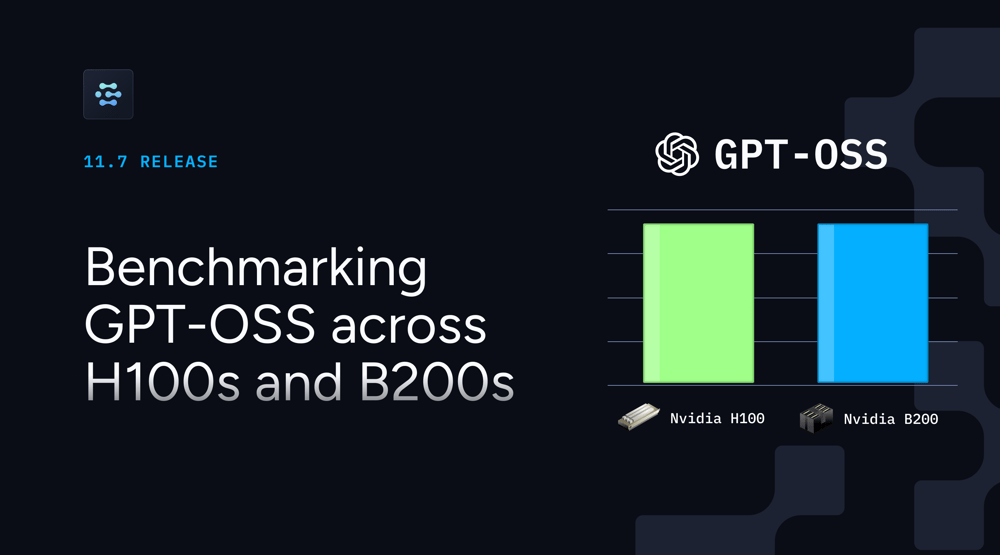
Our research team benchmarked gpt-oss-120b across NVIDIA B200 and H100 GPUs using vLLM, SGLang, and TensorRT-LLM. Tests covered single-request scenarios and high-concurrency workloads with 50–100 requests. Key findings include:

  • Single request speed: B200 with TensorRT-LLM delivers a 0.023s time-to-first-token (TTFT), outperforming dual-H100 setups in several cases.

  • High concurrency: B200 sustains 7,236 tokens/sec at maximum load with lower per-token latency.

  • Efficiency: One B200 can replace two H100s for equal or better performance, with lower power use and less complexity.

  • Performance gains: Some workloads see up to 15x faster inference compared to a single H100.

For detailed benchmarks on throughput, latency, time to first token, and other metrics, read our full blog on NVIDIA B200 vs H100.

If you are looking to deploy GPT-OSS models on H100s, you can do it today on Clarifai across multiple clouds. Support for B200s is coming soon, giving you access to the latest NVIDIA GPUs for testing and production.

Developer Plan

Last month we launched Local Runners, and the response from developers has been incredible. From AI hobbyists to production teams, many have been eager to run open source models locally on their own hardware while still taking advantage of the Clarifai platform. With Local Runners, you can run and test models on your own machines, then access them through a public API for integration into any application.

Now, with the arrival of the latest GPT-OSS models including gpt-oss-20b, you can run these advanced reasoning models locally with full control of your compute and the ability to deploy agentic workflows instantly.

To make it even easier, we are introducing the Developer Plan at a promotional price of just $1/month. It includes everything in the Community Plan, plus:

Check out the Developer Plan and start running your own models locally today. If you are ready to run GPT-OSS-20b on your hardware, follow our step-by-step tutorial here.

Published Models

We have expanded our model library with new open-weight and specialized models that are ready to use in your workflows.

The latest additions include:

  • GPT-OSS-120b – open-weight language model designed for strong reasoning, advanced tool use, and efficient on-device deployment. This model supports extended context lengths and variable reasoning levels, making it ideal for complex agentic applications.

  • GPT-5, GPT-5 Mini, and GPT-5 Nano – GPT-5 is the flagship model for the most demanding reasoning and generative tasks. GPT-5 Mini offers a faster, cost-effective alternative for real-time applications. GPT-5 Nano delivers ultra-low-latency inference for edge and budget-sensitive deployments.

  • Qwen3-Coder-30B-A3B-Instruct – a high-efficiency coding model with long-context support and strong agentic capabilities, well-suited for code generation, refactoring, and development automation.

You can start exploring these models directly in the Clarifai Playground or access them via API to integrate into your applications.

Ollama Support

Ollama makes it simple to download and run powerful open-source models directly on your machine. With Clarifai Local Runners, you can now expose those locally running models via a secure public API.

We’ve also added Ollama toolkit to the Clarifai CLI, letting you download, run, and expose Ollama models with a single command.

Read our step-by-step guide on running Ollama models locally and making them accessible via API.

Playground Improvements

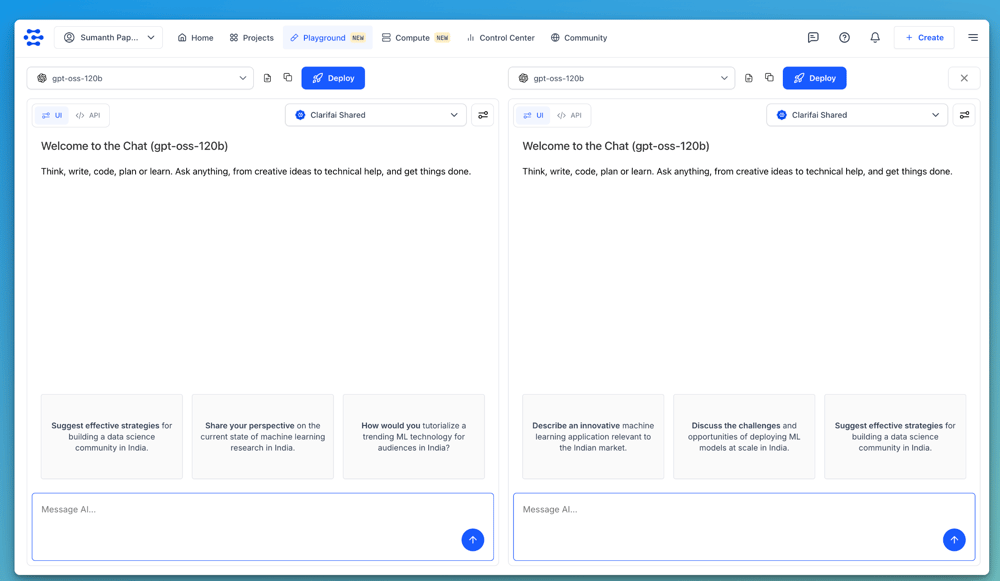
You can now compare multiple models side by side in the Playground instead of testing them one at a time. Quickly spot differences in output, speed, and quality to choose the best fit for your use case.

We’ve also added enhanced inference controls, Pythonic support, and model version selectors for smoother experimentation.

Screenshot 2025-08-14 at 6.58.27 PM

Additional Updates

Python SDK:

  • Improved logging, pipeline handling, authentication, Local Runner support, and code validation.

  • Added live logging, verbose output, and integration with GitHub repositories for flexible model initialization.

Platform:

Clarifai Organizations:

Ready to start building?

With Clarifai’s Compute Orchestration, you can deploy GPT-OSS, Qwen3-Coder, and other open source and your own custom models on dedicated GPUs like NVIDIA B200s and H100s, on-prem or in the cloud. Serve models, MCP servers, or full agentic workflows directly from your hardware with full control over performance, cost, and security.


Run Your Own AI Coding Agent Locally with GPT-OSS and OpenHands


Introduction

Whether you’re refactoring legacy code, implementing new features, or debugging complex issues, AI coding assistants can accelerate your development workflow and reduce time-to-delivery. OpenHands is an AI-powered coding framework that acts like a real development partner—it understands complex requirements, navigates entire codebases, writes and modifies code across multiple files, debugs errors, and can even interact with external services. Unlike traditional code completion tools that suggest snippets, OpenHands acts as an autonomous agent capable of carrying out complete development tasks from start to finish.

On the model side, GPT-OSS is OpenAI’s family of open-source large language models built for advanced reasoning and code generation. These models, released under the Apache 2.0 license, bring capabilities that were previously locked behind proprietary APIs into a fully accessible form. GPT-OSS-20B offers fast responses and modest resource requirements, making it well-suited for smaller teams or individual developers running models locally.

GPT-OSS-120B delivers deeper reasoning for complex workflows, large-scale refactoring, and architectural decision-making, and it can be deployed on more powerful hardware for higher throughput. Both models use a mixture-of-experts architecture, activating only the parts of the network needed for a given request, which helps balance efficiency with performance.

In this tutorial will guide you through creating a complete local AI coding setup that combines OpenHands‘ agent capabilities with GPT-OSS models.

Tutorial: Building Your Local AI Coding Agent

Prerequisites

Before we begin, ensure you have the following requirements:

Get a PAT key — To use OpenHands with Clarifai models, you’ll need a Personal Access Token (PAT). Log in or sign up for a Clarifai account, then navigate to your Security settings to generate a new PAT.

Get a model — Clarifai’s Community offers a wide selection of cutting-edge language models that you can run using OpenHands. Browse the community to find a model that best fits your use case. For this example, we’ll use the gpt-oss-120b model.

Install Docker Desktop — OpenHands runs inside a Docker container, so you’ll need Docker installed and running on your system. You can download and install Docker Desktop for your operating system from the official Docker website. Be sure to follow the installation steps specific to your OS (Windows, macOS, or Linux).

Step 1: Pull Runtime Image

OpenHands uses a dedicated Docker image to provide a sandboxed execution environment. You can pull this image from the all-hands-ai Docker registry.

Step 2: Run OpenHands

Start OpenHands using the following comprehensive docker run command.

This command launches a new Docker container running OpenHands with all necessary configurations including environment variables for logging, Docker engine access for sandboxing, port mapping for web interface access on localhost:3000, persistent data storage in the ~/.openhands folder, host communication capabilities, and automatic cleanup when the container exits.

Step 3: Access the Web Interface

After running the docker run command, monitor the terminal for log output. Once the application finishes its startup process, open your preferred web browser and navigate to: http://localhost:3000

At this point, OpenHands is successfully installed and running on your local machine, ready for configuration.
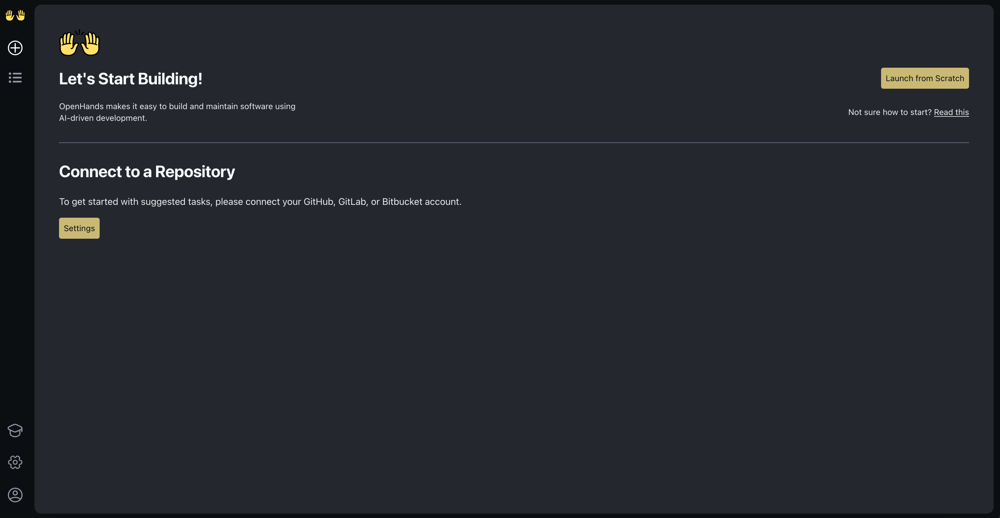
Screenshot 2025-08-11 at 2.39.40 PM

Step 4: Configure OpenHands with GPT-OSS

To configure OpenHands, open its interface and click the Settings (gear icon) in the bottom-left corner of the sidebar.

The Settings page allows you to connect OpenHands to a LLM, which serves as its cognitive engine, and integrate it with GitHub for version control and collaboration.

Connect to GPT-OSS via Clarifai

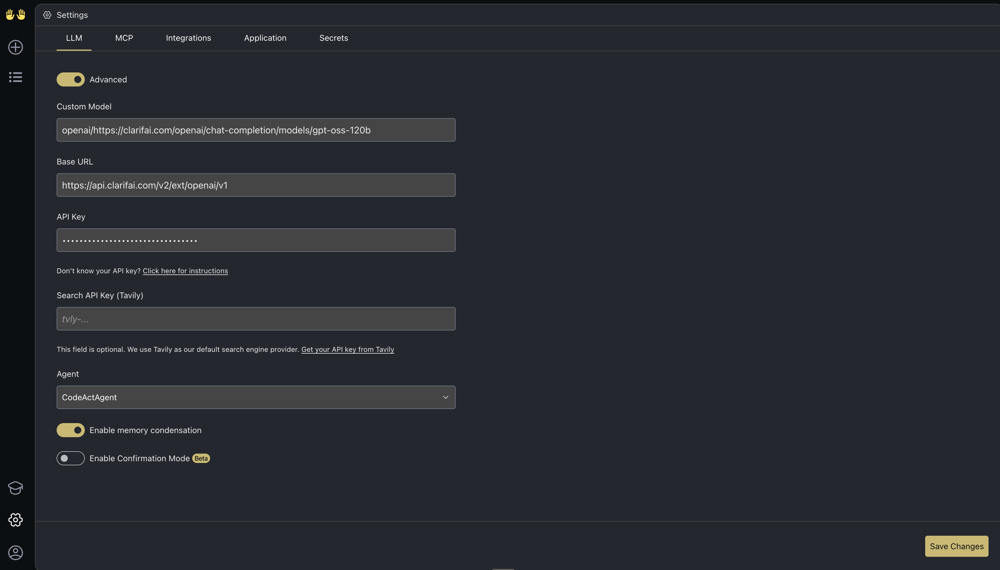
In the Settings page, go to the LLM tab and toggle the Advanced button.

Fill in the following fields for the model integration:

Custom Model — Enter the Clarifai model URL for GPT-OSS-120B. To ensure OpenAI compatibility, prefix the model path with openai/, followed by the full Clarifai model URL:  “openai/https://clarifai.com/openai/chat-completion/models/gpt-oss-120b”

Base URL — Enter Clarifai’s OpenAI-compatible API endpoint: “https://api.clarifai.com/v2/ext/openai/v1”

API Key — Enter your Clarifai PAT.

After filling in the fields, click the Save Changes button at the bottom-right corner of the interface.
Screenshot 2025-08-11 at 3.50.24 PM

While this tutorial focuses on GPT-OSS-120B model, Clarifai’s Community has over 100 open-source and third-party models that you can easily access through the same OpenAI-compatible API. Simply replace the model URL in the Custom Model field with any other model from Clarifai’s catalog to experiment with different AI capabilities and find the one that best fits your development workflow.

Step 5: Integrate with GitHub

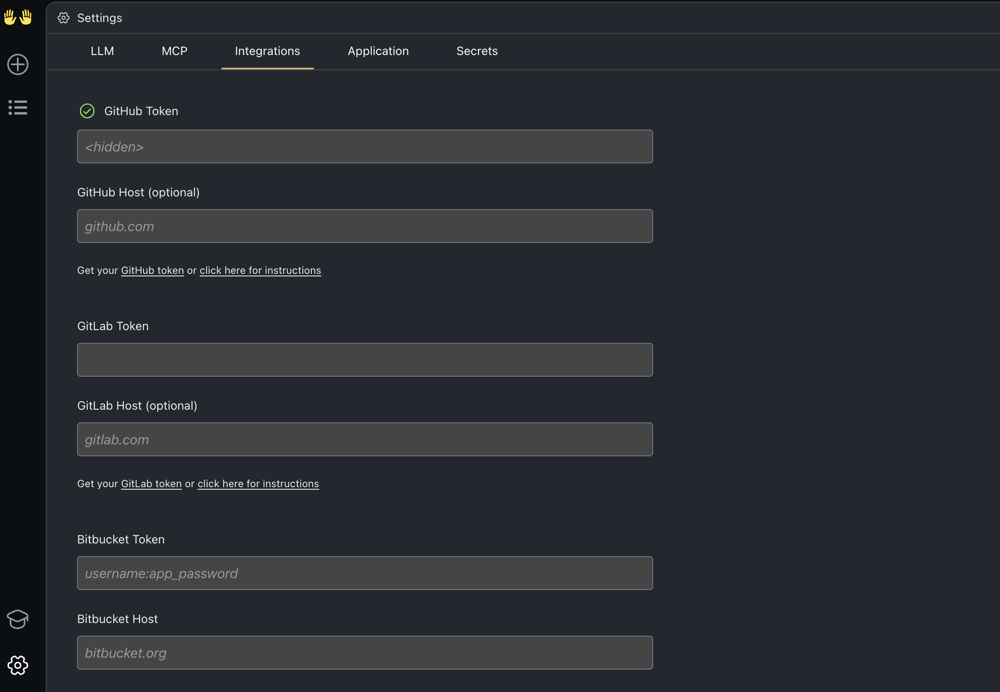
Within the same Settings page, navigate to the Integrations tab.

Enter your GitHub token in the provided field, then click Save Changes in the bottom-right corner of the interface to apply the integration
Screenshot 2025-08-12 at 3.17.35 PM

Step 6: Start Building with AI-Powered Development

Next, click the plus (+) Start new conversation button at the top of the sidebar. From there, connect to a repository by selecting your desired repo and its branch.

Once selected, click the Launch button to begin your coding session with full repository access.
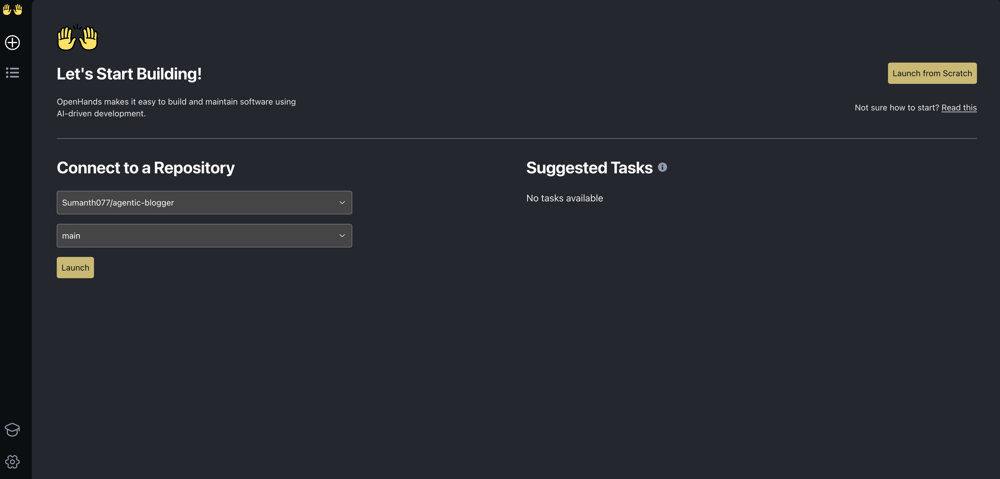
Screenshot 2025-08-12 at 3.20.38 PM

In the main interface, use the input field to prompt the agent and begin generating your code. The GPT-OSS-120B model will understand your requirements and provide intelligent, context-aware assistance tailored to your connected repository.

Example prompts to get started:

  • Documentation: “Generate a comprehensive README.md file for this repository that explains the project purpose, installation steps, and usage examples.”
  • Testing: “Write detailed unit tests for the user authentication functions in the auth.py file, including edge cases and error handling scenarios.”
  • Code Enhancement: “Analyze the database connection logic and refactor it to use connection pooling for better performance and reliability.”

OpenHands forwards your request to the configured GPT-OSS-120B model, which responds by generating intelligent code solutions, explanations, and implementations that understand your project context, and once you’re satisfied, you can seamlessly push your code to GitHub directly from the interface, maintaining full version control integration.
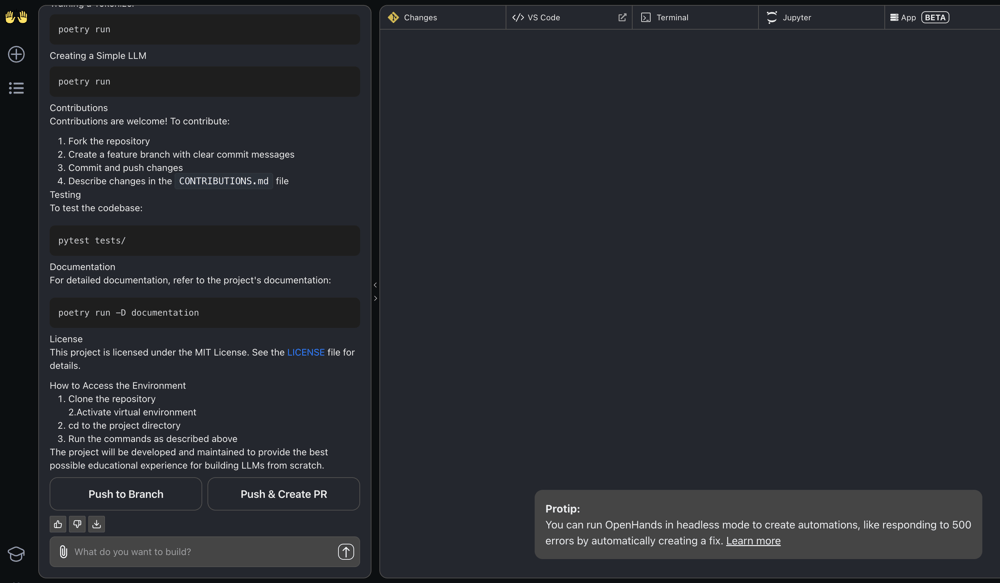
 

Screenshot 2025-08-12 at 5.29.09 PM

Conclusion

You’ve set up a fully functional AI coding agent that runs entirely on your local infrastructure using OpenHands and GPT-OSS-120B models.

If you want to use a model running locally, you can set it up with local runners. For example, you can run the GPT-OSS-20B model locally, expose it as a public API, and use that URL to power your coding agent. Check out the tutorial on running gpt-oss models locally using local runners here.

If you need more computing power, you can deploy gpt-oss models on your own dedicated machines using compute orchestration and then integrate them with your coding agents, giving you greater control over performance and resource allocation.


How the Marketing AI Institute Became One of America’s Fastest-Growing Companies


Inc. recently released its 2025 list of America’s 5,000 Fastest-Growing Private Companies, and Marketing AI Institute made the list. Achieving more than 12x growth in just three years and earning a spot at #320, this marks the Institute’s first appearance on the Inc. 5000 list. Continue reading “How the Marketing AI Institute Became One of America’s Fastest-Growing Companies”

OpenAI Hits $12 Billion in Revenue, ChatGPT Study Mode, More AI Job Losses, AI Is Coming for Consultants, Big Tech Earnings & Gemini 2.5 Deep Think


This episode may just be the calm before the GPT-5 storm…

We’re back with another rapid-fire episode: there was just too much AI news to cover any other way. In this episode of The Artificial Intelligence Show, Paul Roetzer and Mike Kaput dig into the possible release of GPT-5, unveil what’s coming in our reimagined AI Academy 3.0, and examine how AI is transforming job markets, consulting, and enterprise strategy. They also break down key updates from OpenAI, Microsoft, Meta, Apple, and Google, and what listeners need to know as AI’s impact accelerates across business and education.

Continue reading “OpenAI Hits $12 Billion in Revenue, ChatGPT Study Mode, More AI Job Losses, AI Is Coming for Consultants, Big Tech Earnings & Gemini 2.5 Deep Think”

How to Use AI to Break Free From Data Paralysis with Katie Robbert [MAICON 2025 Speaker Series]


MAICON brings together top visionaries and experts in the field of AI during a three-day conference packed with actionable sessions and networking events—all to position you as the change agent your organization (and career) needs. In this ongoing speaker series, we’re featuring these extraordinary leaders, with forward-looking predictions, actionable tips you can use today, and a preview of their MAICON 2025 sessions. Continue reading “How to Use AI to Break Free From Data Paralysis with Katie Robbert [MAICON 2025 Speaker Series]”