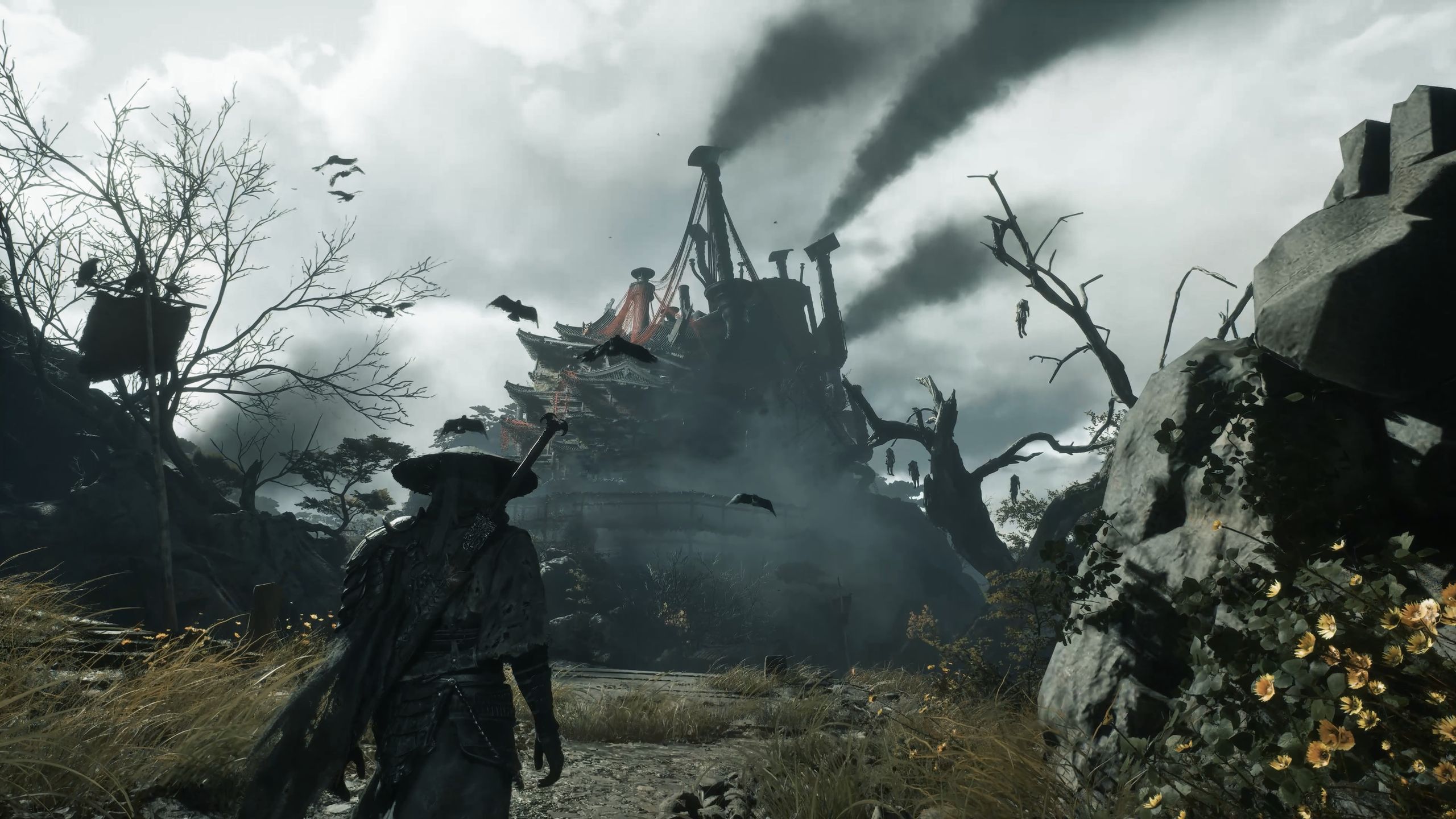
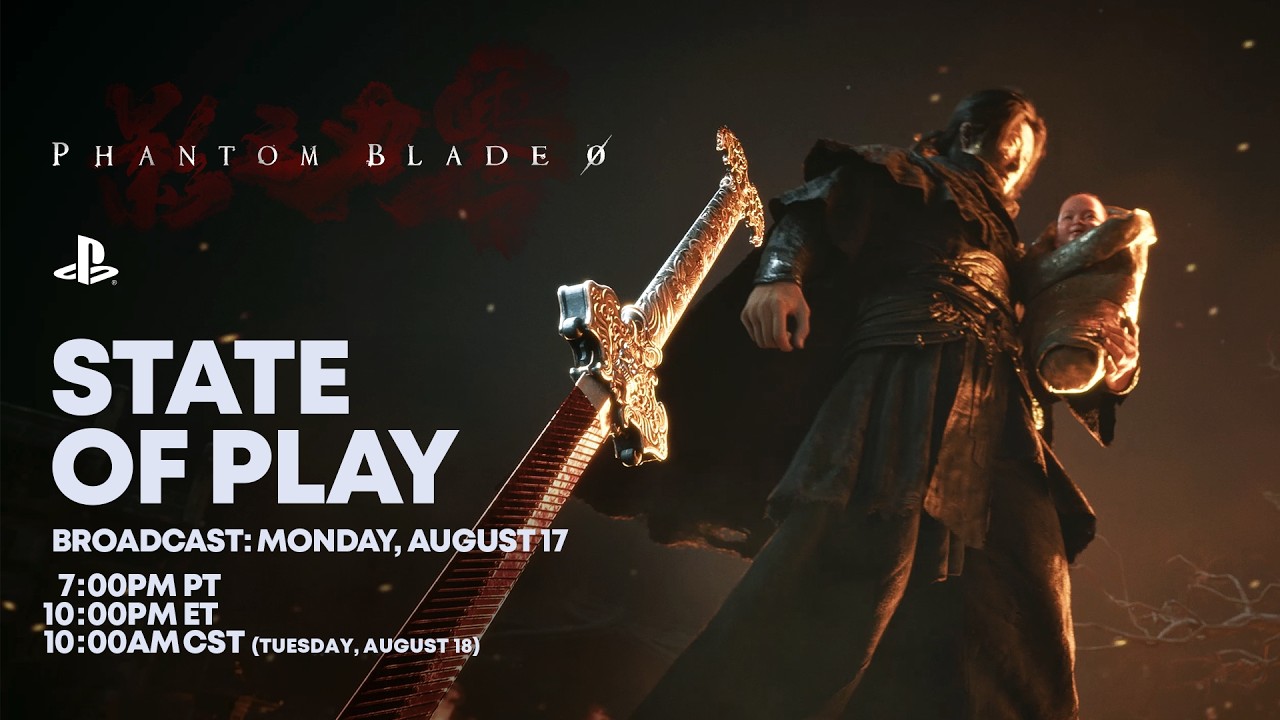
In a PlayStation State of Play video today, Phantom Blade Zero developer S-Game has finally shown off glimpses of a game world it’s largely kept secret up to this point, with eight individual maps that “seamlessly connect into a single world.”
In my demos of the game over the last year and a half, S-Game has stressed that the areas I got to play and the bosses I fought were all optional diversions from the main story—impressive, considering their scope. This State of Play has finally pulled back the curtain on some of the game’s primary characters and locations and shown in more concrete terms what distinguishes Phantom Blade Zero from linear action games and open world ones.
“Your journey takes you to intricate but surreal landscapes,” explains S-Game founder Soulframe Liang. “Villages, valleys, lakes, and shadowed territories, including a valley overrun by ruthless bandits, an abandoned warehouse filled with hanging puppets where a dark ritual seems to be taking place, a steam-powered iron tower built for some kind of dark experiment, and a vast lake, which Soul must navigate aboard a peculiar high-speed vessel.”
Latest Videos FromPC Gamer
Image 1 of 3
(Image credit: S-Game)
(Image credit: S-Game)
(Image credit: S-Game)
We don’t get to see more than a few seconds of each of those areas, but the narration still offers a sense of some of the big chunks the game’s world will be divided into. More interesting to me, though, is how Phantom Blade Zero is handling maps: I love that it’s not giving you all the details like so many open world games, while still offering a bit more aid than a mapless soulslike:
“Your journey is guided by eight authentic, hand-painted Chinese ink wash maps. In complex regions they offer only a rough sense of direction, leaving you to explore and uncover hidden secrets. These maps seamlessly connect into a single world, where bells enable fast travel between discovered locations.”
Phantom Blade Zero – State of Play Gameplay Deep Dive | PS5 Games – YouTube
Soulframe says Phantom Blade Zero “is not an open world game, nor is it a linear adventure from beginning to end.”
In the State of Play there are a few quick examples of weapons being used to smash through obstacles, meaning there’s at least a light bit of metroidvania-style progress gating that will encourage returning to areas to open new paths or find secrets. We’ll see how extensive that exploration proves to be, but I hope Phantom Blade Zero manages to be one of the few action RPGs to get within spitting distance of Dark Souls’ still-unbeaten world.
Keep up to date with the most important stories and the best deals, as picked by the PC Gamer team.
Fly with Purpose Launch your aviation Career wherever you choose in the world. Gain experience, build your reputation, and complete certifications to gain access to authentic aviation activities ranging from Medevac, Remote Cargo Ops, Aerial Firefighting, Search & Rescue and more, all the way to becoming an Airline Passenger Transport Pilot. Set out on a truly global aviation adventure with virtually unlimited missions across the planet.
Compete against other pilots in the all-new Challenge League mode or hone your skills in dozens of Activities ranging from exciting Rally Races and Precision Landings to Low-Altitude challenges and more. Fly head-to-head in the iconic Red Bull Air Races and the legendary Reno Air Races, including the new Roswell courses. Be a World Photographer and travel across our beautiful planet to capture awe-inspiring natural vistas, visit famous landmarks, and record these adventures with pictures in your travel book. Unique photo challenges test your creative eye along with your piloting skills while you strive to capture the perfect moment.
Advanced Simulation Enhanced physics system allows 10,000+ rigid-body surfaces that enable the simulation of any shape of aircraft. Soft body physics supports cloth, ropes, balloons, and more. Improved ground and water handling further enhance realism. New, highly accurate aircraft systems including electrical, pneumatic, fuel and hydraulic systems, payload and passenger systems, and avionics like the Universal UNS-1 FMS and Primus Epic 2. Preflight inspections and walkaround checks add to immersion.
Explore Our Visually Stunning Digital Twin Explore our most detailed re-creation of planet Earth to date. Enhanced digital elevation maps, over 500 TIN (triangular irregular network) cities and more than 100,000 square kilometers of countryside photogrammetry allow for visually stunning digital twin experiences. More than 150 airports, 2,000 glider airports, 10,000 heliports, 2,000 points of interest, and 900 oil rigs have been carefully hand-crafted while a procedural system generates all 40,000 airports, 80,000 helipads, 1.5 billion buildings, and nearly 3 trillion trees our planet. Sort Them Ducks
Screenshots
SystemRequirements
Minimum Requires a 64-bit processor and operating system
OS: Windows 10
Processor: AMD Ryzen 5 2600X or Intel Core i7-6800K
Memory: 16 GB RAM
Graphics: Radeon RX 5700 or GeForce GTX 970
DirectX: Version 12
Network: Broadband Internet connection
Storage: 50 GB available space
Support the game developers by purchasing the game on Steam
InstallationGuide
TurnOff Your Antivirus Before Installing Any Game
1 :: Download Game 2 :: Extract Game 3 :: Launch The Game 4 :: Have Fun 🙂
Four long years after it was announced, we finally have some idea when we’ll be able to play Kingdom Hearts 4. At Disney’s D23 fan event, Square Enix revealed that the sequel will arrive sometime in late 2027.
That isn’t everything new that Square Enix had in store for fans either. The reveal was accompanied by a new trailer for Kingdom Hearts 4 that showed off a new world the sequel will take players to—Coco’s colourful land of the dead. The trailer shows Sora fighting enemies in the crowd of a concert and riding sky rails, as Mickey, Goofy and Hades strive to reunite with the series’ errant hero after he disappeared at the end of Kingdom Hearts 3.
Obviously, it would have been nice if Square Enix had committed to a specific date. But even having some idea of when the game will be released is a big deal after years of near-total radio silence from Square Enix. It was only in June that we received our first glimpse of the game since the sequel was announced in 2022, so going from that to knowing roughly when we’ll be able to play it in the space of two months is quite the surprise.
Latest Videos FromPC Gamer
KINGDOM HEARTS IV | D23 2026 Showcase Trailer – YouTube
Despite the dearth of information about the game over the years, we do have a rough idea of what Kingdom Hearts 4 will involve. The sequel will commence a new story arc which Square Enix is calling the Lost Master Arc, and will be primarily set in Quadratum—Kingdom Heart’s Equivalent of Tokyo. As the latest trailer demonstrates, however, it will still involve the usual jaunt through various Disney worlds
While Square Enix has kept the lid on Kingdom Hearts 4 over the years, series director Tetsuya Nomora has repeatedly reassured fans that the game is on track. And both Square Enix and Disney have plenty of reasons to continue supporting it, since Disney recently revealed that Kingdom Hearts ranks among the company’s “billion-dollar franchises”. Turns out players really love it when you combine Disney characters and Final Fantasy-style JRPG action. Who knew?
Keep up to date with the most important stories and the best deals, as picked by the PC Gamer team.
Imagine yourself as a DIY handyman, running your own small business in a Polish block of flats during the 1990s. Your mission? To make as much money as possible by cutting costs wherever you can! Duskfade Diluting paint with water to make it last for the entire apartment? Sure, the color might not be as vibrant, but who’s going to notice? Laying tiles without a level? A bit of unevenness adds “character” to the space. After all, what matters is the quick result, not perfection! Don’t worry—if the client spots any flaws after you’ve left, the profit is already yours!
Furniture doesn’t fit through the door? No problem—quick thinking, open the window, and… everything flies out into the yard! Clean room and a happy client… as long as they didn’t park under the window. In the hardware store, you’ll be like a seasoned hunter, searching for the cheapest tools that will “sort of” get the job done. A hammer on sale that barely lasts a few hits? Grab two! After the job’s done, take pride in your work—just ignore those little imperfections! Take on various renovation and repair jobs. Fixing a flooded bathroom, or maybe a complete remodel? Every day is a new challenge, and every decision can bring a quick profit… or a cascade of problems.
Screenshots
SystemRequirements
Minimum
OS: Windows 10 64bit
Processor: AMD Ryzen 5 1st gen / Intel Core i5 7th gen
Memory: 8 GB RAM
Graphics: AMD Radeon RX 580 4GB / NVIDIA GeForce GTX 1060 6GB
Storage: 25 GB available space
Support the game developers by purchasing the game on Steam
InstallationGuide
TurnOff Your Antivirus Before Installing Any Game
1 :: Download Game 2 :: Extract Game 3 :: Launch The Game 4 :: Have Fun 🙂
It looks like another bad day for Roblox: The US Senate Judiciary Committee Subcommittee on Crime and Counterterrorism has launched an investigation into child safety on the platform, saying the company “appears to prioritize revenue and engagement metrics over the safety and well-being of our children.”
A letter (via Kotaku) sent to Roblox CEO David Baszucki by subcommittee chairman Josh Hawley and ranking member Dick Durbin says that while Roblox has repeatedly claimed that it is a safe platform for children, “the public record raises serious questions about this promise.”
“Over the past decade, police have arrested numerous individuals for committing serious acts of violence and harm against children they met via Roblox, including grooming, sexual abuse, kidnapping, rape, and even murder,” the letter reads. “Roblox is being used to trade child sexual abuse material, participate in sexually explicit (and often violent) virtual ‘experiences’ with children, bribe and extort children into producing explicit content, and lure children into in-person meetings. It is heartbreaking.”
Latest Videos FromPC Gamer
The past year has been quite a ride for Roblox and those who use it. The company has been aggressively fighting allegations that it is, as one investment research firm called it, a “pedophile hellscape,” tightening restrictions on unrated games and using age estimation checks and new kinds of limited accounts to keep underage users away from inappropriate content and, well, pedophiles. Baszucki also took the very straightforward step of telling parents who are worried about Roblox, “Don’t let your kids be on Roblox.”
There have been missteps, to put it gently. Baszucki said in 2025 that Roblox’s predator problem is “not just a problem, but an opportunity,” which at the very least is a PR botch of ungodly proportions. He also mused about turning Roblox into a dating hub, which again is not the sort of thing to say when you’re facing legal action from Louisiana, Kentucky, Florida, Texas, LA County, Australia, the UK, and various others over your alleged systemic child safety failures.
At the same time, somehow, Roblox earned praise from the US Attorney General Alliance “for its readiness to collaborate directly with policymakers and respond to community concerns.” And separate from all that, the kids really like Roblox—although that might be softening. The Roblox audience is still massive but not as massive as it was, and that’s hammered the company’s share price, although it’s still trading roughly around where it was through 2023 and ’24.
What it all adds up to is a company, and a platform, that’s under pressure from multiple directions, and this Senate investigation only adds to that.
Keep up to date with the most important stories and the best deals, as picked by the PC Gamer team.
The letter from Hawley and Durbin says “Roblox appears to prioritize revenue and engagement metrics over the safety and well-being of our children,” which makes it worthy of scrutiny. The company is thus ordered to preserve all records related to child safety, abuse, and “financial exploitation,” and to provide requested documents and information by the end of August 2026.
“Let us be clear: children on your platform are hurting,” the letter concludes. “Congress will not look the other way.”
Roblox insists that it too is not looking away: The company says the uptick in reports of suspected child sexual exploitation to the National Center for Missing and Exploited Children cited in the latter—65,381 in 2025, more than double the number of 2024—simply reflects the company’s ongoing effort to improve its systems and the safety of its users.
“Roblox is built on the foundation of safety,” Roblox chief safety officer Mautt Kaufman said in a statement provided to PC Gamer. “We do not compromise on that commitment. We look forward to sharing the facts about how we work to protect children on the platform.”
Mandate Order is an ancient war simulation and city-building game set in ancient China, combining construction, management, and tactical strategy. Survival Log
The game features free-form city-state construction, a retainer system inspired by the Hundred Schools of Thought, dynamic seasonal and weather changes, and large-scale real-time tactical battles. Under the constant threat of enemy invasion, you will build and manage an ancient military stronghold that integrates production, defense, and warfare.
Mandate Order Gameplay
1. “Build” City-State Construction, Free Planning, Seasonal Farming, Spring Plowing and Summer Cultivation
A gridless free-building system allows you to construct everything from residences and farms to workshops and barracks, forming a complete urban production chain. The game features rich farming, building, gathering, and production systems. A full annual production cycle brings seasonal changes that affect not only the visual atmosphere, but also city management and the rhythm of marching and warfare.
2. “Stratagem” Retainers, the Hundred Schools of Thought, Diplomacy, National Policies, Alliances and Rivalries
Rule like a city lord or feudal ruler: integrate different schools of thought, formulate diplomatic strategies, and shape your own philosophy of governance. Make choices such as forming alliances, declaring ceasefires, opening trade, or joining forces against powerful enemies. A nine-grid national policy system works together with court debates, while the schools of your retainers influence the direction of policy. Recruit retainers from Confucianism, Daoism, Mohism, Legalism, Militarism, Agriculturalism, and other schools.
3. “Conquer” Strategy Before Battle, Thousand-Unit Warfare, Line-Drawing Formations, and Physical Siege Combat
Use simple mouse line-drawing commands to quickly deploy formations, enabling tactics such as encirclement, breakthrough, siege assault, and defense. Chariot charges, fortress warfare, thousand-unit battlefields, and a pseudo-physics knockback system create an immersive ancient warfare experience.
Screenshots
SystemRequirements
Minimum
OS: Windows 10
Processor: Intel Core Core i7-9700 / Ryzen 5 3600
Memory: 16 GB RAM
Graphics: NVIDIA GeForce GTX 1660(6G) / AMD Radeon RX 5600 XT(6G)/Arc A750
DirectX: Version 12
Network: Broadband Internet connection
Storage: 20 GB available space
Support the game developers by purchasing the game on Steam
InstallationGuide
TurnOff Your Antivirus Before Installing Any Game
1 :: Download Game 2 :: Extract Game 3 :: Launch The Game 4 :: Have Fun 🙂
After noticing the announcement of upcoming driving sim Rideshare Stimulator, writer Stella Sacco commented on social media that she’d once been the game’s lead writer but had been fired in favor of ChatGPT. The game’s publisher, Saber Interactive, denied the claim, stating that while it did use generative AI in the development of Rideshare Stimulator (which has not yet been disclosed on its Steam page), the story was written “entirely by real people.”
Sacco acknowledged that the studio may have changed direction since she was removed from the project in 2023, but stood by her recollection. That could have been the end of it, but now a confusing, combative follow-up from Saber CEO Matt Karch is raising eyebrows.
In a statement sent to This Week in Video Games, Karch claimed that Sacco violated a confidentiality agreement by stating that she was fired in favor of AI, but also denied the assertion, crediting Rideshare Stimulator’s “entire story script” to an unnamed writer.
Latest Videos FromPC Gamer
Karch also stated that he didn’t know who Sacco was until he consulted an AI chatbot, but nevertheless claimed that she was replaced by “someone more talented” and that he would retrospectively be “happy to replace her with AI” because AI is “programmed to be honest.”
Here’s Karch’s full statement:
“Stella who? I had to ask Claude because I have never spoken to her or seen her. We have already said we are using AI for certain parts of the game and will update the Steam page once we have finalized the feature set.
“Let me clarify that the entire story script, were it to win an award, would go to someone who can walk up on stage and receive it. It was always our intention to reveal this until Stella violated her confidentiality clause and revealed this before we were ready.
Keep up to date with the most important stories and the best deals, as picked by the PC Gamer team.
“We look at our use of AI in this particular game, which will be a lower priced title, as a plus for consumers.
“As far as Stella is concerned, she was replaced by someone more talented and terminated for a variety of reasons a few months later. From what I can gather she enjoys controversy even more than I do. I would frankly in retrospect have been happy to replace her with AI. At least we would be dealing with someone programmed to be honest.”
Sacco responded on Bluesky, standing by her original claim.
“I’ve seen the statement by Matt Karch, the CEO of Saber Entertainment, and all of the truly horrendous things he said about me. I think it should be obvious to anyone who reads that statement that he’s lashing out because he did not want people to know there was AI use in the game,” said the writer.
“Everything I said was true. Here’s more truth: that statement is remarkably pathetic for the CEO of any company to be making, and combined with the AI use it will do far more damage to Saber’s reputation than it ever could mine. This screed will be many people’s first exposure to the Saber brand.”
How Can I Tell If My Laptop’s Charging Port Is Failing in Frisco, TX?
A laptop charging port may be failing if the charger feels loose, charging starts and stops when the cable moves, the laptop only charges at a certain angle, the port looks damaged, or a known-good compatible charger still does not work reliably. These symptoms can also come from the charger or battery, so professional diagnosis is the safest way to identify the actual problem.
At PC Geeks, we help Frisco-area laptop owners determine why their computers are not charging properly and what repair makes the most sense. Charging problems can be frustrating because several components can produce similar symptoms, including the AC adapter, battery, charging port, USB-C controller, and motherboard. Rather than replacing parts based on guesswork, a proper diagnosis can isolate the source of the failure and help prevent unnecessary repairs. Whether you use your laptop for remote work, school, running a business, gaming, or everyday tasks, addressing an unreliable charging connection early can reduce the chance of the problem becoming more serious.
Laptop Charging Port Problems: Symptoms You Should Not Ignore
A failing charging port usually becomes noticeable through an unreliable physical or electrical connection. The problem may begin intermittently before the laptop eventually stops recognizing the charger altogether.
Dell recommends inspecting charging ports for dust, debris, bent pins, and physical damage when diagnosing a laptop that will not charge. Dell also notes that charging problems can originate from several sources, including the AC adapter, battery hardware, charging port, software, or drivers.
What Are the Most Common Signs of a Bad Laptop Charging Port?
The clearest warning sign is charging behavior that changes when the connector moves. If your laptop starts charging only after you wiggle the plug or position it at a particular angle, the connection between the charger and laptop may be compromised.
Common warning signs include:
The charger feels unusually loose inside the port.
Charging repeatedly connects and disconnects.
You must hold or position the cable at an angle.
The laptop does not consistently recognize a compatible charger.
The charging port has bent components, cracks, or other visible damage.
The connector will not remain securely seated.
A USB-C charging port also has intermittent data or display problems.
Charging stops when the laptop or cable is moved.
For USB-C laptops in particular, movement-related problems deserve attention. Dell identifies intermittent functionality when a USB-C cable moves as a potential sign of cable or connection damage. The company also documents how improper handling can contribute to loose ports, damaged connectors, cracked port housings, and broken internal solder joints.
Do not repeatedly wiggle or force a connector to make the laptop charge. That may place additional stress on an already damaged connection.
How Do I Know If the Problem Is the Charging Port, Charger, or Battery?
Testing with a known-good, correctly rated charger is one of the simplest ways to narrow down a charging problem, but it does not replace a complete diagnosis.
If another compatible charger works normally, your original adapter or cable may be the problem. If multiple compatible chargers produce the same intermittent connection, particularly when movement affects charging, the laptop’s port becomes a stronger suspect.
Battery problems can look different. A laptop that recognizes its charger normally but cannot maintain battery capacity may have an aging or defective battery instead of a damaged port. An adapter with insufficient wattage can also power some laptops without properly charging the battery, according to Dell.
Before assuming the port has failed, check:
The wall outlet: Confirm it works with another device.
The charger: Look for fraying, bent components, overheating, or cable damage.
The connection: See whether the charger sits securely without needing pressure.
The port: Look for lint, debris, cracks, or obvious physical damage.
The laptop’s specifications: Make sure the charger provides the correct wattage and that the USB-C port, if applicable, actually supports charging.
That last point is important because not every USB-C port supports the same functions. Dell notes that some laptop USB-C ports support power delivery, while others may be intended only for data transfer.
Why Do Laptop Charging Ports Become Loose or Damaged?
Physical stress is one of the biggest threats to a laptop charging connection. Pulling on the cord instead of the connector, tripping over a plugged-in charger, or repeatedly placing sideways pressure on the plug can damage the cable, port housing, or internal connection.
USB-C connectors are engineered for extensive everyday use. The USB Implementers Forum specification rates the USB Type-C connector family for a minimum of 10,000 insertion and extraction cycles under its durability testing requirements. That durability does not mean the port is immune to accidental impacts, sharp bending, contamination, or sideways force.
To help protect your charging port:
Unplug the charger by gripping the connector, not pulling the cord.
Insert and remove the connector straight rather than at an angle.
Avoid using the laptop where the charger is stretched tightly across a walkway.
Keep food, liquids, dust, and debris away from the port.
Do not rest objects against a USB-C connector while it is plugged in.
Dell specifically advises avoiding sharp bends and twists near USB-C connectors because excessive stress can damage cables and shorten their working life.
When Should I Have a Laptop Charging Port Professionally Repaired?
Seek professional help when charging becomes consistently intermittent, the port is visibly damaged, or multiple known-good chargers fail to make a reliable connection.
Continuing to use a damaged port can turn an inconvenient charging problem into a more complicated repair. Some ports are separate replaceable components, while others are attached directly to a laptop’s motherboard. Internal damage can also occur even when the outside of the port appears relatively normal.
Dell notes that damaged USB-C connections can include broken solder joints inside the device, which may cause the port to lose functionality despite limited visible external damage.
For laptop owners in Frisco, TX, dependable charging is particularly important for people moving between home, school, offices, and coworking environments. Frisco’s hot North Texas summers are another reason to treat laptops carefully. The City of Frisco describes the area as having hot summers, with an average August maximum temperature of 96.1°F. Avoid leaving laptops and chargers in hot vehicles for extended periods, and give electronics adequate ventilation while charging.
PC Geeks can evaluate the charging system and determine whether the issue comes from the adapter, battery, port, or another internal component before recommending the appropriate repair.
Frequently Asked Questions About Laptop Charging Ports
Can a loose laptop charging port be fixed?
Yes. A loose charging port can often be repaired or replaced, depending on the laptop’s design and the extent of the damage. A technician should inspect the port and its connection to the internal hardware before determining the appropriate repair.
Why does my laptop only charge when I move the charger?
Charging that cuts in and out when the connector moves can indicate a damaged cable, loose connector, worn port, or damaged internal connection. Dell specifically identifies movement-related intermittent functionality as a symptom associated with USB-C connection problems.
Can dirt inside a laptop charging port stop it from charging?
Yes. Dust, lint, and debris can interfere with the connection between the charger and port. Dell recommends inspecting the charging port for debris as part of troubleshooting, but avoid inserting metal tools or forcing objects into the port.
Does a laptop that won’t charge always need a new charging port?
No. A failed charger, damaged cable, worn battery, insufficient adapter wattage, software issue, or USB-C controller problem can also cause charging failures. Proper testing is important before replacing the port.
Get Your Laptop Charging Problem Diagnosed in Frisco, TX
An unreliable charging port rarely becomes more convenient with time. If your laptop only charges at certain angles, repeatedly disconnects from power, or has a visibly loose or damaged port, getting the problem diagnosed early can help prevent further damage and eliminate the guesswork of replacing the wrong component.
Ready to find out why your laptop isn’t charging properly? Contact PC Geeks to schedule laptop repair service in Frisco, TX.
Hole Is Mine is an incremental adventure about purifying a divine Hole. Dive inside and launch your Mini’Ohs to mine for you. Extract impurities, upgrade your power, and find hidden secrets to grow the Village, customizing your Mini’Ohs with incredible powers. The Hole Has Spoken! Silent Hill 4: The Room
Break the Hole to extract its impurities!
Use Shelly to drill your way down while managing and caring for your Mini’Ohs.
Find secrets within the Depths, rebuild the Village and grow the community!
Equip your Mini’Ohsto grant them incredible powers. Experiment and find the best combinations!
Keep going down while numbers go up.
Together, we are stronger!
Features:
Addictive incremental progression.
40~ Depths with dangers and secrets to find.
Customize and build your Mini’Ohs with 500+ different equipment combinations.
Screenshots
SystemRequirements
Minimum
OS: Windwos 10 Build 19043 or later
Processor: 2 GHz
Memory: 4 GB RAM
Graphics: Vulkan 1.0
Storage: 1 GB available space
Support the game developers by purchasing the game on Steam
InstallationGuide
TurnOff Your Antivirus Before Installing Any Game
1 :: Download Game 2 :: Extract Game 3 :: Launch The Game 4 :: Have Fun 🙂
Earlier this year, Google Chrome annoyed a whole lot of adblock users by killing support for Manifest V2 extensions. It’s a Manifest V3 world now, which means the permissions and APIs that thoroughgoing adblockers like uBlock Origin rely on are a thing of the past on Chrome (it’s since been replaced by a pared-down version: uBlock Origin Lite). Now, Microsoft Edge is following suit: “Over the next few months, MV2 extensions will be gradually turned off by default,” says Redmond.
All of which is red meat for the folks over at Mozilla Firefox, the free-and-open-source browser that once reigned supreme on our PCs before Chrome came and ate its lunch. In posts across social media, Firefox kicked Edge (and Chrome) in their self-inflicted bruises, declaring that “Our support for uBlock Origin isn’t going anywhere”, a post that came days after it wrote “Reminder that you can still just… use ad blockers on Firefox. Wild concept, we know.”
Now, like I said, it’s not like Chromium-based browsers are murdering adblockers wholesale. If you wanna block ads, you can still use less-powerful extensions to do so, but it’s a simple fact that if you want a full-fat adblocker in the uBlock Origin mould, the megacorps are rapidly shutting down ways to do that.
Latest Videos FromPC Gamer
It’s also true that Firefox isn’t your only option—there are several other browsers out there still touting full-fat adblocker support—but it’s probably the biggest name out there fighting the good fight.
Our support for uBlock Origin isn’t going anywhere.
Anyway, Firefox’s braggadocio prompted an obvious question: hey gang, when’s this vaunted adblock support gonna make its way to iOS devices? Alas, there’s no hard timeline there, but Mozilla did say that it’s actively working on making adblock work on Firefox on your iThings.
In fairness, Apple’s strict rules mean that Firefox on iOS (along with other browsers) are more like reskins of Safari than they are full implementations of the desktop browser on mobile. But hey, if people are using Firefox in 2026, it’s likely in part down to its robust extension support. Better to be able to offer some form of it than not.
Keep up to date with the most important stories and the best deals, as picked by the PC Gamer team.