My go-to Qi 2 travel power bank is finally under $30


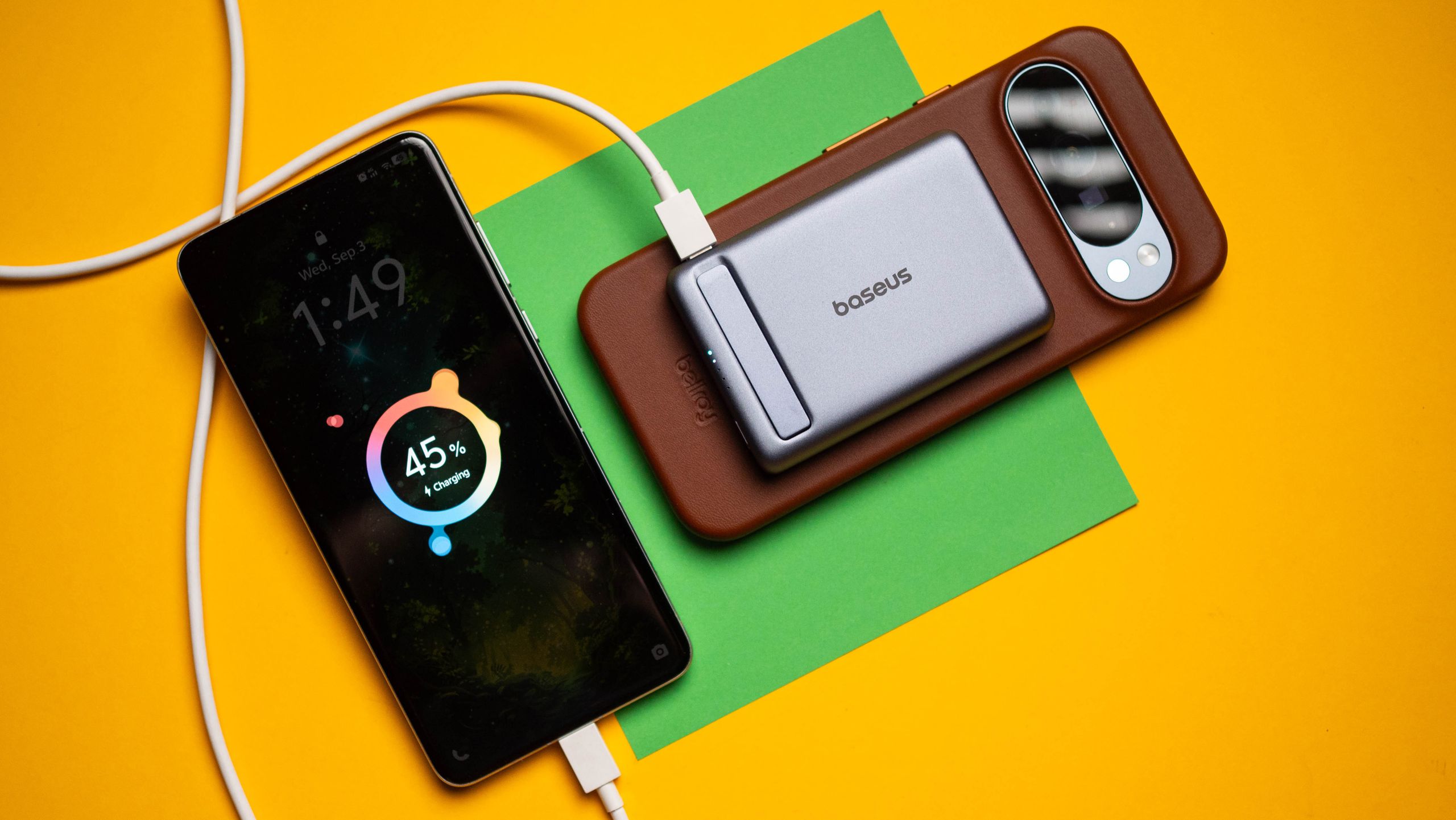
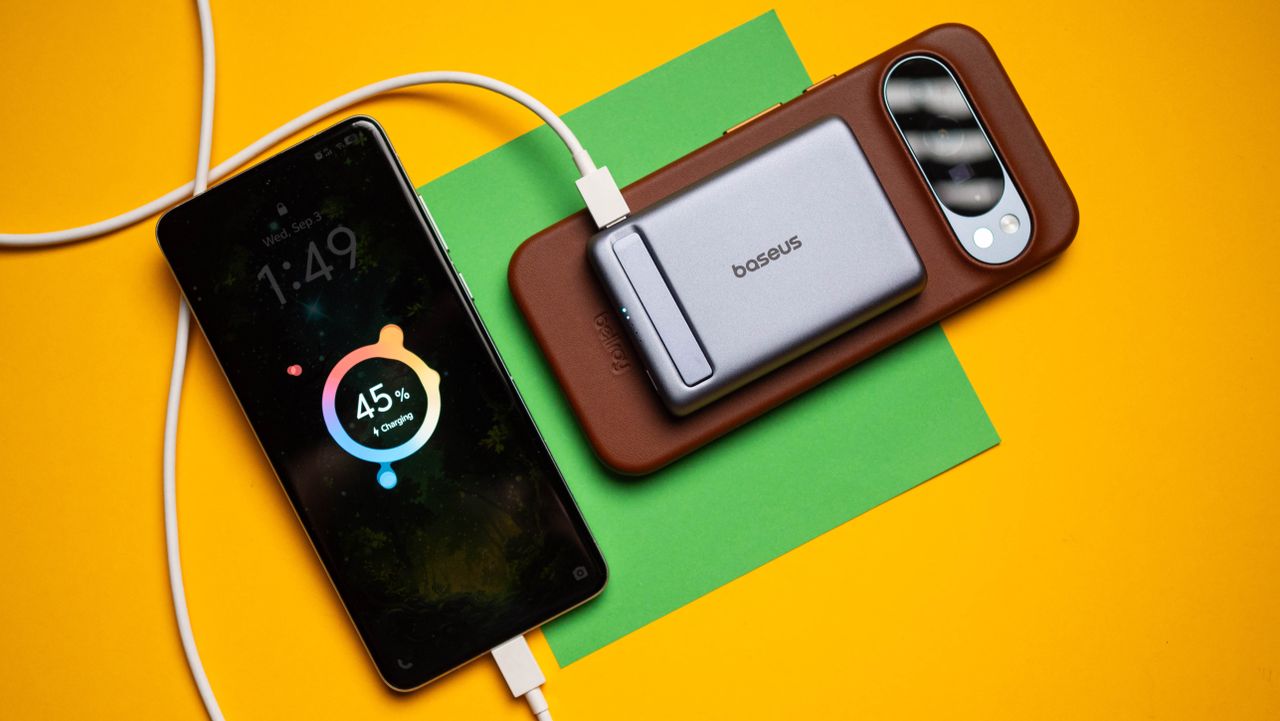
A lot of the recent innovations in power banks have been around Qi 2 charging tech. There’s a decent amount of choice if you need a good power bank, and I use the Baseus Picogo, which just got a discount and is down to $28 right now.

The Picogo is a 10,000mAh power bank, and it has a sleek design with powerful magnets that let you attach it to your iPhone and Pixel without any issues. I used this model with my Pixel 10 Pro XL and iPhone 17 Pro, and after a year of use, I didn’t see any issues whatsoever.

✅Recommended if: You want a Qi 2 MagSafe power bank that’s lightweight and reliable in daily use. The Picogo power bank has a 10,000mAh battery, Qi 2 with 15W charging, and a USB-C port that hits 22.5W when you need to plug in.

❌Skip this deal if: You need Qi 2.2 with 25W charging. In that case, get the Baseus Picogo AM52, which is now $52.

There’s a lot to like with the Picogo power bank. The 10,000mAh battery is enough to charge a phone fully, and I really like the design; the metal chassis makes it durable, and the Qi 2 magnets are strong — they attached to my iPhone and Pixel without any problems.

With Qi 2 connectivity, you get 15W charging, and while it’s on the slower side, it is adequate while traveling as the power bank stays connected to the phone. This is a big advantage over regular power banks, and the size and weight of the Picogo gives it an edge over its rivals.

There’s a dedicated USB-C port that goes up to 22.5W, and this is useful if you need to plug in a secondary device to the power bank. Note that while the power bank has a 10,000mAh battery, it doesn’t mean you’ll be able to charge your phone twice over. Because of charging efficiency and the inherent energy that’s lost while charging your phone, you’ll get close to 5,500mAh of actual usage power out of the Picogo, and that is in line with other power banks in the industry.

If you need Qi 2.2 with the full 25W charging, you’ll want to get the Picogo AM52. It has the same design and the same 10,000mAh battery, and the magnets are the same as well. The biggest difference is that it’s able to deliver a 25W charge consistently, and I found that to be a decent enough differentiator when I need to charge my phone. But because of the newer standard, the AM52 costs a lot more — you’ll be shelling out $52 to get your hands on the power bank.

Honestly, the regular Picogo should be more than adequate for most, and the best part is that it is now available for under $30, making it a good overall option.

Blueprint Workbook: Launching an AI Agent for Customer Support


If your support team is stuck answering the same questions while complex issues keep stacking up, it’s hard to improve anything because you’re always in reaction mode.

This workbook by Intercom is a practical field manual to help you build a clear business case, choose the right approach, and launch an AI Agent pilot with success metrics tied to customer experience, team efficiency, and operational impact.

In this workbook, you will learn how to:

  • Build an AI-first business case that goes beyond cost per ticket and reflects real outcomes and true human effort
  • Pinpoint the work worth automating
  • Run a focused evaluation: define success, test with real scenarios, and score performance
  • Track the metrics that matter
  • Roll out with a phased deployment plan, clear owners, and the right data + knowledge connections

AI was supposed to kill engineering jobs, but new data suggests they’re the most resilient


Whether AI is already replacing jobs is the subject of fierce debate.

Tech layoffs hit their highest single month total in years in May, and AI was the most-cited reason, according to outplacement firm Challenger, Gray & Christmas.

Software engineering, in theory, is the professional field most vulnerable to automation, given the rapid adoption of AI-powered coding tools. However, researchers at venture firm SignalFire say the hiring data tells a different story.

“The rationale given for lots of layoffs is consistently AI, and specifically they’ll say AI with respect to code; they’ll say one engineer could do the job of however many engineers in the past,” said Asher Bantock, SignalFire’s head of research. “What we’re seeing on the ground is a little inconsistent with that.”

SignalFire’s analysis, which tracked the careers of millions of employees across more than 80 million companies, suggests that engineering was the most resilient job function in 2025. Instead of focusing on layoffs, which are difficult to track because people often delay updating their employment status after job cuts, SignalFire examined hiring data as a more accurate indicator of real-time workforce trends.

While total hiring across large tech companies dropped 25% compared to 2019 levels, engineering roles saw a much smaller decline of just 11%, according to SignalFire’s latest “State of Talent Report.”

In fact, engineers comprised 55% of all new hires in 2025 across the 12 companies SignalFire classifies as “Tech Majors” — Alphabet, Meta, Apple, Amazon, Microsoft, Netflix, Nvidia, Tesla, Uber, Airbnb, Block, and Stripe. This is a significant jump from 2019, when engineers represented only 46% of new recruits, according to the report.

The continued need for engineers was even more evident at early-stage startups, which collectively brought on 7% more engineers in 2025 than they did in 2019, SignalFire’s data shows.

If AI were truly substituting for engineering talent, Bantock argued, engineering hiring would be the first to fall amid the current tech hiring contraction. Instead, SignalFire’s data shows that engineering headcount is growing faster than most other job functions in tech.

While Anthropic CEO Dario Amodei warned last year that AI could wipe out half of all entry-level white-collar jobs and push unemployment as high as 20% within five years, the company’s own head of economics, Peter McCrory, told TechCrunch in March that he had not yet seen any significant AI-driven effects on the workforce.

Said McCrory at the time: “There’s at least no larger material difference in unemployment rates” between workers who use Claude for the “most central task of their job in automated ways” — like technical writers, data entry clerks, and software engineers — and workers in jobs less exposed to AI that require “physical interaction and dexterity with the real world.” 

Nvidia CEO Jensen Huang went further still, outright rejecting the theory that AI will replace engineers. “Somebody said that AI is going to destroy all of the software engineering jobs,” Huang said in an interview at the Stanford Graduate School of Business in April. He then argued the opposite is true. Now that all engineers at Nvidia are using agentic AI, “software engineers are busier than ever,” he said.

Huang added that while agents are writing code near instantaneously, they are constantly pushing engineers to generate “the next idea.”

For now at least, it seems that armed with AI, engineering has become a classic example of the Jevons paradox — the idea that greater efficiency doesn’t reduce demand for a resource; it increases it, because the work expands to fill the new capacity. As Bantock said of engineering talent in this moment: “They’re suddenly a lot more productive, and there’s endless work for them to do.”

When you purchase through links in our articles, we may earn a small commission. This doesn’t affect our editorial independence.

The Truth About Android Permissions: Stop Apps From Harvesting Your Network Data


Over the years, considerable effort has gone into making the Android permission model more user-friendly, and most Android users today reflexively disregard requests for camera, microphone, contact, or location permissions. However, there is one category that users forget about — network activity.


​Apps don’t need to request your location or contact information to create a profile on you. By monitoring your network activity, apps can learn your online hours, which services you use, and how much data you consume. Android tries to limit access to this information, but there are some permissions that provide insights into your network usage.


​This article will examine some of the more concerning Android permissions and what data they allow applications to collect. It will also discuss how the use of a trusted Android VPN can limit this data collection.

Network Activity Permissions

The Android permission used most often in connection with network activity is ACCESS_NETWORK_STATE. This permission is used to determine if an Android device has an active Wi-Fi network connection, if data is being transmitted over a mobile connection, or if the Android device is not connected to the internet at all.


​At first, this might not appear to be a problematic permission to grant; many applications require the knowledge of a user being online in order to fetch content. This information can, however, be used for analytics, advertisements, and even behavioral tracking.


​Another commonly requested permission is INTERNET. Most Android apps request this permission because it allows apps to send and receive information from remote servers. While this permission doesn’t compromise your network statistics but combined with other permissions by itself, apps can send collected data to developers, advertisers, and analysts.


PACKAGE_USAGE_STATS is the most concerning permission. This privilege allows the app to collect detailed statistics about user behavior, including network statistics. This is made possible by the use of the Android NetworkStatsManager API. In certain cases, this could allow the app to analyze network data consumption along with device behavior.


​Unlike standard permissions, the Usage Access permission is granted through Android’s Special App Access settings, meaning that many users are likely unaware of actually granting this permission.

Why Apps Require Access to Network Information

Developers often argue that requesting access to network data is vital for the app to function. In certain cases, this may actually be true.


​For example, streaming apps may need to determine the quality of the connection. Cloud apps may need to know the availability of data. Messaging apps may need to check for a connection.


​Unfortunately, there are many other cases where this data is requested for less user-friendly purposes.


Advertising SDKs need network statistics to refine user targeting. Analytics services need this data to analyze user engagement and in-app behavior. Some apps even combine this data with device identifiers to enrich data collection.


​Studies show that the majority of Android users grant permissions without properly evaluating the consequences, which makes permission requests and privacy a persistent issue.

How to Check Your Android Permissions

If you are worried about privacy and data collection via networks, take a look at the permissions your apps are using from your device.


​Go to:

Settings → Apps → Special App Access → Usage Access


Focus on apps that seem to have no reason for needing access to Usage Stats. Battery monitors, launchers, parental controls, and some security apps may need access. Casual games and random tools should not need this permission.


You should check the permissions of each app and ask the following: “Do apps need permission to use the internet and network in order to perform their primary function?”


If the answer is no, uninstall and find a more privacy-conscious app.

How VPNs Fit In

A VPN cannot stop an app from seeing permissions you already granted. If you give an app Usage Access, it will have access to the information that Android allows.


What VPNs can do is limit what network information can be seen.


​When you use a VPN, your internet traffic is encrypted before it leaves your device. Because of this, internet service providers, Wi-Fi that you access in public, and a bunch of other third parties will not be able to see your browsing and what you are connected to.


​A VPN also hides your IP address. This will make your network data less location-specific. For Android users who have to use public Wi-Fi, this will reduce the risk of their online activities being exposed.

Protecting Privacy With Permission Control

With Android, privacy is in your control like never before, but those controls only work if they are used.


​Regularly check what permissions you’ve granted and remove access from applications that don’t need it. Be smart about special permissions. Each and every permission request should have a clear reason.


​While a VPN alone won’t protect your privacy, combined with careful permission management, it can prevent most of your online activities from being exposed.


The more data is collected, the more that can be harvested.


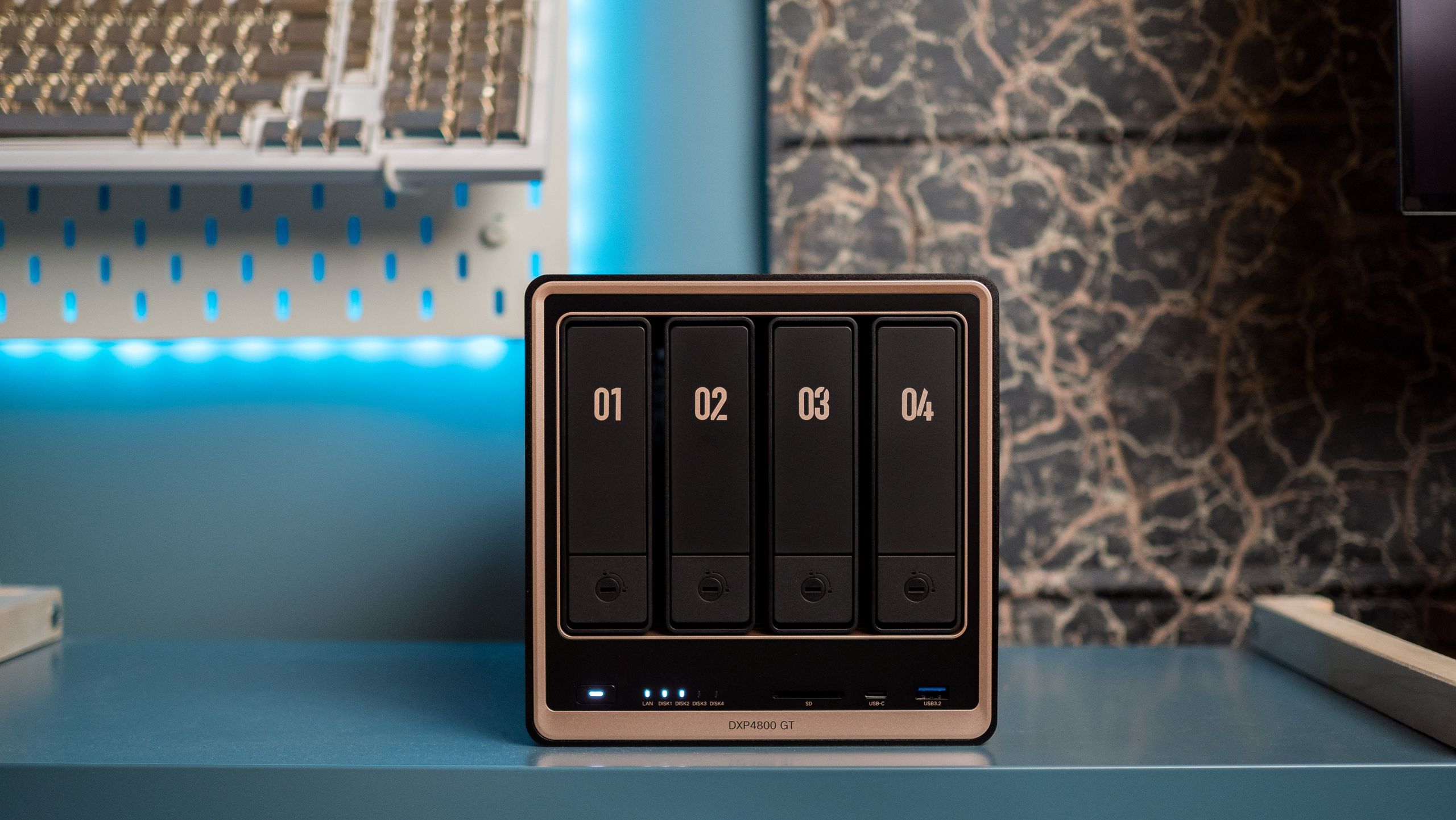
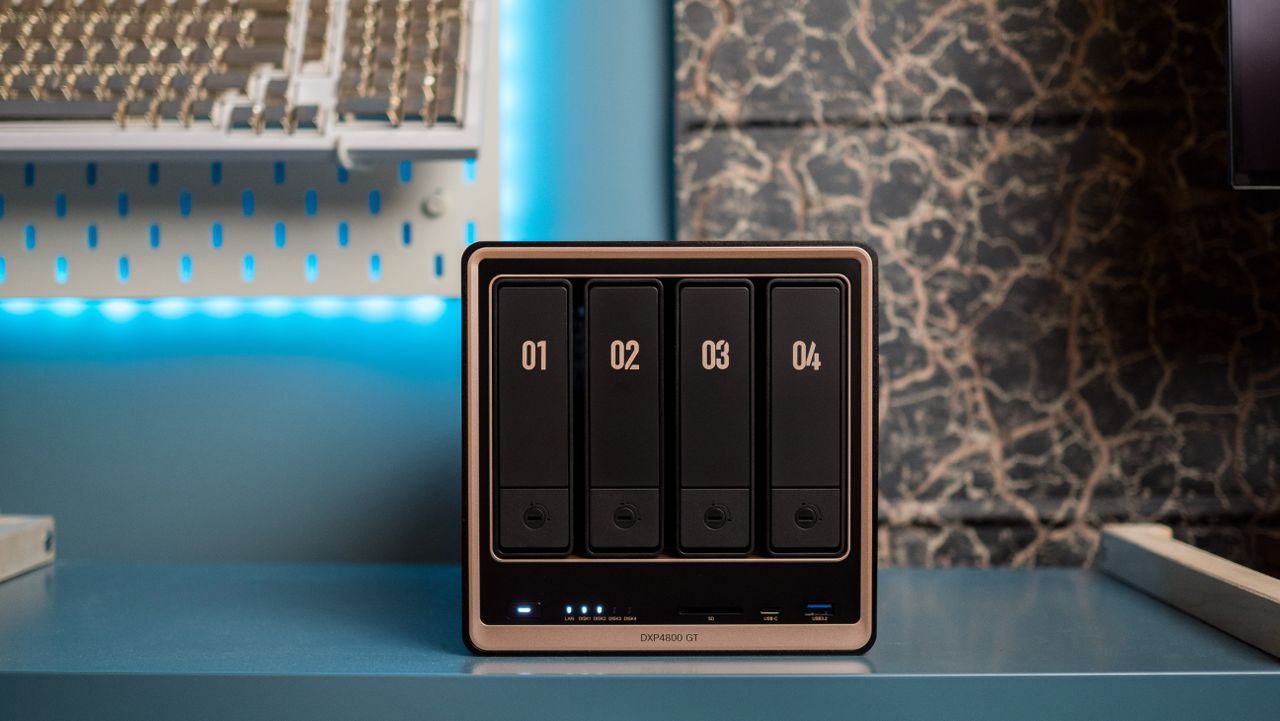
Forget the RAM crisis: this 8GB NAS just launched, and it’s somehow 20% off for Prime Day


If you’re looking to buy a new NAS, there’s a good chance that you came across UGREEN. The brand is a relative newcomer, but a combination of great hardware and aggressive discounts made it swiftly rise up the ranks in this category.

The DXP4800 GT is UGREEN’s latest NAS, and it just made its debut in June 2026. The NAS is aimed at enthusiast users and content creators, and it notably has two 10 Gigabit Ethernet ports. It launched at $659, but you can get it for $527 during Prime Day, which is a pretty good 20% discount on what is a brand-new model. While RAM and storage modules are still at an all-time high, UGREEN must not have gotten the memo, because this is a great price on an enthusiast-focused NAS.

✅Recommended if: You want ultra-fast connectivity. With powerful AMD internals, good software with container management, dual 10GbE connectivity, ECC memory, ability to slot in U.2 SSDs, and a high amount of extensibility, the DXP4800 GT is a true enthusiast NAS. The best part is that there’s hardware-assisted transcoding with the AMD Ryzen platform, and that’s just a welcome move.

❌Skip this deal if: You want Thunderbolt 4. Although the DXP4800 GT gets most right, it misses out on Thunderbolt 4 connectivity.

Now, the DXP4800 Pro is a solid NAS by itself, but the DXP4800 GT gets a few additional features. It gets ECC memory, 2.5-inch U.2 SSD integration, and two 10 Gigabit Ethernet connectors. It’s clear that the NAS is aimed at creators and enthusiasts, and even though there’s no Thunderbolt 4, it isn’t a big deal in and of itself.

Another difference is that the DXP4800 GT uses AMD hardware instead of Intel. While this has been an issue in the past, the Ryzen R2514 has hardware transcoding, so if you use Plex or Jellyfin, the DXP4800 GT is just as good as an Intel-based NAS. If anything, it’s faster; I got four 4K transcodes running in Plex at the same time without any issues, so the DXP4800 GT has power to spare.

The UGOS Pro software has plenty to like as well, and you can install just about anything you want using Docker; this is what I used to get Plex, Pi-hole, Jellyfin, Immich, and other utilities installed on the NAS.

The DXP4800 Pro is still a great NAS — particularly now that it is down to $639 — but if you need two 10GbE connectors or want to use U.2 SSDs, the DXP4800 GT is the obvious choice. And with the DXP4800 GT now selling for just $527, this may just be the best time to get it.

Samsung Galaxy Watch Ultra 2 leak reveals thinner bezels and a boxier new look


What you need to know

  • A new leak claims Samsung is skipping the Classic model and shifting focus to the Galaxy Watch Ultra 2.
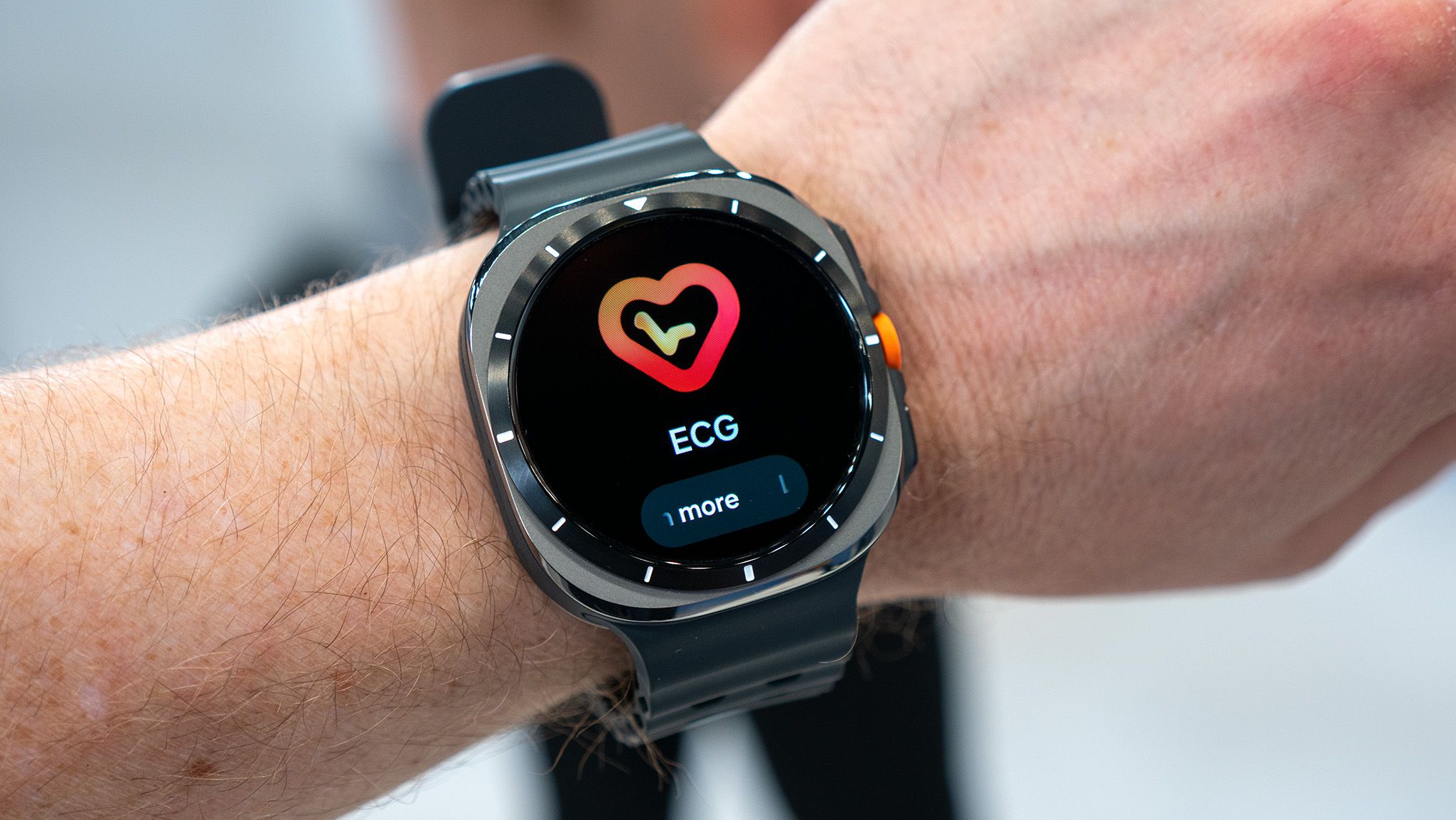
  • The Galaxy Ultra 2 is rumored to feature a boxier body, slimmer display bezels, and a numbered outer ring.
  • Leaked renders also point to a revamped Samsung Health app, a new watch face picker, and a dedicated compass interface.

If you were expecting a brand-new Samsung smartwatch with a clicky, physical rotating bezel this year, you’re out of luck. A new leak suggests Samsung is scrapping the rumored Galaxy Watch 9 Classic and is instead focusing its efforts on a revamped Galaxy Watch Ultra 2.

The latest rumor from tipster GalaxyTechie on X suggests your dreams of a 2026 Classic model with a mechanical ring are officially on ice, but you might get a more premium Ultra model with thinner bezels to make up for it (via 9to5Google). That’s a setback for early regulatory chatter and FCC docs that had fans hoping for a big dual-release this year.


The case for consolidation: A data architecture roadmap for CDOs


Every quarter your data architecture stays fragmented, your AI programs fall further behind. Your data teams spend the majority of their time finding and preparing data, not analyzing it. Governance is applied inconsistently, audits require manual effort and each new initiative requires rebuilding integrations that should already exist.

This is not merely a technical problem. CDOs who have consolidated onto a unified data management platform report up to 47% lower total cost of ownership and development cycles five times faster.

This roadmap details the architecture and diagnostic steps you’ll need to replicate those results as well as:

  • Where fragmentation is generating your highest cost and risk
  • A 30-60-90-day plan for retiring redundant tools without disruption
  • How your current state compares to a unified platform in measurable ROI

Signal’s Meredith Whittaker wants you to remember that AI chatbots ‘are not your friends’


Asked about the privacy implications of chatbots like ChatGPT and Claude, Signal President Meredith Whittaker answered, “These are not your friends. These are not conscious beings. These are not sentient interlocutors.”

Whittaker made those comments in a broader interview with Bloomberg about policy, privacy, and Signal. She acknowledged that she uses AI tools “to format a document here and there,” but insisted, “I don’t ask them questions. I’m very serious about my thinking and writing, and I don’t want the process of working through an idea […] to be foreclosed or eclipsed by the response of a system that’s averaging what’s already out there.”

As for Microsoft AI CEO Mustafa Suleyman’s prediction that users could let Microsoft Copilot handle all their Christmas shopping this year, Whittaker argued this scenario — where Copilot is eavesdropping on the family group chat to determine who wants want — means giving it “access to my credit card, my browser, my Signal, the ability to message my siblings on my behalf, my home address [and] my calendar.”

“What you’ve just described is a system with very pervasive access across multiple applications and services,” Whittaker said. “In the context of Signal, it would constitute a kind of a backdoor.”

4 Tried and Tested Expense Tracking Apps


Ever since I started making a living for myself, I’ve had the hardest time-saving money. I would always end up overspending, and at the end of every month, I’d run out of money. 

Then, a friend suggested that I try a couple of expense trackers to keep my expenditures in check. Now, it’s my habit to track every expense I make, and I save a lot of money. Easy to say that expense trackers have drastically improved my life. Here’s a list of expense trackers that I found helpful. 

You Need a Budget (YNAB)

I’ll start off with the app that I use the most, You Need a Budget (YNAB for short). Once you download the app, it gives you a 34-day free trial during which you can test out all the features. After that, you can pay $109 per year, or you can pay $14.99 per month. 

One thing to note is that this app works a bit differently than other expense-tracking apps. You allocate every dollar that you earn to something specific that you’ll do with it. This method is called the “zero-based budgeting system,” in which no dollar is left unaccounted for. 

This way, you can segregate your money for your bills, eating out, miscellaneous expenses, and a lot more. However, one of the main reasons why I chose this app is because it comes with integrated security and encryption, especially when I link my banks to it. 

For an added layer of security, I use Xfinity Internet since its xFi Advanced Security keeps my network as safe as possible. When the app encryption and a secure Wi-Fi connection come together, my YNAB app becomes very difficult to infiltrate by cybercriminals. 

Pro Tip: To get a secure internet connection now, make sure to look into Xfinity Internet plans. Not only will you get a secure internet connection, but at an affordable price!


EveryDollar

If you’re looking for an alternative to YNAB, which follows the same “zero-based budget plan” strategy, then you should try out EveryDollar. While the interface may be a bit difficult to get used to, once you get the hang of it, the app is pretty great at helping you save. 

You can allocate money for different tasks and use your money only there. This way, you can save money and avoid going overboard with your expenses! The basic variant of the app is for free; anyone can use it without paying anything. However, the premium version of the app costs $17.99 a month and $79.99 per year. 

Expensify 

Expensify is available on both Android and iOS phones. It’s a great app to use on the go. Just as soon as you spend on something, you can log into your app to keep track of it. The app is great for people who travel frequently, such as businessmen, or if you go on a vacation. 

To use the app, you may take photos of receipts or log your expenses manually. If you take a picture of a receipt and upload it, the app will automatically scan your receipt and log the expense. This makes things very convenient when you are in a rush. Not only this, but you also have the option to categorize your expenses. For instance, you can create categories for travel, gadgets, gas, and a lot more!

The base version for an individual user is free with up to 25 receipt scans for free. However, the team pricing for unlimited scans starts at $5 per user per month after a six-week free trial. 

PocketGuard

If you are an over-spender, then PocketGuard can help you get rid of this habit. You can sync this app with your credit and debit cards so that you have an easier time logging your expenses. Plus, the app has a feature called “In My Pocket,” which uses an algorithm to show you how much you have available for your everyday spending. You can also create saving goals for yourself, which the app can help you achieve. PocketGuard also comes with an integrated bill payment tracker. 

You can also set categories for your expenditures and set a limit to each category. The app will give you an alert every time any category almost reaches its limit. This will also give you a better idea of how much more you can spend before going overboard. 

The basic version of the app costs around $74.99 and the premium version costs about $155.88 per year. Yes, this is a bit expensive, but on the brighter side of things, the app helps you save a lot. You can spend a small smidge of your savings on this app! 

A Bonus Tip to Save More Efficiently

Using these apps is a great idea, but with these, you also need some financial discipline in your life. You can use the 50-30-20 rule along with these apps to save more efficiently. According to this rule, you should spend 50% of your income on your needs, such as your bills, mortgage, etc, 30% on your wants, such as items of luxuries and vacations, and 20% of your income should go into your savings.


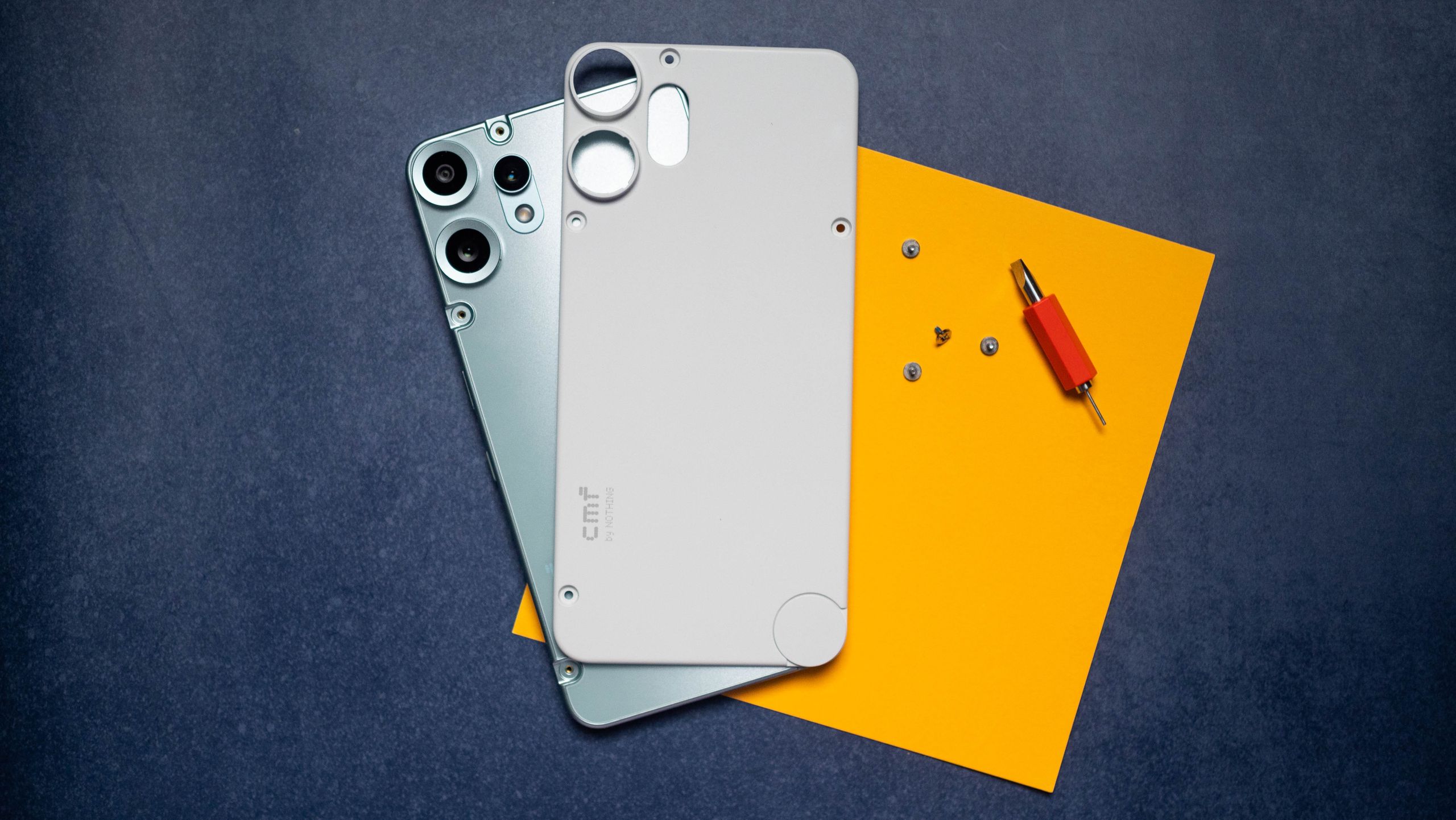
RAM ruins a Pro: Nothing says no CMF Phone 3 Pro to avoid ridiculous pricing


What you need to know

  • Nothing’s co-founder, Akis Evangelidis, said on X that CMF will not produce a Phone 3 Pro this year as RAM prices skyrocket.
  • The company says it cannot build a true successor that feels “like a genuine step forward at a price that makes sense” for the CMF title.
  • Nothing’s CEO, Carl Pei, has made similar statements in the past about how higher RAM (thanks to AI) can hamper smartphones and back consumers into a corner, and he’s done so again alongside Evangelidis.

Early this morning (June 19), Nothing’s co-founder wanted to get transparent about CMF’s phone line, as consumers question a Pro successor.

Co-founder Akis Evangelidis on X led off with CMF Phone 2 Pro praise. CMF is the company’s budget line, and the device was reportedly well received. However, consumers have been wondering about a successor, a would-be CMF Phone 3 Pro, and Evangelidis says that’s not happening in 2026. He says, “We were working on a successor, but with memory prices where they are right now, we can’t build a phone that feels like a genuine step forward at a price that makes sense for CMF.”