Thinking about switching your IT service management tool?


Is your current ITSM tool still meeting your needs, or has your organization outgrown it? Many teams find themselves stuck with tools that are too complex, outdated, or fail to support modern collaboration. Switching tools is a major decision, but with the right roadmap, it becomes an opportunity to improve user experience and boost productivity.

This eBook provides a practical, 5-step guide to help you navigate the transition from your current solution to a tool that fits your future.

In this eBook, you will learn how to: 

  • Determine Your Needs: Identify exactly what isn’t working with your current setup and what your “must-haves” are for a new solution.
  • Identify Stakeholders: Engage the right people early—from management to end-users—to ensure organization-wide buy-in.
  • Find a Partner, Not Just a Vendor: Learn why choosing a provider that aligns with your culture is as important as the software itself.
  • Request the Perfect Demo: How to prepare for a demo so you can see exactly how the tool handles your specific workflows.
  • Prepare Your Migration: Get a head start on the transition phase to ensure a smooth “go-live” without disrupting services.

Rivian downsizes DOE loan to $4.5B, while boosting capacity of Georgia factory


Rivian has reworked its loan deal with the Department of Energy and now expects to borrow $4.5 billion to build its new factory in Georgia, down from the original amount of $6.6 billion allocated under the Biden administration.

The company also announced Thursday that it will draw on the loan sooner than planned, in early 2027, and expects to increase the total capacity of the Georgia plant from 200,000 to 300,000 vehicles in its initial phase of operation — another sign that the company has high hopes for its upcoming R2 SUV.

The larger capacity — a 50% increase over its initial plans — will help lower its per unit costs, while also providing significant room for future expansion of capacity in later phases, the company said Thursday. 

Some of the factory’s capacity will be used to produce R2 robotaxis for Uber. Under a deal struck earlier this year, Uber is making an initial $300 million investment in Rivian and is expected to purchase 10,000 fully autonomous R2 robotaxis ahead of a planned rollout in San Francisco and Miami in 2028. That initial $300 million payment is expected to close in the second quarter, and another $250 million investment is planned for later this year, according to Rivian.

The ride-hailing company has the option to buy up to 40,000 more autonomous R2 SUVs from Rivian starting in 2030. Uber will has said it will invest up to $1.25 billion in Rivian through 2031 if the automaker meets a series of milestones.

Rivian broke ground on the Georgia factory late last year and is in the beginning stages of doing so-called vertical construction at the site located outside Atlanta. The company expects to start making vehicles by the end of 2028. Until then, Rivian will build R2 SUVs at its current factory in Normal, Illinois.

The company recently started production of the R2 despite the plant suffering damage from a tornado, and Rivian said Thursday it has made initial deliveries to employees. Deliveries to customers are expected to start “in the coming weeks, according to Rivian.

Techcrunch event

San Francisco, CA
|
October 13-15, 2026

The modifications to the DOE loan come as Rivian revealed financial results for the first quarter of 2026 on Thursday. The company generated $1.38 billion in revenue, with $908 million coming from vehicle sales and $473 million from software and services. The company lost $416 million in the quarter, down from a $541 million loss in the same period last year.

When you purchase through links in our articles, we may earn a small commission. This doesn’t affect our editorial independence.

Google’s Tensor G6 rumors nearly had me hyped, but it might let me down


What you need to know

  • Another string of early Tensor G6 rumors claims the chip could feature an improved CPU setup with a 1+4+2 core structure.
  • The chip’s one ARM C1-Ultra core could clock in at 4.11GHz, alongside four C1-Pro cores and two additional C1-Pro cores at 2.65GHz.
  • Strangely, rumors say the Tensor G6 could feature a very old GPU that might not bring much of a difference between its gaming performance and the Tensor G5’s.

Rumors take us ahead into the near future of the Tensor G6 SoC from Google, and these early vibes are curious, to say the least.

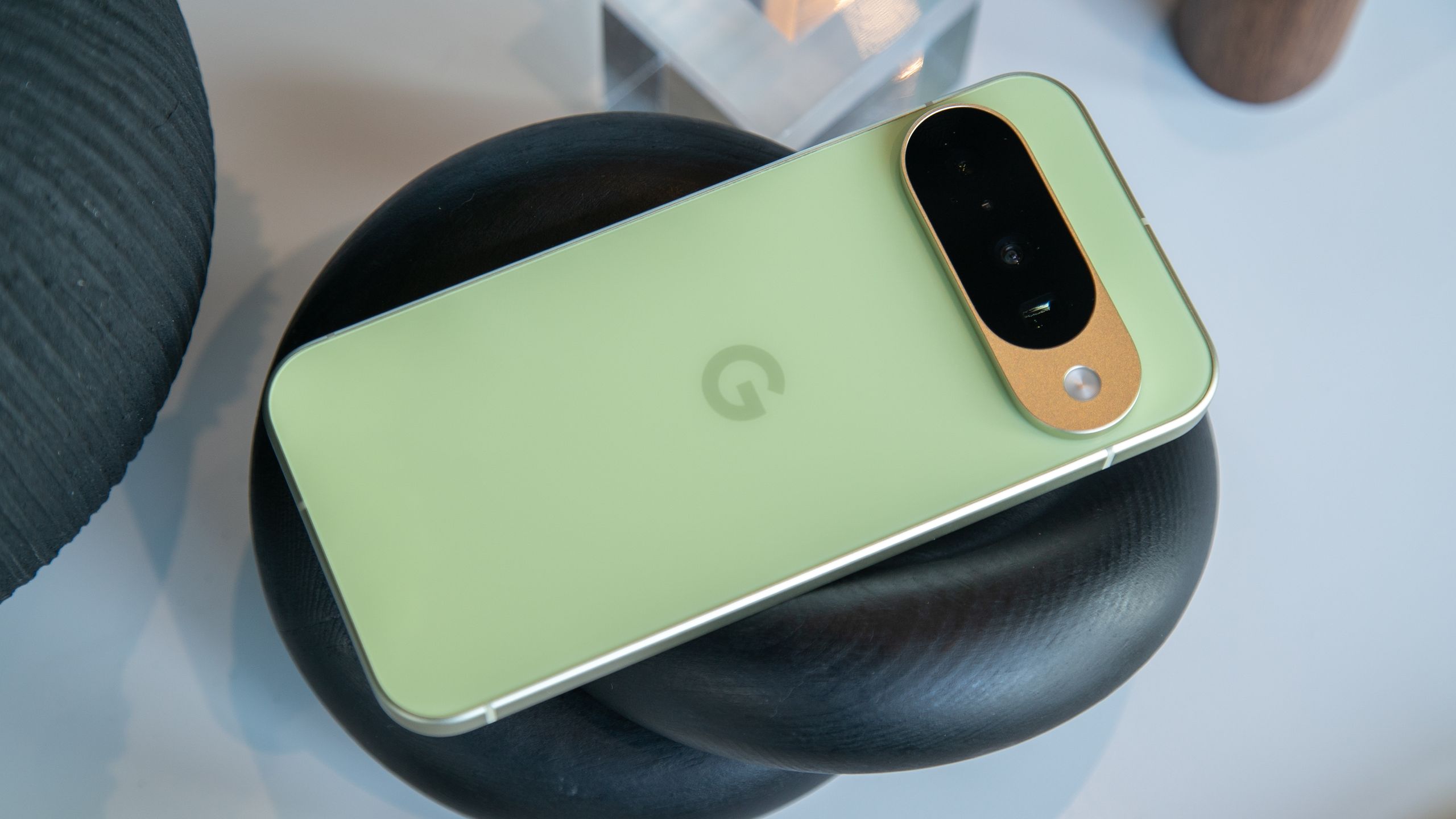
A post by 9to5Google highlighted a response to a user on Telegram by leaker MysticLeaks about the company’s upcoming custom chip, the Tensor G6. The tipster cites the chip’s alleged specs alongside the Pixel 11 series’ codenames: Cubs, Grizzly, and Kodiak, regarding the Pixel 11, 11 Pro, and 11 Pro XL, respectively. MysticLeaks then suggests the chip could feature a 1+4+2 core structure this year.

The Enterprise Unification Gap


The Enterprise
Unification Gap

Why 87% of IT Leaders Would Switch Productivity Suites

Overview

For years IT teams have closed the gaps in their tech stacks with connectors and add-ons. The result? A “frankentool” environment that’s expensive to maintain and complex to secure.

The data is staggering: only 6% of teams say their productivity suite is seamless. That’s why the next era of enterprise modernization won’t be about adding new features. It’ll be about unifying the tech you have—AI, collaboration, and device management—into a single, cohesive system.

In this new report from Google Workspace and JumpCloud, you’ll discover the full extent of the enterprise unification gap. And how to stop the cycle of tool complexity once and for all.


Grab your copy to learn:

  • How to align AI-driven productivity with strict identity and access management principles
  • Why 58% of DIY unification attempts fail and how to avoid common mistakes
  • The differences between how Microsoft vs. Google Workspace environments handle identity and device management at scale

Download the Report

Download the Report

Error: Contact form not found.

Trusted by Organizations Worldwide

About us Section - jumpcloud

About JumpCloud

JumpCloud is a cloud-based, unified IT management platform that centralizes identity, access, and device management, often serving as a modern, cloud-native alternative to Active Directory. It allows organizations to manage user identities, secure devices (Mac, Windows, Linux, mobile), and control access to resources from a single console, supporting hybrid and remote work.

The post The Enterprise Unification Gap appeared first on Tech Research Online.

How one venture firm is investing in an increasingly fragmented world


The world today is riven by cultural differences, political divisions, and geopolitical disputes — a challenging environment for any investor hunting for startups that can grow large enough to deliver venture-scale returns.

Kompas VC has developed a regionally sensitive strategy to help it navigate, and invest in, this fragmented world. And it’s putting fresh capital towards this approach with a new €160 million fund ($187.5 million), the firm told TechCrunch.

“We see the world really falling into three main spheres of economic activity, of political activity — the U.S., Europe, and China,” Sebastian Peck, partner at Kompas VC, told TechCrunch. “We certainly see today that these three domains follow very, very different trajectories.”

Kompas has staked its reputation on backing startups that tackle core industrial competitiveness challenges, from manufacturing and supply chains to critical infrastructure and sustainability. Those themes haven’t disappeared, but different regions emphasize them to varying degrees.

“There was a lot of enthusiasm around these themes back in 2021,” Peck said. “In 2026, we’re in a very, very different paradigm. It’s all about AI, it’s all about fast growth, very explosive growth. A lot of big topics that we partially play to but also are not really part of what we stand for.”

“Our focus is in the physical world, anything around producing physical goods,” he added, saying that Kompas focuses on startups working on decarbonization, productivity, and risk management. “We’ve found our niche.”

Three people standing on a stone stairway.
Kompas VC partners, from left: Talia Rafaeli, Andreas Winter-Extra, and Sebastian PeckImage Credits:Kompas VC /

That niche turns out to be pretty broad. Reshoring is en vogue in nearly every market, and depending on the startup, those markets typically have more than enough scale for a firm like Kompas.

Techcrunch event

San Francisco, CA
|
October 13-15, 2026

Though dwarfed by some venture funds these days, Kompas’s newly raised second fund should give it ample opportunity to lead early stage rounds with checks ranging from €3 million to €5 million. 

As a European fund, Kompas has access to a range of founders and startups in the region. But it must weigh how global fragmentation might limit the potential for some to deliver venture returns. Peck cites prefab housing as an example. The approach is widely used in Scandinavian countries, but it isn’t as common in Germany or the rest of Europe, let alone the United States.

“It feels like such an intuitive solution. It’s a product that is effectively an industrial product. It should be highly scalable,” he said. Ultimately, the reason it doesn’t resonate outside Scandinavia has more to do with “cultural conditioning” than the technology itself, he said. “In that industry, if the U.S. isn’t the market you can go to, you need to look very, very carefully at whether there’s a large enough addressable market.”

The fragmentation extends beyond housing. For example, in Europe, sustainability is still broadly attractive, in contrast to the U.S., where the theme doesn’t have the cachet it did several years ago. 

Still, a lot can change quickly, Peck acknowledges. “We are investing over 10-, 15-year horizons. That’s a few legislative periods to bridge, and sometimes things swing in unexpected directions.”

The shifting landscape poses a challenge, but also an opportunity for a smaller investor like Kompas. “I think there’s a great space for highly focused, highly specialized, smaller funds like ours to be the first check-in and bring sweep up certain themes and certain founders,” Peck said. 

When you purchase through links in our articles, we may earn a small commission. This doesn’t affect our editorial independence.

Google Translate turns 20, and it’s making me practice my speech with AI


What you need to know

  • Google celebrates its 20th anniversary of the Translate app with users by rolling out a new feature: Pronunciation Practice.
  • Located in the Practice tab, users can write a phrase and practice how to say each word, then the AI will come in and highlight any errors in your speech.
  • Google states the Translate app has turned into a global tool used by 1 billion users and is responsible for translating roughly 1 trillion words per month.

Google is celebrating a momentous occasion for an app that users typically look for when trying to read something in another language.

Detailed this morning (Apr 28), Google says the Translate app turns 20 years old; however, it’s giving users a gift, instead. Rolling out in celebration is “Pronunciation Practice” in Translate. The app has slowly been moving into a Duolingo vibe recently, and Google says this feature has been “highly requested.” It says AI does most of the heavy-lifting, analyzing how you’ve said a word to offer feedback for correction.

Built to Adapt: Why Enterprise Flexibility Starts with IT Unification


JumpCloud Webinar Series


Built to Adapt: Why Enterprise Flexibility Starts
with IT Unification

calendar-iconThu / Mar. 19 / 12:00 PM (ET)

Overview

To keep scaling your enterprise, you have to be ready for anything. Growth requires adaptation. And adaptation requires a tech stack that can bend without breaking.

True flexibility starts with a secure, adaptable IT foundation. Not a siloed patchwork. Unification is the answer. It aligns your technology with your business goals by transforming traditional administrative chaos into control.

Watch this special event with Google Workspace and JumpCloud to explore how the Work Transformation Set closes the enterprise unification gap. Your productivity suite isn’t just about tooling—it’s the foundation of your enterprise’s ability to scale with flexibility and confidence.


In this webinar you will learn:

  • Real-world data on how disconnected IT systems drain budgets and limit growth
  • How to extend your Google identities to manage secure access for every device and application across your enterprise
  • A practical look at how to dismantle your legacy patchwork and implement a unified strategy that drives real business value


Meet the Speakers:

  • Joel-Rennich

    Chris Tate

    Principal Strategist

    JumpCloud

  • Cameron-Wallin

    Kristin Aliberto

    Google Workspace Architect

    Google Workspace

Watch Now

Watch Now

Error: Contact form not found.

About us Section - jumpcloud

About JumpCloud

JumpCloud is a cloud-based, unified IT management platform that centralizes identity, access, and device management, often serving as a modern, cloud-native alternative to Active Directory. It allows organizations to manage user identities, secure devices (Mac, Windows, Linux, mobile), and control access to resources from a single console, supporting hybrid and remote work.

The post Built to Adapt: Why Enterprise Flexibility Starts with IT Unification appeared first on Tech Research Online.

Meta inks deal for solar power at night, beamed from space


The race to secure electricity for AI models has reached new heights: Meta has signed an agreement with the startup Overview Energy that could see a thousand satellites beam infrared light to solar farms that power data centers at night.

In 2024, Meta’s data centers used more than 18,000 gigawatt-hours of electricity—roughly enough to power more than 1.7 million American homes for a year—and its need for compute power is only increasing. The company has committed to building 30 gigawatts of renewable power sources, with a focus on industrial-scale solar power plants.

Typically, data centers turning to solar power must either invest in battery storage or rely on other generation sources to operate at night.

Overview, a four-year-old, Ashburn, Virginia, outfit that emerged from stealth in December, has a different solution: The company is developing spacecraft that collect plentiful solar power in space. It then plans to convert that energy to near-infrared light and beam it at sufficiently large solar farms—on the order of hundreds of megawatts—which can convert that light to electricity.

By using a wide, infrared beam to power existing terrestrial solar infrastructure, Overview thinks it can sidestep the technological challenges and safety and regulatory issues that bedevil plans to transmit power to Earth through high-power lasers or microwave beams. CEO Marc Berte says you’ll be able to stare right into his satellite’s beam with no ill effects.

The technology would increase the return on investment from building solar farms and reduce reliance on fossil fuels — if it can be deployed at scale.

Overview says it has already demonstrated power transmission to the ground from an aircraft, and is planning to launch a satellite to low Earth orbit in January 2028 to perform its first power transmission from space.

Techcrunch event

San Francisco, CA
|
October 13-15, 2026

In today’s announcement, Meta said it signed the first capacity reservation agreement with Overview to receive up to 1 gigawatt of power from the company’s spacecraft, although it’s not clear if any money changed hands. Overview developed a new metric for this contract, megawatt photons, which is the amount of light required to generate a megawatt of electricity.

Berte expects to begin launching the satellites that would fulfill that commitment in 2030, with a goal of flying 1,000 spacecraft in geosynchronous orbit, a high orbit in which each satellite remains fixed above the same point on Earth. He expects each of the company’s spacecraft to provide power from space for more than 10 years.

Once in space, Berte says the fleet of spacecraft will be able to cover about a third of the planet, with an initial deployment that will reach from the West Coast of the United States across to Western Europe. As the Earth rotates below and customer solar farms enter evening and night, Overview’s spacecraft should boost their electrical generation with additional light from space.

Berte sees opportunity in combining both generation and transmission, with the flexibility to deliver power to solar farms wherever and whenever it is most valuable.

“There’s a big difference between being in any one energy market, and being in all of the energy markets,” Berte told TechCrunch.

When you purchase through links in our articles, we may earn a small commission. This doesn’t affect our editorial independence.

Best eSIM for Android: How to Choose, Set Up and Get the Most Out of It


Woman's hands holding an android phone.

For almost a decade, Android devices of varying functionality have supported the use of eSIM. Surprisingly, many Android users do not have an active eSIM. The ease of set-up for eSIM, cost savings compared to international roaming, and ability to operate two active lines from one physical phone is extremely helpful for both business and leisure travelers. This article provides information on what Android users in the USA need to know about eSIM in 2025.

What Is an eSIM and Why Does It Matter for Android Users

A digital SIM card known as an eSIM can be found saved onto the hardware of your phone instead of a physical card that you would insert and take out of the actual phone. With an eSIM, the profile (activation) is downloaded wirelessly to your phone after you scan a QR code or enter an activation code to get started. Once the profile has been downloaded successfully, the eSIM will work just like a physical SIM card by enabling you to place a call on the carrier network as well as have a phone number assigned to your device and also for you to manage your data plan.

For example, if you have a US phone number that you use with your physical SIM card, and also want to have a data plan while travelling internationally, using your eSIM will give you the ability to run both SIMs along with their associated line (both physical and eSIM) at the same time on your Android phone. Using dual SIMs eliminates the need to carry 2 phones or switch out SIMs, which can be frustrating for frequent international travellers. Holafly’s eSIM with unlimited data is one of the more popular options among Android users heading abroad, covering over 200 destinations and activating in minutes before departure.

Which Android Devices Support eSIM

The Android ecosystem has widely adopted eSIM technology. The following is a list of Android devices confirmed as eSIM-compatible as of 2025:

Google Pixels have supported eSIM since the Pixel 3, and all devices in the Pixel 7, 8, and 9 series support dual eSIM, allowing the use of two eSIM profiles simultaneously without a physical SIM. Samsung S-series, Z-series, and other flagship models (including the Galaxy S20 and all subsequent versions) support eSIM, while the Galaxy S23 and S24 offer dual eSIM support on select devices. Motorola Razr and Edge series devices from recent generations include eSIM capability. OnePlus 11 and newer models support eSIM in the US.

One important point: eSIM functionality in the US may depend on the mobile carrier to which a device is locked. Devices purchased directly from Google, Samsung, or other manufacturers are typically unlocked and will support eSIM with most mobile providers. Devices purchased through a US carrier may have limitations related to eSIM until they are unlocked. To confirm whether your device is unlocked, you should contact your carrier.

How to Set Up an eSIM on an Android Device

The eSIM setup process may vary slightly by manufacturer; however, the overall process is similar across Android devices.

To set up an eSIM on a Google Pixel, go to Settings, then navigate to Network & Internet, then SIMs, and select the “+” icon to add a new SIM. Select Download a SIM Instead, then scan a QR code or manually enter an activation code.

To set up an eSIM on a Samsung Galaxy device, go to Settings, then Connections, and then SIM Manager. Select Add eSIM, scan the QR code provided by your carrier, and follow the prompts to complete the setup process.

For other Android devices, check the Network, Connections, or Mobile Networks section within your settings menu. While the pathways vary by manufacturer and Android version, the QR code scanning process is generally similar across compatible devices.

Once you have activated your device with two SIM cards (eSIM and physical SIM), you can manage both through the SIM Manager or equivalent settings. You will be able to assign different functions to each SIM (e.g., one for calls/texts and one for data). You may also designate a preferred SIM for specific contacts or use both without losing service.

eSIM vs Physical SIM on Android: When to Use Each

For most Android users currently residing within Domestic US, switching from a physical SIM card to an eSIM doesn’t seem very advantageous. In general, the main reasons to utilize an eSIM rather than a physical SIM card will be while traveling outside the US and having 2 cellular lines on the same device.

The calculations of international roaming charges are pretty easy to determine as it’s commonly understood that US providers generally charge anywhere from $10-$25 a day for US customer base to roam to almost all international destinations. For example, for 14 days of travel at $15/day generates $210 that’s added to your bill before any calls are made or text messages sent. However, if you were to book a prepaid eSIM data plan for the very same amount of time (14 days), it will only cost you $20-$40 dollars for unlimited data. Therefore there are significant savings and also your eSIM experience has the ability to provide you with more seamless connectivity to the local network instead of your US providers ‘roaming network.’

In terms of having 2 phone numbers on 1 device, Google’s support of an eSIM for Android makes this possible. Allowing you to create 2 separate lines for work and personal use from 1 device, or to have a separate phone number in a different location where you frequent travels, is highly utilized by all working professionals who are often on the go.

Troubleshooting Common eSIM Issues on Android

The most common issue with eSIMs is that they download but do not connect to the network. When this happens on an Android device, it can usually be resolved by toggling airplane mode on and off, which forces the device to search for available networks. If the issue persists, go into the SIM Manager and select manual network selection instead of automatic.

There are typically two reasons why a QR code will not scan: glare on the screen or being too far away. Most carriers offer a manual activation code as an alternative, which consists of an SM-DP+ address and an activation code that can be entered manually on the same setup screen.

If you receive an error related to carrier locks, your device may still be locked to your US carrier. This is most common with Samsung devices purchased from Verizon, AT&T, or T-Mobile. You can request an unlock through your carrier’s website or customer service. In most cases, the unlock is completed within 24 hours of the request, provided the device is eligible.

Managing Multiple eSIM Profiles on Android

In terms of eSIM functionality, an edge Android has over Apple devices is that both the Google Pixel and Samsung devices have more flexible and convenient profile management capabilities. For example, Google Pixel 7 and newer devices allow multiple eSIM profiles to be stored at the same time, making it easier to switch between country-specific plans while traveling rather than deleting and re-downloading eSIM profiles each time.

Samsung does similar by allowing users to manage profiles in SIM Manager (to activate/deactivate and label profiles) allowing for easy switching between multiple destinations by clearly labeling profiles with destination names and dates of travel.

Best eSIM for Android FAQs

eSIMs and Android – Everything You Need to Know about eSIMs on Android

eSIM Capability on Android Devices – Can I use two eSIMs at once? Yes, provided your phone supports eSIM.The best Android devices to use two eSIMs simultaneously are as follows: Google Pixel 7 and later models support a dual sim eSIM with no physical sim. Many models of Samsung Galaxy S23 and S24 support dual eSIM functionality.To verify whether or not your Android device supports eSIMs, you can look up your Android model specifications.

eSIM or Physical SIM Activation – If I activate my eSIM, will I lose my physical SIM? No, your physical SIM is still active and works with your eSIM as an additional line.You can manage both eSIM and physical SIM from the SIM settings on your device with no issues.

Transferring eSIM Profiles – Can I transfer my eSIM profile to my new Android phone? Many mobile carriers allow the transfer of eSIM profiles to other devices; however, there are some restrictions regarding this process based on the carrier’s policy.Typically you will have to contact your mobile carrier to initiate the transfer of your eSIM profile. Some carriers do not allow the transfer of single use; therefore, before purchasing an eSIM profile, be sure to review the policy with your carrier.

eSIM vs. Physical SIM – which drains more battery? There has been no measurable difference noted regarding whether or not an eSIM or physical SIM drains more battery. Power consumption will be similar while using eSIM or physical SIM on your mobile device during normal usage.

eSIM Capability on Budget Devices – Are there any budget Android devices that include eSIMs? Generally the number of mid range Android phones supporting eSIMs is becoming larger; however the quantity is still significantly smaller than the flagships.

Prior to making a purchase, check your budget Android device specifications on the manufacturers supporting eSIM.

Google’s Nest Hub has no clue what time it is, and it’s messing with our heads


What you need to know

  • A user on the Google Home subreddit reports that their Nest Hub Gen 2 is struggling with the time.
  • The post says their device will set an alarm properly (on its display), but the AI speech will say “it’s set for 3 am,” when in reality it’s set for “3 pm.”
  • Google recently rolled out Continued Conversations for Gemini on its smart home devices.

Issues surface with Google’s Nest Hub, as user reports on social media highlight a strange problem with its sense of time.

It’s unclear just how widespread this issue is, but a user on the Google Home subreddit reports that their Nest Hub Gen 2 is struggling with time (via Android Authority). The user states that while their device can set the correct time (say, three o’clock, for instance), it will mess up the AM/PM ending. They state that if they’re looking to set an alarm for 3 pm, their Nest Hub Gen 2 will say it’s set for 3 am.

Android Central’s Take

This just sounds like a joke. It makes it seem as if the Nest Hub Gen 2 is stuck in opposite day. You tell it one thing, but it says the same with a dash of the opposite. It’s good that the device actually sets the time right, and it’s the speech part that’s messed up. But, still, even that’s enough to make people look again, saying, “huh? I didn’t say that…”