Truecaller takes its scam intelligence to the open web as it looks beyond caller ID


After more than a decade building a caller ID business serving over 500 million users, Truecaller is now taking the scam intelligence it gathered along the way to the open web, with no app or sign-in required.

The Swedish company on Sunday launched Scam Checker, a new web and Android service that lets users paste in a suspicious phone number, link, or message to find out if it’s fraudulent. To work, the service surfaces related reports from Truecaller’s community, ScamFeed. However, more detailed information about a phone number, including the name associated with it, remains available only through Truecaller’s existing service, which requires a sign-in.

The free-to-access tool will initially be available in India and is set to expand to Latin America, the Middle East and Africa, and Southeast Asia, the company said.

In addition to serving as lead generation for its app, the community reports can give Truecaller a better view of the scams circulating at a given time. This could also help the company with its fraud and risk products sold to enterprises through Truecaller for Business, although Jhunjhunwala said Scam Checker itself is aimed at consumers.

To work, Truecaller’s Scam Checker checks the link the user submits, expanding shortened URLs and following redirects to the final destination. It then checks these against its proprietary risk database and other fraud signals. Users can also paste a suspicious message, allowing the service to pick out a phone number or link and surface related reports from the Truecaller community.
Truecaller Scam Checker
Truecaller’s scam checkerImage Credits:Truecaller

The launch comes as scams have grown well beyond phone calls to text messages, messaging apps, and web links. In a 2025 GSMA survey of Indian adults (PDF), 46% of those who reported being scammed said they were approached through messaging apps, while 37% via SMS and 32% through voice calls.

Truecaller estimates that people make about 14 million web searches a month to check suspicious links and phone numbers, based on its analysis of search volumes and traffic to existing verification services. That behavior helped shape Scam Checker, CEO Rishit Jhunjhunwala told TechCrunch.

“When you need it, you’re usually somewhere else. The link shows up on WhatsApp. Your mum gets a message about a traffic fine. A friend forwards you a screenshot and asks, ‘Is this real?’” Jhunjhunwala said. “What people do in that moment is search.”

Truecaller’s community is becoming a crucial piece of its scam-detection effort. The company told TechCrunch that about 20,000 scam reports are live on ScamFeed, its crowdsourced feed where users can post and discuss scams, in India, with around 1,300 new reports added each week. Between September 14 and 20, the company also said it evaluated 12.9 billion messages globally and flagged 20.3 million as fraudulent.

In the near future, Truecaller says it plans to broaden the types of scams Scam Checker can detect and add screenshot uploads for further analysis.

The company’s push beyond caller ID comes as its core business faces new pressures in India, its largest market with more than 350 million users. Telecom operators are rolling out the federal government-backed Calling Name Presentation service, while Apple and Google have added their own caller identification and spam-protection features. Last week, India’s telecom regulator also ordered caller-ID apps to share user-submitted spam reports with telecom operators, a move Truecaller criticized as a “one-way exchange.”

As a result, Truecaller’s focus is evolving beyond caller ID.

“Caller ID was the first problem we solved, and it’s still how most people find us,” he said. “But scams moved to a more multi-channel approach with links and messages, and increasingly to voice and video. Our protection has to follow the scammer.”

When you purchase through links in our articles, we may earn a small commission. This doesn’t affect our editorial independence.

Why AI Glasses Are About to Become a Real Android Accessory Category


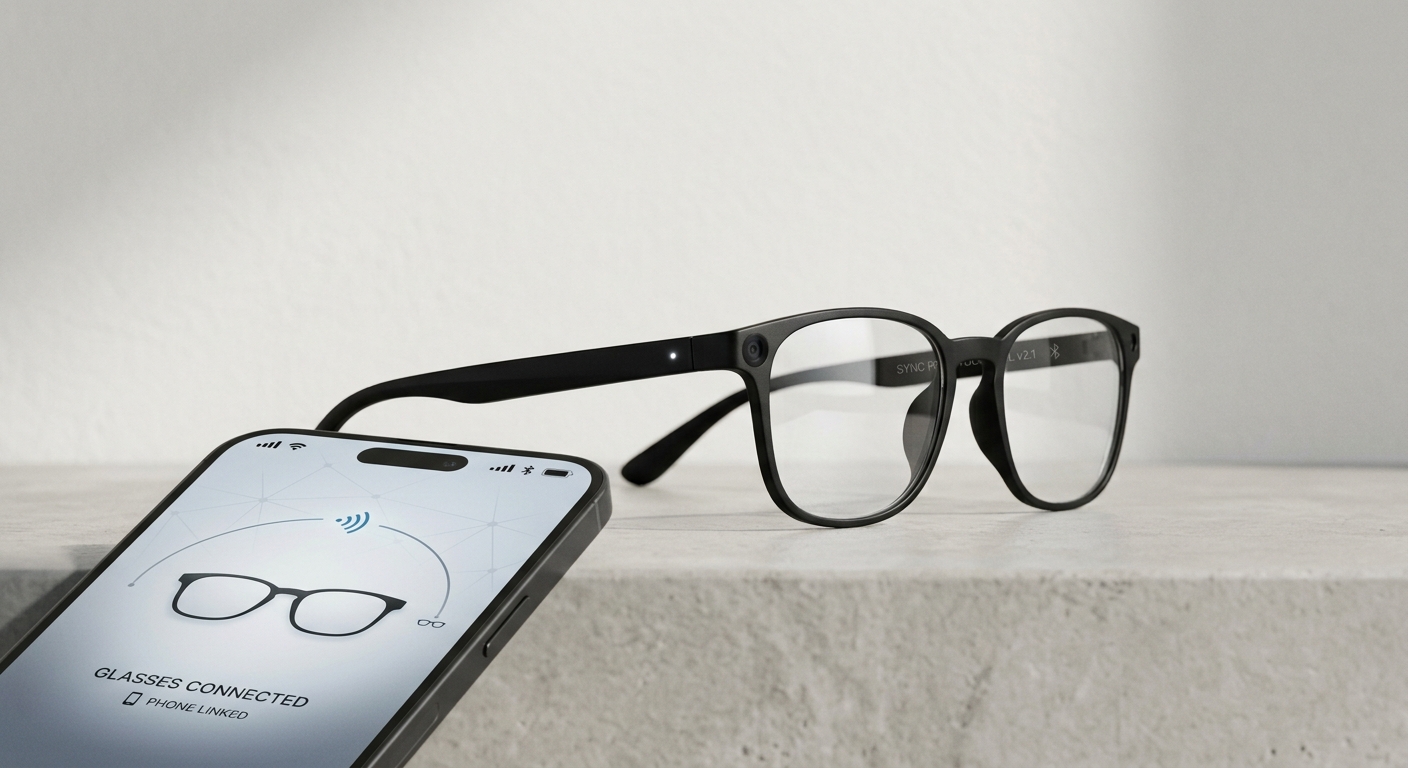
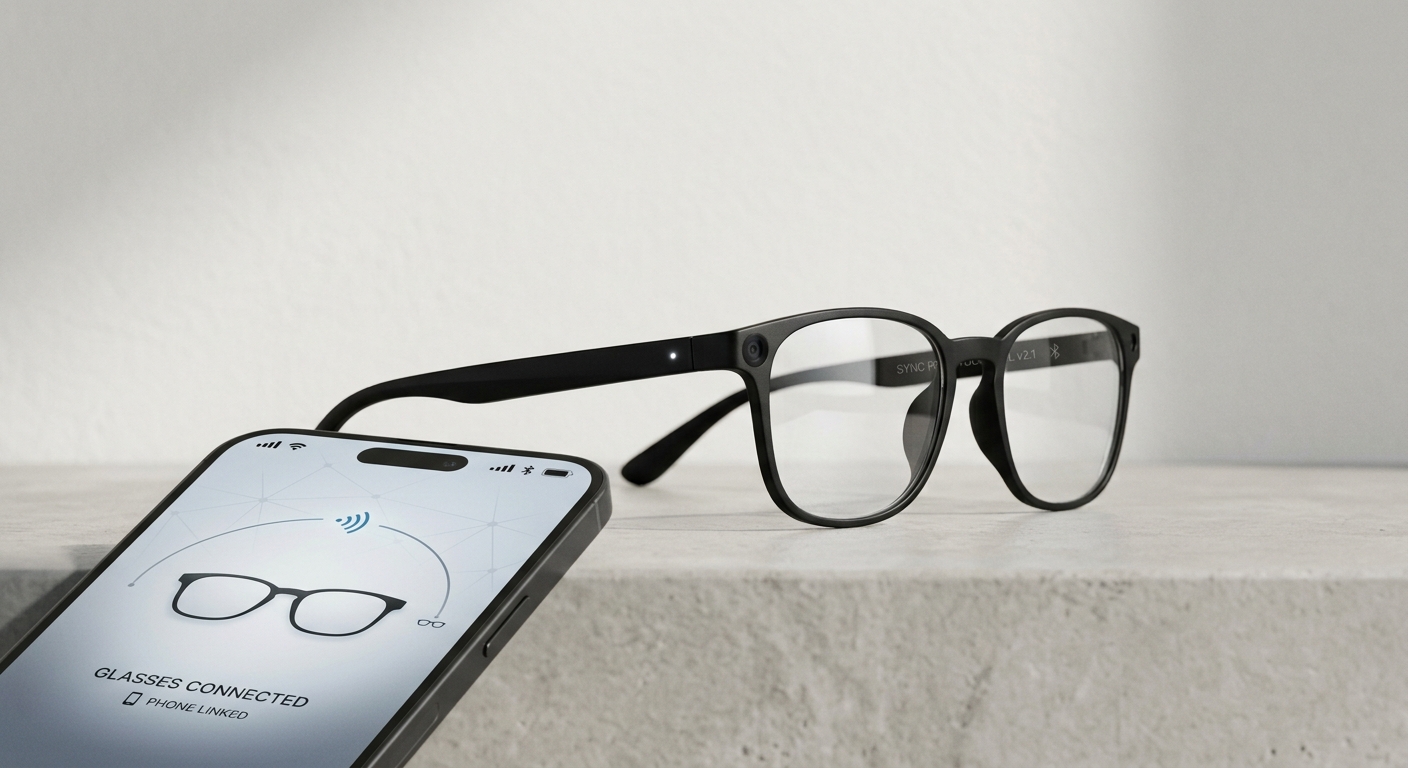
AI glasses connected to a phone

For several years, smart glasses were put in the same category as flip phones and smartwatches with a week-long battery life — they existed in theory and on paper (in terms of the technology) but had not yet found their way into the everyday lives of Android consumers. However, that is changing rapidly.

With the help of the growing third-party market, as well as the entrance of Google, smart glasses with an integrated camera and voice assistant are becoming the logical next accessory for Android users, along with smartwatches and wireless headphones. As more options become available, consumers shopping for the best AI glasses will have to look beyond the novelty and compare things such as camera quality, battery life, Android compatibility, and privacy features. They satisfy a need in the market that cannot be filled by phones alone.

Let’s Explain at the Outset What Smart Glasses Are

The latest smart glasses that consumers can find nowadays should consist of a pair of frames containing a camera and microphone to provide a voice assistant. The smart glasses should be connected to a smartphone, allowing the user to store, set, and synchronize the glasses over Bluetooth. They do not possess a screen in front of the user’s eyes, but the user can take pictures, make videos, or ask the virtual assistant questions using the glasses.

Furthermore, Google’s Announcement Was Well Timed

Google introduced its own Android smart glasses in 2026 in cooperation with Samsung and eyewear companies such as Warby Parker and Gentle Monster. The functionality of the glasses includes the use of the Gemini system for navigation, translation, visual search, and voice assistance. Moreover, Google’s entry into the market signals that the company takes smart glasses seriously and considers them a viable product to invest in. This news puts pressure on the already existing brands producing smart glasses to work harder and improve their existing models. The first smart glasses will become available to the public in the fall of 2026. However, the first version released will be the audio version, and then the second version will include the video function.

However, Even Before the Involvement of Google in the Market, the Trend Was Already Observed

The production of smart glasses has increased, which will double in the next few years according to analysts due to the dropping prices and increased availability of other producers’ products. Consumers will remember the previous trend with the development of smartwatches, and it will not be a surprise for them to see the market grow as well.

And you don’t have to learn any new mental models. Anyone who’s already built a solid ecosystem of wearable devices and applications already knows the basic idea: give the device the task of doing a regular job instead of pulling out the phone for every little thing. Camera glasses simply carry this idea through but make it hands-free and voice-activated. They are another component of the Android ecosystem that has been trending toward low-friction interfaces.

When it comes to a device that features both a camera and a microphone, you will need to address exactly the same issues as with any connected device, but with much bigger consequences. All the recommendations regarding how to prevent applications from unnecessarily collecting information on Android work here as well: pay attention to what permissions the application asks for, whether the media is stored on the device until exported or automatically uploaded, and disable any permissions that are not strictly necessary for the operation of the glasses. An easy-to-forget gadget definitely is worth having its data practices checked thoroughly.

Let’s not forget that Google has tried something similar before. The Google Glass product launched more than ten years ago was less of a product category and more of a cautionary incident since it was criticized for being an obvious gadget, having a distracting display that was more annoying than useful, and for having pricing as well as an initiation system of advertising that could not reach a typical client. The new generation of smart glasses has made sure that it doesn’t repeat these mistakes. Most models today, including those from Google, reject having a display in the lens and instead use audio and voice. They look like regular glasses and do not focus on having a heads-up display at all.

There is a reason why Google’s entry into smart glasses does not throw the rest of the manufacturers out of the market. If anything, a new arrival at the same level of technology only leads to the expansion of the market rather than taking control over it, as we have already seen with the arrival of Android. That would mean we are facing serious competition in areas such as battery life, transcription speed, footage transfer speed, and synchronization of the phone suite with other Android applications.

There are a few specifications that are more important than marketing information. Nowadays, the batteries of smart glasses can last anywhere from four to eight hours, making them just about average for the day. You have to verify that the relevant application is updated for your version of Android. Another check you should not forget about is looking out for the indicator that lights up when people are nearby the wearer of the smart glasses.

The smart glasses market had been eagerly anticipated for quite a long time, with many people speaking about it while only one company had started using it. After Google’s initiative together with the other companies, the situation in the market is likely to change.


The top 3 reliable 100W car chargers that can actually power your laptop on the road


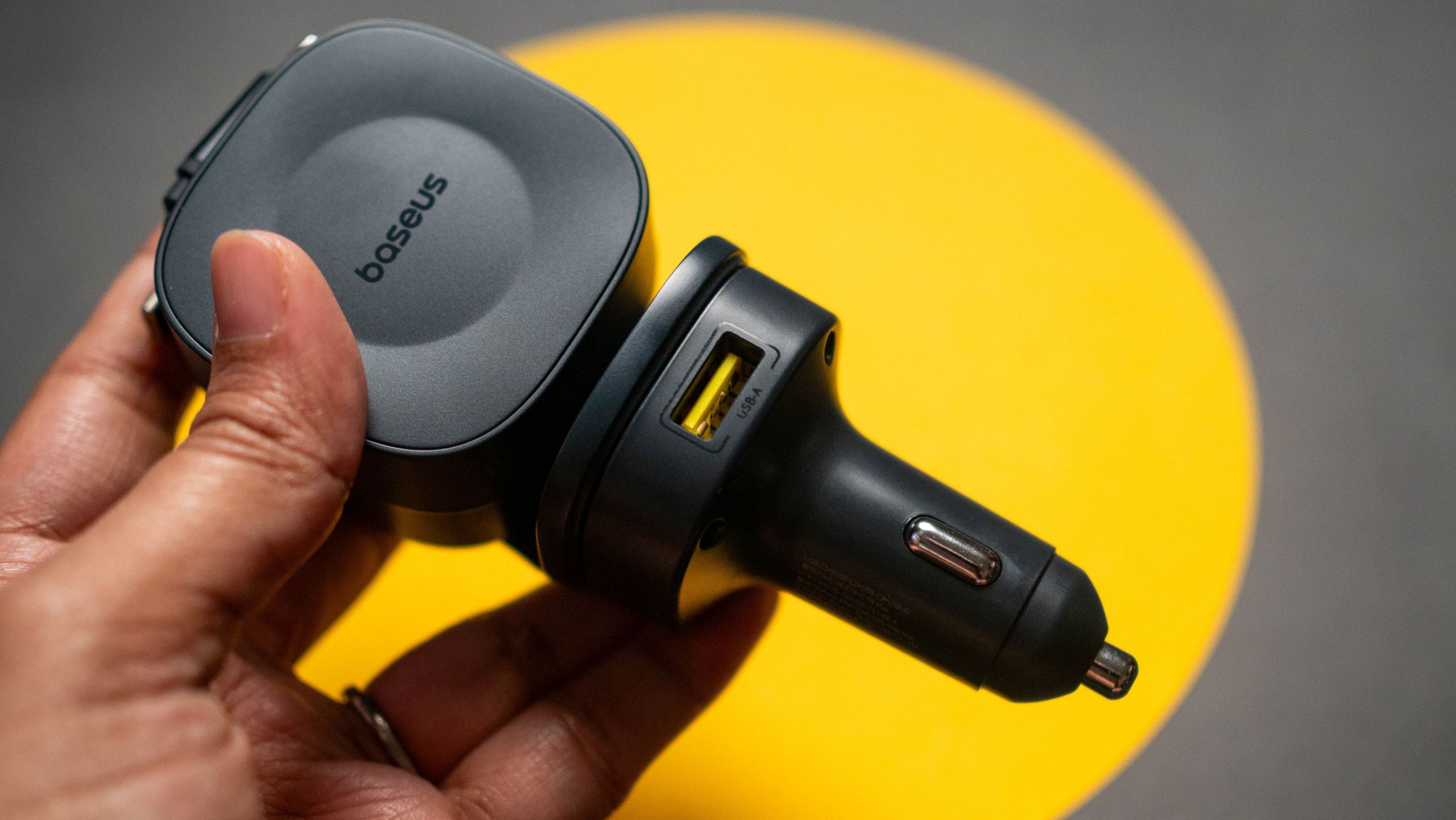
Plenty of excellent wireless car chargers can charge your phone on the go while also serving as a mount. I usually recommend these for everyday use, especially since the latest generation of wireless car chargers is Qi2 magnetic, so you don’t even need a clamp to mount your phone.

For long-haul journeys, I recommend wired car chargers instead because they support much faster charging speeds and let you recharge several devices at once. If you’re traveling with a laptop or a Chromebook, your car charger needs to support at least 60W to 65W minimum to be compatible.

At Meta Connect, the company’s smart glasses were everywhere


If there was one thing that was obvious from Meta Connect this year, it’s that the social media giant is all-in on its burgeoning line of smart glasses.

Indeed, the glasses were pretty much everywhere at the annual event, where Meta shows off its newest hardware and AI products. Both Meta staff and the flocks of influencers who frequent the event seemed to arrive with the glasses glued to their faces. Most of the demos the company offered this week also involved the glasses.

I swiftly joined the bespectacled masses and found myself trying on pair after pair of Meta’s high-tech specs.

One of the more notable products I had an opportunity to demo were Meta’s new, still-unreleased, audio-only smart glasses. News of these glasses emerged not long after the company weathered accusations that it was selling “pervert glasses,” with critics alleging that its camera-equipped specs could be used for nefarious surveillance purposes.

The new glasses come equipped with six microphones, but no camera, and they have no native way to record your surroundings, which should go a long way toward easing privacy concerns. They are significantly lighter than any of the other smart glasses I’ve worn, and they were quite comfortable.

The Meta staffer I talked to emphasized the glasses’ entertainment and communication options: You can listen to music easily (they’re more comfortable than earbuds) and take phone calls without reaching for your phone.

The glasses will also integrate with Muse, Meta’s personal agentic system, which can carry out tasks on the user’s behalf. The new integration, which isn’t yet available to the public, lets wearers speak to Muse and give it commands verbally. Meta also plans to personalize the agent, letting users pick from an assortment of cute digital avatars that can represent the agent when it communicates with them.

I was given an opportunity to try this out, which was fun but also somewhat comical. You have to be very direct with the agent, and you can’t talk to anyone else at the same time or it will get confused. Problematically, I kept chatting intermittently with the Meta staffer who’d given me the glasses, and the agent kept thinking I was speaking to it, so it would talk over her.

Still, in the right context, it’s easy to see how this new integration could be incredibly useful. If you don’t mind being seen in public talking to your own sunglasses, you’ll be able to ask Muse to take care of various digital tasks for you, like sending emails or reciting to-do lists, and it will handle them while you’re out grocery shopping or having a beer. You can also ask the glasses anything, and like a mobile version of ChatGPT, they’ll spit out an answer. (I asked the glasses a question about World War II, and they gave me a succinct and historically accurate response.)

Finally, I also got to test-drive a second audio-only pair: Meta’s new glasses for the hearing impaired. Given that hearing loss affects many families (some 50 million Americans are said to have some level of hearing loss), this device, unlike a lot of other modern tech gadgets, serves a clear and practical purpose.

Image Credits:Lucas Ropek

I spoke briefly with a member of Meta’s research team who said the glasses had been in development for about five years, and he pointed out a price difference that could make them appealing: Whereas a lot of hearing aids can run as high as $1,600, the glasses will sell for $150.

The experience of wearing these glasses was interesting. Meta had me put earplugs in before trying them on to simulate the hearing loss that the glasses are meant to help users overcome. Once the glasses were on, they seemed to amplify the voice of the person I was talking to. Users can switch the amplification from focused, which zeroes in on the person in front of them, to omnidirectional, which picks up sound from all around them, depending on how they want to experience their surroundings.

Mark Zuckerberg has made it clear that he believes smart glasses are the future, and it’s evident that his company is doing its best to fulfill that vision. But smart glasses remain a niche that has yet to truly find its footing. What was most obvious at Connect is that Meta has — in an attempt to succeed where others have failed — cast a very wide net, trying to make its glasses stylish, functional, and, most of all, useful.

Is this the future? Unsurprisingly, everyone at Connect seemed to think so. I suppose we’ll have to see if the rest of the world follows suit.

When you purchase through links in our articles, we may earn a small commission. This doesn’t affect our editorial independence.

6 Ways SubDelete Users Cut Their Monthly Charges Faster


Subscription costs are now commonplace in everything from fitness to entertainment to productivity and grocery delivery. On their own each charge may not seem like much. Collectively, however, they can wipe out a well-planned budget.

Since 2025 when SubDelete first went live, users have turned to the platform looking for an easy cancellation process for inactive subscriptions. Based on the experience of users, SubDelete has shown there are six very effective ways of cutting recurring charges fast, often even in the same billing cycle.

1. Pinpoint Dormant Subscriptions with the Spending Overview

The first step in the process of cutting expenses is to review the spending on each account. SubDelete users have access to the last 90 days of bank transactions. Each entry can be sorted by vendor, amount, or frequency. This overview allows users to identify services that they may have forgotten about. For example, some services are paid for yearly and may be renewed without users even realizing it. Even users who have previously canceled subscriptions through the company may still see charges afterward, as some payments can occur after the cancellation.

Having access to all subscriptions in one place eliminates much of the uncertainty associated with canceling them. Users will no longer need to spend time going through their various accounts to figure out which services should be canceled.

2. Cancel in Bulk with Auto-Generated, Legally Compliant Letters

As soon as users choose which services to cancel from their subscriptions, they can select a set of service providers and let SubDelete make cancellation requests on their behalf. The service uses U.S. federal templates for canceling consumer authorizations, which include:

  • The client’s full name and address
  • The last four digits of the payment method
  • A request for a written response within the legally required time frame
  • A requirement to stop further charges after the current payment date

SubDelete sends cancellation requests by mail to the appropriate cancellation address, removing the burden of searching for the correct email address, online form, chat, or postal address for hundreds of service providers.

3. Secure Timestamped Proof for Chargeback Protection

Every cancellation letter is sent via certified mailing with tracking. With SubDelete, a PDF file is created showing timestamped postmark, status of the delivery, and the signature of the recipient (if needed). This is a very important evidence in case the vendor keeps charging even after receiving the cancellation request. Users just need to submit the proof and chargeback request to the card issuer, which many banks accept in 2026 without lengthy explanations.

The Federal Trade Commission recommends consumers to keep thorough “records of any cancellation request” to refute any unauthorized charges. SubDelete takes care of this recordkeeping.

4. Act Before Renewal Dates with Real-Time Reminders

Cancellations made too close to a renewal date can waste money because services tend to charge fees when the renewal occurs. With the help of SubDelete’s Premium service, users will be notified 72 hours before the renewal date through push and email notifications based on the vendor’s billing information. This gives users time to review how they have used the services over the past three days before the payments are deducted from their accounts.

Receiving notifications in good time can help users manage their cash flow. For instance, canceling Netflix two days before rather than two days after the date when the charge is made to the customer’s account can make a significant difference in terms of money saved. In fact, over the course of a year, if users avoid just three missed cancellations on standard subscriptions, they can easily cover the cost of using SubDelete.

5. Prioritize High-Impact Cancellations with Spend Analytics

Some subscriptions can cost more than others. SaaS software may be charged even less than $5/month while fitness apps can reach up to $39/month. SubDelete arranges subscriptions by monthly expenses per year. In the analytics screen, users instantly see the most expensive subscriptions in a visual manner so that they can look at the most expensive options first to save money faster.

For instance, once the user cancels their $29/month design platform and $19/month meal subscription and $14/month language app, they will have saved $62 before they’ve even looked at their $4/month cloud storage subscription. The analytical view makes the process easy and does not force users to make complicated calculations.

6. Save Opportunity Cost with a Mobile-First Workflow

Speed is not simply a matter of days on a calendar. It is also a matter of personal time. SubDelete has created iOS and Android applications which emulate what users are used to on their desks, allowing them to manage all of their cancellation requests with ease during their commute or while waiting in line. What used to take a laptop, multiple browser tabs and an endless wait on customer service can now be accomplished in just three taps.

With reduced workflow friction, the chances of users actually completing the cancellation increase. A mobile user-friendly interface brings intention to action immediately, minimizing opportunity cost and possible billing cycles.

Summary of Value

The above methods work best when used together, making the typically lengthy process of canceling subscription services more efficient and easier. For instance, it has been found that regularly using these methods can result in a reduction in subscription spending of up to 28% during the first three months of using the application.

Although SubDelete is also a paid service, most people with the mid-range subscription can cover the cost of the service after the first month. One thing to keep in mind is that SubDelete does not help with negotiating subscription fees, but only with canceling subscriptions. Users who need to cancel their unused subscriptions without negotiating should consider automating the process.

These are the smallest 65W GaN chargers I’ve used yet


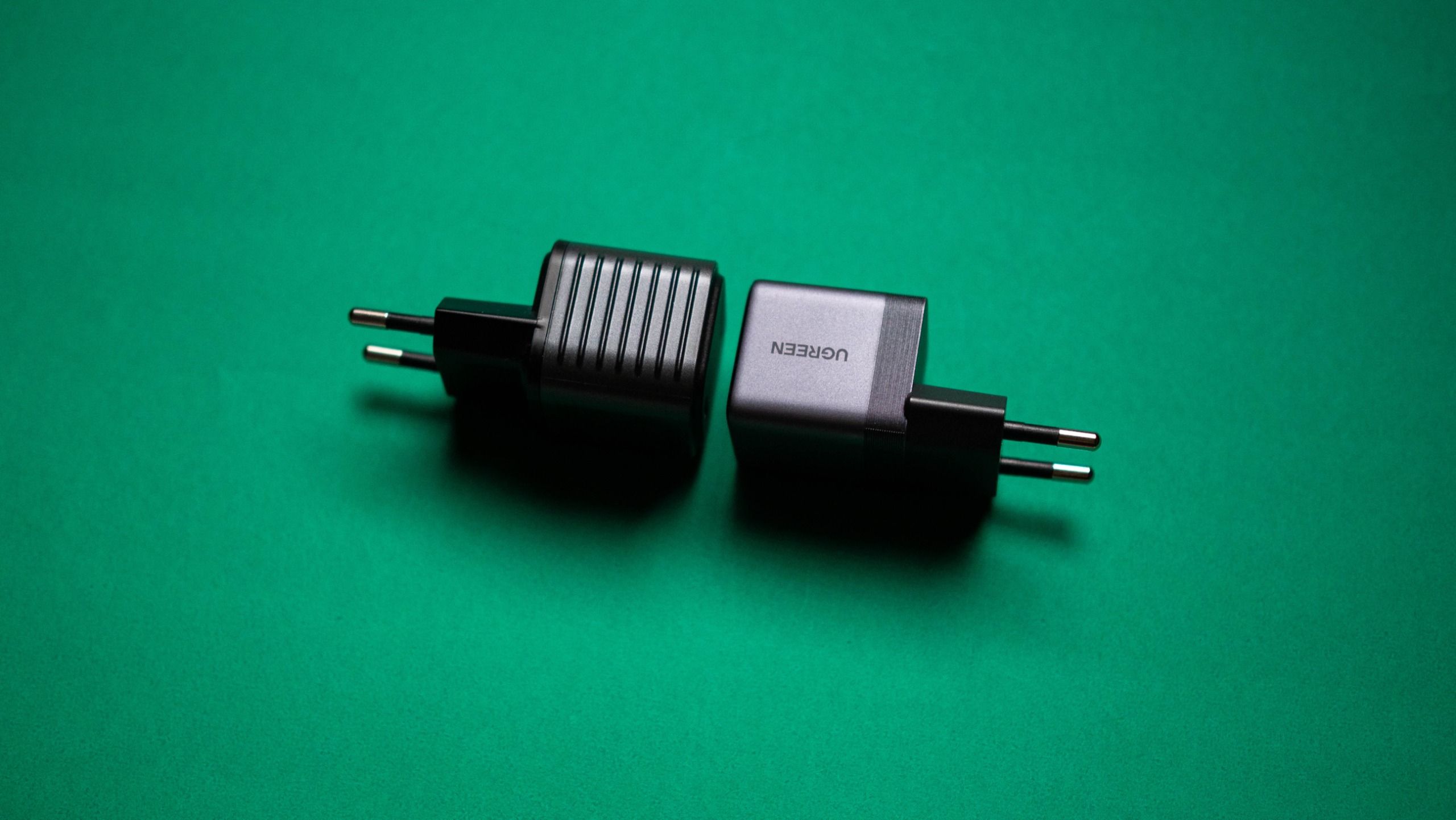
Look, there are hundreds of great GaN chargers these days, and if you want something small that you can just take anywhere, I have a few recommendations. UGREEN constantly comes out with new products (like its 160W Nexode Pro charger), and the Nexode Air 65W is its smallest yet in this category. It costs just $24 (down from its $39 retail price), comes with a USB-C to USB-C cable, and is a good choice if you want a 65W charger on hand at all times.

There’s also Rolling Square’s 65W charger, which looks about the same as the UGREEN but with one difference: it has a textured design at the sides, and that makes it easy to identify if you have it in a bag and are digging around. It costs $49 as of writing, so you are shelling out twice as much. Rolling Square mentions the design allows the charger to be cooler, but I didn’t see much of a difference between this one and the Nexode Air when using both side-by-side to charge two Pixels. Both chargers are made out of plastic and have roughly the same dimensions.

Everything new coming to Meta’s AI agent Muse


Meta’s personal AI agent Muse is only a few weeks old, and the social networking giant isn’t wasting any time building out what may be its biggest bet on consumer AI to date. 

CEO Mark Zuckerberg kicked off the company’s annual Connect event in Menlo Park on Wednesday with a keynote that made one thing clear: Meta is going all-in on Muse. 

The Muse agent (the physical avatar is named Jolly, according to Zuckerberg) is designed to handle everyday tasks by connecting to users’ apps and services, including email and calendars. At Connect, Zuckerberg introduced a slew of new capabilities and integrations to make Muse more useful and more deeply woven into users’ daily lives. Muse will be everywhere, if the user chooses, including on their Meta AI glasses. 

Muse, which launched in early September, interacts across a user’s devices and digital accounts. The agent is powered by Muse Spark, Meta’s multimodal AI model built for agentic work. Meta has touted it as a more accessible agent than those offered by competitors — an AI helper that, from the jump, allows users to automate the busy work in their lives. 

“The centerpiece of our vision for what we’re building is Muse,” Zuckerberg said as he kicked off a keynote donning khakis and a black T-shirt with the words “Building is My love Language” emblazoned across the front. “In the coming years, I expect that Muse is going to grow into the personal superintelligence that billions of people around the world are going to use to accomplish their goals and improve their lives.”

Zuckerberg also believes that Muse will make money for its users — and of course, eventually for Meta.

“We’re standing behind this by making Muse free for a huge number of tokens, with the expectation that over time we will profit by taking a small fee from transactions,” he said.

Here are the new features and capabilities that got our attention …

Muse gets its own digital avatar

Image Credits:Meta/screenshot /

One of the more fun announcements made Wednesday is that Muse users will soon have the ability to conjure a distinct digital avatar for their particular agent and then video chat with it in real time. A new AI model, Muse Realtime Avatar, has been developed to power the particular feature, the company says.

The idea is that Meta’s previously faceless AI software will be given a face, body, and voice, making them significantly more personable. There’s certainly a hint of Metaverse-ishness to this feature, which was demoed on stage at Connect. Users will be able to have live conversations with this avatar, giving it tasks and asking it questions. 

Muse will also be integrated with Meta’s smart glasses line, the company announced. This means that users will be able to communicate with their agent merely by speaking to their glasses. The agent activates via a wake word, the company said, adding that it will be able to guide users through a personalized workout, log meals, book an appointment, and help them buy products they see. 

Meta said Muse will work in the background and check back in when it’s done.

It’s not clear exactly when this feature will become available, although Meta says that it should launch sometime in “the coming months.” 

Soon, you’ll be able to let Muse run your Mac

Image Credits:Meta/screenshot /

Meta says it is bringing Muse computer work to Mac. The company had previously talked about Muse coming to Mac, and spent more time on Wednesday providing a few new details. This means that users will be able to delegate tasks to the agent, and — much like other popular AI agents from OpenAI and Anthropic — Muse will be able to operate any app on a user’s desktop.

“You can have it help you run your small business, or just get work done for you,” Meta’s chief AI officer Alexandr Wang said Wednesday during the keynote. “You can walk away from your computer and it keeps working for you on all the jobs you lined up.”

Muse will get its own email address

Since Muse will always be working in the background, it will naturally need its own email address. Meta’s Wang announced it is developing that feature and will make it available “soon,” without providing a more precise timeline.

Users will also be able to add Muse to an email thread or forward emails from the agent to handle on their behalf.

Meta has locked in partnerships with companies like Stripe and Shopify, illustrating that the company sees Muse as an important tool for shopping.

Muse can access the entire Shopify product catalog agentically and use Lync and now Shop Pay to buy almost anything on the internet, according to Wang, who noted that Meta has also added more support for payments with PayPal.

The company also announced a string of new partnerships with retailers, including Best Buy, Gap, Sephora, Walmart, and Wayfair. Muse will be able to connect with these retail apps as well as with Expedia and soon, Instacart. Other connectors include GitHub, Granola, and Notion.

Wang noted that the company wants Muse to connect with small business too. Meta recently opened its platform to allow developers to build their own “connectors.” The company received more than 1,500 applications in less than week, he said, adding “I think this could be a generational opportunity to start building for a new platform as it takes off, and the response so far has been really great.”

When you purchase through links in our articles, we may earn a small commission. This doesn’t affect our editorial independence.

Can Android phones mine Bitcoin? ASDeFi lets anyone easily earn Bitcoin every day without any special hardware


Android screen with a bitcoin symbol.

Can an Android phone actually mine Bitcoin?

From a technical standpoint, the answer depends on whether we’re talking about “mining directly on a phone” or “participating in mining via a phone.”

It is not a practical approach to have an Android phone perform the computational work required for Bitcoin mining on its own. The Bitcoin network uses a proof-of-work mechanism, and professional miners typically use specialized ASIC mining rigs to provide massive amounts of computing power. The processing power, power consumption, and heat dissipation capabilities of ordinary smartphones cannot compare to those of professional mining rigs.

However, this does not mean that Android phone users cannot participate in Bitcoin mining-related services.

With the development of cloud computing power models, users can access relevant platforms via their phones, select computing power plans, and monitor performance and returns, while the actual computing work is handled by specialized infrastructure.

This is precisely the area ASDeFi is focusing on.

Why Aren’t Android Phones Suitable for Direct Bitcoin Mining?

When many people first learn about Bitcoin mining, they think of running mining software on their phone’s CPU or GPU.

In theory, smartphones can perform certain computational tasks, but Bitcoin mining has reached a highly specialized stage.

Professional ASIC miners are specifically optimized for the SHA-256 algorithm and can provide computational power far exceeding that of ordinary smartphones. Therefore, mining BTC directly using smartphone hardware is not an efficient way to participate.

Cloud Mining Has Changed the Way People Participate

The concept behind cloud mining is entirely different. Users don’t need to turn their phones into actual Bitcoin mining rigs; instead, they purchase pre-deployed computing power through a platform.

Simply put: mining rigs handle the computing, data centers handle the operations, and smartphones handle management and monitoring.

This is also one of the biggest differences between cloud mining and traditional personal mining.

Users do not need to set up professional ASIC mining rigs at home, nor do they need to deal with issues such as noise, heat dissipation, power supply, and equipment maintenance on their own.

Using their smartphones, users can manage their accounts, check the operational status of their hashrate, and monitor changes in their earnings.

ASDeFi: Access AI Cloud Computing Power via Your Mobile Phone

ASDeFi positions itself as a platform for AI cloud computing power and cryptocurrency assets.

The model offered by the platform is primarily aimed at users who wish to earn returns on crypto assets through cloud computing power.

Compared to traditional individual mining, its key feature is the separation of specialized hardware, computing power operations, and user-side operations.

Users do not need to purchase ASIC miners themselves, nor do they need to set up complex mining equipment in their homes or offices. They can complete all relevant operations via their mobile phones and select computing power contracts based on their budget.

For Android phone users, this means:

The phone is not a machine used to mine Bitcoin, but rather a tool for users to manage their cryptocurrency assets and computing power services.

How to Mine Bitcoin on an Android Phone?

If you’d like to learn more about ASDeFi cloud mining, you can start by following these steps:

Step 1: Visit the Cloud Mining official website

Enter your email and password to create an account. You’ll receive $15 upon registration, plus a daily $0.60 bonus for logging in.

Step 2: Deposit Cryptocurrency Assets

Go to the platform’s deposit page to deposit major cryptocurrencies such as BTC, XRP, USDT, ETH, LTC, USDC, and BCH.

Step 3: Select a Contract

Choose an asset yield contract based on your capital size, investment period, and budget.

Examples of available contracts:

Check-in Contract: $15 — 1-day cycle — Total profit: approximately $15.60

Starter Contract: $100 — 2-day cycle — Total profit: approximately $108.00

Basic Contract: $1,500 — 10-day cycle — Total profit: approximately $1,717.50

Stable Contract: $6,000 — 20-day cycle — Total profit approximately $8,040

Stable Contract: $30,000 — 30-day cycle — Total profit approximately $47,100

(For more contract details, please visit the official website)

Step 4: Monitor Your Returns

Use the platform to track hashrate performance and yield settlements, and adjust your asset allocation based on market changes.

From “Buying a Mining Rig” to “Managing Hashrate with a Smartphone”

The Bitcoin mining industry has become highly specialized. Rather than spending a large amount of money on equipment and shouldering electricity and maintenance costs, it’s better to first learn about this new model: cloud mining.

“No hardware required” eliminates the barriers posed by equipment and infrastructure. What’s truly worth paying attention to isn’t “how many BTC a smartphone can mine each day,” but rather:

Is it possible to steadily accumulate Bitcoin through a more convenient mobile platform, while fully understanding the risks and rules?

ASDeFi’s AI-powered cloud computing model offers users interested in this approach an opportunity to learn more.

For more details on cloud mining, visit: https://asdefi.com

Email: info@asdefi.com


Stuffcool made a Qi 2.2 power bank that charges your Apple Watch


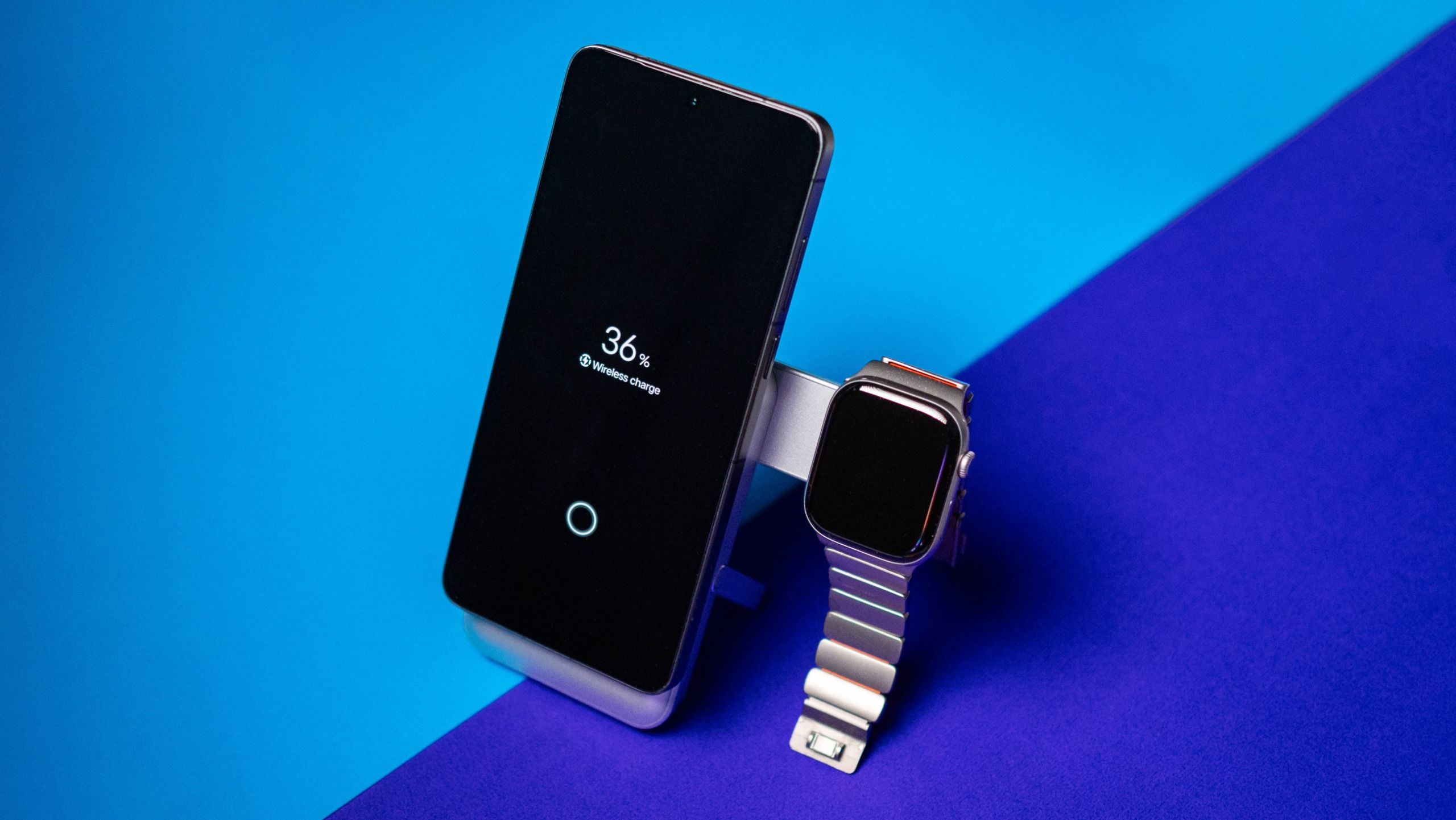
If you’re looking to buy a charger in India, you can’t go wrong with Stuffcool. The brand regularly churns out reliable products, and with the Omni Pro, it’s making its debut with Qi 2.2 charging tech. The Omni Pro is now available for ₹4,999, and that is in line with other Qi 2.2 power banks I used from the likes of Baseus, Anker, and other global brands.

But the Omni Pro isn’t just a standard Qi 2.2 power bank. It also has a swivel arm that swings out, and you can easily charge your Apple Watch on it. This is a brilliant idea, and you don’t have to take any other devices if you’re heading out with an iPhone and Apple Watch. Oh, and there’s also a kickstand, giving you the freedom to plonk your phone on the Omni Pro and use it while charging.

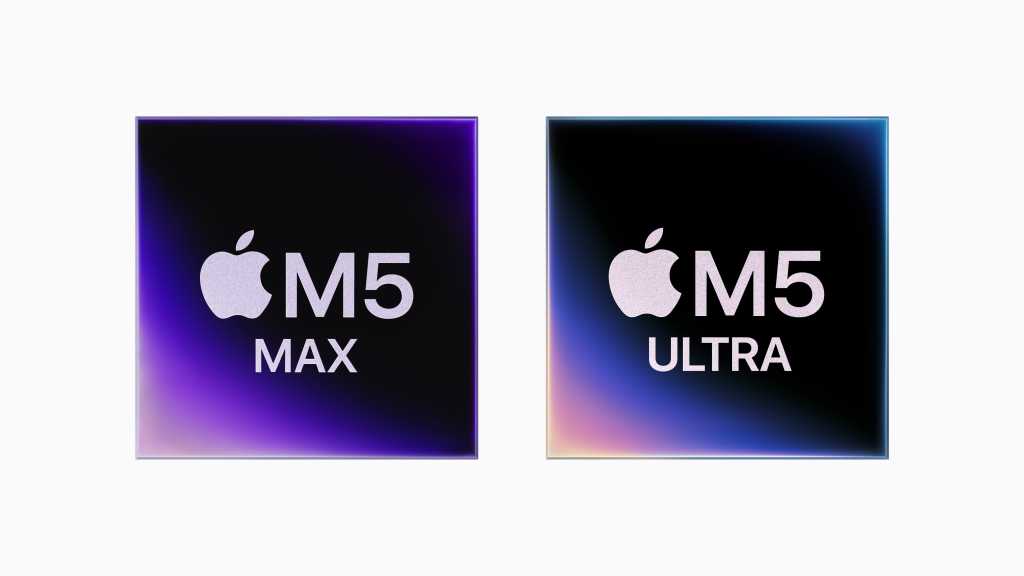
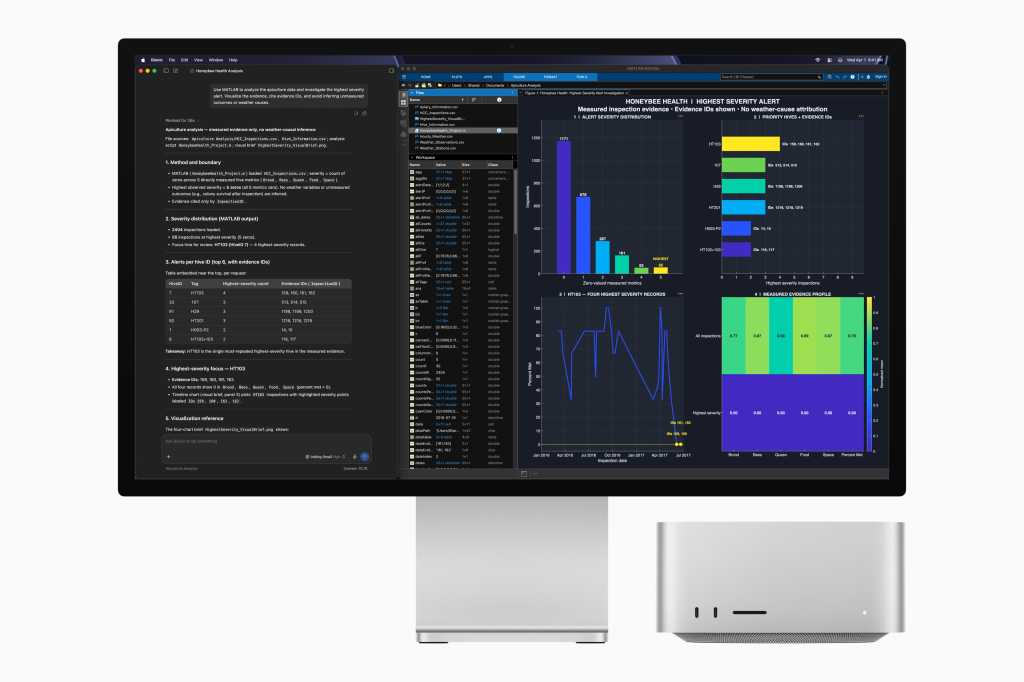
Review: M5 Ultra Mac Studio: Pure, unadulterated power


I’m old enough to remember when Macs were friendly little machines. While a little underpowered and equipped with some platform-unique foibles, they were really good at some things, highly secure, and had the best user interface of any PC. 

That was then; this is now. And while the platform is still unique, still highly secure, and still has the best user interface, Apple’s all-new Mac Studio is a beast of a machine. It’s incredibly powerful and would crackle with energy if it weren’t so energy efficient. 

TL;DR review

No matter what pro workflow you follow, the M5 Ultra Mac Studio is more than you need.

Longer review

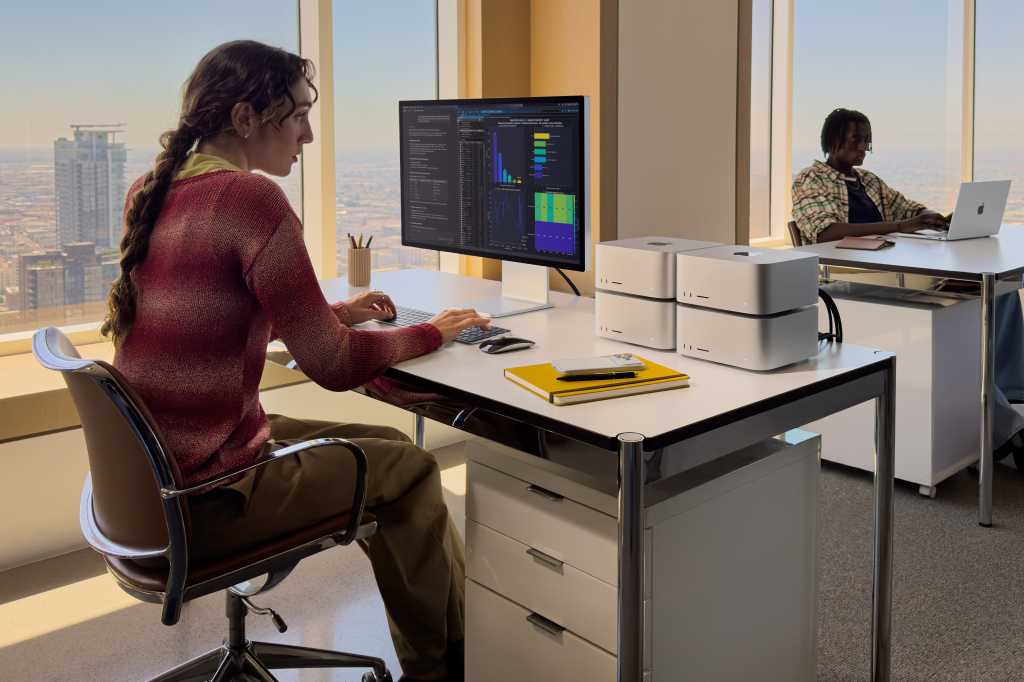
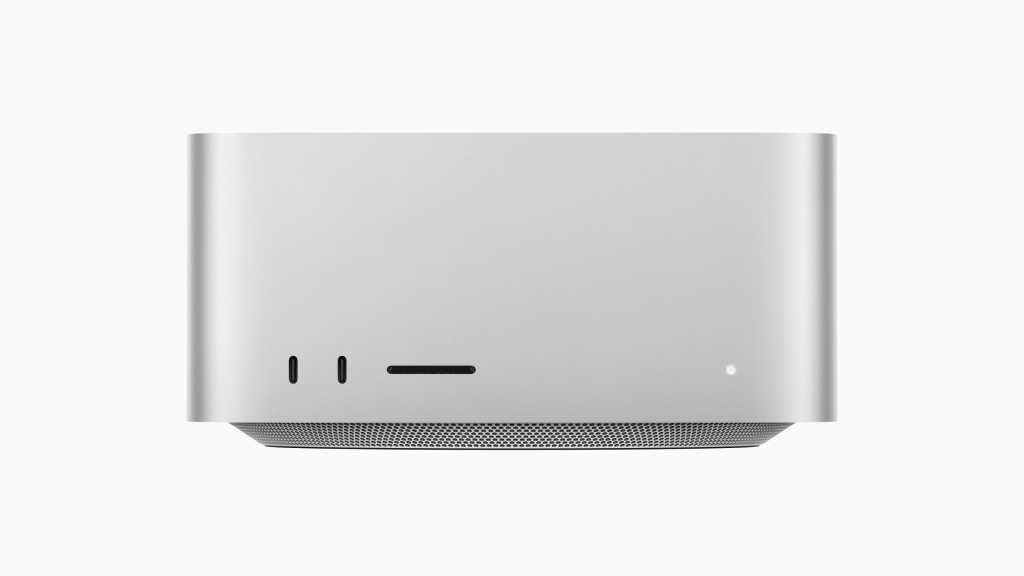
Apple hasn’t changed the design of the Mac Studio.

It’s 7.7-inch square, 3.7-inch high aluminum box with two USB-C and one SDXC port on the front, and an array of ports — four Thunderbolt 5, two USB A, 10Gb Ethernet, HDMI, and headphone — at rear. It brings Wi-Fi 7 and Bluetooth 6, supports up to eight displays with up to 6K resolution at 60Hz, or four Studio Display XDR units. 

Basically, this one box can power a bank of displays, and for those using it in a live video production environment, Apple has also introduced generator locking (a.k.a. genlock) over USB-C, which lets the on-display image synchronize precisely with a pro video camera for the most precise editing and playback you’ll find. 

Pros and cons

Pros

  • Massive CPU/GPU power capable of handling the most demanding 3D and AI tasks.
  • Neural accelerators and unified memory make it ideal for training and running large LLMs on-premises privately.
  • Doubled read/write performance over the previous generation via a new storage controller and fast NAND.
  • Inclusion of four ProRes accelerators (handling up to 33 streams of 8K) and genlock over USB-C for precise sync.
  • High performance at low wattage; runs quiet and cool compared to high-end PC alternatives.
  • Features Thunderbolt 5, Wi-Fi 7, and Bluetooth 6.
  • Works exceptionally well as a headless AI or rendering server.

Cons

  • Extremely high retail price ($12,299 for the top spec).
  • Neither the RAM nor the SSD can be upgraded or replaced by the user.
  • No keyboard or mouse included, which feels odd for a five-figure machine.

For my review, Apple loaned me a top-of-the-line M5 Ultra Mac Studio equipped with a 36-core CPU and 80-core GPU. It has 256GB memory, 4TB storage, and carries a retail price of $12,299. At that price and with those specifications, it is of little surprise that this is such a great computer.

It’s also intended for some of the most demanding 3D and AI tasks you’ll find out there, rather than for people who spend their time writing about tech — though this machine can open multiple tabs in Chrome without stuttering, so unleashes real productivity boosts even at my level. 

Let’s get one thing out the way

That’s not to say some pro users lack reservations about it. Many are frustrated that neither the RAM nor SSD are user serviceable, while the lack of a keyboard and mouse in the box chimes oddly in a computer that costs five figures.

In Apple’s defense, in these pro markets most users probably already own better keyboards and mice than you’d find in the box, while the massive performance benefits you’ll find with the M5 Ultra chip are in part realized because RAM in Macs is built to be part of the processor itself.

That SOC design boosts efficiency, cuts heat dissipation, and makes for great performance at low wattage relative to other machines. Changing the way memory is installed on the chip would compromise Apple’s silicon architecture, which Apple doesn’t want to do. 

It’s all about the architecture

The Mac is powered by a quad-die chip built using Apple’s UltraFusion process. Inside is an engineering marvel. The 80-core GPU brings neural accelerators, making these Macs truly phenomenal machines for building, developing, training, or running AI models. Apple’s unified memory tech is a godsend for tasks like these as it scales to handle… well, most anything you throw at it. Efficiently. 

Apple’s coupled chip speed with performance across the system. That means an advanced storage controller, superfast NAND, and really fast, next-gen SSDs for twice the read/write performance of the last model. This basically means the chip can grab big dollops of data and very swiftly push them around the system all the way from storage to display. Then there’s the rest of the advanced tech to consider, including the inclusion of four ProRes accelerators, which means my test Mac can deal with up to an incredible 33 streams of 8K ProRes video. 

This is a machine that can happily handle massive multi-camera editing, racing through dozens of high-res angles at once to field the perfect shot. Think live sports, concerts, and movie shoots. Not only this, but all those streams are at normal res, no conversion required — no sitting around waiting for low-quality proxy files. 

A bicycle for several minds

I’m thinking a full-flight video rendering data server in an 8-inch box that consumes perhaps 10 cents an hour at peak power (c. 480 watts). I’m also thinking of it as an on-premises AI system for me, the family, or any enterprise. 

Compared to the previous equivalent mode, the M3 Ultra, Apple says the chip brings up to 4.3x faster AI performance, up to 1.8x faster GPU performance, and up to 1.3x faster CPU performance. It’s also almost ten times faster than the M1 Ultra for AI.

None of this is accidental. All of it is designed. This whole creation is architectural; it leans heavily into Apple’s software and hardware integration, which now also extends to the design of the processor itself. Making the RAM user-serviceable would limit the performance of the machine, which at this price and in this sector of the market seems a little counterintuitive.

Sure, you can build yourself something pretty powerful using a Ryzen 9 chip that consumes 900 watts at peak and runs hot. Or you can put Apple’s silver box on your desk and barely hear a thing as it crunches through ‘god tier’ AI models your Ryzen can’t handle without additional GPU’s. All the same, if you want to configure your own memory you do have a choice — it’s just not a Mac. 

Choice is nice

I know what I’d choose. Based on a weekend of using the Studio, I’ve found what it does is beyond most of the feeble tests mere mortals like me can cook up, so I thought you might want some benchmarks:

Geekbench 7

  • Single-core CPU: 3,771
  • Multi-core CPU: 52,350
  • GPU (Metal): 360,019
  • GPU (OpenCL): 214,466

Cinebench

  • CPU (Multi-thread): 18,052
  • GPU: 141,480

Putting these numbers into context, Apple explains what these numbers mean when compared to the M1 Ultra Mac Studio: 

  • 2.4x faster project builds in Xcode
  • 4.7x faster render performance in Redshift
  • 9.8x faster time to first token performance in LM Studio
  • 15.4x faster CopyCat ML training in Foundry Nuke

Storage is fast, really fast

Of course, with these machines built to work with and manipulate huge files, one roadblock to performance will be storage, right? Not on this Mac. Apple says it has deployed a new storage controller tech in the computers, which works with the speediest NAND memory it could find to deliver twice the read and write performance we got from the last generation of this system. 

This gives it plenty of horsepower for flinging files about, with Blackmagic’s Disk Speed test giving me exceptional results: 13,941MB/s write and 11,350MB/s read speeds. These speeds are indeed double the performance of the previous generation. 

It also means this Mac Studio can handle data transfers faster than almost anything out there, making it happy to handle multiple streams of uncompressed 8K RAW video, heavy compositing workloads and, of course, AI development, machine learning, or running your own on-premises AI models. Install the models you want to use and use them to your heart’s content. Run it headless if you like. I did.

Headless, no hanging

I know a lot of you will end up wanting to run some kind of headless setup using this Mac. You’ll have it working furiously as your domestic or business AI server, chewing through your data, vibe coding opportunistic app creations, rendering video off your main Mac, and more. In my own little experiment, I found myself typing sentences for this review (this sentence, actually) on a Mac mini using a keyboard on a MacBook that happens to have the Mac Studio in its active window over vnc, and nothing ran slow. It means that if you run this Mac headless, it’s no slouch.

Better yet, once you have the Mac set to run as a headless unit, you’ll be able to download LM Studio, install your choice of AI, and chat to your heart’s content. Your AI running privately and securely for you on your device, and — one more thing — it’s fast and responsive. What’s not to like? I used it to design and develop a capability test to put the Mac through its paces.

Apple’s focus on AI is strategic, of course. Apple knows its hardware has pretty much occupied the AI development space, to the extent that almost any LLM you use was probably at least in part made on a Mac. AI is up there with CAD and medical imaging among the most demanding tasks you can do on any PC, let alone a Mac. And these Macs can handle all those tasks. I did want to try stringing four of these Macs together to run as an AI cluster, but at $12,000+ each that wasn’t going to happen.

Buying advice

Most of us don’t need this Mac. We probably never will — which is why cost is not the point here. This Mac is about performance, full stop, and that shows at every layer: a faster processor, blistering SSD storage, unified memory that scales to the task, and a storage controller fast enough to leave most other PCs gasping in the dust. From the software to the silicon, it feels like Apple’s engineers raided every high-end tech they had and crammed it inside this good-looking silver box. 

The real question isn’t whether this Mac is impressive — it obviously is — but if it’s impressive enough to justify an upgrade if you already own the previous model. Things get a little more nuanced if that is the case. The M5 Ultra is a genuine step up: the processor gains are significant, and the storage speed increase alone will matter to plenty of pro workflows. But last year’s Mac Studio was already so far ahead of most computers that “significantly better than the best thing available” doesn’t automatically mean “worth $12,000+ to replace.”

My take: if you’re still on an older computer and need the extra processing power or storage throughput for demanding work, this machine delivers in spades. If you bought last year’s M3 Ultra model and it’s handling your workload fine, there’s no urgency. You’re not falling behind, you’re just not on the bleeding edge. All the same, I so wish AI-driven price inflation hadn’t pushed these systems quite so high in price.

Now please subscribe to my daily, human-curated Apple-related news headline feed at The Core, or follow me on BlueSky, LinkedIn, or Mastodon.