
Mobile Proxies: Why They Behave Differently


A picture of a mobile phone on a wooden background

Mobile proxies route requests through real carrier IP addresses rather than data centers or home routers. This fact determines the position of mobile proxies in the market. Datacenter IP addresses face bulk fingerprinting and blacklisting, while residential IP addresses are increasingly vulnerable as detection companies map ISP ASN ranges. Mobile IP addresses still pass many anti-fraud checks because mobile carriers assign addresses in a unique way. This is why mobile proxies are more expensive than the other two types of proxies.

A review of the best mobile proxy services in 2026 compares them based on factors that matter, such as price per GB or per month, pool size, supported protocols, and how rotation behaves in practice rather than on paper.

Why Mobile IPs Behave Differently from Residential or Datacenter Proxies

The reason mobile proxies do not get banned as easily is Carrier-Grade NAT (CGNAT). IPv4 addresses became scarce a long time ago. Mobile operators have never had enough public IP addresses for all subscribers, which is why CGNAT allows multiple mobile phones to share a single IP address.

This means that blocking one malicious party through CGNAT can also result in blocking all subscribers sharing the same address at that moment. Most anti-fraud systems are aware of this and therefore treat carrier IP ranges differently from server or fixed IP addresses.

However, there is a downside: rotation does not work the same way as it does with a datacenter proxy. When you request a new IP address from a datacenter proxy, you can usually get it instantly. With a mobile proxy, the IP change takes place only after the network connection is refreshed. This can happen because of a tower handover, a modem reboot, or a timeout.

IPRoyal warns users that “if IPs change more frequently than it is specified in the contract, it is caused by ISP’s own rotation which is beyond our control.”
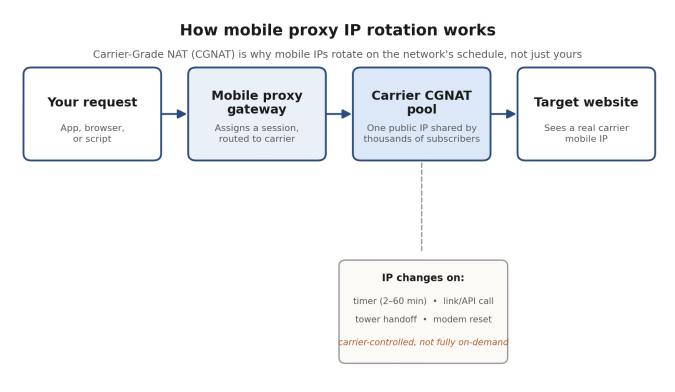
Diagram showing a mobile proxy request passing through a gateway and CGNAT pool, with IP rotation controlled by the carrier.
Fig. 1 – Rotation on a mobile proxy is triggered by the carrier network as often as by the user.

Top mobile proxy providers in 2026, compared

Six names cover most of the mobile proxy market by reputation and published volume: Proxys.io, Bright Data, Oxylabs, Decodo (the April 2025 rebrand of Smartproxy), IPRoyal, and SOAX. The table below lists entry pricing for six mobile proxy providers as published in September 2026; per-GB rates drop substantially at volume for every metered provider here, and proxy pricing pages change often enough that it’s worth confirming current numbers before buying.

Provider Entry price (mobile) Billing model Mobile proxy coverage Protocols
Proxys.io ~$40/mo flat, or pay-per-GB Flat-rate (Personal tier) or metered 15 countries; ~2,000–5,000 IPs per geo+carrier HTTP, SOCKS5
Bright Data Custom quote only Metered, KYC required 195 countries claimed HTTP, HTTPS, SOCKS5
Oxylabs $9.00/GB Metered, plans from $30 195 countries; city/ASN/coordinate targeting HTTP, HTTPS, SOCKS5
Decodo (Smartproxy) $3.75/GB Metered, bundles from $7.50 195+ locations (combined network) HTTP, HTTPS, SOCKS5
IPRoyal $5.20/GB (100GB tier) Metered, or dedicated device from $130/mo 4.5M+ mobile IPs; ~6-min rotation HTTP, HTTPS, SOCKS5
SOAX $3.60/GB Metered, plans from $90/mo ~8.5M IPs; city/ISP/carrier targeting HTTP, HTTPS, SOCKS5


Fig. 2 – Entry per-GB rates among the metered providers. Bright Data and Proxys.io aren’t shown; see notes below the chart.
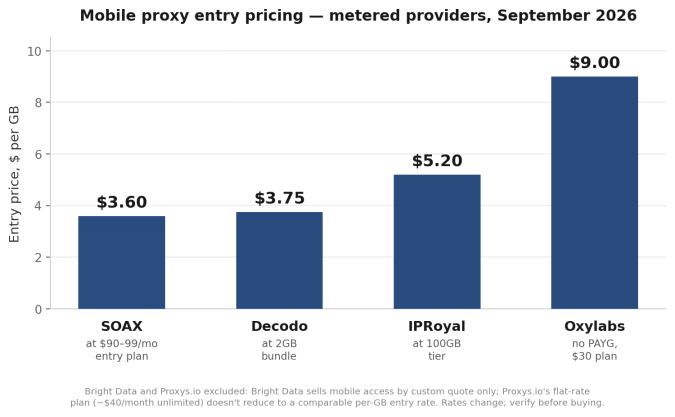
Fig. 2 – Entry per-GB rates among the metered providers. Bright Data and Proxys.io aren't shown; see notes below the chart.
Fig. 2 – Entry per-GB rates among the metered providers. Bright Data and Proxys.io aren’t shown; see notes below the chart.


Proxys.io
Proxy.io homepage screenshotProxys.io provides four different types of its 4G mobile proxy services which are – Individual, Shared, and Premium along with one other pay-per-gigabyte option for users with unpredictable usage. The Personal option is different from the rest due to its flat fee for unlimited use. Users will have the option of having a private channel with guaranteed periods of IP rotation. However, because it will cost about $40 a month, this flat fee option is limited geographically as the countries users will have access to only include 15 markets as opposed to 195 markets provided by the competitors mentioned above. However, it is important to note that users of all tiers will be able to use either HTTP or SOCKS5 right away with no stage of set up involved.

Bright Data
Bright Data is arguably one of the most well-known names in the proxy industry, yet its mobile product seems to have disappeared from the self-service pricing site. It still is mentioned as one of the four types of IP networks in its guides, but obtaining it necessitates undergoing the same Know Your Customer process as residential proxies. This step requires verification, which has varying waiting times depending on the type of account, as evidenced by several 2026 reviews. Nonetheless, the mobile prices have not been published so far. The company advertises residential proxies as being $8 per GB pay-as-you-go (which is $4 as per the current promotion) or $499-$1,999 monthly for committed plans. In the meantime, it seems that mobile proxies are subject to the same sales process as the other types of proxy instead of being available for self-checkout. This is a fair compromise for a big compliance-dependent buyer, but a long wait for a small team needing to use the card and start.

Oxylabs
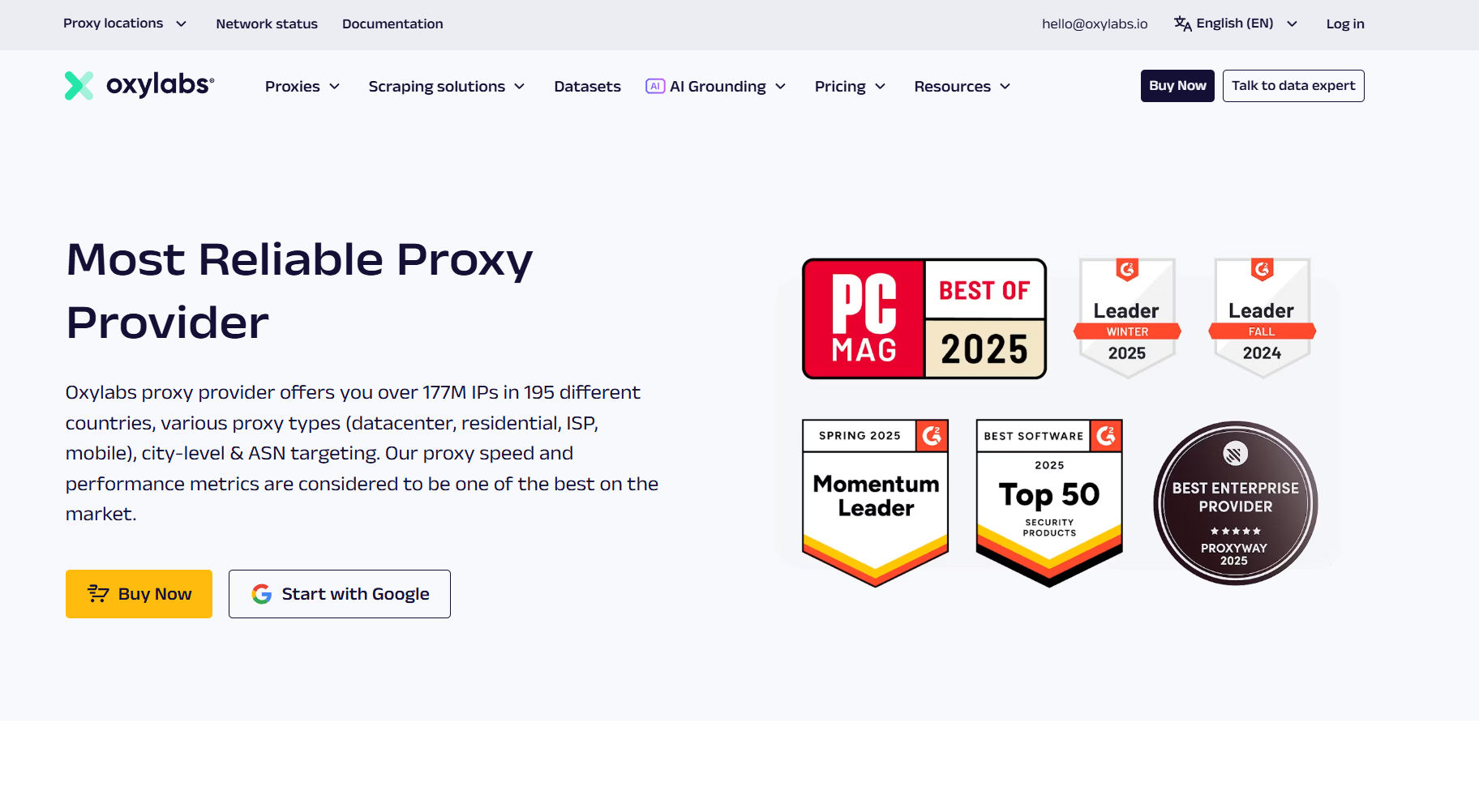
Oxylabs homepage screenshot At Oxylabs, the cost of mobile proxies starts at $9.00 per GB, and there is currently no pay-as-you-go model available since it was eliminated in March 2026. Thus, the available entry-tier package starts from $30. When it comes to volume levels, the price decreases to approximately $3.50-$3.90 for the highest tiers; the prices are reduced even further in case an enterprise package is negotiated. The targeting capabilities of Oxylabs allow it to reach even country, state, city, ASN, and coordinate levels, and as far as compliance goes, Oxylabs has both SOC 2 Type II and ISO 27001 certifications. One of the key considerations here is that Oxylabs has positioned itself in the market for teams which are willing to accept premium pricing and are not looking for an opportunity to test their idea at a $10 price point.

Decodo (Smartproxy)
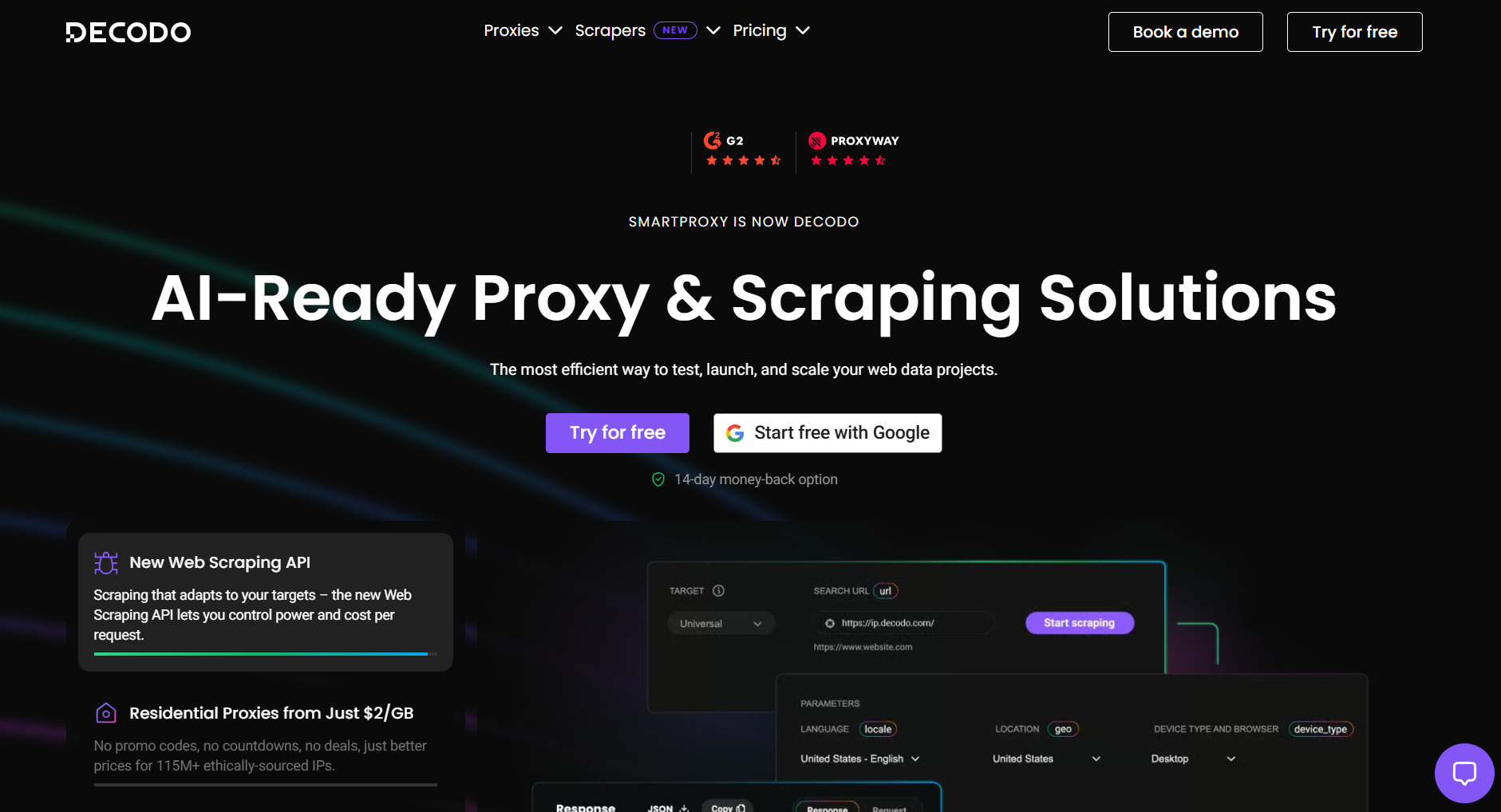
 

Homepage for Decodo
Homepage for Decodo

Following its rebranding in April 2025, Decodo (the new name of Smartproxy), continues to offer its products and services without any changes in terms of pricing with mobile proxies starting at about $3.75/GB, and going down to $2.75/GB for larger amounts of mobile proxy bandwidth. The entrance cost of the service into the market makes it the cheapest among the competitors available in this analysis but it should be noted that the network of Decodo combines both residential, datacenter, ISP, and mobile IPs totaling over 125 million rather than just mobile IPs. The small minimum purchase is ideal for the team, which is only planning on trying mobile proxy solutions first before using their budget for it.

IPRoyalScreenshot of IP Royal's homepage
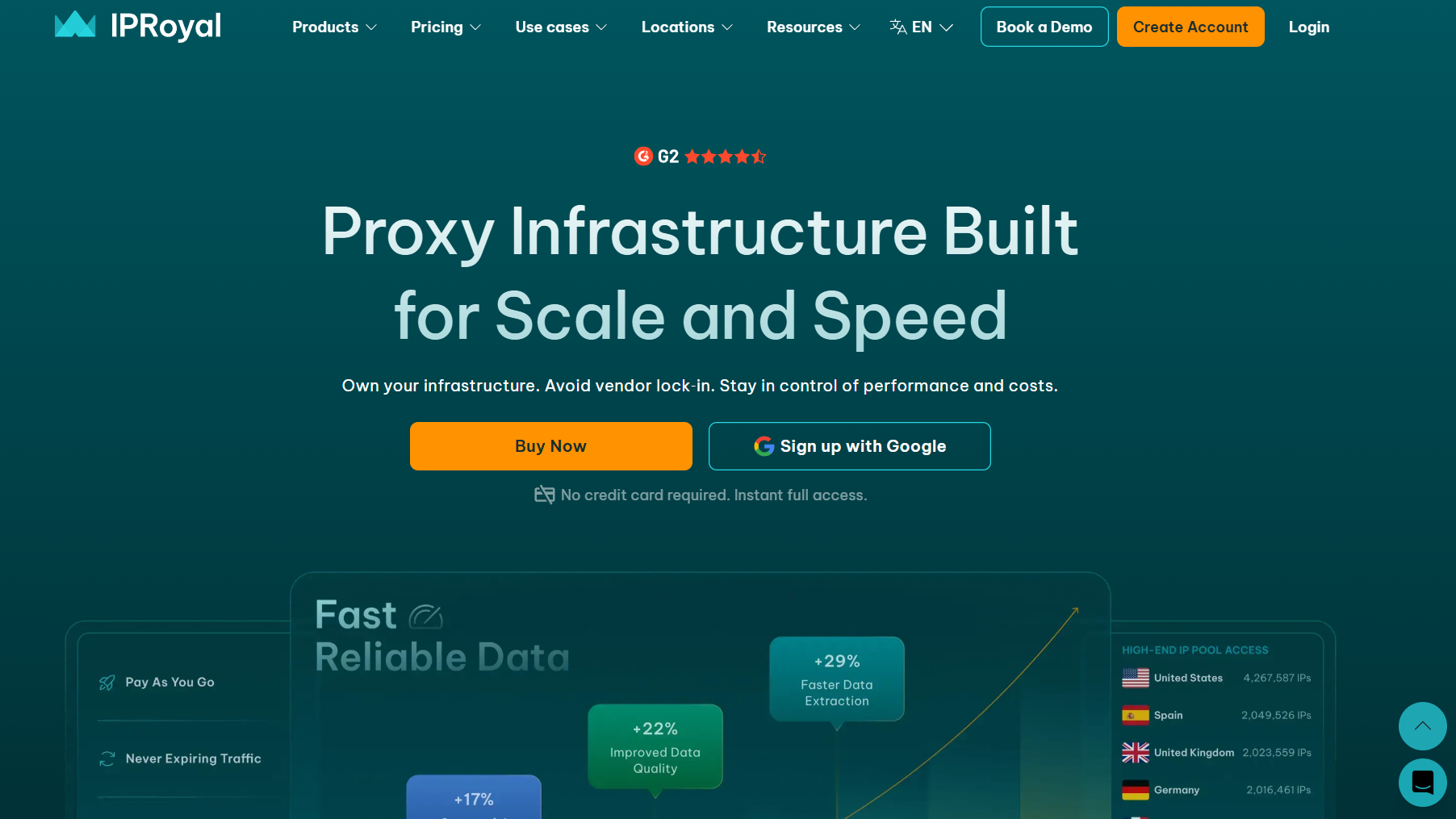
The IPRoyal system comprises over 4.5 million mobile internet connections on the network types of third-generation, fourth-generation, and fifth-generation, and its operation is designed with auto-rotation in the range of six minutes with no limitations on the amount of data transmitted or duration of use. The pricing policy is about $5.20 per 1GB of utilization volume within the plan of 100GB of bandwidth and around $130 for the package operated with only one device for 30 days. Users of IPRoyal can be assured that their bandwidth is not affected by time constraints, which is especially helpful for those with sporadic usage of communication resources. Importantly for potential users of IPRoyal system, the operator underlines one of the threats that take place in the perspective of mobile proxy users, i.e. the fact that mobile proxy providers have no control over rotation timing which is set by carriers and that is why connection might be interrupted at any moment without any notice for the user.

SOAX
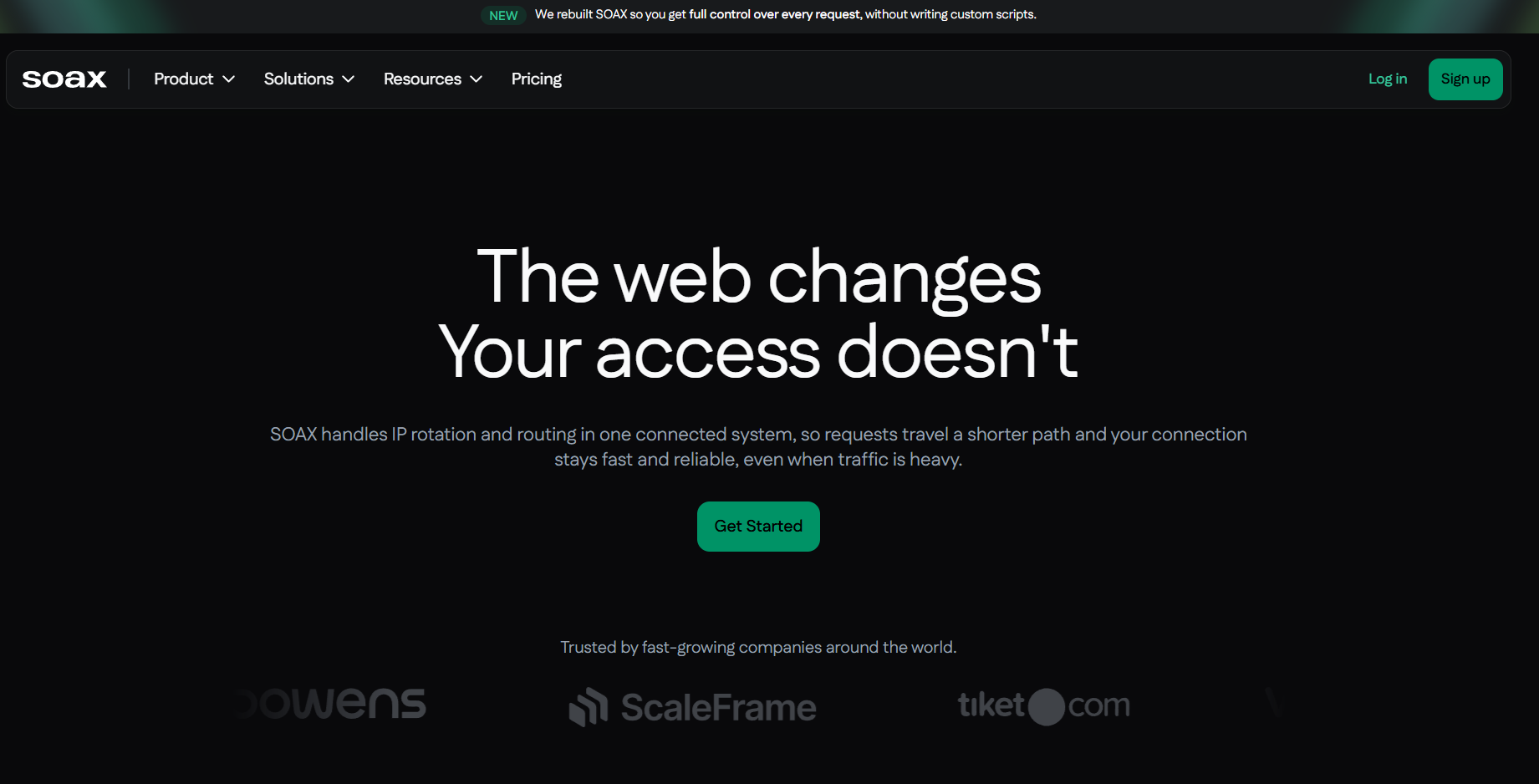
Screenshot of Soax homepageSOAX’s pricing structure for mobile proxies is similar to that of residential proxies. For example, the cost starts around $3.60 per GB and can go down to around $2 per GB, offered in plans that start at $90-99 per month. In fact, enterprise pricing can be as low as $0.32/GB for companies who use SOAX services in bulk. The unique selling proposition that SOAX has above other providers is city, ISP, and carrier-level targeting. SOAX has received very positive feedback regarding geo-targeting ability, surpassing other companies if we look at geo-targeting capability as opposed to pool size, which is currently at about 8.5 million IPs, which is significantly smaller in number when compared to other companies like Bright Data and Oxylabs. But in case your work requires targeting IPs in certain carriers or cities – SOAX does provide a great return on investment.

Where mobile proxies fall short in real-world applications

Although sales pages provide high figures on uptime and pool size, they do not provide details about the issues faced by customers six weeks after using the mobile proxies. Most of these problems fall into a few patterns that are considered common.


Symptom Likely cause Fix
Requests fail across a stable IP with no code changes Carrier-side CGNAT refresh reassigned the address mid-session Treat sessions as time-boxed; re-authenticate on failure instead of retrying the same session
Success rate drops on one specific platform only Target site fingerprints the ASN, not just the IP, and has flagged the whole carrier range Rotate across carriers/ASNs if the provider supports it, not just IPs within one carrier
“Unlimited” plan gets throttled after heavy daily use Fair-use ceiling on flat-rate plans, commonly 20–30GB/day per proxy Split volume across multiple proxies instead of running it all through one connection
Rotation happens more or less often than configured Rotation interval is carrier-controlled at the network layer; the provider’s timer is advisory Design retry logic around “the IP may change at any time,” not a fixed clock
Geo-targeted requests land in the wrong region Carrier ASN pool doesn’t align with the requested city, or the provider only offers country-level targeting Confirm city- or ASN-level targeting is actually supported before buying, not just country-level
Proxy works in testing but fails in the live pipeline TLS/HTTP client fingerprint doesn’t match a real mobile browser, even though the IP does Pair the mobile IP with a matching user-agent and TLS stack, not just the network layer


The row regarding ASN fingerprinting is worth revisiting, since this is one of the most commonly overlooked elements by teams. Rotating your IP address on a mobile proxy isn’t going to work if the website sees the entire carrier range rather than an individual address. A website that knows a certain ASN belonging to a mobile operator is being abused will block every IP in that ASN, regardless of whether it has been rotated. To avoid problems with ASN fingerprinting, it’s important to check with the provider before making a deal whether their infrastructure allows traffic to be sent through several ASNs in the country or whether it offers the range of a particular carrier for sale under various marketing names.

Testing Before Purchasing a Mobile Proxy

Demo stats are not going to mean anything when you want to use proxies for a different website. Prior to investing your budget in mobile proxies, it’s important to go through the following checklist:

  • Carry out a paid trial against the required target, not the provider’s standard testing site. A sample URL would not tell you what kind of anti-fraud rules are imposed by the required site.

  • Find out whether your provider offers real-time rotation through a link or API, or whether it claims that rotation is performed through a timer. Some services allow you to rotate only this way, which severely restricts the possibilities during a session.

  • If the stack requires it, check for SOCKS5 support. Playwright, Scrapy, and other dedicated browsers expect it, while some entry-level plans provide only HTTP.

  • Make sure there is a documented definition of what constitutes fair use for an “unlimited” mobile proxy plan. For example, IPRoyal claims that there is a limit of 30 GB a day per SIM before the provider starts throttling SIM usage; flat-rate competitors also usually have the same limit, even if this is not public information.

  • Use any WHOIS or ASN lookup tool to make sure that the IP address you have checked belongs to a mobile carrier and is not simply a fixed hosting range that has been labeled as mobile.

Flat Rate Versus Metered: Matching the Price to the Workload

There are two types of billing in the industry. Oxylabs, Decodo, IPRoyal, and SOAX bill their clients by the gigabyte, so the price reflects the cost of one GB of traffic. This makes the service inexpensive for low-use cases, whereas it can be highly expensive for high-volume workloads, such as hundreds of gigabytes per month for a heavy scraping or ad-verification project.

Proxys.io’s Personal plan takes the opposite approach. With this plan, you pay a flat rate for exclusive, unlimited channels, making it easy for teams with continuous traffic (ad-verification monitoring checks, constant checks of mobile apps, etc.) to work.

Current mobile proxy plans and country coverage are listed on Proxys.io’s mobile proxy page.  Of course, the trade-off is coverage. Having only 15 countries available within the flat-rate plan is a serious restriction if you need to cover 40 countries. Consequently, you may need to select a metered plan with wider country coverage, even at a higher blended per-gigabyte cost. However, per-gigabyte billing can still be the best choice for one-off tasks such as competitive analysis or quarterly audits, since flat-fee plans will remain unused for a greater part of the month.

When to Change the Mobile Proxy Service

In most cases, there are some signs that can help you understand when it makes sense to look for a new provider.

  • The ban rate increases even for codes and targets that have not changed, which indicates that the problem is caused by the deterioration of the IP pool’s reputation rather than a software issue.

  • Technical support does not respond to tickets related to unexpected session changes for days, whereas such tickets are usually answered within hours.

  • An incoherent billing model means that you are paying per GB for constant traffic or paying a flat rate for occasional bursts.

  • Using SOCKS5 and country-based (rather than city- or ASN-based) targeting appears to be a significant limitation after the account has already been activated.

  • Any friction during the onboarding process, e.g., KYC verification and monthly minimum payments, turns out to be much greater than the actual volume of account usage.

For those who are going to take their first steps in setting up a mobile proxy in a browser or anantidetect tool, it is highly recommended to read the Proxys.io browser extension set up guide, which provides detailed information about creating a connection.

Make sure to adjust the payment model to the mobile proxy traffic profile before comparing different payment plans. For example, if a $3.75-per-GB plan and a $40-per-month flat-rate plan are compared, the cost will be about the same when 10–11 GB of traffic is consumed daily.

This tiny Gmail update makes dealing with verification codes much easier


What you need to know

  • Gmail now shows a Copy Code button when an OTP or verification code arrives directly in your email inbox.
  • The shortcut can appear inside the email and directly in the main Gmail inbox alongside the message preview.
  • Google’s new verification code shortcut is rolling out through the Gmail app on both Android and iOS.

Gmail now offers an easier way to copy verification codes directly from the app.

Android already makes it pretty easy to copy OTPs and verification codes when they arrive through the Messages app. But now, Google is bringing similar functionality to verification codes that land directly in your Gmail inbox.

SHRMiner Draws Scrutiny Following Reported $20,000 Financial Dispute


SHR Miner scam alert graphic warning users about $20,000 scam allegations, featuring a crypto-mining dashboard on a laptop and smartphone, cash, and warnings about failed withdrawals, fake promises, poor support, and potential loss of funds.

There have been reported disputes involving losses of around $20,000, which should prompt due diligence before considering working with SHRMiner.

Cryptocurrency and cloud mining services continue to be popular among people who want to use digital assets. Still, the multitude of existing platforms makes it even more important for users to verify whether a company is what it claims to be.

SHRMiner has been accused by one individual of being involved in a loss of $20,000 during their business dealings with the company.

A Reported $20,000 Loss Has Raised Some Questions

The information provided about the case indicates that an individual reportedly lost approximately $20,000 in connection with using SHRMiner.

A financial dispute involving such a large amount as $20,000 requires careful consideration. It is important for those who want to spend their money or cooperate with the company to investigate the claim themselves and learn the details of the case.

The incident also indicates that a professional-looking platform and promises of mining-related earnings are not sufficient reasons to believe that the platform is financially stable or that invested money is safe with it.

Questions That Users Should Ask

Before starting to work with SHRMiner, users are supposed to conduct their own research and verify the information provided by the owners of the platform.

They should ask the following questions:

  • What exactly is the entity running the platform?
  • Can the company’s registration and business information be independently verified?
  • What are the rules concerning deposits and withdrawals?
  • Are there any ongoing disputes with other clients?
  • Are there any limits on how much money customers can withdraw without additional obligations?
  • What procedures can be followed if a customer has an issue?
  • Is there any independent information proving that customers are able to withdraw money without any issues?

If users still have unanswered questions, they need to think twice before investing their money.

Avoid Making Large Investments Without Doing Your Research

The case involving a reported $20,000 loss is of particular interest to people who plan to deposit much larger sums of money.

Avoid making large deposits into an online cryptocurrency platform simply because it promises substantial profits, passive income, etc. It would be better to conduct further research and learn independently how the platform operates.

It is also important for users to understand how the platform handles deposits, contracts, earnings, fees, and withdrawals before entering into any agreements with the platform.

Be Careful if You Get a Request to Transfer More Money

Those who already have funds on an online cryptocurrency platform should be especially careful about requests for additional payments.

These kinds of requests can include:

  • Withdrawal fees
  • Security deposits
  • Account verification payments
  • Tax obligations
  • Unlocking fees
  • Activation fees
  • Additional deposits

Since these requests may involve suspicious payments, it is critical for customers to investigate them carefully and determine whether access to their existing funds has actually been verified.

Transferring additional funds can result in greater financial risks for the client if they do so based on unverified requests.

Business Contacts Have to Conduct an Inquiry as Well

The problem is not limited to consumers. Any commercial entity that works in the field of promotion should investigate a crypto platform before developing any partnerships.

This means that SEO agencies, publishing houses, influencers, affiliates, website owners, and other companies promoting financial services, including cryptocurrency products, should conduct their own due diligence.

Promoting a company without ensuring that it has a good reputation can lead to a situation in which an audience is exposed to unnecessary financial risks.

Anyone interested in working with SHRMiner should investigate the reported $20,000 loss and request relevant documentation.

Check the Risks Before Working With SHRMiner

The alleged incident involving a reported loss of $20,000 is a matter of concern for anyone planning to cooperate with SHRMiner. An agreement has not been signed yet; thus, it is very important to conduct appropriate due diligence before entrusting any money to the company.

During the inquiry, potential partners should ensure that SHRMiner actually specializes in withdrawals from the crypto platform, find out how its withdrawal procedures work, review any relevant contracts, and determine how conflicts with clients are resolved.

Cryptocurrency transfers involve serious financial risks. It can be very difficult to recover money after a transfer due to various circumstances.

Final Thoughts

A reported loss of around $20,000 is something that should be investigated by every customer considering making a significant investment in the crypto platform.

Customers should conduct their own inquiries, keep records of their transactions and correspondence, and consult with experts or regulators if they believe they have suffered a financial loss.

Please note that the $20,000 loss described in this article is only a reported incident, and it has not been investigated or established by a court or regulator. SHRMiner should be afforded an opportunity to respond to the claims.

Apple iPhone Duo hands-on: Meaningfully different


I’ve used pretty much all foldables released in the last four years, so I know what this category has to offer. Whether it’s the tri-folding Huawei Mate XT, creaseless Find N6, or the camera powerhouse that is the Vivo X Fold 5, Android foldables have come a long way.

But it took just an hour of using the iPhone Duo to understand just what Android brands need to do differently. With the iPhone Duo, Apple proved yet again that it doesn’t need to chase industry trends, instead launching a product when it feels that the timing is ready. That’s my biggest takeaway of the iPhone Duo — it doesn’t feel like a tech demo at all, and is instead just as polished as the iPhone 18 Pro Max.

Apple iPhone Duo hands-on testing at Android Central

(Image credit: Harish Jonnalagadda / Android Central)

There are three things that particularly stood out about the iPhone Duo during my hands-on: design, inner panel, and software. I used the foldable at an Apple briefing in Mumbai, India, and my initial impression with the design is that it’s better to hold than the product photos make you believe.

Latest Videos FromAndroid Central

Khosla-backed Mazama Energy just raised $135M to drill deeper into super-hot-rock geothermal


Geothermal startup Mazama Energy raised $135 million in an oversubscribed Series B, the startup said Thursday.

The fresh funding will help the company develop horizontal wells in super-hot rocks capable of generating 15 megawatts of electricity per well.

Mazama plans to start generating electricity sometime next year and said its first site in Oregon is capable of producing 10 gigawatts of electricity. That’s a sharp upward revision from the company’s estimate last year, when investor Vinod Khosla said the site had the potential to produce 5 gigawatts.

Enhanced geothermal startups are shaping up to be the dark horse in the battle to power AI data centers and other large loads on the grid. While tech companies and data center developers have been throwing their weight behind natural gas, geothermal startups have been quickly advancing their technology.

Unlike previous geothermal projects, enhanced geothermal startups are targeting deeper and hotter rock. Mazama, for example, has drilled past 10,000 feet in 15 days on its way to about 15,000 feet deep. At those depths, the company can access 750˚ F (400˚ C) heat, which at high pressures turns water into a “supercritical” fluid that’s neither fully liquid nor fully gas — a state that lets it absorb far more energy than ordinary steam. Mazama said that will allow each well to produce up to 10 times more power than traditional geothermal technologies.

Given the depths Mazama is targeting, the potential payoff is significant. Tapping just 1% of super-hot rock worldwide could generate more than 63 terawatts of electricity, according to the University of Twente and the Clean Air Task Force.

While work at its Oregon site is still in the early stages, the startup has already secured land for a second development. Mazama aims to complete development of the first site by 2030, at which point it says it should generate 200 megawatts of electricity.

The new round was led by Centaurus Capital and Doerr Capital, with participation from ConocoPhillips and Shell Ventures. Existing investors including Khosla Ventures and Gates Frontier returned, and new investors SiteGround Capital, H. Barton Asset Management, and the Jeffrey and Marieke Rothschild Foundation also joined the round.

Mazama was incubated at Khosla Ventures.

When you purchase through links in our articles, we may earn a small commission. This doesn’t affect our editorial independence.

8 Instagram Tracking Techniques Made Easier With FollowSpy


Android phone open to Instagram

Instagram tracking is useful when a person needs to separate visible activity from assumptions. A long follower or following list can show connections, but it is much harder to identify what changed recently without a clear order or a repeatable checking method.

That is where tracking techniques become practical. Instead of treating one profile visit as evidence of a pattern, a researcher, creator, social media manager, or someone checking relationship concerns can focus on specific public changes such as a new follow, a new follower, an unfollow, or a recently posted Story. FollowSpy lists personal checking, creator research, marketing, community management, and research among the uses of its public Instagram tracking tools.

FollowSpy combines follower tracking with anonymous Story viewing. Its follower tracker says it can show recent followers, recent following activity, unfollows, and connections sorted from newest to oldest, while the Story Viewer is limited to public Stories and does not require an Instagram login.

The FollowSpy instagram follower tracker gives that process a single starting point because it organizes public follower and following activity chronologically. The service states that the checked account is not notified when its public follower or following activity is viewed, which makes repeated checks discreet.

Eight Techniques at a Glance

The most useful approach is to treat each feature as a separate observation rather than as a shortcut to conclusions. FollowSpy currently provides the follower, following, unfollow, real time update, and anonymous public Story functions that support the eight techniques below.

  • Check who an account followed most recently.
  • Review the newest followers separately.
  • Watch for unfollows.
  • Compare changes on both sides of the connection.
  • Use real time updates during an active check.
  • Recheck the same public account to spot changes over time.
  • View public Stories anonymously for content context.
  • Use Story posting times to see which active updates are newest.

1 and 2. Separate Recent Following From Recent Followers

The first technique is to open the following list in chronological order and start with the newest accounts. FollowSpy states that its tracker sorts follows from the most recent back to the oldest, which removes the need to scan a shuffled list and guess which connection is new.

The second technique looks in the opposite direction. Recent followers show who has newly connected to the tracked public account, while recent following shows whom that account chose to follow. FollowSpy displays both categories and states that new follower and following activity can be viewed separately.

3 and 4. Watch Unfollows and Compare Both Sides

An unfollow is another visible change that can be easy to miss during manual checking. FollowSpy states that its tracker identifies unfollows on public accounts and places this activity in its own view instead of requiring a person to remember who used to be present.

The fourth technique is comparison. A new follower and a new following entry may appear close together, but they represent different actions, so reviewing both sides helps keep the observation precise. FollowSpy provides separate follower and following data for this purpose.

This matters in relationship focused checking, one of the use cases FollowSpy itself identifies. The tool can show public connection changes, but those changes alone do not establish intent, private communication, or the reason one person followed another. The factual observation is the connection change itself.

5 and 6. Use Real Time Checks, Then Recheck the Baseline

FollowSpy says follower and following data can update in real time while a public profile is being viewed. That makes a live check useful when the goal is to see whether a new connection appears during the monitoring session.

A single check still provides only one view of the account. Rechecking the same public profile makes comparison easier because the newest activity remains organized chronologically, with newer connections shown before older ones.

For a social media manager, this can mean watching follower churn around an account or campaign. FollowSpy’s official site lists social media and community managers among its intended users and specifically mentions tracking follower churn and audience changes.

For personal use, the same technique is better treated as a change log than a judgment tool. FollowSpy can confirm visible public follower activity, while private conversations and other nonpublic information remain outside what the service says it accesses.

7. Add Anonymous Story Viewing for Public Content Context

Follower activity shows connections, while Stories provide another form of public account activity. FollowSpy’s Story Viewer is designed for public accounts and states that a viewer’s name does not appear in the Story viewer list.

That distinction can add context without adding visible interaction. A creator studying another public creator, for example, can review recent public connection activity and then check the account’s active public Stories without appearing in the Story viewer list. FollowSpy lists creators and influencers among the audiences for this type of research.

The Story Viewer also works without an Instagram login, according to FollowSpy. Its official page says active public Stories can be accessed in a browser on desktop, tablet, or phone without requiring an app installation or browser extension.

Story viewing can also help when timing matters. FollowSpy displays the posting time for active Stories, which makes it possible to distinguish a recent Story from one that has already been available for many hours.

Still, Story content should be read as public content rather than proof of why a follow happened. FollowSpy states that it accesses publicly available information and cannot display private account Stories or private follower and following lists.

8. Turn Individual Checks Into a Repeatable Tracking Workflow

The eighth technique is procedural. Instead of opening a profile and looking randomly through its activity, the same sequence can be used for each check so different types of public activity remain separate.

A practical workflow begins with a public username, followed by recent following, recent followers, and unfollows. If content context matters, active public Stories can then be reviewed anonymously together with their posting times. These functions are all described on FollowSpy’s official follower tracker and Story Viewer pages.


This workflow also reflects FollowSpy’s main limitation. The service states that it only accesses publicly available Instagram data, so private account follower lists and private Stories are not available through these tools.

That limitation defines what the result actually represents. FollowSpy can organize public Instagram activity and make recent changes easier to revisit, but its documented functionality does not provide access to private account information.

For creators, marketers, community managers, researchers, or people checking relationship concerns, the practical use is structured observation. FollowSpy’s chronological lists, unfollow detection, real time updates, and anonymous public Story viewing reduce the amount of manual checking needed to identify visible activity changes.

The eight techniques work best as a repeatable process rather than as a one click explanation for someone’s behavior. They separate following activity, follower activity, unfollows, and public Stories into clearer signals while keeping conclusions distinct from what the public data actually shows.

File Management on Mac with Commander One


File management on Mac is straightforward until your project becomes cluttered with a huge number of drafts, documents, images, archives, and download files scattered across various folders. Finder handles basic navigation and file transfers well, but working with multiple folders at once often means opening several windows and constantly switching between them, which takes a lot of time. In this article, we’ll discuss another way to manage files on Mac, specifically, using Commander One, which offers a dual-pane interface. After reading this article, you’ll clearly understand for which tasks this solution is ideal and when Finder is perfectly sufficient.

Why File Management Becomes Cumbersome on Mac

As a rule, file organization problems don’t stem from a lack of basic functions, but rather from the need to perform a huge number of actions simultaneously. For security reasons, programs often store their data in isolated containers deep within the disk structure, which makes it difficult to manually search for the documents you need. If you’re working on a content project, for instance, the source images might be stored in the Downloads folder, the finished materials in the project folder itself, and some additional files in an archive, and constantly switching between Finder windows will significantly slow down your workflow.

This problem becomes particularly noticeable when you need to do more than just find a file – you need to perform several operations on it in succession, such as viewing, renaming, copying, and then chdecking the result. Finder allows you to use multiple windows or tabs for this, but the workflow itself is still centered around navigating between locations. In exactly this situation, the dual-pane feature offered by Commander One manager becomes particularly useful, since instead of opening the source and the destination folder separately, you can view them simultaneously. This feature is ideal for users who regularly need to sort, move, or copy files between multiple folders, as it makes workflows much clearer.

A Short Folder-Cleanup Workflow in Commander One

Now let’s take a look at how this process works in practice using a typical content project as an example. We have a folder containing new documents and images, and another folder containing the project files themselves. Commander One allows us to use a dual-pane file manager for Mac, so we can see both the source and destination folders at the same time.

We opened the folder containing the source materials in the left pane and the project folder in the right pane. First, we reviewed several files to determine which ones to keep, and then we selected the necessary items and renamed them directly while sorting. After that, you can drag the files to the desired folder or use the copy or move commands.

The next step in our case was to create a separate folder for the final materials and move the selected files there. If there are multiple operations, Commander One can queue them up instead of performing each action separately, which is especially useful when you need to move several groups of files at the same time.

Finally, we created an archive containing the finished materials and checked its contents without first unpacking it. In this way, navigation, previewing, renaming, moving, and archiving remain part of a single workflow, rather than separate steps in different tools.

Managing Files and Archives in One Workflow

The key advantage of Commander One is that it combines the main file operations into a single interface. You can create folders right while sorting, as well as copy, move, rename, or delete individual files or groups of items. Commander One supports multiple selections and drag-and-drop, which greatly simplifies working on multiple files at once, while tabs allows you to keep multiple locations open without having to open a huge number of windows. Another important advantage of Commander One is the ability to use advanced search and view hidden files, which is especially useful when working with a project’s service files.

Archives are a separate part of the workflow, and this

 for Mac allows you to compress and decompress files, open archives, and view their contents without having to extract all the files first. Commander One allows users not only to open RAR on Mac, but also to work with ZIP, 7Z, TAR, TGZ, TBZ, and GZ files; however, keep in mind that the features vary depending on the format. It’s essential to note that you can create password-protect ZIP on Mac, whereas RAR files are supported in read-only mode.

Thus, with Commander One, archiving becomes an extension of a simple file management rather than a separate operation performed in another program.

Commander One vs Finder

Commander One and Finder perform many of the same tasks, but they organize the workflow differently. Finder is suitable for simple, eversyday tasks, while Commander One, which is available on the Mac App Store, is a better choice for advanced file and server management and working with two panes simultaneously, as it also serves an archive manager for Mac.

The advantages of Commander One become particularly apparent if you’re used to dual-pane file managers, frequently work with remote servers or FTP clients, or find that Finder’s standard features aren’t sufficient for sorting and transferring large amounts of data. Commander One also supports FTP/SFTP, WebDAV, OneDrive, Google Drive, Dropbox, and Amazon S3, which may be important for some users.

Another difference between Finder and Commander One is the ability to work with archives as part of the same process. If you need not only to

 but also to create a password-protected ZIP or 7Z archive, view an existing archive, or find a specific file inside it, Commander One combines these actions into a single file manager.

At the same time, this doesn’t mean that Commander One is meant to replace Finder in every scenario. For simply browsing files and performing routine folder operations, Finder remains sufficient; moreover, it’s deeply integrated into macOS, runs reliably, and requires no additional software installation. Commander One is better suited for those who regularly need to work with multiple folders, large groups of files, and archives within a single workflow.

Conclusion

Commander One makes sense as a Finder alternative for Mac primarily in situations where standard file navigation is no longer sufficient for efficient workflow organization. If you need to regularly sort files among multiple folders, work with large groups of files, or include archives in the same process, the dual-pane approach may be more practical than working with separate Finder windows. However, for basic viewing, opening, and one-time

, there’s no need to abandon Finder, as Commander One isn’t a universal replacement for the standard macOS file manager, but rather an alternative tool for specific workflows.

Googlebook pre-orders finally have a date: Here’s when you can buy one


What you need to know

  • Googlebook pre-orders will officially open on September 21 at 9 a.m. ET, Google has confirmed.
  • The first Googlebooks are expected from brands including Acer, ASUS, Dell, HP, and Lenovo.
  • Googlebooks will focus heavily on Gemini, with features like Magic Pointer and AI-generated custom widgets.

Google has revealed that you’ll finally be able to pre-order the first Googlebooks starting next week.

At The Android Show earlier this year, Google had its “one more thing” moment when it teased its next category of premium laptops called Googlebooks. Google says these are a new category of laptops built for the “intelligence system” era, but at the time, the company didn’t reveal much about the devices or when you’d actually be able to buy one.

Insight Partners’ Devin Parekh on why the firm is diversifying while everyone else bets the farm on OpenAI and Anthropic


Devin Parekh has co-run the heavyweight investment firm Insight Partners for 26 years. Unlike many VCs who are loud on X and seem to live on podcasts, Parekh and Insight Partners tend to lay low.

In this sit-down with TechCrunch at its StrictlyVC event on Thursday night in New York, Parekh was refreshingly candid about some of the firm’s wins (it has led and co-led numerous rounds in Databricks, for example, and owns stakes in OpenAI and Anthropic); the deals it hasn’t won, including buzzy AI legal-tech company Legora; conflicts of interest in venture investing; and why Insight has stuck to a diversified strategy even as VCs have piled into the frontier AI labs.

This interview has been edited for length and clarity.

There’s a researcher who’s become the big story of the week — do you think that concerns about AI risk amount to hysteria, or do you have real concerns?

Sure, there’s a risk some non-state actor gets access to an open-source model and creates a biological weapon. But there’s an even higher probability we get a massive decrease in the time it takes to develop new drugs and cure diseases. I’ll take that bet.

I’m on the board of NYU Langone — what AI is already doing with patient data is amazing. We can look at 50 million patient records and tell someone walking in for something unrelated that they have a 25% chance of a heart attack. Net-net, I think this is highly positive.

There are risks, sure, just like there are risks with next-generation drone warfare. Every generation has new risks, and somehow, over time, the world still raises living standards. We’re going to need AI to scale healthcare — the population is aging and there aren’t enough medical professionals to go around.

Insight has $90 billion in assets under management but seems comparatively quiet compared to firms of similar size. Is that purposeful?

Every venture capitalist thinks they’re an expert on everything now — epidemiology during COVID, geopolitics during the Iran war. I’m not sure we’re all experts on everything. Our attitude has been: Let the portfolio do the talking. We’re investing in founders and companies. We have to communicate enough that people know who we are, but our performance should speak for itself — and that’s driven by the portfolio, not by us being loud.

You do early-stage, growth, buyouts, and presumably secondaries. What’s the split?

It’s temporal, not fixed — we invest globally, so there’s no set geographic or strategy allocation. Look at our last seven funds and you’d see different percentages of early-stage, growth, and buyout in each. Buyouts aren’t great right now — rates are high, debt markets aren’t receptive to software, exit multiples have come down. We haven’t done a major buyout since 2024.

On the venture side, valuations are rising at a pace we saw before, in 2021 — and that didn’t end well. Normally, a follow-on round means more data, so you pay a higher price for lower risk. Right now, rounds move so fast there’s almost no incremental data, so you’re paying more without reducing risk. The logical response is to go earlier. With a scale fund, you can make smaller bets — write a $20–25 million check instead of $500 million — and double down on the winners. That’s where our returns have disproportionately come from. With Wiz, we wrote a Series A and kept writing checks, so our gain was much larger than if we’d stopped at the first check. And if Wiz hadn’t worked out, it would have barely dented a fund our size.

As a global investor, what percentage of your deals are regional versus concentrated somewhere like the Bay Area?

Talent has gone flat globally. We competed for Legora — my partner Jeff Horing flew to [Stockholm] to pitch the company, because that’s where the founder was. We lost that one to General Catalyst.

That said, AI infrastructure talent is genuinely concentrated in San Francisco — my 23-year-old son, also a VC, is moving there because he says you can’t invest in AI without being there. But talent density varies by vertical: Ramp is financial services, and that talent is concentrated in New York. So vertical AI investing can be more geographically diverse than pure AI infrastructure.

Why did you lose Legora to General Catalyst?

I don’t know the specific reason, but I think they sold their value proposition better than we sold ours that time. There are plenty of examples where it went the other way. It’s a big world; we don’t need to win every deal.

You’re invested in rival companies — OpenAI and Anthropic. That was once taboo in VC. Did that cause any anguish inside the firm? Did you worry about what founders would take away from this?

The internal debate was more about whether we should have gotten into earlier rounds. It’s very stage-dependent. Khosla did OpenAI’s Series A, and there’s no way they could have then invested in Anthropic, and if we’d done Anthropic’s Series A, we likely couldn’t have done OpenAI either. Once you’re at a later stage, off the board, not driving governance, you’re just buying a great stock.

We saw OpenAI as the dominant consumer play and Anthropic as having a clear enterprise strategy; that’s shifting in real time. As these companies needed to raise $30–$100 billion, they stopped being able to dictate exclusivity. That said, at the Series A/B stage, we do have information-sharing restrictions and we don’t invest in directly competing companies, though some founders are sensitive even to 2% revenue overlap.

Are you getting more aggressive on physical AI?

Physical intelligence companies are still largely science projects. It’s not that they won’t become real businesses, but you’re making a bet on when robotics adoption happens, layered on top of a bet on whether it happens at all. We’re watching, but we’re not there yet. My son thinks it’s the hottest space around and that I’m crazy to ignore it, which is exactly what I’d expect from a 23-year-old.

OpenAI and Anthropic raised roughly half of all VC dollars in the first half of this year. Do you think LPs worry about concentration risk?

We’re not overly concentrated, so it’s not an issue for us. But I’m an LP in other funds, and I know two funds right now — raising their entire fund in a month — whose pitch is literally “35–40% of this fund is going into one of those two companies.” I’m not saying OpenAI and Anthropic won’t do well. But this business has always rewarded diversification over a long horizon. We’re on fund 13, so we have to think in terms of ten funds, not one.

In this particular moment, if 25% of our fund were in Anthropic, our returns would look better. But data over time doesn’t support excessive concentration, and most LPs don’t want that exposure either — though firms like Founders Fund and Thrive have done very well running concentrated strategies. There are always going to be exceptions who execute that well.

Secondaries are attractive right now, given how much capital was raised in 2021–2023. How are you thinking about these?

The bigger issue is a lot of funds raised a lot of money and haven’t returned any of it to LPs. Many first- and second-time funds won’t raise a next fund because they didn’t prioritize liquidity. I tell fund managers I advise: if Anthropic’s going to triple from here, fine — take your basis out anyway. LPs want to know you can turn positions into cash; that’s the job.

We were guilty of this early on, too. As one of the biggest LPs in most of our own funds, we’d think, “Why sell if it could double again?” But LPs don’t get paid that way. Over the last two years we’ve returned more than $20 billion to LPs through strategic sales and IPOs, with a few billion more coming. DPI matters, even on fund 13. Secondaries are really a liquidity mechanism, often for early venture investors more than employees. Nobody complains about a 10x that stays a 10x, but if it drops to 5x, people ask why you didn’t sell.

VC Elad Gill has argued there’s a narrow window — maybe 6 to 12 months — where a company’s valuation will never be higher, and founders should sell into it. Do you have that conversation with your founders?

We’re always having that conversation, though founders listen to me about as much as my kids do. It’s case by case, but when a founder gets an offer at a frothy valuation, I ask them what happens when the market corrects, because it will, even if I can’t tell you when. If I could time it, I’d be on an island managing my portfolio, not talking to you. You don’t have to sell everything; de-risk 10 or 20%.

Right now valuations are rising so fast people assume the trend continues, but you can’t compound $40 billion at 50% every two months for two years without becoming the world economy. That math doesn’t work.

Anthropic will likely file to go public soon, with OpenAI presumably behind it. What does that IPO mean for the industry?

Anthropic is already larger than Salesforce and it’s four years old — the fact that they can go public doesn’t necessarily mean much for everyone else. You’ll have three companies — SpaceX, Anthropic, OpenAI — going public within six to eight months, each north of a trillion dollars in market cap, and the market absorbed SpaceX just fine. The real question is when the next tier of companies goes public, and what bar that sets. If you’re a public-market investor watching something go from zero to $65 billion in four years, “double, double, triple, triple” no longer looks that exciting by comparison. But that 10x growth rate can’t continue forever. Eventually even these companies become normal-growth companies, and you need public markets for that. I think we’ll see more of these IPOs over the next 18 months.

With so much capital locked up, will all this LP money finally flowing back sustain the frenzy?

We all do this in our personal lives — stay out of an expensive market until we can’t stand it anymore, and pile in right when we should be pulling back. LPs do the same thing at a macro level; everyone wanted in before 2021, pulled back after, and now the same LPs are piling back in. That boom-bust cycle is hard to avoid. Venture-growth funds of $6 to $10 billion used to be rare; now they’re common.

How long do you give a company with a bad cap structure before deciding whether to double down or walk away?

It varies enormously. Wonderful [an enterprise AI agent platform] was created less than two years ago; we did two rounds and it’s now at a $5 billion valuation — a very fast double-down. On the other hand, some 2021 investments went nowhere for three or four years before finding product-market fit. That’s part of why we do portfolio reviews — we recently went through 300 portfolio companies over three days, checking not just on the big positions but looking for the ones showing an inflection point worth doubling down on, buying secondary in, or in some cases pulling back from.

Our best example is Armis, a security company. We lost the initial deal to Sequoia, but my partner kept the relationship alive with a $5 million check out of an $11 billion fund. Eighteen months later, we bought out the entire cap table, including Sequoia, for a nine-figure check, and sold it to ServiceNow this year for $7 billion. Sometimes you make money with small checks, sometimes with big ones. The goal is finding the best founders in the best markets.

When you purchase through links in our articles, we may earn a small commission. This doesn’t affect our editorial independence.

How Android Apps Keep Live Data Synced With Remote Servers


Contemporary Android applications may give the impression that they are always wirelessly connected to the web.

Messages are received and displayed right away; prices are altered in real time, dashboards are renewed automatically, and users can verify their account activity without updating the application manually.

This experience is based on a set of technological systems that allow mobile applications to be synchronized with remote servers and use as little battery, data, and processing resources as possible.

In general, developers apply the following technologies to create live synchronization: push notifications, always-on connections, polling, WebSockets, and Android background services.

Push notifications are one of the most efficient solutions that notify an Android device about the new information.

Unlike forcing an application to make a request to the server every second, the server is able to send notifications whenever important information appears.

In Android, this is done with the help of modern systems like Firebase Cloud Messaging.

For instance, the messaging application will not have to keep asking, “Is there any message for me?” since the server will send a message to the mobile device when there is a new message.

Then, the application can get data necessary for its operation from the server.

Persistent Connections Facilitate Real-Time Communication

Certain applications need to have a stable connection for an extended period of time.

For example, in cases such as the trading dashboard, multiplayer game, chat program, or cloud control service, it is necessary for the data to be transmitted right away instead of waiting until it gets requested at specific points in time.

The same rule can be applied to any web-based service like SHR Minor, where the user has access to the remote information about his/her account and system.

In such cases, the application can create a constant connection to the remote server.

Unlike the typical web-request when the connection is made, data is transferred, and the connection is terminated, persistent connection can be maintained for longer periods of time.

Following this, the server is able to transmit any new data, when something changes, to the Android application.

WebSockets Make Two-Way Communication Possible

The technology of WebSockets use has become very popular when it comes to applying the persistent connection technology.

The WebSockets technology allows the Android application and server to share the information with each other via the same channel of communication.

In this connection, WebSockets are very handy for those apps that constantly have the data changing.

For example, the user is using a cloud solution that can show the real time statistics of a server and prices of a cryptocurrency, gaming activities, or the cloud-mining performance.

Instead of copying the whole screen every few seconds, the server is able to transmit only those numbers that have changed.

Thus reducing the possibility of delays and making apps work faster.

Not all apps need a continuous connection.

Polling is another common method. Polling means that the android app contacts the server on a fixed schedule to see if there is anything new.

For example, an application may be set to ask the server for updates on the account status every 30 seconds or so.

In spite of its ease of implementation, polling is still not without its disadvantages.

If the app polls too often, it will waste battery and mobile data. If it polls too infrequently, then users may not receive the latest updates.

That is why developers have to strike a balance between newness and efficiency.

Synchronization often needs to continue even when an application is off the screen.

Android has various ways of creating background work.

For example, developers may create work where the application downloads something, uploads something, refreshes and synchronizes data.

There are tools like Android’s WorkManager that help applications schedule background jobs without the app being active.

However, Android imposes a lot of restrictions on what applications can do in the background.

If every application was allowed to run all the time, the phone would hardly last much longer than a couple of hours.

This is the reason for various battery-saving qualities, like Doze service, limits on background execution or application standby.

Thus the developer should not presume that the application will be always in active mode.

The Aim Is Permanent Data Without Ongoing Functionality

The finest Android cloud programs give the impression of always being active, however the device’s operating system controls the activities of the cloud app at the backend.

Various platforms, such as messaging applications, cloud gaming services, blockchain and cloud mining services like SHRminer.com rely on a combination of APIs, backend servers, scheduled synchronizations, and web services among other technologies to keep its users updated.

Important events are dealt with using push notifications; real-time communication is handled using WebSockets, while polling is a convenient way of checking for updates and background services run scheduled jobs.

Thanks to the use of these technologies along with Android’s battery management system, app developers are able to synchronize their apps with remote systems while at the same time ensuring that the smartphone is not involved in constant networking work.