Insight Partners’ Devin Parekh on why the firm is diversifying while everyone else bets the farm on OpenAI and Anthropic


Devin Parekh has co-run the heavyweight investment firm Insight Partners for 26 years. Unlike many VCs who are loud on X and seem to live on podcasts, Parekh and Insight Partners tend to lay low.

In this sit-down with TechCrunch at its StrictlyVC event on Thursday night in New York, Parekh was refreshingly candid about some of the firm’s wins (it has led and co-led numerous rounds in Databricks, for example, and owns stakes in OpenAI and Anthropic); the deals it hasn’t won, including buzzy AI legal-tech company Legora; conflicts of interest in venture investing; and why Insight has stuck to a diversified strategy even as VCs have piled into the frontier AI labs.

This interview has been edited for length and clarity.

There’s a researcher who’s become the big story of the week — do you think that concerns about AI risk amount to hysteria, or do you have real concerns?

Sure, there’s a risk some non-state actor gets access to an open-source model and creates a biological weapon. But there’s an even higher probability we get a massive decrease in the time it takes to develop new drugs and cure diseases. I’ll take that bet.

I’m on the board of NYU Langone — what AI is already doing with patient data is amazing. We can look at 50 million patient records and tell someone walking in for something unrelated that they have a 25% chance of a heart attack. Net-net, I think this is highly positive.

There are risks, sure, just like there are risks with next-generation drone warfare. Every generation has new risks, and somehow, over time, the world still raises living standards. We’re going to need AI to scale healthcare — the population is aging and there aren’t enough medical professionals to go around.

Insight has $90 billion in assets under management but seems comparatively quiet compared to firms of similar size. Is that purposeful?

Every venture capitalist thinks they’re an expert on everything now — epidemiology during COVID, geopolitics during the Iran war. I’m not sure we’re all experts on everything. Our attitude has been: Let the portfolio do the talking. We’re investing in founders and companies. We have to communicate enough that people know who we are, but our performance should speak for itself — and that’s driven by the portfolio, not by us being loud.

You do early-stage, growth, buyouts, and presumably secondaries. What’s the split?

It’s temporal, not fixed — we invest globally, so there’s no set geographic or strategy allocation. Look at our last seven funds and you’d see different percentages of early-stage, growth, and buyout in each. Buyouts aren’t great right now — rates are high, debt markets aren’t receptive to software, exit multiples have come down. We haven’t done a major buyout since 2024.

On the venture side, valuations are rising at a pace we saw before, in 2021 — and that didn’t end well. Normally, a follow-on round means more data, so you pay a higher price for lower risk. Right now, rounds move so fast there’s almost no incremental data, so you’re paying more without reducing risk. The logical response is to go earlier. With a scale fund, you can make smaller bets — write a $20–25 million check instead of $500 million — and double down on the winners. That’s where our returns have disproportionately come from. With Wiz, we wrote a Series A and kept writing checks, so our gain was much larger than if we’d stopped at the first check. And if Wiz hadn’t worked out, it would have barely dented a fund our size.

As a global investor, what percentage of your deals are regional versus concentrated somewhere like the Bay Area?

Talent has gone flat globally. We competed for Legora — my partner Jeff Horing flew to [Stockholm] to pitch the company, because that’s where the founder was. We lost that one to General Catalyst.

That said, AI infrastructure talent is genuinely concentrated in San Francisco — my 23-year-old son, also a VC, is moving there because he says you can’t invest in AI without being there. But talent density varies by vertical: Ramp is financial services, and that talent is concentrated in New York. So vertical AI investing can be more geographically diverse than pure AI infrastructure.

Why did you lose Legora to General Catalyst?

I don’t know the specific reason, but I think they sold their value proposition better than we sold ours that time. There are plenty of examples where it went the other way. It’s a big world; we don’t need to win every deal.

You’re invested in rival companies — OpenAI and Anthropic. That was once taboo in VC. Did that cause any anguish inside the firm? Did you worry about what founders would take away from this?

The internal debate was more about whether we should have gotten into earlier rounds. It’s very stage-dependent. Khosla did OpenAI’s Series A, and there’s no way they could have then invested in Anthropic, and if we’d done Anthropic’s Series A, we likely couldn’t have done OpenAI either. Once you’re at a later stage, off the board, not driving governance, you’re just buying a great stock.

We saw OpenAI as the dominant consumer play and Anthropic as having a clear enterprise strategy; that’s shifting in real time. As these companies needed to raise $30–$100 billion, they stopped being able to dictate exclusivity. That said, at the Series A/B stage, we do have information-sharing restrictions and we don’t invest in directly competing companies, though some founders are sensitive even to 2% revenue overlap.

Are you getting more aggressive on physical AI?

Physical intelligence companies are still largely science projects. It’s not that they won’t become real businesses, but you’re making a bet on when robotics adoption happens, layered on top of a bet on whether it happens at all. We’re watching, but we’re not there yet. My son thinks it’s the hottest space around and that I’m crazy to ignore it, which is exactly what I’d expect from a 23-year-old.

OpenAI and Anthropic raised roughly half of all VC dollars in the first half of this year. Do you think LPs worry about concentration risk?

We’re not overly concentrated, so it’s not an issue for us. But I’m an LP in other funds, and I know two funds right now — raising their entire fund in a month — whose pitch is literally “35–40% of this fund is going into one of those two companies.” I’m not saying OpenAI and Anthropic won’t do well. But this business has always rewarded diversification over a long horizon. We’re on fund 13, so we have to think in terms of ten funds, not one.

In this particular moment, if 25% of our fund were in Anthropic, our returns would look better. But data over time doesn’t support excessive concentration, and most LPs don’t want that exposure either — though firms like Founders Fund and Thrive have done very well running concentrated strategies. There are always going to be exceptions who execute that well.

Secondaries are attractive right now, given how much capital was raised in 2021–2023. How are you thinking about these?

The bigger issue is a lot of funds raised a lot of money and haven’t returned any of it to LPs. Many first- and second-time funds won’t raise a next fund because they didn’t prioritize liquidity. I tell fund managers I advise: if Anthropic’s going to triple from here, fine — take your basis out anyway. LPs want to know you can turn positions into cash; that’s the job.

We were guilty of this early on, too. As one of the biggest LPs in most of our own funds, we’d think, “Why sell if it could double again?” But LPs don’t get paid that way. Over the last two years we’ve returned more than $20 billion to LPs through strategic sales and IPOs, with a few billion more coming. DPI matters, even on fund 13. Secondaries are really a liquidity mechanism, often for early venture investors more than employees. Nobody complains about a 10x that stays a 10x, but if it drops to 5x, people ask why you didn’t sell.

VC Elad Gill has argued there’s a narrow window — maybe 6 to 12 months — where a company’s valuation will never be higher, and founders should sell into it. Do you have that conversation with your founders?

We’re always having that conversation, though founders listen to me about as much as my kids do. It’s case by case, but when a founder gets an offer at a frothy valuation, I ask them what happens when the market corrects, because it will, even if I can’t tell you when. If I could time it, I’d be on an island managing my portfolio, not talking to you. You don’t have to sell everything; de-risk 10 or 20%.

Right now valuations are rising so fast people assume the trend continues, but you can’t compound $40 billion at 50% every two months for two years without becoming the world economy. That math doesn’t work.

Anthropic will likely file to go public soon, with OpenAI presumably behind it. What does that IPO mean for the industry?

Anthropic is already larger than Salesforce and it’s four years old — the fact that they can go public doesn’t necessarily mean much for everyone else. You’ll have three companies — SpaceX, Anthropic, OpenAI — going public within six to eight months, each north of a trillion dollars in market cap, and the market absorbed SpaceX just fine. The real question is when the next tier of companies goes public, and what bar that sets. If you’re a public-market investor watching something go from zero to $65 billion in four years, “double, double, triple, triple” no longer looks that exciting by comparison. But that 10x growth rate can’t continue forever. Eventually even these companies become normal-growth companies, and you need public markets for that. I think we’ll see more of these IPOs over the next 18 months.

With so much capital locked up, will all this LP money finally flowing back sustain the frenzy?

We all do this in our personal lives — stay out of an expensive market until we can’t stand it anymore, and pile in right when we should be pulling back. LPs do the same thing at a macro level; everyone wanted in before 2021, pulled back after, and now the same LPs are piling back in. That boom-bust cycle is hard to avoid. Venture-growth funds of $6 to $10 billion used to be rare; now they’re common.

How long do you give a company with a bad cap structure before deciding whether to double down or walk away?

It varies enormously. Wonderful [an enterprise AI agent platform] was created less than two years ago; we did two rounds and it’s now at a $5 billion valuation — a very fast double-down. On the other hand, some 2021 investments went nowhere for three or four years before finding product-market fit. That’s part of why we do portfolio reviews — we recently went through 300 portfolio companies over three days, checking not just on the big positions but looking for the ones showing an inflection point worth doubling down on, buying secondary in, or in some cases pulling back from.

Our best example is Armis, a security company. We lost the initial deal to Sequoia, but my partner kept the relationship alive with a $5 million check out of an $11 billion fund. Eighteen months later, we bought out the entire cap table, including Sequoia, for a nine-figure check, and sold it to ServiceNow this year for $7 billion. Sometimes you make money with small checks, sometimes with big ones. The goal is finding the best founders in the best markets.

When you purchase through links in our articles, we may earn a small commission. This doesn’t affect our editorial independence.
How Android Apps Keep Live Data Synced With Remote Servers


Contemporary Android applications may give the impression that they are always wirelessly connected to the web.

Messages are received and displayed right away; prices are altered in real time, dashboards are renewed automatically, and users can verify their account activity without updating the application manually.

This experience is based on a set of technological systems that allow mobile applications to be synchronized with remote servers and use as little battery, data, and processing resources as possible.

In general, developers apply the following technologies to create live synchronization: push notifications, always-on connections, polling, WebSockets, and Android background services.

Push notifications are one of the most efficient solutions that notify an Android device about the new information.

Unlike forcing an application to make a request to the server every second, the server is able to send notifications whenever important information appears.

In Android, this is done with the help of modern systems like Firebase Cloud Messaging.

For instance, the messaging application will not have to keep asking, “Is there any message for me?” since the server will send a message to the mobile device when there is a new message.

Then, the application can get data necessary for its operation from the server.

Persistent Connections Facilitate Real-Time Communication

Certain applications need to have a stable connection for an extended period of time.

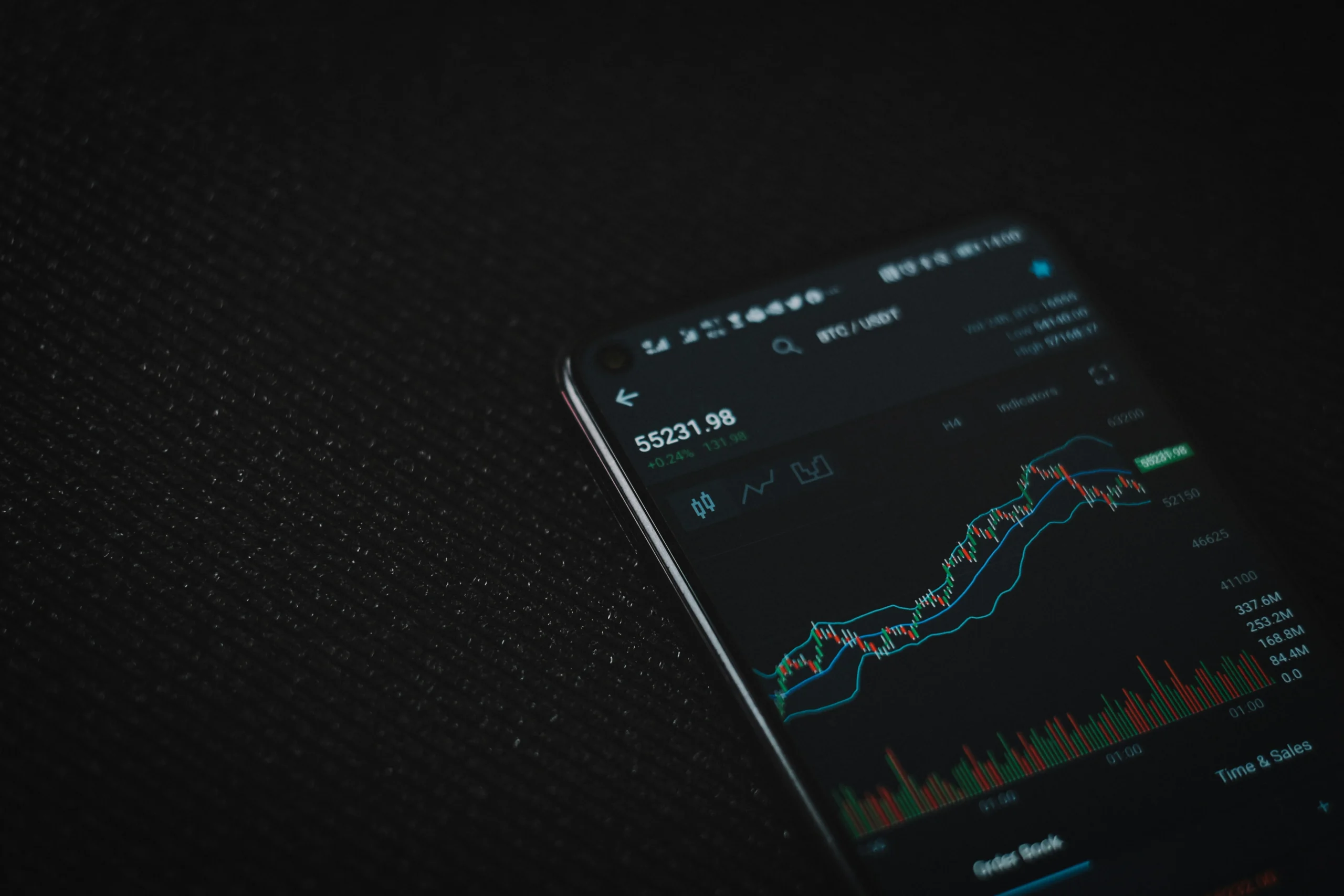
For example, in cases such as the trading dashboard, multiplayer game, chat program, or cloud control service, it is necessary for the data to be transmitted right away instead of waiting until it gets requested at specific points in time.

The same rule can be applied to any web-based service like SHR Minor, where the user has access to the remote information about his/her account and system.

In such cases, the application can create a constant connection to the remote server.

Unlike the typical web-request when the connection is made, data is transferred, and the connection is terminated, persistent connection can be maintained for longer periods of time.

Following this, the server is able to transmit any new data, when something changes, to the Android application.

WebSockets Make Two-Way Communication Possible

The technology of WebSockets use has become very popular when it comes to applying the persistent connection technology.

The WebSockets technology allows the Android application and server to share the information with each other via the same channel of communication.

In this connection, WebSockets are very handy for those apps that constantly have the data changing.

For example, the user is using a cloud solution that can show the real time statistics of a server and prices of a cryptocurrency, gaming activities, or the cloud-mining performance.

Instead of copying the whole screen every few seconds, the server is able to transmit only those numbers that have changed.

Thus reducing the possibility of delays and making apps work faster.

Not all apps need a continuous connection.

Polling is another common method. Polling means that the android app contacts the server on a fixed schedule to see if there is anything new.

For example, an application may be set to ask the server for updates on the account status every 30 seconds or so.

In spite of its ease of implementation, polling is still not without its disadvantages.

If the app polls too often, it will waste battery and mobile data. If it polls too infrequently, then users may not receive the latest updates.

That is why developers have to strike a balance between newness and efficiency.

Synchronization often needs to continue even when an application is off the screen.

Android has various ways of creating background work.

For example, developers may create work where the application downloads something, uploads something, refreshes and synchronizes data.

There are tools like Android’s WorkManager that help applications schedule background jobs without the app being active.

However, Android imposes a lot of restrictions on what applications can do in the background.

If every application was allowed to run all the time, the phone would hardly last much longer than a couple of hours.

This is the reason for various battery-saving qualities, like Doze service, limits on background execution or application standby.

Thus the developer should not presume that the application will be always in active mode.

The Aim Is Permanent Data Without Ongoing Functionality

The finest Android cloud programs give the impression of always being active, however the device’s operating system controls the activities of the cloud app at the backend.

Various platforms, such as messaging applications, cloud gaming services, blockchain and cloud mining services like SHRminer.com rely on a combination of APIs, backend servers, scheduled synchronizations, and web services among other technologies to keep its users updated.

Important events are dealt with using push notifications; real-time communication is handled using WebSockets, while polling is a convenient way of checking for updates and background services run scheduled jobs.

Thanks to the use of these technologies along with Android’s battery management system, app developers are able to synchronize their apps with remote systems while at the same time ensuring that the smartphone is not involved in constant networking work.

Nothing’s Headphone 1 is going Pro? Rumors allege upgrades and a ‘premium’ feel are possible


What you need to know

  • Rumors now say Nothing is getting closer to a new audio product launch dubbed the “Headphone 1 Pro” late in September.
  • The device could enter a more premium aesthetic for consumers with a $399 price tag, 60 hours battery life, improved ANC, and a triple audio driver setup.
  • The original Headphone 1 were pretty good, and could’ve arguably been one of the best (if not the best) audio product of 2025.

Nothing’s first over-ear headphones made a splash when they debuted. Now, rumors suggest the company wants to make even more noise with a “Pro” model.

Late this week, a post by Dealabs suggests Nothing is developing a “Headphone 1 Pro” model, and a launch could be closer than we think (via 9to5Google). As with any device, especially one marked by “Pro,” design changes/improvements are possible. The publication claims the Pro headphones could feature “aluminum and glass” on their body. The idea could be to not only separate the Pro from the base model, but also to solidify a “premium” aesthetic, as the post notes.

Kimi-maker Moonshot AI targets $2 billion in annual revenue


One of China’s most prominent AI labs, Moonshot AI, believes it can turn its popular open-weight model into serious sales growth. On Friday, Bloomberg reported that the lab is targeting $2 billion in annualized revenue by the end of the year, double the company’s reported revenue run rate for August. It’s an aggressive goal that reflects the success of the company’s K3 model since its release this summer.

While K3’s usage figures have declined slightly in recent months, OpenRouter data currently shows as many as 300 billion tokens being generated each day by K3 models on the system.

Moonshot’s projected revenue is still dwarfed by that of OpenAI and Anthropic, which recent reports put at $40 billion and $65 billion respectively. Because Moonshot’s model weights are freely available, the company has far lower margins than its closed-weight competitors. The rising projections show there’s still money to be made from open-weight AI models, even if they’re not as lucrative as closed-weight frontier models.

Still, Moonshot’s model development practices remain controversial — if not downright illegal. Earlier this week, Anthropic accused the company of a long-running model distillation campaign that routed nearly 300,000 requests from Kimi directly to Claude Opus, effectively serving Opus in place of Kimi’s own models. In total, more than 23 million responses were collected from Anthropic models for use in Moonshot’s training, the company alleged.

Android Privacy: How to Block Apps From Gathering Your Data


Your phone knows more about you than even your best friend does. It knows where you slept last night, what apps you open first thing in the morning, and how long you scroll before going to bed. So it’s reasonable to ask: who else sees that information? That is essentially what Android privacy is about – deciding who gets a look at your daily life and who doesn’t.

The good thing is that Android provides you with actual tools for drawing that line. You just need to know where they are and how to use them. Let’s go over it step by step.

Why Android Privacy Settings Deserve a Closer Look

Most people will install an app, tap ‘Allow’ a few times, and then go about their business. That’s completely reasonable since no one wants to go through an Android permissions list before checking the weather. However, this behavior accumulates.

Many applications ask for permissions that have nothing to do with their main function. This alone doesn’t prove bad intent. What it does mean is that your data is being stored out there, with companies you’ve never heard of.

By regularly checking your Android privacy settings, you change the situation. It’s a small habit that brings big rewards because it puts you back in control of your decisions instead of leaving them to default settings.

Get to Know the Android Privacy Dashboard

That’s where the privacy dashboard comes in. Android now includes a privacy dashboard as part of the system, and it’s one of the most useful features, yet most people never use it. You can locate it in Settings > Privacy (or Security & Privacy on certain phones).

The dashboard clearly shows which services accessed your camera, microphone, or location over the previous day in an easy-to-understand way. When you tap on any item, you will see the exact timestamp. For example, if a flashlight app sent in a location update at 2 a.m., that would be something to note.

To put this dashboard to work:

  1. Go to Settings and look for Privacy dashboard.
  2. Check the camera, microphone, and location icons to see how many applications have accessed them recently.
  3. To see the full list of programs, tap Permissions and check the exact time they accessed it.
  4. If something looks wrong, adjust the access as needed.

This one screen provides you with a quick and genuine overview of your Android privacy at any particular moment.

App Permission Management: Where to Start

After you check the dashboard, go to the Permission manager (Settings > Privacy). This screen organizes items so you can see every app with camera access, contacts access, and so on.

You don’t need to give your contacts to a calculator either, and a photo editor usually doesn’t need your exact location all the time. Because of this, it only takes a little effort to keep your Android privacy under control by going through this list once a month.

For programs you use only occasionally, choose ‘Allow only while using the app’ rather than ‘Allow all the time’. That single change alone helps to reduce a great deal of unnecessary background data usage.

Watching Background Data Usage and Network Activity Monitoring

The second part involves what happens after you grant access – that is, what it actually does with your connection. It is in this regard that network activity monitoring proves useful.

If you navigate to Settings > Network & Internet > Data usage, you will see the various services that are working in the background, syncing, refreshing, or sending data even when you’re not looking at your screen. You can significantly reduce this kind of unnoticed data usage by restricting background consumption, which can also help conserve battery life.

Control What Your Network Traffic Reveals

The network traffic you generate can reveal a great deal about you – such as your general location, your internet service provider, and the patterns of when and how you connect. Third parties can put this information together over time.

One way to regain some of that control is to set up a proxy so the IP address and other network information apps see aren’t directly linked to you. If you’d like to try this approach, you can buy proxies and choose which network details are shared and which remain private. This is a practical additional measure alongside the permission changes you’ve already implemented, not a substitute.

Advertising ID Tracking, Device Fingerprinting, and Other Quiet Trackers

For example, advertising ID tracking uses a unique identifier associated with your device to build a profile of your interests. You can reset it or opt out by going to Settings > Privacy > Ads.

There’s also device fingerprinting – a method of identifying your phone by combining a number of small details such as screen size, the fonts installed, and the battery level, rather than using a single ID.

Because these processes use third-party SDK tracking, the tracking code isn’t created by the app’s own developer but is included by an ad or analytics provider. Another concept, app behavior analysis, refers to how some of these SDKs examine your usage patterns in the background to predict what you might do next.

A Simple Routine for Ongoing Checks

Android privacy can never be solved in a single go. It’s more comparable to keeping things in order. By establishing a simple routine, you can keep everything in check without it becoming a chore. For example:

Frequency What to check
Weekly Privacy dashboard for recent camera/mic/location access
Monthly Permission manager
Monthly Background data usage for rarely-used services
Every few months Advertising ID reset, usage access permission list

None of these steps take more than a few minutes, and together they build a habit that keeps your information mostly in your own hands. If you’re just getting started, don’t try to do everything at once – pick one section from this guide, work through it today, and come back for the rest next week. Your Android privacy setup will get stronger with each pass, not because you did it perfectly, but because you kept checking in.

RIP Pixel Tablet: Google has officially pulled the plug


What you need to know

  • Google has officially removed the Pixel Tablet from its online store after listing it as out of stock.
  • The Pixel Tablet has also disappeared from major retailers including Amazon and Best Buy.
  • Google reportedly canceled plans for second- and third-generation Pixel Tablets due to sales and profitability concerns.
  • Existing Pixel Tablet owners will continue receiving software updates until mid-2028 despite the lineup’s end.

The Pixel Tablet is finally dead. Like, properly dead dead.

Google launched the Pixel Tablet back in 2023 as a hybrid device that could work as both a traditional Android tablet and a smart home display when placed on its charging dock. At $499, the Pixel Tablet offered a pretty interesting combination on paper, but reactions to the device were mixed after launch.

Google reportedly had plans for a second-generation Pixel Tablet in 2025 and even a third-generation model in 2027. But amid poor sales and profitability concerns, the company reportedly pulled the plug on those plans back in 2024. Despite that, the original Pixel Tablet remained available through the Google Store and retailers for quite some time. Until now.

The Google Pixel Tablet showing a picture of a deep blue hydrangea, pulled from Google Photos while docked

(Image credit: Nicholas Sutrich / Android Central)

As spotted by Jetstream, Google has officially removed the Pixel Tablet from the Google Store. The tablet was listed as “out of stock” until a few days ago, but the product page has now been removed altogether, effectively confirming that Google is done selling the device. The Pixel Tablet has also disappeared from retailers, including Amazon and Best Buy.

Apple CEO John Ternus says the best AI device is still the iPhone


Apple’s new CEO John Ternus used the opening of the company’s Surprise and Shine event Wednesday to make its AI strategy clear: the iPhone is already the best AI device out there, and Apple cares more about data privacy than its rivals.

The comments come as Ternus takes the reins at Apple from Tim Cook, who is now executive chairman, and offer a clear picture of how the company plans to compete in the AI era. Instead of building new hardware for AI, Apple wants to make the iPhone the central way consumers interact with the new technology.

During his introduction at the Cupertino event, Ternus described the ideal AI device, or “intelligent personal hub,” as he called it. He said such a hub would have a broad understanding of a user’s personal context, always be with them, and have both a powerful processor capable of running AI models on-device and an internet connection to access models in the cloud.

The device would also have a large display, high-quality cameras and microphones so it could see and hear the world around it, along with long battery life, Ternus continued.

Plus, “you’d want it to be super easy to use without a big learning curve. And finally, you’d want it to work seamlessly with your other devices, apps, and services, so it feels like one integrated experience,” he said.

“In other words, you would arrive at something remarkably familiar, because there’s no product in the world better designed to be your intelligent personal hub than iPhone,” Ternus said.

Ternus also emphasized how Apple cares more about data privacy, adding that “others see [users’ personal] data as something to collect and store.” It was one of the sharper statements Apple has made about how it intends to differentiate its AI platform from the competition.

“…Honestly, trust only goes so far when your data is no longer yours to control; that’s why Apple Intelligence runs on device whenever it can,” Ternus concluded.

When you purchase through links in our articles, we may earn a small commission. This doesn’t affect our editorial independence.
Solitaire on Android Starts With the Controls, Not the Download


Playing cards in the air to represent Solitaire

When playing a game on a computer, we have the luxury of being able to see exactly what actions we are making. But that can become a problem when we scale the game down to something we have to play on our phone. If the game we are playing is a card game, we will have the issue of us accidentally covering the screen when trying to press certain buttons. And worse still, if the on-screen instructions are too small, it becomes easy to hit a button by accident and move to another part of the game that we did not intend to go to. Therefore, before jumping to the conclusion that we need another application to play a certain game, let us see if we cannot find a control scheme that suits us better by using our phone. A simple suggestion of putting a red seven on a black eight will not change the way we play the game.

If we want to play a game of Klondike solitaire, all we have to do is open up PlaySolitaire in our browser and begin playing. We do not have to download anything, and the game offers some very helpful functions such as Draw 1 and Draw 3 and the Hint and Undo buttons. With this being the case, if we decide to play a different kind of solitaire that we have installed, we will want to make sure that we are comparing apples to apples, not apples to oranges.

Start with the same game

Solitaire is a family of games, not a single one. To make this comparison, choose Klondike – it’s got seven columns, a stock of unseen cards, and four foundations being built by suit from Ace to King. Spider or FreeCell would be a different comparison, telling you more about style preferences than browsers and apps.

Make sure their stock settings match too. Draw 1 exposes one card at a time versus Draw 3 which flips three cards and lets you play the top. The second setting allows you to access different cards. If a new application feels significantly harder, check to see if this is the case before blaming control schemes or feeling like the deals are stacked against you (pun intended). Score and timer settings should be compared where they exist.

Give the small screen a proper test

Do not judge a

by the initial deal when you only have a few cards in each column. Play until you get a longer sequence and see if you can still read the exposed ranks and choose the card you want. Try moving an entire valid sequence as well as a single card. A pretty layout in a screenshot goes away when several columns grow.

Try holding your phone in the way you normally do. Can you reach the stock without changing how you’re holding it? Are undo and new game far enough apart that you won’t mix them up? If rotating the phone changes the layout, see which orientation makes the cards easier to read. These are all personal usability things, not an argument that every app is better than any website, or the other way around.

Separate a bad move from a bad touch

Suppose that you intend to lay a red seven on a black eight, but grab the adjacent card instead. That is an input mistake, not a strategic one. Return to the browser example’s Undo control, reverse the move if one occurred, and try again deliberately. Repetition of selection errors is a valid reason to compare another layout.

A legal move that turns out to be unhelpful is a different case. Undo can get you through to checking alternative moves, while Hint can spot an available move when you have failed to spot a move. Neither is a guarantee of a winning deal. You should double-check what similarly-named controls in an app you are trying do, and whether their use has any restrictions.

Check what an installation would add

An app may be worth it if there is a key feature you want, such as a preferred layout or a clearly stated availability of an offline mode. You should read about the listing and payment terms rather than expect everything you have seen on a browser to install without ads or grant extra permissions on top. A free download and a universally free experience do not state the same conditions.

Reviewing requested permissions in the same practical manner is a matter of your choosing. On Android, open Settings and discover the game under Apps, examining Permissions; the exact path can vary per device. Ordinary card moves do not explain permissions for your contacts or microphone. If a permission request does not seem related, look up what the developer stated before letting the app do that. Using a browser does not let privacy concerns vanish, either.

Choose for the situation where you will play

For regular online play, having a bookmark is as simple as choosing a way back to the game. Chrome on Android also has the ability to create home screen shortcuts from a menu. Wording of items in a menu can change per versions, and a shortcut that opens a website is not a certainty that the game will work offline.

If you want solitaire but a flight or poor reception is expected, verify offline support ahead of time. Opening the game and new deal with WiFi and mobile data off is preferable than trusting something that happened to open. Instead, you should choose the version that lets cards be most readable, and the move most easy to make. The useful comparison is the next round you have actually played, not the number of features listed on a download page.

Samsung Galaxy Z8 foldable sales up 30% over Fold 7, but the Flip 8 captivates new users


What you need to know

  • Samsung highlights achievements by its Galaxy Z8 series in 2026, stating the Fold 8 and Fold 8 Ultra sales are topping the Fold 7 by 30% with “high demand.”
  • While the Flip 8’s sales are far lower, Samsung states the clamshell is succeeding as an entry into foldables, and it’s also successfully getting users to switch to the Korean OEM.
  • The company also highlights hardware changes in the series, such as the Fold 8’s light 201g weight, the bigger 5,600mAh battery in the Fold 8 Ultra, and more.

Samsung is highlighting the achievements of the Galaxy Z8 series, as it notes higher sales and the “highest share of buyers” for one phone.

Today (Sept 8), Samsung published its official insights into the Galaxy Z8 series following the trio’s launch this summer. Among its shopper analytics, Samsung states consumers have enjoyed the Galaxy Z Fold 8’s “thin and light design for greater portability.” Alternatively, consumers preferred the Fold 8 Ultra for its larger display. It seems the most common feedback Samsung received was that the Fold 8 Ultra’s display reduced the need to carry a tablet.

Phil Schiller’s App Store exit reportedly driven by wariness over future plans


Why is longtime Apple executive Phil Schiller stepping down from his role as the head of the App Store?

Bloomberg’s Mark Gurman reports that Schiller’s decision — he will remain involved in the company as an Apple Fellow working on unspecified projects — was driven in part by a desire to spend more time with his family and on philanthropy.

But apparently there was another factor in Schiller’s thinking: New CEO John Ternus and services chief Eddy Cue seek to improve App Store margins and bring in more recurring revenue.

Of course, Apple’s management of the App Store, as well as its share of App Store payments, has been an ongoing source of developer criticism and even been the subject of major lawsuits.

In Gurman’s telling, there wasn’t a big fight over Ternus and Cue’s strategy. But Schiller believed that trying to squeeze more profits from the business would only increase conflict with governments and developers, so he decided to step down and avoid getting involved.