There’s yet another streaming bundle in town, and it will be ideal for fans of Ted Lasso and The Office. Apple and NBC have teamed up to provide both of their streaming services together in a bundle starting at $15 per month. The new Apple TV + Peacock bundle is officially available now for $15 monthly for the ad-supported tier.
This is a mighty fine deal, given that Apple TV recently changed both its name and price. The platform costs $13 per month now on its own. Peacock starts at $11 per month. In other words, this is a discount of around $9 each month. In this economy, we’ll take any savings we can get.
As mentioned previously, the only caveat is that the base tier includes ads. The subscription shoots up to $20 per month for an ad-free version. However, a standalone subscription to ad-free Peacock is $17 on its own. Additionally, Apple One subscribers will get a 35 percent discount on Peacock Premium Plus plans. It’s always nice when two lonely corporations find friendship, isn’t it?
For the uninitiated, Apple TV is the company’s big-wig streaming platform. It’s primarily known for sci-fi like Severance, For All Mankind and the upcoming Pluribus. The platform is also host to plenty of comedy, like The Studio, Shrinking and Ted Lasso.
Peacock is NBC’s streaming service. It streams old-school network programming like The Office, Grimm and Superstore. The service features a stable of original programming like Poker Face, Twisted Metal and the underrated Mrs. Davis. The platform also recently premiered a little show called The Paper, which is a spinoff of The Office. Against all odds, this is actually a great little sitcom and a worthy successor to the original.
Apple has removed ICEBlock, the app which allowed users to put a pin on a map to show where ICE agents have recently been spotted, from the App Store. It has also pulled other apps that served a similar purpose. According to Fox Business, Attorney General Pam Bondi demanded their takedown, telling Apple that the apps were “designed to put ICE agents at risk just for doing their jobs.” Bondi added that “violence against law enforcement is an intolerable red line that cannot be crossed.” She also said that the “Department of Justice will continue making every effort to protect [its] brave federal law enforcement officers, who risk their lives every day to keep Americans safe.”
“We created the App Store to be a safe and trusted place to discover apps,” Apple told the publication in a statement. “Based on information we’ve received from law enforcement about the safety risks associated with ICEBlock, we have removed it and similar apps from the App Store.”
Bondi demanded the apps’ removal after the FBI and the administration reported that the gunman who attacked an ICE facility in Dallas used tracking apps, including ICEBlock, to open fire from a rooftop. The gunman killed two immigrants and injured a third, but he was allegedly targeting ICE agents. Joshua Aaron, the app’s developer, told Fox Business that he was “incredibly disappointed” by Apple’s actions. “Capitulating to an authoritarian regime is never the right move,” he said. “Apple has claimed they received information from law enforcement that ICEBlock served to harm law enforcement officers. This is patently false.” Aaron added: “We are determined to fight this with everything we have. Our mission has always been to protect our neighbors from the terror this administration continues to reign down on the people of this nation.”
ICEBlock climbed to the top of the App Store charts in July after administration officials slammed it, making more people aware of its existence. At the time, officials warned Aaron that they were “looking at him, and he better watch out” because the app threatens the lives of law enforcement agents. NBC News reports that it was downloaded more than 1 million times since it was introduced. Tom Homan, the administration’s “border czar,” recently told Fox News that the government will investigate the “people who put these apps up” because they put “law enforcement at great risk.”
The National Labor Relations Board has withdrawn “many of the claims” it made against Apple in relation to cases brought in 2021 by former employees, according to Bloomberg. In particular, it dismissed an allegation that Apple CEO Tim Cook violated workers’ rights when he sent an all-staff email that year, which said “people who leak confidential information do not belong” in the company. Cook also said in the email that Apple was “doing everything in [its] power to identify those who leaked” information from an internal meeting the previous week, wherein management answered workers’ questions about pay equity and Texas’ anti-abortion law.
Apple didn’t “tolerate disclosures of confidential information, whether it’s product IP or the details of a confidential meeting,” Cook wrote at the time. The NLRB has now withdrawn some of the claims made in complaints by former employee Ashley Gjøvik, including that Apple told employees not to disclose company communications, and that it had suspended Gjøvik in retaliation and fired her unlawfully. But, not all of the allegations have been withdrawn. Apple settled a separate case with Gjøvik back in April, which she announced as a win for workers, as the settlement required Apple to revise rules around employee agreements and discussions of company information to clarify “that employees can talk about their pay, working conditions, and union organizing without retaliation,” and speak to the press, among other things.
In addition dropping its claim that Cook’s email violated workers’ rights, the labor board is also withdrawing its allegation that the firing of activist Janneke Parrish, one of the leaders of the #AppleToo movement, broke the law. It’s dismissing its previous allegations that Apple broke the law by imposing confidentiality rules and surveilling workers or making them think they were under surveillance, as well. After an investigation, NLRB previously came to the conclusion that Cook’s email and Apple’s overall behavior were “interfering with, restraining and coercing employees in the exercise of their rights.”
Bloomberg says this is just one instance of the NLRB being more friendly to companies under President Trump. We’ve reached out to the NLRB for more information.
Correction, September 27, 2025, 6:42PM ET: This story incorrectly stated that the NLRB had withdrawn claims made against Apple in complaints filed by employees including Cher Scarlett. Scarlett’s charges against Apple, which relate to pay equity, suppression of wage discussions and constructive discharge, have not been withdrawn or dismissed.
This article has also been updated to include additional information about allegations by former employee Ashley Gjøvik that have been withdrawn, and about Apple’s previous settlement with Gjøvik.
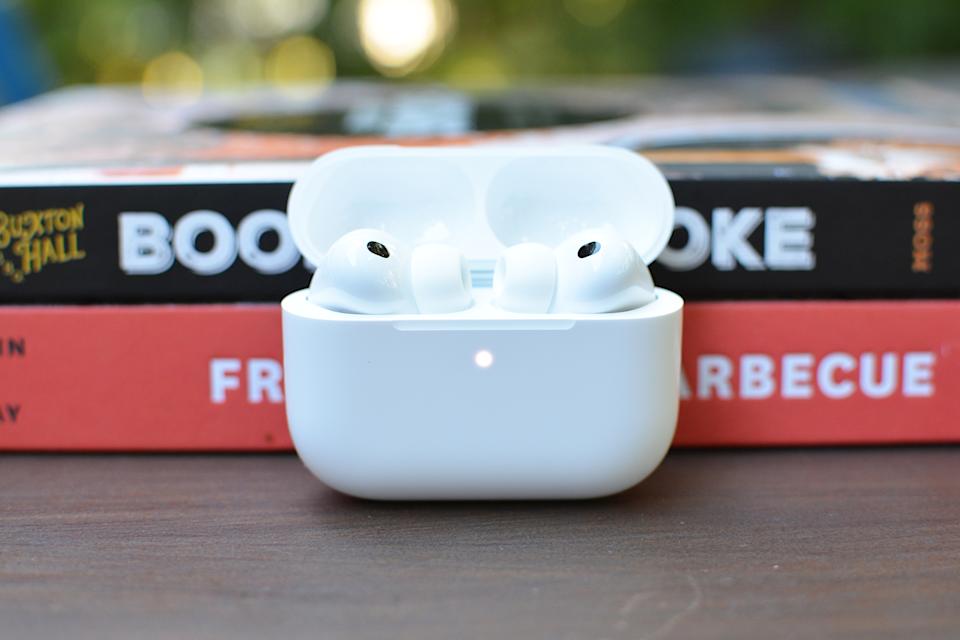
It’s barely been two weeks since Apple announced the AirPods Pro 3, but you can already find them at a slight discount. The new earbuds are currently listed as $239 on Amazon, which is $10 cheaper than their normal price. The AirPods Pro 3 were introduced at Apple’s “Awe Dropping” iPhone event, boasting Live Translation, heart-rate tracking and significant improvements to sound quality and active noise cancellation (ANC). But, if you’re not looking to shell out that much, the AirPods Pro 2 are on sale right now too for $199.
Apple
Apple’s new AirPods Pro 3 are a big step up from the previous generation.
The AirPods Pro 3 are no small upgrade from the previous generation. ANC is twice as effective as that of the AirPods Pro 2, thanks to a combination of ultra-low noise microphones, computational audio and new foam-infused ear tips, which make for both a better fit and improved noise isolation, according to Engadget’s Billy Steele, who spent some hands-on time with the earbuds. The Live Translation feature fared well when tested on Spanish-to-English and French-to-English translations, making the earbuds a potentially handy tool to have for travel. (You’ll need an iPhone with Apple Intelligence in order to use Live Translation, though).
The earbuds earned a score of 90 in Engadget’s review, which notes noticeable improvements in sound quality and battery life. Apple says you’ll get up to eight hours on a charge with ANC enabled. With the addition of heart-rate monitoring and support for 50 workouts using Apple’s Fitness app, the AirPods Pro 3 allow you to get heart rate metrics during exercise without wearing an Apple Watch.
There’s a lot to like about the latest version of the AirPods Pro, so discount or not, you can’t go wrong if you’ve been holding out for a meaningful upgrade. Per our review, “The AirPods Pro 3 is the biggest update to Apple’s earbuds lineup in years.”
Check out our coverage of the best Apple deals for more discounts, and follow @EngadgetDeals on X for the latest tech deals and buying advice.
When you buy your Apple Watch, you get to choose which band you get. Skip the rubber bands, which are made from fluoroelastomer. While the company committed to removing PFAS from its products in 2022, we have not gotten confirmation that Apple’s products are PFAS-free.
I find the textile and metal bands to be much more attractive and comfortable than fluoroelastomer bands, which tend to trap sweat and irritate my skin. My favorite of the Apple bands you can choose at checkout this year is the Nike nylon woven Sport Loop. It’s soft, breathable, soaks up sweat, and is infinitely adjustable if your wrists swell when you run. It’s made from recycled polyester, spandex, and nylon, and the yarn is reflective if you’re running at night. It comes in five colors and three sizes, so it’s compatible with the 40-, 44-, and 46-mm watch sizes.
In just a few days, the Apple iPhone 17 event will be here — the “awe dropping” event is officially confirmed for Tuesday, September 9. If Apple follows its past schedule, that could mean we’ll get to download iOS 26 and iPad 26 exactly one week after the event. Coming with the OS 26es are huge upgrades to your iPhone and iPad’s operating systems. You’ve heard of Liquid Glass, right? It’s like the better-executed version of Windows Vista and definitely one of the cooler features coming this fall. We spent two weeks test-driving it — you can check out our detailed hands-on iOS 26 preview, or you can try it out yourself by downloading and installing the public beta 5. That software is a more stable iteration of the separate developer version, which recently hit the beta 8 waypoint, and offers a few more flashy features not yet available in the public version. (While the public beta is open to everyone and quite stable, always remember there’s a degree of risk involved with beta software.) Additionally, there are credible reports that iOS 26 could bring a new live translation feature to AirPods, too. Not sure if you want to upgrade your smartphone or tablet this year? No worries, we’ll help you find out if your devices will be able to run iOS 26.
While Apple didn’t nix any iPhones from its eligibility list last year, that’s not the case for 2025 — a few models are getting cut this time. All iPhone 8 models and the iPhone X were the last to get the boot in 2023, and this year the 2018 models are getting left behind. If you have an ineligible device, you won’t be able to download iOS 26 when it becomes available this fall.
These three iPhones won’t be compatible with iOS 26
Unlike last year, several iPhone models won’t be eligible to download the newest iOS when it makes its debut in September. This trio of models first released in 2018 won’t be coming to the iOS 26 party:
iPhones compatible with iOS 26
While we don’t yet know the new iPhones Apple will be dropping next month — though there are iPhone 17 rumors — we do know, per Apple’s site, that the phones listed below will be compatible with iOS 26. Basically, if you have an iPhone that was announced in 2019 or later, you’re in the clear:
iPad Air (3rd generation and later, including M2 and M3)
iPad (8th generation and later, including A16)
iPad mini (5th generation and later, including A17 Pro)
What if I don’t want to buy a new iPhone?
If you want to continue using your older iPhone that isn’t supported by iOS 26, that’s fine. However, you’ll miss out on security updates which could potentially put your phone at risk for malware and other threats. Additionally, some apps may stop working if they require a certain version of iOS or later. And of course, you won’t be able to access the latest features iOS 26 offers.
When will iOS 26 become available?
Apple usually rolls out its latest iOS in mid-September, just a few days before the new iPhones hit store shelves. Last year, it released iOS 18 on Monday, Sept. 16. If it follows suit this year, we should have access to the new operating system on Tuesday, Sept. 16 — exactly one week after the event.
Expect a confirmation of the release date at the iPhone 17 event on September 9.
iOS 26 features we’re excited about
Liquid Glass design: Your home screen is getting revamped with new app icons, including dark mode and all-clear options. You’ll also notice buttons with a new floating design. Liquid Glass was designed to make all of Apple’s OSes more cohesive.
Phone app redesign: You’ll finally be able to scroll through contacts, recent calls and voicemail messages all on one screen. It also comes with a new feature called Hold Assist that’ll notify you when an agent comes to the phone so you can avoid the elevator music.
Live Translate: iOS 26 is bringing the ability to have a conversation via phone call or text message with someone who speaks another language. Live Translate will translate your conversation in real time.
Polls feature: Coming to group messages in the Messages app, chat members will be able to create polls. This can help prevent the unwanted 30+ messages when it comes to deciding which restaurant you’re meeting at this weekend.
Next month, we’ll finally get the option to download iOS 26 on our iPhones (screenshots are way better in the latest operating system!). Until then, you can download and install the newly released public beta 2 (or iOS 26 developer beta 6 for developers). During Apple’s recent earnings call, CEO Tim Cook said its collection of upcoming beta operating systems (including iOS) are “by far the most popular developer betas we’ve had,” 9to5Mac reports. You can also take a look at our preview of the iOS 26 public beta release, which shows off the fresh home and lock screen redesign. Called Liquid Glass, the new translucent look will extend across all of Apple’s upcoming operating systems. The overhaul is one of several big changes coming to iOS, macOS, iPadOS and the rest of Apple’s software suite, all of which were showcased during the company’s WWDC keynote on June 9.
After overpromising on AI plans last year, Apple kept its iOS roadmap focused more on basic quality of life improvements this year. There are multiple useful additions coming to the Phone and Messages apps on your iPhone, for instance: Apple execs outlined the ability to weed out spam texts or other unknown senders and an option to hold your spot on a phone call when you’ve been waiting for a representative to pick up. Plus, a treasured feature that we took for granted is coming back (hint: it’s in the Photos app).
Siri, meanwhile, is in a holding pattern. Apple has previously specified that its smarter voice assistant — first promised at WWDC 2024 — is delayed until some point “in the coming year,” so you shouldn’t expect any major changes in the current betas. But there are reports that Apple is aiming to give Siri a bigger brain transplant by basing it on third-party artificial intelligence models like OpenAI’s ChatGPT or Anthropic’s Claude, which could make 2026 a pivotal year. The company is also reportedly working on a ‘stripped-down’ AI chatbot to rival ChatGPT.
With each beta, it seems like additional new improvements are popping up, like this new AirPods gesture we’re all curious about, and this FaceTime feature that’ll freeze your video if it detects nudity. With the release of the iOS 26 developer beta 5, we saw more added features, like a new bouncy animation on the passcode screen and in the Control Center, MacRumors reports. Some or all of those changes will likely soon migrate into the separate public beta (see below). Most newer iPhone models are eligible to download iOS 26 (both the betas and final version). Want to see the full list of new features coming this fall? Read on.
What is iOS 26?
The current iPhone operating system is iOS 18, and Apple is still actively updating it — version 18.6 was just recently released. But don’t expect to see iOS 19. Instead, Apple is skipping the numbering ahead to iOS 26 later this year. The company has decided to line up its iOS version numbers with a year-based system, similar to car model years. So while iOS and its sibling operating systems will be released in late 2025, they’re all designated “26” to reflect the year ahead.
It’s official, we’re moving to iOS 26. (Apple)
What is Liquid Glass design?
Let’s be honest. Out of everything announced at WWDC this year, the new Liquid Glass design was the star of the show. The iPhone’s home and lock screens have looked pretty much the same year after year — the last exciting thing (in my opinion) was the option to add your own aesthetic to your home screen by customizing your apps and widgets. So seeing the home and lock screens’ new facelift is refreshing.
So what exactly is Liquid Glass? Apple calls it a “new translucent material” since, well, the apps and widgets are clear. However, the screen can still adapt to dark and light modes, depending on surroundings. You’ll also notice buttons with a new floating design in several apps, like Phone and Maps. They’re designed to be less distracting than the current buttons, but are still easy to see. While the design overhaul has proven to be controversial since its announcement, some — including Engadget’s own Devindra Hardawar — like the new direction, even if it’s somewhat reminiscent of Microsoft’s translucent Windows Vista Aero designs from nearly twenty years ago.
That said, as of the release of the iOS 26 beta 2, Apple has already incorporated some user feedback into the design, dialing back the transparency in at least some places. And while it will continue to evolve, Apple users won’t be able to escape it: Liquid Glass was designed to make all of Apple’s OSes more cohesive. Here’s a look at how the translucent aesthetic will look with the new macOS Tahoe 26 on your desktop.
What are the new and notable features of iOS 26?
iOS 26 has a laundry list of new features. Among the most worthwhile:
Phone app redesign: You’ll finally be able to scroll through contacts, recent calls and voicemail messages all on one screen. It also comes with a new feature called Hold Assist that’ll notify you when an agent comes to the phone so you can avoid the elevator music and continue on with other tasks.
Live Translation in Phone, FaceTime and Messages: iOS 26 is bringing the ability to have a conversation via phone call or text message with someone who speaks another language. Live Translation will translate your conversation in real time, which results in some stop-and-go interactions in the examples Apple shared during its presentation.
Polls in group chats: Tired of sorting through what seems like hundreds of messages in your group chat? You and your friends will soon be able to create polls in group messages for deciding things like which brunch spot you’re eating at or whose car you’re taking on a road trip.
Filtering unknown senders in Messages: If you haven’t received spam texts about unpaid tolls or other citations, you’re lucky. For those of us who have, those annoying messages will soon be filtered away in a separate folder.
Visual Intelligence: Similar to a reverse Google image search, this new feature will allow you to search for anything that’s on your iPhone screen. For instance, if you spot a pair of shoes someone is wearing in an Instagram photo, you can screenshot it and use Visual Intelligence to find those shoes (or similar ones) online.
Photos tabs are back: For anyone who’s still frustrated with the Photos changes made last year, you’ll be happy to know that your tabs are coming back. Library and Collections will have their own separate spaces so you don’t have to scroll to infinity to find what you’re looking for.
FaceTime “Communication Safety” feature: A newer addition to iOS 26 appears to be the FaceTime “Communication Safety” feature that pauses communications if and when nudity is detected. The feature appears to be a child safety feature that uses on-device detection, thus obviating any cloud-based privacy issues.
New lock screen options: The iPhone lock screen gets more customizable in iOS 26, with a cooler clock, 3D wallpaper effects, more widgets and better focus mode options.
Apple’s Hold Assist will be nifty for those pesky services that put you on hold for 10 or more minutes. (Apple)
New changes coming to iPadOS 26
Your iPad isn’t getting left behind when it comes to big updates. Here’s what’s coming this fall.
Multitasking and real windowing: When you download the newest update, you’ll be able to have multiple apps running on your screen at the same time. Once you open an app, it’ll appear on your screen as normal but you’ll be able to resize and move it across your screen to make room for other apps. This feature is optional so you can turn it off if you don’t like it.
Visual update: Along with the other new OSes, iPadOS 26 is coming with the Liquid Glass aesthetic. This new look will appear on the lock and home screens, as well as the drop-down menus.
New menu bar: When you swipe down on your screen, the new menu bar will appear with options like File, Edit, Windows and more. There’s also a search option if you’re looking for something specific.
Enhanced audio recording: Apple calls this “studio-quality” audio recording, and with it, you’ll notice more clarity while in noisy environments.
Camera remote control: Using this, you can take a photo or start and stop video recording with just one press on your AirPods. When taking photos, you’ll get a three-second countdown before your iPhone or iPad snaps the picture.
Live translation feature: While not officially announced or confirmed, it appears that the long-rumored live translation for AirPods could be coming with iOS 26. The evidence comes from a system asset spotted in the in iOS 26 beta showing a gesture that’s triggered by pressing both earbud stems at the same time. The photo also shows words in several different languages.
Which iPhones will be able to upgrade to iOS 26?
A few iPhone models that run the current version of iOS — iPhone XR, XS and XS Max — won’t be compatible with the latest upgrade. But any iPhones released in 2019 or later will be eligible for the iOS 26 update.
iPhone SE (second generation or later)
Not listed here are the presumed new iPhone 17 models (or maybe iPhone 26?) that are all but certain to be announced and released in September.
How to install iOS 26 beta
The iOS 26 public beta is now available to download via the Apple Beta Software Program. If you’re not already a member, you’ll need to sign up to try out all the latest features. Just visit beta.apple.com and sign up with your phone number or email address. It’s free.
Once you’re in, you can install it by going to Settings > General > Software Update and selecting iOS 26 public beta.
A word of caution: Don’t sign up with your main iPhone unless you’re OK with any risks that occur with using an OS that isn’t finalized.
When will the final version of iOS 26 be released?
iOS 26 will be released to the public this fall. It usually comes in September, within a week of the Apple iPhone event. Last year, it rolled out to iPhone users on September 16 — exactly one week after the iPhone 16 lineup was announced.
HBO Max is planning to crack down more aggressively on password sharing, according to Warner Bros. Discovery’s streaming CEO JB Perette (via The Verge). Perette shared the info during an earnings call, where he said HBO Max users will be encouraged to pay a $7.99 per month fee to add viewers that are outside of their household.
“In September, you’ll actually start to see the messaging — which right now has been a fairly soft, cancelable messaging — start to get more fixed and such that people have to take action,” said Perette.
Warner Bros. began discouraging password sharing earlier this year after introducing the $7.99 per month sharing fee. As of right now, the restrictions on password sharing have not been enforced, and paying the extra fee is voluntary.
HBO Max with ads is priced at $9.99 per month, while the Standard plan with no ads is $16.99 per month. There’s also a Premium plan with 4K streaming that’s priced at $20.99 per month.
HBO Max customers that opt to add an extra member to their plan will need to pay the $7.99 per month fee, which provides the added member with their own account, password, and profile. Only one additional member can be added to an account.
At $7.99 per month, the extra member add-on is only $2 cheaper than the ad-supported plan, but the extra member is able to share the plan of the main subscriber. So if the subscriber has the 4K Premium plan, the extra member can access 4K streaming for the $7.99 per month price.
HBO Max will use account information, IP address, device ID, and user activity to determine if accounts are used by people in more than one household.
Cracking down on password sharing has been successful for Netflix and Disney, so it is no surprise to see other streaming services do the same thing. Netflix experienced strong subscriber growth and an increase in revenue when it stopped allowing customers to share their accounts.
Earlier this year, Warner Bros. Discovery changed the name of the streaming service, abandoning “Max” and going back to HBO Max. The service was branded as Max two years ago, but it turned out that eliminating the well-known and widely recognized HBO name was a mistake.
In a global all-hands meeting hosted from Apple’s headquarters in Cupertino, California, CEO Tim Cook seemed to admit to what analysts and Apple enthusiasts around the world had been raising concerns about: that Apple has fallen behind competitors in the AI race. And Cook promised employees that the company will be doing everything to catch up.
“Apple must do this. Apple will do this. This is sort of ours to grab,” Cook said, according to Bloomberg, and called the AI revolution “as big or bigger” than the internet.
The meeting took place a day after Apple reported better than expected revenue in its quarterly earnings report, and that sent the company’s stock soaring. The report came in a week already marked by great tech earnings results, partially driven by AI. But unlike Meta and Microsoft, Apple’s rise in revenue was attributable to iPhone sales and not necessarily a strength in AI.
In the earnings call following the report, Cook told investors that Apple was planning to “significantly” increase its investments in AI and was open to acquisitions to do so. He also said that the company is actively “reallocating a fair number of people to focus on AI features.”
Cook echoed those sentiments in Friday’s meeting, saying that the company will be making the necessary investments in AI to catch up to the moment.
The AI-enhanced Siri is back and allegedly better than ever
Apple has been working on integrating advanced AI into its product lineup for the past year or so under its Apple Intelligence initiative, which the company unveiled at the June 2024 Worldwide Developers Conference. The move was met by celebration and criticism even then: Apple’s big bet on AI was coming a good year or so after competitors like OpenAI, Google, Microsoft, and Meta scaled up their offerings.
Even so, the company’s progress on Apple Intelligence has been slow. Apple was supposed to unveil an AI-enhanced Siri earlier this year, and even released ads for the new iPhone with AI-enhanced Siri capabilities, but the Cupertino giant pushed that reveal back at the last minute, reportedly to next spring, though nothing is officially confirmed.
The switch-up caused major backlash from investors and customers, two major lawsuits, and a complete corporate overhaul.
Cook said on Friday that 12,000 workers were hired in the last year, with 40% of them joining research and development teams.
The leadership overhaul following the fallout of LLM Siri has “supercharged” the company’s work in AI development, senior vice president of software engineering Craig Federighi said at the meeting.
According to Federighi, the main problem with the LLM Siri rollout was that Apple tried to build a “hybrid architecture” that utilized two different software systems. That plan has now been scratched, and Federighi seemed confident in LLM Siri’s future this time around, claiming that the new “end-to-end revamp of Siri” will now be delivering “a much bigger upgrade than we envisioned.”
Chips are center stage
Also key to the new AI strategy, according to Cook, is chip development.
Apple has been working on designing in-house AI chips for some time now, according to a Wall Street Journal report from last year, in a project internally code-named ACDC (standing for Apple Chips in Data Center). The tech giant has reportedly teamed up with Broadcom to develop its first AI chip code-named Baltra, according to a report last year in The Information, and Apple is expecting to begin mass production by 2026.
Apple’s lagging could be on-brand
Despite being a global leader in tech and a household name in consumer electronics, Apple is nowhere near the top when it comes to the AI race.
But while that scares some Apple fans and investors, others think it’s actually kind of on-brand. Tim Cook indicated Friday that he belongs to the latter camp.
“We’ve rarely been first,” Cook said at the meeting. “There was a PC before the Mac; there was a smartphone before the iPhone; there were many tablets before the iPad; there was an MP3 player before iPod.”
Cook has a point. Apple isn’t necessarily known for spearheading new technology, but the company’s strength comes from perfecting said technology and making products that become highly dominant in their respective markets. And if Apple makes the right moves in developing and scaling its AI product offerings, Cook could potentially add AI to that list as well.
Apple has introduced a new tier of its AppleCare insurance policy called . This allows you to cover up to three of your Apple products under a single plan for $20 per month. If you want to add extra devices beyond that, you can do so for an additional $6 per month, per product.
Apple first introduced in 2011 as a means of insuring your against accidental damage, and has since expanded the plan to its entire product line, adding coverage for theft and loss. Currently, AppleCare+ costs from $10 per month to insure an individual iPhone, with subscription prices starting at $3.49 per month for a , and $5 for an , depending on the model you own. You can also insure your , headset, AirPods, Apple TV and HomePod either individually, or as part of your new AppleCare One plan.
AppleCare One features all the same benefits as AppleCare+, including unlimited repairs for accidents such as drops and spills, round-the-clock support from Apple experts, servicing and battery coverage. The theft and loss protection that was previously exclusive to iPhone plans now also covers iPad and Apple Watch if they’re included in your AppleCare One plan. You can make up to three claims a year for theft or loss of an iPhone, iPad or Apple Watch.
The $20 monthly price is fixed regardless of which products you include (as is the $6 you pay to add an additional device), meaning the amount you actually save will depend on what they would cost to insure individually, so it’s worth looking into that before you take out the new plan. Apple says that people who cover their iPhone, iPad and Apple Watch could save as much as $11 per month on AppleCare One compared to what they’d pay if each device was insured under AppleCare+.
Also new with AppleCare One is the ability to add devices you already own to a protection plan. Previously you’d have to decide within 60 days of purchasing an Apple device. Apple says that providing they’re under four years old, are in good condition when added and are in your Apple account, they can be covered under AppleCare One. You may need to run a diagnostic check either on the device itself or at an Apple Store to get it approved.
AppleCare One also simplifies the trade-in process. If you trade in a product covered by your plan directly to Apple, it is automatically taken out and replaced by the new device. Unlike AppleCare+, though, there doesn’t appear to be a way to pay annually for your plan. Instead, it rolls monthly for as long as you need it, and Apple will let you move products in and out of coverage whenever you want.
AppleCare One launches tomorrow in the US, and can be activated either on your iPhone, Mac or iPad, or in an Apple Store.