BIM vs. CAD: Which is Better for Modern Architectural Design Services Companies


A sleek, glass-wrapped skyscraper begins to take shape not in the real world, but on a screen. There are layers, dimensions, data, and details down to the last duct. Is that Computer-Aided Design (CAD)? Not quite. You’re in Building Information Modeling (BIM) territory now. For architecture design firms struggling to maintain their edge in an industry where accuracy, speed, and teamwork are paramount, it’s not just “What do we use?” BIM or CAD?

This argument isn’t a detached technical contrast anymore. It’s at the heart of the way firms sell on projects, collaborate with subcontractors, and produce for clients who demand photorealistic visualizations services and no design conflicts. If you’re a seasoned firm established in AutoCAD or a nimble startup diving headfirst into BIM day one, the choice comes back to your fundamental way of working.

So let’s get into this. Not with a checklist but with a full-throated investigation. No jargon for jargon’s sake. Just an honest discussion about what BIM and CAD are, how they define architectural services these days, and which one may be better for your team, not just short-term, but for projects you haven’t even imagined yet.


🚀 Table of contents


The origin stories: Drafting tables to data-driven models

Let’s take a step back to establish the context.

Picture a world where every building plan began with a pencil, ruler, and enormous piece of paper. That was the norm until Computer-Aided Design (CAD) came along like a digital knight. With AutoCAD, MicroStation, and early ArchiCAD, architects ceased to have to redraw whole schematics to make changes. They clicked, copied, and stacked their way to faster, more accurate technical drawings instead. It revolutionized.

But here’s the catch: CAD, as revolutionary as it was, remained about drawing. Even when 3D modeling design services became standard, the models were basically digital manifestations of real-world shapes. A column appeared as a column, yes, but the program didn’t have a clue it was a column. It was all form and visual accuracy, but not smarts.

Then BIM, Building Information Modeling, took over, and the game shifted once more.

BIM software such as Revit, the new ArchiCAD, and Bentley AECOsim not only models buildings, but they imbue them with intelligence. A wall was no longer a surface. Now it was a wall with attributes. Materials, thermal value, fire rating, and expense are all built in. Doors recognized themselves as doors. Beams knew their load-carrying functions.

The payoff? A design environment in which updates cascade throughout the entire model. Alter a door’s width, and schedules, elevations, and clash detections all update in real time. It’s not only smarter drafting, it’s a smarter building process.

From the drafting table to data models, architectural design services have come from hand-drawn lines to smart, responsive systems. And we’re just beginning.

RELATED: Tips to optimize new invention development and product development for companies
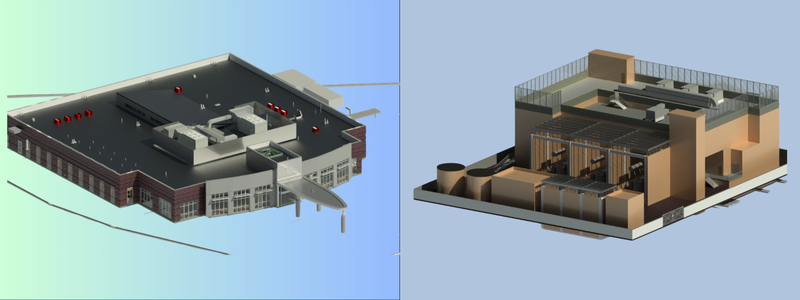
BIM modeling examples for architectural design

Drawing vs. modeling: The philosophical divide

This is where the sparks begin to fly.

When you’re using CAD (Computer-Aided Design), you’re essentially composing a symphony, note by note, line by line. Every wall, hatch, or text label is manually placed with precision. It’s detailed, controlled, and yes, a bit obsessive (but in the best way). CAD files are like digital sheets of paper. You’re telling the software exactly what to draw, and it does just that, no more, no less.

Then there is BIM (Building Information Modeling), and before you know it, you’re not sketching anymore, you’re modeling. Rather than simply sketching a door, you add a “door family” to your project. That door has built-in smarts: size, materials, fire rating, thermal properties, and even manufacturer data. Want to swap out all the wooden doors in a project for steel? One click. Boom. Done. It’s like playing an orchestra of clever instruments that harmonize of their own accord.

So it’s actually more than just tools. It’s a change in mindset.

CAD design services are for sketching. BIM is a computer-based tool for construction. CAD provides you with 2D plans and perhaps some rudimentary 3D. BIM provides you with a working digital model of your building. That model can be utilized not only for design but also for energy analysis, clash detection, scheduling, cost estimation, and even long-term facility management.

It’s not a question of who’s better, it’s a question of what your project requires and how you prefer to think. Are you a pencil craftsman or a smart baton conductor?

Either way, the future is being simulated, not merely sketched.

Collaboration wars: Who’s easier to work with?

This is where tensions begin to rise for architecture design companies. The software you use isn’t merely going to change how you sketch. It will dictate how you work together. And believe us, that can either make your workflow slick or send it flying off into a tailspin.

Consider a company that’s employing CAD. It’s the ideal arrangement: speedy, steady, and everybody on staff is familiar with it. You’re producing accurate 2D drawings and floor plans, and adding the occasional 3D rendering from Rhino or SketchUp for added spice. All is going swimmingly until the mechanical engineer adjusts the ductwork, and now it slices through your lighting plan.

Suddenly, its version controls mayhem. You’re sifting through endless email chains, comparing overlapping PDFs, and pointing fingers over whose file is the “real” one. It’s a high-stakes game of architectural telephone.

Now, imagine that same situation, but everyone’s using BIM modeling services . Instead of separate files, you’re all inside the same digital ecosystem. Updates to ductwork? Your lighting layout adjusts in real time. BIM flags the clash before it becomes a construction nightmare.

That’s the type of coordination project managers will fantasize about. Customers are kept in the know. Subcontractors are not surprised. And your staff? They’re addressing problems during the design phase rather than fighting them on the site.

So, who is more pleasant to deal with? The team that employs collaboration tools. And when deadlines and budgets are at stake, that is what matters.

RELATED: Top design & drafting tasks to outsource for architects and architectural services firms

CAD’s defense: It’s not dead, it’s just different

Yes, Building Information Modeling (BIM) is the new, shiny spotlight getter, but CAD? It remains very much at work behind the scenes, and doing so effectively.

Firstly, CAD is light. You don’t require a powerhouse computer or cloud-based environment to roughly sketch out an idea. If you’re doing a rough mockup of a concept, redoing a small remodel, or requiring fast iteration, CAD’s ease of use is a real asset. It’s nimble, in-your-face, and speedy. And when the going gets fine linework, and that means custom cabinetry, joinery details, or shop drawings, CAD excels. It provides the accuracy that BIM can’t always guarantee.

Most architectural design experts and engineers’ offices are actually combining both tools. They’ll design the big stuff in BIMwalls, roofs, systemsbut when they get to the nitty-gritty, such as how a drawer goes into a custom-built unit, they move to CAD. It’s an intelligent, hybrid approach, especially when contractors still hold dearly to old DWG files.

And let’s get real: not all projects require a complete BIM workflow. Some cities are still using paper plan sets or static PDFs for permitting. Those don’t require the BIM bloat if CAD will suffice.

So no, CAD isn’t dying out. It’s just playing a new role of the headliner, more of a specialist. But ask anyone buried deep in the trenches of drafting and design, and they’ll tell you: CAD is by no means obsolete.

BIM’s edge: Beyond architecture

BIM is like that one architecture student who didn’t stop at studio projects but also picked up structural engineering services, HVAC systems, sustainability metrics, and a business minor just for fun.

Architectural firms embracing BIM are essentially expanding their value proposition. You’re no longer just delivering pretty renderings and floor plans. You’re offering energy performance analysis, daylighting simulations, cost estimates, and lifecycle insights, all from the same model.

Think about that.

With BIM, you can:

  • Execute clash detection between architectural, structural, and MEP models.
  • Trace materials for embodied carbon.
  • Extract quantities directly for procurement.
  • Simulate timelines with 4D scheduling.

That’s not design. That’s architecture as a data-driven consultancy.

It’s no surprise that public infrastructure projects across Europe, Asia, and even the U.S. increasingly require BIM deliverables. It’s not a trend, it’s a transition.
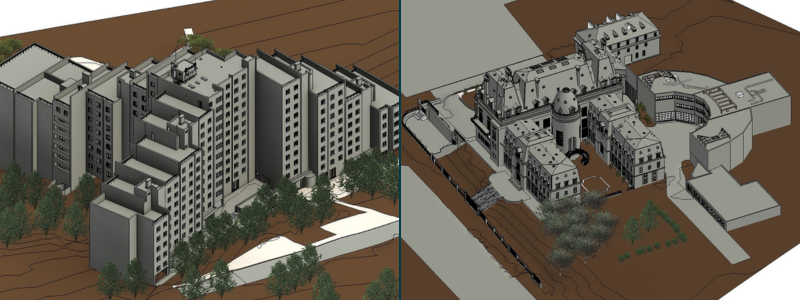
BIM examples modeling

RELATED: Keys to successful structural design & construction projects with architectural services firms

The talent factor: Who’s driving the software?

Let’s discuss people for a moment.

The best software in the world is still only as good as the folks using it. And here’s where many firms stumble.

CAD has been around forever, and you’ll find seasoned professionals who can navigate it blindfolded. BIM, on the other hand, has a steeper learning curve. It requires teams to think differently, plan ahead, and understand not just how to model but why you’re modeling.

That involves investing in training, upskilling, and maybe even reorganizing your team structure. Now you’re recruiting BIM modeling experts, not drafters. You’re bringing IT more into project workflows. You may even have to tell clients why “LOD 350” is important.

But when does your team understand? Projects run smoother. Deadlines seem less daunting. Clients are more satisfied. And your firm? It begins to grow.

The cost question: Is BIM worth the price tag?

Let’s be real, prices count. And BIM is not cheap.

Revit or ArchiCAD licenses are much more expensive than AutoCAD. The equipment to host full 3D models is not cheap either. And to top it all off, the learning curve is time-consuming (and time equals money).

So why do companies continue to switch?

Because BIM’s ROI appears elsewhere in the company: fewer RFIs on the job site, quicker approvals, reduced rework, and greater integration with contractors. That is, while CAD may be less expensive in the short term, BIM tends to save more in the long run.

Some companies even see 20–30% increases in efficiency over time once BIM becomes standard. It’s a long-term game. But if you intend to expand, diversify architectural planning and design services, or take on large, complex jobs, it’s an investment, not a cost.

Client expectations are changing, are you?

You know who else is considering BIM? Your clients.

Developers, cities, and even homeowners who have a smart home obsession all want more than flat drawings. They want walk-throughs, material samples, daylight studies, and dashboards they can access on a tablet.

That is to say, they want interactive design.

With BIM, you can illustrate for them how the sun will strike their penthouse kitchen at 9 am on a summer morning. You can model emergency egress in a hotel. You can demo the mechanical systems behind the ceiling tiles. You can even feed your model into VR and take them through their building before breaking ground.

That kind of immersive storytelling?

Choosing the right tool: A strategic decision

So, which is better, BIM or CAD? The answer depends entirely on your project scope and business goals. Each tool serves distinct purposes in the modern architectural workflow, and even for engineering services.

CAD remains your best friend when you need speed and precision for smaller-scale work:

  • Quick turnaround interior fit-outs and renovations
  • Schematic studies and concept development for local clients

BIM becomes essential when complexity and collaboration drive your projects:

  • Multi-disciplinary team coordination across architecture, engineering, and construction
  • Large-scale or technically demanding buildings requiring data integration
  • Comprehensive service offerings that include energy analysis, clash detection, and lifecycle management

The smartest architectural design firms aren’t picking sides. They’re strategically combining tools. They use BIM for comprehensive modeling and collaboration, then switch to CAD for precise detailing and custom elements.

The key to success? Understanding when to deploy each tool and staying flexible enough to adapt based on your project’s specific requirements.

RELATED: How architects embrace innovation for modern home design services with companies

The future is integration, not competition

The BIM versus CAD debate isn’t about choosing a side; it’s about strategic evolution. Modern architectural firms thrive by leveraging both technologies strategically: BIM for complex, collaborative projects requiring data-rich modeling and intelligent coordination, and CAD for precision detailing and quick iterations.

While CAD design experts and professionals remain valuable for specific applications, BIM has become essential for firms pursuing larger projects, enhanced collaboration, and comprehensive design services. The most successful practices adopt a hybrid approach, using each tool where it excels. As client expectations shift toward interactive, data-driven design experiences, embracing BIM isn’t just advantageous, it’s becoming the industry standard for competitive architectural services.

Cad Crowd is here to help!

Partner with expert BIM and CAD professionals with Cad Crowd today, the leading platform to find the best freelance design and engineering professionals. Transform complex projects into competitive advantages. Get faster project delivery, seamless collaboration, and superior results. Contact us now and get your free quote!

author avatar

MacKenzie Brown is the founder and CEO of Cad Crowd. With over 18 years of experience in launching and scaling platforms specializing in CAD services, product design, manufacturing, hardware, and software development, MacKenzie is a recognized authority in the engineering industry. Under his leadership, Cad Crowd serves esteemed clients like NASA, JPL, the U.S. Navy, and Fortune 500 companies, empowering innovators with access to high-quality design and engineering talent.

Connect with me: LinkedInXCad Crowd

10 Tips to Improve Photorealistic 3D Renderings for Design Companies & Freelance 3D Artists


Whether you’re a render artist selling your services as a freelancer, or perhaps a small design firm in the process of expanding the business scope to include product visualizations, the best way to maintain your competitive edge in the market is to keep on pushing yourselves to learn new things, stay updated on the latest industry-related technology development, and constantly hone your skills to aim for nothing less than perfection. And in the world of 3D renderings, perfection is just another word for “accurate photorealism.”

If you look at render artists’ portfolios available in the leading freelancing agency, Cad Crowd, you’ll quickly notice the difference between the good, the better, and the best visualizations. Now, the fact that somebody can produce any reasonably good product rendering at all is commendable in itself, but the more skillful and experienced artists take the photorealism effect a notch higher with clever use of composition, lighting, model accuracy, and post-processing.

RELATED: How 3D Rendering Streamlines the Approval Process for Developers & Architects 

Render like a photographer

Photorealism happens when the rendering looks virtually indistinguishable from a photograph. The problem is that you can’t always copy a photograph and transform it into a rendering, which is a computer-generated image, using some digital wizardry. In many cases, you must generate an image of something that only exists as an idea, a concept, a sketch, or a schematic at best—there’s no physical object to capture using a camera; you need to model the object digitally first, and then render the model to make it appear as if the object is real and tangible.

That being said, proper 3D modeling services are only one major stage in a series of steps involved in a rendering workflow. While the actual rendering process is done by software (some are automatic while others require manual initiation), there are plenty of things you can do before you arrive at that point to improve the photorealism.

Know your software

Advanced software tools are great with their latest features and sophisticated image-generation technologies to make your job easier, but only if you know how to use them. As far as photorealistic 3D rendering is concerned, whether product or architectural visualization, the first order of business is to get a solid grip of the software you’re using, whatever that might be. Whether it’s the mind-bending realism of V-Ray, the promised precision of Corona Renderer, the open-source reliability of Blender, or the feature-rich 3ds Max, each program carries with it a distinct set of highlight-worthy functionalities.

RELATED: 5 Reasons Freelancing Studios Are the Future of 3D Visualization Services

Understanding software isn’t only about knowing what every button does. More than just getting used to its user interface and all the available features, having a solid grip of the software means being in full control of what it can do. Bear in mind that every program has its own strong and weak points—if you want to master any particular 3D rendering software, you need to be aware of both its greatest strengths and worst shortcomings as well. This way, you’ll be able to optimize its functions and make them work to their full potential.

Even the professional and the experienced need to read the manual sometimes, so make sure to experiment with rarely-used functionality, read more textbooks about the trade, and challenge yourself with experimental features. The software maker’s YouTube channel can be a great place to start, as it usually contains a comprehensive assortment of practical guides, from basic how-to videos to in-depth explanations about specific issues. Some of the guides here will probably sound a little technical, but that’s where software documentation and YouTube guides should come in handy. 

Take a cue from real-world lighting

In general, CGI (3D renderings included) are admittedly fake, in the sense that every single thing you see in the frame isn’t a photograph of a physical object. Although the imagery might mimic actual objects and scenes, it’s all computer-generated down to the tiniest details rather than a captured photo. Yet, the task here is to generate imagery that is so lifelike that people think that everything they see is a genuine artifact. One massive giveaway that 3D rendering services are poorly-made mimicry of life is the lighting.

3d architectural interior rendering services

RELATED: 3D Modeling vs. 3D Rendering Services

If photorealism is what you’re after, the imitation shouldn’t stop at the shape, color, and texture of an object, but it must also include how it’s affected by lights. And what better way to achieve photorealistic lighting than taking a cue from the real one? To do this, you must first identify all the light sources to be used in the rendering; think about whether they’re supposed to be natural or artificial light sources (or a combination of them) as well as their intensity, color temperature, and positions relative to the objects and scenes.

The shape of the artificial light source also plays a role; for example, candle-shaped and reflector bulbs have different light distribution characteristics. Interactive Rendering and LightMix features (in Corona and V-Ray) are practical for this purpose. Thanks to the instant feedback functionality, you get the chance to experiment with various lighting configurations and see immediate results without having to wait for a full render after each modification you make.

Also, don’t be afraid to introduce shadows to the scene. Many new render artists tend to use ambient lights to cover a large area in an attempt to get rid of shadows. However, they can actually be useful as a compositional element (such as to accentuate contrast) to help guide the audience to the focal points of the scene.

RELATED: What are the Different Types of 3D Rendering Services?

Round edges

Sharp edges (or rather, the perfectly sharp ones) rarely, if ever, exist in real life. At the same time, you’d be surprised to see how many times this rule is broken, especially in architectural visualizations. Geometry with sharp edges sounds brilliant in theory, as they denote precision and uncompromising form tolerance, but they’re not that great to make the case for photorealistic rendering services. Round edges do a better job at reflecting and deflecting light, giving the geometry or the object a more natural-looking appearance.

One of the most common techniques to achieve this round edge profile is to use the Chamfer Modifier tool (in 3ds Max). You can set the tension to 0.5 for a convex chamfer and then add enough segments to get a smooth transition. If necessary, change the minimum angle so that the effect applies only to certain edges. In case the default smoothing option doesn’t give you the desired result, use the “Smooth to Adjacent” and “Smooth Chamfers Only” options.

As an alternative, it’s also possible to use the TurboSmooth modifier; it’s a little faster than MeshSmooth, but a lot more time-consuming than the Chamfer Modifier. In Corona Renderer and V-Ray, you can achieve the same result by adding an edge texture to the material instead of using a geometry manipulation technique. While this method is quick, it will add additional geometry and can still make the edges appear sharp at intersections.

RELATED: From Concept to Client: The Power of Architectural Visualization Software for 3D Services

3d architectural exterior rendering services

Perfection is imperfect

It sounds cheap and as cliché as they come, indeed, but it’s true. Trying too hard to make sure that every fraction of every inch is perfect in every way might actually lead you to a genuine lack of authenticity. Rather than seeing imperfection as some kind of defect that would ruin a rendering, you should learn to appreciate it as a lifelike quality that contributes to the realism effect. Not everything has to be immaculate—a tiny bit of wrinkle in a silk doesn’t ravage the material; in contrast, a crease in a spot or two makes it look real. Take a look at just about any surface all around you.

There will be dust, dirt, smudges, stains, scratches, blemishes, and every other speck of things that make the otherwise flawless surfaces imperfect. Remember that perfection refers to accurate photorealism with 3D visualization designers? The term “accurate” applies not only to the geometry of the object being modeled and rendered, but also to how it should appear (as perceived by the eyes) in the real world. In other words, you also have to model and render the imperfection. That being said, imperfection will only serve the rendering well if it makes sense in the context of the scene.

For instance, old laptop with a polished metal LCD cover probably has some smudges on it; wooden floor in a decades-old home also naturally has discoloration is various spots; cars in a junkyard need a different kind of imperfection from those in a showroom; even nature like rivers and trees are most of the time not as picture-perfect as you think. Depending on the context, the imperfection might be subtle (such as for renderings of new products) or pronounced (in the case of used/abandoned/old objects).

RELATED: 3D Rendering: What It Is and Why You Should Care

Bring in a little bit of chaos

Still on the subject of “perfection has to be imperfect” from the previous tip, a common failure in a supposedly photorealistic 3D rendering is that the scene looks impossibly good for its own sake. In addition to a range of acceptable flaws on objects’ surfaces, you might want to look into introducing some randomizations or even adding subtle chaos to the scene.

Imagine how unusual it would be if the books on the shelf in a home office are so well-organized, with every volume standing perfectly vertical on its spine. Think how unnatural it would be if the flowers in a garden were of the same color and size. Even a perfectly organized children’s playroom should look a bit messy. An immaculate organizational system is easy to do in 3D architectural rendering services, but next to impossible in the real world.

Don’t forget that subtle variations between the same objects are not at all uncommon either, especially in nature. For example, rocks on the riverside have different shades of black, and not every blade of grass in the lawn is as green as the next. Use Corona MultiMap (or an equivalent feature) to randomize the hue of a texture, or perhaps introduce a brand-new texture if needed.

RELATED: Integrating 3D Rendering with Photography for Architectural Development Companies 

Get the atmosphere going

Like every aforementioned tip here, subtlety is key when applying atmospheric fog to your scene, especially for 3D architectural visualization firms. Not only does an atmospheric fog make an exterior rendering more realistic, but it often proves to be an excellent tool for composition. In general, lowering the contrast of the background elements instantly creates a notable sense of depth. It’s somewhat similar to bokeh, but instead of creating the blurry look with a lens effect, you need to make the fog appear as a natural atmospheric phenomenon.

Z-depth render element is often cited as an effective method to achieve the effect. Your scene gets darker as it moves further away from the camera, but to get the desired result, you might still have to top it with other tools, including tint, invert, and composite using the additive blending. Corona Volume Materials seems to be better as it gives you more options to experiment with multi-pass compositing and absorption distance, too.

architectural rendering company

Lens effects

In most situations, a lot of photographers will want to avoid having glare and bloom effects in their works, but it isn’t necessarily the case with 3D rendering designers. Once again, be subtle about it. Otherwise, it would take the scene further away from being photorealistic. Another thing to remember is that in photography, the depth of the field gets shallower as an object gets closer to the camera; therefore, in 3D rendering, the effect works best when the scene involves a close-up shot as a way to lead the viewers to the focal point.

RELATED: How Photorealistic 3D Rendering Design Saves Companies Money

Both V-Ray and Corona can handle glare and bloom effects during the buffer, but you can adjust the settings after the scene has been fully rendered as well. A z-depth pass or Photoshop’s lens blur filter also works (post-processing).

Mind your object scaling

Photorealism requires proper object scaling. This is especially true for common objects like furniture pieces in furniture rendering services, cars, home appliances, people, etc. As a general guidance, here are the real-life standard dimensions of everyday objects commonly used as a reference for architectural renderings:

  • Building story height: 270cm – 300cm
  • Interior door: 76cm x 198cm
  • Car length: 450cm
  • Average person height: 163cm (female) and 177cm (male)
  • Dining table or desk height: 74cm
  • Kitchen counter height: 90cm
  • A brick: 22.5cm x 7.5cm

Obviously, this isn’t an extensive list, but you always have Google on your side in case you’re working on an object not mentioned above. Always set the unit of measurement in the software to the system you’re comfortable with, either metric or imperial. As you’re working on the scale of objects, you’ll have to put the textures of those objects into account as well. You have to make sure that the material tiling (repeating texture) correctly represents the scale.

RELATED: Utilizing 3D Rendering Services for Companies in Architectural Property Development

Realistic viewing angle

There are situations where an aerial and bird’s eye view make the rendering more effective as a design communication tool, for example, when a 3D floor plan design expert creates a 3D floor plan or a visualization of an entire residential area. For a typical lifestyle render (the kind where you showcase a product or design in a realistic everyday setting), it’s advisable to set the camera position or viewing angle to something that’s physically possible.

Positioning the camera anywhere from 150cm to 170cm above ground gives the audience a natural viewing angle, bringing the sense of what it should feel like to be right in front of the object or standing in a room. Humans are not used to seeing the world around them from higher than 200cm off the ground—a perspective from these heights can make them uncomfortable.

Get a good grasp of PBR materials

Physically Based Rendering, or PBR, is a method that aims to accurately represent the natural behavior of light and how it interacts with objects. One of the main principles of PBR materials revolves around adjusting for reflection, diffusion, and refraction of light.

RELATED: The Different Types of CG Visuals a 3D Rendering Service Can Make

Getting a good grasp of PBR also means understanding the Index of Refraction (IOR), which is the measurement of how fast light travels through a vacuum (IOR 1.0) compared to how much it slows down as it travels through material. For instance, when light hits transparent glass or water, the speed decreases. Its wavelength is also reduced, causing it to bend. This change of direction is commonly referred to as refraction. The rule or IOR differs for each material/type of surface.

Conclusion

A friendly reminder, creating a photorealistic visualization calls for lifelike imitations of objects and scenes you’re about to render. In the event you get stuck in any of the steps in the workflow, there’s nothing wrong with taking a look at some reference photographs and learn from reality itself. The goal is to generate a rendering that not only looks real but also feels real; by mimicking reality along with all the imperfections that come with it, you’ll be able to infuse an extent of authenticity that your viewers can certainly appreciate.

How Cad Crowd can help

Transform your concepts into stunning photorealistic 3D visualizations with Cad Crowd’s elite network of rendering professionals. Our pre-vetted artists deliver the perfect balance of technical precision and artistic flair that today’s competitive market demands. Request your FREE  quote today, and elevate your visual communications to an entirely new level of excellence.

author avatar

MacKenzie Brown is the founder and CEO of Cad Crowd. With over 18 years of experience in launching and scaling platforms specializing in CAD services, product design, manufacturing, hardware, and software development, MacKenzie is a recognized authority in the engineering industry. Under his leadership, Cad Crowd serves esteemed clients like NASA, JPL, the U.S. Navy, and Fortune 500 companies, empowering innovators with access to high-quality design and engineering talent.

Connect with me: LinkedInXCad Crowd

6 Types of Residential Design & CAD Services for Companies


Residential design is about dressing up a space to look good and the status of how people will live, cook, sleep, watch hours of reality television, grow a family, host parties in backyards, and sometimes work remotely in their pajamas. For someone who didn’t have the expertise needed, these can be a lot of responsibility for a building. So when businesses employ residential design experts, they’re not simply adding someone to sketch walls and windows, but they’re seeking an expert and professionals with innovative minds, layout masters, and CAD-proficient people who can transform a general client brief into an architectural work of art.

But not every new residential design service is equal. Some specialize in structural accuracy. Others plunge into ethereal aesthetics. Some wrestle zoning regulations like legal ninjas. And many of them use CAD (Computer-Aided Design) to introduce accuracy, speed, and clarity to the entire process.

Let’s take a stroll through six primary residential design and CAD services from the leading agency Cad Crowd, where you can choose from its pool of 94,000 experts, ready to level up and elevate your project, whether it’s a product or a 3D rendering project. You can guarantee that you’ll get the best results at a very reasonable price.

Architectural design services: The big picture thinkers

Architectural design is the mothership. This is where artistic vision and technical discipline intersect. Architectural designers don’t simply think about walls—they think about how a house sits in its surroundings, how it relates to sunlight, how to get space to flow organically, and whether or not a spiral staircase is a good idea.

What do they provide?

  • Concept and floor plans
  • Schematic drawings and 3D modeling
  • Code compliance and site planning
  • Incorporating sustainable design elements

RELATED: 3 steps to hiring a reliable architecture firm & freelance services architects

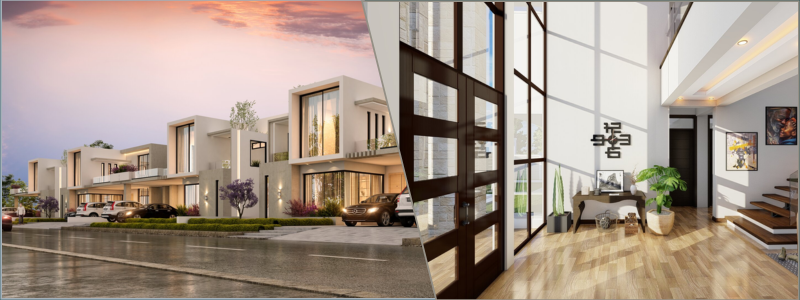
3d rendering of an apartment complex and interior design of an entrance hallway

Where CAD enters the picture:

CAD software is used by architectural design companies to produce detailed blueprints, cross-sections, and elevation drawings. They model structural integrity, lighting levels, and even energy consumption. This provides clients with a clear advance glimpse of the finished structure—and allows builders and contractors to work off accurate, approved plans.

Perfect for: New home building, high-end residential developments, and bespoke mansions with walk-in closets the size of small apartments.

Interior design & space planning: The detail-oriented magicians

This is where strategy meets style. Interior designers are not just about selecting colors or what rug actually ties the room together. They’re all about how individuals use spaces day-to-day. Think ergonomics, lighting, furniture placement, and mood-setting atmosphere.

What do they provide?

  • Space planning and room design optimization
  • Material selection and fixture procurement
  • 3D visualization and renderings
  • Interior architectural detailing

Where CAD enters:

Interior design experts use CAD software that enables teams to create photo-realistic renderings, elaborate floor plans, and furniture plans that can be changed in real time. Customers can have virtual tours, modify cabinet finishes, or experiment with five various colors for the walls before settling on one (and deciding again a little later on).

Best for: Upgrades, kitchen and bathroom remodels, home staging to sell a home, and high-end penthouse redesign with mood lighting.

Structural design services: The quiet heroes of stability

These are the people who ensure your home doesn’t crumble when it rains, snows, or has a relatively mild wind. Structural design services concentrate on designing the skeleton of a residential home, including beams, load-bearing walls, foundations, and roof systems.

What do they do?

  • Load analysis and structural calculations
  • Foundation and framing plans
  • Seismic and wind resistance checks
  • Retrofitting of older structures

Where CAD comes in:

CAD for structural design includes tools for finite element analysis (FEA), stress testing, and reinforced concrete detailing. It’s not glamorous, but it is essential. Without structural CAD drawing services, you’re building on guesswork—and that’s not something homeowners like to hear.

Perfect for: New construction, earthquake areas, historic restorations, or anyone who desires to construct a rooftop garden jacuzzi with ease.

Landscape design services: The outside-the-walls artists

A gorgeous house without a similarly gorgeous outside? That would be like it. Landscape designers work on anything from the sidewalk to the fence in the backyard. They design outdoor spaces that not only look wonderful but are also functional, environmentally friendly, and welcoming.

What do they do?

  • Planting designs and irrigation schematics
  • Hardscapes such as patios, pools, and decks
  • Outdoor lighting design
  • Grading and drainage schemes

Where CAD is used:

CAD software for landscape design services enables the accurate placement of outdoor features. Designers can model sun paths, rainwater drainage, and seasonal plant growth. They can even generate time-lapse images displaying how the garden will look in years to come, just in case the client wishes that bougainvillea hedge to bloom in year three.

Perfect for: Suburban residences, luxury villas, eco-homes with permaculture gardens, or anyone with a pool party fantasy and an expansive budget.

RELATED: Top design & drafting tasks to outsource for architects and architectural services firms

Mechanical, electrical & plumbing (MEP) design services: The system ninjas

You might not see them, but you’ll definitely notice when they’re missing. MEP design is all about the systems that make a house livable. Water flows, electricity powers up your espresso machine, and HVAC systems make the bedroom feel just right in July—and it’s all thanks to these behind-the-scenes pros.

What do they offer?

  • Electrical layouts and lighting design
  • Plumbing systems and fixture placement
  • HVAC system integration
  • Energy efficiency analysis

Where CAD comes in:

MEP-centric CAD software comes with routing features, system clash detection, and coordination models. This prevents pipes, ducts, and wires from sharing space (which never turns out well). With integration with BIM (Building Information Modeling), CAD tools enable MEP drafting services to integrate with architects and structural designers easily.

Best for: Smart homes, retrofits, off-grid installations, and solar panel-equipped buildings, greywater systems, or radiant heating.

Custom home design services: The dream builders

Sometimes, clients don’t need a “model home” or anything close to pre-packaged. They need something bespoke from scratch: a seashell-shaped lakefront cabin, a kids’ treehouse compound, or a multi-generational villa with hidden passages. That’s where custom home design services come in.

What do they do?

  • Client interviews and lifestyle-driven design briefs
  • Concept sketches and mood boards
  • Full 3D CAD models and walkthroughs
  • Permit-ready construction documents

Where CAD fits in:

With custom homes, CAD is as much a collaboration device as it is a design device. Clients may view interactive models, modify elements on the spot, and envision finishes, rooflines, and flow prior to driving a nail. Designers frequently employ parametric modeling in order to tweak features in real time according to client desires or site limitations.

Best for: The “go big or go home” crowd, celebrities, retirees’ “forever” dream home builder, or a family with very specific ideas—and Pinterest boards to back it up.

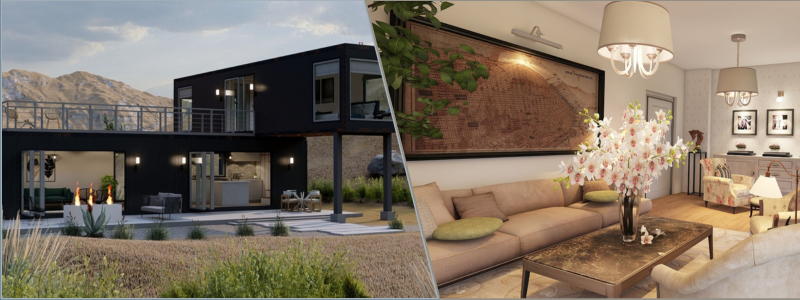
3d rendering of a townhouse resort and a living room example rendering

RELATED: How architects embrace innovation for modern home design services with companies

Bonus: How these services work together in residential projects

Let’s be real—constructing a home is a team effort. Behind every gorgeous home design, there’s a whole crew of experts playing in harmony. And most times, these specialists don’t only work in silos—rather, they work together across disciplines to deliver a project seamlessly and effectively.

Here’s what a typical residential project could look like:

  1. It begins with the expert architectural designer, who draws up the preliminary layout of the house, defining how the rooms flow and function.
  2. Then, a structural engineer comes in to ensure the home’s framework can actually bear the weight of the design, checking loads, supports, and structural soundness.
  3. Then, a MEP consultant comes on board, ensuring HVAC systems, plumbing, and electrical floor plans are designed and integrated into the building.
  4. An interior designer assumes control over the interior, efficiently utilizing space as he/she makes choices regarding finishes, color, and fixtures that are consistent with the homeowner’s vision.
  5. Last but not least, a landscape designer brings it all together, creating outdoor spaces that enhance curb appeal and complement the architecture.

Sounds like a whole lot of moving parts, huh? That’s where CAD and Building Information Modeling (BIM) platforms are essential. All of these professionals utilize CAD software to design, collaborate, and revise documents, ensuring everyone is on the same page. This type of digital collaboration relies on cloud-based applications, version control, and software interoperability.

So why do businesses even depend so much on CAD for this?

Because it’s not all about pretty pictures. CAD is the behind-the-scenes hero of home design services. It provides:

  • Accuracy – to fractions of an inch.
  • Speed – with edits and revisions completed in minutes.
  • Visualization – allowing clients to “see” their new home before a shovel ever touches the ground.
  • Cost savings – because design mistakes caught early save big money later.
  • Real-time collaboration – with everyone working off the same live files.

From sketches of ideas to final building drawings, CAD bridges it all, taking complicated multi-specialty jobs and turning them into stunningly crafted homes.

Wrapping it up: Residential design is a team sport

Creating home spaces is more than just throwing together a floor plan and calling it a day. It’s a complex, multi-dimensional process that alludes to structure, comfort, systems, style, and flow. From the sprawling country estate to the spare city loft, each and every residential project is made better by the collaborative work of specialized designers and the digital superhero powers of CAD.

RELATED: 6 industries revolutionized by 3D rendering freelancers & design services companies

Experience the Cad Crowd difference

Next time you enter an exquisitely designed residence and everything from the natural kitchen light to that ideal placement of the AC return above your favorite reading spot comes together just so, remember this: behind such harmony is an army of residential design experts at Cad Crowd typing away in CAD, making the magic real. Call us now for your free quote.

author avatar

MacKenzie Brown is the founder and CEO of Cad Crowd. With over 18 years of experience in launching and scaling platforms specializing in CAD services, product design, manufacturing, hardware, and software development, MacKenzie is a recognized authority in the engineering industry. Under his leadership, Cad Crowd serves esteemed clients like NASA, JPL, the U.S. Navy, and Fortune 500 companies, empowering innovators with access to high-quality design and engineering talent.

Connect with me: LinkedInXCad Crowd

Enhancing House Renovations with 3D Rendering Services & Visualization Design Firms


Imagine this: You’ve finally determined that it’s time to bestow your house with a long-overdue glow-up. Perhaps it’s the small kitchen, the old bathroom tile, or that living room that’s been yelling for a fireplace feature wall since 2002. You sit down with a renovation contractor, discuss finishes and colors, perhaps gesture with your hands to describe “modern but cozy,” and then pray. You dream—no, hope—that what’s in your brain is what they will end up building.

What if you could look at your future space before a single swing of a hammer?

That’s the sorcery of 3D rendering services from industry powerhouse Cad Crowd—and it’s no longer reserved for million-dollar mansions or high-end skyscrapers anymore. With an explosion of affordable, super-detailed visualization from design companies, average homeowners are now accessing a whole new universe of confidence and creativity with their remakes. Here’s the rundown on how 3D rendering can really take your renovation to the next level.

RELATED: How to Determine the Quality of Architectural 3D Renderings with Design Services Companies Firms

What is 3D rendering in renovation anyway?

Envision your renovation design—your mood boards, Pinterest pins, architectural drawings—all integrated into a practical digital model. That’s 3D rendering. These are not the clumsy computer graphics of the early 2000s. We’re discussing ultra-high-definition photorealistic images or videos that simulate the precise materials, lighting, and textures of your new kitchen, bathroom, or whole home.

You can observe the interaction between warm walnut cabinetry and matte black hardware, or the way natural light streams into your open-plan living room with those new skylights. This isn’t design—it’s living your new place before you even have it.

Why 3D rendering companies are the best-kept renovation secret MVPs

Design 3D architectural visualization companies don’t just make pretty images. They work as the interpreters between your vision and the contractor’s tool belt. Here’s why they’re a game-changer:

RELATED: 3D Modeling vs. 3D Rendering Services

They make you make better decisions, quicker

Do you actually need subway tiles in the kitchen? Or will that Moroccan zellige tile add more personality? Rather than browsing through pictures and making an educated guess, you can see both possibilities brought to life in your very own kitchen design—side by side. The decision is clear. Visualization slices through dithering like a hot knife through butter.

They avoid expensive errors

Want to see what that bright green accent wall is going to look like before you shell out six coats of paint? With 3D rendering, you can adjust materials, furniture arrangement, window size—you name it—without laying out a single penny on the actual changes. That’s saving. On paint. On labor. On your sanity.

3d rendering expert designers

They bridge the gap between you and your contractor

Adjectives such as “airy,” “modern,” or “Scandinavian-inspired” have wildly varying meanings to different individuals. 3D renderings provide everyone—homeowner, designer, contractor, even your doubting cousin Gary—a common visual vocabulary. Fewer misunderstandings. More results that meet the expectations of architectural design firms.

RELATED: What are the Different Types of 3D Rendering Services?

Large renovation or small makeover? 3D rendering either way produces results

A popular myth is that the services of a renovation are only worth it if you’re gutting the entire house. Nope. Even a mini bathroom renovation or a new bookcase built in will see some benefits. Actually, smaller projects sometimes leave less space for mistakes. If you’ve only got a 5×8-foot bathroom, you need to really know if a floating vanity will open the room up or seem like it’s just floating there inelegantly.

And a cramped kitchen requires layout perfection. Home design companies that provide residential rendering services are experts at creating even small spaces look and feel like big transformations.

Interior or exterior? Why not both?

Yes, 3D rendering excels for interiors—but don’t discount your home’s curb appeal. Exterior rendering services can replicate:

  • How does that new front porch design play with the current facade
  • How those black-framed windows will really look with red brick
  • How landscaping, lighting, and driveway pavers mesh for a wow-factor entrance

Thinking of adding a second story? Render it first. You’ll be spared surprises such as “I didn’t know the new roofline would obstruct our view of the sunset.”

RELATED: How 3D Rendering Has Revolutionized Interior Design

How 3D rendering complements interior design

If you’re hiring an interior designer (or even designing yourself), 3D visuals are your best friend.

Here’s why:

You get a virtual sandbox

Try out various materials, configurations, wall colors, and lighting colors—without lifting a paintbrush or even purchasing one swatch.

It’s simpler to source the correct furniture

Some rendering services are able to include actual products from catalogs in the design. That’s to say, you have exact knowledge of which West Elm dining table or IKEA cabinets to order when the occasion arises.

Lighting takes center stage

It’s difficult to conceptualize the way natural light behaves over new layouts or colors you choose, unless you elicit the help of lighting design services. Renderings can mimic daylight as well as artificial lighting, so you don’t have a gloomy blue-gray living room on your hands when you wanted warm and welcoming.

RELATED: Lighting Techniques In 3D Renders: Essential Tips for Companies

The renovation process with a visualization firm: A step-by-step look

Renovating your home? One of the best things you can do is hire a visualization company to turn your dreams into reality before the first hammer falls. Here’s how the process generally works—and why it makes renovations easier and more fun.

Step 1: Share your vision

It all starts with your ideas. Don’t worry if they’re scribbled on a napkin or sketched out in your head—visualization firms are used to working with everything from detailed architectural blueprints to casual reference photos. Maybe you’ve got Pinterest boards, a list of must-haves, or even floor plans from a previous project. Send it all in. The goal here is to get your vision on the table.

Step 2: Work together on design ideas

This is where things get exciting. The firm will typically submit rough draft renderings—initial visualizations of your space. You review them and provide feedback. Want to drop those pendant lights? Like oak floors better than birch? Perhaps that accent wall could use a stronger color. This step is all about tweaking the design until it feels perfect. Consider architectural planning and design services to help extend your vision.

3D architectural rendering designers

Step 3: Receive your final renders

Once it’s all approved, you’ll get the final images. Depending on the company, this might be ultra-sharp photos, interactive 360-degree walks, or even a complete VR experience. Yes, you can actually “walk through” your future kitchen or bathroom while wearing a headset. It’s the best way short of actually seeing your completed area before it’s even constructed.

RELATED: How Photorealistic 3D Rendering Design Saves Companies Money

Step 4: Move forward with confidence

Now you’re not making an educated guess—you’re budgeting. Armed with these graphics, it’s simpler to deal with your builder, secure planning permissions, or even wow a lender. You have a well-defined blueprint, and that is a strength. See your future come to life before it’s built? Here’s how you do it.

What about cost?

Oh, the million-dollar question.

3D rendering costs wildly depending upon scope, detail, and format (still image vs. animation vs. VR). But smaller and mid-range projects can budget between $300 and $1,500 per room, depending upon complexity. That’s compared to the cost of having to redo tile work because you despised the arrangement after it had been installed. Now, those 3D interior rendering services have become a steal.

In addition, a lot of visualization design companies provide packages, particularly for entire home renovations or several rooms. And do not forget the resale value in the future when your renovation is more unified and stunningly done.

RELATED: Architectural 3D Rendering Styles and Visualization Techniques

Real homeowners are already on board

One homeowner utilized 3D interior rendering to investigate two quite distinct appearances for their open-plan kitchen-dining space. One trended minimalist and Scandinavian; the other, dark and mid-century. After viewing both in their precise setting, they opted for a combination style—one they never would have even thought about without witnessing it.

Another pair constructing a small vacation house employed renderings to see how much natural light their envisioned skylights would provide on winter days. The sunlight in the renderings convinced them to install two additional skylights. Costly? A bit. Worth it? Every bright morning since.

Tips for getting the most from your rendering partner

If you’re sold on the concept (and let’s face it, who isn’t?), here’s how to get best results from interior design experts:

  • Select a company with experience in residential projects. Rendering a condo kitchen is not the same as a luxury hotel lobby.
  • Request various lighting scenarios. Morning vs. evening vs. artificial light.
  • Provide actual materials and product links wherever possible.
  • Don’t omit exterior renderings if you’re modifying the roofline, windows, or landscaping.
  • Be receptive to criticism. Visualization companies tend to come with great design intuition on board—use it!

RELATED: The Best Architectural Rendering Companies and 3D Rendering Services

Bonus: Use renderings for future projects, too

Suppose you’re only redoing the ground floor at this time but want to do the upstairs next year. Why not present the entire house’s eventual form up front? This presents you with an integrated design plan and can also save time (and redoing) down the road. Even if you switch in a year, you’ll be constructing upon a deliberate basis—not making things up as you go along.

The final verdict: It’s time to render before you renovate

Whether you’re refreshing a tiny powder room or transforming your entire home, 3D rendering services are like having X-ray vision for your renovation. You’ll eliminate guesswork, reduce costly do-overs, and enjoy the thrill of seeing your dream home before it becomes reality. And let’s be honest—who doesn’t want to feel like a design pro, seeing their vision leap from imagination to vivid, walk-through perfection?

How Cad Crowd can help

Before you lift a sledgehammer or sign off on those bespoke cabinets, give 3D rendering a try. Your future self (and your bank balance) will thank you. Get in touch with Cad Crowd today and ask for a quote for free.

author avatar

MacKenzie Brown is the founder and CEO of Cad Crowd. With over 18 years of experience in launching and scaling platforms specializing in CAD services, product design, manufacturing, hardware, and software development, MacKenzie is a recognized authority in the engineering industry. Under his leadership, Cad Crowd serves esteemed clients like NASA, JPL, the U.S. Navy, and Fortune 500 companies, empowering innovators with access to high-quality design and engineering talent.

Connect with me: LinkedInXCad Crowd

3 Steps to Hiring a Reliable Architecture Firm & Freelance Services Architects


Selecting the appropriate architecture company or independent architect to design your project can be a daunting process, but it needn’t be. When you’re creating your dream house, a business building, or a remodeling project, professional help plays a significant role in guaranteeing success for your project.

Being one of the top names in the business right now, Cad Crowd has some of the most trustworthy architecture firms and freelance architects who are qualified to turn your projects into a reality, regardless of their scope and magnitude.

Architects are the professionals who can make your imagination come to life, creating functional and stunning spaces. That is why choosing the right one needs to be accomplished with extra vigilance.

In this article, we will discuss the three easy steps that will help you know how to hire a trustworthy architecture firm or freelance architect. This way, you can be certain that you’re making the correct decision for your project’s specifications, timeline, and budget.


🚀 Table of contents


Step 1: Define your project’s specific needs and scope

Even before you begin searching for architects, you must determine what you want them to do. Step one is discovering how big and complex your project will be. Are you constructing a new building from scratch, or are you renovating a building? Is your project of moderate size, or are you undertaking a huge, complex design?

Determine the type of architect you need

Depending on the project’s size and complexity, you might need an architectural design firm or a contract architect. Both have pros and cons, but having knowledge of what kind of experience your project will need can help you make the most informed choice.

Architecture firms Freelance architects
An architecture firm would generally consist of a group of designers and architects with various experience areas such as commercial, residential, sustainable design, or urban planning. Firms are better for large projects needing multi-disciplinary staff. Firms also provide help with permits, codes, and general planning. If your project is very complex or needs a lot of coordination, an architecture firm can offer a level of expertise and service that independent contractors cannot offer. Or, freelance architects are ideal for small jobs, homes, or if you have a small budget. Freelancers provide flexibility, affordability, and a better personal experience. A talented freelance architect can provide you with the same level of high-quality design experience as a big firm, but with more immediate access and control of the process.

Know your budget and timeline

The second thing to keep in mind is familiarizing yourself with your timeline and budget. A larger company will cost more, but they can deliver more detailed work with faster timelines due to the resources they have available. Freelancers, being cheaper, will probably have less ability to produce on tight timelines, depending on the amount of work.

Consider the overall cost profile of your project. Do you require much project management, or are you primarily looking for architectural design? Be realistic with yourself regarding what you can pay, and be willing to articulate this to potential architects.

Project design and style

You also need to set your style and design goals. Do you want a clean-lined contemporary look, or something that is more sympathetic to the heritage aesthetic? Will sustainability be a primary goal, employing passive house theory, or environmentally friendly building products? The clearer you are about these matters, the simpler it will be to find an architectural design and planning service that practices your preferred style.

RELATED: Top design & drafting tasks to outsource for architects and architectural services firms

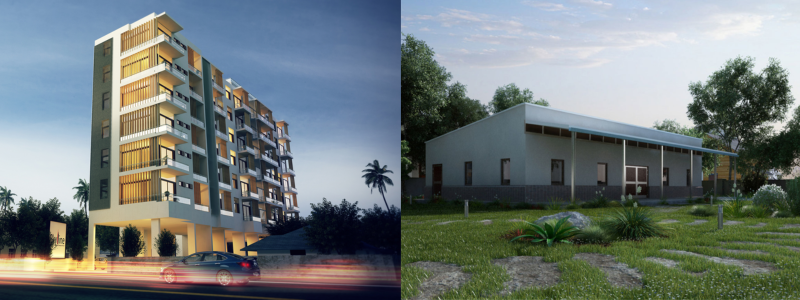
3d rendering of a residential building and school

Step 2: Research and shortlist potential candidates

Once you know what you require and what you can manage to pay, the subsequent task is to look for potential architects to shortlist from. Given that there are numerous architectural firms out there, your task is to screen for potential candidates who qualify to fit your requirements, your preferred style, and your project budget.

Where to look for architects

Begin searching for architects through the appropriate channels. Start with online searches of websites specializing in the field of architecture, including the American Institute of Architects (AIA), the Royal Institute of British Architects (RIBA), or regional listing websites within your area for architects. Such websites normally screen professionals by standards of good practice.

You can also seek referrals from relatives, friends, or colleagues who have previously worked with architects. If your own friend had a positive experience, there is a chance that you will have the same.

Don’t forget to also scour the internet for architect portfolios or websites. Cad Crowd, Archinect, Houzz, or Behance are excellent resources where you can browse through architect profiles, read examples of past work, and see reviews from customers. Most architects should have professional blogs or case studies on a project, which may better inform you regarding their specialization and process.

Evaluating portfolio and competence

Once you’ve compiled a list of potential candidates, take the time to review their portfolios carefully. Look at the types of projects they’ve worked on and whether their design style aligns with your vision. Be sure to assess the quality of their work and pay attention to the details that matter most to you. Does the architect have a history of completing the kind of project you are planning, e.g., a home project or a commercial project? Have they completed projects of similar size or complexity?

For independent workers, you will notice more of an individual style to the portfolio. The independent worker might not necessarily have as high a number of projects in his or her portfolio as a big agency, but you can still make a qualitative assessment based on style, technique, and feedback from previous clients.

Checking references

Regardless of how wonderful an architect’s portfolio is, never skip the vital step of calling up references. Inquire with previous clients about what went on, the communication type, and the project outcome eventually. Pose specific queries as to the kind of problem-solving approach employed by the architect, within the budget and timeline, and the responsiveness rate in the process.

You may also look up the reputation of architectural design and drafting services on review websites, social media, or professional websites. Look at how long they have been around and what kind of clients they are usually dealing with. This will determine whether you go for their professionalism and reliability.

RELATED: Using 3D visualization services to communicate design intent to clients and firms

Step 3: Interview and select your architect

You’ve whittled down your list; now it’s time to interview your potential architects and make the final decision. Regardless of whether you’re hiring a firm or one individual freelancer, interviews are part of the process of deciding who is best for your project.

The interview process

Develop an agenda of interview questions to pose in order to discover the architect’s style, process, and personality. A few of the most important issues to discuss in your interview include:

  • Experience and expertise: Question the architect about the extent to which they’ve had experience with projects similar to yours. Request that they explain their design process, what they do if the client makes a change, and how they stay on track with the project.
  • Project timeline and communication: What are you seeing with timelines and communications? How frequently is your project discussion meeting conducted? How much time do you see that you will leave it with at the point of implementation? What are they going to do if delays or unexpected setbacks occur?
  • Budget control: Can they control expenses and remain within budget limits? How do they respond to cost estimating, and how will they prevent themselves from costing themselves more than they wish to spend?
  • Cooperation: How does the architect work with other specialists like contractors, engineers, and freelance interior designers? Will you work directly with these groups, or will you have to deal with the relations?
  • Sustainability and design principles: If sustainability is a high priority for your project, ask to work with sustainable design, energy-efficient materials, or passive house standards. How does the firm incorporate sustainability into its design process?

Assessing compatibility

When you’re interviewing, you’re not just trying to find the best architect, but one you’d like to work with. Communication is everything throughout the project, so it’s essential that you make sure the architect’s working style will mesh with yours. Are they good listeners? Are they proactive about providing suggestions and feedback? Do you feel comfortable that you can be sure they’ll be able to cope with any issues that arise?

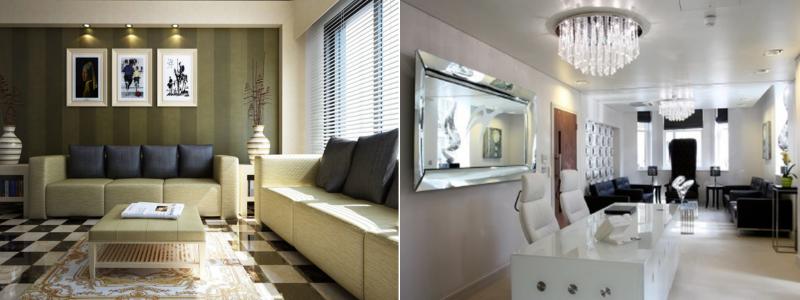
3d rendering of a living room and hospital reception

RELATED: Commercial 3D rendering rates for buildings, services costs, and pricing for architectural firms

Making your decision

After finishing the interviews, take a little time to weigh your choices. Look at all the elements of the project, such as experience, communication, compatibility, and cost. Don’t be in a hurry with this choice, as choosing the right architect is one of the most crucial phases in ensuring success in your project.

Once you’ve selected your architect, make sure you have a good written agreement detailing the work to be done, time, cost, and other conditions. This will prevent future misunderstandings.

Conclusion

Selecting the appropriate architecture firm or single architect to hire may be a challenging task initially, but by following these three crucial steps, which are determining what you require, researching and narrowing down your choices, and interviewing, you can make it convenient and easy for yourself to come to an informed decision that you would never regret in the future. Cad Crowd makes this easy for companies and individuals alike with our vetting and hiring process as one of the top freelancing platforms for architects, designers, and engineers.

With the best architect at your side, you can turn your dream into reality and build a place that is functional and inspiring. Call Cad Crowd today and see the list of the best in the nation. Request a quote now! Happy building!

author avatar

MacKenzie Brown is the founder and CEO of Cad Crowd. With over 18 years of experience in launching and scaling platforms specializing in CAD services, product design, manufacturing, hardware, and software development, MacKenzie is a recognized authority in the engineering industry. Under his leadership, Cad Crowd serves esteemed clients like NASA, JPL, the U.S. Navy, and Fortune 500 companies, empowering innovators with access to high-quality design and engineering talent.

Connect with me: LinkedInXCad Crowd

Architects vs. Designers: What’s the Difference and Which Should You Hire for Design Services?


So you’re finally ready to build your dream space, be it a home remodel, a shiny new office, or that snug backyard ADU that’s been floating rent-free on your Pinterest board. But then you suddenly think: Do I need to hire an architect or an industry leader designer from Cad Crowd? Who actually makes my dream a reality in walls, windows, and wonder?

It’s a typical question, and actually, a fair one. Architect and designer are often interchanged, but within the field of architectural design services, they’re two different animals. Both contribute creativity, but how they work, what they’re legally permitted to do, and the type of projects they’re best qualified to handle? That’s where things get really different.

Grab a cup of coffee and settle in—we’re about to unpack this like a new set of blueprints.


🚀 Table of contents


Let’s start with architects: The licensed structural strategists

When someone utters “Architect,” your mind may jump to a character in hipshades, scribbling crazy designs on a napkin over a shot of espresso—maybe a Frank Lloyd Wright quote and an all-black ensemble for good measure. And, okay, those are stereotypes based on a kernel of truth. But beneath that hip veneer is a highly trained, licensed professional whose work is considerably more than mere pretty pictures.

Architects are strategists of structure. They’re the brains behind the plan, the organizers of opportunities, and oftentimes, the adhesive that keeps a building project in one piece. To achieve the title, an architect doesn’t simply pick up a pencil and begin sketching. They undergo years of intense schooling, most often a five-year degree in architecture, followed by an obligatory internship and a series of challenging state tests. They also continually learn as codes and technology advance.

So what do architectural design experts do, exactly? A more accurate question may be: What don’t they do?

Here’s what you can look forward to from a licensed architect:

  • Create buildings from the ground up – From that dream house, boutique hotel, or commercial office building, architects are equipped to design spaces that are functional, safe, and aesthetically pleasing.
  • Rework existing buildings – Extensive overhauls, like converting a single-story house into two or stripping a building to the studs, take more than an eye for what could be. Architects understand how to address those complicated renovations without jeopardizing (or compromising) structural integrity.
  • Ensure compliance – They’re zoning regulations, building codes, and permitting specialists. That lovely loft architecture? It doesn’t matter if it’s illegal—architects ensure all is well before a hammer so much as a flick.
  • Offer stamped blueprints – If you want official plans to be stamped and approved by the local government (and most larger projects do), an architect’s stamp is necessary.
  • Coordinate the entire circus – Architects are frequently the project ringmaster, coordinating with engineers, contractors, city planners, and in some cases even neighborhood boards.

So, when do you need to call an architect?

  • If you’re constructing a custom home from scratch.
  • If your remodel includes tearing down walls, installing floors, or drastically altering your home’s configuration.
  • If your project resides in a historically restrictive or overly zealous neighborhood regarding zoning laws.
  • If you prefer to have someone manage your project and ensure your vision comes to life without becoming a construction nightmare.

Bottom line? If your project is ambitious, structural, or plain complicated, keeping an architect and interior design expert around is one of the brightest moves you can ever make.

RELATED: How design drawings help avoid interior design mistakes for 3D design companies

3d rendering of a store and modern home

Enter the designer: The creative space whisperers

When considering building a house, your first thought may be architects and builders. But another group is quietly shaping the feel of your space behind the scenes: designers. These imaginative space whisperers merge form with function, transforming ordinary rooms into extraordinary experiences. While the definition of “designer” varies by context, their influence on your home is undeniable.

Understanding home design professionals

In residential design, you’ll encounter various titles:

  • Home designers – Focus on overall residential planning and layout
  • Building designers – Specialize in structural and architectural elements
  • Interior designers – Experts in interior spaces, finishes, and furnishings

While licensing requirements vary by state, don’t underestimate these architectural planning and design professionals. Many are highly trained, certified, and incredibly skilled. Rather than changing your home’s structural “bones,” they transform its “soul” – perfecting layouts, balancing materials, and ensuring seamless flow throughout your space.

What designers bring to your project

Planning and visualization

Designers excel at creating home plans, particularly for non-structural projects. Whether you’re remodeling a kitchen, renovating a bathroom, or adding a stylish home extension, they serve as your creative strategists. Most now provide 3D modeling design services and virtual tours, allowing you to experience your refreshed space before any construction begins.

Material and design expertise

Ever stood overwhelmed in a tile shop staring at countless shades of white? Designers eliminate this decision fatigue. They’re masters at:

  • Selecting materials that complement your existing elements
  • Choosing furniture that fits your lifestyle and space
  • Designing lighting schemes that enhance your home’s ambiance
  • Creating cohesive mood boards that bring Pinterest dreams to reality

Professional collaboration

Designers work seamlessly with contractors, drafters, and architects to translate your vision from concept to completion. They bridge the gap between your ideas and practical implementation.

When to hire a designer

Consider bringing in a designer when you’re:

  • Renovating key spaces like kitchens or bathrooms is essential, and it’s important to strive for a cohesive, polished result that enhances the overall aesthetic and functionality of your home.
  • If you are expanding your home and are in need of assistance, consider how to effectively integrate new areas with your existing spaces to create a cohesive and functional environment.
  • Working within budget constraints but refusing to compromise on style and quality
  • Feeling overwhelmed by choices and needing expert guidance through the decision-making process

Whether you’re dreaming of a cozy reading nook, planning a complete kitchen transformation, or simply trying to make your living room more functional, consider partnering with an interior design service.

The licensing lowdown: Who can design what—and why it matters

Let’s get a little geeky because when it comes to construction projects, licensing actually does matter more than you’d guess. In the U.S., if someone wants to legally call themselves an architect, there’s a rigorous process involved. We’re talking accredited education, years of internship experience, and passing the notoriously tough Architect Registration Examination (ARE). Only after all that can an architect sign off on plans—and in many places, that signature is what makes the whole project legal.

On the other hand, designers have a different system of rules to follow. Depending on the state and the nature of the project, designers do not always require a license. However, numerous designers seek out professional certifications from organizations such as the American Institute of Building Design (AIBD) or the National Council for Interior Design Qualification (NCIDQ) to enhance credibility.

So what does that mean to you? If your project is one that needs official, stamped plans in order to pull permits, such as new construction or extensive renovations, you will need a licensed architect. But if you’re looking at something more cosmetic or conceptual, a designer could be a better (and less expensive) bet. It all comes down to matching the pro to the job.

RELATED: All things to consider when hiring a design-build firm & services company

3d rendering of a home and office example

Design overlap: The great gray area

Let’s discuss that nebulous area where titles overlap and roles merge, the “gray area” of design. On residential jobs, there is usually enormous overlap between what building designers and architects actually do. And this is where things get interesting.

A talented architectural design and drafting service provider is not merely a person who makes blueprints. They can conjure beautiful floor plans, assist in defining the way a room functions, and even guide you through the construction process. Conversely, architects, though historically concerned with structure, safety, and compliance, tend to have a designer’s sensibility. Most are more than qualified to suggest finishes, pick materials, and determine color schemes that make your space even better.

Actually, the distinctions between the two can become so blurred that some design companies employ both architects and interior designers under the same roof. With this collaborative method, you don’t have to bounce between experts or deal with multiple visions. Rather, you receive a cohesive, streamlined process—where creative vision and technical expertise work hand-in-hand.

Cad Crowd is here to help!

If you’re wondering what’s best for your project, the answer might just be: both. Because in the world of design, collaboration often leads to the most beautiful results.

Are you more inclined to hire an architect or a designer for your task? But no matter what your preference would be, don’t hesitate to contact Cad Crowd and ask us for a quote for free to get your ideal partner for your next projects!

author avatar

MacKenzie Brown is the founder and CEO of Cad Crowd. With over 18 years of experience in launching and scaling platforms specializing in CAD services, product design, manufacturing, hardware, and software development, MacKenzie is a recognized authority in the engineering industry. Under his leadership, Cad Crowd serves esteemed clients like NASA, JPL, the U.S. Navy, and Fortune 500 companies, empowering innovators with access to high-quality design and engineering talent.

Connect with me: LinkedInXCad Crowd

8 Commercial Construction Drawings Types Used by Architects and CAD Services Companies


As one undertakes a commercial building project, the secret to making a vision a reality is always in the details. To make it precise, it is in the building plans. Such technical drawings are vital for bringing design concepts to real structures, acting as the guide for contractors, engineers, and builders to adhere to during the duration of the project.

Industry leaders such as Cad Crowd are the top places where you can hire professionals in commercial construction drawings. Although commercial construction drawings usually take place in collaboration between architects and CAD services firms, it is important to know the different kinds of commercial construction drawings that are being undertaken.

Today’s blog post seeks to examine eight various categories of drawings that are the foundation of commercial building, describing their function and how they help in the construction process.

building 3d rendering examples

RELATED: 5 reasons freelancing studios are the future of 3D visualization services

Site plans

Site plans are essential documents for commercial construction projects, being comprehensive maps that show how a planned building is located within its piece of land.

They give a bird’s eye perspective of the project site, indicating the location and orientation of the building in relation to property lines, neighboring lots, roads, and natural or constructed features like trees, sidewalks, and car parks.

These plans usually contain essential information like the building footprint, entrances, driveways, and layout of utility connections for water, sewerage, gas, and electricity. Topography contours and suggested landscaping are also typically included, providing information regarding elevation differences and the design of green areas by architectural design firms.

Major features:

  • Boundaries and lines of property
  • Orientation and building footprint
  • Parking lots, driveways, and entry points
  • Utility services (electricity, water, sewage, etc.)
  • Landscaping and topography details

Why they’re needed: Site plans are needed not only to envision the project but also to win regulatory approval. They are typically mandated by municipalities to ensure that the design is compliant with zoning regulations, setbacks, environmental controls, and municipal building codes prior to the initiation of construction.

Floor plans

Floor plans are probably the most widely known form of construction drawing. These 2D drawings represent the internal organization of a building, with walls, doors, windows, rooms, and their precise measurements. In commercial development, floor plans play a two-fold role: they instruct construction crews how the space is physically constructed, and they convey the design intent to stakeholders such as property owners or tenants.

Important features:

  • Room arrangement and measurements
  • Door and window locations
  • Circulation routes, such as corridors and stairs
  • Furniture, fixtures, and equipment (occasionally to detail)
  • Emergency exits and accessibility paths

Why they’re important: 3D floor plan design services guarantee the internal layout of the building to be not just functional and productive but also meeting safety code compliance. They make it easy to give contractors an exact blueprint during construction, keeping errors to a minimum and to the right configuration with the architects’ vision.

RELATED: Top design & drafting tasks to outsource for architects and architectural services firms

Elevation drawings

Elevation drawings offer a precise visual image of a building’s exterior, including the way that it looks from every side—front, back, and both sides. Elevation drawings are essential in portraying the architectural look, material finishes, window and door positions, and general proportions of the building.

By presenting a clear image of the façade, elevation drawings assist architects, clients, and builders in comprehending the visual attractiveness and functional design. They are necessary for obtaining permits, having the design meet building codes and zoning laws, and being able to present the vision to stakeholders, construction groups, and planning commissions throughout the life of the project.

Key elements:

  • Exterior views of all four sides of the building
  • Each facade material specification (brick, glass, metal, etc.)
  • Different sections’ height measurements and levels
  • Details such as balconies, roofing, and landscaping

Why they’re important: Elevation drawings convey the general appearance and style of a building, enabling architects and clients to make final aesthetic decisions. They also give the architectural design experts essential information regarding construction details such as window locations and wall materials, enabling structural elements to be constructed to specifications.

Cross-section drawings

Cross-section diagrams illustrate the building in a “cut-away” format as if sliced down the middle, revealing the interior structure, floors, walls, and other components. These diagrams assist in defining the vertical relationships between the floors and the depth of multiple architectural components. Section diagrams are particularly important for comprehending the construction process, materials, and structural components like columns and beams.

Key elements:

  • Vertical relationships among levels (e.g., floor-to-ceiling heights)
  • Interior structural elements such as columns, joists, and beams
  • Position of doors, windows, and walls in the building’s structure
  • Materials employed in each portion (e.g., concrete, steel, wood)

Why they’re important: Section drawings offer insight into the building’s internal organization, including how various materials and structures will come together to support the overall design. They help contractors visualize the depth and scale of spaces, aiding in accurate execution and preventing errors during construction.

Detail drawings

Whereas floor plans and elevations offer general outlines, detail drawings focus on the particulars of the building construction project, with highly detailed information presented. They may vary from details on doors and windows to intricate structural intersections. Architects and interior design experts utilize detailed drawings to convey material specifics, construction methods, and connections that are essential to the building’s integrity.

Key elements:

  • Enlarged window, door, or staircase details
  • Structural connections between elements (e.g., beams to columns)
  • Finishes and materials for certain components
  • Certain joinery, fasteners, or fixtures needed

Why they’re important: Detail drawings avoid confusion or errors in the more complex parts of construction. They serve as a blueprint for the contractors to work with, and each component is constructed with the utmost precision and according to the architect’s plan.

RELATED: Pick the right construction drawings for project that your firm needs for engineering and architectural projects

MEP plans and design examples

Mechanical, electrical, and plumbing (MEP) drawings

MEP drawings are vital documents that concentrate on the fundamental systems of the building—mechanical, electrical, and plumbing. MEP drawing services prioritize ensuring that the systems operate harmoniously and meet safety requirements. MEP drawings are generally drawn by professionals in those respective fields and need to be carefully coordinated with architectural drawings.

Important features:

  • Organization of HVAC systems (heating, ventilation, and air conditioning)
  • Electricity wiring, outlets, and circuit layouts
  • Plumbing layouts, such as water supply and waste systems
  • Lighting, power outlet, switch, and equipment locations

Why they’re important: MEP drawings are important for coordinating the intricate web of systems that bring a building to life. Mistakes in MEP planning can result in expensive revisions and delays, so it is important that these drawings be accurate and detailed.

Structural drawings

Key elements:

  • Foundation design (slab, footing, or pile system)
  • Structural framing (beams, columns, and trusses)
  • Load-bearing walls and floor systems
  • Reinforcement details, including steel and concrete specifications

Why they’re important: Structural drawings are critical for guaranteeing the building’s stability and safety. They supply contractors with the details required to build solid and durable foundations, framing, and load-carrying elements, while also assisting in achieving engineering codes and safety standards compliance.

As-built drawings

As-built drawings are created after the construction is finished, recording exactly how the building was constructed, including any adjustments or variations made from the original plans. As-built drawings services are crucial for future maintenance, repairs, and renovations since they contain an accurate record of the completed building.

Key elements:

  • Final layouts and dimensions, showing any adjustments made during construction
  • Position of systems, like plumbing and electrical, as they were actually installed
  • Notes on material choices and methods that may differ from the original plans

Why they’re important: As-built drawings serve as the definitive guide to a building’s construction and can be critical for future work. They help maintenance teams understand the original design and any modifications made, making renovations or repairs smoother and more efficient.

RELATED: What are as-built drawings costs & drafting rates at architecture companies?

Wrapping it up

Every form of commercial construction drawing is a crucial piece in the successful completion of a building. Floor plans and elevation drawings give the overall picture, but site plans and structural details make the project fit within its surroundings and remain stable. MEP, cross-sections, and as-built drawings concentrate on the inner functionality and final fitments of the structure, so teams can work in harmony toward a common goal.

With this knowledge of the function of these different types of drawings, both architects and CAD design service firms can work together more harmoniously, ensuring that each aspect is included and each phase of the building process is carried out perfectly. After all, these drawings aren’t just a dream—they bring it to life.

Cad Crowd is here to help

Are you ready to get your hands on professionally-created commercial construction drawings? Cad Crowd is a site that brings clients together with the best architects and CAD services firms that can develop these drawings to make your ideas come true. Reach out to us now and ask for a quote for free!

author avatar

MacKenzie Brown is the founder and CEO of Cad Crowd. With over 18 years of experience in launching and scaling platforms specializing in CAD services, product design, manufacturing, hardware, and software development, MacKenzie is a recognized authority in the engineering industry. Under his leadership, Cad Crowd serves esteemed clients like NASA, JPL, the U.S. Navy, and Fortune 500 companies, empowering innovators with access to high-quality design and engineering talent.

Connect with me: LinkedInXCad Crowd

All Things to Consider When Hiring a Design-Build Firm & Services Company


When starting a building project, whether it’s a new build, a large renovation, or a one-of-a-kind custom design, selecting the right design-build company is essential to making your dream a reality while doing so efficiently, creatively, and on budget. Design-build companies and service firms at industry leaders such as Cad Crowd offer a complete set of services, from architectural design services to construction management, all in one convenient package.

This can ease the process and lessen the intricacy of dealing with various contractors and designers. But to get the most out of employing such a company, it is crucial to take some things into consideration carefully before deciding. Here is an in-depth guide on everything you need to consider when employing a design-build firm and services firm.


🚀 Table of contents


Understanding the design-build approach

A design-build company works differently from the conventional process in which the client contracts a designer (most likely an architect) and another contractor. With the design-build method, one company undertakes both the design and construction stages of the project. This hybrid model has a number of benefits:

  • Efficient communication: Because the design and construction staff belong to the same company, communication becomes more streamlined and integrated.
  • Project completion at a quicker rate: Because both design and construction are executed simultaneously, projects complete faster than through conventional means.
  • Cost reduction: The combined process of design-build can save costs because the company can refine designs with regard to real-world construction experience, and problems are confronted early in the design stage.
  • Single point of accountability: You don’t have to worry about dealing with multiple contracts, which makes it easier to handle issues and hold someone responsible if something goes wrong.

Although the design-build approach can be effective, it’s crucial to make sure the firm you select can address your particular needs and expectations. Here’s a closer examination of what to look for.

RELATED: The role of 3D visualization in winning real estate clients for your firm

examples of design-build renderings including a bohemian styled home

Define your project’s scope and needs

Even before you start looking for a design-build company, take the time to clarify the scope of the project. What are your particular needs and aspirations? This will shape your decision-making process and enable you to locate a company that can adapt to your vision.

  • Project type: Is the project residential or commercial? Each firm has a specialization. Some will be more used to residential work, some to commercial drawings services, and some to specific types of buildings (e.g., green or passive house constructions).
  • Budget: Establish a clear budget, as this will impact which firms you should contact. A good design-build company should give you cost quotes upfront and be honest about what is included in their charge.
  • Timeline: Do you have a time frame you must work within? Some companies may be able to turn around your work more quickly because of their integrated process, while others might have longer lead times, depending on how available they are and the complexity of the project.

Understanding precisely what you require will assist in guaranteeing that you hire the proper firm that will be able to satisfy your project’s unique demands.

Research and limit your choices

Begin by conducting research on potential design-build firms that work with your type of project. Identify firms with a good reputation and a list of finished projects like yours. The following are some techniques to assist you in limiting your choices:

  • Portfolio review: Look at the firm’s portfolio to make sure that their style is what you want. A firm that has worked on your exact type of project will have a track record you can review.
  • Client testimonials and reviews: Past clients’ feedback can give you an idea of the firm’s communication, dependability, and capability of meeting deadlines and budget expectations. Look for patterns in their reviews.
  • Referrals: Word of mouth is usually one of the most accurate means to identify reliable service providers. Obtain referrals from colleagues, friends, or professionals within the industry.
  • Certifications and credentials: Verify that the company possesses required certifications and licenses. For instance, architects and contractors in the United States are required to be licensed by the state. Professional association membership, like that of the American Institute of Architects (AIA) or the National Association of Home Builders (NAHB), can also serve as a marker of credibility.

Evaluate their design and construction expertise

A design-build company must possess the balance of design and construction abilities. An architectural planning and design company that is high in one aspect but not specialized in the other can pose project problems. The following is the way to review their abilities on both sides:

  • Design experience: Look at the firm’s design portfolio to see their creative vision and capabilities. Are their designs innovative and consistent with your project objectives? Do they consider functionality, aesthetics, and sustainability?
  • Construction knowledge: Enquire from the firm about their experience in construction and how they combine it with the design. Are they able to anticipate during construction any possible problems that will arise from the design? An effective design-build company should be able to understand how to implement design changes for buildability reasons.
  • Collaboration: Ask how their construction and design teams interact with each other. A collaboration-based approach allows the project to be executed with minimal hitches and early conflicts, if any.

RELATED: Top design & drafting tasks to outsource for architects and architectural services firms

Communication and project management

Any project thrives on proper communication. Your construction firm of choice should present high levels of communication skills, starting from the consultation to the ultimate handover.

  • Initial interaction: Pay attention to how the firm communicates during your first meeting. Are they attentive to your needs? Do they ask insightful questions to understand your vision? Are they responsive to emails and phone calls?
  • Project management tools: Ask how the company will manage the project. Do they utilize project management software to monitor timelines, budgets, and progress? Will you have access to such tools to monitor your project’s progress?
  • Regular updates: A design-build company should give regular updates during the process, informing you of progress, any delays that may arise, and budget revisions.

Cost and payment structure

Talking about the expenses before anything is underway can avoid later confusion. A dependable design-build company should give an accurate cost estimate that itemizes both design and construction expenses.

  • Fixed or hourly rates: A few companies offer fixed rates, while others charge an hourly rate. Figure out what model suits you best and ensure you know how changes to the scope could impact costs.
  • Payment milestones: Negotiate a payment schedule that aligns with the project milestones. For instance, a down payment may be requested before work can start, with additional payments due at certain points of the completion of the project.
  • Transparency: A reliable firm will offer upfront, transparent pricing. Be cautious of firms providing ambiguous or changing estimates. Always ask for a clear breakdown of what is included in the costs.
design-build example of a luxury hillside resort

Check for sustainability and innovation

In the current world, most clients are searching for sustainable solutions and creative design. Whether energy-efficient building or the utilization of sustainable materials, make sure the firm is aware of sustainable practices.

  • Sustainable design: Does the firm utilize eco-friendly design aspects, including energy-efficient systems, water-conserving technologies, and sustainable materials?
  • Innovative techniques: Are they familiar with modern construction techniques, such as modular construction, 3D printing, or passive house design? Firms with a forward-thinking approach can offer creative and efficient solutions that go beyond the conventional.

Evaluate the team’s professionalism

You will be working hand-in-hand with the design-build company for quite some time, so the team’s professionalism is important. Observe how the architectural design experts conduct themselves at meetings and whether they meet your expectations.

  • Work ethic and attitude: Are they organized and on time? Do they appear to be enthusiastic about your project, or are they simply going through the motions?
  • Team composition: Ask about the key members of the team who will be working on your project, including the designers, project managers, and contractors. Do they have experience in your specific type of project?

RELATED: How architects embrace innovation for modern home design services with companies

Get a clear contract

Once you’ve selected a firm, ensure that all terms, expectations, and costs are laid out in a detailed contract. This document should outline every aspect of the project, including:

  • The scope of work
  • Project timeline and milestones
  • Payment schedule
  • Responsibilities of each party
  • Clauses for resolving disputes or delays

A well-drafted contract safeguards both you and the firm and ensures a more enjoyable project experience.

Trust your instincts

Lastly, trust your instincts. If you don’t feel right about something during your interaction with a firm, it’s worth exploring other possibilities. A design-build project is an investment, and you want an expert design and drafting team that makes you feel confident and at ease during the process.

Conclusion

Getting the right design-build firm can make a huge difference in the success of your project. By weighing the points presented above — from establishing your requirements to evaluating the firm’s experience and communication — you will be in a more informed position. With a professional, experienced, and talented team from Cad Crowd, you are able to take your concepts to life with productivity, innovation, and reassurance. Reach out to us right now and get your quote for free.

author avatar

MacKenzie Brown is the founder and CEO of Cad Crowd. With over 18 years of experience in launching and scaling platforms specializing in CAD services, product design, manufacturing, hardware, and software development, MacKenzie is a recognized authority in the engineering industry. Under his leadership, Cad Crowd serves esteemed clients like NASA, JPL, the U.S. Navy, and Fortune 500 companies, empowering innovators with access to high-quality design and engineering talent.

Connect with me: LinkedInXCad Crowd

The 30 Best 3D Rendering Services Studios & Companies in Los Angeles in 2025


If you want to turn your architectural visions, product ideas, or movie concepts into lifelike images, Los Angeles is the place where digital wizardry happens. This sunny city isn’t just the center of show business—it’s also where you’ll find a booming community of top-notch 3D rendering studios.

Whether it’s leading an innovative real estate initiative, introducing a new product, or marketing a feature animation-filled movie, there is an LA creative agency to make your vision a reality to breathtaking photorealism.

And who are LA’s true MVPs in 2025’s 3D rendering scene? With Cad Crowd leading the way as the premier freelance 3D rendering services platform, we braved deep, crawled pixel-fect portfolios, and found 30 of the crème de la crème 3D rendering studios and agencies that rule the roost in the city. Join us and explore this online wonderland.


🚀 Table of contents


Cad Crowd – 3D brilliance and freelance magic rolled into one

Cadcrowd

Need 3D rendering skills with versatility, cost, and global flair? Cad Crowd is the Airbnb of the crème de la crème of 3D rendering magic—except instead of forking over money to rent a hip apartment, you’re being asked for skilled freelancers who gorge on polygons.

LA-based yet globally active, Cad Crowd provides companies, programmers, architects, and start-ups with access to a huge pool of freelance 3D designers and CAD experts that range from photorealistic interior views to extremely high-gloss product renders.

No matter if you need a one-off render or full animated walkthrough, Cad Crowd’s project-matching technology introduces you to the ideal professional without agency commission.

RELATED: How 3D rendering helps collaboration between clients and design services companies

Theia Interactive – Hollywood standard, rendered for business

theia interactive logo

Under the creative spirit of Los Angeles, Theia Interactive has built its name on its breathtaking renders that appear nearly indistinguishable from being created for next year’s Marvel superhero blockbuster. Don’t be fooled by the A-grade movie magic, however—no less skilled at product rendering and architecture visualization than they are at building compelling VR experiences.

Theia’s magic sauce? A closet where vision is mixed with technical wizardry, placing their work beyond the realm of service and onto the planes of partnership. When you’re pitching a luxury apartment building skyscraper or a design car model, Theia brings your render to the scroll-strewn edges of social media and high-dollar investor pitches.

Voxelight – Concepts enlightened in every pixel

voxelight logo

Voxelight doesn’t create 3D images—instead, they give them life. Based out of the downtown Los Angeles area, this boutique company has cultivated a devoted client base of interior designers and real estate developers who have an appetite for style that has substance, like a taste bud has for salt. Voxelight’s magic is in the way it takes even the most functional room and turns it into an atmosphere-filled, emotion-filled space.

Their photorealistic lighting and realistically modeled textures are just short of high-gloss coffee table magazine quality. And now, in 2025, they’ve taken it one step further with AR-compatible rendering and interactive tours so that customers can “step inside” their home long before a hammer ever swings into action. High-end coder or modern furniture designer, Voxelight brings your vision as bright as your dreams.

Neoscape LA – When high design meets high-tech

neoscape logo

If love between digital artistry and design had a child, it would be named Neoscape. What distinguishes this agency is its outrageously stylized, incredibly detailed visuals that walk the line between surreal and realistic. With its East Coast base of operations, Neoscape’s LA office has been generating exceedingly serious ripples in architectural rendering since opening its doors on the West Coast.

They are mad about collaborating with idea-bricks and breaking them down to storytelling presentations of motion, sound, and rendering for selling stories. By 2025, they’ve gone big on virtual reality worlds and animated images where clients move from static photography and into an experience that remains in their heads long after departure.

Studio 216 – Immersion storytelling at its best

Studio 216 logo

To Studio 216, 3D rendering isn’t about looks, but vision. This LA giant produces heavy-on-story, using 3D commercial rendering as a storytelling technique that transfers emotion, scale, and intent to each project. Their area of expertise? Luxury real estate and commercial property development that demands more-than-nice imagery—more-than-nice imagery fuels desire.

Studio 216 stays at the forefront in 2025 with the convergence of cinematic camera movement, real-time rendering, and breathtaking VR environments. You’re not just seeing the building—you’re walking through it, watching the sun set through the windows, and feeling the hardwood beneath your digital feet. They sell clients’ ideas before a brick is laid, and they do it with panache.

blog-post-images-new 18

Beauty and The Bit – The art house of Archviz

beauty the bit logo

Is the title itself enough to raise an eyebrow, and what about the project? Full-on digital poetry. Though Spanish in origin, Beauty and the Beast also boasts a strong LA presence, working with creative shops and property companies in SoCal. They’re best known for their painterly, cinematic style of architectural visualization, balancing on the fine line between reality and concept art.

Their 2025 portfolio would be more like a reel of stills from the world’s finest directed film—a film in which architecture is the star. Beauty and the Bit doesn’t play it safe; each project is treated as a painting, and each renders a piece of beautiful visual storytelling.

Zwart Render Studio – LA Cool, Dutch Aesthetics

Zwart Render Studio logo

Zwart Render Studio’s name sounds as if it had been plucked from the depths of Amsterdam, but this continental flavor of LA brings moody, dark, attention-grabbing rendering to sun-kissed California. Renowned for a clean, cinematographic style, Zwart is the classic architectural render monarch of movie-quality shots in a film noir indie.

In 2025, they’re luxury developers and high-concept freelance architects‘ go-to if they desire to create a statement that’s bold and evocative. If your style is swag, Zwart puts a digital moral compass to it. Their renderings don’t merely reveal what something looks like—they show how it’d look on a drizzly Tuesday morning or in the golden hour leading up to a roof party.

DBOX – Making buildings sexy look like they’ve always been doing it

LOGOS 44

A visualization veteran, DBOX sits at the top of its stack in 2025 with an LA branch that wed architectural visualization with ad-level gloss. Not. Just stunning. buildings—.DBOX designs complete visual identities for residential developments. Their 3D rendering is paired with complete campaigns, cinematic animation, and mind-blowing graphics that make. Your condo complex, the new Apple product announcement.

If you’ve ever gazed at a skyscraper billboard and exclaimed, “Whoa, I wish I lived there,” chances are pretty good that DBOX is responsible. They have an aggressive, bold, minute-detailed aesthetic, with lighting and texture more art direction than construction visualization.

RELATED: How 3D commercial rendering services help present commercial architectural projects

3D-Ace – Kiev to the City of Angels

3d Ace logo

Local and global easily merge with 3D-Ace, the Kiev native 3D visualization company that has adopted the City of Angels as its second home. From a broad selection of gaming assets, product models, AR/VR universes, and building visualizations, 3D-Ace is the go-to option now for LA entertainment companies and startups looking for quick, high-quality work.

How does it dominate the year 2025? It’s speed and agility. Whatever you’re designing—a pitch deck for a next-generation smart home product or an immersive venue for a virtual music show—3D-Ace can spit out high-gloss, high-technology, industry-grade renders in minutes. They’re the behind-the-scenes workhorses who labor on most high-glitz launches, and their no-BS philosophy is a sanity-saver in a city that runs on hair-on-fire deadlines.

Vivid Vision – See it before it’s real

vivid vision logo

Vivid Vision creates architecture ideas with a big-picture, custom, and spot-on dose of drama. Based in the creative hub of LA, they assemble artists and architects to make 3D visualizations that blow minds and speak. Every image communicates mood, light, and space so you can feel the design.

All anyone can talk about is Vivid Vision in 2025 due to their wonderfully realistic depictions of house schemes and just jaw-dropping city scheme animation. Their photos are almost-humanely soft and stunning, and clients demand to fall in love with their plans all over again when it finally does in the capable hands of the Vivid team.

Luxigon – The free spirit of 3D rendering

luxigon logo

Luxigon never plays by the rules—and precisely because of that, architects and designers adore them. Their LA office serves up dramatic, surreal, and even over-the-top architectural illustrations with no concern for traditional style. Hold on tight for hyper-saturated clouds, neon blue silhouettes, and angles yelling confidence.

In 2025, their “concept art meets reality” visual brand pervades all—whether on design competitions or museum displays. The philosophy of Luxigon is part attitude and part concern for precision. They’re not here to provide you with the most realistic representation of your building. They’re here to make your building iconic. Unabashed, unbridled, and renegade, Luxigon is a result of creative freedom colliding with architectural accuracy for architectural design firms.

RenderRanch – Yeehaw for good design

Cowboys and CAD, anybody? RenderRanch is injecting a bit of country into the high-shine design world of LA. Don’t be fooled by their nickname: this studio is as professional as it gets when it comes to premium architectural and product rendering. For five years, since 2025, they’ve established a solid reputation among boutique interior designers and architects who appreciate the old-fashioned service and high-quality results.

Pure Render – Clean, crisp, consistently wow

purerender logo

Pure Render is minimalism incarnate. This LA-based design studio has a laser-like editorial vision that cuts through the noise and creates forceful, clean visuals and imagery that is visually right on cue.

They have wellness space renderings, modernist homes, and Scandinavian-style developments in 2025 down pat. Their color scheme is low-key but deliberate—softwood, muted shadowing, and purposeful dabbling in terra cotta.

They’re not relaxed, though: they’re by no means unsophisticated. These photos are packed with minuscule details and laser-cut modeling that brings life to every pixel. They’re appealing to developers and architects because they’re fast, and because they possess an elegant, always somewhat refined and peaceful look.

Ctrl+Art+3D – Rendering with a touch of fun

Ctrl+Art+3D logo

Ctrl+Art+3D is what their name delivers: a friendly, keyboard-pun-obsessed studio that brings 3D visualization to artwork. LA’s Koreatown is where they’re based, and they’re a client favorite among clients with an eye for style in need of an injection of personality into their renders.

From high-end boutique shops to custom jewelry design service, Ctrl+Art+3D isn’t concerned with the little things—but they are concerned with not taking themselves too seriously.

Their body of work in 2025 includes collaborations with small fashion labels, food tech firms, and small-run architects who need a dose of personality injected into their images.

See the different viewpoints, innovative lighting, and mood that yells, “you can look pro and have fun.”

3d rendering of small homes

Method Studios – Gigantic renders for giant clients

method studios logo

With a resume that looks more like the title roll of a hit Hollywood movie, Method Studios isn’t just doing 3D—partway, but making 3D spectacle. Renowned for their VFX-heavy work on film and games their LA base also churns out mind-bending product and architectural visualizations.

It’s going to a whole new level in 2025 with real-time rendering, cinematic lighting, and animation sequences that melt fantasy and possibility.

Witness skyscrapers rising above the clouds or phones revolving with MCU swagger. From the industry’s leading real estate companies, consumer electronics giants, and even fashion brands, who do not mind pre-visualizing engaging campaigns with consumers. Budget and aspirations – Method Studios will match it pixel for pixel.

Studio rendering – Where elegance meets character

Studio Rendering has found that ideal balance of chic architectural visualization services and cozy, lived-in character. Their Arts District offices are where their team of designers and render artists work with interior design firms and developers to create imagery that looks as though it was pulled straight from the pages of an upscale lifestyle magazine.

Their 2025 imagery is highly prized for its photorealism, but with an even higher regard for its emotional effect. You can sniff the aroma of coffee drips in a kitchen render or sniff ocean air off a Malibu deck. From high-rise condos to boutique hotels, Studio Rendering gives life to 3D images.

ArchVFX – Cinematic City icon renders

ArchVFX logo

ArchVFX, where film magic collides with architectural art. They are a production house in Hollywood where every render is a frame of a blockbuster movie.

Being experienced in high-rise apartment and downtown business district scenes, they have the artist’s eye for cinema lighting, misty fog, and dawn, which makes your photo a showstopper. Large developers are some of those clients who desire to impress city councils, investors, or potential tenants.

ArchVFX has been on fire in 2025—utilizing VR walkthroughs and drone photogrammetry as a pair of tools in their arsenal. If your next project is something greater than a chill CAD export—if it’s red carpet material—these are the folks to hire.

RELATED: Benefits of outsourcing architectural CGI services for real estate marketing agencies

Modsy Studio LA – Where design feels like home

Modsy Studio LA logo

Modsy is no longer simply an online interior solution. Their Los Angeles studio is now a full-service residential architects’ and expert interior designers‘ 3D rendering storefront. What distinguishes Modsy Studio LA in 2025 is data-driven taste.

They’re applying AI to anticipate furnishing design most likely to be adored and then taking those results and turning them into photorealistic images. The outcome? Rooms that are not just stunning—psycho-designed. They have a casual, light, and modern aesthetic with textured neutrals and Cali cool.

Perfect for staging, client presentations, or home redesign, Modsy is all about livability without one compromise in design integrity.

Abstract Render – LA design’s indie darling

Abstract Render is the A24 of the rendering houses—small, sleek, and hungry for innovation. They’re never going to deliver anything boilerplate. Each build is more of a painting of a poem, from a small Echo Park bungalow to a Culver City prototype restaurant.

By 2025, unconventional developers and small boutique architects had swallowed them whole. How did they accomplish this? A unified design vision that balances minimalism and narrative. These aren’t photographs—these are atmospheres. Their renders include the surprise factor: the sheen of a neon sign reflected off a puddle, or the yellow of sunset falling on a grimy wall. Abstract Render breaks all the rules, and they won’t apologize for it.

Luxigon LA – Art school meets architecture

luxigon LA logo

Luxigon is world-famous, and their LA office never fails to impress. Their drawings are not real—hyper-real with a touch of abstraction. If you desire something greater than a comic book but less than fine art, Luxigon does the trick. Their illustrators, architects, and 3D artists create watercolor colors, sharp digital lines, and a touch of motion blur for that screen look.

Luxigon’s LA clients span from cutting-edge architectural planning and design firms to cultural institutions that require wow-stopping photography for museums. They’ve added animation and AR as an option for museum displays and public spaces in 2025. This is the studio for anyone who wants to place their own touch on their design. Luxigon does not simply render your design—They raise the bar.

Studio Aiko

aiko logo

Studio Aiko has found its niche within the rendering business of Los Angeles by combining storytelling with technical know-how. Experts in architectural visualizations and animated walkthroughs, this group of people produces movie-quality experiences that not only reveal a space but also move you.

The outcome is as if within a movie, with atmospheric light, realistic texture, and nuance of atmosphere. Whatever it is that they’re shooting, penthouse luxury suite or boutique shopping ambiance, Studio Aiko has a designer’s sensibility and sense of cinematic sophistication for every shot.

The outcome is as if within a movie, with atmospheric light, realistic texture, and nuance of atmosphere. Whatever it is that they’re shooting, penthouse luxury suite or boutique shopping ambiance, Studio Aiko has a designer’s sensibility and sense of cinematic sophistication for every shot.

They know how to bring seemingly otherworldly ideas into being and how to assemble even the most technologically elaborate projects together in an effortless, sublime way.

M8 Studios – Hollywood-sheen boutique renders

m8 studios logo

M8 Studios has one foot on real estate and one foot on cinematic land—and the result is awe-inspiring. Based in West Hollywood, they specialize in high-end property visualization and work daily with leading architects and designers. They also do set design rendering, however, which adds a touch of Hollywood glamour that no one else can offer.

Their 2025 concepts are full of cinematic lighting design services, mood-setting angles, and lifestyle staging that’s exciting without being soulless. If you’d like your home to resemble the set of an Oscar-nominated movie, M8 is your crew. Even the constructors get to offer an augmented reality overlay for tour representatives on iPads.

Pixelhaus – The clean render revolution

pixelhaus logo

Pixelhaus is a minimalist paradise. They have a crisp, clean look, all about light and shape. Perfect for architects who like to design in “less is more,” this studio creates 3D visualizations with an emphasis on geometry, contrast, and shadow drama. In 2025, they’ve doubled their bet on AI rendering engines that churn out work in no time without a compromise on artistry.

Pixelhaus is also a prefab and modular construction company’s go-to partner, as they’re so excellent at showing how great design can be repeated. Their animation is particularly priceless—stunning but unobtrusive, to ambient soundtracks and introspective mood.

To market space and serenity, Pixelhaus reconciles with pixels.

Forma LA – 3D with a design heritage

forma LA logo

A team of former architects and graphic designers runs Forma LA, which is known for blending architectural thinking with creative spark.

Their sketches look like diagrams from start to finish, but they help clients explain the “why” behind each design. Don’t let that fool you—the final 3D images have texture, detail, and a hint of environmental storytelling. They focus on public buildings, high-end homes & new residential design services, and schools.

Forma LA will lead the pack in AI-powered mass analysis and parameter testing in 2025, which will be a big plus for offices needing quick feedback on initial designs. If you believe in brains behind beauty, Forma LA is worth checking out.

ZEO Renders – From napkin sketch to selling point

forma LA logo

ZEO Renders has been the perfect intermediary for everything from napkin drawings to pitch-perfect presentations. With their location being Downtown LA, they are experts at taking raw CAD files and transforming them into fully executed marketing images.

They’re your worst-kept secret when you need to impress a client, investor, or city planning commission. In 2025, they’ve added real-time rendering feedback sessions in which the clients can see the updates and changes in real time. This process-based method has made them a go-to favorite of time-crunched architecture firms and design-build teams.

Their visual language is spare and modern, with subtle references to nature-inspired motifs within it, rather than ultra-close editing passes through post-production. ZEO doesn’t make buildings—they sell buildings.

RenderWise Studio – Innovation meets intuition

RenderWise Studio logo

RenderWise works best when technology and intuition meet.

Their designers rely on an internal program that scans the mood of a design brief and suggests some lighting options, texture, and ambient state before modeling.

The result?

Comps that speak to the emotional purpose of the project. Building a spa, co-working facility, or green home? RenderWise is in sync. Their 2025 vision is 8K ultra-high-definition facades for landscape design experts and hospitality venues fueled by VR. Not nice views—experiences. For developers who must be heard amidst today’s frenetic visual economy, RenderWise provides them with an advantage that borders on psychic.

RELATED: Pros and cons of outsourcing 3D rendering services and visualization for your company

3D rendering example of apartment buildings

RealSpace LA – Quick, high-impact photographs

RealSpace LA logo

RealSpace gets it done right—on time and for less. No wasted time, no surprise invoices, just excellent renders your way.

By 2025, they’re standard with commercial real estate brokers and speed-hungry architecture practices.

Their procedure is laser-efficient: send in your plans, receive a same-day cost estimate, and see your vision in days.

Speed doesn’t have to equal sloppiness. Their visuals are sharp, with perfect lighting, gorgeous landscaping, and photoreal materials that make glass actually resemble glass. If you’re on a deadline and still want polished results, RealSpace LA is your MVP.

Vizual Method – The artists behind the architecture

visual method logo

Vizual Method is of the opinion that 3D architectural rendering services should not be a technical ordeal—it can be a work of art. Housed in Silver Lake, they’re darlings of independent developers, architects, and artists. They’ve been featured in design mags and gallery exhibitions, and it’s easy to see why.

All of their shots are taken with an editorial eye—natural lighting, soft shadows, lifestyle nuance, even tiny imperfections that give the entire thing gravitas.

Their 2025 portfolio is comprised of stylized stills, narrative voiceover animation, and even artwork designed to spur marketing campaigns that yield print quality.

You require renders to be “greater than pretty” but less than “profound” – that is your team.

Metric Works – Accuracy that sells

metrics works logo

Metric Works combines engineering accuracy with marketing expertise. Structural engineers design them and bring technical expertise to each drawing—office building in commercial steel frame, perhaps, or megascheme mixed-use. But just the beginning. Their ad-world vision for 2025 is dominated by aerial overlays, phasing animations, and tailored staging for digital marketing campaigns.

Need drone-aligned site positioning for investor presentations?

No issue.

Need 3D assets to release on your CRM platform? They have them at your fingertips. Metric Works is boldly and unequivocally selling you fine ideas even for engineering firms. They contextualize your project as a smart investment—because it is.

Render gurus LA – That final touch you need

Rounding out our roster is Render Gurus LA, the multi-tool of 3D rendering. Whatever they can throw your way—interiors, exteriors, products, retail displays—they have a look and workflow to meet your needs. They’re a multiracial, multilingual, infinitely flexible team. In 2025, they’ve introduced a “render & revise” package whereby clients can review design variations in real-time over Zoom, providing immediate feedback.

Their work is neat, but the thing that distinguishes them is the way they speak.

You never know what’s going on, when it will be done, or what changes will be like.

They’re dependable and cleverly flexible in their head, so they’re perfect for individual endeavors, as well as continuous collaborations. Make them your go-to collaborative creators whenever pixels require significance.

Conclusion: Bringing ideas to life in Los Angeles

Los Angeles boasts a wealth of 3D rendering talent. Whether you design skyscrapers, stage interiors, or launch new products, the right visuals can transform your project. From small studios to large agencies, these 30 companies create lifelike images with creativity and accuracy.

Do you want to make your project a reality but don’t know where to start? Cad Crowd can connect you with rated freelance 3D rendering specialists who fit your project needs. Get top-quality quick, and cost-effective results on your schedule. Request a quote from Cad Crowd today and see how easy it is to turn concepts into eye-catching visuals.

author avatar

MacKenzie Brown is the founder and CEO of Cad Crowd. With over 18 years of experience in launching and scaling platforms specializing in CAD services, product design, manufacturing, hardware, and software development, MacKenzie is a recognized authority in the engineering industry. Under his leadership, Cad Crowd serves esteemed clients like NASA, JPL, the U.S. Navy, and Fortune 500 companies, empowering innovators with access to high-quality design and engineering talent.

Connect with me: LinkedInXCad Crowd

Artificial Intelligence & AI’s Impact on 3D Rendering Design at 3D Modeling Companies


The platform for 3D modeling and rendering has changed radically and amazingly in recent years because of the advancement and distribution of artificial intelligence (AI) software and their integration step by step within the working process. For the best 3D modeling design firms on the market, giants like Cad Crowd, AI is no longer a word; it is changing their work into unprecedented levels in terms of stages of productivity and creativity.

Whereas traditional 3D rendering once depended so much on human intervention, AI-aided developments now are synchronizing everything from conceptualization to visualization with accuracy, saving time, and even opening new paths of innovation.

Hereafter, we will observe how AI is revolutionizing 3D rendering design, the technology utilized, and the impact on designers and clients both in the constantly changing arenas of architecture, interior design, product modeling, and beyond.

The emergence of AI in 3D rendering

AI’s introduction to 3D rendering started with the increasing necessity for quicker and more streamlined workflows for those industries that were highly reliant on high-fidelity visual output. Conventional 3D rendering was very time-consuming with extensive human intervention at almost every phase—concept and modeling to lighting and texture. Rendering would take hours or days based on the complexity of the model, with each detail being manually adjusted by designers.

Enter artificial intelligence: a game changer for reducing both time and labor-intensive processes while improving results. AI’s core strength in 3D rendering services lies in its ability to automate repetitive tasks, simulate realistic environments, and predict the best visual outcomes based on existing data. With machine learning and neural networks, AI can now help 3D modeling companies create lifelike renders in a fraction of the time.

RELATED: How to hire freelance CAD design talent for your project: Tips for design companies and firms

AI generative design of a bedroom and product packaging for a drink

Speeding up the rendering process

Rendering, in short, is the operation of generating a two-dimensional image from a 3D model by mimicking light, shadow, and texture in a virtual world. Previously, it was a task that demanded copious amounts of computing power and long processing times. A perfect case in point would be rendering photorealistic images of architectural models, which could take a few hours or days to produce, especially when dealing with complicated models or high-definition textures.

AI-driven software like NVIDIA’s DLSS (Deep Learning Super Sampling) or AI-driven real-time rendering software such as Unreal Engine’s MetaHuman can now cut down rendering time by orders of magnitude. They can render lighting, shadows, and textures in real time, and designers receive instant or near-instant feedback. This has enabled 3D modeling firms to deliver high-quality visuals at a quicker speed, while pleasing the clients as well as the designers with quicker project timelines.

For designers and product designers, quicker rendering translates to more iterations, tighter feedback cycles, and overall better design. What used to take days now takes hours, with more time for creative development and refinement.

Increased realism and accuracy

One of the biggest benefits AI contributes to 3D rendering experts is the ability to render scenes more realistically. Machine learning algorithms can be trained with millions of pictures, videos, and patterns of real-world environments and can scan large amounts of information about them to make incredibly realistic models of natural worlds. This translates into product design and architecture as meaning 3D rendering can now reproduce real-world lighting effects, materials, and textures with breathtaking accuracy.

Software such as Chaos V-Ray and Autodesk’s Arnold is a case in point. These render algorithms utilize AI to simulate more accurately how light works, thus creating more textured outputs that are representative of the way light behaves around objects in reality. For instance, light transmitted through glass windows or shading cast on an irregular surface is simulated better now, incorporating yet another level of realism to the resulting render.

In addition, AI can be used to automate material and texture generation. Software such as Adobe’s Substance utilizes AI to automatically recommend the optimum textures for a model’s geometry and environment, saving a significant percentage of time spent on manually creating and applying textures. Apart from accelerating processes, it also gives the optimum quality of textures for a range of materials, adding visual interest to a design.

Enhancing user experience with AI-based solutions

In addition to altering the manner in which designers produce images and render them, AI is also enhancing the manner in which expert CAD designers engage with the creation process. Before, creating and working with 3D models involved learning complicated software and having vast knowledge of 3D geometry. However, AI-based solutions now ease the process through easy interfaces and intelligent assistants that can help designers navigate the process.

Take the case of AI-based design assistants like Autodesk’s AutoCAD and Revit. These aid design elements include auto-completion, auto-error checking, and even auto-tuning of models. These applications use machine learning to detect patterns and suggest design elements most likely to get the desired result. For interior designers and architects, this can substantially reduce the learning curve on 3D modeling software, allowing them to focus on creativity and innovation rather than technical challenges.

The potential of AI to predict user behavior also enhances productivity in the workflow. It can then recommend lighting schemes, camera positions, or even object positions that maximize the overall structure, something that would have required designers to spend many hours experimenting manually. This proactive, predictive method not only streamlines the process but also leads to more evolved and more harmonized visual arrangements.

RELATED: How 3D product design, rendering, and animation services can benefit companies and increase sales

AI and the future of virtual reality and augmented reality integration

The convergence of AI with other technologies, such as virtual reality (VR) and augmented reality (AR), is another space where a gigantic future lies for 3D modeling experts. VR and AR are already revolutionizing industries such as real estate, interior design, and entertainment by virtue of the fact that interactive experiences can be provided to end-users and consumers. If the VR and AR systems are combined with AI, even designers can provide more realistic, personalized, and interactive experiences.

AI-driven VR environments, for example, can adjust lighting or texture in real time automatically based on the user’s interaction, so it becomes an adaptive experience. It is simpler to work through architectural designs or product designs with this integration, providing a more enhanced user experience as well as a better understanding of how a space or product will perform in the real world.

For 3D modeling businesses, having AI available for the creation of quick VR or AR-ready models equips them with smoother presentation and interactive checking capabilities in design. Customers can walk through fully immersed 3D spaces or critique mock-ups of products as if they were really touching actual products, and improved communication and decision-making result from it.

Predictive AI in design innovation

Not only is AI a method of augmenting existing workflows; it’s also opening up new possibilities for innovation in design. With predictive analytics and pattern matching, AI will enable designers to predict future trends and propose substitute design solutions. Through analysis of large sets of data on past designs, customer behavior patterns, and industry trends, AI can propose suggestions for design elements that would otherwise remain hidden, which is especially useful for product design firms.

Artificial intelligence can also be used in 3D modeling to generate generative designs, wherein software goes through an enormous range of design options based on specific parameters. These algorithms generate out-of-the-box and new solutions that may be challenging or time-consuming for humans to accomplish on their own. This generation-based philosophy of design is increasingly popular among product designers and architecture firms when attempting to exceed the bounds of designing, creating new ideas, and operational solutions that integrate form, appearance, and functionality.

The impact of AI on client relations and expectations

AI also benefits 3D modeling firms by enhancing the quality and speed of the design, but also by enhancing client relations. Customers prefer to receive not only static renders but also a sense of how a space or an object will evolve over time, how it will interact with other objects, and how it will behave under different conditions. AI-based tools can make it feasible to facilitate such dynamic vision, with real-time, interactive, and fully immersive experiences for the clients of consumer product design firms.

Additionally, the capability of AI to produce highly accurate and photorealistic renders allows clients to better visualize what the final product would look like without having to be built or created yet. This minimizes the risk of miscommunication and misunderstanding between the clients and designers, resulting in more successful projects and greater client satisfaction.

Generative designs of a hybrid powered plane and mountainside dwelling

RELATED: How AI innovations transform modern consumer product design at agencies & companies

The ethical implications of AI in 3D design

As AI is increasingly incorporated in 3D rendering design, the ethical consequences of deploying it have to be considered. One of the biggest issues is employment loss. As more and more automated work is done by AI in the design process, designers’ and technical experts’ positions may be perilous. But almost all of the experts are sure that AI shall never replace human beings, but assist them so that the designers may use their energy in more strategic and inventive activities, and enable AI to do dull work.

The second issue is the utilisation of AI to enable diversity and inclusion in design. The AI systems are as good as the data with which they have been trained, and if the AI systems are created with biased or restrictive data, then chances are that they might actually end up reinforcing prevalent stereotypes or overlooking underrepresented design viewpoints. There is a need for HDR rendering design services to make sure AI software is used responsibly with blended input and control, not to inject biases into final products.

Conclusion

Artificial intelligence is turning 3D modeling and rendering into a more realistic, quicker, and more innovative process for solving design problems. For 3D modeling businesses, AI can produce higher-quality output in less time, enhance the user experience, and provide clients with more interactive and engaging design experiences. Though there are challenges ahead in the form of ethical issues and job displacement, the future of AI for 3D rendering is bright.

Cad Crowd is here for you

With each step into technology in AI, the applications of AI for design will multiply, offering novel ways of creative design, productivity, and customer satisfaction in 3D modeling. Don’t miss this opportunity to learn Cad Crowd and find your perfect 3D partner for your upcoming projects. Contact us now and request a free quote!

author avatar

MacKenzie Brown is the founder and CEO of Cad Crowd. With over 18 years of experience in launching and scaling platforms specializing in CAD services, product design, manufacturing, hardware, and software development, MacKenzie is a recognized authority in the engineering industry. Under his leadership, Cad Crowd serves esteemed clients like NASA, JPL, the U.S. Navy, and Fortune 500 companies, empowering innovators with access to high-quality design and engineering talent.

Connect with me: LinkedInXCad Crowd