AT&T Website References Next-Generation iPad Pro With M5 Chip


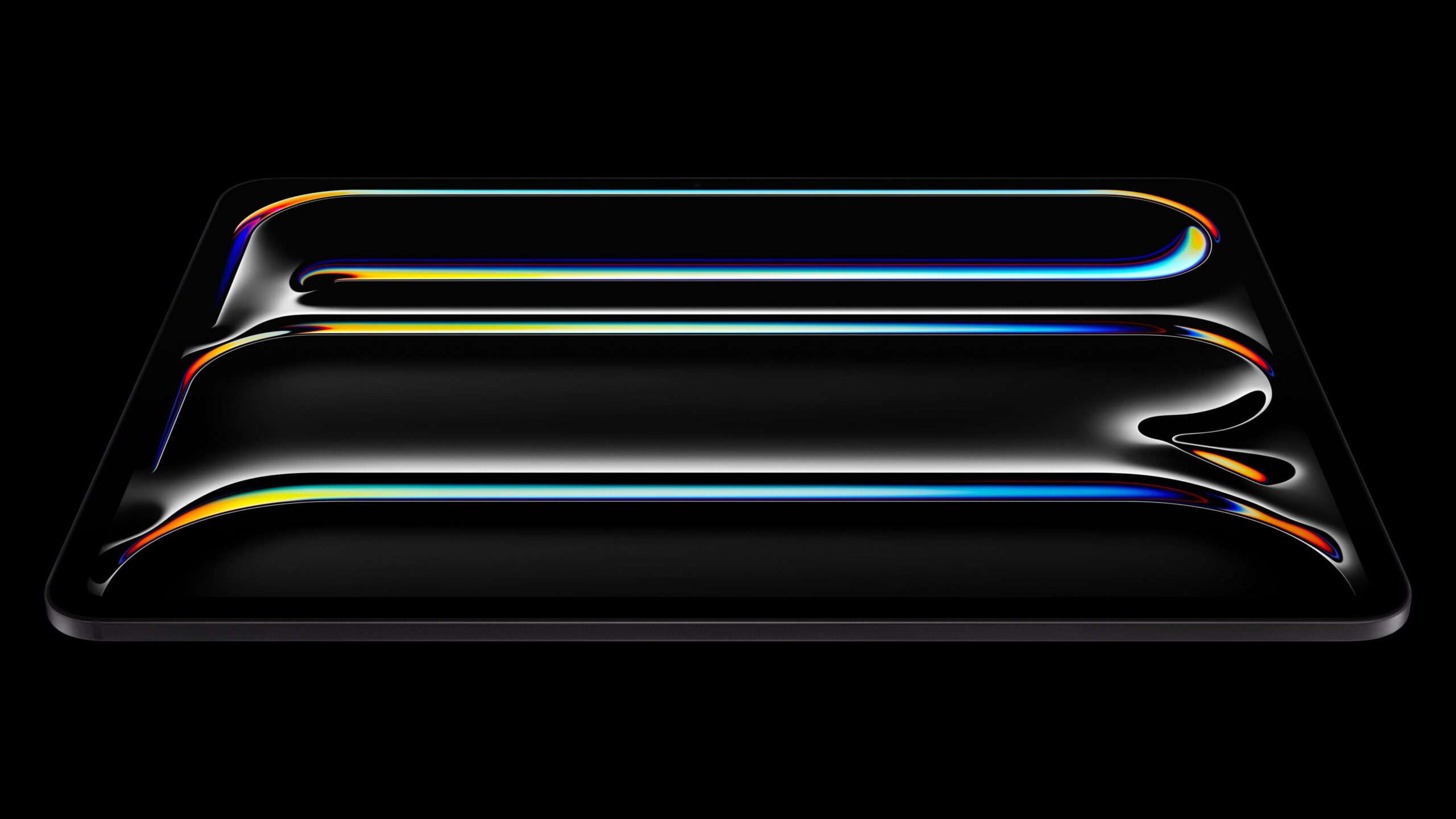
AT&T’s website references an unreleased iPad Pro model with an M5 chip, but it is unclear if it is an accidental leak, or simply a premature SEO play.
ipad pro 2024
Here is how the HTML title for the iPad page on AT&T’s website appears in Google search results:

Shop Apple iPad Tablets: iPad Pro M5 Pre-Order Soon

Here is a screenshot of the Google result:

ATT iPad Pro M5ATT iPad Pro M5
The text might be changed quickly, now that it has received attention.

There are no product listings for an iPad Pro with an M5 chip on AT&T’s online store, so this is ultimately not a substantial discovery. However, in line with rumors, it could signal that Apple is set to announce the next iPad Pro models soon.

Apple is expected to update the iPad Pro with an M5 chip as early as this month, and the entire device already leaked in two early unboxing videos out of Russia. It was also rumored that the device would be equipped with two front cameras, but there was no visible evidence of this change in the unboxing videos, so we shall see.

Last year, the iPad Pro was updated with an OLED display and a thinner design, but no major design changes are expected for the next models.

Popular Stories

Apple to Launch New Products Starting Next Week, Claims Dubious Leak [Updated]

Update: the Naver account appears to be referencing a speculative post on X by Vadim Yuryev, dated October 6. The original article follows. Apple will announce new products through a series of press releases beginning as soon as next week, according to a dubious claim posted on the Korean blog Naver. The Naver blog account yeux1122, which aggregates rather than originates Apple…

Apple Hosts Unusual Colorado Event to Showcase Latest Hardware

Apple has invited a group of social media influencers to Colorado this week for an unusual event involving group hiking, trail running, and other outdoor activities designed to showcase the company’s recently launched iPhone 17 Pro Max, AirPods Pro 3, and Apple Watch Ultra 3. An invitation was shared on X (Twitter) by photographer Johnny Hawk, featuring a simple message: “Hi Johnny. We’re so …

Apple Event This October? Here’s the Latest on What to Expect

While it is unclear if Apple will host an October event this year, or stick to press releases, rumors suggest it will announce several new products this month. The graphic for Apple’s “Unleashed” event in October 2021 Below, we have recapped everything to know about a potential Apple event this October. When The table below outlines when Apple teased its October launches over the past…

iPhone 18 Pro Already Rumored to Have These 6 New Features

While the iPhone 18 Pro and iPhone 18 Pro Max are still nearly a year away, a handful of new features and changes have already been rumored for the devices. Below, we have recapped some of the early iPhone 18 Pro rumors so far. Smaller Dynamic Island The standard iPhone 18, iPhone 18 Pro, and iPhone 18 Pro Max will be equipped with a slightly smaller Dynamic Island, but the devices will…

When Will Apple’s Macs Get M5 Chips? 2025-2026 Launch Timeline

We’re just about due for the next-generation Apple silicon chip, which will kick off a new wave of Mac refreshes. The M5 chip is expected to make an appearance in some new products before the end of the year, but most Mac refreshes will happen in 2026. We’ve rounded up current rumors on when we might see updates for Apple’s notebook and desktop machines. MacBook Pro The MacBook Pro could …

Apple Releases New Firmware for AirPods Pro 3, AirPods Pro 2 and AirPods 4

Apple today released new firmware designed for the AirPods Pro 3, prior-generation AirPods Pro 2, and the AirPods 4 models. The firmware has a build number of 8A358, up from 8A356. There’s no word on what’s include in the updated firmware, but the prior 8A356 update added iOS 26 features to the AirPods Pro 2, AirPods Pro 3, and AirPods 4 with ANC. The software introduced better audio quality …

iOS 26 Liquid Glass Design Copied by Android Smartphone Maker

Chinese smartphone maker Vivo has taken some inspiration from Apple’s Liquid Glass design language for its latest operating system update, OriginOS 6. Unveiled this week, OriginOS 6 has the same rounded buttons and translucent glass look as iOS 26. In a demo video, a Vivo smartphone features an interface that could be easily mistaken for iOS 26. There’s a Liquid Glass clock, Control Center,…

These Vehicle Brands Plan to Offer Apple’s CarPlay Ultra

Earlier this year, Apple finally launched CarPlay Ultra, the long-awaited next-generation version of its CarPlay software system for vehicles. However, now nearly five months later, CarPlay Ultra is still limited to just one luxury vehicle brand. CarPlay Ultra features deeper integration with a vehicle’s instrument cluster and systems, built-in apps for radio and climate controls, rear-view…

Apple Releases New Beta Firmware for AirPods Pro 2, AirPods Pro 3 and AirPods 4

Apple today released new beta firmware that’s designed for the AirPods Pro 2, AirPods Pro 3, and AirPods 4. The firmware is limited to developers at the current time, and it has a build number of 8B5014c. The firmware comes as Apple is testing the iOS 26.1 update. It likely adds support for Live Translation in new languages, including Japanese, Korean, Italian, and Chinese (both Mandarin…

iPad is the best secondary screen I’ve used with a MacBook


I spend an unhealthy amount of time lurking in communities where people share aesthetic desktop setups. One of my friends recently set the group chat on fire with a triple monitor setup that had two vertical screens and an ultrawide curved panel at the center. An impulse swipe later, I achieved a similar makeover for my desk at home.

Here’s the problem, though. My $600 workstation overhaul did bring me visual joy, but not much utility. For reporting assignments, I spend the majority of the year away from home, working from deserted cafes or unnaturally uncomfortable bunk beds. I do miss the convenience of large secondary screens. Interestingly, that yearning is addressed by a rather unconventional device —the humble iPad

Over the past couple of years, I have carried iPads in all shapes and sizes. From the tiny iPad mini and the entry-level iPad to the 13-inch iPad Pro. I have used them extensively for video editing, photo touch-ups, gaming, and reading comics. But the best utility that I’ve got from Apple’s tablet is pushing it as an external monitor. 

The problems an iPad solves

There is no dearth of minimalist monitors out there. Some are even thinner than the MacBook Air, while a few snap right to the lid, like some protective case. However, there are a few fundamental issues with external monitors, even if you aren’t vexed by lugging one around in your bag. 

First, they burden you with the hassle of a wired connection. That, in itself, is troublesome for a couple of reasons. It leads to unnecessary wire clutter. Plus, plugging in an external monitor means you lose one port, for as long as you are working. 

In the age of ultra-sleek laptops, ports are a luxury. The MacBook Air, for example, only features a couple of ports. That means you will have to juggle between charging and peripheral connection with the other USB-C port, but can’t do any of it simultaneously. 

If your profession entails handling heavy media files, plugging in (or out) external storage is a part of the daily routine. And that means you really a free port always at your disposal. The solution? Of course, prepare to live the dongle life. Or fork out extra cash for a dongle. 

The biggest problem of them all? Power draw. You may not always have a power outlet at your disposal, especially if you are someone who works on the move or away from home. I recently tried a sleek external monitor from Arzopa, and quite liked it. But booking up to my laptop drained its battery, and I quickly found myself hunting for a power port. 

So there I was, juggling with power bricks, wires, and port anxiety, once again. The iPad solves all those problems in one go. You don’t need any cables. You aren’t burdened by a power-sipping peripheral. You aren’t tasked with handling a clunky third-party app. The iPad is just ready. 

The world’s most convenient monitor  

The Apple ecosystem is just seamless.

No situation exemplifies the above argument better than pairing an iPad to your Mac. Actually, no pairing process is involved. As long as your Mac and iPad are signed in with the same Apple account, you’re good to go. No pain-in-the-back Bluetooth pairing or manual Wi-Fi tethering is needed. 

Just bring the two devices close, and it’s a smooth-sailing journey from there. All you need to do is expand the control center, click on the screen mirroring icon, and select your iPad from the drop-down menu. Heck, you can skip that, too. 

Just hover the cursor over the green window shortcut in any Mac app, and you will see a dedicated option that says “move to iPad.” A click is all it takes to move that app to your iPad’s screen. That’s it. Your external display is now in action mode. 

In fact, you don’t have to worry about unlocking your iPad. Even in a locked state, you just have to click on the aforementioned window control on your Mac, and it will open on your iPad’s screen directly. No unlock or preparatory setup is needed across either device. 

There is nothing that comes even close to this kind of seamless interplay between two entirely different classes of devices — separated across operating systems — except the Apple ecosystem. 

Pushing an iPad as a secondary screen 

My workflow is divided across more apps than I’d like. Technically, I can access a healthy few of them across browser tabs, but juggling between them is a hassle. I’d much rather hit the Command+Tab shortcut to shift between apps than head back to the mouse, find the appropriate tab, and switch back and forth. Apps, or web instances running as apps, do the job for me. 

Moreover, with browsers, it becomes a chore to track the notifications on platforms such as Slack and Discord, where multiple buzzy channels can quickly throw your zen into disarray. It becomes difficult to track such conversations spread across multiple browser tabs. 

Apps, therefore, are the most convenient option for me. Of course, that means dedicated windows for each of them. But there’s only so much screen real estate you have on a 13-inch laptop, even with Stage Manager, you only get a partial reprieve. 

With an iPad coming into the picture, I can safely switch at least two non-important or chat apps, in split-screen mode on the iPad. That leaves wme ith a near obstructed view of the apps that make up the bulk of my workflow, right in front of my eyes on the laptop screen. 

In my case, Teams and Slack usually go on the iPad. Off the work hours, it’s usually a no-distraction slate for writing articles. When I have the iPad Pro handy, photo and video editing is deployed on the tablet’s OLED screen due to the superior color output. 

In the lowest-stakes scenario, the iPad mini simply serves as a screen for music playback control, watching lecture videos, or keeping an eye on my social media feed for gathering breaking news events. 

A surprising OS versatility

One of the nicest things about Sidecar — the inherent tech that allows an iPad to work well alongside a Mac — is the OS flexibility. You can choose to either wirelessly mirror or extend the screen of your Mac to an iPad. But here’s the nicest part. 

Apple’s Universal Control tech allows you to use the Mac’s monitor as the input source on a nearby iPad. And once again, there’s no complex setup required. All you need to do is drag the cursor towards the screen edge near the iPad, and voila, your Mac’s keyboard and touchpad now serve as input devices on the tablet, too.

That means I can control the tablet running iPadOS, and interact with mobile apps in their natural state. It may not sound like much from a functional perspective, but this convenience slowly grows on you. For example, social media platforms such as X or TikTok work better as an app. 

Compared to desktop apps, especially task management platforms where the workflow is updated in the cloud, I’ve found mobile apps to be the snappier option. What they lack in features, they make up for with speed and fluidity. 

Plus, it’s easier to track notifications on a mobile device compared to a desktop environment. Despite the OS disparity, there is virtually no input, and I can easily copy-paste material across both devices. 

I do a lot of standalone work on my iPad Pro, and even used the baseline iPad for the better part of a whole year, but the inherent limitations of iPadOS often repulse me. Overall, my iPads — of which I have an unhealthy number lying on my desk — have found more utility as a secondary screen for my Mac than standalone tablets.

I just wish could solve some of the scaling and screen rotation bugs. And while at it, maybe, enable Stage Manager for the iPad mini, now that it is technically ready from a hardware perspective. 


Apple’s M4 iPad Pro vs. Samsung’s Galaxy Tab S9 Ultra


With the introduction of OLED displays, a thinner design, and more in the M4 iPad Pro, we thought it was worth taking another look at Samsung’s flagship OLED tablet, the Galaxy Tab S9 Ultra, to see how the two compare and which one might be the better purchase for you.

Both tablets offer excellent OLED displays, though the Tab S9 Ultra’s 14.6-inch 16:10 display is better optimized for video consumption than the ‌iPad Pro‌’s 13-inch 4:3 display. The wider aspect ratio on the Tab S9 Ultra means widescreen video content fits much better on the display, offering a larger content view with much less letterboxing than on the ‌iPad Pro‌.

The Tab S9 Ultra’s display is rated just a bit brighter than the ‌iPad Pro‌’s, but in real-world usage the difference isn’t noticeable. HDR content on the Tab S9 Ultra can get a bit too bright, however, washing out other content. The ‌iPad Pro‌ also does a better job of handling glare, and that’s not even accounting for the Nano-Texture option available on higher-end ‌iPad Pro‌ configurations.

The ‌iPad Pro‌ and Tab S9 Ultra have similarly thin profiles, with the ‌iPad Pro‌’s new design making it just a hint thinner than Samsung’s offering, but the difference feels negligible. The Tab S9 Ultra maxes out at 1TB of built-in storage while the ‌iPad Pro‌ goes up to 2TB, but Samsung includes a microSD slot that makes it simple to pop in extra storage at a much lower cost than boosting the integrated storage on an ‌iPad Pro‌.

Apple removed the Ultra Wide camera in the latest ‌iPad Pro‌, leaving only the standard Wide camera for capturing video content. Samsung includes both styles of camera on the Tab S9 Ultra, but we don’t think most people should be using their iPads for capturing video anyway.

Where Apple really sets itself apart on the hardware side with ‌iPad Pro‌ is the redesigned Magic Keyboard, which offers a premium feel, solid typing performance, an excellent trackpad, and an additional USB-C port for charging the iPad. Samsung’s first-party keyboard accessory for the Tab S9 Ultra looks and feels good, and the typing experience is pleasant, but the trackpad is simply awful.

One note in favor of Samsung’s keyboard is that it can be separated into two pieces, leaving the back cover attached to the tablet for protection. While Apple has a keyboard design like this for cheaper iPads, the Magic Keyboard can not be removed from the ‌iPad Pro‌ without also removing the back cover.

Alongside the new ‌iPad Pro‌, Apple introduced a new Apple Pencil Pro with more advanced capabilities including new gestures and Find My support, but Samsung has the S Pen that also offers excellent integration with Android. Significantly for stylus adoption, the S Pen is included in the box with the Tab S9 Ultra, while the ‌Apple Pencil‌ Pro is an extra $129 purchase for ‌iPad Pro‌ owners.

As with most purchasing decisions for Apple and Android, it’s likely to come down to platform preference. If you’re already thoroughly invested in the Apple ecosystem, you’re probably going to want to go with the ‌iPad Pro‌ to reap all of the benefits that come with Apple’s tight integration. But if you’re looking for something a bit different, Samsung’s Galaxy Tab S9 Ultra offers some great features and a huge display at a price that well undercuts the ‌iPad Pro‌.

Would you consider picking up a Galaxy Tab S9 Ultra, or is the ‌iPad Pro‌ a better fit for your needs? Let us know in the comments below.

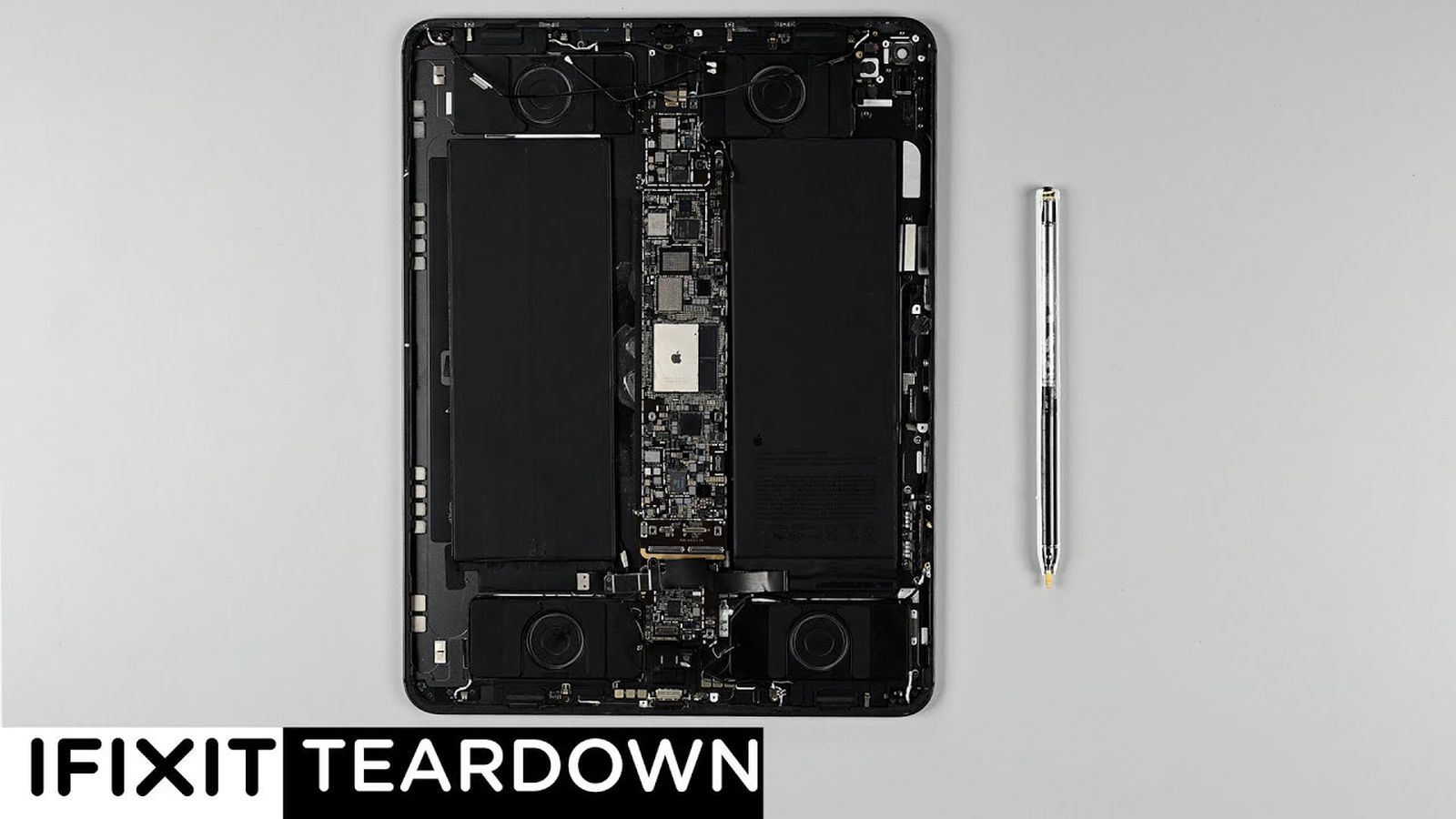
iFixit Shares 13-Inch iPad Pro and Apple Pencil Pro Teardown Video


The popular repair website iFixit today shared a video with teardowns of the new 13-inch iPad Pro and the Apple Pencil Pro. The website praised the inclusion of adhesive pull tabs for the battery cells in the new iPad Pro, as they make repairs easier.

We already shared another iPad Pro teardown video, so the look inside the Apple Pencil Pro is the novel aspect here. Key hardware changes introduced with the Apple Pencil Pro include a gyroscope that allows you to rotate the accessory for precise control of shaped pen and brush tools, and a haptic engine that vibrates for certain actions. You can also track the location of the Apple Pencil Pro in the Find My app.

Apple Pencil Pro is priced at $129 in the U.S. and launched on Wednesday.

Popular Stories

Troubling iOS 17.5 Bug Reportedly Resurfacing Old Deleted Photos

There are concerning reports on Reddit that Apple’s latest iOS 17.5 update has introduced a bug that causes old photos that were deleted – in some cases years ago – to reappear in users’ photo libraries. After updating their iPhone, one user said they were shocked to find old NSFW photos that they deleted in 2021 suddenly showing up in photos marked as recently uploaded to iCloud. Other…

iMessage Down for Some Users [Update: Service Restored]

The iMessage service that Apple users to send messages to one another appears to be down for some users, and messages are failing to go out or are taking an extra long time to send. There are numerous reports about the issue on social networks and a spike of outage reports on Down Detector, but Apple’s System Status page is not yet reporting an outage. Update: Apple’s status page says…

Apple Previews Three New CarPlay Features Coming With iOS 18

Apple today previewed new accessibility features coming with iOS 18 later this year, and this includes some new options for CarPlay. Apple highlighted three new features coming to CarPlay: Voice Control: This feature will allow users to navigate CarPlay and control apps with just their voice. Color Filters: This feature will make the CarPlay interface visually easier to use for…

Hands-On With the New M4 OLED iPad Pro

Today is the official launch day of the new iPad Pro models, and these updated tablets mark the biggest feature and design refresh that we’ve seen for the iPad Pro in several years. We picked up one of the new 13-inch models to check out everything new. Subscribe to the MacRumors YouTube channel for more videos. When it comes to design, Apple is still offering 11-inch and 13-inch size options …

iPhone 16 Pro Max Looks This Much Bigger Beside iPhone 15 Pro Max

This year’s upcoming iPhone 16 Pro Max is expected to get a boost in overall size from 6.7-inches to 6.9-inches, and a new image gives us a good idea of how the current iPhone 15 Pro Max compares to what could be Apple’s largest ever iPhone. The image above, posted on X by ZONEofTECH, shows a dummy model representing the ‌iPhone 16 Pro‌ Max alongside an actual iPhone 15 Pro Max. Dummy…

iPhone Emulators on the App Store: Game Boy, N64, PS1, PSP, and More

In April, Apple updated its guidelines to allow retro game emulators on the App Store, and several popular emulators have already been released. The emulators released so far allow iPhone users to play games released for older consoles from Nintendo, Sony, SEGA, Atari, and others. A list of some popular emulators available on the App Store so far follows. Released Delta Delta is…

Here’s what to expect from the ‘Let Loose’ event


Apple has scheduled its next product showcase for May 7, a few weeks before the Worldwide Developers Conference gets under way. While the company is, as usual, being a bit coy about what’s on deck, the signs are all there. It had been rumored for months that Apple would refresh its iPad lineup in May. Sure enough, the image on the announcement for this “Let Loose” event includes an illustration of a hand holding an Apple Pencil.

Various reports over recent months have offered some insight as to what Apple has up its sleeves. So, with that in mind, here’s what to expect from the upcoming iPad event:

Apple iPad Pro (2022) Apple iPad Pro (2022)

Nathan Ingraham / Engadget

It’s been about 18 months since Apple updated any of its iPads, so its tablet lineup is due for a refresh. It won’t exactly come as a surprise to see Apple slot M3 chips into the latest iPad Pro models, since the most recent versions run on M2 chipsets.

Otherwise, the biggest update is expected to come in the form of OLED displays, according to Bloomberg’s Mark Gurman. That should bring richer colors and deeper blacks to the iPad Pro.

Since OLED panels are thinner than LCD panels, that should allow Apple to reduce the thickness of the iPad Pro. According to 9to5 Mac, the 11-inch iPad Pro will be 0.8 mm thinner at 5.1 mm, while the 12.9-inch model will be more noticeably slender, as the thickness is expected to drop by 1.5 mm to 5 mm. A leaker has suggested that the bezels could be up to 15 percent thinner than previous models as well.

Rumors have been swirling for a while that Apple may offer a glass-backed iPad Pro this year to enable MagSafe charging. Meanwhile, there have been hints that Apple will solve one of our biggest iPad bugbears and move the front-facing camera to the landscape edge of the Pro, as it did with the entry-level iPad in late 2022. That means the camera will be more optimally placed for those who use a Magic Keyboard or folks who simply prefer a landscape orientation.

Apple iPad Air (2022)Apple iPad Air (2022)

Nathan Ingraham / Engadget

As for the iPad Air, which Apple has left in stasis for over two years, that’s expected to get an upgrade to M2 chips from the M1 that the tablets currently use. There are rumblings that Apple will go with the older chip in the iPad Air to differentiate it from Pro models and ensure that the latter devices clearly remain its highest-end tablets. Reports suggest that the iPad Air’s front-facing camera is also blessedly moving to the landscape edge.

There is one other big change we’re expecting for the iPad Air, and I mean that in the most literal sense. Apple is rumored to be prepping the first 12.9-inch iPad Air. It’s likely to be the least expensive option for a large-screen iPad, even though that would run somewhat against the “Air” part of the name.

Display analyst Ross Young previously suggested that the 12.9-inch iPad Air screen would have a mini-LED display, but that no longer appears to be happening — at least for now. However, Young says that Apple may release an iPad Air with such a display later this year. Meanwhile, the new iPad Air models may have a larger camera bump, perhaps so Apple can add a flash.

The latest Apple Pencil with USB-C charging falls to a new lowThe latest Apple Pencil with USB-C charging falls to a new low

Engadget

Gurman reported last year that Apple was working on a revamped Magic Keyboard, but only for the iPad Pro, not the Air lineup. The updated keyboard is said to make the iPad Pro look more like a laptop, with a larger trackpad. It’s said to be made of aluminum to make it sturdier than previous models, though “the exterior shell of the Magic Keyboard will retain the cover material of the current model,” Gurman says.

In addition, Apple is expected to unveil a new Apple Pencil to replace the second-gen model. Dataminers have suggested that an updated peripheral could include a squeeze gesture to carry out certain actions and have Find My support. Some reports have indicated the next Apple Pencil could work with Vision Pro drawing apps too.

Even though the iPad mini in particular is getting very long in the tooth — the most recent model arrived in September 2021 — you probably shouldn’t expect a new model to show up at the Let Loose event. Not are we expecting to see a new base iPad. Reports suggest an 11th-gen iPad and an updated iPad mini may arrive later this year, but maybe don’t hold your breath for them.