Finding the right temperature in bed can be tricky. Feeling too hot or cold makes it tough to drop off and can wake you prematurely. Since our mental and physical health depends on sleep, that’s a problem. Eight Sleep has the answer. The Eight Sleep Pod 4 is a temperature-regulating mattress cover that tracks your body as you snooze, with a hub that pumps cooled or warmed water into the cover to help you stay in the land of nod for longer.
When I tested its predecessor, the Eight Sleep Pod 3 (7/10, WIRED Recommends), I was wary of the billionaire biohacking buzz, but it won me over. Aside from the increased comfort, the best sleep trackers all told the same story: My wife and I slept longer and got more deep sleep and REM with the Eight Sleep Pod than without. The Eight Sleep Pod 4 brings some welcome improvements, including greater comfort, quieter operation, and handy tap controls, so you don’t have to reach for your phone at night.
Photograph: Simon Hill
Sadly, better sleep does not come cheap. A Pod 4 Cover and Hub for a queen-size bed costs $2,599, but you must also take a year’s subscription to Autopilot for an extra $199. If you already have a subscription, you can transfer it to a new Pod, but you can no longer buy an Eight Sleep Pod without taking the Autopilot subscription. The UK Super King I tested costs £2,699, with a year of Autopilot at £199. It’s a real investment, but sleeping soundly can be transformative.
Hitting the Hay
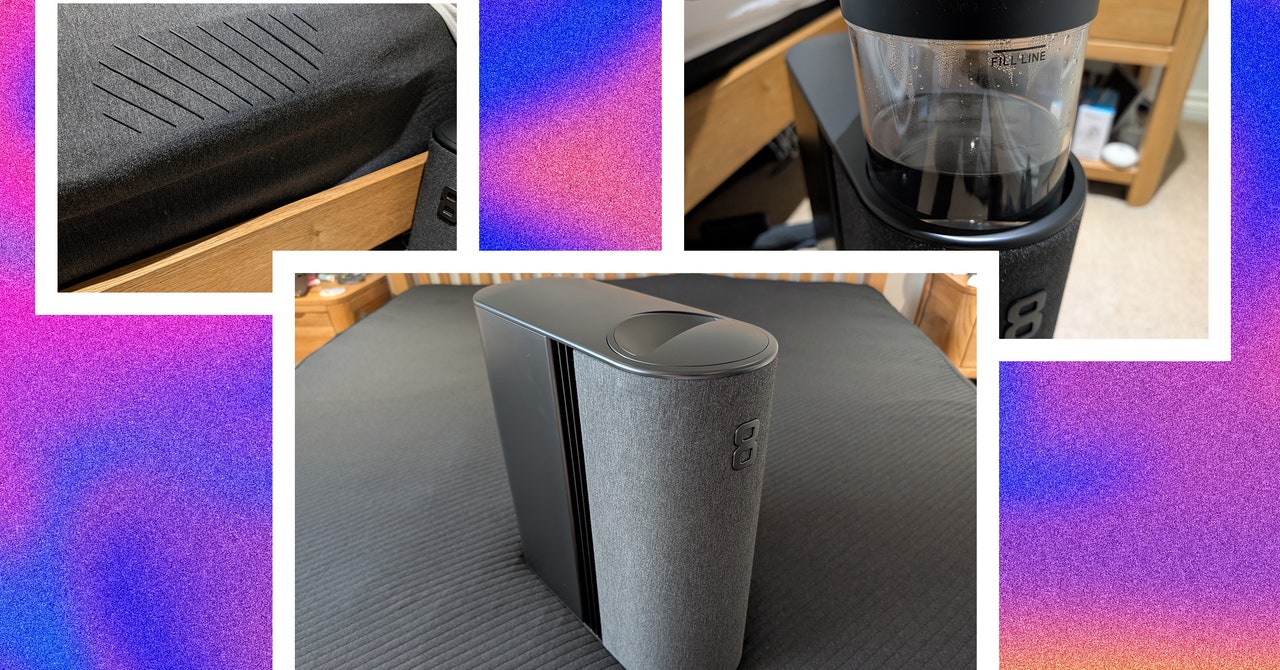
The Eight Sleep Pod 4 Cover and Hub come in two large boxes. The mattress cover has rubber tubing inside and a soft, plush, dark material on top. It is elasticized for a snug fit on your mattress, and tubing must be routed from the top to plug into the hub. The hub is about the size of a desktop PC, with a fabric front and a big 8 logo. The hub is the brain of the operation, and it cools or heats water and pumps it around the cover.
Setup with the Pod 4 was similar but much quicker than the Pod 3. You pull the cylinder out the top of the hub and pour water up to the fill line. The priming process has dropped to around 10 minutes from a couple of hours for the previous version. You connect the hub to your Wi-Fi using the mobile app. The Pod 4 cover is much comfier than the Pod 3, and the hub is far quieter. It never broke 30 decibels when measured. It makes a subtle hum, like a white noise sleep sound.
There’s never been a better time to get a smart speaker, especially if you’re a music fan. When voice assistants first started infiltrating these devices, hands-free controls were really the star of the show. Even now, one of the most common ways that people interact with Siri, Alexa and Google Assistant is through a smart home speaker. But now you have dozens of options to choose from, and most of them sound much better than the first smart home products did. Sonos recently entered the game with its own voice assistant on its stellar-sounding speakers, and even lower-end models like the Echo Dot and Nest Mini have better audio quality than their first iterations did. If you’re struggling to pick the best smart speaker for your needs, we at Engadget can help. We’ve outlined our top picks below, plus all of the things you should consider before buying a smart speaker today.
Picking an assistant: Google vs. Alexa
The first thing most people should do is decide what voice assistant they want to use. Google Assistant and Amazon’s Alexa are both well-supported options that are continually evolving, with new features added at a steady clip. A few years ago, Alexa worked with more smart home products, but at this point, basically any smart device worth buying works with both.
It’s mostly a matter of personal preference. If you’re already entrenched in the Google ecosystem and own an Android phone, it makes sense to stick with that. And if you have multiple Google-based smart devices in your home, you can use Google Home to easily control and navigate your devices. But while Alexa isn’t quite as good at answering general knowledge questions, it syncs just fine with things like calendars from your Google account. And it works with perhaps the widest variety of smart home products as well. If you’ve never used Alexa or Google Assistant, you can download their apps on your iOS or Android phone and spend some time testing them out before buying a speaker.
There are downsides to having a smart home device that’s always listening for a wake word, as giving more personal information to Amazon, Apple and Google can be a questionable decision. That said, all these companies have made it easier to manage how your data is used — you can opt out of humans reviewing some of your voice queries, and it’s also less complicated to manage and erase your history with various digital assistants, too.
Sonos vs. Apple
If you buy a Sonos device with a microphone, you can also use the company’s own voice assistant, voiced by Giancarlo Esposito. It’s focused purely on music control, so you won’t use it to do things like send messages or ask the weather forecast. But as a music assistant, Sonos Voice Control is generally quite fast and reliable.
As for Apple, you won’t be surprised to learn the HomePod and HomePod mini are the only Siri-compatible speakers on the market. It’s rumored that Apple will potentially release a new range of smart displays, like its HomePod with a touchscreen, sometime soon. Apple’s Siri has a reputation for not being as smart as Alexa or Google Assistant, but it’s totally capable of handling common voice queries like answering questions, controlling smart home products, sending messages, making calls and streaming music via AirPlay. Technically, Siri and Apple’s HomeKit technology doesn’t work with as many smart home devices as the competition, but it’s not hard to find compatible gear. And Apple has most definitely improved Siri’s functionality over the last couple years, with handy features like and Intercom tool and routines that take advantage of the built-in temperature sensor in the HomePod and HomePod Mini.
Most people’s entry point into the smart speaker world will not be an expensive device. Amazon’s fourth-generation Echo Dot and Google’s Home speaker, the Nest Mini, are the most obvious places to start for two important reasons. One, they’re cheap: Both the Nest Mini and Echo Dost cost $50. Two, they’re capable. Despite the low price, these speakers can do virtually the same things as larger and more expensive devices, offering essential functionality
The Google Nest Mini was released in late 2019, but Amazon just refreshed the Echo Dot recently. The Echo Dot is the best small speaker with a smart assistant for most people and one of the most compact Alexa-enabled wireless speakers, period. Amazon keeps improving the audio performance across its Echo device line, and the Echo Dot is no exception. It produces much louder and clearer audio than I’d expect from a $50 speaker. The Nest Mini doesn’t sound bad, and it’s perfectly fine for listening in the bedroom while getting ready for the day, but the Echo Dot is a better all-purpose music listening device.
From a design perspective, Amazon broke the mold with the latest Echo Dot. Instead of a small puck like the Nest Mini, the new Dot is shaped like a little globe. It’s much bigger than the Nest Mini, but that size gives it room for higher-end audio components. Although mostly hands free, relying on Alexa to answer questions, set timers, work as an alarm clock and more, the Dot keeps the physical volume buttons and mute switch on top, along with a button to activate Alexa’s voice control. While the Dot doesn’t look as sleek as the Nest Mini, having physical buttons makes it easier to adjust volume and mute the mic. I do wish the Dot had a way to physically pause music; on the Nest Mini, if you tap the middle of the device, the music stops.
Overall, the Dot is the best budget choice for most people, but I wouldn’t hesitate to recommend the Nest Mini as another affordable smart speaker option. I generally prefer using Google Assistant over Alexa, and anyone who feels the same should go ahead and get the Nest Mini. The Dot does sound notably better, so if you plan to listen to audio on a regular basis, that’s probably the way to go. But if you only plan to use it for a quick song or podcast when you’re getting ready in the morning, just pick your favorite assistant and go from there.
Amazon, Apple and Google all have $100 smart speakers: the fourth-generation Echo, the HomePod mini and the Nest Audio, respectively. All three companies claim superior audio quality, so for lots of people these speakers will be the sweet spot between small speakers like the Echo Dot and Nest Mini and bigger, more expensive models like the Sonos Era 100.
Once again, Amazon punches above its weight. Like the Dot, the latest Echo is totally redesigned and the new internals were made with music in mind. It combines a three-inch woofer with two 0.8-inch tweeters — a more advanced setup than either the Nest Audio or HomePod mini. (The Google Nest Audio uses a three-inch woofer but only a single 0.75-inch tweeter, while the Apple HomePod mini makes do with a single “full range” driver and two passive radiators.)
In practice, this means the Echo is noticeably louder than either the Nest Audio or HomePod mini and much better suited to play room-filling sound than the competition. It also delivers an impressive bass thump and powerful mid-range frequencies. In fact, my main complaint with the speaker is that highs aren’t quite crisp enough. Compare the Echo to an Era 100 and the 100 sounds much more lively, while the Echo comes off a bit muddy. Then again, the 100 costs more than twice as much as the Echo.
While the Echo speaker may beat the Nest Audio and HomePod mini on volume and bass, Google and Apple’s speakers are not bad options. The HomePod mini is the quietest of the three speakers, but it still sounds balanced across the entire audio spectrum. The bass isn’t too assertive, but there’s more presence than I would have expected given its tiny size (it’s by far the smallest of these three speakers).
And it has a few nice perks if you’re using an iPhone 11 or newer. Thanks to the U1 “ultra-wideband” chip in recent iPhones, the HomePod mini can tell when there’s a phone near it, which makes handing off music from your phone to the speaker (or vice versa) quite simple. Playback controls for the HomePod mini will automatically pop up as well, and your phone’s lock screen will display music suggestions if the speaker isn’t currently playing. Setup is also dead-simple — just bring an iPhone or iPad near the speaker and it’ll automatically start the process.
Google’s Nest Audio is also quite pleasant to listen to. It’s a little louder than the HomePod mini, and has stronger bass, to boot. It doesn’t have the same overall power and presence that the Echo does, but for $100 it’s a well-balanced speaker that should serve most people’s needs.
All three of these speakers support stereo pairing as well, if you want more volume or crave a more immersive experience. For $200, two Echoes will fill a large room with high-quality sound and enough bass to power a party. A pair of HomePod mini or Nest Audio speakers aren’t quite as powerful, but it makes for a great upgrade if you’re a more avid listener. A pair of Nest Audio or HomePod mini speakers sounded great on my desk during the workday. I don’t need overwhelming volume but can appreciate the stereo separation. And two of those speakers together can easily power a larger living space, although the Echo is the better choice if volume is a priority.
Here too, I think that picking the smart assistant that works best in your house and with your other gadgets is probably the most important factor — but given Alexa’s ubiquity and the new Echo’s superior sound quality, it’s the best smart speaker at this price point.
Connectivity: Bluetooth, Wi-Fi | Assistant support: Amazon Alexa, Sonos Voice Control | Max wattage: 10W | Battery life: N/A
If you have more than a passing interest in music, the Echo Dot and Nest Mini aren’t really going to cut it. Spending more money to upgrade to a speaker designed with audio quality in mind is one of the best decisions I’ve made. For years, I didn’t have a proper home music solution, but in the end the modest investment has made my life much more pleasant.
For years, the Sonos One has been a favorite of mine, combining a reasonable price with good sound quality and a plethora of useful features like easy multi-room audio, stereo pairing and compatibility with tons of services. This year, Sonos replaced the One with the Era 100, a $250 speaker that is an improvement in almost every way you can think of. Most importantly, it uses a new speaker array that includes two tweeters instead of just one as well as a woofer that’s 25 percent bigger. The end result is that the Era 100 handily bests the One in sound quality, with impressive bass, surprisingly huge volume and increased high-end clarity thanks to the additional tweeter.
There are a lot of other improvements beyond just sound quality. The Era 100 uses its built-in microphones for much easier Trueplay tuning, which optimizes the speaker’s output based on where you place it. Previously, you had to use an iPhone and walk around the room waving the phone to optimize your Sonos speaker, but now the process is much simpler. The Era 100 also includes line-in via a USB-C port and also has Bluetooth for when you just want to quickly connect a device to the speaker. It’s a bummer that you need to buy an adapter to hook up a turntable or other audio equipment to the Era 100, but since the One didn’t support line-in at all, I’m still glad it’s an option. You can also pair two Era 100s with a Sonos soundbar to get a solid home theater setup with surround sound.
There are a handful of other small but solid improvements, like redesigned controls on the top that make it easier to skip tracks and a mic mute switch that cuts the power to the mic for extra security. Like the One, it’s easy to set up Alexa or the Sonos voice assistant here, but the Era 100 doesn’t support the Google Assistant – so if you were previously using a Sonos speaker and relied on Google, you’re unfortunately out of luck here. Other than that one change, though, the Era 100 is an excellent all-around performer. It’s a great speaker on its own and is also a great starting point if you want to build a multi-room audio setup.
The Amazon Echo Studio remains an excellent-sounding speaker as well, and at $199 it’s a good bit cheaper than the Era 100 as well. If you want to save some cash or already have a bunch of other Echo devices in your smart home ecosystem, it makes sense as a speaker for higher-quality music playback. But given that it’ll be four years old this fall, I think it makes sense to opt for a newer device that’ll get longer support and updates.
Pros
Excellent sound quality
Gets loud
Built-in mics for Trueplay tuning and voice control
Connectivity: Bluetooth, Wi-Fi | Assistant support: Amazon Alexa, Sonos Voice Control | Max wattage: Not specified | Battery life: N/A
As nice as the Era 100 and Echo Studio are, there’s only so much you can get out of them. If you crave more bass, clarity and stereo separation, the $550 Sonos Five is the best sounding smart speaker on this list. It has many of the conveniences in the Era 100 and sounds significantly better than any other Sonos speaker. It also sounds much better than the Echo Studio and anything Google is currently selling.
That said, the Five stretches our definition of a smart speaker here because it doesn’t have a built-in voice assistant. But it’s so good at music playback that it’s worth recommending you pick one up along with an Echo Dot or Nest Mini. Both of those speakers work with Sonos, so you can use voice commands to control the Five just as you would a dedicated Alexa or Google Assistant device. Sonos also refreshed the speaker two years ago with a new wireless radio as well as more memory and a faster processor. This means it should stay current and work with future Sonos software updates for years to come.
Since we’re talking “best” here, I’m going to go ahead and recommend that true music junkies splash out on two Five speakers and pair them in stereo. Put simply, it’s the most enjoyable experience I’ve had listening to music in years; I found myself picking up new details while listening to albums I’ve heard over and over again. It’s a wonderful experience and worth saving for if you’re a music lover. I didn’t know what I was missing until I tried the Five.
The Sonos Era 300, also recently released, is a $450 speaker that supports Dolby Atmos spatial audio from Apple Music and Amazon Music Unlimited. I’ve found that the quality of spatial audio mixes can be very hit or miss, but the good news is that the Era 300 sounds outstanding whether it’s playing back Atmos content or just standard tracks. It’s not quite as good as the Sonos Five, but it does have built-in microphones for voice assistants and easy Trueplay tuning as well as Bluetooth and the redesigned controls on the Era 100. Again, the main downside is that Google Assistant isn’t supported here.
Finally, if you’re an Apple Music user or have a lot of Apple hardware in your home, the second-generation HomePod is definitely worth considering. At $300, it’s a lot cheaper than these Sonos speakers but supports spatial audio like the Era 300. The Era 300 and Sonos Five are better speakers overall (and certainly much louder), but there’s a lot to like about the HomePod’s audio quality at its price point. It’s a clear, crisp vocal-forward speaker, and its design and software processing does a great job of making music sound like it’s all around you, even if you’re not playing back Dolby Atmos tracks.
Connectivity: Bluetooth, Wi-Fi | Assistant support: Amazon Alexa, Sonos Voice Control | Max wattage: 10W | Battery life: 10 hours
While many people will be happy with a few speakers strategically placed throughout their home, you might want something that works outside as well as inside. Fortunately, you can find speakers that pair voice controls and strong music playback performance with portable, weatherproof form factors. For my money, it’s hard to beat the Sonos Roam for sheer versatility, not to mention audio quality.
When used inside the home, the Roam works like any other Sonos speaker. It fits in with an existing multi-room Sonos setup, or you can get a pair for stereo playback. Like most other Sonos speakers, it works with the Sonos Voice Assistant or Amazon Alexa, and it supports essentially every major music service available. It sounds very good given its tiny size; it’s quieter and not quite as clear as the Sonos One or the Era 100, but it still packs a surprising bass thump and distinct highs.
Since it was designed with on-the-go usage in mind, the Roam has a battery and Bluetooth so you can take it anywhere and use it far away from your Wi-Fi network. And its diminutive size makes it easy to take it everywhere, both around the house and out and about. It’s also the first Sonos speaker that is fully waterproof, as well as dust- and drop-resistant, so you shouldn’t worry about taking it to the pool or beach.
The Roam gets about 10 hours of battery life, whether you’re on Wi-FI or Bluetooth. There are other portable speakers that last longer, so if you’re really going to push the battery you might be better served by another option.
Another wireless portable speaker option is the $449 Sonos Move 2. It’s much larger and louder than the Roam, which is unsurprising given how much more expensive it is. It’s a nice upgrade over the previous Move, with two tweeters for more detailed sound, a battery that lasts more than a day and redesigned touch controls up top. It also has a line-in jack via USB-C, so you can hook up a turntable when you’re using it inside. If you’re willing to sacrifice portability for power and better sound quality (and can afford it), the Move 2 will be more satisfying than the Roam.
A better choice than the Move, unless you already have other Sonos products, is the $399 Bose Portable Smart speaker. It supports Alexa and Google Assistant commands, and since it can connect to WiFi, you can ask your preferred assistant to play music from Spotify, Amazon Music and other services. On top of that, it produces well-rounded sound, sports an IPX4 design with a convenient carry handle and will last up to 12 hours on a single charge.
Bose also has a good alternative to the Roam. The $149 SoundLink Flex supports Siri and Google Assistant commands, plus it has an IP67 design that’s roughly the size of a small clutch bag. It pumps out bright, dynamic sound and can pair with other speakers for stereo sound, too – it’s excellent and slightly cheaper than the Roam.
While this guide is all about smart speakers, we’d be remiss if we didn’t mention all of the solid portable speakers out there that either have limited smart features or none at all. We have an entire guide to the best portable Bluetooth speakers, so if you’re purely concerned with portability and less about having an ecosystem of connected speakers, there are lots of options worth investigating.
Using an Eero mesh system without the Eero Plus subscription limits you to a basic set of options. You can schedule Wi-Fi downtime, set up a guest network, and use your Eero as a smart home hub. That might be enough for most, but here’s what you get if you subscribe. First, it’s worth noting that Eero used to offer a two-tiered subscription. Eero Secure was $3 per month or $30 per year and included advanced security, content filtering, ad-blocking, activity insights, and VIP support. Eero Secure+ was $10 per month or $100 per year and added third-party apps 1Password (password manager), Encrypt.me (VPN), and Malwarebytes (antivirus), as well as DDNS for remote network access.
Select internet service providers still offer Eero Secure, but the only option for everyone else is the rebranded Eero Plus, which includes everything listed above for $10 per month or $100 per year. The subscription also now includes Internet Backup, which allows you to add secondary backup networks (alternative Wi-Fi or hotspot connections) that the system can use, should your main Wi-Fi network go down.
Eero Plus is relatively expensive considering features like parental controls and real-time security are often provided for free by router manufacturers like Asus and Linksys. If you need the bundled apps, Eero Plus is arguably worth it, but even if it’s the only way to get the best Eero experience, it’s hard to justify such a high cost. Thankfully, in keeping with the brand ethos, everything is super easy to use, and the parental controls are among the best. Keep an eye out for the frequent discount offers. If you feel the subscription cost is too high, we suggest you choose a different mesh system.
If vacuuming is your least favorite chore, employing a robot vacuum can save you time and stress while also making sure your home stays clean. While once most robo-vacs landed on the higher end of the price spectrum, that’s not the case anymore. Sure, you could pick up a $1,000 cleaning behemoth, but it would be incorrect to assume that you need to spend that much money to get a good machine. Now, you can get an autonomous dirt-sucker with serious cleaning chops for $500 — sometimes even $300 or less. But you get what you pay for in this space; don’t expect affordable robot vacuum cleaners to have all of the bells and whistles that premium machines do. After testing dozens of robot vacuums at various price points, I’ve narrowed down our top picks for the best budget robot vacuums you can buy right now.
Are robot vacuums worth it?
Since I’ve tested dozens of robot vacuums, I’m often asked if these gadgets are “worth it” and I’d say the answer is yes. The biggest thing they offer is convenience: just turn on a robot vacuum and walk away. The machine will take care of the rest. If vacuuming is one of your least favorite chores, or you just want to spend less time keeping your home tidy, semi-autonomous robotic vacuum is a great investment.
There are plenty of other good things about them, but before we dive in let’s consider the biggest trade-offs: less power, less capacity and less flexibility. Those first two go hand in hand; robot vacuum cleaners are much smaller than upright vacuums, which leads to less powerful suction. They also hold less dirt because their built-in bins are a fraction of the size of a standard vacuum canister or bag. And while robo-vacs are cord-free, that means they are slaves to their batteries and will require docking at a charging base.
When it comes to flexibility, robot vacuums do things differently than standard ones. You can control some with your smartphone, set cleaning schedules and more, but robo-vacs are primarily tasked with cleaning floors. On the flip side, their upright counterparts can come with various attachments that let you clean couches, stairs, light fixtures and other hard-to-reach places.
What to look for in a budget robot vacuum
When looking for the best cheap robot vacuum, one of the first things you should consider is the types of floors you have in your home. Do you have mostly carpet, tile, laminate, hardwood? Carpets demand vacuums with more suction power that can pick up debris pushed down into nooks and crannies. Unfortunately, there isn’t a universal metric by which suction is measured. Some companies provide Pascal (Pa) levels and generally the higher the Pa, the stronger. But other companies don’t rely on Pa levels and simply say their robots have X-times more suction power than other robot vacuums.
So how can you ensure you’re getting the best cheap robot vacuum to clean your floor type? Read the product description. Look for details about its ability to clean hard floors and carpets, and see if it has a “max” mode you can use to increase suction. If you are given a Pa measurement, look for around 2000Pa if you have mostly carpeted floors.
Size is also important for two reasons: clearance and dirt storage. Check the specs for the robot’s height to see if it can get underneath the furniture you have in your home. Most robo-vacs won’t be able to clean under a couch (unless it’s a very tall, very strange couch), but some can get under entryway tables, nightstands and the like. As for dirt storage, look out for the milliliter capacity of the robot’s dustbin — the bigger the capacity, the more dirt the vacuum cleaner can collect before you have to empty it.
You should also double check the Wi-Fi capabilities of the robo-vac you’re eyeing. While you may think that’s a given on all smart home devices, it’s not. Some of the most affordable models don’t have the option to connect to your home Wi-Fi network. If you choose a robot vac like this, you won’t be able to direct it with a smartphone app or with voice controls. Another feature that’s typically reserved for Wi-Fi-connected robots is scheduling because most of them use a mobile app to set cleaning schedules.
But Wi-Fi-incapable vacuums usually come with remote controls that have all the basic functions that companion mobile apps do, including start, stop and return to dock. And if you’re concerned about the possibility of hacking, a robot vac with no access to your Wi-Fi network is the best option.
Obstacle detection and cliff sensors are other key features to look out for. The former helps the robot vacuum navigate around furniture while it cleans, rather than mindlessly pushing its way into it. Meanwhile, cliff sensors prevent robot vacuums from tumbling down the stairs, making them the best vacuum for multi-level homes.
How we test
When we consider which robot vacuums to test, we look at each machine’s specs and feature list, as well as online reviews to get a general idea of its capabilities. With each robot vacuum we review, we set it up as per the instructions and use it for as long as possible — at minimum, we’ll use each for one week, running cleaning cycles daily. We make sure to try out any physical buttons the machine has on it, and any app-power features like scheduling, smart mapping and more.
Since we test robot vacuums in our own homes, there are obstacles already in the machine’s way like tables, chairs and other furniture — this helps us understand how capable the machine is at avoiding obstacles, and we’ll intentionally throw smaller items in their way like shoes, pet toys and more. With robot vacuums that include clean bases, we assess how loud the machine is while emptying contents into the base and roughly how long it takes for us to fill up the bag (or bagless) base with debris.
Best budget robot vacuums in 2024
iRobot
Max mode: No | Wi-Fi capabilities: Yes | Object detection: Yes | Charging dock: Yes | Self-emptying dock: No
Both iRobot and Shark impressed with their affordable robo-vacs. But we think iRobot’s Roomba 694 will be the best cheap robot vacuum cleaner for most people thanks to its good cleaning power and easy-to-use mobile app. The Roomba 694 replaced the Roomba 675 last year but, aside from an updated exterior, it has the same build quality and is fundamentally the same vacuum. It looks much sleeker now with its new all-black design, giving it an aesthetic similar to some of the more expensive Roomba models. It has three physical buttons on it — start, dock and spot — and it connects to Wi-Fi so you can control it via the iRobot app. Unfortunately, your $274 gets you the vacuum and its necessary parts only so you’ll have to pay up immediately when you need a replacement filter or brushes.
Setting up this powerful robot vacuum is straightforward: Open the companion app and follow the instructions. Once it’s connected to your home Wi-Fi network, you’re able to use the app to control the vacuum whenever you don’t feel like using the physical buttons. However, the spot-clean function is only available as a button, which is a bit of a bummer.
iRobot’s app is one of the biggest selling points for any Roomba. It’s so easy to use that even someone with no prior experience will be able to quickly master the robot’s basic functions. iRobot’s app puts most pertinent controls on the homepage, so you rarely (if ever) need to navigate through its menu to do things like set a cleaning schedule.
We recommend setting cleaning schedules to really get the most out of the device. After all, these are semi-autonomous robots, so why not make it so you rarely have to interact with them? Doing so will ensure the Roomba runs through your home on a regular basis, so you’re always left with clean floors. The Roomba 694 in particular did a good job sucking up dirt and debris on my carpets as well as the tile flooring in my kitchen and bathrooms. The only thing I try to do before a cleaning job is get charging cables off of the floor – the Roomba will stop if it sucks something like that up and it’s relatively easy to extract a cable from the machine’s brushes, but I’d rather not have to do so if I can avoid it.
When it comes to battery life, the Roomba 694 ran for around 45 minutes before needing to dock and recharge. iRobot says run times will vary based on floor surfaces, but the 694 is estimated to have a 90-minute battery life when cleaning hardwood floors. While 45 minutes may be enough time for the robot to scuttle around most rooms in my apartment, those with larger homes may have to wait for it to recharge in order to clean everywhere.
iRobot has made a name for itself in the autonomous vacuum market for good reason. Its machines are polished, dead simple to use and the accompanying app is excellent. That ease of use (and the reputation of the iRobot name) comes with a slightly higher asking price, which many will be willing to pay. But there are plenty of solid options now that didn’t exist even just three years ago.
The Shark RV765 is the updated version of the RV761 that we previously recommended. Like the Roomba 694, the Shark RV765 has a slightly different design and a longer run time than the RV761, but otherwise they’re the same vacuum. You can still find the RV761, but it’s a little difficult to do so now that the latest model is available. Although we haven’t tested the RV765, we feel comfortable recommending it since we found the previous version to be a great affordable robot vacuum.
One thing that the RV765 fixes about the previous version is the latter’s ugly bowling-shirt design. The new model nixes that and opts for a sleeker, all-black look with three buttons for docking, cleaning and max mode. You could rely just on the buttons, but it also connects to Wi-Fi so you can use the Shark Clean app. As for the longer run time, that’s just a bonus. The RV761 ran for about 90 minutes before needing to recharge, which was plenty of time for it to clean my two-bedroom apartment. The additional 30 minutes of battery life on the RV765 should allow it to clean larger spaces more efficiently.
Some other things we liked about the RV761 include its spot-clean feature; adjustable wheels, which raise and lower automatically depending on the “terrain” and the obstacles in its path; and its intuitive companion app that allows you to start and stop cleaning jobs, set schedules and more.
Max mode: Yes | Wi-Fi capabilities: No | Object detection: Yes | Charging dock: Yes | Self-emptying dock: No
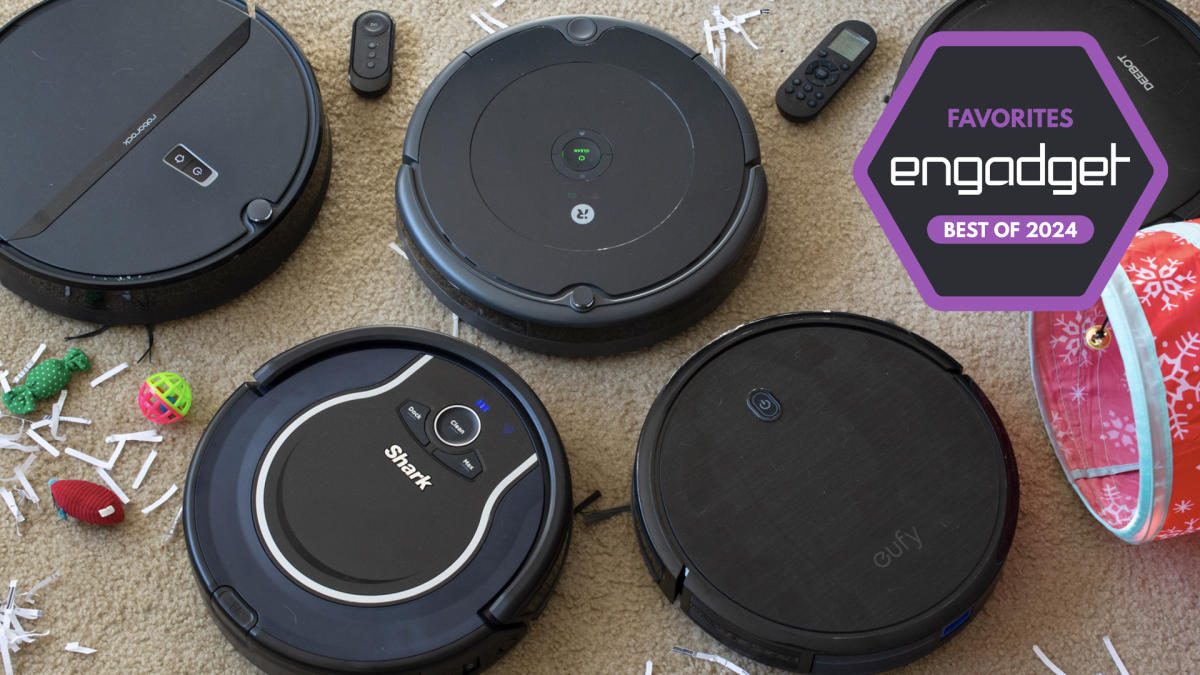
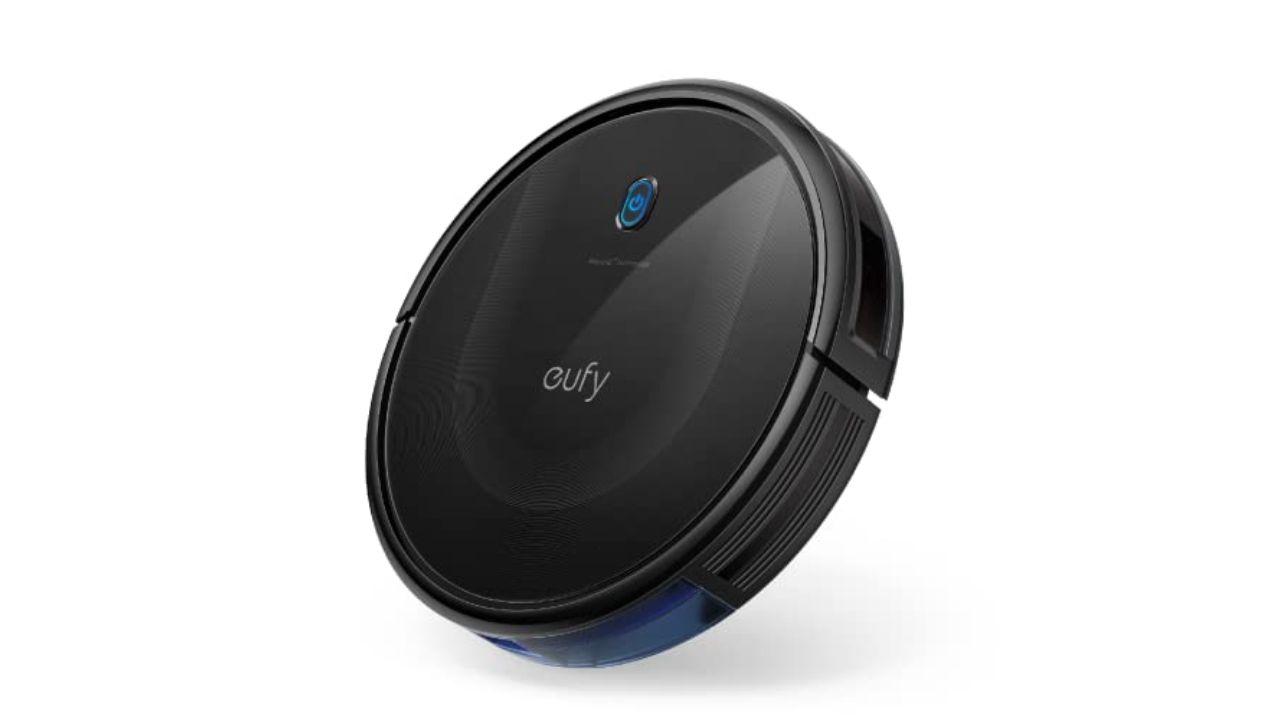
Anker’s $250 Eufy RoboVac 11S was one of the cheapest vacuums I tested but it also proved to be one of the most versatile. First thing to note: This robot vacuum doesn’t have Wi-Fi, but it does come with a remote that gives you most of the functions and smart features you’d find in an app (including a schedule feature). Eufy also includes additional brushes and filters in the box.
The “S” in this robot’s name stands for slim, and it’s roughly half an inch thinner than all of the other vacuums I tested. Not only does this make the 11S Max lighter, but it was the only one that could clean under my entryway table. This model has a physical on-off toggle on its underside plus one button on its top that you can press to start a cleaning. It always begins in auto mode, which optimizes the cleaning process as it putters around your home, but you can use the remote to select a specific cleaning mode like spot and edge clean.
The 11S Max has three power modes — Standard, BoostIQ and Max — and I kept mine on BoostIQ most of the time. It provided enough suction to adequately clean my carpeted floors, missing only a few crumbs or pieces of debris in corners or tight spaces around furniture. The cleaning session lasted for roughly one hour and 15 minutes when in BoostIQ mode and it has remarkable obstacle avoidance. Sure, it bumped into walls and some large pieces of furniture, but it was the only budget vac I tried that consistently avoided my cat’s play tunnel that lives in the middle of our living room floor.
As far as noise levels go, you can definitely hear the difference between BoostIQ and Max, but none of the three settings is offensively loud. In fact, I could barely hear the 11S Max when it was on the opposite end of my apartment running in BoostIQ mode. Thankfully, error alert beeps were loud enough to let me know when something went awry, like the machine accidentally getting tripped up by a rogue charging cable (which only happened a couple of times and neither robot nor cable were harmed in the process).
Overall, the Eufy RoboVac 11S Max impressed me with its smarts, despite its lack of Wi-Fi. The lack of wireless connectivity is arguably the worst thing about the robot and that’s saying a lot. At this point, though, the 11S Max is a few years old, so you could grab the RoboVac G20 if you want something comparable but a bit newer. We recommend getting the $280 G20 Hybrid if you’re just looking for a Eufy machine with some of the latest technology, but don’t want to spend a ton. It has 2500Pa of suction power, dynamic navigation and Wi-Fi connectivity with support for Alexa and Google Assistant voice commands.
Max mode: Yes | Wi-Fi capabilities: Yes | Object detection: Yes | Charging dock: Yes | Self-emptying dock: No
Roborock has made many improvements to its fleet of robot vacuums in recent years and the Roborock Q5 is a good, basic option that you can often find it on sale for between $200 and $300. There aren’t a ton of bells and whistles on this particular model, but it gets the basics right. It supports 2700Pa suction power, precision mapping with LiDAR and app and voice control, plus its dustbin is fairly large at 470ml.
During my testing, I found the Roborock Q5 to be a capable cleaning machine, even on carpet that’s excellent at hiding a ton of cat hair. Its mapping capabilities are solid as well, and after each cleaning job, the Roborock mobile app shows you exactly where the machine went with small squiggly lines that follow its path. That’s handy because, if for some reason the vacuum doesn’t hit every single spot in a room that you want it to, you can send it back out to target using the “pin and go” feature.
Roborock’s app experience has improved as well: it’s no longer as confusing and nonsensical as it was in previous years. It’s still not the most polished app, but it’s much easier to find the controls for basic actions like starting a cleaning, choosing specific rooms or zones to clean and the like. I only wish the scheduling tool was more front-and-center — it’s buried in a menu, but also tucked away in that menu is a personal favorite feature that isn’t super common on robot vacuums: remote control. Roborock’s gives you the choice of on-screen buttons or a joystick to manually control the machine’s movements. While totally unnecessary, it’s a convenient feature to have if you’re very particular about where you want your robot vacuum to clean — or if you just miss the experience of driving an RC car.
First and foremost, always empty your robot vacuum’s dustbin after every cleaning job. Simply detach and empty the dustbin as soon as the robot is done cleaning, and then reattach it so it’s ready to go for the next time. It’s also a good idea to take a dry cloth to the inside of the dustbin every once in a while to remove any small dust and dirt particles clinging to its insides.
In addition, you’ll want to regularly examine the machine’s brushes to see if any hair has wrapped around them, or if any large debris is preventing them from working properly. Some brushes are better than others at not succumbing to tangled hair, but it’s a good idea to check your robot’s brushes regardless — both their main brush and any smaller, corner brushes they have. These parts are often easy to pop off of the machine (because they do require replacements eventually) so we recommend removing each brush entirely, getting rid of any tangled hair or other debris attached to them and reinstalling them afterwards.
Robot vacuums also have filters that need replacing every couple of months. Check your machine’s user manual or the manufacturer’s website to see how long they recommend going in between filter replacements. Most of the time, these filters cannot be washed, so you will need to buy new ones either directly from the manufacturer or from other retailers like Amazon or Walmart.
Adding any major appliance to your home can be an expensive endeavor, but it’s something worth considering with all of the modern technology companies are putting in appliances such as the best washing machines, best dryers, and best refrigerators. Some modern smarts can make things around the house more convenient and more efficient when it comes to energy bills, and while pricing may initially seem out of reach for many, shopping appliance package deals can really help drop the costs. Right now some of the best appliance package deals come from LG, Samsung, Bosch, Whirlpool, and KitchenAid. We’ve pieced together all of the best appliance package deals to shop right now, and if you’d rather search for some savings on individual appliances be sure to check out today’s best refrigerator deals, best washer and dryer deals, best oven deals, and best dishwasher deals.
Best LG appliance package deals
Bill Roberson/Digital Trends / Digital Trends
LG has some pretty incredible appliances. We’ve focused on the best offers in LG’s washer and dryer deals.
LG Washer and Dryer Package —
LG Washer, Dryer and Storage Bin Combo —
LG Washer, Dryer and Storage Bin Combo —
LG Washer, Dryer and Storage Bin Combo —
LG Refrigerator, Stove, Oven and Dishwasher Combo —
Best Samsung appliance package deals
Samsung
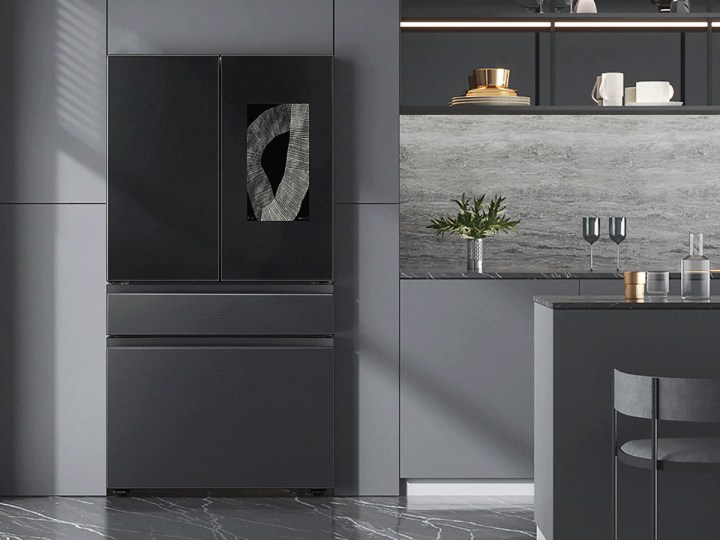
Samsung has very striking appliances. If you want a luxury experience, settle for nothing short of the Bespoke series.
Samsung Stackable Smart Washer and Dryer Package —
Samsung smart refrigerator, range, and dishwasher combo —
Samsung smart refrigerator, range, dishwasher, and microwave combo —
Samsung Bespoke Glass Full Kitchen Package —
Samsung Bespoke Full Kitchen Package —
Best Bosch appliance package deals
Bosch
Bosch is a premium brand when it comes to kitchen appliances. As such, it can be difficult to track down some Bosch appliance package deals, and that’s certainly the case right now. Shopping appliance package deals are a form of savings, however, as bundling several appliances together will often result in a lower total price. We’ve included some popular Bosch appliance packages that are worth checking out even thought they aren’t currently discounted as a bundle.
Bosch 800 Series Stainless Steel Package —
Bosch 500 Series Stainless Steel Package —
Bosch 800 Series Stainless Steel Package —
Bosch 500 Series Stainless Steel Package —
Bosch 800 Series Stainless Steel Package —
Best Whirlpool appliance package deals
Whirlpool
You can furnish your entire house with Whirlpool deals. We’ve pulled some entire kitchen packages and some washer and dryer combos.
Whirlpool Washer and Dryer Combo —
Whirlpool Front-Load Washer and Dryer Combo —
Whirlpool Washer and Dryer Combo —
Whirlpool Stainless Steel Kitchen Package —
Whirlpool Electric Full Kitchen Package —
Best KitchenAid appliance package deals
KitchenAid
While KitchAid might be most famous for its stand mixers, it also makes complete kitchen sets. The designers at KitchenAid obviously know their way around functional kitchens, so you can trust the rest of their appliances too.
KitchenAid Refrigerator and Dishwasher Bundle —
KitchenAid Refrigerator and Microwave Bundle —
KitchenAid Refrigerator and Dishwasher Bundle —
KitchenAid Stainless Steel Kitchen Package —
KitchenAid Stainless Steel Kitchen Package —
Should you buy an appliance package or buy individually?
This answer comes down to two things: whether you actually need a completely new set of appliance, and if you want them all to match. If you need a completely new set of appliances there is no question that buying them as a package will save you money. Buying a full set knocks a minimum of $100 off every piece in the set, if not more. Companies want you to buy full sets, and to encourage that they offer pretty impressive discounts.
As for them matching, that mostly comes down to aesthetic choice. Some of the more striking appliances, such as Samsung’s Bespoke series, are really eye catching. A jet-black, glass front refrigerator would certainly stand out next to a classic white oven and stove. But if you find a good deal from mixing and matching stainless steel appliances from refrigerator deals with microwave deals and oven deals, you can build a nice set without refitting your entire kitchen.
Going on a fitness journey can be very tough, especially if you don’t have a lot of motivation, which is why having home fitness equipment is important, especially if you don’t want to drag yourself to a gym regularly. While that sort of equipment tends to be expensive, there are luckily quite a few home gym deals that you can take advantage of, whether it’s things like dumbells or water bottles, which is why we’ve gone out and found our favorite deals and listed them below. You can also check out some other great brand-specific deals, such as these NordicTrack deals and Bowflex deals.
Adjustable Dumbbell 55-pound 5-In-1 Single — $156, was $190
Image used with permission by copyright holder
One of the worst things about dumbbell training is having too many dumbbells. They can take over your whole gym. This deal (on a SINGLE dumbbell, so buy two!) can take the place of five dumbbells in your complete gym kit. Instead of one 55-pound dumbbell, you’re getting an 11-pound dumbbell, a 22-pound dumbbell, and so on up until the 55 pounder. This is advantageous if you’re just starting out with working out and don’t know what weight you need to start with or if you want to do different exercises with different weights. Finally, note that the design of the adjustable dumbbell is quite safe as you can only adjust the weights (via a simple handle turning mechanism) while they are laid carefully on tray. Once they’re off, the weight is “locked in” so to speak until you return them to the try. No lost toenails here!
Echelon Stride — $350, was $400
Echelon
Not all treadmills have to be super expensive, and the Echelon Stride is a good budget-oriented option that still has a lot of features. It has a long but thin 16 x 47-inch belt for you to run on which is also well-suited for smaller spaces. You get a max speed of ten miles per hour, which is pretty solid if you’re just starting out, and the 15 pre-programmed modes should be more than enough, although you can set three custom workouts if you want.
ProForm Carbon EL — $700, was $800
Image used with permission by copyright holder
The ProForm Carbon EL is an elliptical with a 15-pound flywheel that delivers a natural striding experience. To train the way you want, it includes 18 resistance levels, which can be controlled by you or your trainer in an iFIT class, of which you’ll have 30 days of free access to with the purchase of this elliptical. The ProForm Carbon EL has a water bottle holder for your hydration needs and dual 2-inch speakers for your entertainment.
NordicTrack Commercial VU29 Exercise Bike — $899, was $1,299
NordicTrack
The NordicTrack Commercial VU29 is a quiet workout bike for low impact cardio. It is also a rather quiet machine, which is specially designed to keep your workout quiet. Alongside a free 30-day subscription to iFIT, where a trainer can automatically adjust your 24 digital resistance levels, you can also bike in a simulated area of your choosing using Google Maps. The result is a realistic workout simulation without ever having to leave the room. Its quiet nature is perfect for those looking after a baby or who are always on call from the work from home office. The NordicTrack Commercial VU29 carries cyclers up to 325 pounds.
NordicTrack RW900 Smart Rower — $884, was $1,599
.
The NordicTrack RW900 Smart Rower provides an indoor rowing environment so you can get the healthful movement of rowing no matter the weather (of if you even have a lake nearby). It has 26 levels of resistance, so you can practice the basic body movements or get a serious resistance workout. At the foot of the NordicTrack RW900 is a 22-inch HD screen which guides you through your iFIT training class. This model comes with 30 days of iFIT for free, where trainers can take over automatically, setting resistance levels and guiding your through a workout.
Matrix ICR50 Indoor Cycle — $999, was $1,199
Matrix
If you want a more traditional cycling experience, you can check the Matrix ICR50, with a magnetic resistance wheel which will give you the feel of a regular bike. You can pick between 11 resistance levels, which is great if you’re just starting to move to the next stage of your training. That said, it’s worth noting that it doesn’t have a screen or heart rate sensor, so if you want either of those two, you’re missing out.
Schwinn 470 Elliptical Machine — $1,099, was $1,299
Schwinn
The Schwinn 470 Elliptical provides a unique elliptical workout experience. It has a 20-inch stride that uses foot motion technology to more properly simulate a natural running motion than most other ellipticals. It is able to be adjusted to 25 different resistance levels and be put on an incline of up to 10-degrees. You can challenge yourself with these settings via the 200+ virtual courses included in the “Explore the World” subscription you can add on to the machine or one of the 29 workout programs included with the machine.
NordicTrack Fusion CST — $1,200, was $2,000
NordicTrack
The NordicTrack Fusion CST provides a lot of options for how to work out in a single device. That’s due to its six cables, placed in pair at high, shoulder-height, and low positions. The low cables can be attached to your ankles to work out your legs and build muscles strength. With a device so complex, you’ll be happy to get 30 days of iFIT training for free so your can get a good idea of how to best use the device to suit your needs. You’ll be able to see your trainer on the included 10-inch Smart HD Portal 10i tablet, which lets you follow your iFIT trainer and view your stats all in one convenient place.
More on the best deals on gym equipment, apparel, and fit tech
Fitness trackers are a great way to start any journey into getting into shape. Fitness trackers often sync with your smartphone with a health app so you can track your steps, your mileage activities such as running, cycling, swimming, your calories burnt, and more. They are typically waterproof, dustproof, and generally durable so you can wear them no matter where you are and what you are doing.
Resistance bands are also great tools for getting into shape, no matter where you are. They are lightweight and usually come with a carrying bag for easy transport. On the other hand, there are total home gyms that bring all of your favorite machines to the comfort of your home. Total home gyms can be on the pricey side, but they are convenient and ultimately save you money in the long run when compared to gym fees. You can mix and match your pricier fitness equipment through elliptical deals and treadmill deals.
If you don’t want to buy too much equipment, yoga is a great way to get into shape and get in touch with your spiritual side. Yoga requires very little supplies since all you really need is a decent yoga mat. We’ve included a great deal on a yoga mat here, but there are hundreds to choose from out there in all different colors and sizes.
If you want to take a more old-school route, dumbbells are a fitness equipment classic. Purchasing a wide range of dumbbells weights can be expensive and take up a lot of space in your home gym. Fortunately, adjustable dumbbell sets that eliminate the space issue and can save money, too. Adjustable dumbbells use various designs that allow you to quickly add and reduce weight. You can easily add and remove weight plates for each muscle group and for your regimen of reps and sets.
Diet and exercise have an important symbiotic relationship. Your body can only work with what you give it. Meal kit deals can save you time and money on meal prep, and provide an easy structure to follow.
Looking for more great stuff? Find more on our curated deals page.
No other product I’ve tested has advanced as quickly as the humble robot vacuum. Just a few short years ago, they were mostly annoying, overpriced devices that fell off steps and got stuck on rugs. Now you can find robot vacs at every price point with an incredible array of features, including mapping capabilities, self-emptying bins, and even cameras.
Vacuuming an ever-changing household is a complex task, and no robot vacuum is perfect. However, I test them in one of the most challenging environments possible—a carpeted, two-story family home with messy kids and a shedding dog—and I find them indispensable. Whether you’re choking on cat hair, need to lighten your chore load, or just want to spend more time with your family, we have a pick that will help.
Updated April 2024: We added the Eufy S1 Pro and X10 Pro Omni, the Dyson 360 Vis Nav, the TP-Link Tapo RV30C Plus, and the Dreame X30. We also added more information on the iRobot and Amazon acquisition and noted a new Samsung robot. We also updated prices and links throughout.
Special offer for Gear readers: GetWIRED for just $5 ($25 off). This includes unlimited access toWIRED.com, full Gear coverage, and subscriber-only newsletters. Subscriptions help fund the work we do every day.