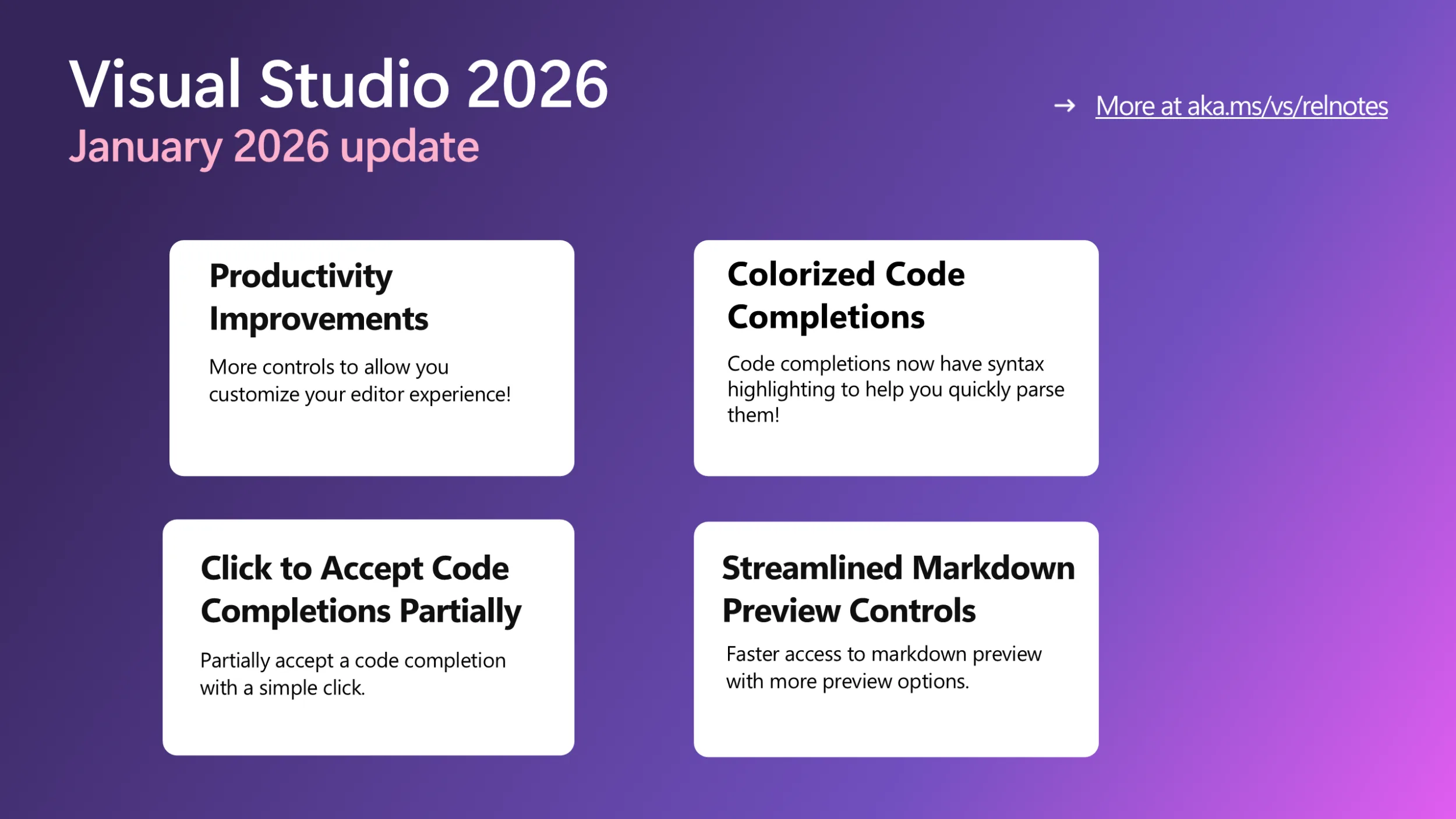
Visual Studio January Update – Visual Studio Blog


Summary of VS January updates

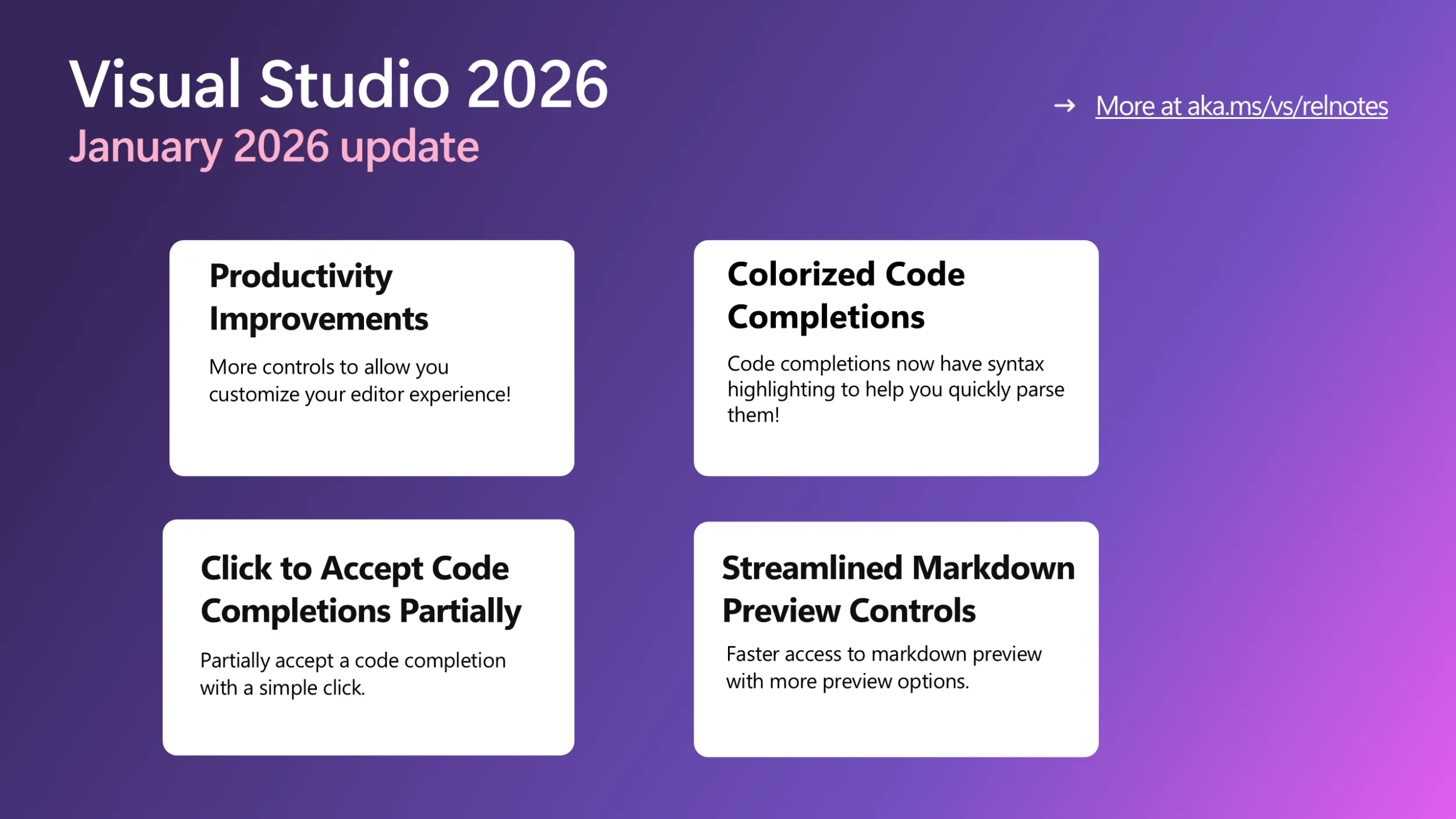
Productivity Improvements

This month, we are bringing you a series of small yet long requested and popular features to let you better control and customize your editor.

  • Fast scrolling: Hold down the Alt key while scrolling the mouse wheel to move quickly when reviewing code or reading documentation. You can adjust the fast-scrolling speed in Tools > Options > Text Editor > Advanced > Touchpad and mouse wheel scrolling sensitivity.
  • Middle click scroll: Press down on your scroll wheel and move the mouse to quickly scroll through your document, making it easier to explore large files. This feature is off by default in 18.3 Insiders 2 and needs to be enabled via Tools > Options > Text Editor > Advanced > Middle click to scroll.
  • HTML-rich copy paste: Visual Studio now supports HTML clipboard format when cutting or copying code from the editor. You can paste colorized code into web versions of Office apps, Azure DevOps work items, or other HTML-based controls. This feature is available in the latest Insiders and will be shipped in the Release channel soon.
  • Syntactic line compression: Lines without letters or numbers are compressed by 25%, letting you see more code at once. Regular lines stay the same height. Enable this feature in Tools > Options > Text Editor > Advanced by checking Compress blank lines and Compress lines that do not have any alphanumeric characters.
  • Slimmer left margin: We’ve heard you that you would like to see a slimmer left margin to have more horizontal space for your code! To save an extra column, we moved the Quick Actions icon (lightbulb or screwdriver) from the margin into the editor, where it appears inline with your code when fixes or refactoring are available. To try out the experience now, go to Tools > Options > Text Editor > Advanced and check Show Quick Actions icon inside the editor. We also have more customized margin controls coming, so stay tuned!

Colorized Code Completions

Code completions are now colorized with syntax highlighting to help you quickly parse suggested code between variables, functions, and other elements! To try out this experience, go to Tools > Options > Text Editor > Code Completions and check “Use colorized text for code completions.

To differentiate suggestions from actual code, colorized completions use lower opacity and italic styling. If you want to further customize the look, go to Tools > Options > Environment > Fonts and Colors and select “Code Completions” from the Display items list. From there, you can customize the font, size, foreground/background colors, and styles (bold, italicized…).

Click to Accept Code Completions Partially

Have you ever wanted to accept a code completion partially with a single click? With this new feature, you can click directly inside a suggestion to accept it up to the cursor position. As you hover over the suggestion, each segment highlights to show exactly what will be accepted.
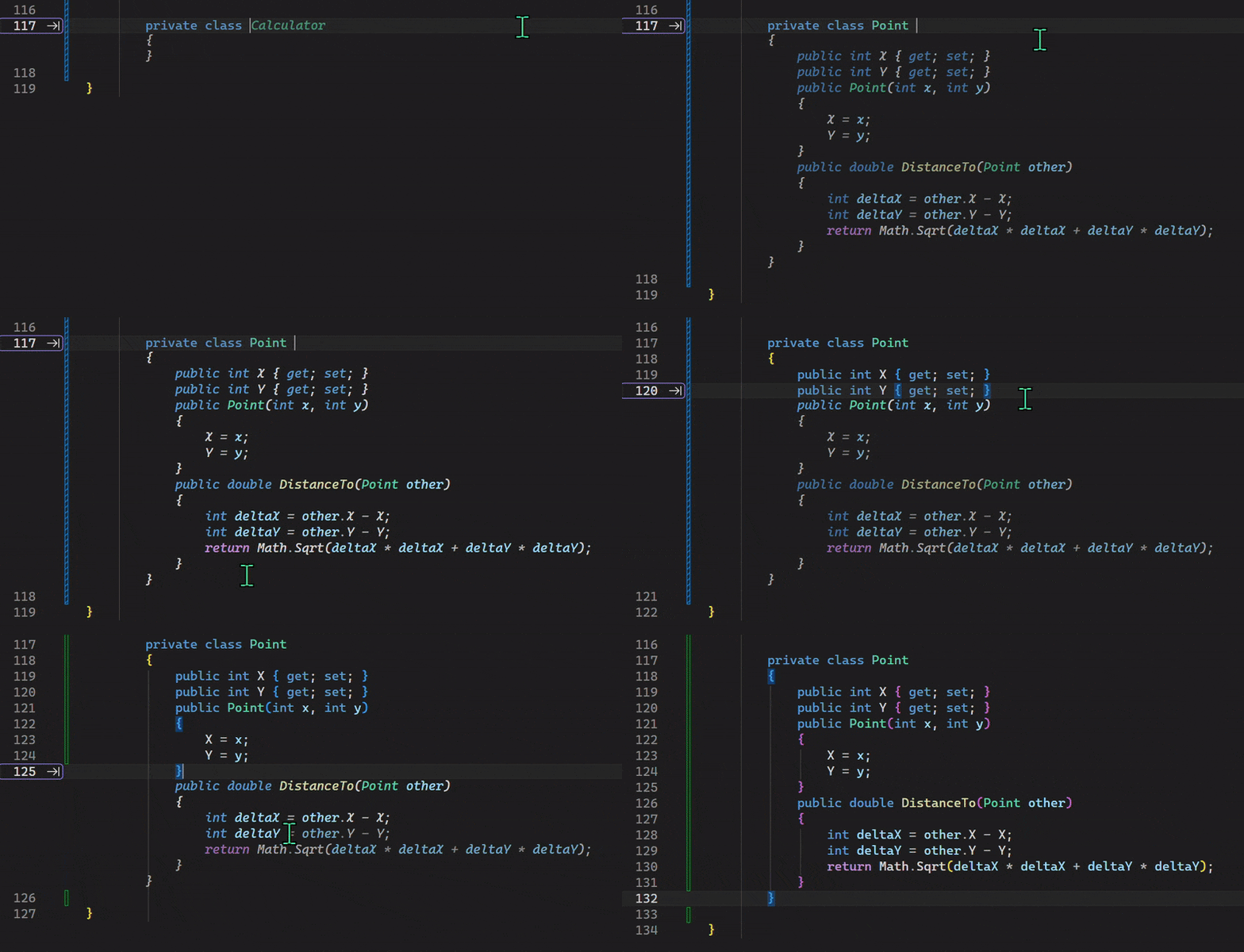
Using mouse clicks to partially accept a suggestion

This feature gives you more control over how much of a completion you want to accept. If you prefer using the keyboard, you can still press Ctrl + Right Arrow to accept one word at a time, or Ctrl + Down Arrow to accept one line at a time.

Streamlined Markdown Preview Controls

Visual Studio Markdown editor now gives you faster, clearer access to preview options:

  • Switch between preview modes: Split Preview shows the editor and preview side by side, Open Preview shows only the preview, and Edit Markdown shows just the editor. The preview-only mode helps you focus on rendered content, especially for large images or complex Mermaid diagrams.
  • When previewing a Mermaid diagram, use the zoom controls in the top-left corner to zoom in or out for better readability.
  • When Copilot Chat generates markdown content, click the Preview button at the top right corner of the chat window to see a rendered view. You can then edit and save the content directly. No need to copy and paste manually.


To try all this latest goodness, please update your Visual Studio regularly and join us in the Insiders Channel if you haven’t yet! (Note: All features shared in this blog post are available in Visual Studio 2026 only.) Please give them a try and let us know any feedback you have or the next thing you would like to see!

7 Back-Office Problems Holding Service Businesses Back


7 Back-Office Problems Holding Service Businesses Back


What you should know about the owners of US TikTok


​ByteDance, TikTok’s Chinese parent company, recently established a separate American entity to run the app’s U.S. operations. This restructuring aims to separate U.S. TikTok from its Chinese parent, addressing concerns about data privacy and foreign control.

The move came after years of pressure from lawmakers, who feared the Chinese government’s potential access to Americans’ data. In 2024, Congress enacted a law, mandating that TikTok’s U.S. operations be separated from ByteDance.

​Under the new structure, about 80% of the U.S. TikTok entity is owned by non-Chinese investors, with ByteDance keeping only a 19.9% share. The newly formed entity, “TikTok USDS Joint Venture LLC,” licenses TikTok’s recommendation algorithm from ByteDance and independently manages content moderation, and oversees data protection, algorithm security, and software controls.

The managing investor group consists of Oracle, the private equity firm Silver Lake, and the investment firm MGX. Each holds a 15% stake, totaling 45% of the U.S. business. Here’s what you should know about them.

Oracle

Oracle is a leading cloud computing and database firm that collaborates with top companies, such as OpenAI. Oracle previously attempted to acquire TikTok and already provides cloud infrastructure for the app, managing its U.S. user data. 

Under the new deal, Oracle serves as the security partner, auditing TikTok’s compliance with U.S. security requirements, managing data storage, and overseeing updates to the content recommendation algorithm. 

It’s important to note that Oracle co-founder Larry Ellison, now the company’s executive chairman and chief technology officer, is a prominent billionaire with known connections to President Trump.

Techcrunch event

San Francisco
|
October 13-15, 2026

MGX

MGX is an AI-focused investment firm based in the United Arab Emirates, which invests in semiconductors and data centers. The firm was created by Mubadala (Abu Dhabi’s sovereign wealth fund) and G42, an Emirati AI company. 

MGX’s stake in U.S. TikTok could give the firm influence over key decisions shaping TikTok’s AI direction. The firm already backs Elon Musk’s xAI, Anthropic, and OpenAI, and contributed to a $100 billion AI data center initiative announced by President Trump, in which Oracle is participating as well. 

It’s also worth pointing out that MGX has partnerships with Microsoft and BlackRock.

Silver Lake

Silver Lake, a leading U.S. private equity firm, has long invested heavily in technology companies, including Airbnb, Twitter, Dell Technologies, Tesla, and Waymo. Its role in U.S. TikTok is primarily financial and strategic, offering capital and expertise to help shape the platform’s direction.

Notably, Silver Lake has collaborated with MGX in the past, including during the acquisition of a majority stake in the software and chip company Altera last year. Additionally, Silver Lake has invested in G42 since 2021.

Other investors

  • Dell Family Office: Michael Dell’s investment firm.
  • Vastmere Strategic Investments: A firm affiliated with Susquehanna International Group (SIG), which is owned by billionaire Jeff Yass.
  • Alpha Wave Partners: A global investment firm involved with notable companies, including SpaceX and Klarna.
  • Virgo LI: The investment arm associated with Israeli tech investor Yuri Milner, who was an early backer of Facebook and Twitter.
  • NJJ Capital: The family office of Xavier Niel, a French billionaire businessman who founded telecommunications company Iliad.
  • Revolution: The venture capital firm founded by AOL co-founder Steve Case.
  • Merritt Way: Managed by partners of Dragoneer Investment Group, a San Francisco-based investment firm.
  • Via Nova: An affiliate of General Atlantic.

Gaming PC Overheating? Causes, Signs & Solutions


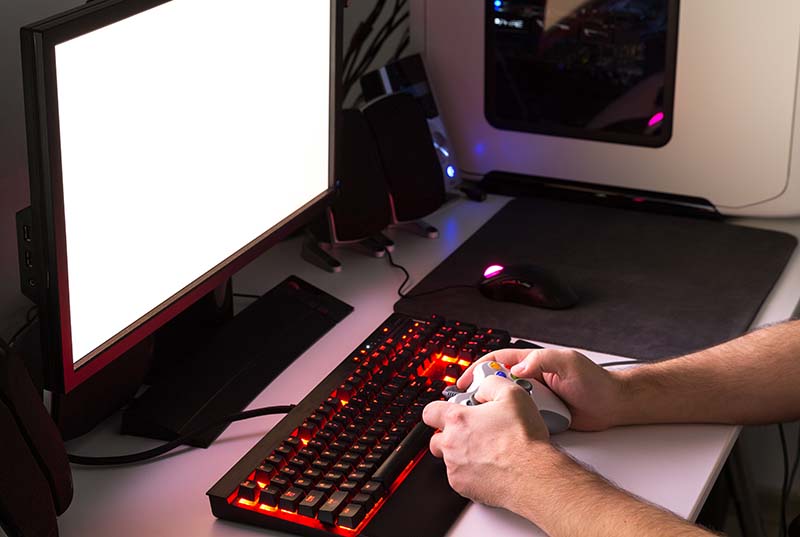
Your gaming PC sounds like a jet engine during intense sessions, and you’ve noticed performance drops or unexpected shutdowns. These aren’t just minor annoyances—they’re warning signs that your system is running too hot. At PC Geeks, we’ve seen countless gamers struggle with overheating issues that, left unchecked, can lead to permanent hardware damage and expensive replacements. The good news? Most overheating problems are preventable and fixable with the right knowledge and approach.

Gaming PCs generate significant heat under load, especially with modern graphics cards and processors pushing performance boundaries. While some warmth is normal, excessive heat accelerates component degradation and can reduce your system’s lifespan by years. Understanding what causes overheating and recognizing the early warning signs puts you in control of your gaming experience and protects your investment.

gaming pc overheating

Why Gaming PCs Overheat: The Common Culprits

Dust accumulation ranks as the number one cause of gaming PC overheating. Over time, dust clogs fans, heat sinks, and ventilation pathways, creating an insulating layer that traps heat inside your case. Even a few months of operation can produce enough buildup to significantly impact cooling efficiency. This is especially true for systems placed on carpeted floors or in dusty environments where airborne particles easily infiltrate through intake fans.

Inadequate airflow often stems from poor case ventilation or improper fan configuration. Your PC needs a balanced air pressure system—intake fans bringing cool air in and exhaust fans pushing hot air out. When this balance fails, hot air stagnates around critical components. Sometimes the issue is simply blocked vents from cables, papers, or walls placed too close to your tower.

Aggressive overclocking pushes components beyond their factory specifications for extra performance. While enthusiasts often pursue higher clock speeds, this generates additional heat that stock cooling solutions may struggle to handle. Without proper thermal management—upgraded coolers, increased fan speeds, or better case ventilation—overclocking transforms into a fast track toward system instability and hardware damage.

Recognizing the Warning Signs Before Damage Occurs

Your PC communicates distress through several observable symptoms. Performance throttling occurs when temperatures exceed safe thresholds, causing your processor or graphics card to automatically reduce clock speeds. You’ll notice frame rate drops, stuttering in games that previously ran smoothly, or longer processing times for demanding tasks. This self-protection mechanism prevents immediate damage but signals that your cooling system isn’t keeping up.

Unexpected shutdowns or system crashes indicate critical overheating. Modern components have thermal limits that, when reached, trigger automatic shutdowns to prevent permanent damage. If your PC turns off during gaming sessions or intensive workloads, temperature is likely the culprit. These emergency shutdowns protect your hardware but also warn that you’re operating dangerously close to component failure.

Excessive fan noise suggests your cooling system is working overtime trying to manage temperatures. While fans naturally spin faster under load, persistent loud operation even during light tasks indicates thermal stress. You might also notice unusual smells—a burning or electrical odor—which can signal overheating components or melting plastic from excessive heat exposure.

Professional Solutions That Actually Work

Professional PC repair starts with comprehensive thermal analysis. Technicians use specialized tools to measure component temperatures under various load conditions, identifying exactly where heat problems originate. This diagnostic approach reveals whether you’re dealing with cooling system failures, airflow restrictions, or component-specific issues requiring targeted solutions.

Deep cleaning and maintenance form the foundation of most overheating repairs. Professional-grade compressed air and specialized tools remove dust from every crevice—fan blades, heat sink fins, and case filters. Technicians also inspect and clean power supply units, which often accumulate significant dust that impedes their internal cooling fans. This thorough approach goes far beyond what typical users can achieve with consumer-grade cleaning supplies.

Thermal paste replacement provides immediate temperature reductions for aging systems. Experienced technicians carefully remove old compound, clean mounting surfaces to bare metal, and apply fresh thermal paste using techniques that ensure optimal coverage without air bubbles. Pairing this with fan bearing maintenance or replacement can restore your PC’s cooling efficiency to near-original performance levels.

Cooling system upgrades offer long-term solutions for persistent thermal issues. This might involve installing more efficient CPU coolers, adding case fans in strategic locations, or upgrading to all-in-one liquid cooling systems. Professional installers ensure proper mounting, correct fan orientation for optimal airflow, and cable management that doesn’t obstruct ventilation pathways. They also verify that your power supply can handle any additional cooling components without overloading.

Taking Action to Protect Your Gaming Investment

Overheating damages expensive components gradually but inevitably. Every hour your gaming PC operates above safe temperatures accelerates wear on processors, graphics cards, and memory modules. The cost of professional repair or preventive maintenance pales in comparison to replacing a failed graphics card or motherboard. Regular thermal assessments—at least annually for heavy users—catch problems before they escalate into failures.

PC Geeks specializes in diagnosing and resolving gaming PC overheating issues with solutions tailored to your specific setup and usage patterns. Our technicians combine technical expertise with genuine enthusiasm for gaming, understanding how frustrating thermal throttling and performance issues can be. We don’t just treat symptoms—we identify root causes and implement lasting fixes that keep your system running cool under pressure.

Don’t wait until overheating causes permanent damage to your gaming PC. Contact PC Geeks today for a comprehensive thermal assessment and discover how professional care can restore your system’s performance while extending its lifespan. Your games deserve hardware that runs cool, quiet, and reliably—and we’re here to make that happen.

The Rainbird Community Forum is now LIVE


We’ve opened a new space for people who are building, learning, and working with deterministic AI, and we’d like you to be part of it.

The Rainbird Community Forum is a space for people who are learning, building, and working with deterministic AI – developers, engineers, product and implementation roles, and anyone who wants to go deeper and learn by doing.

We know how valuable it is to have a place where you can ask real questions, explore ideas openly, and learn from people who are facing similar challenges. 

In the forum, you can:

  • Ask for help with technical and implementation challenges
  • Learn from peers and from the Rainbird team
  • Share feedback, ideas, and early experiments
  • Stay close to the product and the research work we’re exploring

For us, progress means learning together, exchanging ideas openly, and building with intention. This forum is part of our commitment to co-creation, transparency, and growing a thoughtful, technically curious community around deterministic AI.

If you’re building, learning, or you’re simply curious about where this space is going, we’d be glad to welcome you.

Click here to join the Rainbird Community Forum

Register Now for WorshipStreamTV 2026


Register Now for WorshipStreamTV 2026 | Virtual Event for Live Streaming & Production in Houses of Worship

WorshipStreamTV is a 3-day virtual event series designed for Houses of Worship of all sizes. Live production in a religious context can offer various benefits for engaging congregations and expanding the reach of religious services. We are here to provide you with the tips, tricks, and tools you need to live stream for your House of Worship.
 
Your FREE, one-time, registration gains you access to three days of informative webinars, interviews with industry guests, live demos, chances to win prizes, & more!

REGISTER HERE

WorshipStreamTV delivers informative, expert-led webinars, insightful interviews with industry professionals, and live product demos designed specifically for Houses of Worship—giving you practical tips, proven workflows, and real-world inspiration to enhance your live streaming, elevate worship production, and better engage your congregation.

REGISTER HERE

Best streaming deal: Get one month of Disney+ and Hulu for only $9.99.


SAVE $3: Until Feb. 17, new and returning subscribers are eligible to get the first month of the Disney+ and Hulu streaming bundle on sale for $9.99. That’s a savings of $3 compared to the standard bundle price of $12.99 per month.


In case you’re searching for an escape from real life, you might consider diving into a show that has hundreds of episode to keep you busy. But with the price of streaming services increasing all the time, it’s a struggle to find a streaming deal. Lucky for us, there’s actually a sale right now on a worthy bundle.

Through Feb. 17, sign up for the Disney+ and Hulu streaming bundle to get your first month for only $9.99, marked down from the normal bundle price of $12.99 per month. That savings of $3 means you’re getting a 58% discount. It’s also a nice deal compared to the price of the two services separately which works out to $11.99 per month.

Signing up for this bundle gives you access to millions of hours of entertainment, and winter is the perfect time to rewatch Disney movies or catch up on shows you missed in the last few years. Keep in mind this deal is valid for new and returning subscribers and it does include ads.

While saving $3 isn’t a fantastic deal, we’re excited to see any streaming deal these days. Before Feb. 17, sign on to get tons of entertainment from Hulu and Disney+ while also saving a bit of money. It’s an easy win-win.

Intel Panther Lake continues snapping up victories as the Forza Horizon 6 system requirements list the integrated Arc B390 GPU


It’s only been *checks watch* less than a day, and already Intel’s Panther Lake is seeing some promising airtime. That’s not just from the likes of publications such as yours truly, but also, it seems, from games, as the Arc B390 is now featured on the official Forza Horizon 6 system requirements.

That’s a game that’s pencilled for a summertime launch (May 19), and as of now, there are only minimum requirements listed. On the GPU front, this means an Nvidia GTX 1650, AMD RX 6500 XT, Intel Arc A380 or Arc B390.

Swipe to scroll horizontally
Header Cell – Column 0

Minimum spec

Operating System

Windows 10 22H2 (19045)

Processor

Intel Core i5 8400 or AMD Ryzen 5 1600

Memory

16 GB RAM

Graphics

Nvidia GTX 1650, AMD RX 6500 XT, Intel Arc A380, or Intel Arc B390

DirectX

Version 12

Storage

SSD required

Qualcomm backs SpotDraft to scale on-device contract AI with valuation doubling toward $400M


As demand grows for privacy-first enterprise AI that can run without sending sensitive data to the cloud, SpotDraft has raised $8 million from Qualcomm Ventures in a strategic Series B extension to scale its on-device contract review tech for regulated legal workflows.

The extension values SpotDraft at around $380 million, the startup told TechCrunch, nearly double its $190 million post-money valuation following its $56 million Series B in February of last year.

Across regulated sectors, enterprises have moved quickly to test generative AI, but privacy, security, and data governance concerns continue to slow adoption for sensitive workflows — especially in legal, where contracts can include privileged information, intellectual property, pricing, and deal terms. Industry research has consistently flagged data security and privacy as key barriers to wider GenAI deployment in professional services, pushing vendors like SpotDraft to pursue architectures that keep core contract intelligence on the user’s device rather than routing it through the cloud.

At Qualcomm’s Snapdragon Summit 2025, SpotDraft demonstrated its VerifAI workflow running end-to-end on Snapdragon X Elite-powered laptops, executing contract review and edits offline while keeping the document on the local machine. SpotDraft said internet connectivity is still required for login, licensing, and collaboration features, but contract review, risk scoring, and redlining can run fully offline without sending documents to the cloud.

SpotDraft sees legal as an early proving ground for on-device enterprise AI, arguing that sensitive contracts often cannot be routed through external cloud models due to privacy, security, and compliance constraints.

“The future of how enterprise AI is going to be — right now, there’s got to be AI that is close to the document, which is privacy critical, latency sensitive, [and] legally sensitive, and those are the things that will move on device,” said Shashank Bijapur (pictured above, left), co-founder and CEO of SpotDraft, in an interview.

SpotDraft says VerifAI’s on-device capability extends beyond simply generating summaries, with the tool designed to apply playbooks and recommendations directly inside Microsoft Word, the way legal teams already work. “VerifAI will compare a contract against your guidelines, your playbooks, your prior policies,” said Madhav Bhagat (pictured above, right), co-founder and CTO of SpotDraft.

Techcrunch event

San Francisco
|
October 13-15, 2026

SpotDraft's VerifAI in Microsoft Word
SpotDraft’s VerifAI works in Microsoft WordImage Credits:SpotDraft

Bijapur told TechCrunch that the demand for on-device AI is emerging most clearly in tightly regulated sectors, including defense and pharma, where internal security reviews and data residency requirements can slow or block the use of cloud-based AI tools for sensitive documents.

On-device models have rapidly closed the gap with cloud-based systems, both in output quality and response times, Bhagat said. “Now we’ve come to a place where, in terms of eval, we are seeing as little as 5% difference between the frontier models, and some of these fine-tuned on device models,” he said, adding that speeds on newer chips are now “one-third of what we get in the cloud.”

Since its launch in 2017, SpotDraft said it has reached more than 700 customers, up from around 400 in February last year, and counts Apollo.io, Panasonic, Zeplin, and Whatfix among its users. The company said adoption is rising on its contract lifecycle management platform, with customers now processing over 1 million contracts annually, contract volumes growing 173% year-over-year, and nearly 50,000 monthly active users. It also expects 100% year-over-year revenue growth in 2026, after growing 169% in 2024 and posting a similar growth rate in 2025, though it did not share specific revenue figures.

SpotDraft plans to use the new capital to deepen its product and AI capabilities and expand its enterprise presence across the Americas, the EMEA region (Europe, Middle East, and Africa), and India, Bijapur said, adding that Qualcomm’s involvement extends beyond financing into joint development and go-to-market efforts for on-device deployments. The startup’s on-device workflow is currently available to a limited set of customers, and the founders expect it to expand more broadly as compatible AI PC hardware becomes more widely available.

“SpotDraft’s ability to deploy their proprietary models securely on-device using Snapdragon platforms represents a meaningful advancement for a privacy-critical industry,” said Quinn Li, senior vice president, Qualcomm Technologies, and global head of Qualcomm Ventures.

Bengaluru- and New York-based SpotDraft said it has a team of 300-plus employees, including 15–20 in the U.S., where COO Akshay Verma is based, and four to five in the UK, with the rest of the workforce in Bengaluru.

To date, the startup has raised $92 million, including the latest Qualcomm Ventures investment. Its earlier investors include Vertex Growth Singapore, Trident Growth Partners, Xeed VC, Arkam Ventures, and Prosus Ventures.

10% Dell Coupon Codes | January 2026


Expect to save over $600 on the hottest models, including $250 off monitors, for crisp and clear gaming (or writing), 40% off laptops, and up to $1,200 off desktops for true gamers. We’ve rounded up the top Dell coupon codes and discounts so you can save big on pricey tech.

Get 10% Off With Top Dell Coupon Codes

If you haven’t bought from Dell, right now you can get seriously rewarded for switching. Right now, new customers can get 10% off Dell products when you sign up for their email newsletter. Plus, you’ll get additional perks like exclusive offers in your inbox and invites to special sale events, including flash discounts during seasonal sales. Plus, right now you can use Dell promo code AFFBUNDLE10 to get an extra 10% off when you bundle select PCs with accessories. And, save your tech refresh with clearance sale discounts and Dell promo codes today.

Save $450 With Dell Coupons for Laptops, Alienware Monitors, and More

Been wanting to upgrade your WFH or gaming setup? Dell has marked down some of their most popular laptops and monitors during their holiday and tech refresh sale events. There are stellar deals like $400 off the Alienware 16X Aurora (one of the best gaming laptops we’ve seen of its kind), and $450 off the Alienware 18 Area-51. Complete your gaming experience with an Alienware Area-51 desktop for $1,200 off, which includes 50% more processing power. Some other great Dell monitor deals we’ve found include the ability for Rewards members to earn up to 3 times the amount of points (or 9% back) on select Alienware monitors. Plus, you can save $100 on the Alienware 4K QD-OLED gaming monitor, or $120 on the Alienware 27 Gaming monitor, right now. And you can also get 30% off the Dell 24-inch monitor when you purchase any laptop or desktop computer.

We’ve also found steep discounts on some of our favorite WIRED-tested gear, including $160 off the Bose Quiet Comfort headphones (now only $199), and $350 off the Dell 14 Plus Laptop.

The deals don’t stop there though, with discounts on Dell’s best-selling laptops and PCs, including: $200 off the Dell 15 laptop, $500 off the Dell 16 Plus laptop, and 50% off software when you purchase a PC. Whether you want to work-from-home or game-from-home more effectively, check out the latest offers in the Dell deals hub.

Dell has rotating best deals of the week too, like their best-selling monitors, which include Dell 27 Plus 4K monitors (starting at $129), $400 off QD-OLED gaming monitors like the popular Alienware 34 Curved model, plus $350 off Alienware Aurora gaming desktops and $200 off Tower Plus desktop computers.

10% Dell Coupon for Students, Military Members, and Medical Workers

Students, it’s the worst time of your life, you might as well save a little money. Just kidding, life only gets harder from here. Kidding. Again. Maybe. What is not a joke is this deal. Dell is giving students a 10% discount on things students need like Dell XPS laptops and Alienware gaming rigs. No need to say anything about gaming. It’s for your eyes, because they’re starting to bleed from all the term papers.

To the discount, first, make sure you have a Dell account and that the Dell Rewards box is checked. Once you’re enrolled in both, verify your .edu email address through the membership tab of your account. Not a student? No problem, Dell still has some great deals for your computing needs. Beyond students, Dell offers an extra 5% off Heroes discount for military members, veterans, employees, rewards members, and businesses. Verify through GovX or VCS in a matter of minutes to get exclusive pricing and early access to sale events.

Get 6% Back With Dell Rewards Coupons and Financing Offers

Don’t forget that, in addition to the Dell coupons available, there are also limited-time discounts for Dell Rewards program members. Rewards customers get double the points right now, or 6% back on almost everything. This means if you’re signed up with an email, you can get triple the discount, plus, 5% off select XPS and Dell Premium systems. If you open a Dell Pay Credit Account, you’ll earn $100 (or 10,000 points) in Dell Rewards dollars once you enroll in the Dell Rewards program.

Always Get a Discount With Dell Price Matching

Unlike many companies, Dell’s Price Match Guarantee covers competitor prices and if a product drops on the Dell website. Best of all, their competitor price match policy is available before or after you buy. So, when you find an identical Dell, HP, Apple or Lenovo computer, you’ll just need to share the link with a Dell expert through chat or a phone call to get that lower price. If you’ve already purchased the item, but find the product on Dell’s or a competitor’s site within 30 days, share the link through the Order Support portal and you’ll be refunded the difference.

Shop Our Favorite Dell Laptops for Your Gaming or Office Upgrade

Dell’s XPS laptops are the perfect addition to your tech setup. They’re lightweight, small, and plenty speedy. They’re Windows’ rough answer to Apple’s Macbook Pro line. The XPS 13 and upgraded Dell 14 Premium are some of our favorite laptops. Check out the featured laptop offers above to save up to $600, complete with free 2-day shipping and AI-driven PC options powered by Microsoft Copilot technology. If you’re a gamer, you probably already know that Dell makes Alienware, and the Dell Alienware m16 R2 is a powerful gaming machine masquerading as your next work laptop. It’s one of our favorite dual-use gaming rigs, making it perfect for students.