Making these available for download indefinitely and without restriction is something we consider a risk to our customers, particularly in business environments. There’s also the technical and organizational overhead of maintaining and supporting old versions and their associated keys indefinitely.
Although TreeSize says this is a long-standing policy, the backlash highlights the disconnect between what many people expect when buying a perpetual license and what they get when a software vendor shifts its business model toward subscriptions.
“To make sure customers aren’t caught off guard, we proactively notify them by email, well before their maintenance ends, to back up their installation file and license key themselves. This is meant to ensure no one loses access to software they’ve already purchased,” Christ said.
Should this be a subscription?
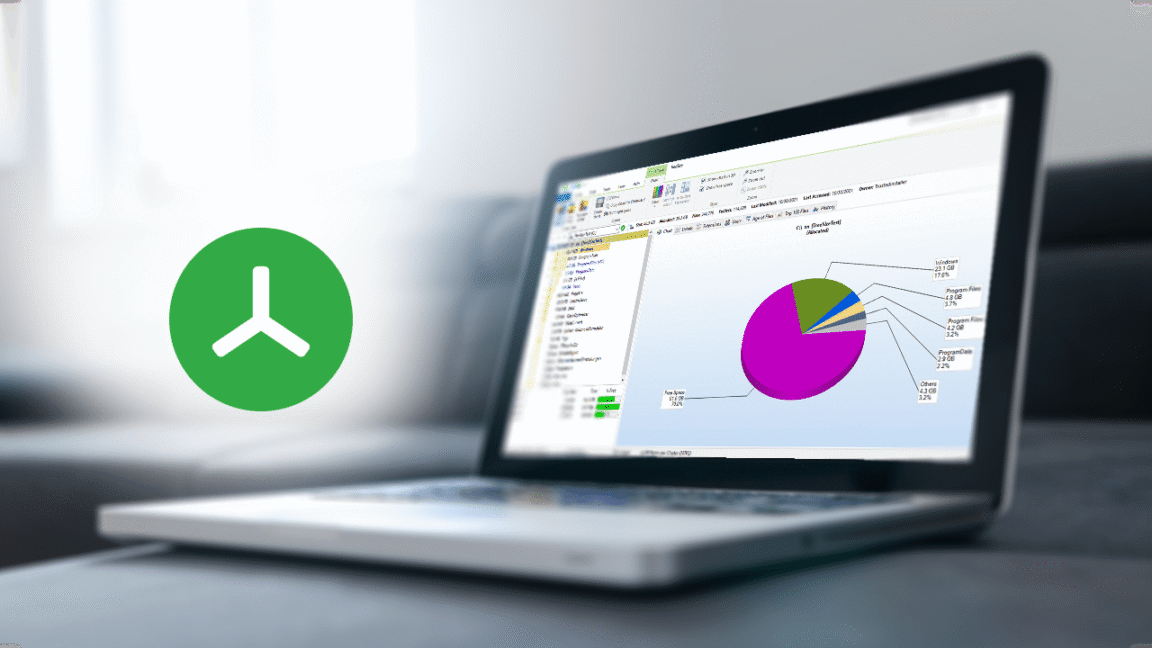
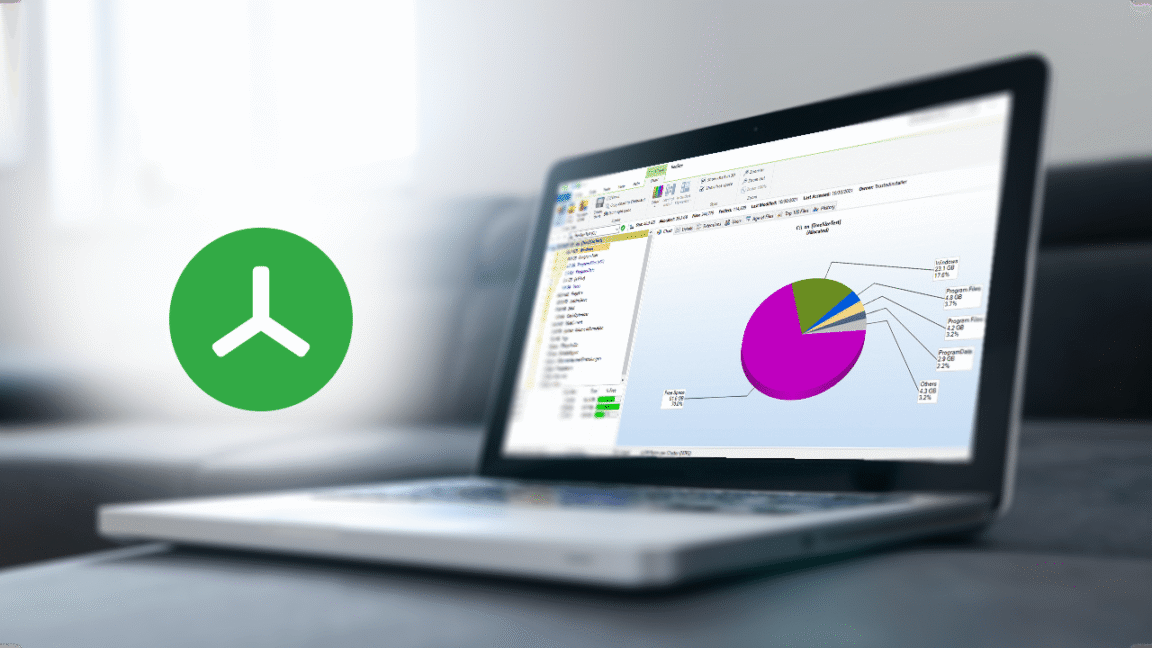
There’s also the question of whether it makes sense to subscribe to a disk space analyzer, especially when there are free alternatives like WinDirStat.
Christ admitted that the change has been “frustrating for some customers.” When asked about online requests for refunds, Christ said, “since our customers do receive what was agreed, namely indefinite use of the software version they purchased, we don’t consider a refund to be warranted…”
A free version of TreeSize exists, but it lacks some features, including the ability to search for duplicate files, deduplicate redundant files, and compare disk space usage over time. It is not for business use.
TreeSize’s evolution illustrates the growing subscription economy, particularly the software industry’s fixation on recurring revenue. Over the past decade, software vendors have increasingly shifted to subscriptions in pursuit of more predictable revenue streams.
In TreeSize’s case, JAM Software wanted to “continue offering our customers a relevant, well-maintained product over the long term,” Christ said.
“The broader economic environment is more challenging today than it was a few years ago, and we feel that too as a software vendor,” he added. “To continue meeting our own standards and our responsibility to business customers who rely on high-quality software, we are placing greater emphasis on predictability in development and support. A subscription model gives us that predictability in a way one-time purchases do not.”
Palworld recently hit the tremendous milestone of 40 million players, and its fireball 1.0 update is already sending it speeding toward the next one. Alinea Analytics market analysis lead Rhys Elliott estimates the survival game has already sold close to around 1.8 million copies since Palworld 1.0 launched on July 10.
Elliott explains on Substack, “In terms of premium unit sales, our platform estimates put Palworld at roughly 30.5M copies sold, with nearly 86% of that total originating on Steam.” We can now christen Palworld “one of the biggest new gaming IPs ever,” as Elliott calls it, as it’s already amassed something like $700 million in revenue its mere two-and-a-half years of life.
In comparison, Pokemon – also known as Palworld’s opponent in an ongoing copyright infringement showdown with IP owner Nintendo – hasn’t sold over 30 million copies for a single game since Pokemon Red, Green, and Blue in 1996, according to Serebii webmaster Joe Merrick. The entire Pokemon universe nonetheless outsells little Palworld by at least a couple hundred million copies.
Latest Videos From
So, some players on Steam, in particular, are eager to defend fragile franchise Palworld from barking dog Pokemon, as Elliott etsimates 65% of Palworld players are on Steam, compared to 31% of players on Xbox and Xbox Game Pass, and a meager 4% on PS5.
(Image credit: Pocketpair)
Elliott observes, “English-language reviewers framed buying [Palworld] as an explicit statement against – in their words – Nintendo’s anti-competitive business practices, actively celebrating the resolution of Nintendo’s legal challenges against Pocketpair.” (It’s worth noting the lawsuit technically remains unresolved.) Lack of console loyalty radicalizes you.
It also activates your Apple Pay. 1.5 million of those total 1.8 million, post-1.0 Palworld copies sold were on Steam, this report finds. PS5 players, in comparison, bought about 300,000 Palworld 1.0 copies, while Palworld sold only another 70,000-ish units on Xbox once it launched in full – probably because the game continues to be available for ‘free’ on Game Pass Premium.
To me, all this makes Palworld a gleaming example of how strong the PC market has become now that Xbox and PlayStation are openly just expertsin being unlikeable. Because of the customizable nature of the platform, PC gamers tend to value flexibility, agency, and a sense of ownership. This self-effacing spirit seems to have fueled Steam players rallying around Palworld, itself, in some eyes, a bulwark for free will against Nintendo’s angry Gengar eyes.
Weekly digests, tales from the communities you love, and more
“The console sector is undeniably facing an existential crisis,” Elliott says. “If the baseline buy-in for next-generation hardware approaches a $1,000 digital-only box, mass-market growth is effectively dead on arrival. High-priced, drive-less hardware introduces a nuts barrier to entry.”
“Casual consumers will simply opt out of newer hardware,” the analyst continues, “redirecting their time and wallet share toward mobile, PC, or existing hardware.” Good for Palworld, bad for consoles.
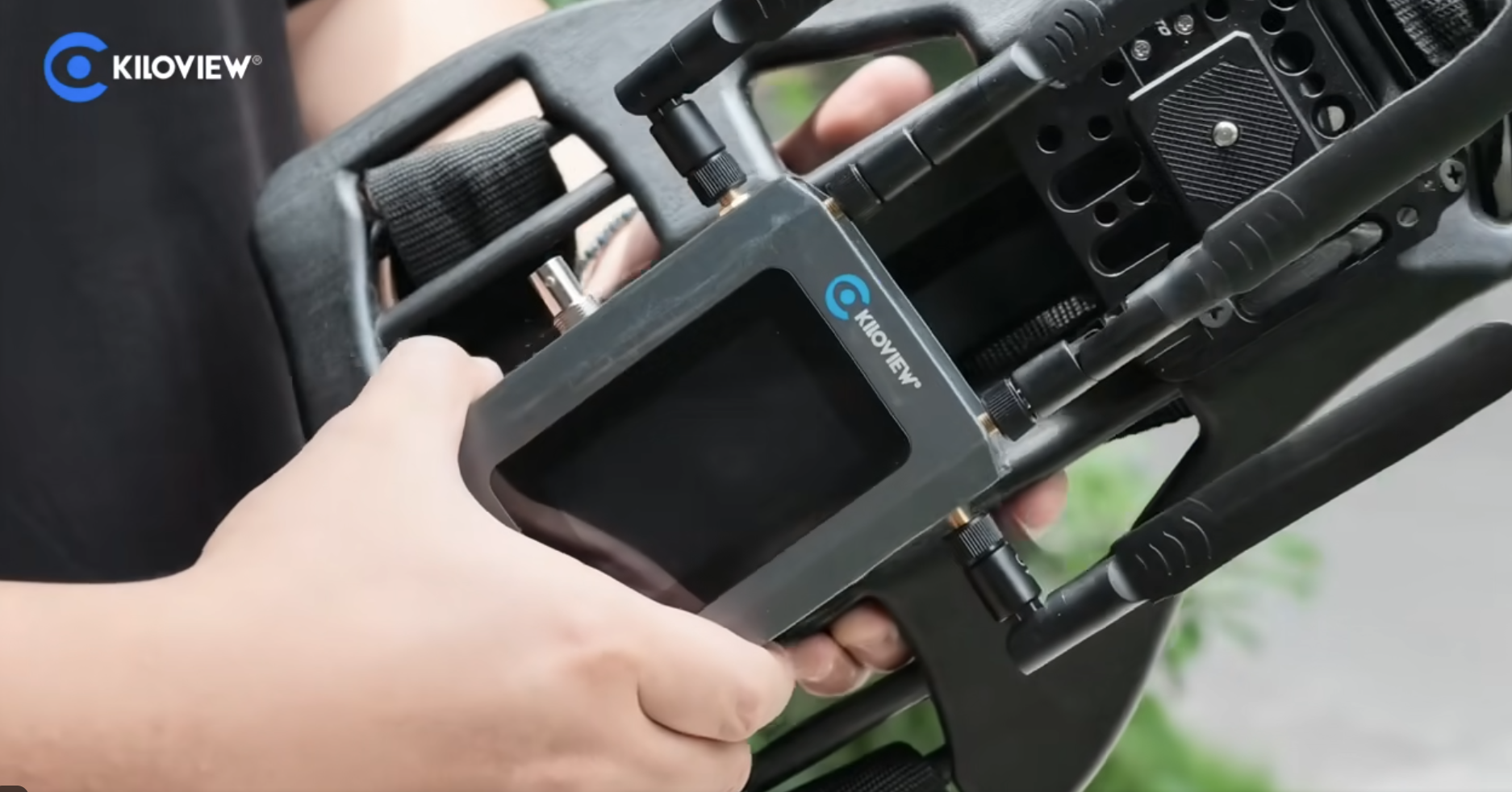
Outdoor productions demand reliable video transmission, even in challenging network conditions. Kiloview P3 and P3 Mini, paired with KiloLink Station Pro, create a lightweight remote production workflow that keeps live feeds moving from the field to the studio with confidence.
Using multi-link bonding, the P3 encoders maintain stable video transmission, while KiloLink Station Pro receives up to eight bonded feeds, decodes them in hardware, and outputs synchronized 3G-SDI with HDMI multiview. The result is a simple, dependable solution for sports, news, events, and other live productions where reliability matters most.
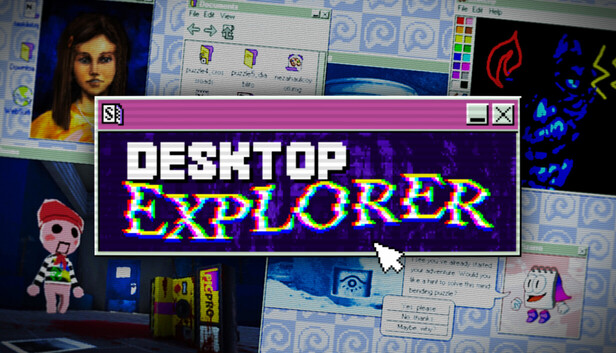
Your uncle has given you his old PC as living inheritance. To your surprise, it still turns on! Inside, a letter tasks you with investigating a missing person’s case along with a mysterious puzzlegame named Desktop Explorer. You’ll learn that your uncle wasn’t the only one who used this computer before, and that the program inside it has a deeper role in this 90s atmospheric digital mystery. Fogpiercer
Features
Explore a 90’s operating system where every window hides a clue.
Solve puzzles using classic OS tools like: file explorers, chat logs, and corrupted applications.
Dig through abandoned software and forgotten files to uncover the truth.
Experience a psychological horror mystery told through eerie interfaces and fragmented memories.
Navigate immersive 3D environments rendered in retro-digital aesthetics.
Listen to an original evocative soundtrack and nostalgic computer sounds
Play classic pre-installed computer games
Screenshots
SystemRequirements
Minimum
OS *: Windows 7 SP1+ (or later)
Processor: Intel or AMD Dual Core at 2 GHz or better
Memory: 2 GB RAM
Graphics: Intel Graphics 4400 or better
DirectX: Version 11
Storage: 400 MB available space
Support the game developers by purchasing the game on Steam
InstallationGuide
TurnOff Your Antivirus Before Installing Any Game
1 :: Download Game 2 :: Extract Game 3 :: Launch The Game 4 :: Have Fun 🙂
Meta Quest’s Touch controllers will soon be able to emulate an Xbox gamepad.
Xbox/Meta
If you have a Meta Quest headset and a Meta Horizon+ subscription, you can now access a selection of Xbox Game Pass titles at no extra cost. This starter edition of Game Pass includes more than 50 games. It features 10 hours of cloud gaming access per month, which you can use to play the titles on your virtual reality headset. You can also download games in the library to your PC or Xbox console and play them as much as you like.
You’ll be able to check out games such as Fallout 4, Fallout 76, Grounded, Overcooked 2, DayZ, Deep Rock Galactic and SnowRunner. This starter edition of Game Pass supports cloud saves, so you can continue where you left off on PC, Xbox consoles and other devices. There’s online multiplayer support on cloud and PC, and you can stream certain games that you already own. You’ll earn rewards as you play too.
When you stream a Game Pass title on a Quest headset, you can choose from multiple virtual display sizes, including one that can extend to 26 feet. There’s an Xbox-themed immersive space for you to play games in too.
You can connect a traditional controller to your headset and use that to play games. In the coming weeks, Meta Quest Touch controllers will be able to emulate an Xbox gamepad.
Kaiwei Tang helped create the iconic Motorola Razr over 20 years ago. Now, 10 years into building Light, the startup behind the minimalist smartphone alternative Light Phone, he’s as surprised as anyone that his customers are begging for a flip phone.
“We’ve been interviewing young people that use flip phones for a few years,” Tang told TechCrunch, describing a pattern his team kept running into: Gen Z users love their flip phones but say the build quality is bad. “They’re describing the flip phones in negative language, but they stick with it, and they feel proud.”
So Tang and co-founder Joe Hollier had an idea. What if Light took the fast, custom software from its last three touch screen phones and put it into a flip phone? That’s how they decided to build the Light Flip, the most affordable device that Light has ever released.
“What we’re doing is offering the same Light Phone experience, the same Light Phone OS with our SDK developer program, all of the tools we already have today: alarm, calculator, calendar…” Hollier told TechCrunch. “It’s kind of the exact same experience, just one is fully tactile, no touch screen, and [the other] one is a complete touch screen experience.”
Image Credits:Light Phone
Pricing has always been Light’s hardest problem as a small hardware startup. How do you sell a “less” phone for a price people will actually pay, when the whole pitch is fewer features? Its previous release, the unlocked Light Phone III, retails at $799. But the Light Flip brings the cost down to $299 by dropping a touch screen, NFC reader, and selfie camera. The Light Flip is also made of plastic, rather than sturdier aluminum, but that means that for the first time, Light can offer one of its phones in a range of colors: black, red, yellow, pink, navy blue, and light grey.
“I thought I was fully QWERTY, but I was having fun with the T9 predictive texting [the old-school method of typing multiple letters per number], so I can see myself going flip phone also for the colors,” Hollier said. “Just having a yellow phone gets me so jazzed.”
Beyond the sticker price, Light is also testing a financing play. It recently piloted phone contracts with Andrew Yang’s anti-doomscrolling carrier Noble Mobile. With Light’s own service plan, customers can get the Light Flip for a two-year contract at $39 per month; the Light Phone III will be available for $59 per month over the same time frame.
The Light Flip only has a 2.8″ OLED screen on the inside and no screen on the outside, as requested by users. There will be a small light on the front of the phone, however, so that you can see if you have notifications without flipping open the device. With 5G and 4GLTE connectivity, the Light Flip can download podcasts online and play music that you upload to your phone, which you can listen to via either a 3.5mm headphone jack or Bluetooth headphones. It charges via USB-C, works with both eSIM and physical Nano SIM cards, and includes a 12-megapixel camera on the back.
Image Credits:Light Phone
The Light Flip is expected to ship in April 2027, which Light acknowledges is a long lead time. To keep preorder customers engaged (and, practically, to keep them from canceling before it ships), the company is launching a new “Flip Your Life” program, including bi-weekly newsletters to help people prepare for the lifestyle adjustment of ditching a smartphone. It’s a community-building move as much as a marketing one. By building a support network around the phone, Light hopes that the transition to using its products will be less jarring and that it sticks.
While Light believes that its phones can help people reclaim the time they may regret spending on mindless scrolling, the founders acknowledge that it’s not easy to quit smartphones cold turkey. It’s hard to sacrifice the convenience of instant internet access, Apple Pay, music streaming, and convenient communication tools like WhatsApp and iMessage, and it’s easier for the flip phone-curious to make this transition when they’re not going through it alone.
“I think something that’s so inspiring about this movement is it’s not coming from a place of just anger and hatred… It’s a movement of optimism, as well as skepticism,” Hollier said. “I think that’s what we’ve always tried to do with Light. We’re anti big tech in all these ways, but we’re always trying to show that the other side of life can be really simple and beautiful.”
When you purchase through links in our articles, we may earn a small commission. This doesn’t affect our editorial independence.
An anonymous reader quotes a report from Wired: Nearly seven years after Apple debuted the Apple Card, Samsung is following the iPhone maker’s footsteps with the Galaxy Card, aiming for its own slice of the credit card market. The announcement comes two days before Samsung’s second Galaxy Unpacked event of the year, where it’s expected to showcase new smartwatches and folding smartphones. The Galaxy Card is issued by Barclays on the Visa network; the Apple Card, originally issued by Goldman Sachs but now transitioning to Chase, is on the MasterCard network. There is a physical card — it’s not made of titanium but recycled steel.
The virtual card will be provisioned to a user’s Samsung Wallet account. With no annual fee, Samsung says cardmembers can earn 5 percent cash rewards on all in-store or online purchases made directly from Samsung in the US, 3 percent cash rewards on purchases made with the Galaxy Card using Samsung Wallet, 2 percent cash rewards on streaming service subscriptions, and 1 percent cash rewards on everything else with the physical card. The cash rewards can be redeemed as a statement credit or transferred to a checking or savings account. The annual percentage rate (APR) varies by cardmember, but the card has no foreign transaction fees. Other perks include a 20 percent discount on Samsung’s VIP Advantage membership, which offers extended device protection, specialized support, and exclusive deals, and $200 in cash rewards after spending $2,000 in the first 90 days.
Applications open up on July 22. The Samsung Wallet app is only available on Samsung smartphones and watches, so what happens if a consumer switches to a different smartphone brand? The company says Galaxy Card is not limited to Samsung device owners and that anyone can use the physical card, but you lose the key perks; the card can be managed through a BarclaysUS.com online portal. (Similarly, if an iPhone owner switches to Android, their physical Apple Card will still work, but they lose access to the Apple Wallet app and the 3 percent daily cash perk on Apple purchases; there’s a web portal to manage the account.)
An new product development (NPD) project is a risky and likely expensive undertaking. Much of an NPD is about developing a concept and then engineering it through an iterative prototyping process into a functional product. But it also has everything to do with managing the project as a whole, which inevitably involves issues like IP protection, right-to-repair legislation, and NDAs. Cad Crowd helps you connect with experienced NPD professionals to help you run both the engineering and managerial sides of the project, making the otherwise challenging endeavor into a seamless undertaking from the get-go at affordable rates.
Development tips
Effective product concept development requires a good combination of detailed engineering work and a focus on running the project efficiently. There are many strategies to achieve both, the chief of which are listed below.
Take a look around
Only when you truly understand the problem can you devise an effective solution. New product design services must be driven by the need to provide a solution to an ongoing problem, the kind of problem that the existing products in the market cannot seem to solve. Somebody invented Bluetooth because people hated wire clutter; we have ATMs, so nobody has to stand in a queue for hours to withdraw money from their bank account; you buy a treadmill so you can jog inside an air-conditioned room when it’s raining outside; people use electronic calculators to save on scratch paper, and so forth. Necessity is the mother of invention.
To know exactly what necessity to address, you need to get out there, talk to people, and watch them do the things your product is supposed to help with. Do they misplace their keys far too often? Are their umbrellas good enough? Do they find their backpacks have too few compartments? Is there any feature they hate the most in a kitchen appliance? You get the idea. Ask as many questions as you can muster and take note of every answer. If you’re developing a new digital watch, for instance, don’t just ask if they want one. Try to get a little bit more details about their preferred functions, size, material, strap, display/legibility, water resistance, color, etc. The more people you encounter, the more data you get.
Market research like this offers a glimpse into what your target buyers want and need, which features they can do without, and how much they are willing to pay for the product when it’s available. Of course, it makes no sense to interview thousands of people in a direct face-to-face setting, and that is where social media comes in. The data acts as preliminary insight into what your next product should be. It’s a rough guideline, but a guideline nonetheless.
Never mind the ugly prototype
Ugliness, believe it or not, is the hallmark of the first prototype, also commonly referred to as Proof of Concept (PoC). If it looks good or even remotely pleasing, chances are you’ve spent way too much time, money, and effort on it. No matter what product you’re prototyping, the PoC is exactly what it says: a rather simple object to demonstrate that your idea can and will work. How simple should it be? We’re talking about cardboard, styrofoam, hot glue, plywood, paper, and scrap metal. LEGO is as fancy as a PoC can get. You also won’t be 3D printing or CNC machining anything. A local handyperson is likely more than capable of doing it. Think of PoC as a “Frankenstein” phase of the development, where you put together some random things and off-the-shelf components to showcase an idea.
Aesthetics isn’t a concern yet. The most important thing about a PoC is determining whether the dimension or shape makes sense. Will it be easy to use? Can a human hand comfortably hold the product? Does the lid or the folding mechanism work? Are the buttons and screen (if any) in good positions? Is the dimension too large or too small? And perhaps the most important question of them all: does it have the potential to be an effective solution to the problem it’s supposed to solve?
So long as you’re using affordable and readily available materials, you won’t be too hesitant to experiment with different designs and break things in the process. When one design doesn’t work, use it as a point of reference for the next build. Things might get messy, but that’s a more than reasonable price to pay if you want to learn something as quickly as possible. In any case, it makes more sense to create and discard a design made from a pile of cardboard rather than fail with 3D-printed parts worth hundreds of dollars. When it comes to PoC, be as budget-conscious as you can because you’ll be spending a lot more money right after this phase of development.
Try different materials
The next step is choosing the right materials for the product. Now you get to fully understand why spending too much time and money on proof of concept wouldn’t be so wise after all. At the end of the day, the PoC will mostly serve as a reference point for the next, “more serious” builds. Metals are generally stronger and look better. A metal spoon feels more premium than its plastic counterpart, even when both are food-grade and reusable. Although many products look, feel, and work better when they’re made of metal, it doesn’t mean that plastics (or alternatives like wood, glass, and bamboo) are always bad. For example, most light switches are plastic because it’s a non-conductive material, making it safer for electrical applications.
You can make one from metal, but it’s going to be more expensive, and people might avoid it out of fear of electric shock. You’ll soon realize that the best material isn’t necessarily the strongest or the most aesthetically pleasing of the bunch. Much of it depends on the type of product, its purpose and use cases, design for manufacturability, and, certainly, cost. From a more technical point of view, also consider weight, ease of cleaning and maintenance, heat and moisture resistance, durability, and often eco-friendliness. To help put things into perspective, most handheld GPS devices are made of industrial-grade plastic (rather than metal) for durability.
At the same time, kettles are made of metal, so they can boil water without melting. Don’t fall into the trap of thinking high-grade stainless steel is superior to ABS plastic. There are indeed plenty of cases where the statements are true, but not always. A spanner must be made of metal, given its typical use cases, while a garden hose is most likely made of plastic to keep it lightweight and flexible. The choice of material is always partly determined by how the product is supposed to be used.
Plenty of technical considerations can go into DFM services. Think of assembly tolerances, material density, decorative elements, PCB schematics (for electronic products), and standardization. But it all comes down to one key principle: simplification. In other words, make your design as simple as possible. A simple design is easier to fabricate (as a prototype) and mass-produce than a complex one. A component that consists of a few parts is easier to assemble than one with dozens of separate pieces. Not only does it concern manufacturability, but also manufacturing it cost-efficiently.
Here’s the issue: you can design the most complex product imaginable and then build a prototype using a 3D printer or CNC machining, but you might not be able to mass-produce it at a cost you can afford. While 3D printing and CNC machining (additive and subtractive manufacturing methods, respectively) are excellent for prototype fabrication, it would be ridiculously expensive to produce hundreds, if not thousands, of units of a product using such methods. Additive manufacturing is primarily intended for prototyping rather than mass manufacturing.
With the current technology we have, the most efficient mass-production methods are the “formative” injection molding and casting (for metal and plastic materials) and die casting (for metal). Each of these methods has limitations, such as accuracy, tolerance, volume, dimensions, and size. However, both are definitely more cost-efficient than the alternatives for large volume production runs. Every product is unique, so becoming familiar with this formative method is crucial to implementing the DFM approach in your design. No matter what you design, make sure it can be mass-produced at scale.
Fire up the CAD
At some points in the design process, you must step away from gluing cardboard and focus on creating a digital model on the screen. One thing that distinguishes modern from older product development is the heavy use of CAD (computer-aided design). As a matter of fact, you’ll probably spend a good chunk of your time drawing a digital model before you can get back to the real world and build a proper physical prototype again. Advanced CAD software offers a wide range of features and functions that allow you to draw or create digital images identical to real-world objects. While these images can be drawn as a traditional two-dimensional diagram, 3D visualization services is what you want. More than just a pretty image on a screen, every single aspect of the object can be configured to your liking.
You can, for instance, try various materials, textures, finishes, points of articulation, and all the rest of it, including shape and dimension. And if the product is supposed to have an internal mechanism composed of multiple components, 3D CAD allows you to draw each part separately and assemble them into a working system. Among the most popular software include Autodesk Fusion, SOLIDWORKS, Siemens NX, PTC Creo, Blender, and Rhinoceros 3D, to name a few. For electronic products, you’re spoiled with software options like Altum Designer, Proteus, CircuitMaker, and Ansys SIwave. Some of them are actually free and open-source, so generally, there’s no shortage of software tools to get your product development started.
If there’s one product development tip to rule them all, it would be about taking advantage of virtual simulation firms. Both digital modeling and simulation have become industry standards to test concepts, processes, systems, and, of course, physical products. Simulation works by introducing likely (and sometimes unlikely) use-case environments and scenarios into the digital models. Think of temperature variation, submersion in water, vibration, drops, power cutout, etc. Let the software run the simulation and gather the data accordingly. It wouldn’t be entirely inaccurate to liken product simulation to a video game. And if you have to make changes to the test variables or perhaps the design itself, you can do any of that almost immediately on the screen.
One thing to remember about simulation is that the result is only accurate if the digital model is identical to the physical object down to the smallest details, such as material thickness, assembly tolerances, internal mechanisms, and PCB specifications. The idea behind digital modeling and simulation is to avoid spending too many resources on physical prototypes. A digital model is also a prototype, a virtual one at least, to give a glimpse at what the physical product will look like and how it should perform.
More importantly, you can modify the virtual prototype and adjust everything without wasting raw materials. Even when the design fails in a simulation, for example, because of poor heat management or parasitic drain, nothing is really lost. All the data is still there inside the computer to help you prevent the same mistakes in the next attempt. If you want, you can just start over and build a new model.
Consider the ergonomics
If not for ergonomics, it might be possible for the prototype design expert to do the entire prototyping sequence on a computer screen and save a whole lot of money. But no, there will come a time when you have to step away from the computer and start making a physical prototype. The good thing is that there will be fewer mistakes now because much of the design work has been ironed out during the digital modeling and simulation phases. An NPD project always has to involve a physical prototype to confirm if the design works as intended in the real world.
Depending on the materials used, prototype fabrication is typically done using a 3D printer, CNC machining, or both. It’s no longer a PoC; the dimension, form factor, materials, and features are much closer to being the final production version. You need this prototype to be of relatively good quality for one important reason: ergonomic testing, which, unfortunately, is quite impossible to do using the virtual prototype. A perfectly functional product is great, but sometimes that’s not enough. It also has to be easy to use and comfortable. Your product needs to be ergonomic.
Suppose your new product is a piece of furniture, say a chair. What’s the point of making a durable and intricately decorative chair if it’s not comfortable to sit on? It may last forever, but if it wiggles about and has sharp edges everywhere, no one will buy it anyway. The same thing applies to other products as well. Handheld devices must be nice to hold, helmets must be comfortable to wear, a kettle needs a heat-resistant, grippy handle, and so forth, while staying perfectly functional. As mentioned earlier, the only way to test comfort and ease of use is with a physical prototype.
Build maybe half a dozen prototypes to start, run some real-world testing, and keep improving through an iterative process. Don’t hesitate to go back and forth between virtual and physical prototyping phases until you discover the ideal formula that offers a nice balance between functionality and ergonomics.
Breaking the product is part of the process
Every rapid prototyping phase always ends with a physical product. You may spend weeks if not months tinkering with the model and simulation on a computer, but all that hard work will always conclude with the fabrication of an actual object that you can touch, hold, use, and yes, break. It’s important to experience the design as a whole to be entirely convinced that it’s good enough for buyers to use.
Once you have a prototype (preferably a high-fidelity and functional one) in your hand, do a real-world test yourself but act as if you’re the most ignorant user. If the product is a chair, don’t just sit on it. Stand and jump on the chair many times. If it’s a handheld device for outdoor use, throw it into a pool or put it in the fridge for an hour or so. If it’s a water bottle, leave it outside under a scorching sun or slam it to the floor. No matter what the product is, just use it like crazy. The point is that when something breaks, as the product designer you’ll be able to determine the points of failure and then do something about it.
Every product must be stress-tested, meaning it must be put under extreme use case scenarios, or situations that most people won’t likely bump into in their typical day-to-day usage of the product. This is what NPD professionals call accelerated testing. It would be similar to pressing a button 100,000 times just to see if it gets stuck, cycling a hinge 200,000 times with an automated motor, or tapping a touchscreen thousands of times every day to replicate years of heavy use.
It won’t feel good to break a product that took you months to develop, but it’s better to see it get crushed during the testing than in the customer’s hands. You have to document everything. At what point does the product become unusable? What is the weakest part or component? Does the battery explode? Does it collect dirt easily? And the most important question: how do all of those happen? Based on the data, get back to the CAD, modify the model, run some more simulations, and finally build another prototype to test again. You will have to do this in a cycle while keeping DFM in mind.
Buyers today are more conscious about eco-friendliness and the whole sustainability problem than they used to. The use of recyclable or sustainable materials is good, but customers also want more: they want the product to be durable and repairable. The “right to repair” has recently gained renewed momentum. And as a concept product designer, you’re required by law to respect that. Let’s assume your new product is a toy car. Somebody ends up buying the toy and playing with it every day until one of the wheels comes off. Normally, this person can pop the wheel back on or, if something breaks, buy a replacement part and fix everything without issue, but unfortunately, that’s not the case here.
It turns out that the wheel is fitted with a special screw that is incompatible with a normal screwdriver. Even worse, there’s no replacement wheel available, so it must be sent to an authorized shop for repair, and that’s expensive. Now try to see things from this person’s perspective. It’s infuriating. The right to repair is a set of laws enforced to prevent companies from doing such things. When people buy a product, it becomes theirs solely to use, maintain, repair, and modify. Making the product repairable is part of the sustainability principle, and customers are actually fond of the idea. And if you really think about it, the right to repair goes hand in hand with DFMA (design for manufacturability and assembly) services, especially the simplification part.
As previously discussed, a simple product is easy to assemble, making it cost-efficient to manufacture at scale. And now it has come full circle, because a simple product is also easy to disassemble for self-repair. Just because one part of the product breaks, it doesn’t mean the product becomes completely unusable. The right to repair makes it easy for users to modify, replace components, and attempt repairs without going through the entire process of sending the product to authorized repair centers. One of the most practical ways to achieve this is to use standard parts (fasteners, wires, connectors, batteries, and so on) rather than proprietary ones. Design simplification also helps ensure that users can disassemble and reassemble the product using standard tools.
IP protection matters
If you think you’ve invented something new, whether a unique mechanism or method to solve a problem, you have to protect this intellectual property of yours. It’s a protection against someone else using the idea freely without your permission. Such protection usually means applying for patents. There are two main types: design patents (basically about how the design or idea looks) and utility patents (the mechanism or how the design works). Acquiring a patent, either design or utility, can take several years and is potentially expensive, but necessary to secure the IP, which has now become a business asset. In fact, it might be the only thing stopping anyone from copying your idea and selling it for half the price.
And IP protection goes both ways. Without detailed research into a patent database, you might unknowingly use a mechanism or implement an idea that’s already patented by someone else. You can use tools like Google Patents, WIPO Search, or the USPTO site to do the preliminary research. If your design or mechanism is already patented IP, contact the patent holder for permission (which usually involves a lot of money) or, more realistically, just move on to devise another design.
There might be situations where you finish the development and must send the design to a factory partner before you get a patent approved. A Non-Disclosure Agreement (NDA) is a good line of defense here. You can essentially fill it with legally binding clauses that prevent the factory from any unauthorized usage of your product design or idea. In fact, an NDA is important if you have to work with any external party, such as a prototype fabricator, a 3D artist for the CAD work, or freelance engineers and designers. Your concept is more than a physical object; it’s the ideas and thought processes behind it as well.
How Cad Crowd can help
Developing a concept for a physical product is a totally different game from coding software or creating an app. Once the concept is turned into a real-world object and launched to market, you can’t just release a patch to fix bugs or add new features. If the wheels come off, the hinges snap, the button gets stuck, the battery bulges, and the sealing gasket leaks, nothing you can send over the internet will fix the issue. The best you can do is to be fully prepared for it.
Develop a concept for a durable product that is easy to repair with standard tools while keeping production costs low. Easier said than done, of course, and that’s where Cad Crowd comes in. The US-based freelancing platform is home to thousands of product engineers, industrial designers, and NPD professionals of various specializations to help you create product concepts that work and can be prototyped and manufactured in a cost-efficient way. Contact us today for a free quote.
MacKenzie Brown is the founder and CEO of Cad Crowd. With over 18 years of experience in launching and scaling platforms specializing in CAD services, product design, manufacturing, hardware, and software development, MacKenzie is a recognized authority in the engineering industry. Under his leadership, Cad Crowd serves esteemed clients like NASA, JPL, the U.S. Navy, and Fortune 500 companies, empowering innovators with access to high-quality design and engineering talent.
Forza Horizon 5 creative director Mike Brown has weighed in with his thoughts on the situation at Xbox currently, and one of the things he commented on was Xbox Game Pass. He said in an interview that Xbox Game Pass, simply put, was not able to attract enough subscribers to make it viable as a business, and this contributed to the pain Xbox is going through today. After all, we recently found out that Microsoft was hoping to have 77 million subscribers by now, but the number is actually only around 30 million.
“That’s actually just really sad because we’re now going to see studios getting shut down or spun off,” he told MinnMax, as reported by Kotaku. “Loads of people are going to lose their jobs. And that is honestly just a result of a well-meaning player-focused concept of Xbox Game Pass not quite landing. And I think that’s just, it’s just a real shame.”
Brown, who worked at the Xbox-owned Playground for years before splitting off to start his own company, said Game Pass is a “good idea,” but Microsoft could not stick the landing.
“If more people had subscribed, that makes enough money, and it works and and all those studios go on and those games get made again and those teams will make other games. Unfortunately, it didn’t,” he said.
Microsoft invested a “fortune” in making Game Pass work through its various acquisitions and funding efforts, Brown added. This was done with the vision of having a steady release of new games to help keep people subscribed and amass more members, but it didn’t come to be.
Recently, reporter Jason Schreier said on the Triple Click podcast, “There are a lot of people out there in studio leadership within Xbox who absolutely detest Game Pass.” He said these people think Game Pass has “destroyed the value of their games” and has been an overall detriment to gaming across the board “because of how it devalues games.”
A former Xbox studio lead, meanwhile, told Windows Central that launching games into Game Pass “almost creates an assumption that these titles could not sell on their own. It felt like a race to zero.”
So what happens next?
Microsoft admitting that Xbox Game Pass is a bet that did not work out suggests the company may have some changes afoot for the service. Already, Sharma has cut the price of Game Pass and announced that new Call of Duty games will no longer be included in the service at launch, so some big changes have already been enacted. No one is expecting Microsoft to completely kill off Game Pass, but instead there could be other changes, like the kind of “windowing” of new releases that Microsoft has talked about.
This would involve keeping key titles out of Game Pass at launch and for a period of time, similar to how movies are only available in theaters at first before coming to digital and streaming. The idea here would be to help maximize revenue with people paying full price before they are included in the catalog. New Call of Duty games, for example, now won’t come to Game Pass until the following holiday season. So if you want to play Modern Warfare 4 on Xbox or PC at launch this year, you have to buy it outright, as it won’t come to Game Pass until Holiday 2027 at the soonest.
Android 17 QPR2 Beta 1 is officially here, kicking off testing for Google’s next Pixel Feature Drop arriving in December 2026.
This beta includes fixes for Bluetooth reconnection failures, lock screen media glitches, Gemini-related reboot crashes, and touch input bugs.
The update supports Pixel 6a through the Pixel 10 lineup, plus the Pixel Fold and Pixel Tablet, and is available via the Android Beta Program and Android Emulator.
Google’s not wasting any time after wrapping up Android 17 QPR1. The company has officially kicked off testing of Android 17 QPR2 Beta 1, offering Pixel users and developers a first look at the next quarterly update expected to arrive as the December 2026 Feature Drop.
This release doesn’t come with any new user-facing features, but it does fix some annoying bugs that have plagued Pixel owners. In its official release notes, Google says it has fixed an issue where Bluetooth devices could fail to reconnect after losing pairing, with no indication there was a problem. There’s also a fix that stops media controls from flashing briefly on the lock screen when waking a phone, even if notifications for that app had been turned off.
The most important fix is maybe for Gemini. Pixel devices may suddenly reboot when launching Google’s AI assistant due to a system crash. Google also addressed an issue with touch input where apps would stop receiving touch events after users performed a drag-and-drop gesture with multiple fingers.
Latest Videos From
The Android 17 QPR2 Beta 1 is now available with build number CP41.260701.005 and supports most of the supported Pixels, including the Pixel 6a, Pixel 7 series, Pixel Fold, Pixel Tablet, Pixel 8 series, Pixel 9 family, and the latest Pixel 10 devices. It’s also available through the Android Emulator, and users enrolled in the program can install it over the air via the Android Beta Program.
But the rollout brings a major change, too. If you still have a Pixel 6 or 6 Pro, your beta journey ends right here. These devices have reached their guaranteed update limits, so the previous QPR1 branch is their final beta track.
Android Central’s Take
I don’t mind if Google takes a break from dumping flashy new features on us if it means they’ll actually iron out the bugs that get in the way of using my phone. Not getting access to yet another AI gimmick is 100x more annoying than Gemini demanding a reboot or Bluetooth suddenly refusing to reconnect. That said, I’d still like to see Google spend less time playing catch-up with stability issues in the first place. Pixel owners signed up for a premium Android experience, not a free QA gig. If QPR2 delivers a smoother, more reliable phone by December, that’s a win. But it would be even better if these fixes didn’t have to wait for a quarterly update.
Get the latest news from Android Central, your trusted companion in the world of Android