Review: M5 Ultra Mac Studio: Pure, unadulterated power


I’m old enough to remember when Macs were friendly little machines. While a little underpowered and equipped with some platform-unique foibles, they were really good at some things, highly secure, and had the best user interface of any PC. 

That was then; this is now. And while the platform is still unique, still highly secure, and still has the best user interface, Apple’s all-new Mac Studio is a beast of a machine. It’s incredibly powerful and would crackle with energy if it weren’t so energy efficient. 

TL;DR review

No matter what pro workflow you follow, the M5 Ultra Mac Studio is more than you need.

Longer review

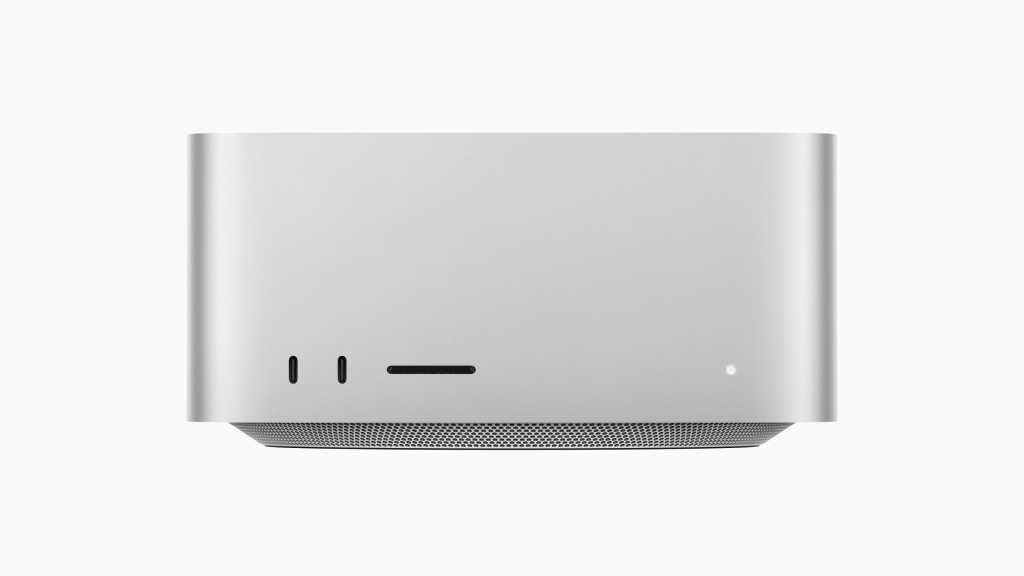
Apple hasn’t changed the design of the Mac Studio.

It’s 7.7-inch square, 3.7-inch high aluminum box with two USB-C and one SDXC port on the front, and an array of ports — four Thunderbolt 5, two USB A, 10Gb Ethernet, HDMI, and headphone — at rear. It brings Wi-Fi 7 and Bluetooth 6, supports up to eight displays with up to 6K resolution at 60Hz, or four Studio Display XDR units. 

Basically, this one box can power a bank of displays, and for those using it in a live video production environment, Apple has also introduced generator locking (a.k.a. genlock) over USB-C, which lets the on-display image synchronize precisely with a pro video camera for the most precise editing and playback you’ll find. 

Pros and cons

Pros

  • Massive CPU/GPU power capable of handling the most demanding 3D and AI tasks.
  • Neural accelerators and unified memory make it ideal for training and running large LLMs on-premises privately.
  • Doubled read/write performance over the previous generation via a new storage controller and fast NAND.
  • Inclusion of four ProRes accelerators (handling up to 33 streams of 8K) and genlock over USB-C for precise sync.
  • High performance at low wattage; runs quiet and cool compared to high-end PC alternatives.
  • Features Thunderbolt 5, Wi-Fi 7, and Bluetooth 6.
  • Works exceptionally well as a headless AI or rendering server.

Cons

  • Extremely high retail price ($12,299 for the top spec).
  • Neither the RAM nor the SSD can be upgraded or replaced by the user.
  • No keyboard or mouse included, which feels odd for a five-figure machine.

For my review, Apple loaned me a top-of-the-line M5 Ultra Mac Studio equipped with a 36-core CPU and 80-core GPU. It has 256GB memory, 4TB storage, and carries a retail price of $12,299. At that price and with those specifications, it is of little surprise that this is such a great computer.

It’s also intended for some of the most demanding 3D and AI tasks you’ll find out there, rather than for people who spend their time writing about tech — though this machine can open multiple tabs in Chrome without stuttering, so unleashes real productivity boosts even at my level. 
Let’s get one thing out the way

That’s not to say some pro users lack reservations about it. Many are frustrated that neither the RAM nor SSD are user serviceable, while the lack of a keyboard and mouse in the box chimes oddly in a computer that costs five figures.

In Apple’s defense, in these pro markets most users probably already own better keyboards and mice than you’d find in the box, while the massive performance benefits you’ll find with the M5 Ultra chip are in part realized because RAM in Macs is built to be part of the processor itself.

That SOC design boosts efficiency, cuts heat dissipation, and makes for great performance at low wattage relative to other machines. Changing the way memory is installed on the chip would compromise Apple’s silicon architecture, which Apple doesn’t want to do. 

It’s all about the architecture

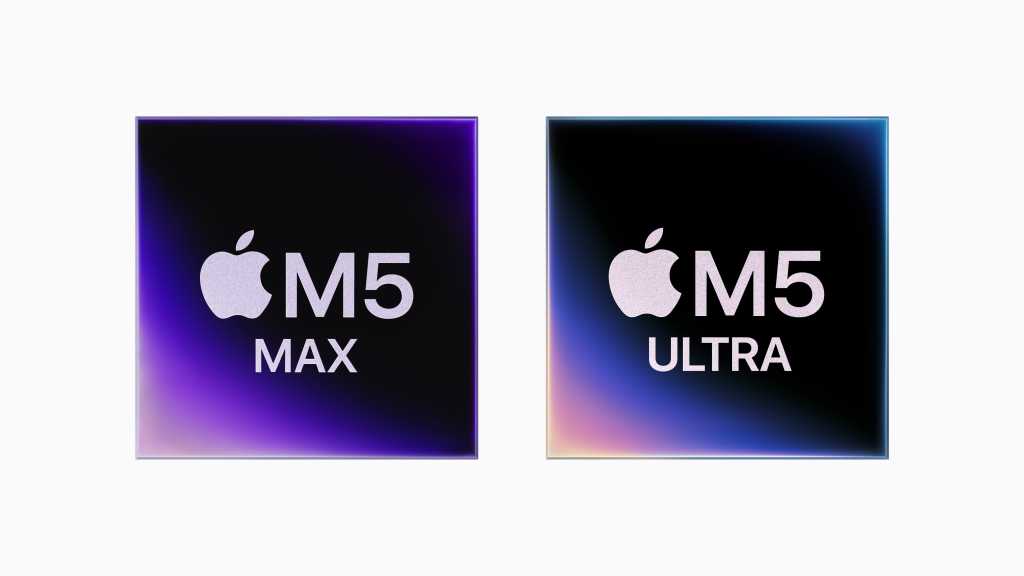
The Mac is powered by a quad-die chip built using Apple’s UltraFusion process. Inside is an engineering marvel. The 80-core GPU brings neural accelerators, making these Macs truly phenomenal machines for building, developing, training, or running AI models. Apple’s unified memory tech is a godsend for tasks like these as it scales to handle… well, most anything you throw at it. Efficiently. 

Apple’s coupled chip speed with performance across the system. That means an advanced storage controller, superfast NAND, and really fast, next-gen SSDs for twice the read/write performance of the last model. This basically means the chip can grab big dollops of data and very swiftly push them around the system all the way from storage to display. Then there’s the rest of the advanced tech to consider, including the inclusion of four ProRes accelerators, which means my test Mac can deal with up to an incredible 33 streams of 8K ProRes video. 

This is a machine that can happily handle massive multi-camera editing, racing through dozens of high-res angles at once to field the perfect shot. Think live sports, concerts, and movie shoots. Not only this, but all those streams are at normal res, no conversion required — no sitting around waiting for low-quality proxy files. 
A bicycle for several minds

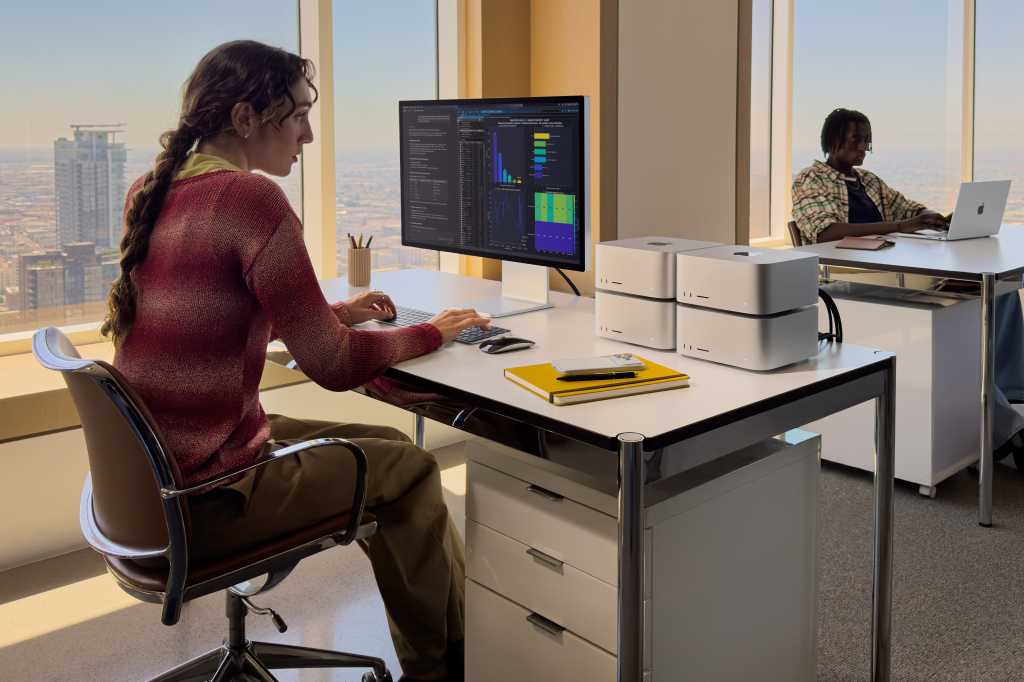
I’m thinking a full-flight video rendering data server in an 8-inch box that consumes perhaps 10 cents an hour at peak power (c. 480 watts). I’m also thinking of it as an on-premises AI system for me, the family, or any enterprise. 

Compared to the previous equivalent mode, the M3 Ultra, Apple says the chip brings up to 4.3x faster AI performance, up to 1.8x faster GPU performance, and up to 1.3x faster CPU performance. It’s also almost ten times faster than the M1 Ultra for AI.

None of this is accidental. All of it is designed. This whole creation is architectural; it leans heavily into Apple’s software and hardware integration, which now also extends to the design of the processor itself. Making the RAM user-serviceable would limit the performance of the machine, which at this price and in this sector of the market seems a little counterintuitive.

Sure, you can build yourself something pretty powerful using a Ryzen 9 chip that consumes 900 watts at peak and runs hot. Or you can put Apple’s silver box on your desk and barely hear a thing as it crunches through ‘god tier’ AI models your Ryzen can’t handle without additional GPU’s. All the same, if you want to configure your own memory you do have a choice — it’s just not a Mac. 

Choice is nice

I know what I’d choose. Based on a weekend of using the Studio, I’ve found what it does is beyond most of the feeble tests mere mortals like me can cook up, so I thought you might want some benchmarks:

Geekbench 7

  • Single-core CPU: 3,771
  • Multi-core CPU: 52,350
  • GPU (Metal): 360,019
  • GPU (OpenCL): 214,466

Cinebench

  • CPU (Multi-thread): 18,052
  • GPU: 141,480

Putting these numbers into context, Apple explains what these numbers mean when compared to the M1 Ultra Mac Studio: 

  • 2.4x faster project builds in Xcode
  • 4.7x faster render performance in Redshift
  • 9.8x faster time to first token performance in LM Studio
  • 15.4x faster CopyCat ML training in Foundry Nuke

Storage is fast, really fast

Of course, with these machines built to work with and manipulate huge files, one roadblock to performance will be storage, right? Not on this Mac. Apple says it has deployed a new storage controller tech in the computers, which works with the speediest NAND memory it could find to deliver twice the read and write performance we got from the last generation of this system. 

This gives it plenty of horsepower for flinging files about, with Blackmagic’s Disk Speed test giving me exceptional results: 13,941MB/s write and 11,350MB/s read speeds. These speeds are indeed double the performance of the previous generation. 

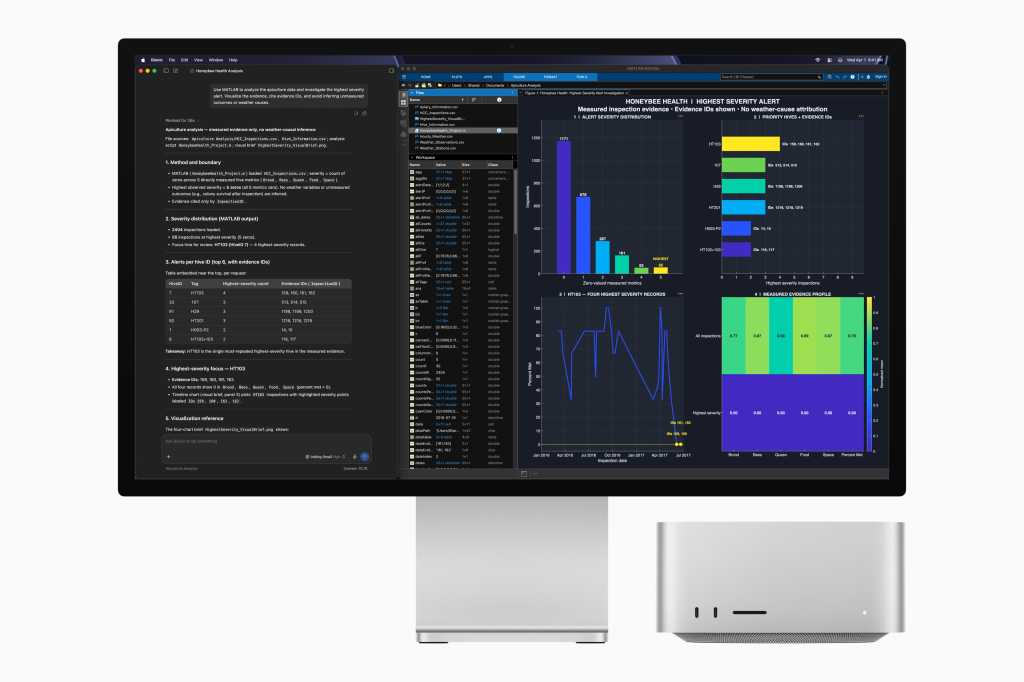
It also means this Mac Studio can handle data transfers faster than almost anything out there, making it happy to handle multiple streams of uncompressed 8K RAW video, heavy compositing workloads and, of course, AI development, machine learning, or running your own on-premises AI models. Install the models you want to use and use them to your heart’s content. Run it headless if you like. I did.
Headless, no hanging

I know a lot of you will end up wanting to run some kind of headless setup using this Mac. You’ll have it working furiously as your domestic or business AI server, chewing through your data, vibe coding opportunistic app creations, rendering video off your main Mac, and more. In my own little experiment, I found myself typing sentences for this review (this sentence, actually) on a Mac mini using a keyboard on a MacBook that happens to have the Mac Studio in its active window over vnc, and nothing ran slow. It means that if you run this Mac headless, it’s no slouch.

Better yet, once you have the Mac set to run as a headless unit, you’ll be able to download LM Studio, install your choice of AI, and chat to your heart’s content. Your AI running privately and securely for you on your device, and — one more thing — it’s fast and responsive. What’s not to like? I used it to design and develop a capability test to put the Mac through its paces.

Apple’s focus on AI is strategic, of course. Apple knows its hardware has pretty much occupied the AI development space, to the extent that almost any LLM you use was probably at least in part made on a Mac. AI is up there with CAD and medical imaging among the most demanding tasks you can do on any PC, let alone a Mac. And these Macs can handle all those tasks. I did want to try stringing four of these Macs together to run as an AI cluster, but at $12,000+ each that wasn’t going to happen.

Buying advice

Most of us don’t need this Mac. We probably never will — which is why cost is not the point here. This Mac is about performance, full stop, and that shows at every layer: a faster processor, blistering SSD storage, unified memory that scales to the task, and a storage controller fast enough to leave most other PCs gasping in the dust. From the software to the silicon, it feels like Apple’s engineers raided every high-end tech they had and crammed it inside this good-looking silver box. 

The real question isn’t whether this Mac is impressive — it obviously is — but if it’s impressive enough to justify an upgrade if you already own the previous model. Things get a little more nuanced if that is the case. The M5 Ultra is a genuine step up: the processor gains are significant, and the storage speed increase alone will matter to plenty of pro workflows. But last year’s Mac Studio was already so far ahead of most computers that “significantly better than the best thing available” doesn’t automatically mean “worth $12,000+ to replace.”

My take: if you’re still on an older computer and need the extra processing power or storage throughput for demanding work, this machine delivers in spades. If you bought last year’s M3 Ultra model and it’s handling your workload fine, there’s no urgency. You’re not falling behind, you’re just not on the bleeding edge. All the same, I so wish AI-driven price inflation hadn’t pushed these systems quite so high in price.

Now please subscribe to my daily, human-curated Apple-related news headline feed at The Core, or follow me on BlueSky, LinkedIn, or Mastodon.

The Pros And Cons Of Using A Password Manager Over An Authenticator App


Convenience vs. maximum isolation: Here’s how to choose where your verification codes live.

When it comes to keeping your online accounts safe and sound, two-factor authentication (2FA) has been a standard recommendation from security experts worldwide for years. As more and more people adopt 2FA, one question keeps coming up: Should you store your authentication codes inside your password manager or keep them in a dedicated authenticator app?

The idea that your login should rely on two separate factors is a fundamental security principle. Password managers offer one approach, while authenticator apps offer another. Each comes with real trade-offs that aren’t always obvious at first glance. While they’re both designed to protect you, they work in completely different ways.

Two-factor authentication is built on the simple idea that if someone steals your password, they still won’t be able to get into your account without a second piece of proof of your identity. Some apps will send you a text message with a one-time-use code, some will make a number pop on your phone screen, a few will email you a code, while others will ask if you’d rather use a special code generated by an authenticator app.

A password manager, on the other hand, brings both factors into the same vault, trading some of that separation for convenience. Neither approach is wrong, and each reflects a different set of priorities, like how much friction you’re willing to accept, how you manage devices and what you’re most worried about losing access to. Understanding how these tools work, how they differ and what you need is the recipe for finding the right tool that fits your needs.

The pros and cons of storing 2FA in your password manager

Most modern password managers come with multiple tools, including authentication tools. Most popular options, such as 1Password and Bitwarden, can generate and autofill six-digit, time-based one-time password codes right alongside usernames and passwords. There are real advantages to putting all your eggs in one basket.

It’s such an effortless way to autofill all this info without squinting at your phone and typing in a code before it expires. Another advantage comes for users who handle multiple devices, as password managers sync 2FA codes across desktop, browser and mobile apps, so you’re never stuck without access.

Another advantage to using a password manager is that you’re never locked out of your devices if you lose or break your phone. Since all your 2FA seeds are backed up inside your encrypted vault alongside your passwords, they’re all equally safe. If you need to share your account data with family or your team, it’s easier to give access to your password manager since they won’t have access to the authenticator tool on your phone.

It’s not all milk and sugar, because folding 2FA into your password manager comes with downsides too. True 2FA relies on separating the first factor — the password — from the second one — the one-time code. When both live in the same vault, a single master password breach can expose everything at once. Similarly, if you catch a case of malware in the shape of a keylogger or a malicious browser extension, these can all capture your password and 2FA code in the same sweep. Using a separate phone for your authenticator app creates a physical barrier between your password vault and your login codes, which improves safety. Storing both together removes that barrier.

The pros and cons of using a dedicated authenticator app

Standalone apps like Google Authenticator take a more isolated approach because they work offline. There’s physical separation, so your second factor actually lives on a different device than your passwords, and there’s a lower chance of having your data stolen.

On the other hand, that isolation comes at a cost, because you’ll still be copying six-digit codes by hand. Also, most authentication apps are mobile-only, so you’re out of luck if your phone isn’t nearby. Unless, that is, you have one of the models that also offer desktop apps or browser extensions, like 2FA or 1Password. There’s also the risk of temporary lockout of your accounts if you lose or break your phone, requiring you to set up a replacement device and restore your cloud backups before accessing your codes again.

The hybrid model brings the best of both worlds

One of the best ways to make your life easier while still keeping everything safe is to mix and match. Most timed one-time password codes can lie safely in a password manager, but a small handful, such as the codes for your main email account and the password manager itself, are better kept on a separate hardware key or an authenticator app. This way, if your vault is ever compromised, your most critical accounts remain out of reach.

The breakdown is to use your password manager’s built-in 2FA for low-risk everyday services, like shopping sites and subscriptions. Use a dedicated authenticator app or hardware key for your email, banking and the password manager itself. In this way, the friction is minimal, and your most essential accounts are safe if your password manager is ever compromised.

Ultimately, neither tool is flawless on its own, and the best choice depends on what you’re protecting and how much back-and-forth between devices you tolerate. For most people, a hybrid approach seems to be the best path forward.

‘Guardians make their own fate.’ Destiny 2 players and creators celebrate following Bungie’s shock U-turn, as the studio admits: ‘Your voices mattered’


The reaction above from Destiny 2 content creator SneakyBeaver is typical of the wave of joy that met Bungie’s announcement yesterday that Destiny 2 is being taken out of end-of-life maintenance mode.

For those that missed it, slightly over three months ago the game was sent to live out its days on a farm upstate, where it would no longer receive any sort of content updates. Yesterday, that decision was dramatically reversed, with Bungie saying that Destiny is once again “foundational” to the studio’s future. To that end, as an initial gesture of good faith, work has begun on restoring all the cut content to the game (a lot of it paid) that had been removed as part of the Destiny Content Vault scheme.

Much of the reaction from the community has centred on the campaign waged by content creators and players to let Sony know they weren’t going to simply accept the end of Destiny without pushback. The form that took was pinging Sony’s social accounts, wherever they might be found, but especially in the chat during live showcases, and spamming We Want Destiny 3.

A change.org petition passed 400k signatories, player concurrency for Destiny 2 remained approximately six times that of Marathon, Bungie’s other game, and even Warframe fans showed up to lend moral support.

So, no surprise that Sony and Bungie’s surprise change of strategy has been greeted with a victory lap from those who campaigned against the cancellation. (I like to imagine guardians gathering in the tower to fire their Khvostovs joyously in the air.)

A few examples of those include lore master My name is Byf, whose reaction video is titled ‘We did NOT go quietly. We Won‘. The reference is to a Dylan Thomas poem ‘Do Not Go Quietly Into That Good Night,’ but also a nod to a post made by Bungie principal comms manager dmg04, who posted the same quote around the time Destiny 2’s mothballing was announced, which many took as a sign to fight back.

Elsewhere, YouTuber Mactics went with DESTINY IS BACK… WE DID IT! for his video. One of the biggest channels that had maintained pressure on Sony was Aztecross, who simply went with ‘Destiny Community, You Did It.‘ Cross has sources in Bungie, and had been hinting something was coming for a few weeks, but it’s fun watching him pretend to be surprised.

My favourite reaction came from Llama. In his video, ‘I’m so happy, we actually WON!‘, you can watch him get the news in real time (whilst playing Destiny 2 on stream). He goes from gobsmacked to infectious laughter to almost tearing up. For those who love the game, and have made a living from covering it, it’s hard to understate how much its resurrection means. I say that as someone with many 1,000s of hours in-game, who has also felt adrift since its effective ending.

Not everyone’s response has been unalloyed enthusiasm. Over on r/DestinyTheGame there are several threads calling for caution. One is titled ‘Please keep expectations in check‘, while another reads ‘I’m so happy to hear the news today, but I genuinely hope Bungie understands why we engaged with Monument of Triumph.‘ Both sentiments make perfect sense. We have all been here before. Other content creators also expressed skepticism.

One of the best known Destiny 2 faces, Datto, wrote on X: “to anyone wondering: i am not unretiring from destiny. happy for y’all though! but i am gonna keep trying to do something new 🙂” Elsewhere, he said more bluntly “yeah I’m not planning a return for sunset content“. In a similar vein, Gladd, who left Destiny 2 long before it was sunset, sounded a note of caution:

“Here we go. Now everyone’s hopes are up. Most likely more unfulfilled promises. The “I-told-you-so” people are gonna spam “We Won!” And the folks with a single personality trait are gonna be let down… again. This seems like another repeated cycle.”

Whilst that might be overly cynical, it’s fair to note that we don’t know how Bungie plans to solve the core problem the game has always faced: how to create enough content to keep a rabid fanbase happy, without costs and file size ballooning. Particularly with almost half the studio laid off, and along with them an enormous amount of institutional knowledge having left the building.

For me, the fascinating question is how much did the fan campaign actually change the minds of Sony’s c-suite. For a game this big to get the bullet, only to then make a comeback a few months later, is almost unprecedented.

I’ve dealt with all the major console manufacturers in my time, and it’s remarkable how thin-skinned the senior execs tend to be. Though the cancellation might have made business sense, I don’t think Sony anticipated the scale of the player response, and clearly didn’t enjoy having their every online announcement met with a horde of pitchfork wielding guardians. Not when it already has the physical media holdouts to deal with.

What I do know is that this clearly wasn’t the original plan. You don’t cancel a game only to uncancel it three months later without something substantial changing. We’ll likely never know the exact calculus behind the decision, or how much the player campaign weighed in that versus more mundane financial stuff, but what’s clear is that the community did have an impact. And for a game about unkillable zombies, that feels just about perfect.

The Latest PlayStation Update Made PSSR 2.0 The Default For PS5 Pro Owners


The newer upscaler now kicks in automatically, but only for games that already support PSSR.

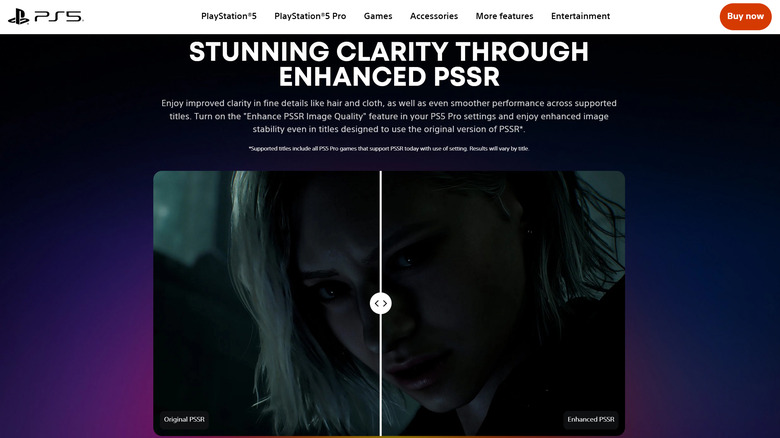
One of the PS5 Pro’s graphical improvements is much more noticeable thanks to Sony’s latest PlayStation 5 system update, as system software 26.06-14.00.00 enables Enhance PSSR Image Quality by default. Games that are based on the original version of PlayStation Spectral Super Resolution will now take advantage of Sony’s newer upscaler without the owner needing to know about a fairly obscure toggle.

There is an important limit, though: games that don’t already support PSSR aren’t affected. The update is not suddenly adding AI upscaling to everything in the PlayStation library, and not every game with a “PS5 Pro Enhanced” badge is using PSSR to begin with.

The enhanced PSSR and its system-level override arrived in March. Sony calls it “upgraded” or “enhanced” PSSR rather than PSSR 2.0, and the newer version takes a different approach to both the neural network and overall algorithm. Until now, PS5 Pro owners who wanted to apply the enhanced model to games built around the original PSSR tech had to enable the setting themselves.

PSSR 2.0 is mostly about cleaning up the first version

PSSR is Sony’s machine-learning upscaler for PS5 Pro. It allows games to be rendered at a lower resolution and then upscaled to a higher output resolution, allowing developers to push for better visuals without the full performance cost of natively rendering at that higher resolution.

The initial release wasn’t always elegant. Our PS5 Pro review noted some games had shimmering textures and distortion around fine text, which can be hard to ignore once you’ve spotted them.

According to Sony, the enhanced version offers fine detail clarity, image reconstruction and stability in motion. Developers who’ve used it have noted less flickering and afterimages, and more refined details like hair and foliage. The technology is an outgrowth of Project Amethyst, Sony’s graphics research with AMD, which has also helped with AMD’s machine-learning graphics on PC.

Games that support the newer version will use it by default, but you aren’t trapped into the newer version for older games that weren’t built to support it. If you’re experiencing any unexpected visual effects, go to Settings > Screen and Video > Video Output > Enhance PSSR Image Quality and disable the override to keep PSSR 1 games using their original tech. Make sure you’re running games in Pro or Quality mode to take advantage of the improvements. 

The update does more than change PSSR’s default

Sony didn’t explain why it took some six months to enable this setting by default, and hasn’t claimed that every PSSR title will look better in every circumstance.

Meanwhile, PS5 Pro owners aren’t getting all the attention. The same update introduces an on-screen voice chat indicator to display the name of the person speaking, along with an option to select where this indicator will appear.

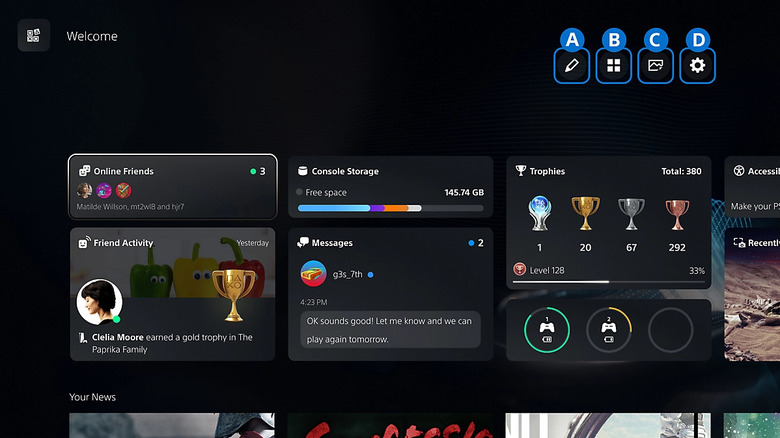
The Welcome Hub also gets a Community Activity widget. Trending Now displays 10 multiplayer games or modes that are attracting a lot of players, and Top 10 displays the most popular games from the last week in your region.

Wirecast for Sports Production & Streaming


Modern sports production does not always require a large control room filled with dedicated hardware. Software-based production platforms can bring cameras, graphics, audio, recording, replay, and streaming together in a flexible workflow that can scale from school sports to venues and live events.

At SportStream 2026, Telestream takes a practical look at Wirecast for sports production, including a quick demonstration of the Wirecast interface and how producers can manage multiple elements of a live sports broadcast from one software-based production environment.

For schools, athletic departments, venues, production companies, and event producers, this approach can provide a flexible way to build a live sports workflow around the equipment and resources already available.

What Is Wirecast for Sports Production?

Wirecast is a software-based live production platform that allows producers to bring together multiple video and audio sources, graphics, recordings, and other production elements.

For sports, that means a producer can build a workflow that includes:

  • Multiple cameras
  • PTZ cameras
  • Graphics
  • Score information
  • Audio
  • Recorded media
  • Instant replay
  • Transitions
  • Live streaming
  • Recording

Instead of treating each production element as a separate system, software-based production brings these functions into a centralized production environment.

This can be particularly useful for organizations that need to produce live sports without the infrastructure of a traditional broadcast facility.

Why Software-Based Production Matters for Sports

Sports productions come in many different sizes.

A high school may need to stream a basketball game with a small crew. A college athletic department may produce multiple sports across several facilities. An event producer may need to create a professional multi-camera broadcast from a temporary venue.

Each production has different requirements, but the fundamental workflow is similar:

Capture → Produce → Enhance → Record → Stream

Software-based production can provide the tools needed for each stage without requiring every production to use a large hardware-based control room.

That flexibility makes it easier to build a system around the size, budget, staff, and goals of the organization.

Bringing Multiple Cameras into One Production

Sports are difficult to cover effectively with a single camera angle.

Multiple cameras allow producers to show the action from different perspectives and create a more engaging viewing experience.

A Wirecast sports production can incorporate multiple camera sources, allowing the producer to switch between shots as the game develops.

For example, a basketball production might include:

  1. A primary wide shot
  2. A second camera covering another angle
  3. A tight player or coach shot
  4. A PTZ camera for a specialty angle
  5. A crowd or venue camera

The producer can then select the appropriate source during the live broadcast.

This type of multi-camera workflow can be scaled based on the sport and venue.

Creating a More Dynamic Sports Broadcast

Simply putting a camera on a game is not the same as producing a live sports broadcast.

Production tools allow teams to combine camera feeds with additional content that helps viewers understand and follow the action.

Graphics can provide:

  • Team names
  • Scores
  • Player information
  • Game statistics
  • Lower thirds
  • Sponsor messages
  • Announcements
  • Branding

These elements can be combined with live camera feeds to create a more polished viewing experience.

For school and community sports, graphics can also help make a broadcast feel more connected to the organization and event.

Audio Is an Important Part of the Workflow

Video gets much of the attention in sports production, but audio plays an equally important role.

A live sports production may include:

  • Play-by-play commentary
  • Crowd microphones
  • Ambient venue audio
  • Interviews
  • Music
  • Recorded announcements
  • Sponsor messages

Managing those sources within the production workflow allows producers to control what viewers hear and when they hear it.

A good audio workflow can help make the broadcast feel more connected to the venue, even when viewers are watching remotely.

Adding Instant Replay to Sports Production

Replay is another important part of sports broadcasting.

A replay system allows producers to capture an important moment and bring it back to the audience after the play has already happened.

That might include:

  • A goal
  • A touchdown
  • A three-point shot
  • A great save
  • A close call
  • A big defensive play
  • A player highlight

Replay can help viewers understand an important moment and give producers another way to tell the story of the game.

For smaller productions, software-based tools can make replay part of a broader production workflow rather than requiring a completely separate environment.

Recording the Production for Later Use

Live sports content can have value after the event ends.

Recording allows organizations to preserve the production for:

  • On-demand viewing
  • Team websites
  • Social media
  • Coaching
  • Recruiting content
  • Highlight packages
  • Archives
  • Promotional content

A recorded game can become much more than a single livestream.

For schools and athletic organizations, maintaining a library of recorded games can also provide a valuable historical record of teams, players, and seasons.

Streaming the Game to Remote Audiences

Live streaming allows fans who cannot attend an event to watch remotely.

This is particularly important for school and community sports, where family members, alumni, students, and fans may be spread across different locations.

A software-based production workflow can combine the cameras, graphics, audio, and replay into a finished program before sending that program to a streaming destination.

The basic workflow becomes:

Cameras + Audio + Graphics + Replay → Wirecast Production → Live Stream

The production team can create the program and then distribute it to the audience online.

Wirecast for School Sports

School sports are a natural application for flexible software-based production.

Many schools have limited production staff, and students, teachers, volunteers, or athletic department personnel may operate the broadcast.

A software-based workflow can give these teams access to multiple production tools without requiring the same infrastructure as a large professional broadcast.

A school could build a workflow around:

  • A few cameras
  • A computer-based production system
  • Audio
  • Graphics
  • Replay
  • Streaming connectivity

The system can then be used across different sports and venues.

Producing Sports from Different Venues

Sports organizations rarely operate from a single identical location.

A production team might cover basketball from a gym one night and football from a stadium the next.

Each venue presents different challenges.

Camera positions change. Lighting changes. Audio requirements change. Network connectivity changes.

A flexible software production environment can make it easier to adapt the workflow to different locations.

Instead of designing every production around one permanent control room, teams can create a portable workflow that travels with the production.

Software-Based Production Can Scale

One of the advantages of a software-based approach is that organizations can build their production system incrementally.

A basic workflow might start with:

1–2 cameras → Production Software → Streaming

As the organization’s needs grow, it can add:

Additional Cameras → Graphics → Audio → Replay → Recording → More Advanced Streaming

This allows teams to develop their production capabilities over time rather than attempting to build a complex system from the beginning.

The appropriate workflow depends on the production’s goals, available equipment, crew, and venue.

Combining PTZ Cameras with Wirecast

PTZ cameras can be particularly useful in software-based sports production.

Because PTZ cameras can be controlled remotely, they can provide additional angles without requiring an operator physically positioned at every camera.

A production team might combine PTZ cameras with traditional cameras to create a flexible multi-camera setup.

For example:

  • Fixed camera for the primary game angle
  • PTZ camera for a secondary angle
  • PTZ camera for a tight shot
  • Handheld camera for mobile coverage

Wirecast can then bring those sources into the broader production workflow.

This gives producers more choices while allowing camera placement and camera operation to remain flexible.

Building a Sports Production Around Your Resources

There is no single production configuration that works for every sports organization.

The right setup depends on several factors:

Audience

Are you producing for a local audience, a school community, a regional fan base, or a larger online audience?

Venue

Is the production taking place in a gym, stadium, field, arena, or temporary event space?

Crew

How many people are available to operate cameras, audio, graphics, replay, and streaming?

Equipment

What cameras, computers, networking equipment, audio gear, and accessories are already available?

Production Goals

Do you need a simple livestream, or are you producing a more complete broadcast with graphics, replay, commentary, and multiple camera angles?

Answering these questions first can help determine the right production workflow.

Software Production vs. Traditional Hardware Production

Traditional hardware-based production systems remain an important part of professional sports broadcasting.

However, software-based production offers another approach.

Production Element Software-Based Workflow
Cameras Multiple live camera sources
Switching Software production interface
Graphics Integrated production graphics
Audio Software-managed audio sources
Replay Software-based replay tools
Recording Record the live production
Streaming Send the finished program online

The distinction is not necessarily about replacing one approach with another.

For many organizations, software can provide a flexible production layer that fits between the cameras and the streaming destination.

Making Sports Production More Accessible

One of the broader changes in sports production is the ability to create professional-looking broadcasts with smaller teams.

A production no longer has to be limited to organizations with a dedicated broadcast facility.

Schools, colleges, community organizations, event producers, and smaller venues can build systems that combine cameras, software, networking, graphics, and streaming.

The result is an opportunity to bring more sports events to remote audiences.

That can help organizations connect with fans who cannot attend in person while also creating content that can be reused after the game.

Frequently Asked Questions About Wirecast for Sports Production

What is Wirecast used for in sports production?

Wirecast can be used to bring multiple cameras, graphics, audio, recordings, replay, and streaming into a software-based live production workflow.

Can Wirecast handle multiple cameras?

Yes. A sports production can bring multiple camera sources into the production environment and switch between them during the live event.

Can Wirecast be used for school sports?

Yes. A software-based production workflow can be adapted for school sports, including basketball, football, soccer, volleyball, and other athletic events.

Can Wirecast add graphics to a sports broadcast?

Yes. Graphics can be incorporated into a live production to provide information such as team names, scores, player information, sponsor content, and other broadcast elements.

Can Wirecast be used for live sports streaming?

Yes. Wirecast can be used as the production layer for a live sports stream, combining camera, audio, graphics, and other sources before sending the finished program to an online streaming destination.

Can replay be part of a software-based sports production?

Yes. Replay tools can be incorporated into a software-based workflow to capture and replay important moments during a live sports production.

Do I need a large production crew to use Wirecast?

Not necessarily. The appropriate crew depends on the complexity of the production. A smaller production may be operated by one or a few people, while larger broadcasts can use dedicated operators for cameras, graphics, audio, replay, and production.

Transforming Sports Production with Telestream

Software-based production gives sports organizations another way to approach live broadcasting.

With cameras, graphics, audio, replay, recording, and streaming brought together in a flexible production environment, teams can build workflows around their specific venues, sports, crews, and audiences.

At SportStream 2026, Telestream takes a practical look at Wirecast and how software-based production can support everything from school sports and local events to more advanced multi-camera productions.

Claim up to $95 today from Apple’s Siri AI settlement – here’s how


ZDNET’s key takeaways

  • Apple has settled a class-action lawsuit alleging false advertising with Siri AI.
  • To get your cut, you must have bought a certain iPhone model in 2024 or 2025.
  • Qualifying iPhone buyers could receive anywhere from $25 to $95 per device.

Did you buy an iPhone 15 Pro, 15 Pro Max, or any iPhone 16 in mid to late 2024 or early 2025? If so, you may be able to score some money from Apple over a settlement to a Siri AI class-action lawsuit.

Apple has agreed to settle a lawsuit filed in March 2025 that alleged false advertising on the company’s part. Specifically, the class-action suit charged that Apple failed to deliver on the promises of its AI-enhanced Siri, which the company had touted in its advertising campaigns and product events, including WWDC 2024. Stalled by countless hiccups, Siri AI failed to materialize until recently with the launch of iOS 27, long after Apple had been promoting this new and improved version.

Also: iOS 27 is finally here, with the new Siri AI beta – and 120 security patches

In its response, Apple has denied that it did anything wrong. Further, there’s been no finding of culpability. But to put the claim to rest, the company has placed $250 million into a settlement fund, from which certain iPhone owners can collect their share. Here are the steps to qualify.

How to submit a claim

You must have purchased an iPhone 15 Pro, iPhone 15 Pro Max, or any iPhone 16 model between June 10, 2024, and March 29, 2025.

To proceed, you’ll need to submit a claim at the Smartphone AI Settlement website. Just click the button to file a claim and indicate whether or not you received a claim ID and PIN. Choose whether you’re filing the claim on your behalf or on behalf of a company.

Also: After your iOS 27 upgrade, do these 5 things first

Next, fill in your contact information and add the serial number for the eligible iPhone if asked. Finally, indicate how you wish to be paid — check, PayPal, Venmo, or ACH to your bank account. Depending on the payment method, you’ll have to provide further details to receive the payment. For example, if you choose ACH, you’ll need to enter the name, account number, routing number, and other info for your bank.

If you purchased more than one qualifying iPhone during the specified period, you can file a separate claim for each device. You have until December 21 to file any claims.

Assuming you qualify, how much money could you get? That depends.

Also: Eager to try iOS 27’s cool AI features and upgraded Siri? Get ready for usage limits

Based on the website set up by the lawsuit’s attorneys, the minimum amount could be $25 while the maximum might reach $95. But that’s per device. However, the amount may increase or decrease depending on the number of claims and other factors. We’ll have to see how far that $250 million goes as more people line up to get their cut of the action.

Clarkson, the legal firm behind the suit, has posted a form on its website to receive an email newsletter if you wish to stay updated on the settlement. A final approval hearing is set for Feb. 24, 2027, at which time the court hearing the case – the US District Court for the Northern District of California – will evaluate the fairness of the settlement and make its final judgement. If all goes as expected, that means qualifying iPhone owners should get their payment sometime next year.

Hospitality Interior Design: How 3D Renderings Help Win Hotel Clients with Visualizations


Say you want to buy a product from an online store. You already know the brand, the model name, and the price range, but you still want to spend time taking a closer look at the pictures of that product on the webpage. Even if you can’t touch and experience the product firsthand, those pictures turn out to be convincing enough for you to make the purchase. Things are no different with hotel rooms. The images that appear on the hotel’s official site or travel agencies’ platforms are important marketing tools, designed to give you great first impressions and encourage you to make the booking. Good pictures are as persuasive as the bad ones, in different manners of course. If good-looking photos are among the main reasons travelers choose any particular hotel, the bad-looking ones can easily make them rule it out.

​An image gallery can tell a holistic story about all sorts of properties, and even more so about a hotel. It is therefore a common practice that hotel owners or managers put up as many high-quality images of the buildings they run, including the lobby, the rooms, the amenities, the bathroom, and even the views of the surrounding area. They expect those images to create strong impressions and build some kind of emotional connection with viewers, and perhaps set the right expectations as well. Ultimately, the images are supposed to be alluring enough to attract visitors. CAD professionals at Cad Crowd offer some of the best hotel visualizations money can buy. Home to thousands upon thousands of digital artists from all around the world, you’ll be hard-pressed to find any other freelancing platform that can even remotely match Cad Crowd’s hiring options, affordability, and guarantee of accuracy.

​What if you too run a hotel and want to improve your marketing with better imagery? Is there anything you can do to make the photo gallery improve your chances of winning clients? If so, how do you go about making the improvement? You might find it surprising that the answer actually has little to do with photography. What you really need is a different type of imagery in the form of 3D rendering services. In other words, you need CGI (computer-generated imagery) visualization to get the most out of your hotel image gallery. While CGI is in most cases more cost-efficient and versatile than traditional photography, it’s also a specialized trade best left to professionals. It’s true that photography too takes real expertise to get right, but the degree of flexibility (as in detail adjustments, customizations, level of detail, and reusability, to name a few) you get from CGI outshines traditional photos by a large margin. 

RELATED: The Proven Impact of 3D Interior Rendering Services For Boosting Hotel and Resort Bookings


🚀 Table of contents


What is a good hotel interior rendering?

Well, that’s a little too broad a question, and there doesn’t seem to be a single satisfying answer, but based on our experience in CGI visualization services, we might have some ideas as to what you should look for in hotel interior 3D rendering services.

A study published in Nature Portfolio’s Humanities and Social Sciences Communication in 2023 reveals that images of hotel properties are directly correlated with positive customer perception. Images are important factors in customers’ booking decisions. But it’s not just any image, as there are several aspects that turn out to be strong selling points, namely the lighting (or time of day indicated by the image), the color scheme, human presence or the lack thereof, and shooting angle.

It has everything to do with “intangibility” because obviously the customers seeing the images aren’t exactly present at the hotel. They’re unable to perceive the location, experience the room interior firsthand, enjoy the room view, try any of the available amenities, and feel the ambiance. It makes perfect sense since, as far as you’re concerned, the customers can be hundreds if not thousands of miles away during the time of the booking. The most important purpose of the hotel imagery is to reduce this sense of intangibility down to a minimum.

RELATED: How to Create Stunning Room Renderings: Your Guide for Interior Design Services

There are a number of visual directions or framing tools you can use for this purpose, such as directional lines, rule of thirds, image orientation, color adjustment, perspectives, depth of field, image symmetry/asymmetry, time of day/light, and object planning. You won’t be able to completely eliminate intangibility, but those framing tools at least provide creative approaches to bring about a greater perception of immersion.

All these aren’t prohibitively difficult challenges to overcome with traditional photography; it’s just that they’re much easier to handle using CGI visualization with 3D renderings. The thing is, a CGI visualization is created entirely on a computer screen. You don’t need to use any physical object at all. Everything on and about the image can be manipulated using digital tools to find just the perfect balance for photorealism.

There is no limitation to what you can produce with CGI. You can create as many digital versions of any space in the hotel as possible. Perhaps you want to have half a dozen visualizations or more of just the lobby, multiple images of the same room from different viewing angles, an entire set of imagery for the dining room, another collection to cover the swimming pools, and so forth. Again, there’s no photography involved here. Everything is 3D modeled using CAD (computer-aided design) software and rendered into photorealistic image services for visual treatments.

RELATED: Exploring 5 Key Elements of Hotel Lobby 3D Design and CAD Interior Detailing Services

Name any mood, weather, time of day, composition, perspectives, and dramatic flair you want; the digital artists at Cad Crowd have the know-how and the tools to create just the right imagery. Backed by our 15 years of experience in CAD applications and CGI visualizations, there isn’t much that our professionals haven’t seen and done over the course of their history in the industry.

But be very careful about the number of images you use on the booking page. Offering too many visualizations might bring about an effect of ambiguity within the context of hotel marketing on online platforms. In this particular instance, “more” isn’t necessarily better. Quite the contrary, a bombardment of imagery can lead to a marketing situation typically known as “choice paralysis” in booking intention. It’s the notion of providing too many product options, causing indecision. When the customers get confused or overwhelmed with options (such as massive collections of imagery just to visualize two or three different rooms), they tend to postpone the booking at best or look for alternatives at worst. There’s also the danger of pushing too hard to the point where you inadvertently include less relevant, maybe even misleading visualizations.

Now if there’s such a thing as too much information from too many visualizations, naturally it’s also possible to provide too little. While there’s no strict formula on how to strike the right balance between the two extreme ends, you can always play it safe with six types (not number of images, mind you) of visuals on the booking page or any other online marketing platform: (1) hotel rooms, (2) conference rooms, (3) hotel room bathrooms, (4) entrance and lobby, (5) hotel premises and services, and (6)hotel exterior design services.

RELATED: Can a 3D Interior Rendering Services Company Boost Hotel and Resort Bookings?

photorealistic-hotel-renderings-for-hospitality-businesses

Since we’re only talking about interior design services, the exterior is to be omitted. You can still showcase a little bit of the exterior, but make sure it’s actually shown as visible from inside the hotel. For instance, resort hotels may utilize images of the landscape seen from a room balcony or large windows in the lobby. All six types function as some kind of physical evidence of the quality and services your hotel promises to deliver to the guests.

Another important thing to consider is the “transportation theory” of persuasiveness (there’s an entire page dedicated to this discussion on Wikipedia, of course). Essentially, when used within the context of hotel visualizations, the theory suggests that image size matters. It turns out that larger digital visualizations make customers more inclined to complete the booking and positively affect their willingness to pay extra for accommodation.

This positive effect, however, only happens if the image doesn’t feature any person in the frame. It’s said that larger images work better for aspirations, but the presence of a person in the frame might hamper the imagination. Guests want to picture themselves (as opposed to anybody else) living in the environment depicted in the image. The good thing is that the opposite also applies here, as small images yield more or less the same level of persuasiveness given the presence of humans.

RELATED: Interior and Exterior 3D Commercial Rendering Services: All You Need to Know

Browsing enjoyment must be taken into account as well. 3d Visualization services is great, and people believe that a picture is worth a thousand words. Still, customers might need some clues about what they actually see in the image. It’s not that complicated, really. All you need to do is add a caption under every image to tell the viewers what room it is, what amenities they can get in the lobby, how many seats can be fitted to a dining area, etc. A little bit of additional information can go a long way to keep the customers browsing the page. The longer they stay on the page, the more chances you have to persuade them.

Typical costs of 3d rendering

Service Estimated Cost (USD) Description
Hotel interior rendering $300-$1,000 per image Photorealistic renderings of guest rooms, lobbies, restaurants, or other interior spaces.
Luxury interior rendering $1,000-$2,500+ per image Premium-quality visuals with advanced lighting, materials, and fine details.
360° virtual tour $500-$2,000 per scene Interactive panoramic views that let guests explore hotel interiors online.
Animated walkthrough $2,500-$15,000+ per project Cinematic animations showcasing hotel spaces and amenities for marketing.
Complete hotel visualization package $3,000-$15,000+ per project Includes multiple renderings, common areas, amenities, and marketing-ready visuals.

How 3D rendering attracts clients

hotel-interior-visualization-for-higher-booking-conversions

Like with every other product, the photographic images of a hospitality interior design should help customers perceive information about a hotel in a clear and accurate fashion. It is this very perception that does the heavy lifting to influence people to book a room, pretty much similar to how a product image sways you into spending money. People take their time evaluating the photos before they come to a booking decision. But how exactly does 3D rendering services do its part in bringing more potential guests? Again, there might not be a single satisfactory answer to that. There are at least five.

Spatial understanding

A standard wide-angle photograph can be misleading as it often distorts room dimensions, making a space look wider than it really is or perhaps concealing some unflattering details. Let’s not forget that on many travel agencies’ websites and social media, photos posted by previous visitors aren’t always set to give the biggest marketing impact. CGI visualization, especially 3D interior rendering services, is almost impossible to look bad. It’s generated entirely on a computer to be an exact replica of a hotel interior, presented as a lifelike visualization. All the details, including the perspectives, are made for comfortable viewing that allows easy spatial understanding of the room layout, ceiling heights, furniture placement, distance from the bed to the bathroom, and lighting colors. If you want, the rendering can even highlight how thick and soft the carpet is.

RELATED: 3D Visualization for Bars, Businesses, and Restaurants 

Visualization for every season

Imagine yourself being a professional photographer tasked with producing promotional pictures for a hotel. There have to be photos of the lobby with a view of the landscape visible from a large glass window. In addition, the views must showcase how good the scenery is during summer and winter. With conventional photography, there’s little you can do except wait for one of the seasons to arrive, which can be months away. With 3D rendering, on the contrary, it can be done within a week or two. Remember about CGI having no need for physical objects to produce imagery? It’s the same thing with weather. In the hands of professionals from Cad Crowd, you get to choose what objects to include, what season it’s in, and what viewing angle to use. And you can actually have the exact same image displayed in two or more different atmospheres. Whether it’s thick snow outside, or pouring rain with water droplets on the window, a bright summer day, or warm orange fall, we have it all covered.

Animated walkthrough

One of the biggest selling points of CGI visualization is that it enables digital artists to build an animated rendering of an architectural walkthrough services. Think of it as a video guide that shows customers what it looks and feels like to be inside a building, or in this case, a hotel. But unlike conventional videos recorded using a camera, an animated walkthrough is created by combining a series of static renderings into, well, an animation. It’s not interactive in the sense that you can’t control movement direction or change the viewing angle, but an animated walkthrough offers all the best things from static visualization added with cinematic flair. See the curtain swaying in slow motion as you walk into the room, clouds of white steam coming out of a kettle on the table, sunlight coming through as the window opens; you get the idea. Everything that you see is deliberately made that way.

Flexible space configuration

A hotel isn’t just a collection of rooms where people spend a night or two while they’re away from home. It’s a hospitality building that caters to various events, from business conferences to weddings and all sorts of social and professional gatherings. As previously mentioned, 3D rendering allows you to showcase the same exact space or room with completely different configurations. We gave an example earlier about how it’s possible to visualize the different views of summer and winter from the same lobby window; well, you can do the same with the lobby itself. Why not visualize a room configuration for a business conference in one image, and for a rave party in the other? A single space can be a versatile venue for many different occasions, and 3D rendering grants you the ability to visualize any or all of them, without once resorting to expensive interior staging.

RELATED: Turning Concepts Into Stunning 3D Renderings with Architectural Visualization at Your Services Firm

hotel-visualization-for-modern-hospitality-marketing

This kind of flexibility also opens the doors to tailoring visualizations to specific customer segments, or guest profiles if you like. Different travelers have different preferences for accommodation and environments. For instance, business-minded guests (as in people who stay at your hotel in some kind of professional capacity) might prefer a room with a functional work desk and a quiet atmosphere. On the other hand, families often prioritize an open floor and safety features. But guess what, 3D visualization has just the tools to showcase the same room with two or more configurations. This means you have more marketing options aimed at different targets, albeit using only one room.

Eye-catching social media campaign

Sometimes the simple answer gives the best explanation. 3D visualizations, whether animated walkthroughs services or stylized renderings (watercolor, cel-shading, oil paint, ink sketch, or basically anything other than photorealistic), are much more striking than conventional photographs. And striking imagery more easily catches people’s attention on social media. Users are far more likely to share and react to unique content, increasing positive engagement with your hotel. With every single “share,” you’ve successfully added another potential client, and this kind word-of-mouth digital marketing remains a powerful tool to attract more. Not every single lead might end up booking a room, but social media have always been great platforms to start reaching a wider audience.

RELATED: 3D Rendering Techniques in Architecture: CGI Conundrum for Architectural Companies

Closing thoughts

At the end of the day, what you really want is effective imagery that works like an expert marketing agent to persuade every viewer to make a booking. You might have to experiment with different styles, formats, sizes, and moods before you come to the perfect formula. This is something that CGI excels at, but conventional photography struggles with. 3D visualization affords you the opportunity to play with different lighting setups, compositions, viewing angles, and dramatic flair, without even leaving the screen. And with Cad Crowd on your side, you start with the confidence and peace of mind that the end product will be nothing short of high-quality interior renderings that reflect the best your hotel has to offer.

How Cad Crowd can help

Cad Crowd connects you with experienced CGI artists and architectural visualization experts who create photorealistic hotel interior renderings for marketing and hospitality projects. From guest rooms and lobbies to amenities and animated walkthroughs, our professionals deliver compelling visuals that help attract more guests and increase bookings. Contact Cad Crowd today for a free quote.

author avatar

MacKenzie Brown is the founder and CEO of Cad Crowd. With over 18 years of experience in launching and scaling platforms specializing in CAD services, product design, manufacturing, hardware, and software development, MacKenzie is a recognized authority in the engineering industry. Under his leadership, Cad Crowd serves esteemed clients like NASA, JPL, the U.S. Navy, and Fortune 500 companies, empowering innovators with access to high-quality design and engineering talent.

Connect with me: LinkedIn ✦ X ✦ Cad Crowd

Here’s Why A Nightmare On Elm Street Game Hasn’t Happened In Decades


With Friday the 13th, Halloween, and other horror franchises getting video game adaptations in recent years, you might wonder when it’ll be Freddy Krueger’s turn, but according to Illfonic, the team behind those games, the task is harder than you might think. To do it right, one aspect of the films creates a big roadblock.

“There are plenty of IPs that people are like, ‘Why aren’t you doing this?’ and ‘Why aren’t you doing that?’ As much as I love Elm Street, [those movies are] about these big over-the-top kills,” Illfonic’s chief creative officer Jared Gerritzen told me in a Zoom call. “Same with Terrifier, where it’s like these big, over-the-top kills that you would expect that you would have to do [in order] to do it right. That’s the most costly thing, in some cases. You’d have to do hundreds of those to build that basis. You’d have to do all these other layers, and then it just becomes like, ‘Well, shit.’ Like, there are all these quagmires that we can’t go into, and so for us, we’re very diligent about the IPs that we choose.”

With Freddy’s dream world seeming like a great fit for a game, I’d long envisioned Elm Street as an obvious candidate for an asymmetrical multiplayer horror game akin to Illfonic’s other titles, but listening to Gerritzen speak on the pitfalls, it occurred to me that he’s right.

It’s hard to imagine a game creating enough elaborate set-piece kills to keep them feeling fresh for players who may play for dozens or hundreds of hours, but neither does it make sense to rinse and repeat the same standout moments like Tina’s nightmare that saw her crawling on the ceiling, or the way Glen’s bed swallows him whole and erupts with a geyser of blood. 

Freddy doesn’t usually catch up to someone and finish them off with his iconic glove in a way that maps well onto multiplayer. He makes a meal out of them, and that’s hard to translate into a game built on replayability.

Gerritzen explained that his team has worked on so many games of this sort that, by now, it gives them something like a running start.

“We’ve been through this so much that when we start on a game, we already know what the pitfalls are. […] And so we start off with a pretty good skeleton, and then we add those layers of the project that we love. We turn down a lot of stuff because it’s just like, ‘Hey, to do this, it doesn’t make sense in a video game form.'”

Beyond those gameplay pitfalls, there seems to be a broader rights issue tying up the Elm Street franchise, too. Though Gerritzen didn’t comment on that aspect, it’s recently been reported that competing Elm Street movies may soon be in the works–one for US audiences and one for international audiences–because the ownership of the intellectual property is currently split. That sort of rights quagmire probably scares off some creators, following what happened to Friday the 13th.

Does this mean we’ll never get a Freddy game? I don’t think that’s what Gerritzen meant, though it may mean a team other than Illfonic is the one to make it, or it could be that Illfonic finds a way to make it work in the future. 

For now, the team is focused on supporting Halloween, which launched on September 8 and has surpassed a million copies sold, alongside its cabinet of other asymmetrical multiplayer games, Predator: Hunting Grounds, Ghostbusters: Spirits Unleashed, and Killer Klowns from Outer Space.

For more on the team behind Halloween, here’s what Illfonic said about why comparisons to Dead by Daylight are inherently flawed.

The Milestone Reward Smart Entrepreneurs Actually Choose


Milestone reward for entrepreneurs
Envato.com

Every home-based business has its version of the moment: the first year you don’t dip into savings to make payroll for yourself, the client that finally validates the pivot, the month revenue crosses whatever number you privately set as “real now.” Most entrepreneurs mark it somehow. Few think carefully about what they mark it with.

The instinct is usually to buy something forgettable — new office furniture, a nicer laptop, a weekend somewhere. Nothing wrong with any of that. But there’s a specific category of milestone purchase worth knowing about, because unlike almost everything else on the list, it doesn’t lose money the moment you buy it.

Why This Matters More When Your Income Isn’t Steady

If you run a home-based business, you already think about money differently than someone on salary. You’ve internalized that income is lumpy, that this quarter’s win doesn’t guarantee next quarter’s, and that anything you spend needs to justify itself against the version of you six months from now who might be in a leaner stretch.

That mindset usually pushes people away from any kind of “reward” spending entirely — which is understandable, but it also means missing the rare category of purchase that actually behaves like an asset instead of an expense. A milestone reward can offer both a meaningful way to celebrate and the potential for lasting value. A car depreciates the day you drive it. Office equipment becomes outdated on its own schedule. Almost nothing you’d buy to celebrate a win holds its value a year later, let alone five.

A well-chosen watch is one of the few exceptions, and it’s worth understanding why before dismissing the idea as an indulgence you can’t justify.

The Math Behind It

Certain watches — Rolex specifically — are manufactured deliberately below global demand, year after year. That production discipline means the resale market doesn’t work like it does for most goods. A steel Rolex Submariner bought pre-owned for a fair price has historically traded at or above that price years later. Try saying that about the laptop you bought to celebrate the same milestone.

Entry points are lower than most people assume. Simple, steel, no-frills pre-owned models start in the $4,000 to $5,000 range — genuinely comparable to what a lot of solo business owners already spend celebrating a good year, except this purchase is still working for you financially long after the celebration ends.

The Part That Actually Matters for This Audience

Here’s the detail specific to running your own business: a watch is one of the only milestone purchases that doubles as a portable, private store of value. It’s not tied to a business entity, doesn’t need to be depreciated on a schedule, isn’t attached to a lease or a loan. For entrepreneurs who’ve deliberately kept things simple — no LLC, income spread across a few different streams, assets that stay personal rather than entangled in the business — that portability is worth more than it sounds.

It’s also genuinely liquid in a way most milestone purchases aren’t. A milestone reward can also provide flexibility if your financial situation changes. If a lean stretch actually arrives, a legitimate pre-owned watch can be sold back to a specialist dealer in days, not months, at a price that reflects real market demand rather than a fire-sale discount.

The One Real Risk

The caution is the same one that applies to any purchase in this category: authentication. The counterfeit market has gotten sophisticated enough that photos alone don’t protect you, and a watch bought without real verification can turn out to be worth nothing regardless of how good the deal looked. For a milestone reward, proper authentication is especially important when choosing a pre-owned watch.

Working with a dealer who actually inspects what they sell — checking the movement, the dial, the case, all of it — and backs it with a written warranty is the difference between a smart milestone purchase and an expensive lesson. If you’re finally ready to mark a real milestone with something that still has value the next time you check, browse authenticated pre-owned Rolex watches for sale to see what’s realistic at different budgets before you decide.

Find a Home-Based Business to Start-Up >>> Hundreds of Business Listings.