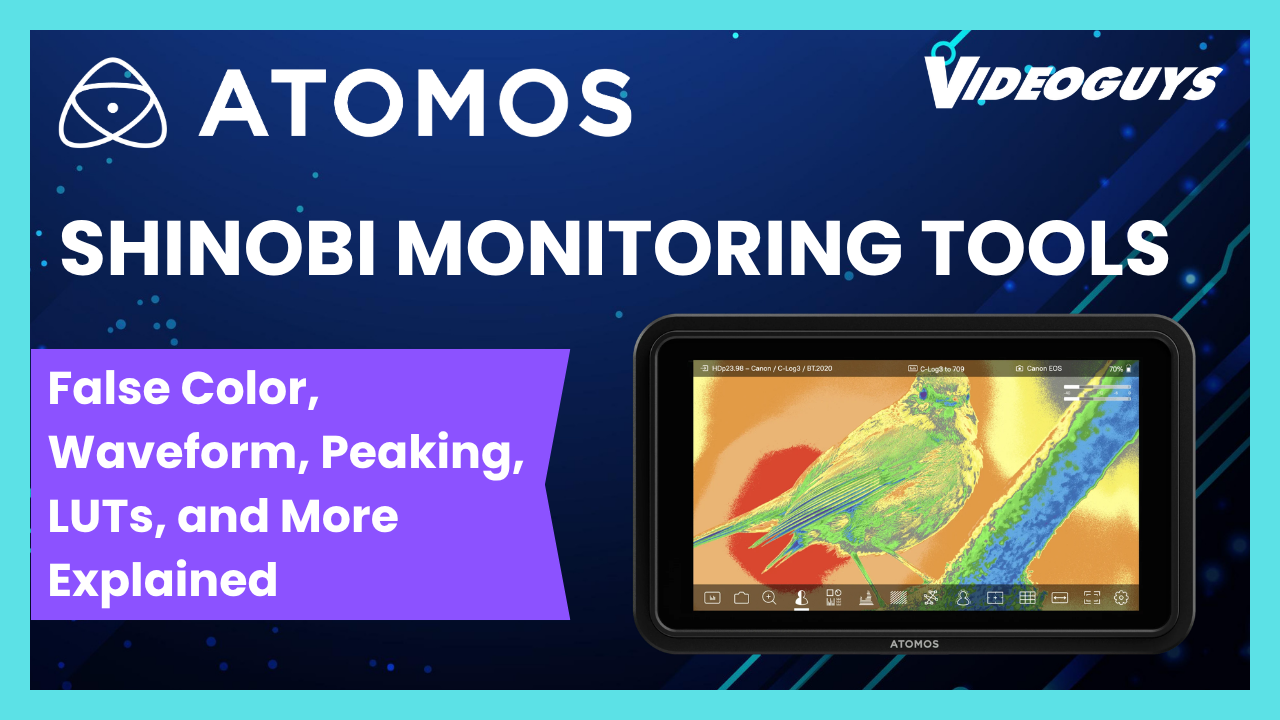
Atomos Shinobi Monitoring Tools: False Color, Waveform, Peaking, LUTs, and More Explained


A camera’s built-in LCD is adequate for basic framing. The Atomos Shinobi is a professional monitoring tool — and the difference comes down to the monitoring features it provides that camera LCDs don’t. Here’s what each tool does and when to use it.

🎬 Watch the full breakdown: Atomos Shinobi monitoring tools on Video Guys Live →

False Color — Expose Correctly Every Time

False color is the most important exposure tool on the Shinobi. It replaces the image with a color-coded map where each color represents a specific exposure range:

  • Red/Pink — overexposed, clipped highlights with no recoverable detail
  • Yellow/Amber — approaching overexposure, valid for bright highlights like windows
  • Green — correct exposure range for skin tones (typically 38–42% luminance)
  • Blue/Purple — underexposed shadow areas

In practice: point at your subject, enable false color, adjust exposure until skin tones read green. Confirm highlights aren’t clipping to red. Confirm shadows aren’t crushed to solid blue. You’ve now exposed correctly without relying on the visual appearance of the monitor in ambient light conditions.

False color is particularly valuable in challenging lighting — bright outdoor locations where a monitor can look darker than it is, or heavily contrasted interior locations with mixed practical lighting.


Waveform — See Your Full Exposure Range

The waveform monitor displays a graph of the luminance values in your image from left to right across the frame. Shadows sit at the bottom of the graph, highlights at the top.

Unlike false color which helps you expose skin tones, the waveform gives you the complete picture of your exposure — you can simultaneously confirm that shadows are holding detail (not crushed to zero) while highlights are not clipping (not spiking to 100%).

The waveform is also useful for matching shots between cameras or across different setups — if both cameras are showing the same waveform shape for the same scene, you know your exposures are consistent.


Vectorscope — Color and White Balance Reference

The vectorscope displays the color information in your image as a circular graph. Neutral (no color) sits at the center. The further a pixel plots from center, the more saturated that color is. Target boxes around the circle indicate where specific colors should fall — important for ensuring your camera is calibrated correctly and your color is accurate to reference.

In practice: point the camera at a color chip chart or a known neutral gray and watch the vectorscope. If it’s centered, your white balance is correct. If it’s shifted toward blue or orange, adjust white balance accordingly. For productions with multiple cameras, matching vectorscope readings ensures consistent color across all cameras before you shoot.


Focus Peaking — Confirm Critical Focus

Focus peaking highlights the edges of in-focus elements in the frame with a colored outline — typically red, green, or white depending on your preference and the content. When you’re focused on your subject, their face edges and eye detail will show peaking highlights.

This is the most practical focus tool for handheld and manual focus work. Rather than relying on your depth of field intuition or squinting at a small LCD, peaking gives you an immediate visual confirmation that your critical focus point is sharp.

For shallow depth of field work — portrait interviews, product shots with subject isolation — peaking is indispensable on a 5 or 7-inch monitor where you can actually see the fine detail the highlight is indicating.


Zoom Assist — Pixel-Level Focus Check

Zoom assist (sometimes called focus zoom or punch-in) magnifies a portion of the image to pixel level on the monitor — typically 2x or 4x magnification. This is the definitive focus check tool: zoom into the subject’s eyes before a take, confirm sharpness at pixel level, zoom back out for the actual shot.

Unlike peaking which gives you a high-confidence indication, zoom assist gives you absolute certainty. The trade-off is that you can’t run zoom assist during a take — it crops the view and removes the normal frame. It’s a pre-roll check tool, not a continuous monitoring tool.


LUT Support — Monitor in Your Intended Grade

Log footage from cinema cameras (Sony S-Log, Canon C-Log, ARRI LogC) is deliberately flat and desaturated at the capture stage to preserve maximum dynamic range. Monitoring flat footage makes it difficult to judge framing, exposure, and color accurately because nothing looks the way it will after grading.

LUT support on the Shinobi lets you load a 3D LUT — a color transform file — that converts the flat log image to a graded look on the monitor in real time. You’re still recording the flat log signal (or whatever the camera is recording), but you’re seeing the intended grade while you shoot.

This is how professional cinema productions have been working for years — the camera assistant monitors a technical flat image while everyone else watches a transformed version that represents the intended look.


Anamorphic De-squeeze

Anamorphic lenses capture a squeezed, narrow image that gets expanded horizontally in post to produce the ultra-wide cinematic aspect ratio. Monitoring a squeezed anamorphic image during shooting makes framing nearly impossible — subjects look tall and thin.

Anamorphic de-squeeze on the Shinobi expands the image in real time on the monitor, showing the final intended framing while you shoot. The camera is still recording the squeezed signal — but you’re monitoring the correct aspect ratio.

Google’s new Fitbit Edge solves my biggest gripe with the Pixel Watch


ZDNET’s key takeaways

  • Google just unveiled the $180 Fitbit Edge, a smart watch with a slim display.
  • It’s a new product, but it resembles Google’s own Fitbit Charge, among other slim smart watches.
  • Despite a price increase, not too much is different between the devices.

The Pixel Watch 5, for all intents and purposes, is my ideal platonic smartwatch. Of all the exercise smartwatch apps I’ve used, Google Health is the most approachable for tracking sleep, stress, readiness, and exercise. 

But the chunky watch was never my favorite to wear. At 12.3 mm, the bubbled display is too thick and round for my liking — thicker than the Galaxy Watch (8.6 mm) and Apple Watch Series (9.7 mm) lineup. I always felt like the bulbous device calls attention to itself with its big display and thick frame — not a smartwatch that disappears on the wrist, by any means. 

Also: After one week wearing the Pixel Watch 5, here’s what I want most

A new(ish) wearable

There are other smart watches with similar builds, like Xiaomi’s multi-generation Smart Bands. But the Edge most resembles products from within Google’s ecosystem. For example, it has a width similar to the Fitbit Air, but adds a touchscreen so you can check the time, initiate a workout, or check your progress during a recorded exercise. It’s a smidge thinner than the Pixel Watch, at 11.5 mm — still not as thin as competitors, but thinner than the Pixel Watch 5 (thank God).

Its closest sibling is the three-year-old Fitbit Charge 6, which is 11.2 mm thick, has a seven-day battery life, and the same display as the Edge. Just looking at the specs, there doesn’t appear to be many fundamental differences between them, with the exception that the Edge is Google’s first repairable Fitbit, and it’s $20 more.

Also: The 5 most popular Garmin watches of 2026: What readers are buying most, and last chance Prime Day prices

Like the Fitbit Air and Charge, the Edge also includes a week-long battery life, with one big caveat. You’ll get seven days of battery life with always-on display disabled. With always-on enabled, the battery drops down to two days. 

Unlike the Charge, Google adds a side button — similar to Apple’s Action Button — for activating workouts and selecting information. Under the hood, sleep tracking improves in the Edge by 15%. 

Google’s screenless FitBit Air from earlier this summer. Nina Raemont/ZDNET

Like the Pixel Watch 5, wearers will be able to see their workout details, health metrics, and other messages on the Fitbit Edge. This visual guidance is displayed on a vibrant hybrid OLED screen built with Corning Gorilla Glass 3. It also syncs to your phone for incoming texts, Google Maps directions, and other notifications.

My concerns

When it comes to the price, I was expecting something similarly priced to the Fitbit Charge, and am wondering whether the small upgrades available on the Edge justify a $20 price increase. If the two most substantial upgrades are sleep tracking accuracy (which is software driven) and repairability, what part of this device is $20 more expensive to build?

Also: Google’s Fitbit Air is a $99 screenless wearable that I can actually take seriously

The Fitbit Air was perfectly priced at $100, and, though I haven’t tested the Edge yet, I’m skeptical the added screen will justify the $80 price difference between the Air and the Edge — especially when the Air lasts seven days, while the Edge with always-on enabled only lasts two.

The Fitbit Edge is available to pre-order now, and it’s available everywhere on Oct. 27.

Top 10 Use Cases Of AI And Machine Learning


AI and ML Use Cases
Top 10 Use Cases Of AI and Machine Learning

Artificial Intelligence can be expanded, adapted, and applied simply to several business operations. In this digital era, AI is a crucial investment area. Many tech giants like Microsoft, Google, and Apple are heavily investing in AI. This trending technology is not limited to those companies, but every business is in plans to modernize with AI.

According to a survey conducted by The New York Times, 54 AI firms are playing a vital role in shaping the future with Artificial Intelligence. Along with AI, these companies are benefiting from machine learning, deep learning, data science, speech recognition, and other AI technologies.

According to the market research report of Tractica, the global artificial intelligence software market is projected to grow exponentially in the coming years, with revenues expected to grow from USD 10 billion in 2018 to USD 126 billion by 2025.

Tractica also said that “over 330 Artificial Intelligence use cases across 28 industries will contribute to the market growth with strong enterprise AI opportunity in automotive, consumer, healthcare, banking and financial, telecommunications, education, and retail and eCommerce sectors”.

Click on the link to learn about what is artificial intelligence & how it brought revolution.

AI applications not only give better business results but also improve the overall human experience. With the help of the best AI app development companies like USM Business Systems, almost every industry is benefiting from this technology.

Here, in this blog post, we will be discussing the major eight industries that have adopted AI technology and benefited from Artificial Intelligence applications.

Before that, let’s make sure you understand what really artificial intelligence is.

Get a free quote for your project!

Click on the link to learn about what is artificial intelligence & how it brought revolution?

Now, let’s have a look at the top 10 use cases of AI and machine learning across diversified business channels. The below listed AI and ml use cases across eight industries on deploying in real-time will automate the conventional business processes and digitize the operations.

AI & ML Use Cases Across Eight Industries

Here are top AI and ML use cases across eight industries.

1. AI in Marketing and Sales Use Cases

AI in marketing and sales use cases are all results-driven applications. Starting from brand/product promotions, and pre-sales, to lead generation, lead management, and lead tracking, everything can be streamlined using AI-tech powered software applications.

Nowadays, most enterprises are using AI technology to speed up sales, promote their brands, customize marketing emails depending on customer behavior and prompt them to take their products/services.

As per the research report of MemSQL in 2018, over 60% of marketers say that AI is an essential element in their data strategy. Without naming AI & ML Use Cases as a crucial strategy and implementing these programs are two different stories.

Here are five practical Artificial intelligence use cases in sales and marketing:

#1 WordStream is an advertising management platform that adopts artificial intelligence to analyze ads and suggest ways to optimize ads so that you no need to waste money. It also helps in making changes in campaigns within a few minutes, rather than taking days or weeks to implement manually.

#2 InsideSales.com uses AI technology to detect people and their accounts in your current database that are likely to close. This will help your sales representatives prioritize the good revenue generation chances you already have.

#3 GumGum uses AI-powered computer vision technology to scan photos, content and even videos on the website. After that, it will use insights from the analyzed report to help the company place ads that customers pay the most attention to.

#4 LeadCrunch uses an AI-powered predictive model to identify the B2B audience who are like your loyal customers. This AI model will develop over time, increasing you to a qualified audience of firms that are well-suited to your services and products.

#5 Salesforce Einstein uses AI to intelligently automate some repetitive tasks that your agents waste time on each passing day. This consists of transferring automatic notifications and insights about purchasing codes, and automating and capturing data capture for leads.

2 .AI in Telecom Industry  Use Cases:

AI in telecom industry use cases enhances network credibility, improves user experience, and predictive maintenance.

In addition, telecom companies implemented AI-based solutions to take out relevant business insights from large amounts of data gathered from several sources. These data insights allow them to provide a better user experience, increase operations and influence the overall revenue of the business.

Gartner estimates that there will be approximately 20.4 billion connected devices in use by the end of 2020. Therefore, communication service providers (CSPs) around the world are hugely exploring the possibilities of harnessing the power of AI.

Here are five practical Artificial intelligence and machine learning use cases in the telecommunication Industry:

#1 Vodafone: Vodafone has launched a machine learning chatbot named ‘TOBi’ in 11 popular markets and is planning to launch in 5 more markets. It has automated 66% of the company’s consumer interaction, allowing customer support agents to concentrate on strategic tasks, resulting in growth and productivity throughout the firm.
Click on the link to learn in-depth about the AI Framework of Vodafone

#2 AT&T: With the power of AI and ML technologies, the company has transformed the user experience. These applications have allowed the firm to improve assessment and efficiency planning with field staff to provide effective customer support.

The optimized schedule facilitates technicians to do more tasks during the day and reduces travel time, thereby increasing consumer satisfaction. As per reports, AT&T has a 5% increase in productivity and a 7% reduction in travel distance.

AT&T is exploring the scope of machine learning and artificial intelligence to provide its customers with an effective and efficient 5G network experience.

#3 Telephonica:The telecom company has developedthe AI-powered platform by the name of Aura that allows the company to develop a new customer relationship model with the help of cognitive services and personal data.
This platform allows business customers to redefine data transparency, customer interaction, round-the-clock assistance, technical support, and contextualized and personalized customer support services.

#4 Deutsche Telekom: This telecom company has created a chatbot called ‘Tinka’ which is just like a search engine. Constant updates to search results help the company to offer 24*7 customer support to Austrians.

With a search box to type the query, the icon of the young lady with long hair appears on the user’s virtual screen. Wonderfully, Tinka Chatbot answers around 80% of the questions, and the remaining questions are sent to a human customer support representative.

#5 Globe Telecom: Globe Telecom integrates Cloudera with machine learning to improve user experience, enhance product optimization and meet the industry standards.

By controlling Predictive Analytics and AI, the firm uses insights to make the best business decisions quickly and create marketing campaigns that are target-oriented.

3. AI in Education Sector Use Cases:                   

Artificial intelligence is one such slow-moving technology in the world of education. Yes, AI has begun to earn its place in the field of education, which became more accessible and personalized.

With the use of smart devices and computers making educational materials accessible to all, technology has overturned the world of learning, while automating administrative tasks, enabling staff to spend much time concentrating on their students.

Currently, all of us are quarantined to house due to the Covid-19 crisis situation and have not physically attended classes, and it is advisable to take classes online through AI based solutions.

Here are five practical Artificial intelligence use cases in Education industry:

#1 Carnegie Learning’s “Mika” software uses AI technology to offer personalized online classes for post-secondary school students, especially for incoming college fresh students who require remedial courses. It gives students with the ability to access more personalized and more convenient learning modes on an

#2 IntelliMetric is the latest and innovative AI solution that can give grades to students’ assessments and provide instant feedback to the writers. It saves teachers time and encourages students to study well. Apart from grading, AI allows teachers to prepare personalized plans that make students focus on gaining knowledge.

#3 University Of Southern California (USC), which is the most popular institute in the USA has created smart virtual applications and environments that appeal to Artificial intelligence, animation, and 3D gaming to develop virtual social interactions and authentic virtual characters. AI technology makes it interesting for students to learn a lot about the subject.

 #4 The Carnegie Mellon University of Engineering applied a learner model with a system called ‘iTalk2Learn system16’ to test its impact on student learning fractions, which contain clear information about students’ mathematical knowledge, emotional state, cognitive needs, feedback, and student responses.

#5 Captivating Virtual Instruction for Training (CVIT) has implemented a learning strategy to integrate online live classroom practices with best-suited AI technologies that include augmented reality, intelligent tutors, virtual facilitators, and other coaching and remote learning programs.

Also recommended to read: Top AI applications in Education Industry

4. AI in Manufacturing Industry Use Cases

Manufacturing is the leading industry that uses AI & ML Use Cases technologies to their full potential. Smart Factories 4.0, there are unexpected cuts in performance and transition times, overall product quality, and worker safety along with uninterrupted performance and improved design of products.

Click on the link to read the use cases of artificial intelligence in automotive industry.

 5. AI in Banking and Finance Industry Use Cases

If there is one advanced technology that pays dividends, it is Artificial Intelligence in Banking and Finance sector. AI has given the banking and financial world as a whole a way to meet the customers’ demands who need safe, convenient, and smart ways to save, spend and invest their cash.

Undoubtedly, AI helps the financial and banking business field to streamline and optimize processes from quantitative trading to credit decisions and financial risk management.

Click on the link to learn the AI and ML use cases in Finance and Banking sector

6. AI in Healthcare Industry Use Cases 

As everyone knew, Artificial Intelligence has countless Mobile applications in the healthcare setting. AI is a boon to the healthcare sector as it helps to power surgical robots, detect links between genetic codes, or increase hospital efficiency.

AI simplifies the lives of physicians, patients, and hospital administrators by doing things that humans usually do, but at less cost and time. AI assists critical stakeholders in several ways, such as healthcare organizations, pharmaceutical companies, and diagnostic labs.

Click on the link to see 5 Powerful Artificial Intelligence in Healthcare Use Cases

Also Read: Future of AI In Healthcare: Top 5 Applications & Examples of Healthcare Industry

7. AI in Retail Industry Use Cases                      

Retail and e-commerce are one of the industries that are accelerating digital operations using AI and its technologies. AI in retail industry use cases is the perfect symbol for technology innovation.

By deriving the patterns from the customer’s purchase behavior, AI and ML technologies will assist brands in identifying preferences and delivering more personalized services.

Implementation of AI in retail industry use cases improves customer experiences and let brands recognize market and customer purchasing trends.

For personalized and customized product recommendations, less waiting time, faster bill payment, and conflict-free checkout experiences, which all can fulfilled by Artificial Intelligence.

There are several ways for retailers and bigger brands to use AI tools to develop their business growth and provide better customer service. Retailers are able to apply AI throughout their product and service cycle, from manufacturing to after-sales consumer service interactions. It benefits retailer firms who make full use of AI technology to influence current sales and to guide future purchases.

Click on the link to have an idea about the retail AI use cases

8. AI in Ecommerce Industry Use Cases

AI in e-commerce industry use cases facilitates brands to interact with their targeted audience 24*7. AI usage in online shopping will transform the e-commerce sector based on the products that shoppers buy and evaluate the shopping pattern when purchasing them,

Machine Learning, Natural Language Processing, and Data Mining are three significant elements of Artificial Intelligence that help e-commerce stores improve their results and increase ROI.

Using AI technology, machines perform manual tasks of humans and allow humans to focus on challenging tasks and strategic level business.

While e-commerce sales around the world are estimated to reach 8 4.8 billion by 2021, Gartner forecasts that AI technologies (with no human agents) will handle 80% of all customer interactions by 2020.

Major applications of AI are personalized shopping recommendations, fake reviews detection, automated customer service and chatbots, visual product search, Voice search and smart homes integration.

Click on the link to learn the AI and ML use cases of ecommerce sector.

Recommended to read:  success stories of AI in e-commerce industry

Want to Hire The Best AI Solutions Provider For Your Business?

USM Business Systems is the global leading artificial intelligence company based in Virginia, United States. With our specialization using artificial intelligence and machine learning technologies, we fuel our client business with emerging AI solutions.

Our AI experts aim to develop and deliver result-oriented and customer-centric AI-driven mobility solutions for various businesses across diversified industries.

We primarily deliver AI services to Banking and finance, healthcare, manufacturing, retail, e-commerce, telecom, marketing and sales, and education sectors.

Get to know more about the proven track record of our successfully delivered AI projects.

We captured a strong brand name as the best AI Services and Solutions provider across Virginia, California, New York, Illinois, Texas, Florida, Washington, and other states of the United States. Accordingly, we also have a strong footprint in European, Middle Eastern and other global emerging markets.

Before that, let’s make sure you understand what really artificial intelligence is.

Get a free quote for your project!

[/vc_column_text][/vc_column][/vc_row]
Shogun 2 deserved better | PC Gamer


I blink and I’ve somehow spent another 30 hours in Shogun 2. Undoubtedly my favorite of the older Total War games—and I don’t say that lightly as someone who also has big hour counts in Rome and Medieval 2—there’s just something so straightforward about the second Shogun; an elegant simplicity complimented by a period where the Creative Assembly was clearly having fun experimenting with all sorts of ideas.

It’s no wonder it chose to remaster the game despite the fact it’s arguably the best aged Total War there is. I’d happily go back and play Shogun 2 over Rome 2, or even Attila, which I think speaks to how well it holds up. It’s definitely nice to play Shogun 2 with improved visuals (if you like the new style), modern unit controls, and full Japanese voice acting, but I think Creative Assembly missed the mark in terms of the remaster’s other additions.

To give it a fair shot, I started with one of the newly introduced island-bound minor factions, Honma. I always love conquering this island in campaigns because they have a gold mine, plus starting on an island in the north adds loads of possibilities. The first thing I noticed, though, is that none of the 50 new minor factions in Shogun 2’s campaigns get unique bonuses, which would’ve gone a long way to distinguishing them from the minor faction unlocker mods Shogun 2 already had.

(Image credit: Creative Assembly)

Without any passive bonuses to define playstyle, or tweaks to every faction starting with the same units, location is the only differential for these clans. I also discovered that the trade system hasn’t been updated to account for single-region island factions, meaning my beloved Honma was only able to trade with one faction for the entirety of the campaign. Again, a QoL tweak would have made sense there.

In terms of the additions you’ll actually feel in your campaigns, the new “Realm Divide” difficulty options for the endgame, improved visuals and terrain, and reworked unit controls are really the standout features—I went back to the original Shogun 2 afterwards, and the battlefield visual differences are notable. But the bird’s eye battle view? The region overlay? I didn’t use either of these once. The diplomatic quick deal is another somewhat useless addition. You don’t form alliances or trade agreements anywhere near often enough in Shogun 2 to necessitate quick deal (as with Total War: Warhammer’s 100s of factions), but the feature also doesn’t include “arrange marriage”.

(Image credit: Creative Assembly)

A way to easily find out which factions had spousal candidates is the one diplomatic QoL change I genuinely would’ve found useful. While I did enjoy my campaign as Honma, I kept running into new QoL problems the original had that the remaster could have solved. No ability to merge units, for example, which would’ve been great in a game as attritional as Shogun 2, where unit upkeep isn’t affected by remaining soldiers. Perhaps a numerical indicator for units in your army, which would save you counting them each time?

Shogun 2 still plays well, but that’s not contingent on this remaster

The founder’s guide to TechCrunch Disrupt 2026: Everything you need to know


TechCrunch Disrupt 2026 is built around one question: How do you build an enduring company in the AI era? Our programming and speaker lineup reflect that, based on the feedback we’ve gotten from the community and the reality on the ground. And everything kicks off in just a few days, act now before your chance to save $100 on your pass comes to an end.

Last year at Disrupt, we spoke with founders about their experiences and discovered the results of their attendance firsthand. One founder saw a 3x oversubscription rate after their confirmation for Startup Battlefield and more than 100 investor inbounds helping fuel conversations about a future fundraising round. Another founder had nearly 30 back-to-back conversations with investors who flocked to them after a pitch onstage and followed them to their booth.

That’s not the exception at Disrupt — that’s the point. And those opportunities aren’t just available for Battlefield finalists. Every conversation in the Expo Hall or in a Side Event can create an opportunity for your startup. For years, whether it’s been held in New York, San Francisco, or elsewhere, Disrupt has brought together thousands of founders, investors, startup team members, and tech leaders.  

We’re keeping that mission alive at SF’s Moscone West, this October 13-15 with a packed lineup of speakers, more than 200 expert sessions, a wealth of organized and serendipitous networking opportunities, and most of all, the chance to be in the same room as the person who could change your nascent idea for a company or your current startup’s trajectory.

This guide is for the founders out there who are just learning about Disrupt, who need a refresher, or are skeptical of whether it’s worth it. TechCrunch has been around for more than 20 years; we can take it. And before you dive in, we have two discounts that run up until Disrupt begins you should be know about. Founders can bring a team member along for 50% off their ticket by following this link, or you can help laid off members of your network find their next opportunity at Disrupt with our steep discount of Expo+ passes.

The expo hall at TechCrunch's 2025 Disrupt event
Image Credits:TechCrunch / Slava Blazer Photography

The reality of what makes Disrupt, Disrupt 

If you’re asking Claude or ChatGPT if TechCrunch Disrupt is worth it, you’re not alone. The reality is that Disrupt is a unique event, and it’s happening at a unique time for the startup community.

This year’s Disrupt isn’t about predicting the future of AI; it’s about building companies in it. Across six editorially curated stages, founders will hear practical lessons from the CEOs, investors, engineers, and operators shaping the next decade of technology.  

Whether you’re raising your first round, scaling your team, or deciding how AI changes your product, every session is designed to answer one question: “What can I take back to my company on Monday morning?”

The founders Disrupt empowers 

Disrupt works a bit differently, depending on where you are in your founding journey, with different tracks you can follow to make the most of the three days:

Pre-seed and idea stages 

You’re here to pressure-test your thesis, meet your first angel or pre-seed investors, and figure out who else is building in your space. Prioritize the Builders Stage, the Startup Battlefield semifinalist pitches, and the Expo Hall, along with roundtables tied to your industry and conversations you’ll want to learn more from.

Early revenue or actively raising 

You’re here for capital and validation above all else, and your time is valuable. Prioritize our investor-matchmaking tools and the connections that come with your Founder Pass, including the networking tools in our app. You also get access to the Deal Flow Café, where we foster one-on-one conversations between founders and investors.  

And when your schedule isn’t packed with dealmaking, learn from VC perspectives and fundraising-focused sessions at the Builders Stage.

Scaling, hiring, in search of partnerships 

You’re here in search of talent, strategic partners, and market visibility. Those same networking tools and opportunities can help you meet potential hires and partners and deepen those connections or make new ones. Disrupt’s Side Events aren’t to be missed — there’s one for every industry, interest, or post-event vibe you could be looking to find.

Startup Battlefield: The most iconic pitch competition 

The Startup Battlefield winner’s reveal packs the Disrupt stage and is each year’s capstone event. But it’s the lead-up to that $100,000 check and the deluge of attention the winner receives that’s the most valuable for founders attending Disrupt.

The 200 startups chosen on August 20 to compete go through a rigorous prep process and get the opportunity to pitch onstage in front of top-tier VCs and the Disrupt crowds. You’ll also get to watch those pitches, take notes, learn from the peaks and valleys, and potentially meet the teams behind the ideas and innovations. It could be in a follow-up meeting or just walking through the halls of Moscone.  

And if that all leaves you inspired, here’s an insider tip: Most Battlefield participants, and several winners, have gone through the process multiple times. We’re no longer taking applications for 2026’s competition, but we’re expanding the program to more international markets, and the 2027 process will be similar to this year’s, so take note for the future!

The founder-focused programming 

Disrupt 2026 spans several stages, each built around a different founder need:

  • Disrupt Stage: The biggest conversations in technology, featuring the founders, CEOs, and industry leaders defining what’s next. These are the conversations you’ll be talking about long after Disrupt ends.
  • Builders Stage: The tactical playbook for building a startup. From fundraising and hiring to GTM, product, and scaling, every session is designed to give founders practical advice they can put to work immediately.
  • AI Stage: AI isn’t the future — it’s the present. Learn how the fastest-growing startups are building, deploying, and monetizing AI, with practical lessons on agents, models, infrastructure, and what it takes to win in the AI era.
  • Real World AI Stage: AI is moving beyond the screen and into the physical world. Explore how robotics, autonomous systems, manufacturing, healthcare, and defense are turning AI breakthroughs into real-world products and businesses.
  • Smart Money Stage: Follow the money. From fintech and stablecoins to payments, embedded finance, and AI-driven financial services, this stage explores how technology is reshaping the movement of capital.
  • Smart Systems Stage: Every AI breakthrough depends on the infrastructure behind it. Discover the innovations in chips, compute, energy, networking, and data centers that will determine the next generation of technology companies.
TechCrunch's Builders Stage at the 2025 Disrupt event
Image Credits:TechCrunch / Slava Blazer Photography

Conversations you can only get at Disrupt 

  • RJ Scaringe (Rivian): Building a generational company. 
  • Panos Panay (Amazon): Designing products people love. 
  • Paolo Ardoino (Tether): Money, AI, and infrastructure. 
  • Toni Schneider and Rose Wang (Bluesky): Can social start over? 
  • Amjad Masad (Replit): Every founder becomes technical. 
  • Andrew Feldman (Cerebras): Winning the AI compute race. 

And that’s just the beginning — we’ll have more speakers to announce as we get closer to Disrupt. Check out the full lineup of speakers across all stages and events here.

How to get the most bang for your buck at Disrupt 

Disrupt’s prices increase as we get closer to the event, but we have a couple of promotions for Founders looking to save. You can save 50% on a second ticket by following the link here, and bring a coworker or co-founder along for the ride.  

If there are colleagues in your network who have been impacted by layoffs who you’d like to have join up, we have an option for them as well, with a special $75 Expo+ Pass available at a limited volume for those impacted by cutbacks this year.

Your time at Disrupt is valuable, too, so before you head there, check on our regularly updated schedule of speakers and Side Events, get ahead of competitors’ schedules by booking your networking opportunities in advance, and get your own elevator pitches in order to make the most of those magical Disrupt moments that can come at any point October 13-15!

When you purchase through links in our articles, we may earn a small commission. This doesn’t affect our editorial independence.

New Apple TV 4K and HomePod Mini 2 Pre-Orders Expected to Begin This Week


Popular Stories

New Apple TV 4K Leaked

MacRumors contributor Aaron Perris has uncovered an image file from Apple for an unreleased Apple TV 4K, suggesting that a new model will finally be released soon. The image is specifically for an “Apple TV 4K (4th generation)” model. Apple TV 4K (4th generation) image (on a gradient) The image reveals that the Apple TV will have the same external design as the current model, with all of its…

iPad Mini With A20 Pro, New HomePod Mini Colors, and New Apple TV 4K All Just Leaked

The next iPad mini, HomePod mini, and Apple TV 4K models have all leaked, just a few weeks before the devices are expected to be announced. Specifically, MacRumors contributor Aaron Perris discovered a few of Apple’s official images of the devices, confirming their existence and some new features that are planned. The most notable iPad mini details revealed in today’s leak include an A20 Pro …

Early reactions for Wildwood draw comparisons to Lord of the Rings, calling it Laika’s most ambitious and best film to date


Word is out about stop-motion extraordinaire studio Laika’s latest project, Wildwood, and critics are already calling it their greatest achievement. Following the film’s world premiere at the London Film Festival, @TheNextBestPicture called it “a masterpiece of stop-motion animation” with “battle sequences that rivals the work seen in Game of Thrones or The Lord Of The Rings.” @justmiaslife called the film directed by Travis Knight “A testament to the limitless possibilities of animation.”

By the sound of it, it’s not just another Laika gem, but a movie with a real chance to become an all-time classic. @MainstreamMatt wrote, “Wildwood is Laika’s crowning achievement. One for the ages. The kind of film which if I had seen it as a kid I would have watched it hundreds of times since. Staggering ‘how did they do that?’ world-building animation, and an emotionally rich story. My favourite of 2026.”

Wildwood – Official Trailer – YouTube
Wildwood – Official Trailer - YouTube


Watch On

Transfer WhatsApp Android to iPhone: Steps and Limits


Apple’s free Move to iOS app is the official way to transfer WhatsApp from Android to iPhone, and it works best for anyone setting up a brand-new or freshly reset iPhone. It carries over your chat history, media, and settings in one pass, keeping your conversations intact instead of leaving them stranded on your old phone.

The catch is timing. Move to iOS only works during the iPhone’s initial setup screen, so if you have already been using your iPhone for a week, the button you need simply is not there anymore. That single detail trips up more people than any technical glitch, and it shapes almost every decision covered below.

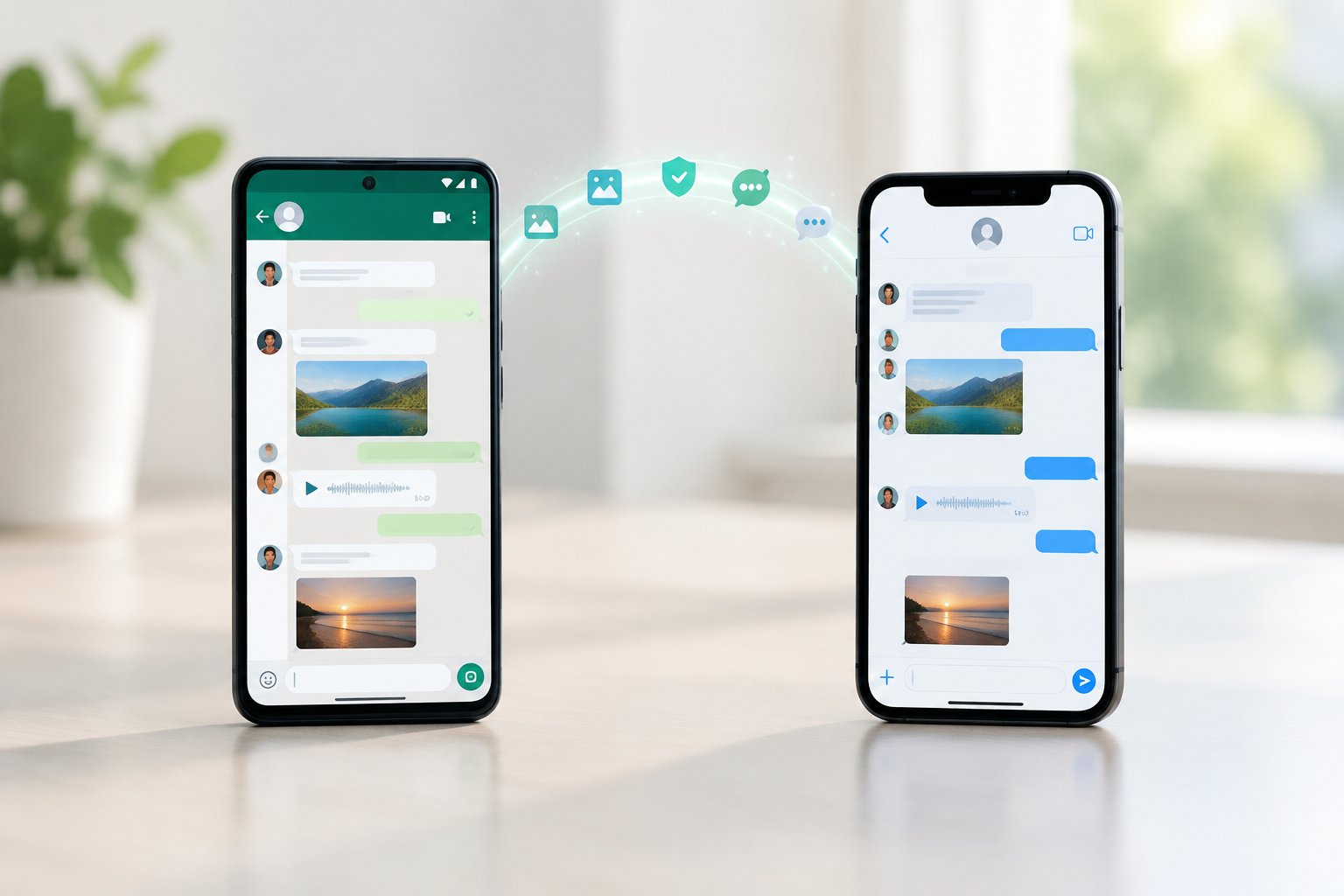
An Android phone and an iPhone sit side by side as message icons move between them.

Plenty of people only discover this rule after they’ve already tapped through setup, added their Apple ID, and started downloading apps. If that sounds like your situation, there are still workable paths forward, along with a clear picture of what actually moves across and what gets left behind for good.

How Do You Move Chats with Move to iOS?

Apple’s Move to iOS app handles the transfer for free, but it only functions at one specific moment: the very first setup screen on a new or factory-reset iPhone. You’ll need both phones near each other, a temporary Wi-Fi network the app creates for the transfer, and enough patience to let a large chat history copy over without interruption.

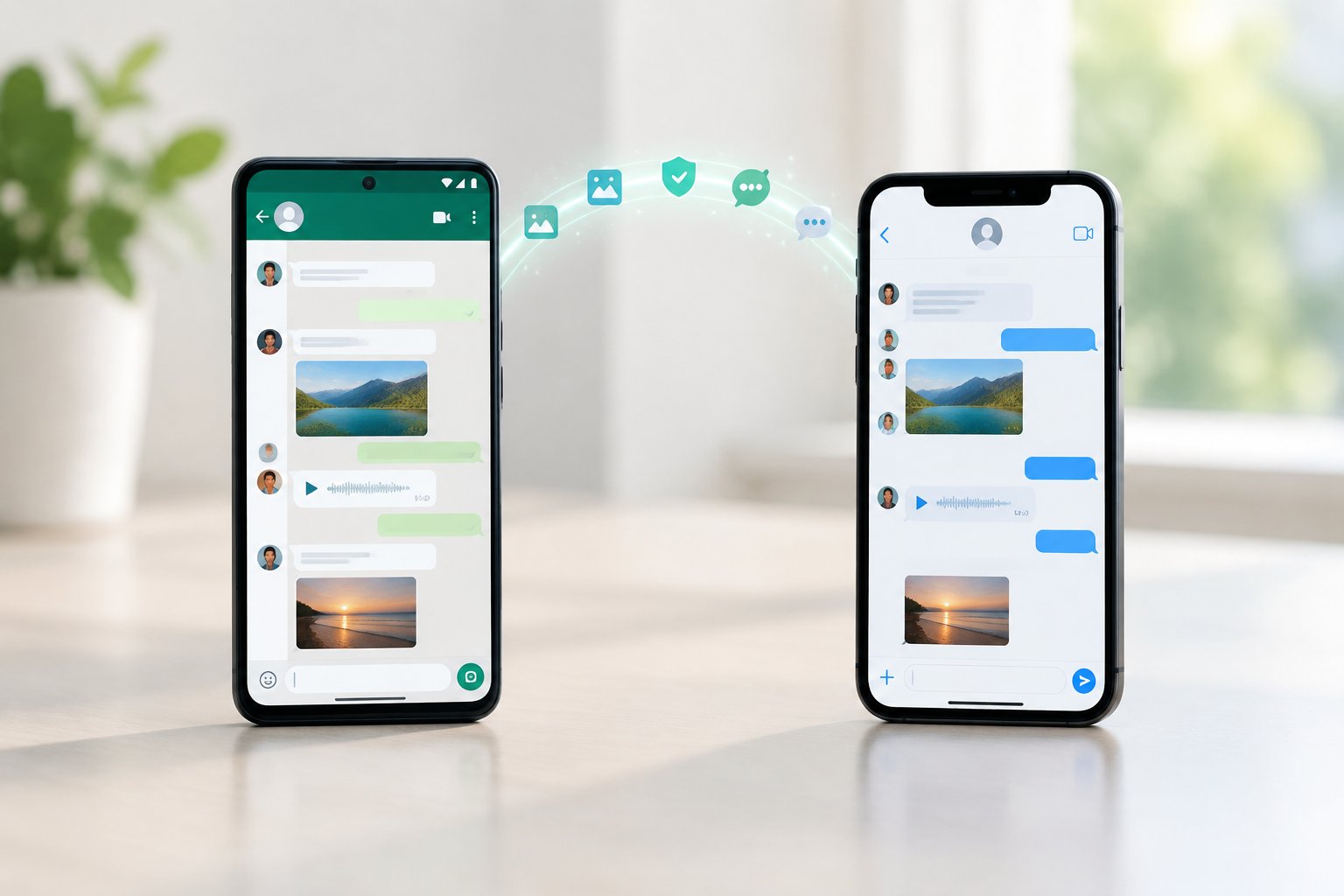
An Android phone and an iPhone showing chat conversations as messages transfer between them.

Check the Requirements Before You Start

Before touching either phone, confirm a few things. Your iPhone needs iOS 15.5 or later, and it has to be unused or wiped clean through Settings > General > Transfer or Reset iPhone. You’ll also need to keep the same phone number registered to WhatsApp on both devices, since switching numbers mid-transfer breaks the chat history link entirely.

Charge both phones above 50%, and disable mobile data on the Android device so it doesn’t interfere with the temporary Wi-Fi network Move to iOS builds between the two.

Select WhatsApp During iPhone Setup

Work through the iPhone setup screens until you reach the Apps & Data step, then choose “Move Data from Android.” Install Move to iOS on your Android phone if it isn’t already there, open it, and accept the terms.

Your iPhone displays a one-time code. Enter that code on the Android app, wait for the Wi-Fi connection to establish, then check the boxes for WhatsApp alongside anything else you want carried over, such as photos or contacts.

Import Your Chats After Setup

Once the transfer finishes and you complete the rest of iPhone setup, install WhatsApp from the App Store. Open it, verify your phone number, and you’ll see a prompt to restore your chat history from the transfer.

Tap through it, and WhatsApp rebuilds your chats, media, and Channel updates on the iPhone. Individual chats, group chats, and communities all migrate this way, though the import itself can take a while depending on how much media you’re carrying.

What If Your iPhone Is Already Set Up?

If your iPhone has already been through setup, Move to iOS is off the table, and your realistic options are resetting the iPhone, trying a third-party transfer tool, or exporting individual chats manually. Each comes with different trade-offs around convenience, cost, and how much of your existing iPhone data survives the process.

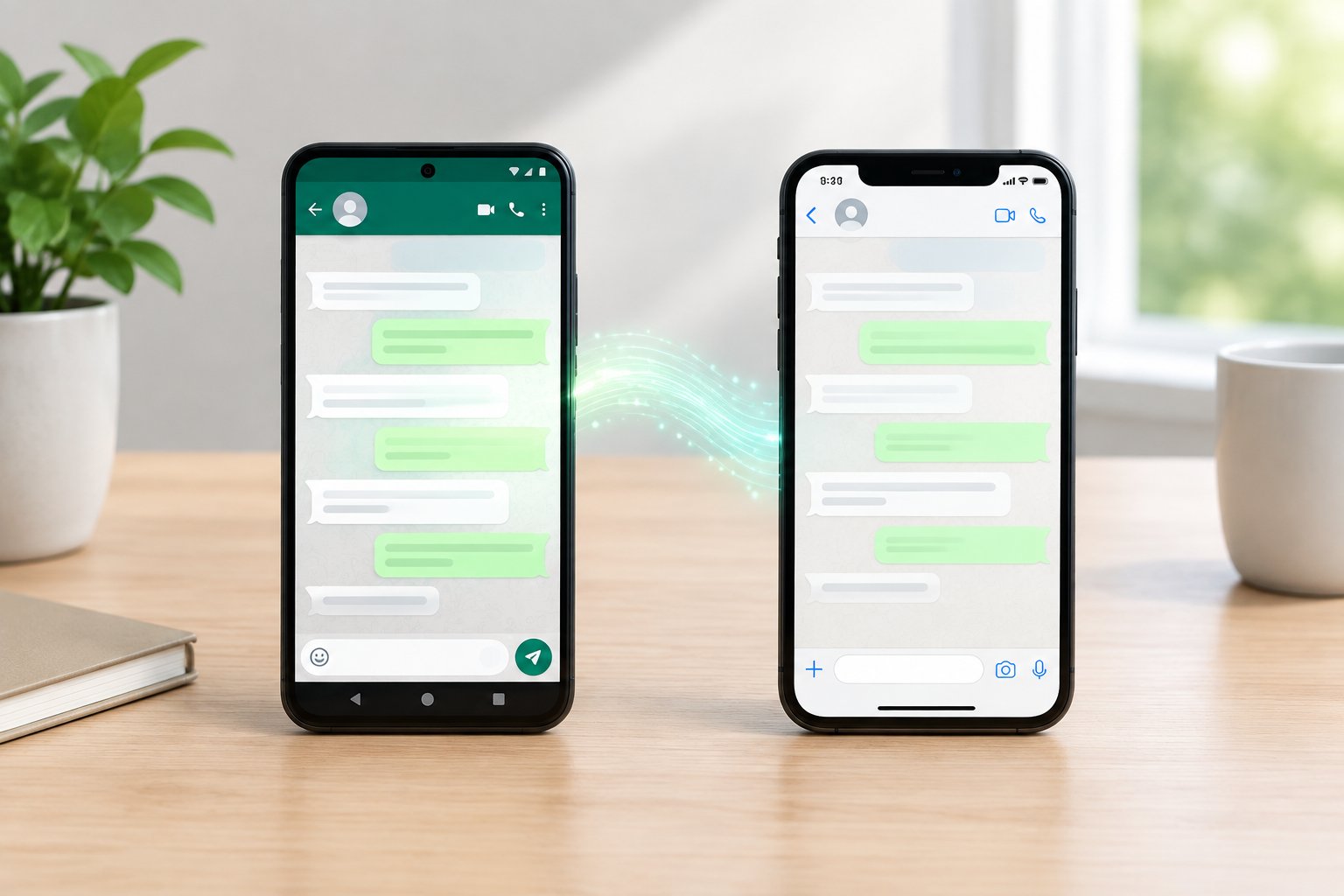
A person compares an Android phone with an already set-up iPhone.

Reset the iPhone to Use the Official Method

Factory resetting is the only way to reopen the Move to iOS setup screen, and it is genuinely the most reliable path if your iPhone doesn’t hold irreplaceable data yet. Back up anything on the iPhone you want to keep first, since a reset wipes photos, apps, and settings clean.

Go to Settings > General > Transfer or Reset iPhone, choose Erase All Content and Settings, and let the device restart into the initial setup screen. From there, follow the same Move to iOS steps described above.

Consider Third-Party Transfer Tools Carefully

Paid tools such as MobileTrans, Dr.Fone, iCareFone Transfer, and Mobitrix WhatsApp Transfer advertise the ability to move WhatsApp chats onto an already-set-up iPhone without a reset. These typically run on a computer, connect to both phones via cable or Wi-Fi, and copy WhatsApp’s database directly.

Vendors describe these as working without erasing existing iPhone data, though results depend on phone models and WhatsApp versions matching what the software supports. Read the compatibility list on the vendor’s own site before paying for a license, and treat marketing claims about speed or success rates with some skepticism until you’ve tested a free trial or demo mode yourself.

Export Individual Chats for Reading Outside WhatsApp

WhatsApp’s built-in export feature lets you save one conversation at a time as a text file or with media attached, sent to email or another app. This won’t rebuild your chat history inside WhatsApp on the iPhone, but it preserves the content of specific conversations you want to keep readable.

Open a chat, tap the contact or group name, scroll down to “Export Chat,” and choose whether to include media. It’s a practical fallback when you just need a record of a conversation, not a full migration.

What Transfers, and What Happens to Your Backups?

Move to iOS carries over chats, media, and settings, but your Android WhatsApp backup on Google Drive cannot be restored directly on an iPhone under any circumstances. The two platforms store backups in completely incompatible formats, which is a bigger surprise to most people than the setup-timing rule.

Which Chats and Media Move-and Which Do Not?

Individual chats, group chats, communities, your profile photo, and Channel updates all transfer through Move to iOS. Photos, videos, voice messages, and documents attached to those chats come along too, provided the transfer completes without interruption.

Call history does not transfer, and it never has, regardless of which method you use. If keeping a record of past calls matters to you, note that down before you start, since there’s no workaround for it.

Why a Google Drive Backup Cannot Restore Directly on iPhone

Android’s WhatsApp backup lives in Google Drive, while iPhone’s WhatsApp backup lives in iCloud, and WhatsApp does not build a bridge between the two formats. A Google Drive WhatsApp backup restores only onto another Android phone, never onto iOS.

This is exactly why Move to iOS exists as a separate mechanism: it transfers chat data directly, phone to phone, sidestepping cloud backups entirely. If you’ve been holding onto an old Google Drive backup thinking it’ll restore on your new iPhone, it won’t, and no setting change fixes that.

What Changes for WhatsApp Business?

WhatsApp Business chats and catalog data move through the same Move to iOS process, provided you’re transferring into the WhatsApp Business app on iPhone rather than the standard consumer app. Business profile details, quick replies, and labels are tied to the Business app specifically.

Mixing up regular WhatsApp and WhatsApp Business during setup is a common mistake. Confirm which app your Android phone was running before you start the transfer, and install the matching version on iPhone first.

How Can You Fix a Stalled or Missing Transfer?

A transfer that stalls or hangs at 99% usually comes down to a weak or interrupted Wi-Fi connection between the two phones, and your original data stays untouched on the Android device the whole time. WhatsApp’s own guidance confirms that a failed transfer never deletes anything from your old phone, so there’s no risk in trying again.

When the Phones Will Not Connect or the Transfer Stalls

Keep both phones within a few feet of each other and disable mobile data on the Android device, since a stray cellular connection often breaks the temporary Wi-Fi network mid-transfer. Turn off battery-saving modes on both phones too, as aggressive power management can quietly kill the connection.

If the transfer still stalls, restart both devices, factory reset the iPhone again if it already went through setup, reinstall Move to iOS and WhatsApp on the Android phone, and start over from the Apps & Data screen. Large media libraries take longer, so give it time before assuming it’s frozen; anything under an hour with a large chat history is not unusual.

When WhatsApp Does Not Show Your Chats on iPhone

If the transfer reports success but WhatsApp opens with an empty chat list, the most common cause is verifying with a different phone number than the one used on Android. WhatsApp ties chat history to the number, so any mismatch, even a country code difference, breaks the link.

Uninstall WhatsApp from the iPhone, confirm the Android phone’s number is exactly what you’ll register with, and reinstall. If chats still don’t appear, the transfer itself may need to be redone from a freshly reset iPhone rather than patched after the fact.

Choose the Official Transfer When You Can

Move to iOS remains the simplest and only free way to bring your full WhatsApp chat history from Android to iPhone, and it costs you nothing beyond a few minutes of setup. Planning around its one hard rule, that the iPhone must be new or freshly reset, saves far more hassle than discovering it partway through.

If your iPhone is already set up with data you don’t want to lose, weigh a factory reset against a paid third-party tool, and check compatibility lists carefully before spending money. Either way, your Android chats stay safe on the original device until a transfer actually succeeds, so there’s little to lose by trying the official method first.

Frequently Asked Questions

Can I transfer WhatsApp from Android to iPhone for free?

Yes, Move to iOS is Apple’s official app and costs nothing to use. It works only during initial iPhone setup, so the iPhone needs to be new or factory reset before you start.

Can I move WhatsApp chats without factory-resetting my iPhone?

Third-party tools such as MobileTrans, Dr.Fone, or iCareFone Transfer advertise transfers onto an already-set-up iPhone without erasing existing data. These run on a computer and typically require a paid license, so check each vendor’s compatibility list against your specific phone models first.

Can I restore my Android WhatsApp Google Drive backup on iPhone?

No, a Google Drive WhatsApp backup only restores onto another Android phone. iPhone stores its WhatsApp backup in iCloud instead, and the two formats are not interchangeable, which is why Move to iOS transfers chat data directly rather than through either cloud backup.

Can I transfer WhatsApp Business chats from Android to iPhone?

Yes, using the same Move to iOS process, provided you install WhatsApp Business on the iPhone rather than the standard app. Business profile details, labels, and quick replies carry over as long as the app types match on both ends.

Can I transfer WhatsApp using a cable instead of Wi-Fi?

Move to iOS relies on a temporary Wi-Fi network between the two phones rather than a cable connection. Some third-party desktop tools support a USB cable connection instead, which can be more stable than Wi-Fi if your transfer keeps stalling.

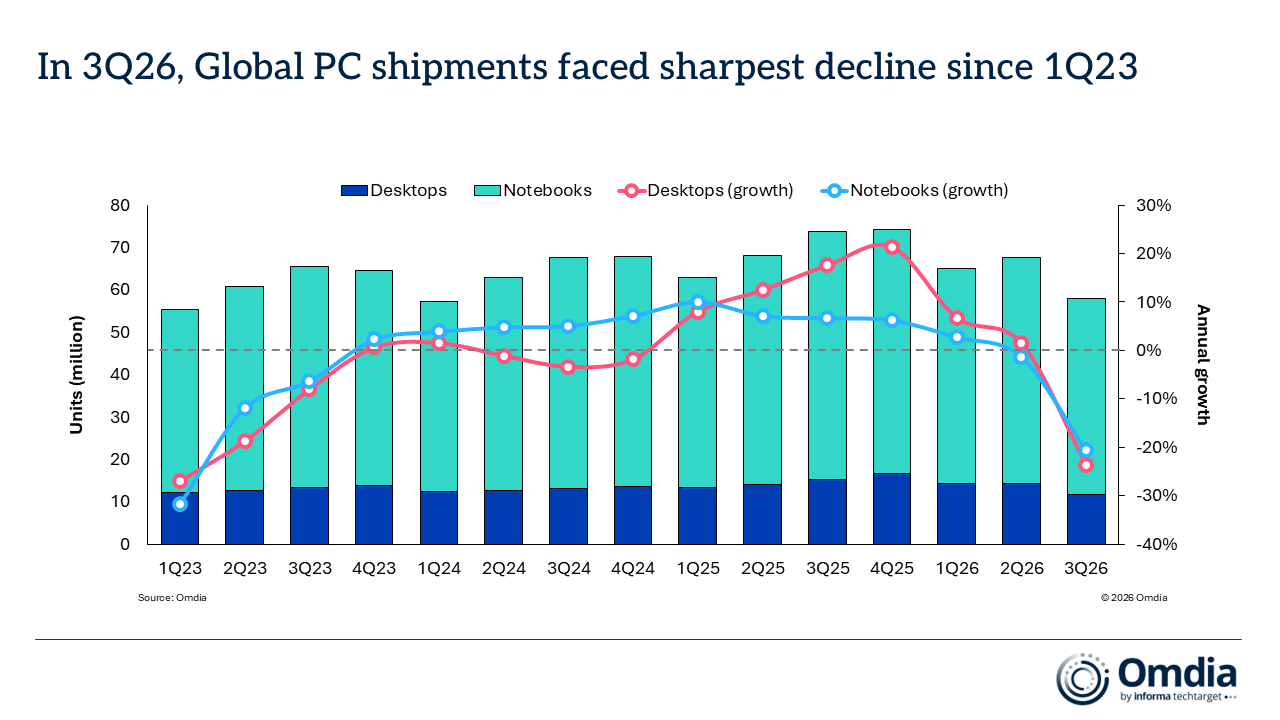
PC shipments fall 20.1 percent in “sharpest decline” since Q1 2023


PC shipments saw a steep drop of about 20 percent in Q3 2026, analysts reported this week.

The industry saw its “sharpest decline since “Q1 2023,” Omdia said in an announcement toady. Global shipments of laptops, desktops, and workstations fell 21.2 percent year over year (YoY) to 58.1 million devices, the analyst said.

Desktop PC shipments (including desktop workstations) decreased 23.5 percent to 11.7 million units, and laptop shipments (including laptop workstations) declined 20.6 percent to 46.4 million, per Omdia.

IDC shared similar findings. The analyst said this week that PC shipments fell 20.1 percent YoY to 62.7 million units, compared to 78.5 million in Q3 2025.

The industry also shipped 9.1 percent fewer PCs in Q3 2026 than it did in Q2 2026, when 68.2 million units shipped, per IDC.

The 20.1 percent YoY decline is the biggest drop that the IDC has ever recorded during a year’s third quarter, the IDC said, per PCMag.

The drop in shipments is also notable considering that Q3 PC shipments usually surpass Q2’s numbers.

“If looking at all quarters, then we have seen other quarters in recent years with larger declines, such as 2022 Q4, which was -28.2 percent, and 2023 Q1, which was -28.7 percent. Both were coming off pandemic highs,” Jitesh Ubrani, research director for consumer devices at IDC, told PCMag.

In its announcement this week, IDC said that many PC vendors and sales channels stocked up on PC shipments earlier in the year in anticipation of memory price hikes. That meant minimal demand remained during Q3.

“[Sales] channels are now worried about carrying too much inventory into a market where high prices are suppressing demand,” Ubrani said in a statement.

Japanese Ramen Simulator Free Download (Build 25825140)


Japanese Ramen Simulator PC Game


Japanese Ramen Simulator Direct Download:

About Japanese Ramen Simulator Car Park Capital Japanese Ramen Simulator is a ramen shop management simulator for up to six players. Experience every part of running a ramen shop, from preparing ingredients and cooking to serving food, looking after customers, and cleaning up. Create a menu you can be proud of, design a shop to your taste, and run it your way. Switch between a first-person view that lets you immerse yourself in cooking and a third-person view that lets you see your character and surroundings. If you’re prone to motion sickness when playing in first person, you can choose a view based on your preferences and comfort.

Prepare, Cook, and Serve
Prepare the soup, cook the noodles, and arrange the toppings to make each bowl just as your customers ordered. Show your skills through the texture of the noodles, the temperature of the soup, the aroma and Umami of your ingredients, and the time it takes to serve each order. Different soup ingredients and physics-based plating give every bowl its own finish. Recreate your favorite ramen or try making a bowl unlike anything anyone has seen before. Let your imagination guide you as you create your signature dish.

More Than Ramen
Offer gyoza, rice bowls, beer, and other menu items to enjoy alongside your ramen. Watch the browning on your gyoza and pour beer with just the right balance of liquid and foam. Serve the ingredients you prepared for ramen over rice to make dishes such as Char Siu Don.

Screenshots

System Requirements

Minimum
Requires a 64-bit processor and operating system
OS: Windows 10 64bit
Processor: Intel Core i5
Memory: 8 GB RAM
Graphics: NVIDIA GTX 1060 / Radeon RX 580 (6GB+ of VRAM)
DirectX: Version 11
Storage: 10 GB available space
Support the game developers by purchasing the game on Steam

Installation Guide

Turn Off Your Antivirus Before Installing Any Game

1 :: Download Game
2 :: Extract Game
3 :: Launch The Game
4 :: Have Fun 🙂