Canvas breach disrupts schools nationwide: 6 steps to take now


abstractdatasgettyimages-2256422659

Outflow Designs/ iStock / Getty Images Plus via Getty Images

Follow ZDNET: Add us as a preferred source on Google.


ZDNET’s key takeaways

  • Canvas was disrupted this week by a cyberattack.
  • Many students are unable to access the popular educational portal.
  • Instructure says data was stolen; what Canvas users should do next.

Canvas is at the center of an ongoing cyberattack and data extortion attempt by a well-known cybercriminal group that claims to have stolen student records. If you are a Canvas user, you can take defensive measures now.

Also: No one pays ransomware demands anymore – so attackers have a new goal

What is Canvas?

Canvas is a Learning Management System (LMS) from Instructure, a Salt Lake City-based educational technology company founded in 2008.

Designed for remote learning, Canvas has been adopted by thousands of schools for course creation and management, grading, feedback, and coursework submission. Instructure says the LMS now supports tens of millions of users — students and parents — and has recorded 27 million mobile app downloads. Canvas is available in over 100 countries. 

What happened?

While Canvas boasts a 100% uptime notice on its website, Instructure CISO Steve Proud said last week that the LMS had “recently experienced a cybersecurity incident perpetrated by a criminal threat actor.”

The company began investigating. On May 6, Proud said the company believed the incident had been “contained,” but some data may have been exposed — and it didn’t take long for students to begin reporting login issues.

Also: The shadowy SIM farms behind those incessant scam texts – and how to stay safe

On Thursday, May 7, Canvas login interfaces were defaced, with ransom notes reportedly posted by the ShinyHunters group as it moved from data theft to public extortion. Students who tried to log in were unable to access their course materials, likely a deliberate attempt by the cyberattackers to put pressure on Instructure to pay up, with finals just around the corner. 

In response, Canvas displayed a maintenance mode page, an action that had drawn criticism. 

The hackers’ ransom note, which has since circulated online, demands that Instructure contact the group by May 12. 

“ShinyHunters has breached Instructure (again),” the note reads. “Instead of contacting us to resolve it, they ignored us and did some ‘security patches.'”

While access has reportedly been restored for most users, with the deadline approaching, this may not be the end of the story.

What is ShinyHunters?

ShinyHunters is a collective of cybercriminals that extorts companies for payment. Since making headlines in 2020 with a swathe of company breaches, ShinyHunter’s modus operandi is to quietly infiltrate a target business, steal information, and then publicly pressure the victim into paying a “settlement.”

Also: The best free VPNs: Expert tested and reviewed

Often associated with large-scale breaches, ShinyHunters, like many other cybercriminal groups, operates a “leak site.” Leak sites are public-facing websites that list alleged victims and the items stolen, and often include a demand for payment. 

If a victim fails to comply, the information stolen from them may be published. Having the victim’s name removed from the leak site may also be part of negotiations. 

What information was stolen?

ShinyHunters has threatened to leak data on approximately 275 million students from 8,800 academic institutions if its demands are not met. 

Also: I’m a tech professional, and an AI job scam almost fooled me – here’s how I caught on

According to Instructure, exposed data may include:

  • Names
  • Email addresses
  • Student ID numbers
  • Messages between users

“At this time, we have found no evidence that passwords, dates of birth, government identifiers, or financial information were involved,” Instructure said. “If that changes, we will notify any impacted institutions.”

Instructure’s response

It is not known whether Instructure has communicated with ShinyHunters. Instructure said it is currently “not seeing any ongoing unauthorized activity.”

Also: This critical Linux vulnerability is putting millions of systems at risk – how to protect yours

The company has revoked privileged credentials and access tokens associated with affected systems, deployed security patches — although no associated vulnerability disclosures have been made yet — and rotated security keys. Instructure said it has also ramped up monitoring across its platforms. 

“As a precaution, we recommend customers follow security best practices, including enforcing MFA on privileged accounts, reviewing admin access, and rotating API tokens or keys where applicable,” the company added. 

6 steps to take immediately

  1. School updates: As this security incident appears to affect thousands of schools and academic institutions, reach out to your institution or visit its website and communication channels for updates. 
  2. Passwords: Whenever you suspect you have been involved in a data breach, the first thing you should do is to change the password you use to access your account. If you are using the same password to access other online services, change those passwords as well.  If the ransomware group releases stolen data and manages to grab credentials, those credentials may be made public. You should consider using a password manager to create complex passwords and to receive leak alerts. 
  3. Have I Been Pwned: It’s too early for this data breach and any subsequent data leak to be recorded on Have I Been Pwned, but we recommend visiting this website frequently to check whether you have been involved in any online data breaches. It’s free, and all you need to do is search with your email address. 
  4. Enable 2FA/MFA: If you have not already done so, enable two-factor or multi-factor authentication on your associated accounts. 
  5. Keep an eye on your email: If Canvas follows appropriate procedures, it should inform users if their information has been exposed — keep an eye out for any updates. 
  6. Watch out for phishing: However, if stolen email addresses or contact details are leaked online, they may be used in targeted phishing campaigns, so be careful if you receive correspondence that appears to be from your school or Canvas itself. If there are any indications of a phishing attempt — such as strange grammar, spoofed email addresses, or requests to click unofficial links or open attachments — verify it by phone or another means first. 

Also: These 5 critical Windows Defender settings are off by default – turn them on ASAP

ZDNET has reached out to Instructure, and we will update if we hear back. 
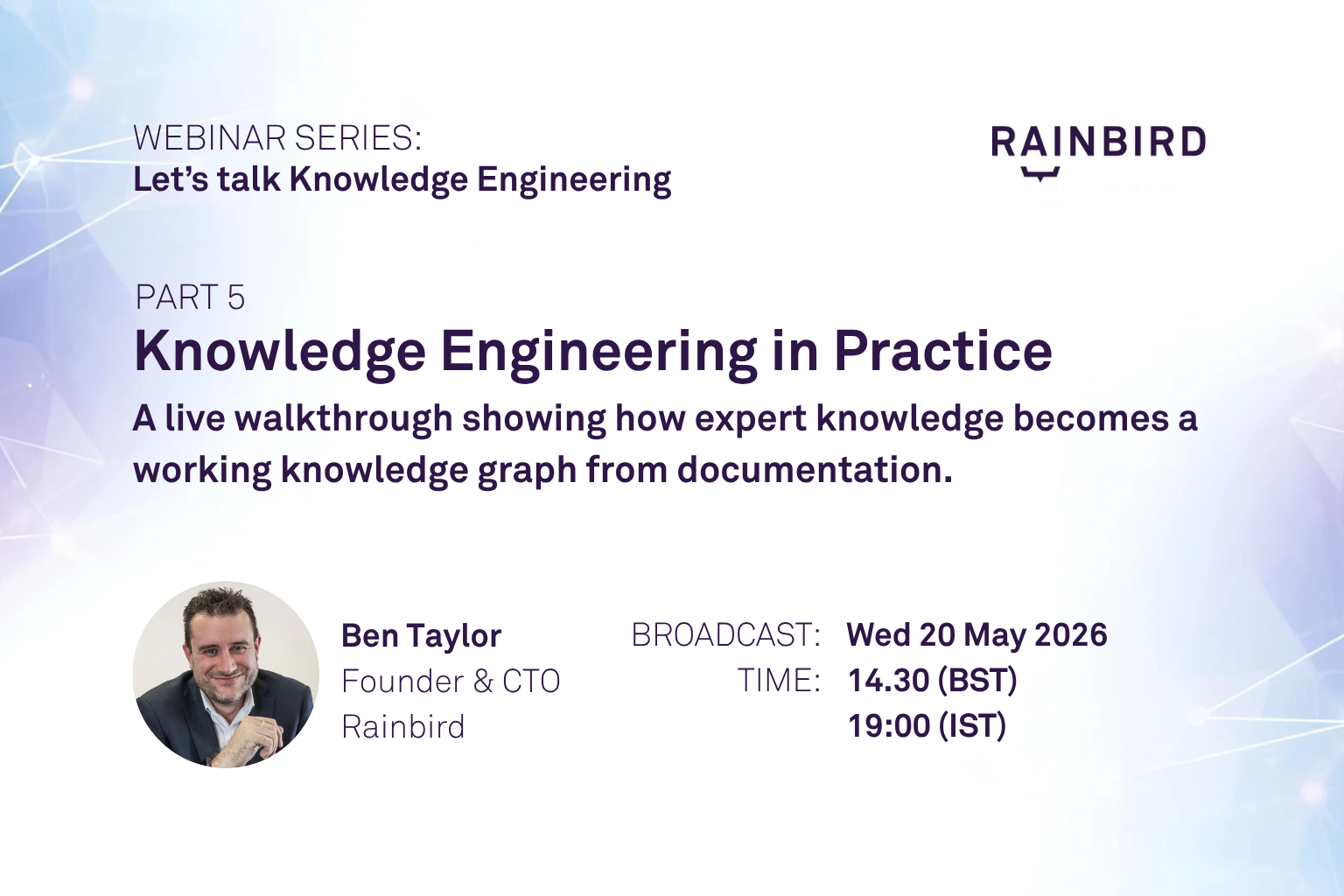


Panel with Rainbird Knowledge Engineers


In this fourth session of the Let’s Talk Knowledge Engineering series, Ben Taylor, Rainbird CTO and co-founder, is joined by members of the Rainbird Knowledge Engineering team, including Lewis Leeds, Lucie Hunt, and Ellie Young, for a live panel discussion focused on the realities of the role in practice.

Together, they share first-hand perspectives on how knowledge engineering projects run day to day, how teams work with subject matter experts to capture and structure expertise, and what surprised them when they first entered the field. The session offers an open and practical view of the discipline, covering everything from elicitation and modelling to testing, maintenance, and the evolving role of Knowledge Engineers alongside modern AI approaches.

You can register for the remaining session in the series here or watch past episodes here.

What you’ll learn

  • How knowledge engineering work is carried out in practice, from initial discovery through to building and maintaining models.
  • How teams collaborate with subject matter experts to surface reasoning and turn it into structured, usable knowledge.
  • What skills and mindsets are most valuable when entering the field, and how different backgrounds translate into the role.
  • Common challenges Knowledge Engineers face, including handling edge cases, testing complex logic, and managing change over time.
  • How knowledge engineering fits into the broader AI landscape, and why structured knowledge remains critical alongside LLMs.

Resources shared in the webinar

  • Rainbird Studio Community Edition: Experiment, model, and bring decisions to life, visit app.rainbird.ai
  • Rainbird Academy: Learn the foundations of explainable decision intelligence, visit academy.rainbird.ai
  • Rainbird Forum: Ask, discuss, and shape the conversation, visit forum.rainbird.ai

Resident Evil Requiem Just Dropped A Free Roguelite Mode Built Around Leon’s Ass-Kicking Skills


Mere months after launch, Resident Evil Requiem has shadow-dropped a new mode that focuses purely on the best part of the game: Leon S. Kennedy’s talent for taking care of bioweapons that have run amok. Titled “Leon Must Die Forever,” the minigame adds a roguelike element to Leon’s survival-action gameplay while taking players through familiar levels and boss fights from the Requiem campaign.

It was originally thought that Requiem would get a form of the popular Mercenaries mode that has been present in several Resident Evil games over the years, but this minigame sees the franchise explore new gameplay territory. You can check out the trailer through this link, and screenshots of it below.

No Caption Provided

Continue Reading at GameSpot

Perplexity’s Personal Computer can work autonomously on your Mac, and it’s now available to all


Perplexity has finally launched its Personal Computer Mac app for everyone, and it could genuinely change how you get things done on your Mac.

Personal Computer is an AI agent system that works directly on your Mac. It can dig through your local files, work inside native Mac apps, browse the web, and connect to over 400 tools, all on its own. 

You give it a task, and it gets to work. You step in only when it needs your approval. It’s similar to how Claude Cowork works and can handle tasks on your computer. 

What can Personal Computer do for you?

If you have ever lost an hour jumping between apps, hunting for a file, or manually pulling information from different sources, Perplexity’s Personal Computer is built for exactly that frustration. It can work across your local files, native Mac apps, connected tools, and the web, all in one go.

Here is a fun example Perplexity showcased. Open Notes, press both CMD keys, and ask it to do your to-do list. It figures out each task and get them done. You can also ask it to clean up a messy folder and sort everything into properly named project folders.

The best part is that you stay in control. It checks in when a decision matters, and every action it takes is reversible. Think of it as a capable assistant, not an unsupervised one.

What’s the best way to run Perplexity Personal Computer?

According to Perplexity, a desktop Mac is the best way to run it, and since the entry cost of a Mac mini is relatively low, it’s the best option. Running Perplexity’s personal computer on a Mac mini is ideal because it can operate continuously, even when you’re away from your desk.

You can kick off a task from your iPhone, and the agents keep working on your Mac back home. You can also approve requests from any device and let it run overnight for complex projects.

That said, the Mac mini is in short supply, so you might have to wait or grab any available model. The new Perplexity Mac app is available today for all users. Everyone gets everyday features like search, attachments, and dictation. 

Note that it is not yet on the App Store, so you will need to download it directly from Perplexity’s website.

Gambonanza Free Download (v1.0.0s) – WorldofPCGames


Gambonanza Preinstalled WorldofpcgamesGambonanza Preinstalled Worldofpcgames

Gambonanza Direct Download

Gambonanza is a turn-based chess roguelike, set on a tiny board with higher stakes. Master tactical twists, invest your winnings and discover new rule-bending Gambits, tile and piece combinations. Face off against challenging bosses and get lost in all the ways you can break traditional chess!

Experience a Chess Revolution
Enter the wild world of Gambonanza, where traditional chess has been reimagined into a snackable, strategy-packed roguelike adventure. In this game, victory isn’t about capturing just the king; it’s about capturing every single piece on the board through masterful synergies! But be careful, if you waste too many moves the board will crumble around you…

Assemble your ultimate strategy by:

  • Unlocking Gambits: Discover over 150+ powerful Gambits that alter the rules and properties of your run. Want a wacky army of supercharged bishops? Or to see how many times you can make your enemy skip a turn? That’s Gambonanza!
  • Upgrading Any Tile: From trapping your enemies in place to enchanting pieces into money-making gold, add yet another tactical twist with a range of different tile upgrades to choose from. Farever
  • Experimenting Off Board: Learn and exploit a dynamic reserve system that lets you store extra chess pieces off-board. Deploy them at the perfect moment to catch your adversary off guard.

Features and System Requirements:

Mortal Kombat 2 and Liu Kang’s confusing fate, explained


Mortal Kombat 2 is full of dismemberment, decapitations, and death. It’s also replete with characters from 2021’s Mortal Kombat who’ve been brought back from the dead, like Josh Lawson’s Kano, or newly made undead, like Kung Lao (Max Huang) and Sindel (Ana Thu Nguyen). Their returns happen in ways that are authentic to the fighting game series.

But moviegoers may understandably be confused about what happens to Liu Kang (Ludi Lin) in Mortal Kombat 2. His fate is different from the other competitors who fall in the Mortal Kombat tournament between Earthrealm and Outworld. Liu Kang’s future role in the film series is left unclear, especially when you look at the complicated history of the Mortal Kombat video game franchise timeline.

So what do the climactic events of Mortal Kombat 2 mean for the film franchise, including an all-but-confirmed Mortal Kombat 3 movie? What does it all mean for Liu Kang? Let’s dive in.

[Ed. note: Significant spoilers ahead for several characters’ deaths in Mortal Kombat 2.]

Shao Kahn vs Liu Kang in Mortal Kombat 2 Image: Warner Bros. Pictures

Mortal Kombat 2’s ultimate bad guy, Shao Kahn (Martyn Ford), does his fair share of killing in the film. He turns Cole Young’s head into sauce with his giant war hammer, and stabs poor Jax through the neck with the opposite end of his signature weapon. Shao Kahn also deals a seemingly fatal wound to Liu Kang in the final act of Mortal Kombat 2, though the Earthrealm champion doesn’t appear to die: His body transforms into flame, not a flesh-and-blood corpse. Liu Kang also says that if Shao Kahn strikes him down, he’ll become more powerful than the Kahn can possibly imagine. (I’m paraphrasing.) Like a phoenix rising from Edenia’s town square, Liu Kang pledges to rescue Kung Lao from the afterlife.

Though it’s unclear whether he’s dead-dead after his final encounter with Shao Kahn, Liu Kang has been killed off in Mortal Kombat games before with major repercussions. In 2002’s Mortal Kombat: Deadly Alliance, wizards Shang Tsung and Quan Chi murder Liu, and he’s resurrected as a deadly revenant (Mortal Kombat’s equivalent of a zombie). Liu Kang’s spirit continued to linger as a separate entity, with the goal of reuniting with his physical form. Ultimately, in part due to other character deaths, Liu Kang’s physical and spiritual forms both pass on.

Revenant Liu Kang in Mortal Kombat 11 Image: NetherRealm Studios/Warner Bros. Games

In 2011’s soft reboot of the MK game franchise, known confusingly as just Mortal Kombat, Liu Kang is back in human form, serving as one of Raiden’s champions. In that game’s remix of the events of the first three MK games, he is ultimately killed (again), this time accidentally by Raiden. But Liu Kang is once again resurrected in revenant form by Quan Chi in this alternate timeline. In the next game, Mortal Kombat X, revenant versions of Liu Kang and Kitana become the new rulers of Netherrealm, the franchise’s version of Hell, basically.

Finally, after a fresh batch of timeline shenanigans in 2019’s Mortal Kombat 11 and its Aftermath expansion, Raiden, Liu Kang (revenant version), and Liu Kang (zapped in from another timeline version) are fused to become one guy, Fire God Liu Kang. It’s a human-god-zombie throuple become one. This version of Liu Kang then takes control of the entire Mortal Kombat timeline and starts the whole thing over again, remade in his vision. This is the basis of 2023’s Mortal Kombat 1, which, yes, is the sequel to Mortal Kombat 11.

Fire God Liu Kang in Mortal Kombat 11 Image: NetherRealm Studios/Warner Bros. Games

While Mortal Kombat 2 (the movie) doesn’t go to these confusing lengths to explain how Liu Kang — a pretty good martial artist with some impressive fire powers — might wind up becoming a god like Raiden, that does seem to be the direction the film franchise is heading in. Liu Kang has ascended as a fire-powered being who has thrown off that ol’ mortal coil, and is now… something else.

Mortal Kombat 2’s ending implies that the surviving kombatants have a plan to bring their friends back from death — either from the Netherrealm, from revenant form, or from the afterlife, depending on the person. While the wizard Quan Chi will probably be responsible for a good portion of that necromancy, Liu Kang also clearly has a new part to play. Since he pledged to set things right with Kung Lao right before he split open his former friend’s torso with Kung Lao’s own sawblade-hat, we might have a rough outline of the plot of Mortal Kombat 3.


Mortal Kombat 2


Mortal Kombat 2 desperately seeks the approval of angry fans who hated the last movie

Ed Boon would like to apologize for that whole Cole Young thing

Visual Studio Code 1.120


Follow us on LinkedIn, X, Bluesky |


Last updated: May 7, 2026

Welcome to the 1.120 release of Visual Studio Code.

Happy Coding!


May 7, 2026

  • Group chat sessions by recency by default in the sessions Quick Pick. #314965

  • Add a context size picker to the model picker. #314814

May 6, 2026

  • Hide archived sessions by default in the chat sessions Quick Pick to reduce visual clutter. Searching in the Quick Pick still matches archived sessions, so you can revive one by title. #297421
  • Surface GitHub metadata, including a pull request button, in the agent host UI for sessions backed by a GitHub repository. #314811
  • Detect password and passphrase prompts in chat agent terminal commands and show a confirmation dialog that focuses the terminal so you can enter the secret directly. The prompt is announced to screen readers, and secrets are never routed through the model. #314796
  • Discover Copilot CLI user-installed plugins from ~/.copilot/installed-plugins/. #302152

May 5, 2026

  • Agent host terminals respect the user’s preferred shell from


    terminal.integrated.defaultProfile

    instead of hardcoding the platform default. #313160

  • Add support for custom diff editors with the new customDiffEditorProvider proposed API. Extensions that implement resolveCustomDiffEditor can render a unified diff in a single webview with access to both the original and modified documents, instead of two side-by-side custom editor webviews. #298924
  • Restore the ability to select and copy code in chat edit suggestions that the agent proposes to remove. #252762

May 4, 2026

  • Add a custom duration option to the Snooze Inline Suggestions Quick Pick. #288770

  • Reduce the CSS context attached when adding a DOM element to chat. The attachment only includes modified computed styles and CSS rules and variables that actually affect the element. #314188

We really appreciate people trying our new features as soon as they are ready, so check back here often and learn what’s new.

Perplexity’s New Mac App Brings Personal Computer to Pro Users


Perplexity today launched a new Mac app with support for its hybrid local-cloud AI agent Personal Computer, plus it expanded Personal Computer access to Pro and Enterprise users, so it is no longer limited to just Max subscribers. Perplexity describes Personal Computer as a “personal orchestrator” that hybridizes local and server environments for security and productivity.

perplexity mac app personal computer
Personal Computer is available in the new Mac app, which Perplexity says gives users access to queries, conversations, and dictation. While all Mac users can download the new app, access to Personal Computer still requires a paid subscription.

Personal Computer can access the Mac’s file system and native Mac apps to create and execute entire workflows, plus it can access the web. It can see active apps and work across any Mac app, but files are created in a secure sandbox, and its actions are auditable and reversible.

When paired with the Comet browser, Personal Computer can operate web-based tools without the need for direct connectors.

Pressing both Command keys on a Mac activates Personal Computer, and it responds to text or voice commands and displays useful quick actions automatically. Personal Computer can do things like complete each task on a to-do list, sort a messy downloads folder, compare local files against information on the web, and more.

Though it has access to what’s on a user’s Mac natively, Personal Computer processes intense tasks on Perplexity’s servers, so a high-performance Mac isn’t needed to run it. Personal Computer works on any Mac with macOS 14 Sonoma or later, though Perplexity says running Personal Computer on a Mac mini creates the best experience because it allows the agent to run continuously.

Perplexity’s older Mac app will be deprecated in the coming weeks.

Neverness to Everness banners: next, current, and gacha explained


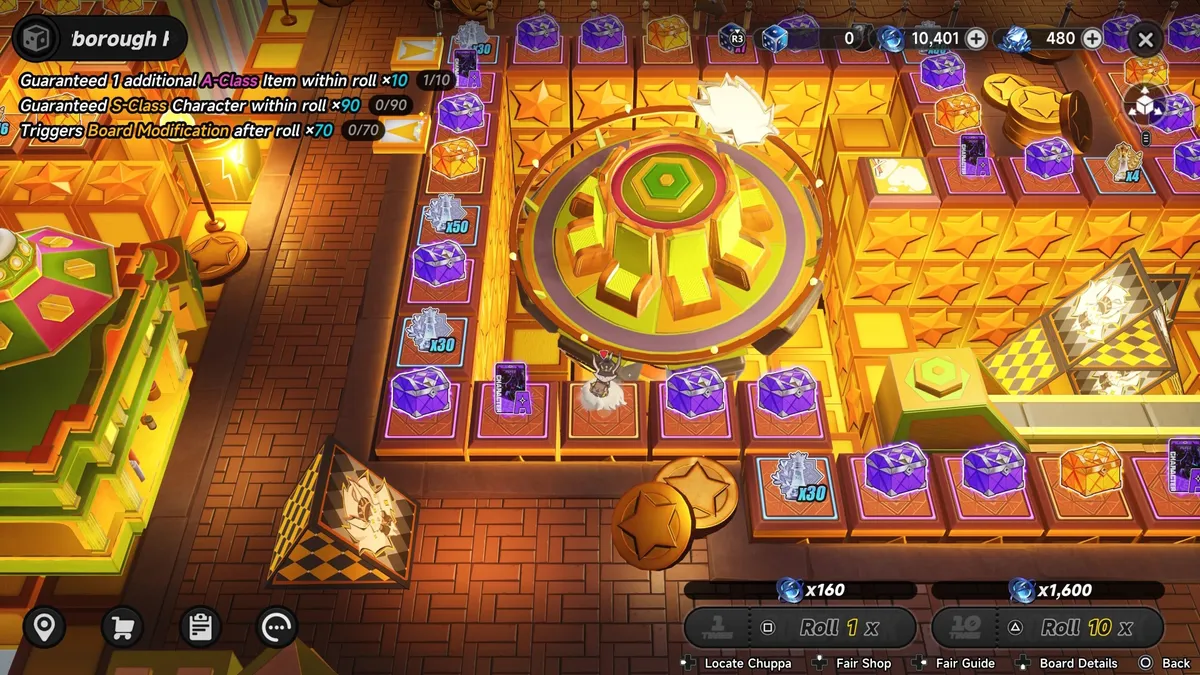
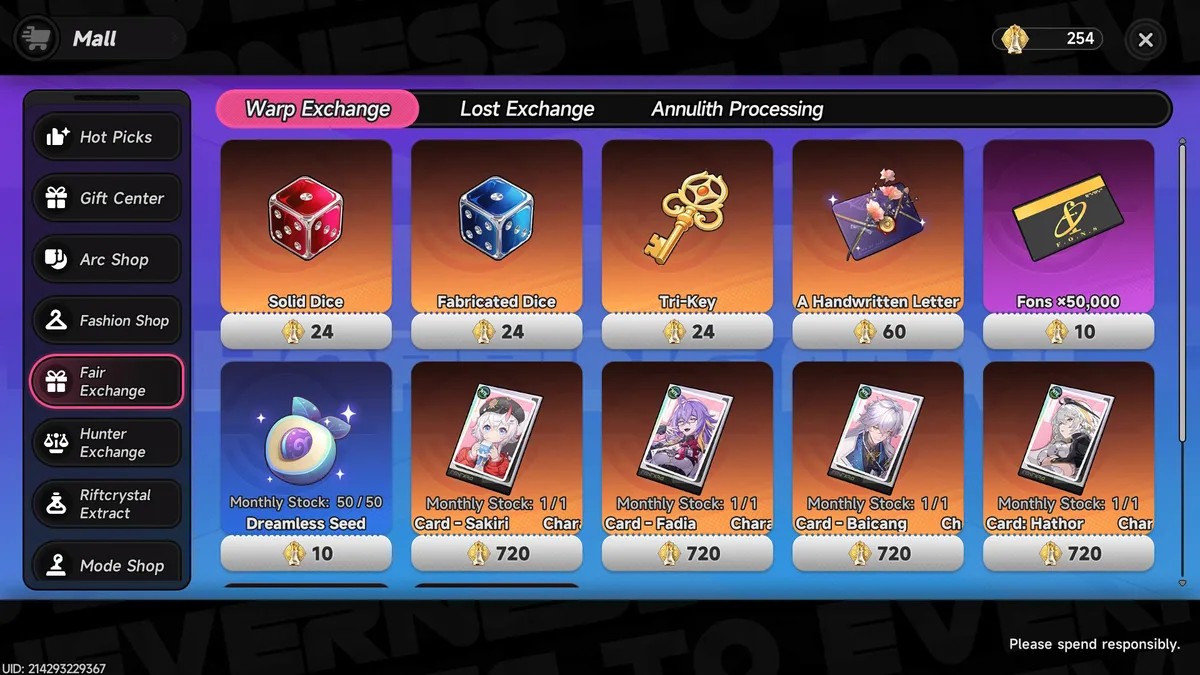
The banners in Neverness to Everness follow most of the usual rules established by its gacha forefathers, but it has major differences in a few important areas and some changes are more welcome than others. To get you up to speed, I’ve explained every gacha system and currency used in NTE below, along with what the next and current banners are.

PC Gamer contributor headshot of Jessica Orr

Jessica Orr

In the vast sea of gacha spending, from free-to-play planktons to indulgent whales, I am but a lowly goldfish feeding upon the occasional monthly battle pass and $4.99 bundle. I’m pretty careful with my spending, so you bet I’m studying the mechanics of every new gacha. Although admittedly, cosmetics have led me to the edge of dolphin territory in the past. Dangerous terrain to be when Neverness to Everness has so many costumes to collect.

(Image credit: Hotta Studio)