Marathon day two check-in: Into the Outpost, an overpowered shotgun, and why I love doors


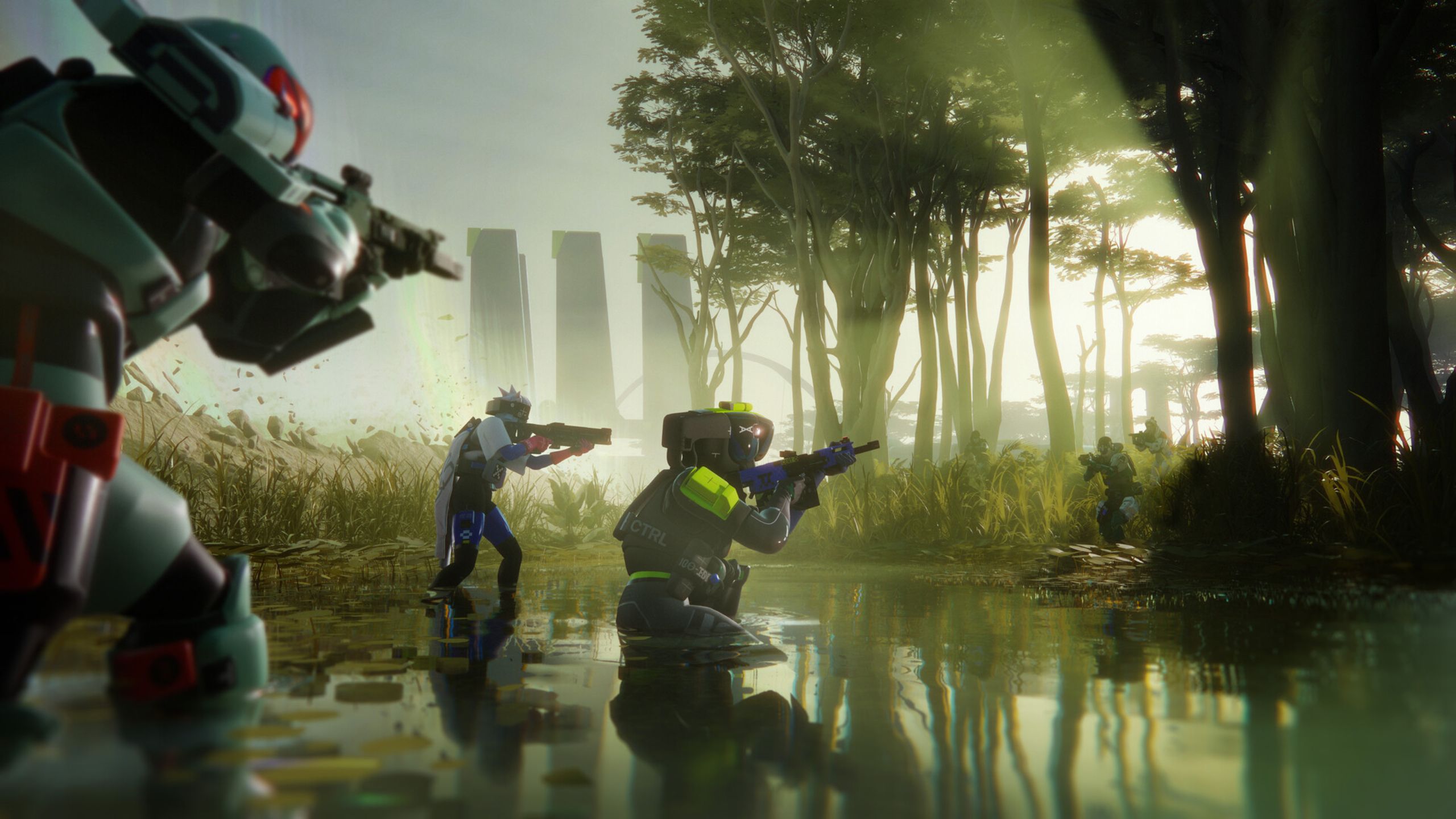
Welcome back runners. Are we calling each other runners? Honestly, let’s not. What’s up people playing Marathon. I’ve sunk 10 hours into this dang extraction shooter so far and the deeper I dig this hole, the more I’m into it.

I’m still having a blast with PvP, especially when playing trios. During the day, when friends with real jobs are at work, I’m rolling mostly solo to replenish my basic bartering goods. There’s a lot more sneaking around in solo matches—crouch walking through compounds, knifing bots in the back, and entering buildings through windows when possible. I’m now noticing little touches in the solo experience that feel like a deliberate response to how these stealth scenarios can often play out in other games.

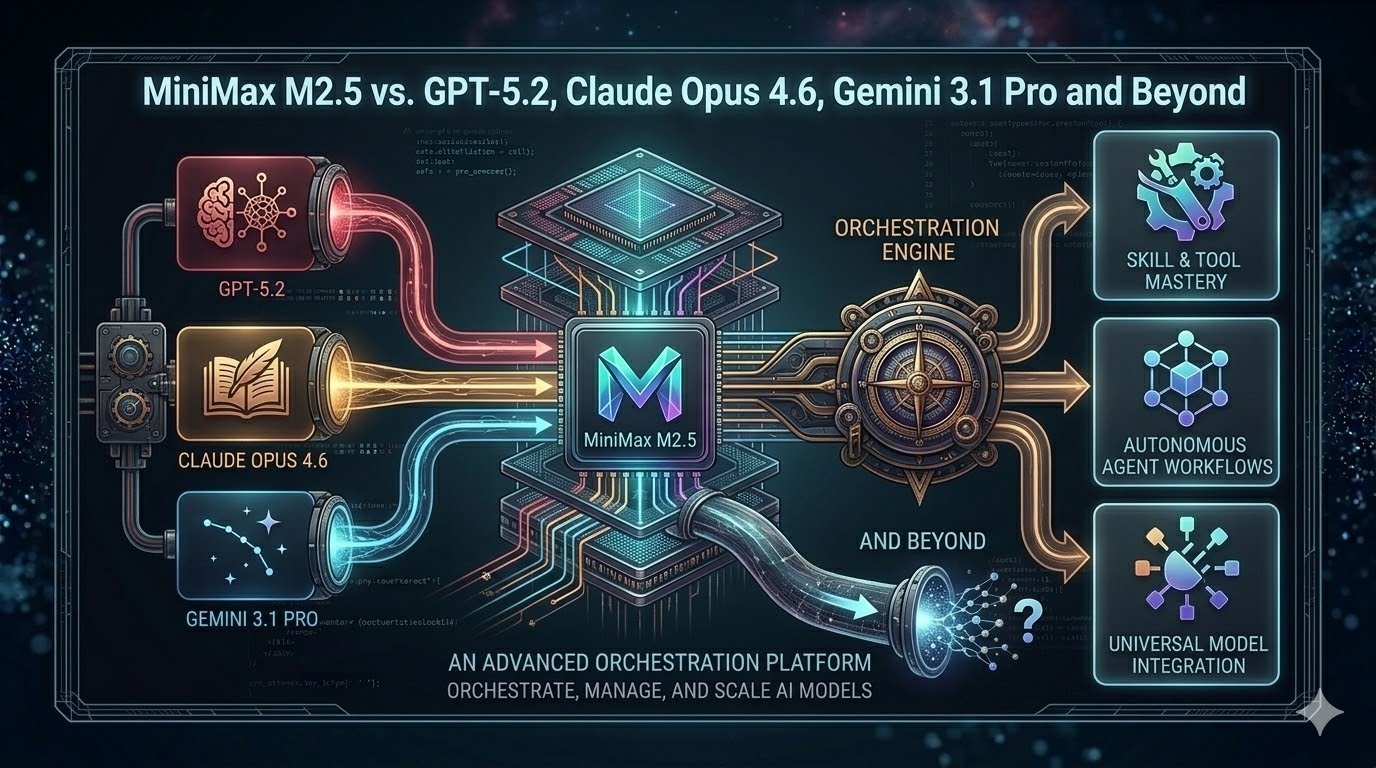
MiniMax M2.5 vs GPT-5.2 vs Claude Opus 4.6 vs Gemini 3.1 Pro


Introduction

Since late 2025, the generative AI landscape has exploded with new releases. OpenAI’s GPT‑5.2, Anthropic’s Claude Opus 4.6, Google’s Gemini 3.1 Pro and MiniMax’s M2.5 signal a turning point: models are no longer one‑size‑fits‑all tools but specialized engines optimized for distinct tasks. The stakes are high—teams need to decide which model will tackle their coding projects, research papers, spreadsheets or multimodal analyses. At the same time, costs are rising and models diverge on licensing, context lengths, safety profiles and operational complexity. This article provides a detailed, up‑to‑date exploration of the leading models as of March 2026. We compare benchmarks, dive into architecture and capabilities, unpack pricing and licensing, propose selection frameworks and show how Clarifai orchestrates deployment across hybrid environments. Whether you’re a developer seeking the most efficient coding assistant, an analyst searching for reliable reasoning, or a CIO looking to integrate multiple models without breaking budgets, this guide will help you navigate the rapidly evolving AI ecosystem.

Why this matters now

Enterprise adoption of LLMs has been accelerating. According to OpenAI, early testers of GPT‑5.2 claim the model can reduce knowledge‑work tasks by 11x the speed and <1% of the cost compared to human experts, hinting at major productivity gains. At the same time, open‑source models like MiniMax M2.5 are achieving state‑of‑the‑art performance in real coding tasks for a fraction of the price. The difference between choosing an unsuitable model and the right one can mean hours of wasted prompting or significant cost overruns. This guide combines EEAT‑optimized research (explicit citations to credible sources), operational depth (how to actually implement and deploy models) and decision frameworks so you can make informed choices.

Quick digest

  • Newest releases: MiniMax M2.5 (Feb 2026), Claude Opus 4.6 (Feb 2026), Gemini 3.1 Pro (Feb 2026) and GPT‑5.2 (Dec 2025). Each improves dramatically on its predecessor, extending context windows, speed and agentic capabilities.
  • Cost divergence: Pricing ranges from ~$0.30 per million tokens for MiniMax M2.5‑Lightning to $25 per million output tokens for Claude. Hidden fees such as GPT‑5.2’s “reasoning tokens” can inflate API bills.
  • No universal winner: Benchmarks show that Claude leads coding, GPT‑5.2 dominates math and reasoning, Gemini excels in long‑context multimodal tasks, and MiniMax offers the best price‑performance ratio.
  • Integration matters: Clarifai’s orchestration platform allows you to run multiple models—both proprietary and open—through a single API and even host them locally via Local Runners.
  • Future outlook: Emerging open models like DeepSeek R1 and Qwen 3‑Coder narrow the gap with proprietary systems, while upcoming releases (MiniMax M3, GPT‑6) will further raise the bar. A multi‑model strategy is essential.

1 The New AI Landscape and Model Evolution

Today’s AI landscape is split between proprietary giants—OpenAI, Anthropic and Google—and a rapidly maturing open‑model movement anchored by MiniMax, DeepSeek, Qwen and others. The competition has created a virtuous cycle of innovation: each release pushes the next to become faster, cheaper or smarter. To understand how we arrived here, we need to examine the evolutionary arcs of the key models.

1.1 MiniMax: From M2 to M2.5

M2 (Oct 2025). MiniMax introduced M2 as the world’s most capable open‑weight model, topping intelligence and agentic benchmarks among open models. Its mixture‑of‑experts (MoE) architecture uses 230 billion parameters but activates only 10 billion per inference. This reduces compute requirements and allows the model to run on modest GPU clusters or Clarifai’s local runners, making it accessible to small teams.

M2.1 (Dec 2025). The M2.1 update focused on production‑grade programming. MiniMax added comprehensive support for languages such as Rust, Java, Golang, C++, Kotlin, TypeScript and JavaScript. It improved Android/iOS development, design comprehension, and introduced an Interleaved Thinking mechanism to break complex instructions into smaller, coherent steps. External evaluators praised its ability to handle multi‑step coding tasks with fewer errors.

M2.5 (Feb 2026). MiniMax’s latest release, M2.5, is a leap forward. The model was trained using reinforcement learning on hundreds of thousands of real‑world environments and tasks. It scored 80.2% on SWE‑Bench Verified, 51.3% on Multi‑SWE‑Bench, 76.3% on BrowseComp and 76.8% on BFCL (tool‑calling)—closing the gap with Claude Opus 4.6. MiniMax describes M2.5 as acquiring an “Architect Mindset”: it plans out features and user interfaces before writing code and executes entire development cycles, from initial design to final code review. The model also excels at search tasks: on the RISE evaluation it completes information‑seeking tasks using 20% fewer search rounds than M2.1. In corporate settings it performs administrative work (Word, Excel, PowerPoint) and beats other models in internal evaluations, winning 59% of head‑to‑head comparisons on the GDPval‑MM benchmark. Efficiency improvements mean M2.5 runs at 100 tokens/s and completes SWE‑Bench tasks in 22.8 minutes—a 37% speedup compared to M2.1. Two versions exist: M2.5 (50 tokens/s, cheaper) and M2.5‑Lightning (100 tokens/s, higher throughput).

Pricing & Licensing. M2.5 is open‑source under a modified MIT licence requiring commercial users to display “MiniMax M2.5” in product credits. The Lightning version costs $0.30 per million input tokens and $2.4 per million output tokens, while the base version costs half that. According to VentureBeat, M2.5’s efficiencies allow it to be 95% cheaper than Claude Opus 4.6 for equivalent tasks. At MiniMax headquarters, employees already delegate 30% of tasks to M2.5, and 80% of new code is generated by the model.

1.2 Claude Opus 4.6

Anthropic’s Claude Opus 4.6 (Feb 2026) builds on the widely respected Opus 4.5. The new version enhances planning, code review and long‑horizon reasoning. It offers a beta 1 million‑token context window (1 million input tokens) for enormous documents or code bases and improved reliability over multi‑step tasks. Opus 4.6 excels at Terminal‑Bench 2.0, Humanity’s Last Exam, GDPval‑AA and BrowseComp, outperforming GPT‑5.2 by 144 Elo points on Anthropic’s internal GDPval‑AA benchmark. Safety is improved with a better safety profile than previous versions. New features include context compaction, which automatically summarizes earlier parts of long conversations, and adaptive thinking/effort controls, letting users modulate reasoning depth and speed. Opus 4.6 can assemble teams of agentic workers (e.g., one agent writes code while another tests it) and handles advanced Excel and PowerPoint tasks. Pricing remains unchanged at $5 per million input tokens and $25 per million output tokens. Testimonials from companies like Notion and GitHub highlight the model’s ability to break tasks into sub‑tasks and coordinate complex engineering projects.

1.3 Gemini 3.1 Pro

Google’s Gemini 3 Pro already held the record for the longest context window (1 million tokens) and strong multimodal reasoning. Gemini 3.1 Pro (Feb 2026) upgrades the architecture and introduces a thinking_level parameter with low, medium, high and max options. These levels control how deeply the model reasons before responding; medium and high deliver more considered answers at the cost of latency. On the ARC‑AGI‑2 benchmark, Gemini 3.1 Pro scores 77.1%, beating Gemini 3 Pro (31.1%), Claude Opus 4.6 (68.8%) and GPT‑5.2 (52.9%). It also achieves 94.3% on GPQA Diamond and strong results on agentic benchmarks: 33.5% on APEX‑Agents, 85.9% on BrowseComp, 69.2% on MCP Atlas and 68.5% on Terminal‑Bench 2.0. Gemini 3.1 Pro resolves output truncation issues and can generate animated SVGs or other code‑based interactive outputs. Use cases include research synthesis, codebase analysis, multimodal content analysis, creative design and enterprise data synthesis. Pricing is tiered: $2 per million input tokens and $12 per million output tokens for contexts up to 200K tokens, and $4/$18 beyond 200K. Consumer plans remain around $20/month with options for unlimited high‑context usage.

1.4 GPT‑5.2

OpenAI’s GPT‑5.2 (Dec 2025) sets a new state of the art for professional reasoning, outperforming industry experts on GDPval tasks across 44 occupations. The model improves on chain‑of‑thought reasoning, agentic tool calling and long‑context understanding, achieving 80% on SWE‑bench Verified, 100% on AIME 2025, 92.4% on GPQA Diamond and 86.2% on ARC‑AGI‑1. GPT‑5.2 Thinking, Pro and Instant variants support tailored trade‑offs between latency and reasoning depth; the API exposes a reasoning parameter to adjust chain‑of‑thought length. Safety upgrades target sensitive conversations such as mental health discussions. Pricing starts at $1.75 per million input tokens and $14 per million output tokens. A 90% discount applies to cached input tokens for repeated prompts, but expensive reasoning tokens (internal chain-of-thought tokens) are billed at the output rate, raising total cost on complex tasks. Despite being pricey, GPT‑5.2 often finishes tasks in fewer tokens, so total cost may still be lower compared to cheaper models that require multiple retries. The model is integrated into ChatGPT, with subscription plans (Plus, Team, Pro) starting at $20/month.

1.5 Other Open Models: DeepSeek R1 and Qwen 3

Beyond MiniMax, other open models are gaining ground. DeepSeek R1, released in January 2025, matches proprietary models on long‑context reasoning across English and Chinese and is released under the MIT licence. Qwen 3‑Coder 32B, from Alibaba’s Qwen series, scores 69.6% on SWE‑Bench Verified, outperforming models like GPT‑4 Turbo and Claude 3.5 Sonnet. Qwen models are open source under Apache 2.0 and support coding, math and reasoning. These models illustrate the broader trend: open models are closing the performance gap while offering flexible deployment and lower costs.

2 Benchmark Deep Dive

Benchmarks are the yardsticks of AI performance, but they can be misleading if misinterpreted. We aggregate data across multiple evaluations to reveal each model’s strengths and weaknesses. Table 1 compares the most recent scores on widely used benchmarks for M2.5, GPT‑5.2, Claude Opus 4.6 and Gemini 3.1 Pro.

2.1 Benchmark comparison table

Benchmark

MiniMax M2.5

GPT‑5.2

Claude Opus 4.6

Gemini 3.1 Pro

Notes

SWE‑Bench Verified

80.2 %

80 %

81 % (Opus 4.5)

76.2 %

Bug‑fixing in real repositories.

Multi‑SWE‑Bench

51.3 %

—

—

—

Multi‑file bug fixing.

BrowseComp

76.3 %

—

top (4.6)

85.9 %

Browser‑based search tasks.

BFCL (tool calling)

76.8 %

—

—

69.2 % (MCP Atlas)

Agentic tasks requiring function calls.

AIME 2025 (Math)

≈78 %

100 %

~94 %

95 %

Contest‑level mathematics.

ARC‑AGI‑2 (Abstract reasoning)

~40 %

52.9 %

68.8 % (Opus 4.6)

77.1 %

Hard reasoning tasks; higher is better.

Terminal‑Bench 2.0

59 %

47.6 %

59.3 %

68.5 %

Command‑line tasks.

GPQA Diamond (Science)

—

92.4 %

91.3 %

94.3 %

Graduate‑level science questions.

ARC‑AGI‑1 (General reasoning)

—

86.2 %

—

—

General reasoning tasks; 5.2 leads.

RISE (Search evaluation)

20 % fewer rounds than M2.1

—

—

—

Interactive search tasks.

Context window

196K

400K

1M (beta)

1M

Input tokens; higher means longer prompts.

2.2 Interpreting the numbers

Benchmarks measure different facets of intelligence. SWE‑Bench indicates software engineering prowess; AIME and GPQA measure math and science; ARC‑AGI tests abstract reasoning; BrowseComp and BFCL evaluate agentic tool use. The table shows no single model dominates across all metrics. Claude Opus 4.6 leads on terminal and reasoning in many datasets, but M2.5 and Gemini 3.1 Pro close the gap. GPT‑5.2’s perfect AIME and high ARC‑AGI‑1 scores demonstrate unparalleled math and general reasoning, while Gemini’s 77.1% on ARC‑AGI‑2 reveals strong fluid reasoning. MiniMax lags in math but shines in tool calling and search efficiency. When selecting a model, align the benchmark to your task: coding requires high SWE‑Bench performance; research requires high ARC‑AGI and GPQA; agentic automation needs strong BrowseComp and BFCL scores.

Benchmark Triad Matrix (Framework)

To systematically choose a model based on benchmarks, use the Benchmark Triad Matrix:

  1. Task Alignment: Identify the benchmarks that mirror your primary workload (e.g., SWE‑Bench for code, GPQA for science).
  2. Resource Budget: Evaluate the context length and compute required; longer contexts are beneficial for large documents but increase cost and latency.
  3. Risk Tolerance: Consider safety benchmarks like prompt‑injection success rates (Claude has the lowest at 4.7 %) and the reliability of chain‑of‑thought reasoning.
    Position models on these axes to see which offers the best trade‑offs for your use case.

2.3 Quick summary

Question: Which model is best for coding?
Summary: Claude Opus 4.6 slightly edges out M2.5 on SWE‑Bench and terminal tasks, but M2.5’s cost advantage makes it attractive for high‑volume coding. If you need the absolute best code review and debugging, choose Opus; if budget matters, choose M2.5.
Question: Which model leads in math and reasoning?
Summary: GPT‑5.2 remains unmatched in AIME and ARC‑AGI‑1. For fluid reasoning on complex tasks, Gemini 3.1 Pro leads ARC‑AGI‑2.
Question: How important are benchmarks?
Summary: Benchmarks offer guidance but do not fully capture real‑world performance. Evaluate models against your specific workload and risk profile.

3 Capabilities and Operational Considerations

Beyond benchmark scores, practical deployment requires understanding features like context windows, multimodal support, tool calling, reasoning modes and runtime speed. Each model offers unique capabilities and constraints.

3.1 Context and multimodality

Context windows. M2.5 retains the 196K token context of its predecessor. GPT‑5.2 provides a 400K context, suitable for long code repositories or research documents. Claude Opus 4.6 enters beta with a 1 million input token context, though output limits remain around 100K tokens. Gemini 3.1 Pro offers a full 1 million context for both input and output. Long contexts reduce the need for retrieval or chunking but increase token usage and latency.

Multimodal support. GPT‑5.2 supports text and images and includes a reasoning mode that toggles deeper chain‑of‑thought at higher latency. Gemini 3.1 Pro features robust multimodal capabilities—video understanding, image reasoning and code‑generated animated outputs. Claude Opus 4.6 and MiniMax M2.5 remain text‑only, though they excel in tool‑calling and programming tasks. The absence of multimodality in MiniMax is a key limitation if your workflow involves PDFs, diagrams or videos.

3.2 Reasoning modes and effort controls

MiniMax M2.5 implements Interleaved Thinking, enabling the model to break complex instructions into sub‑tasks and deliver more concise answers. RL training across varied environments fosters strategic planning, giving M2.5 an Architect Mindset that plans before coding.

Claude Opus 4.6 introduces Adaptive Thinking and effort controls, letting users dial reasoning depth up or down. Lower effort yields faster responses with fewer tokens, while higher effort performs deeper chain‑of‑thought reasoning but consumes more tokens.

Gemini 3.1 Pro’s thinking_level parameter (low, medium, high, max) accomplishes a similar goal—balancing speed against reasoning accuracy. The new medium level offers a sweet spot for everyday tasks. Gemini can generate full outputs such as code‑based interactive charts (SVGs), expanding its use for data visualization and web design.

GPT‑5.2 exposes a reasoning parameter via API, allowing developers to adjust chain‑of‑thought length for different tasks. Longer reasoning may be billed as internal “reasoning tokens” that cost the same as output tokens, increasing total cost but delivering better results for complex problems.

3.3 Tool calling and agentic tasks

Models increasingly act as autonomous agents by calling external functions, invoking other models or orchestrating tasks.

  • MiniMax M2.5: The model ranks highly on tool‑calling benchmarks (BFCL) and demonstrates improved search efficiency (fewer search rounds). M2.5’s ability to plan and call code‑editing or testing tools makes it well‑suited for constructing pipelines of actions.
  • Claude Opus 4.6: Opus can assemble agent teams, where one agent writes code, another tests it and a third generates documentation. The model’s safety controls reduce the risk of misbehaving agents.
  • Gemini 3.1 Pro: With high scores on agentic benchmarks like APEX‑Agents (33.5%) and MCP Atlas (69.2%), Gemini orchestrates multiple actions across search, retrieval and reasoning. Its integration with Google Workspace and Vertex AI simplifies tool access.
  • GPT‑5.2: Early testers report that GPT‑5.2 collapsed their multi‑agent systems into a single “mega‑agent” capable of calling 20+ tools seamlessly, reducing prompt engineering complexity.

3.4 Speed, latency and throughput

Execution speed influences user experience and cost. M2.5 runs at 50 tokens/s for the base model and 100 tokens/s for the Lightning version. Opus 4.6’s new compaction reduces the amount of context needed to maintain conversation state, cutting latency. Gemini 3.1 Pro’s high context can slow responses but the low thinking level is fast for quick interactions. GPT‑5.2 offers Instant, Thinking and Pro variants to balance speed against reasoning depth; the Instant version resembles GPT‑5.1 performance but the Pro variant is slower and more thorough. In general, deeper reasoning and longer contexts increase latency; choose the model variant that matches your tolerance for waiting.

3.5 Capability Scorecard (Framework)

To evaluate capabilities holistically, we propose a Capability Scorecard rating models on four axes: Context length (C), Modality support (M), Tool‑calling ability (T) and Safety (S). Assign each axis a score from 1 to 5 (higher is better) based on your priorities. For example, if you need long context and multimodal support, Gemini 3.1 Pro might score C=5, M=5, T=4, S=3; GPT‑5.2 might be C=4, M=4, T=4, S=4; Opus 4.6 could be C=5, M=1, T=4, S=5; M2.5 might be C=2, M=1, T=5, S=4. Multiply the scores by weightings reflecting your project’s needs and choose the model with the highest weighted sum. This structured approach ensures you consider all critical dimensions rather than focusing on a single headline metric.

3.6 Quick summary

  • Context matters: Use long contexts (Gemini or Claude) for entire codebases or legal documents; short contexts (MiniMax) for chatty tasks or when cost is crucial.
  • Multimodality vs. efficiency: GPT‑5.2 and Gemini support images or video, but if you’re only writing code, a text‑only model with stronger tool‑calling may be cheaper and faster.
  • Reasoning controls: Adjust thinking levels or effort controls to tune cost vs. quality. Recognize that reasoning tokens in GPT‑5.2 incur extra cost.
  • Agentic power: MiniMax and Gemini excel at planning and search, while Claude assembles agent teams with strong safety; GPT‑5.2 can function as a mega‑agent.
  • Speed trade‑offs: Lightning versions cost more but save time; select the variant that matches your latency requirements.

4 Costs, Licensing and Economics

Budget constraints, licensing restrictions and hidden costs can make or break AI adoption. Below we summarize pricing and licensing details for the major models and explore strategies to optimize your spend.

4.1 Pricing comparison

Model

Input cost (per M tokens)

Output cost (per M tokens)

Notes

MiniMax M2.5

$0.15 (standard) / $0.30 (Lightning)

$1.2 / $2.4

Modified MIT licence; requires crediting “MiniMax M2.5”.

GPT‑5.2

$1.75

$14

90% discount for cached inputs; reasoning tokens billed at output rate.

Claude Opus 4.6

$5

$25

Same price as Opus 4.5; 1 M context in beta.

Gemini 3.1 Pro

$2 (≤200K context) / $4 (>200K)

$12 / $18

Consumer subscription around $20/month.

MiniMax M2.1

$0.27

$0.95

36% cheaper than GPT‑5 Mini overall.

Hidden costs. GPT‑5.2’s reasoning tokens can dramatically increase expenses for complex problems. Developers can reduce costs by caching repeated prompts (90% input discount). Subscription stacking is another issue: a power user might pay for ChatGPT, Claude, Gemini and Perplexity to get the best of each, resulting in over $80/month. Aggregators like GlobalGPT or platforms like Clarifai can reduce this friction by offering multiple models through a single subscription.

4.2 Licensing and deployment flexibility

  • MiniMax and other open models: Released under MIT (MiniMax) or Apache (Qwen, DeepSeek) licences. You can download weights, fine‑tune, self‑host and integrate into proprietary products. M2.5 requires including a visible attribution in commercial products.
  • Proprietary models: GPT, Claude and Gemini restrict access to API endpoints; weights are not available. They may prohibit high‑risk use cases and require compliance with usage policies. Data used in API calls is generally used to improve the model unless you opt out. Deploying these models on‑prem is not possible, but you can run them through Clarifai’s orchestration platform or use aggregator services.

4.3 Cost‑Fit Matrix (Framework)

To optimize spend, apply the Cost‑Fit Matrix:

  1. Budget vs. Accuracy: If cost is the primary constraint, open models like MiniMax or DeepSeek deliver impressive results at low prices. When accuracy or safety is mission‑critical, paying for GPT‑5.2 or Claude may save money in the long run by reducing retries.
  2. Licensing Flexibility: Enterprises needing on‑prem deployment or model customization should prioritize open models. Proprietary models are plug‑and‑play but limit control.
  3. Hidden Costs: Examine reasoning token fees, context length charges and subscription stacking. Use cached inputs and aggregator platforms to cut costs.
  4. Total Cost of Completion: Consider the cost of achieving a desired accuracy or outcome, not just per‑token prices. GPT‑5.2 may be cheaper overall despite higher token prices due to its efficiency.

4.4 Quick summary

  • M2.5 is the budget king: At $0.15–0.30 per million input tokens, M2.5 offers the lowest price–performance ratio, but don’t forget the required attribution and the smaller context window.
  • GPT‑5.2 is pricey but efficient: The API’s reasoning tokens can surprise you, but the model solves complex tasks faster and may save money overall.
  • Claude costs the most: At $5/$25 per million tokens, it is the most expensive but boasts top coding performance and safety.
  • Gemini offers tiered pricing: Choose the appropriate tier based on your context requirements; for tasks under 200K tokens, costs are moderate.
  • Subscription stacking is a trap: Avoid paying multiple $20 subscriptions by using platforms that route tasks across models, like Clarifai or GlobalGPT.

5 The AI Model Decision Compass

Selecting the optimal model for a given task involves more than reading benchmarks or price charts. We propose a structured decision framework—the AI Model Decision Compass—to guide your choice.

5.1 Identify your persona and tasks

Different roles have different needs:

  • Software engineers and DevOps: Need accurate code generation, debugging assistance and agentic tool‑calling. Suitable models: Claude Opus 4.6, MiniMax M2.5 or Qwen 3‑Coder.
  • Researchers and data scientists: Require high math accuracy and reasoning for complex analyses. Suitable models: GPT‑5.2 for math and Gemini 3.1 Pro for long‑context multimodal research.
  • Business analysts and legal professionals: Often process large documents, spreadsheets and presentations. Suitable models: Claude Opus 4.6 (Excel/PowerPoint prowess) and Gemini 3.1 Pro (1M context).
  • Content creators and marketers: Need creativity, consistency and sometimes images or video. Suitable models: Gemini 3.1 Pro for multimodal content and interactive outputs; GPT‑5.2 for structured writing and translation.
  • Budget‑constrained startups: Need low costs and flexible deployment. Suitable models: MiniMax M2.5, DeepSeek R1 and Qwen families.

5.2 Define constraints and preferences

Ask yourself: Do you require long context? Is image/video input necessary? How critical is safety? Do you need on‑prem deployment? What is your tolerance for latency? Summarize your answers and score models using the Capability Scorecard. Identify any hard constraints: for example, regulatory requirements may force you to keep data on‑prem, eliminating proprietary models. Set a budget cap to avoid runaway costs.

5.3 Decision tree

We present a simple decision tree using conditional logic:

  1. Context requirement: If you need to input documents >200K tokens → choose Gemini 3.1 Pro or Claude Opus 4.6. If not, proceed.
  2. Modality requirement: If you need images or video → choose Gemini 3.1 Pro or GPT‑5.2. If not, proceed.
  3. Coding tasks: If your primary workload is coding and you can pay premium prices → choose Claude Opus 4.6. If you need cost efficiency → choose MiniMax M2.5 or Qwen 3‑Coder.
  4. Math/science tasks: Choose GPT‑5.2 (best math/GPQA); if context is extremely long or tasks require dynamic reasoning across texts and charts → choose Gemini 3.1 Pro.
  5. Data privacy: If data must stay on‑prem → use an open model (MiniMax, DeepSeek or Qwen) with Clarifai Local Runners.
  6. Budget sensitivity: If budgets are tight → lean toward MiniMax or use aggregator platforms to avoid subscription stacking.

5.4 Model Decision Compass in practice

Imagine a mid‑sized software company: they need to generate new features, review code, process bug reports and compile design documents. They have moderate budget, require data privacy and want to reduce human hours. Using the Decision Compass, they conclude:

  • Purpose: Code generation and review → emphasise SWE‑Bench and BFCL scores.
  • Constraints: Data privacy is important → on‑prem hosting via open models and local runners. Context length need is moderate.
  • Budget: Limited; cannot sustain $25/M output token fees.
  • Data sensitivity: Private code must stay on‑prem.

Mapping to models: MiniMax M2.5 emerges as the best fit due to strong coding benchmarks, low cost and open licensing. The company can self‑host M2.5 or run it via Clarifai’s Local Runners to maintain data privacy. For occasional high‑complexity bugs requiring deep reasoning, they could call GPT‑5.2 through Clarifai’s orchestrated API to complement M2.5. This multi‑model approach maximizes value while controlling cost.

5.5 Quick summary

  • Use the Decision Compass: Identify tasks, score constraints, choose models accordingly.
  • No single model fits all: Multi‑model strategies with orchestration deliver the best results.
  • Clarifai as a mediator: Clarifai’s platform routes requests to the right model and simplifies deployment, preventing subscription clutter and ensuring cost control.

6 Integration & Deployment with Clarifai

Deployment is often more challenging than model selection. Managing GPUs, scaling infrastructure, protecting data and integrating multiple models can drain engineering resources. Clarifai provides a unifying platform that orchestrates compute and models while preserving flexibility and privacy.

6.1 Clarifai’s compute orchestration

Clarifai’s orchestration platform abstracts away underlying hardware (GPUs, CPUs) and automatically selects resources based on latency and cost. You can mix pre‑trained models from Clarifai’s marketplace with your own fine‑tuned or open models. A low‑code pipeline builder lets you chain steps (ingest, process, infer, post‑process) without writing infrastructure code. Security features include role‑based access control (RBAC), audit logging and compliance certifications. This means you can run GPT‑5.2 for reasoning tasks, M2.5 for coding and DeepSeek for translations, all through one API call.

6.2 Local Runners and hybrid deployments

When data cannot leave your environment, Clarifai’s Local Runners allow you to host models on local machines while maintaining a secure cloud connection. The Local Runner opens a tunnel to Clarifai, meaning API calls route through your machine’s GPU; data stays on‑prem, while Clarifai handles authentication, model scheduling and billing. To set up:

  1. Install Clarifai CLI and create an API token.
  2. Create a context specifying your model (e.g., MiniMax M2.5) and desired hardware.
  3. Start the Local Runner using the CLI; it will register with Clarifai’s cloud.
  4. Send API calls to the Clarifai endpoint; the runner executes the model locally.
  5. Monitor usage via Clarifai’s dashboard. A $1/month developer plan allows up to five local runners. SiliconANGLE notes that Clarifai’s approach is unique—no other platform so seamlessly bridges local models and cloud APIs.

6.3 Hybrid AI Deployment Checklist (Framework)

Use this checklist when deploying models across cloud and on‑prem:

  • Security & Compliance: Ensure data policies (GDPR, HIPAA) are met. Use RBAC and audit logs. Decide whether to opt out of data sharing.
  • Latency Requirements: Determine acceptable response times. Use local runners for low‑latency tasks; use remote compute for heavy tasks where latency is tolerable.
  • Hardware & Costs: Estimate GPU needs. Clarifai’s orchestration can assign tasks to cost‑effective hardware; local runners use your own GPUs.
  • Model Availability: Check which models are available on Clarifai. Open models are easily deployed; proprietary models may have licensing restrictions or be unavailable.
  • Pipeline Design: Outline your workflow. Identify which model handles each step. Clarifai’s low‑code builder or YAML configuration can orchestrate multi‑step tasks.
  • Fallback Strategies: Plan for failure. Use fallback models or repeated prompts. Monitor for hallucinations, truncated responses or high costs.

6.4 Case illustration: Multi‑model research assistant

Suppose you’re building an AI research assistant that reads long scientific papers, extracts equations, writes summary notes and generates slides. A hybrid architecture might look like this:

  1. Input ingestion: A user uploads a 300‑page PDF.
  2. Summarization: Gemini 3.1 Pro is invoked via Clarifai to process the entire document (1M context) and extract a structured outline.
  3. Equation reasoning: GPT‑5.2 (Thinking) is called to derive mathematical insights or solve example problems, using the extracted equations as prompts.
  4. Code examples: MiniMax M2.5 generates code snippets or simulations based on the paper’s algorithms, running locally via a Clarifai Local Runner.
  5. Presentation generation: Claude Opus 4.6 constructs slides with charts and summarises key findings, leveraging its improved PowerPoint capabilities.
  6. Review: A human verifies outputs. If corrections are needed, the chain is repeated with adjustments.

Such a pipeline harnesses the strengths of each model while respecting privacy and cost constraints. Clarifai orchestrates the sequence, switching models seamlessly and monitoring usage.

6.5 Quick summary

  • Clarifai unifies the ecosystem: Run multiple models through one API with automatic hardware selection.
  • Local Runners protect privacy: Keep data on‑prem while still benefiting from cloud orchestration.
  • Hybrid deployment requires planning: Use our checklist to ensure security, performance and cost optimisation.
  • Case example: A multi‑model research assistant demonstrates the power of orchestrated workflows.

7 Emerging Players & Future Outlook

While big names dominate headlines, the open‑model movement is flourishing. New entrants offer specialized capabilities, and 2026 promises more diversity and innovation.

7.1 Notable emerging models

  • DeepSeek R1: Open‑sourced under MIT, excelling at long‑context reasoning in both English and Chinese. A promising alternative for bilingual applications and research.
  • Qwen 3 family: Qwen 3‑Coder 32B scores 69.6 % on SWE‑Bench Verified and offers strong math and reasoning. As Alibaba invests heavily, expect iterative releases with improved efficiency.
  • Kimi K2 and GLM‑4.5: Compact models focusing on writing style and efficiency; good for chatty tasks or mobile deployment.
  • Grok 4.1 (xAI): Emphasises real‑time data and high throughput; suitable for news aggregation or trending topics.
  • MiniMax M3 and GPT‑6 (speculative): Rumoured releases later in 2026 promise even deeper reasoning and larger context windows.

7.2 Horizon Watchlist (Framework)

To keep pace with the rapidly changing ecosystem, track models across four dimensions:

  1. Performance: Benchmark scores and real‑world evaluations.
  2. Openness: Licensing and weight availability.
  3. Specialisation: Niche skills (coding, math, creative writing, multilingual).
  4. Ecosystem: Community support, tooling, integration with platforms like Clarifai.

Use these criteria to evaluate new releases and decide when to integrate them into your workflow. For example, DeepSeek R2 might offer specialized reasoning in law or medicine; Qwen 4 could embed advanced reasoning with lower parameter counts; a new MiniMax release might add vision. Keeping a watchlist ensures you don’t miss opportunities while avoiding hype‑driven diversions.

7.3 Quick summary

  • Open models are accelerating: DeepSeek and Qwen show that open source can rival proprietary systems.
  • Specialisation is the next frontier: Expect domain‑specific models in law, medicine, and finance.
  • Plan for change: Build workflows that can adapt to new models easily, leveraging Clarifai or similar orchestration platforms.

8 Risks, Limitations & Failure Scenarios

All models have limitations. Understanding these risks is essential to avoid misapplication, overreliance and unexpected costs.

8.1 Hallucinations and factual errors

LLMs sometimes generate plausible but incorrect information. Models may hallucinate citations, miscalculate numbers or invent functions. High reasoning models like GPT‑5.2 still hallucinate on complex tasks, though the rate is reduced. MiniMax and other open models may hallucinate domain‑specific jargon due to limited training data. To mitigate: use retrieval‑augmented generation (RAG), cross‑check outputs against trusted sources and employ human review for high‑stakes decisions.

8.2 Prompt injection and security

Malicious prompts can cause models to reveal sensitive information or perform unintended actions. Claude Opus has the lowest prompt‑injection success rate (4.7 %), while other models are more vulnerable. Always sanitise user inputs, employ content filters and limit tool permissions when enabling function calls. In multi‑agent systems, enforce guardrails to prevent agents from executing dangerous commands.

8.3 Context truncation and cost overruns

Large context windows allow long conversations but can lead to expensive and truncated outputs. GPT‑5.2 and Gemini provide extended contexts, but if you exceed output limits, important information may be cut off. The cost of reasoning tokens for GPT‑5.2 can balloon unexpectedly. To manage: summarise input texts, break tasks into smaller prompts and monitor token usage. Use Clarifai’s dashboards to track costs and set usage caps.

8.4 Overfitting and bias

Models may exhibit hidden biases from their training data. A model’s superior performance on a benchmark may not translate across languages or domains. For instance, MiniMax is trained mostly on Chinese and English code; performance may drop on underrepresented languages. Always test models on your domain data and apply fairness auditing where necessary.

8.5 Operational challenges

Deploying open models means handling MLOps tasks such as model versioning, security patching and scaling. Proprietary models relieve this but create vendor lock‑in and limit customisation. Using Clarifai mitigates some overhead but requires familiarity with its API and infrastructure. Running local runners demands GPU resources and network connectivity; if your environment is unstable, calls may fail. Have fallback models ready and design workflows to recover gracefully.

8.6 Risk Mitigation Checklist (Framework)

To reduce risk:

  1. Assess data sensitivity: Determine if data contains PII or proprietary information; decide whether to process locally or via cloud.
  2. Limit context size: Send only necessary information to models; summarise or chunk large inputs.
  3. Cross‑validate outputs: Use secondary models or human review to verify critical outputs.
  4. Set budgets and monitors: Track token usage, reasoning tokens and cost per call.
  5. Control tool access: Restrict model permissions; use allow lists for functions and data sources.
  6. Update and retrain: Keep open models updated; patch vulnerabilities; retrain on domain‑specific data if needed.
  7. Have fallback strategies: Maintain alternative models or older versions in case of outages or degraded performance.

8.7 Quick summary

  • LLMs are fallible: Fact‑checking and human oversight are mandatory.
  • Safety varies: Claude has strong safety measures; other models require careful guardrails.
  • Monitor tokens: Reasoning tokens and long contexts can inflate costs quickly.
  • Operational complexity: Use orchestration platforms and checklists to manage deployment challenges.

9 FAQs & Closing Thoughts

9.1 Frequently asked questions

Q: What is MiniMax M2.5 and how is it different from M2.1?
A: M2.5 is a February 2026 update that improves coding accuracy (80.2% SWE‑Bench Verified), search efficiency and office capabilities. It runs 37% faster than M2.1 and introduces an “Architect Mindset” for planning tasks.

Q: How does Claude Opus 4.6 improve on 4.5?
A: Opus 4.6 adds a 1 M token context window, adaptive thinking and effort controls, context compaction and agent team capabilities. It leads on several benchmarks and improves safety. Pricing remains $5/$25 per million tokens.

Q: What’s special about Gemini 3.1 Pro’s “thinking_level”?
A: Gemini 3.1 introduces low, medium, high and max reasoning levels. Medium offers balanced speed and quality; high and max deliver deeper reasoning at higher latency. This flexibility lets you tailor responses to task urgency.

Q: What are GPT‑5.2 “reasoning tokens”?
A: GPT‑5.2 charges for internal chain‑of‑thought tokens as output tokens, raising cost on complex tasks. Use caching and shorter prompts to minimise this overhead.

Q: How can I run these models locally?
A: Use open models (MiniMax, Qwen, DeepSeek) and host them via Clarifai’s Local Runners. Proprietary models cannot be self‑hosted but can be orchestrated through Clarifai’s platform.

Q: Which model should I choose for my startup?
A: It depends on your tasks, budget and data sensitivity. Use the Decision Compass: for cost‑efficient coding, choose MiniMax; for math or high‑stakes reasoning, choose GPT‑5.2; for long documents and multimodal content, choose Gemini; for safety and Excel/PowerPoint tasks, choose Claude.

9.2 Final reflections

The first quarter of 2026 marks a new era for LLMs. Models are increasingly specialized, pricing structures are complex, and operational considerations can be as important as raw intelligence. MiniMax M2.5 demonstrates that open models can compete with and sometimes surpass proprietary ones at a fraction of the cost. Claude Opus 4.6 shows that careful planning and safety improvements yield tangible gains for professional workflows. Gemini 3.1 Pro pushes context lengths and multimodal reasoning to new heights. GPT‑5.2 retains its crown in mathematical and general reasoning but demands careful cost management.

No single model dominates all tasks, and the gap between open and closed systems continues to narrow. The future is multi‑model, where orchestrators like Clarifai route tasks to the most suitable model, combine strengths and protect user data. To stay ahead, practitioners should maintain a watchlist of emerging models, employ structured decision frameworks like the Benchmark Triad Matrix and AI Model Decision Compass, and follow hybrid deployment best practices. With these tools and a willingness to experiment, you’ll harness the best that AI has to offer in 2026 and beyond.


After trying Subtractive Runemixer, I can’t unsee the links between RPG element systems and colour theory


Subtractive Runemixer is a work-in-progress RPG by Starbage, recently released for free on Itch.io. I know about it because artist and writer Oma Keeling shared it on Bluesky. It’s a first-person RPGMaker production in you are a gloomy automaton called Caster, who is searching a labyrinth of religious icons and technology for another automaton who wants to kill you.

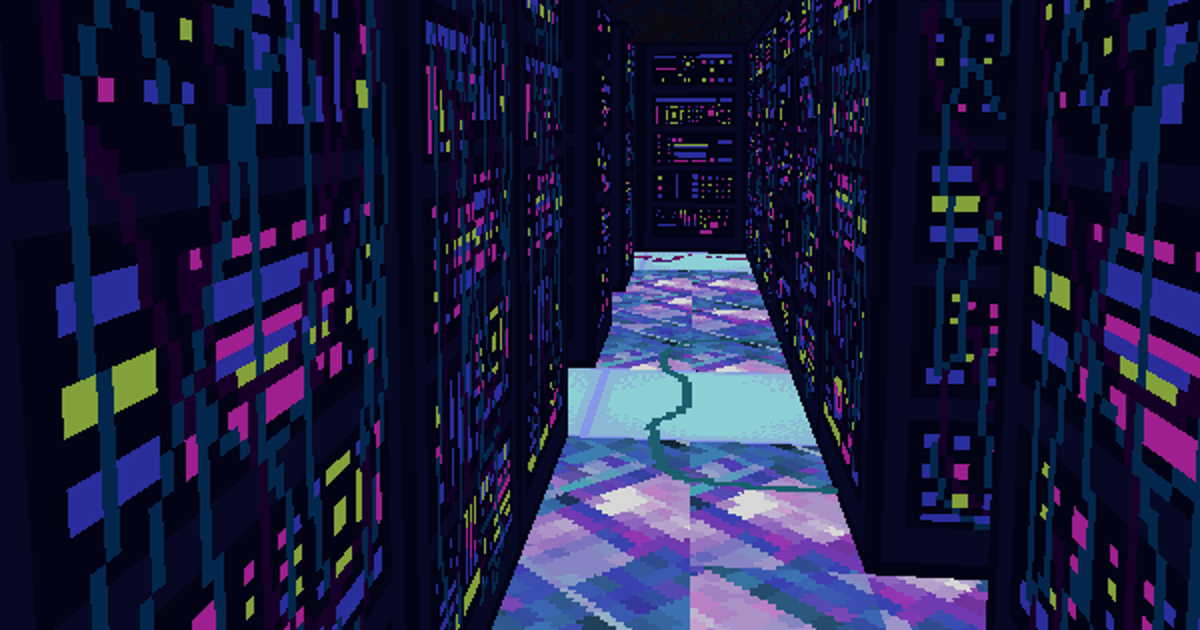
Along the way, you will delve into dungeons that look like server farms crossed with the original Sonic the Hedgehog Special Stage. Corridors of blocky lights with floors of slanted crystal. Here you will battle pieces of sorrowful e-waste, such as Emotional Outlet and Live Wire. The battles themselves are randomised and turn-based.

I’ve yet to finish Subtractive Runemixer – I dipped in for a quick go over lunch – but I do like its setting. The opening area is a church floating against a sky of seamy pink and purple rock texture, as though you were hallucinating it all while staring at a cavern ceiling. The walls of the church look like bands of TV noise. The motley, glitchy artstyle furthers the core mechanic of runemixing, which is kind of like stirring together paints on a palette to create the most violent shade.

In combat, you first prepare different coloured runes, which takes one turn, and then fire them at your opponent. You can also conjure a series of runes, combining them on the HUD, in order to perform a more powerful move, at the cost of letting the enemy get a few hits in.

Enemies themselves cast and mix runes. The dungeons contain a few esoteric puzzles that might require you to jot down what you’re being attacked with, and replicate that knowledge in some form. It’s a nice show of how a “combat system” can serve as an expressive instrument, not just a means of progress.

The emphasis on colour also inspires the thought that when we talk about philosophical elements in RPGs, we’re also talking about the associated tradition of colour theory. Does fire beat water only because the requisite shades of red and blue sit at certain points on the classic colour wheel?

How can we think differently about elements, which are often the most tedious and predictable parts of RPGs, if we operate more explicitly in terms of complementary or clashing colours? What if abilities had degrees of efficacy based on primary, secondary and tertiary colours, or reinforced each other by means of monochromatic variation?

It may be that Subtractive Runemixer really gets into all this. I’ve only polished off one of the two currently available dungeons. While I’m sure the colour theory association has been explored by other developers, inasmuch as it seems really obvious to me now, the only other RPG I can think of that dabbles in such things overtly is Chrono Cross, with its glorious, triadic field effect mechanic. I’d love to hear about any others that occur to you.

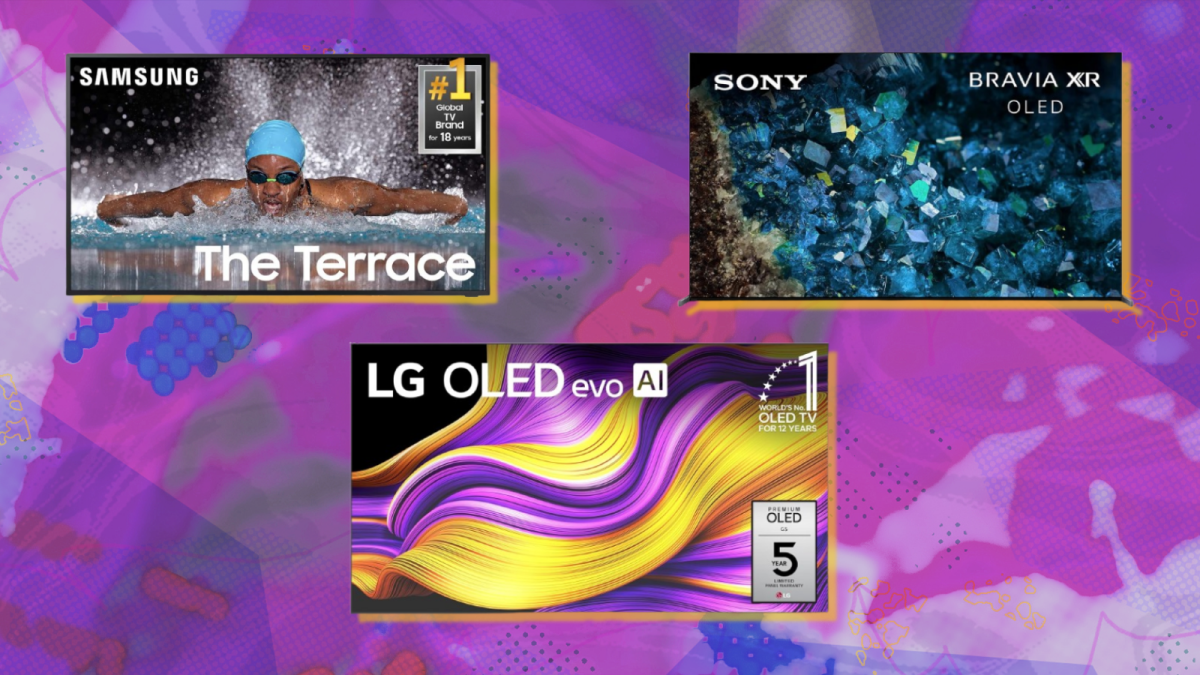
Best TV deals this week: Save on Samsung The Terrace, LG G5 OLED, Sony Bravia


TV deals to shop this weekend:


Samsung The Terrace TV


Sony Bravia XR tv


LG G5 OLED TV

Not all TVs are created equal. If you’ve decided to go all in on a fancy TV, we’ve found a few options that will ease the blow to your bank account. That’s not to say they’re cheap — these TVs carry steep (dare I say ridiculous) price tags. But a deal is a deal, right?

Whether you’re looking for a TV you can watch outdoors, a truly massive screen, or a gorgeous display that’s great for gaming, we’ve rounded up the top three TV deals heading into this weekend. Several other sizes of each of these TVs are also on sale, so be sure to click through on the product pages for more details.

$5,430.21
at Amazon

$6,497.99
Save $1,067.78


Why we like it

A specialized TV designed for outdoor viewing, Samsung’s The Terrace is in a class of its own. Even in bright daylight, this 75-inch QLED 4K TV will look sharp and cut through the glare. So you can watch sports while tending to your garden or catch up on your favorite shows while enjoying some sunshine. It also boasts an IP56 weatherproof rating to protect it from rain and dust. It’s truly the ultimate patio upgrade. There’s only a few left in stock, so if you’re in the market and can afford it, we recommend adding it to your cart ASAP.

$3,498
at Amazon

$4,999.99
Save $1,501.99


Why we like it

Sony’s 83-inch Bravia XR A80L is an older model from 2023, but it’s still a great pick — especially since it’s currently over $1,500 off. Mashable’s UK team named it one of the best TVs for gaming, particularly for PS5. It boasts features like Auto HDR Tone Mapping, Auto Genre Picture Mode, Variable Refresh Rate, Auto Low Latency Mode, and a dedicated gaming menu for customization. It’s also selling out quick, with only a few left in stock at Amazon at the time of writing. In other words, act fast if you want to secure the deal.

$19,996.99
at Amazon

$24,996.99
Save $5,000


Why we like it

Mashable’s sister site PCMag has tested hundreds of TVs with highly specialized equipment and named the LG G5 evo “one of the most gorgeous TVs you can buy.” It’s incredibly bright, with the wide and accurate colors, and a “phenomenal picture.” It easily took home their Editors’ Choice award for the best OLED TV last year. The one downfall? It’s wildly expensive. This massive 97-inch LG G5 OLED TV is basically the price of a new car, but if you can afford it, it’s actually on sale for its best price to date (believe it or not). We don’t usually recommend buying from a third-party seller at Amazon, but it’s technically $3 cheaper than Best Buy and LG’s website, making it the best deal.

Production Facility Rendering: 10 Advantages of Visualization Services for Factory Design


An architectural visualization, more specifically, a rendering based on a BIM file, isn’t just a pretty picture to please the eyes. In the context of a large-scale industrial project, such as the construction of a brand-new production facility or a major renovation of an old factory, a visualization is supposed to be an accurate depiction of the structure and a precise representation of all the manufacturing and utility systems in the building. The visualization also serves as the foundation for crucial decisions, such as stakeholder approvals and budget allocations.

3D rendering services and data-rich BIM files walk hand-in-hand to give a better understanding of the factory layout along with all its equipment and machinery, offering a level of insight that no conventional 2D blueprint can deliver. The ability to get a clear grasp of the spatial relationship of the entire building and an automated clash detection prior to construction improves the chances of efficient design, including for future-proofing purposes.


🚀 Table of contents


Why production facility visualization matters

High-fidelity visualization requires familiarity with the works of architectural design and a strong knack for artistic touches. Similarly, a comprehensive BIM file needs 3D modeling proficiency and industry knowledge. All those might seem hard to come by in this day and age, but not in Cad Crowd. As a freelancing platform specializing in the AEC industry, Cad Crowd acts like a massive hub that connects clients of all backgrounds with the most capable industrial project visualization services. And when the rendering and BIM file are left in the hands of the platform’s best-qualified professionals, expect nothing less than the following 10 advantages.

Early detection of errors

Let’s start with the most obvious, an advantage that photorealistic rendering services can give to architectural projects of any kind: pre-construction error detection. Construction work, whether a brand-new building or a renovation, is often an expensive undertaking, and even more so if you’re talking about such a complex structure as a factory. A manufacturing facility isn’t supposed to be luxurious or fancy, but designed to be as efficient as possible and conducive to productivity. And the truth of the matter is that ensuring efficiency often requires a pretty substantial upfront investment. Every mistake, no matter how small it may seem, can swell the budget to an unfriendly extent.

Factories are most likely dense environments. In addition to all the structural support steel, chances are you’ll also find heavy machinery, complex utility grids, overhead cranes, various office spaces, and sometimes a massive warehouse under the same roof. Everything has to coexist and fit in a relatively limited space. A traditional 2D blueprint can probably represent the entire factory, along with all the equipment and structural elements, on one big page. It’s practical, but the visualization format makes it easy to overlook a “clash,” for example, a load-bearing beam that obstructs a stretch of fire sprinkler pipe. Because you can’t clearly see the mistake on a two-dimensional blueprint, the error is only discovered during the construction phase. The next thing you know, the project is put on hold until you find a workable solution.

An architectural rendering, especially when integrated with BIM (Building Information Modeling), allows you to run an automated clash detection before construction begins. A clash can be many things, from a simple mismatch between logistics and construction schedules to poor clearances and object interference.

In a complete render, all the components of the factory are properly visualized as interconnected 3D objects to give a clear view of how they interact with each other. The result is little to no risk of a stop-work order. Any spatial conflict in the construction plan is identifiable in the BIM file when the project is still in the digital phase, and corrections are nowhere as resource-demanding as onsite modifications. Since most construction projects suffer from budget overrun due to change orders, architectural visualization services make things cost-efficient. Also, it’s possible to “virtually” install any equipment on the factory floor in the rendering, allowing you to verify that everything has enough clearance for operation and maintenance.

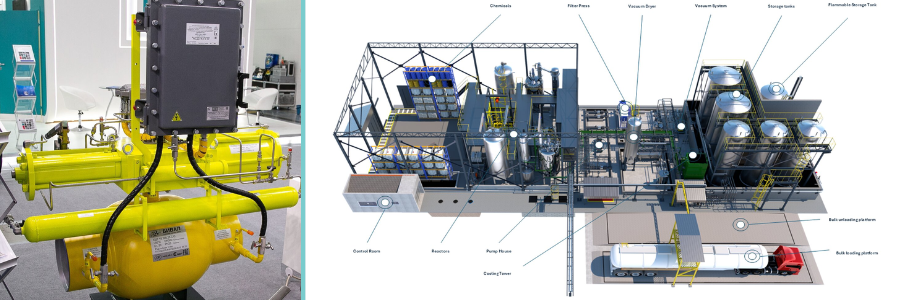
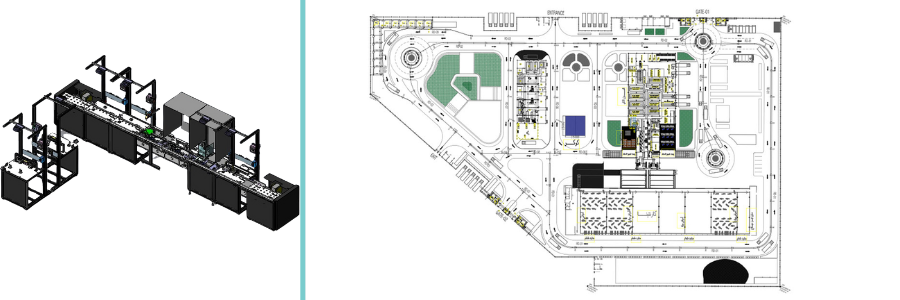
Production facility rendering and design by Cad Crowd freelance experts

RELATED: 12 important hiring tips for 3D rendering freelancers & 3D modeling service companies

MEP integration

Still on the subject of clash detection, a high-quality factory rendering allows for a comprehensive planning of the facility as a whole rather than as separate systems combined into one. Other than that, you’ll see not only a flat image as if you’re looking at a floor plan, but the spatial relationships among all the objects. And this is particularly important in the case of MEP (Mechanical, Electrical, and Plumbing) systems.

A manufacturing facility is, in essence, one big machine housed in an extensive structure. And like every machine, they need a proper electrical system, water inlets and outlets configuration, chemical piping, specialized HVAC components installation, and compressed air circulation, among other things. Just about everything is substantially more complex than what you typically find in residential buildings. Designing all these systems in isolation increases the likelihood of clashes. You don’t want to find that the ventilation duct is planned to be installed exactly at the same coordinate as a crane rail or structural steel support, leading to an untimely delay that costs thousands of dollars. The problem is that you can’t just move the parts to another spot because it may cause another series of clashes. Chances are, you have to dismantle a lot of interconnected parts and redo the process.

One of the best ways to ensure construction efficiency is zero conflict. Once again, architectural BIM services emerge as a reliable savior, providing a sort of “X-ray” view of the factory plan. BIM may not produce a photography-like visualization, but it can give you a clear outline of the building’s internal systems, which in turn allows for an overview of how the ducts, wiring, and piping integrate with the facility itself.

Stakeholders’ investment approval

Constructing a factory is an industrial project, and that’s capital-intensive. It may take tens, if not hundreds of millions of dollars, to build a new manufacturing facility capable of high-volume mass production. Like the vast majority of big industrial projects, it takes funding and approval by multiple stakeholders, which may include individual venture capitalists, the company’s boards of directors, or perhaps government agencies. 

One of the biggest challenges in securing the approvals of investors isn’t the technicalities of the construction itself, but the presentation. Not every stakeholder is trained to read a blueprint in the same way that an architect or engineer is. As a matter of fact, most people struggle to visualize a fairly simple 2D floor plan, let alone the construction plan of a gargantuan factory from a flat drawing.

You probably won’t need a sophisticated BIM file for this, as a photorealistic rendering would suffice to communicate a design for the less-technical audience. Throw in an animated walkthrough for the immersion effect, and you have a complete package of high-quality visualization to transform an otherwise complex architectural plan into an easily understandable view of a design. Add complex details when necessary, such as a showcase of the warehouse workflow or production line, for an extra touch of realism.

Investors are more likely to approve a big project when they’re confident in the design. Photorealistic rendering affords them the opportunity to take a glance at the foreseeable future when the construction reaches its final stage, and the factory building finally stands with all its industrial prowess. Visual clarity reduces the sense of risk and, therefore, speeds up the approval cycle for manufacturing design companies.

Safety compliance simulation

A factory is designed for productivity and efficiency, without sacrificing the health and safety of all the people populating the facility. Health and safety aren’t just moral obligations, but mandatory (as in, they’re required by law) and often have everything to do with financial concerns because non-compliance is a big liability. The problem is that most safety-related equipment and designs are built based on various “what if” scenarios, such as in the cases of fire, potential workplace injuries, occupational burnout, machinery-induced noise pollution, and more. 

Static two-dimensional images cannot reliably visualize the hypothetical scenarios in which accidents happen. Photorealistic rendering, on the other hand, can make use of animation to showcase “imagined” incidents where individuals’ health and safety are at risk in work environments. A 3D rendering expert may frame the animation in such a way that the audience can see from the perspective of an employee or a worker on the factory floor to understand the situation better. The simulation should be helpful for sightline analysis, emergency response training, and ergonomic optimization.

Efficient logistics

Forming the foundation of productivity in a manufacturing facility is a well-planned workflow, which can only happen when backed by efficient logistics. Think of it this way: if a forklift has to travel just one meter longer than necessary for every journey back and forth, the factory loses money in fuel, tires, maintenance, and time. A crane that takes a few seconds longer to carry raw material from the warehouse to the production line may cause a chain reaction of delay across the factory floor, leading to poor productivity and a loss of potential profit.

There’s no easy way to perceive the idea of congestion with static two-dimensional blueprints, such as when movements (whether of humans or machines) are hindered by some obstacles. Blueprints can’t visualize the possibility of crowding in heavy-traffic lanes during busy hours on the factory floor.

Animated rendering removes all the guesswork. By formatting the visualization as a spaghetti model (often used to explain the flow path of storms during hurricane season), you should be able to see with clarity how all the forklifts, cranes, trucks, materials, finished products, and people move about inside the facility. This is how you identify potential “traffic jams” or bottlenecks on the factory floor and plan for buffer spaces wherever necessary.

RELATED: Freelancing vs. in-house 3D visualization services: The best choice for companies

Accelerate construction

Just about every construction project appears to always happen in a rush. Heavy construction vehicles carry raw materials to the next processing station, while workers stay busy installing all the parts and assemblies in a seemingly random fashion. They’re all over the site, working on rebars with the help of rebar design services, steel structural supports, concrete, wooden beams, nuts and bolts, roofing components, and utility systems. But what looks like chaos really is a managed project, where everyone has a well-defined job description and carries out their duties as expected.

Another thing to mention is that long before the construction happens, there is usually a long process for design proposals, reviews, verifications, bidding, and approvals. The old way of doing architectural projects is linear and often slow. In the event of misunderstanding between the architect, engineer, or contractor, the construction schedule gets pushed back, and this adds to the project completion timeline. There’s also the problem with creating pages of 2D drafts just to plan for one specific location on the site. Each draft must be properly evaluated and approved by the stakeholders before the project can move forward. So if they have to do the same process dozens of times throughout the entire project, it can take months, if not years, to get the job done.

This is not to suggest that the old way is bad in any way. After all, people have been building production facilities for centuries before the proliferation of CAD or 3D rendering. That said, modern technologies, including photorealistic visualization and BIM, can improve efficiency a great deal. In the case of BIM, for example, the entire project plan is contained within a single file stored in a centralized database accessible by all stakeholders. Architects, engineers, and designers can update the plan simultaneously, and every modification is visible to everyone who has access to the file. Design reviews and approvals have become streamlined processes that happen in real-time. 

A BIM file contains not only an imagery of a structure, but detailed specifications of the materials, dimensions, geometries, tolerances, installation instructions, and manufacturer information of every component. The contractors understand the assignments well, component fabricators know exactly what to build, and the investors enjoy the comfort of knowing where the money goes. It even has scheduling information with automated clash detection to avoid conflicts with the construction timeline. Thanks to BIM, the entire project becomes predictable, more manageable, and highly efficient to expedite construction. And the sooner you get the facility up and running, the quicker you get to kick off production.

Thermal and lighting analysis

Every manufacturing facility should be well-lit in all areas. Great visibility is even more important in the actual production line. But it shouldn’t be all about installing the brightest lamps every few meters throughout the factory because they also generate heat. LEDs produce much less heat than the conventional incandescent type, so they’re a preferable choice for manufacturing design experts. If you have to use hundreds of LEDs, however, the increase in temperature would still be pretty noticeable. Let’s not forget that machinery, whether internal combustion or electric, also generates heat.

A lot of manufacturing facilities suffer from either hot zones or dark spots (sometimes both) due to poor air circulation, inefficient positioning of skylights, or improper placement of heat-generating equipment. This might not have been an issue in the old days when no better option existed, but now that architects and engineers are armed with modern rendering engines, an uncomfortable work environment and poor machine longevity because of excessive heat should be problems of the past. Advanced rendering engines offer many useful features for this purpose, such as Radiosity (which is an application of Finite Element Analysis) and Ray Tracing, to predict with great accuracy how light behaves in an environment to minimize dark spots. ThermoAnalytics can also visualize thermal data in high-fidelity graphics to help you get rid of hot zones. l

It’s worth mentioning that both Ray Tracing and Radiosity are capable of simulating natural lights as well. The visualization showcases the areas inside the facility that might be penetrated by natural light during daytime, so the engineers can then use the data to reduce/optimize the use of LEDs for energy efficiency. At the same time, the data gathered from thermal analysis reveals a clear view of how heat rises and accumulates in different spots, which offers an insight into how the HVAC system may mitigate the issue.

Environmental impact study

Anybody who’s been in the construction business, especially on industrial projects, is perhaps perfectly aware of the whole “NIMBYism” movement. It’s actually a pretty common phenomenon where residents oppose a new development in their local area, mostly out of fear that the new industrial infrastructure and industrial design services will negatively affect the surrounding environment. Sometimes, they also express concern for the possibility of noise pollution, an increase in traffic jams, or a decrease in their property value.

It can be difficult to dismiss the opposition unless you can provide an easy-to-understand visualization to inform the protesters that none of those concerns are actually true. Photorealistic renderings, both static and animated, give a clear explanation about how the factory handles its byproduct (if any), treats wastewater, implements a government-approved energy efficiency system, and manages noise. An aerial rendering of the facility should showcase the presence of green buffer zones, too. An accurate depiction of the facility and how it affects the environment fosters trust from the nearby community and helps de-escalate tensions in times of protest.

People might not be entirely interested in the actual environmental study conducted on the facility and what the data can tell them. However, you can produce some renderings based on that data to try to convince the community that everything is safe and runs in accordance with the regulations.

RELATED: 5 reasons freelancing studios are the future of 3D visualization services

Brownfield project management

A good number of industrial constructions aren’t actually greenfield projects (facilities built from scratch), but brownfield (renovations, retrofitting, or expansions). When old buildings are supposed to integrate with modern equipment and utilities, many things can go wrong, from incompatibility issues that lead to performance inefficiency or even weakened structural strength. The existing pillars, low ceilings, waste treatment systems, old electrical wiring, and even the roof structure can be engineering nightmares. 

Photorealistic 3D visualization services can help, for example, by converting the old blueprint into a 3D model or BIM file. However, an old building might have undergone multiple changes over the years, so the original construction documents are no longer accurate. Let’s not forget that many of the structural components suffer from degradation as well. Another option is LiDAR, which basically scans the old facility as it stands today and transforms the data into a 3D model. All of these require manual inspection, but modern visualizations are still better than relying on outdated blueprints.

Once you have the 3D models ready, planning for a brownfield project is no longer as complex as it used to be. Don’t get this wrong: Brownfield is almost always more difficult than greenfield, but at least the visualization helps you draft the project in a virtual environment, allowing for greater efficiency and accuracy. At the very least, the digital models afford the architects an opportunity to experiment with different factory floor layouts that facilitate efficient placements and installations of new production tools, heavy machinery, electrical wiring, lighting, HVAC components, and even routing for AGVs. The idea is to create a perfect fit, with zero interference, no compatibility issues, and enough spatial tolerances.

Scalable factory

Perhaps the greatest advantage of all is that photorealistic rendering opens the door to value engineering in preparation for growth. Manufacturing facilities may start with a single production line or hands-on assembly process, but they’re constantly looking to welcome emerging technologies, such as full automation and robotics. And with the current pace of development and competition, companies have no choice but to consider such growth an impending necessity, perhaps in the next 5 or 10 years.

From the perspective of infrastructure, it only makes sense to pour some additional resources upfront to make the building more scalable, or futureproof, if you please. In other words, a manufacturing facility built today must be able to adapt to the forthcoming industrial landscapes of the foreseeable future. If you build the factory by emphasizing only its usability for the current manufacturing systems and technologies, every major upgrade to the equipment and utility systems is likely cost-prohibitive.

Accurate visualization of the current structure enables the architectural design experts and engineers to plan for a flexible infrastructure designed to undergo changes and improvements without sacrificing the present-day functionality. For instance, the visualization may show a time-lapse animation that showcases how a new production line is added while keeping the current systems intact; the installation of solar panels on top of the roof structure without disrupting workflow; the integration of automated driverless robots with the crane equipment in the warehouse to achieve lean logistics, and so forth. 

production equipment and facility floor plan by Cad Crowd design experts

RELATED: How to hire freelance CAD design talent for your project: Tips for design companies and firms

Takeaway

The advantages of visualization services for manufacturing facilities go beyond pre-construction planning and budgeting, but reach far into scalability and futureproofing the infrastructure itself. You can even say that photorealistic rendering pushes the boundary of what’s possible with architectural drafting to allow stakeholders to have a sneak peek at the future. This will then enable them to develop a comprehensive measure and devise strategies to be prepared for every new technological development in the manufacturing sector. Although it’s actually impossible to make a perfectly accurate prediction of what the future may hold, visualization services can at least give you educated assumptions and informed estimates so that what you build today helps you gain competitive advantages in the future.

Not every factory rendering is created equal, however. As much as advanced software plays a factor in determining accuracy and overall quality, the professionals tinkering with object geometry, composition, lighting, shadows, textures, patterns, and post-processing details are the real defining factors. It takes skills, experience, and artistic touches to produce a high-quality rendering of a small-scale building, let alone a gigantic production facility.

That being said, BIM professionals and render artists capable of translating the file into photorealistic imagery remain scarce at this point. Cad Crowd is your best bet to find and connect with the right talent to get the job done. The platform places heavy emphasis on the AEC industry and is largely populated by experienced professionals of related trades, including BIM and architectural visualizations. Request a quote today.

author avatar

MacKenzie Brown is the founder and CEO of Cad Crowd. With over 18 years of experience in launching and scaling platforms specializing in CAD services, product design, manufacturing, hardware, and software development, MacKenzie is a recognized authority in the engineering industry. Under his leadership, Cad Crowd serves esteemed clients like NASA, JPL, the U.S. Navy, and Fortune 500 companies, empowering innovators with access to high-quality design and engineering talent.

Connect with me: LinkedIn ✦ X ✦ Cad Crowd

Fresh Looks at Pragmata, Monster Hunter Stories 3: Twisted Reflection and More in Capcom Spotlight 2026


Today, Capcom Spotlight shared exciting news and updates for Capcom’s packed line-up of games, with a little something for everyone. We’re proud to share new info ranging from returning franchises like Monster Hunter, to completely new titles like Pragmata, and more! Read on for the details.

Hack Deeper into the Mysterious World of Pragmata

Capcom Spotlight debuted a stunning new look at the long-awaited sci-fi action-adventure game, Pragmata. Additionally, we’re happy to announce the updated release date for the game, which now lands one week earlier on April 17, 2026!

Have a look at the new trailer, which includes a look at a new friend that will help guide you while you’re in the Shelter.

Pre-order Pragmata ahead of launch on Xbox Series X|S and check out the Deluxe Edition for some extra in-game costumes, rare digital artwork, and more.

If you haven’t tried the game yet, check out the Pragmata Sketchbook Demo to try out the game’s unique mix of hacking and shooting. Be sure to complete it multiple times to uncover its secrets and different endings.

PRAGMATA Sketchbook – DEMO

CAPCOM CO., LTD.


☆☆☆☆☆
143


★★★★★


The gameplay demo, Sketchbook, lets you try out this combat system that engages both sides of your brain, while you also get to experience what it’s like to traverse the lunar research station.

*This demo supports English and Japanese voice.
*Some in-game features may differ from the full game.
*Ray tracing is not supported on Xbox Series S.

©CAPCOM
PRAGMATA is a trademark and/or registered trademark of CAPCOM CO., LTD. and/or its subsidiaries in the U.S. and/or other countries.


Monster Hunter Stories 3: Twisted Reflection Launches March 13!

Monster Hunter Stories 3: Twisted Reflection arrives next week, reaching new heights for this turn-based, story-rich RPG story set in the world of Monster Hunter. Have a look at the game’s launch trailer, which delves further into the deep and dramatic story that awaits.  

Two countries, twin Rathalos. One Rider and their trusted Rathalos, alongside their companions, must navigate the conflict between these two Azuria and Vermeil, all while the looming disaster of the Crystal Encroachment threatens the world.

As you get ready for launch, here’s a rundown of the various bonuses you can get. Players with save data for past Monster Hunter games can get special layered armor for the protagonist.

  • Monster Hunter Wilds save data – Hope Layered Armor set
  • Monster Hunter Stories save data – Hakum Rider Outfit
  • Monster Hunter Stories 2: Wings of Ruin save data – Mahana Rider Outfit
  • Monster Hunter Rise save data – Kamura Garb

Additionally, linking your Capcom ID account will allow you to receive the adorable Catcom Works outfit for Rudy! We’re also releasing two free cosmetic DLCs at launch: the Gold Circlet accessory for the protagonist, and the Wind Wyvern’s Friend Layered Armor for Simon.

Interested in giving the game a test ride? Try out the content packed Monster Hunter Stories 3: Twisted Reflection demo now for free and transfer your save data to the full version at launch!

Monster Hunter Stories 3: Twisted Reflection Trial Version

CAPCOM Co., Ltd.


☆☆☆☆☆
58


★★★★★


This is the trial version of Monster Hunter Stories 3: Twisted Reflection.
You can play the beginning portion of the game for free.
Save data will transfer to the full version.

The third entry in the Monster Hunter Stories RPG series is here!
Twin Rathalos, born in a twist of fate.

Monster Hunter Stories is an RPG series set in the Monster Hunter world, where you can become a Rider, raising and bonding with your favorite monsters.

The Story
Azuria and Vermeil: two countries, on a path to destruction.
When all hope seems lost, an egg is found. Inside is a Rathalos, a species thought to be extinct.

But this quavering light of hope is quickly extinguished, giving way to the darkness of despair.

Born from the egg is not a single Rathalos, but twins, bearing the Skyscale marking that hearkens back to the disastrous civil war of 200 years prior.

The natural world teeters on the verge of destruction, with countless monster species facing extinction. In the shadow of these dark times, the flames of war rekindle.

Two countries, and two Rathalos.

A Rider and their trusted Rathalos, buffeted by the winds of fate, set out on a journey for the truth.


Online Features Revealed for Mega Man Star Force Collection

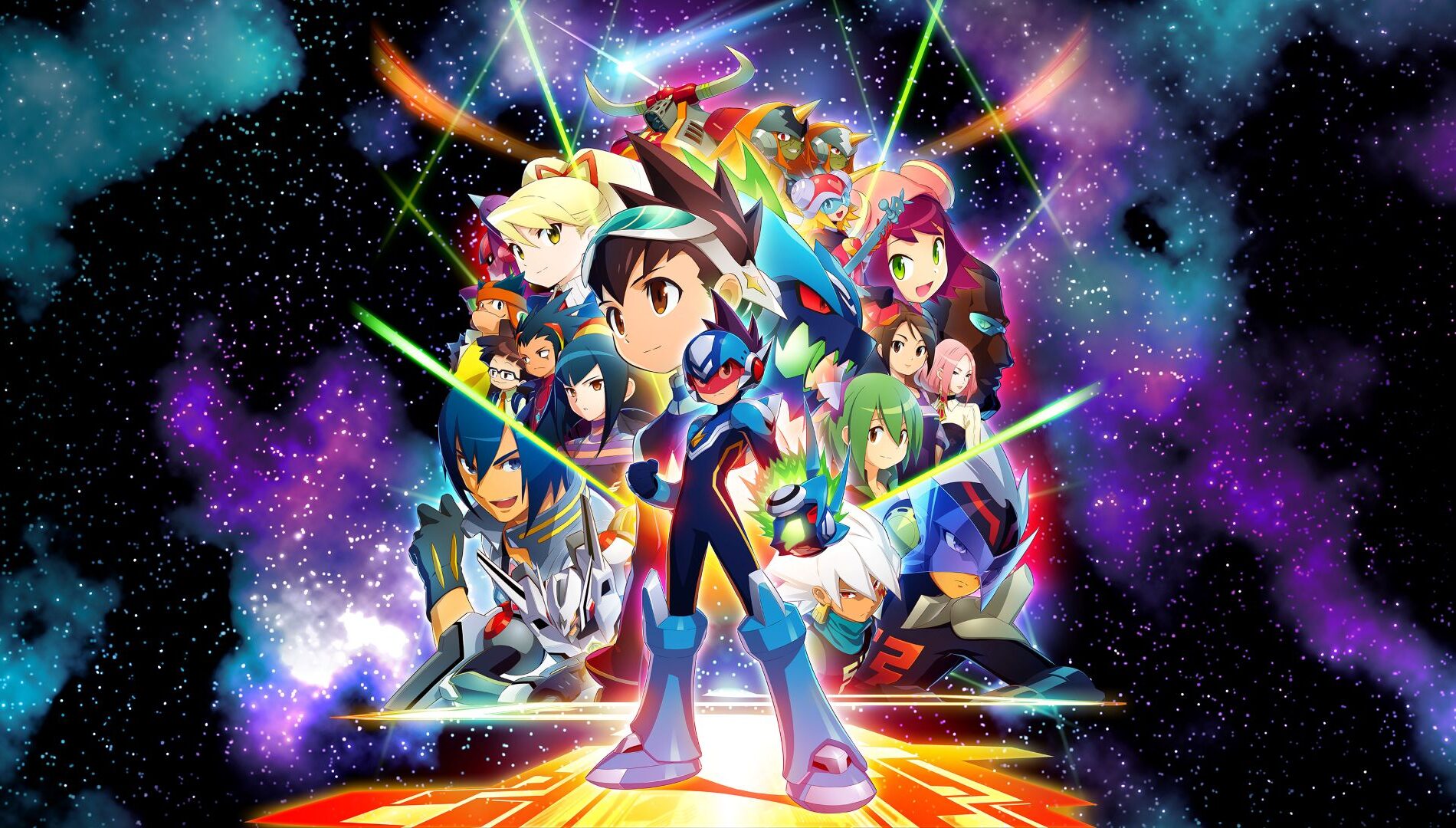
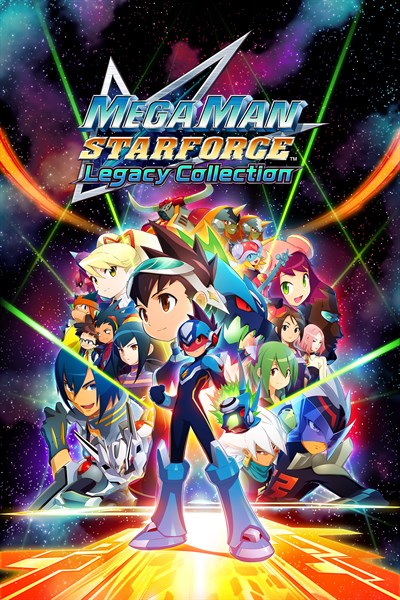
Mega Man Star Force Legacy Collection arrives on Xbox Series X|S on March 26! Capcom Spotlight showed off the collection’s new online features, including the ability to search across all three titles to find a match quickly, or choose between Friend, Casual and Ranked Match based on your preference. 

Trading and the Brother List features have been improved in this collection as well. Choose a card and trade it with your partner to acquire the cards you’re looking for! With the Brother List, you can add up to one hundred Brothers per game, a big improvement over the original limit of six.

Mega Man Star Force Legacy Collection

CAPCOM CO., LTD.


☆☆☆☆☆
7


★★★★★


$39.99


Mega Man Star Force Legacy Collection – Geo Stelar and Omega-Xis Character Model Pack Pre-order Bonus

This product includes selectable character models of Geo Stelar (casual outfit) and Omega-Xis for the Main Menu.

Special arrangements for four music tracks are also included for the Music Player.

Note: This pre-order bonus may also become available at a later date.
*This pre-order bonus is available until March 26, 2026, 23:59 (local time).

The Mega Man Star Force series, which expanded into an anime, is back in the Mega Man Star Force Legacy Collection! This collection includes seven games and additional features like a gallery of illustrations and music! Online play is also supported!

The following titles are included in the collection:

Mega Man Star Force Pegasus
Mega Man Star Force Leo
Mega Man Star Force Dragon
Mega Man Star Force 2 Zerker x Ninja
Mega Man Star Force 2 Zerker x Saurian
Mega Man Star Force 3 Black Ace
Mega Man Star Force 3 Red Joker

It is the year 220X, and the world has seen rapid advancements in Wave technology. Our protagonist, 11-year-old Geo Stelar, refuses to go to school as he mourns the disappearance of his astronaut father.
One night, Geo is at the observatory gazing at stars as he usually does. Suddenly, his Transer picks up a signal from space and he is hit with a powerful electric shock!
When he finally comes to, an alien with an electromagnetic wave body called Omega-Xis is standing over him…

Note: The toy link features found in the original versions are not supported.

©CAPCOM
Mega Man Star Force is a trademark and/or registered trademark of CAPCOM CO., LTD. and/or its subsidiaries in the U.S. and/or other countries.


Alex Makes His Entrance in Street Fighter 6 on March 17!

The dark devil himself, Alex, steps into the ring as part of Street Fighter 6 Year 3 on March 17! Alex uses pro wrestling techniques, overpowering and overwhelming opponents both in and outside of the squared circle.

Motion capture for Alex was performed by the legendary pro wrestler, Kenny Omega, adding authentic touches to his walk-out sequences, Super Arts, and more! JAM Project also contributed an original track for Alex called “Go! Alex! Hope is Born! – Alex’s Theme”! In anticipation of Alex’s release, the Alex Arrives! Fighting Pass will bring exciting content across each game mode.

Finally, the swimsuit series of outfits continue with Outfit 4 for Dee Jay and Elena, also launching alongside Alex! Even though it might not be sunny weather, these two outfits are sure to heat things up.

Street Fighter™ 6

CAPCOM CO., LTD.


☆☆☆☆☆
1242


★★★★★


$39.99


Here comes Capcom’s newest challenger! Street Fighter™ 6 launches worldwide on June 2nd, 2023 and represents the next evolution of the series.

Powered by Capcom’s proprietary RE ENGINE, the Street Fighter 6 experience spans across three distinct game modes featuring World Tour, Fighting Ground and Battle Hub.

Diverse Roster of 18 Fighters
Play legendary masters and new fan favorites like Ryu, Chun-Li, Luke, Jamie, Kimberly and more in this latest edition with each character featuring striking new redesigns and exhilarating cinematic specials.

Dominate the Fighting Ground
Street Fighter 6 offers a highly evolved combat system with three control types – Classic, Modern and Dynamic – allowing you to quickly play to your skill level.
The new Real Time Commentary Feature adds all the hype of a competitive match as well as easy-to-understand explanations about your gameplay.
The Drive Gauge is a new system to manage your resources. Use it wisely in order to claim victory.

Explore the Streets in World Tour
Discover the meaning of strength in World Tour, an immersive, single-player story mode. Take your avatar and explore Metro City and beyond. Meet Masters who will take you under their wing and teach you their style and techniques.
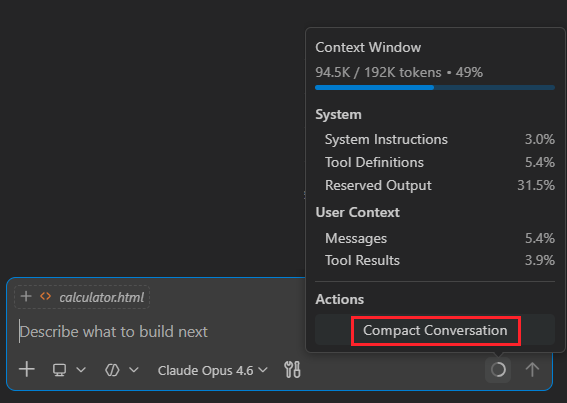
Seek Rivals in the Battle Hub
The Battle Hub represents a core mode of Street Fighter 6 where players can gather and communicate, and become stronger together. Use the avatar you create in World Tour to check out cabinets on the Battle Hub floor and play against other players, or head over to the Game Center to enjoy some of Capcom’s classic arcade games.

Your path to becoming a World Warrior starts here.

Online Play
Capcom provides various online services for this game, including online-only content.
* Certain elements of this game cannot be accessed without an internet connection.
* A Capcom ID is required to use online-only content.
* For information on the services related to Capcom ID and how to use it, please visit the official Capcom ID website (https://cid.capcom.com/). Please note that there may be cases wherein use of Capcom ID is age-restricted.
* For online-only content, a separate paid membership service (Game Pass Core) is required.
* Capcom may temporarily suspend online services in the event of unforeseen circumstances.


The Friday Roundup – Keeping it Simple & A.I. Motion Graphics


Unimpressed by fancy effects in a video.

Why You Should Stop Making “Fancy” Videos

Almost every time I add a video from Casey to the Friday Roundup, it is going to be pretty much specific to using DaVinci Resolve in some way.

More often than not it will be something to do with color correction or using Fusion.

However this week is an exception and for the average person editing their videos, I think it is a rather important exception.

A great deal of the information we receive on the subject of creating videos comes from a place of or viewpoint of marketing.

It may not seem that way on the surface but believe me, it’s there!

Most of it takes the form of presenting you and I with a technique, an effect, an editing style, a transition or any of a bunch of other things we have to be doing to be successful.

Then we are presented with software, plugins, effects packs or whatever in order to cure our terrible inadequacies!

The reality is that probably 90% of those things are simply not true and the keys to improving your videos in a real sense are already in your hands.

If you are at a point where you think that you need to learn some fancy or complicated new process in your editing to take your videos to greater heights then please, watch this video!


AI-Generated Motion Graphics – The Results Are Crazy!

So before we get into the video below I need to point out a few things about it regarding the program itself called Remotion.

First up is the fact that you need to go through some reasonably complex steps to get this thing set up and running.

I managed to do it so that tells me pretty much anyone can if you follow the steps in the video but you do have to follow the steps.

Secondly, YES! The results are very, very good but as is the case with most things A.I, it all hangs on the prompts you give it.

A key point is interacting with the A.I. part to let it help you create those good prompts.

Anyway take a look for yourself but as someone who pretty much hates creating motion graphics, this is gold!


Two Ways to Remove Backgrounds when Working with Images in PowerDirector

This is a quick demonstration of the background removal abilities that exist within the PowerDirector interface.

A couple of things to note here are the fact that the techniques and modules demonstrated are only applicable to still images and not video.

PowerDirector does a pretty decent job using either method for removing backgrounds especially if you give it images that have clearly contrasting subjects/backgrounds.


How to Start Video Editing in 2026?

For all of us there was a point before we started video editing and just after making the decision to do so… we sat staring at a computer screen wondering how to start.

For me personally I had to start providing an employer with videos of the activities I was engaging in so I just had to dive in.

I purchased a camcorder (that’s a whole story in itself!) but then had to deal with at least basic editing.

That’s when the real confusion set in because also at that time there was very little information available for beginners on the internet.

These days it is a different story so if you are thinking about dipping your toes into the editing pool, here’s a great video tutorial to get you started.


Can This YouTube Channel Hit 7 Figures? (Live Strategy Session)

So this next tutorial video is definitely not for everyone but for those that it does apply to, it is packed with all the good stuff!

Let me clarify who it is for first.

This is for anyone that wants to approach building a successful YouTube channel as an actual business goal rather than just a fun thing to do like a hobby.

It is a live strategy session, is very technical and goes way deep into the tools and especially the analytics available to all YouTube users.

Most people scan over all that stuff and don’t really know what it all means and worse still, have no idea what actions should be taken based on those stats.

So if you are looking for a free masterclass on the subject… here you go!


I Finally Proved Views Don’t Matter Here’s the Data

This is another video I came across this week that dovetails perfectly into the longer deep dive video on YouTube channels and using stats.

It makes the very good point that most people tend to get caught up in chasing the algorithm for views and subs rather than business goals or at least the goals they had in the first place.


Finding the Perfect Key Light Angle

Lighting for video is always a bit of a pain for the average creator because more often than not we are shooting in an uncontrolled environment.

By uncontrolled I mean spaces where there is existing lighting that we really don’t have the ability to totally control.

So regardless of the shooting situation the first rule we are taught is that you have to get the key light right before you do anything else.

Very often that way easier said than done especially if you are shooting on your own.

Here’s a great demo video of how to set that first key light correctly even though shooting solo.


7 Mistakes Beginner DaVinci Resolve Editors Make

I came across this tutorial video this week and although it covers material I have shown before, I think it is well worth looking at.

If you are very new to DaVinci Resolve or are thinking about using it then this is definitely for you.

Easily the biggest barrier to using Resolve is the interface of the program.

Let’s face it, the program was and is designed for professional use so the knobs and dial and buttons and settings literally go on forever!

I know from my own experience that I had the program on my computer for months before I actually started using it.

I would open it, look at that interface, click a few buttons and then quickly shut it down and walk away!

Easily the best way to start is to follow along with a video like the one below.


Best Cameras for YouTube in 2026 (Cheap to Expensive)

So this one comes with my standard disclaimer for when it comes to camera recommendations.

I do not even attempt to keep up with the camera market as it develops because I just don’t have the time and I certainly do not have the background for it.

What I can do is watch a review video and work out whether it is worth it or not!

Whilst the video below is certainly driven by a little “salesyness,” the content is solid and these are some good suggestions for video cameras if you are looking to go there.


Discover more from The DIY Video Editor

Subscribe to get the latest posts sent to your email.

Making agents practical for real-world development


March 5, 2026 by VS Code Team, @code

Agents are taking on more complex and longer-running development tasks.

With the February 2026 release (1.110), we’re making those workflows more practical inside Visual Studio Code by giving you greater control over how agents behave, integrate into your tools, and retain project context across sessions.

From enforcing policies with hooks to guiding agents mid-response, validating UI features with integrated browser tools, and bringing structured skills directly into the editor, this release focuses on making agents reliable collaborators for real development work.

Give agents the right context

Codebases often have a complex architecture and project structure, and can consist of thousands of files. Agents might struggle to stay focused and find the right pieces of information, especially as sessions get longer.

In this release, we’re improving how agents handle large outputs efficiently, how they remember the most important parts of the task at hand, and giving you control over what information can be discarded.

Handle large outputs

Large diffs, generated files, or extensive logs can overwhelm a session if treated as an inline context.

Agents and LLMs are great at working with files. VS Code now manages large outputs by streaming them to temporary files and prioritizing the most relevant information for the model. This keeps agents focused on the right details while optimizing context usage without additional work.

From a UI perspective, large tool outputs in a chat conversation can make it difficult to follow the overall flow of what’s happening in a session. VS Code now puts terminal output in collapsible sections, giving you the details if you want them, while keeping the session uncluttered.

Share agent memory

Agents in Visual Studio Code use memory to retain relevant context. Agent memory now spans coding agents, CLI workflows, and code review interactions.

Rather than starting from scratch each session, agents recall your preferences, apply lessons from previous tasks, and build up knowledge about your codebase over time.

Architectural decisions, naming conventions, and prior refactors remain part of the conversation, so you spend less time restating intent and more time continuing the work.

Compact long sessions

As conversations expand, VS Code automatically compacts older history. Earlier discussions are summarized, key decisions are preserved, and space is freed up for ongoing work.

Previously, you had no control over when context compaction was happening and what information was retained after compacting. Maybe you discussed several implementation variants, and only one specific one is important to remember and build upon.

Now you can manually run context compaction for a session by typing /compact. And in doing so, you can give the agent additional instructions on what information to keep or discard.

Especially when working with long-running sessions and dealing with lots of context, controlling compaction keeps the agent focused on the key information.

Screenshot showing the context window control and the compact option.

Agent controls

As agents take on more responsibility, the way you interact with them matters just as much as what they generate. These updates make it easier to control the conversation and guide outcomes during active work.

Guide the agent while it works

Agents sometimes head down the wrong path and it’s immediately obvious, even before it has finished the request.

Previously, you had to wait for a response to complete before you could steer it in a different direction. Now, you can intervene while the agent is generating a response, guiding the direction of the work without restarting or losing context.

And if you think of some extra tasks the agent should perform, you can now queue follow-on requests for the agent to perform once it has finished its current task. If you queue up multiple requests, you can easily change the order in which they need to be performed.

For example, you might clarify:

  • Only modify this component
  • Reuse existing utilities
  • Avoid changes to backend APIs

Fewer wasted edits, shorter feedback loops, and a conversation that stays on track.

In our app, when new styling guidance is introduced to enhance the hero card with a gold accent and shimmer effect, the agent revisits the existing CSS and continues the implementation without restarting the session.

Explore alternatives without losing context

There are often different ways to solve a problem or multiple design options. You could create multiple chat sessions, one for each variant, but that would mean you need to copy over the existing context and conversation history.

To make this experience easier, you can now fork a chat session. This creates a new, independent session that inherits the conversation history from the original session. The forked session is fully separate from the original, so changes in one session do not affect the other.

You can either type /fork and it will copy over the full conversation, or you can use the fork button at a specific checkpoint to fork the conversation up until that point.

In the demo below, /fork creates a parallel thread where a more minimal design direction is explored without affecting the original discussion.

Automate with hooks

Teams frequently rely on conventions, validations, or automated checks to maintain consistency.

Hooks execute deterministically at key lifecycle events, allowing teams to enforce policies and set guardrails that keep agent-driven changes aligned with project standards, rather than relying on repeated prompts.

For example, a team might automatically lint code before edits are applied, block changes to protected configuration files, or trigger a test suite whenever an agent modifies application logic.

This keeps agent-driven changes aligned with your project’s standards without requiring constant supervision.

The following demo shows a stop hook executing on session exit, detecting uncommitted changes and automatically committing and pushing them.

Agent extensibility

Agents are most useful when they integrate naturally into the tools and workflows you already rely on. These updates introduce a richer agent experience that closes the development loop, while skills provide reusable building blocks you can invoke on demand.

Run agent skills when you need them

Many development tasks repeat across sessions.

Writing tests, refactoring code, or reviewing changes often follows patterns you already understand.

Instead of rewriting instructions each time, you can invoke agent skills directly from chat using slash commands. Skills may come from built-in capabilities, extensions, or project-specific tooling.

Instead of prompting vaguely, you can intentionally invoke workflows.

For example:

  • /tests generates validation tests
  • /explain documents unfamiliar code
  • /fix targets a specific error

By default, available skills appear in the / menu, making them discoverable and easy to reuse across sessions.

The following video demonstrates a frontend design skill driving the workflow end to end, implementing a new UI component, integrating live data, and validating the result without leaving VS Code.

Validate changes without leaving the editor

Agents are already effective at generating and running unit tests to validate non-UI code changes.

Verifying frontend behavior, however, has often relied on manual testing or manual screenshot comparisons.

With browser agent tools, agents can now open and interact with the application directly in the integrated browser inside VS Code.

This allows the agent to implement a UI change, load the running application, inspect the result, and adjust the code if something doesn’t behave as expected.

Implementation, inspection, and validation now happen within the same workflow, helping you iterate quickly without leaving the editor.

In the example below, the integrated browser opens and follows the page navigation, so you can validate changes as you interact with the application.

Development often moves between the terminal and the editor.

That’s why the Copilot CLI is now integrated in VS Code, with native support including diff tabs, trusted folder sync, and right-click to send code snippets. You can manage the connection by running /ide.

The CLI and editor stay aligned, sharing context as work progresses.

In practice:

  • A CLI process generates changes
  • VS Code surfaces them as diffs
  • You review and approve modifications directly in the editor

Screenshot of the Copilot CLI screen with VS Code auto‑connect settings and a selected workspace.

The next step for agents in VS Code

Agents are becoming a natural part of everyday development. You shouldn’t have to adapt your workflow around them. They should adapt to the way you build.

With the February 2026 release (1.110), VS Code gives you more control over how agents behave. They fit into your tools more naturally and carry context across sessions.

We’re building this in the open. If you have feedback, ideas, or run into issues, open a discussion or file an issue in the VS Code repo or find us on social. We’d love to hear from you.

Want to see how these features can enhance your developer workflow?

Join us for our VS Code release livestream on March 19 at 8 AM PST. Turn on notifications!

Happy coding! 💙

Anthropic to challenge DOD’s supply-chain label in court


Dario Amodei said Thursday that Anthropic plans to challenge the Department of Defense’s decision to label the AI firm a supply-chain risk in court, a designation he has called “legally unsound.”

The statement comes a few hours after the DOD officially designated Anthropic a supply-chain risk following a weeks-long dispute over how much control the military should have over AI systems. A supply-chain risk designation can bar a company from working with the Pentagon and its contractors. Amodei drew a firm line that Anthropic’s AI will not be used for mass surveillance of Americans or for fully autonomous weapons, but the Pentagon believed it should have unrestricted access for “all lawful purposes.”

In his statement, Amodei said the vast majority of Anthropic’s customers are unaffected by the supply-chain risk designation.

“With respect to our customers, it plainly applies only to the use of Claude by customers as a direct part of contracts with the Department of War, not all use of Claude by customers who have such contracts,” he said.

As a preview of what Anthropic will likely argue in court, Amodei said the Department’s letter labeling the firm a supply-chain risk is narrow in scope.

“It exists to protect the government rather than to punish a supplier; in fact, the law requires the Secretary of War to use the least restrictive means necessary to accomplish the goal of protecting the supply chain,” Amodei said. “Even for Department of War contractors, the supply chain risk designation doesn’t (and can’t) limit uses of Claude or business relationships with Anthropic if those are unrelated to their specific Department of War contracts.”

Amodei reiterated that Anthropic had been having productive conversations with the DOD over the last several days, conversations that some suspect got derailed when an internal memo he sent to staff was leaked. In it, Amodei characterized rival OpenAI’s dealings with the Department of Defense as “safety theater.”

Techcrunch event

San Francisco, CA
|
October 13-15, 2026

OpenAI has signed a deal to work with the DOD in Anthropic’s place, a move that has sparked backlash among OpenAI staff.

Amodei apologized for the leak in his Thursday statement, claiming that the company did not intentionally share the memo or direct anyone else to do so. “It is not in our interest to escalate the situation,” he said.

Amodei said the memo was written within “a few hours” of a series of announcements, including a presidential Truth Social post saying Anthropic would be removed from federal systems, then Defense Secretary Pete Hegseth’s supply-chain risk designation, and finally the Pentagon’s deal announcement with OpenAI. He apologized for the tone, calling it “a difficult day for the company” and said the memo didn’t reflect his “careful or considered views.” Written six days ago, he added, it’s now an “out-of-date assessment.”

He finished by saying Anthropic’s top priority is to ensure American soldiers and national security experts maintain access to important tools in the middle of ongoing major combat operations. Anthropic is currently supporting some of the U.S.’s operations in Iran, and Amodei said the company would continue to provide its models to the DOD at “nominal cost” for “as long as necessary to make that transition.”

Anthropic could challenge the designation in federal court, likely in Washington, but the law behind the decision makes it harder to contest because it limits the usual ways companies can challenge government procurement decisions and gives the Pentagon broad discretion on national security matters.

Or as Dean Ball — a former Trump-era White House adviser on AI who has spoken out against Hegseth’s treatment of Anthropic — put it: “Courts are pretty reluctant to second-guess the government on what is and is not a national security issue … There’s a very high bar that one needs to clear in order to do that. But it’s not impossible.”

Mattress Firm Coupons and Discounts: Save Up to $600


Chances are that when you google “mattress store near me,” one of the first results you will see is Mattress Firm. This brick and mortar titan carries both established mattress brands like Serta and Sealy, as well as many online brands, like Purple, letting you go see for yourself if it’ll be the mattress for you. And if you were looking for an excuse to hop in the car and head over, we have a Mattress Firm coupon available right now, as well as tons of Mattress Firm promo codes to save big on those big (and small) purchases. Fingers crossed that you could start sleeping better, potentially as soon as tonight.

Upgrade Your Sleep Sale: Save Up to $600 (Plus Get a Free Adjustable Base)

This year, Mattress Firm wants to make it even easier (and more affordable) to upgrade your sleep with the Upgrade Your Sleep Sale. During this sale, you can save up to $600 and get a free adjustable base included on select mattresses, through April 28. You’ll receive a free Sleepy’s Basic adjustable base (a $300 value) with select mattress purchases—this means a free queen adjustable base with a  minimum $499 purchase, or free king adjustable base with minimum $599 purchase.

Get 15% Off When You Sign Up for Emails

To make sure you never miss out on Mattress Firm discount codes, you can sign up for email notifications. By doing so, you automatically get one! You can get an extra 15% off on your first order. Heads up that it can’t be combined with other coupons, nor can it be applied to specific brands and models, including Nectar, Purple, Sealy Hybrid, Tempur-Pedic, Stearns & Foster, and Serta iComfort.

Free Adjustable Base (Up to $499 Value) With Select Mattresses

First and foremost, make sure you have or are getting a mattress that’s compatible with an adjustable base. If you’re all set bed-wise, but have been looking for the right time to buy an adjustable base, consider this your sign: select mattresses come with a free adjustable base (up to $499 value). At last, you can sit up in bed or kick up your feet to your heart’s content.

Score Up to $300 in Instant Credits and Gifts

Mattress Firm’s got a gift for you, just ‘cuz. For those eyeballing Tempur-Pedic, Sealy, and Sterns & Foster in particular, it’s your lucky day, as there are Mattress Firm coupon codes for all three of these brands.

Starting with Tempur-Pedic, when you buy a qualifying Tempur-Pedic mattress, you can receive a $300 Instant Credit on these adjustable bases: Tempur-Ergo, Tempur-Ergo Smart Base, Tempur-Ergo ProSmart Base, Tempur-Ergo ProSmart Air Base, or the Sealy Ease Base. Use code TEMPURGIFT. You can also get a $300 credit toward these same adjustable bases when you purchase a qualifying Stearns & Foster mattress: use code STEARNSGIFT at checkout.

Lastly, if you wanted to pair a Sealy mattress with the Sealy Ease adjustable base (or any of the aforementioned adjustable bases), there’s a Mattress Firm coupon for that, too. Use code SEALYGIFT at checkout, and get a $200 Instant Credit on select Sealy and Tempur-Pedic adjustable bases.

Take 20% Off With Military, Medical, Student, or Teacher Discounts

Sleep is a necessity for everyone. But for those who work all day on their feet, and have to be dialed in at all times, sleep is critical. This is especially true for first responders, nurses, doctors, and medical professionals. As a way to say “thank you” for all that you do, there’s a special mattress firm discount just for you. Use the Mattress Firm first responder discount for 20% off select purchases. It’s for one-time use, but renews every 90 days when you re-verify your status.

For military members, as a way to thank you for your service, you can use the Mattress Firm military discount for 20% off select purchases as well. It’s a one-time use code, but re-verify your status every 90 days, and you can get a new one!

If you’re a teacher or student, there’s also a Mattress Firm discount for you, too. To help you bounce back after long days teaching, or late nights studying, use this Mattress Firm student discount code for 20% off select purchases. Like the first responder and military coupons, it’s a one-time usage code that can be renewed every 90 days when you re-verify your status.