YouTube Music is labeling AI-generated songs to help listeners identify AI involvement.
YouTube combines partner disclosures with AI detection tools to identify tracks, even when creators leave disclosure fields blank.
YouTube plans to bring AI labels to its main video platform, extending transparency beyond music streaming.
YouTube Music is rolling out new labels that tell listeners when generative AI played a big part in making a song. The labels will appear directly on the music player, providing users a more transparent idea of what they are listening to without having to sift through descriptions or wonder if a track was created by a human artist or an AI model.
The feature covers music created largely with AI, including songs where generative models contribute both the composition and vocals. Tap a label, and a menu appears with more information about the song’s AI participation. YouTube says the labels will eventually reach its main video platform as well.
The move comes as generative AI makes it easier to produce music at scale. The challenge for streaming services is to help listeners distinguish between AI-assisted work and AI-made work, without treating all use of AI as the same.
Latest Videos FromAndroid Central
(Image credit: YouTube)
YouTube is using a mix of disclosure from its music partners and its own detection tools instead of relying on artists and music distributors to flag AI-created content. Partners can identify delivered tracks as “Fully Gen AI”, “Partly Gen AI”, or “No Gen AI” through supported metadata workflows.
This distinction is important since an artist using AI to help in a certain part of the production is not the same as a fully AI-generated song. The labels are not intended to lump every AI-assisted track into one category but rather to provide more context for listeners about that difference.
YouTube’s help page says it may use additional signals when partners don’t provide AI information. If the platform can detect that a track has content created by AI, it could be marked as fully or partially AI-generated. Therefore, not entering anything in the disclosure field is no guarantee a song won’t be tagged.
Not an AI-free listening experience, but transparency
The new labels are not a prohibition on AI-generated music. Instead, YouTube is providing listeners with more information on how tracks were made and letting them choose what belongs in their playlists.
Get the latest news from Android Central, your trusted companion in the world of Android
That approach puts the spotlight on transparency as AI music becomes more prevalent across streaming platforms.
I would love to see AI labels become the standard for everything I consume online, from music and videos to news articles and social media posts. I’m not necessarily against content produced by AI, but I want to be told that I’m hearing or seeing it before I decide what I think about it.
YouTube Music adding these labels is moving in the right direction, and I’d welcome the additional transparency. I just hope the labelling on YouTube is accurate, because a disclosure system is only useful if listeners can trust it.
I love focusing on Scripture! All day, every day. 🙏
I get to focus on it while I’m creating Christian printables and I get to focus on the verses when I color my creations! 🥳 It’s such an important part of my week, to just worship Christ, rest, relax, and focus on Him, centering my thoughts, heart, and attitude!
If you like feeding your mind truths of Scripture, you’re gonna love this free printable John 14:6 coloring page. You can use it in Sunday School classes, VBS, homeschool, Christian schools, in family Bible time, and so much more!
Best of all, there’s more Christian coloring sheets you can use to invest in your heart ❤️ and everyone around you also below!!! 👇 Or if you know someone who needs a little encouragement, you can print the coloring page out smaller and stick it on their Bible in service with a cute encouraging note on the back! 💎 They will absolutely adore it and treasure your heartfelt kindness.
If you love this free John 14:6 printable, you’ll also enjoy these faith-filled activities…
Cute Christian Doodle Coloring Sheet Inspired by John 14:6
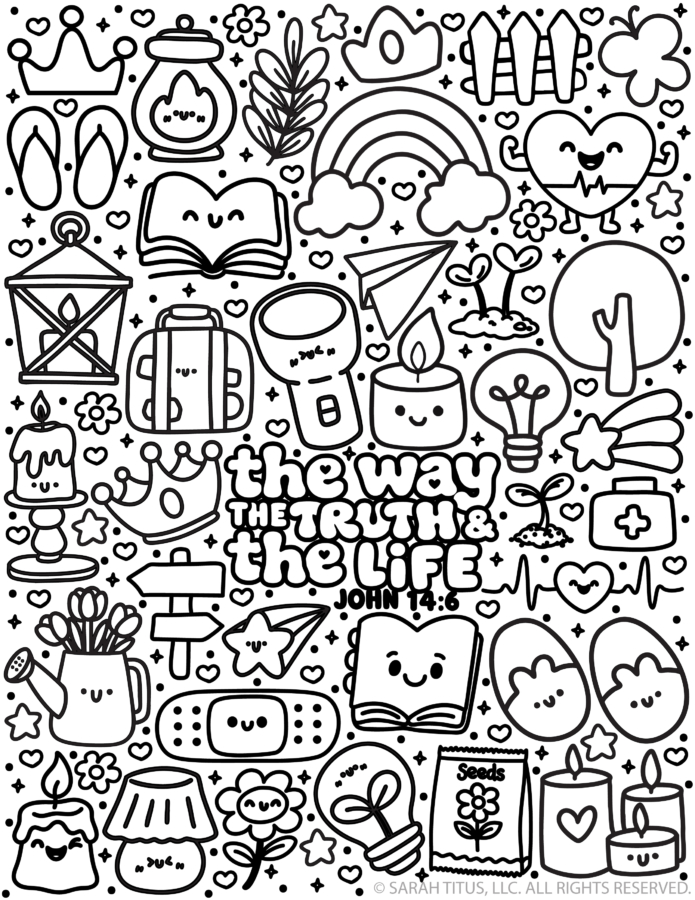
This super cute kawaii Bible verse coloring sheet is PACKED with adorable little doodles, happy faces, and meaningful illustrations that can help you teach the truth of John 14:6.
Jesus Is The Way Coloring Sheet
On this Christian kawaii coloring page, you’ll find cheerful images like:
Creative Ways to Use This John 14:6 Bible Coloring Page
The 3-Color Gospel Code
Turn this John 14:6 activity sheet into a secret color-code activity!
Choose three colors to represent the three statements Jesus makes about Himself.
The Way – Color all the images that represent the way blue.
The Truth – Color all the images that represent the truth purple.
The Life – Color all the images that represent the life pink (or green).
Once all the pictures are colored on this kawaii Scripture doodle coloring page, have children point to each group of illustrations and explain what they learned about Jesus. This turns a simple Bible verse coloring sheet for kids into a super cute and interactive John 14:6 Sunday school craft!
Create a 3D Scripture Masterpiece
Print two copies of the John 14:6 Christian doodle coloring page.
Color the first page completely. On the second page, color just a few special illustrations, such as the Bible, directional sign, lantern, and seed packet.
Cut those illustrations out and attach them over the matching pictures on the first page using little folded paper tabs or foam adhesive squares.
They’ll POP right off the page and make 3D art! 🎉
You could even use dimensional puff paint on the rainbow, hearts, and Scripture lettering to create extra texture.
Use as a Sunday School Scripture printable to keep little hands busy and hearts open to the gospel
A Faith-based doodle coloring page for Christian schools
Anytime you want to help kids memorize the verse: John 14:6
Glow-in-the-Dark Truth Challenge
Wanna make this Gospel of John coloring printable EXTRA special? Create a Jesus is the light doodle art!
Use a glow-in-the-dark marker on the lantern flame, flashlight, candles, stars, and the words in the center of the page.
After the paint dries and has been charged under a light, turn off the lights and watch the glowing details appear before your very eyes on this “The Way, Truth, and Life” Bible printable!
Then read John 8:12, where Jesus declares that He is the light of the world.
Talk about how a flashlight helps us see where we’re going in the darkness and how God’s Word reveals the truth to us.
What sets your printables apart?
• Other printables are either functional OR cute. I bridge the gap between the two. Since I’m a single mom and don’t have time to mess around and am a kid at heart, I love something that actually propels me forward and gets the job done quickly, while still having that super cute vibe I’m known for. • I’m a graphic designer FIRST. This means my printables, whether free or paid for, will always be of the highest quality and print crisp and clear on any printer. • I love what I do and I do the work myself. I’m not hiring these out. This is my life, my hobby, my passion, my heart. • My fans are obsessed with my work. To date, I’ve made over $23M on printables alone (organically) in the past 8 years.
Is this printable free to download?
Yes! Except for some large binders, all printables on the blog are 100% free for personal use. I make these because I genuinely want you to have something cute and helpful right now without having to spend a dime. You deserve a life that feels more peaceful, more organized, and more you, and if a simple printable can make your day feel lighter, I am so happy to give that to you.
All printables are for personal use only.
Printables, graphics, backgrounds, SVGs, fonts, and design elements on this site are for personal use only. You may not alter them or redistribute them for free or monetary gain without written consent from the author, Sarah Titus. If you want to share these resources with others, please share the link to the blog post. Teachers & Churches: You may share these with your classes, colleagues, and congregation as long as they are not edited in any way.
Can I use these printables for my classroom or church group?
Absolutely! You’re welcome to print as many copies as you need for your own students or church groups. I only ask that you do not edit them in any way (leaving the full copyright line in tact) or sell them or host the digital files on other websites. Please always link back to this post to share with others.
What’s the best way to print these high-quality printables?
• For best results, I recommend using standard 8.5″x11″ white paper. Since these are professionally designed as high-resolution PDFs, they’ll stay crisp and clear on any printer. To print, simply download the PDF to your device and open your printer settings. Select “Fit to Page” to ensure the printable looks perfect. • If you’re printing stickers, I have a tutorial here.
Google is working on a button to copy multiple links at once.
Engineers are exploring a button to copy URLs for all tabs in a group with a single click.
The one who proposed it says the feature could allow users to easily copy multiple source links at once and share them with an AI chatbot.
AI browsers have been cropping from the left, right, and center, and to keep up with intense competition, Google wants Chrome to feel as exciting as it did at launch. This is why Google is committing to delivering new Chrome features every two weeks, and one such feature could actually make researching and working with AI interfaces much easier.
Google is testing a new menu option that lets you copy multiple links at once. Based on a Chromium-related thread on Google’s Issue Tracker (via Piunika Web), Google engineers are exploring a single button to copy URLs for all tabs in a single tab group.
The five most common signs that your hard drive needs replacement are unusual clicking noises, slow performance, frequent crashes, missing or corrupted files, and repeated startup problems. If your computer shows these warning signs, especially more than one, your hard drive may be failing. A professional diagnostic can confirm the problem before permanent data loss occurs.
Your computer’s hard drive stores everything from family photos and important documents to business files and software. When it starts failing, the consequences can be frustrating, expensive, and sometimes irreversible. Unfortunately, many computer owners don’t recognize the warning signs until their files become inaccessible.
At PC Geeks in Frisco, TX, we understand how important a reliable computer is to your daily routine. Whether you’re working remotely, running a small business, or helping your kids complete school assignments, unexpected computer problems can bring everything to a halt.
Our team helps Frisco residents identify hardware problems, explore replacement options, and protect their valuable data. Knowing when to replace can save you time, money, and unnecessary stress.
5 Warning Signs Your Hard Drive Is Failing
Hard drives don’t always stop working without warning. In many cases, they show symptoms of deterioration before complete failure.
Recognizing these five signs can help you determine when it’s time to schedule a professional diagnostic or replacement.
1. Why Is My Computer Making Clicking or Grinding Noises?
Repeated clicking, grinding, or scraping noises can indicate mechanical hard drive failure.
Traditional hard disk drives (HDDs) contain moving components, including spinning platters and read/write heads. When these components malfunction, they may produce unusual sounds.
Common warning noises include:
Repeated clicking or ticking sounds
Grinding or scraping noises
Unusual buzzing or repeated attempts to spin up
Loud mechanical sounds accompanied by freezing or errors
Occasional normal operating sounds aren’t necessarily concerning. However, new or persistent noises, especially when combined with performance problems, deserve immediate attention.
What should you do?
If your hard drive begins making grinding or repeated clicking sounds, shut down your computer and seek professional assistance. Continuing to operate a mechanically damaged drive can make data recovery more difficult.
Keep in mind that solid-state drives (SSDs) have no moving parts, so they won’t produce mechanical failure noises.
2. Is a Slow Computer a Sign of Hard Drive Failure?
A computer that suddenly becomes extremely slow may have a failing hard drive, particularly when opening files or loading programs takes longer than usual.
While slow performance can result from insufficient memory, outdated software, or malware, deteriorating storage drives can also cause significant delays.
Watch for these symptoms:
Programs take unusually long to open.
Files freeze while loading or saving.
Your computer becomes unresponsive during routine tasks.
Startup times increase dramatically.
File transfers frequently stall or fail.
If these problems persist after basic troubleshooting, your storage drive may need attention.
For Frisco professionals who rely on computers for remote work, video meetings, and business operations, these slowdowns can significantly affect productivity.
What should you do?
Start by checking available storage space and closing unnecessary applications. If performance remains poor, PC Geeks can help determine whether the problem involves your hard drive or another component.
Replacing an aging mechanical hard drive with an SSD may also provide a noticeable performance improvement.
3. Why Does My Computer Keep Freezing or Crashing?
Frequent freezing, unexpected restarts, and system crashes can indicate that your computer is struggling to read information from its storage drive.
When a hard drive develops unreadable sectors or other hardware problems, the operating system may have difficulty accessing essential files.
You might notice:
Frequent blue-screen errors on Windows computers
Applications crashing unexpectedly
Your computer freezing during file transfers
Repeated system errors
Unexpected shutdowns or restarts
However, these symptoms can also result from faulty RAM, overheating, driver problems, or software conflicts.
That’s why professional diagnostics are important.
At PC Geeks, identifying the actual source of a computer problem helps prevent unnecessary hardware replacements.
If testing confirms that your hard drive is deteriorating, replacing it before complete failure can help protect your files and restore dependable performance.
4. What Does It Mean When Files Disappear or Become Corrupted?
Missing files, corrupted documents, and repeated file-access errors are serious warning signs that your hard drive may be experiencing storage problems.
Your hard drive is responsible for preserving the information your computer uses every day.
When storage sectors become damaged, certain files may become difficult or impossible to access.
Warning signs include:
Documents that suddenly refuse to open
Photos or videos displaying errors
Files disappearing unexpectedly
Repeated messages about unreadable data
Folders taking unusually long to load
These issues don’t automatically mean the drive is failing. Software errors, accidental deletion, and malware can produce similar symptoms.
However, unexplained file corruption should never be ignored.
What should you do?
If your files are still accessible and the drive is operating normally, back up important information immediately.
If you suspect physical damage or experience repeated read errors, avoid unnecessary file operations and seek professional help. Intensive troubleshooting can place additional stress on a failing drive.
For Frisco families and businesses, protecting irreplaceable photos, financial records, and important documents should always be the priority.
5. Why Is My Computer Having Trouble Starting Up?
Repeated startup failures, missing operating system messages, and warnings that a storage drive cannot be detected may indicate that your hard drive needs replacement.
Your computer relies on its internal storage drive to load the operating system.
When the drive begins failing, the computer may struggle to locate or read the files needed to start.
Common symptoms include:
Getting stuck on the startup screen
Receiving a “Boot Device Not Found” message
Seeing repeated automatic repair screens
Experiencing unusually long startup times
Receiving storage-related hardware warnings
Some computers also display SMART warnings.
SMART stands for Self-Monitoring, Analysis, and Reporting Technology. It monitors certain indicators of storage-drive health.
According to Backblaze, which analyzes reliability data from hundreds of thousands of drives, SMART information can help identify potential hardware problems.
Backblaze’s 2025 Drive Stats report recorded a 1.36% annualized failure rate across 344,196 analyzed hard drives. These figures reflect enterprise data-center conditions, not the expected failure rate of an individual home computer.
The takeaway is simple: Even reliable storage devices can fail, and monitoring their condition matters.
If your computer repeatedly struggles to start, professional testing can help determine whether you need a new hard drive or a different repair.
Should You Replace With an SSD?
For many computer owners, upgrading from a traditional hard drive to a solid-state drive is a worthwhile investment.
SSDs generally offer several advantages over mechanical drives:
Faster performance: Applications and operating systems typically load more quickly.
Improved durability: No moving parts means fewer mechanical components that can fail.
Quieter operation: SSDs operate silently.
Better efficiency: Many SSDs consume less power than traditional hard drives.
However, SSDs can still fail, so regular backups remain essential.
A professional technician can evaluate your computer’s compatibility, storage requirements, and overall condition before recommending an upgrade.
For many Frisco residents, replacing an aging drive can extend a computer’s useful life without requiring an entirely new system.
Frequently Asked Questions About Drive Replacement
How Long Does a Hard Drive Typically Last?
Many traditional drives operate for approximately three to five years or longer, depending on usage, operating conditions, and manufacturing quality. Age alone doesn’t determine whether replacement is necessary, but older drives should be monitored carefully.
Can a Failing Drive Be Repaired?
Some file-system or software problems can be repaired, but physical damage to internal hard drive components generally requires replacement. A professional diagnosis can determine whether data recovery is possible.
Will I Lose My Files If I Replace My Hard Drive?
Not necessarily. If your existing drive remains readable, a technician may be able to transfer your files to the replacement drive. However, successful data recovery cannot be guaranteed when a drive is severely damaged.
Is It Better to Replace My Hard Drive or Buy a New Computer?
If your computer is otherwise functioning well, replacing the hard drive may be more affordable than purchasing a new device. However, if your computer has multiple hardware problems or is no longer supported by current software, replacement may be the better long-term investment.
Need Hard Drive Replacement in Frisco, TX? Contact PC Geeks!
A failing hard drive can put your important files, productivity, and peace of mind at risk. Recognizing the warning signs early gives you a better opportunity to protect your data and avoid unexpected computer downtime.
Whether your computer is making strange noises, freezing unexpectedly, or struggling to start, PC Geeks is here to help Frisco residents find the right solution.
Our team can help diagnose storage problems, evaluate replacement options, and determine the best approach for protecting your important information.
If you’re experiencing signs of failure, reach out to PC Geeks for professional assistance. Contact PC Geeks Today to get help with hard drive diagnostics and replacement in Frisco, TX!
Ubisoft is planning even more layoffs in the latest of a string of job cuts this year. It plans to shut down its RedLynx studio and reduce its Germany-based workforce by about 100 workers, while Ubisoft Singapore is losing around a fifth of its 350 or so employees.
“Today, we informed our teams of a proposal to close RedLynx in Finland, subject to the local change negotiation process, which would affect up to 52 positions,” Ubisoft told GamesIndustry.biz. “At Ubisoft Singapore, 70 positions have been impacted to align the studio with upcoming production needs. The studio remains an important part of Ubisoft’s global production organization. We deeply value the contributions of both teams and recognize the impact this may have on our colleagues. We are committed to supporting our teams throughout this process and conducting it with care and respect.”
Both RedLynx and Ubisoft Singapore have been providing support to other Ubisoft studios in recent times. They were placed in the Creative Network division as part of a restructuring the company announced last year.
Ubisoft snapped up RedLynx, the creator of the Trials series, in 2011. The company laid off dozens of the studio’s workers a year ago. The last game of its own that RedLynx developed was a decoration and puzzle title for mobile devices called Gwen’s Getaway. The game had a soft launch in 2023 but Ubisoft canned it just over a year later.
Ubisoft Singapore initially opened as a support studio in 2008. Its work on naval combat in Assassin’s Creed games led it to making the Skull and Bones. That game finally arrived in early 2024 after many delays and, despite its protracted development, it hardly set the world alight.
Separately, Stephen Totilo’s GameFile reports that Ubisoft plans to reduce its workforce in Germany by about 100. The company currently has over 600 employees spread across three studios in the country. Mostly focused on supporting the development of larger games, the German studios have also led development on recent The Settlers and Anno games, with its Mainz studio responsible Anno 117: Pax Romana in 2025. According to Totilo, the company will be offering voluntary buyouts to staff, and hopes to avoid having to directly lay anyone off.
Fast-moving sports and outdoor events demand cameras that can keep up with the action. The Panasonic AW-UR100 outdoor PTZ camera combines professional 4K video quality with a design built for outdoor production. Supporting 4K60p recording-quality video capture, the AW-UR100 delivers smooth motion and detailed images, making it well suited for covering sports fields, stadiums, and outdoor performances. For livestreamers, sports production crews, and event videographers, the AW-UR100 offers a way to capture professional-quality outdoor video while maintaining the flexibility of remote PTZ camera operation.
What happens when developers who have spent decades working with Visual Studio start rethinking how they write code, learn new skills, and expand their access to development tools?
At VSLive! San Diego, we had an opportunity to find out as developers gathered for five days of technical sessions, hands-on learning, and conversations about Visual Studio, .NET, AI, cloud, data, and modern application development.
One of the most interesting things we heard in San Diego was how readily experienced developers are adopting new tools and workflows.
GitHub Copilot is part of that story, and developers aren’t limiting themselves to a single AI experience. They’re building broader, more differentiated tool kits. But they aren’t necessarily replacing familiar tools. They’re expanding how they work, choosing different experiences depending on the task, and finding new ways to solve problems.
This is why events like VSLive! provide such an amazing opportunity for developers tackling these kinds of changes. Not only do they get to learn from expert led sessions and hands on labs, they get to learn from each other.
AI is changing how developers approach unfamiliar problems
One of the best parts of this event was being able to explore how developers learn new technologies and work through challenges.
AI is increasingly becoming an early step in that process.
Developers are using AI to research unfamiliar topics, understand existing code, troubleshoot problems, and explore possible approaches before deciding what to try next.
But they aren’t relying on AI alone.
They still move between documentation, technical videos, sample code, and hands-on experimentation to develop a deeper understanding of what they’re building. And a significant number ofparticipants shared that hands-on learning was a preferred way to learn.
That stood out to me.
Even as developers adopt AI-assisted workflows, they continue to value opportunities to work directly with technology, test ideas, and understand how things behave. AI may help developers get started faster. Experimentation helps them decide what to do with what they’ve learned.
The suite of benefits offered through a Visual Studio Subscription complements this developer journey, not only by providing significant discounts at VSLive! events, but also through access to learning paths, Azure credits, certifications, and hands-on labs.
More generated code means more to evaluate
Another interesting observation was how AI is changing the work that happens after code is written. Developers told us AI helps them produce code faster, but that doesn’t necessarily mean they’re spending less time on development.
Instead, they’re spending more time reviewing and validating generated code. Does it work as expected? Does it fit the architecture? Is it secure? Can someone maintain it later?
These questions have always mattered. AI-assisted development makes them even more important as developers evaluate code they may not have written themselves.
AI can accelerate development, but developer resourcing and judgment remains essential.
Time is still the biggest obstacle to learning
With so many learning resources available, you might expect developers to struggle with finding the right information. But our conversations with developers at VSLive! San Diego signaled that the biggest barriers to learning new skills are time and the pace of technological change.
Sometimes developers need a quick explanation to move forward. Other times, they need a course, a technical session, a community, or an environment where they can experiment.
That helps explain why the flexible learning environment at VSlive! matters now more than ever. And it’s another reason Visual Studio Subscription benefits remain valuable. They aren’t just about the software developers use today. They can also help support the technologies and skills developers want to explore next.
Let’s keep the conversation going
What stood out most from San Diego was the combination of experience and curiosity. We met developers who have used Visual Studio for decades and are actively exploring how AI can change the way they build software.
They’re adopting new tools, reconsidering familiar workflows, and looking for more opportunities to experiment. And they’re helping us better understand what developers need as those workflows continue to evolve.
That’s why the conversations we have at events like VSLive! matter. They give us a chance to hear directly from the people using our tools and help us better understand where we can improve.
If you’d like to continue learning and connecting with the developer community, join us at future VSLive! events:
Thanks to everyone who joined us in San Diego, and especially those who shared their experiences and ideas. The tools developers use are evolving quickly. Hearing how developers are adapting helps us understand what we should build and improve next.
Microsoft says it has dismantled a criminal marketplace responsible for 1 billion malicious messages.
Working with international authorities and several tech and cybersecurity companies in a nearly year-long investigation, Redmond identified and took down Yam Store, a coordinated underground network dealing in commercial phishing-as-a-service (PhaaS).
The network allowed cybercriminals to readily purchase, and very quickly deploy, pre-made kits they could use in phishing attacks to steal data and credentials.
Microsoft said the takedown began as a simple investigation based on a tip from Japanese authorities.
“Working together, and with the assistance of AI tools, we connected accounts, websites, and infrastructure that initially appeared unrelated, helping expose the broader criminal marketplace behind them,” Steven Masada, associate general counsel and GM for Microsoft’s Digital Crimes Unit, wrote in a blog post. “What appears to be a simple scam message is often the visible end of a much larger transnational cybercriminal operation.”
The evolving PhaaS marketplace
Collectively, YAM Store and the kits and tools sold within it enabled the sending of more than 1 billion messages to 75,000-plus organizations worldwide. More than 750 million of those were sent to Microsoft customers alone, and ultimately generated “tens of millions of dollars” for criminal operators.
Investigation into the marketplace began in late 2025 after Japan’s National Police Agency (NPA) notified Microsoft of “a wave of fraud and scam activity” targeting people and businesses in Japan. Researchers expected to find multiple individual campaigns; instead, they discovered a “sprawling Chinese-language cybercrime marketplace.” The probe expanded globally and involved the efforts of several other law enforcement agencies, as well as companies like Resecurity, Cloudflare, Oracle, Proofpoint, and TRM Labs.
The YAM Store served as an initial access broker (IAB), operating much like an online marketplace; in this case, the merchandise was fraudulent Microsoft and Google accounts and other ready-made tools used to carry out scams like credential and data theft. Customers could browse, compare prices, and make purchases. Available tools were arranged based on age and subscription and environment types (like .edu or .org sites).
In some cases, criminal operators were able to register internet domains that legitimate organizations had allowed to expire, then rebuilt them to appear active. They targeted specific sectors (like non-profits or education) to fraudulently obtain Microsoft 365 accounts to later sell through the YAM store.
The researchers discovered that the YAM Store evolved as different kits became available, and identified three popular PhaaS kits: Iron Man System, CoGUI, and Haozi.
The newer Iron Man system came to the fore in mid-2026. It provided pre-built lure pages capturing any victim-submitted data. The lure sites impersonated healthcare providers, police departments, government agencies, postal and courier services, toll and transportation authorities, tax agencies, banks, telecoms, and retailers. Through test purchases and intelligence work, investigators discovered more than 2,300 templates impersonating organizations across more than 150 countries.
Iron Man effectively expanded the PhaaS model by giving criminals access to thousands of ready-made templates tailored to specific industries, languages, and regions. Masada noted that many “used the appearance of official authority to pressure victims into making payments or disclosing sensitive personal information. Instead of creating fraudulent websites themselves, criminals could quickly deploy pages designed to steal passwords, payment information, and other personal data.”
The kits were also equipped with advanced evasion techniques such as geofencing, fake CAPTCHA gates, IP address blocklists and allowlists, and anti-detection configurations.
Masada emphasized that, while an organization or government entity may have been presented among the template offerings, it does not indicate that its systems were compromised.
However, members of the Microsoft Threat Intelligence and Microsoft Digital Crimes Unit wrote in a blog post, “the scale and proliferation of this ecosystem demonstrate how readily available criminal infrastructure can lower the barrier to entry, enabling less skilled cybercriminals to target organizations at scale and contribute to fraud losses.”
The importance of cyber hygiene
In nearly all observed cases, phishing lures presented “prescriptive scam red flags,” Microsoft researchers explained: Urgency and time-sensitive tasks.
They advised that users have a basic understanding of common phishing techniques and should be educated to always verify with the purported sender before clicking a link supposedly taking them to a login page, even when the task involves signing in to a known, secure account.
Beyond this, they said, sign-in prompts should clearly identify the application being authenticated to. In Microsoft Azure interactions since 2021, for example, users are prompted to “cancel” or “continue” at login, but this is often missing from phishing sign-ins, the researchers noted.
Hardening credentials and cloud identities is also necessary to defend against phishing attacks; the researchers suggested an initial step of passwordless tools like passkeys and multifactor authentication (MFA) across organizations.
“Invoke the principles of least privilege and zero trust to significantly slow down threat actors who might have been able to gain initial access and buy time for defenders to respond,” the researchers noted. These steps can help lock down global administrator roles in particular.
They also advised additional actions including the use of the Microsoft Authenticator app for passkeys and MFA; configuration of the Microsoft Defender for Office 365 Safe Links policy to apply to internal recipients; complementing MFA with conditional access policies; and only allowing MFA and passkey registrations from trusted locations and devices.
A great travel photo becomes wall art when it is printed at the right resolution, with accurate color, on sturdy canvas from a printer that shows a proof before production. Whether you’re browsing the best canvas prints online or planning wall art from photos of your last trip, those three checks matter most.
Here’s how to choose well and display your memories with confidence.
Why Travel Photos Make Standout Canvas Wall Art
Travel photos are made for canvas. Most have one strong subject, such as a mountain ridge, a harbor at dusk or a famous landmark, and that clear focal point reads well from across a room. Canvas has a soft, woven texture that flatters scenery in a way glossy photo paper often can’t. It also has no glass in front, so there is no glare when you hang it in a bright, sunlit space. If you want to turn photos into canvas art, travel shots are an ideal place to start. Even a single piece of travel canvas art can make a room feel like it holds a story.
What to Look for in the Best Canvas Prints Online
1. Resolution That Holds Up at Large Sizes
Resolution decides whether a photo looks sharp or soft once it’s enlarged. Travel photos taken on older phones, or zoomed in from far away, can lose detail quickly at bigger sizes. That matters most for large canvas photo prints, where every pixel is stretched. As a simple rule, the bigger the canvas, the more detail your file needs. Before ordering, check whether the printer states a minimum resolution or warns you about a low-resolution upload. A clear warning at upload is a good sign the company cares about the final result, and it can save you from an expensive disappointment.
2. Color Accuracy for Landscapes and Skies
Ocean blues, sky gradients and green foliage are among the easiest colors to misprint. Shots like these can turn out too warm or look flat. Travel lighting also varies wildly, from harsh midday sun to blue-hour dusk, so a printer needs to handle a wide range. Good canvas printing keeps those tones true to what you saw. To verify, look for sample prints or customer reviews that show accurate blues and greens, ideally on landscapes similar to yours. Photos of real customer prints tell you far more than polished marketing images. Skies at sunrise or sunset are especially worth checking, since subtle gradients can band or shift when color handling is poor.
3. Canvas Material and Finish
The canvas itself shapes how your photo looks and how long it hangs flat. A heavier fabric reads better at the larger sizes travel photos often call for, and the finish changes the mood. Matte tends to feel calm and reduces reflections, while a textured finish adds a painterly quality. Larger canvases also need a solid frame behind the fabric to stay taut over time. When comparing canvas photo prints, check that the printer states the fabric weight and offers a finish choice instead of one default.
4. A Free Digital Proof Before Printing
A proof shows exactly how your crop and color adjustments will look before anything goes to production. For a once-in-a-lifetime shot, catching a problem beforehand is far better than discovering it on a finished canvas. Check whether the site shows a digital proof of your exact crop, and whether it’s free. Reliable photo prints on canvas should never leave you guessing about the final result. A proof also lets you fix a tilted horizon or a distracting edge before it’s permanent.
5. Sizing Options for Panoramic and Wide Shots
Many travel photos, like wide landscapes and city skylines, don’t fit a standard square or 4:3 frame. Forcing them into one can crop out the best part of the scene. Among canvas prints online, look for printers that offer non-standard or panoramic aspect ratios. Browse the available size list before you upload, so you know your photo’s proportions are supported. Panoramic canvases also make dramatic statement pieces above a sofa or bed.
Best Canvas Layouts for Travel Photos
A Single Hero Shot
One standout image, printed large, is often all a wall needs. It works especially well for canvas prints from pictures of a dramatic landscape or landmark. Choose your sharpest, best-lit photo and give it space, so nothing competes with it. A simple, uncluttered wall lets the scene do the talking.
A Panoramic or Split Canvas
A wide vista deserves a wide format. A panoramic canvas keeps a skyline or coastline intact, while a split canvas spreads one image across several panels for a modern look. Both are popular ways to create wall art from photos that feels bigger than the room. Just make sure the source image is high enough in resolution to be divided.
A Trip Collage Canvas
A collage gathers several photos from one destination into a single piece. It suits a honeymoon, a family road trip or a long weekend abroad. Personalized canvas prints like this let you mix wide scenes with close details, such as a market stall or a street sign. Keeping a consistent color tone across the photos helps the layout feel cohesive.
Frequently Asked Questions
What Resolution Do I Need to Print a Travel Photo on Canvas?
As a general guideline and common industry figure, not a Great Canvas Prints requirement, around 150 pixels per inch or more at your chosen print size works for many photos. Closer viewing calls for higher. Larger canvases need more pixels, so check the printer’s own minimum guidance before uploading.
Can I Print a Panoramic Travel Photo on Canvas?
Yes, provided the printer supports wide aspect ratios. Panoramic photos print well on canvas and look striking as a long horizontal piece. Confirm the sizes available first, so your image isn’t cropped or forced into a standard shape.
How Do I Choose the Best Canvas Prints Online?
Compare printers on resolution guidance, color accuracy, canvas quality, free digital proofs and panoramic size options. Read reviews that include photos of real prints. A company that shows you a proof before printing is usually one you can trust with your memories.
What Size Canvas Works Best for a Single Travel Photo?
It depends on your wall and viewing distance. Larger canvases suit focal walls above a sofa or bed, while smaller ones fit shelves and narrow spaces. Check the sizes the printer offers, and match the canvas shape to your photo’s proportions.
Design platform Figma announced a new Markdown-based editor to help define a company’s design, bring in design and code libraries, and integrate with the Payload headless content management system during the company’s first Config event in India. Through some of these features, the company aims to provide a definition for its own and third-party agents to adhere to a brand’s design rules better while creating with AI.
The company debuted a new feature called Figma Specs, which is a markdown editor that lets users define their design language in a simple way. The document can serve as a reference for teams and agents while designing in Figma. Specs can exist as a standalone file in Figma or can co-exist within the canvas. Apart from acting as a text editor, users can reference other Figma elements, such as elements on the canvas and embed FigJam diagrams, code layers, and designs.
What’s more, teams can bring in more context about design, including design libraries, code libraries, and guidelines to manage context for the design system. Agents can also refer to this centralized system to adhere to rules.
Image Credits: FigmaImage Credits:Figma
In the past week, the company made its agent on canvas available to a wider user base. However, given the non-deterministic nature of AI, the company is providing tools to steer it towards more predictable outcomes.
Figma also made its code layers feature, which adds coding to designs on canvas for more interactive prototypes. The company announced this feature in private beta back in June. At its India event this week, the company is making the function available in public beta to let more users test it out. Users can also ask the agent to turn a design into code or change a part of the code to iterate on a prototype.
Image Credits: FigmaImage Credits:Figma
“We see Figma as the place where software teams come to decide what they build and ship. And so for that, I think one of the key things to keep in mind about what AI has changed and what it made available is the ability to build,” Figma’s chief design officer Loredana Crisan told TechCrunch. “There are 17-times more lines of code being produced today than in the past. But when you’re looking at releases, only 1.3-times more releases. A lot of that code actually is not necessarily built to ship, but really built to discover what the product is. It’s built to design.”
The company said it is also supporting over 20 new tools with its MCP, including Open Code, Dia, Grok Bot, and Indian AI startup Sarvam.
Last year, Figma acquired open-source headless CMS Payload. Now, the company is integrating it with its Figma Make product for generating dynamic websites and directly managing content. The company said that Payload’s downloads have increased sixfold in the last 12 months.
The company opened its first office in India late last year with sales, partnership, go-to-market, and product support functions. Figma said that the country is its biggest market in terms of users outside the United States. The company noted that the platform works with 40% of India’s top 100 companies listed on the Bombay Stock Exchange.
When you purchase through links in our articles, we may earn a small commission. This doesn’t affect our editorial independence.