I’m particularly excited for this weekend, it’s my Wife and I’s 14th anniversary and we’re going away for a couple days sans kids! Time to relax, go for a nice dinner, and have an adventure together at a spa resort.
Thinking back recently to when we were first married reminded me of a common issue for designers when pulling from legacy/dated files, especially those new to the industry or working alone/in small teams. If you’ve ever gotten a new project and thought “I’ll just copy/saveas this old detail or entire drawing to start my new drawing…”
10 minutes later, my “New” clean project has 25 outdated layers, two old plot styles, a bunch of exploded blocks and even a viewport I didn’t need 🤦♂️.
That’s when we need to remind ourselfs, there’s a right way to do this. And if you’re like me, juggling multiple clients, standards, and legacy files, this week’s tips are going to save your sanity (and your layer manager).
💡 Quick Tip: Transform and Standardize Layers instantly!
When working with old legacy drawings or client-provided files, it can be a pain to combine their layers into our nicely organized standards.
Thats where the LAYTRANS (Layer Translator) command comes in. In just a few minutes, you can use LAYTRANS to map old layer names to your current standards, instantly moving all of the old objects, linework and text onto new designated layers and properties in one easy to use dialog box.
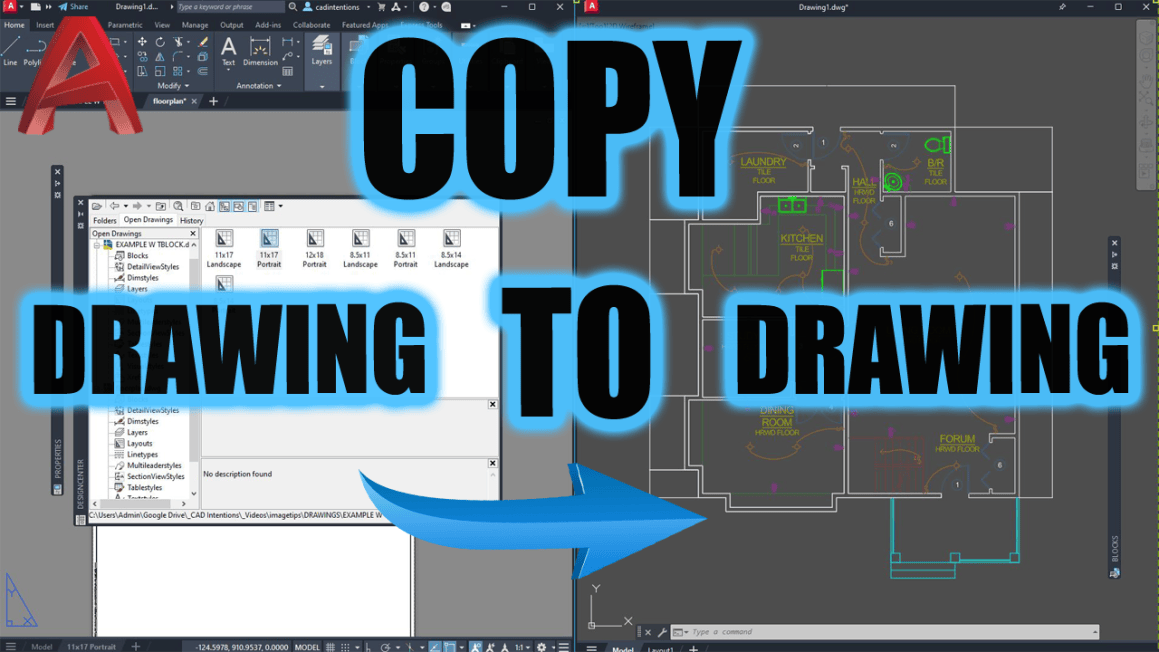
In today’s new video, I show you how to stop using messy workarounds and start using real productivity tools built right into AutoCAD when you need to copy or start from an old project drawing or simply want to save time by copying layouts, layers or blocks from another file.
You’ll learn:
The right way to reuse title blocks, details, and layouts
How to avoid importing messy layers and styles
Secret pro commands like LAYTRANS and ADC that I use daily
Click here to watch now This is a must-watch if you’re tired of cleaning up your drawings every time you re-use something.
Tool of the Week: Blackshark.ai
High-resolution 3D environments, from the creators of Microsoft Flight Simulator.
If you’re in civil, infrastructure, or site planning, this one’s wild.
Blackshark.ai lets you import accurate 3D context (roads, terrain, buildings) into your design environment using satellite and map data. It’s great for:
Conceptual renderings
Client presentations
Real-world design reviews
You’ll look like you spent weeks building a model—when you actually just imported it.
Check out: https://blackshark.ai
If you haven’t yet, check out my full AutoCAD Fundamentals & Workflows Course — it’s helped thousands of drafters and engineers level up their career and speed up their drafting by hours every week.
That’s it for this week! Let me know how you re-use old drawings, blocks and templates to save yourself time!
Cheers and happy drafting, Brandon
P.S. If you’ve got a colleague you know is going to SaveAs an old drawing and completely mess up a standard, forward this email or send them a link!
They’ll thank you later.
The following two tabs change content below.
Brandon is a Civil Designer, Aspiring Blogger/Creator, Husband, Father to two Amazing Kids and Tech Aficionado from a small town in Canada. He has been obsessed with design and technology since he can remember and working as a Civil Designer for nearly as long. Brandon’s blog and Youtube channel, CADIntentions.com has been his outlet and excuse for keeping up with new tech and trends in the CAD design world for the last 10 years growing to more than 60,000 subscribers and over 15,000,000 views, while also being the source of many great friendships and unique opportunities.
If you would like to Sponsor CAD Intentions or Work together in some way, Please visit my About Page and send me an email: http://cadintentions.com/about-me/
A new beginning for Windows PCs starts tomorrow with the launch of NVIDIA RTX Spark — one PC built for creators, gamers and AI agents. All are invited to celebrate with NVIDIA and partners at launch events around the world.
Share Your Spark
Every PC has a story. What was your first Windows PC, and what did it spark a love for? Join the celebration online by sharing responses with #ShareYourSpark for a chance to win an ASUS ProArt P14 RTX Spark laptop signed by NVIDIA founder and CEO Jensen Huang. See the campaign and official rules.
See What Reviewers Are Saying
From local AI workflows to creative apps and gaming, see what reviewers are saying about RTX Spark — then experience it at a launch celebration.
“The fact that NVIDIA, Microsoft and their partners have delivered such a capable, compatible and polished platform even in its first at-bat should put the rest of the PC industry on notice.” — Tom’s Hardware
“I tested NVIDIA’s RTX Spark for gaming and local AI – the performance absolutely stunned me.” — TrustedReviews, UK
“I’m very happy to report that performance is actually looking really good when it comes to AI, gaming and creative workflows.” — Microcenter
“[RTX Spark] is a different species of computer that has arrived early. It is a statement of intent from NVIDIA about where computing is going — trading raw benchmarking crowns for the ability to carry a self-rewriting, fully autonomous, CUDA-accelerated digital brain in your backpack.” — Tom’s Guide
“One of the most impressive parts of the launch is how many apps NVIDIA has worked with to ensure optimisation with the Spark technology.” —Creative Bloq
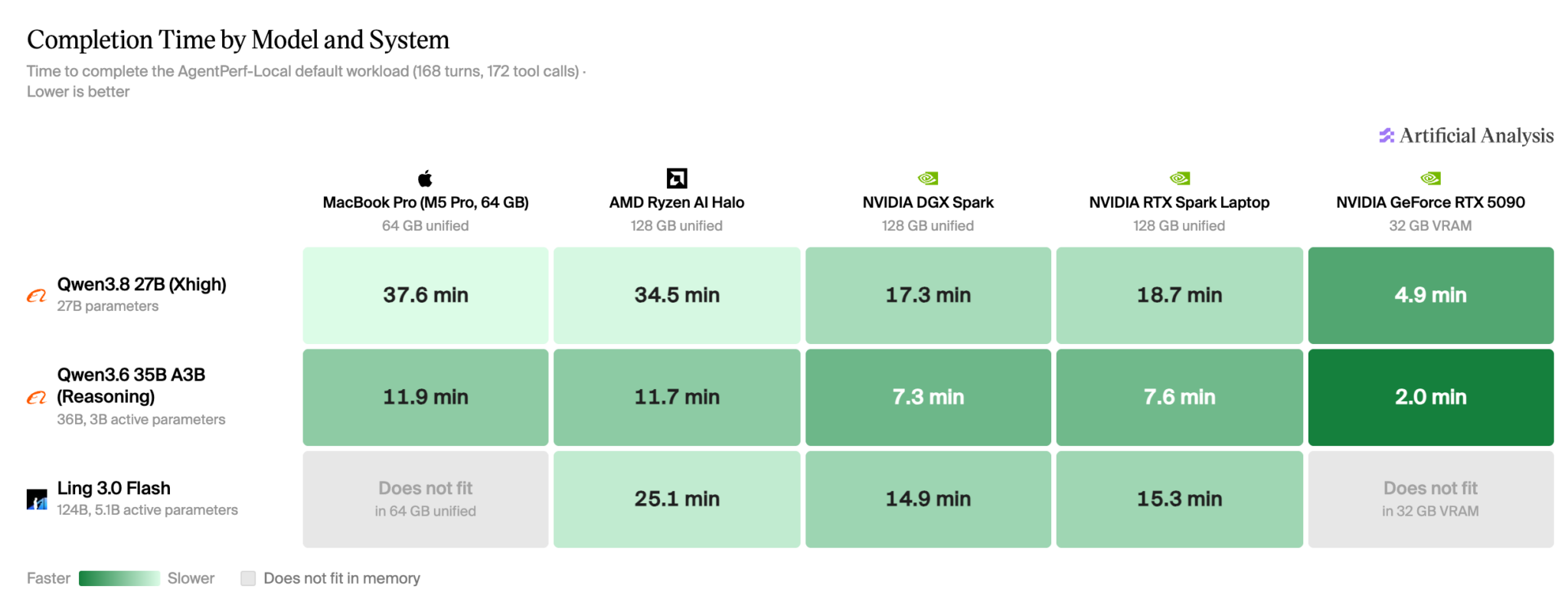
Independent testing from Artificial Analysis offers an early look at the powerful local AI performance RTX Spark brings to a laptop.
Join the Launch Celebrations
On Friday, Oct. 16, get hands on with RTX Spark at launch events around the world. Explore demos for creating, developing and gaming, connect with fellow enthusiasts and discover what local AI can do.
Times below are local. Follow each event’s entry instructions. Space is limited.
San Francisco — Best Buy, 1717 Harrison Street, 10 a.m.-12 p.m. Try hands-on demos, meet iJustine and hear fireside conversations with local tech founders. Free, first-come, first-served entry; no ticket required. Event details.
Berlin — Xperion at Saturn, Alexanderplatz 3, 7-10:30 p.m. Explore hands-on demos and stage programming with creators and developers. Registration required. RSVP.
Taipei — Muse Garden, No. 88 Yanchang Road. Join an evening of demos, music and AI community discussions, with shopping and networking continuing until 10:15 p.m. Registration required.
Beijing — JD MALL Beijing Shuangjing Store, No. 31 Guangqu Road. Check in begins at 7 p.m. Launch celebration starts at 8 p.m., followed by hands-on demos. Event concludes at 9:30 p.m. Register through WeChat.
Istanbul — Vatan Bilgisayar Topkapı, Mevlana Caddesi No. 138. Explore hands-on demos and local creator programming. Walk-in entry; no advance registration required.
Seoul — COEX East Lobby, 513 Yeongdong-daero. Hands-on demos begin at 7 p.m., with gaming and AI creator programming from 8 p.m. Event concludes at 9:30 p.m. No advance registration required.
You’re Using Music Wrong in your Videos (here’s how to fix it)
Selecting the right music to fill the background of your videos, or to add moments that enhance the emotion you are trying to evoke, can be a tricky process.
On top of this, music selection is probably one of the more tedious tasks any video editor has to endure!
Choosing b-roll footage is far more straightforward because you can tell at a glance as to whether the footage is suitable, or not.
Not so with music because of two factors that drag out the process.
The first of these is that the search functions on most music download sites are absolutely terrible, with all sorts of music categorized and indexed very, very badly.
The second is that once you get to what you believe to be the right genre or style, you have to wade through mountains of music to find what you are looking for.
Doing that involves waiting for the track to load, listening to enough of the track to get an idea of how the piece is going to play out, and then decided if you want it or not.
Lather, rinse and repeat over and over until you get to the right one.
There is no way I know of to lessen this pain, but what I do know is that the best way to approach it is have a very clear picture in your mind as to what you are really looking for, and stick to that plan.
These Simple Changes Will Make You Look PRO on Video
At a surface level, the average talking head video looks to be a pretty simple style to pull off effectively.
However, if you have watched any amount of videos produced in this style you may have noticed that some tend to seem more engaging than others.
This video covers some of those reasons, and the simplicity of the actions you need to take to get it right will surprise you.
None of these tips are in any way extreme or dramatic in their implementation.
They are just a collections of little tweaks that can make all the difference between holding an audience or having them drift off and click away.
Overview of PowerDirector Screen Recorder
Back in the bad old days in order to record your computer screen to video, you had to fork out some serious money for specific software to do that!
From memory I think the really good ones used to run at around 200 US dollars or more!
At some point many of the popular video editing programs began to include a free screen recorder, and although they were pretty basic, they got the job done.
Recently a few of the bigger video editing programs have updated their screen recorders mainly due to the demand for more flexibility in what you can do with them.
PowerDirector did this quietly a while back but at the time no-one really paid particular attention to it.
This week Sharper Turtle has taken up the challenge in response to a viewer question, and it’s well worth taking a look.
These days the PowerDirector screen recorder is definitely not your grandpa’s screen recorder!
Basic Training with Adobe Premiere Elements 2027, Part 2 of 8
This week we move on to Part Two of the Adobe Premiere Elements 2027 basic training from Steve Grisetti.
Now that the new generative AI features and basic user interface layout have been covered, we move on to starting an actual project!
Importantly Steve demonstrates how to correctly set up your new project so that everything that follows, goes smoothly.
How to Make a Paper Rip Transition – Movavi Ideas
Last week I posted an update on the recent release of Movavi 2027 and their new feature using Templates and Blocks.
In a nutshell, templates are presets that have all the component necessary for a complete project you can use for your own.
All you have to do is add your footage or any other assets and you are done.
Blocks are preset sections that can be added to any template or project and again, they are fully formed and all you do is add your own footage etc.
In this demo from the folks at Movavi you can get a real feel for how easy it is to create completed sequences using Blocks as part of a project.
Filmora 16 Review: Hand-on All New Features of Wondershare Filmora 16
Over the past few weeks a few of the major video editing app have updated to the versions they will be carrying through to the end of the next upgrade cycle in late 2027.
The latest one is Filmora from Wondershare moving from the version 15 series up to Filmora 16.
As is usually the case, Wondershare themselves have created a bunch of videos highlighting the new or improved features in this new version.
The problem here is that those videos do not really show in any real sense, exactly how and why these features exist.
They are strictly exercises in marketing, showing off lots of bright shiny things designed to make us all want to go out and upgrade immediately.
I tend to keep away from all of that and go for something a little more realistic.
So with that in mind, here’s a video from Jacky covering all that’s new and improved from a far more realistic perspective.
6 CapCut Text Tricks That Make You Look Like a Pro Editor
Another text tutorial for this week from Dina and Agnes, only this time a slightly different take on it.
In this weeks video they go quite deeply into the subject of positioning and animating text graphics on the screen.
They cover techniques like placing the text behind the subject, angling the text to match the lines in the image, 3D text and much more.
Just bear in mind the old rule for when it comes to advanced effects in any video editor which is: Just because you can, doesn’t mean you should!
How to Film Yourself When There’s No One to Help You
I see a lot of online videos, especially of the short form variety where someone just grabs their phone and starts talking.
As a result they end up creating a video that is just a bunch of jump cuts stitched together, and often you can see them thinking about what they are going to say next.
This is an instant retention killer because the key element of communication with the audience has been lost.
This video seeks to eliminate that by covering camera position, how to check your own frame without a crew, B-roll that works all from the perspective of working alone.
It shows what doesn’t work and why, and a beginner version you can do today with a phone and a tripod.
Fix Bad Audio in Fairlight – DaVinci Resolve 21
In this next video Jason Yadlovski gives a very comprehensive walkthrough of correcting various types of audio problems in DaVinci Resolve.
The strategies he covers do not necessarily require that you have the Studio version of Resolve so anyone can follow along using the free version.
As a side note here: Even of you are not using DaVinci Resolve as your video editing app, this tutorial provides the fundamental knowledge you need to correct and improve any of your own audio tracks.
Master Cinematic Lighting In 20 Minutes
OK! So let’s not get too fooled by the clickbaity title of this entry on cinematic lighting!
The idea that you are going to be producing Hollywood standard footage by applying the techniques in a twenty minute tutorial on lighting is a bit unrealistic.
However what I do know is that one of the key elements in getting your footage to look as good as it can, is by understanding how to use light to your advantage.
So after watching this tutorial, will you be able to walk on to a Hollywood set and get the lighting right?
Absolutely not!
Will you improve your shots as a result of using this information?
Probably.
How to Make Clean & Professional Motion GFX for Your YouTube Videos – DaVinci Resolve Tutorial
I see a lot of videos these days that display quite a professional standard of both shooting and basic editing skills.
I think that’s because of the availability of recording devices like smartphones, and the fact that storage media lets you just delete mistakes and shoot again.
Similarly, access to reasonably well equipped editing software for post production has also become way easier than in the past.
So if there is one thing I see more often than not that drags the quality of a video down, it has to be graphics.
The problem with video graphics is that it requires two distinct skill sets to pull off successfully.
The first is an understanding of how to design graphic elements in a way that communicates effectively to an audience without being a visual distraction.
The second skill is understanding how to physically create those graphics inside the video editing software you happen to be using.
What I most often see is graphics design and implementation that is way too complicated than necessary.
The result of this are graphics that either fail to communicate or are so distracting that they interfere with the viewing experience.
In the linked video Casey Faris takes us through some simple graphics design and creation that keep things uncomplicated and to the point.
Key Takeaways
Selecting the right music for videos is challenging due to poor search functions and lengthy decision-making processes.
Making simple changes can significantly enhance the engagement of talking head videos.
PowerDirector has updated its screen recorder, making it more flexible and user-friendly than before.
The article covers various video editing tutorials, including training for Adobe Premiere Elements 2027 and creating motion graphics in DaVinci Resolve.
Overall, the article highlights easy fixes and tools to improve video quality and editing skills.
For decades, the unwritten rule of venture capital was that a firm doesn’t back two companies that compete head-on. But speaking at TechCrunch Disrupt earlier this week, the partners of Benchmark readily acknowledged that the AI boom is straining that rule.
It’s been on the verge of snapping for some time. The towering AI labs OpenAI and Anthropic share dozens of the same investors at this point. Then, at the end of September, Factory, a startup that builds an AI agent to write software, said it was firing board observer and adviser Chris Degnan for “unethical conduct involving Cognition,” its direct rival and the maker of the Devin coding agent. Factory’s CEO alleged Degnan had discussed a job at Cognition while privy to Factory’s board-level discussions. Degnan said he had already resigned and denied sharing anything confidential. Soon after, he announced he was joining Cognition as chief revenue officer. Powerhouse investor Vinod Khosla sided with Degnan on X, blasting Factory’s CEO and calling the company “a struggling second tier competitor.” Khosla Ventures backs both companies.
Even Benchmark, a firm whose reputation rests on 10-to-15-year partnerships with founders at the earliest stage, said the old rule can no longer be counted on. Asked at Disrupt whether the pact against backing rivals still holds as portfolio companies expand into each other’s territory, its partners described the conflicts as a matter of necessity, not preference.
“The harsh reality of this world is every company is evolving very quickly,” said Eric Vishria. Companies pivot and change, he said, and “you are going to get conflicts, and that’s just the reality of the current dynamic.”
Vishria said Benchmark stays committed to each founder and keeps what it learns confidential, and he downplayed how much a VC could pass along anyway: “We are not product or technology experts.” Seemingly referring to the Factory-Cognition dispute, he said Benchmark has been fortunate not to land in “that type of insane direct conflict.” Exclusivity, he said, remains “really important” at the very early stage Benchmark favors. “But things are evolving. There’s no doubt about that.”
Chetan Puttagunta said AI is accelerating the problem. As the cost of building software “effectively goes to zero,” he said, founders are “incredibly ambitious.” Because they now see a “surface area” and want to claim all of it, he continued, “[i]t’s probably going to happen more, where you start to run into each other.”
He drew a line between a direct competitor at the outset, which he called “an easy answer,” and a portfolio company that expands into another’s turf over time. “That happens,” he said.
Peter Fenton called the issue “kryptonite” and the firm’s toughest problem. He described a spectrum of how investors relate to their companies. At one end is the co-founder, who would never work on a competing company. At the other is the public-market stock picker, who can own several rivals because he is merely allocating capital, not shaping any of them. Benchmark sits nearer the co-founder end, Fenton said, and treats transparency as a golden rule. “There shouldn’t be the surprise after the fact.” If a conflict does emerge, a founder should never feel shortchanged, he added.
Benchmark isn’t declaring the pact dead. At the same time, when a firm that built its name on loyalty says conflicts are coming, founders might rightly wonder who else will be this candid.
When you purchase through links in our articles, we may earn a small commission. This doesn’t affect our editorial independence.
Offers checked October 14, 2026, Pacific Time. Prices and configurations can change during the sale.
Take an additional 5% off at checkout
Enter code GAMER2026 at checkout to apply an additional 5% discount to eligible orders of $999 or more.
Make your savings go further: this checkout offer is additional to eligible system and component discounts. Enter the code and confirm that it is accepted in your order summary. The sale prices below are shown before this additional coupon discount.
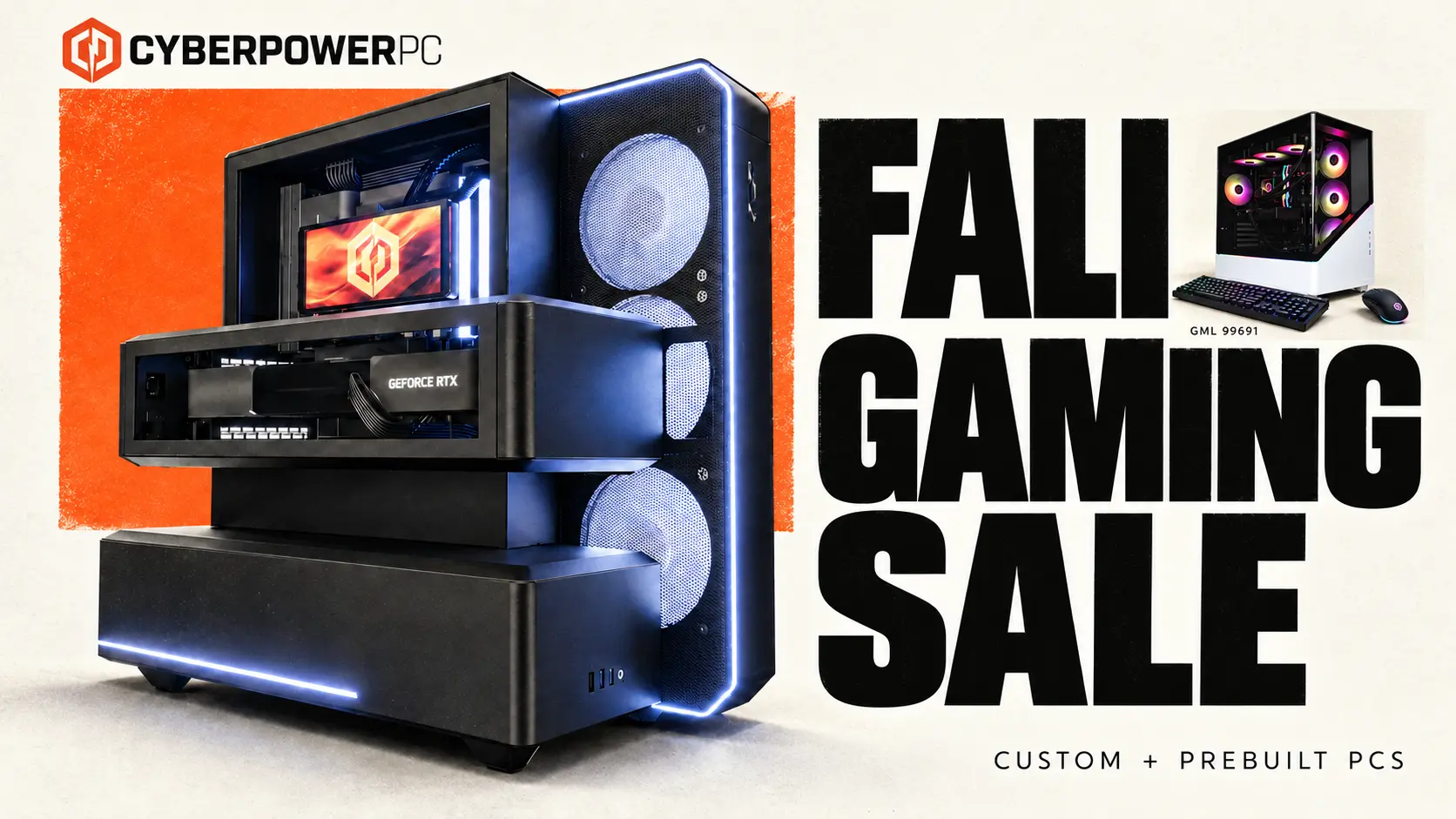
Your next gaming PC is calling. The CyberPowerPC Fall Gaming Sale brings big savings on desktops and custom-build upgrades—including $400 off an RTX 5070 Ti prebuilt and an RTX 5060 desktop for $1,565. Explore four standout picks below, find your upgrade, and take advantage of the current offers while they’re available.
Start with the sale prices below, then enter GAMER2026 at checkout for the additional discount on eligible orders. Instant rebates may already be included in the listed prices.
Savings compare the listed sale price with CyberPowerPC’s displayed previous price, not a market average or a verified price from the preceding sale. Prices are a snapshot at the time checked, exclude tax and optional changes, and can change. Images illustrate the systems; configured components may vary.
AMD power. $300 in savings.
The GML 99691 brings together a Ryzen 7 9800X3D, Radeon RX 9070 XT, 32GB of DDR5 memory and a 2TB SSD for $2,339. The product page also lists a 360mm liquid cooler and a 1,000W 80 Plus Gold power supply. Save $300 versus our displayed previous price of $2,639 and get this AMD combination in a prebuilt system—without choosing every part yourself.
The value gets even better when you compare. We checked three competing desktops with the same CPU, GPU, memory capacity and SSD capacity. Their advertised prices, including one public coupon, averaged $2,663.66. At $2,339, the GML 99691 comes in $324.66 below that average—about 12.2% less—before any separately applied CyberPowerPC checkout coupon.
This is a small comparison sample, not a market-wide average. The lowest competing offer in that sample was $2,399 with its advertised coupon, a $60 difference. Motherboards, memory speeds, cases, power supplies and warranties vary; the comparison is about price for matching core specifications.
Save $400 on your RTX 5070 Ti upgrade
Grab the biggest savings among our four picks: the GML 99694 is $2,799—save $400 versus our displayed previous price of $3,199. Get a Ryzen 9 9900X3D, RTX 5070 Ti 16GB, 32GB DDR5 and a 2TB SSD, plus a 360mm liquid cooler and 1,000W 80 Plus Gold power supply. If an RTX 5070 Ti build is on your wish list, put this deal at the top of it.
Prefer to tailor the build? The Fall Gaming 5070 Ti starts at $3,009 with a Ryzen 7 9800X3D, dual-channel DDR5-6000 memory and a Phanteks EX5s MAX case with integrated liquid cooling. Save $370 on the featured configuration versus our displayed previous price of $3,379, then make it your own with the available configuration options. Changes can alter the price.
Want the lowest price among these four picks? The Fall Gaming RTX 5060 is $1,565—save $187 versus our displayed previous price of $1,752. It pairs RTX 5060 graphics with a Core Ultra 5 225F, 16GB DDR5 and a 1TB SSD. Start here for an RTX desktop at a smaller budget; optional upgrades change the price.
Build it your way—and save on the parts
Building your next setup? Put these Fall Gaming Sale discounts and free upgrades to work in your custom PC. They apply to eligible custom system purchases and exclude prebuilts. Check the selected parts and final configuration price; these are not standalone component-store offers.
Save $100 on selected AMD and Intel processors
The largest listed CPU rebate covers AMD Ryzen 9 9900X3D and 9900X, Ryzen 7 9850X3D, 9800X3D and 7800X3D, plus Intel Core Ultra 9 285K, Ultra 7 270K Plus and Ultra 5 250KF Plus. Choose a qualifying processor and put $100 in instant savings toward your next setup. The Fall Gaming 5070 Ti configurator is a starting point for the 9800X3D build.
Save $50 on RTX 5070 Ti and RTX 5080 graphics
Have your eye on RTX 5070 Ti or RTX 5080 graphics? Get a $50 instant rebate with an eligible custom build. That discount may already be included in the displayed system price. Compare the eligible graphics offers.
Free ASUS graphics-card upgrades
Selected major-brand RTX 5060 Ti 8GB, RTX 5060 Ti 16GB, RTX 5070 and RTX 5080 configurations qualify for an ASUS premium card upgrade. Choose an eligible ASUS model and enjoy the advertised upgrade at no extra charge. It is a board-model upgrade within the listed GPU tier, not a promise of a faster GPU class or extra VRAM.
Free KLEVV BOLT V DDR5-6000 upgrade
Eligible major-brand DDR5-6000 configurations can upgrade to KLEVV BOLT V: 32GB (2×16GB) or 16GB (1×16GB), matching the qualifying configuration. This is a memory-brand upgrade at the stated capacity and speed; it does not turn a 16GB build into 32GB. Look for the free option when configuring your system.
$40 off selected 850W and 1000W power supplies
The High Power HP1-S2850GD-F12S 850W and fully modular HP1-O21000GD-F14C 1000W models each carry a $40 instant-off offer. Both are listed as ATX 3.1 / PCIe 5.1. Save on the power supply that fits your build: choose the eligible model suited to your components and power requirements.
Also check the free 1TB Kingston SNV3S/1000G substitution for the qualifying 1TB WD Green SN3000 SSD. Capacity stays at 1TB. For a full setup, the sale also lists $100 off the CyberPowerPC CK60 keyboard and a $70 rebate on the black Corsair M75 AIR wireless mouse with eligible system purchases. Complete your setup with the gear you want and take advantage of the eligible accessory savings.
Open All Deals on the sale page for the exact eligible options and terms. Availability varies by configuration, and free upgrades may require selection. Component rebates may already be included in system prices; do not add them to the card savings above.
Your next setup starts here
Found your favorite? Follow its Learn more button to explore the system, or browse the full Fall Gaming Sale for more PC deals and custom-build offers. Shop the current savings while they’re available—and remember to enter GAMER2026 at checkout for an additional 5% off eligible orders of $999 or more.
US Representative Ritchie Torres, a Democrat from New York City, announced today that he will introduce the “Power To The Players Act.”
If it becomes law, the bill will see the US Federal Trade Commission create regulations that protect our “ability to own and play” purchased games, according to Torres’ office.
“When you pay for a game, you should own it,” says Torres. “Consumers must have the right to own, the right to play, and the right to transfer the games they buy. A game that can be taken away the moment a company pulls the plug is not a purchase. It is a rental disguised as a sale.”
Latest Videos FromPC Gamer
The game ownership issue is longstanding on PC, which moved to digital distribution a couple decades ago, but has recently come to the foreground of public consciousness as the consoles also transition away from discs. Earlier this year, Sony announced that it will end physical disc production in 2028.
The related problem of online games being decommissioned before players are done with them has also received more attention in recent years. The Stop Killing Games campaign in particular has raised the issue’s profile, arguing that basic offline functionality should be expected when online games are retired. Founder Ross Scott and organizer Moritz Katzner gained an audience with the European Parliament earlier this year.
As one of its prime examples of the problem, Stop Killing Games has pointed to The Crew, a Ubisoft racing game which went offline in 2024, preventing those who purchased it from continuing to play even the singleplayer campaign.
The aim of the Power To The Players Act is to establish and enforce a more genuine ownership of purchased games, as opposed to the revocable licenses we currently buy, and to require that offline modes be made available before online games are shut down.
From the creators of Edge: A free weekly videogame industry newsletter, featuring in-depth news, expert analysis and exclusive interviews
For DRM-free games, such as those purchased from GOG, ownership is a non-issue: Once you have the game files, you can back them up and use them for as long as you can find a PC that’ll run them. Realistically, the FTC is not going to mandate the eradication of software copy protection, so if passed the bill would presumably arrive at a softer definition of ownership.
I’ve reached out to Rep Torres’ office for more information on what enforcement of the bill is expected to look like, should it pass.
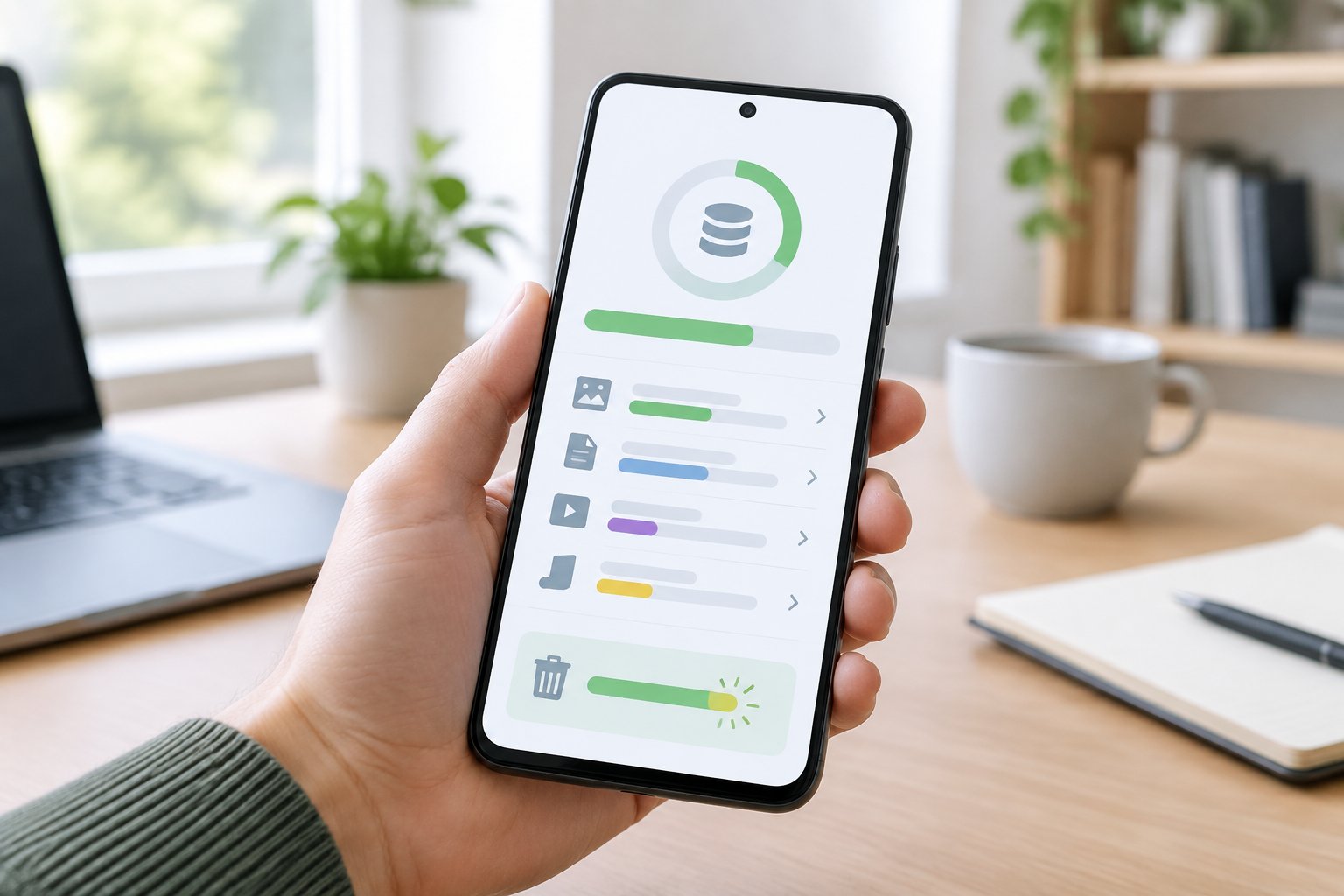
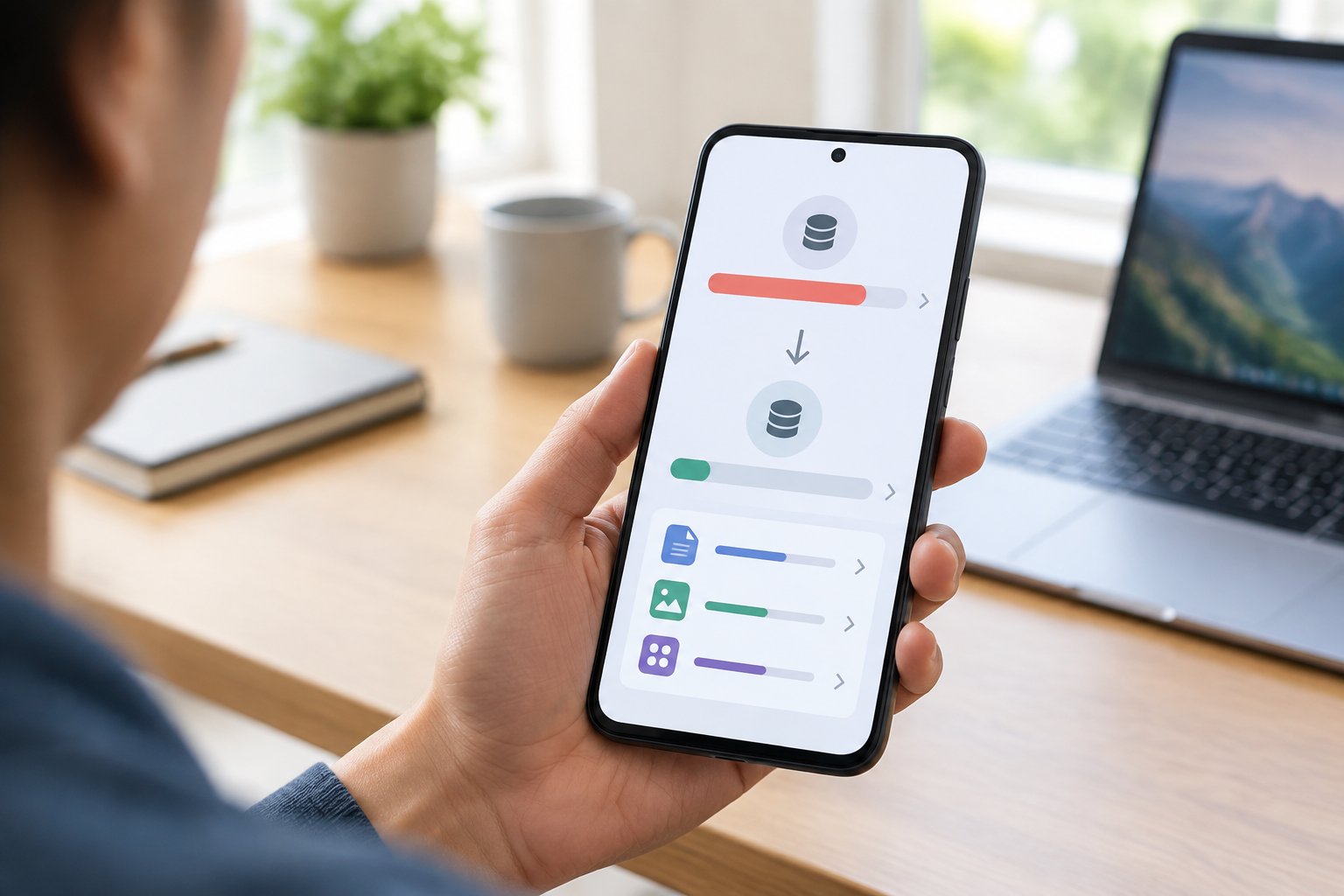
That “storage almost full” notification always seems to hit at the worst possible moment, usually right when you’re trying to snap a photo or download something important. The fastest way to free up space on Android is to check your storage breakdown first, then clear cached data and duplicate files before you delete a single photo or app. That single move often recovers several gigabytes without touching anything you actually want to keep.
Most people jump straight to deleting apps or photos when their phone says it’s full, and that’s usually the wrong first move. Cache files, duplicate images, and old downloads tend to eat up far more room than most users realize, and clearing those out first can solve the problem before you lose anything meaningful. This guide walks through the cleanup steps in the order that gets you the most space for the least effort, starting with quick wins and moving into deeper options like cloud storage and factory resets for when your phone still feels cramped afterward.
Start with the Fastest Storage Wins
The quickest way to reclaim Android storage is to look at exactly what’s taking up space before deleting anything. Your phone’s built-in storage manager and a free app called Files by Google can both surface large files and duplicate photos in a few taps, often revealing gigabytes of junk you didn’t know existed.
How Do You Check Storage on Android?
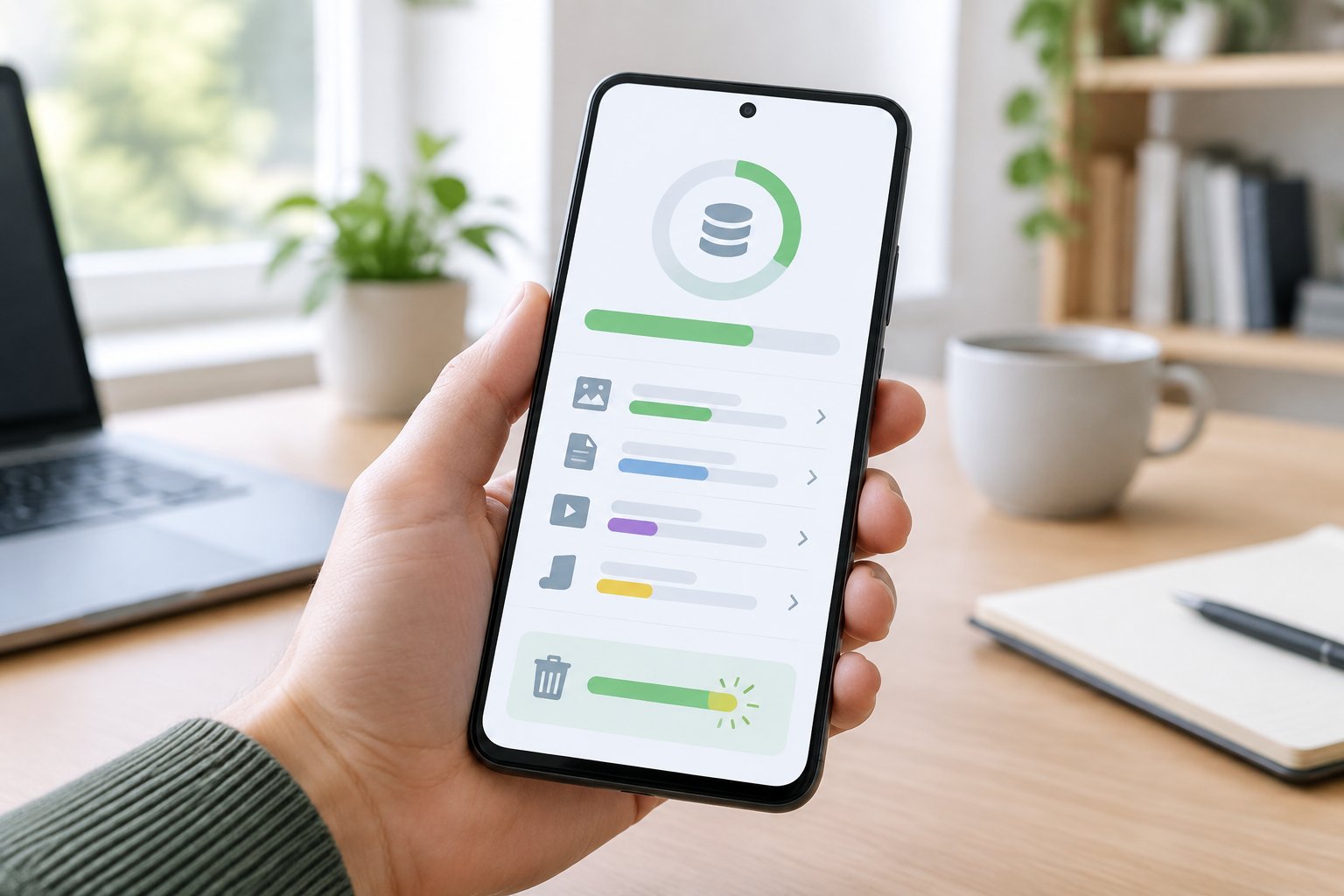
Open Settings > Storage (on Samsung phones, it’s under Battery and Device Care > Storage). You’ll see a color-coded bar showing how much space apps, photos, videos, and system files each use.
This breakdown tells you where to focus. If videos dominate the chart, deleting a handful of old app cache won’t move the needle much. If “Other Apps” or system data looks unusually large, that’s often where cached files and leftover data pile up unnoticed.
Use Files by Google to Find Large Files and Duplicates
Files by Google is a free app built specifically for this kind of cleanup. It scans your device for large files, duplicate photos, blurry screenshots, and unused apps, then presents them in one organized list.
The “Clean” tab inside the app groups these suggestions by category, so you can review and approve deletions in batches rather than hunting file by file. Many users recover multiple gigabytes in a single pass on a phone that hasn’t been cleaned in months.
Empty Trash to Reclaim Space You’ve Already Cleared
Deleted files don’t always disappear right away. Google Photos, Files by Google, and several file managers hold deleted items in a trash folder for 30 to 60 days before permanent removal.
Check the trash or recycle bin in each app you use for photos and files. If you’ve already deleted a batch of large videos, emptying trash manually finishes the job instead of waiting weeks for it to clear on its own.
Remove Apps and App Data Safely
Uninstalling apps you no longer open and clearing cached data from the ones you keep both free up space without risking your files or logins. The two approaches solve different problems: uninstalling removes dead weight entirely, while clearing cache trims bloat from apps you still rely on.
Uninstall Apps You No Longer Use
Go to Settings > Apps and sort by size to spot the biggest space hogs. Games, streaming apps, and social media apps tend to grow larger over time as they accumulate cached media and offline content.
Long-press any app icon and select Uninstall, or remove several at once from the Apps list. If you’re not ready to commit to deleting an app permanently, some phones support archiving it instead, which removes the bulk of its storage footprint while keeping your data intact for a quick reinstall later.
Clear Cache Without Erasing App Data
Cached data speeds up apps by storing temporary files locally, but it builds up fast and rarely needs to stick around. Tap into any app’s info page and select Storage & Cache, then tap Clear Cache.
This step is safe. Clearing cache never touches your saved logins, game progress, or app settings, only temporary files the app can regenerate on its own.
Review Media Stored by Messaging Apps
WhatsApp, Telegram, and similar messaging apps auto-save every photo and video sent to you, and that folder grows quietly in the background. Open each app’s storage settings to review and clear old media you don’t need saved locally.
Many messaging apps also let you disable auto-download for media going forward, which stops the problem from recurring.
Make Room for Photos, Videos, and Downloads
Photos and videos are usually the biggest storage consumers on any Android phone, and backing them up before deleting local copies protects your memories while freeing serious space. Google Photos, Google Drive, and a microSD card each offer a different way to offload files without losing them.
Back Up Photos Before Removing Local Copies
Google Photos includes a storage management tool that flags blurry photos, screenshots, and large videos as candidates for removal. Once your library is backed up, you can free up space directly from the app, which removes local copies while keeping everything accessible in the cloud.
Confirm your backup status before deleting anything. The app shows a clear indicator when every photo and video on your device has synced.
Delete Unneeded Videos and Downloads
Videos take up disproportionate space compared to photos, often several hundred megabytes each. Screen recordings, duplicate takes, and old downloaded files from browsers or social apps are common culprits worth a quick review.
Check your Downloads folder specifically. PDFs, installer files, and shared documents accumulate there and rarely get cleaned out manually.
Move Files to Cloud Storage or a microSD Card
Google Drive works well for documents, backups, and files you access occasionally rather than daily. A microSD card, if your phone supports one, gives you physical expandable storage for photos, videos, and even some apps.
Cloud storage suits people who switch devices often or want files accessible from a computer. A microSD card suits anyone who prefers to keep everything on the device itself without relying on an internet connection to retrieve files.
Clear Offline Downloads and Stubborn Storage
Offline maps, downloaded music, and saved videos from streaming apps quietly consume gigabytes that don’t show up in a typical cleanup pass. These files live inside their own apps rather than a general downloads folder, so they need to be managed one app at a time.
Remove Offline Maps You No Longer Need
Google Maps and Waze both let users download map regions for offline use, and these files can run several hundred megabytes per region. Open the app’s offline maps section and delete regions you’re no longer visiting.
This step matters if you downloaded maps for a trip months ago and forgot to remove them afterward.
Manage Downloaded Music and Video in Their Apps
Spotify and YouTube Music both store offline downloads that count against your phone’s storage separately from your regular music library. Check each app’s downloads or offline content settings and remove albums, playlists, or videos you’ve already listened to or watched.
Streaming apps rarely warn you how much space downloaded content occupies, so a quick check here often surfaces a gigabyte or more.
When Should You Consider a Factory Reset?
A factory reset makes sense only after every other cleanup step has failed to free meaningful space, since it erases everything on the device. Back up photos, contacts, and files completely before starting a factory data reset from Settings > System > Reset Options.
Consider this option if your phone runs painfully slow despite a mostly empty storage bar, which can signal deeper system issues that cleanup alone won’t fix.
Keep Space Available Without Losing What Matters
Freeing up Android storage works best as a repeatable routine rather than a one-time fix. Checking your storage breakdown, clearing cache, reviewing large files, and backing up photos on a regular basis prevents the “storage full” warning from returning every few months.
Set a reminder to run Files by Google once a month, and turn on automatic backup in Google Photos so new photos never pile up unprotected. Small, consistent habits like these keep your phone responsive without requiring a dramatic cleanup session every time storage runs low.
Frequently Asked Questions
How can I quickly free up storage on Android?
Open Files by Google and use its Clean tab to find large files, duplicate photos, and unused apps in one pass. Clearing app cache from Settings > Storage adds a fast second win, since it removes temporary files without affecting your saved data.
What takes up the most storage on an Android phone?
Photos and videos typically account for the largest share of storage on most phones, followed by app data and cached files. Messaging apps like WhatsApp also contribute heavily through auto-saved media that accumulates without you noticing.
Is Files by Google a free storage cleanup app?
Yes, Files by Google is a free app published by Google that scans your device for large files, duplicates, and unused apps. It requires no subscription and works on most Android phones running a supported version of the operating system.
What should I delete when my phone storage is full?
Start with app cache, duplicate photos, and old downloads, since these rarely hold anything irreplaceable. Move to unused apps and offline downloads from music or map apps next, saving photo and video deletion for last once everything important is backed up.
Will clearing an app’s cache delete my photos or settings?
No, clearing an app’s cache only removes temporary files the app uses to load faster. Your login information, saved progress, photos, and app settings all remain untouched during this process.
prisoninmate shares a report from 9to5Linux: Ubuntu 26.10 (Stonking Stingray) has been released today, and it is now available for download for those eager to update their Ubuntu systems to a newer release. Powered by the upcoming Linux 7.3 kernel series, Ubuntu 26.10 ships with the latest GNOME 51 desktop environment, TPM-backed full disk encryption (FDE) support on computers without a hardware root of trust, updated Settings to show whether a computer is certified for Ubuntu, and 100% Rust coreutils.
There are several App Center enhancements in Ubuntu 26.10, such as a unified app-details view for Snap and Debian packages, a dedicated Drivers page where you can review the available graphics drivers, including NVIDIA driver branches, and support for installing codecs for one-time playback when a media file uses a codec that’s not installed.’ Other additions include an optional, locally processed AI-powered speech-to-text tool called Myna, system-wide controls for disabling Ubuntu Insights data collection, and better integration with Microsoft Entra ID. Also worth mentioning are the security and software updates that will be available for nine months, through July 2027.
Concept design is the phase in which the product idea transforms into a real, buildable concept. It bridges the gap between a validated idea and detailed engineering. In this phase, the designers define the problem, explore different areas, create several sketches, test and refine solutions. The goal is not to make something look good but to create a product that balances functionality, user needs, materials, and manufacturing possibilities. Cad Crowd’s vetted network of professionals can help you at this exact stage to deliver reliable outcomes.
To better walk you through the article, a fictional “Loop” collapsible reusable coffee cup will be used as an example to show how an idea transitions from an early concept into a manufacturable product phase.
A concept design services usually begins right after validation and not before it. It is important to confirm first if there’s a real reason why this product should be built before committing to the concept work. Starting with sketches early would just be wasted time, effort, and money if it ends up not being needed by customers. The pre-design stages cover gathering insights for the creative process. It helps in better understanding the customer needs, reviewing competitors and defining key product requirements.
Write a one-paragraph problem statement
A strong product has a clear understanding of what problem it can and needs to solve. When it has a defined reason as to why it exists, everything can align to it. Before starting the sketches and drawings, it is helpful to write down a simple problem statement that briefly explains user frustrations. For instance, the problem statement is “Commuters carry disposable cups because reusable ones don’t fit easily in a bag”.
It is important to write down specific problem statements instead of using vague ones like “creating a more sustainable cup. Specific statements describe a goal. It allows the team to be focused on that intent all throughout the design process.
A concept sketch that’s drawn for “everyone” would often lead to unclear designs with too many features and no strong purpose. It may not be able to satisfy anyone at all. It is important to identify the specific person who will use the product and the main situation where they need it most. Concept design and sketch design services should have a clear identity so they cater to a focused target. This can help a lot in being consistent throughout the design process.
For instance, when doing a design for a reusable cup, it shouldn’t be just for “all coffee drinkers”. The focus can be improved by defining it as “for busy commuters who need a cup that fits inside a small work bag”. This can help well in setting a clearer direction for designers as well to come up with features that fit in the specific criteria. It can help in solving the primary problem rather than throwing in random trendy ideas.
Set non-negotiable constraints upfront
Before starting the concept design, it is important to set and define parameters and limits a product must follow. These constraints include ceiling budget, selling price, launch timeline, materials, safety requirements and industry regulations. When these expectations are clearly set, the designers would have a realistic expectation and know which options would work and would not. It helps them come up with a more practical and efficient solution.
For example, a cup that is designed to be sold at an affordable price would require simpler materials or only a few premium components. The parameters set the designers to think of materials that would fit the category and avoid complex manufacturing tools and processes that may be more expensive.
Identify success metrics before sketching begins
Before starting a concept drawing services, measurable metrics should be defined to track its success. A good concept is not just appealing but should meet the defined goals. Its metrics can relate to function, cost, size, materials, or user needs. When these requirements are clearly set, it gives the designers a clear vision of what to work on.
An example of this is how a success criterion for a collapsible coffee cup includes being able to fit in a small bag, reaching a specific folded size, food-safe materials, or staying at an affordable cost. These measurable metrics can help in comparing and evaluating the design if it’s aligned with the target goals.
Aside from listing the description and included features of the product, it also helps to list the exclusions. This should be done before doing the sketch. This allows the designers to know what is and what is not to be considered in their work. It helps in avoiding unnecessary features that could have cost implications or may delay the production timeline.
In the working example of building a reusable coffee cup, the focus is on its portability and easy storage. Its excluded features are the built-in temperature control system or any smart tracking. While this could be explored later as an upgrade, adding too many features too soon would just stray from the product’s main purpose.
How does ideation turn a brief into design directions?
Ideation refers to the creative process of generating multiple possible design directions. In this stage, the goal is not so much on the quality but rather on the volume of ideas. It lets designers focus on exploration across a wide range of possibilities through sketches, variations, and different approaches.
In the example of the Loop collapsible reusable coffee cup, the designers can explore different folding mechanisms, shapes, lid designs, and storage methods. While other generated ideas may look impractical or expensive, they could spark inspiration for better solutions.
Mind map outward from the core problem
Mind mapping refers to expanding the product idea beyond its initial obvious solution. It can start with a core problem and then later branch out into different areas that could influence the design. Most changes impact the shape, materials, mechanism, user needs and its target market.
For the working example of designing a Loop collapsible reusable coffee cup, the team might explore different folding mechanisms and what kind of materials could make it more durable so it can stand out from the ones existing in the market. This approach challenges broader thinking and uncovers ideas that are not too obvious during brainstorming.
One way to be aligned is to create a mood board. Gather and collect reference images that appeal to you and are quite similar to your project. It can include samples of materials, textures, finishes, shapes, and the existing problems. This can help everyone designing to have a sense of direction on the overall style and vibe before proceeding to the actual sketch.
For the working example of designing the Loop collapsible reusable coffee cup, the mood board would include images of a clean, minimalist aesthetic style, with matte finishes and comprising only neutral colors. It could have bold accents and textured materials but is still minimal. This defined visual helps the CAD designers to sketch that matches the vision and intended brand identity.
Sketch fast and in volume during early ideation
In early ideation, the goal is not really to come up with the perfect drawing but rather to explore as many possibilities as possible. Here, designers would just opt to create dozens of designs to test different elements like its shape, features, and other approaches. This can help in comparing and choosing whichever fits the vision and deserves more attention.
For the working example of designing the Loop collapsible reusable coffee cup, the early sketches would explore more of the different lid styles, grip shapes and textures, or ways in which the cup would fit the small bag. There are instances wherein some designs may not move forward, but all are useful in helping shape the final design.
Search adjacent industries for analogous solutions
Most great ideas are produced from adapting solutions that realistically work in other industries. During the ideation stage, the designer may look beyond their own product category and explore various fields or industries to see how they solve the same problem. For instance, a mechanism that’s used in luggage, outdoor equipment, medical design device services or other consumer products could inspire a better approach for an entirely different product.
In the example of designing a Loop collapsible reusable coffee cup, it could make use of concepts like camping gear or compact storage solutions that are used for travel products. While the references work on a different field, it could be possible to test it out; in case it’s also applicable for the cup.
Run a structured group session, not an open-ended one
In running an ideation session, it should be more than an open-ended question like “What ideas do we have?”. It could actually be more helpful if the discussion is more structured. It helps people to more focused and aligned to the same direction instead of making each concept perfect.
There are techniques like Crazy 8s, wherein participants can create 8 ideas in just 8 minutes. It encourages fast thinking and would generate more design options in a short timeframe. For the example of a Loop collapsible reusable coffee cup, an applicable structured session covers exploration of different folding mechanisms, shapes, materials and other user experiences.
What are the different types of concept sketches?
There are a lot of types of concept sketches and each works for different purposes. Each sketch style can help in solving different design questions. It is important to use the right type of sketch at the right stage as it can help the teams to communicate faster and make better decisions.
Quickly captures a new idea before it is forgotten
Internal design team
Very simple: Shows shape and feature only
Exploratory sketch
Compare different design options and choose the best
Internal team and client
More detailed: Shows proportions, key features and relevant notes
Presentation sketch
Communicate a chosen direction
Client, investors, stakeholders
Highly detailed: Includes shading, annotations, realistic visualization
Use thumbnail sketches to capture ideas, not to sell them.
The thumbnail sketches are meant to be rough and are quite disposable. These are the quick sketches used to capture ideas as fast as possible. They’re not really polished and meant to impress anyone. It just needs to be drawn in case there’s a sudden inspiration or an idea pops up. As long as it’s understandable to you, it’s enough.
For the working example, the Loop collapsible reusable coffee cup, the sketch can begin with small ones that show how it folds, the lid designs, and its handle styles. There could be a sketch that may not move forward, but it can help in discovering which ones have the most potential.
Use exploratory sketches to compare directions side by side
When ideas are narrowed down to dozens of thumbnail sketches, the next step would be to proceed to exploratory sketches. These are the drawings that need more detailing, like shape, proportions, key features, and how the parts would fit together. These sketches are still quick to produce, but they contain more information to compare with other details.
An explanatory sketch for the Loop collapsible reusable coffee cup would be a comparison of several folding mechanisms, lid design, and handle positions side-by-side. This helps in evaluating which best meets the project goals, user needs, manufacturing constraints, and budget.
Reserve presentation sketches for the chosen direction
Presentation sketches are only done when there’s already a design direction established. These drawings are more polished and have shading, annotations, realistic proportions, and refined details. It has to clearly communicate how the product is expected to look and function. The purpose of this sketch is to present a decision.
A presentation sketch for the Loop collapsible reusable coffee cup would show the final chosen folding mechanism, materials and key features in a way that clients and other stakeholders can understand.
Treat imprecision as a feature at this stage, not a flaw
In concept design, what matters the most is to communicate the ideas. It doesn’t have to have complete engineering details like dimensions, tolerances and other technical specifications. The sketches are actually flexible and allow designers to explore more forms and functions. It’s not fixed or locked yet since it’s too early to finalize decisions.
Generally, the concept design for the Loop collapsible reusable coffee cup could still go through several changes. It could be related to size, wall thickness, or folding mechanism. Precise measurements are not really required in this stage since it has to be fixed later.
How do you screen concepts for feasibility?
Check technical feasibility against known manufacturing processes
A concept can only be valuable if it can realistically be built. It’s best to invest in detailed engineering prototypes before each design can be reviewed for technical feasibility. A concept that is too difficult or expensive to produce may have to be simplified before moving to the next stage.
It is important to check first if the product can actually be made. It has to be compared against proven manufacturing methods like injection modeling, CNC machining, or 3D printing services.
Run a rough cost estimate, not a final one
Here, a full detailed estimate is not required. A rough estimate is all you need to know the general costs of material, manufacturing, and tooling. The goal of this is to identify ideas that fit in the target budget.
Do a quick legal and IP gut-check
Before committing to investing time and money in the design, a quick check to see if there’s already an existing similar design should be done. It helps in revealing possible conflicts before moving to the detailed engineering.
It is important to check on the materials, electronic parts, and other custom components that can be sourced within the target budget. It helps in knowing if there’s a need to source out other materials or processes or come up with a different design.
How does a concept move into CAD and renders?
Create rough CAD and refine through renders
Once the design direction has already been set, it can now move to 3D visuals. After the rough sketching and engineering design and visual, it can now proceed to photorealistic rendering services. This can show realistic materials, colors and finishes. These can be of great help, especially for non-technical stakeholders to better understand the product concept. The design can be refined through a series of feedback.
How do you choose the final concept?
Final product concept should be selected based on a structured evaluation not through subjective internal excitement. A strong concept has a perfect balance of functionality, customer needs, technical feasibility and business goals.
As per the defined requirements, it is important to evaluate each concept in a way it is based on how well it can solve the problem. Even though a design is visually appealing, if it does not function as intended, it can be a weak choice.
It can help to use a simple scorecard to help the team compare ideas more objectively. This way, factors like usability, manufacturing complexity, cost, materials, and market potential are accounted for and not just based on personal preferences.
Balance desirability, feasibility, and business value
For aproduct development expertsto be successful, it has to balance user demand, realistic development, and market potential. A concept may be exciting to turn into reality but could fail once launched if users don’t really need it. it could fail because it’s too expensive to manufacture. It’s important to score these to be able to account and understand the trade-offs.
In transitioning to detailed engineering, it could help to show the strongest concepts to potential users. Feedback from them can give valuable insights and may reveal issues the internal team has overlooked. It can be used to improve and reshape the design before it moves forward.
What should you expect to receive from a concept design engagement?
Deliverable
Format
Typical Stage
Design brief
Written document
Problem and goals definition
3-5 sketched directions
Thumbnail or exploratory sketches
During brainstorming, ideation
Feasibility memo
Short written summary
Feasibility screening
Refined concept render
Photorealistic 3D render, 2-3 colorways
Concept refinement
Selection scorecard
Simple weighted table
Concept selection
Frequently asked questions
How long does concept design usually take?
Typically, the concept design engagement may run several weeks. It covers ideation, 3-5 sketches, feasibility screening and one refined render.
Do I need a working prototype at the concept stage?
Not necessarily. Concept design deliverables are just sketches and rough CAD work.
What’s the difference between a concept sketch and an engineering drawing?
A concept sketch is intentionally imperfect and not really precise. It is meant to explore and communicate an idea. An engineering drawing has dimensions and tolerances, and should be precise enough for the manufacturing process.
How many concept directions should I expect to see?
Three to five sketched directions are standard for a single concept design round. It will then be narrowed to one refined concept after feasibility screening and selection.
Can AI tools replace a human concept designer?
AI rendering tools can help speed up first-pass visuals. However, they don’t screen for manufacturability, cost, or IP conflicts. It’s important to understand the production constraints to be able to identify possible problems a visual tool may miss.
Concept design is a stage wherein the validated idea begins to take shape to a product that can be realistically built, engineered and manufactured. Through a structured process like defining the problem, generating ideas and refining solutions, the costs can be lowered. This helps ensure that the product is not just visually pleasing but also practical, functional and more aligned with manufacturing requirements. To bring your idea to life, connect with Cad Crowd’s pool of vetted freelance product designers to help in transforming rough concepts to refined designs.
How Cad Crowd can help
Cad Crowd connects businesses with vetted electrical engineers, firmware developers, mechanical engineers, and CAD professionals who specialize in IoT product development, PCB design, embedded systems, enclosure design, wireless connectivity, prototyping, and manufacturing preparation. Whether you’re developing a simple connected sensor or a complex smart device, our professionals can help coordinate each stage of development and turn your concept into a functional, production-ready IoT product. Contact Cad Crowd today for a free quote and find the right engineering expertise to move your IoT project from concept to launch.
MacKenzie Brown is the founder and CEO of Cad Crowd. With over 18 years of experience in launching and scaling platforms specializing in CAD services, product design, manufacturing, hardware, and software development, MacKenzie is a recognized authority in the engineering industry. Under his leadership, Cad Crowd serves esteemed clients like NASA, JPL, the U.S. Navy, and Fortune 500 companies, empowering innovators with access to high-quality design and engineering talent.
Looking for what to stream this weekend? Then you’ve come to the right place. We’ve searched the most popular streaming services to bring you our bespoke list of the titles worth watching this weekend, so you can kick back and relax with the most exciting new releases.
Below, you’ll find everything from the latest Marvel Phase 6 release to a heart-breaking tale of loss and love. So, whatever you’re in the mood for this weekend, we’ve got you covered. Our recommendations this week cover Disney Plus, Apple TV, Netflix, and more.
As the weather gets colder, a night in front of the TV has never looked so inviting. We’ve even got a seasonally appropriate horror show to check out, too. So, for our top picks of the weekend, head on down. Happy streaming!
Latest Videos FromGamesRadar+
VisionQuest
(Image credit: Marvel Studios)
Available: US/UK Where to watch: Disney Plus
Marvel’s next TV show has finally arrived. VisionQuest, the final installment in the trilogy that began with WandaVision, catches us back up with our favorite synthezoid after his unconventional resurrection as White Vision.
Paul Bettany returns as Vision, while James Spader is back as Ultron (this time, he even has a human guise). The show also features the debut of Ruaridh Mollica as Tommy Shepherd, AKA Speed.
This is the last MCU release before the mega event Avengers: Doomsday arrives later this year, so it’s well worth getting up to date. The first two episodes are streaming now. You can check out our VisionQuest release schedule to keep track of the rest of the season.
Subscribe for a weekly digest of the movie and TV news that matters, direct to your inbox. From first-look trailers, interviews, reviews and explainers, we’ve got you covered.
Available: US/UK Where to watch: Peacock (US), Sky/NOW (UK)
In this prequel to the Friday the 13th franchise, Linda Cardellini plays Pamela Vorhees, mother of Jason Voorhees (played by Callum Vinson). Pamela is the villain of the first slasher movie, and this show, which hails from A24, is an origin story for her.
“There are ideas we have potentially for a second season that maybe we were playing around with as part of the first season,” writer/director Brad Caleb Kane recently told GamesRadar+. “But it felt like it needed to be compact to tell one story. So we’ll save those.”
Tenzing tells the true story of Tenzing Norgay and Edmund Hillary, who in 1953 became the first climbers to reach the summit of Mount Everest, the world’s tallest mountain.
Genden Phuntsok plays Norgay, with Marvel veteran Tom Hiddleston as Hillary. The rest of the cast includes Caitríona Balfe and Willem Dafoe. Jennifer Peedom directs.
This star-studded action comedy follows an actor who is taken hostage by a cult during a charity gala.
Chris Evans stars as the beleaguered actor, with the rest of the cast including Anya Taylor-Joy, Salma Hayek, Vincent Cassel, John Malkovich, and Charli xcx.
The film is not currently available on Netflix in the UK, however it’s streaming in the US from October 16.
This film stars Margaret Qualley as Maya, a woman who embarks on an epic romance with Charlie (Gabriel Basso). But, when tragedy strikes, she must navigate a new life.
Lanterns‘ Aaron Pierre, Patrick Schwarzenegger, and Catherine Keener co-star.