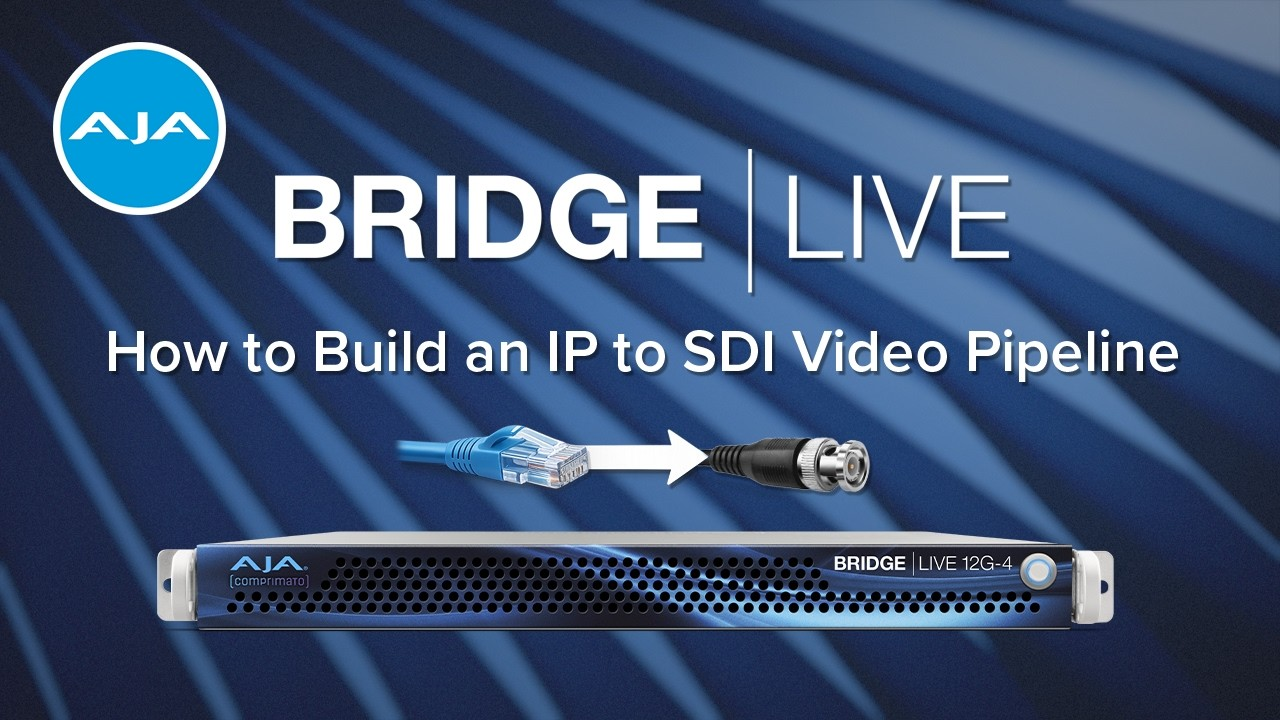
AJA BRIDGE LIVE enables broadcasters and production teams to convert remote SRT contribution feeds into baseband SDI for seamless integration into facility workflows. In a recent walkthrough, AJA Technical Support demonstrated how to configure a BRIDGE LIVE pipeline to receive MPEG-TS over SRT, set appropriate latency buffers for stable public internet delivery, and decode the signal directly to SDI. The process also includes configuring audio mapping and passing through metadata such as closed captions or SCTE-35, making it a complete solution for reliable remote contribution and broadcast integration. Check out the full breakdown:
An anonymous Substack post published this week accuses compliance startup Delve of “falsely” convincing “hundreds of customers they were compliant” with privacy and security regulations, potentially exposing those customers to “criminal liability under HIPAA and hefty fines under GDPR.”
Delve is a Y Combinator-backed startup that last year announced raising a $32 million Series A at a $300 million valuation. (The round was led by Insight Partners.) On Friday, the startup attempted to refute the accusations on its blog, calling the Substack post “misleading” and saying it “contains a number of inaccurate claims.”
The Substack post is credited to “DeepDelver,” who described themselves as working at a (now former) Delve client.
DeepDelver recounted receiving an email in December claiming the startup had “leaked a spreadsheet with confidential client reports.” While Delve CEO Karun Kaushik apparently assured customers in a subsequent email that they were in compliance and that no external party gained access to sensitive data, DeepDelver said they and other customers had become suspicious.
“Having the shared experience of being underwhelmed with the Delve experience, and having the overall sense that something fishy was going on, we decided to pool resources and investigate together,” they wrote.
Their conclusion? That Delve “achieves its claim of being the fastest platform by producing fake evidence, generating auditor conclusions on behalf of certification mills that rubber stamp reports, and skipping major framework requirements while telling clients they have achieved 100% compliance.”
DeepDelver went into considerable detail about those claims, accusing the startup of providing customers with “fabricated evidence of board meetings, tests, and processes that never happened,” then forcing those customers to “choose between adopting fake evidence or performing mostly manual work with little real automation or AI.”
Techcrunch event
San Francisco, CA | October 13-15, 2026
DeepDelver also claimed that virtually all of Delve’s clients seem to have gone through two audit firms, Accorp and Gradient, which they described as “part of the same operation,” one that operates primarily in India, with only a nominal presence in the United States.
Those firms, they said, are just rubber-stamping reports that were generated by Delve. As a result, DeepDelver said the startup “inverts” the normal compliance structure: “By generating auditor conclusions, test procedures, and final reports before any independent review occurs, Delve places itself in the role of both implementer and examiner. This is not a technicality. It is a structural fraud that invalidates the entire attestation.”
In addition to accusing Delve of misleading its customers, DeepDelver said the startup is helping those customers “mislead the public by hosting trust pages that contain security measures that were never implemented.”
DeepDelver said that while their company was discussing its issues with Delve, the startup “sent us multiple boxes of donuts already to keep us happy.” Nonetheless, DeepDelver’s employer supposedly unpublished its trust page and no longer relies on the startup for compliance.
Delve responded to the accusations by saying it does not issue compliance reports at all. Instead, it’s an “automation platform” that ingests information about compliance, then provides auditors with access to that information.
“Final reports and opinions are issued solely by independent, licensed auditors, not Delve,” the company said.
Delve also said that its customers “can opt to work with an auditor of their choosing or opt to work with one from Delve’s network of independent, accredited third-party audit firms.” Those auditors, the startup said, are “established firms used broadly across the industry, including by other compliance platforms.”
In response to the accusation that it’s providing customers with “fake evidence,” Delve countered that it’s simply offering “templates to help teams document their processes in accordance with compliance requirements, as do other compliance platforms.”
“Draft templates are not the same as ‘pre-filled evidence,” the company said.
Delve added that it is “actively investigating any leaks” and is “still reviewing the Substack.”
TechCrunch sent an email seeking additional comment to the media contact address listed on Delve’s website; the email bounced. We have also reached out to DeepDelver for additional comment.
Quick Answer: Neuro Gum’s estimated net worth in 2025–2026 ranges between $60 million and $100 million, with some industry analyses citing growth metrics that suggest valuations approaching higher figures. The company was founded by Kent Yoshimura and Ryan Chen in 2015 and appeared on Shark Tank Season 11, where they rejected all offers and walked away without a deal — a decision that proved transformative for their long-term value.
Kent Yoshimura and Ryan Chen met as student-athletes in college, both searching for a convenient, clean energy solution that didn’t require carrying a coffee cup or cracking open an energy drink. Their solution — a small piece of functional gum containing natural caffeine, L-theanine, and B vitamins — became the foundation of one of the most compelling post-Shark Tank success stories in recent years. Today, Neuro Gum is a recognized leader in the functional wellness market with a presence in over 10,000 retail locations worldwide.
Key Takeaways
Neuro Gum’s 2025 estimated valuation: $60–$100 million; some projections suggest $200M+ by 2027.
Founders Kent Yoshimura and Ryan Chen rejected Robert Herjavec’s $1M offer for 20% equity on Shark Tank Season 11.
Annual revenue reached approximately $10–12 million by 2023, growing significantly since.
Products available in 10,000+ retail locations including Walmart, Target, CVS, Whole Foods, and Amazon.
Over 50 million pieces of gum and mints have been sold since founding.
Neuro Gum: Company Overview
NeuroGum produces vegan, sugar-free, aspartame-free chewing gum and mints infused with natural green tea caffeine (equivalent to about half a cup of coffee per piece), L-theanine, and B6 and B12 vitamins. The product is absorbed through the oral mucosa rather than the digestive tract, making it faster-acting than traditional energy drinks or caffeine pills. Each piece costs approximately $0.67 to manufacture and retails around $3.99 per pack, delivering healthy margins that have been critical to the brand’s growth without external investment.
The Shark Tank Moment That Changed Everything
Yoshimura and Chen entered Shark Tank Season 11 seeking $750,000 for 5% equity — valuing the company at $15 million. At the time, they were generating $3.5 million in annual revenue with $1.5 million the prior year. Two Sharks made offers: Robert Herjavec offered $1 million for 20% equity, and Kevin O’Leary offered $750,000 for 5% equity plus a $0.50-per-unit royalty. The founders declined both deals — primarily rejecting the royalty structure and Herjavec’s equity percentage — and walked off the set without a deal.
Rather than a setback, the Shark Tank exposure proved to be rocket fuel. Website traffic multiplied dramatically after the episode aired, sales surged, and major retailers began approaching the brand rather than vice versa. This rapid growth has significantly contributed to the rising neuro gum net worth, which is now estimated to be around $50–$60 million in recent years. By 2023, the company had sold over 50 million pieces and crossed $12 million in annual revenue — all without Shark investment diluting founder equit
Neuro Gum Net Worth & Valuation Timeline
Year
Milestone
Est. Valuation
2019
Shark Tank appearance (Season 11)
$15M (founders’ ask)
2021
Entered CVS, early retail expansion
~$20–25M
2023
50M+ pieces sold; $12M+ annual revenue
~$40–50M
2024
10,000+ retail locations; $50M valuation reported
$50M
2025–26
Multi-channel growth; ongoing expansion
$60–$100M+
Product Line & Distribution
Neuro has expanded beyond its original caffeine gum to include products targeting different functional needs: Neuro Clarity (focus and cognitive performance), Neuro Calm (stress reduction), and Neuro Sleep mints (pre-sleep relaxation). This diversification has opened new consumer segments and corporate wellness channels, with companies purchasing bulk orders for employee wellness programs — a B2B revenue stream that supplements direct-to-consumer and retail sales.
Retail availability spans Walmart, Target, CVS Pharmacy, Whole Foods, Meijer, Amazon (where it became a category bestseller), and the company’s direct-to-consumer subscription website. The subscription model generates recurring revenue with strong retention rates.
Business LessonThe Neuro Gum story is one of the most studied examples of Shark Tank’s “exposure effect” — where the television platform delivers marketing value that can far exceed the capital value of any deal made on camera. The founders’ willingness to prioritize equity preservation over immediate capital access is now cited in business school case studies as a model of founder conviction.
FAQ — Neuro Gum Net Worth
How much is Neuro Gum worth in 2026?
Industry estimates place Neuro Gum’s 2025–2026 valuation between $60 million and $100 million, reflecting its growth from a $15 million Shark Tank pitch valuation to a category-defining brand in the functional wellness market. Some optimistic projections based on revenue growth and market comparables suggest potential valuations approaching $200 million by 2027.
Did Neuro Gum get a deal on Shark Tank?
No. Founders Kent Yoshimura and Ryan Chen appeared on Shark Tank Season 11 seeking $750,000 for 5% equity. Robert Herjavec and Kevin O’Leary both made offers, but neither matched the founders’ terms. The duo walked away without a deal — a decision widely considered one of the best in Shark Tank history in hindsight.
What are the ingredients in Neuro Gum?
Neuro Gum contains natural caffeine derived from green tea (approximately 40mg per piece, equal to half a cup of coffee), L-theanine (an amino acid that promotes calm focus), and B6 and B12 vitamins. The gum is vegan, sugar-free, gluten-free, and aspartame-free. The oral absorption mechanism makes it faster-acting than beverages or capsules.
Where can I buy Neuro Gum?
Neuro Gum is available at over 10,000 retail locations including Walmart, Target, CVS Pharmacy, Whole Foods, and Meijer. It’s also sold on Amazon and through the official NeuroGum.com website, which offers subscription pricing for regular buyers.
Who owns Neuro Gum?
Neuro Gum is co-owned by founders Kent Yoshimura (CEO) and Ryan Chen (CFO), who have retained majority ownership since declining Shark Tank investment. Their combined founder net worth is estimated in the $15–25 million range based on their equity stake in the company’s current valuation.
Dyson is one of the top makers of cordless vacuums in the world, earning several spots on our list of the best cordless vacuums for their strong cleaning performance and attractive design. While not as famous for it, the company has been making robot vacuum cleaners since the 1990s, with its first model, the DC06, debuting in 2001. The newest one is the Dyson Spot+Scrub AI, the company’s first wet-and-dry robot vacuum cleaner.
“Now we have engineered a robot that intelligently detects, identifies, and cleans stains, spills and debris, identifying stubborn stains and going over and over them until they are gone, using advanced AI,” James Dyson, founder of Dyson, said in a statement. “It is a determined, intelligent and adaptable machine. The wet roller even cleans itself with fresh water as it rotates, ensuring your floors remain spotless.”
The Spot+Scrub is the company first wet and dry robot vacuum, but it comes with many of the features we expect from the top-tier models.
Dyson
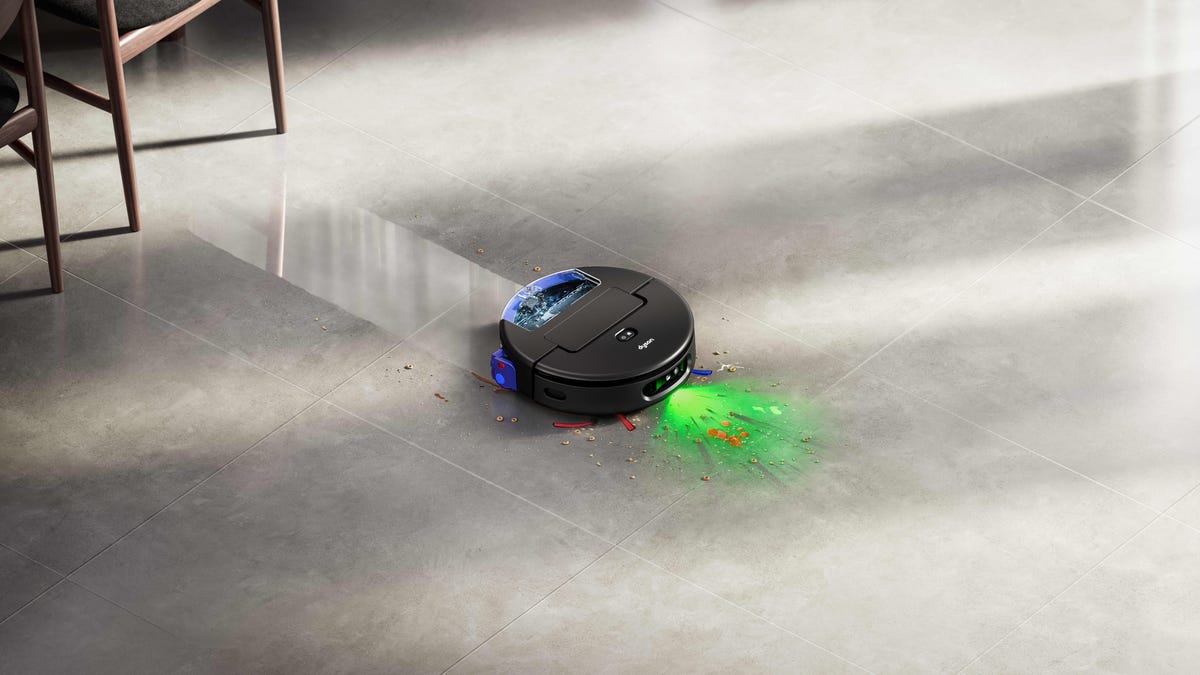
The Spot+Scrub AI takes over from previous models like the Dyson 360 Vis Nav and competes directly with models from Roborock, Ecovacs, Eufy, Shark and others that have dominated the robot vacuum market lately. I got to see it in action for a brief moment at Dyson’s Soho Store, watching it clean and navigate a boxed-off area. It wasn’t a comprehensive demo, but it worked well in the enclosed area, cleaned up the messes, and then self-emptyed and self-cleaned in the nearby docking station.
It cleans using what Dyson calls a 12-point hydration system, which uses heated, fresh water from the roller to remove stains. The roller self-cleans with each rotation, a feature we’ve seen on many high-end robot vacuums, so it’s good to see Dyson joining the club. The roller also extends to 1.6 inches to clean tight corners and skirting boards.
Perhaps more notable is Dyson’s AI stain-detection system, which the company says can identify 200 types of household substances and objects and can revisit the same area until the stain is removed. It uses the green LED illuminator we’ve seen on the Dyson PencilVac and Dyson V16 Piston Animal to spot the stain (with some help from the AI-powered camera), and it continues cleaning the spot until the stain is removed.
“By combining lidar room scanning technology and camera vision systems, the Spot+Scrub Ai is able to detect stains and accurately navigate around obstacles, while vacuuming and washing your floors,” Jake Dyson, chief engineer at Dyson, said in a statement. “It continually adapts its cleaning patterns based on real-time detection of debris, sticky spills, and stains. When it detects a stain, the robot performs up to 15 focused cleaning passes over the area, using its HD camera to monitor until the stain is fully removed. Meanwhile, the cleaning roller is continuously washed with heated water on the move, to ensure every area is thoroughly cleaned with a spotless floor finish.”
The Spot+Scrub AI has a self-emptying bagless dustbin in its docking station, along with a clean and dirty water tank.
Dyson
This sounds similar to a feature that Shark unveiled on the Shark UV Reveal, which uses a mix of UV lighting and an AI camera to identify stains and a traditional flat mopping pad to clean. The Spot+Scrub also boasts object avoidance capabilities and supports the MyDyson app.
In terms of other specs, you’re looking at a docking station with a bagless, cyclonic, self-emptying dustbin. Dyson says it can store up to 100 days of dust and comes with a dust filter that can retain particles as small as 0.1 microns. There are 0.6 gallons of clean water and 0.55 gallons of dirty water.
The Spot+Scrub AI will run you $1,199, and it’s available now from Dyson. However, it’s not the only cleaning product Dyson is releasing.
Dyson’s wet and dry cleaners
The Clean+Wash Hygiene is Dyson’s newest wet and dry cleaner.
Dyson
Also new is a wet-and-dry cleaner with Dyson Clean+Wash Hygiene. Similar to Dyson’s other models we’ve seen and tested, it’s a wet-and-dry cleaner that doesn’t use suction. Instead, it uses a microfiber roller to remove messes from hard flooring, and it doesn’t come with a debris filter that needs cleaning or can get clogged. It’s a bit bulkier than the Dyson PencilWash that I got to go hands-on with earlier at the Soho store, but it’s not particularly heavy at 8.4 pounds.
Like the PencilWash, it can lie flat and fit under low furniture thanks to its 4.4-inch profile. There’s also a docking station with hot-air drying and self-cleaning, a feature I’ve wanted in Dyson’s wet-and-dry cleaners for some time. The Clean+Wash Hygiene costs $499 and is available now.
Finally, the aforementioned PencilWash will also be available for $350.
Crimson Desert is an open-world action-adventure set on the continent of Pywel. Join Kliff on his journey to rebuild the Greymane faction and to save the land from a looming threat. From vast wilderness and cities to ruins and the mysterious Abyss, forge your path through battles and discovery.
On the continent of Pywel, the rival factions of Pailune maintained a tense balance. At Kliff’s side stood his steadfast Greymane comrades, but a devastating ambush in the deep of night by their sworn enemies the Black Bears leaves members of the Greymanes dead or scattered across the continent.
Kliff—having lost his family in all but name—is determined to reunite with the survivors and rebuild the faction.
But on a journey where alliances are forged, dangers abound, and mysterious factions are uncovered, Kliff will meet those who seek to upend the very order of the continent and face a mission unlike any he has ever known.
EXPLORE A WORLD OF DISCOVERY
Welcome to Pywel.
Here you’ll find stretches of natural beauty and wilderness—from green plains and woods to arid deserts and rugged mountains—alongside bustling cities and quiet hamlets inhabited by residents from all walks of life. Between destinations, you will come across landmarks, ancient ruins, hidden treasures, and other points of interest that will draw your curisoity to wander.
The story of Crimson Desert centers on Kliff. But as his tale unfolds, 2 new playable characters—Oongka and Damiane—will come to join your journey. As these characters become available, you will be able to freely explore Pywel and undertake many quests outside the main story with them. Each character has their own combat style, as well as unique skills and weapons, allowing you to experience the world and its battles in different ways. DEATH STRANDING 2: ON THE BEACH
FORGE YOUR OWN COMBAT
On the unforgiving battlefields of Crimson Desert, there is no single path to victory.
Grow your arsenal of skills, weapons, and equipment—and decide how you want to use them. Powerful weapon skills can be paired with hard-hitting bare-hand hits and kicks, as well as a wide range of grapples to create seamless chains of attacks. Acquire weapons like swords, spears, greatswords, axes, dual wields, various ranged weapons, and more, and unleash powerful abilities and elemental enhancements through lethal combinations.
LIFE IN PYWEL
Pywel isn’t just a continent of battles and exploration. It’s a world where many of the smaller moments also shape your journey and make up your day-to-day life.
Upgrade the Greymane camp, the starting point in the path to reclaiming the Greymanes’ lost homeland of Pailune. Gather resources, cook, fish, hunt, and partake in the other various activities of Pywel for stat replenishment, making your equipment stronger, and more. Along the way, enjoy some leisure time by playing minigames with the locals.
And shaping your daily life also extends to customization. Adjust hairstyles, tattoos, outfits, and more using dyes you brew or pick up along your journey.
Features and System Requirements:
Step into a vast open-world fantasy land filled with kingdoms, battles, and dangerous creatures.
Play as Macduff, a mercenary leader fighting to survive and protect his companions in a brutal world.
Experience intense real-time combat with swords, skills, and powerful abilities.
Travel across diverse regions including mountains, cities, deserts, and war-torn battlefields.
Uncover a deep narrative while taking on missions, battles, and large-scale conflicts.
Screenshots
SystemRequirements
Minimum Requires a 64-bit processor and operating system
OS: Windows 10 64-bit
Processor: Ryzen 5 2600X / i5-8500
Memory: 16 GB RAM
Graphics: RX 5500 XT / GTX 1060
DirectX: Version 12
Storage: 150 GB available space
Support the game developers by purchasing the game on Steam
InstallationGuide
TurnOff Your Antivirus Before Installing Any Game
1 :: Download Game 2 :: Extract Game 3 :: Launch The Game 4 :: Have Fun 🙂
This version of the game does not include a traditional crack. It can be played using a hypervisor-based method. Please make sure to read and follow the instructions provided in the included Crack File carefully.
Sharing digital documents is now an easy process thanks to the likes of cloud storage and fast large-data transfers, but things are quite different with CAD files, mainly because of the different formatting standards. In fact, there’s no single industry standard in file format for CAD design services; the closest you can get to a “standard” comes in the forms of neutral formats, such as IGES (Initial Graphics Exchange Specification), Parasolid, STL (StereoLithography), DXF (Drawing Exchange Format), STEP (Standard for the Exchange of Product Data), and ACIS.
The problem is that some CAD software cannot save files in a neutral format. Instead, they use proprietary (or native) formats to be able to store metadata in the files they create. To transform a native file into a neutral format, a conversion or translation is necessary. But conversion isn’t always a straightforward process. Details can get lost, annotations may disappear, geometric data may be broken, parametric design history is nowhere to be found, and so forth, because a single mistranslation can lead to costly issues like project delay, development setbacks, and even poor quality. CAD file translation must be handled with uncompromised precision and great attention to detail. Cad Crowd is the go-to platform where companies, big and small, connect with professionals for accurate CAD file translation.
🚀 Table of contents
File conversion best practices
Obviously, the biggest advantage of using a neutral CAD file format is compatibility. Although errors in converting a native file to a neutral format aren’t always error-free, there are ways to mitigate the risks.
Built-in conversion tools come first
A lot of popular CAD software applications actually allow you to export their native files and save them as one of the neutral formats. The applications facilitate the export and import (basically conversion and/or translation process) using the built-in tools that encode the files accordingly. As with applications of all sorts, it’s advisable to use the latest stable versions or releases to ensure compatibility. The table below lists some of the most widely used CAD applications that offer support for neutral formats that are also utilized by architectural design services and product design firms.
Software
Supported Neutral CAD File Formats(Export)
Supported Neutral CAD File Formats(Import)
SolidWorks
DXF, IGES, Parasolid, STEP, ACIS, STL
DXF, IGES, Parasolid, STEP, ACIS
Autodesk Fusion
DXF, IGES, STEP, STL
DXF, IGES, STEP, STL, Parasolid, ACIS
AutoCAD
IGES, ACIS, STL, DXF
IGES, ACIS, Parasolid, STEP
Creo
ACIS, IGES, STEP, Parasolid, DXF, STL
ACIS, IGES, STEP, Parasolid
CATIA
IGES, STEP, STL
IGES, STEP, STL
Siemens NX
STL, IGES, STEP, Parasolid, DXF, ACIS
STL, IGES, STEP, Parasolid, DXF, ACIS
FreeCAD
IGES, DXF, STEP, STL
IGES, DXF, STEP, STL
Autodesk Inventor
IGES, STEP, Parasolid, STL, DXF
IGES, STEP, Parasolid, STL, ACIS
Solid Edge
IGES, Parasolid, DXF, STL, ACIS
IGES, Parasolid, DXF, STL, ACIS
BricsCAD
DXF, STL
DXF
Alibre Design
STEP, ACIS (.sat), DXF, IGES, Parasolid, STL
STEP, ACIS, DXF, IGES
No tool is perfect for every purpose. While the built-in tools almost always work with certain formats, there may be times when you have to work with some other proprietary native files that are unsupported by any of the applications listed in the table. It’s also possible that you just don’t have access to those applications because you use an entirely different software package. For example, a project requires you to convert a DWG file (the native format for AutoCAD) to DXF, so you can work with it on Blender. Unfortunately, there’s not yet a functionality in Blender with which you can directly import DWG. This means you need a separate third-party tool (either software or an online app) to handle the conversion beforehand.
As part of the preparation for 3D CAD translation services before the conversion process, clean up the original drawing by removing unnecessary elements. Make sure the file has no unused blocks, layers, or any objects that aren’t supposed to exist in the final image. There is plenty you can do to clean up and optimize the source file, for example, using the “save as a new image” option. Quite possibly the easiest first step of optimization, saving as a new image will automatically get rid of redundant settings and data. You may want to save with a different name each time to keep track of the file history.
The built-in optimization tools can be useful as well. For example, software like Rhino, Fusion, and SolidWorks offer practical commands to cut down the number of polygons from drawings. Such an option can keep the file size low, but at the expense of image quality. BricsCAD comes loaded with the BLOCKIFY command to search for similar objects or repeated geometries and replace them with block references instead. AutoCAD is equipped with a few optimization commands, such as Audit, Recover, and Purge. In essence, the commands check if there are elements you can remove safely without affecting file integrity. Another example is the Shrinkwrap tool in Autodesk Inventor, which simplifies an assembly or complex part into a more compact element.
Detaching Xref might be helpful to reduce the file size. In AutoCAD, you may use image attachments and Xref when creating a custom hatch pattern. They’re indeed helpful, but only if you can’t achieve the same result with the already available ones. Therefore, detaching any custom Xref (when possible) helps optimize the file.
Software updates
One of the most common issues with CAD conversion services is file incompatibility, even when the software actually supports both the source and targeted formats. Bear in mind that file formats also have their own versions or releases. For instance, SolidWorks 2024 works just fine with exporting or importing neutral formats, including all versions of DXF, Parasolid files version 9.0 – 35.0.x, STL version 1, and IGES version 5.3. It also supports STEP files as long as they’re created using the AP242, AP214, and AP203 Application Protocols. All other versions of the same neutral formats are unsupported; they’re incompatible.
This issue isn’t exclusive to SolidWorks. Many software packages only support specific versions of neutral file formats, most likely the latest ones. Incompatibility isn’t always an impossible challenge; you need to open it using the version of the original application used to create the file in the first place, and then re-export it to a compatible format before running the file through a further conversion process.
Manual conversion is probably the most reliable, but it’s a time-consuming and labor-intensive effort. Automated conversion software offers an easy, practical, and almost instant way to get the job done, at least when the process runs without a single hiccup, so you never have to manually recheck everything. Outsourcing the task to a professional CAD conversion freelancer probably makes more sense, as it pretty much relieves you from all the hassles while still getting great results at an affordable rate. Evaluate your options and methods by considering such factors as accuracy, complexity, and (conversion) volume.
There’s no right or wrong method here, but you may find that a particular option is more efficient than the others based on constraints, including budget and time.
Documentation
Always save at least two copies of the source CAD file before starting the conversion process. In the event the conversion fails to produce the expected result due to glitches, errors, corrupted data, or any kind of issues, a backup gives you an immediate fallback action. Redundancy is, in general, a good practice when dealing with file conversion.
Maintain an organized documentation of the conversion process, including the software/tools used (don’t forget the version number), date/time of conversion, unexpected errors in the converted format, and any relevant notes. If you’re working as part of a team, the documentation should serve as a valuable reference when communicating with everybody else.
Validate and test
This goes without saying: nothing is more important than maintaining file integrity when converting a CAD drawing. Essential properties (of the source file) like dimension, geometry, layers, scaling, and lines must be preserved and remain intact in the converted format. Make sure to note the units of measurement used in the source file and check if they’re correctly translated in the converted format. After the conversion process, immediately validate the new format by comparing it to the original file. A side-to-side comparison makes it easier to identify errors and discrepancies.
Data loss recovery
Automated conversion from native to neutral file formats is prone to data loss. This should come as no surprise because the conversion process itself often removes or modifies information in the file; conversion modifies the data created by the original software to make the file readable in other applications. For instance, neutral file formats like STL, STEP, and IGES contain no information about parametric design history. Even when the source file is created using software that typically stores such information, the conversion process may remove it entirely. Apart from design history, some geometric data may get lost during conversion as well, leaving you with a degraded CAD file that lacks crucial bits of information that may be crucial for CAD drawing services.
Some applications provide tools to recover missing information after conversion. Autodesk Inventor has the Quality Check and Refit Face commands, which allow you to perform an analysis of specific data sets and repair them. Fusion includes the “Find Features” tool to discover parametric design features, but it is available only in direct modeling mode. SolidWorks also has an auto repair function, which attempts to solve issues with corrupted files.
CAD files are the backbone of architectural projects, product development, and technical design of all sorts. As companies grow and businesses expand, these files serve as crucial points of reference in a project that requires collaboration between multiple design teams and stakeholders. Ideally, everyone involved in the project should access the file using the same software for efficiency, but sometimes this is neither the most efficient nor the most budget-friendly option for everyone. When two or more stakeholders use different software packages, CAD file translation/conversion is an excellent method to foster effective communication across the teams.
Professionals at Cad Crowd understand that file conversion isn’t as simple as translating one format to another. CAD files are often packed with loads of technical data that must remain intact, even when the format itself has transformed from native to neutral. It takes an in-depth understanding of how these files were created and what information they contain to ensure that the translated/converted drawings aren’t just correctly formatted, but also technically accurate. Request a quote today.
MacKenzie Brown is the founder and CEO of Cad Crowd. With over 18 years of experience in launching and scaling platforms specializing in CAD services, product design, manufacturing, hardware, and software development, MacKenzie is a recognized authority in the engineering industry. Under his leadership, Cad Crowd serves esteemed clients like NASA, JPL, the U.S. Navy, and Fortune 500 companies, empowering innovators with access to high-quality design and engineering talent.
This much is certain: I am a raccoon, somewhere in Norwich, and I am trying to catch a train. The trains are regular but they move past at such speed I can barely see them. I attempt to board and am launched like a squashy varmint bullet, hurtling beyond the level boundary into oozy pink checkerboard oblivion. The drunken background music alternates between welcoming me to the Water Zone and telling me to get the fuck out. The Easter Island head on the platform grumbles at me, so I hurl it into the sea.
Virtual try-ons have been around for some time, but the idea of being able to change your look has been taken up a few notches with the latest AI technologies. It’s not just one basic virtual try-on feature I’m talking about, but several that are either available across any premium Android phone or specific ones.
There are three that I have especially been using and enjoy. First, there’s Google’s Circle to Search, which has been upgraded to make it easier to find not only outfit items one by one, but all at once. Second is Google’s Try On, which helps you visualize how you’d look in a specific outfit before you tap that “buy now” button while online shopping. Finally, there’s Photo Assist in the Samsung Galaxy S26 series, which lets you alter photos with personalized prompts and works incredibly well.
Circle to Search can identify every item for an outfit
With Google Circle to Search, available in many of the latest Android phones from brands like Google, Samsung, and OnePlus, you can circle an image to learn more about it. But now you can get details on multiple items at once, a new capability that launched alongside the Galaxy S26 series.
Article continues below
After circling or highlighting an image of a person, the option to Find the Look pops up. Tap it and from there, you’ll see where you can purchase each item they’re wearing, from the top to the pants, shoes, hat, purse, and other visible and identifiable accessories.
I tried this with a photo from the Netflix series “Emily in Paris,” wanting to replicate Emily’s killer blue pantsuit look. I got results that made it easy to find a similar blazer, wide-legged pants, pointy-toed shoes, and a funky, patterned purse.
Using an image of actor Walton Goggins, I was able to find his entire cool and casual look, or at least items close to it. If you’re scrolling Instagram and see a look you love on a celebrity or influencer, even in an ad, this is a great way to look up similar items for quick purchase.
Another relatively new feature is Google Try On, which officially launched in the U.S. last summer and finally came to Canada, where I’m based, in October 2025. It allows you to virtually try on clothing from participating retail shops.
Get the latest news from Android Central, your trusted companion in the world of Android
First, take a head-to-toe photo of yourself wearing something fitted so the image captures your body’s natural curves. Stick with a neutral pose with your hands at your sides. After uploading the photo once, it’s saved for a quick, easy try-on, but you can replace it at any time.
It works well, though it puts all the clothing from the model on you, including the pants if you just want to see a top or vice versa. Nonetheless, you get a decent idea of how the item would look.
Once you find an item that works with Google Try On, you’ll see the Try it on icon in the listing (if it’s not there, it means the item or the retailer is not available for the feature). Tap it, upload your full-body shot if this is your first time using it, or simply wait while your existing photo is analyzed. In seconds, the clothing will appear on you virtually, so you can get an idea of how it looks.
Available on the Samsung Galaxy S26 line, including the premium Samsung Galaxy S26 Ultra, the upgraded Photo Assist has some wild capabilities. It works like other generative AI programs, allowing you to type a prompt specifying exactly what you want done to the photo.
I had a lot of fun trying to trip it up, but it worked 90% of the time. You can do things like change the color of a blouse from green to blue, swap a sweater for a T-shirt, add a hat, sunglasses, boots, or even remove socks!
You can even add an image in the prompt field, which will create a sticker from another photo you have in your gallery. This is ideal for when you see someone who has an outfit or item of clothing you like, and you happen to have a photo saved in your Gallery. If you want to be granular about what Galaxy AI extracts from a photo, you can tap the Reselect button in the other image to draw around the item of clothing you want. The AI will insert it naturally into the photo, such as a hat or a shirt, although your results may vary.
I used the same image I captured for the Google Try On feature as a base, then attempted to style it. Doing so, I was able to easily see how I can change the look with a jean jacket versus an ankle-length peacoat, or pointy-toed heels versus knee-length boots. For men, it could be everything from the color of your tie (or adding one in the first place) to the style of blazer and shoes. It’s a useful hack that saves you from having to spend hours changing outfits in front of the mirror.
It’s easier than ever to plan outfits
(Image credit: Derrek Lee / Android Central)
These features, available on some of the best Android phones, help you plan outfits in so many ways. With Circle to Search, you can use clothing you see on actors in TV shows or ads online for inspiration and easily find the same or similar items to replicate the look.
With Google’s Try On, get an idea of how an item of clothing would look on you before you click the “add to cart” button. And with Photo Assist in the Samsung Galaxy S26 series phones, you can create looks from a sample photo to decide what to pull out of your existing wardrobe or buy new to complete a look. After researching for this article, I may be looking for a beige peacoat to add to my wardrobe!
If you’re considering what to wear to an event or looking for inspiration, any and all of these three features help you visualize your look virtually. Of course, it’s not the same as actually trying something on. But from styles to colors and overall looks, these features can give you a good idea.
A powerful AI prompting tool
With the upgraded Photo Assist in the Samsung Galaxy S26 Ultra, you can do everything from adding missing pieces back into a piece of cake, alter photos to remove distracting objects, and even visualize yourself in outfits, all using natural language text prompts.
A group of former Twitter investors have prevailed at a federal civil trial over Elon Musk’s actions amid his $44 billion acquisition of the social platform in 2022. A jury in San Francisco found Friday that tweets made by Musk about fake accounts on the platform had defrauded investors in the company. The jury sided with Musk on other allegations in the case.
It’s not yet clear how much Musk will owe in damages as a result of the case but, as the Associated Press reports, it could amount to billions of dollars. Jurors calculated that shareholders should get “between about $3 and $8 per stock per day.”
The class action lawsuit, one of several brought against Musk in the months following his takeover of the company, cited Musk’s tweets about fake accounts on the platform. Facing a sinking Tesla share price in the days after announcing he would buy Twitter for $54.20 a share, the suit said Musk made tweets and statements that were intentionally meant to drive down Twitter’s share price in an attempt to renegotiate or exit the deal.
The suit called out Musk’s May 13, 2022, tweet that claimed the Twitter deal was “temporarily on hold” due to the number of fake accounts and bots on the platform, as well as one a few days later that suggested fake accounts might account for more than 20 percent of users. Twitter’s stock dropped significantly following the May 13 tweet.
During the trial, Musk said the tweets were him “speaking his mind” and maintained that Twitter executives had “lied” about the number of bots on the platform, according toKQED. Former Twitter shareholders, on the other hand, said “they sold shares at deflated prices amid Musk’s public waffling.”
Musk faced several lawsuits during and after his $44 billion takeover of the company. That includes other shareholder lawsuits related to his delay in disclosing his stake in the company, as well as one from former executives related to unpaid severance benefits (Musk later settled those claims). He also narrowly avoided a trial over his attempts to back out of the deal.
Death Stranding 2‘s PC launch on Thursday may have been overshadowed just a bit by Crimson Desert, but as I wrote in my review, it’s a great game, whether you’re in it for the Hideo Kojima story or the delivery sim sandbox. Folks who especially love the latter, though, like PC Gamer’s Morgan Park, almost universally have the same complaint: it’s too easy. Though Death Stranding 2 lets you challenge yourself by making deliveries on foot, the vehicles, upgrades, and shared infrastructure from other players can trivialize making flawless deliveries.
For the PC release Kojima Productions added a new difficult option called “To the Wilder,” which was created specifically to address player feedback, the studio said in an interview with PC Gamer this week.
“To the Wilder as a design concept was a way for us to provide more difficult ways to play missions through harsh environments,” said lead level designer Hiroaki Yoshiike. “Originally we had the Brutal difficulty, which in our opinion was enough. But it turned out that some users thought we could’ve done more. So To the Wilder is basically the upper limit that we, as developers, could provide [for] an experience that’s a challenge as well as something we can enjoy. We think that it’s a way for you to experience the world of Death Stranding 2 in a very realistic way.”
Article continues below
Yoshiike said that the effect of Timefall, which gradually ages and destroys anything it touches, is “particularly pronounced” in To the Wilder, making resource management crucial—”almost a requirement.” He emphasized the need to plan out missions in advance and think about what tools will be best suited to the job and testing out combinations that may not have been important on lower difficulties.
“For players who have already beaten the game once, I’m sure there are times where they think ‘oh, I never use this item,'” he said. “But in To the Wilder those items can be key sometimes. So if they can give those a try, I think that will be particularly fun to test out.”
When Yoshiike told me that the developers had played through To the Wilder from start to finish and that there were “some items that [they] absolutely needed to unlock,” I asked for an example. Sorry, fellow porters—Kojima Productions wants you to learn the hard way.
“Some things were items that were used for deliveries, some were weapons, some were other items, but we don’t want to elaborate on what exactly they were. We want to have users figure that one out.”
Keep up to date with the most important stories and the best deals, as picked by the PC Gamer team.
Yoshiike did offer one tip, though. The in-game social media, the Social Strand System, as well as the “Strand Agreements” you can make with other players online, are “particularly important” for easing your passage across this harsher version of Australia. So if you’re playing To the Wilder, make sure to visit that section of the menu and start strengthening those bonds with other porters.