Google’s extensive June security update fixes tons of lingering Pixel problems


What you need to know

  • Google detailed its June security patch for Pixel phones shortly after Android 17 and its Pixel Drop went live.
  • The company is still focused on fixing lingering display problems, as well as battery charging issues that weren’t quite solved in May.
  • Android 17 brings a few new features for Pixels, but it also bolsters security and threat detection.

Google’s busy week continues as a new security patch is rolling out for its Pixels, carrying a series of fixes for the latest software.

Android 17 launched this week, and Pixels are receiving a June Drop loaded with features. Now, a June security patch has been detailed with a substantial number of fixes for Pixel phones. The update is rolling out for Pixel 6 and newer devices, marked as vCP2A.260605.012 for global units. Google’s extensive patch notes clue us into several “Display & Graphics” issue fixes that have plagued Pixel phones for the past few months.

How to turn off AI in your Google Docs


It happened to me: I opened a Google Doc to write an article, and I was immediately confronted with a text box inviting me to “write with Gemini.” I looked for some button to swipe away the garish AI display, but I could not find it. It made me mad.

Now, instead of writing the article I’m supposed to be working on, I am writing about how to get the AI pop-ups off of your Google Docs screen, since it took me some time to figure out. You’re welcome.

What is this monstrosity? Why won’t it just go away?Image Credits:Screenshot from Google Docs

The first fix is pretty straightforward:

  • Click “Gemini” on the top menu bar above your document.
  • On the drop-down menu, select “bottom bar preferences.”
  • You can choose to turn off that bottom bar, which will get rid of that AI box at the bottom of your screen.
Image Credits:Screenshot from Google Docs

Full disclosure: I was so enraged when I set out to find “bottom bar preferences” that I initially missed it entirely. Instead, I clicked “Ask something else” and asked Gemini to help me remove itself from my life. AI may not be human, but Gemini seemed to have some sort of survival instinct, because it told me to click the “X” icon. That does not remove Gemini. It simply closed the conversation, the one in which I was asking it how to turn itself off. Suspicious!

Image Credits:Screenshot from Google Docs

Other aggrieved Google Docs users have reported features that I have yet to encounter, like a “help me write” feature that hovers over your cursor while you work. This seems like something that would upset me, so it’s probably worth nipping that in the bud before it’s too late. Benjamin Franklin once said, “An ounce of prevention is worth a pound of cure.” (He was talking about fire safety. I am talking about product design.)

Instead of turning off each individual AI feature like a game of whac-o-mole, we can disable “smart features” across our Google workspace via Gmail.

  • First, navigate to your Gmail inbox.
  • From there, find the gear icon for Settings and click it.
  • Then, at the top of the menu, click “See all settings.” (But while you’re here, you should pick out a fun theme for your inbox. Would a little bit of whimsy kill you?)
  • After clicking “See all settings,” scroll about half way down the page to find “Google Workspace smart features,” then click “Manage Workspace smart feature settings.”
Image Credits:Screenshot from Gmail
  • Here, you’re presented with two options: one that lets you toggle off smart features in Google Workspace (like those annoying Gemini pop-ups in Google Docs), and one that applies to other smart features (which I personally find less annoying). I only toggled off the first option, but if for some reason you hate when Gmail automatically makes calendar events for your flights, this is where you can fix that.

You should now be safe from annoying Gemini pop-ups that disrupt your writing process in Google Docs. You can rest easy.

When you purchase through links in our articles, we may earn a small commission. This doesn’t affect our editorial independence.

City Car Driving 2.0 Free Download (Build 23761771)


City Car Driving 2.0 PC Game


Download File


City Car Driving 2.0 Direct Download

Choose your car – explore an entire region where every sign, traffic light, and road marking follows real traffic laws. Become the ultimate driver in the city. Goofy Gorillas

Become more confident on realistic roads: every traffic light, sign, and road marking is placed strictly according to traffic regulations, creating a believable environment for learning and honing your skills.

Progress from novice to professional: from your first city turn to off-road driving — your actions impact the gameplay and carry realistic consequences.

Prepare for the unexpected: unpredictable pedestrian behavior, dangerous lane changes, sudden hazards, and other dangers can occur at any moment – learn to make quick, correct decisions.

Challenge yourself in various weather conditions: from morning fog to nighttime storms — the dynamic weather system will push your limits and create unique scenarios for every drive.

AI vehicles obey traffic laws: strictly following regulations, traffic yields to pedestrians at crosswalks, respects speed limits, reacts to changing road conditions, and interacts with other vehicles.

Every vehicle has unique behavior: each car in traffic acts differently, imitating various driving styles — from cautious beginners to aggressive drivers who stop at nothing.

Traffic can make its own decisions: it can make mistakes, break rules, and handle situations on the fly — creating not only the atmosphere of a real road environment, but also unique gameplay!

Screenshots

System Requirements

Minimum
Requires a 64-bit processor and operating system
OS: Windows 10 / 11 (64 bit)
Processor: Intel Core i5 – 8400 2,8 GHz / AMD Ryzen 5 2600 3,4 GHz
Memory: 8 GB RAM
Graphics: nVidia GeForce GTX1660 6 GB VRAM / AMD RX 5700 8 GB VRAM
DirectX: Version 12
Storage: 15 GB available space
Sound Card: Any sound card compatible with DirectX
Support the game developers by purchasing the game on Steam

Installation Guide

Turn Off Your Antivirus Before Installing Any Game

1 :: Download Game
2 :: Extract Game
3 :: Launch The Game
4 :: Have Fun 🙂


Download File

Fired Rockstar developers can bring blacklisting claims against the GTA 6 developer, UK tribunal rules as final trial looms


An employment tribunal in the UK has ruled against striking blacklisting claims levied against Rockstar Games by staff the GTA 6 studio abruptly fired last year from ongoing legal proceedings between the two sides. The staff were let go in autumn last year, with Rockstar subsequently claiming that they were fired due to the leaking of “confidential information” via a public forum. The IWGB Game Workers Union, representing the ousted workers, have accused Rockstar of union busting over the firings.

Continue reading “Fired Rockstar developers can bring blacklisting claims against the GTA 6 developer, UK tribunal rules as final trial looms”

Ground AI in trusted context for reliable outcomes


With 80% of AI projects failing due to poor data quality and data fragmentation, what steps can CDOs take to ensure AI investments pay off? The answer lies in trusted context.

Without trusted context, AI recognizes fragments of information but can’t connect them into a meaningful story. This often leads to hallucinations, conflicting responses or unreliable outcomes. As organizations pass more responsibility to agentic AI, the need for complete, contextual and consistent data grows.

In our eBook, you’ll uncover:

  • Five data pillars that are crucial to building trust
  • Top reasons why enterprises struggle to gain context
  • Key benefits of using trusted context with agentic AI

Nintendo responds after alleged third-party data breach


Nintendo of North America says it’s aware of what’s been described as a small third-party data breach affecting some of its employees.

“Nintendo’s systems have not been compromised,” the company told Mashable in a statement, acknowledging that a third-party service was affected by an “issue.”

Earlier this week, a hacking group calling itself ShadowByte$ posted a threat on a “well-known cybercrime forum,” according to CyberNews. The group alleged it stole 859MB of internal corporate data from a third-party service called TinyPulse, which collects employee feedback for companies.

The stolen data reportedly includes the results of employee satisfaction surveys, private messages, and the names of Nintendo employees. According to a LinkedIn profile, TinyPulse is part of WebMD Health Services.

The hacking group reportedly issued a $2 million ransomware demand to prevent the release of the data. Per Kotaku, after failing to get results with Nintendo, the extortion group reportedly tried its luck with TinyPulse as well. However, Nintendo downplayed the sensitivity of the data, telling Mashable the alleged TinyPulse breach is “limited to internal survey content comprising a small subset of our employees.”

We are aware of an issue involving TinyPulse, a third-party service used for internal employee surveys at Nintendo of America. Nintendo’s systems have not been compromised, and no personal customer or financial data has been accessed. The data involved is limited to internal survey content comprising a small subset of our employees, and most of the information dates back several years.   

We appreciate our employees’ willingness to share their perspectives, take all feedback seriously, and take action when needed. We are working with the service provider to address the issue.

In recent years, ransomware-as-a-service tools have made it easier for bad actors — even those without sophisticated coding or hacking skills — to obtain sensitive data from companies and individuals.

Mashable reached out to WebMD Health Services about the alleged TinyPulse data breach, and we’ll update this story if we receive more information.

Unreal Engine 5.8 launches with improved terrain and vegetation tools, a Lumen Lite option for faster global illumination, and for the times we now live in, an open standard plugin for LLM systems


Unreal Engine 5.8 Feature Highlights | State of Unreal 2026 – YouTube
Unreal Engine 5.8 Feature Highlights | State of Unreal 2026 - YouTube


Watch On

It’s probably fair to say that Unreal Engine is probably the most comprehensive tool around for creating games, animations, and video effects. And, with the launch of UE 5.8, it’s becoming even more extensive and even a little bit more AI-friendly. Whether you’re just an Unreal Engine hobbyist like me, or a full-time game developer, you can download version 5.8 right now via the Epic Games Launcher.

Even if you don’t plan on using any of the new features (of which there are a lot), it’s always worth trying out the latest release just for bug and performance fixes. But what’s actually new? The headline acts in UE5.8 are the introduction of Mesh Terrain and Procedural Vegetation Editor (PVE). Both are experimental features at the moment, but the former should be of great interest to anyone creating big, open-world terrains, as the tool basically generates full 3D meshes for you.

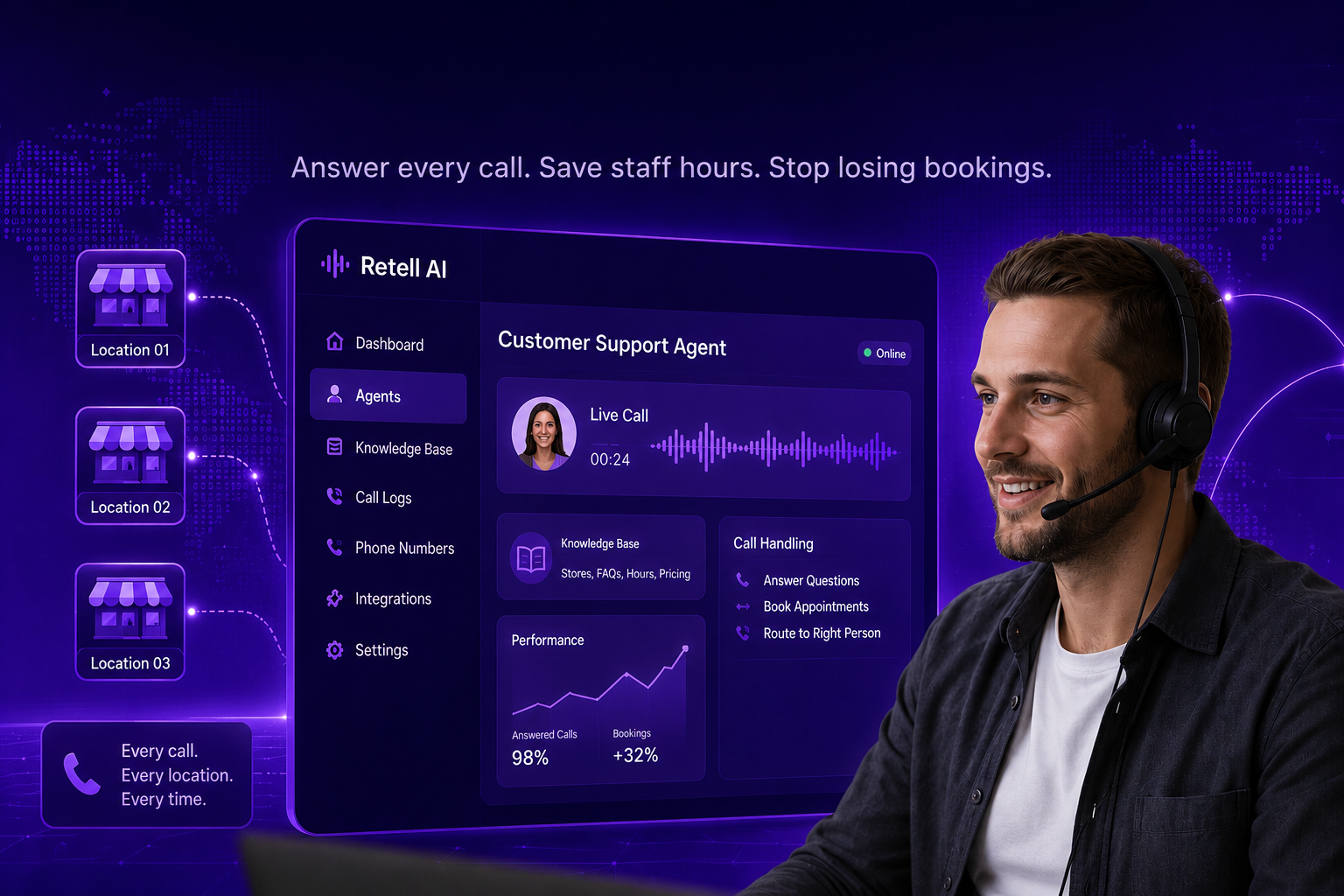
How To Set Up A Customer Support Voice Agent For Franchises


Your phones ring all day with the same questions. Hours, address, “are you open,” “can I book for Saturday.” Your staff stop serving the customer in front of them to pick up, or the call rolls to voicemail and the caller dials the store down the road.

A customer support voice agent answers every call on the first ring, at every location, day and night. It handles the routine questions and hands the rest to a person. This guide shows you how to set one up in Retell AI for a single location, in steps you can follow without a technical background.

Honest part first. It will not replace your team. It clears the repetitive calls so your staff can serve customers and close bookings. Plan for a couple of hours of setup and about a week of listening before it runs smoothly.

What a customer support voice agent handles
store hours, address, and directions

A voice agent does best on predictable calls:

  • store hours, address, and directions
  • whether a location is open that day
  • simple bookings and reservations
  • sending the caller to the right person or store

It is weak on judgment calls. Upset customers, refunds outside policy, and anything unusual belong with a person. Set that handoff from the start, and the agent earns its keep on the calls you were losing.

What you need before you start

  • A Retell AI account. Sign up at retellai.com. New accounts include a small amount of free usage, so you can test before you pay.
  • A list of the questions your locations get on the phone.
  • Your hours, address, and a plan for what the agent says when it cannot help.

Step 1: Create your account and open the dashboard

Sign up on the Retell website and log in. You land on the main screen where everything is managed. A menu runs down the left side. That menu is your map for this whole series

Retell AI dashboard home screen with the left-side navigation menu visible.

Step 2: Start a new phone assistant

Open the section for assistants, which Retell calls agents, and click to create a new one. Retell asks what type you want. For answering common questions, pick the basic option built for support. You can switch to a more advanced type later once you see how it behaves.

Retell create-new-agent screen showing the agent type options with the basic support option highlighted.

Step 3: Tell it how to behave

A box lets you write the agent’s instructions in plain English. You do not need clever wording. Cover four things:

  1. Who it is. “You answer the phone for [Your Business] in [Town].”
  2. What it should and should not do. “Answer questions about this location only. If you do not know, take a message or pass the caller to a person.”
  3. What a good call looks like. “Help the caller get an answer and book or reach the right person.”
  4. How it sounds. “Friendly, short, and clear. Repeat back details to confirm them.”

Add your hours, address, and after-hours line right here.

Retell agent instructions box filled in with the four points: who it is, rules, goal, and tone.

Tip: Always tell it what to do when it is stuck. A line like “If you cannot answer, offer a callback” stops it from guessing.

Step 4: Pick a voice

Retell gives you a list of voices, and you can play each one. Choose the voice that fits how you want your stores answered. Warmer for a salon or restaurant, steadier for a clinic or service brand.

Retell voice library with one voice selected and a play button to preview it.

Step 5: Leave the speaking settings alone for now

A panel controls fine details, such as how fast it replies and how it handles interruptions. The defaults work for a first build. Adjust them after you hear a real call, not before.

Retell speaking-settings panel showing default pause and interruption options.

Step 6: Give it your information

Rather than typing every detail into the instructions, give the agent a folder of information to read from. Retell calls this a knowledge base. Think of the training binder you hand a new front-desk hire. Add your FAQ, your prices, or a link to your website.

The next post in this series covers this in depth, including how to share one set of information across every location.

Retell knowledge base section inside the agent editor with a source being added.

Step 7: Test it before you connect a phone number

A button lets you talk to the agent from your computer before any real call comes in. Use it. Ask the real questions your stores get. Check three things. Does it answer correctly? Does it stay on topic? Does it handle “I do not know” without inventing an answer?

Retell test-call panel showing a sample conversation transcript.

Tip: Have two or three staff test it in their own words. People rarely ask the way you expect.

Step 8: Connect a phone number

Go to the phone numbers section. Buy a number through Retell or use one you already own. Set your new agent to answer that number.

Retell phone numbers section with the agent assigned to answer an inbound number.

Step 9: Call it yourself and confirm

Call the number. Run a few real situations: ask your hours, try to book, and ask one thing it should not know. Confirm it answers, sounds right, and handles the hard question the way you set up.

What this saves you

You now answer every call at one location, day or night, with no one tied to the phone. The calls you used to miss, the ones that quietly became a competitor’s customer, now get picked up. For a multi-unit operator, that gap repeats across every store, so the saving multiplies as you roll out.

Set up one location well, then use the rest of this series to route callers to the right store, keep every location’s answers correct, and make them all sound the same.

Next step: If you would rather skip the setup, Weam builds and runs customer support voice agents for franchise and multi-unit brands, plugged into the tools you already use. Book a cost-saving audit to see what it would save across your locations.

Once Human Console Open Beta: Join the Supernatural Survival World on XBOX Series X|S


The apocalypse is calling! The wait is nearly over, Metas. Before the official launch, we are thrilled to announce the final Console Open Beta for our weird and wonderful supernatural survival game, Once Human.

Prepare to experience the apocalypse like never before. With the leap to the big screen, you can expect deeper immersion, stunning visuals on your XBOX Series X|S, and pure, unfiltered survival. More players, more chaos, and more fun await! Here is everything you need to know before you step into the supernatural monster world.

Experience the Apocalypse on the Big Screen

Survive in a supernatural apocalypse where reality has fallen apart. As a Meta-Human, you will explore a vast, Stardust-infected open world where monsters are both a threat and the key to your survival. Every expedition carries risk, but yields vital resources. Gather materials and build your ultimate territory, but be prepared to defend your home against relentless sieges.

In this world, your enemies are your greatest asset. You can capture Deviants—bizarre entities that can automate your base, gather resources, and fight by your side. Push your evolution further by hunting powerful anomalies for Mutagens. Fuse with them, mutate your body, and harness their grotesque abilities to crush anything that stands in your way. In Once Human, survival is more than just staying alive. It is about turning the unknown—and the monsters themselves—into your own power.

During this Open Beta, you’ll have access to multiple scenarios and seasons to fit your playstyle. Whether you want to learn the ropes or dive straight into hardcore challenges, the choice is yours. Available scenarios include:

  • Novice Scenario
  • Manibus
  • Endless Dream
  • The Way of Winter
  • RaidZone

(Note: Players in all scenarios except RaidZone can also experience Visional Wheel S3: Aberrant Progeny!)

Reach Level 20 & Earn Exclusive Rewards

As a massive thank-you to everyone participating in this final test, we are giving away exclusive rewards that you can bring with you into the official launch!

Reach Level 20 with any character during the beta to earn a Cosmetic Selection Crate and a Weapon Skin Selection Crate. (Note: If you only play in the RaidZone, you will need to accumulate more than 3 hours of playtime to be eligible).

Cosmetic Options (Choose 1 of 3):

  • Abyssal Dragon Set
  • Noise Manifesto Set
  • Wasteland Sheriff Set

Weapon Skin Options (Choose 1 of 3):

  • Dragon Dance – KAM
  • Reconstructed Matrix – AWS.33
  • Gem Symphony – MG4

Will my progress carry over? This Open Beta is a wipe test, meaning most of your character progress will be reset before the official launch. However, you won’t leave empty-handed! The following will permanently carry over to the full release:

✅ All earned Starchrom

✅ All cosmetics and outfits obtained

✅ Up to 6 collected Deviants

How to Join the Beta on XBOX Series X|S

This test is open globally, but spots are strictly limited and available on a first-come, first-served basis. Once the user cap is reached, the download channel may close, so be sure to secure your spot early!

To join on XBOX:

  1. Turn on your XBOX Series X|S and open the XBOX Insider Hub app (download it from the Store if you don’t have it).
  2. Navigate to the “Previews” section.
  3. Search for “Once Human” and click “Join”.
  4. You will be directed to the store page to install the game.

(If you participated in the previous Closed Beta and still have the game installed, you will receive an automatic update. If you deleted it, you can simply re-download it from your game library without needing to re-register).

Test Schedule & Important Info

Mark your calendars so you don’t miss a second of the action:

  • Pre-download Opens: June 17 at 5:00 PM PT
  • Servers Go Live: June 17 at 7:00 PM PT
  • Beta Concludes: July 8, 11:59 PM PT

A note on Cross-play: While cross-play with PC and Mobile players is not supported during this test, the console servers are unified! XBOX and PlayStation players will be able to team up and survive the apocalypse together.

We Want Your Feedback!

This final beta is crucial for us to polish the console experience before launch, and your feedback is incredibly valuable. If you run into bugs or have suggestions, please use the in-game Feedback & Customer Support menu. You can also join the dedicated tester-feedback-submit channel on the official Once Human Discord.

Gather your friends, grab your weapons, and get ready to survive the weirdness. We’ll see you in the monster world on June 17!

Stearns and Foster Promo Codes: $300 Off in June 2026


For 180 years, Stearns & Foster has been making mattresses before expanding into bedding, pillows, and frames. Throughout their history, the brand has continuously brought its trademark old-school style of craftsmanship. Now owned by Tempur Sealy, the iconic Stearns & Foster look features hand-stitched details and an elevated design seen in luxury hotels like the Ritz-Carlton. Today, Stearns & Foster is known for using premium materials, hand-tufted covers, patented IntelliCoil technology with an innerspring-in-innerspring design, moisture-wicking Tencel, and memory foam for pressure relief. If you’re looking for reliable, hotel-like sleep night after night for decades to come, investing in a Stearns & Foster mattress is a good idea. This luxury brand is on the pricier side, so we have a Stearns & Foster promo code and Stearns & Foster coupons to make this investment more affordable.

Stearns & Foster Promo Code: $200 Off Base

The Ease Power Base is Sterns & Foster’s bestselling smartbed frame. Rated 4.7 out of 5 stars with over 2,000 five-star reviews, people love the adjustable frame to personalize their sleep experience, with a wireless remote to change their base position. The frame even has a Zero Gravity setting to help the body feel weightless with pressure relief for aches and back pain. When you purchase a Ease Power Base, you’ll get complimentary white-glove in-home delivery and a 25-year warranty for extra peace of mind with a purchase made to last decades. Plus, right now, you’ll get a $200 instant credit when you buy a qualifying mattress with Stearns & Foster promo code 200GIFT.

Get Free Pillows With Stearns & Foster

For a limited time, when you buy a qualifying Sterns & Foster mattress, you’ll get up to $300 in free accessories, including pillows and sheets. Perhaps best of all, there’s no catch: This Stearns & Foster deal automatically applies to your cart when you purchase a qualifying mattress. If you’d rather customize your free accessories, you’ll need to remove the pre-created bedding bundle from the cart and manually add the accessories of your choosing to the cart. Use Stearns & Foster coupon code 300FREE for this offer.

Stearns & Foster Free In-Home Delivery

One of the benefits of buying from a high-end brand like Stearns & Foster is their white glove delivery service and 25-year warranty for even more peace of mind. As a mattress reviewer on the WIRED Gear team, I hauled over a dozen mattresses in and out of my home. I can confidently say it was not fun. With this Stearns & Foster deal for free in-home delivery, their shipping team will set up your new mattress in the room and remove and discard all packaging materials, so you don’t have to do any of the grunt work. They’ll even dispose of your existing mattress and box spring if you request it for free.