Future Of Artificial Intelligence In Social Media Marketing


The Future Of Artificial Intelligence In Social Media Marketing

Believe it or not, Artificial Intelligence (AI) is going to rule the entire world in the future. Though its actual origin in the 1950s, AI is acquiring gradually every business. Right now, almost AI is around us. Every business is proactively shifting to Artificial Intelligence. Investments in AI are overwhelming. Dependency on Artificial Intelligence processes was also skyrocketing.

This article is focused:

  • How is AI used in social media?
  • The impact of AI on Social Media Marketing
  • Future of AI in Social Media

Role Of Artificial Intelligence In Social Media

The impact of AI in social media marketing is heating day-by-day. The capabilities of this innovative technology are leaving huge benefits to digital marketers. Marketers are very nicely using the best social media AI tools and apps to optimize market reach. Using this technology, they are building their success steps for their bright digital future.

It’s a well-known fact that we are all living in an information world. Whatever content you need is just a click away. Not only this, users can also share their thoughts and event on social media platforms. Even businesses can promote their brand on social media platforms where their target audience will spend a lot of time. This is what, today’s social media matters.

Social media become a significant part of our daily lives. Instagram, Facebook, Whatsapp, and Messenger like social networking apps have become a hub for online chatting, content sharing, business promotion, and many more activities. Driven by the integration of the best AI tools for social media marketing, organizations are further personalizing their audience experiences and increasing brand recognition.

The use of AI app in social media has become a major growth factor for today’s enterprise. Irrespective of their size and market value, companies are financing digital marketing to increase the brand’s reach to a wider audience base. Businesses that planned for brand recognition at low costs are using social media as their best communication platform with clients.

As we discussed above, to stay on top of digital competition, every organization must use the best social media AI tools. AI in social media is becoming an ultimate success pillar for today’s modern businesses.

Hope, Your Business Also Needs AI Mobile App To Streamline Digital Marketing Operations! Let’s Talk!

How Is AI Used In Social Media?

Let’s see how artificial intelligence modernizes social media marketing activities.

#1 Effective Advertising Tasks

Digital marketing is the best choice for enterprises to expand their brand name. AI has great potential in digital marketing. The role of artificial intelligence in social media for robust digital advertisement is offering huge operational benefits to organizations.

Businesses can reach their targeted customers faster using the best social media AI tools. AI tools and mobile apps will help companies to remain competitive in the market in their particular fields.

Growing internet usage across the world is also a growth factor for online marketing. Customers are spending more time on searching for their services/products online. Hence, search engines are using deep machine learning algorithms to understand user search patterns faster and deliver valuable insights to marketers.

Recommended to Read: How Can You Reshape Your Traditional E-commerce Business With AI?

Based on user search history, AI machines can deliver active advertisements. These machines collect customer data from various sources on the browser. For instance, using the best social media AI tools, Facebook is displaying personalized Ads based on user likes.

Accordingly, e-commerce uses AI apps to suggest its users with relevant products. Further, a top video streaming app like Netflix is also using AI capabilities to offer personalized video content based on past choices.

Therefore, AI is the best technology for marketers in this digital era. It helps to enhance the quality of their advertisements. Also, helps to gain a positive brand name in the market. Moreover, AI tools help marketers to offer a personalized experience to their customers. This helps to generate more sales in a short time.

#2 AI Offers Best Content Marketing Strategies

The use of AI app in social media marketing is increasing to build the best content strategies. Search engines use AI and Machine Learning (ML) algorithms to provide more accurate data for users quickly.

For instance, when a user browses for specific content, initially, the advanced algorithms evaluate various data from their past search history. This will help search engines deliver a list of similar search results. So, based on this, digital marketers can create related content that google ranks.

Hence, the role of Artificial Intelligence in Social Media helps in creating content that works for you. It can also transform raw information into valuable content using specific tools. You know, a single AI tool can create over 1,500 valid documents per single second.

I hope you wondered about this number. But it is true. In a survey, it was proved that approximately 25% of business data is created by AI-based machines. However, companies have started using AI-based automated content creation systems.

#3 Use of Chatbots Or Virtual Assistants

It is the best answer for how is AI used in social media?

AI-powered chatbots are benefiting digital marketers in many ways. They are actively participating as a communication channel between users and the company’s social websites.

Intelligent Chatbots are very much helpful for marketers in understanding customer needs and clarifying the queries that they have. In addition, Chatbots can compare posts on various social media platforms and assist marketers in creating the best Ads to attract more online users.

Recommended to Read: What Artificial Intelligence Can Do For Retail Industry?

#4 Predicts Market Growth

The best AI tools for social media marketing assist organizations in predicting market trends. Predicting market growth using traditional approaches like paperwork analysis takes more time. But, AI can do it quickly. AI, machine learning, and predictive analytics help to gather and process the data which is needed for predicting future growth.

USM’s Artificial Intelligence solutions for marketing will break down your social media marketing landscape. We developed many mobile apps that separate your business from those using traditional marketing methods. You are just a click away to connect with our AI expert!

Recommended to read:  Which AI App is best for your digital marketing?

5. Increase Organic Reach and RoI

The use of AI app in social media offers Innovative marketing strategies that always helps organizations to build strong organic reach. It can aggressively promote brands on social sites. Hence, inbound traffic will be increased to the company’s web portal.
Today’s marketing world is heavily depending on AI to promote their products/services aggressively. Know how USM’s social medium computing solutions enhance customer engagement. Find out how?

#6 Target The Right Audience

The future of AI in social media marketing for targeting the right audience base across multiple online platforms would be bright.

In traditional marketing ways, it was difficult to find potential customers. But, in this technology-driven world, everything will be done with a single click. AI machines can store vast data that is collected from diverse sources. By accessing that large data, AI helps marketers in reaching the targeted audience faster. This saves a lot of time for marketers and enables them to spend their valuable time on other marketing activities.

#7 AI Offers High Security

Due to the increased usage of the internet, security has become a vital thing. In particular, securing the brand from attacks is important for marketers. So, organizations are using AI trackers to protect their data and brand image. The best AI tools for social media can track irregular movements in the process and alert the marketers about the risk.

Conclusion

Artificial Intelligence is slowly occupying the marketing and sales industries. The use of AI in the marketing field is rapidly growing. E-mail campaigns, content marketing, social media marketing, and whatnot, AI is everywhere. AI for social media helps to analyze the changing preference of customers, create leads, nurture leads, and modernize all marketing tasks.

We can notice one thing in this evolving digital world AI opens new ways of marketing. Undoubtedly, AI technology will take digital marketing to new heights. It not only increases your revenues but also keeps you in a safe zone from the competition.

Taste the power of Artificial Intelligence in Social Media Marketing. Are you ready?


The Complete List of Banned Words In Midjourney (Updated)


Using a dataset of text-image pairs, Midjourney AI is an art generator that generates artwork in response to textual prompts.

One must be familiar with the Midjourney AI’s rules of conduct before implementing them. If you do not comply, you can no longer use the Midjourney AI.

In this article, we’ll look at Midjourney AI’s rules and the list of words that aren’t allowed. We’ll also give you a few tips on how to get past the Midjourney filters.

Midjourney Rules That You Must Follow

By enrolling in the beta version of Midjourney AI, you agree to the privacy policy and rules outlined by Midjourney Inc. This means that Midjourney Inc. has the right to suspend or ban your access at any time if you breach the code of conduct.

The statement of #rules channel in Midjourney Discord is as follows:

Do not create images or use text prompts that are inherently disrespectful, aggressive, or otherwise abusive. Violence or harassment of any kind will not be tolerated. No adult content or gore. Please avoid making visually shocking or disturbing content. We will block some text inputs automatically.

Midjourney Discord

List of Banned Words in Midjourney AI

midjourney

Midjourney strives to make its content PG-13, and hence, it has implemented a filter that automatically forbids and bans exact words or similar words related to violence, drugs, harassment, adult content, gore, aggressiveness, and abusiveness.

Here is the list of banned words in Midjourney Discord:

Banned: Gore Words

A gore image is any picture of a deformed body, a limb that has been cut off, blood, violence, a human or animal body part that has fallen off, cannibalism, disease, etc.

  • Blood
  • Bloodbath
  • Crucifixion
  • Bloody
  • Flesh
  • Bruises
  • Car crash
  • Corpse
  • Crucified
  • Cutting
  • Decapitate
  • Infested
  • Gruesome
  • Kill (as in Kill la Kill)
  • Infected
  • Sadist
  • Slaughter
  • Teratoma
  • Tryphophobia
  • Wound
  • Cronenberg
  • Khorne
  • Cannibal
  • Cannibalism
  • Visceral
  • Guts
  • Bloodshot
  • Gory
  • Killing
  • Surgery
  • Vivisection
  • Massacre
  • Hemoglobin
  • Suicide
  • Female Body Parts

Banned: Adult Words

  • ahegao
  • pinup
  • ballgag
  • Playboy
  • Bimbo
  • pleasure
  • bodily fluids
  • pleasures
  • boudoir
  • rule34
  • brothel
  • seducing
  • dominatrix
  • seductive
  • erotic seductive
  • fuck
  • sensual
  • Hardcore
  • sexy
  • Hentai
  • Shag
  • horny
  • shibari (bondage in japanese)
  • incest
  • Smut
  • jav
  • succubus
  • Jerk off king at pic
  • thot
  • kinbaku (bondage in Japanese)
  • transparent
  • submissive
  • dominant
  • nasty
  • indecent
  • legs spread
  • cussing
  • flashy
  • twerk
  • making love
  • voluptuous
  • naughty
  • wincest
  • orgy
  • Sultry
  • XXX
  • Bondage
  • Bdsm
  • Dog collar
  • Slavegirl
  • Transparent and Translucent

Banned: Body Parts Words

  • Arse
  • Labia
  • Ass
  • Mammaries
  • Human centipede
  • Badonkers
  • Minge (Slang for vag)
  • Massive chests
  • Big Ass
  • Mommy Milker (milker or mommy is fine)
  • Booba
  • Nipple
  • Booty
  • Oppai (Japanese word for breasts)
  • Bosom
  • Melons (in bad sense)
  • Bulging
  • Coochie
  • Head (in vulgar sense)
  • Engorged
  • Organs
  • Breasts
  • Ovaries
  • Busty
  • Penis
  • Clunge (British slang for vagina)
  • Phallus
  • Crotch
  • sexy female
  • Dick (as in Moby-Dick)
  • Skimpy
  • Girth
  • Thick
  • Honkers
  • Vagina
  • Hooters
  • Veiny
  • Knob
  • Seductress
  • Shaft

Banned: Clothing Words

  • no clothes
  • Speedo
  • au naturale
  • no shirt
  • bare chest
  • nude
  • barely dressed
  • bra
  • risqué
  • clear
  • scantily
  • clad
  • cleavage
  • stripped
  • full frontal unclothed
  • invisible clothes
  • wearing nothing
  • lingerie with no shirt
  • naked
  • without clothes on
  • negligee
  • zero clothes

Banned: Taboo Words

  • Taboo
  • Fascist
  • Nazi
  • Prophet Mohammed
  • Slave
  • Coon
  • Honkey
  • Arrested
  • Jail
  • Handcuffs

Banned: Drugs Words

  • Drugs
  • Cocaine
  • Heroin
  • Meth
  • Crack

More IllegalWords That You Should Not Use In Midjourney

The other category includes prompts that are inherently disrespectful, aggressive, or abusive.

  • Torture
  • Disturbing
  • Farts, Fart
  • Poop
  • Warts
  • Xi Jinping
  • Shit
  • Pleasure
  • Errect
  • Big Black
  • Brown pudding
  • Bunghole
  • Vomit
  • Voluptuous
  • Seductive
  • Sperm
  • Hot
  • Sexy
  • Plebeian
  • Sensored
  • Censored
  • Uncouth
  • Silenced
  • Deepfake
  • Inappropriate
  • Pus
  • Waifu
  • mp5
  • Succubus
  • 1488
  • Surgery

Tips to Escape from the Midjourney Filter

While it may be tempting to try to bypass the Midjourney filter, it’s important to remember that doing so can result in a ban. However, if you have a legitimate need to use a word that is on the banned list, there are a few tips you can follow to try to work around the filter:

  1. Replace banned words with similar but allowed words. For example, use “vaccination” instead of “vaccine.”
  1. Avoid using any word that is even remotely related to a banned word. If unsure whether a word might trigger the filter, err on caution and choose a different word.
  1. Consider using a synonym or alternate phrasing. If the banned word is central to your prompt, try rephrasing the prompt in a way that doesn’t require the use of the banned word.
  1. Remember that the Midjourney team constantly updates the banned word list, so what worked yesterday may not work today. Always check the #rules channel before submitting your prompt.

The Rise of AI-Generated Adult Content

The rise of AI-generated adult content has become a pressing issue in the context of AI image generation. Advances in AI have enabled the creation of highly realistic images and videos that can be used to produce adult content without the need for human actors.

This technology has been used to generate fake pornographic content featuring celebrities, politicians, and even non-public figures. Such content is often referred to as “deepfake porn” or “AI porn.”

One of the major concerns with AI-generated adult content is the potential for it to be used to create illegal and harmful content, such as child pornography. The recent arrest of a man for using AI software to create child p*rnography highlights the serious nature of this issue.

Another concern is the unauthorized use of individuals’ images to create deepfake porn without their consent. This has become a growing problem for young people, particularly women, whom online trolls or malicious actors may target.

The lack of federal laws in the United States to protect individuals from having their likenesses used in deepfake porn exacerbates the issue. However, other countries, such as the UK, have begun taking steps to address this problem.

There is an urgent need for governments and tech companies to work together to regulate AI-generated adult content and protect individuals from the spread of harmful content. This could involve creating new laws, improved AI algorithms that can detect and remove harmful content, and greater education and awareness of the risks associated with AI-generated content.

The End!

Midjourney AI can be a fun and creative way to generate art from text prompts.

However, it’s important to remember that Midjourney has strict rules around what is and isn’t allowed on the platform. Violating these rules can result in a suspension or ban from the service.

Before posting a prompt, ensure it complies with the #rules channel’s guidelines and, if in doubt, pick another prompt.

Additionally, it’s important to remember that the code of conduct isn’t just about following a list of banned words. It’s also about being respectful and kind to other members of the Midjourney community.

By treating others with respect and following the rules, we can all enjoy the benefits of this amazing AI art generator.

Check more articles:


Karakter AI | Fitur Character.AI Terbaik dan Canggih


Build Apps with a Click


Template Wizard_ Build Apps with a Click!

This blog post focuses on new features and improvements. For a comprehensive list, including bug fixes, please see the release notes.

Introduced app templates for streamlined app creation.

We now provide pre-built, ready-to-use templates that expedite the app creation process. Each template comes with a range of resources, such as datasets, models, workflows, and modules, allowing you to quickly hit the ground running with your app creation process.

To access the templates:

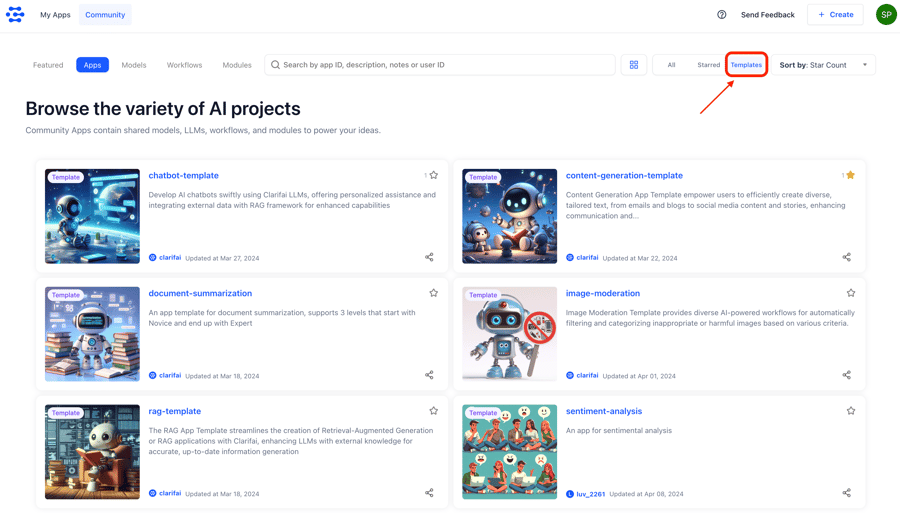
  1. You can either go to the community Apps section and filter the apps by selecting the “Templates” option on the right side.
    Screenshot 2024-04-08 at 2.36.44 PM
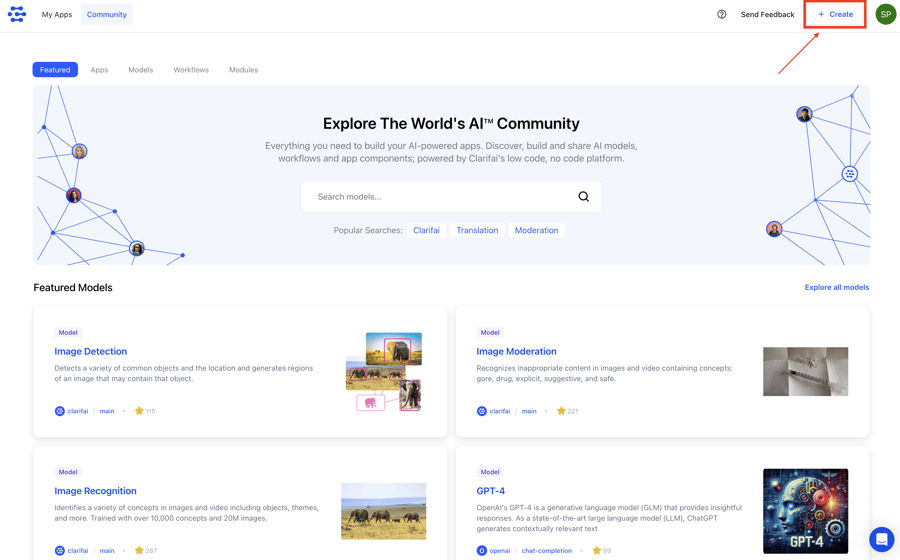
  2. Or you can choose the “Use an App template” option by creating your app from the create option on the top right side.
    Screenshot 2024-04-09 at 11.34.58 AM

Here are the five different templates available at the moment which cover various use cases.

  1. Chatbot-Template: Chatbot App Template serves as an extensive guide for building an AI chatbot swiftly and effectively, utilizing the capabilities of Clarifai’s Large Language Models (LLMs).
  2. RAG-Template: This RAG App Template offers a comprehensive guide for building RAG (Retrieval-Augmented Generation) applications effectively using Clarifai. It enables you to quickly experiment with RAG using your datasets without the need for extensive coding.
  3. Document-Summarization Template: This template provides you with multiple workflows for various levels of summarization, such as summarizing a couple of paragraphs with a prompt, summarizing multiple pages, and summarizing an entire book.
  4. Content-Generation Template: This App Template discusses several content generation use cases such as email writing, blog writing, question answering, etc., and comes with several ready-to-use workflows for content creation, leveraging different LLM models and optimized through various prompt engineering techniques.
  5. Image-Moderation Template: This template explores various image moderation scenarios and offers ready-to-use workflows tailored to different use cases. It leverages various computer vision models trained by Clarifai for image moderation.

Released a new Node SDK [Developer Preview]

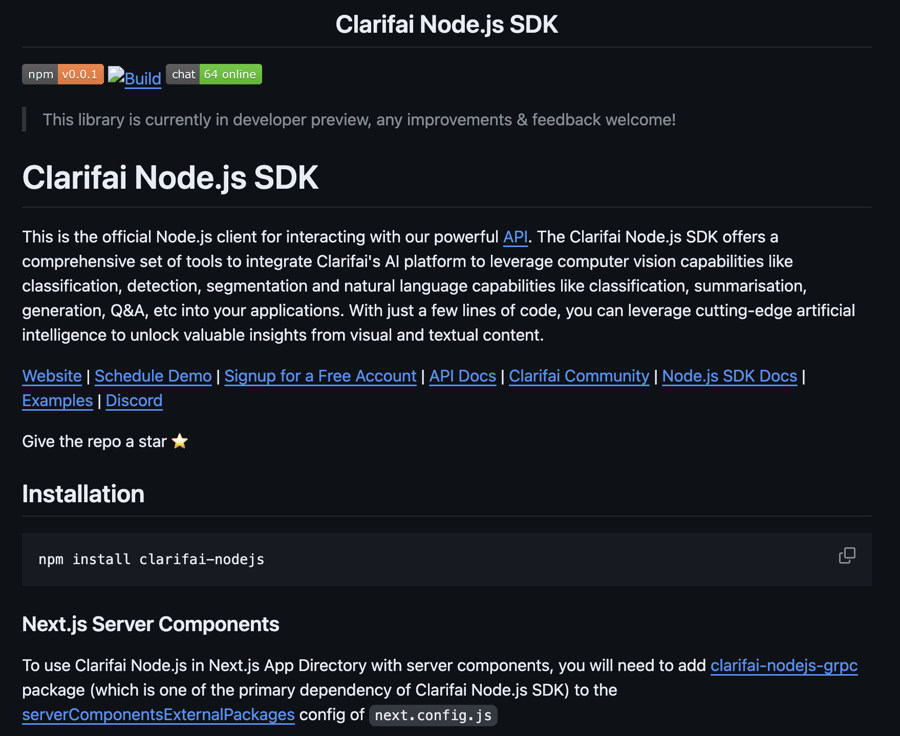
  • We released the first open-source version (for developer preview) of a Node SDK for JavaScript/TypeScript developers focused on creating web services and web apps consuming AI models.
  • It is designed to offer a simple, fast, and efficient way to experience the power of Clarifai’s AI platform — all with just a few lines of code.

  • You can check its documentation here.

Screenshot 2024-04-08 at 2.21.30 PM

Published new models

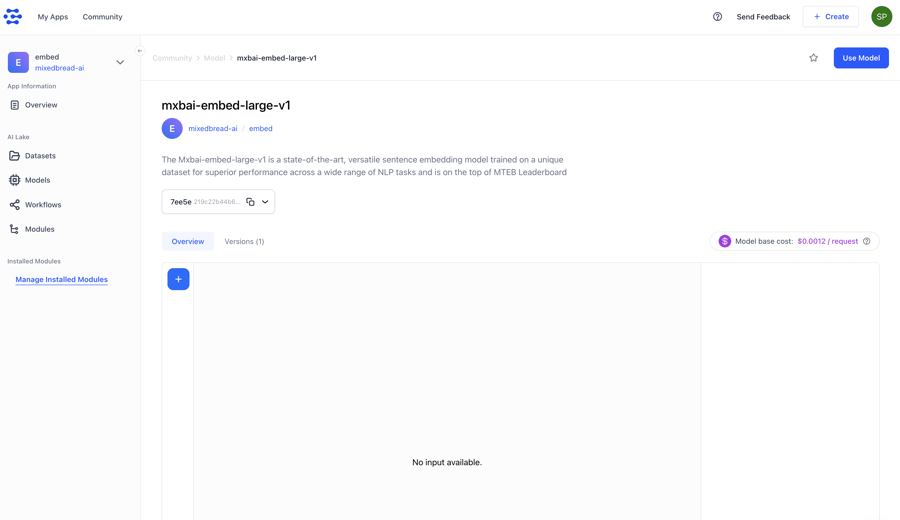
  • Clarifai-hosted Mxbai-embed-large-v1, a state-of-the-art, versatile, sentence embedding model trained on a unique dataset for superior performance across a wide range of NLP tasks. It also tops the MTEB Leaderboard.

    Screenshot 2024-04-08 at 3.38.02 PM
  • Clarifai-hosted Genstruct 7B, an instruction-generation LLM, designed to create valid instructions given a raw text corpus. It enables the creation of new, partially synthetic instruction fine-tuning datasets from any raw-text corpus.

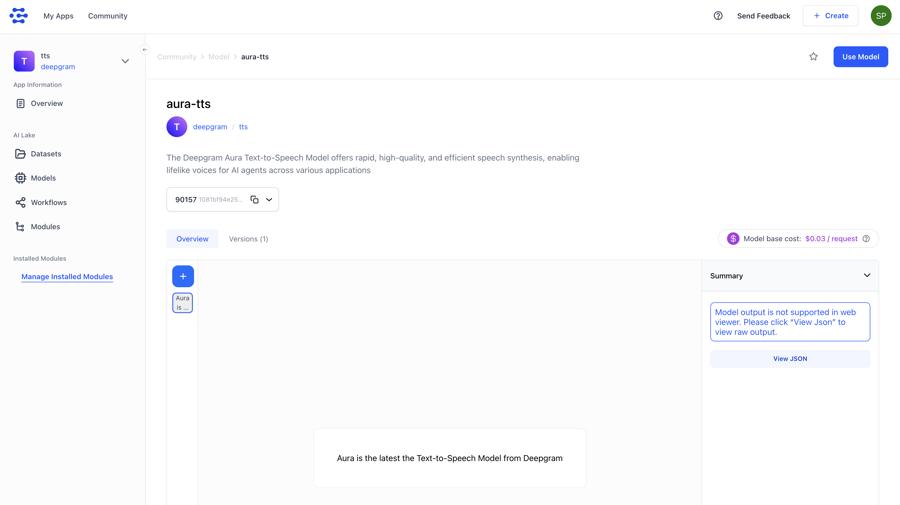
  • Wrapped Deepgram’s Aura Text-to-Speech model, which offers rapid, high-quality, and efficient speech synthesis, enabling lifelike voices for AI agents across various applications.

    Screenshot 2024-04-08 at 3.08.10 PM

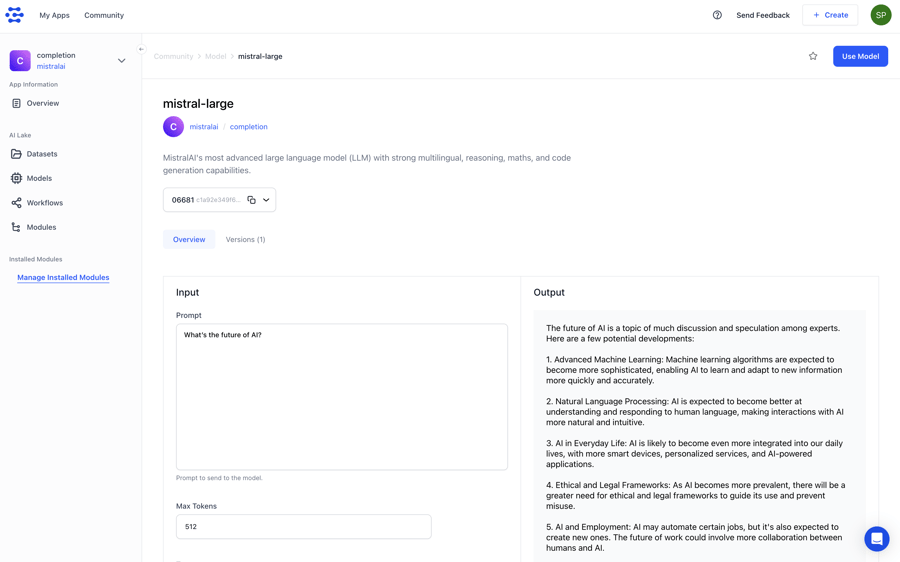
  • Wrapped Mistral-Large, a flagship LLM developed by Mistral AI, and renowned for its robust multilingual capabilities, advanced reasoning skills, mathematical prowess, and proficient code generation abilities.

    Screenshot 2024-04-08 at 3.36.20 PM

  • Wrapped Mistral-Medium, Mistral AI’s medium-sized model. It supports a context window of 32k tokens (around 24000 words) and outperforms Mixtral 8x7B and Mistral-7b on benchmarks across the board.

  • Wrapped Mistral-Small, a balanced, efficient large language model offering high performance across various tasks with lower latency and broad application potential.

  • Wrapped DBRX-Instruct, a state-of-the-art, efficient, open LLM by Databricks. It’s capable of handling input length of up to 32K tokens. The model excels at a broad set of natural language tasks, such as text summarization, question-answering, extraction, and coding.

Added ability to import datasets via archive files with ease

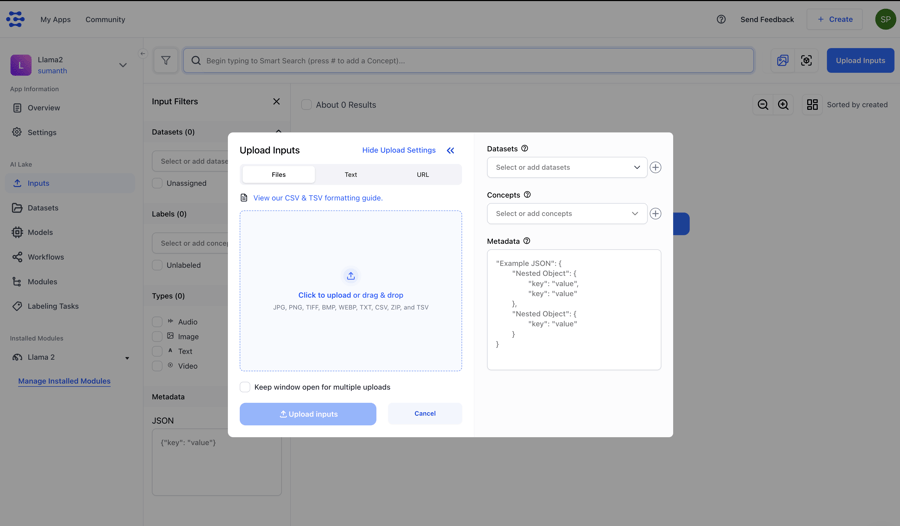
  • Within the Input Manager, users can now seamlessly upload archive or zipped files containing diverse data types such as texts, images, and more.

    Screenshot 2024-04-09 at 11.57.47 AM

Devtools Integrations

Integrated the unstructured Python library with Clarifai as a target destination.

  • The unstructured library provides open-source components for ingesting and pre-processing images and text documents. We’ve integrated it with Clarifai to allow our users to streamline and optimize the data processing pipelines for LLMs.

Added support for exporting your own trained models [Enterprise-only]

  • You can now export the models you own from our platform to a pre-signed URL. Upon export, you’ll receive model files accessible via pre-signed URLs or private cloud buckets, along with access credentials.
  • Please note that we only support exporting trainable model types. Models such as embedding-classifiers, clusterers, and agent system operators are not eligible for export.

Improved the Model-Viewer UI of multimodal models

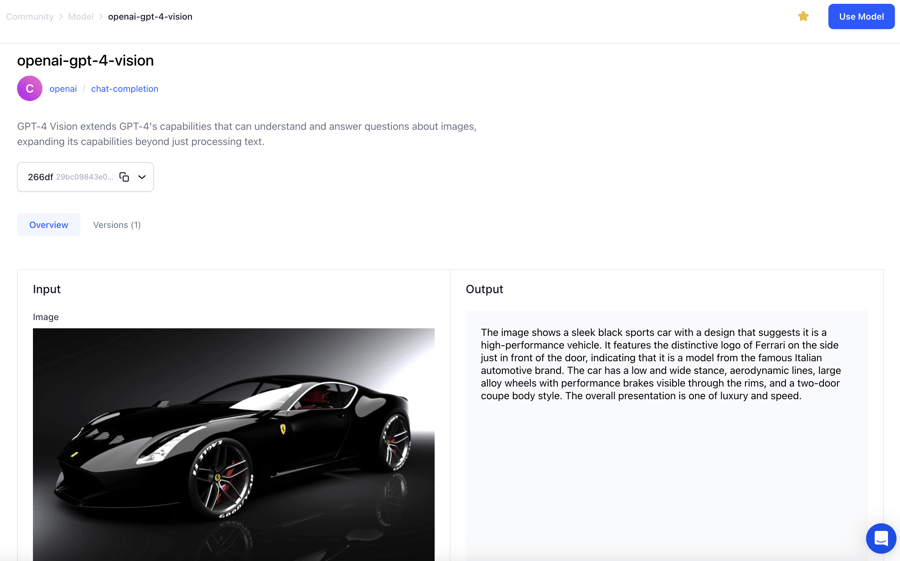
  • For multimodal models like GPT4-V, users can provide input text prompts, include images, and optionally adjust inference settings. The output consists of generated text.
  • They also support the use of 3rd party API keys (for Enterprise Customers).
    Screenshot 2024-04-04 at 1.04.46 PM-1

Added support for exporting models

  • You can now use the Python SDK to export your own trained models to an external environment.

Introduced improvements to the dataloader module

  • We added retry mechanisms for failed uploads and introduced systematic handling of failed inputs. These improvements optimize the data import process and minimize errors within the dataloader module.

Added support for dataset version ID

  • Previously, it was not possible to access or interact with specific versions of a dataset within the Python SDK. This update introduces support for dataset versions in several key areas as detailed here.

Made improvements to the local model upload functionality

  • We now provide users with a pre-signed URL for uploading models.
  • We added educational materials and tooltips to the local model upload UI.
  • We made other improvements to make the process of uploading models simple and intuitive.

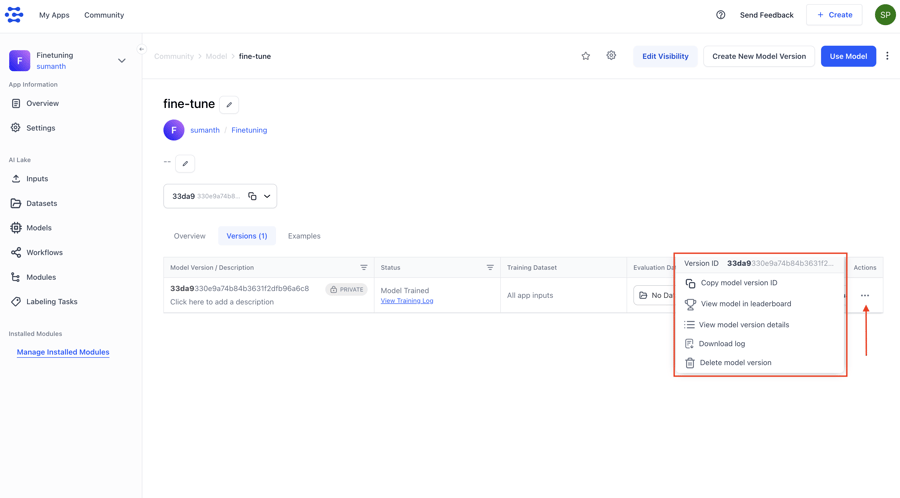
Enhanced the functionality of the Actions column within a model’s versions table

  • We refactored the column into an intuitive context menu. Now, when a user clicks on the three dots, a dropdown menu presents various options, optimizing user experience and accessibility.
    Screenshot 2024-04-09 at 12.12.04 PM

Enabled deletion of associated model assets when removing a model annotation

  • Now, when deleting a model annotation, the associated model assets are also marked as deleted.

Improved the functionality of the Face workflow

  • You can now use the Face workflow to effectively generate face landmarks and perform face visual searches within your applications.

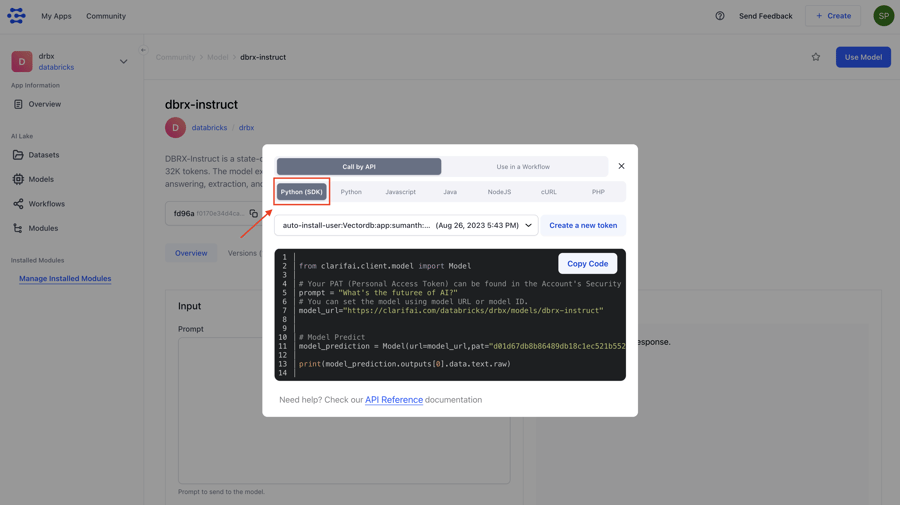
Added Python SDK code snippets to the Use Model / Workflow modal window

  • If you want to use a model or a workflow for making API calls, you need to click the Use Model / Workflow button at the upper right corner of the individual page of a model or workflow. The modal that pops up has snippets in various programming languages, which you can copy and use.
  • We introduced Python SDK code snippets as a primary tab. Users can now conveniently access and copy the Python SDK code snippets directly from the modal.
    Screenshot 2024-04-09 at 10.37.51 AM-1

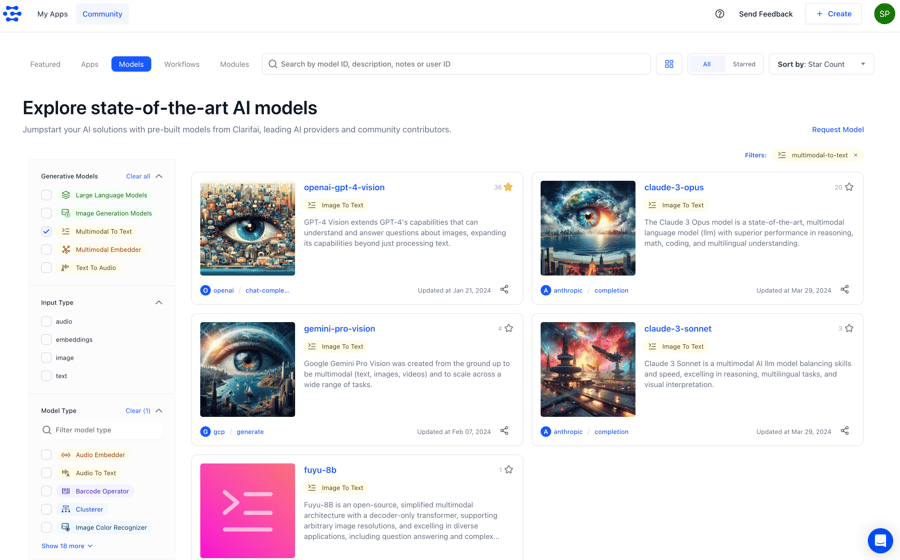
Revamped the resource filtering experience on desktop devices

  • We relocated the filtering sidebar from the right to the left side of the screen, optimizing accessibility and user flow.
  • We also made other improvements to the filtering feature, such as using chevrons to mark the collapsible sections, enhancing the alignment of the clear button, and enhancing the appearance of the divider line.
  • We also added Multimodal-to-text, Multimodal-embedder, and text-to-audio filtering options.
    Screenshot 2024-04-09 at 10.25.34 AM

Revamped mobile resource filters with a fresh design

  • Implemented a new and improved design for resource filters on mobile platforms.

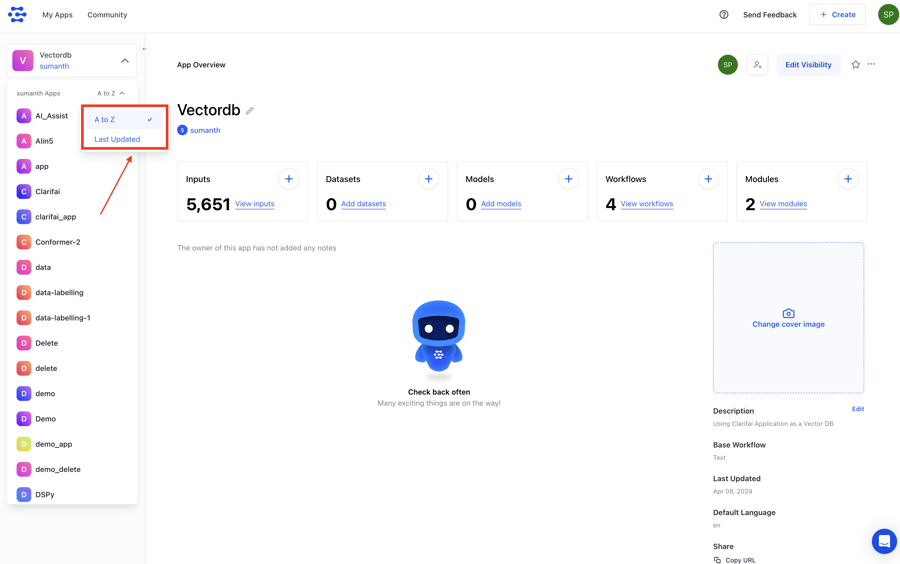
Added ability to sort apps listed on the collapsible left sidebar of your individual app page

  • You can now sort the apps alphabetically (from A to Z) or by “Last Updated.” This lets you find the apps you need quickly and efficiently.
    Screenshot 2024-04-09 at 10.28.28 AM

Enhanced markdown template functionality with custom variables

  • We have introduced a feature that allows users to insert custom variables such as  and  into markdown templates, particularly in sections like the Notes section of a model. These variables are dynamically replaced with the corresponding user_id and app_id extracted from the URL, allowing you to personalize content within your templates.
  • For example, within the Notes section of a model, you can now add  to dynamically display the user who created the model.

Improved responsiveness for 13-inch MacBooks

  • We improved responsiveness issues to ensure an optimal viewing experience for 13-inch MacBook devices with a viewport of 1440px × 900px dimensions.

Made enhancements to the RAG (Retrieval Augmented Generation) feature

  • Enhanced the RAG SDK’s upload() function to accept the dataset_id parameter.
  • Enabled custom workflow names to be specified in the RAG SDK’s setup() function.
  • Added support for chunk sequence numbers in the metadata when uploading chunked documents via the RAG SDK.


Empowering Young Minds with The Power of AI and STEM Education


The 21st century is marked by swift and dynamic technological transformations. Students exhibit a strong enthusiasm for acquiring knowledge about and engaging with the most recent technological progressions. Among the domains exerting significant influence on education and career trajectories are STEM education and artificial intelligence (AI). Through strategic investments in AI and STEM education, nations globally can guarantee that their students possess the necessary proficiencies to excel in the contemporary economic landscape.


STEM education

  • In readiness for the upcoming job landscape, the significance of STEM education cannot be overstated. 
  • Within the realm of STEM-related domains, expansion is occurring at a pace surpassing that of other economic sectors, resulting in a pronounced need for adept professionals. 
  • By engaging in STEM education, students can cultivate indispensable attributes such as critical thinking, problem-solving acumen, and creativity, all of which stand as pivotal requisites to be successful within these fields.


AI and education

AI stands as a transformative breakthrough, influencing virtually every facet of our global landscape, including the realm of education. While the proliferation of AI presents individuals with a range of potential challenges, its educational advantages are unequivocal.

AI’s potential is virtually limitless. Within STEM education, instructors have numerous avenues to leverage AI to enhance science and technology instruction across various age groups. Its applications span from daily teaching activities to immersive experiences that extend beyond the traditional classroom setting.


Benefits of AI technology in STEM education

AI and STEM education are becoming increasingly popular. Numerous educational institutions have made commitments to incorporate STEM learning into their curricula in order to generate talented and knowledgeable learners.


Individualized learning pace

AI and STEM education enables students to learn at their own pace. This signifies that students can delve into various concepts and concentrate on areas that captivate their interest.

Overcoming traditional education challenges

  • AI and STEM education eradicates the limitations of the conventional one-size-fits-all educational model. 
  • This conventional approach isn’t suitable for every student, especially introverts who may hesitate to seek clarification for their queries. 
  • AI emerges as exceptionally advantageous for them, delivering tailored guidance. 
  • It ensures all students grasp concepts according to their capacities, significantly enhancing their skills.


 Flexible and global learning

  •  AI and STEM education extends the reach of learning beyond boundaries. 
  • This implies that students in remote areas can access education without the need to physically attend school. 
  • Particularly beneficial for rural learners, this approach enables them to receive international-quality education even in distant locales.


 Real-world skill development

  • AI in classroom equips students with skills directly applicable in real-world scenarios. 
  • By fostering exploration and achievement, it nurtures innovation and technological prowess.
  • Consequently, students gain the self-assurance to readily embrace new technologies, emerging as distinct individuals.


Learning from setbacks

  •  During STEM education activities, students learn within a safe environment.
  •  Experiencing failures and subsequent retries cultivates persistence and problem-solving skills. 
  • This process instills the ability to handle the stress of failure, find alternative routes to success, and recognize mistakes as integral to the learning journey, fostering resilience and confidence in facing challenges.

Enhanced grading precision

  •  Grading in STEM subjects often burdens educators with a substantial workload. 
  • However, AI boasts impressive accuracy in practical applications, enabling precise and timely feedback for STEM students. 
  • This heightened accuracy empowers teachers to identify students requiring extra support and grants them more time to focus on other crucial tasks.


 Closing the future workforce skills gap

  • The current workforce faces a shortage of skilled AI professionals. 
  • With AI and STEM education, students gain early exposure to AI practices, bridging the gap between educational content and future careers. 
  • This familiarity empowers them to make informed decisions and emerge as leaders in tomorrow’s talent pool, regardless of their specific career paths.


Inclusive reach and accessibility

  •  Artificial intelligence stands as a pioneer in advancing inclusive technology. 
  • For instance, virtual reality (VR), which amplifies the accessibility of STEM education and diverse learning experiences. 
  • Through AI-driven tools, individuals such as those unable to physically attend classes or those with learning disabilities can actively engage in educational programs, thus fostering inclusivity.


Enhanced creative aptitude

  • Another advantage of AI and STEM education is their capacity to foster heightened creative thinking and adept problem-solving. 
  • Conventional educational curricula tend to be inflexible, offering limited opportunities for students to delve into uncharted territories and test novel concepts. 
  • AI-powered software operates swiftly, dynamically responding to alterations and proposing innovative avenues. 
  • As STEM students transition into professional realms, they will encounter substantial challenges necessitating ingenious resolutions. 
  • Nurturing creative problem-solving skills in the early stages of education will undoubtedly bolster their triumphs in forthcoming ventures.


Tailored guidance and support

  • The current school environment may not universally resonate as ideal. Schools often grapple with large student populations, rendering individual attention a formidable challenge. 
  • However, the advent of AI promises a transformative shift by enabling personalized mentoring. 
  • This advancement ensures that even introverted students can confidently pose questions and access support in a manner that surpasses previous norms.


Fosters technological familiarity

  • AI and STEM education imparts a profound understanding of technology’s potency and the potential of innovation to young learners. 
  • This foundation equips students with the readiness to wholeheartedly embrace novel technologies rather than harboring reservations or trepidation. 
  • Consequently, they gain a significant advantage in the contemporary global landscape, which is increasingly dominated by technology.

Cultivates collaborative skills

  • STEM education accommodates students across a spectrum of aptitude levels. 
  • Through collaborative initiatives, students of diverse proficiencies collaboratively tackle challenges, document data, craft reports, and deliver presentations. 
  • The outcome is a cohort of students well-versed in collaborative dynamics, poised to flourish in environments that prioritize teamwork and collaboration.

AI in classroom offers advantages in nurturing students’ academic achievements, motivation, and cognitive abilities within the context of STEM education. The untapped potential of AI technology in augmenting STEM education warrants more comprehensive exploration, coupled with research endeavors focused on the seamless integration of technology into educational systems.

The future holds great promise for AI and STEM education. Governments across diverse nations are committed to substantial investments in STEM education due to its vital importance. Moreover, the labor market is witnessing an escalating need for competencies linked to STEM fields. Simultaneously, AI is actively enhancing the realm of education, with indications suggesting its persistent growth in the forthcoming years.

15+ Midjourney Lighting Prompts (With Examples)


Lighting is the key to creating stunning, photorealistic artwork that stands out.

Using the right Midjourney lighting prompts, you can easily elevate your AI art.

For example, you might want to create the golden glow of a sunset, the dramatic shadows of a film noir scene, or the soft, dreamy atmosphere of a misty morning; all this is possible with the lighting prompts styles we will discuss in this guide.

In this guide, we’ll share the best Midjourney lighting prompts and show you how to use them with examples.

Midjourney Lighting Prompts

Remember, we’ll use the latest V6 Midjourney version for this guide. If you have not yet updated your Midjourney, you can easily do so by going to Midjourney Settings and changing your Current Suffix to –v6.

Also in this guide, we’ll not be using random prompts, so that you can notice the lighting differences on the subject.

Here are the lighting style prompts that we are going to talk about in this post:

  • Soft Lighting
  • Hard Lighting
  • Back Lighting
  • Golden Hour
  • Midday Sun
  • Overcast Lighting
  • Artificial Lighting
  • Seasonal Lighting
  • Shadowed
  • Sunflare
  • Rim Lighting
  • Cross Lighting
  • High Key Lighting
  • Low Key Lighting
  • Broad Lighting
  • Short Lighting
  • Flash-Lamp & Flashtube
  • Incandescent Lamp
  • Crackle Tube
  • Halogen Lamp
  • Strobe Light
  • Flickering Lighting
  • Motivated Lighting

So tighten your seatbelts, and let’s get started learning.

Soft Lighting

Soft, diffuse lighting can create a more natural, atmospheric look and feel to the generated images. It helps to minimize harsh shadows and highlights, resulting in a more even and pleasing luminance.

It’s a great lighting style if you want your AI images to have more pleasing lighting that’s not harsh on the eyes (for example, hard shadows).

soft light example midjourney
Soft Lighting

Prompt: a photo portrait of a beautiful and diverse woman, soft lighting,::3 dslr::3 –aspect 1:1 –version 6.0 –stylize 50

Hard Lighting

Hard lighting, characterized by stark contrasts between bright highlights and deep shadows, can add drama, intensity, and a sense of three-dimensionality to the generated images.

It’s a great lighting style to create more striking, cinematic, or mystical aesthetic images.

Hard lighting example midjourney
Hard Lighting

Prompt: a photo portrait of a beautiful and diverse woman shadowed, hard lighting,:: dslr::3 –aspect 1:1 –v6 –stylize 30

Back Lighting

By placing the light source behind the subject, backlighting can create a beautiful rim of illumination around the edges, separating the subject from the background and adding depth and dimensionality to the image.

It’s a great lighting style to achieve a dramatic, ethereal, or ethereal look in your Midjourney AI artwork.

backlit example midjourney prompt
Backlighting

Prompt: a photo portrait of a woman with flowing black hair, backlit by a golden sunset, bright backdrop, wearing a flowing white dress –v 6.0

Golden Hour

The golden hues and long shadows of golden hour lighting can create a dreamy, ethereal quality. This warm, soft lighting occurs during the first and last hours of the day.

It’s a great lighting style to capture a serene, atmospheric, and aesthetically pleasing mood.

golden hour midjourney example
Golden Hour

Prompt: a photo portrait of a handsome man, golden hour lighting –v 6.0

Midday Sun

Midday Sun is a harsh, direct light from the high sun creates strong shadows and highlights. It works well for subjects that need a bold, high-contrast look, like buildings or action scenes. Midday sunlighting is good for clarity and vibrancy in AI portraits or images.

midday sun midjourney lighting prompt output
Midday Sun Lighting

Prompt: a photo portrait of a beautiful woman, harsh midday sun lighting, dslr –aspect 1:1 –version 6.0 –stylize 50

Overcast Lighting

The light becomes soft and even when the sky is covered in clouds, which we call Overcast lighting.

This can create a calm, moody, and atmospheric look in the images. Overcast lighting reduces harsh shadows and highlights, giving a more subtle and diffused illumination.

It’s a great lighting style to make your AI image feel cozy, tranquil, or mysterious.

overcast lighting midjourney example
Overcast Lighting

Prompt: a photo portrait of extremely beautiful woman, overcast lighting, dslr –aspect 1:1 –version 6.0

Artificial Lighting

Lighting that is created by human-made sources, like lamps or spotlights, can add a lot of control and creativity to the images.

Artificial lighting allows you to create specific moods, highlight certain elements, and even defy natural lighting conditions.

Artificial lighting
Artificial lighting

Prompt: a photo portrait of a handsome man, artificial studio lighting –v 6.0 –stylize 59

Seasonal Lighting

The quality of light changes throughout the different seasons of the year. In winter, the light is often softer and more diffused.

In summer, the light is brighter and harsher. Incorporating seasonal lighting can make your Midjourney AI images feel more authentic and immersive.

It’s a great lighting style if you want to capture a specific time of year or evoke a certain mood and atmosphere.

Let’s take an example here of winter:

Seasonal Lighting
Seasonal lighting

Prompt: a cozy mountain cabin in the soft, muted light of a winter afternoon, with snow-capped peaks in the distance, Unreal Engine

Or, let’s take the example of the rainy season:

seasonal lighting rainy season

Prompt: children playing in a garden, seasonal lighting, rainy season –v 6.0

In the above image, you can notice how dull saturation is with more colder colors.

Shadowed

Shadowed lighting can create a sense of mystery, drama, and depth in the artwork.

Shadowed lighting makes some areas of deep shadow in the image, often with just a small amount of light peeking through.

shadowed lighting midjourney
Shadowed Lighting

Prompt: a photo portrait of a handsome and diverse man shadowed

Sunflare

Sunflare Lighting is when the sun’s rays create a bright, glowing effect in a photo. It adds warmth and drama to images in Midjourney AI art.

It’s a cool lighting style to use if you want your pictures to look extra special.

Sunflare
Sunflare

Prompt: a portrait of a beautiful woman, Sunflare, –stylize 70

Rim Lighting

Rim Lighting is when light outlines the subject, creating a halo effect. It adds depth and highlights the edges of objects.

It’s a fantastic lighting style to make your artwork stand out with a warm or cool glow.

rim lighting midjourney style

Prompt: a photo portrait of a woman, rim lighting, dslr –aspect 1:1

Cross Lighting

Rim Lighting is when light shines from behind the subject, outlining its edges.

In an AI art, it adds depth and emphasis to the subject, making it pop in the image. It’s a fantastic lighting style to use if you want your artwork to have a striking and dramatic look.

cross lighting midjourney style

Prompt: a photo portrait of a woman, cross lighting, dslr –aspect 1:1

High Key Lighting

High Key Lighting is when a scene is brightly and evenly lit, minimizing shadows.

In Midjourney, it will create a soft, cheerful atmosphere and is ideal for capturing a clean, bright look in images.

It’s a great lighting to use if you want your artwork to have a bright and uplifting feel.

High Key lighting midjourney example image output
High Key Light

Prompt: a photo portrait of a woman, high key lighting, dslr –aspect 1:1

Low Key Lighting

Low Key Lighting is when a scene is predominantly dark with selective areas of bright light.

It adds mystery, drama, and a sense of depth to the images by highlighting contrast between light and shadow.

low key lighting
Low Key Lighting

Prompt: a photo portrait of a woman, high key lighting, dslr –aspect 1:1 –stylize 10

Broad Lighting

Broad lighting is a general term for lighting that comes from a wide, diffused source.

This creates an even, soft illumination across the whole scene. Broad lighting can make Midjourney AI images look natural, calm, and balanced.

broad lighting
Broad Lighting

Prompt: a photo portrait of a boy, broad lighting, dslr –aspect 1:1 –stylize 10

Short Lighting

With short lighting, the main light source is coming from the side of the subject, creating more shadow on one side of the face or object.

This can make the subject look more dramatic and sculpted. Best style if you want your artwork to have a strong, moody, or cinematic feel.

Short Lighting midjourney style
Short Lighting

Prompt: a photo portrait of a boy, short lighting, dslr –aspect 1:1 –stylize 10

Flash-Lamp & Flashtube

Flash-lamp and flashtube are two different types of lighting that can be used in Midjourney AI art.

A flash-lamp is a type of lamp that produces a very bright, sudden burst of light. This is often used for photography to capture fast-moving subjects or freeze action.

flashlamp lighting midjourney style
Flashlamp Light

Prompt: a photo portrait of a boy, flashlamp lighting, –aspect 1:1 –stylize 8 –v 6.0

A flashtube is a type of electronic lighting that also produces a quick, bright flash of light. Flashtubes are commonly used in cameras and studio lighting.

flashtube lighting midjourney style
Flashtube Lighting

Prompt: a photo portrait of a boy, flashtube lighting, dslr –aspect 1:1 –stylize 8 –v 6.0

Incandescent Lamp Lighting

Incandescent lamps work by heating a metal filament inside the lamp until it glows and emits light.

The light from incandescent lamps has a warm, yellowish color tone. This can create a cozy, inviting feel in Midjourney AI images. The lighting also tends to be a bit softer and more diffused compared to some other lighting sources.

Incandescent lamp lighting is great if you want your Midjourney AI artwork to have a classic, nostalgic, or homey atmosphere.

Incandescent Lamp lighting in midjourney
Incandescent Lamp

Prompt: a photo portrait of a boy, incandescent lamp lighting, –aspect 1:1 –stylize 35 –v 6.0

Crackle Tube

Crackle tube lighting is a unique type of lighting.

A crackle tube is a special kind of glass tube that has been treated to create a cracked or distressed appearance.

When lit up, the crackle tube gives off an irregular, flickering light that can look like crackling electricity or flames. This creates a very dynamic and eye-catching lighting effect.

Use this lighting only if you want a sense of energy, and chaos in your images.

Crackle Tube
Crackle Tube

Prompt: a photo portrait of a boy, portrait lit using Crackle tube lighting, –aspect 1:1 –stylize 7 –v 6.0

Halogen Lamp

Halogen lamps work by heating a small capsule filled with halogen gas. This produces a very bright, intense light.

The light from halogen lamps has a crisp, white color that is often described as “cool” or “daylight” in tone. Halogen lighting tends to create strong contrasts between bright highlights and dark shadows.

halogen lit midjourney art
Halogen Lighting

Prompt: a photo portrait of a boy, portrait lit using halogen lamp lighting, –aspect 1:1 –stylize 7 –v 6.0

Strobe Light

Strobe light produce very quick, bright flashes of light in rapid succession.

This creates a flickering, stroboscopic effect that can make images look like they are moving or frozen in time. Strobe lighting is often used in photography and video to capture fast-paced action.

strobe lighting
Strobe Lighting

Prompt: a photo portrait of a boy, portrait lit using strobe lighting, –aspect 1:1 –stylize 7 –v 6.0

Flickering Lighting

Flickering light is when the brightness of the light keeps changing, giving an unsteady or wavering appearance.

This flickering effect can make an image look more moody, unsettling, or have an eerie, supernatural feel to it.

flickering lighting midjourney
Flickering Lighting

Prompt: a photo portrait of a women, flickering lighting, –aspect 1:1 –stylize 7 –v 6.0

Motivated Lighting

Motivated lighting is a technique used where the lighting in the image is meant to look like it’s coming from a specific, logical source.

For example, if there’s a lamp in the scene, the lighting should look like it’s coming from that lamp, and not just generally lighting up the whole area. Or if there’s a window, the lighting should look natural as if it’s coming through the window.

Motivated lighting helps make the image look more realistic and believable. It creates a sense that the lighting is part of the scene, rather than just being added on top of it.

motivated lighting
Motivated Lighting

Prompt: a photo portrait of a women, motivated lighting, –aspect 1:1 –stylize 7 –v 6.0

Moon Light

Moonlight is the soft, gentle light that comes from the moon at night.

Compared to sunlight, moonlight is much dimmer and has a cooler, bluer tone. It creates long, soft shadows and a more mysterious, atmospheric feel.

Using moonlight lighting in Midjourney AI artwork can make a scene look peaceful, romantic, or even a little eerie. The low, diffused lighting is great for creating moody, dreamlike environments.

moonlighting midjourney prompt output
Moon Lighting

Prompt: a photo portrait of a women, moonlit, –aspect 1:1 –stylize 7 –v 6.0

Diffused Lighting

Diffused light is a type of lighting that spreads out the light in a soft, even way. Instead of having harsh shadows and bright spots, diffused light creates a gentle, uniform illumination.

This type of lighting is really important in fashion photography and Midjourney AI art. When photographing models or creating fashion-inspired images, diffused light can make the subject look smoother, more flattering, and more evenly lit.

diffused lighting
Diffused Lighting

Prompt: a model wearing the latest designer dress , fashion show, diffused lighting, –aspect 1:1 –stylize 7

Urban Night Lights

Urban night lights refer to the different types of lighting found in cities and towns at night. This can include things like:

  • Street lamps – These are the tall, bright lights that line the roads and sidewalks. They help light up the streets and make it safer to walk around at night.
  • Neon signs – Many businesses in urban areas have neon signs that create a colorful, eye-catching glow at night. This adds a vibrant, lively feel to the city.
  • Building lights – The windows and exterior of buildings are often lit up at night, creating a glowing effect across the cityscape.
  • Vehicle headlights – The headlights of cars, buses, and other vehicles moving through the city add their own pockets of illumination.

Using urban night lighting is great if you want your Midjourney AI artwork to feel immersive, contemporary, and true to the experience of being in a lively city environment.

urban night lights
Urban Night Lighting

Prompt: a women, new york, urban night lights, –aspect 1:1 –stylize 7

Bokeh Light Effects

Bokeh is a photographic effect that creates soft, blurry circles of light in the background of an image. This happens when the camera’s lens is focused on a subject, but there are small, bright light sources in the background.

In Midjourney AI art, bokeh light effects can add a beautiful, dreamy quality to the artwork. The out-of-focus circles of light create a sense of depth and atmosphere.

Bokeh is great if you want your Midjourney AI images to have a more artistic, ethereal feel. The soft, glowing highlights can make a scene more magical or romantic.

bokeh lighting
Bokeh Lighting

Prompt: a portrait of a women, bokeh lights, –aspect 1:1 –stylize 7

And That’s It!

Mastering the use of Midjourney lighting prompts is essential for creating captivating, professional-quality AI-generated images.

Remember, don’t be afraid to try out different lighting prompts and combinations to see what works best for you.

If you’re eager to learn more about Midjourney, check out the below articles:


Prodescription AI Best AI E-Commerece Website tool 2024


prodescription ai

Report card for your LLMs


Blog header (1)

This blog post focuses on new features and improvements. For a comprehensive list, including bug fixes, please see the release notes.

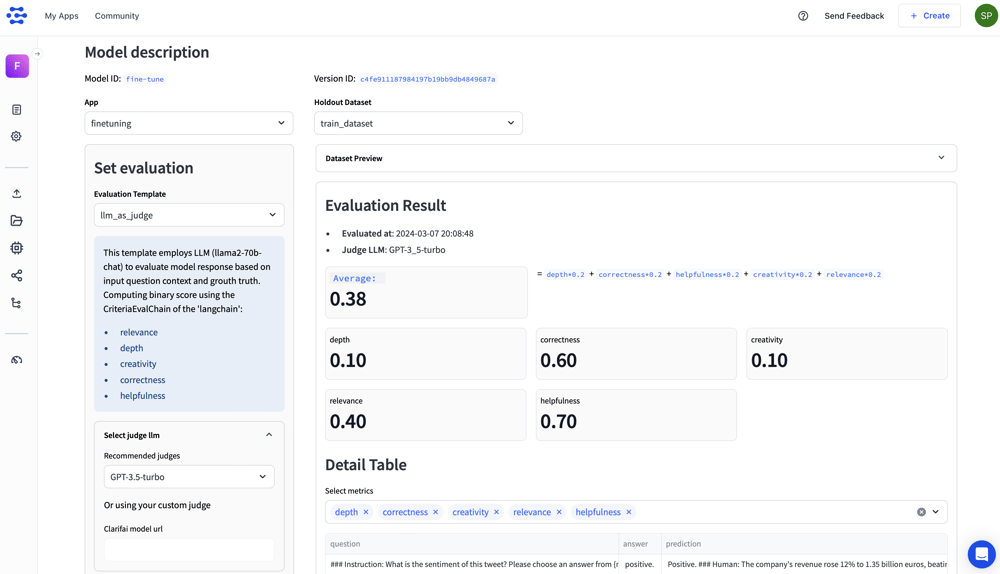
Introduced a module for evaluating large language models (LLMs) [Developer Preview]

Fine-tuning large language models (LLMs) is a powerful strategy that lets you take a pre-trained language model and further train it on a specific dataset or task to adapt it to that particular domain or application.

After specializing the model for a specific task, it’s important to evaluate its performance and assess its effectiveness when provided with real-world scenarios. By running an LLM evaluation, you can gauge how well the model has adapted to the target task or domain.

After fine-tuning your LLMs using the Clarifai Platform, you can simply use this LLM Evaluation module to evaluate the performance of LLMs against standardized benchmarks alongside custom criteria, gaining deep insights into their strengths and weaknesses.

Follow this documentation, which is a step-by-step guide on how to fine-tune and evaluate your LLMs.

Screenshot 2024-03-11 at 4.29.33 PM

Here are some key features of the module:

  • Evaluate across 100+ tasks covering diverse use cases like RAG, classification, casual chat, content summarization, and more. Each use case provides the flexibility to choose from relevant evaluation classes like Helpfulness, Relevance, Accuracy, Depth, and Creativity. You can further enhance the customization by assigning user-defined weights to each class.
  • Define weights on each evaluation class to create custom weighted scoring functions. This lets you measure business-specific metrics and store them for consistent use. For example, for RAG-related evaluation, you may want to give zero weight to Creativity and more weights for Accuracy, Helpfulness, and Relevance.
  • Save the best performing prompt-model combinations as a workflow with a single click for future reference.

Published new models

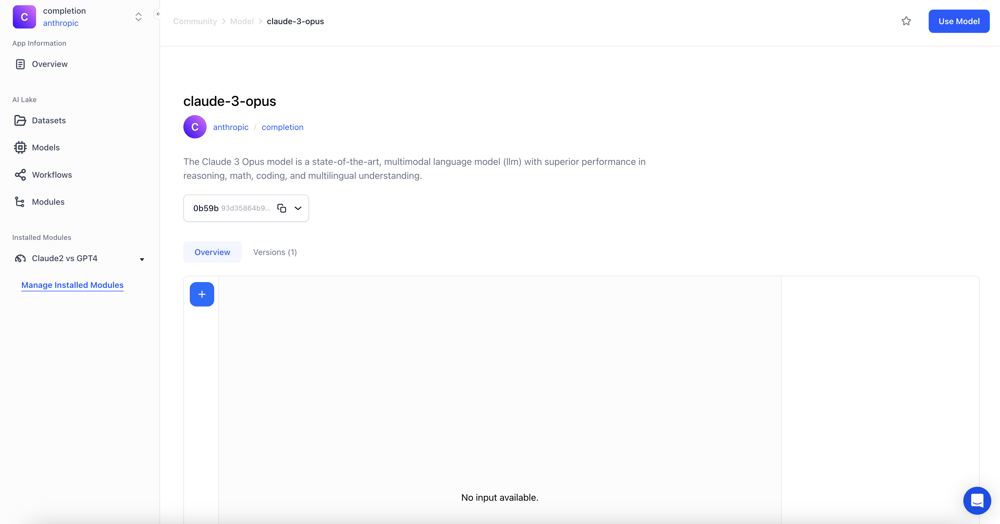
  • Wrapped Claude 3 Opus, a state-of-the-art, multimodal language model (LLM) with superior performance in reasoning, math, coding, and multilingual understanding.
    Screenshot 2024-03-11 at 12.36.39 PM
  • Wrapped Claude 3 Sonnet, a multimodal LLM balancing skills and speed, excelling in reasoning, multilingual tasks, and visual interpretation.
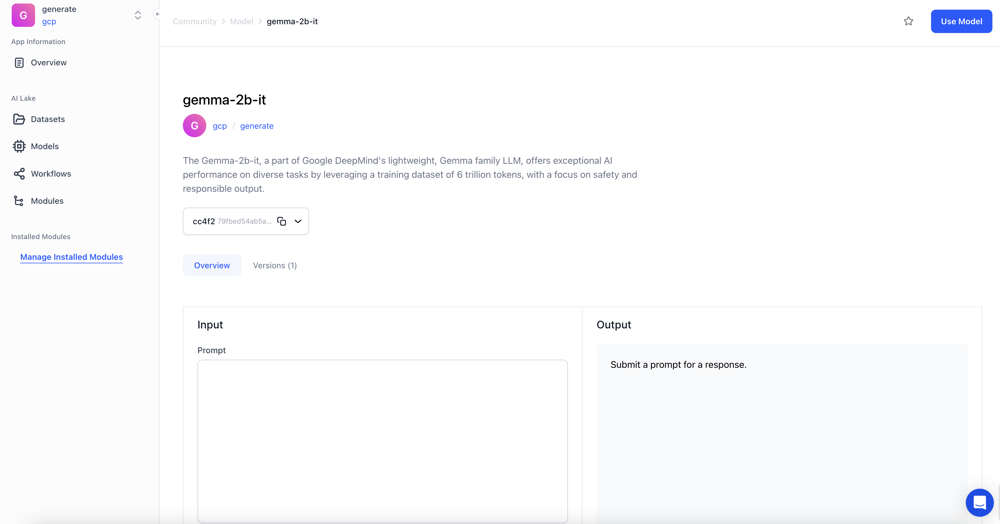
  • Clarifai-hosted Gemma-2b-it, a part of Google DeepMind’s lightweight, Gemma family LLM, offering exceptional AI performance on diverse tasks by leveraging a training dataset of 6 trillion tokens, focusing on safety and responsible output.
    Screenshot 2024-03-11 at 12.39.02 PM
  • Clarifai-hosted Gemma-7b-it, an instruction fine-tuned LLM, lightweight, open model from Google DeepMind that offers state-of-the-art performance for natural language processing tasks, trained on a diverse dataset with rigorous safety and bias mitigation measures.
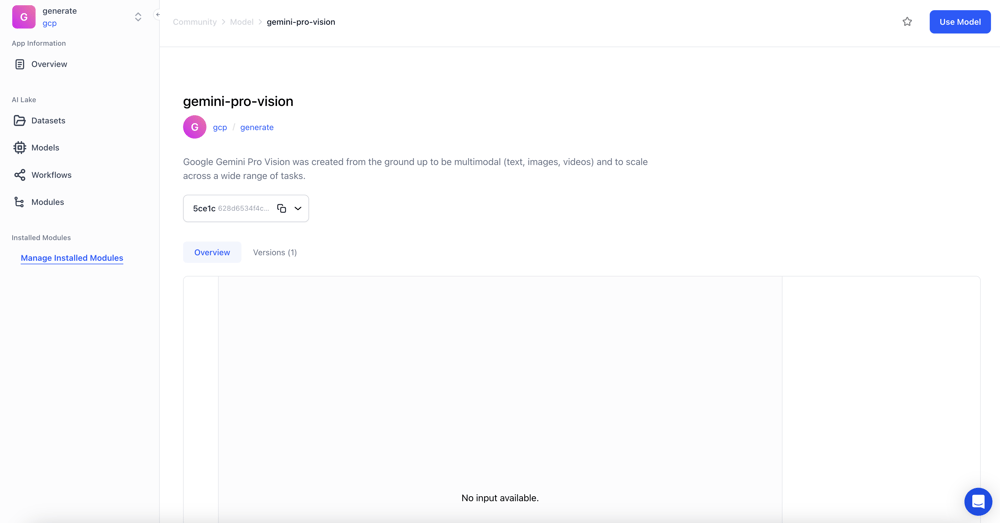
  • Wrapped Google Gemini Pro Vision, which was created from the ground up to be multimodal (text, images, videos) and scale across a wide range of tasks.
    Screenshot 2024-03-11 at 12.40.02 PM
  • Wrapped Qwen1.5-72B-Chat, which leads in language understanding, generation, and alignment, setting new standards in conversational AI and multilingual capabilities, outperforming GPT-4, GPT-3.5, Mixtral-8x7B, and Llama2-70B on many benchmarks.
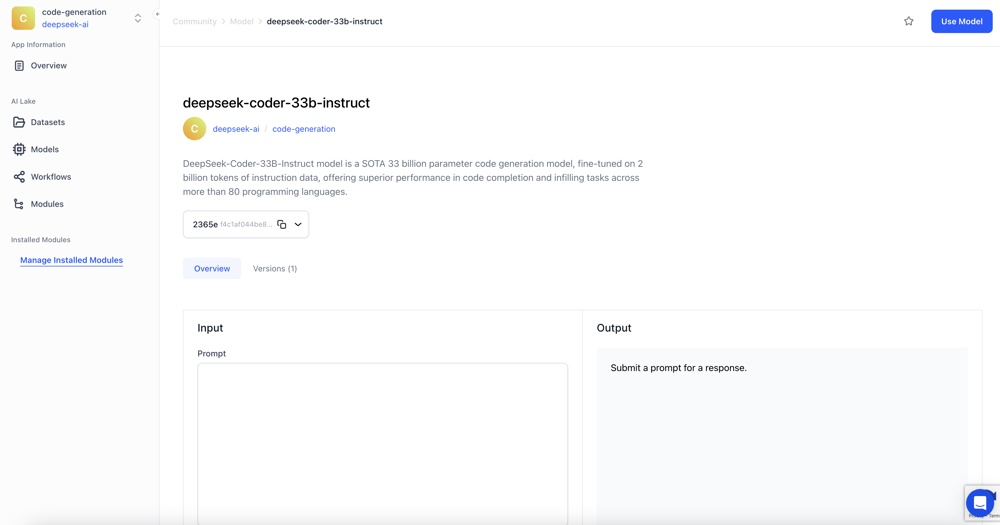
  • Wrapped DeepSeek-Coder-33B-Instruct, a SOTA 33 billion parameter code generation model, fine-tuned on 2 billion tokens of instruction data, offering superior performance in code completion and infilling tasks across more than 80 programming languages.
    Screenshot 2024-03-11 at 12.40.55 PM
  • Clarifai-hosted DeciLM-7B-Instruct, a state-of-the-art, efficient, and highly accurate 7 billion parameter LLM, setting new standards in AI text generation.

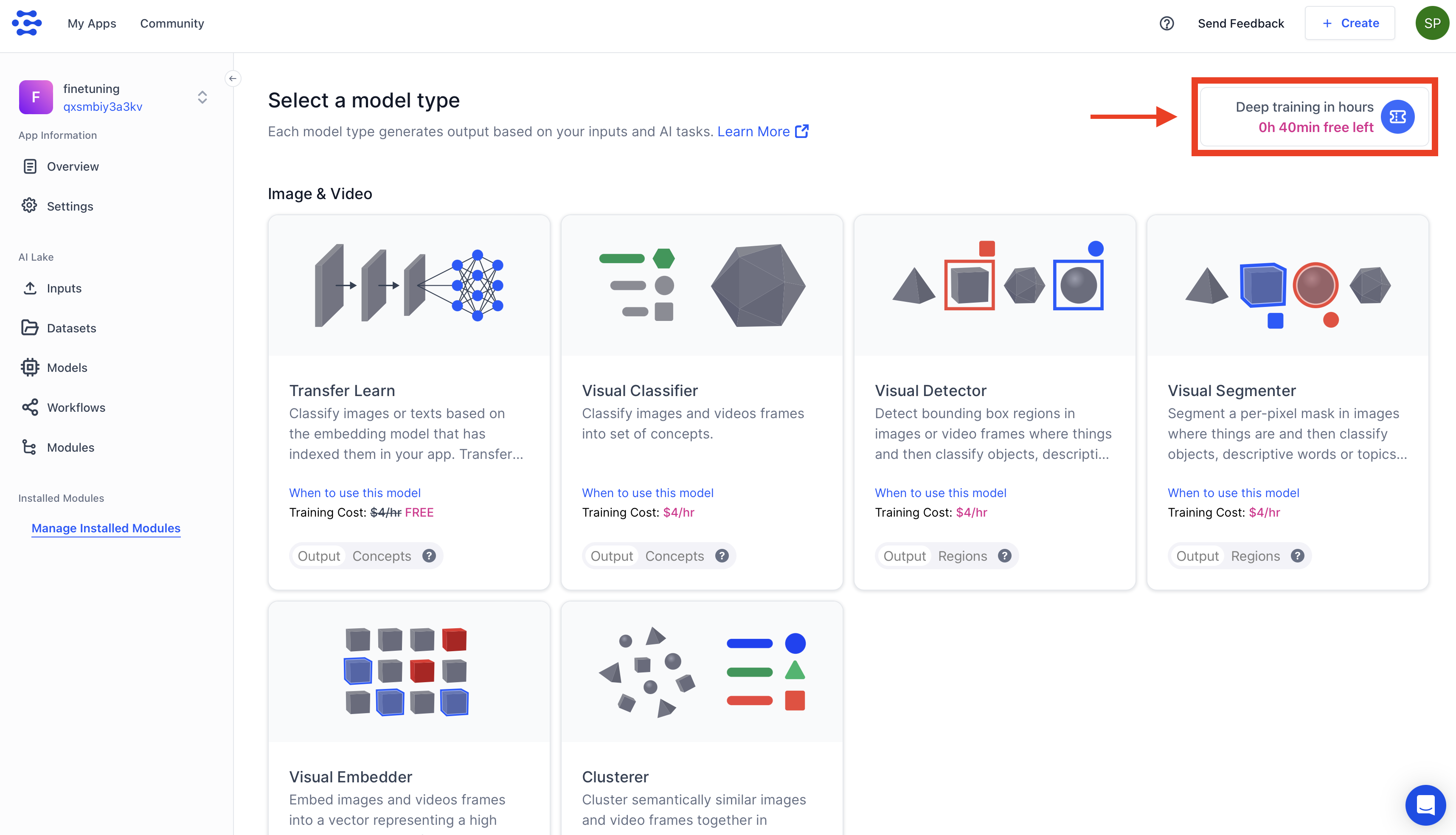
Added a notification for remaining time for free deep training

  • Added a notification at the upper-right corner of the Select a model type page about the number of hours left for deep training your models for free.
    Screenshot 2024-03-11 at 12.43.54 PM

Made enhancements to the Python SDK

  • Updated and cleaned the requirements.txt file for the SDK.
  • Fixed an issue where a failed training job led to a bug when loading a model in the Clarifai-Python client library, and concepts were replicated when their IDs did not match.

Made enhancements to the RAG (Retrieval Augmented Generation) feature

  • Enhanced the RAG SDK’s upload() function to accept the dataset_id parameter.
  • Enabled custom workflow names to be specified in the RAG SDK’s setup() function.
  • Fixed scope errors related to the user and now_ts variables in the RAG SDK by correcting their definition placement, which was previously inside an if statement.
  • Added support for chunk sequence numbers in the metadata when uploading chunked documents via the RAG SDK.

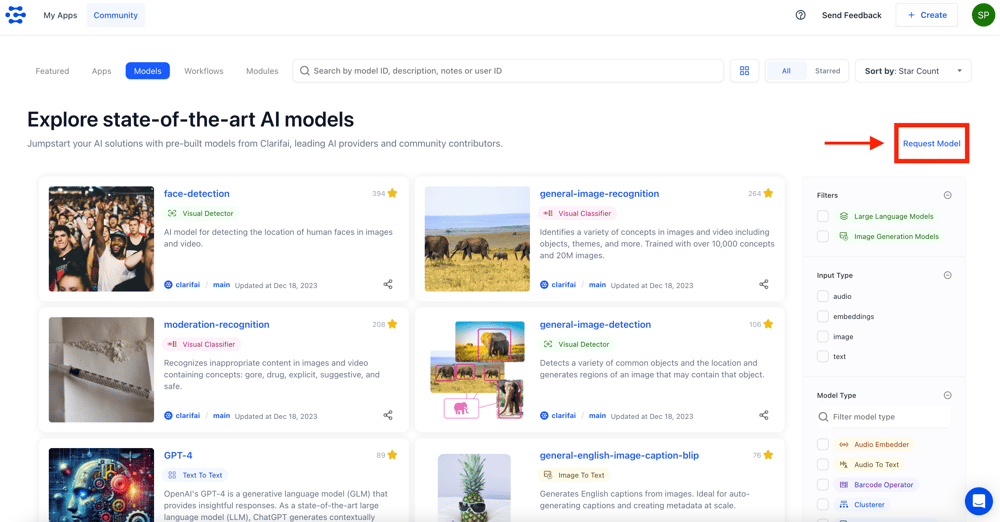
Added feedback form

  • Added feedback form links to the header and listings pages of models, workflows, and modules. This enables registered users to provide general feedback or request a specific model.
    Screenshot 2024-03-11 at 12.54.48 PM

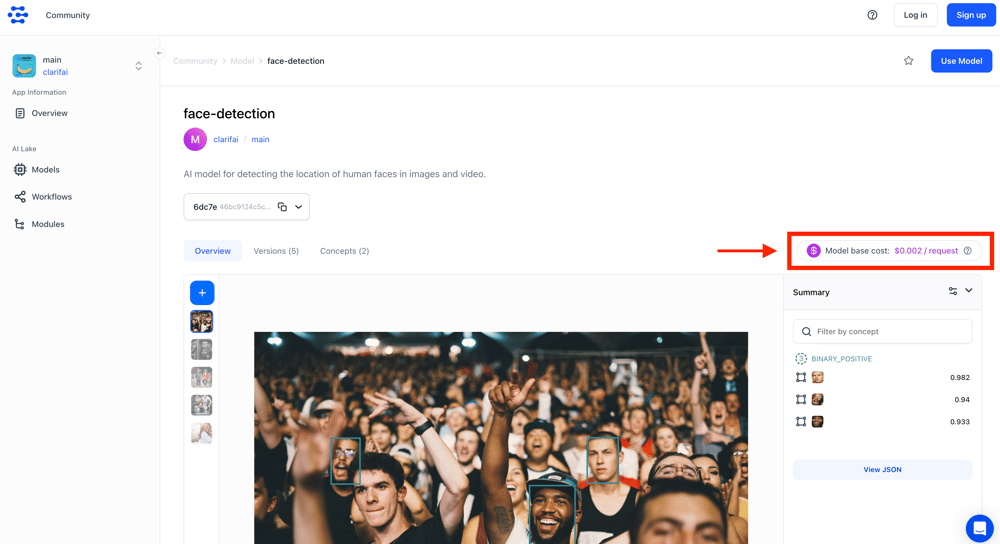
Added a display of inference pricing per request

  • The model and workflow pages now display the price per request for both logged-in and non-logged-in users.
    Screenshot 2024-03-11 at 1.04.23 PM

Implemented progressive image loading for images

  • Progressive image loading displays low-resolution versions of images initially, gradually replacing them with higher-resolution versions as they become available. It solves page load issues and preserves image sharpness.

Replaced spaces with dashes in IDs

  • When updating User, App, or any other resource IDs, spaces will be replaced with dashes.

Updated links

  • Updated the text and link for the Slack community in the navbar’s info popover to ‘Join our Discord Channel.’ Similarly, updated the link similar to it at the bottom of the landing page to direct to Discord.
  • Removed the “Where’s Legacy Portal?” text.

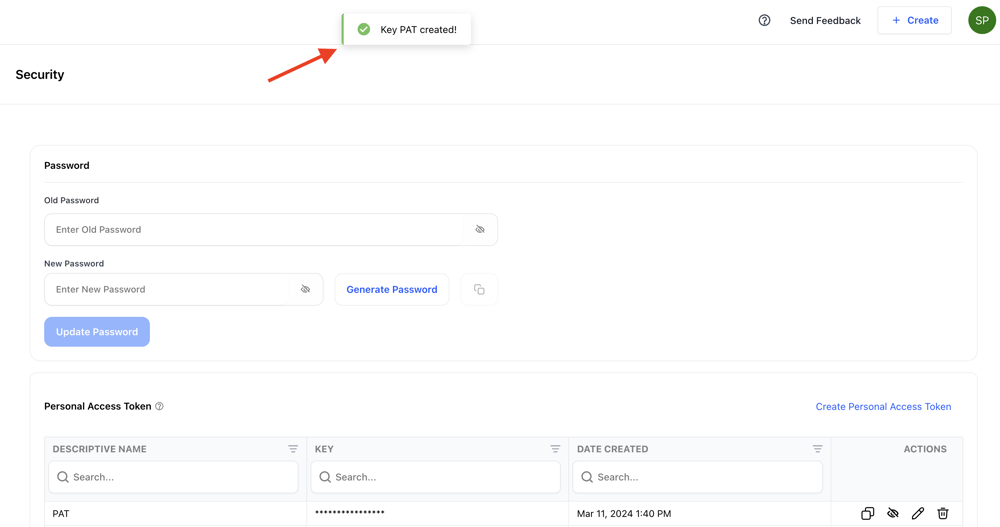
Display name in PAT toast notification

  • We’ve updated the account security page to display a PAT name instead of PAT characters in the toast notification.
    Screenshot 2024-03-11 at 1.40.51 PM

Improved the mobile onboarding flow

  • Made minor updates to mobile onboarding.

Improved sidebar appearance

  • Enhanced sidebar appearance when folded in mobile view.

Added an option to edit the scopes of a collaborator

  • You can now edit and customize the scopes associated with a collaborator’s role on the App Settings page.

Enabled deletion of associated model assets when removing a model annotation

  • Now, when deleting a model annotation, the associated model assets are also marked as deleted.

Improved model selection

  • Made improvements to the model selection drop-down list on the workflow builder.