Dead as Disco is a stylish action rhythm beat ’em up that blends martial arts combat with music-synchronised attacks, set in a neon-soaked world where rhythm and fighting go hand in hand. Developed by Brain Jar Games, Inc., the game has quickly caught attention thanks to its energetic combat, music-heavy presentation, and a well-received demo on Steam.
Whether you’re curious about the demo, Early Access plans, or what makes Dead as Disco unique, here is everything you need to know.
What Dead as Disco Is
Dead as Disco is best described as a rhythm-linked action beat ’em up, where every punch, kick, and combo syncs with the soundtrack. The game puts players in the shoes of Charlie Disco, a fallen music icon trying to reclaim the spotlight by battling the villainous Idols, his former bandmates and musical legends, through stylish, music-driven combat.
The combat system combines rhythm timing with martial arts, encouraging players to string attacks together in sync with the beat. Early footage and hands-on impressions highlight both fluid movement and satisfying rhythmic pacing.
Gameplay Basics
In Dead as Disco, your attacks are woven into the beat of the game’s soundtrack, making combat feel like a musical performance as much as a fight. The demo features:
Responsive melee combat that feels rhythmic and rewarding
Combo-centric brawling synced to music
Stylish visual effects and fast-paced encounters
A playground that blends music video energy with classic beat ’em up design
Players have also taken to community spaces to discuss techniques like combo moves and special attacks, further emphasising how movement and timing play into every encounter.
Demo and Early Access Info
A playable demo for Dead as Disco has been available on Steam since May 29, 2025. It offers a taste of its rhythm action and combat mechanics. The demo has been well received by players, with strong engagement suggesting growing interest in the game’s full release.
As of early 2026, Dead as Disco is set to launch in Early Access on PC on May 5, 2026, giving players a chance to jump in early and help shape the game through feedback and ongoing updates.
Developers have also run periodic playtests, including localisation builds, to gather feedback from the community and refine the experience ahead of launch.
Key Features
Here is what sets Dead as Disco apart:
Rhythm synchronised combat, where every hit feels connected to the soundtrack
A bold neon visual style that leans into music video flair
A free Steam demo available right now
Early Access launching May 5, 2026
A unique hybrid of classic beat ’em up combat and rhythm based gameplay
Fans of rhythm action titles should find Dead as Disco especially compelling, particularly if you enjoy fast combos, satisfying movement, and arcade style progression.
Why It’s Worth Watching
Even in demo form, Dead as Disco has attracted plenty of positive attention thanks to its fusion of rhythm and beat ’em up combat. With regular updates from the developer and an Early Access release planned for May 2026, anticipation is building quickly.
It is already shaping up to be one of the more exciting indie releases on the horizon. Especially for players who want something stylish, energetic, and a little different from the usual action game formula.
Where to Play
Dead as Disco is coming to PC via Steam, and you can try the demo right now. If it looks like your kind of game, it is well worth wishlisting.
Green Man Gaming
The Green Man Gaming Staff account represents the voices of the team behind Green Man Gaming, bringing you the latest in store news, industry insights, and curated gaming recommendations.
The enemy has invaded the territory, the motherland needs you, soldier! Gather your troops and defeat all enemies!
Steel clashes! Smoke and fire fill the space between war machines! Tank tracks tear through the earth, turret flashes light up the night sky, and the roar of steel beasts echoes across the battlefield. Face-to-face battles of firepower and armor, clashes of tactics and courage—every encounter has the power to change the course of the war.
Battlefield meat grinder! Lead your squad to crush the enemy’s offensive! Muzzles roar, belts of bullets dance, and machine gun fire weaves a deadly iron net before the trenches! Lead your squad to break through enemy lines and tear their defenses!
Classic Campaigns: From Stalingrad to Kursk Experience key battles on the Eastern Front of WWII, from the brutal Battle of Stalingrad to the high-stakes Battle of Kursk. Over 20 iconic WWII battlefields await you, covering urban combat, winter guerrilla warfare, armored confrontations, and more—capturing the full scope of the Eastern Front.
Orders Are Given, Troops Await Your Next Move Command the battlefield from a squad-level perspective. Build defenses, consolidate positions, organize assaults, and break encirclements—every decision matters. Deploy squads, issue commands, and adapt your tactics to turn the tide of battle!
Sandbox fun times simulator Garry’s Mod has gobbled up pretty much every official Valve Source game into its toybox at this point, but there is land yet to conquer. Facepunch announced this week that the 20-year-old game’s next patch, planned for April 29, will finally bring Black Mesa into the fold.
“By popular demand and with approval from its developers, this update will be adding mounting support for Black Mesa in Garry’s Mod,” the blog post reads.
That’s great news if you’re one of the tens of thousands of folks still playing Garry’s Mod daily. Black Mesa, if you missed it at the time, is an official Valve-approved Source remake of Half-Life 1 made by the Crowbar Collective.
Article continues below
It’s an excellent reimagining of the original that makes major improvements to Half-Life’s animations, sounds, and weapon feedback—relevant features that Garry’s Mod creators will soon be able to utilize in their own stuff.
While Garry’s Mod has no shortage of add-ons that attempt to modernize Valve’s base Source assets, there are loads of custom modes that could benefit from Crowbar Collective’s take on the Black Mesa facility. You’ll have to own Black Mesa to properly use its assets in Garry’s Mod, and to celebrate, the pair of games are on sale as a bundle for $13.
That’s the flashiest bullet point of the update, but far from the only ones. The full patch notes list over a hundred minor bug fixes and asset changes, some of which include deleting functions that served no purpose in Garry’s Mod and were a “waste of resources.” I guess that can happen when one game gets sporadically patched for 20 years.
It’s a good time to reacquaint yourself with Garry’s Mod, as its spiritual sequel S&box is right around the corner. S&box, much like Gmod, leverages a custom version of Valve’s Source 2 engine to make and modify games to your heart’s content, but it’s also going much further. Facepunch says S&box is more like a complete game engine that can be used to make entire games and even publish them as standalone releases on Steam. It’s out on April 28, the day before the Garry’s Mod patch.
Keep up to date with the most important stories and the best deals, as picked by the PC Gamer team.
Kill each other…for science! The class of ’89 is trapped in an elite school killing game. Investigate, solve, and expose your classmates in Kumitantei: Old-School Slaughter, an episodic murder-mystery ADV card-battler inspired by retro anime.
Is survival in the cards? Kumitantei: Old-School Slaughter is an episodic murder-mystery ADV cardbattler that lovingly fuses retro anime analog horror with killing game! Kumitantei will consist of 6 episodes, beginning to release in early 2026.
“The Empire of Japan, 1989… Awoken in a decaying old bunker, sixteen elite Absolute Students are trapped in a kill-or-be-killed Apathy Experiment. Will they band together to uncover secrets of this anemoic alternate past, or lose their humanity and lives in the present?” Trench Lord: Eastern Front
With a visual style inspired by Rumiko Takahashi’s Urusei Yatsura and ’80s anime alongside classic Japanese mystery-adventure games like Danganronpa and Ace Attorney, Kumitantei thrusts you into a suspenseful character-driven killing game narrative where your deckbuilding and detective skills are the only keys to surviving. It’s a creepy-cute love letter to decades of ADVs that wears its many inspirations on its sleeve: perfect for fans of visual novels, detective games, and deckbuilders with deep narratives.
Artist and Halo fan Skykillerr has uploaded a video showcasing Warhammer 40,000: Space Marine 2 modded to let you play as a Sangheili “Elite” alien from the Halo franchise. At the time of writing, Skykillerr does not appear to have shared the mod widely for public use.
Skykillerr specifically ported in a white “Ultra” Elite from Halo: Reach, which makes for a nice pun with the “Ultramarine” branch of the Adeptus Astartes portrayed in the Space Marine series.
It’s pretty surprising how well the model works with protagonist Titus’ animations, but that Ultramarine armor was already so chunky and inhuman, some double-jointed legs and a big ‘ol headdress added in the mix aren’t exactly shaking things up.
Article continues below
Skykillerr opened the video with some audio of a pep talk from the Michael Jordan of Halo Elites: The Arbiter, formerly known as Thel ‘Vadamee, voiced by the GOAT, Keith David.
It then cuts to a nice, bloody montage of the Ultra Elitemarine messing up some Tyranids—kinda fitting, given they’re basically The Flood of 40K. Or maybe The Flood are the Tyranids of Halo, given the timeline of publication.
Unfortunately, Skykillerr did not include a download link with the video, nor have they published anything on their social media pages. A search of the Space Marine 2 Nexus similarly did not turn up any Halo Elite content. If you want to stay abreast of any updates or expansions to this project, you’ll want to follow Skykillerr on your social platform of choice.
Perhaps one day soon, we’ll finally be able to play Space Marine 2 as a far future religious fundamentalist super soldier, or a Halo Elite.
Keep up to date with the most important stories and the best deals, as picked by the PC Gamer team.
When Balatro was released back in February 2024, it threw down a figurative gauntlet to other developers. Here was a game that took the seemingly pedestrian pastime of poker and augmented it with clever design and roguelike elements, fashioning a resolutely compelling experience that was far greater than the sum of its parts.
Now, I do hesitate to use the word “addictive” because of the odious associations it carries. And yet in Balatro’s case, few other adjectives come close to describing the all-consuming grip it can have over your time, freely given or not. Well, another effort has picked up that gauntlet.
Raccoin, from indie developer Doraccoon, looks to channel the spirit (if not the exact execution) of Balatro. It takes familiar roguelike touchstones and grafts them onto a pastime that is, on paper, even more mundane: the humble coin pusher machine. The result is another fiendishly compelling offering that threatens to lay waste to your free time and social calendar in equal measure.
Adapting a Game That Everybody Knows
Much like Balatro before it, Raccoin succeeds on a fundamental level because it takes a game that’s been around for yonks and uses it as a skeletal foundation for the dense, meaty roguelike mechanics layered on top.
With Balatro, it was poker. With Raccoin, it’s the sort of coin pushing machines you might stumble across in an old-fashioned penny arcade, seaside amusement hall, or travelling circus. In both cases, you have a pastime known the world over, revived and revitalised through the careful application of roguelike design.
That familiarity makes Raccoin incredibly approachable. Just about anybody can pick it up, regardless of their exposure to more traditional video games. Meanwhile, players who’ve never touched a coin pusher in their life will still find themselves pulled in by how clearly the game mirrors a real-world analogue.
All of this is wrapped in a vibrant, colourful retro presentation that isn’t just easy on the eyes, it also makes it wonderfully clear what’s going on at any one time, even when the screen is erupting into absolute coin-based pandemonium.
Roguelike Design That Oozes Out of Every Pixel
Much like Balatro, Raccoin has roguelike design sensibilities threaded through its DNA. Where Balatro tasks wannabe card sharks with playing hands to meet a score requirement set by each “Blind”, Raccoin instead asks players to drop as much shiny currency as possible to hit a payout target that rises with every round.
The fail state is similarly uncompromising. If you don’t reach the payout target in Raccoin, your run ends, simple as that, and it’s straight back to the title screen.
But, of course, the beauty of roguelike design is that even failure feels like forward momentum.
Raccoin handles progression in two key ways: in-run upgrades and permanent unlocks, and both will feel familiar to anyone who has spent a few too many evenings in Balatro’s clutches.
After each payout goal is reached, Raccoin presents a shop where players can purchase power-ups, buffs, and coin-altering abilities that can dramatically reshape how a run plays out. These upgrades are often run-defining, but they also vanish once your run ends.
Then there are the longer-term unlocks. Raccoin allows players to purchase up to four different types of permanent upgrades, each of which adds meaningful strategic depth to future runs. These include:
Playable characters (well, raccoons), each with their own strengths and coin preferences
Item and coin pool unlocks, expanding what can appear in the in-run shop
Additional “ticket” types, offering tougher challenges and modifiers
Endless Mode, letting players test their builds against infinitely scaling payout requirements
Put simply, Raccoin is flush with progression systems, and it’s exceptionally good at making you feel more capable after each run—whether you succeeded or got unceremoniously booted back to the menu.
All in all, Raccoin absolutely weaponises the “one more go” sentiment in much the same way Balatro managed to do just two short years ago.
Measured Chaos Instead of Careful Strategy
It’s worth noting that while Raccoin and Balatro share a roguelike skeleton, they’re still fundamentally different games to play, and that comes down entirely to the real-world pastimes they’re built upon.
If Balatro is a careful, almost ploddingly deliberate affair, one that has you poring over your next move for minutes before committing, Raccoin is the polar opposite. It trades high-scoring hands for chaotic coin cascades, and swaps calculated pacing for an ever-escalating carnival of clinking currency.
Instead of slowly building toward perfection, Raccoin delights in explosive momentum. Special coins can dramatically shift the board, and TNT coins can quite literally blow the screen apart in a shower of flying treasure.
That said, Raccoin isn’t pure chaos. To be successful, you still need a decent amount of guile.
The key is understanding how to synergise different coin types for maximum effect. Whether you’re combining a Water Coin and a Seed Coin to grow a money tree within the coin shelf itself, or unleashing a Cat Coin to hunt down a Rat Coin for a massive score boost, Raccoin demands constant decision-making and quick reactions.
The strategy isn’t slow and contemplative, it’s fast, reactive, and executed in the middle of the madness.
Raccoin Wants You to Break It
After enough runs, one of Balatro’s most compelling qualities is how it encourages expert players to engineer diabolical deck builds that peel away at the edges of what the game was ever meant to allow.
Raccoin embraces that same playful endgame energy.
Thanks to the unlockable Endless Mode and the sheer number of item, raccoon, and coin synergy combinations available, Raccoin actively invites players to create game-breaking coin drop setups that look like utter madness to any onlooker uninitiated in its chaotic shenanigans.
In fact, that’s arguably the point. Raccoin doesn’t just tolerate broken builds; it celebrates them.
John-Paul Jones
Scribbling about videogames since 2005, John-Paul Jones first stoked his love for the industry with the Atari 65XE at the age of four before proceeding onto the ZX Spectrum, Amiga and beyond. These days, he finds himself unreasonably excited about Sega’s Yakuza franchise, foreign cinema and generally trying to keep his trio of sausage dogs from burning his house down. Clearly, he is living his best life right now.
SimplePlanes is back! Build planes, cars, or anything else using powerful procedural parts! Explore detailed environments with friends in multiplayer, cause chaos, or download 1,000,000 community crafts for free.
BUILD PLANES Build planes using enhanced wing and fuselage parts. It’s easier than ever to build the plane of your dreams! Reshape the airfoil of your wings using real NACA profiles with overhauled flight physics, or use improved fuselage editing to create an endless variety of shapes. Then grab your input device of choice (mouse/keyboard, controller, and HOTAS are all supported) and fly!
BUILD ANYTHING Build anything else you can imagine using a host of new parts. With the new suite of procedural powertrain parts, you can build cars, propeller aircraft, forklifts, and so much more, with detailed physics. If you’re overwhelmed by the idea of building something from scratch, there are tons of stock crafts available from the start that you can load, tune, and reverse engineer, with an extra 40+ hidden around the map waiting to be discovered! Pratfall
CUSTOMIZE IT Make your crafts your own with paint texturing and engine tuning. Once you’ve put your craft together, you can use the improved paint tool to give it colour and texture. Then when that’s done, you can get into the nitty gritty with engine customization, tweaking the size, cylinder count, transmission, and more to get your craft running exactly the way you want it.
PLAY WITH FRIENDS (OR ENEMIES!) Cause chaos in a variety of activities in multiplayer, or just hang out. With multiplayer, you can play with up to nine other players (or even more in a private lobby) and finally test your crafts on something other than bots. Race each other, kill each other, co-operate with each other, and more! And with our new playable mascot, Major Chad, you can get out and stretch your legs with other players as well!
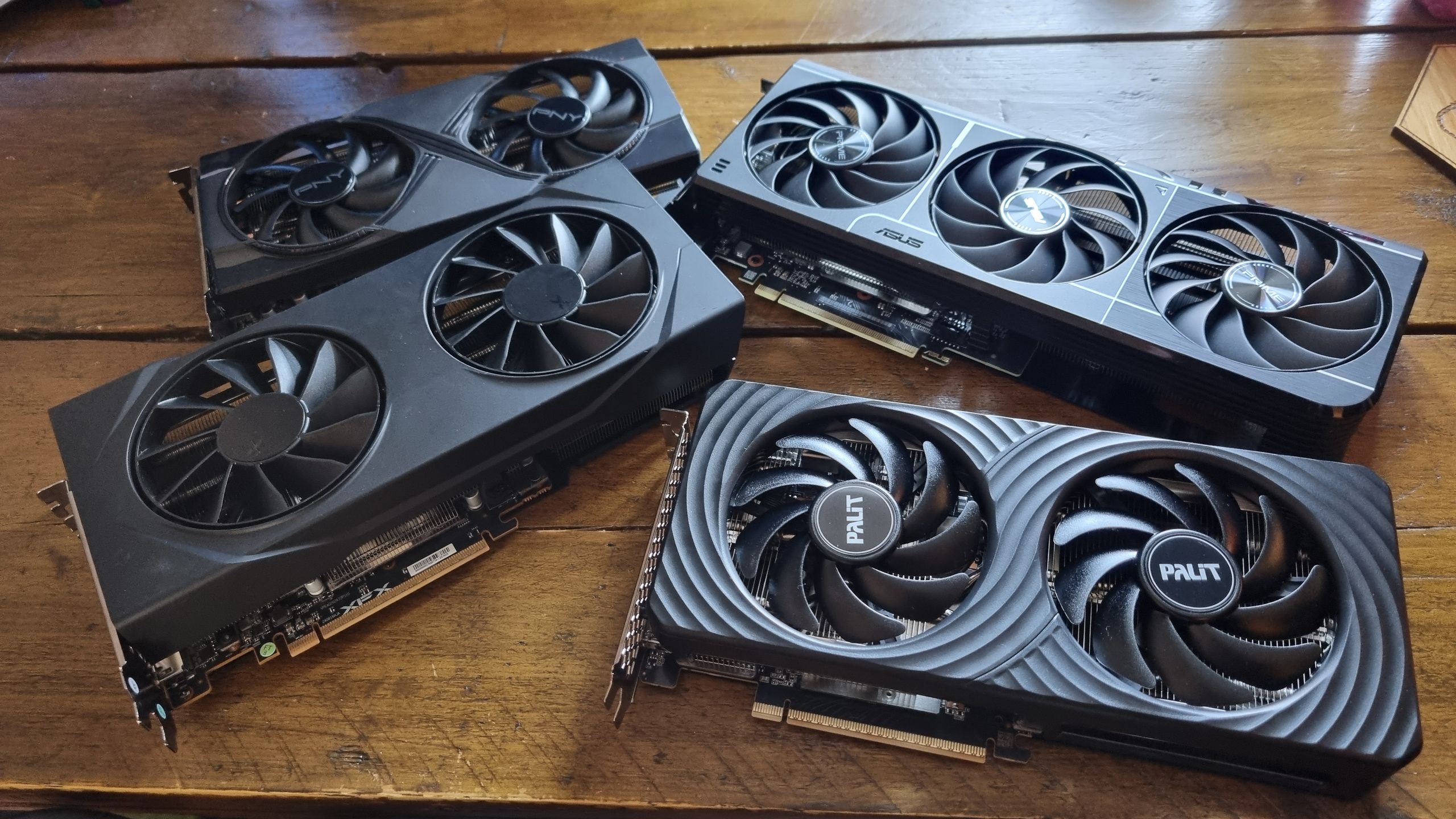
I’ve spent the past few weeks testing the pants off of several graphics cards. Such is the life of a hardware writer. Alongside my 8 GB vs 16 GB VRAM testing, I’ve also reviewed the RTX 5060 Ti 8 GB and the RX 9060 XT 8 GB, and found them to deliver reasonable gaming performance on average—although the Nvidia card definitely wins the day. And yes, the 16 GB versions are faster overall.
One question has been nagging at the back of my mind, though. While I’ve proven that the 8 GB variants of these semi-budget GPUs are often slower on average compared to their 16 GB equivalents, can overclocking even the odds?
To find out, I’ve tweaked the twangers out of my 8 GB graphics card samples, and then run them across our GPU benchmarking suite. I’ve then compared that data with both the stock performance and the overclocked performance of the RTX 5060 Ti 16 GB and RX 9060 XT 16 GB.
It’s been a big old showdown, and I’ve come up with some interesting results. Yes, overclocking an 8 GB graphics card can often even the odds with its more-expensive 16 GB variant in the benchmarks. But, in some games, there’s simply no replacement for VRAM—and the tests don’t always tell the whole story.
Overclocking methodology
(Image credit: Future)
I’ve kept things real simple in regards to overclocking, as you can easily get into the weeds chasing tiny percentage gains and fighting stability issues as a result.
Essentially, it’s been a process of upping the core clock and memory speeds, then running demanding benchmarks over and over again until the GPUs crash, before backing things down to a state where each can complete all of our tests. This differs for each GPU, so your mileage may vary here.
Article continues below
Some of my tested cards have hard power limits, so for the most part the power levels have been kept stock for comparison purposes. The RTX 5060 Ti 8 GB, for example, couldn’t get past +350 MHz core speeds and a +500 MHz memory clock without a power boost, something its stock BIOS doesn’t allow—so that’s where I’ve stopped.
The exception to this has been the RX 9060 XT 8 GB. I had no luck undervolting my 16 GB sample to allow for higher clockspeeds, as it crashed almost immediately as soon as I dropped the voltage by a small amount, even with a higher power limit overall. Still, it accepted a reasonable +300 MHz core, 300 MHz memory overclock at stock power levels nonetheless.
My 8 GB Asus sample, however, needs an undervolt to accept any clockspeed tweaks without crashing, so I went for a stable -100 Mv. This will differ from card to card, but it did allow me to push the core clock to +300 MHz, and the memory to +200 MHz.
Our Jacob provided the figures for the Palit Infinity 3 RTX 5060 Ti 16 GB. As you’ll see from the results, a +400 MHz core overclock alone still gains some considerable performance from the Nvidia GPU. It’s also worth mentioning that all my tested cards kept within temperature limits at these speeds, which is something to keep an eye on if you do it for yourself.
Keep up to date with the most important stories and the best deals, as picked by the PC Gamer team.
Take these results as they’re intended—a demonstration of what basic overclocking techniques can potentially do to 8 GB graphics card performance, not any kind of guarantee over what you will gain from your own cards. If you’d like to buy one and break out the liquid nitrogen, be my guest. Me? I value my fingers too much, and I’d only end up spilling it everywhere anyway.
Overclocked 8 GB graphics cards
(Image credit: Future)
Let’s kick things off by looking at the performance gains you can get out of an overclocked 8 GB graphics card. At 1080p, we can see that all of our 8 GB samples show average frame rate improvements over the stock GPUs.
No great surprises there. However, while the gains are often small, there is the odd exception. The Talos Principle 2, is one such example, with the otherwise-unimpressive RX 9060 XT 8 GB gaining a whole 10 frames over the stock version. That allows it to soar from the bottom of my results to the very top.
Overclocked 8 GB GPUs – 1080p gaming benchmarks
RX 9060 XT 8 GB Asus Prime
RX 9060 XT 8 GB Asus Prime | +300 MHz | +200 Mem | -100 mV
RTX 5060 Ti 8 GB Palit Dual
RTX 5060 Ti 8 GB Palit Dual | +350 MHz | +500 Mem
Black Myth Wukong (1080p High) Data
Product
Value
RX 9060 XT 8 GB Asus Prime
71 Avg FPS, 58 1% Low FPS
RX 9060 XT 8 GB Asus Prime | +300 MHz | +200 Mem | -100 mV
75 Avg FPS, 67 1% Low FPS
RTX 5060 Ti 8 GB Palit Dual
74 Avg FPS, 62 1% Low FPS
RTX 5060 Ti 8 GB Palit Dual | +350 MHz | +500 Mem
80 Avg FPS, 69 1% Low FPS
RX 9060 XT 8 GB Asus Prime
RX 9060 XT 8 GB Asus Prime | +300 MHz | +200 Mem | -100 mV
RTX 5060 Ti 8 GB Palit Dual
RTX 5060 Ti 8 GB Palit Dual | +350 MHz | +500 Mem
Cyberpunk 2077 (1080p RT Ultra) Data
Product
Value
RX 9060 XT 8 GB Asus Prime
41 Avg FPS, 26 1% Low FPS
RX 9060 XT 8 GB Asus Prime | +300 MHz | +200 Mem | -100 mV
47 Avg FPS, 30 1% Low FPS
RTX 5060 Ti 8 GB Palit Dual
52 Avg FPS, 35 1% Low FPS
RTX 5060 Ti 8 GB Palit Dual | +350 MHz | +500 Mem
56 Avg FPS, 36 1% Low FPS
RX 9060 XT 8 GB Asus Prime
RX 9060 XT 8 GB Asus Prime | +300 MHz | +200 Mem | -100 mV
RTX 5060 Ti 8 GB Palit Dual
RTX 5060 Ti 8 GB Palit Dual | +350 MHz | +500 Mem
F1 24 (1080p Ultra high) Data
Product
Value
RX 9060 XT 8 GB Asus Prime
82 Avg FPS, 66 1% Low FPS
RX 9060 XT 8 GB Asus Prime | +300 MHz | +200 Mem | -100 mV
94 Avg FPS, 74 1% Low FPS
RTX 5060 Ti 8 GB Palit Dual
90 Avg FPS, 73 1% Low FPS
RTX 5060 Ti 8 GB Palit Dual | +350 MHz | +500 Mem
92 Avg FPS, 75 1% Low FPS
RX 9060 XT 8 GB Asus Prime
RX 9060 XT 8 GB Asus Prime | +300 MHz | +200 Mem | -100 mV
RTX 5060 Ti 8 GB Palit Dual
RTX 5060 Ti 8 GB Palit Dual | +350 MHz | +500 Mem
Homeworld 3 (1080p Epic) Data
Product
Value
RX 9060 XT 8 GB Asus Prime
111 Avg FPS, 63 1% Low FPS
RX 9060 XT 8 GB Asus Prime | +300 MHz | +200 Mem | -100 mV
115 Avg FPS, 60 1% Low FPS
RTX 5060 Ti 8 GB Palit Dual
108 Avg FPS, 32 1% Low FPS
RTX 5060 Ti 8 GB Palit Dual | +350 MHz | +500 Mem
121 Avg FPS, 55 1% Low FPS
RX 9060 XT 8 GB Asus Prime
RX 9060 XT 8 GB Asus Prime | +300 MHz | +200 Mem | -100 mV
RTX 5060 Ti 8 GB Palit Dual
RTX 5060 Ti 8 GB Palit Dual | +350 MHz | +500 Mem
Metro Exodus Enhanced Edition (1080p Ultra) Data
Product
Value
RX 9060 XT 8 GB Asus Prime
93 Avg FPS, 64 1% Low FPS
RX 9060 XT 8 GB Asus Prime | +300 MHz | +200 Mem | -100 mV
99 Avg FPS, 67 1% Low FPS
RTX 5060 Ti 8 GB Palit Dual
101 Avg FPS, 65 1% Low FPS
RTX 5060 Ti 8 GB Palit Dual | +350 MHz | +500 Mem
108 Avg FPS, 71 1% Low FPS
RX 9060 XT 8 GB Asus Prime
RX 9060 XT 8 GB Asus Prime | +300 MHz | +200 Mem | -100 mV
RTX 5060 Ti 8 GB Palit Dual
RTX 5060 Ti 8 GB Palit Dual | +350 MHz | +500 Mem
The Talos Principle 2 (1080p Ultra) Data
Product
Value
RX 9060 XT 8 GB Asus Prime
66 Avg FPS, 35 1% Low FPS
RX 9060 XT 8 GB Asus Prime | +300 MHz | +200 Mem | -100 mV
76 Avg FPS, 49 1% Low FPS
RTX 5060 Ti 8 GB Palit Dual
69 Avg FPS, 37 1% Low FPS
RTX 5060 Ti 8 GB Palit Dual | +350 MHz | +500 Mem
70 Avg FPS, 38 1% Low FPS
RX 9060 XT 8 GB Asus Prime
RX 9060 XT 8 GB Asus Prime | +300 MHz | +200 Mem | -100 mV
RTX 5060 Ti 8 GB Palit Dual
RTX 5060 Ti 8 GB Palit Dual | +350 MHz | +500 Mem
Total War: Warhammer 3 (1080p Ultra) Data
Product
Value
RX 9060 XT 8 GB Asus Prime
90 Avg FPS, 42 1% Low FPS
RX 9060 XT 8 GB Asus Prime | +300 MHz | +200 Mem | -100 mV
96 Avg FPS, 58 1% Low FPS
RTX 5060 Ti 8 GB Palit Dual
81 Avg FPS, 59 1% Low FPS
RTX 5060 Ti 8 GB Palit Dual | +350 MHz | +500 Mem
85 Avg FPS, 62 1% Low FPS
In F1 24, the same 8 GB card miraculously gains 12 frames on average. This is a game that already seems to favour AMD GPUs, but the improvement is impressive nonetheless.
Overall, though, the RTX 5060 Ti 8 GB beats out its AMD competition when comparing stock to stock, and overclocked to overclocked. Adding a dose of enhanced speed to the little AMD GPU does allow it to jump ahead of the stock Nvidia card, though, which suggests it’s worth doing if you’ve decided to save some cash with the former.
Overclocked 8 GB GPUs – 1440p gaming benchmarks
RX 9060 XT 8 GB Asus Prime
RX 9060 XT 8 GB Asus Prime | +300 MHz | +200 Mem | -100 mV
RTX 5060 Ti 8 GB Palit Dual
RTX 5060 Ti 8 GB Palit Dual | +350 MHz | +500 Mem
Black Myth Wukong (1440p High) Data
Product
Value
RX 9060 XT 8 GB Asus Prime
48 Avg FPS, 43 1% Low FPS
RX 9060 XT 8 GB Asus Prime | +300 MHz | +200 Mem | -100 mV
51 Avg FPS, 46 1% Low FPS
RTX 5060 Ti 8 GB Palit Dual
50 Avg FPS, 43 1% Low FPS
RTX 5060 Ti 8 GB Palit Dual | +350 MHz | +500 Mem
54 Avg FPS, 47 1% Low FPS
RX 9060 XT 8 GB Asus Prime
RX 9060 XT 8 GB Asus Prime | +300 MHz | +200 Mem | -100 mV
RTX 5060 Ti 8 GB Palit Dual
RTX 5060 Ti 8 GB Palit Dual | +350 MHz | +500 Mem
Cyberpunk 2077 (1440p RT Ultra) Data
Product
Value
RX 9060 XT 8 GB Asus Prime
26 Avg FPS, 17 1% Low FPS
RX 9060 XT 8 GB Asus Prime | +300 MHz | +200 Mem | -100 mV
26 Avg FPS, 19 1% Low FPS
RTX 5060 Ti 8 GB Palit Dual
33 Avg FPS, 25 1% Low FPS
RTX 5060 Ti 8 GB Palit Dual | +350 MHz | +500 Mem
34 Avg FPS, 26 1% Low FPS
RX 9060 XT 8 GB Asus Prime
RX 9060 XT 8 GB Asus Prime | +300 MHz | +200 Mem | -100 mV
RTX 5060 Ti 8 GB Palit Dual
RTX 5060 Ti 8 GB Palit Dual | +350 MHz | +500 Mem
F1 24 (1440p Ultra High) Data
Product
Value
RX 9060 XT 8 GB Asus Prime
51 Avg FPS, 41 1% Low FPS
RX 9060 XT 8 GB Asus Prime | +300 MHz | +200 Mem | -100 mV
57 Avg FPS, 47 1% Low FPS
RTX 5060 Ti 8 GB Palit Dual
59 Avg FPS, 47 1% Low FPS
RTX 5060 Ti 8 GB Palit Dual | +350 MHz | +500 Mem
60 Avg FPS, 47 1% Low FPS
RX 9060 XT 8 GB Asus Prime
RX 9060 XT 8 GB Asus Prime | +300 MHz | +200 Mem | -100 mV
RTX 5060 Ti 8 GB Palit Dual
RTX 5060 Ti 8 GB Palit Dual | +350 MHz | +500 Mem
Homeworld 3 (1440p Epic) Data
Product
Value
RX 9060 XT 8 GB Asus Prime
75 Avg FPS, 58 1% Low FPS
RX 9060 XT 8 GB Asus Prime | +300 MHz | +200 Mem | -100 mV
81 Avg FPS, 49 1% Low FPS
RTX 5060 Ti 8 GB Palit Dual
87 Avg FPS, 42 1% Low FPS
RTX 5060 Ti 8 GB Palit Dual | +350 MHz | +500 Mem
94 Avg FPS, 37 1% Low FPS
RX 9060 XT 8 GB Asus Prime
RX 9060 XT 8 GB Asus Prime | +300 MHz | +200 Mem | -100 mV
RTX 5060 Ti 8 GB Palit Dual
RTX 5060 Ti 8 GB Palit Dual | +350 MHz | +500 Mem
Metro Exodus Enhanced Edition (1440p Ultra) Data
Product
Value
RX 9060 XT 8 GB Asus Prime
68 Avg FPS, 49 1% Low FPS
RX 9060 XT 8 GB Asus Prime | +300 MHz | +200 Mem | -100 mV
69 Avg FPS, 48 1% Low FPS
RTX 5060 Ti 8 GB Palit Dual
75 Avg FPS, 53 1% Low FPS
RTX 5060 Ti 8 GB Palit Dual | +350 MHz | +500 Mem
80 Avg FPS, 56 1% Low FPS
RX 9060 XT 8 GB Asus Prime
RX 9060 XT 8 GB Asus Prime | +300 MHz | +200 Mem | -100 mV
RTX 5060 Ti 8 GB Palit Dual
RTX 5060 Ti 8 GB Palit Dual | +350 MHz | +500 Mem
The Talos Principle 2 (1440p Ultra) Data
Product
Value
RX 9060 XT 8 GB Asus Prime
47 Avg FPS, 27 1% Low FPS
RX 9060 XT 8 GB Asus Prime | +300 MHz | +200 Mem | -100 mV
51 Avg FPS, 36 1% Low FPS
RTX 5060 Ti 8 GB Palit Dual
44 Avg FPS, 30 1% Low FPS
RTX 5060 Ti 8 GB Palit Dual | +350 MHz | +500 Mem
46 Avg FPS, 32 1% Low FPS
RX 9060 XT 8 GB Asus Prime
RX 9060 XT 8 GB Asus Prime | +300 MHz | +200 Mem | -100 mV
RTX 5060 Ti 8 GB Palit Dual
RTX 5060 Ti 8 GB Palit Dual | +350 MHz | +500 Mem
Total War: Warhammer 3 (1440p Ultra) Data
Product
Value
RX 9060 XT 8 GB Asus Prime
60 Avg FPS, 44 1% Low FPS
RX 9060 XT 8 GB Asus Prime | +300 MHz | +200 Mem | -100 mV
64 Avg FPS, 46 1% Low FPS
RTX 5060 Ti 8 GB Palit Dual
57 Avg FPS, 40 1% Low FPS
RTX 5060 Ti 8 GB Palit Dual | +350 MHz | +500 Mem
60 Avg FPS, 44 1% Low FPS
Switch things up to 1440p, and the gains become smaller. Again, no great surprise. Still, the little AMD card does benefit considerably from the extra speed, although Cyberpunk 2077 once again proves to be its downfall.
The average frame rate remains exactly the same for the RX 9060 XT 8 GB, whether overclocked or stock, although the 1% lows do improve by two frames. This is a pretty crunchy result overall, although I’m testing all of our games here without upscaling or frame generation, in order to represent the raw rendered fps difference underneath the hood.
The RTX 5060 Ti 8 GB, meanwhile, offers a solid set of improvements once overclocked, although it’s nothing mind-blowing. Still, extra frames are extra frames, and while its advantage is eaten into slightly by the RX 9060 XT’s overclocked gains, it’s still the top performer at 1440p on average.
Overclocked 16 GB graphics cards
(Image credit: Future)
So, what do the 16 GB cards have to offer by comparison? Well, higher frame rates overall, for a start. However, the gains from overclocking aren’t quite so impressive, with the odd exception.
Check out the eight extra frames gained by the RTX 5060 Ti 16 GB in Cyberpunk 2077 at 1080p. That’s with purely a core overclock, too. Given just how demanding Cyberpunk can be with the ray tracing turned up, I’d happily overclock this card for the extra smoothness here alone.
Overclocked 16 GB GPUs – 1080p gaming benchmarks
RX 9060 XT 16 GB XFX | +300 MHz | + 300 Mem
RTX 5060 Ti 16 GB Palit Infinity 3
RTX 5060 Ti 16 GB Palit Infinity 3 | +400 MHz
Black Myth Wukong (1080p High) Data
Product
Value
RX 9060 XT 16 GB XFX
73 Avg FPS, 63 1% Low FPS
RX 9060 XT 16 GB XFX | +300 MHz | + 300 Mem
75 Avg FPS, 66 1% Low FPS
RTX 5060 Ti 16 GB Palit Infinity 3
75 Avg FPS, 65 1% Low FPS
RTX 5060 Ti 16 GB Palit Infinity 3 | +400 MHz
81 Avg FPS, 31 1% Low FPS
RX 9060 XT 16 GB XFX | +300 MHz | + 300 Mem
RTX 5060 Ti 16 GB Palit Infinity 3
RTX 5060 Ti 16 GB Palit Infinity 3 | +400 MHz
Cyberpunk 2077 (1080p RT Ultra) Data
Product
Value
RX 9060 XT 16 GB XFX
49 Avg FPS, 39 1% Low FPS
RX 9060 XT 16 GB XFX | +300 MHz | + 300 Mem
49 Avg FPS, 40 1% Low FPS
RTX 5060 Ti 16 GB Palit Infinity 3
51 Avg FPS, 41 1% Low FPS
RTX 5060 Ti 16 GB Palit Infinity 3 | +400 MHz
59 Avg FPS, 42 1% Low FPS
RX 9060 XT 16 GB XFX | +300 MHz | + 300 Mem
RTX 5060 Ti 16 GB Palit Infinity 3
RTX 5060 Ti 16 GB Palit Infinity 3 | +400 MHz
F1 24 (1080p Ultra high) Data
Product
Value
RX 9060 XT 16 GB XFX
95 Avg FPS, 61 1% Low FPS
RX 9060 XT 16 GB XFX | +300 MHz | + 300 Mem
97 Avg FPS, 75 1% Low FPS
RTX 5060 Ti 16 GB Palit Infinity 3
90 Avg FPS, 71 1% Low FPS
RTX 5060 Ti 16 GB Palit Infinity 3 | +400 MHz
94 Avg FPS, 77 1% Low FPS
RX 9060 XT 16 GB XFX | +300 MHz | + 300 Mem
RTX 5060 Ti 16 GB Palit Infinity 3
RTX 5060 Ti 16 GB Palit Infinity 3 | +400 MHz
Homeworld 3 (1080p Epic) Data
Product
Value
RX 9060 XT 16 GB XFX
106 Avg FPS, 65 1% Low FPS
RX 9060 XT 16 GB XFX | +300 MHz | + 300 Mem
123 Avg FPS, 74 1% Low FPS
RTX 5060 Ti 16 GB Palit Infinity 3
117 Avg FPS, 65 1% Low FPS
RTX 5060 Ti 16 GB Palit Infinity 3 | +400 MHz
123 Avg FPS, 68 1% Low FPS
RX 9060 XT 16 GB XFX | +300 MHz | + 300 Mem
RTX 5060 Ti 16 GB Palit Infinity 3
RTX 5060 Ti 16 GB Palit Infinity 3 | +400 MHz
Metro Exodus Enhanced Edition (1080p Ultra) Data
Product
Value
RX 9060 XT 16 GB XFX
96 Avg FPS, 42 1% Low FPS
RX 9060 XT 16 GB XFX | +300 MHz | + 300 Mem
100 Avg FPS, 69 1% Low FPS
RTX 5060 Ti 16 GB Palit Infinity 3
98 Avg FPS, 42 1% Low FPS
RTX 5060 Ti 16 GB Palit Infinity 3 | +400 MHz
102 Avg FPS, 42 1% Low FPS
RX 9060 XT 16 GB XFX | +300 MHz | + 300 Mem
RTX 5060 Ti 16 GB Palit Infinity 3
RTX 5060 Ti 16 GB Palit Infinity 3 | +400 MHz
The Talos Principle 2 (1080p Ultra) Data
Product
Value
RX 9060 XT 16 GB XFX
73 Avg FPS, 37 1% Low FPS
RX 9060 XT 16 GB XFX | +300 MHz | + 300 Mem
77 Avg FPS, 53 1% Low FPS
RTX 5060 Ti 16 GB Palit Infinity 3
75 Avg FPS, 41 1% Low FPS
RTX 5060 Ti 16 GB Palit Infinity 3 | +400 MHz
80 Avg FPS, 47 1% Low FPS
RX 9060 XT 16 GB XFX | +300 MHz | + 300 Mem
RTX 5060 Ti 16 GB Palit Infinity 3
RTX 5060 Ti 16 GB Palit Infinity 3 | +400 MHz
Total War: Warhammer 3 (1080p Ultra) Data
Product
Value
RX 9060 XT 16 GB XFX
94 Avg FPS, 72 1% Low FPS
RX 9060 XT 16 GB XFX | +300 MHz | + 300 Mem
97 Avg FPS, 72 1% Low FPS
RTX 5060 Ti 16 GB Palit Infinity 3
83 Avg FPS, 54 1% Low FPS
RTX 5060 Ti 16 GB Palit Infinity 3 | +400 MHz
89 Avg FPS, 56 1% Low FPS
And yes, the RX 9060 XT 16 GB doesn’t seem to benefit as much from overclocking as the rest of my cards. I’d wager that’s down to lower sustained clock speeds without an undervolt, but again, this XFX sample refuses to play ball once you start fiddling with the power levels.
Still, an extra 4 fps in Metro Exodus Enhanced edition is good to see, and with a massive 27 fps improvement in the 1% lows, too.
In fact, improved 1% lows might be reason enough to overclock this card, even if the averages don’t budge by significant amounts. Homeworld 3, F1 24, The Talos Principle 2—a couple of simple slider adjustments in AMD Adrenaline appears to be all it takes.
Overclocked 16 GB GPUs – 1440p gaming benchmarks
RX 9060 XT 16 XFX | +300 MHz | + 300 Mem
RTX 5060 Ti 16 GB Palit Infinity 3
RTX 5060 Ti 16 GB Palit Infinity 3 | +400 MHz
Black Myth Wukong (1440p High) Data
Product
Value
RX 9060 XT 16 GB XFX
48 Avg FPS, 44 1% Low FPS
RX 9060 XT 16 XFX | +300 MHz | + 300 Mem
50 Avg FPS, 45 1% Low FPS
RTX 5060 Ti 16 GB Palit Infinity 3
51 Avg FPS, 45 1% Low FPS
RTX 5060 Ti 16 GB Palit Infinity 3 | +400 MHz
56 Avg FPS, 41 1% Low FPS
RX 9060 XT 16 XFX | +300 MHz | + 300 Mem
RTX 5060 Ti 16 GB Palit Infinity 3
RTX 5060 Ti 16 GB Palit Infinity 3 | +400 MHz
Cyberpunk 2077 (1440p RT Ultra) Data
Product
Value
RX 9060 XT 16 GB XFX
30 Avg FPS, 24 1% Low FPS
RX 9060 XT 16 XFX | +300 MHz | + 300 Mem
30 Avg FPS, 25 1% Low FPS
RTX 5060 Ti 16 GB Palit Infinity 3
32 Avg FPS, 26 1% Low FPS
RTX 5060 Ti 16 GB Palit Infinity 3 | +400 MHz
35 Avg FPS, 29 1% Low FPS
RX 9060 XT 16 XFX | +300 MHz | + 300 Mem
RTX 5060 Ti 16 GB Palit Infinity 3
RTX 5060 Ti 16 GB Palit Infinity 3 | +400 MHz
F1 24 (1440p Ultra High) Data
Product
Value
RX 9060 XT 16 GB XFX
60 Avg FPS, 46 1% Low FPS
RX 9060 XT 16 XFX | +300 MHz | + 300 Mem
61 Avg FPS, 46 1% Low FPS
RTX 5060 Ti 16 GB Palit Infinity 3
56 Avg FPS, 45 1% Low FPS
RTX 5060 Ti 16 GB Palit Infinity 3 | +400 MHz
62 Avg FPS, 50 1% Low FPS
RX 9060 XT 16 XFX | +300 MHz | + 300 Mem
RTX 5060 Ti 16 GB Palit Infinity 3
RTX 5060 Ti 16 GB Palit Infinity 3 | +400 MHz
Homeworld 3 (1440p Epic) Data
Product
Value
RX 9060 XT 16 GB XFX
86 Avg FPS, 65 1% Low FPS
RX 9060 XT 16 XFX | +300 MHz | + 300 Mem
90 Avg FPS, 74 1% Low FPS
RTX 5060 Ti 16 GB Palit Infinity 3
97 Avg FPS, 64 1% Low FPS
RTX 5060 Ti 16 GB Palit Infinity 3 | +400 MHz
104 Avg FPS, 66 1% Low FPS
RX 9060 XT 16 XFX | +300 MHz | + 300 Mem
RTX 5060 Ti 16 GB Palit Infinity 3
RTX 5060 Ti 16 GB Palit Infinity 3 | +400 MHz
Metro Exodus Enhanced Edition (1440p Ultra) Data
Product
Value
RX 9060 XT 16 GB XFX
71 Avg FPS, 34 1% Low FPS
RX 9060 XT 16 XFX | +300 MHz | + 300 Mem
74 Avg FPS, 43 1% Low FPS
RTX 5060 Ti 16 GB Palit Infinity 3
72 Avg FPS, 34 1% Low FPS
RTX 5060 Ti 16 GB Palit Infinity 3 | +400 MHz
73 Avg FPS, 31 1% Low FPS
RX 9060 XT 16 XFX | +300 MHz | + 300 Mem
RTX 5060 Ti 16 GB Palit Infinity 3
RTX 5060 Ti 16 GB Palit Infinity 3 | +400 MHz
The Talos Principle 2 (1440p Ultra) Data
Product
Value
RX 9060 XT 16 GB XFX
49 Avg FPS, 35 1% Low FPS
RX 9060 XT 16 XFX | +300 MHz | + 300 Mem
51 Avg FPS, 36 1% Low FPS
RTX 5060 Ti 16 GB Palit Infinity 3
51 Avg FPS, 32 1% Low FPS
RTX 5060 Ti 16 GB Palit Infinity 3 | +400 MHz
54 Avg FPS, 35 1% Low FPS
RX 9060 XT 16 XFX | +300 MHz | + 300 Mem
RTX 5060 Ti 16 GB Palit Infinity 3
RTX 5060 Ti 16 GB Palit Infinity 3 | +400 MHz
Total War: Warhammer 3 (1440p Ultra) Data
Product
Value
RX 9060 XT 16 GB XFX
62 Avg FPS, 45 1% Low FPS
RX 9060 XT 16 XFX | +300 MHz | + 300 Mem
64 Avg FPS, 47 1% Low FPS
RTX 5060 Ti 16 GB Palit Infinity 3
60 Avg FPS, 44 1% Low FPS
RTX 5060 Ti 16 GB Palit Infinity 3 | +400 MHz
65 Avg FPS, 48 1% Low FPS
At 1440p, it’s much the same story for the 16 GB GPUs as our 8 GB cards. There are gains to be made with a dose of overclocking, but it’s usually not by a whole lot.
Three fps here, four fps there—it’s about what I expected to see from both our 16 GB GPUs, if I’m honest. The 1% low advantage is curbed a little at this resolution, too, although the RX 9060 XT 16 GB proves the exception yet again, as it manages to gain a chonky nine frames in Metro Exodus.
Otherwise, though? There’s no huge gain in performance for any of our cards, although more frames are more frames.
8 GB vs 16 GB overclocked graphics cards
(Image credit: Future)
So, what happens when we combine this data together? Well, to prevent building a couple of massive, hard to read charts, I’ve broken up my findings into two main chunks.
First, let’s take a look at the difference between the RTX 9060 XT 8 GB and 16 GB, at both stock and overclocked speeds.
Here’s a pleasing result to see from the off. In Black Myth Wukong at 1080p High settings, the overclocked RX 9060 XT 8 GB manages to best its 16 GB bigger brother at stock speeds. And even with an overclock, the RX 9060 XT is a mere single frame ahead of it in the 1% lows. The averages? Exactly the same.
Before we all go jumping up and down at the thought of massive savings, though (the 8 GB card is often considerably cheaper than the 16 GB version), here comes Cyberpunk 2077 to ruin the 8 GB card’s day.
Yep, it’s time for an early preview of my One Big Caveat™—certain games will show the flaws of a tight VRAM limit. The overclocked 8 GB AMD card gets within 2 frames of the stock 16 GB GPU on average, but I’d ask you to give some serious consideration to those 1% lows.
(Image credit: Future)
It might not look much on paper, but having played Cyberpunk 2077 on this card while overclocked, I can tell you that it has a tendency to drop frames fairly often when faced with only 8 GB of VRAM. The RX 9060 XT 16 GB isn’t perfect in this regard, either, but it’s a much smoother-feeling experience.
Still, 1080p gains are definitely in evidence here, and sometimes the overclocked RX 9060 XT 8 GB can beat the stock 16 GB version on average. In Homeworld 3, it wins by a whole nine frames—although even the stock 8 GB GPU posted higher figures than the 16 GB version in my testing.
The Homeworld 3 benchmark can be a twitchy thing, after all. I re-ran the tests many, many times, but these are the averages I ended up with. Shrug your shoulders with me, and move on.
At 1440p, the overclocked RX 9060 XT 8 GB comes good once again in Black Myth Wukong and the Talos Principle 2, handily beating the stock 16 GB card in both averages and 1% lows. In fact, in the former, it even manages to best its overclocked score. It’s only by a single frame, though, which is well within benchmark variances.
And yep, here comes Cyberpunk 2077 again to give the AMD card trouble. The overclock allows for a couple more frames in the 1% lows, but the extra VRAM of the RX 9060 XT 16 GB allows it to pull significantly ahead.
Nvidia RTX 5060 Ti – 8 GB vs 16 GB overclocked
RTX 5060 Ti | 8 GB vs 16 GB | 1080p overclocked gaming benchmarks
RTX 5060 Ti 8 GB | +350 MHz | +500 Mem
RTX 5060 Ti 16 GB | +400 MHz
Black Myth Wukong (1080p High) Data
Product
Value
RTX 5060 Ti 8 GB
74 Avg FPS, 62 1% Low FPS
RTX 5060 Ti 8 GB | +350 MHz | +500 Mem
80 Avg FPS, 69 1% Low FPS
RTX 5060 Ti 16 GB
75 Avg FPS, 65 1% Low FPS
RTX 5060 Ti 16 GB | +400 MHz
81 Avg FPS, 31 1% Low FPS
RTX 5060 Ti 8 GB | +350 MHz | +500 Mem
RTX 5060 Ti 16 GB | +400 MHz
Cyberpunk 2077 (1080p RT Ultra) Data
Product
Value
RTX 5060 Ti 8 GB
52 Avg FPS, 35 1% Low FPS
RTX 5060 Ti 8 GB | +350 MHz | +500 Mem
56 Avg FPS, 36 1% Low FPS
RTX 5060 Ti 16 GB
51 Avg FPS, 41 1% Low FPS
RTX 5060 Ti 16 GB | +400 MHz
59 Avg FPS, 42 1% Low FPS
RTX 5060 Ti 8 GB | +350 MHz | +500 Mem
RTX 5060 Ti 16 GB | +400 MHz
F1 24 (1080p Ultra high) Data
Product
Value
RTX 5060 Ti 8 GB
90 Avg FPS, 73 1% Low FPS
RTX 5060 Ti 8 GB | +350 MHz | +500 Mem
92 Avg FPS, 75 1% Low FPS
RTX 5060 Ti 16 GB
90 Avg FPS, 71 1% Low FPS
RTX 5060 Ti 16 GB | +400 MHz
94 Avg FPS, 77 1% Low FPS
RTX 5060 Ti 8 GB | +350 MHz | +500 Mem
RTX 5060 Ti 16 GB | +400 MHz
Homeworld 3 (1080p Epic) Data
Product
Value
RTX 5060 Ti 8 GB
108 Avg FPS, 32 1% Low FPS
RTX 5060 Ti 8 GB | +350 MHz | +500 Mem
121 Avg FPS, 55 1% Low FPS
RTX 5060 Ti 16 GB
117 Avg FPS, 65 1% Low FPS
RTX 5060 Ti 16 GB | +400 MHz
123 Avg FPS, 68 1% Low FPS
RTX 5060 Ti 8 GB | +350 MHz | +500 Mem
RTX 5060 Ti 16 GB | +400 MHz
Metro Exodus Enhanced Edition (1080p Ultra) Data
Product
Value
RTX 5060 Ti 8 GB
101 Avg FPS, 65 1% Low FPS
RTX 5060 Ti 8 GB | +350 MHz | +500 Mem
108 Avg FPS, 71 1% Low FPS
RTX 5060 Ti 16 GB
98 Avg FPS, 42 1% Low FPS
RTX 5060 Ti 16 GB | +400 MHz
102 Avg FPS, 42 1% Low FPS
RTX 5060 Ti 8 GB | +350 MHz | +500 Mem
RTX 5060 Ti 16 GB | +400 MHz
The Talos Principle 2 (1080p Ultra) Data
Product
Value
RTX 5060 Ti 8 GB
69 Avg FPS, 37 1% Low FPS
RTX 5060 Ti 8 GB | +350 MHz | +500 Mem
70 Avg FPS, 38 1% Low FPS
RTX 5060 Ti 16 GB
75 Avg FPS, 41 1% Low FPS
RTX 5060 Ti 16 GB | +400 MHz
80 Avg FPS, 47 1% Low FPS
RTX 5060 Ti 8 GB | +350 MHz | +500 Mem
RTX 5060 Ti 16 GB | +400 MHz
Total War: Warhammer 3 (1080p Ultra) Data
Product
Value
RTX 5060 Ti 8 GB
81 Avg FPS, 59 1% Low FPS
RTX 5060 Ti 8 GB | +350 MHz | +500 Mem
85 Avg FPS, 62 1% Low FPS
RTX 5060 Ti 16 GB
83 Avg FPS, 54 1% Low FPS
RTX 5060 Ti 16 GB | +400 MHz
89 Avg FPS, 56 1% Low FPS
But what about the RTX 5060 Ti, I hear you cry? Well, hold on to your hats, because the overclocked 8 GB card puts on quite an impressive showing in comparison to the stock 16 GB GPU.
In fact, it beats the stock RTX 5060 Ti 16 GB in all but one of my tests at 1080p, that outlier being The Talos Principle 2. Otherwise, the extra dose of speed allows the 8 GB card (which is fairly close in performance to its 16 GB variant to begin with at this resolution) to pull quite a few frames ahead on average, even occasionally beating the overclocked RTX 5060 Ti 16 GB.
RTX 5060 Ti | 8 GB vs 16 GB | 1440p overclocked gaming benchmarks
RTX 5060 Ti 8 GB | +350 MHz | +500 Mem
RTX 5060 Ti 16 GB | +400 MHz
Black Myth Wukong (1440p High) Data
Product
Value
RTX 5060 Ti 8 GB
50 Avg FPS, 43 1% Low FPS
RTX 5060 Ti 8 GB | +350 MHz | +500 Mem
54 Avg FPS, 47 1% Low FPS
RTX 5060 Ti 16 GB
51 Avg FPS, 45 1% Low FPS
RTX 5060 Ti 16 GB | +400 MHz
56 Avg FPS, 41 1% Low FPS
RTX 5060 Ti 8 GB | +350 MHz | +500 Mem
RTX 5060 Ti 16 GB | +400 MHz
Cyberpunk 2077 (1440p RT Ultra) Data
Product
Value
RTX 5060 Ti 8 GB
33 Avg FPS, 25 1% Low FPS
RTX 5060 Ti 8 GB | +350 MHz | +500 Mem
34 Avg FPS, 26 1% Low FPS
RTX 5060 Ti 16 GB
32 Avg FPS, 26 1% Low FPS
RTX 5060 Ti 16 GB | +400 MHz
35 Avg FPS, 29 1% Low FPS
RTX 5060 Ti 8 GB | +350 MHz | +500 Mem
RTX 5060 Ti 16 GB | +400 MHz
F1 24 (1440p Ultra High) Data
Product
Value
RTX 5060 Ti 8 GB
59 Avg FPS, 47 1% Low FPS
RTX 5060 Ti 8 GB | +350 MHz | +500 Mem
60 Avg FPS, 47 1% Low FPS
RTX 5060 Ti 16 GB
56 Avg FPS, 45 1% Low FPS
RTX 5060 Ti 16 GB | +400 MHz
62 Avg FPS, 50 1% Low FPS
RTX 5060 Ti 8 GB | +350 MHz | +500 Mem
RTX 5060 Ti 16 GB | +400 MHz
Homeworld 3 (1440p Epic) Data
Product
Value
RTX 5060 Ti 8 GB
87 Avg FPS, 42 1% Low FPS
RTX 5060 Ti 8 GB | +350 MHz | +500 Mem
94 Avg FPS, 37 1% Low FPS
RTX 5060 Ti 16 GB
97 Avg FPS, 64 1% Low FPS
RTX 5060 Ti 16 GB | +400 MHz
104 Avg FPS, 66 1% Low FPS
RTX 5060 Ti 8 GB | +350 MHz | +500 Mem
RTX 5060 Ti 16 GB | +400 MHz
Metro Exodus Enhanced Edition (1440p Ultra) Data
Product
Value
RTX 5060 Ti 8 GB
75 Avg FPS, 53 1% Low FPS
RTX 5060 Ti 8 GB | +350 MHz | +500 Mem
80 Avg FPS, 56 1% Low FPS
RTX 5060 Ti 16 GB
72 Avg FPS, 34 1% Low FPS
RTX 5060 Ti 16 GB | +400 MHz
73 Avg FPS, 31 1% Low FPS
RTX 5060 Ti 8 GB | +350 MHz | +500 Mem
RTX 5060 Ti 16 GB | +400 MHz
The Talos Principle 2 (1440p Ultra) Data
Product
Value
RTX 5060 Ti 8 GB
44 Avg FPS, 30 1% Low FPS
RTX 5060 Ti 8 GB | +350 MHz | +500 Mem
46 Avg FPS, 32 1% Low FPS
RTX 5060 Ti 16 GB
51 Avg FPS, 32 1% Low FPS
RTX 5060 Ti 16 GB | +400 MHz
54 Avg FPS, 35 1% Low FPS
RTX 5060 Ti 8 GB | +350 MHz | +500 Mem
RTX 5060 Ti 16 GB | +400 MHz
Total War: Warhammer 3 (1440p Ultra) Data
Product
Value
RTX 5060 Ti 8 GB
57 Avg FPS, 40 1% Low FPS
RTX 5060 Ti 8 GB | +350 MHz | +500 Mem
60 Avg FPS, 44 1% Low FPS
RTX 5060 Ti 16 GB
60 Avg FPS, 44 1% Low FPS
RTX 5060 Ti 16 GB | +400 MHz
65 Avg FPS, 48 1% Low FPS
At 1440p, the Nvidia card continues its overclocked reign of terror. It beats the stock 16 GB card in Black Myth Wukong, Cyberpunk 2077, F1 24, and Metro Exodus, and matches its benches exactly in Total War: Warhammer 3.
The clear winner in most of my tests, however, is the mildly-overclocked RTX 5060 Ti 16 GB. It’s a surprising set of results, and furthers my assessment that the RTX 5060 Ti 8 GB is the graphics card to buy if you can’t afford the higher-VRAM equivalent.
There is, however, a very large caveat to all of these figures. Follow me to the section below.
Analysis, and a very large caveat
(Image credit: Future)
So, what have we learned? Well, these results show that you can indeed overclock a cheaper 8 GB graphics card to bring its performance more in line with the 16 GB variant, and perhaps even exceed it—in the benchmarks. And that’s grand.
But before you put a substantial wad of cash back into your pocket and go running out into the streets to buy an 8 GB graphics card, we need to talk about something important—and that’s the real world.
In-game benchmark tools are useful ways of comparing the performance of graphics cards against each other. And each one of these GPUs has been tested using just such benchmarks. But I’d like to direct you towards my 8 GB vs 16 GB graphics card testing once more, and show you one last chart.
The Last of Us Part 1 – VRAM usage and performance
In-game testing, Ultra settings
RTX 5060 Ti 8 GB Palit Dual
RX 9060 XT 8 GB Asus Prime
RTX 5060 Ti 16 GB Palit Infinity 3
The Last of Us Part 1 (1080p Ultra + Quality upscaling) Data
Product
Value
RTX 5060 Ti 8 GB Palit Dual
89 Avg FPS, 48 1% Low FPS, 6.92 Avg. VRAM
RX 9060 XT 8 GB Asus Prime
79 Avg FPS, 52 1% Low FPS, 6.61 Avg. VRAM
RTX 5060 Ti 16 GB Palit Infinity 3
113 Avg FPS, 92 1% Low FPS, 9.84 Avg. VRAM
RX 9060XT 16 GB XFX
113 Avg FPS, 93 1% Low FPS, 11.47 Avg. VRAM
RTX 5060 Ti 8 GB Palit Dual
RX 9060 XT 8 GB Asus Prime
RTX 5060 Ti 16 GB Palit Infinity 3
The Last of Us Part 1 (1440p Ultra + Quality upscaling) Data
Product
Value
RTX 5060 Ti 8 GB Palit Dual
79 Avg FPS, 44 1% Low FPS, 6.98 Avg. VRAM
RX 9060 XT 8 GB Asus Prime
60 Avg FPS, 42 1% Low FPS, 6.71 Avg. VRAM
RTX 5060 Ti 16 GB Palit Infinity 3
92 Avg FPS, 73 1% Low FPS, 10.39 Avg. VRAM
RX 9060XT 16 GB XFX
89 Avg FPS, 72 1% Low FPS, 12.02 Avg. VRAM
RTX 5060 Ti 8 GB Palit Dual
RX 9060 XT 8 GB Asus Prime
RTX 5060 Ti 16 GB Palit Infinity 3
The Last of Us Part 1 (1440p Ultra+ Quality upscaling + 2x FG) Data
Product
Value
RTX 5060 Ti 8 GB Palit Dual
132 Avg FPS, 61 1% Low FPS, 7.21 Avg. VRAM
RX 9060 XT 8 GB Asus Prime
112 Avg FPS, 61 1% Low FPS, 6.74 Avg. VRAM
RTX 5060 Ti 16 GB Palit Infinity 3
147 Avg FPS, 78 1% Low FPS, 11.09 Avg. VRAM
RX 9060XT 16 GB XFX
149 Avg FPS, 104 1% Low FPS, 12.12 Avg. VRAM
This is my in-game VRAM testing of The Last of Us Part 1, using stock variants of all our tested graphics cards. These results were recorded in an actual level, where I ran around as if I was, y’know, playing video games for a living.
I’ve chosen to show it to you not because it shows overclocked figures (I simply don’t have time in the day to run the OC’d GPUs through all those particular tests too), but because it demonstrates the potential performance difference between the 8 GB and 16 GB GPUs when faced with a VRAM-swallowing game.
And yes, it’s a kinda ugly result. It’s not the only example, either. Resident Evil Requiem also demonstrates a similar performance delta at certain settings, among others.
Transposing the results I’m seeing here with the gains made from overclocking, I very much doubt that, in actual gameplay, the 8 GB cards can be overclocked to deliver the same performance as their 16 GB equivalents, at least in certain games. Benchmarks? It appears so. In-game? Perhaps not.
(Image credit: Sony)
Can overclocking make up some of the gap? Yes, it’s quite likely. But given the sometimes massive difference in performance in certain games at certain settings between the 8 GB cards and the 16 GB variants, I really doubt these overclocking gains will translate to parity when proper VRAM constraints come into play.
Benchmark tools are simply lighter on the VRAM than actual game worlds, and that’s likely what we’re seeing here.
I’ll have to do some more testing to find out for certain, so it’s back to the GPU mines for me. Still, if you own an 8 GB card, or are stretching your budget to afford one, I can confirm that there’s performance left on the table here—at least with the GPUs I have in front of me.
So overclock away, and enjoy those extra frames. It’s pretty simple to do, and there’s a possibility that you will get some extra performance for free. But can you force an 8 GB card to run games just as well as a 16 GB one, once in-game VRAM demands come into play? From what I’ve seen from all my testing, I’d say not.
OPUS: Prism Peak is a narrative adventure where you play as a weary photographer stranded in the Dusklands, traveling with a girl who’s lost her memories. Together, you’ll uncover the mysteries of this land through your camera and find your way home.
Photography Use your old analog camera to capture the perfect shot through framing, timing, exposure, focus, and filters. Photography in this game reflects how closely you look at the world. Take in your surroundings, understand the desires of each spirit you meet, and uncover the world’s secrets through your lens.
Sacred Firebowl These shrines bearing aperture symbols connect different worlds and hold the secrets of the Dusklands. Figure out and capture the photos each fire demands to receive items and upgrades for your camera.
A Mysterious Companion The girl you meet in the Dusklands has no memory, only a faint sense that she must reach the distant Dusk Mountain. Together you’ll journey through this strange land, but why is she even here? And can you bring her home? Vampire Crawlers
Wistful Magical Realism This world mirrors reality yet bears no trace of humanity, only spirits in the form of animals call this place home. Through careful observation, you’ll uncover the reason humans no longer exist, and the realm’s true purpose.
Dusklands Field Notes A mysterious journal filled with photos and stories from the Dusklands’ past. Photograph clues along your journey and add them to the journal to identify spirits, piece together myths, and decode ancient runes, as you unravel the hidden mysteries of this world.
Spiritual Bonds The spirits you encounter throughout the game may grow closer to you depending on your choices, quietly shaping what awaits at your destination.
New Xbox boss Asha Sharma had some good and bad news for Game Pass subscribers yesterday: the service is now cheaper, but new Call of Duty games will no longer be included with the service at release. They’ll now arrive a year later, around the time that they’re inevitably replaced by the next Call of Duty.
The change is one of the first major shakeups from Sharma, who takes up Phil Spencer’s mantle following a truly shameful year for Microsoft in which Xbox was the least of its fumbles.
Xbox’s two-year run of giving away its single biggest money-maker to subscribers is over, which Activision seems keen to move on from, as Call of Duty’s wider availability reportedly dealt a huge blow to the profitability of Black Ops 6 in 2024 and Black Ops 7 in 2025.
Article continues below
Reactions to the news among fans swung between disappointment and understanding, but among them was a specific request: “They should release all legacy Call of Duty games on game pass like today,” wrote Stallion83 on X.
Perhaps not every Call of Duty, but a source at Activision told PC Gamer it plans to add more of Call of Duty’s back catalog to Game Pass this year.
Currently, only the last handful of entries are available on the service’s Ultimate tier—the oldest being 2017’s Call of Duty: WW2. The availability of classics like Modern Warfare 2 and Black Ops would be a genuine draw, especially because as the console and PC versions of many older games still go for $30 to $60 (and a few never came to PC at all):
Call of Duty (2003)
Call of Duty 2 (2005)
Call of Duty 2: Big Red One (2005)
Call of Duty 3 (2006)
Call of Duty 4: Modern Warfare (2007)
Call of Duty: World at War (2008)
Call of Duty: Modern Warfare 2 (2009)
Call of Duty: Black Ops (2010)
Call of Duty: Modern Warfare 3 (2011)
Call of Duty: Black Ops 2 (2012)
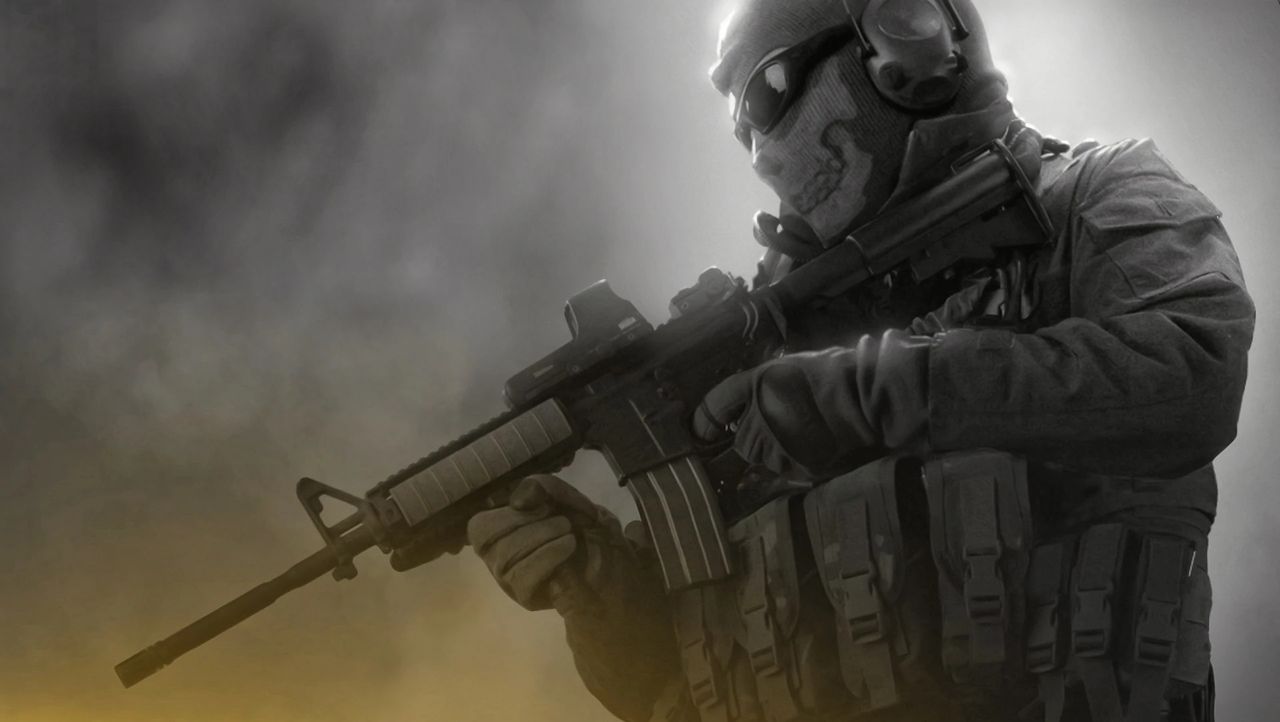
Call of Duty: Ghosts (2013)
Call of Duty: Advanced Warfare (2014)
Call of Duty: Black Ops 3 (2015)
Call of Duty: Infinite Warfare (2016)
Call of Duty: Vanguard (2021)
I had to double check, but yes, 2021’s oft-forgotten Vanguard has also been forgotten by Game Pass. Maybe Treyarch’s Big Red One (the even more forgotten version of Call of Duty 2 for the original Xbox/PS2) will finally gets its day in the sun.
Keep up to date with the most important stories and the best deals, as picked by the PC Gamer team.