The worm, dubbed Shai-Hulud, has all the hallmarks of malware released last month as freely available open source. TeamPCP was the first group to use Shai-Hulud, and it promoted a competition that promised a $1,000 payment to the hacker who carried out the biggest supply-chain attack using the malware. TeamPCP has also been behind a rash of previoussupply-chainattacks. Now that the worm is in the hands of many other threat groups, supply-chain attacks may ramp up further.
The malware devotes considerable attention to CI/CD (continuous integration/continuous delivery) systems, which allow for faster and more reliable software releases by automating the building, testing, and deploying of code changes. The malware spread in Monday’s attack was published through GitHub Actions OIDC (OpenID Connect), indicating that Red Hat’s CI/CD pipeline was compromised. OIDC is a security measure designed to interact with cloud services through the use of temporary credentials.
Once installed, the malware targets other organizations’ CI/CD credentials. The compromise of Red Hat’s GitHub Actions OIDC was very possibly the result of a previous supply-chain attack that infected an employee’s machine.
In an email sent after this post went live, Red Hat said it has removed the malicious packages.
“The packages are strictly limited to internal development, and the malicious code was never published for customer consumption via the console.redhat.com system,” the email said. “While our investigation is ongoing, we have not identified any impact to customer or partner environments or Red Hat production systems.”
Given the success of other recent supply-chain attacks, anyone who touched one of the affected packages in the past 36 hours should assume compromise of their workstations, CI/CD pipelines, and all credentials for cloud services and repositories. That means employees should drop whatever they’re doing at the moment and investigate thoroughly.
In a recent supply-chain attack that hit Checkmarx, the security firm failed to fully drive out the party responsible. Checkmarx was then hit two more times. The Checkmarx credentials used in the first attack came from a supply chain attack on the Trivy software developer. The pivot to Checkmarx and its failure to fully remediate the initial breach demonstrates the difficulty of completely recovering from such security lapses and the risks that result.
Both Socket and Aikido have lists of affected Red Hat packages and other indicators of compromise that any potentially affected person or organization should make use of promptly.
Microsoft has unveiled Scout, an experimental always-on AI “autopilot” agent for Microsoft 365 that can operate across Teams, Outlook, OneDrive, SharePoint, calendars, contacts, browsers, and external apps via MCP. “Autopilots stay active in the background, understand how work gets done across your apps and systems, and take action without needing to be prompted each time,” said Omar Shahine, a Microsoft veteran who recently announced he is leading a new team to bring OpenClaw-based personal assistants to Microsoft 365 apps. Computerworld reports: Shahine said Scout can reduce mundane tasks that office workers face, such as coordinating and scheduling meeting times with colleagues, or blocking times in a user’s calendar based on upcoming work commitments. “It can also spot risks, like stalled decisions, so you can address them before they become blockers,” he said. It’s available as an “experimental release” to customers of the company’s Frontier program, Microsoft said, and will require Intune policy configuration and “opt-in attestation.” […] It’s not clear whether Scout will be included in Microsoft 365 Copilot subscriptions or charged separately. Microsoft did not immediately provide additional details about pricing.
Google is finally making password manager switching easier by letting users securely import and export passwords and passkeys between Google Password Manager and third-party apps.
The new Credential Exchange standard eliminates reliance on insecure CSV exports, creating a safer way to move sensitive login data across platforms.
Don’t want to miss the best from Android Authority?
This may seem like a very niche update at first glance. In fact, it solves an age-old problem that has kept many users locked into a particular password manager.
With passkeys becoming more common on Android, iOS, and the web, password managers are becoming more important. Passkeys are more secure and resistant to phishing attacks than traditional passwords.
The downside is that it hasn’t always been easy to port your credentials from one service to another. In many cases, users were forced to use proprietary export formats, manual transfers, or incomplete migration tools.
Google’s latest move is intended to make that process a lot easier. By adopting the Credential Exchange standard, users can transfer both passwords and passkeys between Google Password Manager and supported third-party alternatives without being tied to a single ecosystem.
Thank you for being part of our community. Read our Comment Policy before posting.
Google parent company Alphabet said Monday that it plans to raise $80 billion to help pay for the massive AI infrastructure buildout it has planned. Alphabet will sell off that amount in stock, and will then use the funds to pay for “general corporate purposes, including capital expenditures to scale AI infrastructure and global compute,” the company said in a statement.
Part of the plan involves selling $10 billion in stock to Berkshire Hathaway, the massive global holding company formerly led by Warren Buffet.
“The company is experiencing strong demand for its AI solutions and services from enterprises and consumers, at levels that are exceeding the company’s available supply,” Alphabet said in its statement. “By scaling its investments, the company seeks to expand its foundational infrastructure to support the significant growth opportunity ahead.”
The company added that the stock plan represented a way to “fund its investments in a balanced way while retaining a healthy balance sheet.”
Like other tech giants, Google has announced plans for a massive investment in compute this year, the likes of which will be used to support a flurry of new AI services. At Google I/O last month, CEO Sundar Pichai said that the company expects to spend between $180 and $190 billion on capex before the year is out. Google and other tech giants are expected to spend as much as $700 billion this year on AI capex.
Apple still considers the smart glasses, which would be a direct competitor to the Meta Ray-Bans, a very important part of its future lineup, according to Gurman’s latest report. The devices will likely have cameras for capturing photos and videos, as well as microphones and speakers for phone calls and music. AI integration and health-related features should be big selling points, too.
Design-wise, Apple is reportedly looking into four different variants: One with a larger, rectangular frame (think Ray-Ban Wayfarers), one with a slimmer rectangular design, and two oval designs, one larger and one smaller. Color options that Apple is said to be looking into include light brown, ocean blue, and black.
As for the price, Gurman has a range, but it’s not very precise: They could cost anywhere between $200 and $500 in the U.S.
As far as the also-rumored, cheaper version of the company’s Vision Pro mixed reality headset goes, that’s probably not coming until 2028 or even 2029, wrote Gurman.
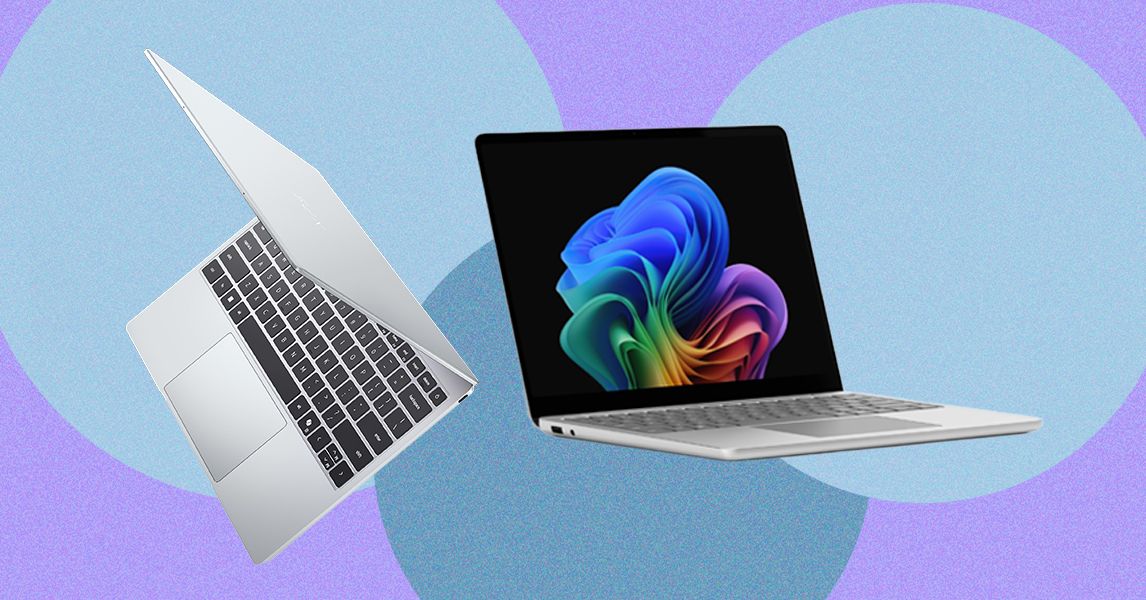
Yet it’s only $699 (or $599 for students). The XPS 13 makes similar trade-offs as the MacBook Neo. First, it starts with only 8 GB of RAM and 256 GB of storage. It also starts with a slower Intel Core 5 processor (note: not Intel Core Ultra). I’ll be interested to find how the performance and battery life stack up against the MacBook Neo, but Dell is clearly taking notes from Apple, which used a slower iPhone chip in the Neo instead of an M-series laptop-grade processor.
What’s nice about the Dell XPS 13, though, is that you can scale it up appropriately. The MacBook Neo is capped in both storage and memory, but the XPS 13 can be configured up to 32 GB of RAM and 1 TB of storage.
I’ve been testing a lot of $500 to $600 laptops recently from companies like Acer, Lenovo, and HP, many of which take a more conventional Windows approach to rivaling the MacBook Neo by offering better specs at lower prices. They all have 16 GB of RAM and use more powerful chips, too. But none challenge the MacBook Neo in display quality and chassis materials. That doesn’t mean there isn’t a place for something like the HP OmniBook 3, but it doesn’t play for the same audience as the Dell XPS 13 and MacBook Neo.
The Wrong Direction
Inevitably there would be a company that thinks it can ride on the success of the MacBook Neo without understanding what makes it tick. Last week, Microsoft announced two versions of its Surface Laptop for Business PCs: a higher-end 13.8-inch model and a cheaper 13-inch device. The 13.8-inch model is a more standard refresh, implementing Intel’s new Core Ultra X7 368H Panther Lake chip—and most notably, it still starts with 16 GB of RAM.
The smaller 13-inch model is where things get problematic. Despite its starting price of $1,200, that configuration only comes with 8 GB of RAM. Don’t get too caught up in the price, since business PCs always come with an up charge. The starting RAM is the eyebrow-raising spec. Unlike the new Dell XPS 13, Microsoft isn’t tricking this out with a thinner chassis and an upgraded screen—it’s just giving you less computing power and calling it good.
And to be fair, this “optional” 8 GB model is coming later this year, separate from the 16 GB and 24 GB versions. But it’s hard to imagine Microsoft being willing to sell an 8 GB laptop in 2026 if Apple hadn’t paved the way. While there’s no 2025 Surface Laptop 13 for Business for direct comparison, the consumer version of the Surface Laptop 13 started with 16 GB of RAM. This feels like a straight generational downgrade.
Say hello to the second Minecraft film—or as it’s now known, A Minecraft Movie Squared.
The new name was unveiled during the Minecraft Live event, which didn’t just stop at the official name. Production’s already underway in New Zealand, so director Jared Hess and the returning adult cast got on camera to hype up the sequel. Along with Kirsten Dunst as Alex—the female character option in the game—the next big new get is Matt Berry. While he voiced a Nitwit in the first movie, he’s a flesh-and-blood person in the sequel. The Fallout star didn’t say who he’ll be, but his outfit looks similar to Steve’s, leading fans to believe he’ll play an evil counterpart. (Possibly Herobrine, an urban legend amongst the game’s community.)
When the original A Minecraft Movie hit theaters last year, it became a tiny phenomenon. It made nearly a billion dollars and Jack Black’s “chicken jockey” line was such a moment (and briefly involved actual chickens) that he had to tell younger theatregoers to behave more properly. This new movie’s probably going to be even bigger, especially since there’s an in-game build challenge attached to it that could see the best player-made creation get featured in Squared’s end credits.
You can learn the details of that challenge here, while everyone else can expect A Minecraft Movie Squared to hit theaters on July 23, 2027.
Looking for the most recent Strands answer? Click here for our daily Strands hints, as well as our daily answers and hints for The New York Times Mini Crossword, Wordle, Connections and Connections: Sports Edition puzzles.
Today’s NYT Strands puzzle was a bit challenging. Some of the answers are difficult to unscramble, so if you need hints and answers, read on.
If that doesn’t help you, here’s a clue: Travel time!
Clue words to unlock in-game hints
Your goal is to find hidden words that fit the puzzle’s theme. If you’re stuck, find any words you can. Every time you find three words of four letters or more, Strands will reveal one of the theme words. These are the words I used to get those hints but any words of four or more letters that you find will work:
These are the answers that tie into the theme. The goal of the puzzle is to find them all, including the spangram, a theme word that reaches from one side of the puzzle to the other. When you have all of them (I originally thought there were always eight but learned that the number can vary), every letter on the board will be used. Here are the nonspangram answers:
MUSEUM, BEACH, CASTLE, MARKET, MONUMENT, RESTAURANT
Today’s Strands spangram
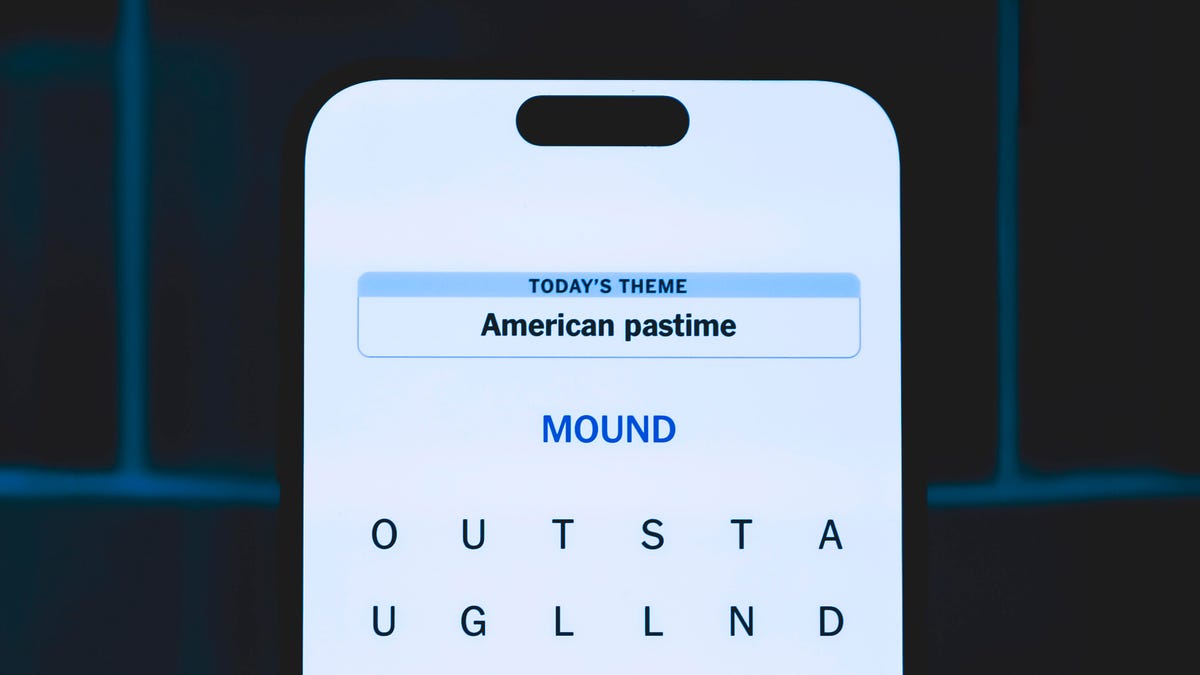
The completed NYT Strands puzzle for May 31, 2026.
NYT/Screenshot by CNET
Today’s Strands spangram is TOURISM. To find it, start with the T that’s two letters down on the far-left vertical row, and wind down and then across.
Go from 4K resolution for Crimson Desert to 680Hz for Counter-Strike 2.
ginchang/Shutterstock
Gaming monitors that let you switch between two modes aren’t new, but MSI is pushing that even further with its OLED monitor can shift across three modes. For Computex 2026, MSI is claiming a world’s first with a 31.5-inch gaming monitor that can bounce between 4K resolution with a 360Hz refresh rate, 2K resolution with 520Hz and FHD resolution with 680Hz.
Officially named the MPG OLED 322URDX36, the monitor lets gamers go from maximum resolution for AAA titles that are graphically demanding to an ultra-fast refresh rate for more competitive games where split-second decisions matter. Along with MSI’s Triple Mode feature, the upcoming monitor also has its Penta Tandem technology that the company advertises as a five-layer stack of panels designed to reduce color fringing and make text more legible. MSI also equipped the Triple Mode monitor with a DarkArmor Film that’s supposed to boost black levels by 40 percent and increase scratch resistance.
Besides all of MSI’s included proprietary technologies, the upcoming monitor can hit a peak brightness of 1,500 nits and will have a DisplayPort 2.1a and a USB-C port. MSI didn’t reveal any pricing or release details, but said the MPG OLED 322URDX36 will be on display at its booth during Computex 2026, which kicks off on June 2.
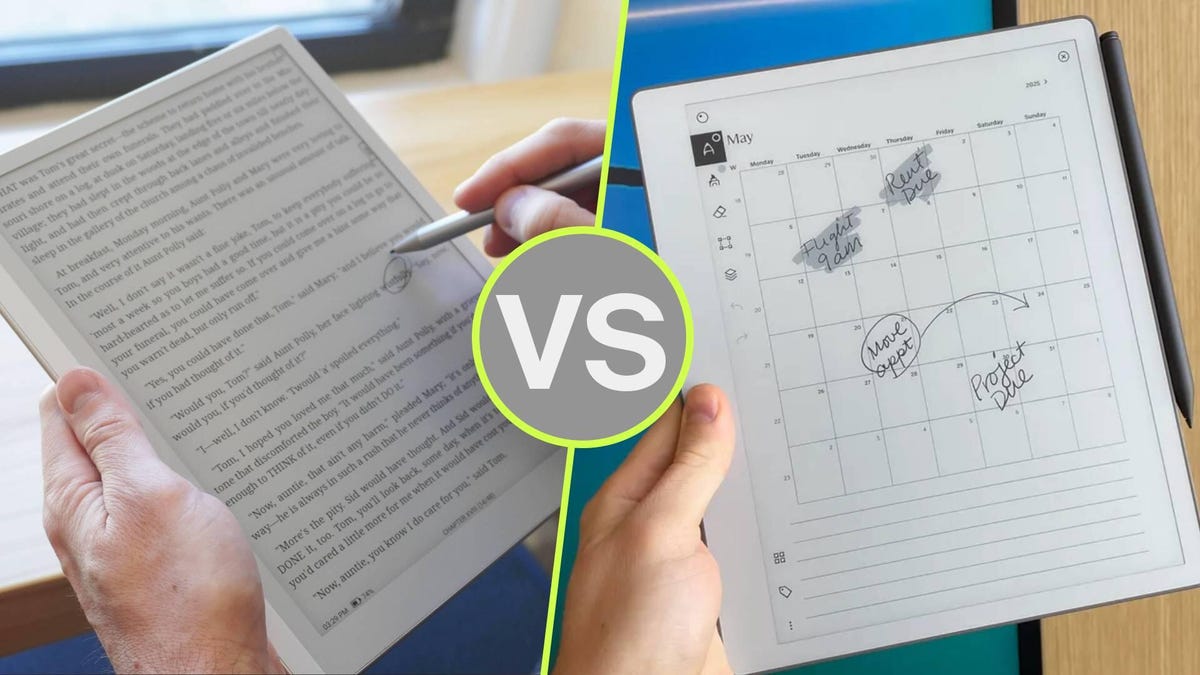
Digital paper tablets are getting very good. But with so many options, it’s hard to tell where different models excel. Two of the best I’ve tested this year are the Boox Go 10.3 Lumi (Gen 2) and the ReMarkable Paper Pure, both starting at $399 — and both of which come bundled with the case for around $50 more.
Despite the similar price, though, these tablets are for very different users. The Boox Go 10.3 is an open-ended, versatile device with access to the Android ecosystem at your fingertips — great for anyone with an extensive library of e-books. The ReMarkable Paper Pure, on the other hand, is a distraction-free work tablet with a minimalist ethos.
I should also mention that the Boox Go 10.3 requires no subscription, offering full access to the Google Play store with the purchase of the device. The ReMarkable Paper Pure has an optional subscription called ReMarkable Connect that unlocks a handful of features and provides unlimited cloud storage for $39/year. Here’s the full breakdown of these two fantastic devices.
Specifications
Boox Go 10.3 Lumi (Gen 2)
ReMarkable Paper Pure
Display
10.3-inch Carta 1200 glass display, 300 ppi, with backlight
If you’ve got a long list of books to read and want a tablet for taking notes, the Boox Go 10.3 is better than the ReMarkable Paper Pure for its rich access to the top e-book platforms. You’ve got the Google Play store, Amazon’s Kindle app, Libby, Kobo Books, and more at your fingertips.
You can certainly read e-books on the ReMarkable Paper Pure, but without access to third-party apps, you’ll just have to manually send the EPUB files to the tablet. This isn’t difficult, but it means that you’ll have to acquire e-books on another device. Conversely, the Boox Go 10.3 runs AndroidOS natively, and comes with an extensive toolkit for note-taking (including voice notes).
2. You want more options, not less
With access to the Google Play Store, you can install all sorts of apps onto the Boox Go 10.3 to personalize your device how you see fit. Combine this with the fact that the tablet itself is highly customizable with respect to the UI and the writing experience, which features a rich toolkit of brushes, paper templates, support for layers, shapes, custom gesture mapping, and the ability to add your own image files — even audio.
Kyle Kucharski/ZDNET
To top it off, the tablet supports virtually all the file types you’d ever imagine working with, including PDF, EPUB, txt, rtf, html, png, jpg, gif, and bmp, to name a few. By comparison, the ReMarkable Paper Pure uses its own minimalist custom UI, doesn’t support third-party apps, and offers a much more streamlined user experience.
3. You need a backlight
The Boox Go 10.3 Lumi features an adjustable light on the display that reaches around 115 nits and can be adjusted to a warm or cool tone. If you do any kind of work in dim environments (or like reading at night), the Boox Go 10.3 is the better option, as the ReMarkable Paper Pro has no lighting on its display.
You should buy the ReMarkable Paper Pure if…
Kyle Kucharski/ZDNET
1. ReMarkable’s distraction-free ethos speaks to you
If the Boox Go 10.3 is all about options, the ReMarkable ecosystem is about quieting the noise and prioritizing focus. Without access to third-party apps or email, you’ll never get notifications or pop-ups. The UI is simple, intuitive, and clean, and it gets out of your way so you can work.
One way I test digital paper tablets is by timing how long it takes to go from power-on to a blank page where I can write. The Paper Pure is by far the fastest, going from powered off to writing in three seconds flat. The Boox Go, by comparison, requires the user to jump through a few menus.
2. You want a tablet for work
Where the Boox Go 10.3 is versatile enough to do a little bit of everything, the ReMarkable Paper Pure is far more specialized for work. Its library of “methods” (templates) is productivity- and project-focused, and if you sync it with your calendar, your handwritten notes can be organized by meetings, complete with a list of attendees. You can also organize notes based on keywords or tags, keeping your documents assigned to the right projects.
Kyle Kucharski/ZDNET
It’s also far easier to share documents and handwritten notes on the ReMarkable. With one tap, you can send to any linked cloud service, direct to email, or create a custom URL that navigates to your note and can be viewed by anyone with the link.
3. You want to screen share
One of the best features on the ReMarkable is the ability to mirror your tablet onto a big screen in real time, turning it into a virtual whiteboard that fits in the palm of your hand. It’s not only the feature itself, but how easy it is to use: Just navigate to a URL in the browser, and you can share your sketches or notes in meetings.
Writer’s choice
Both of these tablets have fantastic pen-to-“paper” writing experiences, and both are remarkably (no pun intended) similar in terms of physical build. They weigh the same, have the same-sized display, and nearly the same resolution. In terms of pricing, they’re also similar, starting at $399 and rising to around $450 when bundled with the case (which I highly recommend).
At the end of the day, I find the ReMarkable Paper Pure is better for my workflow. It’s more focused, optimizing the features I want to use (writing on the digital display, sharing documents) rather than trying to do everything at once. I am not an e-book reader, so I was never seeking a tablet with e-book access. I appreciate ReMarkable’s clean, distraction-free interface and how snappy it is to grab the tablet and use it like, you know, pen and paper.