Coming to Xbox Game Pass: Star Wars Outlaws, Resident Evil Village, and More


Welcome to the new year, friends! Happy to be back with more games and more fun. Let’s get to it!

Available Today

Brews & Bastards (Cloud, PC, and Xbox Series X|S)
Game Pass Ultimate, Game Pass Premium, PC Game Pass

Brews & Bastards is an intoxicating, twin-stick shooter, overflowing with action-packed combat, potent brews and outlandish bosses. Select from a group of inebriated heroes and descend, drink, and destroy your way through hordes of drunken demons in search of the stolen Brew Stone.

Little Nightmares Enhanced Edition (Cloud, Handheld, PC, and Xbox Series X|S)
Game Pass Ultimate, Game Pass Premium, PC Game Pass

Rediscover the dark whimsical tale of Little Nightmares, now enhanced in stunning 4K and 60 FPS. Play as Six, a lone child trapped in The Maw, a massive vessel inhabited by monstrous, distorted versions of adults. Sneak, hide, and survive in a world where your childhood fears come to life.

Coming Soon

Atomfall (Cloud, Console, Handheld, and PC) – January 7
Now with Game Pass Premium

A survival-action game inspired by real-life events, Atomfall is set five years after the Windscale nuclear disaster in Northern England. Explore the fictional quarantine zone, scavenge, craft, barter, fight and talk your way through a British countryside setting filled with bizarre characters, mysticism, cults, and rogue government agencies.

Lost in Random: The Eternal Die (Cloud, Xbox Series X|S, Handheld, and PC) – January 7
Now with Game Pass Premium

Lost in Random: The Eternal Die blends dynamic real-time action, tactical combat, and risk-reward dice mechanics for thrilling second-to-second battles. Unravel an original stand-alone story as Queen Aleksandra, the once great ruler of Random on a mission for vengeance and redemption.

Rematch (Cloud, PC, and Xbox Series X|S) – January 7
Now with Game Pass Premium

Step onto the pitch in Rematch, a third-person, team-based football game where every pass, volley, and tackle matters. Designed for 5v5 online play, Rematch puts you in full control of one athlete, with no offsides, no fouls, and no downtime. Pass smart, play with purpose, and win together.

Warhammer 40,000: Space Marine – Master Crafted Edition (Cloud, PC, and Xbox Series X|S) – January 7
Now with Game Pass Premium

Step into the armor of a relentless Space Marine and use a combination of lethal weaponry to crush overwhelming Ork forces. Immerse yourself in an intense and brutally violent world based on the richest science fantasy ever created. Enhanced for a new generation, this edition brings quality of life and graphical improvements.

Final Fantasy – (Cloud, Xbox Series X|S, and PC) – January 8
Game Pass Ultimate, Game Pass Premium, PC Game Pass

“Earth, fire, water, wind… The light that once shone within the four Crystals was lost. Become the Warriors of Light, restore power to the Crystals and save the world.” A remodeled 2D take on the first game in the world-renowned Final Fantasy series! Enjoy the timeless story told through charming retro graphics. All the magic of the original, with improved ease of play.

Star Wars Outlaws (Cloud, PC, and Xbox Series X|S) – January 13
Game Pass Ultimate, PC Game Pass

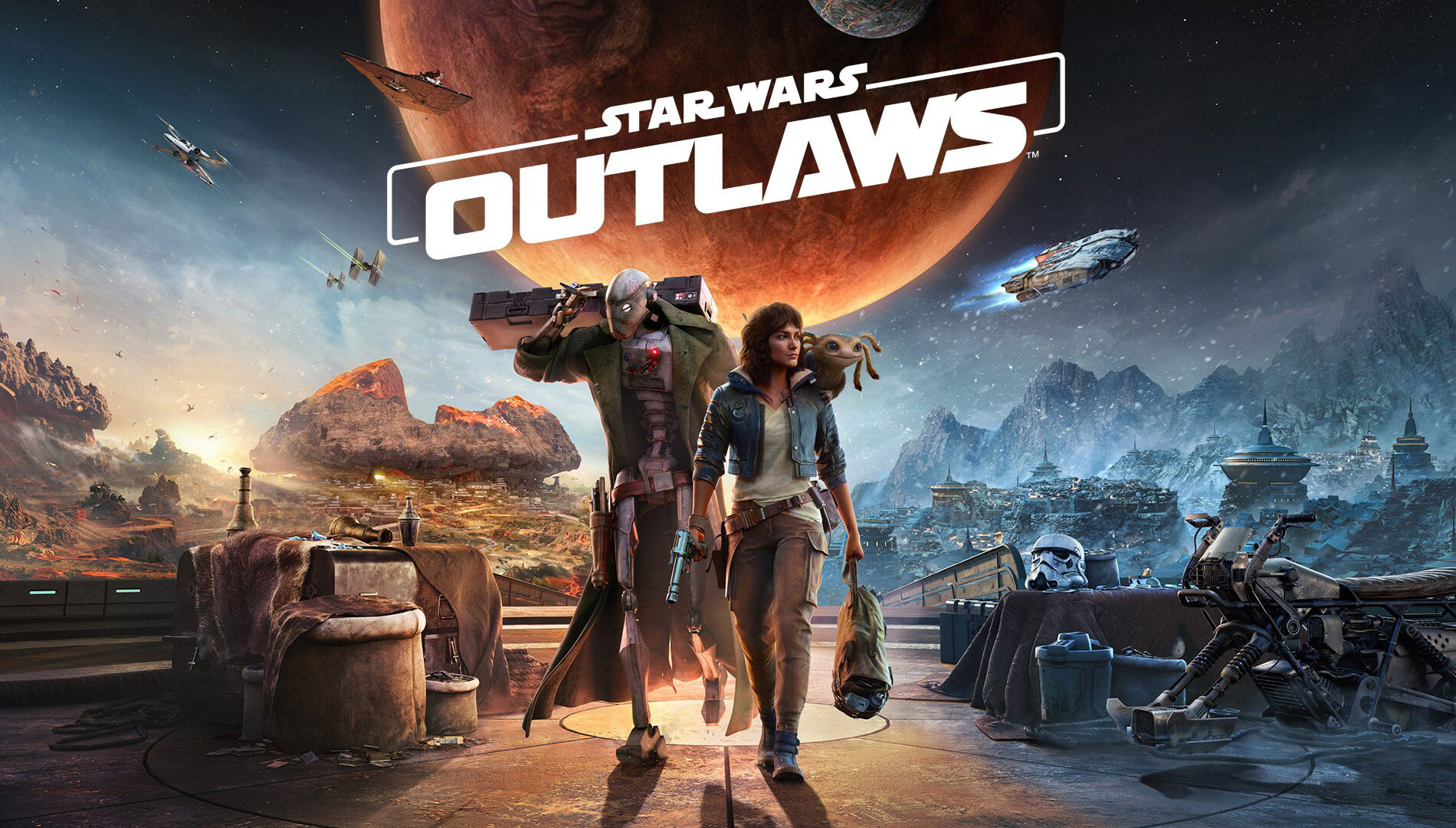
Experience the first-ever open world Star Wars game, set between the events of “The Empire Strikes Back” and “Return of the Jedi.” Explore distinct locations across the galaxy, both iconic and new. Risk it all as scoundrel Kay Vess, seeking freedom and the means to start a new life, along with her companion Nix. Fight, steal, and outwit your way through the galaxy’s crime syndicates as you join the galaxy’s most wanted. If you’re willing to take the risk, the galaxy is full of opportunity.

My Little Pony: A Zephyr Heights Mystery (Cloud, Console, Handheld, and PC) – January 15
Game Pass Ultimate, Game Pass Premium, PC Game Pass

Take the magic of friendship to new heights in a mystery adventure for one or two ponies. Playing as Sunny, Hitch, Izzy, Pipp, Zipp, or Misty, use your special abilities to stop the unstable magic that’s sending Zephyr Heights out of control! And have tons of fun with hilarious minigames and countless pony customizations. 

Resident Evil Village (Cloud, Console, and PC) – January 20
Game Pass Ultimate, Game Pass Premium, PC Game Pass

Resident Evil Village is the eighth main entry in the Resident Evil series. Set years after Resident Evil 7 biohazard, players follow Ethan Winters into a haunting European village, fighting for survival against brutal enemies as danger and mystery lurk around every corner.

MIO: Memories in Orbit (Cloud, Handheld, PC, and Xbox Series X|S) – January 20
Game Pass Ultimate, PC Game Pass

Available on day one with Game Pass! A hand-crafted metroidvania set within a vast, decaying world reclaimed by nature and robots. Play as Mio, a nimble android exploring labyrinthine environments, battling rogue machines, and uncovering lost memories in a richly atmospheric adventure filled with secrets and danger.

Leaving January 15

The following games are leaving the Game Pass library soon. Jump back in to tie up any loose ends, or save up to 20% off your purchase to keep the fun going!

  • Flintlock The Siege of Dawn (Cloud, Handheld, PC, and Xbox Series X|S)
  • Neon White (Cloud, Console, Handheld, and PC)
  • Road 96 (Cloud, Console, Handheld, and PC)
  • The Ascent (Cloud, Console, Handheld, and PC)
  • The Grinch Christmas Adventures (Cloud, Console, Handheld, and PC)

I hope your last year treated you well with lots of high scores, achievements unlocked, and GGs. We’ll be back soon with even more games so keep it tuned here, or with us on social for Xbox and Xbox Game Pass. Talk soon!

Note: Games with a ‘Handheld’ designation represent those that are optimized for handheld play.


The best Prime Day gaming deals from laptops and peripherals to the latest video games


There is nothing more sublime than having a perfectly kitted out gaming station. That said, staying on top of things with the current pace of technology is always tricky. But for anyone hunting for upgrades, Amazon Prime Day is the perfect opportunity to improve your gaming setup on a discount. So regardless of whether you’re looking for some cables, extra storage or a brand new monitor and headphones, we’ve gathered all the best gaming deals in one place for easy reading.

Image for the small product module

Square Enix

DRAGON QUEST III HD-2D Remake (PS5/Nintendo Switch) for $35 ($25 off)

The Dragon Quest III HD-2D Remake is a fantastic update to a truly wonderful JRPG classic. It features an updated HD-2D art style along with some nice quality-of-life changes and UI improvements. But at its core, it has the same great story and turn-based combat that set the world on fire back in 1988. And because the Switch 2 is backwards compatible, this could be a great title to play on Nintendo’s latest handheld, though you can always opt for the PS5 version instead.

$35 at Amazon

The Legend of Zelda: Echoes of Wisdom (Nintendo Switch) for $52 ($8 off)

We rarely see discounts on first-party Nintendo games, especially when it comes to major franchises like The Legend of Zelda. But for Prime Day, Echoes of Wisdom is available for 15 percent off, which is even more impressive when you consider the game the game is less than a year old. Not only is this the first Zelda game to put our beloved princess in the spotlight (instead of Link), it offers a fun twist on the series’ classic top-down action RPG formula thanks to Zelda’s new ability to summon objects and monsters with the Tri-rod.

The Legend of Zelda: Tears of the Kingdom (Nintendo Switch) for $55 ($15 off)

Alternatively, if you are looking for something a bit faster paced, The Legend of Zelda: Tears of the Kingdom may be one of the best sequels in recent video game history. And now for Prime Day, it’s available for $15 off its normal retail price. Not only is this a great pickup for anyone who hasn’t played it yet, it’s also a great showcase of the Switch 2’s capabilities as users can purchase a $10 upgrade pack (or get it for free if you have a subscription to Nintendo Switch Online + Expansion Pack) that adds support for HDR, faster loading times, enhanced textures and smoother framerates.

Star Wars Outlaws – Limited Edition (Amazon Exclusive), PlayStation 5 for $29 ($31 off)

At full price, this game was easy to skip. But now that it’s available for just $29 (half off its normal retail price), Star Wars Outlaws suddenly becomes a lot more interesting for fans of the franchise. You get to live out your dreams of being an intergalactic scoundrel while taking down bounties or battling secret crime syndicates. And because this is the limited edition, the game includes some pre-order rewards like the Kessel Run bonus pack and the Rogue Infiltrator bundle.

Assassin’s Creed Shadows – Limited Edition for PS5/Xbox Series X for $48 ($22 off)

If you missed the latest entry in Ubisoft’s most well-known franchise, this might be the time to jump in because for Prime Day, Assassin’s Creed Shadows is available for $48, more than $20 off its regular retail price. This instalment has you explore feudal Japan as either the shinobi Naoe or the legendary samurai Yasuke while encountering some notable figures from the time period. If all you want is a wonderful world to sneak around in, it’s hard to go wrong with Assassin’s Creed on a discount.

Elden Ring: Shadow of The Erdtree Edition for PS5/Xbox Series X for $60 ($20 off)

Elden Ring is one of the most highly regarded games of this decade so far (and arguably of all time). For Prime Day, you can become a foul tarnished by picking up a version that includes the base game and the Shadow of the Erdtree expansion for $60. Elden Ring typically costs around $50 (though it’s down to $30 on PS4, PS5 and Xbox Series X for Prime Day) and the DLC will usually run you another $40, so that’s a decent discount compared with buying them separately — or even the Shadow of the Erdtree Edition at its regular price.

The Last of Us Part I – PlayStation 5 for $33 ($36 off)

The Last of Us is one of the greatest modern video game franchises, spawning both a critically acclaimed sequel and TV adaptation. For Prime Day, you can now get part one of the remastered version for more than 50 percent off. This latest edition for the PS5 features a brand new game engine, improved loading speeds and haptic feedback support for Sony’s DualSense controller and more, which is enough to make the series feel like an entirely new experience (even if you played the original back in the day). And while it isn’t getting as big of a discount, you can also pick up The Last of Us Part 2 Remastered on Amazon for just $40 (10 off its regular price).

Final Fantasy I-VI Collection Anniversary Edition for PlayStation and Switch for $45 ($30 off, lowest ever price)

This collection of pixel remasters of the first six Final Fantasy games is an absolute steal at $45 during Prime Day. It’s the lowest price we’ve seen to date for this set, which comes with a nice little sticker sheet of character sprites. Several other games in the series are on sale for PS5 as well, such as Final Fantasy VII Remake Intergrade ($30, $10 off), Final Fantasy VII Rebirth ($40, $30 off) and Final Fantasy XVI ($25, $15 off)

Meta Quest 3S 128GB Bundle for $249 ($51 off)

The Quest 3S is one of our picks for best VR headsets for good reason. Meta cut just the right corners from the more full-featured Quest 3, enabling it to drop the list price down lower. It has the same Snapdragon chip and controlers, but cheaps out a bit on the lenses, slightly lowering the graphics fidelity in use. Just like the Quest 3, it works standalone for lighter games and streaming, or in concert with a gaming PC for full-fat AAA VR titles. It’s well worth the $300 Meta usually asks for it, so at $249 with two games included (Cardboard Hero and the excellent social VR hit Gorilla Tag), it’s a steal.

Razer Blade 14 with RTX 4070 for $2,300 ($400 off)

The Blade 14 is one of my favorite laptop lines because it combines a super sleek chassis with solid performance and truly excellent build quality. And now, as a way to get in on the Prime Day festivities, Razer has an exclusive offer on its website that will knock $400 off configs with RTX 4070 GPUs or up to $300 on models with RTX 4060 cards. These kind of savings go a long way towards neutralizing my biggest issue with Razer’s laptops: their price. So if you’re looking for a system that can do some serious gaming but is still easy to carry around, you’re going to want to snap this deal up fast.

ASUS ROG Strix G16 Gaming Laptop with RTX 4060 for $1,360 ($340 off)

While an RTX 4060 isn’t the most powerful GPU on the market, getting a whole new laptop with solid specs for just $1,360 isn’t something you can just ignore, especially if you’re on a budget. This ROG Strix G16 comes with 16GB of RAM and 1TB of storage. And while its Intel Core i9-14900HX CPU is one generation old, it’s still plenty fast enough for gaming, video editing or pretty much anything else you need to do. I also appreciate small features like a MUX switch that lets the laptop connect directly to the GPU for increased performance, though if you want, you can also enable automatic switching for better battery life. And with a 16-inch 240Hz QHD display with 100% DCI-P3 coverage, everything on screen is sure to look great.

Acer Nitro V gaming laptop with NVIDIA RTX 4060 GPU for $1,200 ($150 off, lowest ever price)

Acer’s Nitro gaming laptops are meant to be more affordable alternatives to its flagship Predator systems. But now thanks to Prime Day, this model just got even more budget-friendly while still offering decent specs. You get an Intel Core i9-13900H CPU with 32GB of RAM, 1TB of storage and an RTX 4060 GPU, the latter of which should pair nicely with its 15.6-inch full HD 144Hz display. I also appreciate that unlike some gaming laptops, the Nitro V is stylish without being in your face with too many RGB lights, which makes it feel like an even better deal at $1,200. That’s the lowest price we’ve seen to date for this configuration.

Corsair Vengeance RGB DDR5 RAM 32GB (2x16GB) RAM for $95 ($25 off)

Adding some extra memory to your desktop can help unlock its full potential. So for Prime Day, Corsair is offering two 16GB sticks of its Vengeance DDR5 RAM for just $95. Not only do you get built-in RGB lighting, Corsair’s onboard voltage regulation makes it simpler to overclock your system. And for those who don’t want to mess around in BIOS settings, you can control almost everything from the easy-to-use free iCue app.

Thermaltake GF1 (2024) Fully Modular ATX 850W Power Supply for $80 ($30 off, lowest ever price)

Even though power supplies aren’t the most exciting component you can put in your desktop, the importance of a good one can’t be understated. For just $80, which is the lowest price we’ve seen to date for this product, the Thermaltake GF1 is fully modular (which means you can add or remove power cables as you need them) and has an ample max power of 850 watts along with an 80 Plus Gold rating for efficiency. And thanks to its 140mm fan, it should be pretty quiet, so it won’t cause a ruckus if you decide to play some games at night.

Samsung 990 EVO Plus 2TB PCIe M.2 SSD for $114 ($63 off)

If you’re like me and are constantly running out of storage, this deal for one of Samsung’s 990 EVO Plus 2TB M.2 SSDs is a fantastic way to add extra room on the cheap. With a 36 percent discount for Prime Day — down to $114 — this is the lowest price we’ve ever seen. And it’s not like you’re cutting corners on speed either, as the SSD supports both PCIe 4.0 x4 and PCIe 5.0 x2 and read/write rates of up to 7,250/6,300MB/s.

AMD Ryzen 5 9600X 6-Core, 12-Thread Unlocked Processor for $165 ($110 off)

The Ryzen 5 9600X isn’t super flashy, but it’s a really solid budget CPU. And now, it’s even more affordable during Prime Day where it’s going for just $165, which is $110 off its normal retail price. It features six cores and 12 total threads with a max boost speed of 5.4GHz and support for DDR5 RAM and PCIe Gen 5. It’s also unlocked, so you have the freedom to overlock if you want. That said, you will need to buy a CPU cooler separately, as one doesn’t come in the box.

AMD Ryzen 9 9950X 16-Core, 32-Thread Unlocked Desktop Processor for $434 ($215 off)

The biggest issue with the Ryzen 9 9950X CPU was that at launch, it was a bit overpriced. But during Prime Day, that problem is being addressed thanks to a $215 discount that brings its cost down to under $500. The CPU features 16 cores and 32 threads along with 80MB of cache and support for DDR5 RAM and PCIe Gen 5. However, like some of AMD’s other processors on sale this week, you will need to get a CPU cooler separately.

Razer Enki Gaming Chair for $450 ($50 off)

If you’re going to be spending all day in front of a screen gaming, you better make sure whatever you’re sitting on is super comfy. And as I’ve been using the Razer Enki every day for the last four years, I can attest that this chair is worth the money. It has a ton of adjustability for things like the arm rests, seat height and more. For more flexible folks, it was even designed so people can sit cross-legged. I also appreciate that in homes where neon green might not fit your vibe, there’s an all-black model (plus a pink one too, though that one is currently sold out).

Elgato Stream Deck MK.2 for $110 ($40 off, lowest ever)

If you’ve ever dreamed about becoming a gaming streamer or simply want some extra customizable controls for your PC, Elgato’s Stream Deck MK.2 could make a great addition to your setup. It has 15 programmable macro keys with built-in LCD displays so you can make custom buttons for switching scenes, turning on lights and so much more. Elgato also has plugins for services like YouTube, Twitch, Discord, so it’ll play nicely with all the major streaming platforms. In short, it’s like a command center for all your content creation and livestreaming needs.

Logitech G305 Lightspeed Wireless Gaming Mouse for $29 ($21 off)

The Logitech G305 Lightspeed gaming mouse is just a simple PC peripheral done well. And at just $29, it’s super affordable during Prime Day too. It features six programmable buttons, compatibility with both PCs and Macs and a sensor with sensitivity of up to 12,000 DPI. Meanwhile, thanks to a battery that lasts up to 250 hours between charges, you can go weeks between needing to plug it in. And because it’s wireless, there won’t be any cords or cables to get in your way.

Amazon Luna Controller and one month of Luna+ for $40 ($30 off)

The Luna Controller by itself is down to $40, which matches a record-low price. However, if you’re a newcomer to Luna+, you may as well pick up this bundle (which is also matching a record low) for the same price, as it includes one month of access to the service for new subscribers. This gamepad is a solid option for those who want to check out Luna, Amazon’s cloud gaming service. Prime subscribers get access to a dedicated channel with a rotating selection of games at no extra cost. This month, for instance, you can check out Death Stranding Director’s Cut, Hollow Knight and EA Sports FC 25.

8BitDo Retro Mechanical Keyboard for $80 ($20 off)

With its Retro Mechanical Keyboard, 8BitDo strikes a great balance between a nostalgic design and support for more modern features like wireless connectivity (both BT and 2.4GHz). There are several different versions to choose from, though the one inspired by the classic NES is the model I’d choose. The keyboard features an 87-key layout with PBT keycaps and Kailh Box switches, though because the PCB is hot swappable, you can always change them out for something else.

Sony Inzone H9 Wireless Gaming Headset for $198 ($102 off)

For anyone looking for a new pair of over-the-ear wireless gaming headphones to pair with a PS5, it’s hard to do better than Sony’s Inzone H9 headset. Not only does it have a similar design to the console, they are the only other headphones besides the official Pulse cans that support on-screen status notifications for volume, mic mute, game/chat balance and more. They also share a lot of the underlying tech used in Sony’s iconic WH-1000XM line, so you’ll get fantastic audio quality and active noise cancellation. But the best part is that at $198, you’re looking at a serious discount of 34 percent, which is more than $100 off its regular retail price.

Seagate Storage Expansion Card 2TB Solid State Drive for $209 ($21 off)

Games are getting bigger every day, so if you need some extra storage for your Xbox Series S or X, you’d be silly not to pick up one of Seagate’s 2TB Expansion Cards for just $209. That’s enough room for a dozen or more digital titles (or like three versions of Call of Duty) and it’s the biggest SSD storage module that slots into the back of the console without the need for a separate box.

Amazon Basics UPS Battery Backup & Surge Protector 800VA/450W for $65 ($10 off)

I’m not here to nag, but if you have a desktop PC, you really ought to consider adding a UPS (uninterruptible power supply) to your setup as they prevent power surges or momentary outages from knocking your system offline. Plus, this one has a beefy 450-watt battery backup and 12 outlets so you can connect all of your other PC gadgets to it. So if you’re going to do the smart thing by adding some extra electrical protection to your home during Prime Day, you might as well save some money in the process.

Samsung Galaxy S25 Ultra (512GB) for $1,055 ($365 off)

With Samsung’s next Unpacked event expected to show off new foldables, it looks like some of the existing models are getting some serious discounts for Prime Day, including the Galaxy S25 Ultra. And at $1,055, this is the lowest price we’ve seen for Samsung’s current flagship phone yet. For gamers, thanks to its Snapdragon 8 Elite chip, the S25 Ultra offers some of the best performance you can get in a phone right now, while its built-in vapor chamber should help prevent throttling. Its 6.9-inch AMOLED display is also one of the best mobile screens on the market today.

Razer Kishi Ultra for $100 ($50 off)

Razer doesn’t normally run a ton of deals for Prime Day, but it seems this year the company is making an exception as there are discounts on everything from gamepads to headsets and more. That said, one of the standout deals is for the Kishi Ultra gaming controller. On top of just being a well-built gamepad add-on for phones and tablets, its larger dimension and USB-C port means it works with a huge range of devices — both Android and iOS. This even includes more niche devices like foldables like the Galaxy Z Fold series, which often don’t fit inside other mobile gamepads due to their unique design.

Sony 85-Inch Class 4K Ultra HD Bravia 3 LED TV for $1,098 ($500 off)

There’s no better way to upgrade your living room gaming setup than with a brand-new, big-ass TV. Granted, the Bravia 3 is one of Sony’s entry-level models (fancier sets get higher numbers), but with a discounted price of $1,098 for a massive 85-inch panel, this deal represents one of the biggest screens you can get for the money. It also has Google TV built in, so you’ll get a very simple and straightforward way to stream your favorite shows and movies from services like Netflix, HBO and more. But perhaps most importantly is that for PS5 owners, the Bravia 3 supports exclusive features when connected to a PS5, such as Auto HDR Tone Mapping and Auto Genre Picture mode.

Alienware AW2725DF 26.7-inch OLED gaming monitor for $600 ($300 off)

For anyone who has been waiting for prices of OLED gaming monitors to drop, this may be your chance to pounce on a great deal. That’s because at $600, Alienware’s 26.7-inch OLED display strikes a good balance between price and performance with a 360Hz refresh rate, 2560 x 1440 resolution and support for AMD FreeSync Premium Pro. And of course, you get those lovely pure blacks and vivid colors that OLED panels have become known for.

Samsung Odyssey Neo G9 Series 57-inch 4K 240Hz 4K gaming monitor for $1,600 ($700 off)

This 57-inch monitor isn’t for people with limited space. But if you’ve got the room, at $1,600, this is the lowest we’ve ever seen the Neo G9 as this deal represents a whopping $700 savings compared to its regular list price. This thing features a solid 240Hz refresh rate along with support for AMD FreeSync Premium Pro, a 1000R curve and Quantum mini LED tech with 2,392 local dimming zones. For people who love ultra-wide displays, this should be at the top of your upgrade list during Amazon Prime Day.

Acer Nitro 27-inch WQHD IPS gaming monitor for $170 ($120 off)

Anyone looking for a solid and affordable 1440p gaming monitor during Prime Day should really check out this 27-inch IPS display from Acer. For just $170 (matching a record-low price), it features a relatively speedy 180Hz refresh rate along with support for AMD FreeSync Premium and a good color range that covers 95 percent of DCI-P3. The height-adjustable stand can also swivel and pivot, while thin bezels on top and on the sides will make sure it won’t look dated in a few years. So while this thing isn’t super fancy, it’s simple and competent in the best ways.

UGREEN Magnetic Power Bank 10,000mAh fast charging battery pack for $30 ($3 off)

The Switch 2 is a fantastic handheld, but its longevity could be better. So if you’re planning to take it on a long trip, pick up UGREEN’s 10,000mAH fast charging battery pack to help keep running when you’re away from a plug. This power pack almost has enough juice to fully refill a Switch 2 twice, which can add between five and 12 hours of additional game time (depending on the title). It also has an output of 20 watts, which is as much as the Switch 2 can suck down at once, but it’s still super pocketable measuring just four inches long and 0.7 inches thick. And if you need a convenient way to recharge your phone, the battery pack also comes with Qi wireless support.


Xbox + AMD: Powering the Next Generation of Xbox


Xbox + AMD Hero Image

Xbox + AMD: Powering the Next Generation of Xbox

.post-template-default .xwsrc-block-content-block .wp-block-column.flex-basis-50.push–25.column–content {
flex: 100%;
margin-left: 0;
}

The post Xbox + AMD: Powering the Next Generation of Xbox appeared first on Xbox Wire.

Coming to Game Pass: Clair Obscur: Expedition 33, Towerborne, Call of Duty: Modern Warfare II, and More


If you’ve ever wondered what the Venn diagram of Bikini Bottom, Los Santos, mysterious archipelagos, and a few other locations looks like – the center is “Places You Can Visit Soon with Game Pass” (not many people have wondered that before now, but at least I could give you that answer!). We have updates on games, benefits, Perks, and some launches you might have caught in some previous Xbox Showcases. Let’s get to it!

Available Today

Grand Theft Auto V (Cloud, Console, and PC)
Game Pass Ultimate, PC Game Pass, Game Pass Standard

Grand Theft Auto V returns to Game Pass today. Experience entertainment blockbusters Grand Theft Auto V and Grand Theft Auto Online with Xbox Game Pass on console, Xbox Cloud Gaming (Beta) , or the newly enhanced version on PC with Game Pass Ultimate or PC Game Pass.

Coming Soon

Neon White (Console) – April 16
Now with Game Pass Standard

A lightning-fast first-person action game about exterminating demons in Heaven. You are White, an assassin handpicked from Hell to compete with other demon slayers for a chance to live permanently in Heaven. The other assassins seem familiar, though… did you know them in a past life?

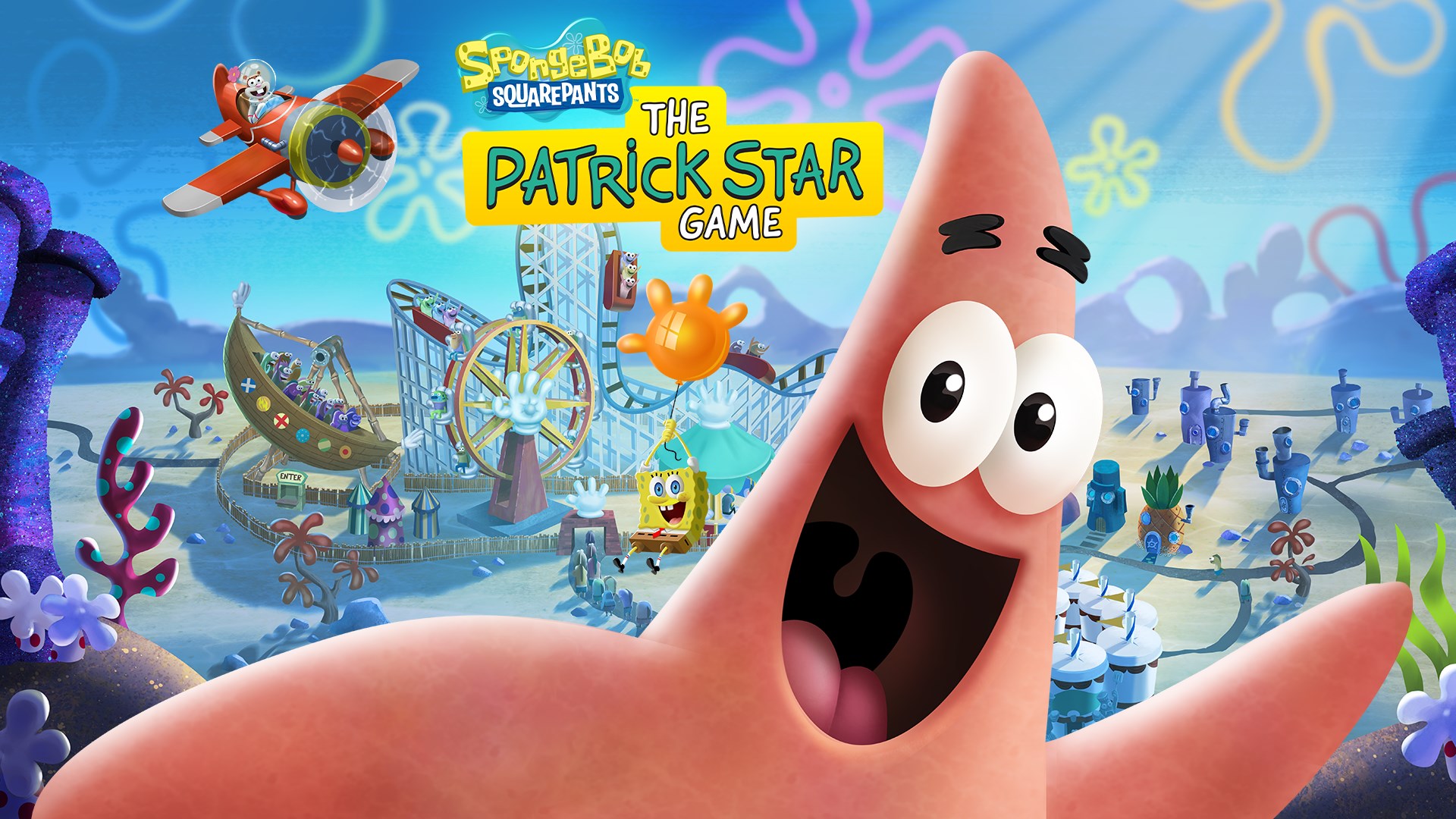
SpongeBob SquarePants: The Patrick Star Game (Cloud, Console, and PC) – April 16
Game Pass Ultimate, PC Game Pass, Game Pass Standard

Patrick fans, your time has come – and Bikini Bottom is your open-world playground! So become the star of the show, put your silliest ideas into action, and enjoy the physics-based chaos that unfolds all around you.

Crime Scene Cleaner (Cloud, PC, and Xbox Series X|S) – April 17
Game Pass Ultimate, PC Game Pass

Once you get tangled with the mob, there’s no going back. At least the salary is good and all you have to do is clean up after their dirty work. So clean crime scenes, earn as much money as you can, and remember that your daughter’s fate lies in your hands.

Tempopo (Cloud, Console, and PC) – April 17
Game Pass Ultimate, PC Game Pass

Available on day one! When Hana’s Garden of musical flowers are scattered across the sky, she asks the Tempopo for help returning them. Chaotic and uncoordinated by nature, the Tempopo needs Hana’s conducting skills to keep on beat and solve each island’s puzzle. Populate your melodic garden with rescued flowers to enjoy musical performances!

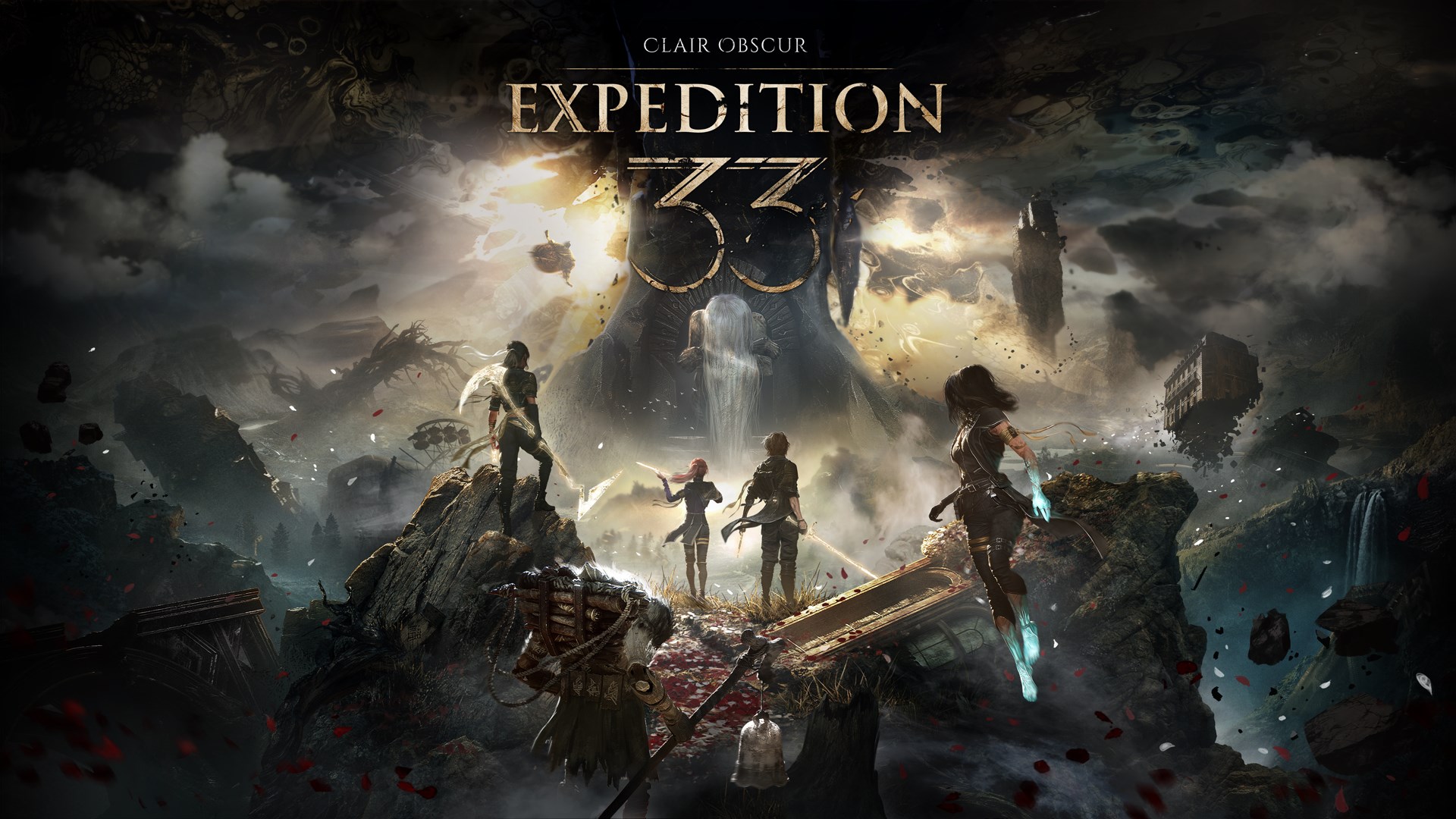
Clair Obscur: Expedition 33 (Cloud, PC, and Xbox Series X|S) – April 24
Game Pass Ultimate, PC Game Pass

Available on day one! Clair Obscur: Expedition 33 is a ground-breaking turn-based RPG with unique real-time mechanics, making battles more immersive and addictive than ever. Explore a fantasy world inspired by Belle Époque France in which you battle devastating enemies.

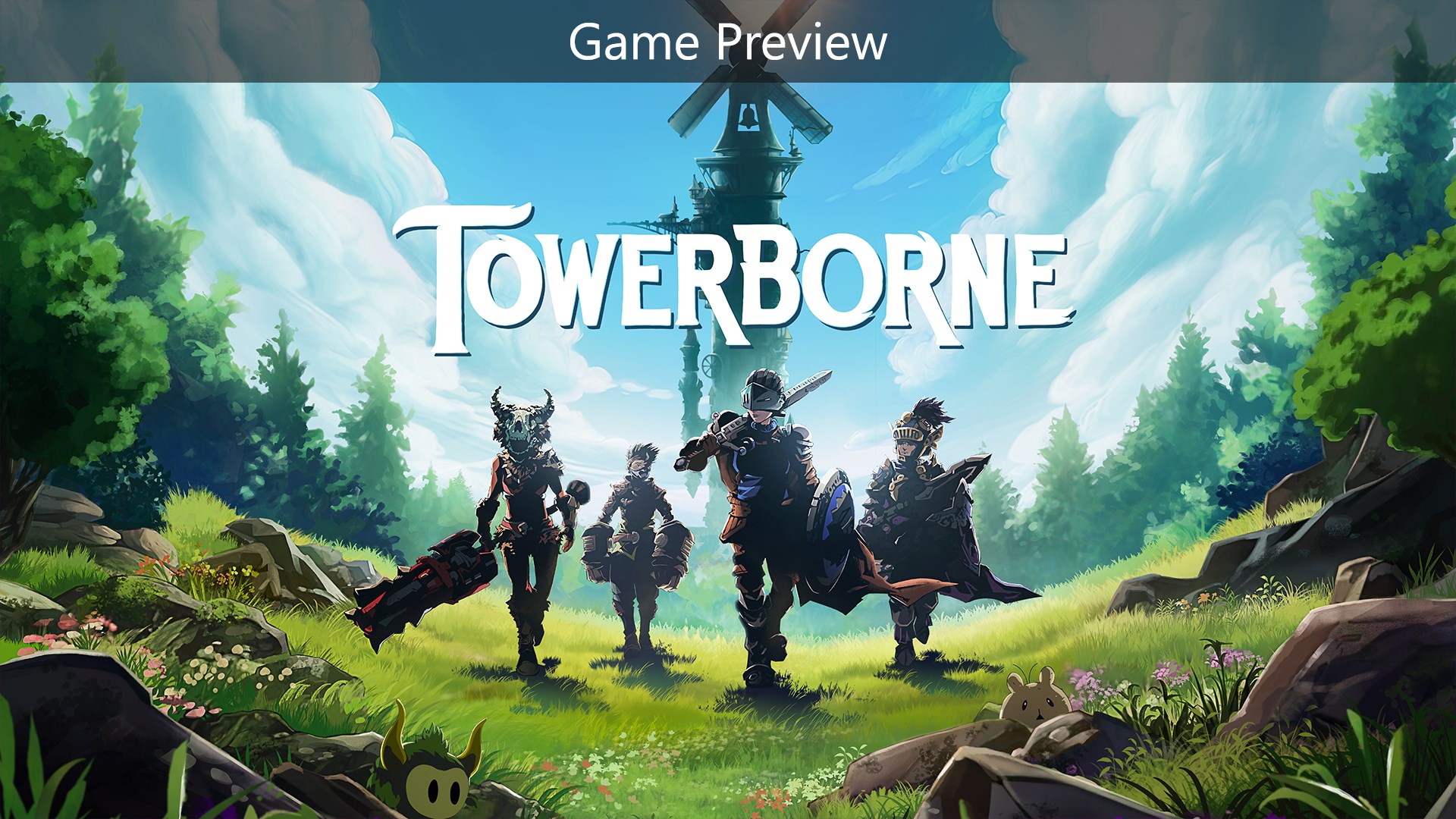
Towerborne (Game Preview) (Cloud, PC, and Xbox Series X|S) – April 29
Game Pass Ultimate, PC Game Pass

The Belfry stands as a beacon of hope and safety amongst the ruins of humanity and the City of Numbers, with monsters lurking right outside the tower’s walls. You are an Ace, born anew from the spirit realm with the skills, grit, and determination to protect the people of the Belfry. With spirit companions fighting by your side, you are destined for battle.

Far Cry 4 (Cloud, Console, and PC) – April 30
Game Pass Ultimate, PC Game Pass, Game Pass Standard

As Ajay Ghale, travel to Kyrat to fulfill a promise and dive into in a civil war to overthrow the oppressive regime of dictator Pagan Min. Explore and navigate this vast open world, where danger and unpredictability lurk around every corner.

Anno 1800 (Cloud, PC, and Xbox Series X|S) – May 1
Game Pass Ultimate, PC Game Pass, Game Pass Standard

Welcome to the dawn of the Industrial Age in this city-building real-time strategy game. Experience one of the most exciting and fast-changing periods of all time as you discover new technologies, regions, and societies, implement your own strategy, and build a new world to your design.

Call of Duty: Modern Warfare II (Cloud, Console, and PC) – May 1
Game Pass Ultimate, PC Game Pass

Call of Duty: Modern Warfare II drops players into an unprecedented global conflict that features the iconic Operators of Task Force 141. Experience a globe-trotting single-player campaign, immersive multiplayer combat, and an evolved Special Ops game mode featuring tactical co-op gameplay.

Dredge (Cloud, PC, and Xbox Series X|S) – May 6
Game Pass Ultimate, PC Game Pass, Game Pass Standard

Dredge is a single-player fishing adventure with a sinister undercurrent. Sell your catch, upgrade your boat, and dredge the depths for long-buried secrets. Explore a mysterious archipelago and discover why some things are best left forgotten.

In Case You Missed It

EA Sports NHL 25 (Cloud and Xbox Series X|S) – Available now
Game Pass Ultimate

Control every inch of the ice in EA Sports NHL 25, now on The Play List. Game Pass Ultimate members can fire off game-changing goals with unlimited access via EA Play or Xbox Cloud Gaming (Beta) on the Xbox app with Windows PC. Plus, they can score a Supercharge Bundle, available for a limited time from April 10 to May 9.

DLC / Game Updates

Forza Horizon 5: Horizon Realms – April 25
The new Stadium Track premiers in Horizon Realms, along with a collection of 11 previous Evolving World locations.  Explore every Realm with a group of friends or on your own in both Free Mode and Skill Mode to earn new Accolades, Achievements, Badges, and unlock four new reward cars.

In-Game Benefits

For Game Pass Ultimate and PC Game Pass members, there are more benefits for select free-to-play games. Get in-game benefits like cosmetics, characters, in-game currency, and more with seasonal content drops.

Call of Duty: Warzone – Game Pass Pack 1 – Available now

Game Pass Ultimate and PC Game Pass members get a free in-game bundle for Call of Duty: Black Ops 6  and Call of Duty: Warzone. This pack comes with 2x Operator Skins, 3x Weapon Blueprints, 2x Emotes, 2x Stickers, Weapon Charm, Weapon Reticle, Emblem, Background, 1-hour 2XP Token, and 1-hour 2WXP Token.

Xbox Game Pass Ultimate Perks
Check the Game Pass section on your console, Xbox mobile app, or Xbox app on Windows PC to find new April in-game content, consumables, and offers included with your Game Pass Ultimate membership. Perks vary by region, platform, and over time.

Naraka: Bladepoint – Ignis Bundle – Available now

Claim Xbox headgear, new season treasures, a legendary skin trial bundle, and more in the new Perks bundle.

Stumble Guys: Inside Out Bundle – Available now
Unlock the Inside Out Legendary Stumbler, Fools Guy Emote, 250 Gems, and 50 Stumble Tokens now!

Leaving April 30

The following games are leaving the Game Pass library soon. Be sure to jump back in before they go and remember to use your 20% membership discount to save on your purchase if you want to keep them.

  • Have a Nice Death (Cloud, Console, and PC)
  • Kona II Brume (Cloud, Console, and PC)
  • Sniper Elite 5 (Cloud, Console, and PC)
  • The Last Case of Benedict Fox (Cloud, Console, and PC)
  • Thirsty Suitors (Cloud, Console, and PC)
  • The Rewinder (Cloud, Console, and PC)

We’re adding more games over time to the ‘Stream your own game’ collection for Game Pass Ultimate members. Go to Xbox.com/Play to see the list of available cloud playable games to stream on supported devices if you own them. 

Don’t forget to block your calendar for the next Xbox Games Showcase on June 8! We’ll be there with more games – but in the meantime you can follow us on social for Game Pass, PC Game Pass, and Xbox news. Talk soon!

Hunker Down for the Winter With These Cozy Games on Xbox


While the holiday period is often considered a time for rest and reflection, we know what it’s really about – finally having time to play some excellent video games. And what better match for the season than cozy games – titles built for relaxation, lacking in stress, but just as inventive as their action-oriented cousins. 

Whether the cold weather has you peeking into a shameful backlog or browsing the Xbox storefront for something new, we’ve got a mighty fine selection of tried and tested titles that are great to cozy on up with – divided into categories to ensure you find the exact right fit for your mood. So, grab yourself a hot drink in your favourite oversized mug, fetch a big ol’ blanket, and dive on in here. 

Fun on the Farm

Farming sims are effectively the ancestral home of cozy gaming, offering respite in peaceful worlds where we can grow produce, hangout with friends, and adventure to our heart’s content. Whether you’re looking for a combat-free space or a light challenge to your adventures, we’ve got you covered. 

Stardew Valley

Cloud, Console, and PC

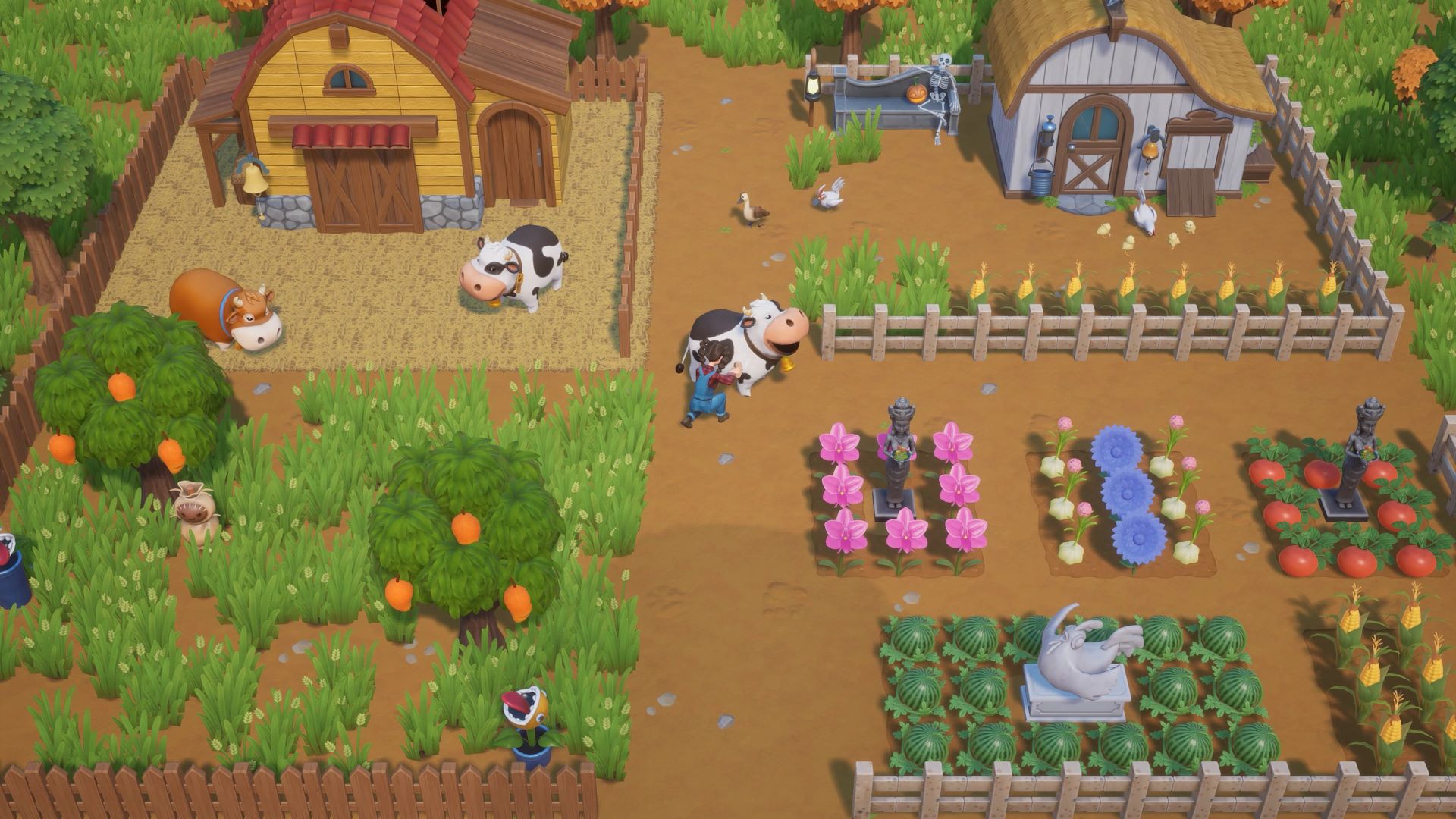
After inhering your grandfather’s old farmland in Stardew Valley, you’ll embark on a journey to transform this overgrown plot into a gorgeous home. Along the way, you’ll level up key skills to improve your farming, fishing and fighting abilities, and unlock new items and recipes to craft and cook. You’ll meet the locals of the town, make friends, and even fall in love. Stardew Valley also recently received the 1.6 update with lots of new content and features, the perfect time for both new and returning farmers to jump in, either alone, or with up to 8 friends via co-op mode. 

Lightyear Frontier

Cloud, Console, and PC

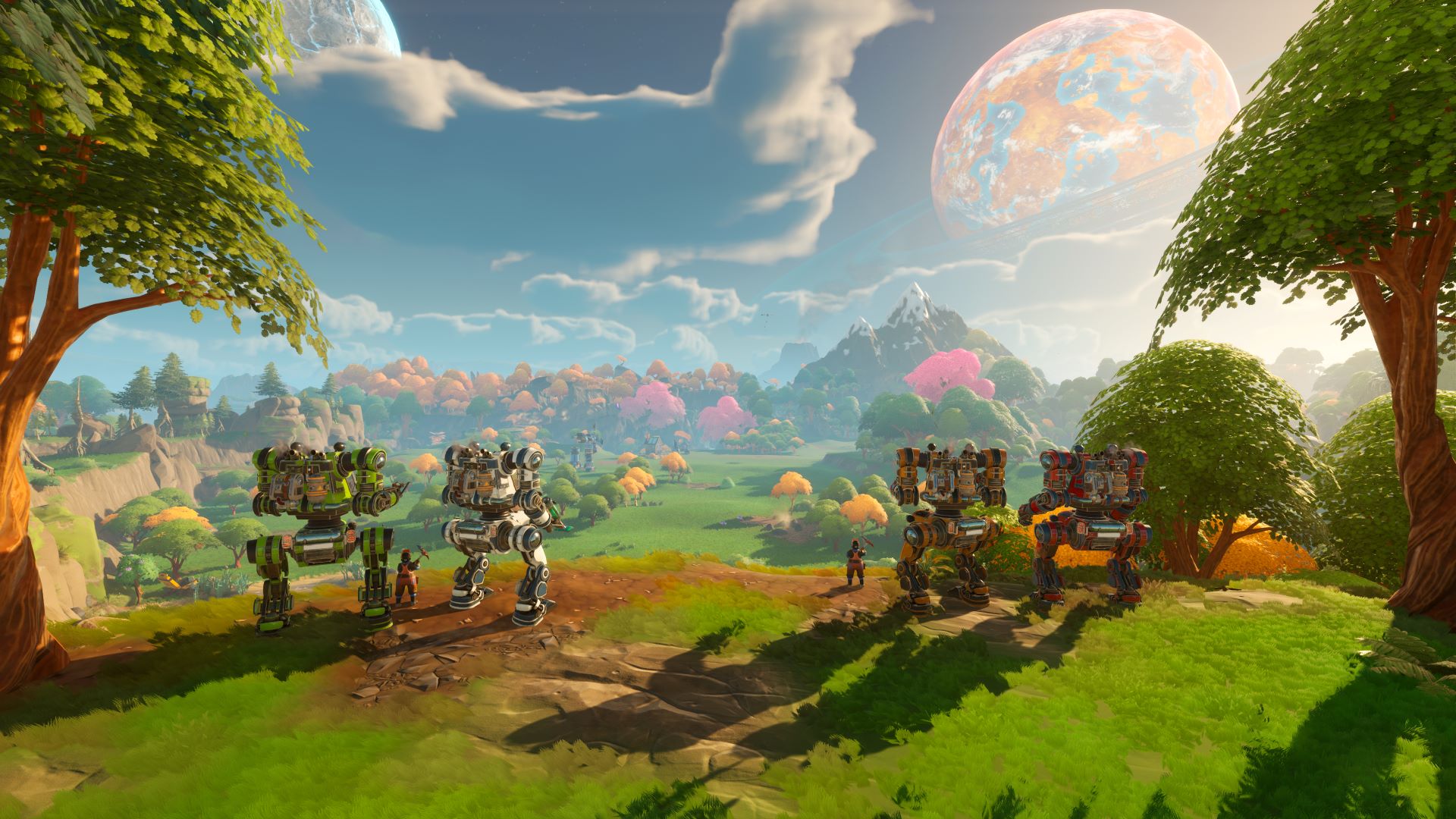
If you’re looking for peaceful farming on a galactic scale, Lightyear Frontier has you covered. An open-world adventure that lets you build the interstellar homestead of your dreams, equipped with your fully customisable mech companion. Explore a mysterious world, discover the planet’s secrets and help the ecosystem in the process. It’s the ultimate cozy simulator for farm and big robot enthusiasts alike, and up to three friends can join in your adventure via the online multiplayer. 

Coral Island

Cloud, Console, and PC

In this vibrant, laid-back take on farming sims, ditch the bustling city life and put together a dreamy tropical paradise on Coral Island. Here, you’ll tend to crops, nurture animals, and become part of a lovely community of over 70 unique characters. The island also offers plenty of exciting outdoor activities such as insect hunting and fishing, as well as diving in the local coral reef to hunt for hidden treasures. Take life as it comes in this relaxing simulator full of charm. 

Comfy, Cozy Puzzles  

If the farm life isn’t quite for you, perhaps this selection of lovely puzzle games will sate your interest. We’re not talking brain busters here, just cozy exploration and peaceful, satisfying puzzling that you can take at your own pace, all bundled up in gorgeous art styles. 

Botany Manor

Cloud, Console, and PC

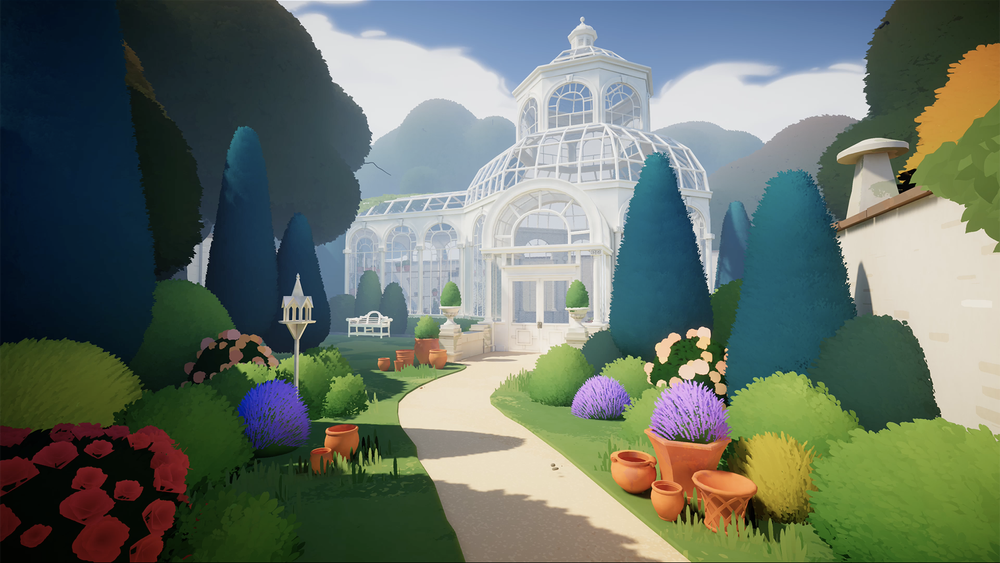
This quaint puzzle game sees places you in the wellington boots of Arabella Greene, a retired botanist on a quest to restore the gardens of her stately home. As you explore the manor, you’ll uncover clues that aid in growing forgotten flora and fauna, use your green thumb to solve puzzles to unlock more of the manor’s grounds, and uncover the tale of Arabella’s life and research. 

A Little To The Left

Cloud, Console, and PC

Settle in for a calming time with this wonderfully charming puzzle game that makes tidying up fun. Stack and organise a wide array of household items, from loose screws to pantry shelves, in over 100 unique and intuitive scenarios. If you’re someone that gets a burst of satisfaction from a well-organized space, A Little to the Left is for you. 

Strange Horticulture

Cloud, Console

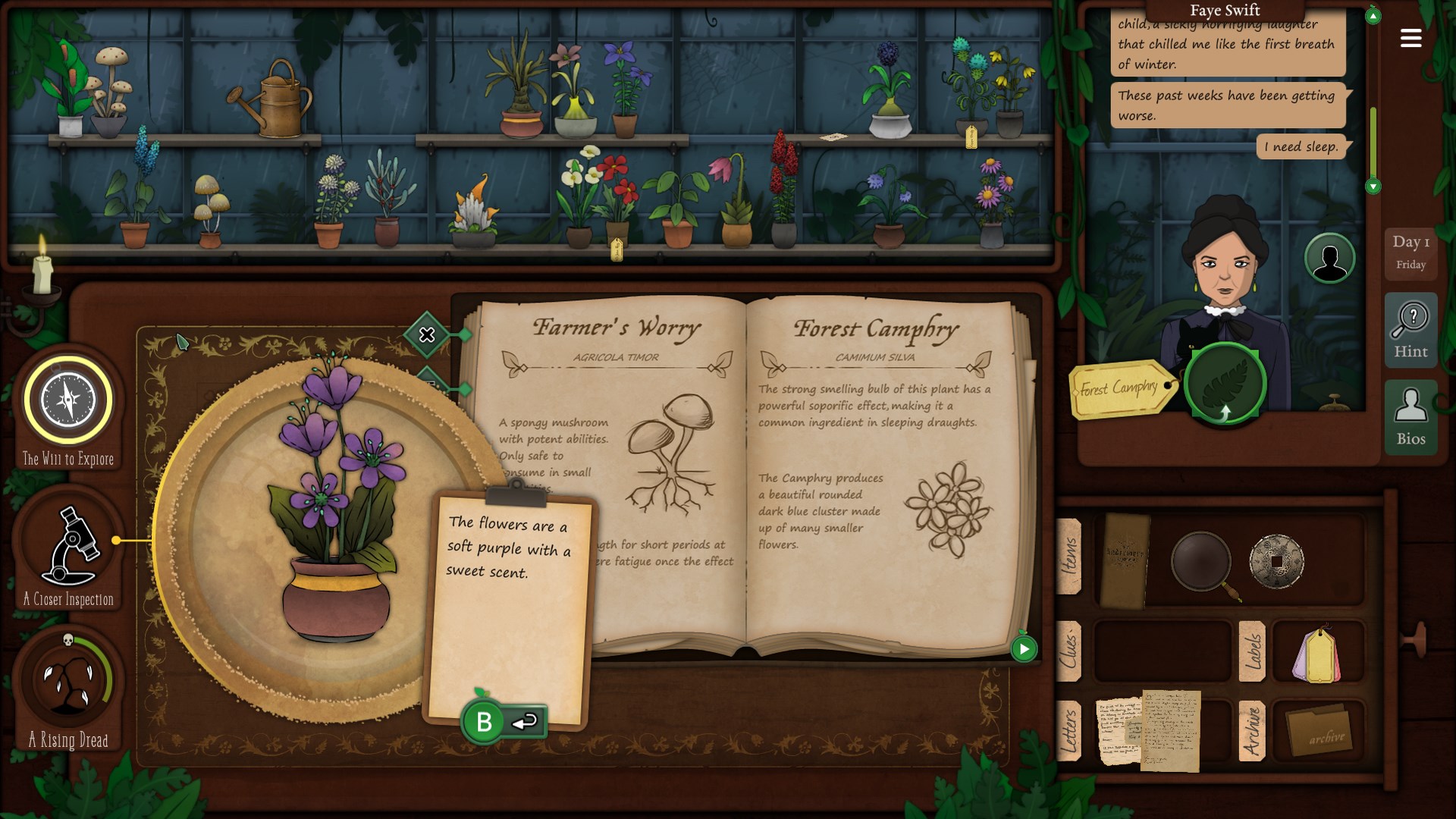
In this occult-themed puzzle game, you’ll assume the role of the proprietor of a local plant store on the hunt to discover new species of plants. Balancing “calm” and “creepy” in a way very few games can manage, you’ll wield your growing knowledge of flora and fauna to influence Strange Horticulture‘s story, and unravel the dark mysteries surrounding the quaint but spooky town of Undermere. 

Light-hearted Adventures 

Perhaps you’re looking for something a little more interactive than a puzzle game but without the pressures of combat or big decisions? A place to explore fun environments, enjoy some light questing, and engage in some action is sometimes necessary to keep your mind occupied. Roam around a big city as a cat or challenge yourself to an atmospheric climb in these easy-going adventures! 

Lil Gator Game

Cloud, Console, and PC

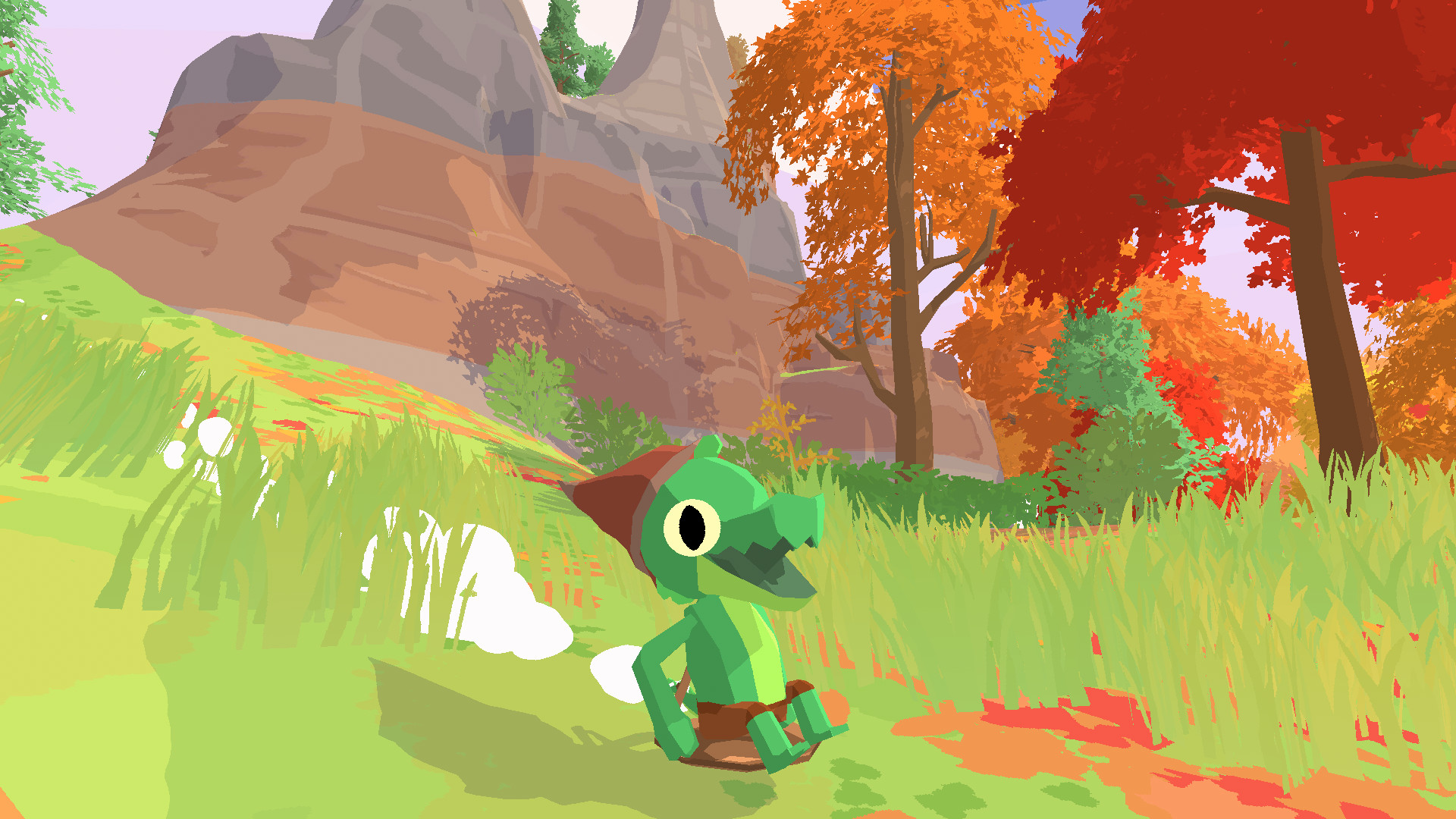
Explore a lovingly crafted island full of new friends and hidden secrets as a lil gator in this joyful, low stress platformer. Quests are nestled in every corner of the island, and you’ll make new friends as you adventure through forests and mountaintops. It’s an adorable cozy time if you’re looking for a joyful game to take on at your own pace. 

Dungeons of Hinterberg

Cloud, Console, and PC

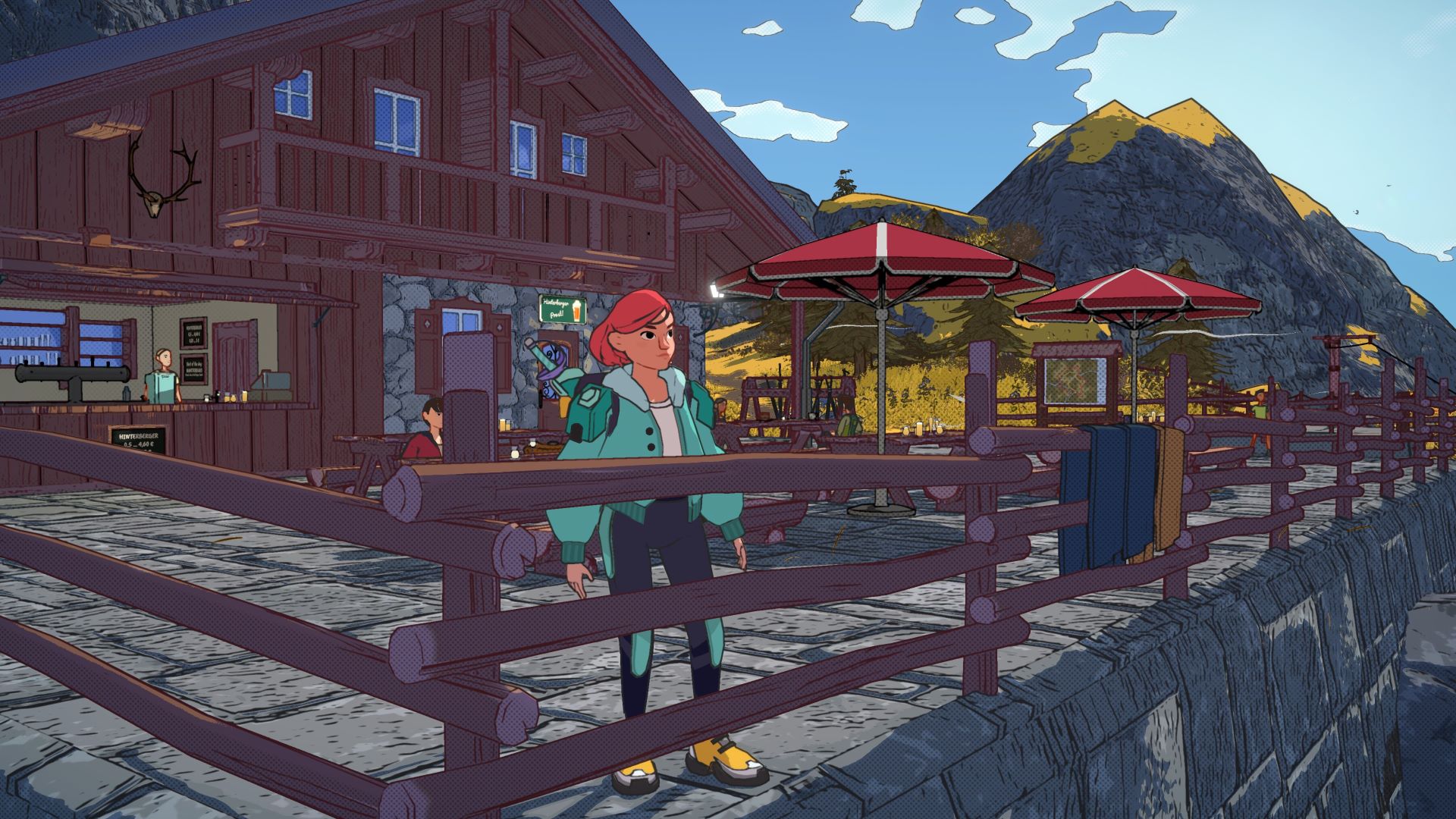
Dungeons of Hinterberg combines exciting dungeon delving with cosy social systems. As protagonist Luisa, you’ll venture to the picturesque town of Hinterberg that is, quite curiously, now full of perilous dungeons serving as tourist attractions. Each day, you can choose between exploring these locations or relaxing in town and spending with the locals. There’s no pressure to go either way, which makes for a lovely, relaxing experience with some light challenge here and there. 

Little Kitty, Big City

Cloud, Console, and PC

Little Kitty, Big City Screenshot

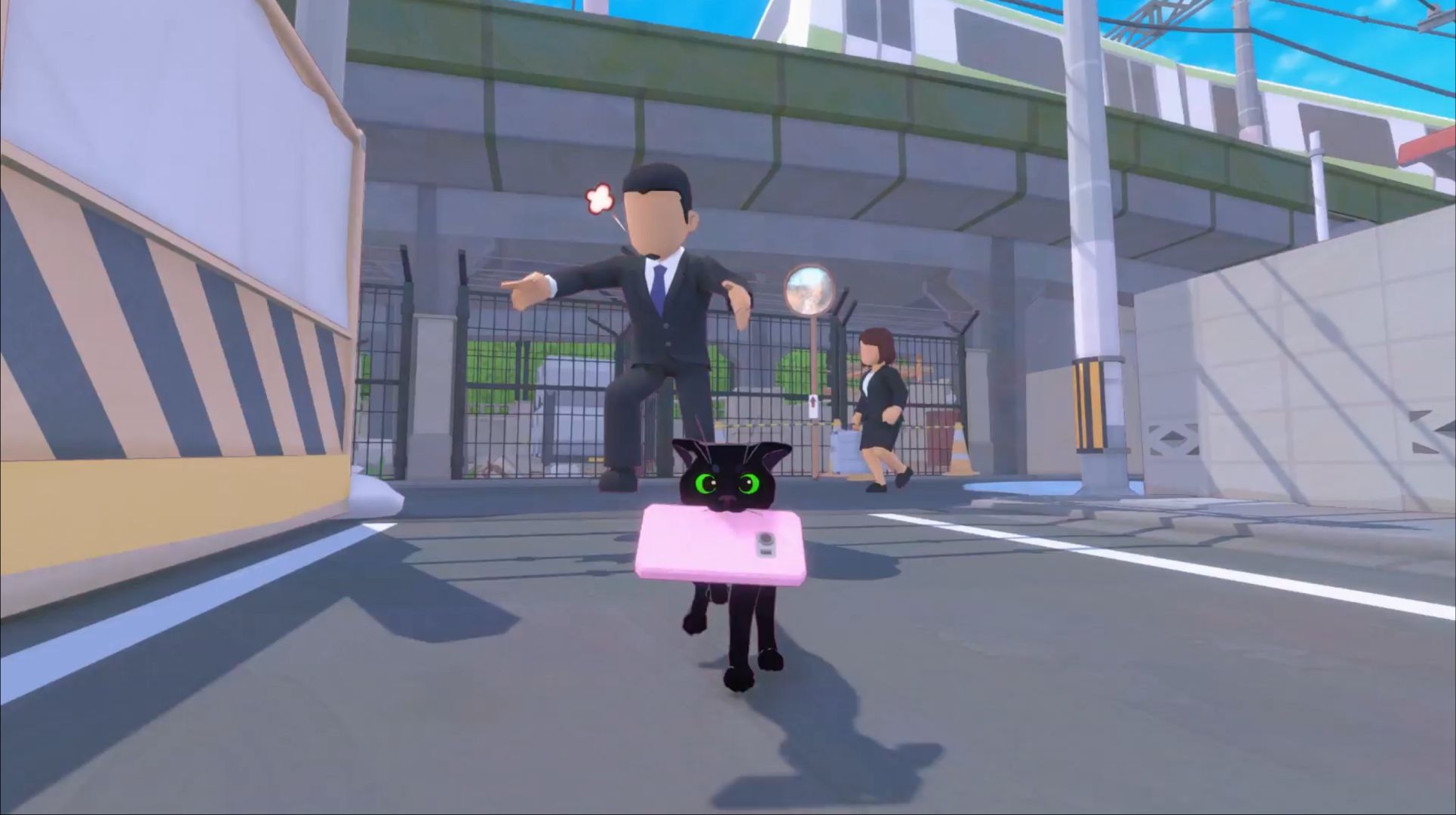
Experience the big city through a cat’s eyes in Little Kitty, Big City, a cozy exploration game with plenty of fun areas to discover. As a curious little kitty with a big personality, make your way home via the streets at your own pace, befriend stray animals, complete quests, and of course, leave a little chaos in your wake. You can even wear a little hat! 

Spiritfarer

Cloud, Console, and PC

Spiritfarer inline 2

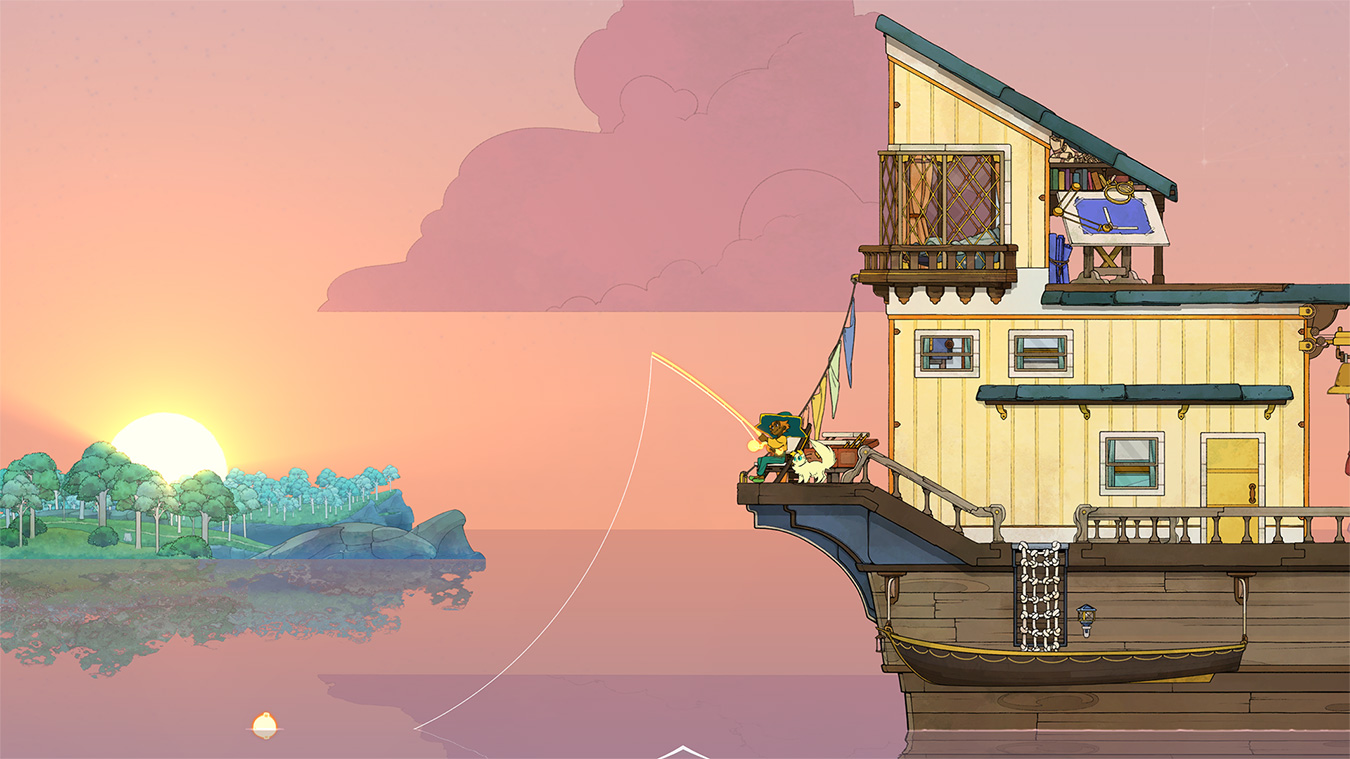
Despite its macabre theme, Spiritfarer is a cozy management affair that explores mortality. As Stella, you’ll sail across an atmospheric world and encounter new spirit friends to look after, before finally releasing them into the afterlife. All the while, enjoy farming, mining, cooking and crafting new discoveries that’ll aid your journey. You can even invite a friend to play alongside you as Stella’s pet, Daffodil the cat.  

Jusant

Cloud, Console, and PC

Ascend to new heights in Jusant, a meditative action puzzle adventure game. Equipped with a trusty set of climbing tools, your goal is to reach the peak of a tall tower, but the real joy comes from the journey, not the destination. As you climb, you’ll uncover new paths, discover beautiful biomes, and master your abilities as you reach higher areas. Conquer the tower at your own pace (and without fear of falling), with plenty of freedom to take in the sights and relax to the atmospheric surroundings and music as you go. 

A Short Hike 

Cloud, Console, and PC

A Short Hike – November 16

Keeping to the outdoor adventure theme, A Short Hike presents a peaceful jaunt through the mountainous landscapes of Hawk Peak Provincial Park. As a little bird, enjoy a calming adventure though vibrant scenery, discover secrets and chat to other kind characters on the trial as you make your way to the summit. 

Disney Dreamlight Valley

Cloud, Console, and PC

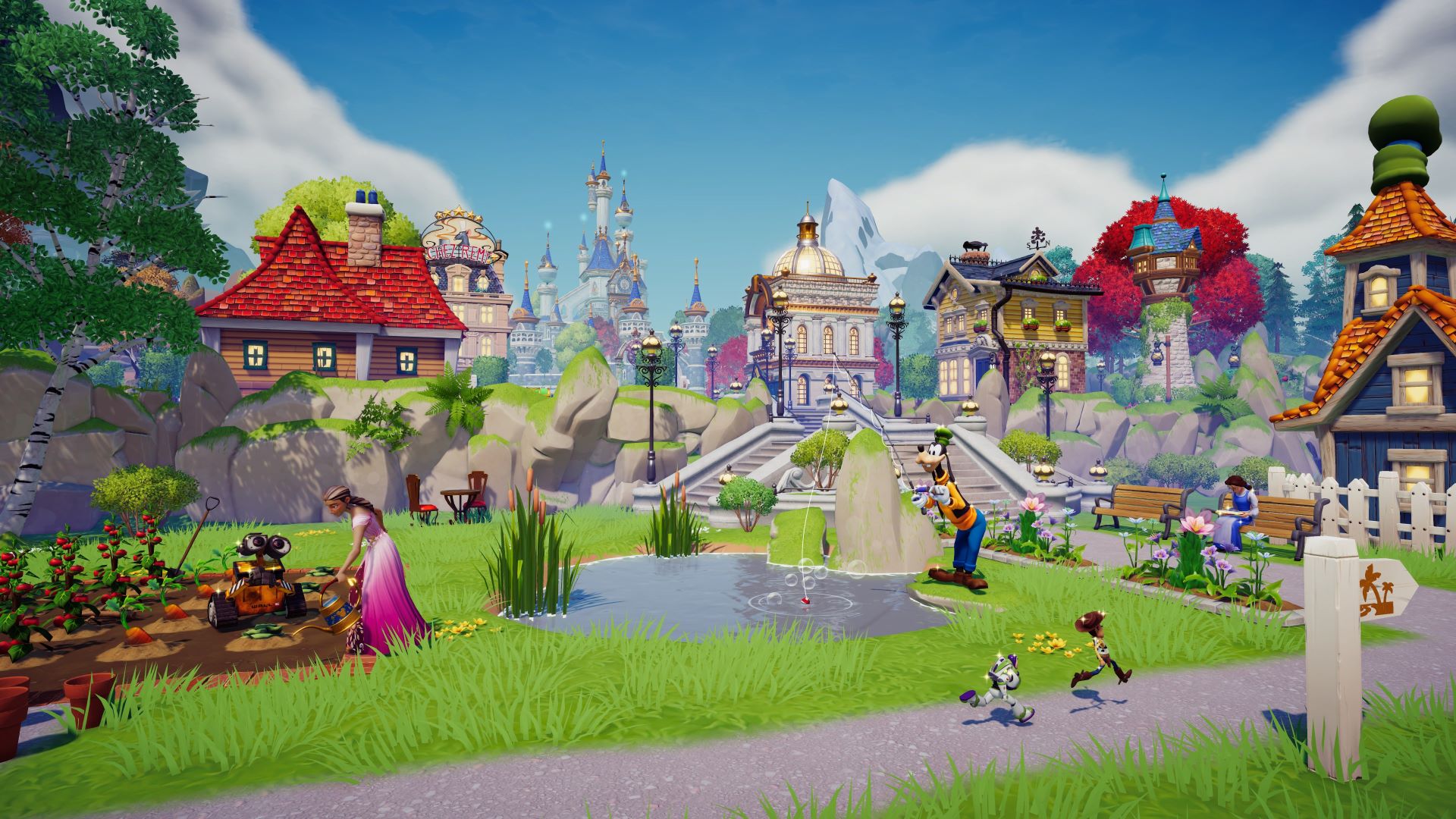
If you’re looking for an adventure on the magical side, come down and meet the inhabitants of Dreamlight Valley! In this hybrid of life simulator mixed with exploration, you’ll befriend iconic Disney and Pixar characters and take on new challenges from heroes and villains. You’ll also have the opportunity to decorate your own home, create custom designs, and help restore Dreamlight Valley to its former glory for all of your new friends. 

Cozy Narrative Delights

If you’re hankering for a good story alongside some low energy cozy gameplay, these narrative-driven titles may be for you. Jump into a hand-drawn journey as a photographer or a stylish claymation adventure in space – there’s stories to be found everywhere. 

Chicory 

Cloud, Console, and PC

Discover your inner artist in Chicory, a top-down adventure game full of vibrant characters. On the hunt for superstar artist Chicory, who has mysteriously gone missing, you’ll wield your creative powers to solve puzzles, help your friends, and discover the poignant story behind the mystery. 

Toem

Cloud, Console, and PC

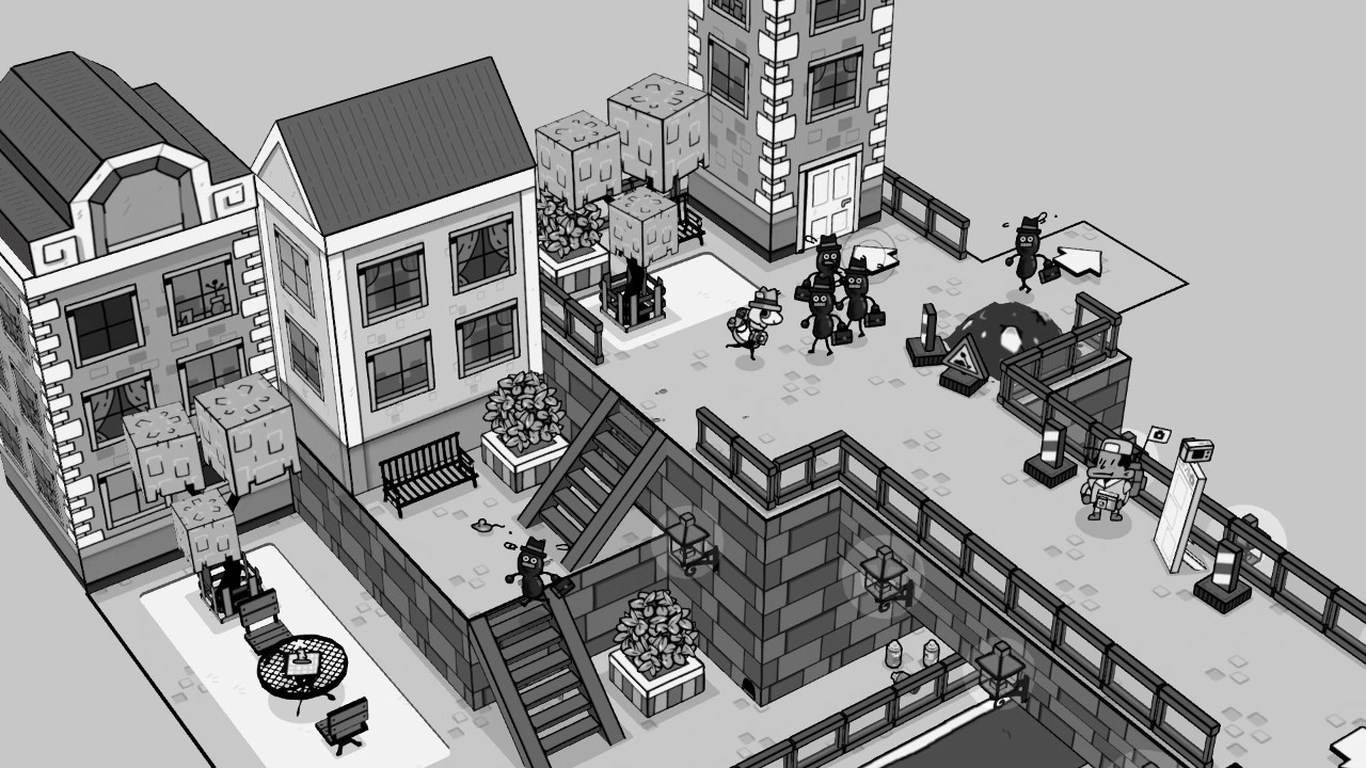
In Toem, you’ll see the world through a new lens, literally. Pack your trusty camera and embark on a delightful expedition to uncover the hidden mysteries nestled inside a magical world that is all about finding the perfect angle. Meet quirky characters, flex your creative muscles taking photos, and enjoy a relaxed jaunt through a gorgeous hand-drawn landscape. 

Harold Halibut 

Cloud, Console, and PC

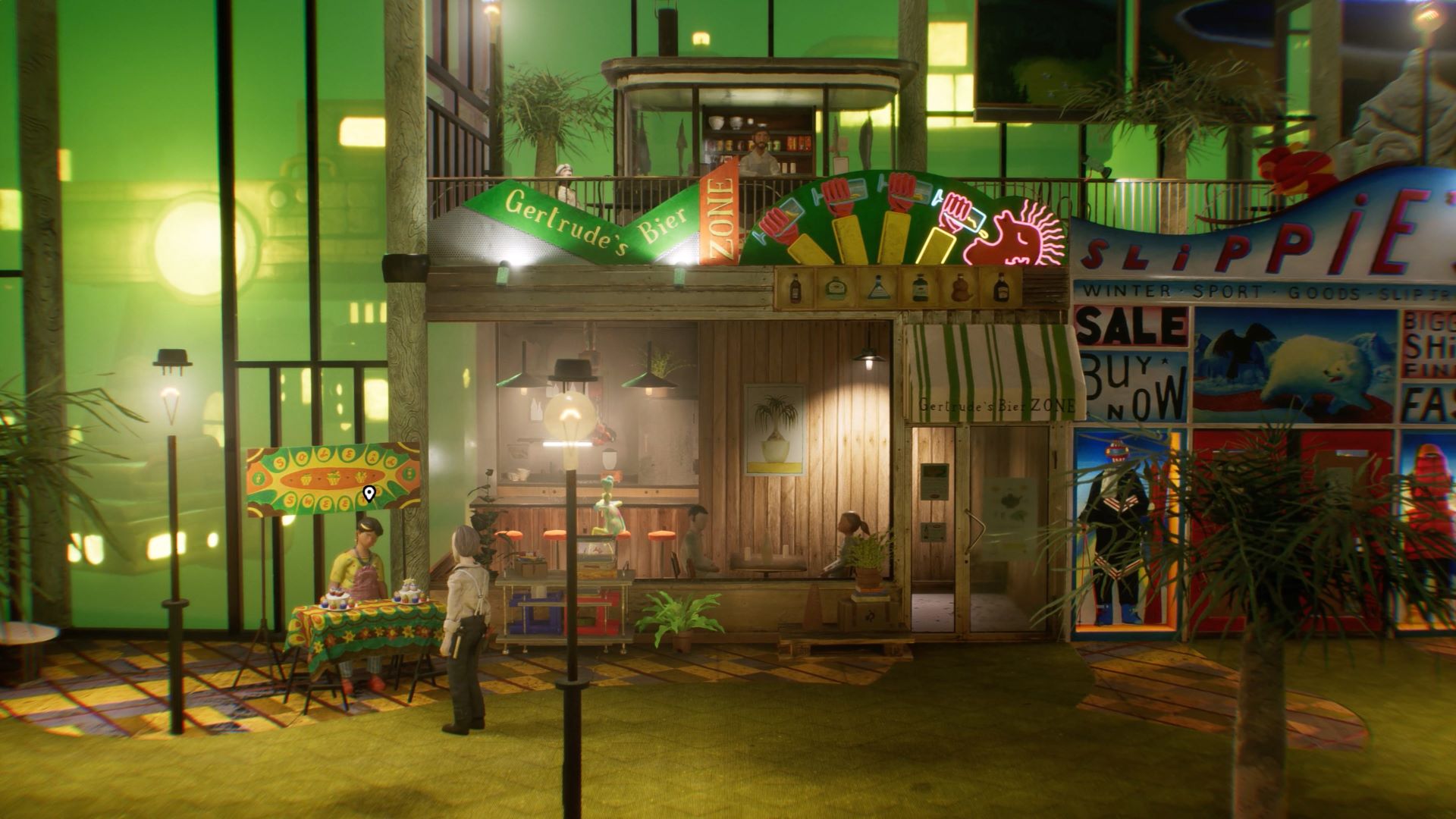
This point-and-click adventure set under the sea places you in the squeaky shoes of its titular protagonist Harold, a lab assistant working aboard an underwater spaceship. As Harold, you’ll encounter numerous weird and wonderful creatures as you learn more about humanity’s past, in a cozy narrative adventure brimming with retro futuristic charm. 

Satisfying Cleanups

If the validation of clearing up a big mess is your idea of a calming time, why not do it from the comfort of your sofa? Here, you’ll find a cozy selection of titles that will have you putting off your own chores in favour of scrubbing, sorting and styling a range of vibrant virtual worlds. 

PowerWash Simulator

Cloud, Console, and PC

PowerWash Simulator Screenshot

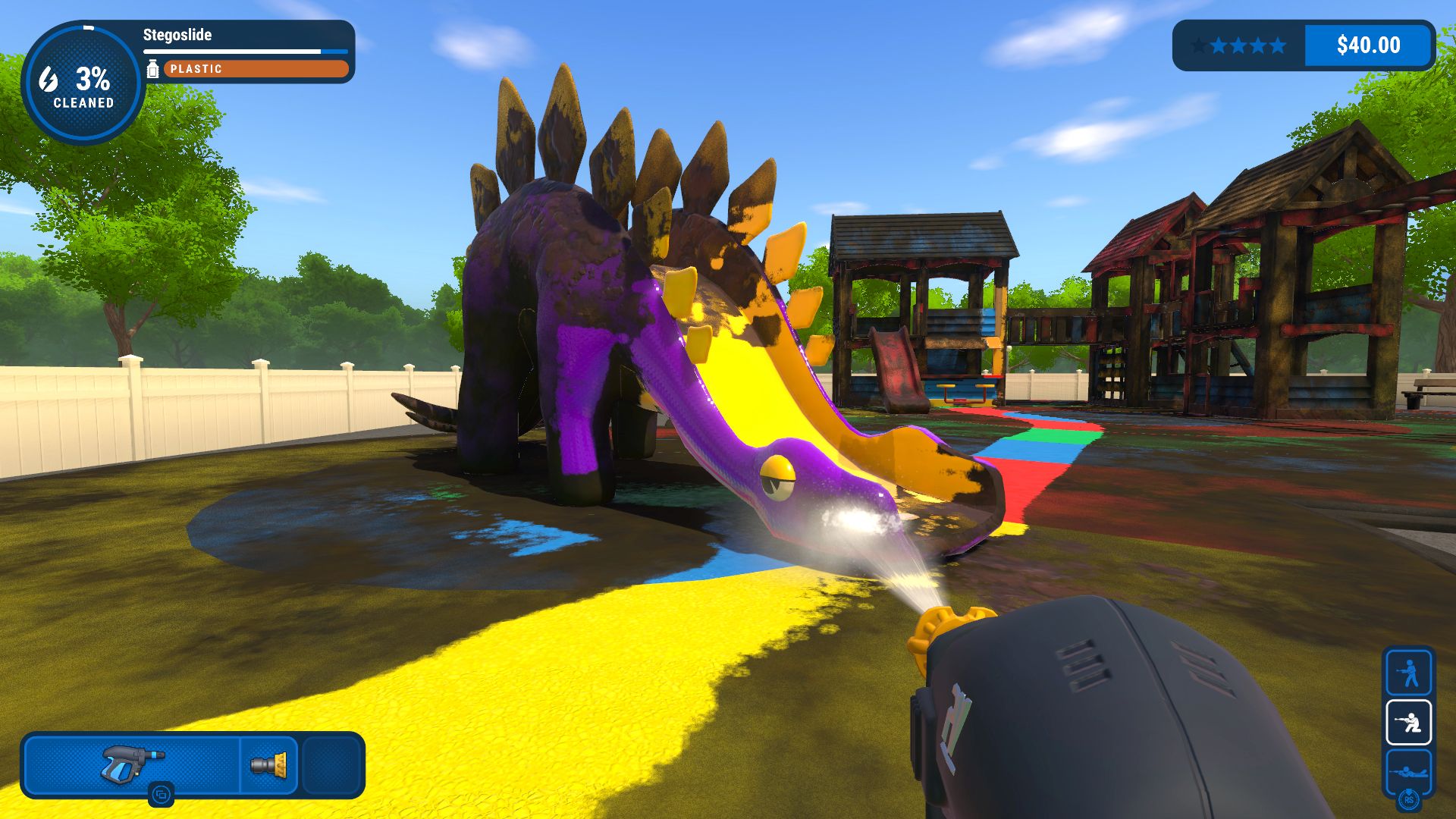
If you’re searching for stress-free satisfaction, PowerWash Simulator has you covered. Suit up and embark on a cleaning adventure, blasting away every speck of dirt across levels ranging from a simple van to an entire subway platform. As you progress, you’ll unlock bigger levels and better equipment. Plus, if you’re paying close attention, you’ll unravel a fun story about the town of Muckingham and its inhabitants as you make their surroundings sparkle. 

House Flipper

Cloud, Console, and PC

Become a one-person renovation crew in House Flipper. Take on a series of contracts to build up funds, then buy abandoned, rundown properties to transform into spectacular new homes. With a vast range of tools at your disposal, you’re free to knock down walls, apply a lick of paint, and furnish every room down to the smallest details. 

Unpacking

Cloud, Console, and PC

Unpacking screenshot

In this cozy narrative puzzle game, you’ll follow the life of an unseen protagonist as they move through numerous homes. As you unpack possessions and place them mindfully around numerous environments, you’ll uncover their story, their memories, and other clues about their life as you curate satisfying living spaces full of personal treasures.  

Nostalgic Cozy Favorites

Sometimes, nothing beats the warm embrace of familiarity, and returning to a beloved series from your youth is the perfect way to experience it. The holiday season is all about reconnecting and sharing memories, and this selection of reboots of seminal 90’s games will have you reminiscing in no time, whether you’re revisiting a favourite for yourself or introducing a loved one.  

Spyro: Reignited Trilogy

Cloud, Console, and PC

Save the Dragon Realms from the clutches of evil in this stunning remastered collection of the original Spyro trilogy. As the titular purple dragon, glide across the world once more freeing your kin from crystal prisons, collecting treasure, and rescuing dragon eggs from peril. It’s a cozy platforming adventure for all ages, and what’s even better is you’ll now be able to explore these lovingly crafted remakes via Xbox Game Pass.  

Crash Bandicoot: N’Sane Trilogy  

Cloud, Console, and PC

Relive your youth and rediscover your favourite marsupial in this collection of the first three iconic Crash Bandicoot games. Packaged up with entirely remastered visuals, all three games offer a nostalgic platforming experience with a modern twist as you adventure to take down Dr. Neo Cortex and his villainous crew. Whether you’re jumping back into an old favourite or experiencing Crash for the first time, you’re sure to have a wonderful time jumping and spinning your way through this shiny new version of a classic trilogy. 

Return to Monkey Island

Cloud, Console, and PC

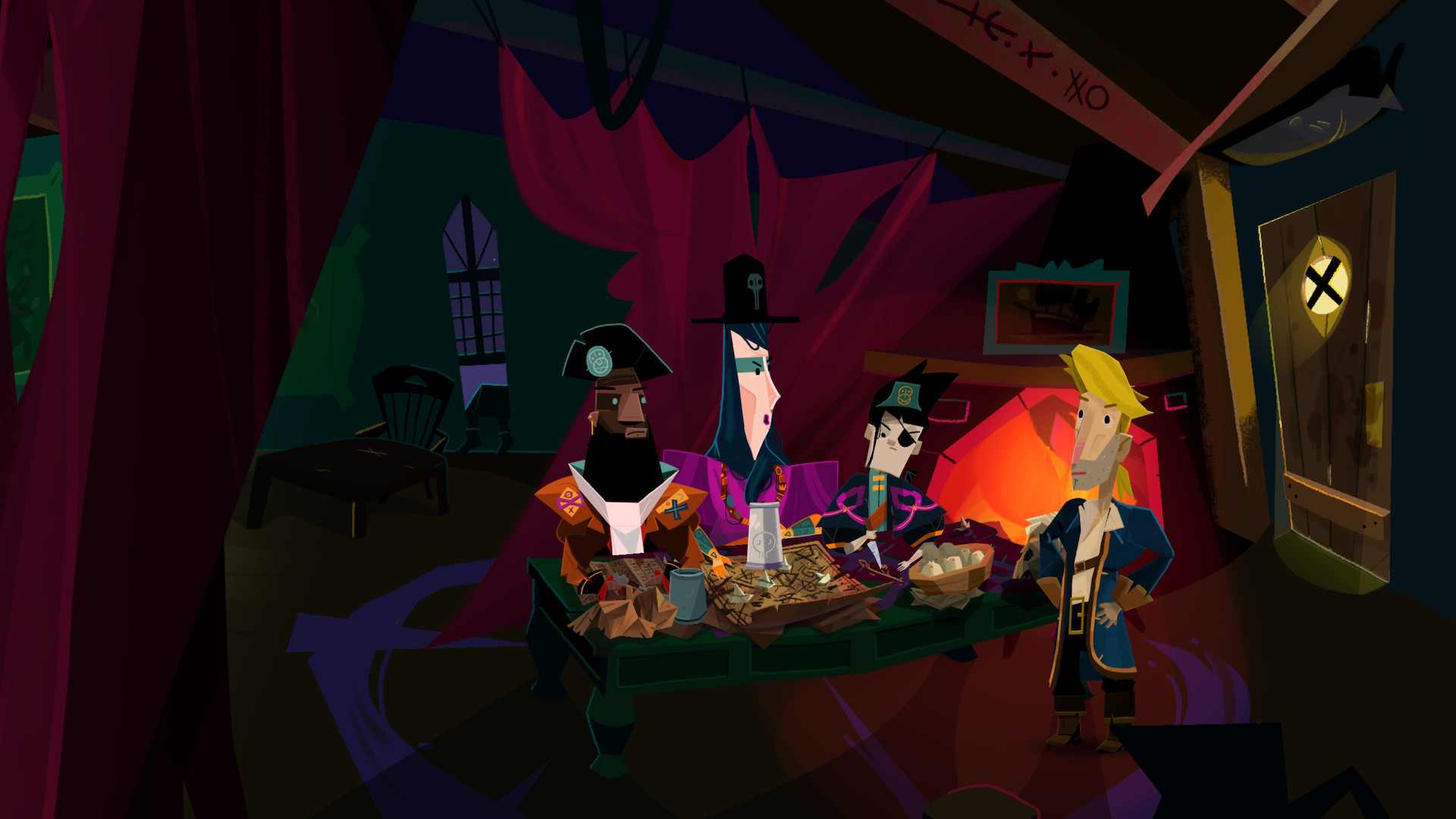
Reprise the role of the iconic Guybrush Threepwood in this exciting return to the revered Monkey Island series. Melee Island has taken a turn for the worst, and is now led by the hip, young Captain Madison. This new entry to the series brings classic point-and-click gameplay to the modern day, with all the familiar elements that made the original games so special. Banter with friends old and new and uncover clever puzzles as you venture across the high seas and confront the new leaders of Melee Island. 

The best gaming monitors in 2024


Let’s be honest: shopping for a gaming monitor can feel like wading through mud. As soon as you decide to buy a display for gaming instead of regular productivity use, a whole host of new considerations come into the equation. Should you go for an LCD or OLED monitor? What about the differences between NVIDIA G-Sync and AMD FreeSync? How about refresh rates?

Those are just some of the questions this guide aims to answer. In the process, my hope is to help you find the perfect gaming monitor for your budget.

AOC

Screen size: 27-inch | Resolution: 2,560 x 1,440 | Refresh rate: 180Hz | Panel type: VA | Response time: 1ms GtG | Aspect ratio: 16:9 | Brightness: 1000 cd/m² | Weight: 11.9 pounds with stand

The Q27G3XMN offers a nearly unbeatable mix of features, performance and affordability. It’s a mini-LED monitor with HDR performance that’s not as good as the OLEDs on this list, but far better than anything you’ll find on an edge-lit LCD. With a 180Hz refresh rate, it’s also fast enough for all but the most fast-paced competitive esports games. Best of all, it’s priced affordably at under $300. For those reasons, unless you have a bigger budget or more specific needs, the Q27G3XMN is going to be the best bet for most people.

Pros

  • Relatively affordable
  • True HDR performance
  • Fast enough
Cons

  • Expect some smearing
  • No USB ports

$250 at Amazon

AOC

Screen Size: 23.8-inch | Resolution: 1,920 x 1080 | Refresh Rate: 180 Hz | Panel Type: VA | Response Rate: 4ms (gtg) | Aspect Ratio: 16:9 | Brightness: 250 cd/m² | Weight: 6.9 pounds with stand

In 2024, there are only two reasons to buy a 1080p monitor: Either you want the fastest possible display, or you want to spend as little as possible and get as much performance as possible. If the latter is true, I would go for the AOC 24G15. For $110, you’ll get a 24-inch screen with a high contrast VA panel, 180Hz refresh rate and 1ms response rate. If you’re patient, I’ve seen the 24G15 go on sale for as little as $90.

One thing to note: AOC also sells a 27-inch version of the 24G15 for about $30 more. I would avoid that model; it won’t look good due to low pixel density.

Pros

  • Affordable
  • 180Hz refresh rate
  • 1ms response rate
Cons

  • Low resolution
  • Epect some smearing

$110 at Amazon

Alienware

Screen size: 26.7-inch | Resolution: 2,560 x 1,440 | Refresh rate: 360Hz | Panel type: QD-OLED | Response time: 0.03ms (GtG) | Aspect ratio: 16:9 | Brightness: 250 cd/m² | Weight: 9.4 pounds without stand

If you want a gaming monitor that basically does it all, the Alienware AW2725DF has a lot going for it. This QD-OLED features a 360Hz refresh rate and 0.03ms response. It also carries a Vesa DisplayHDR True Black 400 certification, so expect near-flawless HDR performance. It even has a HDMI 2.1 port if you want to use it with an Xbox Series X or PlayStation 5. From a performance standpoint, the only downside is that it won’t produce true blacks in rooms with too much ambient light. However, this is true of every QD-OLED monitor on the market right now.

At close to $1,000, it’s also expensive. But for what it’s worth, the OLED market is incredibly competitive at the moment. I’ve seen the AW2725DF go on sale a few times over the past couple of months, dropping to as low as $700.

Pros

  • 360Hz refresh rate
  • Fantastic HDR performance
  • Three-year burn-in coverage

$900 at Amazon

Dell

Screen size: 34.18-inch | Resolution: 3,440 x 1,440 | Refresh rate: 165 Hz | Panel type: QD-OLED | Response time: 0.01ms (GtG) | Aspect Ratio: 21:9 | Brightness: 250 cd/m² | Weight: 13.8 pounds with stand

For those looking for a more immersive gaming experience, an ultrawide monitor is the way to go. And right now, one of the best 21:9 displays you can buy is the Dell AW3423DWF. It offers an excellent 165Hz refresh rate, 0.01ms response time and AMD FreeSync Premium Pro support. The panel is also DisplayHDR TrueBlack 400 certified, making it great for watching movies and playing single-player games. The only feature that would make the AW3423DWF better is had Dell included an HDMI 2.1 port, but since ultrawide gaming isn’t really a thing in console gaming, the omission is not a deal breaker.

$900 at Dell

LG

Screen size: 31.46-inch | Resolution: 4K and 1080p | Refresh rate: 240Hz and 480Hz | Panel type: WOLED | Response time: 0.03ms (GtG) | Aspect ratio: 16:9 | Brightness: 275 cd/m² | Weight: 19.8 pounds with stand

If money is no object and you play a mix of immersive games and competitive shooters, the LG 32GS95UE-B is the monitor for you. It offers something no other monitor on this list does. The 32GS95UE-B4K is both a 4K, 240Hz display and an FHD, 480Hz one. Moreover, it can switch between those two modes with the press of a button.

Yes, the 1080p output looks muddy stretched across a 32-inch screen, but for a feature that extends the versatility of an already incredible monitor, that’s a small sacrifice. At $1,400, the 2GS95UE-B is the most expensive monitor on this list. But if you’re in the market for a 4K display, chances are you’ve already spent a lot of money building a PC that can drive that many pixels.

Pros

  • Dual 4K and 1080p modes
  • Up to 480Hz refresh rate
  • OLED
Cons

  • Very expensive
  • Low pixel density at FHD

$1,397 at Amazon

While I’ve not used every product recommended in our list, I have extensively tested dozens of gaming monitors in the past, including models with WOLED and QD-OLED panels. In the case of the Alienware monitor I highlight above, I bought one for myself with my own money. Separately, I spent dozens of hours over a two-year period researching gaming monitors to write the current version of this guide.

When shopping for a gaming monitor, you first need to decide if you want to go with a screen that has an LCD or OLED panel. For most people, that choice will come down to price; OLED gaming monitors are more expensive than their LCD counterparts. Even if money isn’t a concern, the choice might not be as straightforward as you think; both LCD and OLED panels come in a few different flavors, and knowing the differences between each type is important to making an informed decision.

LCD monitors come in three different varieties: twisted nematic (TN), vertical alignment (VA) or in-plane switching (IPS). For the most part, you want to avoid TN monitors unless you’re strapped for cash or want a monitor with the fastest possible refresh rate. TN screens feature the worst viewing angles, contrast ratios and colors of the group.

The differences between VA and IPS panels are more subtle. Historically, VA gaming monitors featured slower pixel response times than their TN and IPS counterparts, leading to unsightly image smearing. However, that’s improved in recent years. VA panels also frequently sport better contrast ratios than both TN and IPS screens. They’re not dramatically better than their IPS siblings on that front, but when contrast ratios aren’t an inherent strength of LCDs, every bit helps.

On the other hand, IPS panels excel at color accuracy and many offer refresh rates and response times that are as fast as the fastest TN panels. The majority of LCD gaming monitors on the market today feature IPS panels, though you will frequently find VA screens on ultrawide monitors.

If you can afford one, OLED screens make for the best gaming monitors. The ability of organic light-emitting diodes to produce true blacks is transformational. Simply put, every game looks better when there isn’t a backlight to wash out shadow detail. Plus, you can experience true HDR with an OLED screen, something that LCDs aren’t known for.

Today, OLED screens come in two different flavors: WOLED and QD-OLED, with LG producing the former and Samsung the latter. I won’t bore you with the technical details of how the two panel types differ from one another other than to note both technologies broadly offer the same set of shortcomings.

Most notably, OLED monitors don’t get very bright. At best, the most capable models peak at around 250 nits when measuring brightness across the entire screen. I didn’t find this to be an issue in my testing, but your experience may vary depending on the ambient light in your gaming room.

If brightness is important to you, note that due to manufacturer tunings, different models can perform better than others, even if they feature the same panel from LG or Samsung. It’s worth comparing monitors in the same class to find the model that’s right for you.

Separately, almost all OLEDs feature sub-pixel layouts that produce text fringing in Windows. The latest generation of OLED panels from both LG and Samsung are much better in this regard, to the point where modern OLEDs are good enough for reading and image editing. However, it’s still worth going to your local Micro Center or Best Buy to see the model you want in person, as the text fringing issue is hard to capture in photos and videos.

Another (potentially more serious) issue is burn-in. Organic light-emitting diodes can get “stuck” if they display the same image for long periods of time. Every OLED gaming monitor you can buy today comes with features designed to prevent burn-in and other image retention issues. Provided you don’t use your new OLED monitor for eight hours of daily productivity work, I don’t think you need to worry about burn-in too much.

After deciding where you fall on the LCD vs OLED debate, you can start thinking about the size of your future gaming monitor. Personal preference and the limitations of your gaming space will play a big part here, but there are also a few technical considerations. You should think about size in conjunction with resolution and aspect ratio.

A 1440p monitor has 78 percent more pixels than a 1080p screen, and a 4K display has more than twice as many pixels as a QHD panel. As the size of a monitor increases, pixel density decreases unless you also increase resolution. For that reason, there are sweet spots between size and resolution. For instance, I wouldn’t recommend buying an FHD monitor that is larger than 24 inches or a QHD one bigger than 27 inches. Conversely, text and interface elements on a 4K monitor can look tiny without scaling on panels smaller than 32 inches.

You also need to consider the performance costs of running games at higher resolutions. The latest entry-level GPUs can comfortably run most modern games at 1080p and 60 frames per second. They can even render some competitive titles at 120 frames per second and higher — but push them to run those same games at 1440p and beyond, and you’re bound to run into problems. And as you’ll see in a moment, a consistently high frame rate is vital to getting the most out of the latest gaming monitors.

If your budget allows for it, 1440p offers the best balance between visual clarity and gaming performance. As for 1080p and 4K, I would only consider the former if you’re on a tight budget or you exclusively play competitive shooters like Valorant and Overwatch 2. For most people, the user experience and productivity benefits of QHD far outweigh the performance gains you get from going with a lower resolution screen.

Just a few years ago, 4K was not a viable resolution for PC gaming, but then NVIDIA came out with its 40 series GPUs. With those video cards offering the company’s DLSS 3 frame generation technology, there’s a case to be made that the technology is finally there to play 4K games at a reasonable frame rate, particularly if you exclusively play big, AAA single-player games like Alan Wake 2 and Cyberpunk 2077 or enjoy strategy games like the Total War series. However, even with frame generation, you will need a GPU like the $999 RTX 4080 Super or $1,599 RTX 4090 to drive a 4K display. Plus, 4K gaming monitors tend to cost more than their 1440p counterparts.

If you want an ultrawide, note that not every game supports the 21:9 aspect ratio, and fewer still support 32:9. When shopping for a curved monitor, a lower Radius, or ‘R’ number, indicates a more aggressive curve. So, a 1000R monitor is more curved than an 1800R one.

The best gaming monitorThe best gaming monitor

Photo by Igor Bonifacic / Engadget

And now, finally, for the fun stuff. The entire reason to buy a gaming monitor is for its ability to draw more images than a traditional PC display. As you shop for a new screen, you will see models advertising refresh rates like 120Hz, 240Hz and 360Hz. The higher the refresh rate of a monitor, the more times it can update the image it displays on screen every second, thereby producing a smoother moving image. When it comes to games like Overwatch, Valorant and League of Legends, a faster refresh rate can give you a competitive edge, but even immersive single-player games can benefit.

A monitor with a 360Hz refresh rate will look better in motion than one with a 240Hz or 120Hz refresh rate, but there are diminishing returns. At 60Hz, the image you see on your monitor is updated every 16.67ms. At 120Hz, 240Hz and 360Hz, the gap between new frames shortens to 8.33ms, 4.17ms and 2.78ms, respectively. Put another way, although a 360Hz monitor can display 50 percent more frames than a 240Hz screen in a given time period, you will only see a speedup of 1.14ms between frame intervals. And all that depends on your GPU’s ability to render a consistent 360 frames per second.

Ultimately, a fast monitor will do you no good if you don’t have a graphics card that can keep up. For example, with a 1440p 360Hz monitor, you realistically need a GPU like the RTX 4070 Super or RTX 4080 Super to saturate that display while playing competitive games like Overwatch 2 and Valorant.

There’s also more to motion clarity than refresh rates alone. Just as important are response times, or the amount of time it takes for pixels to transition from one color to another and then back again. Monitors with slow response times tend to produce smearing that is distracting no matter what kind of game you’re playing. Unfortunately, response times are also one of the more opaque aspects of picking the best gaming monitor for your needs.

Many LCD monitor manufacturers claim their products feature 1ms gray-to-gray (GtG) response times, yet they don’t handle motion blur to the same standard. One of the reasons for that is that many companies tend to cherry-pick GtG results that make their monitors look better on paper. The Video Electronics Standards Association (VESA) recently created a new certification program to address that problem, but the grading system is unwieldy and, as far as I can tell, hasn’t had a lot of pickup from manufacturers.

For now, your best bet is to turn to resources like Rtings and Monitors Unboxed when shopping for a new gaming monitor. Both outlets conduct extensive testing of every screen they review and present their findings and recommendations in a way that’s easy to understand.

No matter how powerful your system, it will sometimes fail to maintain a consistent framerate. In fact, you should expect frame rate fluctuations when playing graphically-intensive games like Alan Wake 2 and Cyberpunk 2077. For those moments, you want a gaming display with adaptive sync. Otherwise, you can run into screen tearing.

Adaptive sync technologies come in a few flavors. The two you’re most likely to encounter are AMD FreeSync and NVIDIA G-Sync, and each has its own set of performance tiers. With G-Sync, for instance, they are – from lowest to highest – G-Sync Compatible, G-Sync and G-Sync Ultimate.

The good news is that you don’t need to think too much about which adaptive sync technology a display supports. In the early days of the tech, it was rare to see a gaming monitor that offered both FreeSync and G-Sync since including the latter meant a manufacturer had to equip their display with a dedicated processor from NVIDIA. That changed in 2019 when the company introduced its G-Sync Compatible certification. In 2024, if a monitor supports FreeSync, it is almost certainly G-Sync Compatible, too, meaning you can enjoy tear-free gaming whether you’re using an AMD or NVIDIA GPU.

In fact, I would go so far as to say you shouldn’t make your purchasing decision based on the level of adaptive sync performance a monitor offers. As of 2024, the list of G-Sync Ultimate-certified displays is about two dozen models long, and some are a few years old now.

The best gaming monitorThe best gaming monitor

Photo by Igor Bonifacic / Engadget

Almost every gaming display on the market right now comes with at least one DisplayPort 1.4 connection, and that’s the port you will want to use to connect your new monitor to your graphics card. If you own a PS5 or Xbox Series X/S, it’s also worth looking out for monitors that come with HDMI 2.1 ports, as those will allow you to get the most out of your current generation console.

As fast and responsive gaming monitors have become in recent years, there’s one area where progress has been frustratingly slow: HDR performance. The majority of gaming monitors currently on sale, including most high-end models, only meet VESA’s DisplayHDR 400 certification. As someone who owned one such monitor, let me tell you it’s not even worth turning on HDR on those screens. You will only be disappointed.

The good news is that things are getting better, albeit slowly. The release of Windows 11 did a lot to improve the state of HDR on PC, and more games are shipping with competent HDR modes, not just ones that increase the brightness of highlights. Thankfully, with more affordable mini-LED monitors, like our top pick, making their way to the market, HDR gaming is finally within reach of most PC gamers.

It depends on personal preference. Many manufacturers claim curved monitors offer a more immersive gaming experience due to the way the display wraps around your field of vision. However, I find the edge distortion distracting, particularly when you increase the field of view in a game.

The vast majority of 24-, 27- and 32-inch gaming monitors feature 16:9 aspect ratio panels, and that’s been the case for many years. In fact, nearly every game made in the last two decades supports 16:9 resolutions, such as 1,920 x 1,080 and 2,560 by 1,440, and if you buy a standard-sized monitor, you won’t need to worry about letterboxing.

In the case of ultrawides, 21:9 is the most common aspect ratio, with some very wide models sporting 32:9 panels. Among games, support for 21:9 and 32:9 resolutions is far from universal, so don’t be surprised if a game doesn’t fill the entirety of your screen.

OLED monitors are great for gaming. Not only do they offer excellent motion clarity and input latency, but they’re also easily the best displays for HDR gaming. If money is no object, and you primarily use your PC for gaming, you can’t go wrong with an OLED monitor.

While you could easily spend more than $1,000 to obtain the best gaming monitor on the market now, the reality is that the budget and midrange categories have never been more competitive. In 2015, I spent $500 CAD to buy a 1080p monitor with a 144Hz refresh rate and TN panel. The budget AOC model I highlight above is not only cheaper than my first gaming monitor, but it also features a faster 180Hz refresh rate and a higher contrast VA panel.

EmuDeck is slowly taking over my PC gaming setup


I was once like you. I thought EmuDeck was just a quick and easy way to set up emulators on my Steam Deck, and despite using it for years, I never thought more of it than that. But slowly over the past few months, EmuDeck has become one of the most essential apps I have installed on my gaming PC.

EmuDeck showed up on the scene in 2022, originally built as a “collection of scripts that allows you to autoconfigure your Steam Deck” for emulation. It will install your emulators, configure them, create directories for your games, and hook into apps like Steam ROM Manager so you can see all of your emulated games in your Steam Deck library. It’s been an essential tool for retro and emulation enthusiasts since release, but EmuDeck has grown into something much more powerful — and it’s not slowing down.

Always humble beginnings

A suite of retro games in the Steam Deck library.
Jacob Roach / Digital Trends

Although most of the documentation for EmuDeck is signed by the “EmuDeck team,” a sole developer remains the main producer of the project — DragoonDorise on GitHub. Speaking with the developer, he told me that the Steam Deck actually wasn’t the inspiration behind the project. “The very first code I built was because when I bought my Odin,” he told me. The Odin is a handheld emulator built on Android. “I didn’t want to do all the setup manually again.”

Get your weekly teardown of the tech behind PC gaming

EmuDeck was originally built for Android, and it was under the name Pegasus Installer. “Everything started with the RetroidPocket 2 and the Pegasus frontend. Setting that up was a chore, so I tried to automate it,” the developer told me. Eventually, the Steam Deck was revealed, and DragoonDorise said it was “a huge deal” for him. “I was lucky enough to get [a Steam Deck] on the first wave and that’s how EmuDeck was born. It took me a weekend to release the first version, and boy, it was rough… but it worked.”

Pegasus Installer became EmuDeck, and at first, it was just for the Steam Deck. Given the handheld form factor and problems getting around desktop mode without a keyboard and mouse, EmuDeck made perfect sense. If nothing else, it minimized the amount of time you’d need to spend on the desktop, all while installing and configuring everything you need through a single, easy-to-use package. But it didn’t stop there.

Eventually, the ROG Ally came out, following on the Steam Deck’s success. And EmuDeck responded in kind by developing a Windows version of the utility. Now, you’ll find installers for SteamOS, Windows, ChimeraOS, Android, and general Linux distros. You can get EmuDeck on just about any platform now as a quick and easy way to set up your emulators, but I’ve been so drawn to the utility for everything it does beyond its core function.

More than emulation

Cloud sync settings in the EmuDeck apps.
Jacob Roach / Digital Trends

EmuDeck could’ve stopped at just being a utility that automatically configures a bunch of emulators, but it’s grown to encompass a ton of additional features. Here’s a sampling:

  • Compressor — Compresses your ROM library to reduce its size.
  • Auto save — Automatically saves your progress in emulated games when closing them so you don’t need to manually create a save state.
  • Cloud sync — Uses an online storage service like Box or Google Drive to store and sync your save files for emulated games.
  • EmuDecky — A plug-in specifically for the Steam Deck that allows you to access emulator hotkeys from the Steam Deck’s game mode.
  • Local multiplayer — Allows you to start local multiplayer games for emulated titles.
  • Rom Library — A dedicated second Steam Library for the Steam Deck filled only with emulated games.
  • Game mode — A tool that bypasses Windows processes to launch directly into Steam Big Picture mode.

That is just a sampling, too. EmuDeck has a slew of smaller features, from a BIOS checker to Retro Achievements support to migration utilities that allow you to carry your entire library to other systems. All of these features were developed on top of the “gazillion of hours invested in testing” of the core of EmuDeck, too, according to DragoonDorise.

Homebrew games in EmuDeck.
There’s even a collection of homebrew games built into the app. Jacob Roach / Digital Trends

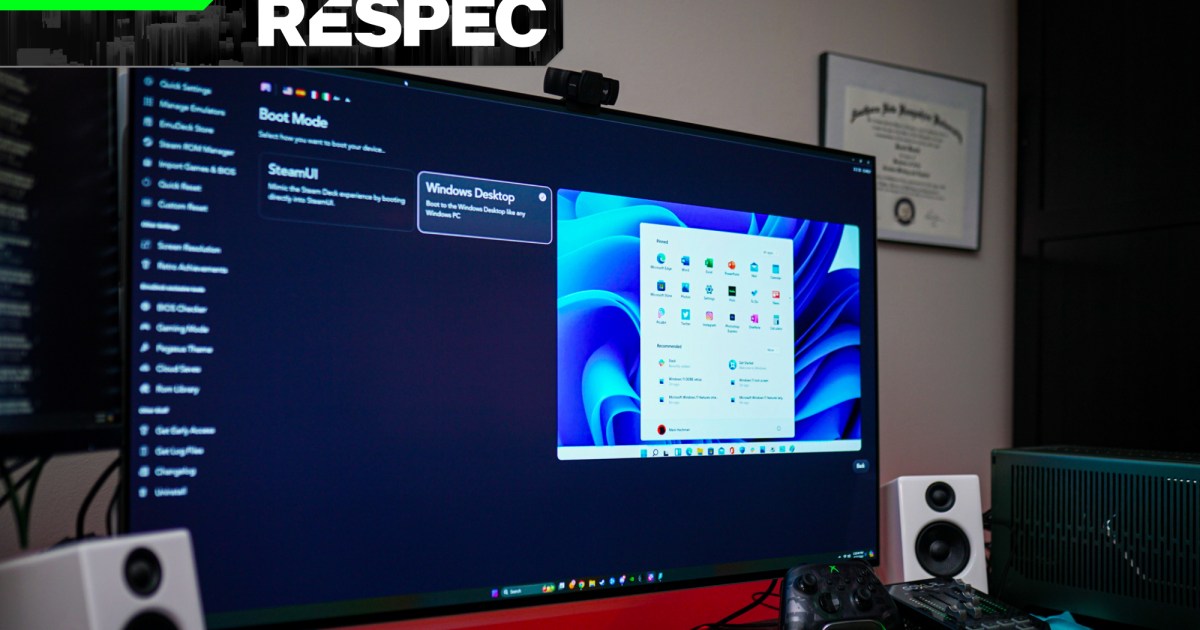
Although I’ve used most of EmuDeck’s features on various machines, game mode has really made the difference in the way I play PC games. As anyone who’s tried to set up a console-like PC knows all too well, you need a keyboard and mouse on hand to at least get into whatever controller-support interface you’re using (usually Steam), and even then, notifications, start-up apps, and other pesky windows can get in the way. With game mode, I’m finally able to have the console-like PC experience I’ve dreamt about for years.

Rebirth of the Steam Machine

An Origin PC Steam Machine.
Digital Trends

Ever since Valve tried (and failed) to get the Steam Machine to catch on, there’s been countless attempts to make a small form factor PC behave like a console. You start it, grab a controller, and plop down on the couch to start playing games. Although there are ways to get close to that experience — specifically with Linux distros like ChimeraOS or HoloISO — you’ve always needed to settle either for a portable keyboard or spotty compatibility due to Linux. Game mode gets around that entire issue.

DragoonDorise describes it like this: “What it does is replace your Windows desktop with Steam, so it boots faster into Big Picture mode — it’s kind of like a Steam Deck.” You can already have Steam immediately launch into Big Picture mode — the controller-friendly interface that mirrors the Steam Deck — and you can set Steam as a startup app. But game mode is doing more than that in EmuDeck.

Game mode inside of EmuDeck.
Jacob Roach / Digital Trends

From what I can tell, it’s doing two main things. First and most important is that it never starts (or at least significantly limits) Windows File Explorer. You might think of File Explorer as just a way to browse your files, but the process in Windows actually does a lot more. It commands the taskbar, your desktop wallpaper, the Start menu, and even your desktop icons. EmuDeck runs a PowerShell script to bypass all of the junk you don’t need for a living room setup and goes directly into Big Picture mode. It takes only a few seconds — if I don’t turn on my TV fast enough, I’ll completely miss the script running.

The other thing it does is suppress notifications and other windows that try to go on top of the Big Picture interface. In my case, I have a VPN installed on my living room PC, along with an outdated AMD driver that I don’t use. I may get everything in order for the PCs I use for work, but when I’m sitting down to relax and game, I’m lazy. They aren’t causing problems, and I couldn’t care less. Both want to command the screen when I sit down and power on my PC and EmuDeck’s game mode stands in the way to block them.

The Registry Editor in Windows 11.
Jacob Roach / Digital Trends

As impressive as game mode is, it can’t actually log you into Windows. Thankfully, I’ve found a simple way around that if you aren’t concerned about security. Go to the Registry Editor and head to the following path: HKEY_LOCAL_MACHINE\SOFTWARE\Microsoft\Windows NT\CurrentVersion\PasswordLess\Device. Then, set the value of DevicePasswordLessBuildVersion to 0. Restart your PC, press Windows + R and enter netplwiz. Uncheck the box that requires a password, click Apply, enter your current password, and you’re done.

With this setup, I’m able to press the power button on my PC, turn on a controller, and start playing. Since I started using EmuDeck in this way, I haven’t had to break out a Bluetooth keyboard. It feels like I’m properly playing on a console — just with much better performance.

An essential app

Settings in the EmuDeck app.
Jacob Roach / Digital Trends

EmuDeck started as a way to set up emulators on the Steam Deck, but it’s become a critical part of my PC setup since then. Never since I installed Special K — make sure to read my column on that app — have I found something that will go on any new PC I build. Game mode is the main draw for me, but I’ve engaged with EmuDeck’s other features, too. I have a treasure trove of ROMs on an external hard drive, and EmuDeck allows me to sync my saves between my PC and Steam Deck, as well as keep my configuration consistent between devices.

Even better, most of what EmuDeck offers is free. New features, particularly those developed by EmuDeck alone, first show up for members of its Patreon, but you can get a lot of functionality out of EmuDeck — including its core function of setting up emulators — free of charge. And if you want to sign up and get the latest features, it’ll run you about $35 per year.

Since installing EmuDeck, I’ve played retro classics I would’ve never touched, modded modern games in ways I never thought was possible, and let my consoles gather dust as I transition all of my gaming to PC. If you’re even remotely interested in emulation, give EmuDeck a shot — you’ll be impressed by how powerful it really is.