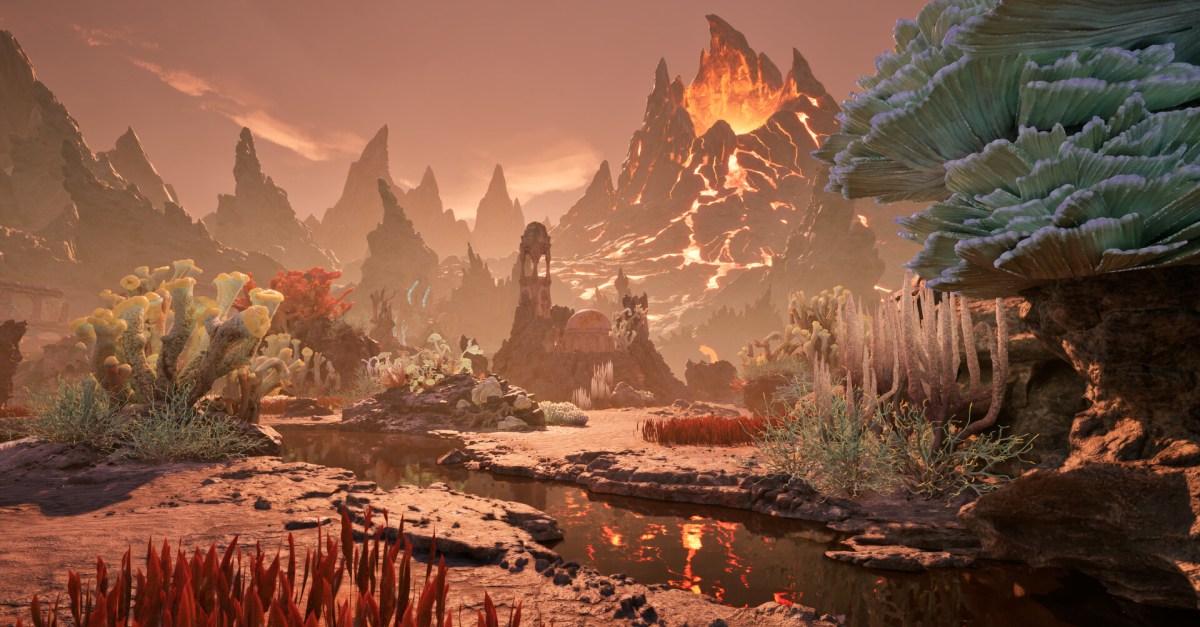
The new trailer, which borrows imagery from what we saw of the game in the first trailer, follows a young girl living in a small Japanese town during the 1960s — a first for the series. Fog engulfs the town and the girl starts to see flowers before running into a shambling woman. More monsters show up and we see the girl picking up a pipe to defend herself against something off-screen, with a spore-covered house behind her.
Silent Hill f is being developed by a Taiwan-based studio with help from Japanese developers. The stream had more details on the game’s production, with appearances from writer Ryukishi07 and character and creature designer Kera. On the stream, Konami dug into its setting and how it used reference photos and sounds to help create the game’s rural town, and discussed the psychological themes it wants to explore with its young protagonist.
The trailer doesn’t have a release date, but it confirms that Silent Hill f will be released on PlayStation 5, Windows PC, and Xbox Series X. You can also wishlist it now on Steam.
Treasure maps are optional objectives in Avowed that come with terrific rewards in exchange for solving head-scratching puzzles.
Each treasure map is less a “map” and more a hastily and inscrutably sketched drawing pointing toward a vague location. If you find out where the treasure map points to and then head to that exact spot, you’ll find a chest containing a unique piece of gear.
What follows is our guide to all treasure maps in Avowed, broken up by each region, from Dawnshore through Galawain’s Tusks. We’ve also listed the rewards you get for completing each one.
How many treasure maps are there in Avowed?
There are 12 treasure maps in Avowed, three in each of the following regions: Dawnshore, Emerald Stair, Shatterscarp, and Galawain’s Tusks. If you solve all 12 maps, you’ll earn the “Pathfinder” achievement (and get some of the best gear in the game along the way).
Read on for details about all treasure maps in Avowed, or use this table of contents to navigate to the treasure maps of a specific region.
Image: Obsidian Entertainment/Xbox Game Studios via Polygon
The Captain Henqua’s Spoils treasure map points toward a cave underwater on the riverbank north of Paradis. When completed, you’ll get the Wind and Wave shield.
Image: Obsidian Entertainment/Xbox Game Studios via Polygon
The Intimidating Feline Codpiece map points toward a cliff abutting the river going north of Paradis. When completed, you’ll get the Stelgaer’s Pride armor set.
Image: Obsidian Entertainment/Xbox Game Studios via Polygon
The Woedica’s Inheritance treasure map points to a location tucked away on the eastern wall of Paradis. When completed, you’ll get the Strangler’s Gloves clothing item.
See our Woedica’s Inheritance walkthrough for a guide on how to solve this treasure map.
Emerald Stair treasure maps
There are three treasure maps in Emerald Stair: Earthly Aegis, Painter’s Regret, and Practical Pockets. Below, see details about their general locations and what rewards you get, or click through for more detailed walkthroughs for their respective solutions.
Image: Obsidian Entertainment/Xbox Game Studios via Polygon
The Earthly Aegis treasure map points to a sinkhole in the western forests of Emerald Stair. When completed, you’ll get the Nature’s Ward shield.
See our Earthly Aegis walkthrough for a guide on how to solve this treasure map.
Image: Obsidian Entertainment/Xbox Game Studios via Polygon
The Painter’s Regret treasure map points toward a river mouth west of Fior mes Ivèrno, sort of near the Waterfall Cave. When completed, you’ll get the Painter’s Brush trinket.
See our Painter’s Regret walkthrough for a guide on how to solve this treasure map.
Image: Obsidian Entertainment/Xbox Game Studios via Polygon
The Practical Pockets treasure map points toward a cave near the Ranger Headquarters. When solved, you’ll get the Hjilde’s Handy Hide armor set.
See our Practical Pockets walkthrough for a guide on how to solve this treasure map.
Shatterscarp treasure maps
There are three treasure maps in Shatterscarp: Dead Man’s Mail, Robe of the Arcane Cheater, and Seafarer’s Boots. Below, see details about their general locations and what rewards you get, or click through for more detailed walkthroughs for their respective solutions.
Image: Obsidian Entertainment/Xbox Game Studios via Polygon
The Dead Man’s Mail treasure map points toward the Shark’s Teeth fortress in the east of Shatterscarp. When completed, you’ll get the the Necropants armor set.
See our Dead Man’s Mail walkthrough for a guide on how to solve this treasure map.
Robe of the Arcane Cheater
Image: Obsidian Entertainment/Xbox Game Studios via Polygon
The Robe of the Arcane Cheater treasure map points toward a cave on the Ancient Lakebed. When completed, you’ll get the Robes of Surpassing Brilliance armor set.
Image: Obsidian Entertainment/Xbox Game Studios via Polygon
The Seafarer’s Boots treasure map points toward a creek near the Sulfur Miner’s Basecamp. When found, you’ll get the Wavebinder’s Boots clothing item.
See our Seafarer’s Boots walkthrough for a guide on how to solve this treasure map.
Galawain’s Tusks treasure maps
There are three treasure maps in Galawain’s Tusks: Ancient Arrowhead, The Blade that Hungers, and My Loyal Shield. Below, see details about their general locations and what rewards you get, or click through for more detailed walkthroughs for their respective solutions.
Image: Obsidian Entertainment/Xbox Game Studios via Polygon
The Ancient Arrowhead treasure map points toward a cluster of mountains south of Solace Keep. When found, you’ll get the Scout’s Reach trinket.
See our Ancient Arrowhead walkthrough for a guide on how to solve this treasure map.
Image: Obsidian Entertainment/Xbox Game Studios via Polygon
The Blade that Hungers treasure map points toward a tunnel north of the Ash Forest Outpost. When found, you’ll get the Umbral Needle dagger.
See our Blade that Hungers walkthrough for a guide on how to solve this treasure map.
Image: Obsidian Entertainment/Xbox Game Studios via Polygon
The My Loyal Shield treasure map points toward an Ekida ruin south of the Outcast Tower Camp. When found, you’ll get the Time’s Tarnish shield.
See our My Loyal Shield walkthrough for a guide on how to solve this treasure map.
There is a lot going on during every turn of Civilization 7. Each time you hit “next turn,” the computer is calculating the moves of other civilizations, factoring in your difficulty setting, proposing new wars, collecting new resources, selecting new items off the tech tree, and so on. Basically, math is always happening in Civilization 7. Why else did you think the turns take so damn long to calculate?
All of that behind-the-scenes complex machinery is what makes Civilization Civilization, and it’s what veterans come to the series for — a way to build out what actually feels like an empire from scratch. But all of those moving pieces can make for a very stressful first-time experience. Worse, it can make you feel like you don’t understand the game. It could even make you feel like you shouldn’t play it.
That feeling of a lack of understanding propelled me away from past Civilization games, even though I enjoyed the few matches I spent with them. But I’ve learned something after bouncing off more than one Civilization game before Civilization 7: You’re supposed to be confused.
As I mentioned before, the Civilization series is complex, and there are a lot of moving pieces happening every single turn. Confusion is a completely natural feeling when faced with a thousand potentially important pieces of information in front of you. “What does Production do? How much Science do I need to research something? What does Happiness even do? Why can my unit move two spaces sometimes and one space other times? What do you mean they’re declaring war on me?!” I get it. But those questions are normal, and the way you feel is okay. You’re definitely doing a ton of stuff “wrong,” but I have excellent news for you: You can still win at Civ if you’re doing almost everything wrong, but doing one thing right.
Image: Firaxis/2K Games via Polygon
Civilization 7 is a video game in which you learn by doing. Guides are extremely helpful for answering your specific questions, especially when the Civilopedia in-game can be less than helpful. (And to that end, you don’t want to miss our Civilization 7 guides.) But nothing teaches Civilization better than actually playing Civilization.
When you’re first starting out, you want to pick a leader that means something to you, and a civilization that you have some affinity for. You’re going to be seeing a lot of your leader, and you’re going to be working on evolving your civ, so make sure if you pick Confucius, it’s because you’ve read one of his biographies or something like that. Connections and a desire to see Rome succeed (or wherever your extended family might be from) will pull you through when the deep confusion hits.
Once you’re in the game, pick an advisor and stick with them. This will basically determine what victory path you’re going to go on. Maybe you like the idea of ruling the world by conquering it and you want to go for a Military Victory. Or maybe you’re fascinated by some of the incredible wonders of our world, or are interested in religion. Then follow the culture advisor to reach a Culture Victory.
After you’ve selected a direction for your civilization, it really is as simple as boosting that one aspect as much as possible. If you’re looking to complete the Manhattan Project and win a Science Victory, get your Science up as high as it can go. Do whatever your Science advisor says. If you don’t understand why your units are moving weird or why you’re suddenly losing a battle you thought you would win, just know that you don’t need to understand that. You just need more Science.
Image: Firaxis/2K Games via Polygon
On the default difficulty, following your advisor is potentially enough to win the entire game, and you’ll walk out the other side understanding how to win that kind of victory in the future. Then, pick another civilization, another leader, and another victory condition for your next match. As the turns go by, you’ll begin to understand the things that confused you the last time around, and you can then compound that knowledge with what you now know about Science civilizations or whatever you did the first time.
Like the cities in Civilization 7, knowledge about the game is built up, paved over, and rebuilt over time. You cannot read the Civilopedia or even our guides to fully grasp the game. You must read and play, or otherwise risk overloading yourself with information. The best and biggest advice I can give for coming into Civilization 7 is to resist that urge to restart your game because it isn’t going well. There are lessons to be learned every turn in Civilization, even ones where you lose entire armies or even cities. And even if you feel like you’re not learning as you play, I promise you are. Every turn, every age, and every match will get you that much closer to that “I think I finally get it,” moment. With enough practice, you might even fully understand it in time for Civilization 8.
Fortnite OG Chapter 1 Season 2 allows you to go “full tilt” as Tilted Towers makes its return to Fortnite.
Tilted Towers isn’t the only returning point of interest as Junk Junction, Shifty Shafts, and more are coming back. Additionally, you’ll find familiar items back in the loot pool like the small shield potion and boogie bomb.
With there being a new OG season, there is a new OG Pass for you to complete — full of new takes on classic outfits.
Below, we explain the map and loot pool changes for Fortnite OG Chapter 1 Season 2 and some of the new skins you can get in the OG Pass.
Fortnite OG Season 2 map changes
The OG Chapter 1 Season 2 map is reintroducing five points of interest from the original Chapter 1 Season 2 — Haunted Hills, Junk Junction, Shifty Shafts, Snobby Shores, and Tilted Towers. Check out the map with the returning locations below:
Fortnite OG Season 2 weapon loot pool
In OG Chapter 1 Season 2, the loot pool will grow as the season progresses. Here are all of the weapons that’ll be added:
Fortnite OG Season 2 pass skins
The OG Pass for OG Chapter 1 Season 2 features 45 tiers of rewards with the major rewards being revamped versions of fan favorite skins from the past. Cuddle Team Leader, Black Knight, and Sparkle Specialist are receiving a new look and coming back as Cuddle Team Specialist, Knight Conqueror, and Sparkle Diva. Alongside the new outfits, each outfit has an alternate style that is available to unlock in the OG Pass.
The Chapter 1 Season 2 OG Pass is available until March 25 at 3:30 a.m. EST, which will lead to the Chapter 1 Season 3 OG Pass shortly after.
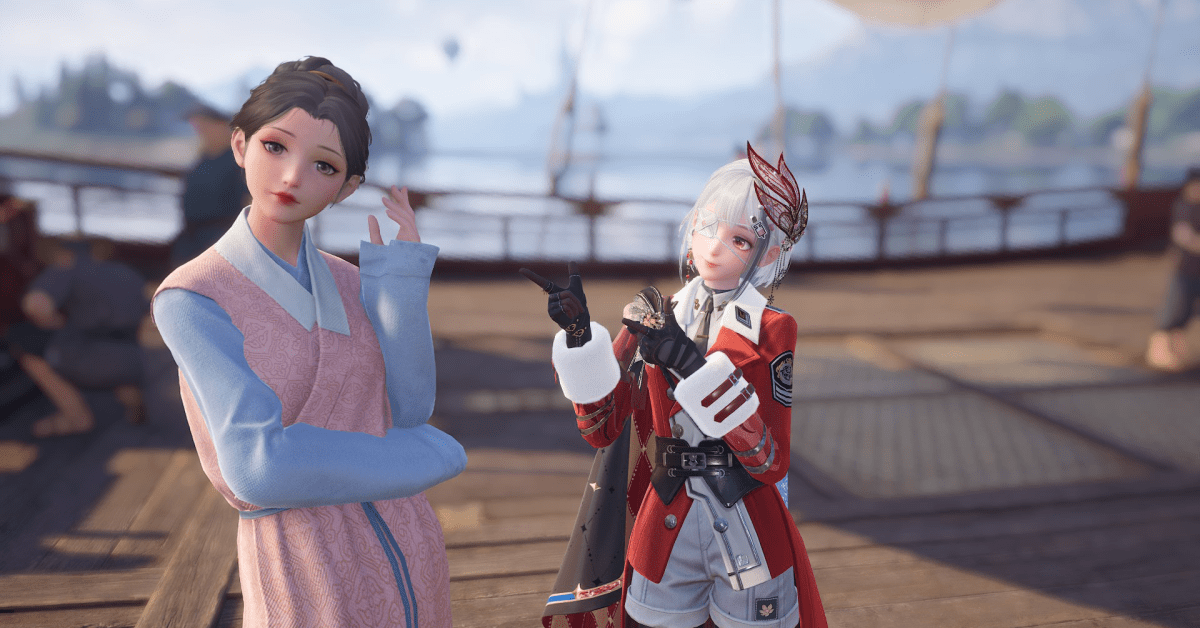
“Kindled Inspiration: New Bloom’s Outfit” is one of the limited-time random quests in Infinity Nikki, and this one requires you to inspire an NPC by showing them a specific article of clothing. While the NPC does give hints as to what they’re looking for (in this case, a “paper crane-themed accessory”), if you don’t have an encyclopedic knowledge of all of the clothes in Infinity Nikki, then you may struggle to find a solution.
Note that this random quest is part of the “Companion’s Day” event, and it’ll only be available until the event ends on Feb. 25.
Below, we explain the solution for the “Kindled Inspiration: New Bloom’s Outfit” quest in Infinity Nikki, as well as where to get the required item and what the quest rewards.
Where to find the ‘Kindled Inspiration: New Bloom’s Outfit’ quest
You can find Yayin on the boat docked by Florawish. You’ll need to complete the nearby quest “Sailing Through Lens” in order for her to show up here, though.
‘Kindled Inspiration: New Bloom’s Outfit’ quest solution
Yayin is looking for a “paper crane-themed accessory.” There are actually multiple pieces that will work. The easiest one to get is the “Paired Flight” earrings, which you very likely already have. All you have to do is wear the earrings — the rest your outfit doesn’t matter.
You can also use the “Star of Wishes” necklace that you get from Giovanni in the chapter 7 story quest, according to Lisa Juliette on YouTube. It’s possible that you may also be able to use accessories from the “Wings of Wishes” outfit that was just in the gacha banner last patch, since they have a paper crane motif. (However, we haven’t been able to confirm this ourselves, since you can only submit one answer for this quest.)
Where to get the ‘Paired Flight’ necklace
You very likely already have these earrings in your inventory, as you get the sketch for the “Paired Flight” earrings as a reward for completing the “Accident at the Clothing Store” main quest, which is pretty early in the game.
‘Kindled Inspiration: New Bloom’s Outfit’ quest rewards
As a reward, you’ll get 30 Diamonds, the sketch for the “Cloudborn Cranes” bracelet accessory, 120 Shiny Bubbles, and 30,000 Bling.
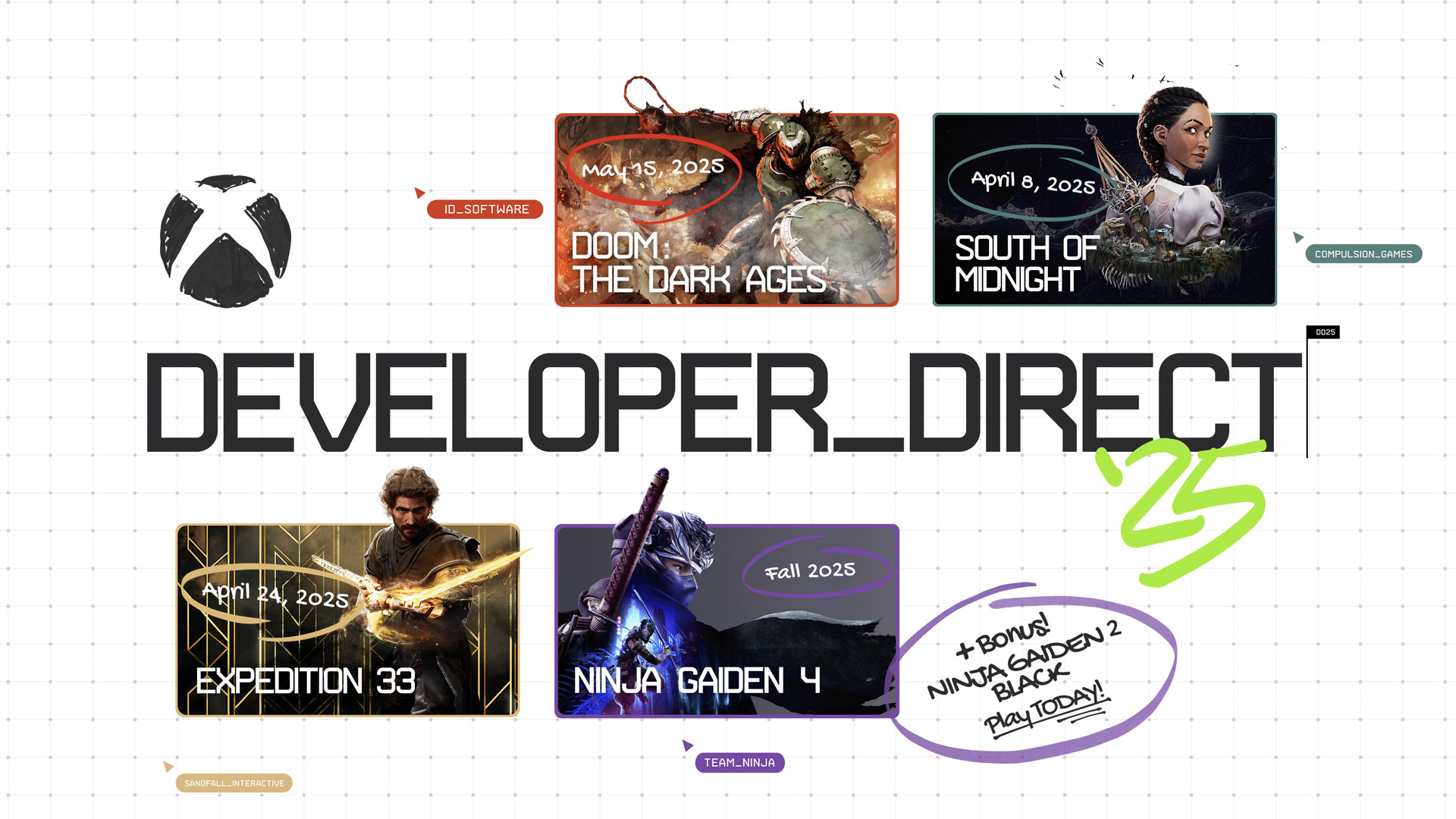
During the latest Developer_Direct, we showed off tons of brand new gameplay and provided developer insights on four upcoming games launching for Xbox Series X|S, PC, Game Pass, and cloud – and even surprise released a bonus remaster along the way.
We visited the studios behind DOOM: The Dark Ages, South of Midnight, Clair Obscur: Expedition 33 and the never-before-seen NINJA GAIDEN 4 to get an inside look at new gameplay footage, as well as key information from each game, direct from the developers working on them. Plus, to celebrate the return of NINJA GAIDEN, we also announced that a remastered version of the beloved Xbox classic, NINJA GAIDEN 2 Blackwill be available for Xbox Series X|S, PC, and Game Pass from today.
In addition to Xbox Cloud Gaming, all the games in our show also support Xbox Play Anywhere, meaning when you buy them through the store on Xbox or Windows, they’re yours to play on Xbox and Windows PC at no additional cost, and your game progress and achievements are saved across Xbox and Windows PC.
Here’s a summary of everything we announced and covered during Developer_Direct today:
DOOM: The Dark Ages – Launching May 15, 2025
Xbox Series X|S, Xbox App for Windows PC, Steam, PlayStation 5, and play it day one with Game Pass*
The team at id Software shared a deep dive into DOOM: The Dark Ages and revealed that the cinematic, epic first-person shooter will launch on May 15, 2025.
DOOM: The Dark Ages, a prequel to the critically acclaimed DOOM (2016) and DOOM Eternal, is set in a dark fantasy/sci-fi world with DOOM’s immediately recognizable hellish twist. In the segment, three core pillars of the game were explored: Combat, which dug into deadly new weapons of mass destruction the Slayer can wield; Exploration, which offered a glimpse at an incredible new medieval-inspired setting that will take players to never-before-seen dark and sinister realms; and Story, which gave an overview of the characters and stakes the Slayer will face in his journey to turn the tides of a war.
This is the most ambitious DOOM game to date. id Software is seizing the chance to present both newcomers and long-time fans alike with an epic adventure as the super weapon in a medieval war against hell itself. Find out more about the game, with extra information from the developers in our Xbox Wire article.
South of Midnight – Launching April 8, 2025
Xbox Series X|S, Xbox App for Windows PC, Steam, cloud, and play it day one with Game Pass*
Compulsion Games took us behind the scenes at their studio in Montreal, Canada to learn more about South of Midnight, their new third-person action adventure game which releases on April 8, 2025.
In Compulsion’s segment, we learned more about the journey of Hazel, the game’s protagonist, which leads her into a darkly magical world where she discovers her new abilities as a Weaver. Her story is filled with macabre Southern Gothic folklore and encounters with mythical larger-than-life creatures that shape her growth and understanding of her newfound powers.
You can see more of South of Midnight’s hand-crafted art style, world building, and combat in South of Midnight’snew story trailer and get ready to explore the American Deep South with Hazel by pre-ordering today – and play up to five days early with the South of Midnight Premium Edition. Find out more about the game’s story in our exclusive Xbox Wire article here.
Clair Obscur: Expedition 33 – Launching April 24, 2025
Xbox Series X|S, Xbox App for Windows PC, and play it day one with Game Pass* (see developer website for other platforms)
We visited Montpellier, France, home of Sandfall Interactive, as they develop their first game, Clair Obscur: Expedition 33. This turn-based RPG is set in a fantasy version of late 19th Century France, where the world is facing an existential threat, one year at a time. The developer shared a deeper look at the game’s innovative mechanics, such as the “Reactive Turn-Based” system, and the unique art direction that brings the game’s world to life. We even got a first look at Expedition 33’s expansive overworld map.
As the coup de grace, Sandfall Interactive confirmed the game’s release date: our journey to stop the Paintress begins April 24. For more on the team’s creative vision and deep customization options, we’ve got more on Xbox Wire here.
NINJA GAIDEN 4 – Launching Fall 2025
Xbox Series X|S, Xbox App for Windows PC, Steam, cloud, PlayStation 5, and play it day one with Game Pass*
Team NINJA announced the return of a beloved franchise with the reveal of NINJA GAIDEN 4. After more than a decade, the masters of action at Team NINJA and PlatinumGames have partnered with Xbox Game Studios Publishing to bring us an exciting new chapter in the NINJA GAIDEN series, a series with a long history on Xbox.
We were introduced to Yakumo, a new protagonist whose objective lies at the heart of a devastated Tokyo. On his mission, Yakumo will not only encounter fiends and demons , but also the legendary master ninja himself: Ryu Hayabusa. Gameplay footage showed that Yakumo will introduce players to a stylish new take on ninja action with Bloodbind Ninjutsu, alongside legacy techniques like the Flying Swallow and Izuna Drop. Ryu will also return as a playable character with a revamped arsenal that stays true to his signature brutality and precision.
During the segment, developers from both PlatinumGames and Team NINJA shared details about the game’s story, the setting in a near-future Tokyo, and its action-packed combat mechanics. We also got a glimpse into the creative process behind this highly anticipated title, which will be released in Fall 2025, and can be wishlisted on Xbox, PC, and PlayStation 5. For the latest information, follow Team Ninja on social media (YouTube, X, Facebook, Instagram). Check out an exclusive interview with the developers on Xbox Wire.
NINJA GAIDEN 2 Black – Available Today!
Xbox Series X|S, Xbox App for Windows PC, and play it day one with Game Pass*
The highly-acclaimed and legendary game from 2008 returns graphically remastered! NINJA GAIDEN 2 Black features the high-speed ninja action of iconic hero Ryu Hayabusa and his deadly Dragon Sword. Embark on a global battle against formidable foes, engage in relentless combat, and play as additional characters Momiji, Ayana and Rachel.
Looking Ahead
As with every Developer_Direct, today’s show marks just a selection of the games coming to Xbox this year. Next up is Avowed, Obsidian Entertainment’s upcoming fantasy RPG, which launches on February 18, 2025 for Xbox Series X|S, the Xbox app for Windows PC, Battle.net, Steam, cloud, and will be available on day one with Game Pass. With our own studios and incredible partners working on new experiences, stay tuned to Xbox Wire and Xbox social channels this year to see why there’s never been a better time to be an Xbox player.
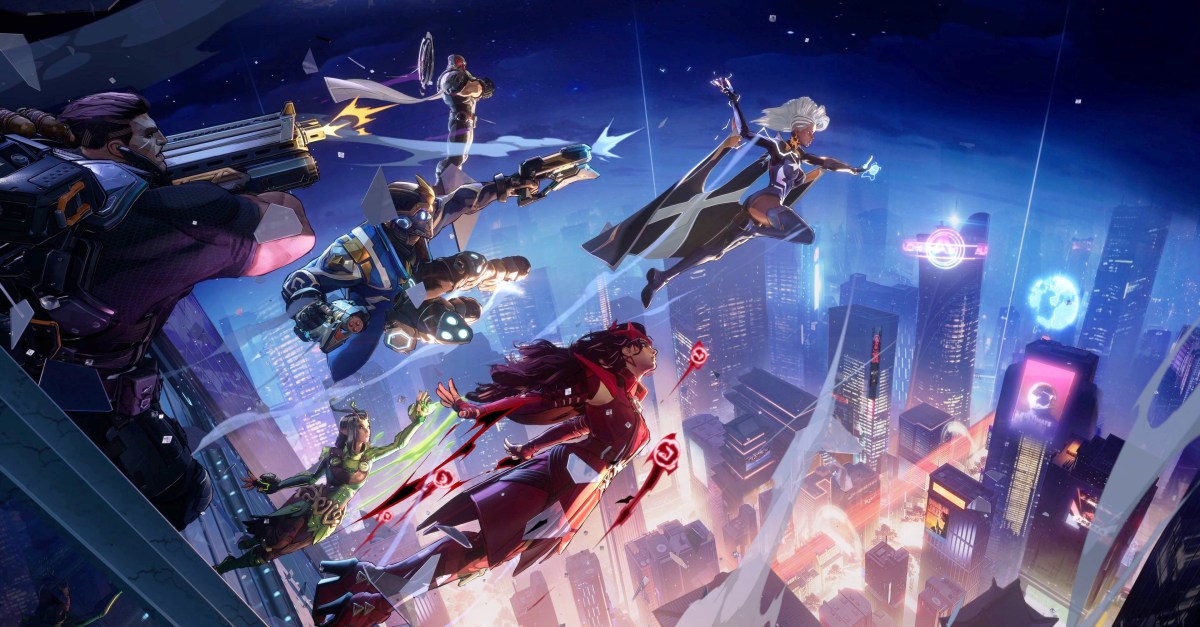
The Marvel Rivals tier list is proof of an inherent truth: not every hero (or villain) is built equally. In the competitive shooter’s season 1 (which added two characters, two maps, a battle pass, and skins), every character is technically viable, but there are some who are obviously more powerful than the rest.
Below, we’ve compiled a tier list showing the current Marvel Rivals meta (as of the release of season 1), giving each character a rank from “best of the best” (S-tier) to “avoid at all costs” (F-tier). Read on for the full Marvel Rivals tier list for season 1.
Complete tier list for Marvel Rivals season 1
Image: Tiermaker via Polygon
Season 1 of Marvel Rivals sees the game in quite a healthy spot, with only six characters falling in C-tier or below. For a game with 35 heroes (soon to be 37, when the Thing and Human Torch join the roster in late February), you’re hard-pressed to find a “bad” one.
While the tier list above (which we constructed in Tiermaker) showcases a general view of the season 1 launch, we’ve broken down each rank in tables below, including brief explanations for why each character belongs in the tier we’ve placed them.
Finally, it’s worth noting here that tiers can look different at different ranks, with some high rank heroes barely being played in low ranks, and some low rank dominators falling off significantly at higher elo levels. As it’s still early in season 1, this list is likely to change within a week or so, as the meta won’t cement for a few more weeks.
S-tier characters in Marvel Rivals season 1
Image: NetEase Games via Polygon
As a rule, S-tier heroes are those that you should absolutely know how to play if you main their given role. Understanding how your Team-Up abilities work with all of these heroes is crucial to success — you’ll be seeing a lot of them in your games.
Character
Role
Why they’re S tier
Doctor Strange
Vanguard
Doctor Strange is one of the hardest-to-kill heroes in Marvel Rivals, and is exceptional at shielding his allies from big blasts. Paired with his unique portal and extremely powerful ultimate, he’s a hard pick to beat for top tank.
Hulk/Bruce Banner
Vanguard
Hulk is extremely mobile and very difficult to kill in Marvel Rivals. He’s a menace in the backline with massive damage and is able to protect his own supports with shields.
Luna Snow
Strategist
Luna Snow has the best healing ultimate in Marvel Rivals, making all combat stop the moment she hits it. On top of this, she has great healing, damage, and stuns.
Mantis
Strategist
Mantis both helps her team deal loads of damage with her boost and keeps them healthy with heals over time. Paired with the second best healing ultimate, she’s a great choice.
Hawkeye
Duelist
Hawkeye requires accurate aim, but he’s the only hero capable of regularly one-shotting squishy targets. That alone is enough for a top rank.
Hela
Duelist
Hela is one of the most consistent damage dealers in the game if you’re capable of hitting your shots. She can take down target after target and has some great Team-Ups.
Iron Man
Duelist
On his own, Iron Man is a great hero who can dish out lots of damage, with a powerful ultimate that can shut down Luna Snow. But paired with his Hulk Team-Up, his damage is unmatched.
Psylocke
Duelist
Psylocke is able to dive into the backline of the enemy team to get kills or attack from range, which makes her very versatile. Her ultimate is also extremely powerful and can shut down objective areas.
Storm
Duelist
Storm has one of the most powerful ultimates for a duelist in the game, and can guarantee kills or an empty objective zone. Paired with her quasi support abilities and season 1 buffs, she’s become a menace overnight.
A-tier characters in Marvel Rivals season 1
Image: NetEase Games via Polygon
Generally, A-tier heroes are great. They’re not the best heroes, nor do they come out on top in the. meta, but they’re extremely solid. All of these are heroes that anyone should be thankful to have on their team, but likely won’t catch a ban as you reach the higher ranks.
Character
Role
Why they’re A tier
Magneto
Vanguard
Magneto is the definition of a consistent tank. He’s very hard to kill when he’s playing selfishly, but can extend some of that safety to allies to make them much tankier during big moments.
Groot
Vanguard
Groot can technically do more damage than any other tank in the game with his powerful walls. But his real value is as a frontline beast with a ton of health and powerful crowd control.
Adam Warlock
Strategist
Adam Warlock is a very technical strategist, capable of dealing big damage and keeping his allies alive. His normal play is great, but his ultimate is capable of swinging entire games on its own.
Cloak & Dagger
Strategist
Cloak & Dagger offer very powerful heals and some pretty decent damage, all in a relatively easy-to-play package. They were good at launch, but their buffed ultimate in season 1 helps kick them up a notch.
Invisible Woman
Strategist
Invisible Woman can pump out a lot of healing and control the battlefield with her various crowd control moves. Even better, her invisibility makes her difficult to lockdown and kill.
Rocket Raccoon
Strategist
Rocket Raccoon is able to automatically revive players with his B.R.B. device, which is a very powerful effect. Paired with decent healing and decent damage, he’s a great pick when the S-tiers are unavailable.
Black Panther
Duelist
Black Panther is both fast and consistent, which is what you want in a duelist. He’s also much easier to play than most of the other duelists.
Magik
Duelist
Magik is both slippery and great at dealing with multiple backline targets at once. This makes her a real menace for duelists and strategists, and she basically requires a tank to help their team deal with her.
Namor
Duelist
Namor and his pets can deal massive amounts of damage from afar, rivaling characters like Hela. But what makes Namor so great is his immunity bubble, which lets him survive divers.
Star Lord
Duelist
Star Lord can dish out a lot of damage in a short amount of time, and he’s very fast. That’s a potent combo, and paired with his ultimate, it makes him a great choice for duelist players.
Winter Soldier
Duelist
Winter Soldier is best known for his ultimate, which he can repeat multiple times to wipe teams. However, his hook and powerful primary fire make him a menace even while charging his ultimate.
Wolverine
Duelist
Wolverine is the ultimate tank buster character, and is able to abduct high health targets and kill them away from their team. He strikes fear into the hearts of all tank mains.
B-tier characters in Marvel Rivals season 1
Image: NetEase Games via Polygon
The B-tier heroes bring a lot to the table, but are situational and niche. Some of these heroes can be A- or S-tier in the right situation, but they just aren’t of the same caliber as the heroes above them in a general setting.
Character
Role
Why they’re B tier
Peni Parker
Vanguard
Peni Parker is a very potent tank in the right situation. On defensive maps, she’s able to hold the zone better than almost any other character.
Thor
Vanguard
Thor is a fantastic bully tank, and can deal massive damage if he’s given the support he needs to survive the enemy.
Venom
Vanguard
Venom is a highly mobile dive tank, and is able to quickly reach the backline. He doesn’t deal a ton of damage, but acts as a powerful distraction for his enemies.
Loki
Strategist
Loki is a lot of work to get right, but in the right hands, he is nearly impossible to kill and pumps out a lot of healing. His ultimate is also the best in the game, as it allows him to mirror any other character.
Iron Fist
Duelist
Iron Fist has extremely high burst potential and is very slippery. He does take a bit of practice to fully understand, but a good Iron Fist can destroy your backline in seconds.
Moon Knight
Duelist
Moon Knight has a ton of area damage, making him capable of wiping and entire team if they’re not careful. His Ankhs are easy to shutdown, but they’re on a low enough cooldown that he’s always getting decent damage out.
Squirrel Girl
Duelist
Squirrel Girl is a very simple character, but her explosive nuts deal a lot of damage with very little effort. Her reworked ultimate in season 1 is also quite strong and can hunt down enemies.
The Punisher
Duelist
The Punisher is the shooter character in Marvel Rivals, and is able to shred through enemies with his two guns. His kit is a little limited, but he has what he needs to succeed in most situations.
C-tier characters in Marvel Rivals season 1
Image: NetEase Games via Polygon
The C-tier heroes are ones that just don’t seem worth playing when you compare them to the other options. However, they’re still playable, and viable on some teams or when used by certain players. You could really surprise the enemy team with a C-tier pocket pick, but you’d probably be better off learning a better hero altogether.
Character
Role
Why they’re C tier
Captain America
Vanguard
Captain America doesn’t have much of an identity in Marvel Rivals. He’s able to bully the backline fine, but he struggles to protect his team in the process.
Jeff the Land Shark
Strategist
Jeff has decent support capabilities with his normal kit, but the lack of a good healing ult really hurts him. Even so, his ultimate can win games if enemy players aren’t paying attention.
Mister Fantastic
Duelist
Mister Fantastic is a hybrid damage dealer and tank, but he’s a bit too hybrid at the moment, so he isn’t great at either role.
D-tier characters in Marvel Rivals season 1
Image: NetEase Games via Polygon
Heroes in the D-tier are, quite frankly, pretty subpar. Not so bad that you’re going to automatically lose if you have one on your team, but bad enough that you should probably be picking a better option.
Character
Role
Why they’re D tier
Scarlet Witch
Duelist
Scarlet Witch does very low damage over time, even if that damage is reliable because it doesn’t require aim. When paired with an ultimate that’s powerful but very easy to counter, she just doesn’t bring enough value to a team.
Spider-Man
Duelist
Spider-Man is capable of dishing out a lot of damage and destroying a backline, but he takes so much more work than any other dive character in the game for no additional benefit.
F-tier characters in Marvel Rivals season 1
Image: NetEase Games via Polygon
Heroes in the F-tier are bad and you shouldn’t play them. And while you should never flame your teammates in games like Marvel Rivals, you should be concerned if someone picks one of these heroes, as it’s a little too close to playing 4v5.
Character
Role
Why they’re F tier
Black Widow
Duelist
Black Widow can’t one-shot targets, she struggles to have awareness around here because she’s forced into first-person, and her ultimate is worthless. Black Widow requires a lot of buffs or a rework in order to even be viable for all but the best players.
Understanding soft caps are key to how to level up stats and runes in Elden Ring. That way, if you know the soft cap breakpoints, you’ll be able to get the optimal return from the runes you’ve spent — as opposed to receiving diminishing returns from excessive stats.
If that sounds a bit complex, don’t worry; in this guide, we’ll explain everything there is to know about soft caps in Elden Ring.
What are soft caps in Elden Ring?
If you’re no stranger to the Lands Between and Shadow of the Erdtree’s Realm of Shadow, you probably know the drill: defeat enemies, receive runes, and use the runes to level your stats at a Site of Grace. Each individual stat can be leveled from 1 to 99, with 99 being the “hard cap” — the limit.
Beware, however, that there’s a difference between leveling a stat from level 30 to level 31 or from level 50 to level 51, as you’ll receive less benefits once you’ve crossed a certain threshold. This threshold is called a “soft cap” or a “breakpoint” in Elden Ring. When you start leveling a stat, the returns will initially remain the same or even improve with every new level, but after reaching a certain breakpoint, the stat will be soft-capped and the returns will become less and less.
Image: FromSoftware/Bandai Namco via Polygon
If you level your Vigor from level 3 to level 4, your HP will increase from 312 to 322.
If you level your Vigor from level 4 to level 5, your HP increases from 322 to 334.
As you can see, the returns per level have improved; instead of 10 HP points, you received 12 HP points the second time. These growing returns will reach their peak when leveling Vigor from level 39 to level 40, with a whopping 48 HP points gained (from 1402 HP to 1450 HP).
If you continue to level your Vigor from level 40 to level 41, though, your HP will improve from 1450 to 1476; a return of 26 HP points. It’s still an improvement, but obviously not nearly as great as the previous 48 HP points. From this point onwards, the amount of HP gained from additional Vigor levels will steadily decline. Level 40 is therefore called the first soft cap for Vigor.
And that’s not all; every Elden Ring stat has at least two soft cap points, up to as many as four. For Vigor, the amount of HP gained from higher levels will drop significantly after level 60, as you will only get between 3 and 6 HP points per level afterwards. Level 60 is therefore named the second soft cap for this stat.
Image: FromSoftware/Bandai Namco via Polygon
The existence of soft caps in Elden Ring doesn’t mean you should stop leveling a stat after reaching such a breakpoint, but it does mean that you need to mind your stat point allocation. Leveling Vigor from 40 to 60 can still be a great choice, but you might need to prioritize other stats before you do so, as the returns from those upgrades may be far greater. If you’d like to respec your current stats, visit Rennala in the Raya Lucaria library and select “Rebirth”.
Elden Ring soft caps in 2025
Before we dive into the details, here’s a quick overview of all soft cap breakpoints per stat type in Elden Ring:
Vigor: 40, 60
Mind: 50, 60
Endurance: 30, 50 (equipment load 60)
Strength: 60, 80
Dexterity: 60, 80
Intelligence: 50, 60, 80
Faith: 50, 60, 80
Arcane: 60, 80
Let’s delve into each stat, one-by-one:
Image: FromSoftware/Bandai Namco via Polygon
Level 1-40: growing returns, up to +48 HP per level.
Level 41-60: diminishing returns, between 27 and 13 HP per level.
Level 61-99: diminishing returns, between 6 and 3 HP per level.
Vigor improves HP, fire resistance, and immunity. As mentioned in the example above, Vigor has growing returns before reaching the first soft cap at level 40. This is amazing, as it means you’ll receive more and more HP with every level up until that point. Sadly, the drop-off is rather steep, going from 48 HP to 26 HP points — and even down to only 6 per level after the second soft cap at level 60.
Having a high HP is extremely useful for almost any Elden Ring build – it’s hard enough to stay alive without giving every enemy the possibility to one-shot you. We therefore recommend to hit the first soft cap of level 40, and continue to level 60 if your playstyle needs it (frontline melee builds, for example). Anything above level 60 is a waste of runes.
Image: FromSoftware/Bandai Namco via Polygon
Level 1-15: between 3 and 4 FP per level.
Level 16-35: between 5 and 6 FP per level.
Level 36-50: between 6 and 7 FP per level.
Level 51-60: diminishing returns, between 4 and 6 FP per level.
Level 60+: diminishing returns, between 2 and 3 FP per level.
Focus: only starts to improve from Mind level 31 onwards, with soft cap at level 40.
Mind improves your FP and Focus. Focus is a nice defensive stat to have (protects against sleep and madness) but FP, also known as “mana,” is far more important as it’s needed to cast spells. With that in mind, you really only need as much Mind as you require FP to cast your magic. With a fully upgraded Flask of Cerulean Tears, you can restore 220 FP — one full FP bar at Mind level 38. Therefore, Mind at +38 is therefore the “sweet spot” before hitting the FP soft cap at level 50 and Focus soft cap at level 40.
Image: FromSoftware/Bandai Namco via Polygon
Stamina level 1-30: between 1 and 2 points per level, but usually 2.
Stamina level 31-50: diminishing returns, between 1 and 2 points per level, but usually 1.
Stamina level 50+: diminishing returns, between 0 and 1 point per level.
Equipment load level 9-25: only starts to improve from Endurance level 9 onwards, with +1.6 points per level up to level 25.
Equipment load level 26-45: adds between 1 and 1.4 points.
Equipment load level 46-60: adds between 1.4 and 1.5 points.
Equipment load level 60+: soft cap with a huge drop-off, down to 1 point.
Robustness: only starts to improve from Endurance level 31 onwards, with soft cap at level 40.
Endurance improves stamina, maximum equipment load (allowing you to stay within the “medium load” range while wearing heavier armor, for example), and robustness (resistance to bleed and frostbite). The amount of stamina you’ll need depends on how much you consume; if you’re using a melee build, you’ll typically want at least +34 Endurance, a stamina and equipment load sweet spot that also offers some robustness.
If you’re an endgame player with lots of runes to spend, you may keep going until the equipment load soft cap at level 60, as this allows you to equip far better armor sets while remaining in a below-heavy load range.
Strength and Dexterity soft caps
Image: FromSoftware/Bandai Namco via Polygon
Strength armaments: soft caps are usually at level 20, 60, and 80.
Physical defense: improves at levels 30 and 40, peaking at 60. Diminishing returns after level 60.
Dexterity armaments: soft caps are usually at level 20, 60, and 80.
Incantations: soft caps at level 30 and 45.
Strength and Dexterity improve the damage dealt with armaments (weapons) scaling with these stats (usually physical/melee weapons). Although the breakpoints and minimum stats required depend on the individual armament, the physical damage soft caps are typically at level 20, 60, and 80.
At the start of your Elden Ring game, should you decide to wield a strength- or dexterity-scaling weapon, try to reach soft cap level 20 as soon as possible. Go up to 60 as you progress further (don’t forget your Vigor, Endurance, and Mind soft caps), but there’s no need to proceed past the level 80 soft cap.
Intelligence, Faith, and Arcane soft caps
Image: FromSoftware/Bandai Namco via Polygon
Intelligence armaments: soft caps are usually at level 20, 50, and 80.
Intelligence sorceries: usually level 60 and 80.
Magic defense: best benefits until level 20 and slightly less until level 35. Soft cap at level 35 and soft cap with steep drop-off at level 60.
Faith armaments: usually level 20, 50, and 80.
Faith incantations: usually level 60 and 80.
Arcane armaments: usually level 20, 60, and 80.
Arcane buildup: usually level 40 and 60.
Arcane incantations: soft caps at level 30 and 45.
Arcane vitality and holy defense: hit their first soft cap at level 15 and 20 respectively. Final soft caps are level 60 for both.
Besides improving armaments that scale with these stats, Intelligence boosts the power of your sorceries, Faith increases the power of incantations, and Arcane improves status buildup (for Arcane-scaling weapons).
Similar to Strength and Dexterity, the exact scaling depends on the armament you’re using, but you typically need to hit level 20 for the best gains in early game. Try to eventually hit the soft cap around level 50, but it’s not worth it to go beyond level 80.
The defensive attributes (vitality, magic defense, etc.) hit a very steep drop-off after level 60.
Let’s be honest: shopping for a gaming monitor can feel like wading through mud. As soon as you decide to buy a display for gaming instead of regular productivity use, a whole host of new considerations come into the equation. Should you go for an LCD or OLED monitor? What about the differences between NVIDIA G-Sync and AMD FreeSync? How about refresh rates?
Those are just some of the questions this guide aims to answer. In the process, my hope is to help you find the perfect gaming monitor for your budget.
Best gaming monitors for 2024
AOC
Screen size: 27-inch | Resolution: 2,560 x 1,440 | Refresh rate: 180Hz | Panel type: VA | Response time: 1ms GtG | Aspect ratio: 16:9 | Brightness: 1000 cd/m² | Weight: 11.9 pounds with stand
The Q27G3XMN offers a nearly unbeatable mix of features, performance and affordability. It’s a mini-LED monitor with HDR performance that’s not as good as the OLEDs on this list, but far better than anything you’ll find on an edge-lit LCD. With a 180Hz refresh rate, it’s also fast enough for all but the most fast-paced competitive esports games. Best of all, it’s priced affordably at under $300. For those reasons, unless you have a bigger budget or more specific needs, the Q27G3XMN is going to be the best bet for most people.
Screen Size: 23.8-inch | Resolution: 1,920 x 1080 | Refresh Rate: 180 Hz | Panel Type: VA | Response Rate: 4ms (gtg) | Aspect Ratio: 16:9 | Brightness: 250 cd/m² | Weight: 6.9 pounds with stand
In 2024, there are only two reasons to buy a 1080p monitor: Either you want the fastest possible display, or you want to spend as little as possible and get as much performance as possible. If the latter is true, I would go for the AOC 24G15. For $110, you’ll get a 24-inch screen with a high contrast VA panel, 180Hz refresh rate and 1ms response rate. If you’re patient, I’ve seen the 24G15 go on sale for as little as $90.
One thing to note: AOC also sells a 27-inch version of the 24G15 for about $30 more. I would avoid that model; it won’t look good due to low pixel density.
If you want a gaming monitor that basically does it all, the Alienware AW2725DF has a lot going for it. This QD-OLED features a 360Hz refresh rate and 0.03ms response. It also carries a Vesa DisplayHDR True Black 400 certification, so expect near-flawless HDR performance. It even has a HDMI 2.1 port if you want to use it with an Xbox Series X or PlayStation 5. From a performance standpoint, the only downside is that it won’t produce true blacks in rooms with too much ambient light. However, this is true of every QD-OLED monitor on the market right now.
At close to $1,000, it’s also expensive. But for what it’s worth, the OLED market is incredibly competitive at the moment. I’ve seen the AW2725DF go on sale a few times over the past couple of months, dropping to as low as $700.
For those looking for a more immersive gaming experience, an ultrawide monitor is the way to go. And right now, one of the best 21:9 displays you can buy is the Dell AW3423DWF. It offers an excellent 165Hz refresh rate, 0.01ms response time and AMD FreeSync Premium Pro support. The panel is also DisplayHDR TrueBlack 400 certified, making it great for watching movies and playing single-player games. The only feature that would make the AW3423DWF better is had Dell included an HDMI 2.1 port, but since ultrawide gaming isn’t really a thing in console gaming, the omission is not a deal breaker.
Screen size: 31.46-inch | Resolution: 4K and 1080p | Refresh rate: 240Hz and 480Hz | Panel type: WOLED | Response time: 0.03ms (GtG) | Aspect ratio: 16:9 | Brightness: 275 cd/m² | Weight: 19.8 pounds with stand
If money is no object and you play a mix of immersive games and competitive shooters, the LG 32GS95UE-B is the monitor for you. It offers something no other monitor on this list does. The 32GS95UE-B4K is both a 4K, 240Hz display and an FHD, 480Hz one. Moreover, it can switch between those two modes with the press of a button.
Yes, the 1080p output looks muddy stretched across a 32-inch screen, but for a feature that extends the versatility of an already incredible monitor, that’s a small sacrifice. At $1,400, the 2GS95UE-B is the most expensive monitor on this list. But if you’re in the market for a 4K display, chances are you’ve already spent a lot of money building a PC that can drive that many pixels.
While I’ve not used every product recommended in our list, I have extensively tested dozens of gaming monitors in the past, including models with WOLED and QD-OLED panels. In the case of the Alienware monitor I highlight above, I bought one for myself with my own money. Separately, I spent dozens of hours over a two-year period researching gaming monitors to write the current version of this guide.
Factors to consider before buying a gaming monitor
LCD vs OLED
When shopping for a gaming monitor, you first need to decide if you want to go with a screen that has an LCD or OLED panel. For most people, that choice will come down to price; OLED gaming monitors are more expensive than their LCD counterparts. Even if money isn’t a concern, the choice might not be as straightforward as you think; both LCD and OLED panels come in a few different flavors, and knowing the differences between each type is important to making an informed decision.
LCD monitors come in three different varieties: twisted nematic (TN), vertical alignment (VA) or in-plane switching (IPS). For the most part, you want to avoid TN monitors unless you’re strapped for cash or want a monitor with the fastest possible refresh rate. TN screens feature the worst viewing angles, contrast ratios and colors of the group.
The differences between VA and IPS panels are more subtle. Historically, VA gaming monitors featured slower pixel response times than their TN and IPS counterparts, leading to unsightly image smearing. However, that’s improved in recent years. VA panels also frequently sport better contrast ratios than both TN and IPS screens. They’re not dramatically better than their IPS siblings on that front, but when contrast ratios aren’t an inherent strength of LCDs, every bit helps.
On the other hand, IPS panels excel at color accuracy and many offer refresh rates and response times that are as fast as the fastest TN panels. The majority of LCD gaming monitors on the market today feature IPS panels, though you will frequently find VA screens on ultrawide monitors.
What about OLED?
If you can afford one, OLED screens make for the best gaming monitors. The ability of organic light-emitting diodes to produce true blacks is transformational. Simply put, every game looks better when there isn’t a backlight to wash out shadow detail. Plus, you can experience true HDR with an OLED screen, something that LCDs aren’t known for.
Today, OLED screens come in two different flavors: WOLED and QD-OLED, with LG producing the former and Samsung the latter. I won’t bore you with the technical details of how the two panel types differ from one another other than to note both technologies broadly offer the same set of shortcomings.
Most notably, OLED monitors don’t get very bright. At best, the most capable models peak at around 250 nits when measuring brightness across the entire screen. I didn’t find this to be an issue in my testing, but your experience may vary depending on the ambient light in your gaming room.
If brightness is important to you, note that due to manufacturer tunings, different models can perform better than others, even if they feature the same panel from LG or Samsung. It’s worth comparing monitors in the same class to find the model that’s right for you.
Separately, almost all OLEDs feature sub-pixel layouts that produce text fringing in Windows. The latest generation of OLED panels from both LG and Samsung are much better in this regard, to the point where modern OLEDs are good enough for reading and image editing. However, it’s still worth going to your local Micro Center or Best Buy to see the model you want in person, as the text fringing issue is hard to capture in photos and videos.
Another (potentially more serious) issue is burn-in. Organic light-emitting diodes can get “stuck” if they display the same image for long periods of time. Every OLED gaming monitor you can buy today comes with features designed to prevent burn-in and other image retention issues. Provided you don’t use your new OLED monitor for eight hours of daily productivity work, I don’t think you need to worry about burn-in too much.
Screen size, resolution and aspect ratio
After deciding where you fall on the LCD vs OLED debate, you can start thinking about the size of your future gaming monitor. Personal preference and the limitations of your gaming space will play a big part here, but there are also a few technical considerations. You should think about size in conjunction with resolution and aspect ratio.
A 1440p monitor has 78 percent more pixels than a 1080p screen, and a 4K display has more than twice as many pixels as a QHD panel. As the size of a monitor increases, pixel density decreases unless you also increase resolution. For that reason, there are sweet spots between size and resolution. For instance, I wouldn’t recommend buying an FHD monitor that is larger than 24 inches or a QHD one bigger than 27 inches. Conversely, text and interface elements on a 4K monitor can look tiny without scaling on panels smaller than 32 inches.
You also need to consider the performance costs of running games at higher resolutions. The latest entry-level GPUs can comfortably run most modern games at 1080p and 60 frames per second. They can even render some competitive titles at 120 frames per second and higher — but push them to run those same games at 1440p and beyond, and you’re bound to run into problems. And as you’ll see in a moment, a consistently high frame rate is vital to getting the most out of the latest gaming monitors.
If your budget allows for it, 1440p offers the best balance between visual clarity and gaming performance. As for 1080p and 4K, I would only consider the former if you’re on a tight budget or you exclusively play competitive shooters like Valorant and Overwatch 2. For most people, the user experience and productivity benefits of QHD far outweigh the performance gains you get from going with a lower resolution screen.
Just a few years ago, 4K was not a viable resolution for PC gaming, but then NVIDIA came out with its 40 series GPUs. With those video cards offering the company’s DLSS 3 frame generation technology, there’s a case to be made that the technology is finally there to play 4K games at a reasonable frame rate, particularly if you exclusively play big, AAA single-player games like Alan Wake 2 and Cyberpunk 2077 or enjoy strategy games like the Total War series. However, even with frame generation, you will need a GPU like the $999 RTX 4080 Super or $1,599 RTX 4090 to drive a 4K display. Plus, 4K gaming monitors tend to cost more than their 1440p counterparts.
If you want an ultrawide, note that not every game supports the 21:9 aspect ratio, and fewer still support 32:9. When shopping for a curved monitor, a lower Radius, or ‘R’ number, indicates a more aggressive curve. So, a 1000R monitor is more curved than an 1800R one.
Photo by Igor Bonifacic / Engadget
Refresh rates and response times
And now, finally, for the fun stuff. The entire reason to buy a gaming monitor is for its ability to draw more images than a traditional PC display. As you shop for a new screen, you will see models advertising refresh rates like 120Hz, 240Hz and 360Hz. The higher the refresh rate of a monitor, the more times it can update the image it displays on screen every second, thereby producing a smoother moving image. When it comes to games like Overwatch, Valorant and League of Legends, a faster refresh rate can give you a competitive edge, but even immersive single-player games can benefit.
A monitor with a 360Hz refresh rate will look better in motion than one with a 240Hz or 120Hz refresh rate, but there are diminishing returns. At 60Hz, the image you see on your monitor is updated every 16.67ms. At 120Hz, 240Hz and 360Hz, the gap between new frames shortens to 8.33ms, 4.17ms and 2.78ms, respectively. Put another way, although a 360Hz monitor can display 50 percent more frames than a 240Hz screen in a given time period, you will only see a speedup of 1.14ms between frame intervals. And all that depends on your GPU’s ability to render a consistent 360 frames per second.
Ultimately, a fast monitor will do you no good if you don’t have a graphics card that can keep up. For example, with a 1440p 360Hz monitor, you realistically need a GPU like the RTX 4070 Super or RTX 4080 Super to saturate that display while playing competitive games like Overwatch 2 and Valorant.
There’s also more to motion clarity than refresh rates alone. Just as important are response times, or the amount of time it takes for pixels to transition from one color to another and then back again. Monitors with slow response times tend to produce smearing that is distracting no matter what kind of game you’re playing. Unfortunately, response times are also one of the more opaque aspects of picking the best gaming monitor for your needs.
Many LCD monitor manufacturers claim their products feature 1ms gray-to-gray (GtG) response times, yet they don’t handle motion blur to the same standard. One of the reasons for that is that many companies tend to cherry-pick GtG results that make their monitors look better on paper. The Video Electronics Standards Association (VESA) recently created a new certification program to address that problem, but the grading system is unwieldy and, as far as I can tell, hasn’t had a lot of pickup from manufacturers.
For now, your best bet is to turn to resources like Rtings and Monitors Unboxed when shopping for a new gaming monitor. Both outlets conduct extensive testing of every screen they review and present their findings and recommendations in a way that’s easy to understand.
FreeSync vs G-Sync
No matter how powerful your system, it will sometimes fail to maintain a consistent framerate. In fact, you should expect frame rate fluctuations when playing graphically-intensive games like Alan Wake 2 and Cyberpunk 2077. For those moments, you want a gaming display with adaptive sync. Otherwise, you can run into screen tearing.
Adaptive sync technologies come in a few flavors. The two you’re most likely to encounter are AMD FreeSync and NVIDIA G-Sync, and each has its own set of performance tiers. With G-Sync, for instance, they are – from lowest to highest – G-Sync Compatible, G-Sync and G-Sync Ultimate.
The good news is that you don’t need to think too much about which adaptive sync technology a display supports. In the early days of the tech, it was rare to see a gaming monitor that offered both FreeSync and G-Sync since including the latter meant a manufacturer had to equip their display with a dedicated processor from NVIDIA. That changed in 2019 when the company introduced its G-Sync Compatible certification. In 2024, if a monitor supports FreeSync, it is almost certainly G-Sync Compatible, too, meaning you can enjoy tear-free gaming whether you’re using an AMD or NVIDIA GPU.
In fact, I would go so far as to say you shouldn’t make your purchasing decision based on the level of adaptive sync performance a monitor offers. As of 2024, the list of G-Sync Ultimate-certified displays is about two dozen models long, and some are a few years old now.
Photo by Igor Bonifacic / Engadget
Inputs
Almost every gaming display on the market right now comes with at least one DisplayPort 1.4 connection, and that’s the port you will want to use to connect your new monitor to your graphics card. If you own a PS5 or Xbox Series X/S, it’s also worth looking out for monitors that come with HDMI 2.1 ports, as those will allow you to get the most out of your current generation console.
A word about HDR
As fast and responsive gaming monitors have become in recent years, there’s one area where progress has been frustratingly slow: HDR performance. The majority of gaming monitors currently on sale, including most high-end models, only meet VESA’s DisplayHDR 400 certification. As someone who owned one such monitor, let me tell you it’s not even worth turning on HDR on those screens. You will only be disappointed.
The good news is that things are getting better, albeit slowly. The release of Windows 11 did a lot to improve the state of HDR on PC, and more games are shipping with competent HDR modes, not just ones that increase the brightness of highlights. Thankfully, with more affordable mini-LED monitors, like our top pick, making their way to the market, HDR gaming is finally within reach of most PC gamers.
Gaming monitor FAQs
Are curved monitors better for gaming?
It depends on personal preference. Many manufacturers claim curved monitors offer a more immersive gaming experience due to the way the display wraps around your field of vision. However, I find the edge distortion distracting, particularly when you increase the field of view in a game.
What aspect ratio should I look for in a gaming monitor?
The vast majority of 24-, 27- and 32-inch gaming monitors feature 16:9 aspect ratio panels, and that’s been the case for many years. In fact, nearly every game made in the last two decades supports 16:9 resolutions, such as 1,920 x 1,080 and 2,560 by 1,440, and if you buy a standard-sized monitor, you won’t need to worry about letterboxing.
In the case of ultrawides, 21:9 is the most common aspect ratio, with some very wide models sporting 32:9 panels. Among games, support for 21:9 and 32:9 resolutions is far from universal, so don’t be surprised if a game doesn’t fill the entirety of your screen.
Is OLED good for gaming?
OLED monitors are great for gaming. Not only do they offer excellent motion clarity and input latency, but they’re also easily the best displays for HDR gaming. If money is no object, and you primarily use your PC for gaming, you can’t go wrong with an OLED monitor.
How much does a good gaming monitor cost?
While you could easily spend more than $1,000 to obtain the best gaming monitor on the market now, the reality is that the budget and midrange categories have never been more competitive. In 2015, I spent $500 CAD to buy a 1080p monitor with a 144Hz refresh rate and TN panel. The budget AOC model I highlight above is not only cheaper than my first gaming monitor, but it also features a faster 180Hz refresh rate and a higher contrast VA panel.
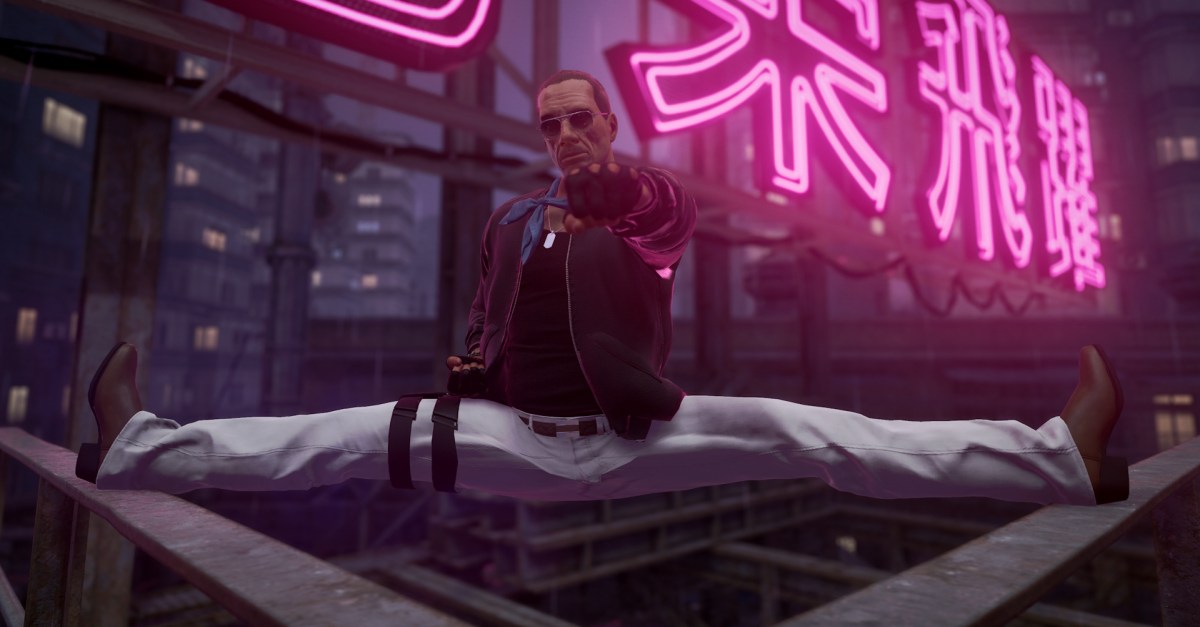
“The Splitter,” as the new content is known, features Van Damme in the role of Max Valliant, a former ICA agent who somehow avoided a previous assassination attempt several years prior. Agent 47 will need to infiltrate the rainy streets and underground data facility of Chongqing, China as he escorts an ICA board member, susses out Valliant’s “sinister agenda,” and finally puts the fellow assassin down for good.
“Max Valliant is quite the entertaining character, bringing a lot of action movie villain energy, he is ruthless, and of course, he can do the split!” Van Damme said, referring to own penchant for performing the splits in his movies and stunts. “The Splitter is a thrilling mission and like in any good action flick, Hitman players will have a few surprises, but I’ll let them find out by themselves.”
Like all elusive targets, The Splitter cannot be attempted again if failed (restarting is always allowed, of course) and has a hard end date, this time Jan. 12, 2025. Paid downloadable content will provide endless retries in arcade mode as well as a new SMG, kukri knife, and cosmetics based on the mission. And finally, the new “Season of the Splitter” roadmap will feature three missions developed by the Hitman community, new featured contracts, and the return of past elusive targets.