Johnny Cage (Karl Urban) will have to wait for showtime just a little longer than originally anticipated, as Mortal Kombat II will bow out of 2025’s fall movie release schedule, instead opening in May 2026.
The Warner Bros., New Line, and Atomic Monster production was originally slated to be released on October 24 of this year, but that is no longer the case. According to Deadline, it’s not a reflection of the film’s quality, as the trade reports the film has been testing well, but rather a pivot to bank on the success of the early summer window it saw with Final Destination Bloodlines. The New Line horror flick cultivated a solid box office debut of $51.6 million after opening in mid-May.
With that in mind, the sequel to 2021’s Mortal Kombat will now open on May 15, 2026.
The film stars Urban as Cage—a casting many have been anticipating since the first movie—and will feature returning stars Lewis Tan (Cole Young), Ludi Lin (Liu Kang), Jessica McNamee (Sonya Blade), Mehcad Brooks (Jax), Josh Lawson (Kano), Chin Han (Shang Tsung), Joe Taslim (Bi-Han), Tadanobu Asano (Lord Raiden), and Hiroyuki Sanada (Hanzo Hasashi and Scorpion). The ensemble is joined by newcomers Tati Gabrielle (Jade) and Adeline Rudolph (Kitana).
The ecosystem of LLM inference frameworks has been growing rapidly. As models become larger and more capable, the frameworks that power them are forced to keep pace, optimizing for everything from latency to throughput to memory efficiency. For developers, researchers, and enterprises alike, the choice of framework can dramatically affect both performance and cost.
In this blog, we bring those considerations together by comparing SGLang, vLLM, and TensorRT-LLM. We evaluate how each performs when serving GPT-OSS-120B on 2xNVIDIA H100 GPUs. The results highlight the unique strengths of each framework and offer practical guidance on which to choose based on your workload and hardware.
Overview of the Frameworks
SGLang: SGLang was designed around the idea of structured generation. It brings unique abstractions like RadixAttention and specialized state management that allow it to deliver low latency for interactive applications. This makes SGLang especially appealing when the workload requires precise control over outputs, such as when generating structured data formats or working with agentic workflows.
vLLM: vLLM has established itself as one of the leading open-source inference frameworks for serving large language models at scale. Its key advantage lies in throughput, powered by continuous batching and efficient memory management through PagedAttention. It also provides broad support for quantization techniques like INT8, INT4, GPTQ, AWQ, and FP8, making it a versatile choice for those who need to maximize tokens per second across many concurrent requests.
TensorRT-LLM: TensorRT-LLM is NVIDIA’s TensorRT-based inference runtime, purpose-built to extract maximum performance from NVIDIA GPUs. It is deeply optimized for Hopper and Blackwell architectures, which means it takes full advantage of hardware features in the H100 and B200. The result is higher efficiency, faster response times, and better scaling as workloads increase. While it requires a bit more setup and tuning compared to other frameworks, TensorRT-LLM represents NVIDIA’s vision for production-grade inference performance.
Framework
Design Focus
Key Strengths
SGLANG
Structured generation, RadixAttention
Low latency, efficient token generation
vLLM
Continuous batching, PagedAttention
High throughput, supports quantization
TensorRT-LLM
TensorRT optimizations
GPU-level efficiency, lowest latency on H100/B200
Benchmark Setup and Results
Benchmark Setup and Results
To evaluate the three frameworks fairly, we ran GPT-OSS-120B on 2x NVIDIA H100 GPUs under a variety of conditions. The GPT-OSS-120B model is a large mixture-of-experts model that pushes the boundaries of open-weight performance. Its size and complexity make it a demanding benchmark, which is exactly why it is ideal for testing inference frameworks and hardware.
We measured three main categories of performance:
Latency – How fast the model generates the first token (TTFT) and how quickly it produces subsequent tokens.
Throughput – How many tokens per second can be generated under varying levels of concurrency.
Concurrency scaling – How well each framework holds up as the number of simultaneous requests increases.
Latency Results
Let’s start with latency. When you care about responsiveness, two things matter most: the time to first token and the per-token latency once decoding begins.
Here’s how the three frameworks stacked up:
Time to First Token (seconds)
Concurrency
vLLM
SGLang
TensorRT-LLM
1
0.053
0.125
0.177
10
1.91
1.155
2.496
50
7.546
3.08
4.14
100
1.87
8.991
5.467
Per-Token Latency (seconds)
Concurrency
vLLM
SGLang
TensorRT-LLM
1
0.005
0.004
0.004
10
0.011
0.01
0.009
50
0.021
0.015
0.018
100
0.019
0.021
0.049
What this shows:
vLLM was consistently the fastest to generate the first token across all concurrency levels, with excellent scaling characteristics.
SGLang had the most stable per-token latency, consistently around 4–21 ms across different loads.
TensorRT-LLM showed the slowest time to first token but maintained competitive per-token performance at lower concurrency levels.
Throughput Results
When it comes to serving lots of requests, throughput is the number to watch. Here’s how the three frameworks performed as concurrency increased:
Overall Throughput (tokens/second)
Concurrency
vLLM
SGLang
TensorRT-LLM
1
187.15
230.96
242.79
10
863.15
988.18
867.21
50
2211.85
3108.75
2162.95
100
4741.62
3221.84
1942.64
One of the most important findings was how vLLM achieved the highest throughput at 100 concurrent requests, reaching 4,741 tokens per second. SGLang showed strong performance at moderate to high concurrency (50 requests), while TensorRT-LLM demonstrated the best single-request throughput but lower scaling at extreme concurrency.
Framework Analysis and Recommendations
SGLang
Strengths: Stable per-token latency, strong throughput at moderate concurrency, good overall balance.
Weaknesses: Slower time-to-first-token at single requests, throughput drops at 100 concurrent requests.
Best For: Moderate to high-throughput applications, scenarios requiring consistent token generation timing.
vLLM
Strengths: Fastest time-to-first-token across all concurrency levels, highest throughput at extreme concurrency, excellent scaling.
Weaknesses: Slightly higher per-token latency at high loads.
Best For: Interactive applications, high-concurrency deployments, scenarios prioritizing fast initial responses and maximum throughput scaling.
TensorRT-LLM
Strengths: Best single-request throughput, competitive per-token latency at low concurrency, hardware-optimized performance.
Weaknesses: Slowest time-to-first-token, poor scaling at high concurrency, significantly degraded per-token latency at 100 requests.
Best For: Single-user or low-concurrency applications, scenarios where hardware optimization matters more than scaling.
Conclusion
There is no single framework that outperforms across all categories. Instead, each has been optimized for different goals, and the right choice depends on workload and infrastructure.
Use vLLM for interactive applications and high-concurrency deployments requiring fast responses and maximum throughput scaling.
Choose SGLang when moderate throughput and consistent performance are needed.
Deploy TensorRT-LLM for single-user applications or when maximizing hardware efficiency at low concurrency is the priority.
The key takeaway is that choosing the right framework depends on workload type and hardware availability, rather than looking for a universal winner. Running GPT-OSS-120B on NVIDIA H100 GPUs with these optimized inference frameworks unlocks powerful options for building and deploying AI applications at scale.
It’s worth noting that these performance characteristics can shift dramatically depending on your GPU hardware. We also extended the benchmarks to B200 GPUs, where TensorRT-LLM consistently outperformed both SGLang and vLLM across all metrics, thanks to its deeper optimization for NVIDIA’s latest hardware architecture.
This highlights how framework selection isn’t just about software capabilities—it’s equally about matching the right framework to your specific hardware to unlock maximum performance potential.
Bonus: Serve a Model with Your Preferred Framework
Getting started with these frameworks is simple. With Clarifai’s Compute Orchestration, you can serve GPT-OSS-120B or any other open-weight models or your own custom models from your preferred inference engine, whether it is SGLang, vLLM, or TensorRT-LLM.
From setting up the runtime to deploying a production-ready API, you can quickly go from model to application. The best part is that you are not locked into a single framework. You can experiment with different runtimes, and choose the one that best aligns with your performance and cost requirements.
This flexibility makes it easy to integrate cutting-edge frameworks into your workflows and ensures you are always getting the best possible performance from your hardware. Check out the documentation to learn how to upload your own models.
Yooka-Replaylee, , will be available on October 9. It’ll be playable on PC, Xbox Series X/S, PS5 and Switch 2. It’s getting both a digital and physical release, and preorders for the physical versions are up right now.
Speaking of physical copies, the Switch 2 version will include the full game on the cartridge and no game-key card. Nintendo has given developers the option to release cartridges that are basically empty shells, called game-key cards, that require an immediate download upon being slotted in the console. Collectors aren’t exactly keen on this practice, so an actual cartridge release for Yooka-Replaylee is a welcome bit of news.
This is a remade and enhanced version of Yooka-Laylee, which was itself an like Banjo-Kazooie. Developer Playtonic is staffed with people who worked on Rare titles like the aforementioned Banjo and the Donkey Kong Country games.
Yooka-Replaylee brings some new features to the table, including updated challenges, a fully orchestral soundtrack and, of course, more stuff to collect. There’s also a bigger map, a refined story and enhanced graphics. It looks pretty nifty.
The digital version of the game will cost $30, while physical copies will cost $50. There’s a promotion going for long-time fans, as those who already own the game will get 30 percent off so long as they buy the remaster on the same platform family as the original. This means Switch to Switch 2, PS4 to PS5 and Xbox One to Xbox Series X/S.
Windows 11, Visual Studio 2022.
The code below works with two monitors, left (#1) and right = #2, main).
The console window defaults to the main monitor (#2). Using the code below I can successfully place the console window in the left monitor (#1).
Using three monitors (#1, #2, #3), the console window always locates in the main window, no matter what coordinates I give. (they are completely ignored with 3 monitors).
bool SetConsolePosition(const int x, const int y, const int width, const int height)
{
    HWND console = GetConsoleWindow();
    if (console == NULL)
        return false;
    ShowWindow(console, SW_SHOW);
    return SetWindowPos(console, nullptr, x, y, width, height, SWP_NOZORDER | SWP_NOACTIVATE);
}
int main()
{
    bool result;

    result = SetConsolePosition(-2000, 100, 800, 600); // Returns true
    return 0;
}
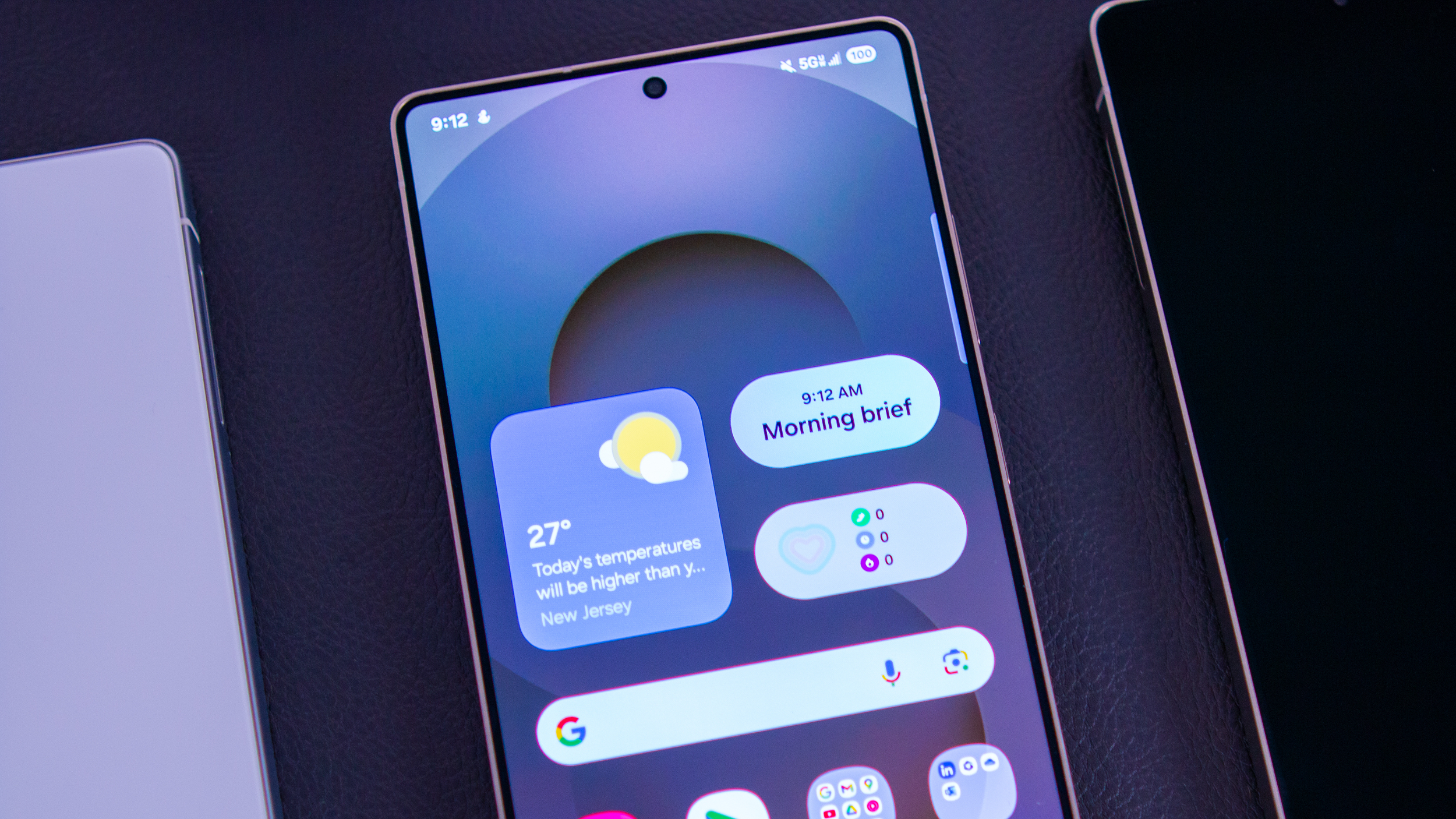
Samsung is rolling out a SmartThings update for Family Care that lets caregivers (son, daughter, etc.) stay in the loop about their loved one.
Now, users can keep tabs on a person’s “Activity,” getting insight into when they’ve used the TV and other appliances, and get alerts if nothing’s been used for a set amount of time.
Caregivers can also set schedules for their parents and reminders about when to eat and take their medicine.
Samsung’s SmartThings, which typically connects its smart devices, brought a Family Care feature last year, and it’s not receiving an important update.
Earlier today (Aug 28), Samsung posted an update about its SmartThings Family Care feature, as it’s receiving new features to better support families. One of the areas Samsung is trying to streamline is its link for “effortless” check-ins. Now, the person responsible for taking care of you (son, daughter, etc.) can send you a text message with a link to Family Care.
After receiving, the mother/father/grandparent can accept and agree to Samsung’s standard consent options for health data gathering and more. Once that’s complete, everything is set. Samsung states this streamlined approach should make it easier for those unfamiliar with using apps, as the steps required are quite minimal and straightforward.
The newest update also allows “families to define caregiver and care recipient roles more clearly.” Through this, preferences on what you’d like to be kept in the loop about become clearer.
(Image credit: Samsung)
Family Care is a part of SmartThings, so that means it’s connected to other smart home appliances the care recipient has around them. Samsung says users can decide which appliances the caregiver would like to stay informed about. Say, your mother has a TV at home and she typically watches it in the afternoon for her shows.
If an appliance hasn’t been used for a while, Family Care can send an alert to the caregiver. The alert will let the caregiver “respond immediately,” via phone call or text. Family Care’s update lets users fine-tune how long down periods should be and which appliances they’d like to remain informed about.
This is all wrapped under the recipient’s “Activity” logs.
Get the latest news from Android Central, your trusted companion in the world of Android
Keeping track & Staying informed
(Image credit: Samsung)
Staying connected with our loved ones is important, especially when we’re responsible for their well-being. Family Care is bringing a familiar feature, alerts that inform you when your loved one has left or arrived at a cataloged location. Additionally, there’s a map where you can see where they’ve gone and the path traveled.
Lastly, daily meals and medicine at certain times are crucial. The Family Care update lets users set up schedules and reminders of when they should eat and take their medicine, so sudden scares are (hopefully) avoided. These updates should be rolling out soon for Galaxy devices, so keep your eyes peeled.
I almost never travel with VR headsets, no matter how many times I’ve been told flying with a Vision Pro to watch movies is great, or how headsets can help you make a virtual computer desktop on the road. But I took one with me for my last three-week trip, and there was only one reason why: it was my fitness gear.
I’ve been working on losing weight the last year, and increasing my exercise. VR workouts have become a part of my regimen, because they’re motivating, they don’t need a lot of equipment and I can do them in my home without visiting a gym. I use Supernatural, Meta’s subscription fitness service, and the classic Beat Saber, with some others in the mix, too.
For my latest trip I realized I should keep the momentum going, and that the Quest 3 VR headset wasn’t that hard to pack along with me. I carry my CPAP machine with me, after all, so I can carry a Quest.
I’m glad I did, because I got in some workouts in an otherwise sedentary overseas family trip, and it even motivated me to get out and walk more. But it also reminded me of something I’ve thought of for over a year. Meta’s just not advancing fitness in VR like it should.
Hey Meta, get your butt off the couch
The potential for VR to work as a fitness accessory is massive. I’ve already seen the impact in my own health. With Supernatural’s heart rate tracking support via a phone app that connects to devices like Apple Watch, it lets me keep an eye on intensity. Mixed reality modes can work functionally to keep me aware of my environment more safely. I use mixed reality mode all the time in Supernatural for this reason.
And yet, problems remain. Of course, a big one is still headset size and weight, and the weirdness of sweating into goggles strapped over your head. There are ways to mitigate this, like a silicone face piece I use to help repel sweat or a visor-type rigid strap that elevates the headset away from my cheeks a bit. I’d like something even lighter with better ventilation, more fitness-optimized.
Battery life also is far from ideal. The two hours of average Quest battery is more than enough for any workout (I only do half an hour), but the battery life on the Quest 3 I’ve been using has been dipping since using it two years ago. One workout could wipe out as much as 40% of my battery now.
Supernatural, Meta’s premier subscription fitness app, hasn’t been progressing much over the last few years.
Within
I have bigger issues with how slowly software and services are evolving, though. When I spoke with former Horizon VR head Mark Rabkin last year about the untapped potential for more fitness in VR, he only called the territory a “stable grower.” And that’s how it feels, at least as far as Meta’s investments in the zone: flat.
Supernatural has seen cuts in staff and budget this year, and I’ve noticed the community in Facebook’s Supernatural group seeing the changes. I’ve seen it too, and for a subscription app that’s meant to promise a mix of music and coaching in consistently creative new routines, it’s a disappointment.
What’s also disappointing and concerning was Meta’s removal of its own fitness tracking app on Quest, called Move this spring. I used to be able to track how many active minutes I’d been using the headset for, which helped me meet my half hour goals. Now I use an Apple Watch timer.
Meta hasn’t made any headway with folding in more organic support for watches or fitness apps, either. While Supernatural can track my heart rate, it’s an outlier. The Quest should natively pair with watches and heart rate trackers across the board and deliver readouts in whatever app you’d like. I want more than that, too: estimated steps, calorie burn, graphs. In short, I want the Quest to do what fitness tracking watches can already do. With the Quest, I’m settling for less in exchange for immersiveness.
Google and Apple are catching up fast
If Meta doesn’t move fast here, it could find itself lapped by the competition. Google’s Android XR could easily find ways to integrate fitness and health features in upcoming headsets and glasses, especially with Fitbit already part of the picture. Apple, too, could flip the switch and add music and fitness to its own future headsets whenever it feels like it wants to. Apple’s likely waiting for more affordable and lighter-weight headsets before making that move, but I’d be absolutely shocked if it didn’t happen.
The Quest 3 and 3S design is compact, but it’s still not ideally constructed for fitness. Will Meta ever invest further, or pull back?
Numi Prasarn/CNET
Fitness is also, to me, the killer app of VR more than anything else. I can’t get a holographic coach and movement-aware activities anywhere else. When it’s good, it’s like a magic portable gym. And whatever company can ace that experience will have a killer pitch to the people who already spend hundreds or even thousands on fitness equipment and gyms, who might find it a lot more justifiable to spend up than would-be VR gamers or movie watchers.
I expect Meta to add fitness and health functions to its XR devices at Meta’s VR, AR and AI-focused Connect developer conference this September. The company’s latest Oakley smart glasses are clearly sports-focused. And when I asked Meta’s wearable head, Alex Himel, whether more fitness and sports features would be coming to Meta’s hardware, he told me to stay tuned to Connect.
Meta might choose to emphasize fitness hook-ins to its smart glasses, including an expected pair later this year with wrist-based controls and a display. Maybe there will be integrations with watches and fitness apps to track or start workouts, or even, as rumored, Meta might even make its own watch. I hope Meta doesn’t forget about its VR devices, though. Virtual workouts are a very real and useful present tool, and I want them to be even better in the future. Now is the time to make it happen, because if Meta doesn’t move faster, someone else will.
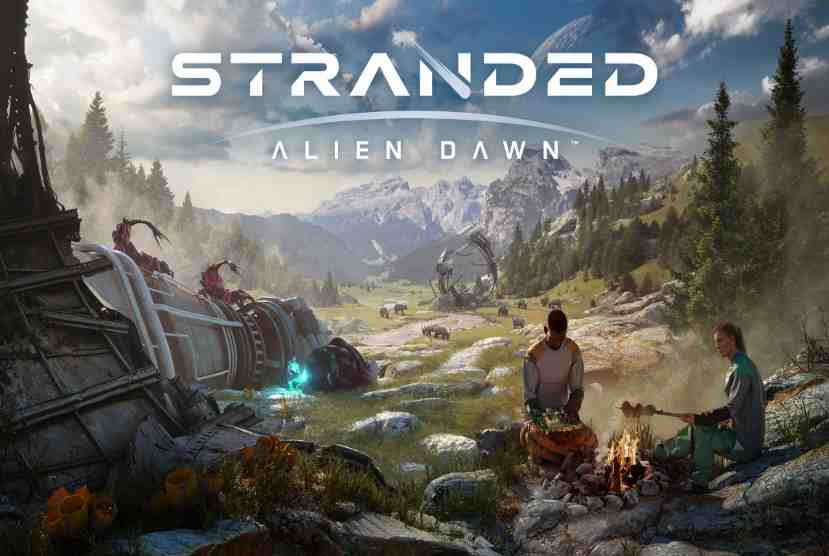
Brave a new world in Stranded: Alien Dawn, a planet survival sim placing the fate of a small marooned group in your hands. Forge your story through compelling and immersive strategic gameplay as you make vital decisions to protect your survivors from starvation, disease, extreme weather and more. From basic camps to fortified bases, create a stronghold to defend the survivors from attacks by alien creatures that roam an expansive and deadly alien world. Experience an epic and unpredictable journey. Discover an expansive, living 3D world with remarkable flora and fauna Manage your survivors’ needs, health and happiness Construct and evolve your own unique base, and devise cunning defences to protect it and survivors from being attacked. Pizza Bandit
Plant, grow, harvest and hunt down food. Stockpile useful resources and salvage material from fallen space debris Research technologies to expand your horizons. Provide heat, light, devices for relaxation and more to keep survivors on top of their game, ready to face the next challenge. React to fluctuating weather and environmental events Stranded: Alien Dawn pushes you and your survivors to the brink. Limited resources, unpredictable weather, illness and hostile alien creatures make it hard to establish a foothold on an unforgiving world. The next challenge is never far away, requiring construction of an increasingly robust base using advanced resources and improved defences.
Features and System Requirements:
Base Building – Construct and expand shelters, defenses, and workstations to adapt to the environment.
Resource Management – Gather and refine materials, hunt wildlife, farm alien crops, and research technologies.
Dynamic Environment – Face changing weather, seasons, and natural disasters that impact survival strategies.
Character Development – Each survivor has unique skills, traits, and backstories that affect their efficiency and morale.
Screenshots
System Requirements
Recommended
Requires a 64-bit processor and operating system
OS: Windows 10, 11 64bit
Processor: Intel Core i5-10600K or AMD Ryzen 7 2700
Memory: 16 GB RAM
Graphics: GeForce RTX 2060 or Radeon RX 5600 XT
DirectX: Version 12
Storage: 15 GB available space
Support the game developers by purchasing the game on Steam
Installation Guide
Turn Off Your Antivirus Before Installing Any Game
1 :: Download Game 2 :: Extract Game 3 :: Launch The Game 4 :: Have Fun 🙂
MAICON brings together top visionaries and experts in the field of AI during a three-day conference packed with actionable sessions and networking events—all to position you as the change agent your organization (and career) needs. In this ongoing speaker series, we’re featuring these extraordinary leaders, with forward-looking predictions, actionable tips you can use today, and a preview of their MAICON 2025 sessions. Continue reading “How to Use AI to Transform Your Content Marketing with Brian Piper [MAICON 2025 Speaker Series]”
Due to advancing technology, every device and every appliance features its unique capabilities. Within your proximity, you can already identify five devices within your reach. But this goes beyond the usual things we see every day. Nowadays, we have electronic toothbrushes, electronic vehicles, robotic vacuums, etc. But of course, every good side has its downside. When you try to use a different battery for a camera, it doesn’t fit, or imagine cramming a heart rate sensor, GPS, cellular connectivity, and a day’s worth of battery life into something smaller than a traditional watch face.
It’s like playing Tetris, except the pieces are expensive, the consequences are high, and if you mess up, thousands of customers will roast you on social media.
Most of the time, this can be really overwhelming. To help you with the process and development, the leading agency for 3D professionals and experts, Cad Crowd, is here to help you. With over 102,000 pool of talents, you’ll have no hard time selecting the best team for you with an affordable budget, while still getting quality work.
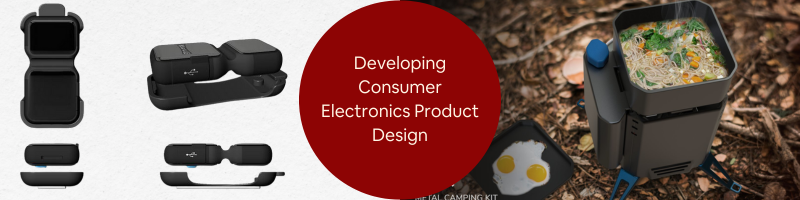
Are you ready to know more about developing consumer electronics product design with 3D rendering? Let’s start.
🚀 Table of contents
The old days were expensive and slow
Here’s how product development used to work, and why it was such a pain. You’d have an idea for a new gadget – let’s say a fitness tracker. First, you’d sketch it out, maybe build a cardboard mockup to get a feel for the size. Then comes the expensive part: building actual prototypes.
Every single variation required its own physical prototype. Want to test three different button layouts? That’s three prototypes. Five different color schemes? Five more. Different battery sizes? You get the idea. Each one could cost anywhere from a few hundred to several thousand dollars, depending on complexity.
I remember talking to a startup founder who spent $50,000 just on prototype design services for a simple Bluetooth speaker. They went through dozens of iterations trying to get the acoustics right while keeping the size reasonable. Half of those prototypes never even got tested because they ran out of money.
Then there was the time factor. Building prototypes takes weeks. Shipping them between teams takes more time. Testing reveals problems, so you build new prototypes, which takes more weeks. Meanwhile, competitors are moving ahead, and that brilliant idea you had six months ago is starting to look less brilliant.
What is 3D rendering and its importance in consumer electronics
3D rendering basically lets you build incredibly detailed virtual prototypes instead of expensive physical ones. But calling it “virtual” makes it sound fake or simplified. These aren’t cartoon drawings – modern 3D renderings are so realistic that you literally can’t tell them apart from professional photographs.
A friend of mine works at a consumer electronics company, and she told me about their latest smartwatch project. Instead of building dozens of physical prototypes to test different internal layouts, they created everything digitally first. They could move components around, test different arrangements, even simulate how heat would flow through the device – all on a computer.
When they finally built their first physical prototype, it worked almost perfectly. No major surprises, no expensive redesigns, no scrambling to meet deadlines. The whole process took half the time and cost about a quarter of what it would have using traditional methods.
But here’s what really blew my mind: they were creating marketing materials before the product even existed. Professional-looking photos, 360-degree product views, and even videos showing how different features worked. All generated from 3D modeling design services.
Role of 3D rendering in consumer electronics
Last year, an automotive company needed approval from its board for a new dashboard design. Instead of building expensive physical mockups, they created photorealistic 3D renderings of three different options. Board members could see exactly how each design would look in different lighting conditions, how materials would age over time, and even how buttons would feel to press (through haptic feedback simulations).
They made their decision in a single meeting. No back-and-forth, no “let’s see another version,” no delays. The whole approval process took two weeks instead of two months.
Another example: a furniture company was developing a new line of office chairs. They needed to show potential investors how different color and material combinations would look in various office environments. Rather than producing dozens of physical samples, they used 3D visualization services to create scenes showing each chair variant in different settings – modern offices, traditional boardrooms, home workspaces, even outdoor patios.
The investors could see not just the chairs themselves, but how they’d actually look in real-world situations. It was more convincing than physical samples because they could visualize the complete picture.
How would you develop consumer electronics product design?
Creating these digital masterpieces starts with 3D modeling – basically sculpting with math instead of clay. Every surface, every curve, every tiny detail gets defined precisely. It’s tedious work that requires patience and an eye for detail.
In texturing, surfaces start looking like real materials instead of plastic computer graphics. Getting textures right is an art form. The difference between aluminum that looks fake and aluminum that looks real comes down to understanding how light behaves when it hits different surface finishes.
Lighting design services are where things get really complicated. Real-world lighting is messy and unpredictable. Light bounces off surfaces, creates reflections, and changes color based on what it hits. Good 3D artists spend years learning to recreate these effects digitally.
The actual rendering process is where powerful computers take over. Modern software can simulate incredibly complex physics – how different materials interact with light, how transparent objects distort what’s behind them, how metallic surfaces create reflections. Some renderings can take hours or even days to complete, but the results are worth it.
Why companies are going all-in
The cost savings are obvious, but they’re just the beginning. Traditional product photography requires physical samples, professional photographers, studio time, equipment rental, and extensive post-production work. For companies launching multiple product variants, these costs multiply quickly.
But the real advantage is speed. Need to change a product’s color? That’s a few hours of computer work instead of weeks of reshooting. Want to show how the product looks in different environments? Create new digital backgrounds instead of finding new locations.
The flexibility is incredible. Companies can create marketing campaigns for products that exist only as ideas. They can test market reactions to different designs before committing to manufacturing. They can even let customers customize products and see exactly what they’ll get before ordering.
I’ve seen companies use 3D rendering design services to create interactive experiences where customers can rotate products, zoom in on details, and even see exploded views showing internal components. It’s like having a showroom that fits on a website.
The electronics device design industry never sleeps, and 2025 is turning out to be particularly interesting. Artificial intelligence is getting smarter, but it’s being adopted unevenly across different types of products. Some applications are ready for mainstream use, while others are still experimental.
Energy costs keep climbing, which is creating demand for smart home products that help people track and reduce their power usage. Companies that can make energy management simple and intuitive are finding eager customers.
TV sizes keep getting bigger, which is pushing display technology in interesting directions. What started as a quest for larger screens has led to improvements in resolution, color accuracy, and energy efficiency that benefit lots of other products.
The computer market is experiencing some interesting shake-ups due to changes in processor technology. Companies that can adapt quickly to new chip architectures are gaining significant advantages over slower competitors.
Smart home devices are getting much better at understanding their environment thanks to advances in sensor technology. The latest products can detect subtle changes in temperature, humidity, air quality, and even human behavior patterns, then respond appropriately.
Developing a new consumer electronics product
Companies that have figured this out are following more systematic approaches. Instead of jumping straight into design, they’re spending more time upfront researching markets, understanding customer needs, and identifying opportunities for genuine innovation rather than just copying what competitors are doing.
The concept development phase has become much more sophisticated. Teams can create detailed product concepts with realistic 3D visualizations services, test how components fit together, and identify potential problems before ordering expensive parts. Project timelines now account for the flexibility that 3D rendering provides. Companies can run multiple design tracks simultaneously, make rapid changes based on feedback, and compress development cycles without cutting corners on quality.
Testing has become more focused, too. Instead of discovering basic design flaws during physical testing, companies can use that time to validate performance characteristics and fine-tune user experience details. Even manufacturing benefits from better upfront design work. Production teams can review detailed 3D models to spot potential manufacturing challenges and suggest modifications that make products easier to build without compromising functionality.
3D rendering has transformed from a supplementary tool into a vital necessity for maintaining competitiveness. Firms that excel with these technologies can create products more swiftly, cost-effectively, and with fewer unexpected challenges. The most thriving companies will be those able to iterate rapidly, obtain valuable feedback early, and launch attractive products to market before their rivals. 3D rendering lays the groundwork for this type of fast-paced development cycle.
We’re still in the early stages of this transformation. As rendering technology continues improving and computers get more powerful, the line between digital prototypes and physical products will keep blurring. Companies that embrace this change now will have a significant advantage over those that wait. The future belongs to organizations that can move fast without breaking things – and 3D rendering is making that possible in ways we couldn’t have imagined just a few years ago.
MacKenzie Brown is the founder and CEO of Cad Crowd. With over 18 years of experience in launching and scaling platforms specializing in CAD services, product design, manufacturing, hardware, and software development, MacKenzie is a recognized authority in the engineering industry. Under his leadership, Cad Crowd serves esteemed clients like NASA, JPL, the U.S. Navy, and Fortune 500 companies, empowering innovators with access to high-quality design and engineering talent.
Metal Gear Solid Delta: Snake Eater is available now on PlayStation 5, Xbox Series X|S, and PC. If you haven’t picked up a physical copy for PS5 or Xbox Series X, there’s still time to get the Tactical Edition for either platform. And depending on your location, you may be able to start playing as soon as Friday by ordering from Amazon or Walmart. The Tactical Edition includes a voucher for the Sneaking DLC Pack, which unlocks 10 cosmetics for Solid Snake, including six alternate suits. The Sneaking DLC Pack is sold separately for $15, so you might as well get it for free while you can.
Metal Gear Solid Delta: Snake Eater – Tactical Edition:
If you were hoping to secure the hard-to-find Collector’s Edition on launch day, it’s technically available at Walmart for PS5. I said “technically” because Walmart is currently charging $329.90 for the Collector’s Edition–$130 above MSRP. It’s not a seller on Walmart’s marketplace; The Collector’s Edition is sold and shipped by Walmart at this price. In case you can’t see it on your end–Walmart sometimes limits items to specific regions across the US–I’ve attached a screenshot at the bottom of this article
Earlier tonight, Walmart’s price was $337.86 for Xbox and PS5. The Xbox edition seemingly sold out, and it seems like people are indeed paying this much for the PlayStation version, too. Perhaps people are banking on Walmart providing a partial refund for charging too much. I wouldn’t count on that, but hey, Walmart does offer free 30-day returns, so you wouldn’t be stuck with it if you decide $330 is too much.
Metal Gear Solid Delta: Snake Eater Collector’s Edition
Metal Gear Solid Delta: Snake Eater Collector’s Edition
The Collector’s Edition comes with the Tactical Edition and Sneaking DLC Pack. It’s not surprising the Collector’s Edition has been so difficult to find in stock. The Terrarium Diorama and exclusive steelbook are very cool. The diorama recreates a scene from the game’s first mission, and the steelbook has Yoji Shinkawa’s artwork from the original Metal Gear Solid 3: Snake Eater.
As they often do, Walmart and Amazon have undercut the competition by one dollar for the Tactical Edition on PS5 and Xbox Series X. It’s worth emphasizing that the Tactical Edition is a special launch edition. At some point, whenever retailers sell through their inventories, the next batch of physical copies will be standard editions without the Sneaking DLC voucher in the box.
Sneaking DLC Pack:
The 10-item cosmetics bundle includes six suits, two masks, and two alternate face camos. Two of the suits are from Metal Gear Solid: Peace Walker. You can also make Snake cosplay as a crocodile.
The 25% discount on Steam keys at Fanatical applies to both the standard and Digital Deluxe Editions. Just keep in mind that one of the main perks of the Digital Deluxe Edition was two-day early access. The other perk is the Sneaking DLC Pack.
Disclosure: GameSpot and Fanatical are both owned by Fandom.






![How to Use AI to Transform Your Content Marketing with Brian Piper [MAICON 2025 Speaker Series]](https://www.fazb.com.sa/wp-content/uploads/2025/08/How-to-Use-AI-to-Transform-Your-Content-Marketing-with.png)