In millwork projects, one of the most important and critical foundations is its shop drawings. Only then will the project be successful if the shop drawings provided can smoothly translate the architect’s design into a technical instruction. This way, the fabricators or manufacturers can easily understand how it’s supposed to be installed or produced.
It is important that the shop drawings are accurate and detailed enough to reduce errors. For this to be ensured, businesses look for drafting services to do the work. Cad Crowd can help in seamlessly connecting firms to skilled drafters, ensuring they are screened and suitable for the work.
🚀 Table of contents
Understanding the purpose of millwork shop drawings
One could mistake shop drawings for architectural blueprints, but these two are entirely different. The difference lies in the purpose of each. Architectural plans show what the project will look like, while shop drawings explain how it will be built.
RELATED: Millwork Drawings for Drafting and Design: Complete Cost, Rates, and Fees for Firms and Companies
The shop drawings contain detailed information, including finishes, materials, joints, and every fitting and connection required for its production. This helps fabricators understand the components they need to make it. It is important that everything is clearly stated and detailed before production begins.
The essential components of a shop drawing
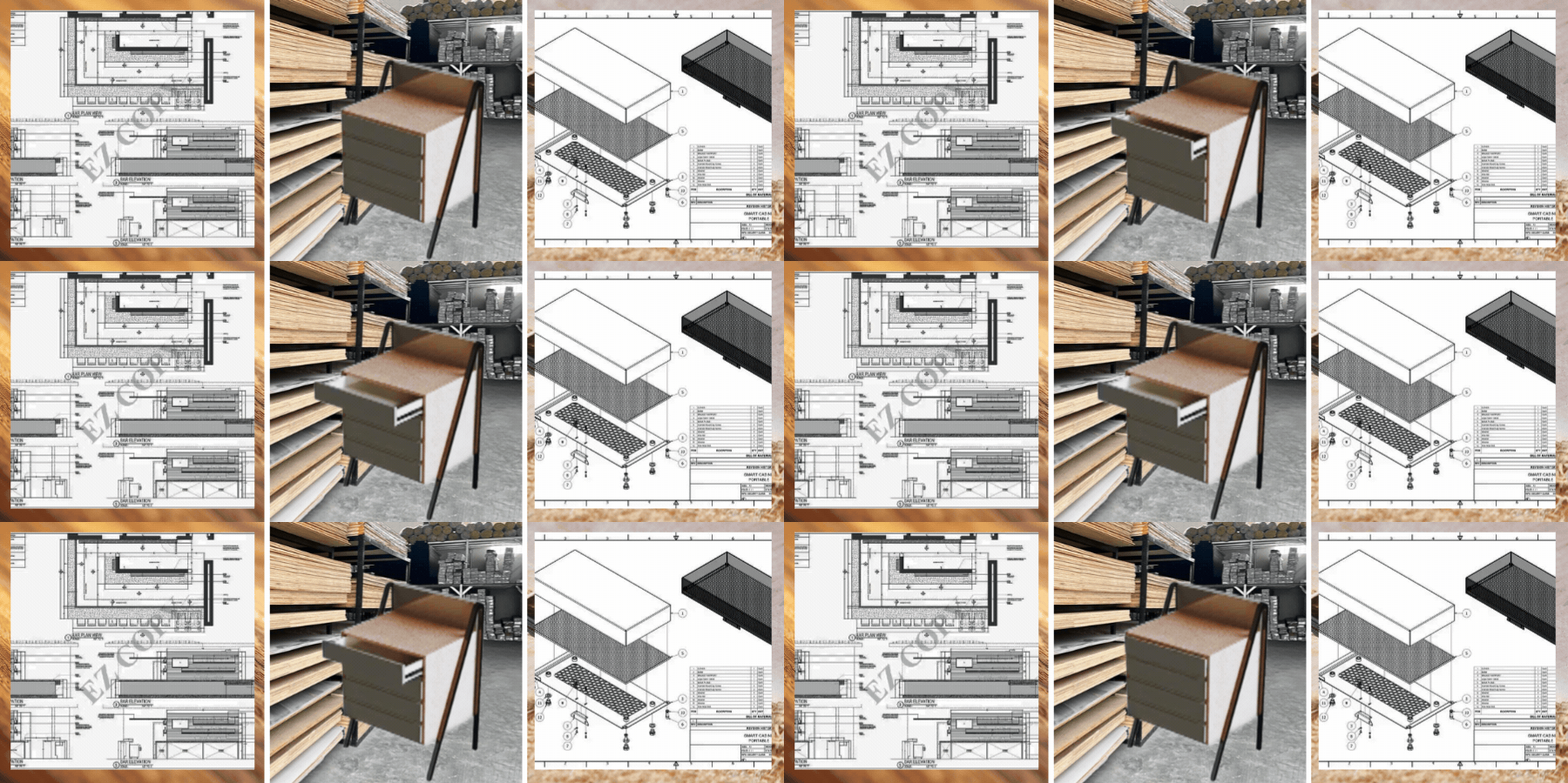
Shop drawing comprises several drawings and includes the plans, elevations, sections and spot drawings or callouts. The call-out drawings zoom in on parts or areas to show specific details. Each view is important to present and detail so there’s no room for guesswork.
The drawings do not only show what it looks like but also contain material and finish information. It has the dimensions, sizes, and everything that defines the design. It is important not to leave out any detail. Consistency and accuracy are very critical to ensure the intended quality and outcome of the work.
Dimensions is non-negotiable
Dimensional accuracy is non-negotiable in shop drawings. Fabricators heavily rely on the dimension stated in the shop drawings, so whenever there’s an error, even a small one, can pose massive problems. Any small error can lead to rework, wasted resources and delay in production.
RELATED: How Architectural Millwork Drawings Services are Essential for CAD Drafting Companies
Because of this, shop drawings are prepared to a certain level of detail and accuracy, and fabricators sometimes have to verify and check site and field conditions to ensure the measurements align with realistic conditions.
Software proficiency: AutoCAD vs. Microvellum
Drafting companies take advantage of modernization and use different methods according to its scalability and purpose. AutoCAD is used to allow flexibility and compatibility. It is user-friendly and ideal for creating clear and precise drawings. Since this is commonly used, it is easier to share files among designers and engineers.
Meanwhile, there are other software like Microvellum or Cabinet Vision that are meant for large-scale production. It goes beyond just the drawings and can connect directly to CNC machines. As a result, the components can be conveniently cut and drilled according to the provided design data.
The role of section details in fabrication
Section views are cutaways of the project. It shows what it looks like inside. It shows parts, connections, and supports, fully giving a clear understanding of how the project is built from the inside out.
These views are important to reduce the difficulty of guesswork and interpretation when assembling the parts. It serves as a reference and guide for correctly piecing together the millwork. This maintains the millwork’s overall quality.
RELATED: How Do Companies Use Millwork Shop Drawings for 3D Furniture Modeling and Design?
Incorporating hardware and integrated components
Millworks service are not limited to just wood, they go beyond it. There are now designs that are a mix of glass, stone, and metal. It all depends on the intended aesthetics and functionality. All these material elements should be correctly specified in the shop drawings.

Not only that, but even the small elements considered as hardware and fastenings are to be specified. These include hinges, pulls, handles, drawer slides, and sometimes even the cable management is detailed in the drawing. Ensuring all this helps in delivering the production and installation as intended.
Coordination with other trades
In doing shop drawings, it is not limited to one trade. This is collaborative work among other trades as well to ensure that there would be no clashes. The drafter should coordinate with other trades on the project to verify and account for locations for each. This helps the drafter fit in the elements,
It is critical that clashes are completely out of the picture to ensure that there are no possible risks during production or fabrication. Having clear drawings sets how successful the construction would be.
RELATED: How Architectural Millwork Design and Drafting Services Can Easily Achieve Company Success
Submittal and approval workflow
Submitting drawings does not mean it’s all done. It has to follow the submittal and approval workflow. This is where the architects or the project manager in charge checks the drawing and provides feedback.
Not all drawings are approved all at once; they could still have several iterations and revisions. This just means that the quality has to be prioritized before approval. Being meticulous in checking is critical since every detail and dimension has to be accurate. Once the design is approved, it will be ready for production or construction.
Common red flags in drafting services
When exploring and sourcing millwork drafting firms, one of the warning signs is how they approach the task. When they do not ask for a site or field visit, it means they’ll rely solely on architectural plans. Doing this is prone to guesswork and assumptions.
One can also notice the way they collate their drawings in the canvas or paper. It depicts clarity and understanding. If the drawings are too crowded or hard to interpret, then it could cause confusion for the ones reading it. This may cause problems during construction.
Cost considerations for outsourced drafting
The millwork drafting services fee depends on the complexity of the project as well as the level of detail it must be. There are companies or freelancers that charge by drawing sheet or by the hour. The terms have to be discussed and agreed upon in the beginning.
RELATED: Shop Drawing Rates, Millwork Drafting Service Costs & Finding the Right Pricing for Your Company
Sometimes it is tempting to opt for a lower cost option, but it has to be carefully assessed if it really is the right decision. There are low-cost work packages that could still incur additional fees due to reworks. It is best to carefully assess and analyze options.
The impact of material selection on drawings
Each material has its own attributes and interaction with a realistic and day-to-day environment. It is important for the millwork designer or drafter to know and understand how the material acts or interacts to know what construction method should be used.
In selecting material properties, technical knowledge is important to know factors to consider to ensure that the material is durable and long-lasting. This makes the project not just functional but structurally sound.
Standards and regulations in millwork
Designing millwork does not just mean aesthetics or functionality. It also has to comply with the established industry standards and regulations. The millwork drafter should be able to understand and account for this.
RELATED: Millwork Drawings Outsourcing by Freelance Contractors on Cad Crowd
This ensures consistency in materials and workmanship, setting a certain level of quality. Compliance in this means that the design has complied with expected quality standards and aligned with the industry expectation of the output.
Enhancing communication with 3D renderings
Although 2D shop drawings serve as the instruction manual to help the fabrication process, 3D renders are used to enhance clarity. This is especially useful for clients who are not well-versed in technical documentation and need visual representation.
This is useful for complex design models such as curved surfaces, feature walls, or any other detailed textures. These are the details that are hard to decipher from a 2D drawing. Using 3D models lessens the risk of errors. In it, clash detections can be identified and fixed early on.
The benefits of scalability through outsourcing
Outsourcing millwork drafting services can be seen as a practical and efficient strategy. This is because it allows the firms to focus more on taking more projects without the need to add employees. It also is a sound choice in case there are downtimes in projects and won’t be needing much freelancers.
It saves the company from unnecessary in-house fees. Platforms like Cad Crowd helps businesses to support taking projects without committing to overhead costs. All while ensuring quality is maintained and delivered.
RELATED: History and Evolution of Millwork Shop Drawings Used for Design and Drafting Services
Timeline management for drafting projects
In producing a full set of millwork shop drawings, it definitely will take a certain amount of time depending on the scale and complexity. A timeline should be established during the briefing stage to set expectations.
The millwork drafter should be able to know the realistic timeline of producing the drawings. This allows the client to have an idea and understand how the process can be managed. This way the turnaround time for submittal and review can be adjusted to ensure no delays.
Typical millwork shop drawing costs
The cost of millwork shop drawing services depends on the project’s size, complexity, and level of detail. Below are typical price ranges for common drafting services to help you estimate your budget.
| Service | Estimated cost (USD) | Description |
|---|---|---|
| Basic shop drawings | $300–$800 | Simple millwork drawings |
| Cabinet shop drawings | $800–$2,000 | Detailed custom cabinetry drawings |
| Millwork shop drawings | $1,500–$5,000+ | Complete fabrication drawings |
| Drawing revisions | $100–$500 | Design updates and corrections |
| 3D millwork modeling | $500–$3,000 | 3D models for coordination |
| Complete drafting package | $3,000–$10,000+ | Full millwork drafting services |
Security and data protection
One of the most important things to note is ensuring intellectual property is protected. The shop drawings may contain sensitive information so it’s critical for businesses to know how it should be handled. This could mean using tools or features to secure file-sharing.
RELATED: 4 Tips to Improve Cabinet Shop Drawings for Manufacturing Efficiency at Companies
One way to also secure protection of data is using Non-disclosure agreements (NDAs). This protects the business from any risks of leaks or misuse of confidential data. This document adds an extra layer of security and protection, making it more private.
Specialized knowledge in commercial millwork
Commercial projects are often known for their strict requirements, all projects should pass the required inspections. When exposed and engaged to commercial type millworks, drafters involved should have technical knowledge of ADA standards and compliance.
Requirements include knowing the proper dimensions and sizing of the parts to accommodate specific conditions. For instance, there’s a specific height and clearance needed for wheelchair access. Compliance with the codes not only secures functionality but also safety.
The importance of finish schedules
Finish schedules are added in the millwork shop drawings to allow verification of its compatibility with the materials used. Finished schedules are not just reflected to show their details, but it also gives the viewers an idea of how durable it is.
RELATED: Casework vs. Millwork Design: A Detailed Breakdown for Freelancers and Architectural Firms
This is why it’s important for the drafters to not only focus on the aesthetic build-up of the millwork, but also its integrity. They also have to have technical knowledge of the appropriate materials and finishes to use to ensure it will last long. Not only that, it helps the production team to know what materials to source out to ensure it’s available on site.
Quality control processes in drafting
In every design firm, it is important to have an established quality control system. This means having a senior designer to oversee and review the shop drawings made before it is sent out to the client.
This allows the company to ensure consistency in the quality of work. It also adds an extra layer of assurance that there would be no errors before it’s seen by the client. Senior designers can also ensure that the design is aligned with their branding and image, in case it is the company’s priority.
Designing for modular installation
Currently, modular design has been utilized to improve efficiency in construction. This is especially useful in millwork construction since the parts can be designed to be in sections for easy transport. From then on, the parts would be assembled on the site.
The shop drawings will serve as the reference to clearly show how the parts fit together and how it will be assembled. This construction strategy is practical and convenient since it simplifies logistics. It minimizes the time and effort for assembling the parts.
RELATED: How Furniture Shop Drawings Help Present Designs for Project Approval with CAD Companies
Environmental sustainability in millwork
Now that the world has become more environmentally focused, sustainable materials are often part of the consideration of materials. It is important that the millwork drafters know how to comply with it.
One way to achieve It for instance when it comes to wood, is ensuring that the wood used comes from responsibly managed environments. This is also called FSC-certified woods. There are firms that take this seriously and have a designated system to efficiently cut and organize wood sheets to ensure that there is less wastage of materials.
Addressing complex curves and geometries
Sometimes the millwork design can be tricky, as it includes custom curved designs. This design could be hard to decipher from a 2D drawing. To ensure that the expected outcome is delivered, the millwork drafter makes use of advanced geometry to convert the digital design to buildable templates.
One way to do this is using “flattening” of curved surfaces. This allows cutting and shaping as well as assembling during the fabrication process. In doing this, it is much easier to execute the design accurately and consistently.
RELATED: What Casework Shop Drawings Are and Why Architectural Design Services Use Them
The value of long-term drafting partnerships
In outsourcing, it could sometimes be coined as short-term and temporary collaboration between the client and drafter. However, it is not impossible to think of establishing long-term relationships. This is very beneficial for both in terms of efficiency and consistency.
Over time, the drafter would be a lot more familiar with the company’s standards of work and quality, so it would be easier to deliver it. It also makes the company at ease, knowing they already know what to expect from the drafter based on previous works. On the outside, outsourced drafters look like an extension of the team to support the project goals.
Custom cabinetry vs. production millwork
Generally, custom cabinetry or millwork requires a much more detailed process than mass-produced units. In factory-made units, the cabinet is designed so that it won’t adjust to a space. It is designed in commercial sizing, and clients would only have to choose what fits their space better.
Meanwhile, customized cabinetry means having to fully consider the space and layout. It has to take note of any existing detail on site such as uneven surfaces or obstructions that has to be fixed for the cabinet to fit in. Drafters should be careful in producing drawings and make allowances or tolerances to ensure seamless fit.
Using BIM for millwork projects
The drafting industry is now not limited to the traditional style of technical drawings. Building Information Modeling (BIM) is now used to provide an even more comprehensive approach to understand how all elements fit together even before the construction begins. It is now a much preferable approach in terms of convenience and efficiency.
RELATED: Top 27 Sites to Hire Freelance Furniture Shop Drawing Services & CAD Designers
In BIM process, it shows how the millwork is built. It also helps identify clashes early, making it convenient to fix before construction starts. It also improves coordination since everyone involved in the design can easily see and resolve anything during the design stage. It has dramatically improved accuracy and collaboration in the project team.
Troubleshooting common fabrication issues
Millwork shop drawings do not only serve as reference of how a unit should be built but also helps in preventing possible issues that may arise on field. Experienced drafters can pinpoint just from the drawings if there are any weak connections or that the hardware does not fit together.
An experienced drafter can address this early on the design stage and apply realistic measures to make the designs fabrication ready. It is important that the designs made are not only accurate but also realistic and practical, to ensure that it can be actually produced and constructed.
Integration of stone and quartz surfaces
Some millwork units used stone and quartz material. They are used in countertops and islands. However, using these materials can pose problems since it is heavy and not flexible. To address this, a detailed reinforcement has to be assessed to ensure that it can support the weight.

Moreover, clearances for sink cutouts, faucets, sinks, and other fixtures are to be planned and designed meticulously to avoid reworks. Stone and quartz can be expensive and so careful planning is needed when these materials are used.
Veneer matching and plywood grading
There is a specific level of sophistication when you see how the veneers are evenly matched. This is why in millworks that are considered high ends, drafters prioritize their matching methods. Each method varies by how the visual pattern and its finish look like.
RELATED: Freelance Contractors Offer Architectural Drafting & CAD Design Services on CAD Crowd
Not only that, but the plywood grading is also equally important since the drafter would have to ensure that the internal layers meet quality standards. It is critical that consistency is shown, and the level of premium appearance is maintained for it to be considered luxurious and high quality.
Lighting integration and wire management
One of the popular features in modern millwork is having a built-in lighting. When the cabinets, shelves or any millwork unit has light features, it should be included in the shop drawings. Details of its layout strips, power drivers and wiring routes should be accurately indicated.
A proper planning of LED wiring routes shows how professional the drafter is. They’re able to detail wiring chases in concealed channels. Not only was it visually pleasing but ensured safety and efficiency in wiring routing.
Handling field revisions and as-builts
Not all times are the original designs becoming the final design. There are instances wherein the design progresses and changes due to site conditions or any other unforeseen adjustments. When this happens, the shop drawings will have to be updated, and these are now called “as-built drawings”.
As-built drawings are the final technical visualization that matches the real-life project. This is to show the progression in design and helps avoid confusion in case there’s a future innovation or renovation of that project.
Drafting for acoustic wall panels
There are some millwork projects that may require acoustic wall panels, these are walls that help improve sound quality. When the millwork has this feature, the draft should have technical knowledge and approach on how to incorporate this in wall finishes.
When the millwork has acoustic wall panels, the details such as spacing, perforation patterns and air gaps should clearly be indicated to help fabricators. It helps them to ensure that the finished product will perform as intended and matches the project requirements.
The future of millwork drafting: AI and automation
Now that the world has kept on adapting to modern technology, artificial intelligence (AI) is now integrated into the drafting process. The firms have realized how AI modeling can help in speeding up the drafting process by taking change of repetitive tasks. This includes adding dimensions, layout adjustments, material takeoffs as well as clash detection.
While it is efficient and can dramatically shorten turnaround times, it cannot fully replace human judgment. There are complex tasks and decisions that can only be done by humans. It is important that the millwork drafter is capable of making sound decisions in aligning the project to design intent.
Glass and mirror integration
Some millwork projects incorporate materials such as glass and mirrors. These materials require careful planning so that durability and safety is ensured. The shop drawings should clearly indicate the right type of mirror or glass as well as its dimensions.
RELATED: How Construction Drawings Enhance Safety and Efficiency with CAD Design Companies
Not only are the physical attributes to be accounted for, but also how these materials should comply with building and safety standards. It should not just improve the visual attributes but also adds structural integrity and performance. The shop drawings should be able to set out how these materials will be handled on site to prevent accidents or any other issues that may arise.
Shop drawings for laboratory and medical millwork
Millwork projects can also serve medical and laboratory environments. But these field of work would require strict requirements when it comes to hygiene and chemical resistance. The drafter should be knowledgeable enough to know how the materials would act when exposed to the kind of environment.
The shop drawings should include all relevant specifications and materials, especially the specialized ones. An accurate shop drawing not only ensures the functionality of the millwork but also ensures its durability in withstanding the demands of medical usage. It aids the fabricators in handling it safely and professionally.
Retail and hospitality millwork challenges
In retail and hospitality, the millwork design is based on its functionality. In retail, one of the unique requirements and something to be noted is that it should be easy to replicate and built for large quantities. This is to help the retails and shops to not be challenged when it comes to expansion of their space. It helps that the millworks are easy to replicate to ensure consistency in units used.
Meanwhile in the hospitality field, the millwork should feel premium and durable. Often, the requirement is that it should be able to handle heavy usage. The design should be timeless and visually impressive. There should be a fine balance with functionality and luxury, practical for daily use.
RELATED: How Architectural CAD Drawings Help Modern Design and Construction Companies
Using CAD templates for consistency
A professional drafter knows how efficient it is to use CAD templates for millwork projects. This is to maintain the consistency of the design throughout the project sheets. This includes templated fonts, scaling, title blocks, layer sheets, and any other legends included. It also improves the turnaround time in completing the drawings.
When the drawings are consistent and uniform, it feels easy to read and look at. It reduces confusion for the readers and can easily point out when something feels off or different. It improves productivity and coordination of the project workflow.
Flexibility in design iterations
It is not unusual to have iterations in every drawing process. During the early design stages, the drawings are repetitively submitted, reviewed, and revised numerous times. There are adjustments being made all throughout. A professional should be able to handle the revisions efficiently and maintain accuracy in order to make it work.
Tracking revisions are important as documentation of the design process. When a company wants the design to be patented, this could serve as valid evidence. Also, the drawings should be flexible enough to adjust in times there’s a need to. It helps the firms to easily fix whenever they want further adjustments in the future.
The importance of shop drawing logs
Shop drawings logs are important to ensure that every submittal is documented. This includes adding the drawing numbers, title, dates and status of the design approval. It helps in tracking whether the shop drawing is updated or superseded. It prevents costly rework from following an outdated drawing.
RELATED: Hire Freelance Contractors on Demand for Affordable Shop Drawings
The impact of site access on millwork design
One of the most overlooked mistakes in designing millwork is its site accessibility. This is why it is important for the drafters to conduct site or field visits to ensure that the design can fit in the fabrication environment. It would be hard to deliver large units in narrow paths or access paths. The drafters should be able to understand logistical requirements in order to lessen this kind of risk.
Conclusion
Millwork shop drawings indeed play a critical role in the construction and fabrication process since they serve as the instruction manual. It translates how the project will turn the ideas into reality. It is important that the millwork drafter has the right technical skills and expertise to deliver accurate drawings. To acquire an experienced and trusted millwork drafter, Cad Crowd is a great platform to hire one. In Cad Crowd, design solutions are accessible to deliver your millwork project successfully.
How Cad Crowd can help
Creating precise shop drawings is one of the most important steps in delivering successful millwork projects. Cad Crowd connects businesses, architects, contractors, and manufacturers with experienced millwork drafting professionals who produce accurate, fabrication-ready shop drawings. Whether you need custom cabinetry drawings, interior millwork details, production documentation, or drafting support for commercial or residential projects, our vetted experts can help reduce errors, improve coordination, and keep your project on schedule. Contact Cad Crowd today for a free quote and let us match you with the right millwork drafting expert for your project.