Google has caved to Trump’s whims again. Less than two years after controversially relabeling the Gulf of Mexico to the “Gulf of America,” Trump has now attempted to formally rename Lake Ontario “Lake America” by executive order following a trade standoff with Canada. Google quickly followed suit with the changes
Over the weekend, Google officially began displaying the lake on its Maps as “Lake America” for users in the U.S. and as “Lake Ontario (Lake America)” for users abroad. Canadians will still view the lake on Maps as “Lake Ontario.”
Google made a similar concession when Trump renamed the Gulf of Mexico. The decision drew ire from many people around the world, including the Mexican President Claudia Sheinbaum, who said that the United States did not have the authority to change the naming convention of an international sea. The decision led to so many users leaving negative reviews on the “Gulf of America” that Google Maps felt the need to disable the feature.
The tech giant said it always updates Google Maps “to reflect name changes in official government sources.” For the United States, that government source is the U.S. Geographic Names Information System, which recently formally changed the name to “Lake America.” Google Maps indeed displays naming conventions and even some borders differently based on users’ geographic locations. For example, last year, the company drew significant criticism for not displaying the disputed border separating Western Sahara from Morocco but only for Moroccan users.
But notably, Google is deciding to heed Trump’s orders even while other American government figures are choosing not to. New York Governor Kathy Hochul, aka the governor of the only U.S. state that actually borders Lake Ontario, said in a post on X that she would not be calling it Lake America.
Apple Maps, which changed the Gulf of Mexico’s name, has not yet renamed Lake Ontario on its platform.
Ever since he took office, Trump and the rest of his administration have been making clear jabs against Canada and specifically its autonomy by calling the country the 51st State. The one-sided renaming came as Trump upped the ante on his trade war against the neighboring country. Once strong allies not that long ago, the relationship between the two countries has quickly declined under the Trump administration, at times even pushing Canada closer to China. Last week, the trade issue took a turn for the worse when Washington announced 50% tariffs on Canadian goods worth billions of dollars after trade talks broke down. Canadian Prime Minister Mark Carney promised to match the tariffs “dollar for dollar” and announced similar up to 50% tariffs on about $20 billion of U.S. imports earlier this week.
Then on Thursday, Trump signed the executive order renaming Lake Ontario. At an Oval Office press conference unveiling the renaming, Trump blamed the trade talks for his decision, claiming that Canada is “the worst to deal with on trade.”
He also seemed to (jokingly, but you never truly know with him) entertain the idea of renaming the Atlantic and Pacific Oceans. Far-right MAGA trolls on the internet have suggested that Trump should rename the Atlantic Ocean to “East American Ocean” and the Pacific Ocean as “West American Ocean.”
“We have a gulf, and we have a lake, now all we need is an ocean,” Trump told reporters on Thursday. “So, maybe, we’ll have to change the name of the Atlantic and/or the Pacific. Maybe we’ll change them both.”
Eager to see what Google Maps would do if Trump ever goes through with that bizarre claim.
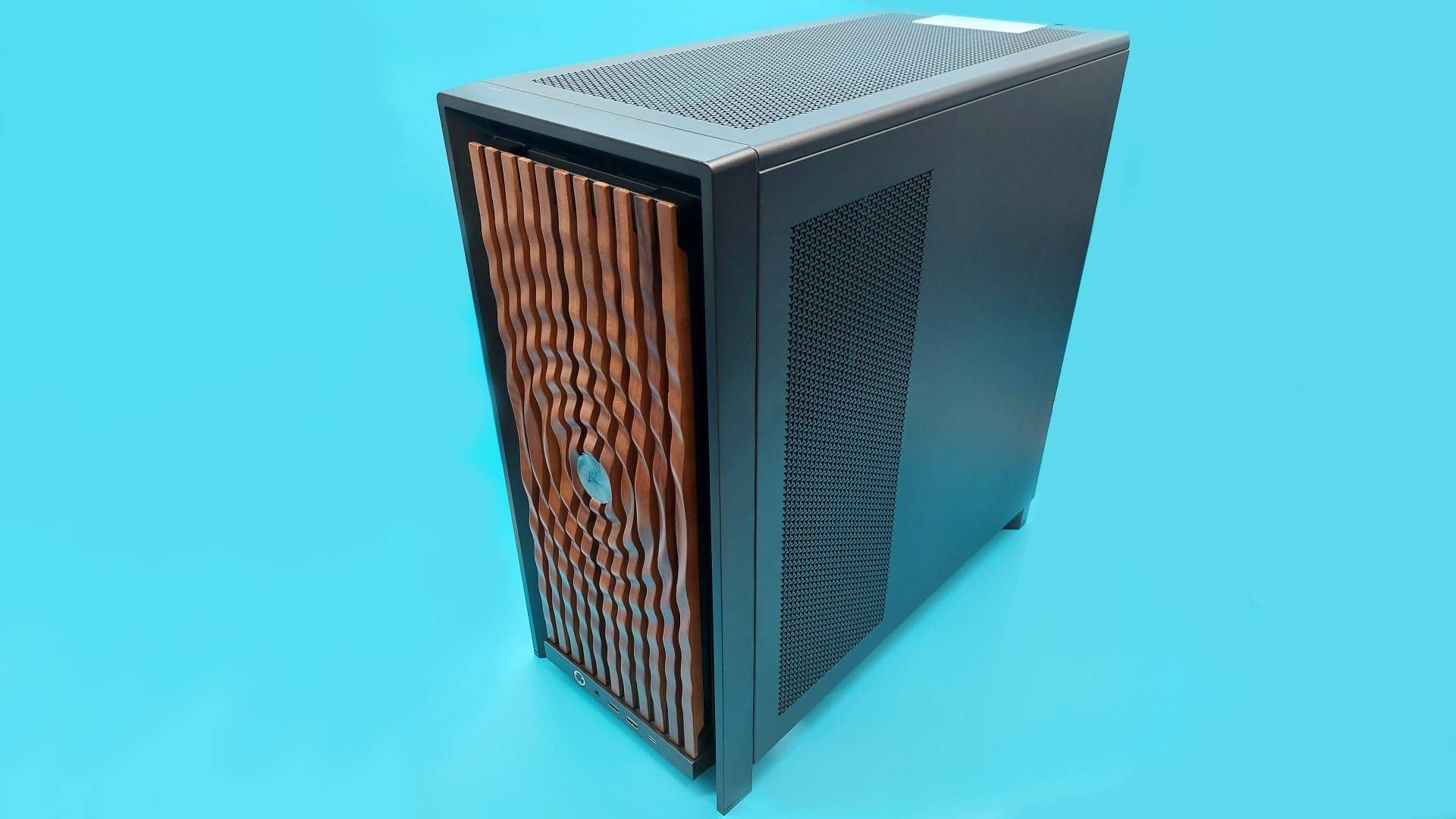
This month I’ve been: veering between cable management heaven and hell with the Corsair Frame 4000X. The highly customisable PC case itself is lovely, but the thick braided cables I was limited to using became my nemesis.
The observation that building a PC enjoys a similar appeal to clicking Lego bricks together is far from an original thought; when handed a big ol’ box of PC case faceplates, side panels, and internal brackets, few could resist having a play. So, when I was left unattended with a box o’ bits for the Corsair Frame 4000X, I set to work on building my dream PC case.
First, it’s worth noting that a lot of the parts I’m about to talk about are compatible with the Corsair Frame 4000D PC case our Jacob reviewed. Second, let’s talk about the all-important aesthetics: there’s a range of options for faceplates and, as they’re largely tool-free, you can swap them out to your heart’s content. However, the RGB Flow front panel features an additional cable that you’ll need to feed behind the modular front panel I/O every time.
The faff of threading this wire behind the I/O module, plus the fact I thought the RGB Flow looks a bit like a Cylon, meant I swapped it out for some tasteful wood panelling pretty sharpish. Mounting the radiator in the front of the case also meant I wasn’t going to get the most out of the 4000X’s full glass front panel, or ‘pixel glass‘ face plate either.
Latest Videos FromPC Gamer
I aimed to build something that was business in the front, with the dark walnut face plate, and something of a party in the back, with at least some of my many Miku Hatsune figurines. To be honest, “But where will Miku sit?” dictates a number of my PC building decisions, and this build was no different. For example, internally you can choose between a full-size PSU shroud, or a compact version that proved the perfect perch for Miss Hatsune.
To rewind a bit, let’s talk about that modular I/O front panel. You can customise this and entirely swap it out. The MX-style green mechanical switch under the power button can be replaced for something more to your liking, and you’ve got a choice between a front panel with an audio jack, two USB Type-A ports, and one USB Type-C port—or an I/O module with only USB Type-C ports. I’m an old head, so I held on to my USB-A front ports.
(Image credit: Future)
Returning to the bigger picture, both the front and side panels can also be swapped out to dramatically change the look of the case too. Unlike the face plate, these aren’t completely tool free panels. Instead, the top and side panels are held in place with a number of thumb screws. That’s a fine compromise that balances both a secure attachment with easy-enough-detachment, though I do miss being able to pop off panels like I can on my Hyte Y40 at home.
But while we’re on the subject of disassembling this customisable PC case, allow me one complaint: I hate reading digital manuals. My big box o’ bits came with many smaller boxes, one of which featured a QR code on the underside of the lid. This takes you to a clearly labelled, nicely laid-out digital manual that I still hated scrolling through on my phone.
Keep up to date with the most important stories and the best deals, as picked by the PC Gamer team.
The rub is this: to check my understanding, it’s way easier to flip back and forth through a physical booklet rather than scrolling up and down on a screen. Also, if I lose the physical manual, then that’s my own fault—but if the digital manual disappears one day, that’s out of my hands in every sense.
You could opt for a flat steel side panel, thereby rendering your PC yet another boring black (or white) box, but where’s the fun in that?
Anyway, manual gripes aside, the side panels also only come in black and white, making for limited colourways with other build possibilities. You could opt for a flat steel side panel, thereby rendering your PC yet another boring black (or white) box, but where’s the fun in that? Another panel design lets you mount the Corsair Xeneon Edge LCD Touchscreen inside. While that would offer one more stage for my favourite Vocaloid, I wasn’t about to drop another 200 bucks on this accessory—even if it does come in a fetching ‘Atomic Purple‘. Instead, I went for a typical fishtank look with a tempered glass side panel.
The Frame 4000X offers plenty of other options for laying out hardware, though it’s less of a switch up inside compared to outside. Even Frankenstein’s monster still needs a heart, lungs, and a digestive system, after all. Still, the case supports Mini-ITX, Micro-ATX, ATX, and E-ATX motherboards. You’ve also got multiple Motherboard tray options—this includes both the very sturdy, very premium Elite motherboard tray, plus the RapidRoute 2.0, a holey-moley design that makes it easier to zip tie your cables wherever you need. The back of the case features plenty of velcro cable management straps, so I stuck with the standard steel tray.
Image 1 of 3
(Image credit: Future)
(Image credit: Future)
(Image credit: Future)
The inside of the case is pretty spacious, with room to support both a 360mm radiator installed up top, as well as one in the front of the case. The Infinirail system also makes it easy to customise the internal support brackets to fit whatever cooling system you’re working with.
Speaking of support, this case also features a height-adjustable anti-sag bracket for your GPU. Unfortunately, I only had a small form factor graphics card to hand for this build, so I wasn’t able to make the most of this feature. Not to worry though, because Miku was able to pick up the slack from her perch upon the PSU shroud.
(Image credit: Future)
Vocaloid brain rot aside, does any of that mean I was able to manifestmy dream PC case with the Corsair Frame 4000X? Firstly, all of the bits I picked, including the case, totted up to about $170. So, it’s definitely not the most affordable option, but that’s the price of going all in on an ecosystem offering plenty of options.
You can push the price down by building on top of 4000D instead, but then you’ll have to pay for parts that come with the newer case as standard, like that lovely full-tempered glass side panel. If that still sounds worth a go, you can configure your own Corsair Frame case here. Speaking of the 4000D, you can pick up a Corsair Vault version of this case in metallic purple for $130, so maybe I’ve found my dream PC case after all…
Image 1 of 4
(Image credit: Future)
(Image credit: Future)
(Image credit: Future)
(Image credit: Future)
There’s a lot to like about the newer 4000X’s space, ease of access, and customisability. Much like the 4000D, you can strip the 4000X to the bare frame and then build it back up to be a PC case your way. But with so many removable parts, such a breadth of customisability options nearly became a bit of a nightmare for a scatter-brained PC builder like me.
In my infinite wisdom, I decided to remove the entire PCI backplate—despite the backplate’s modular design encouraging you to unscrew only the select slats you need to secure your GPU. I realised my snafu way too late, and had to unscrew both the PSU shroud and the motherboard to get it back in place. Don’t ask me why I took it out to begin with—just learn from my mistakes.
(Image credit: Future)
That embarrassing episode aside, I did enjoy my time building with this case. I’m also definitely intrigued by whatever Corsair has lined up for its customisable PC case ecosystem—what’s holding me back from loving it right now, though, are the limited selection of colourways, and the pricing. But perhaps one day, sweet dreams will be made of this.
I’ve been in a lot of rooms to see a lot of games, but sitting in a theater to watch footage of The Witcher 3’s Songs of the Past expansion for the first time provided me with an experience I’ve not come across before – live nostalgia.
As members of the Fool’s Theory dev team – who are co-developing the expansion with CD Projekt Red – guided Geralt through the new region of Letten, they made sure to stop off and reintroduce us to Roach, his ever-present steed. And, as they did, the assembled crowd let out not-quite-a-gasp, not-quite-an-ooh, but a noise that communicated some kind of shared, “There they are!”
I can’t deny that I felt it too – after a decade, there’s something distinct and practically unique about the feeling of returning to The Continent in this way. The combination of it being the same game (albeit in fresh Remastered clothing), and yet a brand new quest in a brand new location gives the sense of a true check-in – visiting old friends and, just maybe, stopping a monstrous threat along the way.
Set in Letten – the homeland of series mainstay (and narrator) Dandelion – Geralt is tasked with investigating his friend’s fractured aristocratic family, and a dangerous mystery in their past, centered around the threatening Garden of Thorns. I saw around 45 minutes from its early stages, and it’s hard to tell exactly how high the stakes are here on a global scale, but the impression I get is that Songs of the Past is more concerned with investigating the stories of its characters than the world of The Witcher as a whole.
And yet despite that, Letten emerges as the true star of the show here. A new region inspired by both English and Polish rural regions, set outside of the constantly war-torn countries we’ve visited previously, it’s initially a ray of sunshine. Geralt awakes at dawn on a hilltop after a raucous party, and is met by the sight of a placid lake, complete with touring sailboats, surrounded by bucolic rolling countryside and ringed with mountains in the far distance.
Fool’s Theory call Letten a “fully realized open world” in its own right, and has even upgraded NPC systems to allow for a region where the characters around you behave more believably, giving Letten as a whole the sense of a bustling, happy location. That is until you find Dandelion missing, begin to unravel his unhappy family history, and visit the Garden of Thorns itself.
As I see Geralt and Dandelion’s cousin, Lilla travel to investigate, the world changes almost imperceptibly around them. The trees get tighter, more misshapen. We see the remnants of human settlements laying overgrown, pierced by foliage. The light fades. Suddenly, Letten doesn’t seem quite as inviting.
And that’s before it starts trying to kill them. New enemies include Thornblooms – vicious flowers that make up for their inability to move by flailing wildly – and Swarmion – humanoid enemies boasting shields made up of hornets. Geralt himself has seen an upgrade, too, now able to equip a hooked chain as a ranged weapon, drawing enemies up close to make melee faster and more efficient than ever.
And it’s in that combination of new and old that Songs of the Past is already speaking to me – this feels far more than a way to get us reacquainted with the world of The Witcher ahead of a sequel. It’s a meaningful addition to an already beloved story – it already feels good to be back.
The Witcher 3: Songs of the Past arrives in 2027 for XBOX Series X|S. A full remaster, free to anyone who owns the original game, will be released on September 29, 2026.
The Witcher 3: Wild Hunt — Songs of the Past
CD PROJEKT RED S.A.
☆☆☆☆☆
★★★★★
Wishlist Now — Don’t miss the adventure! Wishlist Songs of the Past now and be the first to hear updates on Geralt’s return to the Path in The Witcher 3.
The Witcher 3: Wild Hunt — one of the best-selling and most critically acclaimed role-playing games of all time — returns with a brand-new expansion. Songs of the Past sees legendary monster slayer Geralt of Rivia travel to Letten, an idyllic land on the surface but with a dark secret hiding below. Equipped with unique mutagens and a new weapon, the chain, Geralt must overcome never-before-seen foes as he fights to overcome a long-dormant evil. More than his life is at stake though; across a story filled with choices and consequences, the fate of the entire land, and even Geralt’s closest friendship, are also at risk.
Geralt of Rivia Returns — Famed monster slayer Geralt of Rivia returns to the Path for another adventure, equipped with unique mutagens and a new weapon to master.
Explore a New Region — The idyllic land of Letten is full of stories to discover and secrets to uncover, including something sinister at its very core.
Experience Epic Quests — Dozens of new quests, points of interest, and more await as one of the best-selling RPGs of all time gets hours of new content.
Uncover a Supernatural Mystery — Unfurl an authentic Witcher story full of choices and consequences as Geralt fights to uncover a dark curse at Letten’s center.
Discover Remastered Content — Enjoy updated gameplay, visual fidelity, performance, character progression, and more through The Witcher 3: Wild Hunt — Remastered.
The Witcher 3: Wild Hunt
CD PROJEKT S.A.
☆☆☆☆☆ 32400
★★★★★
Xbox One X Enhanced
Xbox Game Pass
One of the most acclaimed RPGs of all time. Now ready for a new generation.
ABOUT THE GAME
You are Geralt of Rivia, mercenary monster slayer. Before you stands a war-torn, monster-infested continent you can explore at will. Your current contract? Tracking down Ciri — the Child of Prophecy, a living weapon that can alter the shape of the world.
Updated to the latest version, The Witcher 3: Wild Hunt comes with new items including swords, armor, and alternate outfits inspired by The Witcher Netflix series — and more!
UPDATED FOR XBOX SERIES X|S
Behold the dark fantasy world of the Continent like never before! The Xbox Series X|S version of The Witcher 3: Wild Hunt has been enhanced with numerous visual and technical improvements, including vastly improved level of detail, faster loading times, a range of community created and newly developed mods for the game, real-time ray tracing, and more — all implemented with the power of the new consoles in mind — as well as a built-in Photo Mode.
PLAY AS A HIGHLY TRAINED MONSTER SLAYER FOR HIRE
Trained from early childhood and mutated to gain superhuman skills, strength, and reflexes, witchers are a counterbalance to the monster-infested world in which they live.
• Gruesomely destroy foes as a professional monster hunter armed with a range of upgradeable weapons, mutating potions, and combat magic.
• Hunt down a wide variety of exotic monsters, from savage beasts prowling mountain passes to cunning supernatural predators lurking in the shadowy back alleys of densely populated cities.
• Invest your rewards to upgrade your weaponry and buy custom armor, or spend them on horse races, card games, fist fighting, and other pleasures life brings.
EXPLORE A MORALLY AMBIGUOUS FANTASY OPEN WORLD
Built for endless adventure, the massive open world of The Witcher sets new standards in terms of size, depth, and complexity.
• Traverse a fantastical open world: explore forgotten ruins, caves, and shipwrecks, trade with merchants and dwarven smiths in cities, and hunt across the open plains, mountains, and seas.
• Deal with treasonous generals, devious witches, and corrupt royalty to provide dark and dangerous services.
• Make choices that go beyond good & evil, and face their far-reaching consequences.
TRACK DOWN THE CHILD OF PROPHECY
Take on the most important contract of your life: to track down the child of prophecy, the key to saving or destroying this world.
• In times of war, chase down the child of prophecy, a living weapon foretold by ancient elven legends.
• Struggle against ferocious rulers, spirits of the wilds, and even a threat from beyond the veil – all hell-bent on controlling this world.
• Define your destiny in a world that may not be worth saving.
For more than a decade, Apple has, for the most part, released all the phones in its latest iPhone lineup at the same time. For the iPhone 18, though, it’s rumored to be different.
Apple may split the launch of the latest iPhones, staggering a handful of devices for release in spring next year, while the more premium iPhone Pro and the much-anticipated rumored foldable iPhone Ultra will debut in September, according to Bloomberg.
The new iPhones will reportedly ship with smaller dynamic islands, and the cameras may feature a variable aperture — a total geek win for photography enthusiasts. But trying to peg down the actual release dates for the new iPhone 18 family is harder than usual this year.
Below, we’ll go over what the rumors say, historical iPhone release dates and more to get a better idea of when the next iPhone family will be released.
Apple will unveil the latest iPhone lineup on Sept. 9 at 10 a.m. PT/1 p.m. ET during a special event at Apple Park in Cupertino, California. The CNET team will be on the ground to bring you all the details on Apple’s latest and greatest devices.
Preorders typically go live the Friday following the event (likely Sept. 11), with units available in stores the Friday after that (likely Sept. 18).
It’s likely that the iPhone 18 Pro and Pro Max will ship in September, which is the typical release timeframe for iPhones since the 5th generation. Apple releasing its “best of the best” gadgets before the holiday season is a formula that we don’t imagine the tech juggernaut straying from.
Apple’s first foldable phone, rumored to be called the iPhone Ultra, may go up for preorder alongside the iPhone 18 Pro models, but it could ship at a later date. This could be due to supply chain issues regarding the hinge and displays. But historically, aside from the iPhone Air, when Apple adds a new model to the iPhone line, it releases a month later than other models, like the iPhone 12 Mini and iPhone 14 Plus.
iPhone 18 and iPhone Air 2
As for the likes of the standard iPhone 18 and the iPhone Air 2, rumors point to a significantly delayed release. The shift may be a strategic one to a biannual cadence for Apple, with fall and spring launch dates. This isn’t unlike how Samsung launches its flagship Galaxy lineup at the beginning of the year, with its foldable lineup debuting in the middle of the year.
“Apple will likely reveal its first foldable iPhone on September 9 along with the iPhone 18 Pro series,” said David Naranjo, associate director of Counterpoint Research. “The base iPhone 18 model announcements are expected to be pushed into spring 2027. This staggered launch marks a notable change in Apple’s release cadence, with a strong emphasis on premiumization.”
Whether this potential delayed release is related to manufacturing restrictions, RAM shortages or just prioritizing its best hardware first remains to be seen, but if the rumors are true, those looking for an entry-level iPhone may need to wait until next year.
This is also a smart move on Apple’s part, as those who might have been looking for a Pro-less iPhone may just end up pulling the trigger on the higher-end models instead of waiting. The timing would all coincide with Apple’s E series launch.
iPhone 18E
The iPhone E series has typically been released the following spring after the more powerful models, so there don’t seem to be any surprises here (as did the SE line before it). The budget-focused (for Apple) device will likely be a pared-down version of the regular iPhone called the iPhone 18E, providing essential features from the current generation without many of the bells and whistles.
The iPhone 17E, which launched at a $599 price, hits a sweet spot for functionality and affordability. However, it remains to be seen whether it, too, will see the price jump that we expect with this current generation of iPhones.
The handset was announced in March and was available in stores the following week. If history repeats itself, we may see the iPhone 18E land in early to mid-March of 2027, but it might not be alone — this also might be where we see the debut of the standard iPhone 18.
iPhone Generation
Announcement date
Available in stores
iPhone 12 & 12 Pro
Oct. 13
Oct. 23
iPhone 12 Pro Max & 12 Mini
Oct. 13
Nov. 13
iPhone 13, 13 Mini, 13 Pro, 13 Pro Max
Sept. 14
Sept. 24
iPhone 14, 14 Pro & 14 Pro Max
Sept. 7
Sept. 16
iPhone 15, 15 Plus, 15 Pro, 15 Pro Max
Sept. 12
Sept. 22
iPhone 16, 16 Plus, 16 Pro, 16 Pro Max
Sept. 9
Sept. 20
iPhone 17, 17 Pro, 17 Pro Max, Air
Sept. 9
Sept. 19
Blake has over a decade of experience writing for the web, with a focus on mobile phones, where he covered the smartphone boom of the 2010s and the broader tech scene. When he’s not in front of a keyboard, you’ll most likely find him playing video games or watching horror movies.
See full bio
Spokane Valley has become one of the more appealing landing spots in the Pacific Northwest, offering a rare combination of suburban comfort, outdoor access, and a cost structure that looks genuinely reasonable next to coastal Washington and the broader West Coast. But “affordable relative to Seattle” is not the same as “cheap,” and the newcomers who settle in most comfortably are the ones who build a realistic budget before they arrive. Here is an honest, numbers-first look at what it actually costs to live in Spokane Valley in 2026.
Housing: The Biggest Line Item
Housing will be the largest part of your budget, and it is where Spokane Valley’s value shows up most clearly. As of early 2026, the median home price sits around $390,000 to $410,000. That is a fraction of what equivalent homes command in Seattle, where median values run well north of $750,000, but it is still a meaningful number that has climbed with steady demand and population growth.
There is good news for buyers right now, though. The market has shifted in a buyer-friendly direction, with rising inventory and homes averaging around 65 days on the market. That gives purchasers more leverage and less of the bidding-war pressure that defines hotter markets. Which end of the price range you land at depends heavily on the neighborhood, established family areas and newer builds near amenities command more, while emerging neighborhoods and older sections of the Valley offer lower entry points.
Renters have solid options too. Expect roughly $1,135 a month for a one-bedroom apartment, around $1,405 for a two-bedroom, and about $1,833 for a three-bedroom. Those figures are a stark contrast to coastal Washington, where equivalent spaces easily command double the price.
The Tax Picture: A Real Advantage
Here is where Spokane Valley, and Washington generally, delivers a genuine financial edge. Washington has no state income tax, which means higher take-home pay for most households compared to states that tax wages. For anyone relocating from a state with income tax, this is money that stays in your pocket every month.
Property taxes in the area run around 1 to 1.1% annually, which is moderate and predictable. Combined with the no-income-tax structure, the overall tax burden is one of Spokane Valley’s quiet selling points. Do note that Washington relies more heavily on sales tax to make up the difference, so factor that into your day-to-day spending, but the absence of income tax is a substantial net positive for most budgets.
Everyday Costs
Beyond housing and taxes, the broader cost of living rounds out the picture. The combined cost of housing, food, transportation, healthcare, and other essentials in Spokane Valley runs somewhat above the national average, roughly in the high single digits percentage-wise, but sits meaningfully below the Washington state average, which is pulled up sharply by the Seattle metro.
Utilities, groceries, and services are more reasonable than on the coast, though not bargain-basement. Healthcare is a significant budget category for many households, so factor in your insurance and any regular care needs. Transportation costs are shaped by the area’s car-dependent, spread-out layout, most errands require a vehicle, so budget for gas, insurance, and upkeep rather than assuming you can rely on transit.
The Costs Newcomers Forget
A few move-in and settling-in costs catch new residents off guard. If you are relocating from out of state, Washington requires you to transfer your driver’s license and register your vehicle after establishing residency, so budget for those fees in your first weeks. Renters should plan for security deposits, and buyers for closing costs, inspections, and the moving expenses themselves.
Winter is another line item worth anticipating. Eastern Washington has a more continental climate than the mild coast, with real snow, which means heating costs in the cold months and possibly gear or equipment you did not need in a milder climate. It is not a budget-breaker, but it is a genuine seasonal expense to plan for.
Putting a Realistic Budget Together
Adding it up, cost of living estimates for the Spokane valley area generally land around $2,400 or more per month for a single person and well over $5,000 per month for a family of four, depending heavily on your housing choice and lifestyle. Those figures move up or down significantly based on whether you rent or buy, which neighborhood you choose, and your household’s specific needs.
The practical takeaway: build your budget around your actual housing decision first, since it drives everything else, then layer in taxes (remembering the no-income-tax benefit), everyday essentials, and a cushion for the settling-in and seasonal costs most guides overlook. Newcomers who plan for the full picture rather than just the mortgage or rent tend to find Spokane Valley delivers real value without unpleasant surprises.
Planning the Move Itself
Once you have your budget mapped out, the move is the final piece, and it comes with its own costs and logistics, especially if you are relocating from the coast or out of state across the I-90 corridor. Winter weather over the mountain passes can affect timing, and the distance means real coordination. Working with experienced movers Spokane Valley residents rely on helps you plan the move accurately and avoid the last-minute costs that come from poor timing or scrambling for a crew during peak season.
The bottom line is that Spokane Valley offers a genuinely favorable cost of living for the Pacific Northwest, with affordable housing by regional standards, a strong tax advantage, and reasonable everyday expenses. It is not the cheapest place in the country, but for the lifestyle, the outdoor access, and the proximity to both Spokane and the Idaho border, the value is real. Run your numbers honestly, budget for the full picture, and you will settle into your new Spokane Valley home on solid financial footing.
An ESPN Unlimited subscription seems like the easiest way to get into all the tennis action.
Leonard Zhukovsky/Shutterstock
With summer winding down and Wimbledon in the books, it’s finally time for the 2026 US Open Tennis Championships. The US Open starts on Sunday, August 30 and runs through Sunday, September 13, bringing some of tennis’ best and brightest to the USTA Billie Jean King National Tennis Center in Queens, New York for the final Grand Slam of the season.
While the whole tournament will be viewable on broadcast TV, with matches primarily airing on ESPN, ABC and The Tennis Channel, the easiest way to watch is with an ESPN subscription and the ESPN app. If you’re looking to keep up with the US Open, here’s what you need to know heading into the championships and how to watch.
What are dates for the 2026 US Open?
Qualifying rounds for the US Open started on Monday, August 24 and continued through Thursday, August 27, according to the US Open TV schedule. Once the tournament starts in earnest on August 30, multiple matches, on some days including both singles and doubles, will run every day until Sunday, September 13.
Depending on your commitment, there should be interesting matches to watch each day, but here are the dates and times for matches that will likely be necessary to understand the narrative arc, as it were, of the 2026 US Open:
Sunday, August 30: First-round matches start, with matches beginning running from 12PM ET to 11PM ET.
Tuesday, September 8: Men’s and Women’s Singles Quarterfinals run from 11:30AM ET to 11PM ET.
Wednesday, September 9: Men’s and Women’s Singles Quarterfinals continue from 11:30AM ET to 11PM ET.
Thursday, September 10: Women’s Singles Semifinals run from 7PM ET to 11PM ET.
Friday, September 11: Men’s Singles Semifinals run from 3PM ET to 6PM ET, and then 7PM to 10PM ET.
Saturday, September 12: Women’s Singles Championship runs from 4PM ET to 7PM ET.
Sunday, September 13: Men’s Singles Championship runs from 2PM ET to 5:30PM ET.
How do you watch the 2026 US Open?
Alex Menendez/ufl/Getty Images
ESPN is the sole broadcaster who will show the entire US Open in 2026, so opting for an ESPN subscription is the simplest way to make sure you don’t miss any part of the tournament. While the US Open schedule marks some matches as only being on ESPN, ESPN 2, ESPN+ or ABC, anyone who subscribes to ESPN Unlimited will be able to watch everything, according to ESPN’s announcement.
Specifically, paying for ESPN Unlimited gets you access to sports programming across ESPN, ESPN2, ESPNU, ESPNEWS, ESPN Deportes, SECN, ACCN, ESPN+, ESPN on ABC, SECN+, ACCNX, NFL Network and CW Sports. That should cover all your bases when it comes to the 2026 US Open.
You can sign up for ESPN Unlimited for $32 per month or $300 per year. If you’re interested in a package with other streaming services, a Disney+, Hulu and ESPN Unlimited bundle is also available for $36 per month. Once you’re signed up, all of ESPN’s 2026 US Open coverage is easily accessible in the streaming service’s US Open hub.
Who is playing in the 2026 US Open Championship?
As its name implies, the US Open is technically open to both amateur and professional players, but naturally some of the most exciting matchups concern well-known pro players. On the men’s side, Carlos Alcazar is defending his 2025 US Open crown, while Aryna Sabalenka is doing the same thing on the women’s side.
You can read through the US Open’s rundown of the top players in this year’s tournament for a more detailed look at who’s playing. Rosters for all the men and women playing in the tournament are also available to view online.
Today’s post features 20+ tools for AI CAD design services, drafting software, MCB drawing apps and plugins design in 2026. Artificial Intelligence (AI) has made a valuable impact on design development. For years, the entire design process would take weeks and even months, depending on the project’s complexity. Previously, only limited firms and businesses had the privilege to execute the full design development since it could be costly. Now, AI gives opportunities for all businesses to have access to quality design without costing much. To find vetted professionals who can work with AI-assisted tools, explore Cad Crowd and maximize the advantages of AI generative design.
At a Glance: all 21 Tools
#
Tool
Functions
1
Autodesk Fusion
Generative design for mechanical designers, product engineers, OEM manufacturers
2
SOLIDWORKS
Topology study and AI companions for mechanical and product designers who already familiar with SOLIDWORKS
3
AutoCAD 2026
AI feature suite for drafting professionals, architects, engineers producing 2D drawing sets
4
PTC Creo
Generative design for aerospace, automotive, and industrial manufacturing engineers
5
Siemens NX
Convergent modeling and generative engineering for aerospace, defense, heavy industrial, and automotive OEMs
6
Ansys Discovery
Accelerated simulation runs for mechanical and structural designers who need fast feedback during modeling
7
nTopology (Acquired by Ansys)
Additive manufacturing engineers, medical device designers, aerospace lightweighting projects
8
Ansys SimAI
Accelerated CFD and FEA for aerospace, automotive, and HVAC designers with large simulation datasets
9
Neural Concept Shape
Geometry optimization for aerodynamic designers, automotive and aerospace surface engineers
10
Spline AI
Generative visualization design for product designers, UX/UI designers, marketing teams
11
Zoo (formerly KittyCAD)
Text to CAD API for design automation engineers
12
Backflip AI
Scan to editable CAD for MRO engineers, brownfield facility designers, reverse engineering specialists
13
Midjourney / Stable Diffusion
Generative design content for visualization for artists, product designers, architects
Generative design for technical visualization for industrial designers
16
Autodesk Forma
AI-powered design layouts for architects, urban designers
17
Rhino 8 with Grasshopper + AI Plugins
AI-powered design for Architects, industrial designers, computational designers
18
Hypar
AI-powered building design system and collaboration platform for architects and BIM managers working on complex multi-discipline early design coordination
19
Vizcom
Sketch to AI render visuals for Industrial designers, consumer product designers, transportation designers
20
Autodesk Alias
AI-powered tools for surface quality for automotive surface designers, consumer product designers, Class-A surfacing specialists
21
Claude (Anthropic) via MCP Integration
AI-assisted workflows for CAD project managers, documentation specialists, fitted for multi-discipline engineering coordinators
Mainstream CAD platforms with built-in AI
1 Autodesk Fusion (with Generative Design)
In 2026, CAD software is no longer limited to just drawing; it can also recommend better design concepts and ideas. This is possible with the Autodesk Fusion Generative Design feature. Traditionally, CAD drafting designers draft their ideas and concepts manually. For just one design option, it could take hours or even days to complete. The time spent in manually drafting limits the designers from exploring more efficient ideas. In Fusion, the engineers and designers can produce more design options through defined parameters or requirements.
Designers would just need to input the weight requirements, materials to be used, and the manufacturing process, and a design can be generated from it. Once parameters are established and defined, Fusion uses AI and cloud to automate multiple design options fitted for it. This feature helps designers save more time in their early design stage. Instead of doing one design at a time manually, Fusion + AI can generate design layouts simultaneously in a short period of time. With this, designers can review and compare options they want to settle with as a base model. Refinement is still to be done afterward, since not all generative designs are polished or perfect.
It’s still a lot better than starting from scratch. This approach is used in a project by General Motors (GM). It has created a significant impact, which has made it a benchmark of generative design’s effectiveness. In this project, generative design helped in combining eight separate seat bracket components into a single part while reducing its weight by about 40%. It not only made the whole assembly design simpler but also made it a lot lighter. It has proved how AI-generated designs optimized design models without sacrificing quality and performance. Fusion with the generative design feature is most beneficial for starting professionals who have limited ideas and experience. It allows them to learn and explore more ideas in less time than doing trial and error.
2. SOLIDWORKS (with Topology Study and AI Companions)
In mechanical engineering services and product design, SOLIDWORKS has been one of the most commonly used software programs. It recently introduced AI in its system to help designers make better design judgments and improve their speed without having to leave the software. This initiative is user-friendly since AI has been directly integrated into the tools the designers use every day. This means there’s no need to learn another workflow or jump to other software to deliver better results.
One of its remarkable AI features is Topology Study. This allows designers to optimize parts of the model by analyzing and identifying which parts can be removed without compromising its performance and integrity. Most times, this can be done through a series of trial-and-error testing. But AI Topology Study can help in optimizing parts without wasting a lot of time and resources. It allows the designers to produce a more efficient model at a minimized production cost.
SOLIDWORKS also introduced two helpful AI companions to help product designers throughout the design process. These are LEO and MARIE. LEO acts as a real-time design assistant and provides suggestions and guidance to designers as they build the model. It is helpful to designers to stay aligned with the requirements and be consistent with their approach. MARIE focuses on reviewing and identifying design and manufacturing issues before they are finalized. It acts as a quality check in case there are issues that it could face during the final stage.
This prevents possible rework and delays in production. This software is best suited for mechanical designers and engineers as well as product designers and manufacturers who are already working within the SOLIDWORKS software. This saves them more time since they’re already working on the same familiar interface instead of jumping to learn other platforms.
3. AutoCAD 2026 (AI Feature Suite)
AutoCAD has been one of the most widely used drafting platforms for engineering design firms and architectural industries. It has continued to be one of the most reliable platforms for producing design models. Over time, AutoCAD continues to improve its system and interfaces through updates and enhancements. In 2026, AutoCAD introduced AI features to help designers simplify drafting by speeding up the process and making it less repetitive.
One AI feature it also has is predictive design intelligence. This feature can predict the next action of the designer by analyzing the design context. Manually, designers must know the commands and tools needed to complete their work. Sometimes, when you are a beginner, it can be time-consuming to search for the commands to use. AI confronts this struggle by suggesting common task commands they can use in their next action. It helps in speeding up drafting, removing unnecessary clicks.
Another useful feature is Smart Block Replacement. This is especially useful for large projects. This feature analyzes and identifies the models placed and can suggest which block is best suited for it. With AutoCAD’s Smart Block Replacement, it is possible to maintain consistency across the drawing sets. One way to organize drafting elements in AutoCAD is layering. However, doing this manually can take time and effort. AutoCAD has issued an AI-assisted feature to automate layer organization and management. This way, the AutoCAD drafter can layer the elements appropriately in less time.
AutoCAD has also introduced a natural-language command input. This is one of the most user-friendly AI features it has added. Designers can simply speak their instructions, and AutoCAD can interpret and perform this task. For instance, a user can say “Make this wall 150 mm,” and it will be applied to that element. This is a game-changer, especially for beginners, to help them work faster and more efficiently. The AI added features that work like an in-built enhancement to the CAD workflow. It has significantly helped designers to produce drawings in a more efficient way.
Generative Design has been one of the most offered AI-assisted features in most CAD platforms. PTC Creo stands out for its capability to offer design solutions that are practical to produce. It is especially useful for product industrial manufacturing, aerospace engineering services, and automotive. It helps companies to assess the product’s performance and cost in terms of its manufacturability. In Creo’s Generative Design Extension, it is possible to generate design solutions that are based on multiple objectives simultaneously. Manually, designers would have to test for each objective and collate all into one, only to test it again.
Creo’s Generative Design Extension addresses this challenge by evaluating all design goals set and generating a solution that matches them. One of its advantages is the built-in manufacturing awareness, wherein the designers can specify how a part can be produced. It could suggest whether the part is for casting, machining, or additive manufacturing. It can automate applying the most appropriate design constraints to the part, reducing risks of rework at the late design stage.
It also has AI design agents that provide assistance and can perform even the most complex engineering tasks. This is done by providing instructions. For instance, a Creo designer wants to evaluate and compare several material options; they can instruct the AI assistant to generate a design study and come up with the best result. This reduces the time needed to conduct research to find the right material option.
5. Siemens NX (with Convergent Modeling and Generative Engineering)
Siemens NX is one of the most advanced engineering platforms that combines manufacturing, CAD, product lifecycle management, and simulation capabilities into a single environment. Its capabilities are very useful for industries such as industrial manufacturing, medical devices, aerospace, and automotive. It introduced AI into its system to improve and simplify engineering workflows, helping to produce a more effective solution for users. It introduced a useful feature called convergent modeling, which allows 3D modeling designers to work with mesh geometry and traditional CAD geometry together in one platform.
Most times, the generated AI design produces a mesh-based geometry that can’t be edited easily in traditional software. The designers would have to spend more time finding ways to clean up the model before it can be a reliable base model to be used. Siemens NX also introduced the Generative Engineering module, which allows designers to evaluate more than one parameter at the same time. They can now optimize the shape of the model, considering multiple factors such as weight, strength, and heat management simultaneously.
This platform is more applicable for industries focused on automotive OEMS, heavy industrial manufacturing, and aerospace. It can be highly beneficial for large organizations that need a reliable platform for their large-scale product development.
Simulation and AI-accelerated analysis
6. Ansys Discovery (AI-Accelerated Simulation)
Ansys Discovery works as a real-time AI-powered simulation tool that helps with design guidance. What sets it apart from the usual traditional simulation tool is the difference in feedback turnaround time. In conventional tools, 3D designers would have to wait for the design to be completed before they can provide feedback. On the other hand, Ansys Discovery allows designers to have access to real-time feedback while still modeling. This gives the designers the flexibility to adjust accordingly.
This simulation tool can show impact changes like heat distribution, strength, and airflow. The provided information may not be as detailed as FEA (finite element analysis), but it is sufficient for designers to detect problems early. It can easily catch the model’s weak points in real time, which allows the designers to fix them as soon as possible instead of waiting for the final design to be completed. It saves more time and reduces the possibility of redesigning.
The traditional way of receiving feedback is sending it over to a simulation specialist. They’re the ones responsible for running the model in the tool and returning the feedback to the design team. This process is too tedious and time-consuming. The feedback could be received late and slow down the design process. Ansys Discovery made it possible to have the simulation be part of the design process instead of making it a separate step. This allows the designers to be more flexible in their design concept, knowing they can catch possible issues in real time. They’d be able to have awareness of their design concept’s attributes, making it easier to make adjustments.
nTopology is especially useful in additive manufacturing industries since it is focused on handling highly complex models. In conventional CAD, it is a struggle to design models that are unique. Most 3D modeling designers would just settle for designing for solid, defined surfaces and edges. nTopology allowed designers to improve their design structures by letting them create intricate details. It could be done even without the performance limitations that usually happen in detailed designs. This is useful for 3D printing. Designers can now create lightweight parts with internal lattice structures instead of the usual solid parts.
It has addressed the limitations of traditional software and allowed designers to freely explore complex designs. With nTopology, it is now possible to handle complex geometries without the difficult editing processes. Another remarkable feature is its field-driven design approach. This capability allows designers to apply gradual property change to different parts of the model as needed. For instance, the outer part of structures can be designed as dense while the internal can be of a lighter material. This is critical in aerospace, wherein weight optimization matters in ensuring efficient performance.
nTopology was actually acquired by Ansys. This acquisition made nTopology closely integrated with Ansys’s simulation tools. This way, the designers and engineers can work smoothly between design and simulation. It allows for evaluating the design’s performance and refining it before production starts. This is best suited for manufacturing design teams that rely more on additive manufacturing. Its ability to create more specialized and complex geometries makes it ideal for aerospace engineering, wherein weight optimization is vital.
8. Ansys SimAI (AI-Accelerated CFD/FEA Surrogate)
Running a simulation may require more time, depending on the complexity of the design model. It is one of the struggles designers face in conventional simulation tools like Computational Fluid Dynamics (CFD) and Finite Element Analysis (FEA). When designers have to compare several design variations, the simulation process could become a problem that may slow down the design process. Ansys SimAI addresses this challenge by predicting simulation results. Its predictions are based on previously completed CFD and FEA simulations, which give it an understanding of how design changes could affect its performance.
This means that the accuracy and reliability of this tool are based on the patterned simulation data. It can make a highly accurate prediction without having to perform complicated calculations. This is helpful in reducing time spent exploring diverse concepts. Its application is best suited for a product development designer that needs comparison of hundreds of variations. For instance, when a designer needs to develop a component but has over 200 variations, running all of them in a traditional simulation tool could take days or even weeks. Ansys SimAI can reduce the turnaround time by making the predictions instantly, helping designers come up with the most ideal design option they need for the project.
Ansys SimAI, however, can only be reliable and accurate when trained with sufficient relevant data. This means that only companies with a large number of completed simulations can have an accurate prediction. Industries that can benefit the most from this platform are automotive, HVAC, aerospace, and any other engineering teams with a reliable amount of simulation data.
Simulation runs are done to identify how a design can perform under certain conditions. Running in simulation tools may take a lot of time and calculations. This could be a problem, especially if the design has multiple goals and wants to be more optimized. It may take weeks just to get an improved design version. Neural Concept Shape addresses this problem by integrating AI into its system to predict the design’s performance through a 3D model. This AI-powered tool reduced the need to run simulations multiple times. For it to be dependable and accurate, this platform needs to be trained with large datasets of completed simulations. The higher the number of simulation results fed into it, the more accurate the predictions are.
Neural Concept Shape can predict the results instantly and shortens the whole feedback turnaround time. It lets designers have more time to review the results and apply adjustments easily. It also allows them to explore and test more ideas and alternatives in less time, without slowing down the project timeline. This platform is best suited for aerodynamic optimization. This way, engineers and designers can come up with the most ideal shape without the need to run hundreds of simulations. This technology is already used in the industry to provide a more competitive edge for manufacturers. It accelerates and improves the optimization process, improving the overall product development.
Spline AI uses a different approach when it comes to 3D design. Traditionally, 3D designers would have to manually draft the design, define dimensions, and build the model step-by-step. Spline AI simplifies this by allowing the designers to generate 3D models and scenes with simple text descriptions. This helps in providing advanced design access to everyone, especially those who do not have much experience with CAD. This platform runs in a web browser, which makes it accessible for users to use conveniently without the need to install and pay for the software. Here, the users can create an object, scenario, or environment just by describing it in words.
Then, a 3D model will be generated to be refined and customized according to user preferences. This is a significant feature that makes conceptualizing a lot easier. It helps in materializing rough ideas and giving direction to the design intent. Spline AI is especially useful in the early design stage. This is because promotional visuals can be done easily and in less time. Designers can generate and create visuals without the need for advanced modeling tools and techniques. It allows them to explore more creative ideas and test them instantly.
Generated designs can be visually impressive and appealing, but it still needs to be refined. Designers can use this as their reference or base models, but refinement has to be done in order to make it functional or feasible. It is helpful for designers not to start from scratch and gives them more time to focus on more critical tasks. This platform is best suited for starting designers, product designers, UX/UI designers, marketing teams, and creatives. Spline AI makes creativity accessible and friendly, producing concepts with less time and effort.
11. Zoo (formerly KittyCAD) / Text-to-CAD API
Zoo (formerly known as KittyCAD) is one of the leading platforms that allows designers to have access to design models using natural language. This feature is one of the most brilliant advancements in the industry. Creating a design model takes a lot of technical skills and experience. Not only that, but the designers would need to have in-depth knowledge and understanding of the software used in drafting just to come up with the desired design. This is why generating a CAD model just by describing it in plain English is surreal and impressive.
Zoo runs on a Text-to-CAD API. This works in a way that the API can receive and accept text-based instructions and automate CAD files in formats such as STEP, IGES, and STL. Its selection of file formats is compatible with major CAD and manufacturing software, making it a more reliable platform. Instead of producing just visual concepts and ideas, Zoo can generate CAD models that can be integrated into the engineering workflows. It can be edited, adjusted, and refined. It supports the rising opportunities when it comes to the automation of designs.
An example of its application is rapid concept generation. A design engineer or designer can describe the model requirements, like its dimensions and functions, and Zoo can generate a base model to start on. This allows the designers to save more time and start with a reference model. In pursuit of improving its capabilities, Zoo added a feature to support multi-body assemblies and improve how geometric limitations and constraints can be interpreted. Its goal is to provide more reliable and accurate results, useful for design automation.
12. Backflip AI (Scan-to-Parametric-CAD)
Some projects would need recreation of an existing object or structure into an editable CAD model. This is called reverse engineering services and is one of the most tedious and time-consuming engineering tasks. Manually digitizing the object may take a lot of time to make it detailed and accurate. It could be especially challenging when the reference data are incomplete and outdated. Any designer would feel frustrated and lost about how it can be completed.
Backflip AI addresses this problem by simplifying the conversion of 3D scans to editable CAD models. With AI integration, designers can just upload their scanned data and let the system recognize the readable features and generate an editable parametric model. Its usefulness lies in how the outputs are editable. This way, designers can still fix and adjust elements that are generated inaccurately. They can also use the model to provide more design variations for the proposal.
This platform is best suited for project scopes such as maintenance and repair. It can also cater to overhaul projects and brownfield engineering projects. It’s useful for projects that do not have many digital records but need a quick design model. It has continued to improve, and now it has introduced feature recognition for common industrial components. This includes threaded connections, flanges, channels, and other mechanical fittings. It strives to support an even wider range of formats and data sources to generate accurate models.
Midjourney and Stable Diffusion are not conventional CAD tools but are useful for 3D visualizion firms. This is an AI-assisted image generator that can help designers produce quick visuals. It helps in exploring diverse ideas and choosing a design direction before committing to drafting it into a detailed 3D model. To generate visuals, designers can just input simple text prompts within minutes. The images generated are realistic and allow designers to explore more physical attributes such as material, textures, and colors. Doing this manually takes more time and is not advisable, especially if the project has a tight deadline. Generating visuals allows designers to be more creative and focus on decision-making. It helps them produce a design that’s more curated and intentional.
Though sometimes overlooked, communication can be improved through visualizations. Clients can understand better if presented with visuals. It is hard for the clients and stakeholders to imagine the design if they’re looking at technical drawings only. It is much easier for them to get a picture of the design intent when the visuals are presented. This improved feedback and approval turnaround time helps in avoiding misunderstandings. Midjourney is used for producing visuals that are polished and artistic, while Stable Diffusion is used for customization and fine-tuning specialized models. It helps designers improve their initial design concepts in less time.
The generated outputs are just visuals. They are not necessarily the engineering deliverables that can serve as the design model. But it can be useful in presenting ideas or brainstorming design concepts, improving the communication between the design team and the stakeholders.
14. Adobe Firefly (for Design Visualization)
Adobe Firefly is a visualization tool that utilizes generative AI. It is integrated into Adobe’s ecosystem like Photoshop, Illustrator, and Adobe Express. This allows easy access for Adobe users to incorporate AI in their existing workflows. This is mostly used by designers, 3D visualization artists, and creative professionals who work on producing 2D models. Firefly is often used during the post-production stage of the project. This is when the render is already complete, and the designers would just need to improve the overall visuals. This includes enhancing the background, adding environmental elements, editing the skies, cleaning up distractions, and any other polishing processes.
It could be tedious to do all of this manually. Adobe Firefly can speed up these processes through Generative Fill and Generative Expand tools. This feature can be done directly inside Adobe Photoshop. Instead of searching in the library for stock images or manually putting up assets and elements, Firefly can generate content elements that blend naturally with the existing visual. This can save more time and allow designers to focus on judgment instead of doing menial tasks.
One advantage of Adobe Firefly is that it is commercially safe. This means that even though there are elements and contents that are automated, it is safe to use. This is because Firefly is trained to only use licensed and permission-based content. This helps in reducing the risks of intellectual property issues. This is especially important for 3D rendering designers who are using A-assisted content for marketing visuals and other commercial deliverables.
Most of the generative design platforms can easily automate visualizations that are creative and artistic. The struggle in generative design is producing a technical concept, including machinery, engineering equipment, or other architectural spaces. Often, when asked to generate a technical object, an AI tool produces distorted images or unrealistic models. This is a challenge addressed by FLUX. FLUX can generate technical objects that are more reliable and have stronger structural details. It produces models that have realistic proportions and visual coherence, making it useful for designers who need realistic images.
While it can look realistic, the generated images do not replace the visualizations made through CAD. It is only used to produce a quick design concept or help designers communicate their ideas. Flux is an open-source platform, which means developers and industry professionals can contribute to make it more refined and specialized. This is one of FLUX’s strengths. It keeps the models more curated and accurate, fitted for industries.
One of its advantages is deployment flexibility. This means that a FLUX Dev model can be run locally on a company’s own hardware or cloud-based APIs. This makes it suitable for confidential tasks or projects with sensitive data. It adds an additional layer of security, protecting the data from being accessed by third-party platforms. The generated images are not necessarily the deliverables needed. However, it is a useful platform for communicating design intent and brainstorming ideas. It allows rendering designers to imagine and visualize the design in mind before committing to creating it in CAD.
Architecture, AEC, and parametric design
16. Autodesk Forma (AI-Powered Architectural Design)
Autodesk Forma is an AI-assisted technology that helps in testing a building or structure’s performance in a real-world setting. It is best suited for early-stage design planning since it can influence the project’s success. Its design tools are powered by AI and cloud computing, which help in instantly evaluating environmental factors. This helps 3D architectural rendering designers be aware of how the design will perform even without conducting a simulation run. This advancement helps designers to explore multiple design layouts that do not just look visually pleasing but also perform well. Forma can also evaluate based on the design’s impact on comfort, energy efficiency, and sustainability.
This allows designers to apply changes, whenever possible, to make the design ideal. It also allows designers to communicate to the client and stakeholders more clearly the design impacts and make informed decisions early. This also helps in minimizing guesswork in design. Instead of multiple trial-and-error designs, Forma’s generative capability feature can be used. It helps designers define performance goals and generate design options to meet the requirements.
Forma is cloud-native, which seamlessly works with design tools such as Revit and other Autodesk software. This helps in improving the design process instead of treating it as a separate workflow. Forma’s 2026 version update helps strengthen collaboration through the integration of Autodesk Docs. It has expanded its capabilities to support large-scale urban planning and mixed-use projects. It has continuously improved to support and remain valuable for complex workflows.
17. Rhino 8 with Grasshopper + AI Plugins
Rhino 8 with Grasshopper is considered to be one of the most flexible platforms for generative design. CAD software depends on direct modeling, while Rhino can help 3D architecture designers create models by using rule-based systems. Grasshopper is Rhino’s built-in visual programming tool. It uses a node-based interface that helps in defining the design’s behavior. This way, the designers can set parameters or rules for windows or structural elements, and Grasshopper can automate versions that match them.
This combined technology is best suited for simplifying repetitive processes. It also allows designers to integrate multiple goals in one workflow. It can streamline geometry generation, structural evaluation, and optimization to come up with the best design solution. This is especially useful for computational designers working on parametric models. It allows them to have full control over the logic and outcome of the design. It lets designers integrate multiple systems into one rather than manually shaping them.
18. Hypar (Cloud-Native Generative BIM)
Hypar is a cloud-based generative building design platform with integrated BIM. It allows BIM modeling designers to generate an entire building system by defining certain rules and logic. This is a more efficient approach than manually modeling elements in BIM. Hypar produces outputs that are BOM-ready, such as IFC and Revit. The designs generated in Hypar are not just visualizations but hold valuable information and data that can be used in architectural workflows. It includes quantities, materials, systems, and any other performance data embedded.
The building systems are created through configuration functions. It uses programming languages like Python or C#. Every function represented a part of the building, and once combined, a building model can be automated and analyzed. Hybar also allows real-time adjustments, so designers have the flexibility to edit any building element or system, and it automatically matches. One of Hypar’s strengths is its performance-based design evaluation. With this, designers can easily access factors that impact the model’s performance. It includes evaluation of its cost, structural integrity, and sustainability performance.
This allows the designers to adjust accordingly and make informed decisions before committing to detailed modeling. Another key advantage of using this platform is its collaborative feature. It allows multiple architectural modeling team members to collaborate in real time in a single model. This is especially useful for a project that has combined disciplines such as structural, architectural, and MEPF. It helps in keeping all contributors aligned and reducing misunderstandings. It also reduces the risks of clashes, which could result in costly rework.
Sketch, surface, and concept tools
19. Vizcom (AI Sketch-to-Render)
Vizcom is a platform that turns hand sketches into a realistic product in less time. This transforms how photorealistic rendering processes are done. Traditionally, designers would have to manually create the model before it could be rendered to see a photorealistic visual. Vizcom speeds up the building process by converting the hand-drawn sketches into photorealistic visuals instantly. This can be done simply by creating digital hand sketches made by a designer. It could be a gadget, an appliance, or any product that needs to be rendered. Then, Vizcom will interpret the shapes, and a realistic version of the object can be generated. It has simplified the process of turning ideas into a polished visualization within a short period of time.
This is best applicable during the early design stage, wherein architectural rendering designers explore ideas and concepts. Designers could feel limited when the timeline is tight. They wouldn’t be able to create variations and test other innovations. With Vizcom, they have a better workaround to select the best design to present to the clients. This makes it easier to communicate their ideas and receive clear feedback. Vizcom has updated its features, improving its interpretation of materials and surfaces. This means that materials like matte plastics, glass, brushed metals, and other materials can be rendered more accurately.
Autodesk Alias is an advanced tool that’s widely used to create highly precise exterior and interior surfaces for industrial design services. It is mostly used in automotive and consumer product industries. The quality of the textures it produces is proven to meet strict standards of accuracy. Usually, surface quality can only be seen once the modeling work has been done. Issues, such as uneven surfaces, poor reflection, or broken continuity, can lead to reworking the entire model, slowing down the production timeline. Alias addresses this struggle.
The 2025-2026 Alias update helps in detecting the issues early in the design process. This allows real-time surface quality analysis. It assists designers in adjusting the errors immediately once issues are detected and flagged. This reduces rework that may happen during the late design stage. This is a significant advancement in the design process since it has improved the turnaround time for checking. This way, the errors can be fixed in real time without letting them reach the final design stage. It also improves the overall consistency of the quality of the model.
AI assistants and MCP integrations
Claude (Anthropic) via MCP Integration
Claude evolved from being an AI assistant to a chat tool through Model Context Protocol integration. It has allowed Claude to directly connect to CAD and engineering workflows. This is a game changer for AI utilization in engineering and design workflows. Instead of manually uploading references and drawing into an external site, Claude can see and interact with the project data. A designer can simply ask Claude, and it will pull out responses from directly connected systems.
One of its applications is how it can generate a BOM based on CAD data and technical specifications. It can also help in drawing comparisons and reducing administrative tasks. This is best suited for multi-disciplined engineering design teams, improving overall project coordination and documentation.
How Cad Crowd can assist
The listed 21 tools showcase how much AI has transformed design workflows. Some platforms are already well-established in the industry and have integrated AI into their existing systems. While the other platforms could be new, they have grounded generative design features. Each differs in function and serviceability, but has the same goal. That is to simplify the overall design process in a shorter timeline. Finding the right tool is as important as finding the right expert who can maximize its efficiency. To help you connect with vetted professionals who are already experts with AI-assisted tools, contact Cad Crowd now for a free quote.
MacKenzie Brown is the founder and CEO of Cad Crowd. With over 18 years of experience in launching and scaling platforms specializing in CAD services, product design, manufacturing, hardware, and software development, MacKenzie is a recognized authority in the engineering industry. Under his leadership, Cad Crowd serves esteemed clients like NASA, JPL, the U.S. Navy, and Fortune 500 companies, empowering innovators with access to high-quality design and engineering talent.
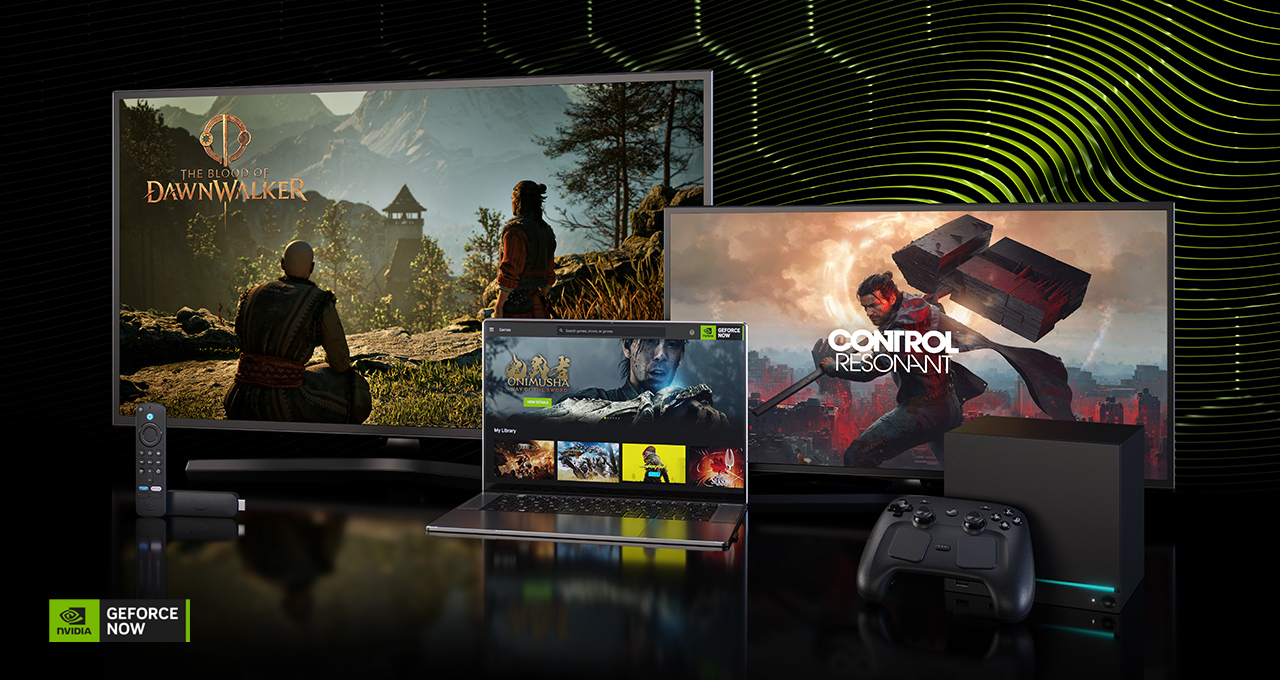
NVIDIA’s Gamescom announcements are revealing what’s next for GeForce NOW, with new ways to play, more supported devices and platforms, and even more big PC games headed to the cloud.
New NVIDIA DLSS 4.5 technology controls give members more ways to fine-tune gameplay, while expanded support for new Steam devices, GOG single sign-on, Firefox browser support and more Amazon Fire TV devices continue broadening where and how GeForce RTX-powered PC gaming can be enjoyed.
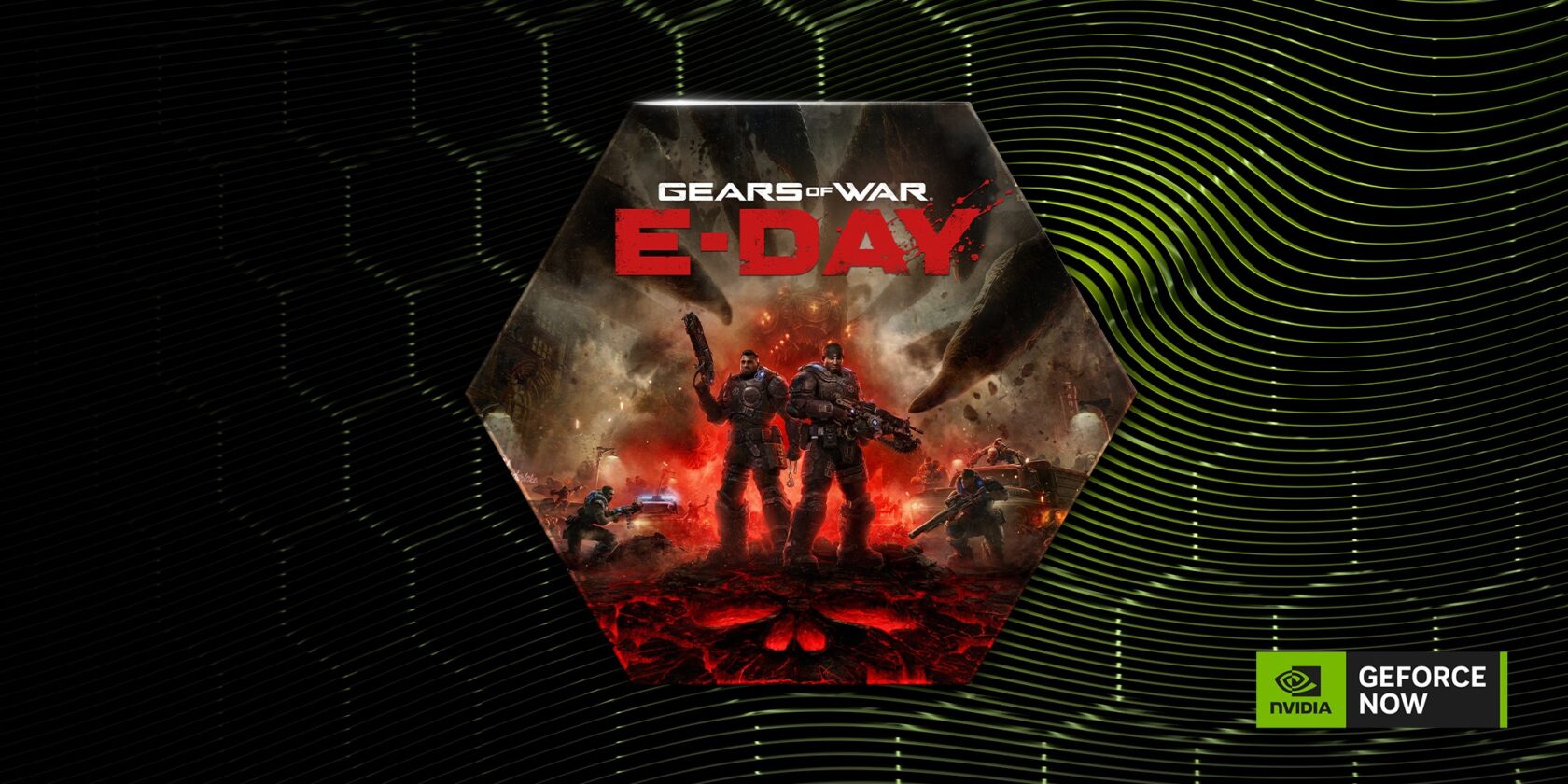
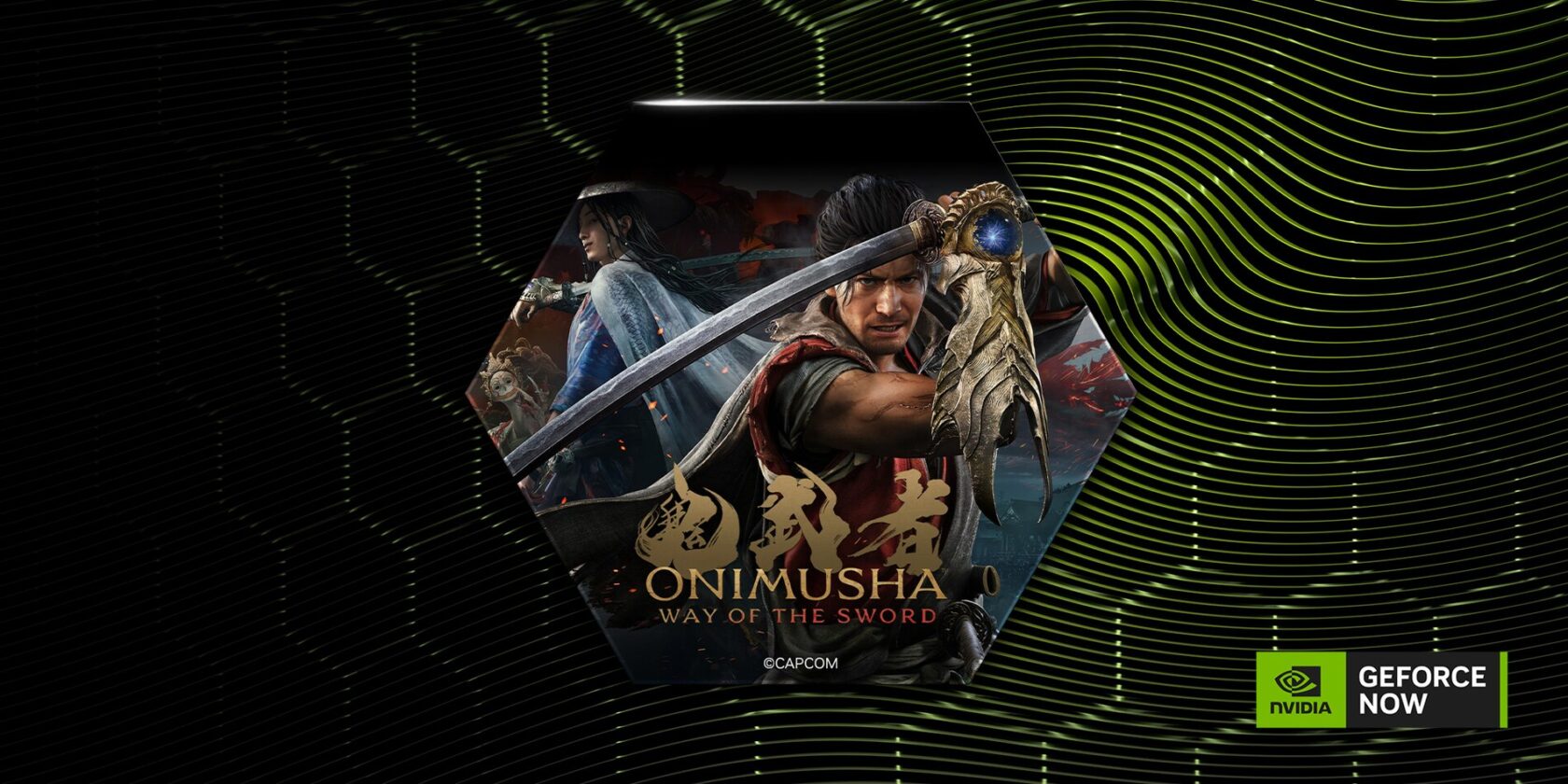
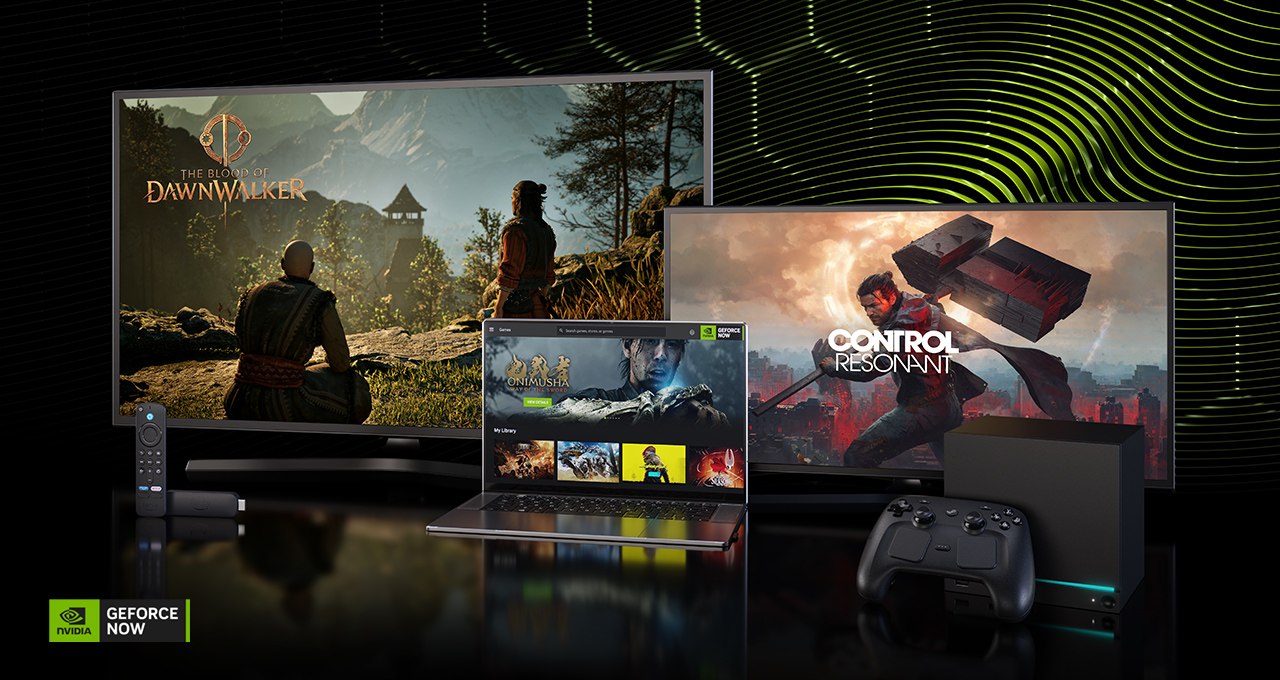
Gamescom is also bringing a blockbuster lineup of PC games to GeForce NOW. CONTROL Resonant, Gears of War: E-Day, Onimusha: Way of the Sword, The Blood of Dawnwalker and STAR WARS Zero Company are all coming to the cloud at launch.
For a limited time, members can also get CONTROL Resonant with the purchase of a 12-month GeForce NOW Ultimate membership.
The Gamescom extras don’t stop there. To celebrate, GeForce NOW is giving away more than 40 prizes in our Community Giveaway — including gaming hardware and GeForce NOW Ultimate memberships.
There’s even more fun to come. Check out the list of 13 games joining the GeForce NOW library this week.
Next-Level Cloud Gaming
More ways to choose how to play.
This fall, GeForce NOW is introducing new NVIDIA DLSS 4.5 controls in the cloud, giving Ultimate members more choice over how supported games look and perform, even without the latest hardware. Powered by NVIDIA RTX graphics, each control offers something different: DLSS Super Resolution sharpens image quality, while Dynamic Frame Generation delivers lower latency and stutter for smoother streaming, and Ray Reconstruction enhances ray-traced visuals. Together, these technologies make it easier to tune supported games for image quality, responsiveness or a preferred balance between the two.
Stay tuned to GFN Thursdays for details about best practices for enabling DLSS 4.5 overrides and how Dynamic Frame Generation can help Ultimate members enable more graphic settings while still getting smooth streaming.
Stream full steam ahead with the Steam ecosystem.
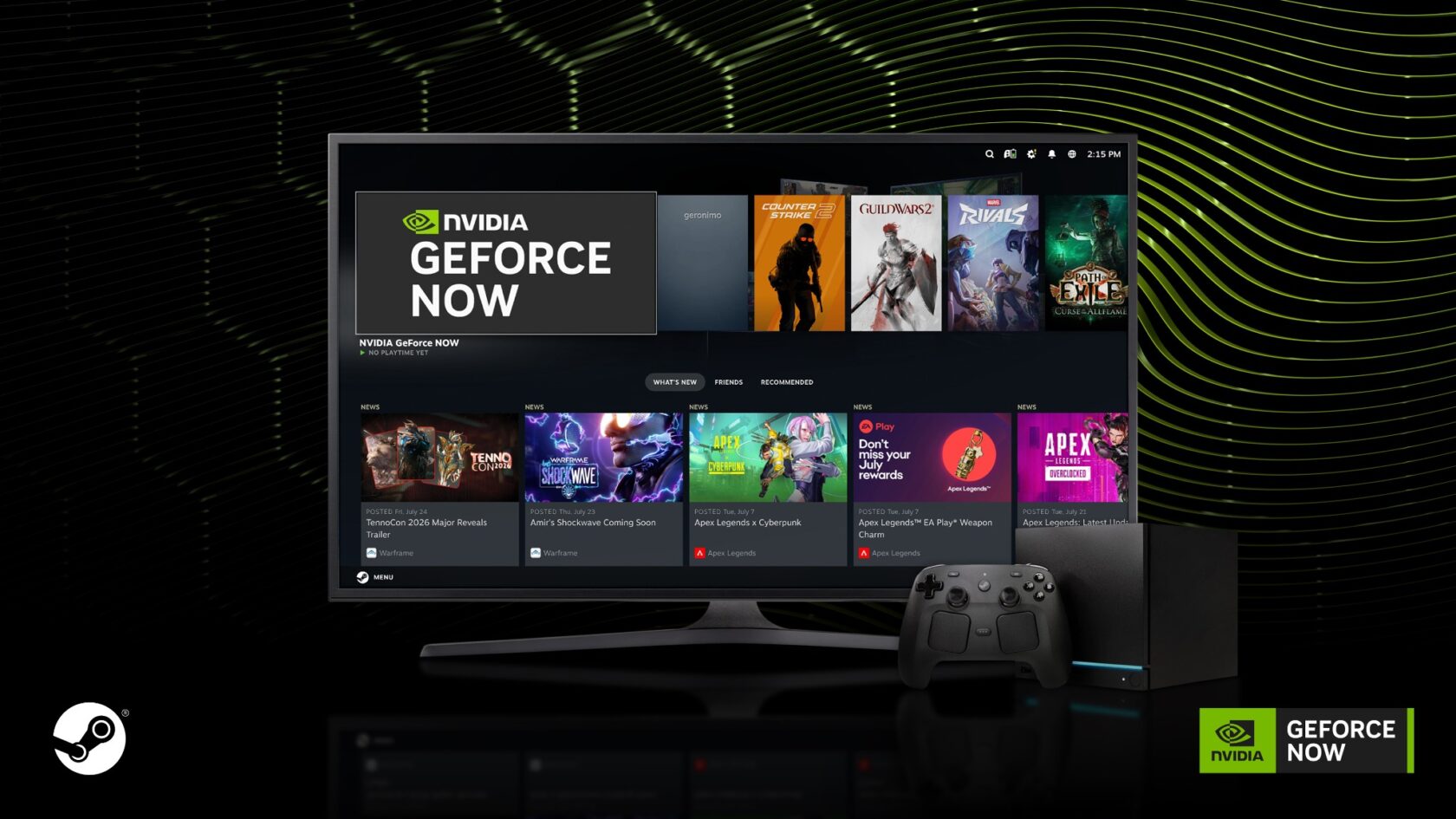
GeForce NOW is also adding community-requested support for Steam Machine with Steam Controller later this fall, and later for Windows and macOS, delivering more ways to play and making it even easier for longtime Steam players to jump into the cloud using familiar hardware. The additions build on existing Steam Deck support and expand compatibility across the Steam ecosystem.
Get your GOG on with one click into the library.
Launching GOG games just got even easier. With GOG single sign-on now available on GeForce NOW, members can securely link their account once, automatically sync supported games and launch them without having to sign in to GOG again — all with a single click.
With fewer steps between opening the app, skipping any downloads and jumping into gameplay, it’s another way GeForce NOW continues streamlining access to PC gaming libraries, making it easier to play the GOG library of games on TV platforms since gamers are automatically logged into their GOG accounts.
Find popular titles, like Cyberpunk 2077 and The Witcher 3: The Wild Hunt, in the app in the dedicated GOG row. Or search and filter for GOG games, then jump into supported titles from almost anywhere — all streamed from the cloud. Check back on GFN Thursdays for the latest games joining the GeForce NOW library, including newly supported games streaming from GOG.
Outfox nearly any device with GeForce RTX gaming.
Plus, GeForce NOW is now officially supported on Firefox, expanding browser access across all major Windows browsers. Members can jump into supported PC games directly from Firefox without downloading a dedicated app. Ultimate members can enjoy GeForce RTX-powered gaming at up to 1440p and 120 frames per second.
Simply download the latest version of Firefox and visit play.geforcenow.com to get started. The cloud handles downloads, installs and updates, keeping local storage free while games stay ready to play in the cloud.
Bring the fire to living rooms with GeForce NOW.
GeForce NOW is expanding support to additional Amazon Fire TV devices. GeForce NOW first launched on Fire TV devices earlier this year, and will soon expand to the Fire TV Stick 4K Select, a 4K streaming stick that’s ready to game right out of the box. Streaming from the cloud means supported PC games are ready to play using a compatible controller, making it easy to enjoy GeForce NOW on the biggest screen in the house with even more options to play from the comfort of the couch.
And that’s not all the awesomeness from Amazon. Later this year, Fire TV users will be able to purchase GeForce NOW memberships directly through Amazon, creating a more seamless path from device setup to gameplay.
These new features will arrive alongside some of the biggest games coming to the cloud throughout the year.
Get Ready for Launch
Five newly announced and highly anticipated games are coming to GeForce NOW at launch: CONTROL Resonant, Gears of War: E-Day, Onimusha: Way of the Sword, The Blood of Dawnwalker and STAR WARS Zero Company.
Better yet, members can lock in one of them early: For a limited time, purchase a 12-month GeForce NOW Ultimate membership and receive CONTROL Resonant at launch at no additional cost, and be first to experience Faden’s next chapter. The offer is available Tuesday, Aug. 25, through Sunday, Sept. 27.
Ultimate members can stream the full lineup with GeForce RTX 5080-class performance in the cloud, including NVIDIA DLSS 4, ray tracing, NVIDIA Reflex and Cinematic Quality Streaming technologies, with up to 5K high dynamic range on supported devices.
Whether diving into new worlds or returning to iconic franchises, GeForce NOW lets members skip expensive hardware upgrades, massive installs and storage management so they can jump straight into the action the moment each game launches. Here’s a closer look at what’s coming:
Contain the chaos.
Explore a warped Manhattan on the brink of paranatural annihilation in Remedy’s CONTROL Resonant. Harness Dylan Faden’s extraordinary powers to battle the Hiss, the Mold and other reality-bending threats while searching for his sister, Federal Bureau of CONTROL Director Jesse Faden.
Emergence begins.
Experience the horror and brutality of Emergence Day in the Coalition’s Gears of War: E-Day. Fourteen years before the original Gears of War, join Marcus Fenix and Dominic Santiago in a gripping origin-story campaign as the Locust Horde first erupt from below, igniting a desperate fight for survival. Rally squads and fight on in multiplayer with a reimagination of Gears’ iconic PvE mode, Horde Siege, or go head to head with a refined versus PvP.
Pick up the Oni Gauntlet.
Fight across a twisted vision of Edo-period Kyoto in Capcom’s Onimusha: Way of the Sword. Wield the mystical Oni Gauntlet, master intense swordplay and battle relentless demonic Genma beneath mysterious clouds of Malice.
Walk the line between day and night.
Step into 14th-century Europe in Bandai Namco’s The Blood of Dawnwalker, where war, plague and rising vampire powers have reshaped history. Play as Coen, a young Dawnwalker torn between humanity and cursed strength, and shape his path while fighting to save his family.
Command the galaxy’s finest.
Lead an elite squad behind enemy lines in STAR WARS Zero Company, a single-player turn-based game set during the twilight of the Clone Wars. Command former Republic officer Hawks and Zero Company through tactical battles and high-stakes missions where strategy, squad composition and player choices shape the fate of the galaxy.
More Ways to Win
Gaming gear and Ultimate memberships are up for grabs.
GeForce NOW is marking Gamescom with a community giveaway featuring more than 40 prizes. Gamers will have a chance to score a MacBook Neo, Steam Deck or Chromebook — each paired with a one-year GeForce NOW Ultimate membership — along with Amazon Fire TV Sticks and GeForce NOW Ultimate memberships ranging from one month to one year.
Head over to the GeForce NOW community on Reddit for all the giveaway details and how to enter.
The Hunt Is On
Squad up and fight for survival in Aliens: Fireteam Elite 2, streaming on GeForce NOW this week at launch. Assemble a four-player fireteam of Colonial Marines and battle through swarms of Xenomorphs, deadly new threats and increasingly desperate encounters. With deeper squad mechanics, new and improved classes, smarter enemies and expanded customization, every mission puts teamwork — and nerves — to the test.
Members can also look for the following games joining the cloud this week:
Aliens: Fireteam Elite 2 (New release on Steam, Aug. 25)
Resonance: A Plague Tale Legacy (New release on Steam and Xbox, Aug. 27, available on Game Pass)
STAR WARS Zero Company (New release on EA app and Steam, Aug. 27)
Call of Duty: Modern Warfare 4 – Open Beta Weekend (Battle.net, Steam and Xbox available from Aug. 28 10am PDT to Sep. 1 at 10am PDT. For more information please visit the Call of Duty website).
Dates listed above reflect when games are released on their respective stores. GeForce NOW availability may vary, as games are onboarded after release and added throughout the week. Keep an eye on GeForce NOW channels and GFN Thursdays for availability updates on announced titles.
To experience GeForce NOW, gamers can start with a GeForce NOW day pass and try premium cloud gaming before committing to a membership. Better yet, the cost of a day pass can be applied toward a first membership purchase, making it even easier to level up when ready.
Check back every GFN Thursday for new games, new features and even more ways to play on GeForce NOW. Which Gamescom announcement has you most excited? Let us know on X or in the comments below.
The future of PC gaming is on display with GeForce NOW. ☁️⚡
🖥️DLSS 4.5 controls 📱Expanded device support ✨ Upcoming AAA games 🎮 More ways to play 🎁 Community giveaway 🦊 Firefox browser support … and more! #gamescom
I’m old enough to have been taught a bunch of skills that are now essentially dead. Shorthand is one of those skills that I learned and used, and has since been pushed out of my brain by “Simpsons” quotes. I look at the lines and squiggles now, and it makes absolutely no sense.
Another skill that’s come and gone is dictation and transcription. I had a number of recorders over the years — from tape to electronic — and used them extensively. I’ve lost count of how many recorders have burst apart when they were dropped.
Dictation and transcription gave way to speech-to-text software. I remember trying this in the late 1990s and feeling it had potential, but it was also frustrating. As someone taught to type, the keyboard was always quicker and cleaner… until recently.
Thanks to a hearty chomp from a disease-ridden Scottish tick, I’ve been left with a small amount of cramping and neuropathy in my hands. The symptoms are more annoying than debilitating, but they did leave me wondering if non-keyboard options had improved.
This is the path that got me to try the Comulytic Note Pro AI Voice Recorder, a credit card-sized recorder that uses AI to organize your thoughts, meetings, and memos.
There are two parts to this system — the physical recorder and the app that leverages AI to get things done.
The recorder
Let’s start with the recorder.
Shaped like a small stack of credit cards, the Note Pro AI voice recorder measures approximately 3.37 x 2.04 x 0.12 inches and weighs just one ounce. It reminds me of the Bluetooth finder cards you buy for your wallet or purse, but as I’ll get to shortly, it’s missing one feature they have in common.
It has a tiny 128 × 80-pixel display along one side, and a single button. A press starts off a recording, another press stops it.
The user interface is about as simple as it gets.
Adrian Kingsley-Hughes/ZDNET
The unit is packed with a triple-mic array featuring AI noise reduction, an effective range of up to 15 feet, and 64GB of internal storage for recordings.
Inside is a battery that offers 45 hours of continuous recording and a whopping 107 days of standby. It comes with a magnetic slip case that attaches to a smartphone and a proprietary charging cable that connects to the pins on the back of the card.
The app
Then there’s the app (iOS/Android), which is where the voice recordings go for AI processing. You can find an app for both iOS and Android, and connecting the recorder to the app is very easy to do.
Every recorder comes with a free Starter Plan that offers unlimited free transcription and basic AI summaries; however, advanced features such as Advanced Summary, Instant Abstract, and Ask Comulytic Assistant require a paid subscription starting at $10 a month.
The app is “busy,” and works hard to upsell premium features.
Adrian Kingsley-Hughes/ZDNET
The recordings are offloaded from the recorder to the app, where all the AI magic happens, and it becomes the hub for everything you do with the recorder.
And none of this AI is bespoke to Comulytic; the app leverages third-party services.
Comulytic claims that the recordings are encrypted using AES and that everything is done to meet SOC 2 Type 2, HIPAA, ISO 27001, GDPR, CCPA, and CPRA requirements, and we will have to take their word for it.
My verdict after two months of use
I want to preface what follows with some caveats. First, note-taking, whether shorthand or voice notes or some AI-powered speech-to-text system, is very personal, and how I do it will almost certainly differ from how you do it. Keep that in mind.
Much like a notebook and pen, this sort of device is a blank slate, ready for the user to leave their mark. And just as a notebook’s effectiveness depends on the quality of your handwriting, and how well you are at putting down your thoughts, this device here relies quite a lot on the clarity of your voice and thoughts. Someone who speaks clearly and concisely is going to have a very different experience from someone who mumbles and waffles.
I recorded hours of conversations — with permission where third parties were involved — under a variety of situations. Sometimes the recorder was on a table in front of me, other times it was in the cargo pocket of my trousers. Irrespective of the recorder’s location, I was getting excellent speech-to-text accuracy, well in excess of the 98% that Comulytic claims. And I was getting this accuracy out of the box, without giving it my voice profile.
Adrian Kingsley-Hughes/ZDNET
In fact, I felt accuracy worsened after I added my profile. Counterintuitive, I know, but this was my experience, and I ended up deleting the training I’d done. Overall, it’s spookily good, and up there with the dictation features that Apple has built into the iPhone and Mac.
I wish I could say the same about the ability to differentiate between speakers. This was hit-and-miss at best. It could be working fine one minute, only for it to suddenly stop working before kicking back into life again.
The app also tries very, very hard to get you to subscribe to the premium services. Features like the AI-powered instant abstract were useful, but not useful enough that I’d be willing to pay for them. Maybe this is because I’m used to using dictation, I’m good at getting my words down in a summarized way, and I don’t attend a lot of meetings and such that need condensing.
The app is always trying to upsell!
Adrian Kingsley-Hughes/ZDNET
Battery life does not disappoint, and it feels like this recorder can go on forever. What I’m less happy about is the proprietary magnetic charging cable that I need to avoid losing. Spares do exist online, and I also discovered that the cable for my Seeed Studio SenseCAP LoRa mesh tracker card worked for charging. Bonus!
However, I hate proprietary charging cables, and I wish that these makers would take a leaf out of the Bluetooth finder card market and build in support for wireless charging. The solution exists, and I hope next-gen AI voice-note recorders adopt it.
Two lingering concerns
The more I used the Note Pro AI voice recorder, the more I liked it, but I couldn’t shake a couple of concerns. First, there’s just too much AI for my liking. Even with basic transcription, the robotic overlords take liberties, and the output is nowhere near as faithful to the original recording as a human transcriber would be.
Also, given the direction that AI is going with watermarking (a feature that will aid AI companies more than anyone, because it will allow AI slop to be identified and prevented from being added to training data), it’s not long before anything and everything that comes from a device like this will have AI’s digital fingerprints all over it, and this could result in anything that’s outputted from this tool to get a “touched by AI” aura label stamped onto it.
The other issue is related to privacy, including laws surrounding consent to being recorded. This is a deep rabbit hole, should you choose to make the leap, with different rules in different territories. Be aware that these sorts of rules exist.
Alongside this is the backlash against recording tools that devices like Meta Glasses have sparked (it reminds me of the outcry around the original Google Glass, but Meta’s hardware is far more mainstream and ubiquitous). I’ve witnessed hate directed at Meta Glasses, and it’s not pretty. A voice recorder is not in the same category, but sensitivity may still be needed.
A way I found to seem more obvious and weird when using this recorder in public was to wear my AirPods. They don’t connect to the recorder or do anything, but they did make it look like I was on a call, rather than creepily talking to myself.
ZDNET’s buying advice
The Comulytic Note Pro AI voice recorder currently costs $116, with 10% off the usual price. For that money, you get decent hardware that connects to a pretty decent, although sometimes annoying and rather cluttered, app that tries its utmost to upsell every time I touch it.
If all you want is to have AI transcribe your voice, this tool will do the trick at no extra cost. And it will do it rather robustly if it’s just one of you speaking, but might (unless you have more success than I did) mash together two or more speakers.
But if you want to use one of the many advanced features sprinkled throughout the app, it’s going to put its hand in your pocket for a subscription. And this is where you’re going to have to stop and think, because there’s quite a spread between the monthly one-off prices and annual billing (the first “Premium” tier is $14.99 per month, or $120 if you buy an annual subscription).
If you need to remember stuff, either things that come tumbling from your head or others, and you’re a bit of a geardo and like having something new to play with, you’ll likely find cool ways to use a tool like this. But if you’re a bit of a curmudgeon, dislike AI, or don’t want to have yet another thing in your life to keep charged (with a proprietary cable, no less), this might be something to pass on.
CAPTAIN TSUBASA 2: WORLD FIGHTERS Direct Download:
The next episode of Tsubasa’s riveting adventure is here! Enjoy the thrill of spectacular soccer actions with 110 playable characters and new sensational super moves. Challenge a friend in the field or support Tsubasa on his Journey, the ball is yours. METAL GEAR SOLID 4: Guns of the Patriots – Master Collection Version
• New and Improved Gameplay Action on the field has been enhanced with powerful new super moves that intensify every action, from passing to blocking. The updated system adds more strategy, especially in goalkeeper versus shooter duels featuring spectacular super shots and blocks from the original series characters.
• A Soccer World That is Bigger Than Before! Featuring 22 national teams, over 110 playable characters, and more than 150 cutscenes highlighting moves on the pitch! Previously unseen teams from the manga and original teams and characters clash in glorious, meticulous animation. The excitement of these once-in-a-lifetime moments has never been higher!
• Powerful and Inspiring Music Tadayoshi Makino (SpinSolfa), praised for his moving BGM tracks from the previous title, brings over 100 energized tracks to this iteration. Dare to compete with this exhilarating compilation of melodies perfectly suited to the high-octane action of Captain Tsubasa, the king of sports of anime, as Tsubasa and his teammates give their all on the pitch for the ultimate victory.
Screenshots
SystemRequirements
Minimum Requires a 64-bit processor and operating system
OS: Windows 11
Processor: Intel i5-10600K / AMD Ryzen 5-5600X
Memory: 16 GB RAM
Graphics: NVIDIA GTX 1650 Super (4 GB) / AMD Radeon RX 5600 XT (6 GB)
DirectX: Version 12
Storage: 22 GB available space
Support the game developers by purchasing the game on Steam
InstallationGuide
TurnOff Your Antivirus Before Installing Any Game
1 :: Download Game 2 :: Extract Game 3 :: Launch The Game 4 :: Have Fun 🙂