A version of Nvidia‘s controversial DLSS 5 tech has escaped containment before its official release, and people are jamming it into games that, to be fair to Nvidia, it is not necessarily optimized for yet.
The result has been comedic, off-putting, and for some, just what they’ve always desired. The image above, which has been dubbed “Claude Strife” (I don’t know who made the joke first, but I’ll give it to Brian Bucklew), apparently demonstrates DLSS 5 at extreme settings.
Unlike the DLSS we’re used to, which harnesses machine learning to upscale low-res graphics without deviating too much from the source material, DLSS 5 attempts to improve on the artwork it touches with AI image generation that provides similar results to using the word “photorealism” in a prompt for an AI image model.
Latest Videos FromPC Gamer
I’m not 100% sure that the Final Fantasy 7 Rebirth screenshot above is a genuine example of DLSS 5—when I attempted to trace its origin I hit a dead end at a deleted Reddit thread—but it looks quite similar to other images that have come out of experiments with the tech. Stylized characters are clearly not the best use case for it.
The DLSS 5 implementation floating around can also have an aging effect on characters, intensifying skin texture, the separation between cheek and jaw, and dialing up the dourness of expressions that might otherwise come across as neutral.
“Bruh my hogwarts legacy student turned into a 35 yr old divorce attorney,” wrote gc734 in the RenoDX Discord server. (Image credit: Warner Bros)
But there are lots of other examples of DLSS 5 in action that, from a certain perspective, look fine or good. When the settings are tweaked just so, it can make a Starfield character with flat, untextured skin look much more human, for instance. You can see many more examples in the RenoDX Discord channel.
A Starfield before-and-after shared by Ani HVX in the RenoDX Discord channel. (Image credit: Bethesda)
Plenty of people in that channel are delighted by the results they’re getting and seeing from others, but of course there’s also a ResetEra thread aghast at the whole thing. As with most things, opinions are divided.
Keep up to date with the most important stories and the best deals, as picked by the PC Gamer team.
It doesn’t help that I’m coming to it with pre-existing negative feelings about generative AI, but I land in the ‘not in my house’ camp for now.
Even where DLSS 5 does turn a flat-looking face into something with volume and texture, it has a distinct AI-generated look—like photos of models taken with studio lighting have been stretched over all the faces and bodies. I can’t separate it from the Grok-generated images creeps post on X, or any other off-putting examples of AI slop.
The hype around humanoid robots isn’t particularly new. Thank Tesla CEO Elon Musk and his Optimus robot, as well as the myriad videos of Boston Dynamics’ Atlas robot, for that.
Behind that hype, though, there is real progress. The physical capabilities of robots continue to improve, and researchers now believe that the AI techniques behind large language models can make complex robots capable of learning nearly any task.
Those tailwinds have encouraged a new batch of companies to jump in on the promise of profits from humanoid robots. And many of the latest entrants are Chinese automakers.
Earlier this week, Xpeng’s robotics unit raised more than $900 million at a post-money valuation of more than $6.3 billion. The round, led by IDG Capital with participation from Gaorong Ventures, Tencent, and Alibaba, was described by the company as the largest single-round private financing ever recorded in China’s “embodied AI” industry (AI systems built directly into physical machines).
This month, AiMOGA, the robotics unit of China’s Chery Automobile, reportedly began preparing for an IPO, while BYD unveiled a humanoid robot called Xiao Di. Other Chinese automakers, including Changan, GAC, Li Auto, SAIC, and Seres, are also developing humanoid robots.
Among all of them, Xpeng is the Chinese automaker that most closely watches and follows Tesla’s initiatives, according to Michael Dunne, CEO of San Diego- and Singapore-based advisory firm Dunne Insights.
“It’s the most focused on autonomy, it’s the first to commit in a big way to humanoid robots,” Dunne told TechCrunch, adding that Xpeng founder He Xiaopeng is a tech billionaire known for his agility and quick adjustments. “He sees razor-thin profit in cars on the near horizon. Robots look much more promising.”
Xiaopeng and Xpeng co-president Brian Gu are bullish enough that they’ve put their own funds behind the robotics unit. According to the Wall Street Journal, the pair invested about $100 million into the recent fundraising round.
Xpeng’s bet is on Iron, a humanoid robot with a realistic human shape that is built for commercial deployment.
Chinese automakers like Xpeng do bring a manufacturing edge.
“They have all the hardware to get the job done,” Dunne said. “Question is if they can catch Tesla on the AI side of the equation.”
There are, of course, many other companies developing humanoid robots, including Agility Robotics, Apptronik, and Figure, all chasing the same goal: commercial deployment at scale.
Hyundai-owned Boston Dynamics is getting closer to that goal. Hyundai plans to bring Boston Dynamics’ Atlas humanoid robot to its Georgia factory this year and eventually deploy the robots for tasks like parts sequencing by 2028. The Korean automaker, which partnered with Google’s AI research lab DeepMind to speed up the development of Atlas, is opening a U.S. facility this year called a Robot Metaplant Application Center, which will teach robots how to map movements like lifts and turns.
Other automotive companies are also jumping, including supplier Mobileye, which acquired humanoid robot startup Mentee Robotics earlier this year for $900 million. Even Rivian is dabbling in robots with its Mind Robotics spinout — although its robots are not expected to look quite like the humanoids in development elsewhere.
When you purchase through links in our articles, we may earn a small commission. This doesn’t affect our editorial independence.
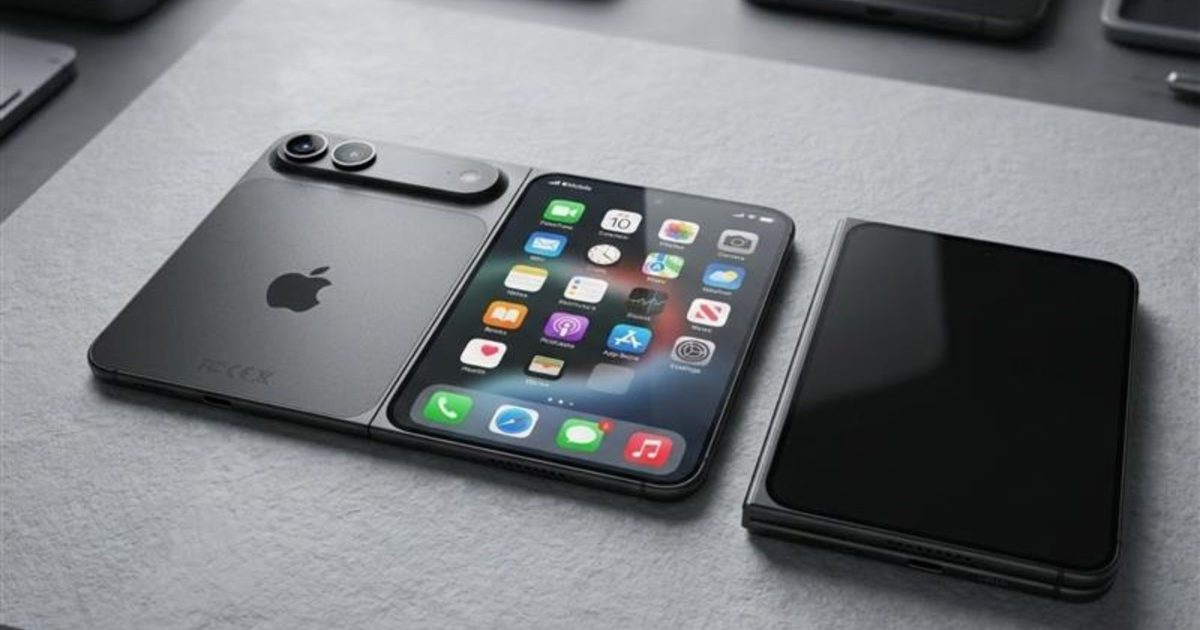
Apple takes its sweet time adopting a new trend or technology, but when it does, it delivers one of the best implementations ever. That’s exactly what everyone is expecting from the company’s first foldable. Call it the iPhone Fold or the iPhone Ultra, the Cupertino giant has more riding on this launch than perhaps any product launched in the last few years, and it could break cover later this year.
Apple has since confirmed its September 9, 2026 event date, with the tagline “Surprise and shine,” and sent invitations on August 26. The ‘surprise’ in the tagline could be a hint about the foldable iPhone. We’re now just days away from the iPhone Ultra’s expected reveal, and here’s everything you need to know about it.
iPhone Fold / Ultra: At a glance
Specification
Details
Name
iPhone Fold or iPhone Ultra
Apple yet to confirm the official name
Release date
Should be September 9, 2026
Availability possibly October–December 2026
Starting price
$1,999–$2,500
256GB / 512GB / 1TB storage options rumored
Form factor
Book-style fold (horizontal)
Similar to Samsung Galaxy Z Fold but with a wider aspect ratio when unfolded
Inner display
~7.76–7.8 inches, OLED
4:3 aspect ratio; near iPad mini-sized when unfolded
Outer display
~5.3–5.5 inches, OLED
Usable as a standard iPhone when folded
Crease
Near-invisible
Apple reportedly pursued elimination “regardless of cost”
Chip
A20 or A20 Pro
Based on expected September 2026 launch timeline
Biometrics
Side-mounted Touch ID
Face ID likely dropped to save internal space
Cameras
Dual rear (main + ultrawide), no telephoto
One front camera on inner display; one on outer display
Battery
5,000–5,500 mAh
Largest ever on an iPhone, per Weibo leakers
Frame material
Titanium and aluminum
Could use liquid metal hinge
iPhone Fold / Ultra: Latest News
August 26, 2026: Apple confirms its September 9 event.
August 24, 2026: Luxury customizer Caviar unveils several custom “iPhone Ultra” editions, priced from $13,840 to $18,840, months before Apple’s own official reveal.
July 11, 2026: A leaked regulatory filing suggests the iPhone Ultra uses a dual-cell battery (1,921mAh + 2,962mAh) totaling ~4,883mAh.
July 6, 2026: Apple reportedly raises its foldable production target to around 10 million units for the year, per Nikkei Asia; IDC pegs the average selling price at $2,500.
June 16, 2026: Bloomberg’s Mark Gurman reports Apple is already developing a second-generation foldable, codenamed V78, for a 2027 release alongside the 20th-anniversary iPhone.
May 26, 2026: A report by Letem světem Applem (via PhoneArena) shows the purported iPhone Ultra inside a protective case, revealing almost everything about the phone’s design.
May 26, 2026: A claim from Instant Digital (via Weibo) suggests that Apple is facing problems in improving manufacturing yields during the pre-assembly process. The issue is related to Surface Mount Technology (SMT).
May 19, 2026: Chinese tipster Digital Chat Station (via Weibo) shares that Apple could adopt a similar crease-free solution as Oppo Find N6.
May 16, 2026: Chinese tipster Instant Digital (via Weibo) claims that Apple has achieved a visually crease-free foldable display with “long-term stability.” The core problem, however, is improving the hinge reliability.
May 11, 2026: A report from MacRumors states that the first foldable iPhone could arrive in just two colors at launch.
April 7, 2026: After rumors about Apple hitting a development snag with the foldable, Bloomberg’s Mark Gurman pushed back by reinstating the September launch window.
March 16, 2026: Given that the device will run on iOS, and not iPadOS, it might miss out on some of the most popular apps or the advanced multitasking features built for iPads.
When will Apple release the iPhone Fold?
One of the most credible sources of information for upcoming Apple products, Bloomberg’s Mark Gurman, remains confident that the iPhone Ultra or iPhone Fold is on schedule for a September 2026 launch, at the company’s most important fall hardware event, which has also become one of the most important events in the consumer tech industry.
As mentioned earlier, Apple has confirmed its September 9 launch event. Although the devices haven’t been confirmed yet, we could see the iPhone Ultra join the two iPhone 18 Pro models at launch.
Apple has spent years watching from the sidelines, as Samsung, Google, and a couple of other Chinese companies reveal their foldables, and it wouldn’t risk revealing its first foldable through a separate event, one that might not have as much awareness or gather as much attention as its iconic fall event.
I believe the iPhone Ultra could be the last announcement, after the iPhone 18 Pro and iPhone 18 Pro Max reveal.
On the flip side, analyst Tim Long has flagged that shipments for the iPhone Fold might not begin until December 2026, implying the announcement and arrival could be separated by almost three months and corroborating a report by Nikkei Asia about Apple hitting development snags with the foldable related to engineering problems.
More recent reporting suggests the bigger risk is a staggered international rollout. Some supply chain sources claim that Apple might keep the iPhone Ultra US-only at launch. Buyers in other markets might have to wait a couple of months before getting their hands on it.
Date
Rumored milestone
Status
Sep 9, 2026
Announcement alongside iPhone 18 Pro and Pro Max
Confirmed
Sep 2026
U.S. availability
Likely
Oct–Dec 2026
Wider international rollout, potentially staggered by region
Likely
2027
Full launch pushed due to engineering failures
Now unlikely — production has reportedly been raised to 10 million units, suggesting confidence in the September timeline
I think it makes sense, and for one good reason. Releasing the foldable iPhone about three months after the regular iPhone 18 Pro models ship would give customers and Apple stores a chance to catch their breath, and, at the same time, create more hype for the foldable. It would also let people decide whether to spend a fortune on an iPhone that folds in half or settle for the Pro or Pro Max.
How much will the iPhone Fold cost?
On pricing, sources largely agree: the iPhone Fold won’t be cheap, not by a long shot. Ming-Chi Kuo places the starting price between $2,000 and $2,500, a range that Gurman seems to agree with. However, we’ve also heard rumors that the starting price could be less than $2,000.
Sonny Dickson
I believe a $1,999 starting price could be the sweet spot: high enough to reflect the technology but just below the psychologically daunting $2,000 ceiling.
A recent research firm, IDC, now expects an average selling price closer to $2,500, with top-storage configurations reaching $3,000 (via 9To5Mac). Apple has reportedly raised its production target to around 10 million units for the year, up from earlier estimates of 7–8 million.
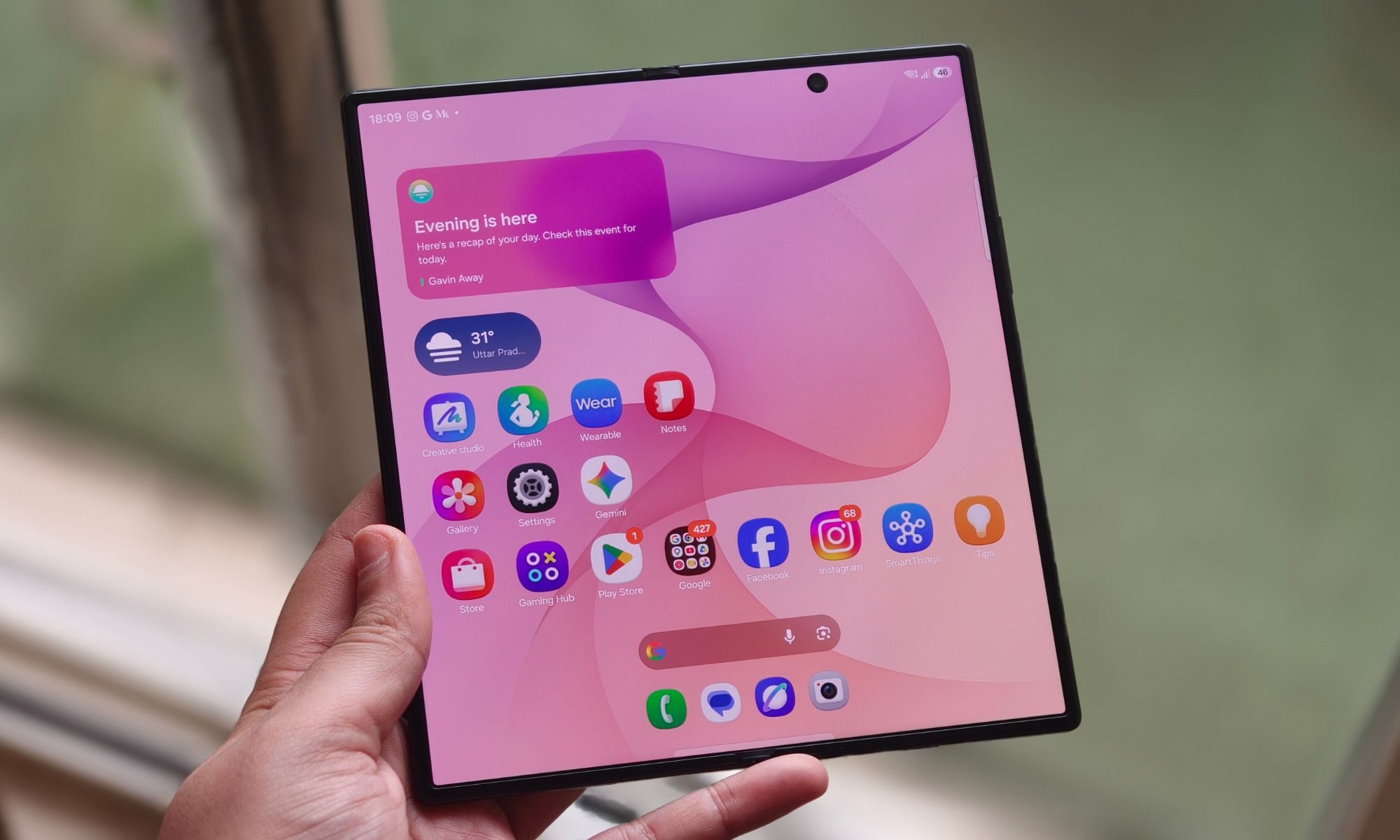
The dummy models Sonny Dickson shared on X in April 2026 make this immediately apparent. Both the cover screen and inner screen are noticeably broader than existing book-style foldables; Apple is clearly charting its own way.
According to Ming-Chi Kuo, the foldable iPhone could come with a 5.5-inch outer display and a 7.8-inch inner screen, both measured diagonally, both featuring an OLED panel. A MacRumors report goes further, citing specific resolutions: 2,088 x 1,422 on the 5.49-inch cover screen, and 2,713 x 1,920 on the 7.76-inch inner panel.
The inner screen could be closer to a 4:3 aspect ratio, as opposed to Fold 7’s 10:9, to better handle side-by-side app multitasking and video consumption without the black bars on the top and the bottom. While the inner screen could get Apple’s ProMotion display technology (up to 120Hz refresh rate), the cover screen could be limited to 60Hz, though that might not sit well with buyers who’re shelling out $2,000 for the smartphone.
yeux1122 / Naver
There should be a punch-hole cutout on the cover screen. The inner screen will also have a front camera, though whether it’s a punch-hole or under-display remains unconfirmed. On the back, the phone might feature a camera visor, similar to the one we’ve seen on the Pixel phones, with a double-camera array toward the left and an LED flash and microphone on the right side.
The frame could use a combination of titanium and aluminum. The most important design challenge, for Apple, is the foldable’s crease. On the crease front, Apple reportedly pursued a dual-layer ultra-thin glass structure and a liquid metal hinge to minimize it.
Prototype testing in May revealed a hinge rattling issue, but a follow-up leak on May 19 from DCS claimed Apple had since locked in both the hinge and panel design (via Notebookcheck), with the solution mirroring the near-crease-free approach used on the Oppo Find N6.
Shimul Sood / Digital Trends
On colors, the picture has narrowed. Leaked case and camera-protector leaks from Sonny Dickson point to silver/white and a darker blue or indigo option, broadly consistent with the “just two colors.” MagSafe remains a genuinely open question. Some leaked dummy units show no visible magnet ring, while later leaked third-party case designs include circular cutouts consistent with MagSafe magnets.
Performance and software
Under the hood, the iPhone Fold or Ultra will most likely run on one of Apple’s A20 chips, built on TSMC’s 2nm fabrication process. With more transistors on the chip, the chips could be up to 15% faster and 30% more efficient than the A19 series (via WCCFTech). Whether the foldable gets the regular A20 or the A20 Pro chip remains a point of contention.
Given what the company might charge for the device, customers will likely hold out for the A20 Pro chip; it doesn’t matter if it’s a binned version to control the performance and thermals. What’s less debated, however, is the packaging. Apple could use TSMC’s Wafer-Level Multi-Chip Module (WMCM) technology, which stacks RAM directly onto the chip wafer alongside the CPU, GPU, and Neural Engine.
The result could be faster RAM access, leading to better performance, less heat generation, and improved on-device Apple Intelligence performance. For those wondering, the iPhone Fold could ship with 12GB of LPDDR5X RAM, the same amount as the iPhone 17 Pro and the purported iPhone 18 Pro. Storage could span across three tiers: 256GB, 512GB, and 1TB.
On the connectivity front, we could get Apple’s second-generation C2 modem (same as the iPhone 18 Pro), the successor to the C1X modem on the iPhone 17e, which would also bring mmWave 5G support to the foldable. The device could also be eSIM-only, given the limited internal space.
As I mentioned earlier, the iPhone Fold or Ultra will most likely feature Touch ID instead of Face ID, a compromise that might sting at first, but given that fingerprint authentication is already present on existing iPads, it shouldn’t take long to get the hang of.
Out of the box, the iPhone Fold is expected to run iOS 27, and a special version of the operating system no less, built around utilizing the additional screen real estate on the foldable.
Apple
Like the iPhone 18 Pro, the iPhone Ultra will also run on iOS 27 out of the box. Alongside the new Apple Intelligence features, Siri AI, and deeper cross-app context already available in the public beta, the operating system update could also bring several improvements, particularly useful on a foldable.
Overall, split-screen multitasking could make the most headlines. Per reports, the phone should be able to run two apps side-by-side, perhaps with iPadOS-like layouts that better use the larger inner display. Code found in iOS 27’s beta version suggests that the software should be able to recognize whether the phone is open, closed, or positioned at a particular hinge angle.
Cameras and battery
On paper, the iPhone Fold or Ultra’s camera systems don’t look as good as the iPhone 18 Pro, or the iPhone 17 Pro for that matter, and for a device that might cost twice as much, that isn’t a trade-off worth ignoring.
The iPhone Fold is expected to come with two 48MP sensors on the back, similar to the baseline iPhone 17, one with a wide lens and another with an ultrawide lens. What’s missing here, you might ask? It’s the telephoto lens found on the Pro models, and I think it’s likely due to space constraints in the foldable’s chassis that Apple might not include a dedicated zoom lens.
A November 2025 JP Morgan forecast (via MacRumors) also claimed that Apple might drop the LiDAR module and optical image stabilization on the foldable. While the first might be okay, the second could be a dealbreaker, especially for a smartphone that costs around or over $2,000. If I were to presume, the company will lean on computational photography and the A20’s NPU to compensate for the lack of hardware.
The same forecast also says about a 24MP under-display selfie camera on the inner screen. Whether it will retain Center Stage functionality from the iPhone 17 series isn’t clear yet, and neither is the resolution of the punch-hole camera on the cover screen.
Here’s everything we know about the iPhone Fold so far:
– 5.5” cover / 7.8” inner display – Nearly invisible crease – Touch ID – Apple C2 modem – 48MP dual rear camera – 5400~5800mAh battery – iOS 27 with Split View
Talking about the battery, the iPhone Fold is rumored to ship with the largest battery on an iPhone, ever. According to Chinese tipster Fixed Focus Digital (via Weibo), the foldable could sport a 5,000 to 5,500 mAh battery, which, if true, could be bigger than the Fold 7’s 4,400 and the Pixel 10 Pro Fold’s 4,821 mAh battery.
However, a more recent, more specific leak from Digital Chat Station, citing a regulatory filing from Apple’s battery supplier, points to a dual-cell design instead, with two separate cells rated at 1,921mAh and 2,962mAh for a combined ~4,883mAh. But the figure itself is a step down from the original 5,000–5,500mAh estimate, and somewhat ironically, it would actually be smaller than the standard iPhone 18 Pro Max’s rumored ~5,567mAh battery,
The Razr Fold has a 6,000 mAh battery, but Cupertino’s foldable might beat it in usage time, mainly due to better hardware-software optimization and its chip’s superior efficiency. Initial rumors hinted at a silicon-carbon battery in the purported foldable, but none of the most credible sources have supported the notion.
Contrary to earlier rumors, recent pictures of the iPhone Fold, from a leaked case listing (via PhoneArena), suggest it might feature MagSafe charging after all. However, if that doesn’t happen, the iPhone Fold will be the first high-end iPhone to move out of the production line without MagSafe, since the iPhone 11 Pro, a genuinely baffling omission at $2,000.
Bottom line
The iPhone Fold is shaping up to be one of the most consequential product launches in Apple’s history, and one of the most expensive. While the company might actually achieve a crease-free display and create an ultra-durable foldable that passes the test of time, the compromises are hard to ignore, especially at an asking price north of $2,000.
Apple needs to do what it does best: stick to its core instincts and make the product work at all costs. With the September 9 event now locked in, we won’t have to wait much longer to find out if it does.
After the tremendous Return of the Ancients update to Path of Exile 2, it wouldn’t take much to convince me to play more of it. The action RPG is the best it’s ever been and finally feels ready to come out later this year. So when developer Grinding Gear Games says it’s dropping a new mini-league next week to fill some time before release, you can bet I’ll be there.
On September 4, the first PoE 2 event league, Forbidden Rites, will begin. It’s not like the other major updates we’ve seen with tons of balance changes and a whole new league mechanic. Instead, developer Grinding Gear Games is keeping this one pretty simple with a small twist to the campaign and a big rework to one of the most divisive endgame activities.
Ritual altars will show up during the campaign that spawn waves of monsters and reward you with loot. Some of them will spawn bosses on top of other bosses and will let you pocket a powerful unique item if you can survive the gauntlet. This is actually something that could already happen in the endgame version of the mechanic, so I can vouch for how fun it is to have bosses like the gorilla wielding a stone pillar appear out of thin air to crush you.
Latest Videos FromPC Gamer
I’m particularly thrilled with what GGG has done to the Trial of Chaos, the only thing in PoE 2 I actively avoided interacting with. Someone once described the Trial of Chaos as a mode where all you do is choose how you want to get kicked in the stomach. You kill monsters across multiple stages and pick deadly modifiers that only exist to make your life hell as you try to survive until the end. Some of the effects are quite nasty, like a 40% reduction to your defenses or bloody tendrils that hold you in place as every monster swarms you. Trust me, it’s a nightmare.
Path of Exile 2: Duelist Deep Dive & 0.5.5 Event League – YouTube
In the new Trial of Chaos, those modifiers won’t start out as painful as they do now, and they’ll finally offer something in exchange for the agony by giving you a small boost to the quality of loot that drops. These, along with the other improvements to the speed at which doors open and new rounds begin, will hopefully make Trial of Chaos a tolerable—and maybe even fun—way to unlock your ascendancy class, PoE 2’s version of subclasses.
Forbidden Rites will speed up the endgame progression so you can start exploring the endless world map earlier than you would in a normal league. There you’ll find glowing green ravines torn through the earth that will host maps filled with Abyss monsters. And the previous league mechanic, Expedition, will now be a core part of the game if you like setting off explosions in the ground and mowing down whatever comes crawling out.
Sadly, the patch that will hit alongside the new league won’t have the sweeping balance changes GGG had originally planned. Those will come with PoE 2’s full 1.0 release on December 11—which seems like a risky move for a game with so many interlocking systems, but, hey, we’ll see how it goes. That also means there won’t be a whole lot of mystery in the endgame when it comes to the best builds and mapping strategies. If it works in the current patch, it’s going to keep working in the next one, too.
Keep up to date with the most important stories and the best deals, as picked by the PC Gamer team.
Some people are so bummed about this they’re going to skip the league. I’m just going to use it as an opportunity to try something I’ve never done before. All the new clips of the new duelist class look killer. Maybe it’s time to finally put down the spells and try a melee character for a change so I can see what swords are all about when 1.0 hits.
Just as with Insomniac‘s previous Spider-Man games, Marvel’s Wolverine promises plenty of callbacks to its titular character’s long history in comics, movies, and TV. But I got quite a laugh out of one detail in the game’s latest trailer – a direct reference to an infamous meme originating in the beloved ’90s X-Men cartoon.
The new game features trailer shows us a brief flash of what appears to be a level select screen, where you can replay previous missions. In the foreground, a text menu breaks down the stages by location and mission name, and on the other side we see a brief description of that level, alongside a tracker showing how many of its collectables you’ve missed.
In the background, we see Wolverine laying back in bed, longingly staring at a small picture frame he’s holding in his hands. This, of course, is a tribute to the Wolverine Crush meme, which originates in X-Men: The Animated Series. You’ve probably seen ’90s Wolverine staring at all kinds of things over the years, but in the original episode he’s jealously looking at a photo of Jean Grey and Cyclops.
Latest Videos FromGamesRadar+
(Image credit: PlayStation)
According to a breakdown on the PlayStation Blog, this mission replay screen appears in Logan’s Nightmare Cabin, which tracks with my hands-on time in Marvel’s Wolverine. While wandering through levels, you’ll stumble upon unreal doors that lead into a nightmare version of Logan’s home, where you can take on various challenges. I didn’t see this level select screen in my preview time, but it looks like the cabin will also be how you select missions to replay.
There are plenty of other low-key references to specific moments in Wolverine history, including numerous suits to unlock ranging from the classic brown-and-yellow to the nearly indecent Weapon X look. But I never would’ve expected such a goofy reference to creep into such a prominent part of Marvel’s Wolverine, even though I love it all the same.
How to Use YouTube Studio in 2026! (Complete Guide)
It’s been a while since I included a tutorial on the YouTube Studio interface so here we go!
As with most things on YouTube the platform and it’s constituent parts are constantly undergoing development and the studio section is no exception.
So if you are new to distributing your videos on YouTube or even are an old hand at it, it’s always worth taking a walk the through the latest and greatest to get the most out of it.
Use Auto Frame to Resize and Export a Video
A few weeks back now I posted a pretty comprehensive article on the subject of uploading content to various different social media platforms.
In that article I discuss a very important concept regarding how to shoot your videos in a way that will allow for your footage to be easily repurposed for different scenarios.
To put it briefly I always shoot 4K in widescreen or 16:9 aspect ratio.
The reason for that is so that I can later re-frame those videos at 9:16 or 1:1 or whatever resolution depending on the platform I am aiming for.
I don’t shoot 4K because I particularly want to upload the final videos at 4K, I do it so that in re-framing those 16:9 videos to other resolutions, I don’t lose quality.
Over the past few years of A.I. implementation into common video editing software this has become much easier to do.
Previously I had to step through the footage and keyframe repositioning to keep the subject in frame.
Now I use A.I. tools to do it for me and although it is not always perfect, the whole process is way faster.
Here’s a look at PowerDirector’s version of this tool in action.
How to Add a Windows 95 Look – Movavi Ideas
Another tips video from the folks at Movavi for this week, this time taking it all a bit old school!
This one shows how to add an old Windows 95 effect to your videos, only with Movavi you don’t have to go scouring the interwebs for an appropriate image.
The effect you need is already in the effects library so if this is what you want to do you are ready to go!
UI Animation That Look Like A Premium App – Made in CapCut
So Dina and Agnes put together some pretty interesting tutorials that really show what you can do with your average consumer level video editor these days.
In this tutorial they show how to put together a very professional looking user interface graphic animation in CapCut.
Two things to watch out for here:
First, the devil is in the details! It’s all the little adjustments and touches that take what could be a basic graphic animation and make it look pro.
The second is that they run through their tutorials really, really fast!
I found the best way to to deal with it is to have the editor open at the same time as the video.
That way I can stop and start the video as I replicate their steps.
Build A Cozy Home Office & YouTube Studio (2026 Versatile Upgrade)
One of the first things that became obvious to me when I started producing videos at a higher rate than I had previously was that I needed to get organized!
Having a space to shoot videos is fine but if you have to set up that space over and over, it gets very tiresome very fast.
The same goes for having somewhere to do the pre and post production work like script writing as well as editing.
If you don’t have a clean functional space this too becomes very tiresome very fast.
The result is that when you start to think about the actual things you are supposed to be doing, you just feel tired before you even start.
Even then when you do get started it all just feels like work!
So to deal with that I now have a space set up specifically for shooting and I have another space where I can sit down in an distraction free environment and do my pre and post production work.
I am lucky in that I have an office that allows me those two separate spaces to work in but I understand not all of us have that luxury.
So here’s a video from Gabriel VIP showing how and why he set up his working space the way he has.
Don’t look at this as though you need to exactly copy what he had done.
To be honest I couldn’t have my space that way as sometimes I need more distance between the camera and the subject.
However his logic in how he has arranged things makes perfect sense and is well worth shamelessly stealing!
Color Grade Mismatched Footage for ONE Consistent Look – DaVinci Resolve
Well I guess Daniel started off with this tutorial with the intention of explaining what it says in the title.
However, although he actually does show you how to simply color balance footage from different sources, the tutorial ends up showing a whole bunch more!
This is a great tutorial for learning how to navigate your way around the Color Page in DaVinci Resolve and an top of that a whole bunch of tips and tools you can use under any circumstances,
This Camera Mistake Makes You Look Like Someone Nobody Wants To Trust
I am becoming quite a fan of Chris Goor’s take on creating videos to build a channel or online presence.
I have been watching his videos for a while now and I really think he has a place in everyone’s content creation journey.
In this video he deals with something that really bugs me about a lot of creators which basically boils down to two concepts.
The first is asking for something before having provided anything of any value.
The second is talking down to the audience as if they are second rate because they haven’t achieved what you have.
It’s a thoughtful video and well worth watching and taking the advice onboard.
Everything You Need to Know About HDR Video, Part 2: Color Grading
This is a continuation of an article I added to last week’s Friday Roundup on the subject of HDR video.
Although this is not really aimed at a beginner to intermediate user I think it is an important subject to cover in some way.
It is very easy to get caught up in subjects like this and start thinking that problems you may be having are because of things like this.
Other more advanced creators can quite literally “blind you with science” and lead you off into something that you really don’t need.
The best defense in cases like this is knowing exactly as to whether or not it really is for you.
Key Takeaways
A comprehensive YouTube Studio tutorial for 2026, highlighting the evolving YouTube Studio interface.
Tips on using Auto Frame for resizing videos and suggests shooting in 4K for flexibility.
Readers can learn how to add effects from Movavi, create UI animations in CapCut, and set up efficient workspaces.
Additionally, it discusses color grading techniques in DaVinci Resolve and how to avoid common camera mistakes.
The article emphasizes the importance of consistent content creation and offers various resources for further learning.
Meta’s latest smart glasses update stops video recording if someone covers the capture LED after filming begins.
The update closes a loophole that previously allowed users to start recording first and then cover the LED afterward.
Meta says several businesses offering capture LED tampering services have already shut down following its changes.
Meta has started rolling out another update for its AI glasses that closes yet another loophole that allowed users to record discreetly while keeping the capture LED covered.
Earlier this year, Meta took several major steps to address privacy concerns surrounding its smart glasses. The company rolled out a mandatory update for its Ray-Ban Meta, Oakley Meta, and Meta AI glasses that prevented the camera from recording if the capture LED had been tampered with or covered.
Meta said the change was designed to make sure people around the wearer can clearly tell whenever the glasses are capturing photos or videos.
Now, the company is rolling out another update that closes a loophole in that system. Meta VP Alex Himel shared on Threads that the new update will stop video recording if someone covers the capture LED after recording has already started.
(Image credit: Nicholas Sutrich / Android Central)
Until now, users could apparently get around Meta’s protection by starting a recording while the LED was visible and then covering it afterward. With the latest update, doing that will automatically stop the recording.
Himel added that Meta will continue rolling out updates like this to make sure the capture LED can “reliably alert bystanders” whenever photos or videos are being captured and saved to someone’s gallery.
Meta also claims that its efforts against LED tampering are already having a deterrent effect. According to the company, several businesses that previously offered services to disable or cover the capture LED on Meta’s smart glasses have already shut down.
Get the latest news from Android Central, your trusted companion in the world of Android
In fact, the company has also launched an awareness campaign explaining what the capture LED actually means. With AI glasses quickly becoming a much bigger product category, Meta says not everyone is familiar with the light or knows when someone is recording. The company now seems to be heavily marketing these new privacy protections in an effort to build back some of that trust.
In addition to these changes, Meta says it has removed accounts from its platforms that engaged in this behavior, alongside posts that provided instructions or advertised services for tampering with the capture LED.
Honestly, it’s pretty sad that things have reached this point. In my opinion, protections against something as obvious as covering the recording light should have been built into these glasses from the beginning. But nonetheless, Meta is finally closing these loopholes, and hopefully, it makes discreet recording with its smart glasses much harder going forward.
Apple’s annual fall event takes place on Wednesday, September 9, when it is expected to unveil new iPhone 18 Pro models, the first foldable iPhone, an Apple Watch Series 12, a fourth-generation Apple Watch Ultra, and potentially AirPods 5. Apple may also make some additional new products available at its “Surprise and shine” event, but there are a handful of rumored upcoming devices that we don’t expect to make an appearance this month.
To help set expectations ahead of Apple’s “Surprise and shine” event, here are the products that Apple is unlikely to announce in September, but rather later on in the year or in 2027.
iPhone 18
Strange as it sounds, Apple’s fall event this year will be missing a new regular iPhone. The successor to the iPhone 17 isn’t expected until spring next year, as part of Apple’s reported split-launch strategy. Going forward, Apple will dedicate its annual September event to its more expensive Pro-model iPhones and successive generations of its upcoming foldable iPhone.
The iPhone 18 could adopt Apple’s upcoming 2-nanometer A20 chip. As for memory, information is mixed. Apple analyst Ming-Chi Kuo expects the device to have 9GB of RAM, 1GB more than the iPhone 17, while analyst Jeff Pu believes Apple will upgrade it with 12GB. If the iPhone 18 is limited to 9GB RAM, it will not support all Apple Intelligence features.
The iPhone Air that came out in September 2025 alongside the iPhone 17 lineup didn’t sell as well as expected, and a second version is no longer believed to be coming in September 2026. Despite some debate about the future of the iPhone Air, the latest rumors suggest a new model is still in development, and will likely arrive in spring 2027 alongside the iPhone 18 and iPhone 18e.
Apple is said to be adding a second camera to the next iPhone Air to make it more appealing to consumers and to justify its $999 starting price. Apple also wants to improve battery life, either through an increased battery size or improvements to efficiency. Given that the design of the new model is similar to the current design, there may not be room for a larger battery. The device will use an A20 Pro chip built on Apple’s new 2nm process, so it could feature better efficiency.
New Apple Watch SE 4
The current Apple Watch SE 3 is Apple’s most affordable Apple Watch option. Apple updated it in September 2025, but we are not expecting a new model in 2026, and there’s no word yet on when a new version is coming.
New Macs
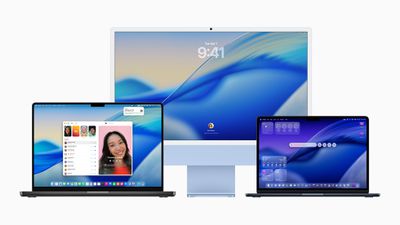
Apple reportedly plans to release an updated 14-inch MacBook Pro with an M6 chip in late 2026, followed by a major high-end MacBook Pro redesign in late 2026 or early 2027. Reportedly dubbed “MacBook Ultra,” the new 14-inch and 16-inch models are expected to feature M5 Pro and M5 Max chips, an OLED display, a touch screen, a Dynamic Island, and a thinner design.
Apple is also said to be readying new iMac models with an upgraded chip and new color options. The new version is likely to be an updated 24-inch model with an M6 chip, replacing the existing M4 model that arrived in October 2024.
While it isn’t impossible, we’re unlikely to see any Macs debut on September 9. Apple typically uses its fall event to focus on new iPhone and Apple Watch models. The company usually unveils new Macs in October via press release or a separate event.
Possibly, Maybe
In addition to new iPhone 18 Pro models, Apple Watch models, and AirPods, Apple is expected to prepare other products for release this year. Still, the company is unlikely to draw too much attention away from its flagship smartphones, and may choose to save the following products for a separate event or launch them via press release in October or November:
What are you looking forward to most from Apple this year? Let us know in the comments.
How do you create a prototype? In product development, A vision, idea, and concept can sometimes clash. It can be both overwhelming and exciting, yet when it is carried out in practice, it can be a problem. To make it all worthwhile, the ideas should be turned into something valuable, worthy, and, to top it off, real, functional, and ready for the competitive market. Prototypes play a major role in the product development process. They make a difference when considered. With prototype design services one can test their concept to see if there are still things that need improvement, and it is a necessary step in manufacturing the product.
In creating prototypes, you must understand their significance, because only then will you identify the necessary steps in creating one. In this blog, you’ll discover the secrets to creating prototypes for your product. From the initial concepts to the production phase, until the product launch.
A prototype is a version of a product created to see and gain perspective on it. The product will be tested to determine whether it is ready for mass production or if any components still need to be fixed or improved later on. A prototype does not need to be perfect at first trial, it needs to be perfect at the end. It is a foundation that helps identify what is not suited to the one being processed. Mostly, prototypes are just the draft version of the final product and are not meant for selling. Sometimes they are simple and just a fast draft, made for a trial-and-error purpose.
Why is prototyping important?
Prototyping is a vital phase because it focuses on improving the product and making it ready for mass production. Before mass production begins, it is necessary that all necessary parts and components are in their best condition, so they will not cause any delays in development. Rapid prototyping is good when you are not able to express the concepts that you would want to happen. It is a phase where you can improve because you can identify flaws and errors early, which means you still have time to think and improve on them. As you gather feedback from each prototype that you create, you can improve and add features for you product’s performance.
On the other hand, you can have all the materials tested to ensure they are suited to what you are building and can withstand any environmental conditions or challenges that might disrupt their function. Gaining feedback from real users can also serve as a guide to make the products at their best; they can change and develop the product further. They can use the criticisms to build on something any customer or client would want.
Without prototyping, it would be very hard to achieve all the goals and objectives in mind, as there would be no basis for refining what they are building. It will result in a confusing product that is ill-suited to its functions and materials. It will be a product that is not even useful, despite the resources invested in it. Here are step-by-step instructions from conceptualization to the production process to help you succeed with your product.
Step 1: Have an idea and concept that is clearly defined
Ask yourself, what do you want to happen? Is this prototype helpful for what I am looking for? Is it something that can be useful not just for oneself but also to others? Have a foundation of what you are trying to achieve. Define what you want, because a clear understanding of the plan can make it easier to carry out what you want. Make sure that products are useful to everyone, or for the target users. Think about how it will be needed, and what features are necessary to make it work.
This can help you answer a problem for potential users. Don’t forget that being intentional with your plan can be reflected in how you project your product, such as its 3D exterior rendering design, and unique design that separates it from the current market. Most importantly, it is important for you, as a creator, to be intentional with your product because this can make or break your product. You must understand the people’s needs, and understand why they need it so you can plan accordingly.
Step 2: Research and understand the market
Do research; read more of the available resources online or in everyday life. Research is a vital step because it helps you understand what makes your product unique. Look at similar products on the market to get an idea of what to improve in your product. Study users’ preferences to gain insight, so you can refine your product. In addition, you must identify the problems and gaps in the market, as this will allow you to address and leverage them for your prototype. A prototype helps close the gap between your ideas and the final result. Using a prototype designer lets you identify the product’s shortcomings and mistakes so you can make improvements. One might come up with ideas or better ones that have previously been committed.
Owners and founders may have an idea or notion for their prototype that is too difficult or impossible to implement in a real-world setting. It is essential to have a project that is both feasible and appealing to the founders and to potential and target consumers. Iterating prototypes is expensive; it is necessary to have everything set up to prevent mistakes, which can be quite costly.
Begin sketching the ideas and concept you have in mind. Start drawing on a piece of paper or even with the digital equipment you have. Associate all the things you would want to see in your prototype. Make sure to label all parts and components and include how and where they will be used to minimize confusion. Even if you are not creative enough or someone who is not an expert in sketching, as long as you are able to express what you want to achieve in a process, it is already a good start. It does not need to be perfect; it just needs all your ideas.
One thing is that you have to focus more on the product’s foundation and structure, not on the designs and decorations you want to see. Make it possible for the product you are designing to be neither overly complicated nor costly. The budget may not be able to cover the high cost of a complex design. Always remember ,with product development services, it is much better to have a simple design that aligns with your goal.
Step 4: Choose what type of prototype
One course of action is to develop a product and test the prototype as soon as possible. This way, you can determine what needs improvement. It can be easier to identify desired improvements when one can see the shortcomings and errors that have been made. It is not necessary to have a product that is not ready for launch, and delays should be avoided, as they can impact the product’s overall performance. Aside from sketches, a prototype can help you visualize the functionality of a product before any market launch. This includes the product’s concept, features, design and overall texture. Having a prototype ensures your product meets the final standard and is ready for the final production and product launch.
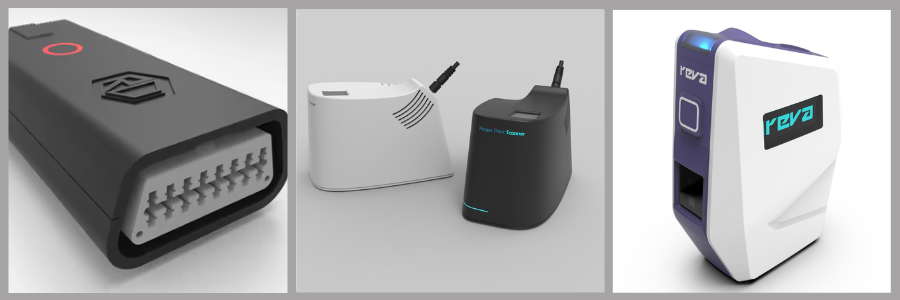
Known to all professionals are the different types of prototypes used in product development. We have low-fidelity prototypes, mid-fidelity prototypes and high-fidelity prototypes. A low-fidelity prototype mainly uses basic sketches and cardboard models to observe the foundational base design. A mid-fidelity prototype uses 3D visualization and 3D printing services that allow you to see the details clearly. Lastly, a high-fidelity prototype mimics the final product, as it shows texture, movements, and electrical functions that need to be tested before the final batch manufacturing. Additionally, a prototype acts as a link between conceptualization and all of the concepts. By doing this, it ensures that both the designs and the final product are ready for the manufacturing stage.
Start with the low-fidelity prototype, as it acts as the first physical version of the one you are building. You can use simple materials to do this, such as paper, foam, clay, basic 3D prints, bottles, and even cardboard. To have a low-fidelity prototype means using only what you already have and not splurging just to do it. Mistakes are expected to happen; it cannot be perfect. This is a helpful step because it focuses on the product’s basic functions, as well as its shape and size.
Step 6: Test the prototype
Test and check whether the first prototype you made is working in real life. Testing would mean that you would try the product firsthand and start keeping track of whether it is good or needs further refinement. After you try it, let others use it as well, so you do not have any personal bias toward your product. Observe all the problems that you have both encountered. If others tell you that there is something wrong, do not be offended by it, but rather make it a foundation that you or the prototype manufacturer can improve on. Let this be a stepping stone. You can also ask them questions, such as whether the product is easy to use, whether it is functional, and whether it solves the problem you are facing in a certain type of problem. Is it also confusing to use, or is it accessible? Be receptive to criticism. One of the most important aspects of prototyping is feedback.
Step 7: Improve and redesign
Some would say that recommendations and word of mouth are the best advertising techniques for any product. That’s why it is important to improve and redesign any product that shows any defective features or parts, as these can influence the consumer’s experience and feedback in recommending your product to their friends and colleagues. If a user has previously used your product and is dissatisfied with it, they can simply advise others not to purchase it, calling it useless and a waste of money. Since this is where the improvements begin, constructive criticism must be treated lightly.
When target sales are met, customers are encouraged to keep making purchases and recommend your product to others. When a consumer feels heard, they are likely to be pleased with how you resolve the issue, and they will continue to purchase and trust the product you are making. The product designer can also change the sizes, even the shape, if it is not suitable. You can add or remove features, making sure that all functions are working properly and robust enough to withstand any potential effects. A successful product is not made overnight; it is built through many changes and improvements to ensure it is something people will love and continue to support.
Low- fidelity prototype serves as the design foundation of your product. These kinds of prototypes do not reflect final revisions yet or even the actual materials. After creating a base prototype, what you might want to do now is to create a high-fidelity prototype that looks like the final product, as it reflects your ideal vision of your product. Most of the time, high-fidelity prototypes include sensors, batteries, and other circuit boards, for it to demonstrate its actual capability. The goal is a prototype that closely demonstrates how the finished product will look, feel, and function
Step 9: Create a high fidelity prototype
As you have explored all the prototype options, you can now choose one that leans towards resembling the final product you want to achieve. The purpose of this version is to make it easier to lay it out for the investor who wants to see the project and to make marketing much more efficient. As well as that, you can have clear communication with the manufacturing company, which could help create a successful product. This final prototype, the high-fidelity prototype, should include all dimensions that have already been finalized, and the materials should be well-suited to what is being made. All the features should be functional and durable, so there will be no problems making it work. All the errors must already be fixed, because it takes time if they are not. At this step, the product should be realistic already.
Step 10: Prepare for the manufacturing
After all testing is complete, ensure the prototype is ready for production. You must finalize and decide on all the materials, whether you want them to be simple and properly suited for mass production. Make sure materials are easily sourced so you won’t encounter any problems. When it comes to manufacturing methods, you should choose from the methods available. It should be something that can really help, is functional, and offers longevity. May it be injection molding, as this is for plastic products, and when you need a precise part, you can use CNC machining services; there is also an electronics manufacturing method when you need it. One should also consider the costs that might be necessarily needed. It should be taken into note the production cost per unit, as well as the packaging and designing costs.
You must make a list of every component you will need, including supplies, packaging, and logistics. Listing the product from start to finish might assist in determining how much it will cost the product. Sometimes it’s not a good idea to stick to the budget. Planning ahead is crucial, but it is best to anticipate unforeseen expenses. You are making money and not losing it when you are aware of and verify the cost of your goods. All the steps taken should be documented so it will be easy to track them when things need to be found. Have an organized file that includes all the drawings and measurements of the product, the list of materials, and the bills and expenses. Instructions should also not be forgotten, as they serve as the guide for making the product functional to use. All of these are being utilized by manufacturers so they do not miss any points and avoid errors and risks.
Step 11: Final testing before mass production
Finalize everything, and make sure that all the designs and parts are intact and consistent with what you, as a client, want to achieve. Before producing in large quantities, the consumer product design company must run a test first to check. Guarantee that it meets the standards one would prefer. Check the durability, materials, and performance of the product under stress, and make sure the product is safe to use and won’t harm anyone. Have the first-hand experience, and if there are still things that need to be repaired, issues that must be fixed, it must be done already. Doing this final step of testing ensures there will be no problems when the time comes. One tip is to test the product in batches so you can see whether it is performing consistently and whether overall performance is still at the best quality.
Common mistakes to avoid
Early testing of the products is not necessary, but making a low-fidelity prototype is a must, as it serves as the foundation for all subsequent steps. Mistakes and errors need to happen because they are needed for improvements. Feedback is necessary to identify the consumer’s wants and needs, as this will help you succeed in the product that you are developing. Most of the time, consumers want a simple but functional product. They trust brands that appreciate their feedback and actually listen to their recommendation since they are the ones who will be buying the product.
Another common mistake to avoid is rushing any product launch to meet seasonal sales. Product development and prototyping are not something you can perfect overnight, they need careful planning, and careful conceptualization to avoid impactful malfunctions in their longevity. Prototyping is a crucial phase as it is used as a basis for learning and improving what you have. Every version you make tells a story; it makes you want to achieve more as you learn each phase. Do not rush to make it; plan it wisely, test when necessary, and never forget to improve and refine it. It is not something that needs to be rushed; it takes time to have a successful product in this competitive market.
Cad Crowd is a platform where you can connect with pre-screened experts who specialize in drafting and manufacturing files. They can focus on engineering and design services, or on any help you want, aligning with your product and making a prototype. There are also procedures that actually filter the freelancers who are appropriate for your projects or preferences. It is the best option if you value professionalism and want an effective company. You can even run a contest on this platform where they can show you their work, offer the best quote for it, or hire someone for your projects.
Not only does this approach produce the best talent, but it also imposes requirements that must be met to avoid disappointing its customers. They prioritize quality above all else. It really plays a big role in shaping the products into something that can already be produced in large quantities.
Choosing an appropriate prototype for every stage of your product development is important to achieve ideal results for product launching. That’s why connecting with skilled professionals and experts who are pre-screened and filtered by specialized services becomes a big help as it lessens the stress on project handling. Honestly, you can all find these at Cad Crowd, a freelancing platform that helps you transform your idea into a reality by connecting you with experts.
You can hire these CAD drafting experts at any stage of your product development, be it from producing prototypes, idea sketching, gathering raw materials, conceptualization up until the final development. This is the easiest option that you can have that reduces the stress from hiring to interviewing long-term teams. Customers’ trust in a product is a must because they are the reason why the progress and the continuation of the product’s development are still going on. Contact Cad Crowd for a quote.
MacKenzie Brown is the founder and CEO of Cad Crowd. With over 18 years of experience in launching and scaling platforms specializing in CAD services, product design, manufacturing, hardware, and software development, MacKenzie is a recognized authority in the engineering industry. Under his leadership, Cad Crowd serves esteemed clients like NASA, JPL, the U.S. Navy, and Fortune 500 companies, empowering innovators with access to high-quality design and engineering talent.
Stealing cars will now require different approaches depending on their make and model.
Rockstar Games
The actual grand theft auto of Rockstar’s upcoming Grand Theft AutoVI is going to be a bit more complicated than before, according to a new IGN preview. Netflix’s extended look at the game highlighted the setup, relationship dynamics and dog-petting GTA VI introduces, but IGN writes the sequel’s changes also extend to series fundamentals like stealing cars, which will now change mechanically depending on the make and model of the cars players choose to steal.
“We have put some layers of stratification into the vehicles,” Rockstar co-studio head Rob Nelson tells IGN. “Previously, you could just press triangle to automatically hotwire and steal any vehicle that you wanted and take off. We felt like that left a lot of potential gameplay on the table in terms of progression and decision-making for players. So now, you start off the game and there are certain parked cars that are not accessible to you until you get a bit further along with the story and you acquire certain tools to get into them, but you can always carjack any driver you see.”
Nelson’s hope is these changes will make the vehicles players drive more meaningful. It should also make the process of obtaining them much more varied, according to IGN. For example, cars with electronic key fobs might require a key cloner to access, and in some cases vehicles with built-in GPS systems could require players to drive at a certain speed to avoid detection. The game will apparently also feature an in-game app players can use to determine what they’ll need to steal a car and how much it’s worth.
IGN‘s article has even more details on Grand Theft AutoVI‘s new systems and mechanics if you’re curious. Unfortunately for Rockstar, splashy previews aren’t the only way new information is trickling out about Rockstar’s upcoming title. “Cyberleek” has continued to share clips of the game in the lead up to the premiere of Netflix’s exclusive trailer for the game, a situation Rockstar described as “heartbreaking.” Take-Two, the studio’s owner, is currently trying to dig up more information about the hacker or group of hackers behind the leaks, but so far they haven’t been publicly identified.