Kazakhstan’s AI ecosystem is moving from infrastructure plans to deployment.
The shift is visible across the full AI stack — from infrastructure to models to applications.
The announcements below — coinciding with a visit to Astana by NVIDIA founder and CEO Jensen Huang — point to the nation’s increasing supply of accelerated computing, along with its growing demand for what comes next.
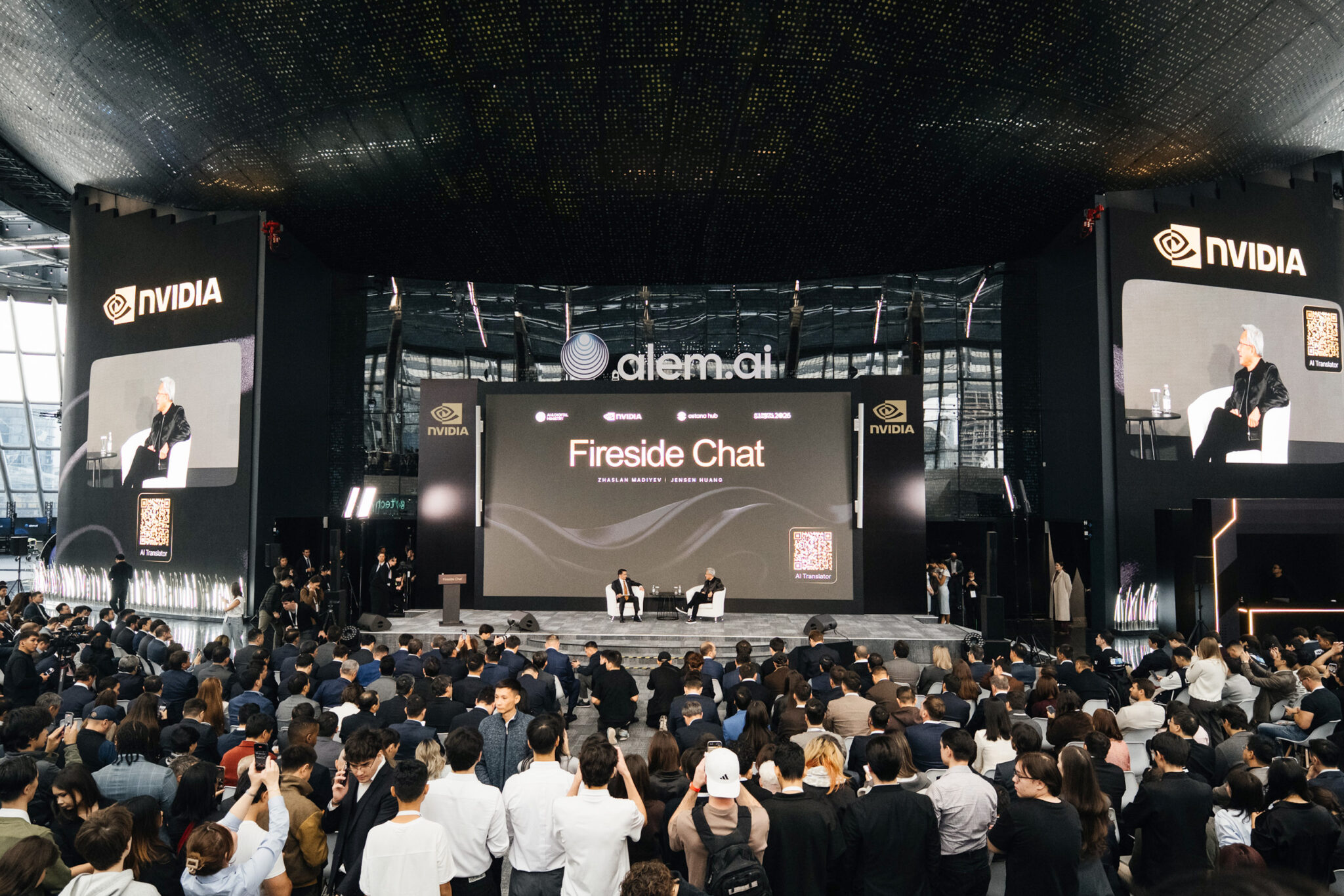
On Friday, Oct. 23, NVIDIA founder and CEO Jensen Huang visited Astana, meeting with President Kassym-Jomart Tokayev at the Akorda Presidential Palace and joining Deputy Prime Minister Zhaslan Madiyev — Kazakhstan’s minister of AI and digital development — for a public fireside chat at the Alem.AI program.
Jensen Huang and Kazakhstan’s AI Minister Speak at Alem.AI
In their fireside chat at Alem.AI, Kazakhstan’s international center for artificial intelligence, Madiyev and Huang discussed the country’s push to become an AI nation — building the energy and computing infrastructure to support homegrown AI and applying it across the economy.
Madiyev said Kazakhstan wants AI that reflects its language and culture. “We want AI that understands and speaks Kazakh and captures cultural contexts and cultural specifics,” he said, describing the country’s work on Kazakh-language models.
Huang said Kazakhstan could turn its energy resources into a foundation for AI production — and a new kind of export. “Instead of just exporting energy, in the future, you could transform energy into intelligence and export intelligence,” he said.
He also argued that local data is central to that ambition: it embodies a country’s culture, history and values. “Your country’s data is your natural resource. It belongs to you.”
The conversation also turned to physical AI. Madiyev pointed to Kazakhstan’s factories, mines, agriculture, transport and logistics as potential areas for development, asking how the country could become a hub for training models for robots and other physical systems.
Huang called the idea “fantastic,” saying physical AI could transform industries from mining and mineral processing to agriculture.
Huang said AI and robotics can help people do more, but ambition will shape how fully they seize that opportunity. He applied the idea to Kazakhstan, saying AI could help lift the country and its people.
“If you have ambition, and I believe you do, AI will lift your nation,” Huang said. “AI will lift your people.”
Huang also praised the founders of Higgsfield AI, the Kazakhstan-founded startup, and it was announced NVIDIA is making an investment into the startup during the event. “The first thing and the last thing is you invest in people, not companies,” he said, describing the founders as visionary and pointing to their effort to compete globally.
Asked about AI security, Huang said the technology must be developed and deployed responsibly. He described NVIDIA’s OpenShell as a way to contain AI agents by limiting their access to files and tools and monitoring their activity.
For young people entering a fast-changing field, Huang recommended learning how AI works — not just how to use it. He said aspiring AI programmers should understand the technology’s principles, strengths and weaknesses, combining technical knowledge with the ability to work effectively with AI.
“I envy being 18 years old today… because the world is changing so rapidly, and there’s a complete reset because of technology.”
The Infrastructure Layer Is Scaling
The visits coincided with a signing ceremony marking Firebird’s investment agreement with the government of Kazakhstan, held at the presidential palace.
Building on its first AI factory in Armenia, Firebird is expanding into Kazakhstan, where it has secured a U.S. export license for 45,000 NVIDIA Grace Blackwell GPUs. The first phase is under construction with Kazakhtelecom at Data Center Valley, targeting commercial launch in the third quarter of 2027.
A planned second phase would bring Firebird’s total potential AI infrastructure capacity in Kazakhstan to approximately 500 megawatts. Firebird also plans to establish Firebird Labs Kazakhstan to support local AI startups, research and talent development through funding, access to compute and research partnerships.
Firebird cofounder and CEO Razmig Hovaghimian attended the signing ceremony at the Akorda Presidential Palace alongside government officials.
“What began as a seed of an idea 180 days ago has grown into a major investment in Kazakhstan’s AI future,” said Razmig Hovaghimian, co-Founder and CEO of Firebird. “President Tokayev’s vision gave us the confidence to think bigger about what we can build together. With Jensen Huang here today, that ambition feels more tangible than ever. We’re building the infrastructure for Kazakhstan’s talent and ideas to reach the world.”
Kazakhtelecom, the nation’s largest telecommunications company, has already deployed 400 NVIDIA H200 and 480 NVIDIA B300 GPUs in Astana and Almaty.
Next year, the company plans to deploy more than 1,000 GPUs in the Data Center Valley, along with more than 1,000 NVIDIA Vera Rubin GPUs in the Ekibastuz region, serving diverse workloads with infrastructure that enterprises, developers and institutions can use at scale.
An Honorary Black Belt for Huang
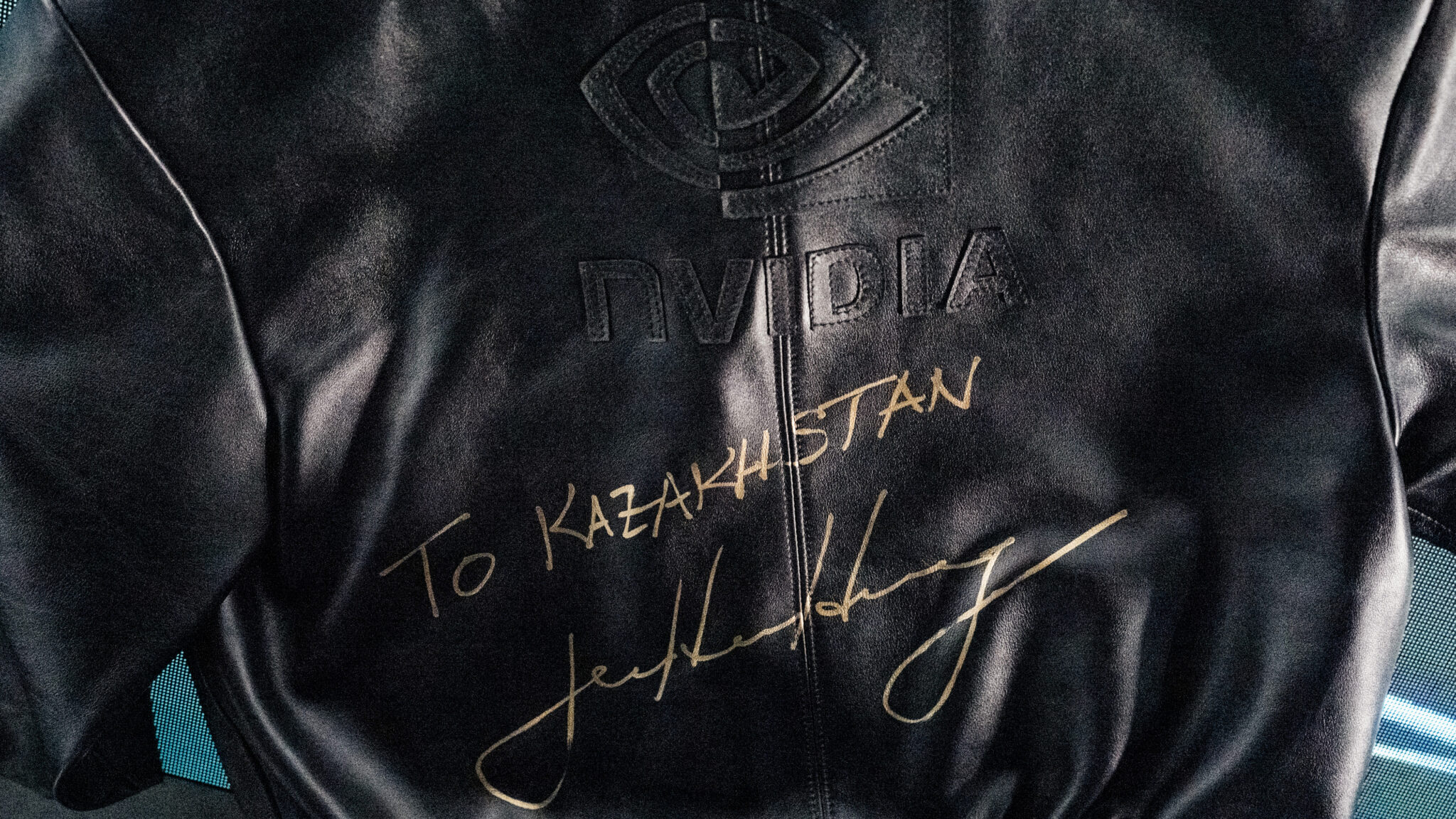
Later that day, also at the Akorda Presidential Palace, President Kassym-Jomart Tokayev presented Huang with an honorary black belt in Judo. The belt, embroidered in gold stitching, was a special thanks from President Tokayev for Huang’s support of Kazakhstan’s AI ambition and for leadership aligned with the spirit and rigor of the martial art.
At the end of their meeting President Tokayev had another honor for Huang, presenting him with the Order of Dostyk, First Class, for Huang’s contribution to the development of artificial intelligence in Kazakhstan. Dostyk means friendship and the Order honors peace, friendship and cooperation.
AI-Native Companies Scale With Compute
And that development is accelerating. The nation’s AI-native companies are also building out their compute capacity — and the applications that run atop them.
Higgsfield is expanding its AI infrastructure with NVIDIA Vera Rubin running on cloud service providers, giving the company additional capacity as models, products and customer demand for its generative media applications grow.
inDrive and Pony.ai are also collaborating to explore robotaxi services in Kazakhstan, with Astana as the first deployment city. The companies will assess the feasibility of bringing Pony.ai’s seventh-generation robotaxis to the inDrive app, supported by NVIDIA AI infrastructure, built on the NVIDIA Hyperion sensor and compute platform with the NVIDIA Halos safety system.
More local capacity gives developers and companies room to train, fine-tune and serve increasingly capable models. Successful applications, in turn, create demand for more compute.
Kazakhstan’s AI opportunity isn’t defined by GPU counts alone. Connecting that infrastructure with developers, universities, startups and industries can turn accelerated computing into useful applications.
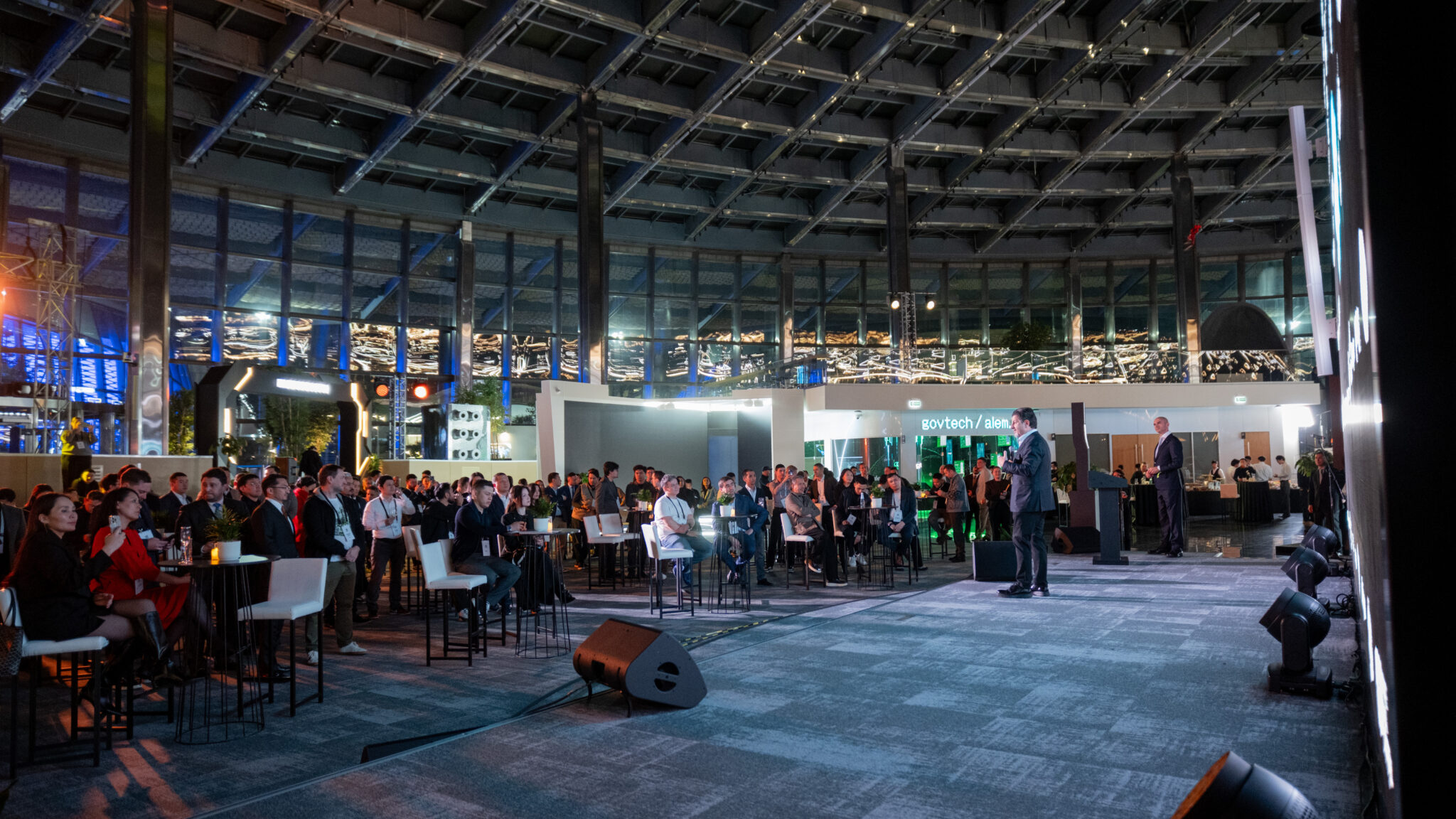
That was at the core of the discussion the NVIDIA team had with hundreds of developers from across Kazakhstan during a reception later in the evening. The gathering in this self-proclaimed AI nation was inspiring because of the ideas shared, the clear drive to build and a collective ambition to share it with the world.
Today’s announcements represent different layers of the AI stack in Kazakhstan— infrastructure deployment, access to compute and AI-native product development — where the AI foundation is reaching new scale.
Oura and Ultrahuman find themselves in another dispute as the former sues over “patent infringements.”
Oura states Ultrahuman infringed on “design and internal component” patents with the Ring Pro.
In 2025, Ultrahuman sued Oura for “ripping off” its patented health tech.
Oura is reportedly suing Ultrahuman over its Ring Pro. The company alleges Ultrahuman infringed a few patents when it created the device.
A report by TechCrunch highlighted the lawsuit between Oura and Ultrahuman. The latter claims Ultrahuman infringed on its “design and internal component” patents with the Ring Pro. In a statement to the publication, an Oura spokesperson said, “Ultrahuman has a history of copying Oura’s innovations, as demonstrated by the 2025 ITC ruling against the company.” It adds, “Ultrahuman introduced a redesigned ring but failed to address continued infringement of Oura’s patents.”
Specifically, Oura says it’s suing Ultrahuman over the ring’s “curved battery, circuit board, magnets, and sensors.” However, as the publication notes, Oura was granted this internal-component patent (12,769,363) on October 20. The lawsuit was filed two days later.
Latest Videos FromAndroid Central
Ultrahuman has struggled to get its products to U.S. consumers. The post reminds us of an import ban it faced, which forced its presence out of the country. The Ultrahuman Ring Pro was its ticket back into the market; however, Oura wants to stop that from happening. What’s more, the company is reportedly seeking “monetary damages” in this lawsuit.
Ultrahuman’s co-founder and CEO, Mohit Kumar, told TechCrunch, “Oura has now chosen to assert different patents, including one that was issued just two days before this lawsuit was filed.” Presently, Kumar says courts have not stopped it from selling the Ring Pro to U.S. consumers, so it remains available even today.
Back & Forth
(Image credit: Ultrahuman)
These two companies have gone back and forth for years now. In 2025, Ultrahuman sued Oura. It accused Oura’s Ring 4 of “ripping off its patented smart ring tech.” The core of this dispute concerned “sleep tracking, circadian tools, and women’s health features.” Ultrahuman said it “pioneered” those features. There was also a major difference between the two companies.
While Ultrahuman offers its features without a paywall through PowerPlugs, Oura features a subscription-heavy model. Ultrahuman also clarified why it was suing Oura. It said that defending its patents wasn’t the primary goal. Instead, “positioning itself as a defender of open health data and Indian innovation on the global stage” was more important to the company.
Get the latest news from Android Central, your trusted companion in the world of Android
Ultrahuman has continued to do just that in 2026. The company partnered with HealthEx, which brings users’ official medical records into the app. You can compare your smart ring’s data against your medical records and take those insights to your doctor. Earlier in October, it rolled out Heart Scan for the Ring Pro. Heart Scan needs sixty seconds to deliver a snapshot of your heart’s condition at a moment’s notice.
Gold has become one of the most watched markets in the world. Prices have reached historic levels, central banks keep buying, and millions of retail traders now follow gold on their phones. But for newcomers, the first barrier is not the market itself. It is the vocabulary.
Spreads, lots, swaps, tickers, margin calls: the language of gold trading can feel like a different dialect. And because gold is traded across many countries, the same idea often goes by different names depending on where you are. Understanding these Gold Trading Terms can help beginners navigate the market and communicate more confidently.
Understanding a handful of core terms makes everything else, from reading a price chart to comparing trading platforms, much easier. Here are 12 gold trading terms every new trader should know, plus a quick glossary and answers to common beginner questions. Knowing these Gold Trading Terms can help new traders understand market discussions and trading platforms more confidently.
1. XAU/USD
XAU/USD is the market symbol for the price of gold in US dollars. “XAU” is the international code for one troy ounce of gold, and “USD” is the US dollar. When XAU/USD is quoted at 4,000, one ounce of gold costs 4,000 US dollars.
The symbol follows the same format as currency pairs such as EUR/USD, which is why gold is often traded alongside forex. That is also why many traders talk about “gold in forex”: on most online trading platforms, gold sits in the same list as currency pairs and trades with similar tools, order types and charts. Understanding Gold Trading Terms helps beginners recognize these symbols and understand how gold trading works.
XAU/USD is one of the most searched gold terms worldwide, often by people asking what it actually means. In many Asian markets, for example, beginners commonly search “xauusd là gì”, meaning “what is XAUUSD”, before they place their first trade. Whatever the language, the answer is the same: XAU/USD is the global benchmark price that most local gold prices, from bullion dealers to jewellery shops, take their reference from. Understanding Gold Trading Terms like XAU/USD helps new traders recognize gold price quotes across different markets.
2. Gold Ticker Symbols
Gold doesn’t appear under one universal name. Depending on the platform or exchange, you may see:
XAU/USD or XAUUSD: the standard symbol for spot gold priced in US dollars, used on most forex and CFD platforms.
GOLD: a simplified name some brokers use for the same spot gold market.
XAU/EUR, XAU/GBP, XAU/AUD: gold priced in other currencies.
GC: the symbol for gold futures on the COMEX exchange in New York.
XAUUSD247 or similar: weekend-tradable gold contracts offered by some brokers (see term 12).
Knowing these symbols helps you find the right instrument quickly and avoid trading the wrong product. Gold priced in euros, for example, moves differently from gold priced in dollars, because currency changes are built into the price.
3. Troy Ounce vs Tael
Gold prices around the world are quoted per troy ounce, a unit of weight used for precious metals. One troy ounce equals about 31.1 grams, slightly heavier than the ordinary ounce used for food and other goods (about 28.35 grams).
In several Asian markets, however, physical gold has traditionally been weighed and sold in taels. In English, “tael” is the usual name for this traditional unit, which goes by different local names across the region. A tael weighs roughly 37.4 to 37.5 grams depending on the market, or about 1.2 troy ounces. Understanding these Gold Trading Terms helps traders recognize different gold measurement units used around the world.
This matters when comparing prices. If you want to compare a local gold bar price per tael with the international XAU/USD price per ounce, you need to:
Multiply by about 1.2 to adjust for the difference in weight.
Any remaining gap reflects local premiums, taxes, dealer margins or supply conditions.
4. Spot Gold vs Gold Futures
Spot gold refers to the current market price for gold delivered almost immediately. XAU/USD is based on the spot price.
Gold futures are contracts to buy or sell gold at a set price on a future date. The best-known gold futures contract trades on COMEX in New York and represents 100 troy ounces. Futures prices usually differ slightly from spot because they include the cost of financing and storing gold until the contract expires.
Most retail traders use spot gold, often through CFDs (contracts for difference), which track the price without delivery of physical metal. Professional traders and institutions use both spot and futures markets, depending on their goals. Understanding Gold Trading Terms such as spot gold, CFDs, and futures helps beginners compare trading methods and understand how each market works.
5. Bid, Ask and Spread
Every gold price on a trading platform has two sides:
Bid: the price at which you can sell.
Ask: the price at which you can buy.
The spread is the difference between the two, and it is the most basic cost of trading.
For example, if gold is quoted at 4,000.00 bid and 4,000.20 ask, the spread is 0.20. On one standard lot of 100 ounces, that equals US$20 the moment you open the trade. You need the price to move at least that much in your favour just to break even.
Spreads are usually tightest when markets are most active, typically when the London and New York sessions overlap. They tend to widen during quieter hours, around major economic news and at the daily rollover.
6. Pips and Points
Price movements in gold are measured in small units, but brokers don’t always describe them the same way:
Some brokers quote gold to two decimal places (for example, 4,000.25), where a move of 0.01 is called a point.
Others describe a move of 0.10 as a pip.
Because definitions vary, it is often more useful to think in dollars. On a standard gold contract, a US100. Always check how your platform defines pips and points before comparing costs between brokers.
7. Lot Size
A lot is the standard unit used to size a trade. For gold, one standard lot usually represents 100 troy ounces.
That means:
00 lot = 100 oz. A US100.
10 lot = 10 oz. A US10.
01 lot (micro lot) = 1 oz. A US1.
Gold can easily move US$20–50 in a single day, and much more around major news. That makes lot size one of the most important risk decisions a trader makes. Many beginners start with micro lots so that normal price swings don’t create large gains or losses while they learn.
8. Leverage and Margin
Leverage lets traders control a large position with a smaller amount of capital. Margin is the deposit required to open and hold that position.
For example, at 1:100 leverage, a one-lot gold position worth US4,000) would require around US$4,000 in margin.
Leverage cuts both ways. In this example, a US$40 move against the position would wipe out the full margin. This is why leverage limits differ widely between regulators, and why many experienced traders deliberately use far less leverage than the maximum their broker allows.
9. Margin Call and Stop-Out
These two terms describe what happens when a leveraged account runs low on funds.
Margin call: a warning that your account equity has fallen close to the margin needed to keep positions open. Some platforms show it as a notification; others simply change your margin level indicator.
Stop-out: the level at which the platform automatically starts closing positions to prevent further losses, usually beginning with the largest losing position.
Each broker sets its own levels. For example, a broker might issue a margin call at a 100% margin level and begin stopping out positions at 50%. Check these levels before trading, because a sharp gold move can trigger a stop-out quickly on a highly leveraged account.
10. Swap (Overnight Fee)
If a gold position stays open past the daily rollover, it is charged or credited a swap: a financing cost based on interest rates and the broker’s terms. For gold, swaps are often a cost on both buy and sell positions.
A single night’s swap may be small, but over weeks or months it can add up to more than the spread and commission combined. Many platforms also apply a triple swap on one day of the week to account for the weekend. Understanding Gold Trading Terms such as swap fees helps traders calculate overnight costs and manage their trading expenses.
Some brokers offer swap-free accounts, often called Islamic accounts, which remove the interest element. They usually replace it with an administration fee after a set number of days, so it is worth reading the terms closely if you plan to hold gold for a long time.
11. Stop-Loss and Take-Profit
These are the two most important order types for managing risk:
Stop-loss: an order that closes your position automatically if the price moves against you by a set amount, limiting your loss.
Take-profit: an order that closes your position automatically when the price reaches your target, locking in gains.
For example, a trader who buys gold at 4,000 might set a stop-loss at 3,980 and a take-profit at 4,040. The trade then has a defined risk of US40 per ounce.
Note that in fast-moving markets, stop-loss orders may be filled at a worse price than requested. This is known as slippage, and it is most common around major news releases and market reopenings.
12. 24/7 Gold Trading (XAUUSD247)
Traditionally, spot gold trades almost around the clock on weekdays but closes over the weekend. Any news that breaks on a Saturday is only reflected when the market reopens on Monday, often with a price gap.
In 2026, several brokers introduced gold contracts that also trade at weekends, commonly listed under the ticker XAUUSD247. These let traders react to weekend developments in real time.
The trade-off is cost: spreads on weekend gold are typically wider than on weekdays because fewer participants are active, and contract sizes or conditions may differ from standard XAU/USD. If you see “XAUUSD247” on a platform, check its contract specifications before trading.
Bonus: How to Choose a Gold Trading Platform
Once the vocabulary makes sense, the next question is usually where to trade. A gold trading platform, sometimes called a gold exchange or gold trading floor in translated guides, usually means an online broker offering access to the gold price. When comparing gold trading platforms, look at:
Regulation: check the broker’s licence directly on the regulator’s public register, not just on the broker’s website.
Regulated entity: most international brokers operate several entities, and your protections depend on the one that onboards you.
Total cost: compare spread plus commission per lot, not just the headline spread.
Overnight costs: check swap rates, or swap-free terms if you need them.
Trading hours: check whether extended or weekend gold trading is available.
Platforms and tools: check for MetaTrader 4, MetaTrader 5, web platforms or mobile apps.
Deposits and withdrawals: check local payment methods, processing times and fees.
Availability: confirm the platform is permitted to serve residents of your country.
For example, a 0.30 spread with no commission costs US6 commission costs US$16. For a frequent trader, that difference adds up quickly.
Quick Glossary
Term
Meaning
XAU/USD
Price of one troy ounce of gold in US dollars
GC
Symbol for COMEX gold futures
Troy ounce
About 31.1 grams; the standard unit for gold prices
Tael
Traditional Asian unit of about 37.4–37.5 grams
Spot gold
Current market price for near-immediate delivery
Gold futures
Exchange-traded contracts for future delivery
Bid / Ask
Sell price / buy price
Spread
Difference between bid and ask
Lot
Trade size unit (1 standard lot = 100 oz)
Leverage
Controlling a larger position with less capital
Margin
Deposit required to hold a leveraged position
Margin call
Warning that equity is close to required margin
Stop-out
Automatic closing of positions at a set margin level
Swap
Overnight financing charge or credit
Stop-loss
Order that limits losses on a position
Take-profit
Order that locks in gains at a target price
XAUUSD247
Gold contract that also trades at weekends
Frequently Asked Questions
What Does XAU/USD Mean?
XAU/USD is the price of one troy ounce of gold in US dollars. It is the global benchmark used by traders, banks and dealers worldwide.
What Is a Tael of Gold In Ounces?
A tael is a traditional Asian unit of weight of roughly 37.4 to 37.5 grams depending on the market, which is about 1.2 troy ounces.
How Much Is One Lot Of Gold?
One standard lot of gold is usually 100 troy ounces. A micro lot (0.01) is 1 ounce.
What Is The Best Time To Trade Gold?
Gold is usually most active, with the tightest spreads, when the London and New York trading sessions overlap, and around major US economic data releases.
Can I Trade Gold At The Weekend?
The standard spot gold market closes at weekends, but some brokers offer weekend-tradable contracts such as XAUUSD247, usually with wider spreads.
Is Trading Gold CFDs The Same As Owning Gold?
No. A CFD tracks the gold price without delivering physical metal. It usually involves leverage, which magnifies both gains and losses.
Final Thoughts
Gold may be one of the oldest assets in the world, but trading it online comes with its own modern language. Understanding XAU/USD and its ticker symbols, how ounces compare with traditional units such as taels, and how spreads, lots, leverage, margin and swaps work won’t guarantee profitable trades. It will help you understand exactly what you are trading, what it costs and how much you are risking.
For any new trader, that understanding is the right place to start, long before placing a first trade.
Risk warning: Trading gold CFDs involves leverage and carries a high risk of losing money rapidly. A high percentage of retail investor accounts lose money when trading CFDs. This article is for educational purposes only and does not constitute investment advice.
In 2001, some of the top songs included Fallin’ by Alicia Keys, Ms. Jackson by Outkast and Nelly’s Ride Wit Me. When people wanted to listen to those songs and they weren’t near a car stereo or their audio equipment at home, most carried music with them on skip-prone portable CD players, boomboxes or maybe even a homemade mix cassette.
Sure, some early adopters were already carrying a small collection of songs on a portable MP3 player (MP3s: the new-new thing!) like the Diamond Rio or Creative’s Nomad Jukebox. But these weren’t common, and you didn’t see them that often; there was no ubiquitous sign yet that, musically, the times were changing.
Enter Apple with its original iPod, a small hard drive encased in smooth white plastic that could stash between 1,000 and 2,000 songs, a sum that seemed godly at the time. Who would ever need to listen to 1,000 songs (or have access to that many) at their fingertips? What mortal would dare?
Apple Music’s website has an Easter egg: a first-generation iPod that works and can play music in your browser. Credit: AppleApple
The device, which was released on Nov. 10, 2001 at a starting price of $400, heralded in the smartphone era before smartphones were a thing, making portable electronics more tactile, user-friendly and information-forward. The white earbuds that were bundled with the device were the beacon of that era: Before long, it seemed everyone had white cables coming out of their ears.
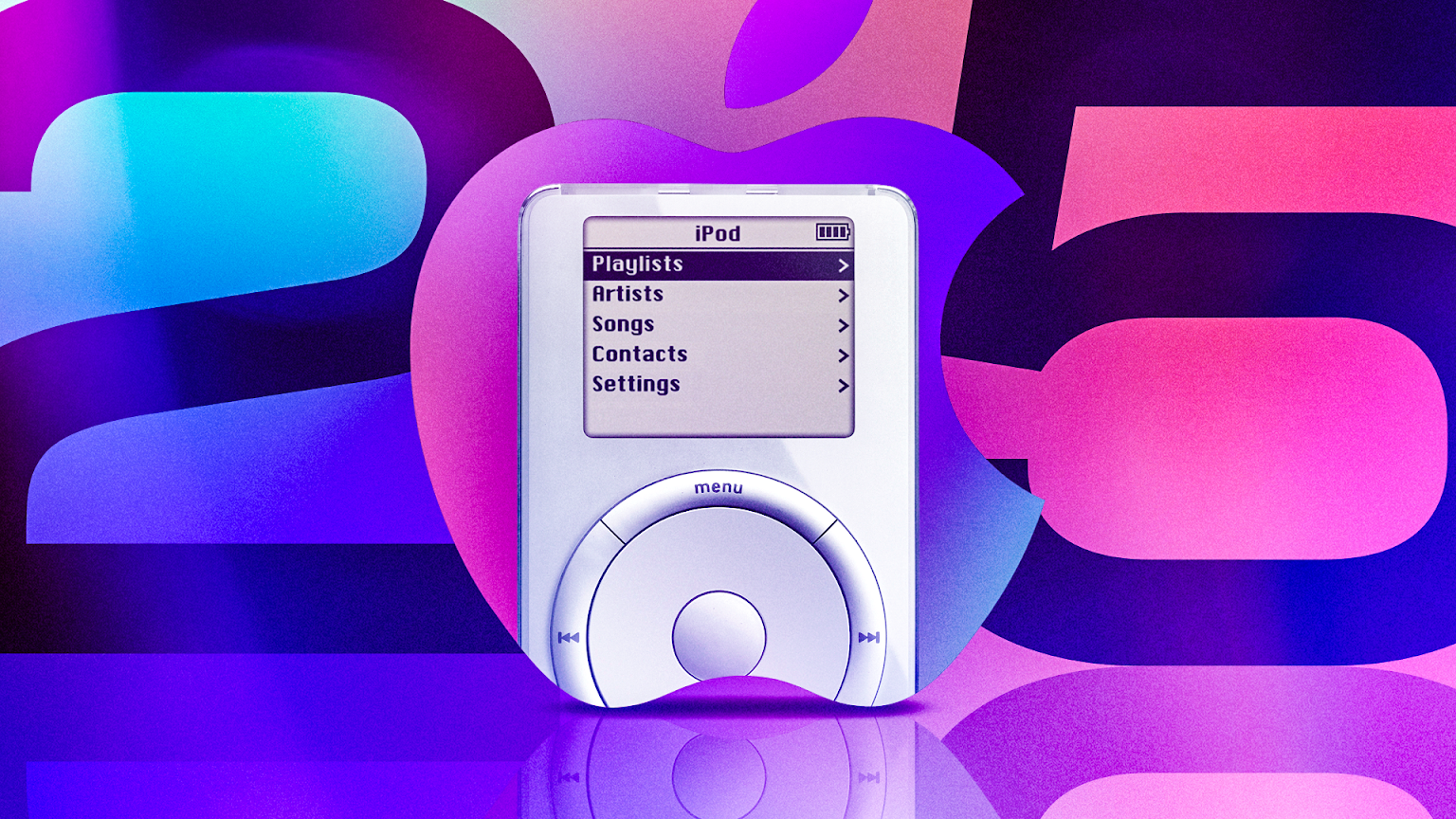
For the 25th anniversary of Apple’s game-changing music player, the device’s own creators are getting nostalgic about its silver anniversary. On Apple Music’s website, you can find at its 404 Not Found page a playful mockup of the OG iPod with its pleasing-to-use scroll wheel and a selection of songs you might have had in your iPod at some time or another.
As Tony Fadell looks back, collectors and new fans are still listening
If the iPod can be primarily credited to one person — leading a team of many — it’s widely acknowledged to be Tony Fadell, who came to Apple as a contractor and ended up heading one of its most successful product divisions. These days, Fadell is thinking a lot about the future of AI assistant devices, but he took time on his LinkedIn to acknowledge the iPod anniversary this week.
“We took it from approval to shipping in less than eight months,” he wrote. “There wasn’t time for endless refinements. We had to make decisions, trust our experience and stay focused on one clear promise: 1,000 songs in your pocket.”
While Fadell says that the iPod took a few generations to really take off and eventually come in iterations like the Nano and the Touch, some music fans who still love the original iPod design have been using the device for decades. If you have any hard drive-based gadget that lasts that long, count yourself lucky.
In addition to those old enough to remember what a Hoobastank is, iPods are also getting popular again with younger generations on a nostalgia kick, many of whom would rather carry around a separate physical device for their music than stream their Spotify accounts on their phone for the millionth time. Axios reports that iPods and MP3s are back in a big way in a trend called “friction-maxxing.” You don’t have to use that term to indulge, we promise.
A cheaper route may be to keep the familiar outside trappings but replacing the guts with a new motherboard. A group called Crowd Supply promises in a YouTube video a new way to bring nonworking iPods back to life. It hasn’t launched yet, but you can keep an eye on the project at Crowd Supply’s website. Other tinkerers have had years and years to work up hundreds of iPod hacks; you can find many of them on Hackaday.
Alternatively, it may be the function that a modern MP3 enthusiast seeks, not necessarily the Apple branding or hardware. Other companies, such as Fosi Audio, have their own takes on the modern music player, like the $80 DAP Neo. CNET has a list of the best MP3 players of 2026, with devices like the Shanling M0s and the Android-based HiBy R4 coming out on top.
Lastly, if you want to relive the iPod glory days, you don’t necessarily need new (or old) hardware at all; your phone can do it with iOS apps such as RetroPod, My Classic – Retro Console or, if you’re feeling saucy on Android, ClassiPod.
Omar Gallaga has covered technology, digital culture and other topics for outlets including CNET, NPR, Wired, Texas Monthly, MSNBC, Consumer Reports, The Washington Post, the Los Angeles Times, The Atlantic and the Austin American-Statesman, where he was a longtime tech reporter, editor and podcaster. He lives in the Texas Hill Country.
See full bio
Borderlands 4 brings intense action, badass Vault Hunters, and billions of wild and deadly weapons to an all-new planet ruled by a ruthless tyrant. Hood Warfare 2
Crash into Kairos as one of four new Vault Hunters seeking wealth and glory. Wield powerful Action Skills, customize your build with deep skill trees, and dominate enemies with dynamic movement abilities.
Break free from the oppressive Timekeeper, a ruthless dictator who dominates the masses from on high. Now a world-altering catastrophe threatens his perfect Order, unleashing Mayhem across the planet.
Become an unstoppable force of battle, blasting through enemies with an all-new arsenal of outrageous weaponry. Move across the Borderlands like never before—double jumping, gliding, dodging, grappling, and more—dealing death from every direction. Explode each encounter with devastating Action Skills that unleash your Vault Hunter’s unique abilities. Craft your perfect build with branching skill trees and a deep, rewarding loot chase full of wild weapons and powerful gear.
Wreaking havoc across Kairos is awesome alone and even better with friends in 4-player online co-op.* Borderlands 4 is designed for co-op from the ground up; whether you’re hunting for loot, tackling missions, or wandering freely, level scaling and individual difficulty keeps the party together and having fun.
Freely explore a vast and dangerous world rife with warring factions. Hop on your hover bike and ride through lush fields, towering peaks, and deadly deserts full of fearsome enemies, dynamic events, and engaging quests with unforgettable characters. Unite the people of Kairos and ignite a revolution, tackling this adventure however you see fit in a seamless Borderlands experience.
How to Download & Install Borderlands 4 On Steam
Click the Download button below and you should be redirected to a Download Page, Datanode, Qiwi, GoFile, PixelDrain.
Wait 5 seconds and click on the blue ‘download now’ button in DataNode. Now let the download begin and wait for it to finish.
After Borderlands 4 is done downloading, right click the .zip/.rar file and click on “Extract to Borderlands 4” (You must have Winrar/winZip installed on your PC).
Now open the extracted folder of Borderlands 4 and launch the game by running the .exe of the game.
Have fun and play! Make sure to run the game as administrator and if you get any missing dll errors, look for a Redist or _CommonRedist folder and install all the programs in the folder.
Screenshots
SystemRequirements
Minimum Support the game developers by purchasing the game on Steam
InstallationGuide
TurnOff Your Antivirus Before Installing Any Game
1 :: Download Game 2 :: Extract Game 3 :: Launch The Game 4 :: Have Fun 🙂
A prospective franchisee fills out your inquiry form on a Tuesday night. They have the liquid capital, they like the territory, and they ask smart questions about ownership. Two weeks later, they have stopped replying. They never reach Discovery Day.
Most franchise development teams file that candidate under “bad lead.” Often, that is the wrong diagnosis.
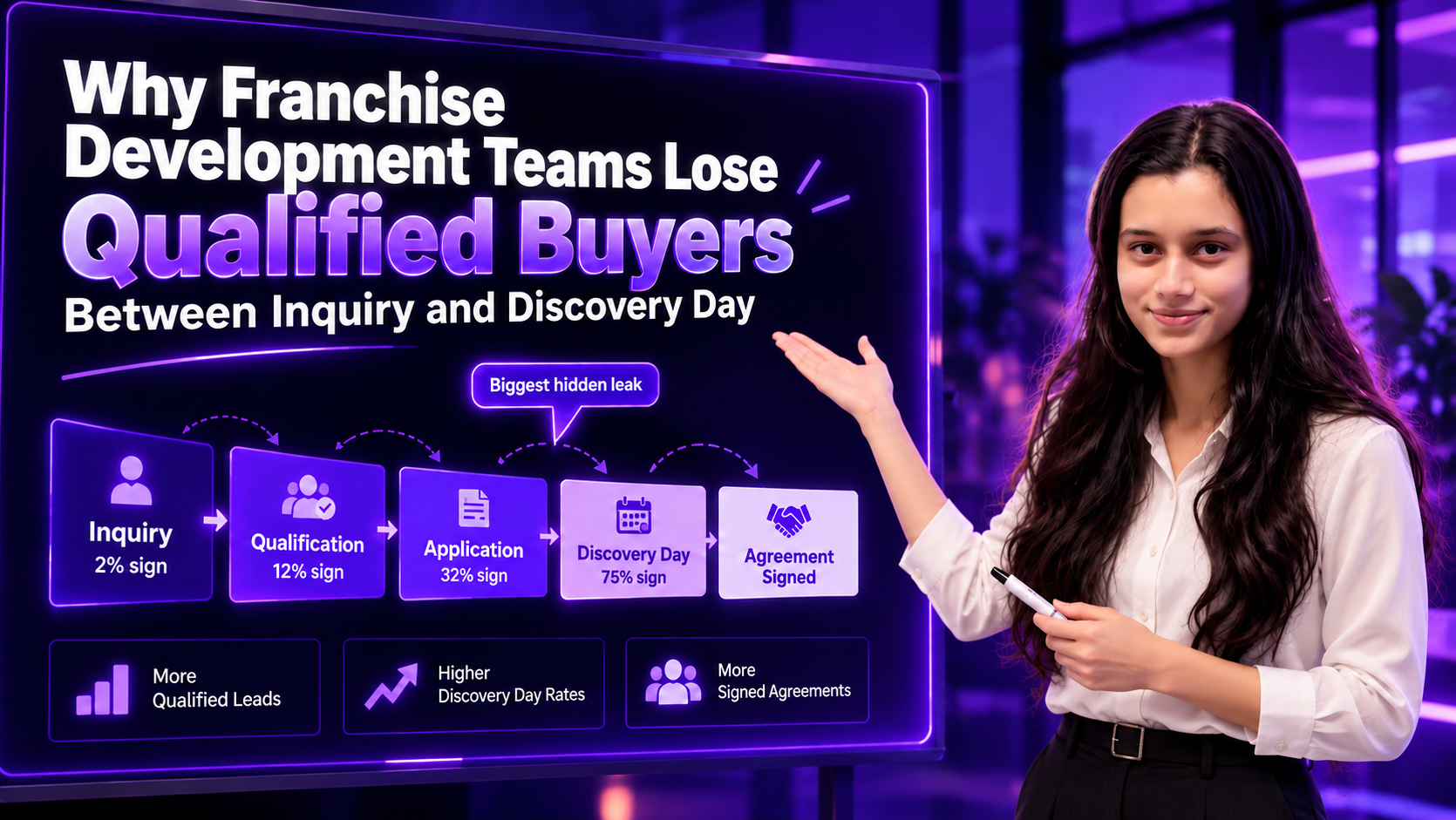
Here is why it matters. Franchise Update Media’s 2026 Annual Franchise Development Report (AFDR) found that 75% of Discovery Day attendees went on to sign in 2025, up from 65% the year before. When three out of four candidates who reach Discovery Day become franchisees, every qualified candidate you lose before that stage is close to a lost deal.
That is a franchise lead conversion problem, not a lead quality problem. So where exactly do franchisors lose qualified buyers between inquiry and Discovery Day, and how can they stop it?
The Hidden Conversion Gap in Franchise Development
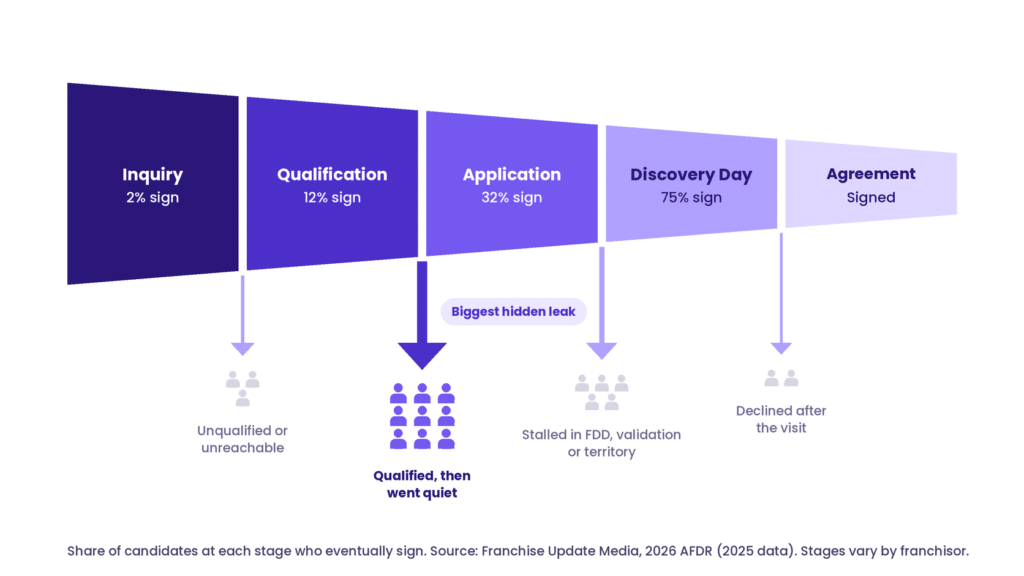
Most franchise candidates move through five broad stages before they sign:
Inquiry
Qualification
Application
Discovery Day
Agreement
Close rates show the share of candidates at each stage who eventually sign. Source: 2026 AFDR (2025 data). Actual stages vary by franchisor.
The AFDR’s sales closing ratios show how sharply the odds change as a candidate moves deeper into the funnel:
Leads to signed agreement: 2%, down slightly from 2.3% in 2024.
Qualified leads to signed agreement: 12%, up from 10%.
Applications to signed agreement: 32%, up from 28%.
Discovery Day to signed agreement: 75%, up from 65%.
Read those numbers as a map of where value builds. A raw inquiry is worth little on its own. A candidate who reaches Discovery Day is most of the way to an agreement. The stretch between qualification and Discovery Day is where a candidate’s value rises fastest, and it is also where most development teams have the least visibility.
The road is long, too. The AFDR puts the average journey from first lead to signed agreement at 24 weeks. That is six months of follow-up, document review and decision-making in which a good candidate can quietly drift away.
Many teams still report one number to leadership: total inquiries. That number can look healthy while the pipeline leaks. Stage-by-stage measurement changes the question from “Do we need more leads?” to “Where do qualified candidates stall, and why?” Our guide on how AI is transforming franchise development covers the full funnel from inquiry to onboarding.
Franchise Lead Conversion Benchmarks: 2025 vs. 2024
Use this table as a starting point for your own funnel review. These are averages across franchisors surveyed for the AFDR, so your numbers will vary by industry, investment level and lead source.
Stage or metric
2025
2024
What a problem looks like
Leads to signed agreement
2%
2.3%
Plenty of inquiries, few real conversations; first contact is slow or missing
Qualified leads to signed agreement
12%
10%
Candidates pass your criteria, then go quiet before applying
Applications to signed agreement
32%
28%
Applicants stall during FDD review, validation or territory talks
Discovery Day to signed agreement
75%
65%
Attendees decline after the visit because expectations were not set earlier
Cost per lead
$351
$271
Spend rises without a matching rise in qualified candidates
Cost per signed franchisee
$17,550
$13,757
Sales cost climbs faster than unit growth
Source: Franchise Update Media, 2026 Annual Franchise Development Report (2025 data). The “What a problem looks like” column is our diagnostic guidance, not an AFDR finding.
Seven Reasons Qualified Franchise Buyers Drop Out
The first three failures show up in most sales pipelines. The last four are specific to franchising, and they sit right in the gap between qualification and Discovery Day.
1. Inquiries Arrive When Your Team Is Offline
Often the problem is not that your team is slow. It is that your team is asleep. Franchise Insights research on Franchise Ventures portal inquiries found that 60–70% of franchise lead inquiries arrive outside normal business hours. Its year-by-year analysis put the share at 67% in 2019 and 71% in 2020. The data is a few years old, but it is still the most detailed franchise-specific picture of when candidates reach out.
The same research found that only about half of prospects hear from every franchise they contacted within seven days, and about 20% routinely report no contact attempt at all. At $351 per lead, that adds up quickly. If one in five of your inquiries never gets a call, roughly $7,000 of every 100 leads you buy produces no conversation.
A candidate who submits a form on Friday night and hears nothing until Monday has spent the weekend reading about other brands. The fix is not asking representatives to work around the clock. It is making sure every inquiry gets a useful, approved acknowledgment and a clear next step the moment it arrives.
2. Follow-Ups That Don’t Answer Franchise Questions
A serious candidate wants specifics: total investment, territory availability, the owner’s day-to-day role, financing options and time to opening. Generic drip emails that repeat the brand story leave those questions unanswered. Effective franchise lead nurturing responds to what the candidate actually asked, within what your FDD allows you to say.
3. Inconsistent Qualification and Lost Handoffs
When each representative uses different criteria, similar candidates get very different treatment. The problem compounds at handoff. Marketing captures the inquiry, sales picks it up days later without context, and the candidate repeats answers they already gave. Broker-sourced candidates add another layer, since they often arrive with their own expectations about timelines and next steps. Shared qualification criteria and a required handoff note fix most of this.
4. The 14-Day FDD Pause Reads as Silence
Under the FTC’s Franchise Rule, franchisors must give candidates the Franchise Disclosure Document at least 14 calendar days before they sign or pay anything. That waiting period protects buyers, but many teams treat it as dead time. From the candidate’s side, two quiet weeks after receiving a long legal document can feel like the franchisor has lost interest.
Use the window instead. Schedule an FDD walkthrough call, share a clear timeline of what happens next, and encourage candidates to review the document with their own attorney and accountant.
5. Validation Calls Go Unsupported
Validation is when candidates call existing franchisees, usually from the list in Item 20 of the FDD, to hear what ownership is really like. It sits right between qualification and Discovery Day, and a single conversation can end a deal.
Franchisors cannot and should not script what franchisees say. They can keep the Item 20 contact list current, suggest useful questions to ask, track how many calls each candidate has completed, and follow up afterward to ask what they heard. A candidate who hears a concern and gets no follow-up often fills the silence with the worst interpretation. Keep franchise counsel involved in how you support validation, especially anything that touches earnings.
6. Territory Conflicts Surface After Emotional Commitment
Few things end a deal faster than a candidate falling for the brand, then learning their preferred territory is taken or restricted. When territory checks happen late, often after the candidate has told family and lined up financing, the disappointment usually ends the conversation. Confirm territory availability during qualification, before anyone is invited to Discovery Day.
7. Discovery Day Logistics Filter on Travel, Not Fit
Discovery Day often means flying to headquarters and taking time off work. For a candidate with a full-time job and a family, that is a real cost. When dates are hard to pin down and travel details arrive late, you end up filtering candidates by availability rather than fit. A clear agenda, early date options and, where it suits your brand, a virtual pre-Discovery Day session make the final step easier to take.
How to Measure the Cost of Lost Franchise Leads
You cannot fix what you do not measure, and many franchisors do not measure the basics. The AFDR found that 58% of franchisors tracked cost per lead in 2025, while fewer than half (49%) tracked cost per sale.
That gap matters because costs are climbing fast. The average cost per lead rose to $351 from $271 in 2024, and the cost to secure each new franchisee jumped to $17,550 from $13,757. Every qualified candidate who disappears before Discovery Day takes a share of that spend with them.
Start with four numbers:
Inquiry-to-qualified-candidate rate: the share of inquiries that meet your qualification criteria.
Qualified-candidate-to-Discovery-Day rate: the share of qualified buyers who actually attend.
First-response time, split by business hours and after hours: how long candidates wait, and whether nights and weekends are worse.
Cost per qualified candidate and cost per sale: what each step of progress really costs you.
The second number is where hidden losses usually sit. Here is a simple illustration.
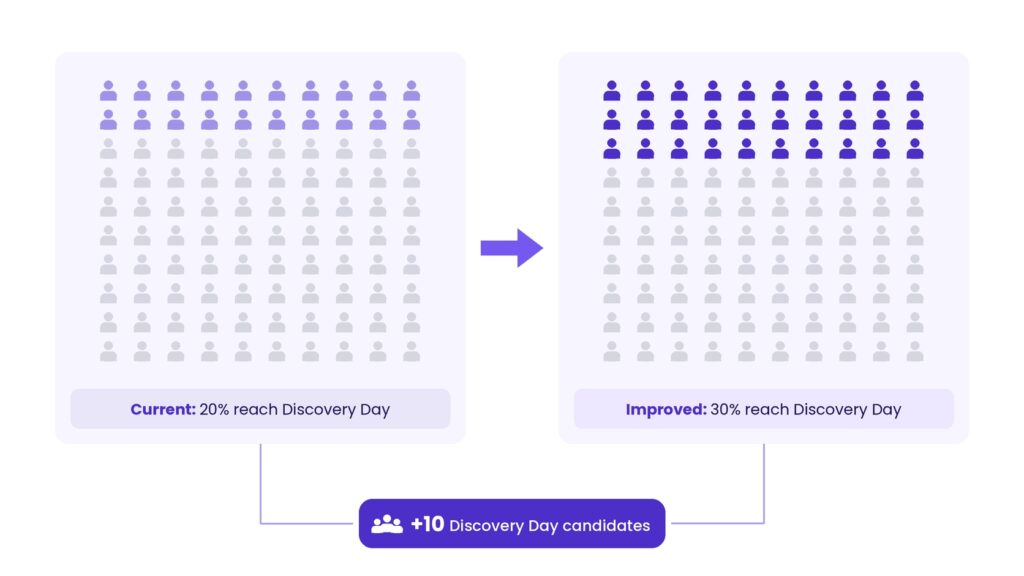
Imagine your team has 100 qualified candidates this quarter. At a 20% progression rate, 20 reach Discovery Day. If better follow-up lifts that rate to 30%, 30 reach Discovery Day. That is 10 additional serious candidates from the same lead volume.
Hypothetical example, not an industry benchmark or projected Weam result.
At the AFDR’s 75% Discovery Day close rate, those 10 extra attendees could mean seven or eight more signed agreements. That is an industry average, not a promise. Fit, financing and timing still decide each deal. But you cannot sign candidates who never get that far.
Where AI Can Improve Franchise Lead Conversion
AI will not replace franchise development representatives. Relationships and judgment still close deals. What AI can do is remove the operational gaps that let qualified buyers slip away.
The industry is already experimenting. The AFDR found that 52% of brands use AI tools in franchise development. Yet 68% say it is too soon to tell whether AI is driving more deals.
Look at where that AI goes. Email personalization (59%), chatbots (44%) and market analysis (44%) lead the list, while candidate screening sits at just 9%. In other words, the industry has put AI at the top of the funnel and almost nowhere in the qualification gap, which is exactly where qualified buyers are lost.
After-Hours First Response and Routing
If most inquiries arrive outside business hours, this is the highest-value place to start. An AI-assisted workflow can acknowledge every inquiry within minutes, answer common questions from approved content, flag high-fit candidates and book the first call with a representative. We outline a similar lead-routing workflow in 10 AI workflows that stop revenue leaks for multi-location businesses.
Relevant, Approved Candidate Communication
When AI drafts from approved messaging and the candidate’s own questions, follow-ups become specific rather than generic. A buyer who asked about territory gets a territory answer, and every message stays within guidelines your legal team has already signed off.
Visibility Into Stalled Candidates
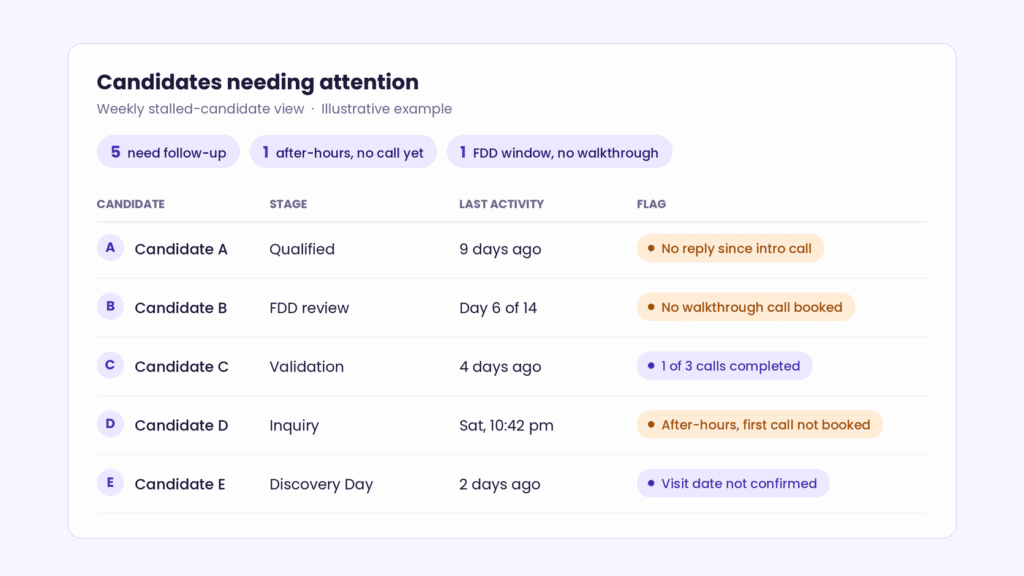
Illustrative example of a stalled-candidate view.
AI can surface candidates who have gone quiet, follow-ups that were missed, FDD windows with no walkthrough scheduled, and candidates who have not finished validation calls. That gives development leaders a weekly view of where the pipeline is leaking, instead of discovering it at quarter end.
Human Oversight for High-Stakes Decisions
Financial suitability, disclosure timing, earnings conversations and final candidate approval must stay with people. AI should support the 14-day FDD process, never shortcut it. Before any AI touches candidate communication, decide what it can and cannot say. Our guide to AI governance for franchisors shows how to set those guardrails without slowing your teams down.
This is where governed AI workflows matter. Weam works with franchise and multi-unit teams as an AI implementation partner, designing workflows with clear approval rules so automation handles the routine work while people keep control of the decisions that carry risk.
A Practical 30-Day Plan to Reduce Franchise Lead Drop-Off
You do not need a new platform to start. This plan works with the tools you already have.
Week 1: Audit your funnel. Pull the last two quarters of candidates, count how many reached each stage, and compare your rates with the benchmark table above. Check how many inquiries arrived after hours and how long they waited.
Week 2: Standardize qualification and response rules. Agree on shared qualification criteria, confirm territory availability during qualification, and set first-response targets for both business hours and after hours.
Week 3: Fix the in-between stages. Build approved answers to the questions candidates ask most, add a walkthrough call to every FDD delivery, and set up a simple validation tracker with a follow-up call after each round.
Week 4: Measure and listen. Compare stage conversion with your Week 1 baseline. Ask a few recent candidates, including those who dropped out, what slowed them down.
Franchise lead conversion is the rate at which franchise inquiries move to the next stage of the sales process, from inquiry to qualified candidate, application, Discovery Day and finally a signed agreement.
What’s a good franchise lead-to-Discovery-Day conversion rate?
The AFDR does not report this rate directly, but its close ratios allow a rough estimate. If 2% of all leads sign and 75% of Discovery Day attendees sign, roughly 2 to 3 of every 100 leads reach Discovery Day at the industry average. For qualified leads, the same math suggests about 1 in 6 reaches Discovery Day. Treat these as starting points and benchmark against your own history.
How fast should franchisors respond to franchise inquiries?
As fast as possible, including after hours. With 60–70% of inquiries arriving outside business hours, a next-business-day reply means most candidates wait overnight or over a weekend. A practical standard is an immediate, useful acknowledgment for every inquiry, followed by a personal call within the next business day. Measure business-hours and after-hours response times separately.
Why do qualified franchise candidates drop out before Discovery Day?
The most common causes are slow after-hours responses, generic follow-ups, inconsistent qualification, silence during the 14-day FDD window, unsupported validation calls, late territory conflicts and difficult Discovery Day logistics.
What is a franchise validation call?
A validation call is a conversation between a prospective franchisee and an existing franchisee, usually found through the contact list in Item 20 of the FDD. Candidates use these calls to check what ownership is really like before committing.
How can franchisors improve lead conversion without hiring more sales representatives?
Standardize qualification, set response-time targets for after-hours inquiries, prepare approved answers to common questions, and use governed AI workflows for routing, reminders and drafting. Representatives then spend their time on real conversations instead of admin.
Fix the Conversion Gap Before Increasing Lead Generation
More inquiries will not fix a leaky process. At $351 per lead, they only make the leak more expensive. FranConnect’s 2025 Franchise Sales Index found that referrals from existing franchisees convert at 21 times the rate of internet leads, a reminder that the strongest pipeline often starts with the people already in your system.
Strong franchise lead conversion comes from fast after-hours responses, consistent qualification, a well-used FDD window, supported validation, early territory checks and a clear path to Discovery Day. Start with the 30-day plan above. If you want to see where governed AI workflows could help your development team, book a demo call with Weam.
I’ve been having a grand old time playing Call of Duty: Modern Warfare 4 with an RX 9070 XT, but there’ll be plenty of people wanting to run the game on older hardware. So, I decided to dust off my old and much-beloved workhorse, the RTX 3060 Ti, and see how it does in the new Activision shooter. I’ve been quite pleasantly surprised by the results.
Which is good news, considering Activision lists this graphics card, alongside the AMD RX 6600 XT and Intel Arc B580, as the ‘recommended’ ones to “run at 90 fps in multiplayer on High graphics settings.”
I’ve found this actually pans out, provided you’re at 1080p or are fine enabling Quality upscaling at 1440p.
Latest Videos FromPC Gamer
RTX 3060 Ti performance in COD: MW4
(Image credit: Activision)
As you can see from the chart below, at 1440p native, the game struggles to reach this 90 fps target even on the Minimum preset. And as I noted in my general performance overview—which, by the way, you should read if you want to know which specific settings to alter to improve your frame rate—the Balanced preset offers the best bang for your buck by far, as going up to Ultra lowers your frame rate significantly.
COD MW4 preset performance – 1440p – RTX 3060 Ti
Frame rates were taken at 1440p native, using an RTX 3060 Ti, Ryzen 7 7800X3D, and 32 GB of DDR5 RAM.
Call of Duty: Modern Warfare 4
Call of Duty: Modern Warfare 4 Data
Product
Value
Minimum
70 Avg fps, 59 1% low fps
Basic
66 Avg fps, 59 1% low fps
Balanced
64 Avg fps, 56 1% low fps
Ultra
48 Avg fps, 43 1% low fps
Extreme
43 Avg fps, 36 1% low fps
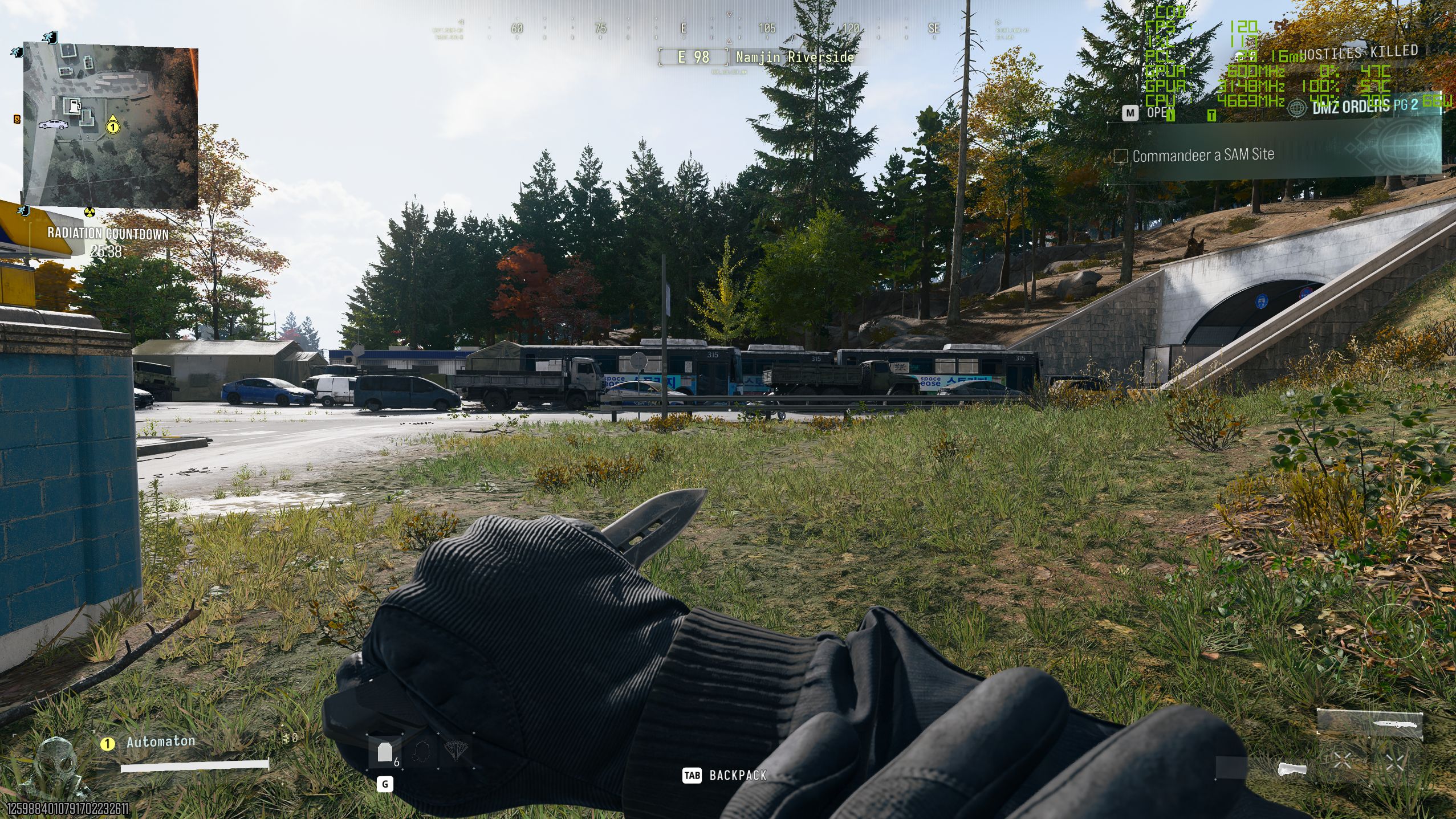
I captured these frame rates during the same repeated 30-second run in a campaign mission, but I’ve found they translate pretty well to DMZ, although a few frames are shaved off in that mode, and a few additional are shaved off when looking into the distance across the expansive map.
The trick to get buttery smooth frame rates with a GPU like the RTX 3060 Ti is to enable DLSS upscaling in Quality mode.
Enabling Quality upscaling takes frame rates from just above 60 to around 90 or even 100 when using the Balanced preset, if you opt for the older CNN model. I didn’t notice much of a difference in visuals between CNN and Transformer models, so I’d be opting for the former just for the extra handful of frames, but either way you’re getting something very playable.
Keep up to date with the most important stories and the best deals, as picked by the PC Gamer team.
DLSS Quality vs native at 1440p
This compares playing the game at 1440p native to the two different versions of DLSS upscaling, set to Quality.
Call of Duty: Modern Warfare 4
Call of Duty: Modern Warfare 4 Data
Product
Value
DLSS CNN Quality
97 Avg fps, 86 1% low fps
DLSS Transformer Quality
89 Avg fps, 78 1% low fps
Native 1440p
64 Avg fps, 56 1% low fps
All of the above is speaking to 1440p, but if you have a 1080p monitor or don’t mind dropping to 1080p on your 1440p monitor, you can get some very nice frame rates from a card like the RTX 3060 Ti. As you can see from my final chart below, you can push about 130 fps on average in the campaign if you play at 1080p with DLSS enabled, again on the Balanced preset.
Comparing 1440p to 1080p performance
This chart compares performance at 1440p to 1080p using an RTX 3060 Ti, with upscaling enabled and disabled.
Call of Duty: Modern Warfare 4
Call of Duty: Modern Warfare 4 Data
Product
Value
1440p Native
64 Avg fps, 56 1% low fps
1440p DLSS Quality (CNN)
97 Avg fps, 86 1% low fps
1080p Native
92 Avg fps, 81 1% low fps
1080p DLSS Quality (CNN)
131 Avg fps, 113 1% low fps
There are two caveats here, though. The first is that I wouldn’t recommend doing this if you’re on a 27-inch, 1440p monitor because it can look quite blurry. I’d just stick to 1440p with DLSS enabled instead.
The second caveat is that, in DMZ, I found frame rates to be a little lower than the ones I recorded in my runs of the campaign mission. But I’d still stick to those settings I just described. At 1440p with DLSS enabled in DMZ I get about 80–95 fps, and at 1080p with DLSS enabled I get about 110 fps.
The settings I’d use in COD: MW2 with an RTX 3060 Ti
(Image credit: Activision)
This is the resolution and upscaling combo setup I’d personally use to actually play the game if I had a 27-inch, 1440p monitor: 1440p resolution, DLSS Quality upscaling (CNN), and the Balanced preset. If I was using a 24-inch, 1080p monitor, I’d stick to DLSS Quality (CNN) and the Balanced preset, but obviously have the resolution at 1080p instead. With a smaller 1080p monitor, it’s not as blurry to have DLSS enabled even at 1080p.
The final bit of good news is that I’ve found my frame rate to be pretty consistent, too. With an RTX 3060 Ti, I get frame rates consistently pushing closer to 100 fps than 60 fps at 1440p with DLSS Quality enabled and using the Balanced preset.
Comparing higher to lower detail quality
High detail quality on the left, normal on the right. Notice the yellow/orange tree loses all detail in the right-hand image.
High detail quality
Normal detail quality
A couple of final tips. One thing I’d recommend is avoiding the lower presets, and especially the bottom ‘Minimum’ one, as I found graphical fidelity takes a big hit when dropping that low. Everything is much more crisp at Balanced.
And finally: if you’re okay sacrificing just a small handful of frames here and there, try turning your ‘detail quality’ setting up to High. I’ve found this eliminates some of the buggy, blocky trees and shrubbery you occasionally run into, and makes them look like actual trees.
How to Film a Vlog on Your Smartphone (Start to Finish)
One of the problems many people face when delving into the world of creating a vlog is that they see other vlogs and feel the process looks very complicated.
They see action shots, B-roll footage, snappy editing and in general, very polished products.
Whilst I would be the first to admit there are are a lot of things to do, it’s not really as complex as it seems from the outside.
The key to vlogging projects is having a process to follow and within each step, a set of goals to achieve.
Once you begin to break it all down into simplicities rather than complexities, vlogging begins to appear way more approachable.
In this video you can see step by step how to pull it off for yourself.
Introduction to PowerDirector AI Cinematic Shorts Tool
The folks at CyberLink PowerDirector have been pretty aggressive over the past couple of years in their development and introduction of AI driven features.
Personally I am not a blanket fan of AI yet but certainly there are times when some of these features can come in handy.
The one shown in the video below is a relatively new one called AI Cinematic Shorts.
The concept is that you provide a still image and then AI takes over to create an eight second short from it with music.
The two main uses of this that I can see are to use it to just create a section of a short video given that eight seconds is not much running time.
The other use could be to create B-roll from images shot that are similar to whatever the video footage is that you have.
The example shown actually looks pretty good.
What’s New in Filmora 16: Precision Editing Tools for Pro-Level Control
Now that the initial marketing hooha over the release of Filmora 16 has died down a little, we can safely take a look at what’s new and improved in this version.
There are two videos below covering pretty much everything with some good non-hyped demonstrations of those features.
For my money I am relieved to see that Filmora seem to have calmed down a little on the AI development and re-focused in the software itself.
Both the new masking and tracking modules are of particular interest to me as they will cut down time spent key-framing and adjusting enormously.
Part Two
Video Editor for Moms: How to Edit Family Vlogs Fast
A few weeks back Movavi released their 2027 version of the Movavi Video Editor.
Apart from a few other updates they added a new set of tools called Templates and Blocks.
Briefly, Templates are preset projects that have most of what you need for a completed project already within them.
All you have to do is swap out the existing footage, images or audio for your own and you are probably about 90% done at that point.
A few tweaks here and there and you are ready to publish.
The Templates are actually made up of Blocks which are independent sections within the template that make up the whole.
Blocks can be added to existing templates to extend them or can even be used in a project of your own making.
The video below shows exactly how both templates and blocks can be used to created a great looking video in very little time.
How to add animated reactions to your Let’s Play – Movavi Ideas
Another quick “How to” video for this week from the folks at Movavi.
Rather than focusing on the effect they show itself, I think it is more important to look at just how easy it is with an editor like this to do it.
Editors like Movavi are aimed at people who want cool looking video and effects but have neither the time or interest in manually doing them.
To counter this, the developers have created a wide array of ready made effects you can just drag and drop into place to get the job done.
I Got Zero Views for 7 Months. Here’s What Kept Me Going.
One of the great fallacies that still exists in abundance today is that “if you upload it, they will come!”
The thing to keep in mind here is that Field of Dreams was a movie and the reason “they came” was that it was written in the script!
Over the years I have interacted with so many people who were originally filled with enthusiasm about building an audience on YouTube, TikTok or whatever platform.
Within a matter of weeks I also saw most of those same people drop off and abandon the idea because of a lack of success.
No-one can guarantee that success but there are things you can definitely do to increase your chances and maintain your interest.
Here’s a great video from Chris Goor covering the subject and perhaps providing a little hope.
How Long Does It Really Take to Start Filming – 60 Second Studio EP.1
Carrying on from the previous entry on the theme of “reasons to give up on your YouTube dreams, we have a great video from Gabriel VIP.
When I first started shooting and editing videos for my wife on a consistent basis the absolute fun killer in that process was having to set up every time.
Whenever she would say she was ready to shoot the next video, I would sort of sink a little at the prospect.
The reason for that was twofold.
First it meant I would have to set up lights, camera, audio etc… again!
And secondly I would spend ages getting that setup exactly as it had been for the last time we were shooting.
Bear in mind my wife has a hawk-like detail detection radar and if it wasn’t EXACTLY like the last time she would spot it.
All of this very quickly led to a reluctance on her part and mine to shoot that next video.
This is a creation killer for just about everyone and in the video below Gabriel gives some great tips on cutting this down as a factor in your own endeavors.
For me, I eventually managed to set up a permanent space for shooting and life (and my marriage) became manageable again!
Fix Boring YouTube Edits in DaVinci Resolve
This is a tutorial from Casey Faris that I think is quite important for those of you who are posting to YouTube or other social media platforms.
Once you get the basics down pat the result is often a technically correct video that ends up being a bit of a yawn!
The difference between an accurate edit and an engaging one usually comes down to a few little tips and tricks that the pro’s use.
Casey covers a number of these and when you look at it you will realize that there is no great technical magic going on here, just attention to the details.
I Tested Every Pocket Camera… Here’s the One I’d Buy
I don’t really do equipment reviews or updates much on this site because it’s just way too much work to keep up with.
If you take a look around there are guides for how to make your own decisions, but no specific product reviews.
There are however a few sources I regularly use for such reviews that I know are relatively neutral about their approach and are not influenced by making sales.
Think Media is one of those sources and this week they have taken a dive into the world of pocket cameras.
If you are looking to make a purchase for something like this, this is a good resource to check out.
Key Takeaways
Creating a vlog seems complicated, but a simple process and clear goals make it manageable.
The PowerDirector AI Cinematic Shorts tool creates short videos from still images, useful for B-roll.
Filmora 16 offers new masking and tracking tools, streamlining video editing for professionals.
Movavi 2027 introduces Templates and Blocks, making it easier to edit videos quickly by using preset projects.
Persistent effort and practical tips can keep you motivated on platforms like YouTube, even when growth feels slow.
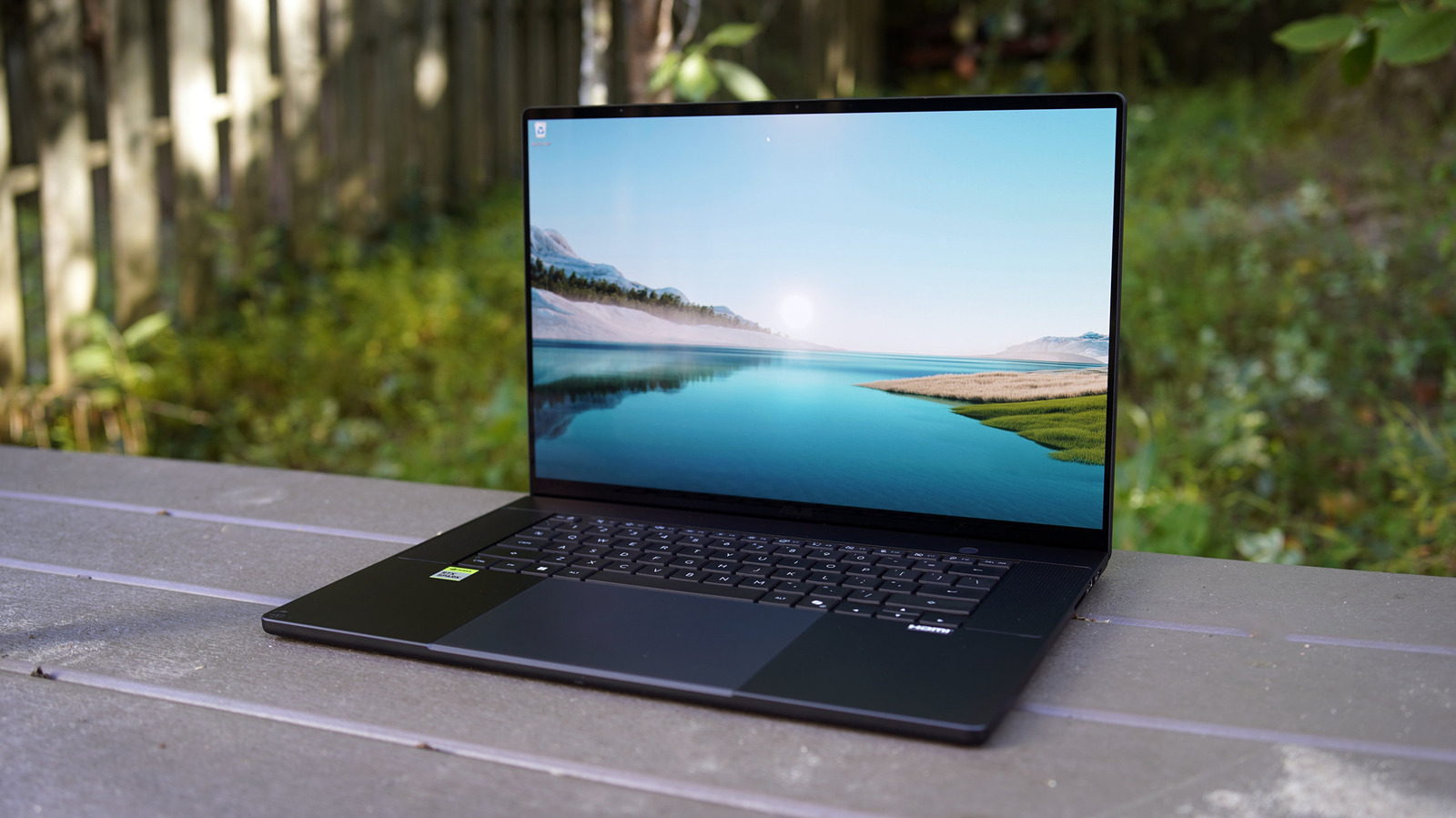
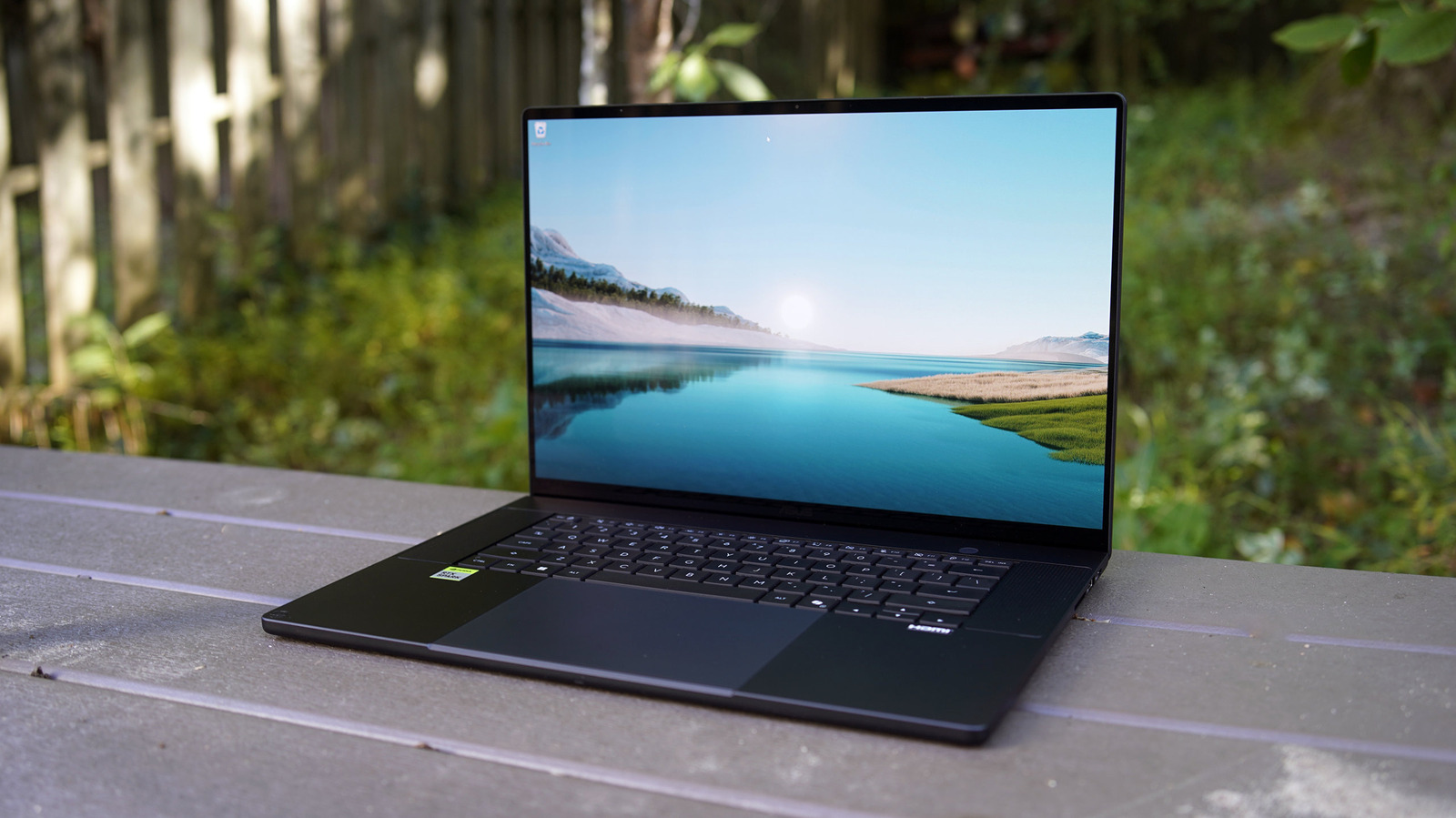
Using the ASUS P16 with RTX Spark reminded me of the first time I turned on a MacBook Pro with an M-series chip: Everything about it feels lightning fast. I was up and running in no time, and I felt unstoppable as I downloaded several massive files simultaneously to start my benchmarking process. But of course, for a $7,000 system with 128GB of RAM, it damn well better feel speedy.
I’ll admit, I was a bit surprised by the ASUS P16’s initial benchmark scores: Its PCMark 10 (Applications) figure was 3,000 points lower than the ultra-slim ASUS A16 I tested earlier this year, which was powered by a Snapdragon X2 Elite chip. The RTX Spark system also lagged behind slightly in Geekbench 6’s single-threaded CPU test, which is a sign that Qualcomm’s chips just have more capable CPUs.
But really, the star of the RTX Spark’s design is its GPU, NPU and unified memory, and those all stood out in other tests. The ASUS P16 RTX Spark was 4,700 points higher than the MacBook Pro with M5 Max in Geekbench 6’s GPU benchmark, which tests overall graphics performance. The ProArt P16 also scored 3,895 points in UL Procyon’s AI Computer Vision 2 benchmark, compared to 3,267 points from that same MacBook. Its 1,519 score in Procyon’s AI Image Generation test was also 600 points higher than Apple’s. Those Procyon benchmarks all clearly benefitted from the RTX Spark chip’ s beefy graphics power.
Beyond benchmarks, the ASUS P16 was able to run OpenClaw and the large Qwen3.8 27B model, which alone takes up 42GB of RAM, while still leaving me with a ton of RAM for other tasks. At the same time, I was even able to play Control: Resonant and Cyberpunk 2077 at high quality settings without breaking a sweat. Sure, the fans sounded like they were about to lift the P16 off my desk, but there was never any noticeable slowdown in performance.
NVIDIA has previously said that the RTX Spark’s graphics hardware is about on-par with the RTX 5070 mobile GPU, while also drawing much less power, and that held true in my testing. I was able to play Control Resonant at 70 fps while rendering the game in 1,440p with “ultra” graphics settings, ray-tracing set to medium and 4x frame generation. That’s a game where the overall fidelity matters more than a triple-digit framerate, but I could get the ProArt P16 to 120 fps by lowering the graphics settings.
While I didn’t have much trouble running other games, including Star Wars: Galactic Racer and Gears of War: E-Day, there’s a chance you’ll have trouble with some titles. Since RTX Spark is based on an Arm CPU, it has to rely on Microsoft’s Prism emulator to handle most games. That introduces an immediate performance drop, as well as potential issues. There are native Arm64 builds for popular titles like Fortnite, DOTA 2, Marvel Rivals and the upcoming World of Warcraft: Forever, so there’s a chance that compatibility concerns will melt away in a few years. But if you don’t want to worry about emulation troubles at all, you’re better off with a standard gaming laptop running an Intel or AMD chip.
There are also similar compatibility concerns for older Windows software in general, though I didn’t encounter any weirdness during my testing. The whole Windows on Arm experience received a huge upgrade when Copilot+ systems launched two years ago, and since then, it seems like Microsoft has worked to make its x86 emulation even more seamless.
The ProArt P16’s 16-inch “Lumina Pro” OLED screen was perfect for Control Resonant: It was able to show off dark black levels and extreme contrast in darker environments, but it also seared my eyeballs at times with its peak 1,600-nit luminance. It’s definitely one of the brightest OLED screens I’ve seen on a laptop, and it directly competes with Apple’s Mini LED MacBook Pro displays, which also top out at 1,600 nits. That extreme brightness also made the ProArt P16 perfect for getting work done outside in the sun, as I try to eke out every bit of warmth I can before winter arrives.
I was similarly impressed by every other aspect of the ASUS ProArt P16. Its wide keyboard and luscious key depth made typing a dream, and it also has one of the best haptic touchpads I’ve ever seen on a Windows PC. While it would have been nice to have a quad-speaker setup, which has become increasingly common in large premium laptops, the ProArt P16’s dual speakers still sounded solid. They also offer a bit of spatial audio support, thanks to Dolby Atmos.
The only major downside to the ProArt P16, like most jet-black PCs, is that it’s a horrendous fingerprint magnet. Marks start appearing the instant you touch it, and heaven forbid you eat anything oily while using it. It takes just a few minutes for the P16 to start looking like a gross mess, and it’s a bit annoying to keep clean. It’d be great to see ASUS adopt an anti-fingerprint material in the future.
The ProArt P16 lasted ten hours and 51 minutes in the PCMark 10 Applications battery benchmark, which is well below the 15-plus-hour range we’ve seen on many premium machines. It was also bested by Dell’s latest XPS 16, which disappointed me when it clocked nearly 12 hours on the PCMark battery test. You’ll at least be able to do more with the P16 on battery: I noticed that benchmarks and game performance didn’t waver at all when I yanked the power cord. According to NVIDIA, the overall efficiency of RTX Spark allows for a high performance curve without burning too much power.
The Genshin Impact 7.2 livestream codes have arrived, providing a bit of bonus currency to use when wishing on the new characters coming in this version. For those who don’t know, Hoyoverse runs a livestream every six weeks for its games, showing off the new content coming with the update, but as an added sweetener, it also provides three livestream codes.
Banner wise it looks like we have electro character, Mitya, and also electro, Valeriy. As usual, I’ll put the codes down below as they drop during the stream. Make sure to redeem them asap, since livestream codes usually expire within a day or so.
Genshin Impact codes: All current livestream Primogems
HourOfRuin – 100 Primogems and 10 Mystic Enhancement Ore
How to redeem Genshin Impact codes
You’ll need to reach Adventure Rank 10 to redeem your Genshin livestream codes, but this is relatively easy to achieve if you’ve just started playing. Once done, there are two methods to claim your codes.
Latest Videos FromPC Gamer
The first is through the game:
Launch Genshin Impact
Open the in-game menu
Select Settings and then Account
Click Redeem Now and paste a code into the box
Claim your Primogems from the in-game mailbox
Or you can redeem codes online through the redemption website: