A slew of AI-powered gadgets on the market aims to integrate artificial intelligence into our daily lives like never before.
Some of these AI wearables — including necklaces, rings, and wristbands, as well as portable devices — serve as productivity tools, while others claim to act as friendly companions listening to your everyday thoughts. Even OpenAI is working on a compact AI companion device.
Below, we’ve rounded up some of the most notable devices.
Bee
Image Credits:Bee AI
Bee is an affordable pendant priced at $49.99 that can either be clipped to your clothing or worn like a fitness band. This device records everything it hears and learns your routines and preferences to create reminders and notes for you. It even features a mute button for those times you want some privacy.
The companion app (currently available only on iOS) is included with a $19 monthly subscription. The app allows you to interact with Bee directly and ask it questions. You can also get key takeaways from your day and chronological transcripts of your conversations.
Amazon acquired the wearables startup in July 2025, launching its first new products earlier this month.
Image Credits:Amazon
Amazon introduced two new devices: the Bee Frontier, priced at $74.99, which can be worn on the wrist or clipped to clothing, and the Bee Eclipse, priced at $99.99, a credit-card-sized device that attaches magnetically to the back of a smartphone.
Both offer the same core functionality as the previous generation, positioning Bee as a more affordable alternative to AI devices such as the Plaud Note and Plaud NotePin. Users can also choose to connect Bee to Alexa.
Friend
Image Credits:Friend
Friend is one of the most hyped entrants in the “personal AI” device market.
This $129 white pendant hangs around your neck and functions as an emotional support companion. It recognizes your tone and mood, allowing you to chat with it as if it were a friend. It connects to your phone via Bluetooth and constantly listens, ready to respond or send you proactive messages, like wishing you good luck before an interview.
However, it has also faced criticism, including backlash against its subway ad campaign in NYC. People vandalized the ads, writing messages like “surveillance capitalism.”
Likely as an attempt to stay relevant, the company recently unveiled a major product update, introducing a new voice feature. Under the name “Friend 2.0,” the updated device includes a built-in speaker that allows it to communicate with users and express a more distinctive personality.
Limitless
Image Credits:Limitless
Formerly known as Rewind, Limitless is another conversation-recording pendant priced at $99.
This device continuously listens, transcribing meetings, calls, and conversations (with consent) into searchable and summarized knowledge. It’s ideal for professionals, especially journalists, looking to recall important discussions.
The companion app comes with 10 hours of AI features per month — such as transcription and summaries — with the option to unlock unlimited features for $29 per month.
Muse Charm
Image Credits:Mark Zuckerberg on X
Meta introduced its first AI wearable in September, offering a new way for users to access its personal AI assistant, Muse.
The device has not yet shipped, but it is expected to feature Jolly, a playful digital avatar that represents the AI assistant. Housed in a pocket-sized device that can be carried around or attached to a keychain, the wearable includes a miniature display showing the avatar. Users will be able to interact with Muse through voice commands and have it complete tasks for them.
Nirva
Image Credits:Nirva
Nirva is a startup founded by former Meta Reality Labs employees, building an AI wearable focused on personal growth rather than productivity or meeting notes.
Worn as a pendant or bracelet, the device listens to the wearer’s speech and uses AI to turn everyday experiences into a personal journal, helping users better understand their emotions, communication style, and habits. Through its companion app, users can explore patterns in their behavior, gain insights into how they communicate, and find ways to improve.
Nirva plans to open orders in November, with shipments to early users targeted for the end of the year. The device will cost $249.
Omi
Image Credits:Omi
Priced at $89, this device can answer your questions, summarize your conversations, create to-do lists, and help schedule meetings. Additionally, Omi is constantly listening and running your conversations through ChatGPT, allowing it to remember the context about you and offer personalized advice.
Omi can be worn as a necklace, but another notable aspect is that it can be attached to the side of your head with medical tape and can detect when you’re speaking to it.
Plaud’s NotePin
Image Credits:Plaud
At $159, Plaud’s NotePin is one of the pricier options on this list; however, its built-in AI transcription and summarization features make it a valuable tool for lawyers, journalists, and students attending meetings or lectures.
The tiny wearable voice recorder can be worn on your wrist or attached magnetically to your clothing. The recordings are saved in real time on your phone, eliminating the hassle of manual note-taking. The device includes 300 free monthly transcription minutes, but with the $8.33 per month Pro plan, you upgrade your transcription time to 1,200 minutes.
This year, the company is gearing up to launch a $179 ultra-thin note-taking device called the Plaud Note Pro, which is now available for preorder.
Rabbit R1
Image Credits:Rabbit
Rabbit R1 is another AI gadget that has quickly become a topic of interest in the tech world, despite facing some challenges during its initial launch. This small, retro-styled handheld device features a touchscreen and rotating camera, at a price point of $199.
The device is designed to be phone-adjacent, allowing you to perform tasks such as booking flights, ordering meals, and controlling apps without needing to pull out your phone each time. Following a crucial software update that rectified previous performance issues, the Rabbit R1 now boasts expanded AI features. For instance, it introduces “Creations,” a feature that allows you to build your own tools and even games.
It features a built-in microphone that remains off by default and can be activated through a flat, touch-sensitive surface on the top of the ring. By pressing and holding the panel, users can record notes, interact with an AI assistant through the companion smartphone app, and manage media playback, including playing, pausing, skipping tracks, and adjusting volume
includes a built-in microphone that stays disabled by default and can be switched on via a touch-sensitive panel on the ring’s upper surface. Users can press and hold it to capture notes, communicate with an AI assistant through the companion mobile app, and control music.
The Stream ring is expected to launch this summer at $299, with silver and gold finishes available.
When you purchase through links in our articles, we may earn a small commission. This doesn’t affect our editorial independence.
ESCAPE FROM PLAYTIME: A Smiling Critters Adventure is a co-opsurvivalhorror experience set in the Poppy Playtime universe. Moon Sweepers Explore the dark depths of an abandoned toy factory and fight to stay alive against the creatures that lurk in the shadows. Each run places you into a unique section of the facility: classrooms, warehouses, testing labs, and the dark corridors connecting them all. The denizens of the factory – fellow rejected Playtime Co. creations – stalk the decaying halls, hunting for prey. You and your friends must work together and utilize your surroundings if you hope to make it out of the factory in one piece. Play with up to 7 friends (2-8 players) in a fight for survival inside Playtime Co. More Critters means more ground covered and more chances for something to go horribly wrong, all enabled with proximity voice chat.
A mysterious Voice sends players into the facility to collect scattered parts and resources. Gather what you need, bring it back safely, and try not to ask too loudly who or what you are really working for. Use whatever the factory gives you to stay alive. Search for tools, uncover clues, find hiding spots, create distractions, and use alternate routes to outmaneuver the rejected Playtime Co. creations stalking the halls. Crawl, jump, and climb through every nook and cranny of the Playtime Co. factory as a Smiling Critter and experience some of the most iconic Poppy Playtime locations through a new (smaller) set of eyes. It’s Playtime Co. as you know it, with a twist. The mysterious Voice seems to be altering the factory’s layout, creating procedurally generated environments that change with each run. Track your progress and examine your hard earned rewards through the Perm-A-Lounge computer to uncover further terrifying company secrets.
Early Access — Launches with the full eight-character roster, one starter zone, and a core enemy lineup. New zones, enemies, and features coming based on your feedback.
Screenshots
SystemRequirements
Minimum Requires a 64-bit processor and operating system
OS: Windows 10/11
Processor: Intel Core i3 9100 / AMD Ryzen 5 3500
Memory: 8 GB RAM
Graphics: Nvidia GeForce GTX 1650 / Radeon RX 470
DirectX: Version 12
Support the game developers by purchasing the game on Steam
InstallationGuide
TurnOff Your Antivirus Before Installing Any Game
1 :: Download Game 2 :: Extract Game 3 :: Launch The Game 4 :: Have Fun 🙂
I have no particular thoughts on what the afterlife may look like, namely because if there is one, and I’m allowed to hang out in it, I don’t want to be disappointed. What if I have the expectation that it’s a hedonistic paradise and am met with only having a guy named Gary who only eats cheese sandwiches for company? How embarrassing! No, I’ll leave the imagining to others on this particular front. Doing so bears some ripe fruit for me occasionally, too, as is the case today with Abelina, a surreal platformer about a man who died and finds himself tending to gardens and carving masks and trying “not to think about what this place might really be.”
My immediate reaction upon seeing Abelina is that it has the vibe of a Soviet stop motion film only Letterboxd users have heard of, which is perhaps the highest compliment I can give to a game graphically. In it, you play as Vasily, who “died a while ago.” He finds himself in the titular Abelina, an odd, nature-filled afterlife, where he’s been trying to find happiness again with a small handful of other folks doing the same.
I don’t think Abelina is a puzzle game, but it does look like you have to put some thought into your platforming at points. There is flying to be done, dungbeetle-esque rolling, precise jumps to be made. It seems the entire thing is about navigating this otherworldly locale, and hopefully finding some truth amongst it all. You may not always find the correct path, with branching paths and open vistas seemingly offering a multitude of ways forward, all while being led by a “mysterious rabbit-cat.”
It’s also a game with some skill behind it, being led by Gabe Askew, who’s worked on CG cinematics for the likes of Valorant, League of Legends and Love, Death + Robots. Sonically we should be in for a pleasant time too, as Weapons and the recent Resident Evil movie’s composer Ryan Holladay is on the soundtrack for Abelina. I’m curious about what else it has to offer and am keen to get my hands on it to see how that platforming feels. In the meantime, you might join me by wishlisting it on Steam ahead of its release in 2027.
It’s the Full Moon tomorrow (or tonight, depending on your timezone), which means the Moon looks big and bright in the tonight. Hoping to do some Moon gazing? Here’s what you should be able to see.
What is today’s Moon phase?
As of Sunday, Oct. 25, NASA’s Daily Moon Guide tracker tells us the Moon is in the Waxing Gibbous phase, with 99% of its surface visible.
Tonight, without the use of visual aids you should be able to spot the Copernicus Crater, Tycho Crater, and the Mare Crisium. If you have binoculars you’ll also see the Endymion Crater, the Alphonsus Crater, and the Mare Nectaris. Finally, if you have a telescope, you’ll also see the Apollo 16 and 17 landing spots, and the Schiller Crater.
When is the next Full Moon?
The next Full Moon will take place on October 25 or 26, depending on your timezone.
What are Moon phases?
The Moon takes around 29.5 days to travel around Earth, and its appearance changes throughout the month. As it moves around our planet, we see different amounts of its sunlit side, from a slim crescent to the quarter phases and eventually a Full Moon. It then begins the cycle again. As NASA explains, these phases are caused by the Moon’s changing position relative to Earth and the Sun.
The eight phases are:
Mashable Light Speed
New Moon – The Moon is between Earth and the sun, so the side we see is dark (in other words, it’s invisible to the eye).
Waxing Crescent – A small sliver of light appears on the right side (Northern Hemisphere).
First Quarter – Half of the Moon is lit on the right side. It looks like a half-Moon.
Waxing Gibbous – More than half is lit up, but it’s not quite full yet.
Full Moon – The whole face of the Moon is illuminated and fully visible.
Waning Gibbous – The Moon starts losing light on the right side. (Northern Hemisphere)
Third Quarter (or Last Quarter) – Another half-Moon, but now the left side is lit.
Waning Crescent – A thin sliver of light remains on the left side before going dark again.
As reported by The Verge, Xbox Chief Operating Officer Helen Chiang is leaving the company after three months in the role—though Chiang had previously been a Microsoft employee for 21 years. Xbox had not previously operated with a COO in its hierarchy, and the role was created as part of CEO Asha Sharma’s controversial brand “reset.”
Sharma announced the personnel change in an October 23 internal memo, and did not offer an explanation for Chiang’s departure. “Her immediate responsibilities are being split up between other Xbox leaders for now,” Sharma wrote. “We’ll share more on COO leadership as plans are finalized.”
Microsoft shared a boilerplate statement on the departure to Eurogamer: “We don’t discuss individual personnel matters. We’re grateful for Helen’s years of service and wish her well.” However, an anonymous source within Microsoft also told Eurogamer that Chiang was “terminated for policy violations.”
According to Sharma’s original reset announcement, the COO was tasked “with end-to-end P&L [profit and loss] responsibility across content, hardware, platform, and services.” Given Xbox’s current focus on cost-cutting and maximizing revenue, that sounds like a fairly key role in Sharma’s project.
It’s hard to imagine Chiang’s departure having any significant impact on Xbox’s strategy or its execution, but it hardly inspires confidence to see such a quick turnaround in an executive-level position, particularly given the overall instability and uncertainty at Xbox.
From the creators of Edge: A free weekly videogame industry newsletter, featuring in-depth news, expert analysis and exclusive interviews
Relay, an AI-powered workflow automation tool built as an alternative to Zapier, shut down entirely in August. The product let users automate email and task workflows using AI agents, but as OpenAI, Google, and other larger platforms built similar automation directly into their own tools, five-year-old Relay struggled to hold on to a reason to exist as a stand-alone product.
More recently, chatbot platform Character.ai filed for bankruptcy just five years after launching.
Aside from Character.ai and Relay, plenty of AI bets never even survive inside the companies that build them. According to S&P Global Market Intelligence, about 42% of AI initiatives are ultimately abandoned by their corporate parents. The reasons vary: insufficient funding, technical challenges, competition, difficulty scaling, or just weak user demand.
The result is a growing AI graveyard. Below is a look at some of the most notable AI products, startups, launches, and bets that have shut down, pivoted, or significantly missed expectations. Think of it less as a scorecard of flops than as a record of what these attempts can (hopefully) teach the rest of the industry.
Even the biggest players aren’t immune. OpenAI, one of the most valuable private companies in the world, has had its own share of casualties and missteps. One of the more recent examples was its attempt to turn ChatGPT into a broader “super app.” On July 9, OpenAI updated the app to combine several experiences, including separate “Chat,” “Codex,” and “Work” modes, while renaming the traditional, familiar version “ChatGPT Classic.”
The redesign quickly drew criticism from users who found the new interface confusing and cluttered, and OpenAI rolled back the change soon after, bringing the familiar ChatGPT interface back.
That wasn’t OpenAI’s only attempt to pull everything under one roof. The company has also shut down several stand-alone apps and folded their features directly into ChatGPT — a strategy that’s worked out better than the redesign did. ChatGPT Atlas, a stand-alone AI-powered web browser, lasted less than a year before being discontinued on August 9, with its most useful features absorbed into ChatGPT.
The company did the same thing with Operator, an AI agent that could browse the web and complete tasks on a user’s behalf, and OpenAI has increasingly built image generation directly into ChatGPT, shrinking the role of DALL-E as its own separate destination for creating images.
We also can’t forget its video-sharing platform, Sora, which struggled with high operating costs and user-retention challenges and shut down in March 2026.
Apple’s Siri AI
Image Credits:Artur Widak/NurPhoto / Getty Images
When Apple unveiled Apple Intelligence in 2024, an improved Siri was one of the highlighted features. The pitch promised a Siri that could understand context, know what was happening across apps, and get tasks done effectively.
However, Apple repeatedly pushed back the release of the new Siri, citing various reasons like engineering issues and bugs. This delay eventually contributed to a $250 million settlement over claims regarding how Apple marketed the AI capabilities of the iPhone 16.
Siri AI finally appeared in the iOS 27 beta this past July, with the new AI-powered version rolling out to English-language users first this month; support for other languages is expected to follow.
Microsoft’s Recall
Announced at its 2024 Build developer conference, Microsoft’s Recall feature was pitched as an AI-powered “photographic memory” for Windows PCs, periodically taking screenshots of what a user was doing so they could later search back through their own digital history.
Predictably, the announcement triggered an immediate backlash over privacy and security. Critics argued that Recall could create a searchable archive of highly sensitive information, including passwords, private messages, financial details, and other activity. Microsoft delayed the feature for nearly a year, giving the company time to rethink its security and privacy protections.
Even after a redesign, the controversy hasn’t gone away. A cybersecurity researcher recently built a tool that could extract and display data that Recall had captured, reviving questions about whether Microsoft has actually fixed the underlying problem.
Notion Mail
Image Credits:Notion
Notion Mail launched in April 2025 as an AI-focused email product designed to help users organize and automate their inboxes. However, the company noticed its users were using separate AI agents to handle their email inboxes instead. As a result, Notion Mail is scheduled to shut down on September 22.
Humane AI Pin
Image Credits:Brian Heater
The Humane AI Pin is probably one of the most well-known failures in AI hardware. Designed to provide AI features through a wearable device rather than a traditional smartphone, Humane raised $230 million from investors and garnered significant attention.
But the product struggled mightily with performance, and the situation worsened when Humane warned customers to stop using its charging case because of a potential battery fire risk. Humane then shut down its AI Pin business in February 2025, with most of the company’s assets acquired by HP for $116 million.
Rabbit R1
Image Credits:Rabbit
The Rabbit R1 was another heavily hyped AI device. Unveiled at CES in January 2024, the AI companion was designed to perform tasks on behalf of its owner. Rabbit said it had sold 100,000 units shortly after launch.
However, strong initial sales didn’t mean it was a strong product. Early reviews described the device as unfinished, with unreliable performance and a limited number of useful integrations.
The company hasn’t given up, though. It has continued updating the R1, positioning it as a computer controller capable of performing agentic tasks. It also recently announced a new hardware project, dubbed “Project Cyberdeck,” aimed at creating a portable device built for vibe-coding.
Huxe
Image Credits:Huxe
Huxe was an AI audio app, built by former developers of Google’s NotebookLM, that turned written information into conversational, podcast-style audio.
The company shut down in May 2026, partly as larger platforms began offering similar experiences to large existing audiences. For instance, Spotify has been expanding its own AI-powered audio tools.
Yupp
Image Credits:Yupp
Yupp was an interesting AI product: a free playground that allowed users to compare responses from hundreds of AI models side by side. Users could also vote on responses and earn cryptocurrency through the platform.
At its peak, the platform let users test more than 800 models, including from companies such as OpenAI, Google, and Anthropic. But according to its founders, Yupp never achieved strong enough product-market fit to survive. The platform shut down in March 2026.
Figgs AI
Figgs AI operated from 2023 to 2024, letting users create and interact with customizable AI characters for role-play and storytelling. The platform reportedly drew more than 1 million users, but its developers said keeping the service free became too expensive to sustain, and they shut it down.
When you purchase through links in our articles, we may earn a small commission. This doesn’t affect our editorial independence.
Welcome to Kernel Panic,a weekly newsletter by Lily Hay Newman and Matt Burgess from inside the new world of privacy and digital security. To receive this newsletter in your inbox each week, sign up here.
As security teams and web admins scrambled this week to patch newly public PHP bugs, criminal hackers quickly attempted to exploit the flaws in the wild. Millions of exploitation attempts hit within hours of the vulnerabilities being published, according to analysis from Cloudflare—unsurprising given broad access to AI tools that can make it easier for attackers to quickly exploit flaws.
So far, the nightmare scenario of mass victim takeovers and breaches hasn’t come to pass. The PHP Foundation says it hasn’t seen any successful exploitation of the bugs, collectively dubbed PHP2Shell, and many publicly circulating potential exploits appear to beineffective. However, perhaps the most interesting role of AI amid the chaos this week is how advanced models helped researchers uncover practical exploitations for the vulnerabilities, which were known about, at least in part, for years. In other words, AI helped turn historic vulnerability into a current crisis.
So are we all about to be walloped by a wave of critical vulnerabilities that have been kicking around for decades?
Researchers at security company Calif were the first to identify the PHP2Shell vulnerabilities and create exploits in early August—partially using frontier AI tools as part of OpenAI’s Patch the Planet program, but also using expert human knowledge of PHP, its dynamics, and its weaknesses. Some of the underlying issues were identified in 2024 but were deemed too complex to exploit at the time. Following Calif’s discovery, researchers at OpenAI and the Google-owned security firm Wiz independently discovered PHP2Shell flaws using AI tools.
“The vulnerability had been known to the PHP team for years, but because it could not be leveraged by an attacker—at least, not a human one—it was not addressed,” says Sagi Tzadik, a security researcher at Wiz.
No software is perfect. There are inevitably flaws in even the most critical, foundational digital tools, but the expanding capabilities of AI models have made it faster to analyze and potentially exploit vulnerabilities. This puts even more pressure on under-resourced IT teams, developers, and admins to keep up. Microsoft’s security updates included a record 1,453 security vulnerabilities this month alone. Meanwhile, Bank of America recently hired 1,000 consultants to fix flaws discovered by Anthropic’s Mythos. Security researchers emphasize, though, that AI is ultimately not doing anything new, but rather magnifying existing dynamics of vulnerability discovery and coordinated disclosure.
For startups that are planning to scale up their product development, they struggle to decide whether to hire an in-house team or outsource CAD design services. Both have their pros and cons. The deciding factor depends on the priority and the conditions the startups are in. The decision outcome affects costs, speed, and long-term growth. This guide will help startups make a decision. Platforms like Cad Crowd help startups connect with vetted CAD designers, making their outsourcing a lot simpler and more efficient.
#
Deciding Factors
Outsourced CAD Design Services
In-House Team
1
Initial capital constraints
Low upfront cost, pay is per project
High salaries, benefits, equipment costs, overhead costs
2
Speed to market
Immediate access to large pool of talent
Slow hiring + onboarding process
3
Project scope variability
Can easily scale up/down depending on demand
Fixed payroll regardless of workload
4
Technical specialization
Access to global specialists
Limited to local/internal skill set
5
IP sensitivity
NDA + contract-based protection
Full internal control
6
Roadmap clarity
Best for uncertainty
Suitable for stable long-term
7
Culture building
Limited cultural integration
Strong internal culture development
8
Quality control
Requires structured review process
Direct supervision and oversight
9
Communication speed
Scheduled communication, possible difference in time zones
Instant collaboration possible
10
Tools &software costs
No licensing or hardware fees
High upfront software + hardware investment
11
Training needs
No training required
Continuous training required
12
Management overhead
Low management effort
High managerial workload
13
Talent access
Global talent pool
Geographically limited hiring
14
Cost predictability
Variable project-based cost
Fixed predictable salaries
15
Industry expertise
Immediate access to niche experts
Takes years to build internally
16
Scalability
Highly scalable workforce
Slow scaling via hiring
17
Prototyping speed
Parallel freelancers increase speed
Limited by internal capacity
18
Design consistency
Requires strong documentation
Naturally consistent internally
19
Compliance knowledge
Access to specialists
Must be trained internally
20
Risk of bad hire
Low commitment, easy exit
High cost of hiring mistakes
21
Collaboration needs
Structured coordination required
Natural team collaboration
22
Iteration frequency
May incur additional cost per revision
Internal revisions easier
23
Documentation
Must be explicitly defined
Internal standards applied
24
Emergency workload
Requires prior arrangement
Immediate availability
25
Manufacturing coordination
Must be explicitly managed
Direct ongoing coordination
26
Cost geography advantage
Strong cost savings globally
Higher localized salaries
27
Investor perception
Lean, flexible structure
Strong in-house capability
28
Legal complexity
Simple contractor agreements
HR + employment law overhead
29
Knowledge retention
Needs documentation discipline
Built into team memory
30
Peak workload
Easily expandable capacity
Limited by team size
31
Software standardization
Must be specified per project
Standardized internally
32
Client deliverables
Requires clear specs
Easier internal alignment
33
Design reviews
Requires scheduling
Natural integration
34
Prototype expertise
Access to specialists
May require training
35
Budget flexibility
High flexibility
Fixed financial commitments
36
Handoff process
Must be documented clearly
Internal continuity
37
Team morale
Reduces burnout risk
Risk of overload
38
Competitive risk
Higher exposure risk
More controlled environment
39
Hiring pipeline
Trial-to-hire opportunities
Direct hiring only
40
Hybrid optimization
Easily integrated into hybrid model
Forms core of hybrid system
1. Initial capital constraints
Most startups have limited valuable resources. Pursuing in-house or hiring a full-time CAD designer isn’t just about affording their salary. Companies must also account for and consider employee benefits, devices, software licenses and subscriptions, training, and other overhead costs. These costs, when added up, would be too much to handle for a company that has just started growing. Outsourcing is a flexible option. In here, there’s no need to pay for other overhead costs. Startups would just focus on paying for the service they need. This becomes more manageable for startups. By hiring a freelancer, startups can take on more projects without worrying about operational costs. It allows founders and owners to have access to more professional design projects without the long-term commitment.
RELATED: What Files and Specifications Do You Need for a Successful Freelance CAD Project?
2. Speed to market requirements
For startups, speed is important, especially when planning a product launch. The faster the product can reach the market, the better the chances are of gaining customers. This is one of the goals of startups: to secure market share. If the startup company decided to opt for in-house, it would take a long time to build and establish. The process would be long and tedious and may not be practical. A proactive approach is to let outsourcing bypass the delays. Outsourcing an experienced freelance CAD drafting designer can easily start to work without having to do the training. They can move without much supervision and guidance. This way, startups can focus more on marketing and planning instead of dwelling on the technical process.
3. Project scope variability
Startups don’t usually have a consistent lineup of projects. There are months when little to no workload can occur. Despite minimal workloads, full-time employees would still receive a consistent salary. This can be challenging for a startup company, especially if the downtime is long. It could reach a point where its resources can’t cover operational costs. In outsourcing, it resolves the changing demands of work. It offers flexibility. When there’s an increase in workload, an additional freelancer can be hired. The same way, after the project is done and there’s no need for a designer, the partnership ends. There’s no commitment to pay for the time when there’s no work or service.
4. Technical specialization needs
CAD offers a wide range of specialties. It includes diverse specialized disciplines, each requiring a certain level of expertise, skills, industrial experience, and software knowledge. One specialist of a certain discipline, say mechanical, wouldn’t perform well in architectural design services. This is the limitation of in-house team members. Access to other specializations is limited. On the other hand, outsourcing challenges this limitation by providing a diverse pool of talent. Startups wouldn’t have to settle for their own specialists, and instead, they can work with more experienced designers. This allows them to have confidence in taking more projects.
5. Intellectual property sensitivity
Usually, startup companies work on developing proprietary products. Because of this, protecting intellectual property is one of the company’s priorities. They can’t afford to risk sensitive information they tried so hard to build. Startups don’t have the privilege to lose their design data to external parties or competitors. Building an in-house team member would be the safer approach since the company can monitor them closely. It is simpler to control and manage. That said, outsourcing does not automatically mean compromising the safety and security of IP. There are still precautionary measures that can be taken to avoid unauthorized access. An NDA can be done, or secure file-sharing platforms can be used. In 2026, there are a lot of software features that add an additional layer of security for sensitive files.
When a startup company already has a clear long-term roadmap and a multi-year development plan, this calls for investing in building an in-house team. Having a clear long-term goal means deciding to commit to a clear vision for the next several years. With a steady pipeline, they can invest in a product design team that’s fitted for the ongoing projects. Meanwhile, there are some startups that aren’t certain yet about what path to take. They don’t necessarily waste time, but their expertise is more diverse and is in the exploration stage. When uncertain, the flexible approach is to go for a freelance designer. This eliminates the risks of commitments and ensures that the company is only paying for the services offered.
7. Company culture development
One important decision factor is company culture. Employees set the culture. They contribute to team dynamics daily. It helps the organization grow and have personality. Every team member contributes to and influences communication styles, decision-making, and work habits. Outsourced employees don’t work closely with the team. They work on their terms, as long as they deliver the assigned task. The interactions are limited and sometimes scheduled. This is mostly because of location, time zones, and language barriers. Even when they have strong communication and collaboration skills, it is still not the same as working with them on a day-to-day basis.
8. Quality control mechanisms
It is always important to integrate quality control into the project process. Managing quality control for in-house and outsourcing differs. An in-house CAD design team allows direct monitoring and supervision. Seniors or managers can regularly review and check the work of the designers. Here, feedback is immediately provided and resolved. For outsourcing, it requires a more structured approach when it comes to managing quality. The hired freelancers have to be experienced in working independently. The startups should be aware of this and establish clear expectations when it comes to milestones and progress. Check-ins can be scheduled, and approvals can be scheduled to ensure they’re aligned with the timeline.
9. Communication efficiency
One driver of success for CAD projects is smooth communication. Design decisions are made by multiple industries, which can make it hard to be connected. In-house teams are at an advantage when it comes to speedy and immediate discussions. Conversations can be easy and done in real-time. This solves issues early, whenever there are. Communication with outsourced designers is structured. Most of the time, the communication is more about email exchanges or scheduled meetings. It could also be in the form of feedback and documentation. The lead time is much longer and requires careful planning and coordination. The good thing is that everything is documented, so whenever an issue arises, there’s a reference to check on.
CAD designs run on quite expensive work equipment and software licenses. For some specializations, it is required for the workstations and hardware to be powerful enough to run the application. Software licenses are also costly since they are to be paid per user and renewed annually. These fees may be too much for a project that would last for just weeks or months. In outsourcing, there’s no need to worry about paying for expensive devices and software. This is because the freelance CAD modeling designers already have their own. They provide their own tools to produce the deliverables. Hiring them means just paying for the services. This significantly helps startups cut costs.
11. Training and skill development
For the in-house team, training is regularly practiced. Software continues to evolve and update, and so a training roll-out is to be conducted to introduce the new features. The fees do not end with just paying subscriptions. It extends to training to keep skills aligned with the trends. It costs not just money but time. Freelancers do the training themselves. They manage their own skill set and development. Most freelancers undergo certification training to stay competitive in the market. It is important for them to upskill to be more visible. Outsourcing lets startups have access to developed and specialized talent without internal training programs.
12. Management bandwidth availability
When the startup companies begin to grow, it will be harder for the higher-ups to manage employees. It becomes a struggle to handle different responsibilities simultaneously, being involved in marketing, sales, accounting, operations, and management. Most of the time, it would be a huge stretch for them to still handle onboarding and recruitment tasks. Outsourcing can help in reducing management overheads. It limits the need for supervision since they work independently. This reduces the burden for the management. This way, the higher management can just focus on their other responsibilities while designers work on the technical tasks.
13. Geographic talent pool access
One struggle in CAD work is finding the right talent to do it. When a startup opts for an in-house 3D designer, the talent pool is limited geographically. The right person for the job may not be residing in the same city but rather in another country. Local hiring limits the possibility of finding the best candidate for the job. Outsourcing eliminates the geographic limitations. It gives access to a wide range of talents globally. This allows startups to freely choose the most suitable talent for the task. This way, they wouldn’t have to settle for less. They can work with a designer who matches the project requirements.
One driver of decision-making is cost. Startups have limited resources, which means all costs have to be anticipated, planned, and justified. Considering the overhead costs an in-house team member will bring can be hard to justify, especially if the project pipeline is not stable. It would be challenging for the startups to compensate for the downtime. Working with a 3D rendering freelancer allows startups to breathe from the expensive overheads and only think of the service payments. This way, they can easily predict the needed costs for a project. There are still other costs that come with a freelance designer, but they are limited and still depend on the terms and agreements.
15. Industry-specific expertise need
Not all projects and industries have the same requirements. Each industry has its unique standards and compliance requirements. For instance, mechanical industries have manufacturing requirements, and medical devices would need regulatory compliance knowledge. This limits startups from working on other industries and settling with what the in-house member practices. In outsourcing, startups can enter other industries. They can explore and develop an expertise that’s outside of their own. This is a more flexible approach for those who want a quick entry to a specific niche or industry. Startups can work directly with specialists and learn valuable insights and workflows to help improve project outcomes.
16. Scalability during growth phases
When the startup begins to grow and expand, there are a great many demanding requirements. The hiring process may not be able to catch up with the rapid growth. This could lead to bottlenecks and delays in the project timeline. Outsourcing offers a more scalable resolution to this challenge. Instead of waiting to fill the position, training, and such, the hired product modeling freelancer can start immediately and do the work. This flexibility allows the startups to be more efficient in their project workflows and eliminates slow growth. It helps the startups to match the demand without compromising quality.
17. Prototyping speed requirements
For most startup companies, speed prototyping is important. The quick turnarounds allow them to gain feedback faster and make design changes to help improve the product. Faster iterations mean being close to a successful launch. This is why outsourcing can be a good option for them. It offers accelerated prototyping. Instead of having to wait for a designer to complete tasks, several prototype design teams can work simultaneously. This removes waiting and development time. It improves the overall project efficiency and productivity.
As startup companies start to grow, it is important to maintain consistency in their products and services. Brand identity matters in order for customers to recognize their offerings. To help strengthen and maintain the brand identity, consistency in improving product recognition and image is important. The in-house team has a natural, deep understanding of the company’s products and services. This allows them to easily visualize and apply what the brand’s identity is and apply it to the design. The familiarity helps them maintain consistency.
Outsourcing, on the other hand, doesn’t have the same level of understanding. They have to be informed of what’s supposed to be the design intent. References can be provided to help them visualize and internalize what should be incorporated into the design to align it with the company’s product line.
19. Regulatory compliance knowledge
When the startups work in regulated industries, the work involves more than just 3D modeling design services and creating a functional product. For industries like aerospace, medical, automotive, and other industrial sectors, compliance with strict documentation and regulatory standards is required. Building such a level of expertise can be quite taxing for internal teams, especially for startups. It would generally take years of practice before it is fully developed. Having access to specialists with that level of technical expertise is possible by outsourcing. Platforms like Cad Crowd can help in connecting with vetted specialists who have knowledge and experience in a particular sector. This helps in significantly saving time and money while reducing the risks of rejected submissions and delays.
20. Failure risk tolerance
New hires, even screened and carefully selected, may sometimes not work out. It could be because of a mismatch with the current project requirements. Terminating and replacing the member may involve legal complexities and costs. This is why it is still a huge risk in deciding who to hire. The risk can be reduced with outsourcing. When the outsourcing fails to deliver expected deliverables, there are platforms that can hold the payment, and the contract can end. This helps in protecting the startups from failure without complexities. There’s no commitment, so the startups can decide when they don’t want to work with the designer anymore.
21. Collaborative design process needs
In CAD projects, it is often normal to have collaborative work among multiple disciplines throughout the entire design process. Collaboration is smooth and easy for the in-house 3D design team since it is one of their daily and regular requirements. They’re used to discussing with engineers and project stakeholders to help with decision-making. This helps a lot in reducing conflicts and misunderstandings. Outsourcing can still support collaboration, but it is structured. They can work with other disciplines and manage clear communication through agreed channels. Meetings are scheduled to discuss and do regular check-ins. This helps in keeping the team aligned.
Not all design works can pass on one try. The initial design receives feedback from clients and thus will undergo revisions. A startup’s product development may involve multiple iterations before it is accepted and finalized. It is important to understand how revisions are handled and managed to keep the workflow smooth. The in-house design team is monitored and supervised by managers. Because of this, they work with revisions on a regular basis. They’re also already familiar with the feedback format, so there’s a lower risk of misunderstanding and conflicts. Outsourcing can handle revisions but should be governed by the agreed contract terms. There’s only a fixed number of revisions set, and what revisions can be done. It’s important to set expectations and communicate early to prevent issues in outputs.
23. Documentation and file management
It is important to manage and keep an organized documentation. Version control matters to keep tracking simpler and easier. Structured file management can help in future modifications and renovations. An in-house 3D CAD design team can naturally follow the company’s internal guidelines. They know how files should be stored and the required naming conventions to make it easier to track. There would be less risk of misplacement of files. Outsourcing may require extensive documentation requirements just to make sure the files are handled correctly and that access is limited to authorized individuals only.
24. Emergency response capability
There are projects that require emergency response capability. This means that whenever there’s an issue, it should be responded to and resolved as quickly as possible. In these instances, it is important that the designer can be reached out to easily or that the company has direct contact with them to apply necessary changes. The speed is critical since it may have an impact on the project timeline and costs. An in-house team can provide immediate action and response because they’re dedicated team members. They’re already familiar with the products and services of the company. They’re valuable in terms of the level of accessibility they can offer. Meanwhile, outsourcing can still provide immediate support, but it is not guaranteed. They may have other projects, so there are times when they can’t accept immediate requests. For them, It’s best to discuss availability first.
25. Manufacturing partnership coordination
In CAD work, it’s not limited to modeling and 3D CAD design services. It also includes relevant requirements as per industry standards. For instance, there’s a need for manufacturing partnership coordination. This is about ensuring a proper and smooth transition when working with multiple industries. It ensures that tolerances, material specifications, and design methods are considered and accounted for. In-house CAD designers have already developed working relationships with manufacturers. They are already in talks over time, developing a deeper understanding and communication. This familiarity is one valuable pro in having in-house. In outsourcing, these relationships do not exist at first but can be developed. This can be done by establishing clear channels between manufacturers and designers.
Salary costs vary depending on the location. There are cities that may demand higher salaries due to living expenses. It would be hard for a startup to match its budget to an employee who expects higher compensation, especially if the project is still in the early stages. Outsourcing is a more cost-effective option since it gives access to a wider range of talents. It allows startups to connect with skilled new product design freelancers, developing quality deliverables at a more affordable rate. Its benefit is not just about being low-cost but also about having the opportunity to find a perfect candidate for the task.
27. Investor perception considerations
When investors review a company, they look at and analyze how it runs its teams. It reveals the company’s strategies, priorities and capacities. This is one of the decision factors in choosing between in-house and outsourcing services. Having a strong in-house team can reflect the company’s commitment and long-term vision. The investors may see it as the company’s dedication to executing a long-term roadmap. They may also value capital efficiency. This means that practical choices are encouraged to reflect how a company manages its capital and expenditures. It all depends on how the company can reflect its priorities and management skills, which can make an investor commit.
28. Legal employment complexity
When hiring a designer, it’s more than just finding a competent CAD designer. Startups would have to dig in and navigate through employment laws, tax requirements, mandated benefits, employment contracts, and any other obligations they have to comply with. It can vary depending on the location, so it is something that takes time to prepare. Freelancing is more of a friendly structure. It just requires a proper and clear contract and generally a few legal administrations. It does not require HR expertise, and so it would be simpler to handle. It reduces the burden for the startups and minimizes administrative work.
29. Knowledge retention concerns
One of the most overlooked decision factors is knowledge retention. Over time, designers accumulate lessons learned from all the projects they have encountered. All the information about it and how it has developed. These experiences and knowledge are important and valuable as the company grows. An in-house member can naturally retain that knowledge. However, the catch is that this member can still leave the company. Once the member leaves, the valuable knowledge can still leave unless properly retained through documents. Freelancers are known for being temporary members, so documenting everything is natural. This way, histories, versions, feedback, and all valuable information are documented in an accessible manner.
Not all startups have a steady pipeline of projects. A startup may experience downtime and sometimes peak workload. During these times, a startup company may struggle to catch up with the high demands. It could lead to missed deadlines and employee burnout. An in-house product rendering and design team can lessen the burden but may not be practical. This is because the peak period may be temporary. In downtime, the costs remain even if there’s less workload. Outsourcing to a freelancer can resolve this struggle as it is flexible. A startup company can scale up and down depending on the workload. It reduces the pressure on the company without compromising quality.
How Cad Crowd can help
Deciding between building an in-house team member and outsourcing really depends on the startup’s circumstances, priorities, and goals. There’s no universal right answer on what’s best. The factors are just a guide in narrowing down the decision. Most startups follow a hybrid approach in their projects. If you’re decided and ready to outsource, Cad Crowd offers wide access to experienced CAD designers to help you complete deliverables more efficiently. Contact us for a free quote.
MacKenzie Brown is the founder and CEO of Cad Crowd. With over 18 years of experience in launching and scaling platforms specializing in CAD services, product design, manufacturing, hardware, and software development, MacKenzie is a recognized authority in the engineering industry. Under his leadership, Cad Crowd serves esteemed clients like NASA, JPL, the U.S. Navy, and Fortune 500 companies, empowering innovators with access to high-quality design and engineering talent.
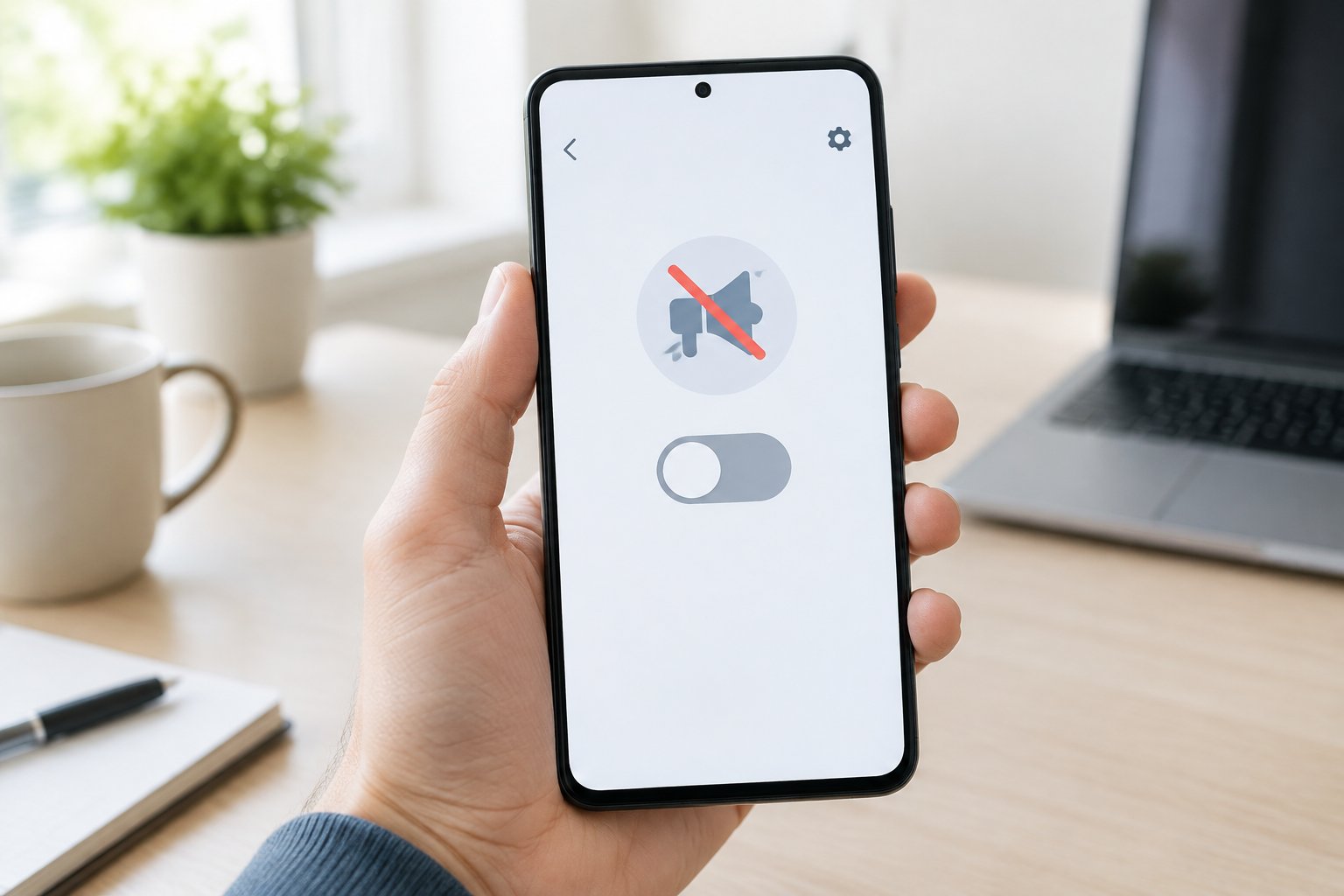
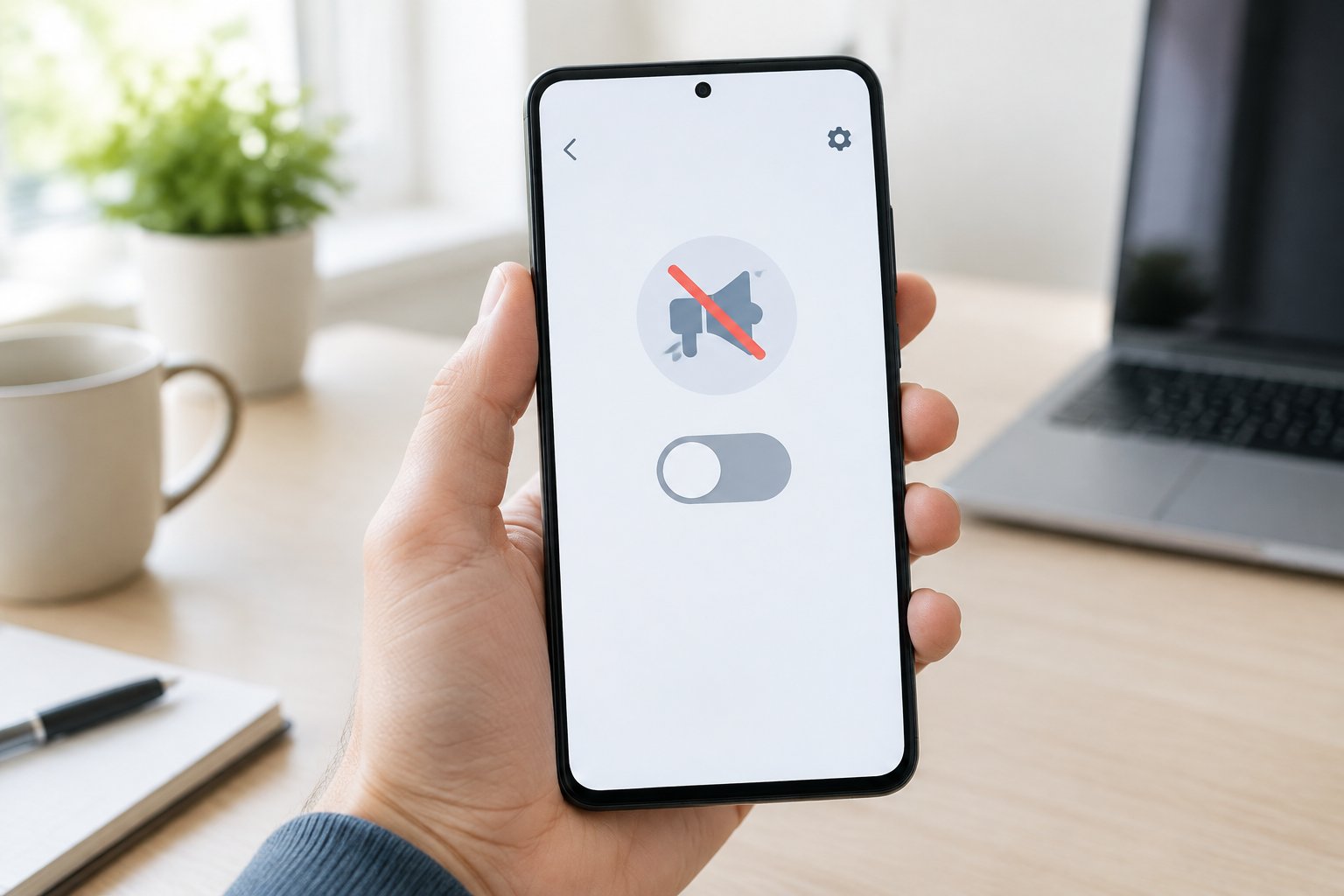
Ads showing up on a Samsung phone usually come from three different places: Samsung’s own marketing tools, a rogue app you installed at some point, or your browser. You can turn off Samsung ads by disabling Marketing & Ads in your Samsung account settings, cleaning up notification permissions for individual apps, and blocking pop-ups in Samsung Internet or Chrome. Each source needs its own fix, which is why the same ad sometimes keeps reappearing even after you think you’ve shut it off.
Every Samsung phone, whether it’s an older model or a newer Galaxy S24 or Galaxy Z Fold, ships with built-in promotional features baked into One UI. Samsung uses these to advertise its own apps, services, and Galaxy Store content. On top of that, third-party apps installed from the Google Play Store can add their own pop-ups, banners, and lock screen ads if you granted them broad permissions without noticing.
Getting a Samsung Galaxy device fully ad-free takes a bit of settings work across a few different menus. None of it requires rooting the phone or installing anything sketchy. Once you know where each ad type comes from, shutting it down takes a few minutes per section.
How Do You Stop Samsung Promotions and Notification Ads?
Samsung’s own promotional messages come from three sources: marketing settings tied to your Samsung account, the Galaxy Store app, and Samsung Push Service notifications. Turning off each one separately clears out most of the “official” ads you see on a Samsung phone, including shop deals, feature suggestions, and Samsung Global Goals prompts.
Turn Off Marketing Notifications in Samsung Apps
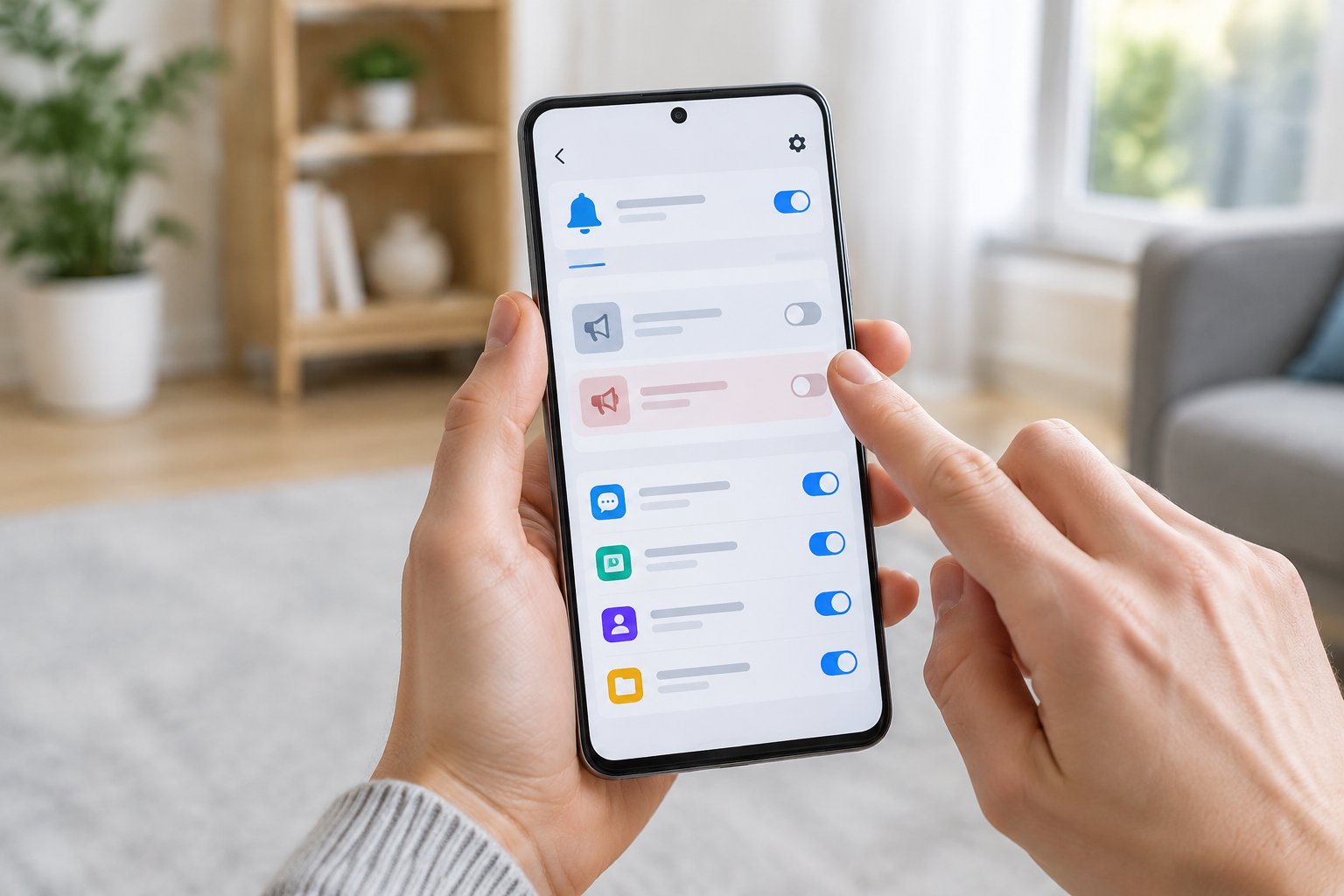
Go to Settings > Accounts and Backup > Manage Accounts > Samsung Account > Marketing & Ads. Disable Personalized Ads, Marketing Notifications, and Product Recommendations. This single menu controls a large share of the promotional content Samsung pushes directly to your device.
Review Galaxy Store and Samsung Global Goals
Open the Galaxy Store app, tap the menu icon, then go to Settings > Notifications and turn off promotional alerts. Samsung Global Goals, a charity step-tracking feature bundled into some Samsung apps, can also generate its own reminder notifications; check its in-app settings if you’ve enabled it before and want those alerts gone.
Adjust Samsung Push Service Notifications Without Losing Useful Alerts
Samsung Push Service handles background delivery for system messages, and some of those messages are promotional. Go to Settings > Apps, tap the three-dot menu, select Show system apps, find Samsung Push Service, and adjust its notification permissions. Turning off only the promotional categories (where the app breaks them out) keeps important system alerts intact.
Why Are Ads Appearing on the Home or Lock Screen?
Ads on your home or lock screen almost always trace back to a third-party app you installed, not to Samsung itself. Samsung does not place native advertising directly on the lock screen; apps with permission to “appear on top” or send pop-up notifications are the usual culprit, and in rarer cases the cause is adware.
Find Recently Installed or Updated Apps
Think back to when the ads started and check which apps you installed or updated around that time. Go to Settings > Apps > Special Access > Appear on Top to see which apps have permission to draw over other screens, a common trick used by ad-injecting apps.
Use Safe Mode to Check for a Problem App
Restart your phone into Safe Mode (hold the power button, then press and hold “Power off” until Safe Mode appears) to temporarily disable all third-party apps. If the ads disappear in Safe Mode, one of your installed apps is the source, and you can uninstall suspects one at a time after rebooting normally.
Remove Suspicious Apps and Check for Adware
Uninstall any app you don’t recognize or no longer use, especially ones installed outside the Google Play Store. If ads persist after removing obvious suspects, run a scan with a reputable mobile security app to catch adware that hides its app icon or renames itself to avoid detection.
How Do You Block Pop-Ups in Samsung Internet and Chrome?
Browser pop-ups come from website scripts and notification permissions you granted while browsing, and both Samsung Internet and Chrome have built-in tools to shut them down. Fixing this at the browser level stops most redirect ads and fake “you’ve won a prize” pop-ups without needing a third-party app.
Enable Pop-Up Blocking in Samsung Internet
Open Samsung Internet, tap the menu (three horizontal lines), then go to Settings > Useful Features and turn on Block Pop-Ups. This stops most sites from opening unwanted new windows or tabs automatically.
Disable Pop-Ups and Redirects in Chrome
In Chrome, tap the three-dot menu, go to Settings > Site Settings > Pop-Ups and Redirects, and toggle it off. This setting blocks sites from forcing redirects or spawning extra tabs while you browse.
Check Website Notifications If Ads Still Appear
Some sites you previously allowed to send notifications will keep sending promotional alerts even with pop-ups blocked. In either browser, go to Site Settings > Notifications and remove permissions for any site you don’t recognize or no longer want alerts from.
How Can You Limit Ad Targeting and Block More Ads?
Ad targeting on a Samsung Galaxy device runs through two separate systems, Samsung’s own advertising ID and Google’s, and turning off both cuts down on how personalized (and how frequent) the ads you do see become. Third-party ad blockers add another layer of protection, though they come with real trade-offs in what they can and can’t filter.
Turn Off Personalized Ads in Samsung and Google Settings
For Samsung: Settings > Accounts and Backup > Manage Accounts > Samsung Account > Marketing & Ads > Turn Off Personalized Ads. For Google: Settings > Google > Ads > Delete Advertising ID (on newer Android versions) or Opt Out of Ads Personalization on older ones. Both changes reduce targeted ads without stopping ads from appearing entirely.
Choose a Reputable Ad Blocker for Your Browser or Device
Third-party ad blockers like AdGuard, Blokada, and Adblock Plus filter ad traffic before it reaches your screen, working across apps and browsers rather than just one. Install these directly from the Google Play Store and review the permissions each one requests before enabling it, since ad blockers need fairly broad access to filter traffic effectively.
Ad Blocker
Works Across
Setup Complexity
AdGuard
Apps and browsers
Moderate
Blokada
System-wide (VPN-based)
Moderate
Adblock Plus
Browser only
Low
Know the Limits of Background Data Restrictions
Restricting background data for a specific app (Settings > Apps > [App Name] > Mobile Data > Allow Background Data Usage, toggled off) can reduce how often that app fetches new ads. It won’t stop ads that load while the app is actively open, since that traffic isn’t “background” data.
Keep the Right Fix in Place
Samsung ads come from more than one place, so a lasting fix means checking Samsung account settings, browser pop-up controls, and app permissions on a recurring basis, not just once. A phone that’s clean today can pick up a new ad-injecting app or a re-enabled notification permission after a system update or fresh app install.
Revisit the Marketing & Ads menu, Galaxy Store notification settings, and browser pop-up blockers every few months, especially after major One UI updates, which sometimes reset notification preferences. Keeping an eye on newly installed apps’ permissions catches most problems before they turn into a lock screen full of pop-ups.
Frequently Asked Questions
Can I turn off all ads on my Samsung phone?
You can eliminate the large majority of ads by disabling Samsung’s marketing settings, Galaxy Store notifications, and browser pop-ups, plus removing any ad-injecting apps. A small number of in-app ads inside free third-party apps (games, utilities) are controlled by that app’s developer, not Samsung, so those require either upgrading to a paid version or uninstalling the app.
How do I stop ads on my Samsung phone’s lock screen?
Check Settings > Apps > Special Access > Appear on Top and revoke permission from any app you don’t trust, since lock screen ads almost always come from an installed app rather than Samsung itself. If you can’t identify the source, boot into Safe Mode to confirm a third-party app is responsible, then uninstall it.
Why do ads keep popping up after I close my browser?
This usually means a site you visited was granted notification permissions, which let it send alerts even when the browser is closed. Go to your browser’s Site Settings > Notifications and revoke access for any unfamiliar sites; if the pop-ups continue outside the browser entirely, an installed app is the more likely source.
Is a virus causing pop-up ads on my Galaxy phone?
It’s possible, though adware is more common than a traditional virus on Android devices. Booting into Safe Mode and uninstalling recently added apps resolves most cases; a scan from a reputable mobile security app can confirm whether adware is present.
Do Samsung ad blocker settings work in every app?
No single setting blocks ads everywhere. Samsung’s built-in controls (Marketing & Ads, pop-up blocking) cover Samsung’s own apps and browsers, while ads inside third-party apps depend on that app’s own settings or a system-wide ad blocker like AdGuard or Blokada.
Musk, the 225-minute feature documentary from director Alex Gibney about the world’s richest man, is apparently winding down its theatrical run after just two weeks on screens—so says industry news site Showbiz411.
The sprawling doc earned praise from critics on the festival circuit. Its limited four-theater release in New York and Los Angeles on October 9 had a respectable opening weekend gross—each screen earning an average of $17,225 for a $68,900 total. Expanding to more theaters in more markets was the logical next step, which its distributor Bleeker Street Films did last Friday, raising the number of screens to 472. But Musk’s wider-debut was an unmitigated flop, netting a paltry $614 per screen, for an abysmal second weekend total of $290,000. Box Office Mojo has the film’s to-date total up to $571,902, as of this article’s publication.
Though there’s a constant push-and-pull from both sides, the industry has more-or-less settled on giving most films typically a 45-day theatrical window. Some blockbusters with legs will go even longer, upward of 90 days. Once pulled from big screens, a film moves on through the secondary market stages of its life cycle (Premium VOD, streaming, cable). Musk getting pulled after only two weeks would be a rare occurrence, but not the most far-fetched or unreasonable decision, particularly given its lackluster performance and that massive run time cannibalizing its own profit potential or that of a film that could screen in its stead.
But here’s where things get weird.
Showbiz411’s post claims the doc is “gone from almost every theater in America,” save “one or two odd places that didn’t get the memo.” It attempts to substantiate its case by saying the list of theaters on Bleeker Street’s website for Musk showtimes “shows that all 472 were listed as playing the movie today. But no more.” There’s no elaboration as to what that means. The only sort of receipt we’re offered is a blurry, unzoomable screenshot below of… the list of theaters showing the doc prior to the purported change.
The blog also has an unsourced line that “online, people started commenting earlier this week that shows they’d bought tickets for were canceled without warning.” I was able to find a Reddit post backing that up.
But no other outlet of good or ill repute is saying Musk’s been pulled. Furthermore, when I went to the Bleeker Street site, they had a full list of theaters showing Musk, with today, October 23, as the release date. Frustratingly, the list also notes it was last updated three days earlier on the 20th. I took to Fandango, randomly selecting theaters from the list and checking their showtimes for today and tomorrow. No Musk.
While Gizmodo is typically reluctant to publish a story this unconfirmed and from such a source, we’re making an exception here, with caveats, primarily due to a few crucial extenuating circumstances. The documentary has been embroiled in a fair amount of controversy. Mostly, these have come top-down from Musk himself—calling it a “psyop,” threatening the filmmakers with lawsuits, and banning ads for it on X. But earlier this week, TikTok suddenly suspended the documentary’s promotional ad account, only to reinstate it after user backlash, citing “an error” as the cause of the initial ban.
On top of all that, Bleeker Street was purchased on October 15 by the media investment firm Outerlight Entertainment, which is backed by the billionaire founder or eBay, Pierre Omidyar. But don’t assume this is a clear-cut case of class solidarity between two billionaire bros. Omidyar is actually regarded as something of an Elon “foe” in MAGA country for his Resistance-funding charities in opposition to Trump and the Tesla CEO. Even if this acquisition has nothing to do with the doc’s sudden departure from screens, the timing is too bizarre to leave unsaid.
I adore the movie theater experience. I love long movies. And documentaries. Heck, a three-hour doc is a serious frontrunner for my (and many others’) film of the year. I was also one of the coastal elites who watched Musk its opening weekend. I didn’t love every choice Gibney made within it or glean much new info about its subject guy, but it was an undeniably comprehensive exploration of the guy’s life story and grifts. People who don’t spend their days buried in the news might get more out of it than I did.
Regardless of how I rated Musk, I’ll be the first to cry foul if this was pulled for political reasons and to placate the film’s subject. As we may never know if that’s what happened or this was simply a case of a bomb clean-up crew working hastily, what else is there to do but check it out for yourself once it’s undoubtedly streaming in the coming weeks. And during its nearly four-hour runtime, make sure you take advantage of that pause button and enjoy the bathroom breaks us theater-goers never had.