Some users are seeing issues with tap-to-pay on Pixel phones.
The issue happens to many users intermittently.
Restarting your phone usually fixes things.
If you’ve had trouble using tap-to-pay with your Pixel phone over the last few weeks, you’re not alone.
Since the middle of last month, users on Reddit and other support forums have been reporting problems using tap-to-pay. In some cases, the feature fails intermittently; in others, it’s entirely non-functional. The problem is, you don’t know it’s not working until you’re in a situation in which you need it right then.
Google Wallet’s usefulness has exploded in recent years, and it now holds everything from your driver’s license to transit passes to insurance cards and more. It’s incredibly convenient until times like this, when the feature not working can cause big problems for your day if you rely on it.
Here’s what’s happening and what you can do about it.
How to fix the Pixel’s tap-to-pay problem
The issue appears to be that some Pixel phones aren’t acknowledging there’s an NFC terminal nearby when users open Google Wallet, so the device doesn’t transmit the necessary information to complete the transaction. The Pixel 11 does have a repositioned NFC antenna (toward the top of the phone rather than in the middle, as in the past several generations), but the bug is affecting a number of devices, including just about every phone from the Pixel 9 series onward. I saw it on my own Pixel 10 Pro.
It’s not clear if the issue is with Google Wallet or the device.
I’ve reached out to Google, but the company hasn’t acknowledged the bug yet, so there’s no official fix. Based on user reports, though, there are a few things you can try to get tap-to-pay working again.
Restart your phone: Turning your phone off and on again is the standard first step in fixing a tech problem for a reason, and some users say a reboot gets tap-to-pay working again. This isn’t the most appealing option when you’re standing in line, but it does look to be the most reliable fix for now.
Back out to the lock screen: If you don’t want to restart your whole phone, some users say closing the Wallet app, returning to the home screen, and reopening Wallet fixes the issue.
Clear your Wallet cache: A few users reported that clearing the Wallet app’s cache permanently fixed the problem. To do this, go to your device settings, find your app list, open Google Wallet, tap Storage & cache, and tap Clear cache.
Use your watch instead: If you have a smartwatch with the Google Wallet app, you should defer to it for a while. Users who are having issues with their phone report trying their watch instead and having no problems.
Artie Beaty
Contributing Writer
Artie Beaty is a freelance writer, based just outside Charlotte, with a passion for smart home tech and tech news. He has a bachelor’s in journalism from UNC Charlotte and has been writing for over 15 years. On the weekends you’ll find him leading haunted ghost tours of uptown Charlotte.
See full bio
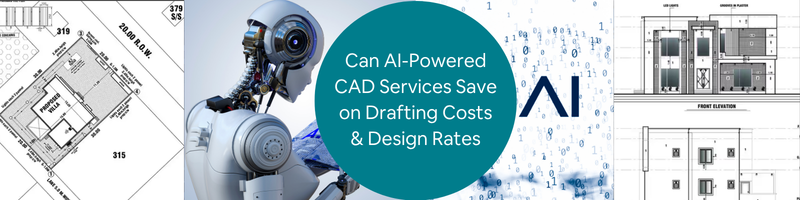
Design teams in 2026 are experiencing more pressure as they are asked to deliver more CAD services work within lesser time, while managing increasing operational costs. As the rates continue to rise, companies develop smarter ways just to stay competitive in the market. Artificial Intelligence (AI) has become a quick answer to improve and optimize drafting services. This article explores key areas where AI helps firms in improving efficiency while reducing costs. If this aligns with your vision, Cad Crowd connects your firm with vetted freelancers who are experts with AI-powered tools.
Key AI-CAD impact stats at a glance
Metric
Result
Source
GM seat bracket: parts consolidated
8 parts → 1 parts
GM / Autodesk
GM seat bracket: weight reduction
40% lighter
GM / Autodesk
GM seat bracket: strength increase
20% stronger
GM / Autodesk
Airbus A320 interior partition weight savings
45% reduction
Autodesk
Go-kart steering wheel mass reduction
60% reduction
ScienceDirect 2025
Gear wheel mass reduction (academic study)
37–46% reduction
MDPI / PMC
Drafting speed improvement
3x faster
Monograph
Design cycle compression
Up to 60% faster
Shalin Designs
DFM error reduction before manufacturing
~34% fewer errors
Industry data
Architectural firm efficiency gains
25–30%
Industry benchmark
Employee preference for automation
88% in favor
Monograph
McKinsey R&D productivity potential from AI
10–15% of R&D costs
McKinsey
Why CAD costs are under pressure in 2026
Engineering design firms and design in-house have become costlier than it used to be. There are a lot of things to manage with such as software subscriptions, operating costs, and employee wages – all these while dealing with an even tighter deadline and client expectations. To keep up with all of these challenges, businesses turn to AI-powered tools and outsource freelancers who can use them. This significantly helps them to reduce costs while being efficient.
There are four major pressure points that lead companies to using AI-Powered CAD Services:
Rising labor costs in high-cost markets
In the United States, Canada and Australia, the demand for an increase in salary wages for CAD services is high. It has now turned above $80,000 per year. Not only that, benefits, overhead and workspace costs makes it even more pressing for the companies. This makes them shift to smarter and efficient alternatives. With AI tools and CAD professional freelancers combined, project costs are significantly lowered by 30-50% without compromising the quality of work. This is why companies tend to outsource professionals more nowadays to prioritize cost-effective options in delivering tasks.
Software license inflation
It is sometimes overlooked how subscription licenses incur costs over time. While it is indeed a useful investment for the company, especially if the CAD work is long-term, a full Autodesk Fusion with other feature extensions just costs thousands of dollars yearly. It wouldn’t hurt that much if only for one, but more than one license is needed in a full team and this makes a significant impact with the budget line. In outsourcing Cad Crowd 3D design freelancers, this problem can be resolved. Freelancers have their own devices and tools, as well as subscriptions needed for the tasks. There would be no need to finance the software license needed since freelancers absorb the tool costs.
Shrinking project deadlines
In 2026, the expectations in delivering tasks are more challenging. Clients expect quicker turnaround time and push tighter deadlines. Some companies find it hard to squeeze in more workload to their employees, so they’d need more staff. Another in-house employee would add more costs to the budget. AI changes this by significantly cutting delivery duration from weeks to just days. AI-powered drafting tools make it possible to complete a full drawing set in a couple of days instead of manually drafting. With it, speed would no longer be a problem. Instead, it is now a competitive edge for companies who take advantage of AI.
The hidden ccost of in-house rework
Design errors found during construction or manufacturing cost way more than the error fixed during design stage. In-house CAD drafting and design teams tend to rely on manual checking and review to identify possible clashes, conflicts or material mismatches. Human judgment is relative and could sometimes fail to deliver accurate error identification. This is why AI-powered design tools are reviewed to have a more reliable option. It automatically flags issues in real-time. Its accuracy and speedy identification make it a more efficient approach, making rework less possible.
AI automation makes a huge impact in reducing the time needed to complete a set of drawings, make a 3D model or documentation. This is a game changer in the design and planning stage. It pushes the team to spend less time on tedious, menial tasks and focus on other prioritized processes.
Drafting automation
There are drafting tasks that are considered menial and repetitive. It includes placing dimensions, adding title block information, and doing layouts for the drawings. Instead of manually doing all this, AI could take over and automate it. In AutoCAD 2026, it is possible to incorporate AI-driven predictive intelligence and smart block replacement. Using these tools doesn’t mean there’s a need for 2D & 3D drafters. AI does not replace drafters. It just takes tasks that can be simplified and automated for it to not take so much time. It efficiently eliminates processes that slow down a project and enhances quick delivery without compromising quality.
Text-to-CAD tools
AI tools like Zoo and AdamCAD allow designers to convert simple texts to 3D models. Here, a plain text language describing the geometry can be converted into a parametric 3D model. It has significantly helped in compressing the timeline in producing models. While it is a useful and promising tool, there are still limitations in using these types of tools. it can’t fully replace 3D modelers when it comes to complex designs. But it can be used for simple and standard components, fixings or housings. It allows the designers to explore more ideas creatively and innovatively.
AI copilots inside CAD software
With the introduction of AI copilots, CAD software is becoming more reliable and intelligent. SOLIDWORKS developed AI companions such as LEO (for design support) and MARIE (for manufacturing support). Meanwhile, PTC introduced AI-powered agents to help in automating workflows. AI copilots help in assisting with repetitive tasks instead of manually adjusting everything. Since modern CAD now has an advanced understanding of the workflow and design system, it is easier to automate the design. When there’s a design change on part, AI understands and updates the whole design model. There would be no need to manually correct, making it efficient and consistent.
Automated 2D drawing generation
One of the most tedious and time-consuming processes is turning the 3D model into a complete set of 2D plans. The extraction of the drawings is one thing. There’s still the need to create multiple blocks, add dimensions, insert and apply GD&T annotations and notes. Any standards and format have to be applied manually in every drawing set. It’s detailed that it will take more time even for small-scale projects. With AI automation, it is possible to manage this inside an advanced CAD system. There would be no need to build everything from scratch. The software can just automatically generate consistent views, annotations and organize the layouts based on design intent.
In traditional drafting, managing layers could be quite a struggle for designers. Since the design comprises different elements and disciplines, it has to be placed in the correct layer. For instance, separate layers are done for architectural layout, structural components and electrical lines. It is important that the layers are organized and managed correctly so it would be easier to edit and coordinate with other people. 2026 AutoCAD drafting & design services recognize the geometry and what layer it should be assigned to. It can identify whether it is structural or architectural based on contexts and design patterns. This detection is useful in clash detection, helping in reducing error fixes on site.
Natural-language design input
A natural-language interface is one of the most noticeable shifts in modern drafting. It allows the designers to use simple and relatable language as instructions and the software can understand it. A simple “make this wall 150mm thicker” would be enough for the software to execute and adjust the design accordingly. It is beneficial for both experienced and starting drafters. It makes it easy for beginners to explore and command based on their understanding, while experienced drafters benefit from the speedy routine edits. This AI feature reduces time spent on every task of the design workflow.
AI Drafting tool comparison
Tool / Feature
Platform
Primary Benefit
Predictive design intelligence
AutoCAD 2026
Anticipates next design step
Smart block replacement
AutoCAD 2026
Auto-suggests correct blocks
AI layer management
AutoCAD 2026
Auto-categorizes geometry
Natural-language input
AutoCAD 2026
Edit models by text or voice
LEO AI companion
SOLIDWORKS 2026
Real-time design guidance
MARIE manufacturing guide
SOLIDWORKS 2026
Live manufacturability feedback
AI design agents
PTC Creo 2026
Automates multi-step workflows
Text-to-CAD (Zoo / AdamCAD)
Cloud-native
Concept to model in minutes
Scan-to-parametric-CAD
Backflip AI
Legacy part reconstruction
Category 2: Material and manufacturing savings (generative design)
Generative AI is not limited to helping the 3D product design team to automate repetitive tasks. It can proactively help in creating optimized and efficient design. Engineers and designers can input their material and manufacturing preferences and I can generate options.
Generative design is one of the AI-powered optimization approaches. This wherein the designer can type in their certain constraints or parameters, for instance, load computations, materials, limits, and the tool will generate several design options. Every solution is optimized and meets the standards and preferences as specified, while keeping cost at minimum. The speedy process and counterintuitive results are something that aren’t achieved much when done manually. This is why generative AI is considered a powerful tool that goes beyond conventional designs.
The GM seat bracket: a benchmark case study
One of the most remarkable case studies that prove how powerful generative AI is the collaboration between General Motors and Autodesk. The project is focused on redesigning a vehicle seat bracket, wherein it originally has 8 separate parts. AI generated a design option that consolidated everything into one. It did not only reduced the number of assembly steps but also made it 40% lighter and 20% stronger than the original design. This study has become a benchmark example of how AI can explore options that are beyond the traditional methods. Its exemplary result introduced entirely new structural possibilities, without compromising engineering quality and standards. It proves how AI is not just for speed but for improved design.
Airbus A320 interior partitions: 45% weight reduction
In aerospace engineering services, small weight reductions would directly affect long-term savings. Airbus used generative AI to redesign their Airbus A320 interior walls and made it lighter without compromising safety and strength. The AI design optimization results made it possible for the new partition design to be 45% lighter than the original. This example highlights how valuable the AI’s contributions are in the industry. Material efficiency matters as it impacts long-term operational costs. AI can create designs that does only maximize savings but also maintains its strength.
Academic validation: gear wheel mass reduction
Academic research has also proved effectiveness of generative design in delivering real-world savings. In a peer-reviewed study published through MDPI and PubMed Central, generative AI was used to produce optimized design that achieves weight reduction ranging from 37.46% to 45.68%. This is done through additive manufacturing, CNC machining, and casting.This academic study is relevant as it comes independently, removing vendor bias. It adds value and credibility to the increasing utilization and incorporation of AI in manufacturing.
Go-Kart steering wheel: 60% mass reduction
A 2025-published study in ScienceDirect documented how generative AI design can optimize the go-kart steering wheel’s structure. Their aim was to use AI-driven software to create and produce a lighter version, without sacrificing mechanical and safety standards. In the study, it is proven through physical testing and validation that the redesigned steering wheel achieved 60% reduction in weight. The study highlighted how generative AI design helped in reducing material usage without affecting its performance. It develops designs that are not only cost-effective but more efficient.
Topology optimization is an engineering technique wherein a material is removed in areas that are non-critical and does not have an effect on its performance. An AI-assisted software can analyze and determine how loads move inside the components and show which materials can be removed. The goal is to minimize material usage without affecting functionality and safety. This is most applied to industrial 3D printing services or additive manufacturing, especially for metal parts. The final look of the parts may look unconventional and complex but feels more lightweight and carefully optimized to handle stress and load conditions.
Cloud-based generative design
Running generative design could require high-duty computers and devices, since it has to be capable of handling hundreds of simulations simultaneously. That was once an issue in the past. Today, it is possible through cloud-based platforms like Autodesk Fusion powered by Amazon Web Services. Through this, there would be no need to invest on expensive workstations. The shift is more advantageous to startup companies to have access to generative design. It removes the barrier of being inaccessible and allows all businesses to make use of even advanced optimizations for their projects.
Reducing assembly complexity
Generative AI design is incredibly useful in CAD assembly because it optimizes material usage by simplifying the assemblies. It consolidates and combines parts into smaller components. It creates a more efficient design, while maintaining the same performance and integrity. Reducing material does not only mean savings, but it also minimizes failure points. A remarkable example of this is General Motors’ seat bracket redesign. A generative Ai design reduced an eight-part assembly into a single component. It created meaningful and valuable savings, which made it a benchmark for material optimization.
Generative design case studies
Application
Original Design
AI-Optimized Result
Key Benefit
GM seat bracket
8 parts
1 part
40% lighter, 20% stronger
Airbus A320 partition
Conventional structure
Lattice structure
45% weight reduction
Gear wheel (academic)
Standard machined gear
Optimized geometry
37–46% mass reduction
Go-kart steering wheel
Conventional wheel
Topology-optimized
60% mass reduction
Category 3: Avoided rework costs
One of the most expensive problems in engineering and design is rework. Errors that are caught on site or manufacturing are costlier than errors detected during the design stage. AI-powered tools can resolve this problem.
AI design review
Instead of relying on manual checking, the design and engineering team can use AI design review tools to automate the checking on models. This automated design review runs through the CAD and drawing packages to check for possible issues. This includes inconsistency, missing dimensions, GD&T mistakes or any violations in drawing standards. Checking could take a lot of time and sometimes, it’s prone to human judgment error. Using platforms such as CoLab Software speeds up checking. AI Design Review adds a layer of security and accuracy to the output.
Not all designs are successful when it comes to the manufacturing stage. Design for Manufacturability (DFM) analysis helps in determining whether a product or a model is practical to produce even before it reaches the factory. It is important to detect issues early so it would be easier to fix, when materials are not yet costly. DFM analysis tools are proven to reduce approximately 34% reductions in design errors. Automated analysis is a more consistent approach in checking. This is a game changer since it could save the project a lot of time, savings and resources.
Automatic GD&T and standards checking
Geometric Dimensioning and Tolerancing or GD&T, requires attention to detail since it consists of heavy detailed parts, which are costly. It is critical that there should be no conflicting tolerances, missing datums or any issues to avoid expensive reworks. Some of these errors are overlooked and don’t even get noticed until manufacturing starts. AI-driven tools allow automatic review and checking GD&T definitions inside CAD drawings. It helps solve this problem by flagging even impossible tolerance slacks or any incomplete specifications in real time. This allows the designers to fix it early, improving overall quality.
Real-time structural verification
The conventional way of checking the design’s structural integrity is to complete the design first then run a simulation. This process would often be time-consuming as it involves waiting time for finite element analysis (FEA) results in separate run batches. Doing this would slow down the process. Not only that, once an issue is found, designers would go back and make a fix and run again, repeating the whole process. AI-powered simulation can now verify the structural integrity of the model real time while 3D designers are still adjusting it. There would be less waiting time just to know its performance.
Predictive analysis for structural weaknesses
Modern AI tools can identify potential structural issues even early in the design stage. Platforms like Neural Concept use patterns from a pool of datasets to predict where the design could fail. There would be no need to run a full simulation just to identify high-risk areas or potential failure points. This is valuable for the project during the design stage since weaknesses detected early can also be fixed early. Predictive analysis allows changes in design when materials are still cheaper, saving time and money for businesses.
Consistency across large teams
When dealing with large-scale CAD projects, it mostly involves multiple product designers and engineering majors working on the same model. When this happens, there’s a tendency for inconsistent approaches in model naming conventions or even feature styles. Although everyone follows the same standards, there still would be slight differences which can build up and be an issue later on. AI-driven tools can resolve this problem by enforcing automatic features to make the whole design process consistent. It checks models, organizes layers and flag elements that do not match the standards or requirements. With this, there’d be no need for manual check up and instead maintain full uniformity, reducing coordination overhead.
Sometimes the lessons learned in every project are retained only to the people who handled or are involved with the project. So, when that employee leaves, and there’s a need to revisit the design of the project, it would be hard to know the history. AI-assisted knowledge management systems confront this issue by automating capturing design decisions, failure reports and data, and lessons learned from all previous model projects. It helps the company store the data instead of relying on the employee experience. It is valuable data for the DFM team to prevent repeated mistakes.
Reduced revision cycles
There’s a quiet cost incurred whenever there’s a design change or fix. Every time a design is being reviewed, sent back and re-edited, more time and labor effort is being consumed. Over time, it would build up and be expensive to take in. It does not just slow down the design process but also increases overall costs. AI-assisted quality checks save more time and money by being able to detect more issues early. There wouldn’t be a lot of back-and-forth checking and editing since it’s already detected, raised and edited on the first or second round.
Speed: the hidden cost lever
In engineering and design, time is money. Speed matters since it determines the cost implications and timeline of the project. Reducing the time it takes to design is one of the most efficient ways to minimize overall project cost. AI can speed things up especially in the design stage without compromising quality of work.
3x Faster drafting
AI-powered tools can increasingly improve speed in drafting. A full drawing set that was once taking 40 hours or manual labor can be done in approximately 13 hours. AI helps in automating repetitive tasks, doing layouts and putting annotations. It handles most of the menial tasks so product development designers can focus on technical decisions. Faster drafting means less manual work. It saves the company from hiring another designer to do more repetitive tasks. This way, the company can focus on hiring professionals who are knowledgeable in incorporating AI to their work smartly.
Design cycles shrinking by 60%
It is reported that companies that utilize AI-assisted tools in their CAD workflows achieve 60% acceleration of the design process. It did not come from just one tool or one task done through AI. It is a progressive design development, assisted by AI, from design concept generation to drafting, review, documentation and revision. Each step contributes to major reduction in time. A project development that was once done in 10 weeks can be reduced to 4 weeks by incorporating AI-powered workflows. It helps the design team to move more efficiently.
AI-powered text-to-CAD and sketch-to-model tools change the game dramatically by speeding up the whole design process. Manually drafting the first 3D model is time-consuming. It could take even a day to complete the drawing sets. Modern AI-powered tools can complete and generate the set in minutes. This shift allows 3D modeling designers to concentrate on polishing ideas and evaluate design options. Designs have more time to explore instead of spending more time on repetitive tasks.
Faster onboarding for freelancers
One of the practical perks of integrating AI-assisted CAD workflow is how easy it would be to onboard new designers into the project. Instead of allotting time for training and learning the company system, AI tools can reduce the learning curve. It guides inexperienced users by navigating through existing workflows. This makes the freelancers become more productive and solely focus on delivering their tasks. With AI, there would be reduced onboarding overhead and a more efficient and smoother collaboration.
Speed benchmarks: before vs. after AI
Task
Conventional Timeline
AI-Assisted Timeline
Improvement
100-sheet commercial drawing set
4 weeks
10 days
~60% faster
Concept to first 3D model
1–2 days
Hours
~75% faster
Generative design study
Weeks (HPC required)
Hours (cloud)
Days saved
Full design cycle (AI adopters)
Baseline
Up to 60% shorter
Major compression
Practical adoption paths
Incorporating AI in their CAD workflow can’t be done overnight. Most of the businesses tend to apply gradual changes then later on expand AI capabilities one at a time.
These are the most effective entry points:
Start with AI design review
AI Design Review is easily the best entry point in AI utilization. There’s no need for new modeling tools or any overhaul in the design process. This just helps the 3D product modeling designers to detect and check the model for any potential issues or problems. It quickly catches missing dimensions or inconsistencies in the drawing. With this, it wouldn’t feel like a huge jump nor adjustment. It just simply improves the whole design process by taking care of the quality of work. It just adds in another layer of security. It is a practical step to adopting AI tools.
Partner with firms already using AI
One practical way to make use of AI is not by changing the whole company system but to work with companies that use AI or collaborate with freelancers who operate with it. There’s no need to build a whole internal process to catch up with modern advancement. Firms would just need to simply tap into professionals who have the capabilities to do it. Doing so reduces significant overhead costs, avoiding extra costs.
Design outputs would sometimes need a stack of software needed to complete it. Each software, multiplied by the number of designers who will contribute to the design model, is sometimes hard to justify, especially if the project is short-term. A more flexible and practical approach is to hire external CAD design professionals who already have access with the tools. There would be no need to pay for the tools being used, firms would just focus on deliverables’ rate. This is a more cost-effective approach, avoiding further costly commitment and overheads.
The hybrid model: in-house plus outsourced
Most companies tend to do a hybrid approach since this is the safest and practical approach. This setup means having an internal design team to focus on core responsibilities and decision making, protecting intellectual property. While an external team handles the intensive and repetitive tasks. For both teams, AI can be incorporated to efficiently speed up the design processes. AI copilots accelerate the decision-making while external teams can use AI to increase the volume of tasks done in a shorter timeframe.
Architecture and construction: 25–30% efficiency gains
AI-powered tools are reported to deliver 25-30% efficiency gains in the architecture and construction industry. AI has explored assistance when it comes to drafting, clash detection and checking. The improvements and optimization have significantly sped up project duration, minimizing cost implications.
The gains come from automated code compliance and clash detection. It has helped in avoiding site rework and improved coordination of the team.
How Cad Crowd can assist
In modern design, AI has reshaped how work can be done. It drastically compressed project timelines in a more efficient way. It adds value to the project by capturing clashes early and optimizing material and design selection. AI-powered tools do not bring speed to the market, but also a substantial impact on delivering cleaner, consistent and accurate outputs.
Adopting advanced software and tools is no longer a problem or an issue. Businesses and firms can operate in AI-integrated environments by outsourcing contributors to the project. Cad Crow’s network of vetted CAD designers can help the firms to leverage external expertise and deliver cost-efficient results. Contact us for a free quote.
MacKenzie Brown is the founder and CEO of Cad Crowd. With over 18 years of experience in launching and scaling platforms specializing in CAD services, product design, manufacturing, hardware, and software development, MacKenzie is a recognized authority in the engineering industry. Under his leadership, Cad Crowd serves esteemed clients like NASA, JPL, the U.S. Navy, and Fortune 500 companies, empowering innovators with access to high-quality design and engineering talent.
The game’s third DLC fighter and 21st playable character.
Strategic new playstyle using portals and summonable orbs for control and traps.
Find out why and how we brought Angstrom Levy to the party.
One Angstrom Levy is more than enough. Unfortunately for “Invincible”, there are a whole lot more where he came from!
Angstrom Levy is joining Invincible VS on October 13 as our third DLC fighter and 21st playable character, bringing his multiversal mayhem to the roster as part of Season 2. If you like thinking a few steps ahead, setting traps and keeping your opponents guessing, you’re going to want to get to know Angstrom.
Once a brilliant human with the ability to travel across different dimensions, Angstrom’s life was forever changed by a horrific accident that left him with a gigantic, disfigured brain – and the memories of his alternate selves from across the multiverse. Unable to distinguish his own experiences from those of his countless variants, his mind slowly fractured. Now, he blames Invincible for his suffering and is ready to make him pay.
When we started thinking about how Angstrom should play in Invincible VS, we knew his portals had to be at the heart of everything he does. They’re such an important part of what makes him dangerous in the “Invincible” universe, and they gave us the opportunity to build a fighter who approaches battle very differently from the rest of our roster.
Angstrom is a zoning-focused fighter with a strong emphasis on setups and strategy. His portals can be used offensively, defensively and for mobility, giving you plenty of options for controlling the battlefield. Place them carefully and you can even turn them into traps, creating some nasty surprises for opponents who aren’t paying attention.
But portals are only part of the equation.
Angstrom can also summon and command orbs, and that’s where things can get really wild. His portals and orbs have unique interactions that give you even more ways to manipulate the fight, pressure your opponent and experiment with different setups.
We wanted Angstrom to be a character who rewards creativity. The more time you spend experimenting with how his portals and orbs work together, the more opportunities you’ll find to make your opponent question where it’s safe to stand – or whether anywhere is safe at all.
That makes Angstrom especially exciting in a 3v3 tag fighter like Invincible VS. With teammates and assists already giving you plenty to think about, adding portals, orbs and Angstrom’s ability to control space opens the door to even more team strategies and some seriously chaotic situations.
We’ve had a blast bringing Angstrom’s multiversal powers into Invincible VS, and we can’t wait to see what you do with them. Whether you’re using portals to escape pressure, setting a trap for an unsuspecting opponent or finding your own ridiculous combinations with his orbs, there’s a lot to discover once you start getting comfortable with his toolkit.
And if you’re headed to Evo France this October, you won’t have to wait quite as long to get your hands on him – Angstrom Levy will be playable at the event for the first time ahead of his release.
Angstrom Levy joins Invincible VS as the third DLC fighter on October 13 as part of Season 2.
Invincible VS is available now on Xbox Series X|S, Xbox on PC, and Xbox Cloud as an Xbox Play Anywhere title.
Invincible VS is a brutal superhero 3v3 tag fighting game set in the Invincible universe, where you can battle to the death as a team of fan-favorite characters in iconic locations. Unleash bone-breaking combos through fast combat and smart defensive tactics to leave a trail of blood and destruction. Land vicious Super moves and Ultimates to leave your opponents in a mess of blood.
Invincible VS features a variety of game modes including a captivating cinematic story mode with an original narrative from a writer of the animated series. Jump into Arcade and battle with your team, hone your combos in Training mode, and test your skills against the world in competitive and casual multiplayer. Show, comic fans, and fighting game lovers will experience unparalleled heroic brutality, where every earth-shattering blow will leave you feeling… Invincible.
This is the debut title from the newly formed Quarter Up™—the first in-house studio at Skybound—led by former members of the core Killer Instinct (2013) dev team.
How to Hook Viewers with a Text Intro – Movavi Ideas
Well the big news for this week… amongst others, is that Movavi have released their 2027 version of their newbie friendly video editing app.
Movavi Video Editor 2027 has a few new features and thankfully they have not gone totally “AI” in the process!
One set of tools they have added of particular note are Templates and Blocks.
Now many of the existing editors have similar features but to my knowledge none of them are quite like this.
Templates are complete videos unto themselves so that all you have to do as a user is to load your own video or audio into them replacing the existing ones.
All the effects, text, wipes, transitions, music etc. are already in place so you pretty much can have a completed project in minutes.
On top of that they also have preset Blocks that can be added to whatever existing Template you are using to extend the capability of that template.
Even if you have built a complete project yourself, you can still add blocks into that project to get your video looking the way you want.
Similarly, you then add your own assets or change the text or whatever and you are done.
The video below gives an good look at blocks in action.
One of the more fiddly things you can do in a project is to delve into the world of using split screens.
If used prudently it can provide a great visual dynamic to your videos… BUT!
It really can be a royal PITA to deal with!
Generally it means you are taking existing footage and trying to make it fit into a smaller space which in turn results in repositioning every image and after all that the tweaking begins.
I say that because even though you have probably managed to squish everything in so you can see it, you still have to add design elements to it and possibly animations and on and on it goes!
In the video below you can see how Filmora deals with that mess with their new split screen templates that look way easier to use!
Filmora 16 Review Sneak Peak
This is a little preview of the upcoming release of Filmora into the version 16 series.
After watching the video I have to agree with Jacky on this one that unless you have a specific need to one of the new features, you probably don’t need to upgrade yet.
Like most of the current video editing apps kicking around, I think they have pretty much pushed the development envelope with A.I. about as far as it will go for the moment.
That leaves them with the introduction of exciting new features which again… is a bit of an empty basket!
I mean really! What new groundbreaking feature could they possibly come up with at this point.
Most modern video editing software can now do things that editors 30 years ago could only dream of, or at least only dream of having the budget to do it!
Personally I think it is time for all of them to stop for a moment and concentrate on stability and performance for a while.
Of course no-one in the marketing department is going to be happy about that!
Tips on working with the PowerDirector AI Copilot
One of the features that was added to PowerDirector a few version ago was something called the AI Copilot.
Basically what this is is a small AI interface that has digested the user manual and is supposedly able to answer questions as you are editing.
So if you want to do something for the first time or have forgotten how to do it, you can ask AI Copilot how to do that thing.
I have used it quite a bit from when it became available and in many cases, it came up with the goods.
However also in my experience, if you are unfamiliar with the exact terminology for an action, sometimes it falls short.
For example if I ask about transitions, it pretty much knows what I am talking about and can guide me quite well.
However if I don’t know what a transition is called and just try to describe it as “that effect thing that goes between two clips,” it has no idea how to help.
Anyway, like most AI models it is in a constant state of learning so hopefully over time it will get better.
9 Simple CapCut Tricks That Make a HUGE Difference
Now that we are fully into the era of drag and drop video editors there is a temptation to use the obvious features to just “get the job done.”
What a lot of people don’t realize is that it only takes a few little adjustments in the process of getting the job done that can take your videos to a much higher level.
Of course in the interests of keeping those interfaces as simple as possible, many of those little adjustments are hidden just out of view.
In this video from Dina and Agnes, they cover nine examples of this that when used, change your editing from looking OK to making them look way more professional.
The Generative AI features in Adobe Premiere Elements 2027
Well I just realized we are starting to hit that time of the year when all the video editing software companies roll out their updates for the year.
Of course it is purely coincidental that these updates hit around three months before the holiday season allowing time for release and bug handling!
Anyhoo, Premiere Elements have just moved from their 2026 version up to 2027 and in celebration of that, Steve Grisetti has made some new tutorials!
Here’s the first one covering the new Generative AI (of course!) features that have been added.
YouTube Just Announced Huge Changes
The big news from a recent YouTube event is that there are major changes coming to the platform over the near future.
As is usually the case when these types of changes are announced, everyone goes batshit crazy and many tears before bedtime are shed!
However as is also usually the case, it all dies down after a while and everyone gets on with their lives and ultimately no-one died.
So here’s a reasonably good look at the changes with a little exploration in a non-hysterical manner at the effect those changes may have.
Camera Monitoring Tools Explained: Waveform, False Color, Zebras & More
If you have made the switch to a dedicated video camera as opposed to a smartphone of some description then you will now have some very handy tools you can use.
As side note here, some apps are available for smartphones that can also add some of these tools but there is wide variation in which ones can do what.
So for the moment I’ll just be referring to cameras.
These tools that you can see explained in the video below are great ways for you to take manual control over your shooting without the guesswork.
They cover important aspects such as exposure and focus as well as ensuring you can capture a balanced, high quality image.
Of course the problem with these tools is that they are inherited from the analogue era of cameras so the terminology makes them seems far more complex than they really are!
My advice would be to check out the video and get an understanding of what they do.
Then, take a little time online to search out more specific tutorials on each one to see how to actually use them.
Finally, use what you know to go out and practice using them especially the part where you have to access the feature in your camera’s menu.
We don’t have to worry these days about burning through miles of expensive film stock so in that respect we are pretty lucky!
Just play around with them until you feel comfortable because you can always just erase the footage and go again.
This is an excellent walkthrough from Daniel Batal on working up a full video sequence in DaVinci Resolve.
You can follow along and learn a few new tricks as far as using text and animated motion graphics go but there is one thing I really want you to take note of.
As he is going through the sequence you will notice he keeps saying things like, “I knew I wanted to add text here” and other references that are similar.
This is a great example of the entry below on this week’s Friday Roundup on the subject of pre-production.
Daniel is not just making it all up on the fly here!
You can clearly tell he already had a plan in place before he even started to shoot the footage he needed.
That way, when it came time for the editing he already knew what he was going to do and had the resources available to do it.
Do This BEFORE You Film to Make Better Videos
I am sure many of you have seen videos online where someone is videoing something or someone doing something funny, surprising or whatever.
Then, at the crucial point of the action or even just as it is happening, the camera or phone drops down as the camera person joins in with the hilarity and you, as the viewer, are left hanging!
There is a vital point in making videos that a lot of people miss.
You are not a participant in the activity, you are the recorder of the action.
This falls into line with a very old concept in video which is to always “shoot for the edit.”
That means you try to get the best possible footage you can so that later, when you are editing, you have decent material to work with.
In this video from Casey Faris he covers this point from admittedly a slightly more advanced perspective but it applies to all of us nonetheless.
Key Takeaways
Movavi Video Editor 2027 introduces Templates and Blocks, allowing users to create videos quickly by replacing existing assets in preset structures.
Filmora’s new split screen templates simplify the complex process of editing footage into smaller spaces, making it easier to create visually dynamic content.
Filmora 16 may not offer significant upgrades; focus on stability rather than groundbreaking features seems necessary at this point.
PowerDirector’s AI Copilot helps users with editing queries but may struggle with vague descriptions; continual improvement is expected.
The article highlights video editing tips and tools, emphasizing the importance of pre-production planning and high-quality footage for effective editing.
When it comes to social media within Instagram followers, likes and views, each of them serves a different purpose. Followers are responsible for the visible size of the account, likes provide social reactions to posts, and views indicate how often video content has been viewed. Additionally, Meta differentiates engagement from reach and follower growth in its advice to creators. A useful decision therefore starts with the problem the account is trying to solve.
GoreAd groups several Instagram growth services in one place, including followers, likes, views, comments, automatic followers, custom comments, and Story views. Readers who want to compare those options can review them here. The site lists followers, likes, and views as separate purchases with different package sizes. That setup makes it easier to compare each service against a specific marketing goal.
Start With the Problem You Can Actually See
The first step is diagnosis. Look at the profile, recent posts, and Reel performance before choosing a service. A complete brand account with a very small follower count has a different problem from a Reel that receives little viewing activity. A post that receives views but little visible response presents another case.
Choose Followers When Profile Size Is the Main Issue
Choosing followers is the best option when the size of the observed audience is the issue. This is likely to be important for a young brand account that has already determined an effective bio and content strategy while still appearing small at first glance. The count of followers is given at the profile level, so changes are shown on the whole account and not on a specific post. It does not reveal the status of individual posts in terms of views and likes.
What GoreAd Can Offer for This Approach
GoreAd has Instagram follower packages from 50 to 50,000 followers on their main page of Instagram services. The same page covers separate packages for likes and views as well as followers, comments, custom comments, and Story views. GoreAd states that the procedure of ordering consists of selecting the service, picking the package, paying for it, and monitoring how the profile is updated. It also makes it clear that no password is needed to use the account in question and it’s supposed to be public.
This indicates that GoreAd is perfect when it comes to understanding what metrics should be improved with regard to visibility. Updating the number of followers changes the profile size, while increasing the number of likes influences the visible number of likes on the piece of content. There are separate pages with additional data concerning packages and how the service operates before the payment procedure.
Use Likes When One Post’s Activity Level Requires Improvement
Likes (as a way to attract attention) are best used when a certain post needs to have more likes but the profile does not require additional followers. A post dedicated to a product introduction, campaign, portfolio demonstration or brand collaboration may already have numerous views; however, it still does not get likes. Increasing the follower count does not directly affect the number of likes on the post.
Views Should Be Used When the Issue is Visibility in Video
Views address concerns about Reels or any other video content. Meta tracks views independently from all likes, comments, and shares metrics provided in Reel analytics, which shows why separation comes in handy when making an evaluation. In fact, a video can receive a huge number of views while having a much smaller number of likes and subscribers, so the visibility of the video and growth of the audience should be evaluated separately.
When It Makes Sense to Use Views Instead of Subscribers
Campaigns aimed at promoting Reels, product demonstrations, educational short videos or videos posted by the creators use views, which correlate with the performance of Reels. Views here depend more on the content itself than the total audience of the account. Moreover, Meta’s Trial Reels function accounts for views, likes, comments, and shares separately. When the question is whether the video has good visibility, then views will serve as the appropriate measure.
Differences in the Metrics of Views and Likes
A view is the measure of video views, and a like is the measure of the viewer’s response to the video. These two actions can happen at the same time, which means that there can be more views than likes. One of the reasons for this is that not every viewer who watches content will like it. Use views when the aim is to get reach and likes when the aim is to measure response to the post.
Separate Measurement of the Metric
Make sure to fix the initial number before the start of any paid account and then check the same number after the delivery. Keep separate notes for likes, views, and followers instead of including them in one growth metric. Meta’s Best practices section also distinguishes creation, engagement, and reach metrics as separate aspects of account performance.
Check If the Numbers Are Meaningfully Related
Followers, likes and views must not be seen in isolation. Looking at their relationship can reveal more insights about the situation on the account. For instance, a Reel may get many views but still fewer likes, while a different post can have fewer views yet still provoke more visible interest. Hence, the two indicators cannot be said to indicate the performance of the posts since they show different audience actions.
It is therefore true that changing one of the numbers does not mean that other numbers will be changed as well. For instance, gaining followers does not lead to the assumption that the Reel will become more popular, and conversely, high viewing numbers do not bring many likes or followers. That is why Meta has defined reach, engagement and follower growth in its content creator guidelines and made the research of the connection between Reels and follower growth the responsibility of the content producers.
In summary, one should not focus only on the number that is going to change but must also take into account the overall picture.
Distinguish Real Indicators from Marketing Results
Increasing numbers of followers, likes, or views are measurable changes, but they cannot be treated directly as the final result of marketing efforts. The next question one has to answer is what the achieved number actually means.
In case the activity is focused on brand awareness, views can represent the most relevant visible metric. In case the post aims at gaining visible interaction, likes can be the number to look for. In case one has to evaluate profile visibility, the number of followers is the main figure to look at. Long-term goals concerning audience engagement and follower growth should also be considered separately.
Also, Instagram distinguishes between reach, engagement and audience growth in its Best Practices guidelines, thus revealing that the creators of profiles should think of two parameters about any service: the direct metric (like followers, likes, views) and the marketing result of the account that will be monitored subsequently.
Paid metrics must also be viewed separately from organic ones when evaluating the results. According to the Community Guidelines of Instagram, it is prohibited to collect likes, followers, or shares artificially, meaning that any decision concerning payment for interaction must take into consideration the rules of the platform.
Develop the Choice Based on the Upcoming Marketing Objective
Make a Three Questions Decision Test
Before choosing a provider, ask three questions.
Is the issue visible on profile level, post level, or video level?
What is the number to change that will make the issue more evident?
Is this number useful in assessing the current marketing task?
The answers point to profile size, if they lead to followers as the closest option, likes if they point to visible post response, or views if they relate to video consumption. It is worth mentioning that although paying for results is a valid approach, the spending should follow the Instagram Community Guidelines regarding the like, following, and sharing practices, and paid methods should be separated from organic likes, growth in followers, and reach and engagement statistics.
Select the Metric in Line with the Issue
The right choice is not the one with the biggest number. It is the one that is most relevant to the identified weakness. While followers work for profile size, likes work for visible post responses, and views refer to video consumption. The matching of the metric and the issue makes measuring the result simpler and avoiding misinterpretation.
In a text message sent to customers today, AT&T acknowledged that some iPhone 18 Pro Max devices on its network are experiencing cellular issues.
AT&T said that customers should immediately update to iOS 27.0.1, despite the fact that many affected users have said that the update does not resolve the issues. There are now at least thousands of users that have experienced this problem, according to discussion topics across the Apple Support Community, Reddit, and MacRumors Forums.
Here is what the text message says:
Hi, it’s AT&T. Action needed: An important Apple software update for your iPhone 18 Pro Max is available. Some phones may be unable to complete calls/text/data, including to 911. Update to iOS 27.0.1 immediately — Settings > General > Software Update. Please contact AT&T or Apple if you have questions.
Apple’s release notes for iOS 27.0.1 did not mention a fix for AT&T cellular issues. Rather, the update fixed a Face ID issue on the iPhone 18 Pro models.
As we reported last week, affected iPhone 18 Pro Max users are unable to connect to the AT&T network for phone calls, text messages, or data either persistently or intermittently, and their devices typically enter SOS mode as a result. The underlying cause has not been confirmed, and Apple has yet to publicly comment on the matter.
Notably, the U.S. version of the iPhone 18 Pro Max is the only new iPhone unveiled last month that is equipped with a Qualcomm cellular modem. The smaller iPhone 18 Pro and the iPhone Duo are equipped with Apple’s C2 modem worldwide, as is the iPhone 18 Pro Max in all other countries. However, it is unclear if this is a contributing factor.
If a software issue is identified, then another update such as iOS 27.0.2 may be required. If there is a hardware issue, though, then this would obviously be a much bigger problem. We will provide further updates as new information becomes available.
(P.S. There is some irony in AT&T sending a text message to warn iPhone 18 Pro Max users that they might not be able to send or receive text messages.)
AV over IP Summit 2026: Exploring NDI, Dante, IPMX and SMPTE ST 2110
As video production continues to move from traditional SDI and HDMI connections to network-based workflows, understanding AV over IP technologies is becoming increasingly important for live production, broadcast, and professional AV.
As part of NDI November 2026, the AV over IP Summit brings together three live webinars exploring the technologies, infrastructure, and workflows shaping the future of networked video production.
Join us November 3–5, 2026, at 3 PM EST for three sessions covering NDI, Dante, Dante AV, IPMX, SMPTE ST 2110, H.265/HEVC, network design, and the transition from SDI to IP-based production workflows.
The AV over IP Summit is a three-day virtual event focused on the evolution of networked AV and video production. The sessions are designed to explore how technologies such as NDI, Dante, Dante AV, IPMX, and SMPTE ST 2110 are being used to build more flexible and scalable production environments.
The summit will also examine the practical considerations involved in moving from traditional point-to-point video connections toward IP-based workflows, including network infrastructure, interoperability, timing and synchronization, device discovery, control, and remote production.
November 3: From Pro AV to Live Production: Building Flexible, Reliable IP Workflows
The first session explores how IP technologies can connect professional AV and live production workflows.
Topics include:
NDI for network-based video production
Dante audio and Dante AV
H.265/HEVC video compression
Network design considerations
Building efficient and reliable IP production workflows
The session focuses on the practical technology and infrastructure considerations involved in creating a networked production environment.
IP-based production can change how video, audio, and control signals move throughout a production environment. Instead of relying entirely on dedicated point-to-point connections, networked workflows can provide new ways to route, distribute, manage, and extend production signals.
Technologies including NDI, Dante AV, IPMX, and SMPTE ST 2110 address different requirements across professional AV, live production, and broadcast environments.
Understanding the differences between these technologies—and how they fit into a larger network infrastructure—is an important part of planning a modern IP production workflow.
Register for AV over IP Summit 2026
Join us November 3–5 at 3 PM EST for the AV over IP Summit as part of NDI November 2026.
Explore the technologies behind modern networked video production and learn more about building flexible, reliable IP workflows.
Register now for AV over IP Summit and join us for three live webinars, plus more content throughout NDI November
Google Play is bundling its biggest sales, rewards, and promotions into a weeklong event.
Google Play Fest runs from October 13 to October 19, combining the store’s biggest discounts, point boosts, and contests into a single event.
Huge discounts across apps, games, books, devices, and select digital gift cards will be live throughout the week.
Google Play is bringing all its biggest sales and rewards in one big event, called Play Fest, that will run for a whole week. The tech giant calls this inaugural event the most rewarding week of the year, and it runs from October 13 to October 19.
Google Play Points launched all the way back in 2018 as a way to reward users for buying apps, games, movies, and books. Over time, it grew into a full-fledged loyalty program where regular spending is converted into store credit and digital perks.
The Play Fest Sweepstakes is the biggest draw here. Beginning October 13, Play Points members will be able to redeem their points for a chance to win thousands of prizes, including exclusive merchandise, premium tech gear, and tickets to major sporting events around the world.
Latest Videos FromAndroid Central
Gamers are also given something new to chase. Google is adding Play Fest leagues to Angry Birds 2, 8 Ball Pool, and Free Fire. You can register and compete on global leaderboards for a chance to win prizes.
There’s also a broad sale covering apps, games, books, and devices from October 13 through October 19. Select digital gift card brands will get exclusive promotions as well, although those offers are available only while supplies last.
Google is also increasing the pace at which users can earn Play Points. Members can earn points faster with daily purchase boosts, and book buyers get a 15x multiplier on books from October 16 through October 18. Starting October 8, Play Pass members will earn double points and 6x boosts.
If you have an app wishlist or points you’re saving, hold off until the event kicks off to get the most bang for your buck.
Get the latest news from Android Central, your trusted companion in the world of Android
Micron and Samsung executives this week said the memory shortage will continue for at least the next couple of years.
Micron CEO Sanjay Mehrotra expects demand for the firm’s memory to exceed its available supply over that period, he told investors last night.
Micron no longer sells consumer RAM, and Mehrotra’s statements refer to Micron’s business-to-business sales of high-bandwidth memory (HBM) for AI and DRAM for servers. However, his comments also have implications for consumer devices. Manufacturing capacity is prioritizing memory for AI and servers, limiting the supply of memory manufactured for consumer devices.
“Overall, supply-demand environment is only getting tighter,” Mehrotra said, per a transcript from Seeking Alpha.
Micron plans to open new clean rooms for memory manufacturing in 2028, but Mehrotra expects supply to remain limited.
“Even after they are built, even after first wafer output, production ramps up only gradually in the clean rooms,” he said. “That’s just the nature of what it takes to bring up production, and with HBM going from 3E to a greater mix of 4 and 4E, and with the trade ratio that exists, that … creates headwinds with respect to supply growth. Node transitions of the future give less productivity gain per wafer as well.”
Seventy-five percent of Micron’s memory output for 2027 is already accounted for, and most of the company’s current memory sales discussions are about 2028, the CEO said. Additionally, demand for HBM is surpassing demand for Micron’s DRAM.
The land of Glimmerwick is well known for its universityof magic – and as luck would have it, you’re already enrolled! In this woodland fantasy world playing music is the secret to casting spells. Ancient songs make garden work a breeze, and they’re also key to exploring every corner of the island. With your trusty flute and songbook at your side you’ll attend classes and join after school clubs, make friends with classmates and townsfolk, and uncover Glimmerwick’s many oddities and mysteries – all while enjoying a year of seasons, festivals, curses, and witchy hijinks in this peaceful, story-drivenRPG. DYNASTY WARRIORS 3: Complete Edition Remastered
Features:
RPG Style Quests Unfolding narrative quests with a focus on unique characters and story.
Tend the University Garden Plant the mundane! Grow the arcane! Summon up clouds to bring forth the rain!
Every Song a Spell Use the power of music to speak with the trees, enchant tools to work all by themselves, raise the earth to surmount natural impasses, and more!
A Lively World Classes to attend, mysterious rumors, local drama, and bustling festivals — The students, staff, townsfolk, and spritely creatures of Glimmerwick have rich stories and lives.
Fully Voiced Dialogue is brought to life with fantastic performances for every character major and minor.
Character Progression As you gain experience in your adventures, choose from skills which will help you garden, trade, or acquire special abilities, like speaking to frogs!
Screenshots
SystemRequirements
Minimum Requires a 64-bit processor and operating system
OS *: Windows 7 64bit
Processor: Dual-core processor (Intel Dual Core 2.0 GHz or AMD Athlon X2 5200+ 2.6 GHz)
Memory: 6 GB RAM
Graphics: Geforce 9600 GS, Radeon HD4000, Shader Model 3.0, 512 MB
DirectX: Version 9.0c
Storage: 5 GB available space
Support the game developers by purchasing the game on Steam
InstallationGuide
TurnOff Your Antivirus Before Installing Any Game
1 :: Download Game 2 :: Extract Game 3 :: Launch The Game 4 :: Have Fun 🙂