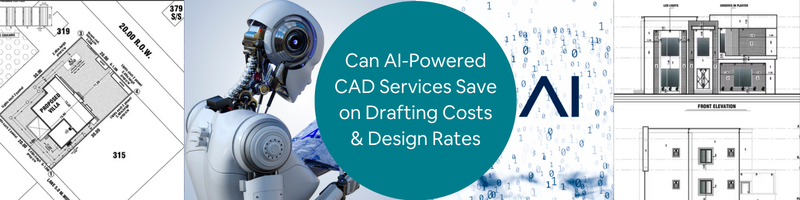
Can AI-Powered CAD Services Save on Drafting Costs and Design Rates in 2026?


Design teams in 2026 are experiencing more pressure as they are asked to deliver more CAD services work within lesser time, while managing increasing operational costs. As the rates continue to rise, companies develop smarter ways just to stay competitive in the market. Artificial Intelligence (AI) has become a quick answer to improve and optimize drafting services. This article explores key areas where AI helps firms in improving efficiency while reducing costs. If this aligns with your vision, Cad Crowd connects your firm with vetted freelancers who are experts with AI-powered tools.  

Key AI-CAD impact stats at a glance

Metric Result Source
GM seat bracket: parts consolidated 8 parts → 1 parts GM / Autodesk
GM seat bracket: weight reduction 40% lighter GM / Autodesk
GM seat bracket: strength increase 20% stronger GM / Autodesk
Airbus A320 interior partition weight savings 45% reduction Autodesk
Go-kart steering wheel mass reduction 60% reduction ScienceDirect 2025
Gear wheel mass reduction (academic study) 37–46% reduction MDPI / PMC
Drafting speed improvement 3x faster Monograph
Design cycle compression Up to 60% faster Shalin Designs
DFM error reduction before manufacturing ~34% fewer errors Industry data
Architectural firm efficiency gains 25–30% Industry benchmark
Employee preference for automation 88% in favor Monograph
McKinsey R&D productivity potential from AI 10–15% of R&D costs McKinsey

Why CAD costs are under pressure in 2026

 Engineering design firms and design in-house have become costlier than it used to be. There are a lot of things to manage with such as software subscriptions, operating costs, and employee wages – all these while dealing with an even tighter deadline and client expectations. To keep up with all of these challenges, businesses turn to AI-powered tools and outsource freelancers who can use them. This significantly helps them to reduce costs while being efficient. 

RELATED:  Pros & Cons of AI for 3D Modeling Services and Your Cost Savings at Companies in 2026

There are four major pressure points that lead companies to using AI-Powered CAD Services:

  1. Rising labor costs in high-cost markets

In the United States, Canada and Australia, the demand for an increase in salary wages for CAD services is high. It has now turned above $80,000 per year. Not only that, benefits, overhead and workspace costs makes it even more pressing for the companies. This makes them shift to smarter and efficient alternatives. With AI tools and CAD professional freelancers combined, project costs are significantly lowered by 30-50% without compromising the quality of work. This is why companies tend to outsource professionals more nowadays to prioritize cost-effective options in delivering tasks. 

  1. Software license inflation

It is sometimes overlooked how subscription licenses incur costs over time. While it is indeed a useful investment for the company, especially if the CAD work is long-term, a full Autodesk Fusion with other feature extensions just costs thousands of dollars yearly. It wouldn’t hurt that much if only for one, but more than one license is needed in a full team and this makes a significant impact with the budget line. In outsourcing Cad Crowd 3D design freelancers, this problem can be resolved. Freelancers have their own devices and tools, as well as subscriptions needed for the tasks. There would be no need to finance the software license needed since freelancers absorb the tool costs. 

  1. Shrinking project deadlines

In 2026, the expectations in delivering tasks are more challenging. Clients expect quicker turnaround time and push tighter deadlines. Some companies find it hard to squeeze in more workload to their employees, so they’d need more staff. Another in-house employee would add more costs to the budget. AI changes this by significantly cutting delivery duration from weeks to just days. AI-powered drafting tools make it possible to complete a full drawing set in a couple of days instead of manually drafting. With it, speed would no longer be a problem. Instead, it is now a competitive edge for companies who take advantage of AI.

  1. The hidden ccost of in-house rework

Design errors found during construction or manufacturing cost way more than the error fixed during design stage. In-house CAD drafting and design teams tend to rely on manual checking and review to identify possible clashes, conflicts or material mismatches. Human judgment is relative and could sometimes fail to deliver accurate error identification. This is why AI-powered design tools are reviewed to have a more reliable option. It automatically flags issues in real-time. Its accuracy and speedy identification make it a more efficient approach, making rework less possible. 

RELATED: The Impact of AI on 3D Architectural Rendering Services for Companies and Firms
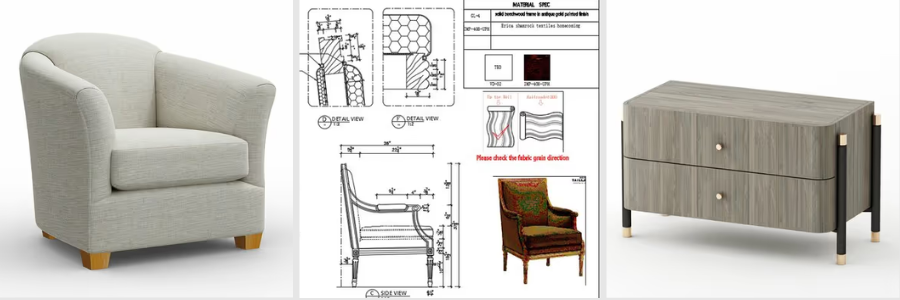
3D product modeling designers

Three categories of AI cost reduction

Category 1: Direct labor savings

AI automation makes a huge impact in reducing the time needed to complete a set of drawings, make a 3D model or documentation. This is a game changer in the design and planning stage. It pushes the team to spend less time on tedious, menial tasks and focus on other prioritized processes. 

  1. Drafting automation

There are drafting tasks that are considered menial and repetitive. It includes placing dimensions, adding title block information, and doing layouts for the drawings. Instead of manually doing all this, AI could take over and automate it. In AutoCAD 2026, it is possible to incorporate AI-driven predictive intelligence and smart block replacement. Using these tools doesn’t mean there’s a need for 2D & 3D drafters. AI does not replace drafters. It just takes tasks that can be simplified and automated for it to not take so much time. It efficiently eliminates processes that slow down a project and enhances quick delivery without compromising quality.

  1. Text-to-CAD tools

AI tools like Zoo and AdamCAD allow designers to convert simple texts to 3D models. Here, a plain text language describing the geometry can be converted into a parametric 3D model. It has significantly helped in compressing the timeline in producing models. While it is a useful and promising tool, there are still limitations in using these types of tools. it can’t fully replace 3D modelers when it comes to complex designs. But it can be used for simple and standard components, fixings or housings. It allows the designers to explore more ideas creatively and innovatively.

  1. AI copilots inside CAD software

With the introduction of AI copilots, CAD software is becoming more reliable and intelligent. SOLIDWORKS developed AI companions such as LEO (for design support) and MARIE (for manufacturing support). Meanwhile, PTC introduced AI-powered agents to help in automating workflows. AI copilots help in assisting with repetitive tasks instead of manually adjusting everything. Since modern CAD now has an advanced understanding of the workflow and design system, it is easier to automate the design. When there’s a design change on part, AI understands and updates the whole design model. There would be no need to manually correct, making it efficient and consistent. 

  1. Automated 2D drawing generation

One of the most tedious and time-consuming processes is turning the 3D model into a complete set of 2D plans. The extraction of the drawings is one thing. There’s still the need to create multiple blocks, add dimensions, insert and apply GD&T annotations and notes. Any standards and format have to be applied manually in every drawing set. It’s detailed that it will take more time even for small-scale projects. With AI automation, it is possible to manage this inside an advanced CAD system. There would be no need to build everything from scratch. The software can just automatically generate consistent views, annotations and organize the layouts based on design intent. 

RELATED: Will AI Replace 3D Artists in 2026? Expert Insights for ArchViz & Architects

  1. AI layer management

In traditional drafting, managing layers could be quite a struggle for designers. Since the design comprises different elements and disciplines, it has to be placed in the correct layer. For instance, separate layers are done for architectural layout, structural components and electrical lines. It is important that the layers are organized and managed correctly so it would be easier to edit and coordinate with other people. 2026 AutoCAD drafting & design services recognize the geometry and what layer it should be assigned to. It can identify whether it is structural or architectural based on contexts and design patterns. This detection is useful in clash detection, helping in reducing error fixes on site. 

  1. Natural-language design input

A natural-language interface is one of the most noticeable shifts in modern drafting. It allows the designers to use simple and relatable language as instructions and the software can understand it. A simple “make this wall 150mm thicker” would be enough for the software to execute and adjust the design accordingly. It is beneficial for both experienced and starting drafters. It makes it easy for beginners to explore and command based on their understanding, while experienced drafters benefit from the speedy routine edits. This AI feature reduces time spent on every task of the design workflow. 

AI Drafting tool comparison

Tool / Feature Platform Primary Benefit
Predictive design intelligence AutoCAD 2026 Anticipates next design step
Smart block replacement AutoCAD 2026 Auto-suggests correct blocks
AI layer management AutoCAD 2026 Auto-categorizes geometry
Natural-language input AutoCAD 2026 Edit models by text or voice
LEO AI companion SOLIDWORKS 2026 Real-time design guidance
MARIE manufacturing guide SOLIDWORKS 2026 Live manufacturability feedback
AI design agents PTC Creo 2026 Automates multi-step workflows
Text-to-CAD (Zoo / AdamCAD) Cloud-native Concept to model in minutes
Scan-to-parametric-CAD Backflip AI Legacy part reconstruction

Category 2: Material and manufacturing savings (generative design)

Generative AI is not limited to helping the 3D product design team to automate repetitive tasks. It can proactively help in creating optimized and efficient design. Engineers and designers can input their material and manufacturing preferences and I can generate options. 
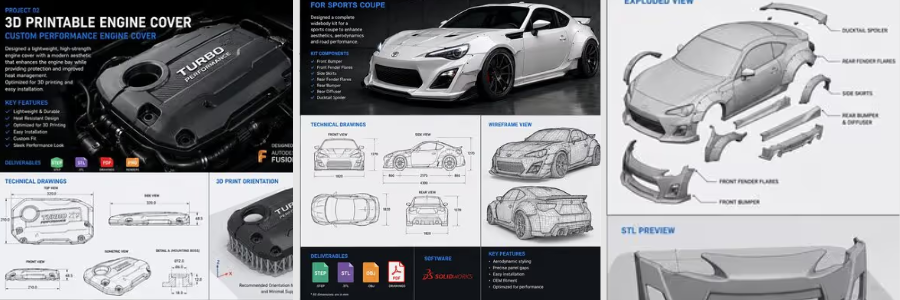
automotive engineering services

RELATED: How AI Trends Influence New Product Design and Development Companies

  1.  What is generative design?

Generative design is one of the AI-powered optimization approaches. This wherein the designer can type in their certain constraints or parameters, for instance, load computations, materials, limits, and the tool will generate several design options. Every solution is optimized and meets the standards and preferences as specified, while keeping cost at minimum. The speedy process and counterintuitive results are something that aren’t achieved much when done manually. This is why generative AI is considered a powerful tool that goes beyond conventional designs.

  1.  The GM seat bracket: a benchmark case study

One of the most remarkable case studies that prove how powerful generative AI is the collaboration between General Motors and Autodesk. The project is focused on redesigning a vehicle seat bracket, wherein it originally has 8 separate parts. AI generated a design option that consolidated everything into one. It did not only reduced the number of assembly steps but also made it 40% lighter and 20% stronger than the original design. This study has become a benchmark example of how AI can explore options that are beyond the traditional methods. Its exemplary result introduced entirely new structural possibilities, without compromising engineering quality and standards. It proves how AI is not just for speed but for improved design. 

  1. Airbus A320 interior partitions: 45% weight reduction

In aerospace engineering services, small weight reductions would directly affect long-term savings. Airbus used generative AI to redesign their Airbus A320 interior walls and made it lighter without compromising safety and strength. The AI design optimization results made it possible for the new partition design to be 45% lighter than the original. This example highlights how valuable the AI’s contributions are in the industry. Material efficiency matters as it impacts long-term operational costs. AI can create designs that does only maximize savings but also maintains its strength. 

  1. Academic validation: gear wheel mass reduction

Academic research has also proved effectiveness of generative design in delivering real-world savings. In a peer-reviewed study published through MDPI and PubMed Central, generative AI was used to produce optimized design that achieves weight reduction ranging from 37.46% to 45.68%. This is done through additive manufacturing, CNC machining, and casting.This academic study is relevant as it comes independently, removing vendor bias. It adds value and credibility to the increasing utilization and incorporation of AI in manufacturing. 

  1. Go-Kart steering wheel: 60% mass reduction

A 2025-published study in ScienceDirect documented how generative AI design can optimize the go-kart steering wheel’s structure. Their aim was to use AI-driven software to create and produce a lighter version, without sacrificing mechanical and safety standards. In the study, it is proven through physical testing and validation that the redesigned steering wheel achieved 60% reduction in weight. The study highlighted how generative AI design helped in reducing material usage without affecting its performance. It develops designs that are not only cost-effective but more efficient.

RELATED: How AI Innovations Transform Modern Consumer Product Design at Agencies & Companies

  1. Topology optimization 

Topology optimization is an engineering technique wherein a material is removed in areas that are non-critical and does not have an effect on its performance. An AI-assisted software can analyze and determine how loads move inside the components and show which materials can be removed. The goal is to minimize material usage without affecting functionality and safety. This is most applied to industrial 3D printing services or additive manufacturing, especially for metal parts. The final look of the parts may look unconventional and complex but feels more lightweight and carefully optimized to handle stress and load conditions. 

  1. Cloud-based generative design

Running generative design could require high-duty computers and devices, since it has to be capable of handling hundreds of simulations simultaneously. That was once an issue in the past. Today, it is possible through cloud-based platforms like Autodesk Fusion powered by Amazon Web Services.  Through this, there would be no need to invest on expensive workstations. The shift is more advantageous to startup companies to have access to generative design. It removes the barrier of being inaccessible and allows all businesses to make use of even advanced optimizations for their projects.  

  1. Reducing assembly complexity

Generative AI design is incredibly useful in CAD assembly because it optimizes material usage by simplifying the assemblies. It consolidates and combines parts into smaller components. It creates a more efficient design, while maintaining the same performance and integrity. Reducing material does not only mean savings, but it also minimizes failure points. A remarkable example of this is General Motors’ seat bracket redesign. A generative Ai design reduced an eight-part assembly into a single component. It created meaningful and valuable savings, which made it a benchmark for material optimization. 

Generative design case studies

Application Original Design AI-Optimized Result Key Benefit
GM seat bracket 8 parts 1 part 40% lighter, 20% stronger
Airbus A320 partition Conventional structure Lattice structure 45% weight reduction
Gear wheel (academic) Standard machined gear Optimized geometry 37–46% mass reduction
Go-kart steering wheel Conventional wheel Topology-optimized 60% mass reduction

Category 3: Avoided rework costs

One of the most expensive problems in engineering and design is rework. Errors that are caught on site or manufacturing are costlier than errors detected during the design stage. AI-powered tools can resolve this problem.

  1.  AI design review

Instead of relying on manual checking, the design and engineering team can use AI design review tools to automate the checking on models. This automated design review runs through the CAD and drawing packages to check for possible issues. This includes inconsistency, missing dimensions, GD&T mistakes or any violations in drawing standards. Checking could take a lot of time and sometimes, it’s prone to human judgment error. Using platforms such as CoLab Software speeds up checking. AI Design Review adds a layer of security and accuracy to the output. 
product design services

RELATED: Generative AI Design Technology for 3D CAD: A Comprehensive Guide for Companies

  1. DFM analysis: 34% fewer design errors

Not all designs are successful when it comes to the manufacturing stage. Design for Manufacturability (DFM) analysis helps in determining whether a product or a model is practical to produce even before it reaches the factory. It is important to detect issues early so it would be easier to fix, when materials are not yet costly. DFM analysis tools are proven to reduce approximately 34% reductions in design errors. Automated analysis is a more consistent approach in checking.  This is a game changer since it could save the project a lot of time, savings and resources. 

  1. Automatic GD&T and standards checking

Geometric Dimensioning and Tolerancing or GD&T, requires attention to detail since it consists of heavy detailed parts, which are costly. It is critical that there should be no conflicting tolerances, missing datums or any issues to avoid expensive reworks. Some of these errors are overlooked and don’t even get noticed until manufacturing starts.  AI-driven tools allow automatic review and checking GD&T definitions inside CAD drawings. It helps solve this problem by flagging even impossible tolerance slacks or any incomplete specifications in real time. This allows the designers to fix it early, improving overall quality.

  1. Real-time structural verification

The conventional way of checking the design’s structural integrity is to complete the design first then run a simulation. This process would often be time-consuming as it involves waiting time for finite element analysis (FEA) results in separate run batches. Doing this would slow down the process. Not only that, once an issue is found, designers would go back and make a fix and run again, repeating the whole process. AI-powered simulation can now verify the structural integrity of the model real time while 3D designers are still adjusting it. There would be less waiting time just to know its performance. 

  1. Predictive analysis for structural weaknesses

Modern AI tools can identify potential structural issues even early in the design stage. Platforms like Neural Concept use patterns from a pool of datasets to predict where the design could fail. There would be no need to run a full simulation just to identify high-risk areas or potential failure points. This is valuable for the project during the design stage since weaknesses detected early can also be fixed early. Predictive analysis allows changes in design when materials are still cheaper, saving time and money for businesses. 

  1. Consistency across large teams

When dealing with large-scale CAD projects, it mostly involves multiple product designers and engineering majors working on the same model. When this happens, there’s a tendency for inconsistent approaches in model naming conventions or even feature styles. Although everyone follows the same standards, there still would be slight differences which can build up and be an issue later on. AI-driven tools can resolve this problem by enforcing automatic features to make the whole design process consistent. It checks models, organizes layers and flag elements that do not match the standards or requirements. With this, there’d be no need for manual check up and instead maintain full uniformity, reducing coordination overhead. 

RELATED: Artificial Intelligence & AI’s Impact on 3D Rendering Design at 3D Modeling Companies

  1. Lessons-learned capture

Sometimes the lessons learned in every project are retained only to the people who handled or are involved with the project. So, when that employee leaves, and there’s a need to revisit the design of the project, it would be hard to know the history. AI-assisted knowledge management systems confront this issue by automating capturing design decisions, failure reports and data, and lessons learned from all previous model projects. It helps the company store the data instead of relying on the employee experience. It is valuable data for the DFM team to prevent repeated mistakes. 

  1. Reduced revision cycles

There’s a quiet cost incurred whenever there’s a design change or fix. Every time a design is being reviewed, sent back and re-edited, more time and labor effort is being consumed. Over time, it would build up and be expensive to take in. It does not just slow down the design process but also increases overall costs. AI-assisted quality checks save more time and money by being able to detect more issues early. There wouldn’t be a lot of back-and-forth checking and editing since it’s already detected, raised and edited on the first or second round. 

Speed: the hidden cost lever

In engineering and design, time is money. Speed matters since it determines the cost implications and timeline of the project. Reducing the time it takes to design is one of the most efficient ways to minimize overall project cost. AI can speed things up especially in the design stage without compromising quality of work. 

  1. 3x Faster drafting

AI-powered tools can increasingly improve speed in drafting. A full drawing set that was once taking 40 hours or manual labor can be done in approximately 13 hours. AI helps in automating repetitive tasks, doing layouts and putting annotations. It handles most of the menial tasks so product development designers can focus on technical decisions. Faster drafting means less manual work. It saves the company from hiring another designer to do more repetitive tasks. This way, the company can focus on hiring professionals who are knowledgeable in incorporating AI to their work smartly. 
3d product rendering 2
  1. Design cycles shrinking by 60%

It is reported that companies that utilize AI-assisted tools in their CAD workflows achieve 60% acceleration of the design process. It did not come from just one tool or one task done through AI. It is a progressive design development, assisted by AI, from design concept generation to drafting, review, documentation and revision. Each step contributes to major reduction in time. A project development that was once done in 10 weeks can be reduced to 4 weeks by incorporating AI-powered workflows. It helps the design team to move more efficiently.  

RELATED: What is Generative Design and Why it’s Important for Your Company

  1. From hours to minutes: concept to model

AI-powered text-to-CAD and sketch-to-model tools change the game dramatically by speeding up the whole design process. Manually drafting the first 3D model is time-consuming. It could take even a day to complete the drawing sets. Modern AI-powered tools can complete and generate the set in minutes. This shift allows 3D modeling designers to concentrate on polishing ideas and evaluate design options. Designs have more time to explore instead of spending more time on repetitive tasks. 

  1. Faster onboarding for freelancers

One of the practical perks of integrating AI-assisted CAD workflow is how easy it would be to onboard new designers into the project. Instead of allotting time for training and learning the company system, AI tools can reduce the learning curve. It guides inexperienced users by navigating through existing workflows. This makes the freelancers become more productive and solely focus on delivering their tasks. With AI, there would be reduced onboarding overhead and a more efficient and smoother collaboration. 

Speed benchmarks: before vs. after AI

Task Conventional Timeline AI-Assisted Timeline Improvement
100-sheet commercial drawing set 4 weeks 10 days ~60% faster
Concept to first 3D model 1–2 days Hours ~75% faster
Generative design study Weeks (HPC required) Hours (cloud) Days saved
Full design cycle (AI adopters) Baseline Up to 60% shorter Major compression

Practical adoption paths

Incorporating AI in their CAD workflow can’t be done overnight. Most of the businesses tend to apply gradual changes then later on expand AI capabilities one at a time. 

These are the most effective entry points:

  1. Start with AI design review

AI Design Review is easily the best entry point in AI utilization. There’s no need for new modeling tools or any overhaul in the design process. This just helps the 3D product modeling designers to detect and check the model for any potential issues or problems. It quickly catches missing dimensions or inconsistencies in the drawing. With this, it wouldn’t feel like a huge jump nor adjustment. It just simply improves the whole design process by taking care of the quality of work. It just adds in another layer of security. It is a practical step to adopting AI tools. 

  1. Partner with firms already using AI

One practical way to make use of AI is not by changing the whole company system but to work with companies that use AI or collaborate with freelancers who operate with it. There’s no need to build a whole internal process to catch up with modern advancement. Firms would just need to simply tap into professionals who have the capabilities to do it. Doing so reduces significant overhead costs, avoiding extra costs. 

RELATED: Trends Shaping the Future of Product Design for Industrial Design Services

  1. Pay for deliverables, not licenses

Design outputs would sometimes need a stack of software needed to complete it. Each software, multiplied by the number of designers who will contribute to the design model, is sometimes hard to justify, especially if the project is short-term. A more flexible and practical approach is to hire external CAD design professionals who already have access with the tools. There would be no need to pay for the tools being used, firms would just focus on deliverables’ rate. This is a more cost-effective approach, avoiding further costly commitment and overheads. 

  1.  The hybrid model: in-house plus outsourced

Most companies tend to do a hybrid approach since this is the safest and practical approach. This setup means having an internal design team to focus on core responsibilities and decision making, protecting intellectual property. While an external team handles the intensive and repetitive tasks. For both teams, AI can be incorporated to efficiently speed up the design processes. AI copilots accelerate the decision-making while external teams can use AI to increase the volume of tasks done in a shorter timeframe. 

  1. Architecture and construction: 25–30% efficiency gains

AI-powered tools are reported to deliver 25-30% efficiency gains in the architecture and construction industry. AI has explored assistance when it comes to drafting, clash detection and checking. The improvements and optimization have significantly sped up project duration, minimizing cost implications. 

The gains come from automated code compliance and clash detection. It has helped in avoiding site rework and improved coordination of the team. 

How Cad Crowd can assist

In modern design, AI has reshaped how work can be done. It drastically compressed project timelines in a more efficient way. It adds value to the project by capturing clashes early and optimizing material and design selection. AI-powered tools do not bring speed to the market, but also a substantial impact on delivering cleaner, consistent and accurate outputs. 

Adopting advanced software and tools is no longer a problem or an issue. Businesses and firms can operate in AI-integrated environments by outsourcing contributors to the project. Cad Crow’s network of vetted CAD designers can help the firms to leverage external expertise and deliver cost-efficient results. Contact us for a free quote.

author avatar

MacKenzie Brown is the founder and CEO of Cad Crowd. With over 18 years of experience in launching and scaling platforms specializing in CAD services, product design, manufacturing, hardware, and software development, MacKenzie is a recognized authority in the engineering industry. Under his leadership, Cad Crowd serves esteemed clients like NASA, JPL, the U.S. Navy, and Fortune 500 companies, empowering innovators with access to high-quality design and engineering talent.

Connect with me: LinkedIn ✦ X ✦ Cad Crowd

Top 27 Websites to Hire Freelance TurboCAD Experts for Engineering Design Firms


If you’re the kind of person who wants a mix of creativity and precision, you’re probably looking at using TurboCAD. Chances are, you like to turn your messy technical ideas into clean, feasible designs without turning it into a guessing game. One platform you can look for to turn your messy technical ideas into clean, feasible designs without is Cad Crowd. It is a hub full of pros, efficient in TurboCAD. Here are the top 27 websites to hire TurboCAD experts.

cadcrowd-logo

1. Cad Crowd

Cad Crowd connects engineering design firms with the most experienced freelance TurboCAD experts who can support the widest variety of technical projects. Cad Crowd smoothed out the process of reviewing talent, communicating clearly, and locking in just the right professionals with the required software experience for the job. With Cad Crowd’s focused approach, firms avoid those long searches via general freelance marketplaces.

Their curated pool of design experts assures a seamless hiring experience that really gives engineering teams much more confidence in their selection of the perfect fit. While other freelance job sites would give you a general long listing of engineering design freelancers, Cad Crowd focuses on quality and accurate skill matching to support truly advanced work in TurboCAD. Today.

Website: Cadcrowd.com

Unicorn Factory

2. Unicorn Factory

Unicorn Factory fills in that gap by connecting the engineering design firms with freelance TurboCAD professionals who can offer effective, practical support, even on very detailed drafting and modeling tasks. By placing such emphasis on freelancers as individuals, firms may be better placed to assess skills and experience in advance of the project. What Unicorn Factory does provide is a very uncomplicated way of hiring without bewildering the user with more features than they actually need. Of course, it is useful in finding an independent specialist, though the range of TurboCAD-focused talent is more limited compared to Cad Crowd. Firms needing a greater choice of experienced TurboCAD freelancers may find that Cad Crowd is the more reliable main option; Unicorn Factory is a useful secondary resource for firms.

Website: Unicornfactory.group

Scan2cad

3. Scan2CAD

Scan2CAD has built a network of freelancers who know exactly how to take drawings and turn them into accurate, TurboCAD-ready files. It’s very good, mainly at raster-to-vector conversion, helping teams needing precise digital versions of legacy documents. This is a smaller community of talents compared to the vast pool of Cad Crowd, but no need to worry since it is easy to look for technical design engineering talents. In any case, targeted conversion work finds Scan2CAD very effective; it is representative of a very solid option for firms looking for dependable freelance help that powers their workflows today.

Website: Scan2cad.com

RELATED: Top 101 Sites for Freelance Engineering Jobs, Mechanical Design Projects, & Remote Work

FreeUp logo

4. FreeUp

FreeUp connects these engineering design firms with freelance TurboCAD professionals who have been pre-screened for reliability and communication skills. From there, pre-vetted candidates able to support drafting, modeling, and project documentation tasks can be presented to the firms without delays. This will be particularly apt for those firms that want to accelerate interviewing and don’t want to go through big directories. While FreeUp will give them competent talent, it is less specialized than Cad Crowd, which offers wider access to more freelancers who have deeper technical backgrounds in TurboCAD. FreeUp remains a convenient choice today for firms seeking reliable freelance support in their projects.

Website: Freeup.net

freelancecad design logo

5. FreelanceCADDesign

FreelanceCADDesign fills in the gaps between engineering design firms and freelancers working in TurboCAD on everything from mechanical drafting to detailed model adjustments. The website grants firms access to a range of specialists who will help them find support in both shorter-term and longer-term technical projects. It is pretty easy to operate, with simple communication. While helpful in connecting you with designers, it is more about that connection-the pool of talent using TurboCAD is not quite as broad as Cad Crowd’s, opening up firms to a wider field of experienced pros. FreelanceCADDesign is a workable option for firms needing to connect directly with independent CAD drafting freelancers who know exactly what is required of the job, day in and day out.

Website: Freelancecaddesign.com

Cadcam Masters

6. CAD/Cam Masters

The engineering design freelancers on CADCam Masters range from professionals who are experienced in TurboCAD, modeling, drafting, and technical documentation support tasks to those who understand the intricacies of CAD and CAM workflows. This way, firms can review individual profiles and identify which freelancers best match their project requirements.

Of course, this is a very useful collection, but CADCam Masters just doesn’t have such a talent pool rich in TurboCAD-focused professionals as Cad Crowd provides. Firms needing more depth and flexibility in their search can find that Cad Crowd suits higher levels of complexity. Still, CADCam Masters remains a good place to look for freelancers who can support common design and production tasks of today.

Website: Cadcammasters.com

RELATED: Top 3 Reasons to Hire a Freelance CAD Engineer

grabcad

7. GrabCAD

GrabCAD is an open platform where engineering design firms find freelancers who are skilled in TurboCAD, among others. With its huge library and collaborative atmosphere, GrabCAD attracts a fair share of designers who share models and experiences. Companies can study the freelancers’ profiles and make contact with them, particularly those who deal with modeling or file preparation needs. Since GrabCAD is less structured as a hiring platform than Cad Crowd, it offers a more focused environment within which to find experienced TurboCAD experts. In any case, GrabCAD remains a good place to look for CAD engineering freelancers who have experience with general CAD workflows and practical engineering tasks.

Website: Grabcad.com

Vollna

8. Vollna

Along with other drafting and modeling jobs, Vollna connects freelance CAD specialists in TurboCAD to engineering design firms. It helps cultivate effective communication and allows firms to review freelancer profiles before engaging them in any project. At setup, it’s very easy to let teams find support for general or specialized design tasks. Vollna is good for finding general CAD talent, considering there are fewer TurboCAD-focused freelancers than a firm could find on Cad Crowd. That said, Vollna serves as a good alternative to those firms that need another channel through which to find independent professionals who understand the expectations associated with technical projects.

Website: Vollna.com

Totaljobs logo

9. TotalJobs

TotalJobs is a general freelance job-posting website where, besides other technical freelancers, one may find freelancers offering TurboCAD services, which an engineering design firm may require. It allows businesses to post their detailed project requirements and attracts those with experience in CAD. It is non-specialized but generally helpful for teams in search of freelancers offering drafting, modeling, and preparation of files. While it helps because of the wider audience, this reduces the targeting compared to Cad Crowd because of the lack of focused TurboCAD filtering. Even so, TotalJobs provides firms with another possible place where freelance support might be identified for ongoing or short-term design projects.

Website: Totaljobs.com

caddrafter logo

10. CAD Drafter

Cad Drafter helps source freelance drafting professionals, including those working with TurboCAD, to take up project tasks accurately. Same to the other platforms, it matches you with the right freelancers suitable for your project, technical documentation and revisions. You have the direct effect on the project and freelancer, ensuring you minimal steps without excess tasks. While Cad Drafter supports CAD hiring needs, the pool of TurboCAD-specific experts is not as deep as that found at Cad Crowd, which supplies these people with more specialized expertise. However, a CAD Drafter is also a very reliable choice that solves practical needs concerning drafting-related work and any other freelance support for projects needing continuous work on their designs.

Website: Caddrafter.com

RELATED: 7 Steps of the Engineering Design Process Used by Freelance Engineers & Companies

Jobleads

11. JobLeads

JobLeads is another freelance marketplace, aside from Cad Crowd, where firms dealing in engineering design can find freelance TurboCAD professionals. This, too, focuses on well-seasoned candidates. The facility provided by them is to let firms post their comprehensive project requirements and get applications from those specialists who can draft, model, and prepare files. In the process at JobLeads, the job opportunities are curated; therefore, less qualified applicants can be easily filtered out. Of course, it does support finding engineering design freelancers for firms as a broad focus; hence, the TurboCAD talent is not concentrated as it happens to be on Cad Crowd. Having said that, JobLeads does continue to be useful for reaching skilled technical people able to help meet the demands of engineering workflows and project documentation needs.

Website: Jobleads.com

CGtrader

12. CGTrader

It opens access to freelance designers whose skill set includes TurboCAD. With the huge marketplace of 3D models, it’s in quite a demand and attracts a number of freelancers who are more qualified technically and savvy regarding modeling standards. Firms can look through experts’ portfolios and contact them directly, choosing the required professional according to needs. While CGTrader hosts a big pool of designers, its main focus is general compared with hiring specifically for TurboCAD, hence Cad Crowd is more specialized for the firms in need. Nevertheless, even CGTrader proved useful in finding freelancers either for detailed modeling or for project technical support.

Website: Cgtrader.com

Virtual Employee

13. Virtual Employee

Virtual Employee provides freelance professionals to engineering design firms experienced in using TurboCAD for drafting and modeling. It is more oriented towards long-term staffing, which is perfect for teams needing ongoing technical support. Firms will be able to outline their needs and get matched with candidates who know inside and out the ways of engineering workflows. While Virtual Employee does structured hiring and management assistance, the talent isn’t oriented specifically to TurboCAD work, unlike Cad Crowd. Product design firms in search of reliable remote specialists will herein find useful support for consistent drafting, handling revisions, and documentation that needs steady attention and technical accuracy by freelancers.

Website: Virtualemployee.com

Glassdoor

14. Glassdoor

Glassdoor is an extended network for recruitment on which engineering design firms can post freelance openings for TurboCAD specialists. Many candidates with a wide range of experiences in CAD visit the portal. Other things aside, freelancers are able to see what the exact expectations of the project are, which makes for an extremely enticing offer to those candidates who have experience in modeling, drafting, and technical documentation tasks. Glassdoor allows for general hiring, although it does not promise that firms will get the same kind of focused TurboCAD talent they would get on Cad Crowd. This is one more channel through which to find professionals able to support those short- or long-term needs that call for reliable CAD knowledge and accurate execution of a project.

Website: Glassdoor.com

RELATED: Top 31 Websites to Hire Concept Design Experts and CAD Engineers for Companies & Firms

Workana logo

15. Workana

Workana’s marketplace was developed to connect engineering design firms with freelance resources in many diverse CAD capabilities, including experience in TurboCAD. This enables firms to describe projects and connect directly with professionals who meet their technical needs. It covers everything from short-term engagements to longer-term ones where design engineering teams will be able to find flexible drafting and modeling support. Though it does provide a wide range of freelancers, the platform is not focused on TurboCAD; hence, Cad Crowd could be the best option if highly specialized talent is needed. But Workana does remain helpful in connecting with general CAD professionals who can help out with general engineering tasks and project documentation needs.

Website: Workana.com

Truelancer logo

16. Truelancer

Truelancer is a marketplace where engineering design firms get freelance professionals in all kinds of CAD backgrounds, including TurboCAD. It allows companies to post their projects on the site for comparing proposals and communicating directly with the candidate handling the drafting and modeling assignments. The interface is pretty easy and fits well for smooth hiring and project coordination. Even though Truelancer has a wide variety of freelancers on its site, this makes it less specialized when looking for highly experienced TurboCAD experts. It is, nonetheless, helpful in helping companies find another avenue to locate independent designers that may be needed to help with technical documentation, revisions, and daily engineering in a number of different types of projects.

Website: Truelancer.com

indeedcom logo

17. Indeed.com

Indeed.com is a job board on which engineering design firms post openings for freelance TurboCAD specialists. With an immense audience base, indeed.com manages to attract 3D engineering candidates with experience in CAD and who understand modeling, drafting, and documentation workflows. Firms are able to create highly detailed listings and manage applications directly. Indeed.com enjoys good visibility, although without specialist filtering, this makes targeted TurboCAD searches less effective compared to Cad Crowd. Whatever the case may be, though, it is a practical place through which to source motivated freelancers who will support either short- or long-term engineering tasks accurately, consistently, and with reliable communication throughout project engagement. 

Website: Indeed.com

ZipRecruiter Logo

18. ZipRecruiter

ZipRecruiter exposes the firms to a wide pool of freelance candidates, including those with experience in TurboCAD. This portal posts jobs on all kinds of media and hence casts a wide net to capture applicants with relevant technical backgrounds. Firms can view the profiles, assess the skills, and communicate with freelancers who support drafting and modeling tasks. While the firms can expect strong exposure from ZipRecruiter because of its general focus, the concentration of TurboCAD specialists will be low compared to Cad Crowd. Still, it is useful for the firms that would like to explore other avenues for finding qualified 3D design professionals who can help them with engineering documentation, updating the drawings, and any such technical requirements that they may have for projects. 

Website: Ziprecruiter.ie

RELATED: The Future of Electronic Design Engineering: Innovations and Trends for CAD Services Companies

kolabtree logo

19. Kolabtree

Kolabtree provides excellent connectivity to freelance professionals for a variety of tasks associated with specialized work in CAD tools like TurboCAD. Most of the orientation on the platform is toward technical and scientific projects; therefore, capturing expert professionals goes a long way in solving complex engineering requirements of the firm. This is where a firm can pinpoint precisely what the project is expected to be and further communicate directly with its chosen freelancers. Strong competencies reside on Kolabtree, though TurboCAD is less common when compared with what Cad Crowd offers. It is nonetheless a very practical resource for companies in search of a consultant who can help them with precision modeling, documentation, and research-oriented engineering workflow.

Website: Kolabtree.com

contracom logo

20. Contra

Contra connects engineering design firms with freelancers offering a range of drafting and 3D modeling services, including those well-versed in TurboCAD. That puts it well into portfolio-based hiring, where the firm may have an idea of what it can expect in terms of quality even before engaging the project. It is well-suited for clear communication and flexible engagement terms. Contra provides access to competent designers, although there are fewer TurboCAD-focused personnel than Cad Crowd. That should be useful as a complementary platform to increase options and find freelancers who support the work of engineering documentation, drawing refinement, and other technical activities involved in such projects that need accuracy and attention to detail.

Website: Contra.com

Guru logo

21. Guru

Guru has designed the site to connect freelance engineers with either engineering design firms or companies offering services in TurboCAD to handle drafting, modeling, and documentation. It allows teams, in turn, to look over freelancer profiles from past work and to communicate directly with one another prior to the start of a project. Additionally, the site allows companies to determine whether they need short-term versus ongoing support. There is an extremely large number of freelancers on this site, though specialized talent in TurboCAD isn’t as deep as Cad Crowd. Guru is nonetheless a great additional resource for finding just the right CAD professional to reliably support engineering projects.

Website: Guru.com

peopleperhour logo

22. PeoplePerHour

PeoplePerHour is an online marketplace that connects freelance talent with engineering design firms. The portal covers all levels of experience and lets firms create detailed project descriptions with a view to receiving proposals and reviewing freelancers based on portfolio and client reviews.

The terms of engagement at PeoplePerHour are flexible and can be useful in supporting firms needing to undertake drafting, modeling, or revision work. Although there is a fair number of qualified freelancers on this site, it doesn’t boast the pool that most firms find at Cad Crowd, who possess knowledge in TurboCAD. All the same, PeoplePerHour is useful as a secondary resource when finding reliable professionals who communicate and help with the accuracy of engineering documentation.

Website: Peopleperhour.com

RELATED: 15 Engineering Design Constraints that Product Design Companies & Engineering Firms Can’t Avoid

X Pro Cad

23. X Pro CAD Consulting

X Pro CAD Consulting connects engineering design firms with freelance CAD technical drawing specialists fluent in the advanced workflows of CAD programs, including TurboCAD. Teams receive full support to convert from technical drafting through to 3D modeling and detailed documentation within engineering applications. This allows teams to be connected with a consultant who provides them with focused experience in maintaining accuracy across the stages of a project. While X Pro CAD Consulting does indeed offer very valuable expertise within the services provided, the general volume of freelancers is smaller when compared to what firms will find on Cad Crowd, which hosts a more wide-ranging range of TurboCAD talent. Nevertheless, X Pro CAD Consulting is a reliable source for any team needing precision-driven engineering project support.

Website: X-procad.com

freelancercom

24. Freelancer

Freelancer is one excellent platform where engineering design firms find freelancers experienced in TurboCAD, among many others. This portal allows firms to describe their needs for any particular project and, by comparing bids, assess candidates through their respective portfolios and communication skills. Quite a flexible platform, teams can seek support with either drafting, modeling, or documentation for particular files.

Specialists in TurboCAD form part of the greater pool; therefore, there is less targeting compared to Cad Crowd. However, Freelancer would be a practical option whereby engineering design firms may seek to find new avenues of finding professionals to create accurate engineering drawings, revisions, and project deliverables for a number of technical assignments.

Website: Freelancer.com

toptal

25. Toptal

Toptal links engineering design firms with highly screened pools of 3D design professionals, including those with CAD experience applicable to tasks in TurboCAD. While the platform does focus more on quality screening to enable the firm to secure technically capable talent for modeling, drafting, and documentation support, Toptal has high professional standards on board. Still, their pool of freelancers who are specifically experienced with TurboCAD is not big, judged against the broader selection Cad Crowd offers. Indeed, Toptal can be great for those firms that value strict vetting in pursuit of reliable contributors who understand engineering requirements for consistent technical results on challenging workflows.

Website: Toptal.com

fiverr logo

26. Fiverr

Of the multitude of freelancers who have lined up their respective CAD-related services on Fiverr, a fair number work in TurboCAD. Since it is based on a gig system, these days the site has become better at letting firms go through defined service packages by various freelancers and getting required tasks executed, be it drafting, modeling, or minor documentation. Of course, there are plenty of general CAD providers on Fiverr. That, however, makes Cad Crowd somewhat better since it provides specialized expertise in TurboCAD. Whatever the case may be, Fiverr is useful since it acts like a complementary platform for firms needing fast-turnaround jobs to attain routine engineering documentation requirements.

Website: Fiverr.com

Upwork-logo

27. Upwork

Upwork is one of the favorite marketplaces to which engineering design firms regularly resort in their searches for freelance TurboCAD pros who will perform work related to drafting, modeling, and documentation. It lets one post highly detailed job descriptions, compare freelancers, and have structured communication, hence allowing design engineering teams to manage projects effectively. While Upwork boasts more talent, experience with TurboCAD is spread over a wide swath of general CAD profiles, and searches are a lot less focused compared to what’s possible on Cad Crowd. However, Upwork can indeed be relied upon by firms in search of flexible hiring arrangements and access to freelancers who address core engineering tasks in a clear and consistent manner with strong technical know-how.

Website: Upwork.com

RELATED: Top 31 Sites to Hire Injection Mold Designers & CAD Design for Manufacturing (DfM) Engineers

How Cad Crowd can help

It really shouldn’t be some unsolvable kind of puzzle to find the right TurboCAD professional. Now, with so many websites right at your fingertips, matching up with expert professionals is decidedly far easier and way more fun. Each of the following websites will bring something different to the table, but for a business that values accuracy, dependability, and strong design talent, one stands out: Cad Crowd. Ready to take the next step? Browse Cad Crowd today to find and hire freelance TurboCAD experts for engineering design firms.

author avatar

MacKenzie Brown is the founder and CEO of Cad Crowd. With over 18 years of experience in launching and scaling platforms specializing in CAD services, product design, manufacturing, hardware, and software development, MacKenzie is a recognized authority in the engineering industry. Under his leadership, Cad Crowd serves esteemed clients like NASA, JPL, the U.S. Navy, and Fortune 500 companies, empowering innovators with access to high-quality design and engineering talent.

Connect with me: LinkedIn ✦ X ✦ Cad Crowd

Architect vs. Draftsperson: Who Should You Hire for Your Construction Project?


Architect vs. draftsperson: who should you hire for your next construction project? The short answer is: it depends, on quite a lot of things really, but mostly it all comes down to how big or complex the project is and the range of skills necessary to get the job done. An architect is, of course, a licensed professional in the sense that nobody can randomly call themselves an “architect” unless they have at least a bachelor’s degree in architecture, completed a lengthy paid internship, and passed a qualifying exam. On the other hand, the requirement to be a draftsperson does not include any of the above.

An associate’s degree is often enough to become one. Some draftspersons also earn a diploma or certificate to tell everyone that they actually know what they’re doing. Before we delve deeper into answering the question, let us first make clear that we’re not in any way implying that an architect is in every case a “better” hire than an unlicensed architectural drafting professional for a construction project. There is indeed a pretty substantial gap in the educational and legal requirements between an architect and a draftsperson. In terms of general design talent and architectural knowledge, though, you’ll be pleased to know that many draftspersons are no slouches either.

An architect is more qualified, alright, but sometimes hiring one can only be a good waste of money when a draftsperson has what it takes to get the job done. At Cad Crowd, we have both licensed architects and professional draftspersons for a wide range of construction projects, from small-scale remodeling and renovations to brand-new construction. Here is another thing to make clear: an architect, having passed the qualifying exam and all, is likely capable of doing everything that a draftsperson can, but not the other way around.

RELATED: What to Look for in Residential Architect Freelancers & Hiring Services Companies

This is why that colleague of yours, whose distant cousin happens to be an architect, always says that spending more to hire an architect is a safe bet, no matter the construction project. In this economy, however, sometimes you just want to spend exactly on what you need. To be certain that you hire the right professional for the right amount of money to handle the right kind of project, you need to get a grasp of the difference to begin with.

What’s what

Although data from the BLS or any statistics, for that matter, can be confusing at times, the site has done a pretty good job of making the distinction between architects and drafters. Here’s a quick summary of what it says about the two occupations.

  • Architects: people who plan and design buildings and other structures. A reasonably straightforward definition, until you get to the part where the BLS mentions what an architect typically does in a project. An architect’s duties and services include client consultations, cost estimates, construction schedules, structural specifications, contract documents, construction management, and scaled drawings, among others.
  • Draftsperson: Some architects refer to a draftsperson as a “CAD operator” because they like to use big words for everything. An architectural draftsperson serves a very specific purpose: to convert an architect’s design into a technical drawing. A draftsperson may work as an independent professional or under the supervision of an architect. Either way, the job of producing a technical drawing often involves enhancing an architectural plan with additional details such as utility systems layout, construction materials, timeframe, accurate measurements, assemblies, sections, and more.

Many types of construction projects require an architect because they call for all (or at least most) of the services only an architect can legally provide. That said, there are situations where hiring one is almost definitely overkill, and a draftsperson is plenty adequate.

RELATED: Architectural Plans, CAD Drawing Costs & Architect Service Pricing: Full Breakdown

architectural drafting services

Hiring who?

We’re sorry to disappoint, but there isn’t really any easy answer. As mentioned earlier, it depends on the type of construction project you have and the scope of work it entails. Still, to make an informed (and the right) decision, you have to see things from both legal and design viewpoints.

Legal perspective

Every state has its own rules and regulations about the matter. For example, the California Architects Board determines that only four professions are legally qualified to provide construction and design services. They include architects, civil engineers, and structural engineers. The fourth type is uninterestingly referred to as “unlicensed persons” for some reason.

Here is the important bit. Since drafters are not categorized under the first three professions, they must be in the “unlicensed persons” group, obviously. Any of these unlicensed persons, according to the board, are allowed to handle the following construction projects without worries that someone in uniform may stop by and ask them to produce a license:

  • A single-family dwelling, so long as it has no more than two stories and a basement. Also, the building can only be a wood-frame building.
  • Multiple dwellings that contain up to four units. It needs to be a wood-frame house with no more than two stories and a basement.
  • Garages of wood frame construction, with no more than two stories and a basement.
  • Ranches and agricultural buildings of wood frame construction, unless the local authorities say otherwise, because of potential risks to public health and safety.
  • Nonstructural interior modifications.

RELATED: American Institute of Architects Designated Freelancers & Contractors

The design limitation for licensed architects is much simpler. The CAB grants them the legal right to design any type of building, except the structural portion of a hospital. Civil engineers cannot design public schools and hospitals, whereas structural engineers practically have no design limitations. There you have it. If your construction project fits into the above criteria, an unlicensed draftsperson is probably all you need. A draftsperson is also likely more affordable than an architect, so it’s a good way to save money without cutting corners.

Design perspective

This is going to be a much trickier viewpoint. If you look only at the educational differences between a licensed architect and a draftsperson, the former is always seen as the better option. To reiterate, an architect has to have at least a bachelor’s degree in architecture, followed by a paid internship. Say the degree takes five years, and the internship runs for three, for a total of eight years. As if that’s not enough, an architect has to pass a licensing exam, which consists of at least six divisions. All in, it typically takes anywhere from 9 to 12 years for someone to become a licensed architect.

Let’s not forget about the mandatory post-licensure education to maintain that licensure. When it comes to design qualification, the long journey that a licensed architect has to go through in the career should result in an accumulation of knowledge and skills in such subjects as space planning, construction methods and techniques, MEP systems, material specifications, site design, bidding evaluation, passive heating and cooling systems, sustainable architecture, building code, zoning laws, and possibly many other specialties. An architect is certainly qualified to handle just about any construction project, regardless of scale.

The problem is that a licensed architect can be overqualified for a small project, meaning you’ll be spending money on things you don’t really need. Meanwhile, a draftsperson isn’t even a designer. Professional CAD drafters are typically people who provide, as you’ve probably expected, drafting services. The job mainly involves translating or converting design sketches into technical drawings that a contractor can understand, and acquiring permits. They DO NOT usually offer design services, but draftspersons can definitely develop the skills to become a capable designer. They learn the trades by either taking design courses or working under an architect.

RELATED: Creating Exterior Renderings Using 3D Exterior Rendering Services for Architects

Drafters with years of experience working with clients on many different projects should have nurtured the ability to turn any simple design sketch into construction drawings. In some cases, the sketches aren’t even made by architects; the clients themselves make them. While your colleague is right about an architect being a safe bet, there’s a good chance that your project actually needs a much simpler approach that an experienced draftsperson can handle just fine. Just remember: if you decide to hire a draftsman instead of an architect for your construction project, be certain that nothing violates the “design limitations by unlicensed persons” regulations in your state.

Takeaway

Not every construction project needs a licensed architect. There are times when hiring a CAD draftsperson is the right choice, especially if you already have a clear idea of what the design will be. Always seek further information from the local authorities about the design limitations for architectural professionals. But manage your expectations. A draftsperson, even an experienced one, might not be able to offer suggestions beyond the basics of a design. These “basics” are usually much more in-depth than what the average client might think, yet still reasonably shallow compared to what an architect can come up with.

How Cad Crowd can help

Regardless of what you decide at the end of the day, Cad Crowd is here to help you connect with the right professional for your project, be it a licensed architect or an experienced draftsperson. If you find yourself indecisive, as many other clients do, Cad Crowd can provide all the guidance you need and match the project with the most qualified professional based on the project requirements, including scale, schedule, and budget. Contact us for a quote today!

author avatar

MacKenzie Brown is the founder and CEO of Cad Crowd. With over 18 years of experience in launching and scaling platforms specializing in CAD services, product design, manufacturing, hardware, and software development, MacKenzie is a recognized authority in the engineering industry. Under his leadership, Cad Crowd serves esteemed clients like NASA, JPL, the U.S. Navy, and Fortune 500 companies, empowering innovators with access to high-quality design and engineering talent.

Connect with me: LinkedIn ✦ X ✦ Cad Crowd