
3D Rendering for House Designs: How It Speeds Up Approvals and Cuts Design Revisions


If just reading a blueprint can trigger a mental image of what the building will look like when construction is completed, well, good for you. But just because you can do that doesn’t mean everybody else should be able to do the same. Perhaps you’re an architect, an engineer, a general contractor, a real estate developer, a designer, a draftsperson, or a professional of any sort in the AEC industry. Unlike most people, you’re trained to produce and understand blueprints and other architectural-related technical drawings. Chances are, your typical clients (whether homeowners planning renovation projects or homebuyers looking to build houses) have never had the same training, nor have they found a need for it. So long as what they do for a living has nothing to do with construction, you have no reason to expect them to know their way around an architectural plan. And this is where 3D rendering comes in.

You need 3D rendering that visualizes the blueprint in photorealistic imagery to help clients understand your concepts, ideas, and designs. It’s a form of CGI (computer-generated imagery) that transforms complex technical drawings into easy-to-understand 3D illustrations. Instead of seeing only lines and numbers, 3D rendering gives clients a clear glimpse of the end result, as if they’re looking at a photograph of the finished structure before construction begins. It’s an all-digital preview of a design. If the client wants design changes, you make them on a screen without touching a single piece of construction material. To ensure budget efficiency, construction activities should begin only after the design is finalized. Cad Crowd gives you access to a database of thousands of talented digital artists from all around the world, specializing in Archviz (architectural visualization).

Some might argue that 3D rendering will add another step to the workflow and extend the project timeline beyond what’s needed. While there’s some truth to that, the benefits you gain from it, namely quicker project approval and minimum rework during construction, outweigh any potential drawbacks by a large margin. Another typical counter argument is that photorealistic rendering is a specialized job that takes a real expert to get all the details right. But it’s not like you can’t hire a professional to get it done, either. And it’s not even that difficult to find the right person for the job.

RELATED: How 3D Rendering Streamlines the Approval Process for Developers & Architects 


🚀 Table of contents


A language everyone can understand

Much about the benefits of architectural visualization rests on the fact that it’s an effective communication tool. Architectural concepts and ideas aren’t always easy to explain to clients. Even when using blueprints, there might be dozens of jargons involved in the conversation that it seems like a struggle to get the important points across. Feedback is hard to come by, not because clients are reluctant to offer an opinion or two, but because they’re overwhelmed by words like clerestory, fenestration, lintel, massing, entablature, casework, and all the rest. Photorealistic rendering pretty much speaks for itself. It’s a three-dimensional imagery of parts of a house, pictures that anyone without an engineering degree can understand.

house-designs-benefit-from-photorealistic-3d-rendering

If a picture is indeed worth a thousand words, an architectural 3D rendering certainly makes an excellent case for it. But the same thing can’t be said of conventional blueprints and 2D technical drawings. Architects still rely on those documents for applying for permits and for archival purposes worldwide. This makes sense because people authorized to issue construction and building permits actually know how to read and understand such documents. They have to know because it’s important to recognize mistakes, such as non-compliance with environmental laws or inconsistency with local building codes, before issuing the required permit. Traditional blueprints might not be in 3D, but they contain just about every technical detail and specification a construction document needs, and that’s why it’s the preferred format.

Most people without an architectural or engineering background won’t be able to make sense of all those heavily annotated, complex, intersecting lines. Your clients don’t know if they need to know all those details. And if you present them with a complete blueprint, they haven’t got a clue what to make of it. Instead of making things clear, you’re confusing them with too much technical information. It’s your job to make the project easier for them. You provide architectural services, so they don’t have to do it themselves. And photorealistic rendering should count as a big part of the job. Mind you, we use the term “should” here because it’s not a service that every architectural/construction firm provides as standard. A blueprint is legally required for a permit application, whether for new construction or major renovation.

RELATED: How Property Developers Use 3D House Rendering Services to Help Reduce Costs & Boost Sales

Archviz isn’t required in the application document, except in a few cities in the United States for large modern developments, not residential projects. Despite being an optional extra, architectural visualization is arguably among the most important construction documents, especially for clients. Whereas flat drawings are hard to understand, 3D rendering offers instant spatial understanding with near-zero cognitive load. It provides a realistic view of the finished environment or living space, demonstrates feasibility, and enables quicker decision-making.

It leaves no room for ambiguity. When done right by 3D rendering professionals, the visualization depicts what the finished construction will look like in the real world, often with details such as surface textures and shadows. For example, instead of trying to imagine the exterior view from a flat drawing, the clients actually see its shape, color, and overall design on a crisp 3D rendering. The same thing applies to the interior room layout. They don’t see plain geometrical shapes representing doors, windows, tables, chairs, fireplaces, and sinks; they see 3D models that are almost identical to the real objects. It shows the connections between the rooms, where an object is positioned relative to others, the carpet colors, the chair sizes, and so forth. Again, it’s as if the clients are looking at a photograph of a finished design when in reality nothing has been built yet.

Clients can point out things they like and don’t like or which parts of the design they want to change, without needing a lengthy explanation from the architect/designer. All that being said, an Archviz can only fulfill its purpose as an effective communication tool if it’s accurate and contextual. 3D rendering specialists at Cad Crowd have the skills and experience to create an Archviz so lifelike, with proper lighting and environmental details alike, that it removes the guesswork from design planning. This practical WYSIWYG (What You See Is What You Get) approach to construction projects facilitates clear communication between architectural services and their clients, ultimately speeding up the approval process and reducing the risk of costly rework.

RELATED: Enhancing House Renovations with 3D Rendering Services & Visualization Design Firms

How much does 3D house rendering cost?

3D Rendering Service Estimated Cost (USD)
Exterior house rendering $300–$1,000
Interior room rendering $250–$800 per room
3D floor plan rendering $200–$600
Aerial site rendering $500–$2,000
Full residential rendering package $1,500–$5,000+

Approval from whom?

We’ve discussed earlier that permit reviewers and issuers (these are your city’s Department of Buildings or its equivalent) need no photorealistic rendering of a construction plan. But sometimes in an architectural project, especially a residential one, you’ll need approval not only from the building department but also from the Planning Commission and maybe the Homeowners Association (HOA).

If the building department emphasizes structural integrity and construction safety, the planning commission focuses on zoning laws and land use. The planning commission doesn’t always request a 3D rendering for its review, but it’s recommended. HOA, on the other hand, deals with aesthetics and community maintenance in general, and Archviz certainly helps a lot.

Planning commissions, HOA, and design committees

Photorealistic imagery is all about superficial details. It doesn’t show every single pipe, screw, and nail, but instead focuses on the building’s appearance once construction is complete. Chances are, the Planning Commission and the HOA only care about the property’s size and dimensions and its overall look. These bodies are, for the most part, concerned about whether the project complies with the zoning laws and whether the exterior design fits with the aesthetics of the surrounding neighborhood.

RELATED: Turning Concepts Into Stunning 3D Renderings with Architectural Visualization at Your Services Firm

3d-rendering-house-designs-for-better-project

Many board members are professionals with some familiarity with zoning laws and engineering experience, but this is not always the case. Some planning commissioners are lay people with no architectural or engineering backgrounds. So if they only have technical drawings and some dense construction documents as reference points, the approval process can take longer than you expect. Multiple meetings are necessary, and you might be asked to provide additional clarification. In the worst-case scenario, they demand changes not because you break any laws or community rules, but out of misunderstanding or misinterpretation of the drawings. Photorealistic Archviz removes or at least minimizes the chances of such uncertainty. It shows the officials exactly what they’re approving or disapproving, leaving no room for doubt. Clarity improves communication, which in turn accelerates the approval cycle.

The psychological aspect also matters to an extent here. A high-resolution archviz brings enthusiasm and confidence to the commissioners and HOA board members, who are often more cautious because a new building in the neighborhood can affect their property value. With photorealistic rendering, there’s no abstraction. They can see exactly how the new building will look on their street, how the landscaping complements the area’s greenery, why the architectural design fits well into the neighborhood’s outlook, etc. Zoning laws and land use regulations have clear definitions, so there’s probably no psychological aspect to them. But trying to convince the community board that your project improves the neighborhood is partly a matter of taste, and therefore more flexible.

Urban design committees also encourage, sometimes even downright require, the use of 3D rendering as part of the application document. They particularly want perspective renderings because the viewing angles provide better visualization of the building relative to the cityscape. Instead of spending too much time making assessments based on flat elevations and conflicting interpretations of the possible outcome, the committees can make quick decisions from a photorealistic model that shows the view corridors, massing, and shadow length and directions, and other visual impacts.

RELATED: How Better 3D Residential Renderings Help Architects, Builders, Realtors, and Companies

All details regarded as relevant to (and important for) the approval process, for instance showing how the building will not cast a shadow on a park during busy hours or that the architectural style plays nicely with the neighborhood’s eco-friendly aesthetics, can be visualized with utmost clarity. With 3D renderings, architects can address these issues early on in the project to avoid objections and potential rework on a later date. Regulators find their work easier at the same time, giving you the chance of getting a quick approval.

Now, what are the chances of a residential project needing approvals from all those bodies? Slim to none. While you almost always have to get the necessary permit from the local building department for any new single residential build or a major renovation, the likelihood of the project ending up involving all the other three bodies (Planning Commission, Design Committee, and HOA) is pretty much non-existent. They might be involved only if the residential project is massive (such as a large apartment complex), located in protected zones like a historical district or an environmental area, and part of a managed neighborhood. Most residential projects only need approval from the Building Department.

Project owners a.k.a. clients

You need building permits from the city and perhaps approvals from the public boards, but don’t forget that clients are the project owners, whose approval is just as (if not more) important than anybody else’s. Also, in a residential project, the client is likely the only stakeholder; the only person who funds the entire project, whether it’s a new build, remodeling, or renovation. No other investor or developer of any kind. The architect works solely on behalf of this homeowner.

RELATED: The Impact of 3D Visualization on Interior Design Approvals for Companies

As mentioned earlier, not every client has the architectural know-how. Most aren’t well-versed in blueprints or construction drawings. But everyone knows how to tell the good design from the bad by looking at photorealistic Archviz. Getting a client’s sign-off can be a delicate process. No client is willing to commit a big budget for a project unless the architect can show a clear picture of the outcome. The client wants to know where the money goes and if the expected result is worth the dollar amount after all.

It’s also a question of planning. Beyond what the permit and the HOA say, a residential project is often a bespoke construction. Except for key structural elements, almost everything else is custom-built, especially on the surface. Most clients don’t really have a clue, nor do they care enough about how a structure is constructed. What they have in mind is the final result, as in how the building should look when the construction is completed.

The thing with traditional flat drawings isn’t just about clients having difficulty visualizing the design or feeling uncertain about the finished product; it also affects how they offer feedback. You can’t expect them to give informed approval unless they understand what they’re seeing. Let’s not forget that 2D drawings are open to different interpretations. For instance, what you see as a contemporary exterior might appear like cottage style to the client. The same thing applies to the interior. Photorealistic rendering takes away such confusion.

Lifelike visualization of the project allows clients to see what they’re paying for, which dramatically improves the likelihood of immediate reactions. It doesn’t really matter if they give mostly positive or negative feedback; the important thing is that the clients can be active participants in the design discussion. And this brings us to the next point, design revision.

RELATED: Getting Approval for Retail Projects with CGI and 3D Rendered Drawings

WYSIWYG equals minimum revision

This goes without saying, but the most powerful aspect of 3D rendering is the ability to see problems before they happen. Archviz turns complex technical drawings into lifelike images or animations, making it easier for clients to get a grasp of the design details.

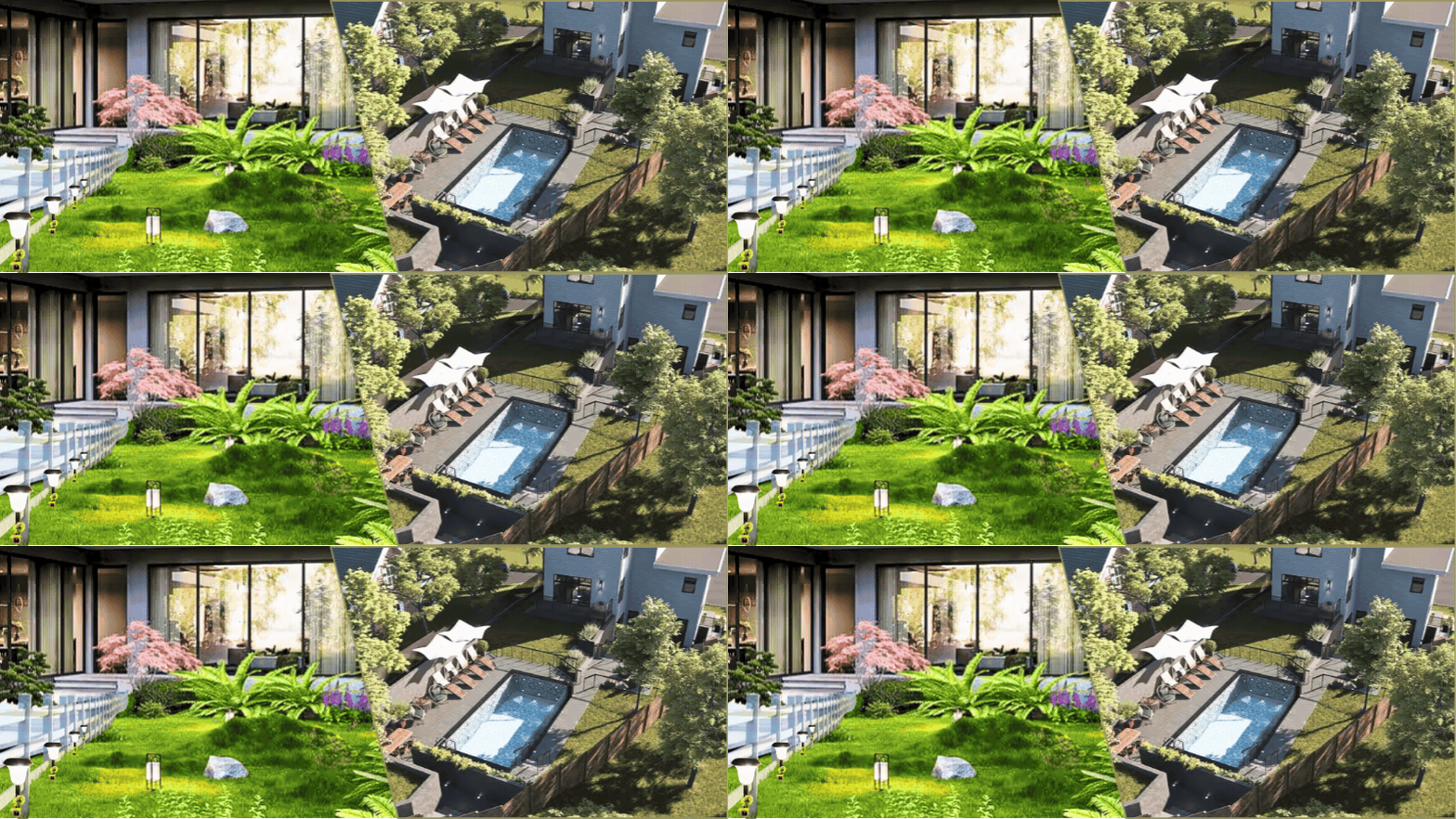
Say you present a 3D rendering of a floor plan to the client. Because there’s very little abstraction involved, the client quickly gains understanding of the spatial relationships such as corridor widths, kitchen layout, furniture placement, where the stairs are, and so forth. A 3D floor plan isn’t usually as detailed as room rendering, but it’s photorealistic enough to show a clear depiction of the flooring, materials, and textures of various objects (wood, glass, metal, fabric, plastic, etc.), and of course colors. It’s no different with exterior details, too. Archviz shows where the doors and windows are, the length of the driveway, the landscaping, the front terrace, and basically the whole facade of the house.
photorealistic-house-rendering-improves-design-approval-process

Because of the photorealistic nature of Archviz, your clients need little to no explanation of what they get for the budget and where the money goes. Rendering isn’t limited to the “visible” design only. If the client wants, you can have a visualization made to depict the inner workings of a house, like electrical wiring inside the wall, HVAC system, water and sewer lines, and other utilities. You can even go so far as to provide visualizations of rebar detailing to show clients how concrete pours are done for certain structural parts. While you’re at it, why not complete the visualization with steel detailing for roof trusses and metal decks as well? The more your clients know about the design, the more feedback you get before the construction begins.

RELATED: Exploring the Different Versions of Dynamic 3D Visuals in Architecture and Design Services 

And more feedback should afford you the opportunity to make design revisions early on. Suppose the clients want some bigger windows, a darker shade of flooring finishes, a shorter driveway, an additional bathroom next to the study, a different kitchen layout, more lights, or backyard landscaping. In fact, one of the primary purposes of Archviz is to allow architects and clients to figure out every single detail of the project before construction begins.

It’s going to involve a lot of back-and-forth between the clients, the architects, and the render artists to arrive at the ideal design. That being said, any design revision costs much less money when done during the design phase with 3D rendering than during the actual construction phase. The idea is to keep revisions limited to the planning phase and start physical construction only after all the details, design conflicts, budget considerations, and permits have been ironed out.

Closing thoughts

One thing that Archviz does best is bringing clarity to design and construction planning. Unlike traditional blueprints, 3D rendering has very little abstraction left in the visualization. And this kind of clarity makes sure everyone is on the same page throughout the design phase. The local building authorities probably have little use for 3D rendering, since they need hard numbers and detailed specifications from technical drawings to issue permits. But public boards and clients themselves will find it much easier to make informed decisions and grant approvals based on lifelike visualizations. Although many clients won’t be able to fully wrap their heads around the nitty-gritty of the construction process, photorealistic rendering can at least help them see what the finished product will be, so they can manage their expectations better.

RELATED: Types of Architectural Renderings: A Complete Guide to Choosing the Right Visuals

But this kind of high-quality rendering isn’t something anybody can create in a matter of hours. You need a professional, preferably one experienced in the art of CGI design and with a good understanding of architectural styles, to handle the job. It’s a good thing Cad Crowd gives you easy access to thousands upon thousands of the world’s most talented digital artists specializing in 3D rendering and Archviz. No matter the architectural style, project size, and visualization format, there’s always an expert at Cad Crowd to provide an unparalleled range of services for every budget.

Of course, you can only put all these great benefits to good practical use when the Archviz itself is of excellent quality and built to precision with flexibility in mind. For instance, a photorealistic kitchen rendering must be built from scratch, with every object modeled as an individual asset. In the event the client wants to modify the layout, flooring, appliances, wall colors, countertop materials, or any detail of every object, making changes isn’t going to be much of a hassle, as there’s no need to remodel everything.

How Cad Crowd can help

High-quality 3D renderings can help architects, builders, and homeowners communicate design ideas more clearly, speed up approvals, and reduce costly revisions before construction begins. Cad Crowd connects you with experienced architectural visualization specialists who create photorealistic exterior renderings, interior visualizations, 3D floor plans, and custom architectural presentations tailored to your project. Contact Cad Crowd today for a free quote.


author avatar

MacKenzie Brown is the founder and CEO of Cad Crowd. With over 18 years of experience in launching and scaling platforms specializing in CAD services, product design, manufacturing, hardware, and software development, MacKenzie is a recognized authority in the engineering industry. Under his leadership, Cad Crowd serves esteemed clients like NASA, JPL, the U.S. Navy, and Fortune 500 companies, empowering innovators with access to high-quality design and engineering talent.

Connect with me: LinkedIn ✦ X ✦ Cad Crowd

7 Cheaper Alternatives For Popular Games


Gaming has never been more expensive. We’re here to investigate why, and help you play more while spending less. Welcome to GameSpot Cheap Week.


Massive, popular games go on sale all the time, but there are a plethora of titles that emulate those experiences with a lower starting price than the typical $60-$70 price tag. With that in mind, here are some fantastic games that are often cheaper than other titles in their wheelhouse, with many also bringing fresh ideas to the table.

We’ve assembled this list based on these games’ lower-than-average retail prices, but you’ll often find them on sale for even less, making them even more of a steal.

Another Crab's Treasure Review - Shellden Ring - GameSpot

Another Crab’s Treasure (souls-likes)

Another Crab’s Treasure, which has a starting price of $30, is not only a great souls-like, but also features a bright and colorful world–a stark contrast to the doom and gloom often associated with the genre. Its main character, a hermit crab named Krill, has more in common aesthetically with the likes of Mario or Spyro than he does the Tarnished. Yet be that as it may, Another Crab’s Treasure is every bit as enticing (and challenging) as many other beloved souls-like games.

Another Crab’s Treasure also expands upon the genre, introducing 3D platformer elements that provide some nice gameplay variety when mixed in with the game’s combat. Combined with other novel ideas, such as Krill’s ability to interchange his shell for different effects in encounters, and an unexpectedly thoughtful story, Another Crab’s Treasure is a great experience for anyone who considers themselves a fan of souls games.

Cassette Beasts

Cassette Beasts (Pokemon)

Pokemon games are notorious for a lot of things, including rarely being discounted significantly. If you’ve been looking to get a modern pocket monster fix at a reduced price, check out Cassette Beasts, which retails for $20 (or the same amount that Nintendo charges for Pokemon Fire Red and Leaf Green, 20+ year-old games, on the Switch eShop).

Cassette Beasts borrows heavily from the series that inspired it while also introducing several fantastic mechanics, such as fusions. This is a feature many fans of Pokemon have posited could be added to that franchise, and consists of taking two creatures and fusing them into a single entity for the duration of a match, greatly expanding upon gameplay variety and adding new layers of strategy. Featuring an open-world that you can explore with another player locally or up to eight players online, as well as the ability to play it on devices other than the ones Nintendo makes, Cassette Beasts is a delightful throwback with modern sensibilities at a great price.

The Crew 2 Review - On The Road Again - GameSpot

The Crew 2 (Forza Horizon)

Forza Horizon opened up the world of simulation racing to a whole new audience by injecting a healthy dose of arcade flavor into the mix. In the years since, it has become one of Xbox’s most popular franchises both on and off its consoles. If you’ve been wanting to jump into the series with Forza Horizon 6, but don’t want to subscribe to Xbox Game Pass Ultimate Edition or shell out $70, you should take a look at The Crew 2, which now retails for only $30.

While cars are front and center in The Crew 2, the game features a ton of other vehicles to explore and compete with in its open world with, such as boats, bikes, and planes. This offers something entirely new even for those who have already had a taste of Forza Horizon. Additionally, when in free roam or specific match types, the game also allows you to switch to a different vehicle type in an instant, making it unlike any other racing game you can play. These quality-of-life changes set The Crew 2 apart, but its core gameplay still adheres to a familiar, popular formula that is sure to appeal to Forza fans.

RoboCop: Rogue City Review - I'd Buy That For A Dollar! - GameSpot

RoboCop: Rogue City (FPS Campaigns)

Sadly, not a lot of first-person shooters nowadays launch with a strong emphasis on their single-player experience. Instead, many opt to center these games around multiplayer experiences to various degrees of success. However, those looking for a meaty story campaign with great FPS gameplay are not entirely out of luck thanks to Robocop: Rogue City, which retails for $40.

The game authentically captures the dystopian world featured in the movies and fills it with interesting side stories that you can undertake in a contained, open-world Detroit. It also sets itself apart from most other modern FPS games, which tend to err on the side of speed and agility, by taking a more methodical approach to the genre. RoboCop is a meticulously moving, nigh-unstoppable machine, and the game perfectly adapts that trait into satisfying gameplay. And did I mention actor Peter Weller returns to voice the titular character?

If you’re hungry for more mechanical mayhem after completing Rogue City, there’s the standalone expansion Unfinished Business, which costs even less.

Neon White (Doom)

One of the few FPS series that does release games with a focus on single player is Doom, which delights with its frenetic, aggressive gameplay. Anyone who’s enjoyed a Doom game, or been interested in the series, would love Neon White, which features a comfortable starting price of $25.

As with Doom, Neon White sees you face off against the hordes of hell, but this time, you’re doing so in the sunlit, angelic spires of heaven, which have become infested with demons. The game features similarly energetic gameplay to what you experience in a Doom title, but with a delightful twist: Soul Cards. Each Soul Card you collect gives you a different weapon to use in your demonic slaughter, but sacrificing those cards also provides specific movement mechanics depending on the card being discarded, resulting in a bespoke tactical approach for every run. It’s a unique FPS experience, while costing much less than many other titles in the genre.

Kena: Bridge of Spirits (Action Adventure)

In a sea of modern action adventure games, Kena: Bridge of Spirits stands out for its aesthetic and its $40 price tag. Studio Ember Labs brought its years of film animation know-how to the world of game development, and with it made Bridge of Spirits, an impressive debut that is able to stand toe-to-toe with other, higher-priced games in the genre.

Its familiar combat can be deceptively difficult while not being overly punishing, and when mixed in with the use of the Rot, little Ghibli-esque creatures Kena can command to help solve puzzles, Bridge of Spirits has a satisfying mechanical depth to it that is matched in quality by its engaging, emotional story. Plus, Ember Labs has announced an upcoming sequel, Scars of Kosmora, so it’s a great time to explore this studio’s inaugural title.

The Ascent (Cyberpunk 2077)

While cyberpunk is a popular aesthetic, there are only a handful of titles in the genre that deliver a satisfying gameplay fantasy in that world. Fortunately, The Ascent is one of them, and retails at $30.

It offers everything players have come to expect from a cyberpunk game: a neon-soaked megacity, augmentations and implants for their character, and multiple elements within the world that are open to hacking. Featuring twin-stick shooter gameplay, The Ascent includes a critical feature that is missing from the marquee title in the genre, Cyberpunk 2077: multiplayer, both local and online. For anyone that is looking to jump into a mechanical dystopia with deep gameplay at a discounted price–and potentially bring along their friends for the ride–The Ascent is the game for you.

Disclosure: GameSpot and Fandom are both owned by Fandom.

Ramp launches its own AI model router, called Router


Corporate expense management platform Ramp is hot on the heels of Stripe in setting up toll houses for AI inference.

Ramp on Wednesday evening launched its own AI model routing service, dubbed Router, that lets users and companies use and switch between various large language models through an API. The company says it has been using the router it built for its own AI usage needs over the past three years.

The service is only available in the United States. It’s free to use for the remainder of 2026 (users will still have to pay for AI model inference costs), and it comes with a $26 credit launch offer. The company did not say how much the service will cost next year.

In its function, Router is pretty similar to how OpenRouter operates, though the latter offers many more AI model options than Ramp’s current offerings.

Router offers access to models from OpenAI, Anthropic, DeepSeek, Moonshot, Minimax, Nvidia, xAI, and Z.ai. It also provides several “strategies” to help its customers route AI requests to models based on their preferences. For example, one lets users set a preference for model providers’ flex usage tiers, while another lets Router choose which model to route queries to based on up to three user-specified benchmarks. Users can also choose to route only difficult problems to expensive models or test models easily without having to switch.

Users get a dashboard, too, that lets them see token spend, cost, latency, fallback attempts, and other details.

Notably, Router has an opt-out data retention policy: it will record model inputs, outputs and tool calls for one year by default, though the company says it will remove “personally identifiable information before using that content to improve the product.”

For Ramp, entering the model routing business offers a two-pronged opportunity: it gets to tap the booming AI inference market, and also offer its existing clients a model routing service that fits in neatly with its existing products, which includes AI token usage monitoring and token spend management.

And, if Router proves as attractive of a model testing arena as OpenRouter has, Ramp may also be able to build long-standing relationships with AI labs and inference providers worldwide. That could help Ramp, which raised $750 million at a $44 billion valuation in June, gain new customers and a new point of entry for selling its expense management products.

When you purchase through links in our articles, we may earn a small commission. This doesn’t affect our editorial independence.

Best drone deal: Save 21% on the DJI Flip


SAVE $90: The DJI Flip is on sale for $349 at Amazon, down from the standard price of $439. That’s a 21% discount.


$349
at Amazon

$439
Save $90


Choosing a new hobby is packed with endless options. Common options include running, reading, hiking, or cooking. You can also get obscure like synchronized swimming, growing bonsai trees, or beekeeping. But there’s also the option to capture incredible scenes with a drone. If you like the idea of becoming an expert drone pilot in your free time, there’s a great deal at Amazon that’ll get you started.

As of Aug. 20, the DJI Flip is on sale at Amazon for $349, down from the list price of $439. That’s a 21% discount, taking $90 off the drone and DJI RC.

DJI does a great job of making drones that are great for those who’ve spent hundreds of hours flying or those who are brand new. The DJI Flip weighs under 249 grams, which means you don’t need a license to fly in most instances. There’s also a 4K UHD camera with a 1/1.3-inch CMOS sensor.

With the included battery, you’ll get about 31 minutes of flight time, and today’s bundle deal also includes the DJI RC-N3, a remote control that makes flying the DJI Flip even easier. The drone folds down to a compact size for easier transport and has full-coverage propeller guards.

If you’ve been eyeing a DJI drone, consider today’s sale price on the DJI Flip at Amazon as your sign to make this your new hobby. We’re getting into great drone-flying weather this fall.

Don’t Just Attend, Create. How to Get More Value From Your Next Conference


Trade events and conferences are packed with fresh perspectives, meaningful conversations, and ideas. But with so much happening at once, the experience can quickly become overwhelming … making it easy to miss in-person connections and creative opportunities. Continue reading “Don’t Just Attend, Create. How to Get More Value From Your Next Conference”

Nobody understands gambling, especially in video games


What is gambling? Strategic deck-builders like Luck Be A Landlord and Balatro have both been hit with high age-ratings by app stores and ratings boards, because the games are associated with gambling. Both are one-time purchases with no microtransactions, and no ties to gambling other than visuals borrwed from the casino world: slot machines and poker hands, respectively. Meanwhile, loot boxes and gacha games, which actually do have exploitative mechanics, seem to slide by ratings boards without much trouble. So what, actually, is gambling? And how do we talk about it in 2025, when gambling is everywhere?

Google Messages RCS is breaking for Galaxy users after using Smart Switch


What you need to know

  • Samsung Galaxy users are reporting RCS issues in Google Messages after switching to a new phone with Smart Switch.
  • Some affected users are seeing error code 3100 when trying to enable RCS or send messages on their new Galaxy phones.
  • Google says corrupted cache files transferred through Smart Switch may be responsible for the RCS connection problems.

Samsung Galaxy users are reporting a surge in RCS issues with Google Messages after recently switching to a new device.

Samsung recently shut down its Messages app in the U.S., asking both new and existing users to switch to Google Messages instead. Google Messages is the only messaging app on Galaxy phones that supports RCS, making it the most sensible replacement. However, it seems that some Samsung users are running into problems getting RCS to work after setting up their new Galaxy devices.

As spotted by Android Authority, several users have taken to Reddit to report that RCS stops working after switching to a new Galaxy phone and transferring their data using Samsung Smart Switch. Some affected users are seeing error code 3100 when trying to enable RCS or send RCS messages from their new device.

Google Gemini in google messages

(Image credit: Jay Bonggolto / Android Central)

It looks like Google has already identified a potential cause. A Google representative said that the issue may be related to corrupted cache files that were transferred during the Smart Switch process.

iRobot Promo Code: 15% Off


The brand iRobot launched the first Roomba robot vacuum back in 2002, and popularity for the handy devices skyrocketed from there. Countless competitors have emerged, but Roomba is still going strong. Its latest models have all the new features we love, from doubling as a vacuum and a mop to fantastic navigation and suction. The Roomba Max 705 is currently keeping my house clean as I test it for our robot vacuum guide, and it’s doing a great job both mopping and vacuuming the floors in my massive second story.

Looking to own your own Roomba robot vacuum? These iRobot promo codes and coupons will make it more affordable than ever to own your own powerful robot vacuum from the iconic brand.

Image may contain: Computer Hardware, Electronics, Hardware, and Machine

Tired of vacuuming? Hand the reins to a robot vacuum.

iRobot Promo: Treat a Friend to 15% Off a Robot and Save $15 on iRobot Accessories

I once gifted a friend a robot vacuum and she regularly tells me how it’s a marriage saver. If you want to change a friend’s life (and potentially save their marriage) you can gift a friend 15% off a robot vacuum with this iRobot coupon code, and you’ll get $15 off robot accessories for yourself. A clean win for everyone.

Save 33% on the Roomba Max 705 With Anti-Tangle Brushes Using This iRobot Offer

I test lots of robot vacuums, and my favorite from iRobot’s lineup is the Roomba Max 705. It’s packed with two anti-tangle brushes, excellent navigation, a self-emptying base station, and left my home sparkling clean. It’s a great choice for a Roomba for pet hair, and it’s done a great job with the litter my cat leaves all over the house, too. Extra bonus: it’s gorgeous. You can get 33% off this powerful robot vacuum right now with this iRobot discount code.

Image may contain: Electronics, Mobile Phone, Phone, Computer Hardware, Hardware, and Speaker

iRobot

Roomba Max 705 Combo

Tackle Every Mess Effortlessly: $300 Off the Roomba Plus 405 Combo Robot With AutoWash Dock

Looking for something a little more affordable? The Roomba Plus 405 Combo Robot is cheaper but still packs mopping and vacuuming, and still comes with an auto-emptying docking station. It’s already a pretty affordable model and a great iRobot vacuum for hardwood floors, and right now you can get it for $300 cheaper with this iRobot coupon.

Save $290 on Smart Cleaning: The Roomba 205 DustCompactor Combo Robot Vacuum & Mop

If you don’t want a big base station in your home but still want a robot vacuum that can vacuum and mop, the Roomba 205 DustCompactor is for you. The Roomba 205 will compact and store debris for up to 60 days inside the robot itself, no emptying station required. It’s bagless, like my favorite Shark robot vacuum, so you don’t need to worry about buying and replacing bags to use the vacuum. If that sounds up your alley, don’t miss your chance to save almost $300 on this robot vac with this iRobot promo code.

Get 10% Off Your First iRobot Purchase When You Sign up for Emails

Not sure what you want to get from iRobot, but know you want an iRobot discount code? You can sign up for iRobot’s emails and get a code for 10% off whatever your first purchase is. Enjoy!

Image may contain: Electronics, Mobile Phone, and Phone

These simple tips will help you turn that automated little machine into your new best friend.

Save $500 on Max 705 Combo

The Roomba Max 705 Combo robot + AutoWash dock is the perfect household helper. With a self-cleaning roller mop, detailed edge cleaning, anti-tangle dual rubber brushes, and a powerhouse dock, this impressive robovac-mop combo takes all of the gruntwork out of the normal household cleaning chores. Usually $1,300, the Max 705 is nearly half off at $800. If you’ve been looking to upgrade your cleaning routine, snag this model for $500 less than usual, for a limited time.

Get 20% Off iRobot Accessories

An iRobot is an investment, requiring parts replacement, upgrades, and routine maintenance to keep your device in tip-top shape. iRobot knows this and wants to keep the costs down while maintaining the longevity of this top tech. Be sure to check out iRobot Accessory Offers for huge savings on genuine iRobot accessories for your robot, including up to 20% off with bundle deals. With this “buy more, save more” sale, you can build your own bundle for increased savings, so when you buy any 2, you’ll get 10% off; buy any 3, get 15% off; or when you buy any 4, you’ll get 20% off on eligible accessories. So whatever your need is, make sure you take advantage of this deal and stock up on essential accessories like filters, dirt disposal bags, replacement parts and more.

BLOODLETTER Free Download – WorldofPCGames


BLOODLETTER PC GameBLOODLETTER PC Game


⬇️ DOWNLOAD NOW

BLOODLETTER Direct Download:

Take up the mantle of a medieval barber surgeon in BLOODLETTER, a deckbuilder inspired by the arcane art of tarot, ancient remedies of the flesh, and the surrounding superstitions.  Flowers and Deities

  • 4 Dreadful entities, each a foul spirit with its own wicked win condition and design

  • Each entity to be cleansed on three different difficulties

  • Unlock new content after a successful cleanse

  • 80+ Cards bearing unique incantations, illustrations and titles

  • 6 Blessing and curse cards capable of turning fate itself upon its head

  • 1 Fantastical realm, steeped in medieval myth, mystery, and dread

  • 100+ Story snippets welcoming you into the eerie world of BLOODLETTER

Take heed, barber-surgeon: the path of the bloodletter is not for the faint of heart. Salvation or damnation await.

Screenshots

System Requirements

Minimum
OS *: Windows 7 64bit and higher
Processor: Intel Core i7-4500U @ 1.8 GHz (2013)
Memory: 4 GB RAM
Graphics: integrated graphics
DirectX: Version 12
Storage: 5 GB available space
Support the game developers by purchasing the game on Steam

Installation Guide

Turn Off Your Antivirus Before Installing Any Game

1 :: Download Game
2 :: Extract Game
3 :: Launch The Game
4 :: Have Fun 🙂


⬇️ DOWNLOAD NOW

Sony are rebooting their live service Horizon game as a more traditional co-op affair, claim sources, with a proper Horizon Forbidden West sequel still years away


Horizon Hunters Gathering, the live service multiplayer spin-off for PlayStation’s post-apocalyptic Horizon series, is being rebooted as a smaller and more traditional co-op experience with a story mode, according to anonymous insiders. In the process, we’re told, several of the project’s staff are being reassigned within Sony’s gamedev empire, even as a small team of Guerrilla Games work on the next “proper” singleplayer Horizon game.

Continue reading “Sony are rebooting their live service Horizon game as a more traditional co-op affair, claim sources, with a proper Horizon Forbidden West sequel still years away”