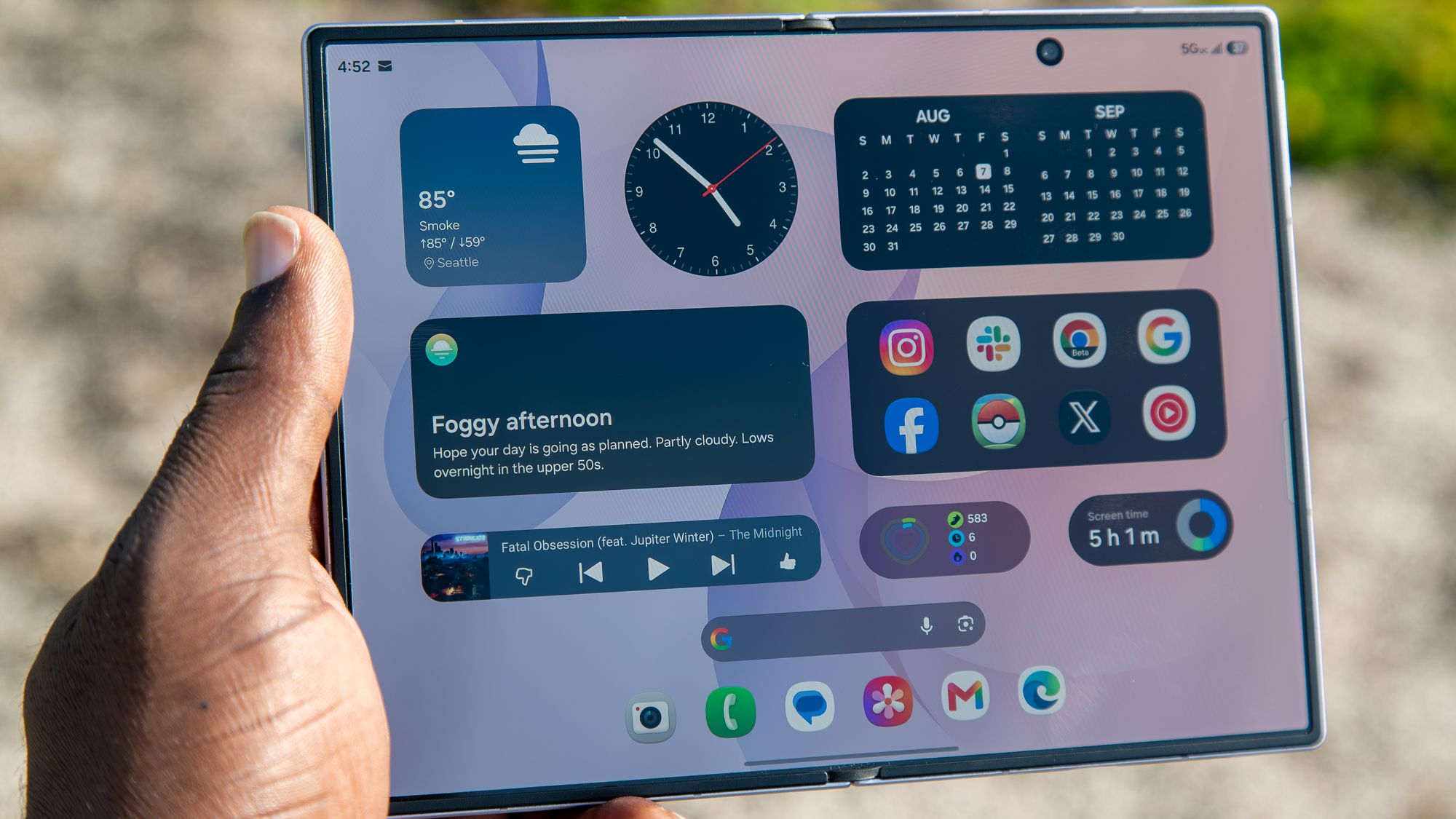
Samsung Galaxy Watch Ultra 2 leak reveals thinner bezels and a boxier new look


What you need to know

  • A new leak claims Samsung is skipping the Classic model and shifting focus to the Galaxy Watch Ultra 2.
  • The Galaxy Ultra 2 is rumored to feature a boxier body, slimmer display bezels, and a numbered outer ring.
  • Leaked renders also point to a revamped Samsung Health app, a new watch face picker, and a dedicated compass interface.

If you were expecting a brand-new Samsung smartwatch with a clicky, physical rotating bezel this year, you’re out of luck. A new leak suggests Samsung is scrapping the rumored Galaxy Watch 9 Classic and is instead focusing its efforts on a revamped Galaxy Watch Ultra 2.

The latest rumor from tipster GalaxyTechie on X suggests your dreams of a 2026 Classic model with a mechanical ring are officially on ice, but you might get a more premium Ultra model with thinner bezels to make up for it (via 9to5Google). That’s a setback for early regulatory chatter and FCC docs that had fans hoping for a big dual-release this year.


The case for consolidation: A data architecture roadmap for CDOs


Every quarter your data architecture stays fragmented, your AI programs fall further behind. Your data teams spend the majority of their time finding and preparing data, not analyzing it. Governance is applied inconsistently, audits require manual effort and each new initiative requires rebuilding integrations that should already exist.

This is not merely a technical problem. CDOs who have consolidated onto a unified data management platform report up to 47% lower total cost of ownership and development cycles five times faster.

This roadmap details the architecture and diagnostic steps you’ll need to replicate those results as well as:

  • Where fragmentation is generating your highest cost and risk
  • A 30-60-90-day plan for retiring redundant tools without disruption
  • How your current state compares to a unified platform in measurable ROI

Signal’s Meredith Whittaker wants you to remember that AI chatbots ‘are not your friends’


Asked about the privacy implications of chatbots like ChatGPT and Claude, Signal President Meredith Whittaker answered, “These are not your friends. These are not conscious beings. These are not sentient interlocutors.”

Whittaker made those comments in a broader interview with Bloomberg about policy, privacy, and Signal. She acknowledged that she uses AI tools “to format a document here and there,” but insisted, “I don’t ask them questions. I’m very serious about my thinking and writing, and I don’t want the process of working through an idea […] to be foreclosed or eclipsed by the response of a system that’s averaging what’s already out there.”

As for Microsoft AI CEO Mustafa Suleyman’s prediction that users could let Microsoft Copilot handle all their Christmas shopping this year, Whittaker argued this scenario — where Copilot is eavesdropping on the family group chat to determine who wants want — means giving it “access to my credit card, my browser, my Signal, the ability to message my siblings on my behalf, my home address [and] my calendar.”

“What you’ve just described is a system with very pervasive access across multiple applications and services,” Whittaker said. “In the context of Signal, it would constitute a kind of a backdoor.”

4 Tried and Tested Expense Tracking Apps


Ever since I started making a living for myself, I’ve had the hardest time-saving money. I would always end up overspending, and at the end of every month, I’d run out of money. 

Then, a friend suggested that I try a couple of expense trackers to keep my expenditures in check. Now, it’s my habit to track every expense I make, and I save a lot of money. Easy to say that expense trackers have drastically improved my life. Here’s a list of expense trackers that I found helpful. 

You Need a Budget (YNAB)

I’ll start off with the app that I use the most, You Need a Budget (YNAB for short). Once you download the app, it gives you a 34-day free trial during which you can test out all the features. After that, you can pay $109 per year, or you can pay $14.99 per month. 

One thing to note is that this app works a bit differently than other expense-tracking apps. You allocate every dollar that you earn to something specific that you’ll do with it. This method is called the “zero-based budgeting system,” in which no dollar is left unaccounted for. 

This way, you can segregate your money for your bills, eating out, miscellaneous expenses, and a lot more. However, one of the main reasons why I chose this app is because it comes with integrated security and encryption, especially when I link my banks to it. 

For an added layer of security, I use Xfinity Internet since its xFi Advanced Security keeps my network as safe as possible. When the app encryption and a secure Wi-Fi connection come together, my YNAB app becomes very difficult to infiltrate by cybercriminals. 

Pro Tip: To get a secure internet connection now, make sure to look into Xfinity Internet plans. Not only will you get a secure internet connection, but at an affordable price!


EveryDollar

If you’re looking for an alternative to YNAB, which follows the same “zero-based budget plan” strategy, then you should try out EveryDollar. While the interface may be a bit difficult to get used to, once you get the hang of it, the app is pretty great at helping you save. 

You can allocate money for different tasks and use your money only there. This way, you can save money and avoid going overboard with your expenses! The basic variant of the app is for free; anyone can use it without paying anything. However, the premium version of the app costs $17.99 a month and $79.99 per year. 

Expensify 

Expensify is available on both Android and iOS phones. It’s a great app to use on the go. Just as soon as you spend on something, you can log into your app to keep track of it. The app is great for people who travel frequently, such as businessmen, or if you go on a vacation. 

To use the app, you may take photos of receipts or log your expenses manually. If you take a picture of a receipt and upload it, the app will automatically scan your receipt and log the expense. This makes things very convenient when you are in a rush. Not only this, but you also have the option to categorize your expenses. For instance, you can create categories for travel, gadgets, gas, and a lot more!

The base version for an individual user is free with up to 25 receipt scans for free. However, the team pricing for unlimited scans starts at $5 per user per month after a six-week free trial. 

PocketGuard

If you are an over-spender, then PocketGuard can help you get rid of this habit. You can sync this app with your credit and debit cards so that you have an easier time logging your expenses. Plus, the app has a feature called “In My Pocket,” which uses an algorithm to show you how much you have available for your everyday spending. You can also create saving goals for yourself, which the app can help you achieve. PocketGuard also comes with an integrated bill payment tracker. 

You can also set categories for your expenditures and set a limit to each category. The app will give you an alert every time any category almost reaches its limit. This will also give you a better idea of how much more you can spend before going overboard. 

The basic version of the app costs around $74.99 and the premium version costs about $155.88 per year. Yes, this is a bit expensive, but on the brighter side of things, the app helps you save a lot. You can spend a small smidge of your savings on this app! 

A Bonus Tip to Save More Efficiently

Using these apps is a great idea, but with these, you also need some financial discipline in your life. You can use the 50-30-20 rule along with these apps to save more efficiently. According to this rule, you should spend 50% of your income on your needs, such as your bills, mortgage, etc, 30% on your wants, such as items of luxuries and vacations, and 20% of your income should go into your savings.


RAM ruins a Pro: Nothing says no CMF Phone 3 Pro to avoid ridiculous pricing


What you need to know

  • Nothing’s co-founder, Akis Evangelidis, said on X that CMF will not produce a Phone 3 Pro this year as RAM prices skyrocket.
  • The company says it cannot build a true successor that feels “like a genuine step forward at a price that makes sense” for the CMF title.
  • Nothing’s CEO, Carl Pei, has made similar statements in the past about how higher RAM (thanks to AI) can hamper smartphones and back consumers into a corner, and he’s done so again alongside Evangelidis.

Early this morning (June 19), Nothing’s co-founder wanted to get transparent about CMF’s phone line, as consumers question a Pro successor.

Co-founder Akis Evangelidis on X led off with CMF Phone 2 Pro praise. CMF is the company’s budget line, and the device was reportedly well received. However, consumers have been wondering about a successor, a would-be CMF Phone 3 Pro, and Evangelidis says that’s not happening in 2026. He says, “We were working on a successor, but with memory prices where they are right now, we can’t build a phone that feels like a genuine step forward at a price that makes sense for CMF.”

A data-driven pathway to reliable geological models


Your next discovery is already in your data.

Most geological models are still user-driven. Driver closes the gap between available data and extracted insights from it. Using machine learning to detect and quantify structural trends directly from your data, it gives geoscientists a faster, more objective foundation to build on. Driver shifts the paradigm from user-driven to data-driven. The result is a structural foundation that is faster to build, easier to defend, and continuously informed by everything your data has to say.

In this white paper, you’ll learn:

  • How Spatial Continuity Mapping reads geological continuity in 3D from your drilling data
  • How OceanaGold found over 2,000 additional gold ounces from existing data in less than an hour
  • How Driver clusters its structural trends to segregate domains and isolate individual veins
  • Driver closes the loop from discovery to estimation, supporting LVA for accurate estimates

Telegram ban in India sparks a rush to VPNs, rival apps


As India cut off access to messaging app Telegram for a week over concerns about exam-related fraud, users turned to virtual private networks (VPNs) and alternative messaging apps in unusually large numbers.

App intelligence firm Appfigures told TechCrunch that Tuesday, the day India announced the Telegram restriction, marked the biggest day for VPN app downloads in the country since at least the start of 2025. Downloads of major VPN apps rose 49% from a recent daily average of 139,000 to 208,000, the firm said.

Proton VPN and Turbo VPN recorded some of the largest increases. Downloads of Proton VPN on Apple’s App Store in India jumped 113%, while Turbo VPN downloads rose 85%. On Google Play, downloads of Proton VPN climbed 64% and Turbo VPN downloads increased 35%. NordVPN’s App Store downloads increased 41%, while ExpressVPN downloads on Google Play rose 31%.

The surge also pushed several VPN services up India’s app-store charts. Proton VPN climbed from 18th to 5th in Apple’s Utilities rankings between June 16 and June 18, while its Google Play ranking rose from 8th to 2nd in the Tools category, according to Appfigures.

The spike in VPN demand followed India’s decision to temporarily restrict Telegram until June 22 over concerns that fraudsters were using the platform to target candidates ahead of a re-test for the National Eligibility cum Entrance Test (Undergraduate), the country’s largest entrance examination by applicant volume. The Indian government said the measure was needed to prevent the spread of fake exam papers and related scams. Telegram has challenged the order in the Delhi High Court, arguing that authorities should target specific content rather than block the entire platform.

The response extended beyond app-store download data. Proton said daily registrations from India rose 120% above baseline levels on Wednesday, after hourly registrations had already spiked 150% on Tuesday evening following the Telegram restriction. The company described the increase as “extremely noteworthy” given its existing scale in the country.

Canadian VPN service provider Windscribe reported a similar trend. The company told TechCrunch that signups from India peaked roughly 100% above baseline levels, while first-time downloads of its iOS app in the country rose about 89%.

“The spike in India follows the same general trend we see in areas that ban specific apps, introduce age bans or verification requirements, or otherwise restrict internet access,” Rebecca Rosenberg, growth operations manager at Windscribe, said.

Image Credits:Windscribe

The trend was not limited to a handful of VPN providers. Sensor Tower told TechCrunch that downloads across the VPN app category in India rose 10% day-over-day on June 17, reversing a decline seen over the previous two weeks.

Users also appeared to be exploring alternatives to Telegram. Appfigures said downloads of Signal in India rose 72% on Apple’s App Store and 322% on Google Play following the restriction, while Viber’s App Store downloads increased 216%.

Telegram-linked messaging app iMe recorded one of the sharpest jumps. Its Google Play downloads rose from a recent daily average of about 827 to 50,900 on June 16, Appfigures said.

Yet the restriction did not immediately translate into lower Telegram usage. Sensor Tower said Telegram’s daily active users in India rose 17% on the day the measure was announced — the app’s largest day-over-day increase in the country since a widespread outage of Meta’s services in 2021.

Other data points also suggest heightened efforts to access Telegram following the restriction.

Cloudflare Radar Lead Lai Yi Ohlsen told TechCrunch that DNS requests for Telegram domains in India increased sharply over the two days after the measure was announced. The company cautioned that higher DNS traffic does not necessarily indicate successful access to the platform, and could reflect users repeatedly attempting to reach Telegram after it was blocked.

Image Credits:Cloudflare

Telegram pointed to its efforts to cooperate with authorities during hearings in the Delhi High Court this week. Its lawyers said the company had removed channels identified by authorities and questioned the need for a platform-wide restriction affecting what Telegram says are over 150 million users in India.

Government lawyers defended the measure as a temporary, event-linked response tied to the NEET re-test. Solicitor General Tushar Mehta told the court that a permanent ban could raise proportionality concerns but argued the current restriction had a “logical nexus” to the objective being pursued.

After hearing arguments from Telegram and the government on Thursday, the Delhi High Court reserved its order and is expected to deliver its verdict on Friday.

The debate echoes questions raised elsewhere when governments restrict access to major online platforms. Sensor Tower said VPN downloads in the U.S. rose more than 40% week-over-week when TikTok was briefly removed from U.S. app stores in 2025, while Windscribe said it has observed similar patterns following restrictions in countries including Iran and Russia.

When you purchase through links in our articles, we may earn a small commission. This doesn’t affect our editorial independence.

Can You Get Banned for Valorant Boosting? Risks Explained


Illustration of Valorant rank boosting versus account bans, showing rank progression on one side and a suspended gaming account warning on the other.

If you’re searching can you get banned for valorant boost, you’re really asking two things: how Riot treats boosting in practice, and what usually gets accounts flagged.


In plain language, Valorant elo boost refers to a scenario where a high-ranking player facilitates you to rank up faster than you would if you were to do that solo, either by playing alongside you or using your account. For instance, when talking about Valorant boosting from Eloboss, it refers to the situation where a Radiant-ranked boosters assists in your ranking process through duo queue, training, and account share boosting, among other things.


The purpose of this guide is to remain neutral and factual by highlighting aspects such as considerations prior to ordering, detection, consequences, and minimizing risks.

Things to Consider Before Ordering a Boost


Start by deciding which method you’re actually comfortable with, because the risk profile changes a lot depending on how the boost is delivered.


Account-share (sometimes called piloted boosting) means someone else logs into your Riot account and plays ranked for you. It’s usually the most convenient, but it also creates the cleanest “paper trail” in account security terms: new device, new IP patterns, and activity that doesn’t match your normal routine.


Duo queue boosting (also called self-play carry) means you stay on your own account and queue with a higher-skill player on their account. You keep control of your login, which removes a major security variable.


“Duo queue boosting remains popular because players can participate in every match while working toward their rank goal,” says Eloboss, a Valorant boosting and coaching service.


Before paying for anything, it helps to pressure-test the provider like you would any online service that touches your account or money:


  • What is the process exactly, duo queue, coaching or account-share?
  • In which regions and on which servers is the account supported?
  • How does the support work if you feel something wrong during the order?
  • What is the refund policy, and in particular what about unfinished orders?
  • Does the provider make absolute guarantees, such as zero risk? (Absolute guarantees are usually a good indicator that the page is selling, not informing you).


Common features that players often look for include progress tracking, privacy options, region support, account-protection measures, and multiple service formats such as duo queue, coaching, or account-share boosting.

Standard Techniques of Boosting Detection

Although Riot has not provided an official list of criteria for “boosting detection,” there are some standard techniques used in most competitive video games.

Login and location inconsistencies

A sudden shift in where the account is accessed from can stand out, especially if it looks like a rapid jump between regions or repeated logins from known VPN endpoints.


Even if you travel, most people don’t teleport across continents in the span of a few hours, then immediately start grinding ranked with a very different performance profile.

Artificially high performance peaks

Sudden jumps may catch the eye, for example:


  • Win streaks way beyond what you have shown before historically
  • An abrupt rise in KDA ratio, headshot percentage, or impact metrics over multiple games
  • A fast climb in ranks within a short span


While none of them is by themselves conclusive evidence of boosting, they are all factors in building a case.

Discrepancies between behavior and play style

Users exhibit certain behaviors through accounts – their preferred agents, buy styles, speed, and timing of decision making. If these features suddenly undergo an overnight change, it would appear that someone else was using the account.


Practical example: After spending months controlling maps using keyboard, you realize that your account fights in duels aggressively and gets into the map in seconds.

Reports, chat, and avoidable receipts

Allegations made by players do not point at any guilt, yet their aggregation brings up concerns. In addition, even the chats might be proven useful for providing evidence if players talk freely about paid boosting and use of their accounts.


If keeping things discreet is important to you, keep everything you say in chat such that you wouldn’t mind it being screen-captured and sent around.

Potential Penalties for Boosting Violations


However, punishments differ depending on what Riot considers to be the case and what they can prove. Consider this to be more like a spectrum of possibilities.


Some of the most frequent punishments people discuss include:


  • Temporarily suspending an account
  • Limiting access to ranked matches/queues for that period
  • Extending suspensions due to account sharing issues
  • Permanent bans in extreme cases where the violations involve another infraction (such as cheating on the shared account)


There’s one fact most tutorials forget to mention: If the account you’ve boosted isn’t being permanently banned, the disruption of having your account suspended for a week at a crucial time during the season, being ineligible for ranked play, or having a locked account might be a worse “price” than getting the boost.

How Riot Handles Boosting and Account Sharing

According to Riot Games’ general policies, boosting and the sharing of accounts in their competition titles is prohibited. However, as far as how this policy is enforced, it is a combination of both automatic triggers and manual reviews.


It’s also worth separating two ideas that often get mixed together:


  • Account security: whether someone else accessing your account looks like unauthorized access
  • Competitive enforcement: whether the ranked results look like manipulation of matchmaking integrity


Duo queue boosting tends to avoid the first category because you aren’t handing over credentials. Account-share boosting tends to collide with it by default, even if the booster uses precautions.


Based on internal order patterns from Eloboss, placement matches and rank progression services tend to be the most requested options, especially at the start of a new ranked season.

Risk-Reduction Tips for Valorant Boost Users


None of this removes the risk, but here are the measures that help reduce exposure the most.

Choose approaches that allow you to play from your own account

If your goal is to minimize account-security risk, duo queue or coaching is the cleaner route because your login stays with you.


Coaching is also the most “future-proof” option in the sense that your improvement carries over after the sessions, and there’s no second player touching your account.

Keep your account activity consistent

Accounts that appear “normal” receive less scrutiny than those that make drastic changes overnight. If you want to avoid being too suspicious:


  • Avoid cramming an enormous change in ranking in a very small period of time
  • Maintain your agent pool relatively similarly to how you typically play
  • Avoid dramatic changes in your schedule such as only playing during the day to only ranked games at night

Be careful with offline status tools and third-party apps

Some mention being “offline”. If the technique involves other software that may be employed, think carefully before proceeding. In the case where the purpose is privacy, introducing other software opens up another layer of vulnerability.

Reduce social friction and report incentives

Most “detection” occurs from the intuition of the players who sense something wrong and report it. You can minimize the chance of triggering this chain reaction by maintaining a calm demeanor and keeping your communication quiet.


Another issue when there’s someone playing using your account is making sure they don’t even chat. Not because chatting is necessarily bad, but because it leaves behind a paper trail.

Secure your account like it matters

This isn’t about Riot; this is about you not losing your account.


  • Always use a strong password that isn’t easy to guess.
  • Use two-factor authentication if possible for both your email and Riot accounts.
  • When sharing your account with others, immediately change your passwords after.

Conclusion

Of course, there is the possibility of getting banned due to valorant boost since this kind of behavior might go against the regulations of the company, but the actual possibility depends a lot on the specific technique used. For instance, account-share boosting is likely to give off more security warnings than duo queuing and coaching.


When it comes to using any kind of boost-related assistance, think of it as a compromise decision where you have to choose one of two things wisely.


Google’s extensive June security update fixes tons of lingering Pixel problems


What you need to know

  • Google detailed its June security patch for Pixel phones shortly after Android 17 and its Pixel Drop went live.
  • The company is still focused on fixing lingering display problems, as well as battery charging issues that weren’t quite solved in May.
  • Android 17 brings a few new features for Pixels, but it also bolsters security and threat detection.

Google’s busy week continues as a new security patch is rolling out for its Pixels, carrying a series of fixes for the latest software.

Android 17 launched this week, and Pixels are receiving a June Drop loaded with features. Now, a June security patch has been detailed with a substantial number of fixes for Pixel phones. The update is rolling out for Pixel 6 and newer devices, marked as vCP2A.260605.012 for global units. Google’s extensive patch notes clue us into several “Display & Graphics” issue fixes that have plagued Pixel phones for the past few months.

Ground AI in trusted context for reliable outcomes


With 80% of AI projects failing due to poor data quality and data fragmentation, what steps can CDOs take to ensure AI investments pay off? The answer lies in trusted context.

Without trusted context, AI recognizes fragments of information but can’t connect them into a meaningful story. This often leads to hallucinations, conflicting responses or unreliable outcomes. As organizations pass more responsibility to agentic AI, the need for complete, contextual and consistent data grows.

In our eBook, you’ll uncover:

  • Five data pillars that are crucial to building trust
  • Top reasons why enterprises struggle to gain context
  • Key benefits of using trusted context with agentic AI