Plan Before You Build: Introducing the Plan agent in Visual Studio


You ask Copilot to tackle something big, it gets to work, and a dozen file changes later you realize you had a completely different approach in mind. The code isn’t wrong… it just isn’t what you were going for.

Last year, we introduced planning as a feature in Agent mode to help with exactly this. Since then, you’ve told us you wanted more control over when planning happens, the ability to edit plans directly, and a way to save and share them. Your feedback shaped what came next: the new Plan agent.

Instead of jumping straight into implementation, the Plan agent starts with a deeper understanding of what you’re trying to build: asking questions, clarifying your intent, and enabling you to iterate on the plan before making a single change.


How it works

Here’s how it works:

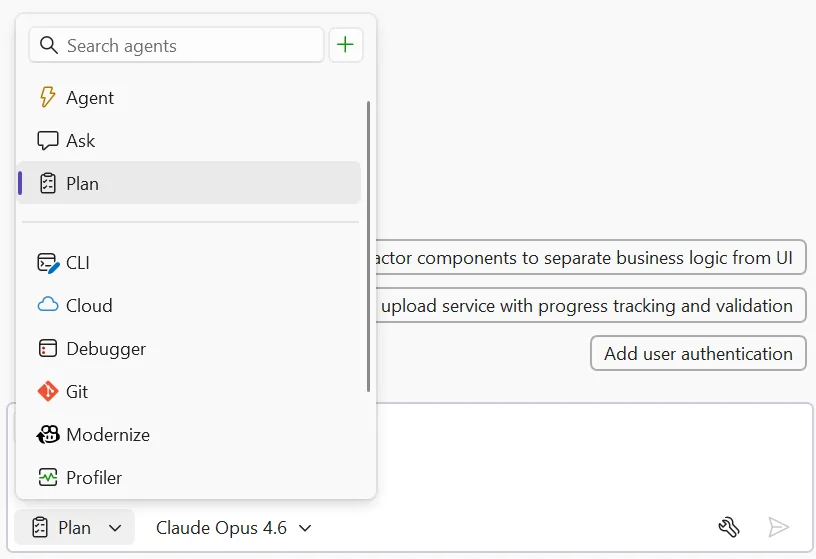
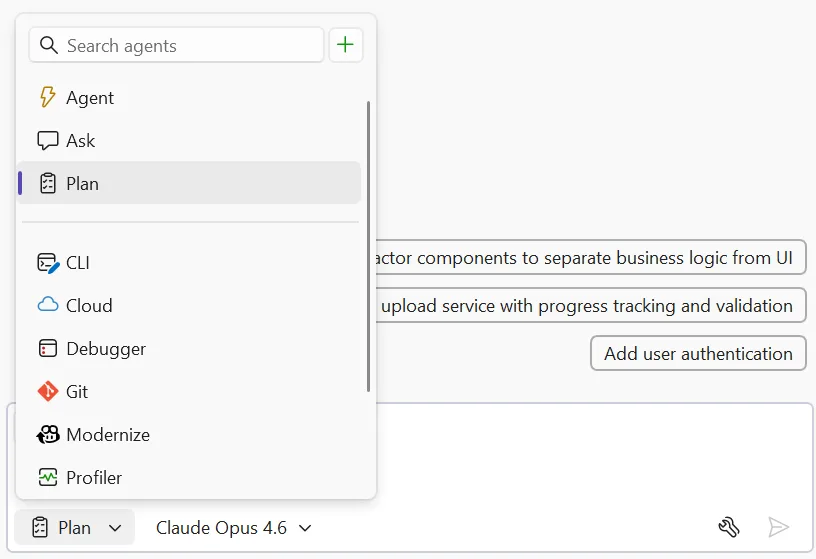
  • Select the Plan agent and describe what you want to build — Choose Plan from the agent picker in Copilot Chat, then tell Copilot what you’re trying to do. You can be as broad as “add authentication to this app” or as specific as “refactor the payment module to support multiple providers.” The more context you give, the better the plan.

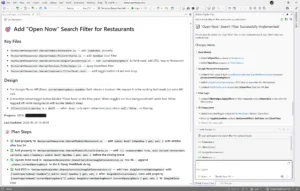
plan selected in agent picker image

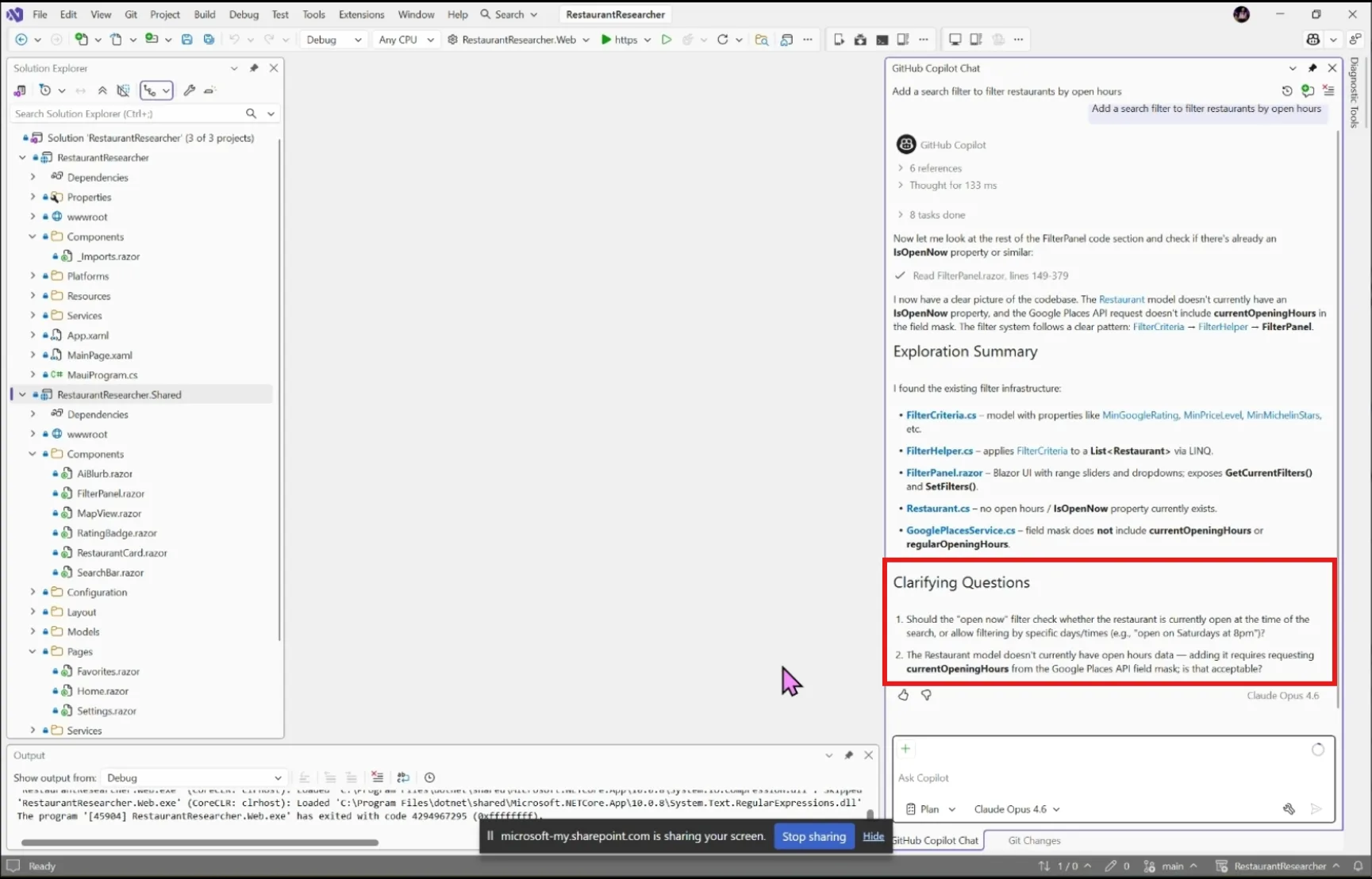
  • Explore and clarify — Copilot scans your codebase using read-only tools and asks clarifying questions when something is ambiguous. Answer these to help Copilot understand what you’re going for. For straightforward tasks, it moves straight to drafting.

plant agent clarifying questions image

  • Draft and refine — Copilot creates a detailed implementation plan you can review together. Ask it to rethink an approach, add edge cases, split a step into smaller pieces, or reconsider which files to touch.
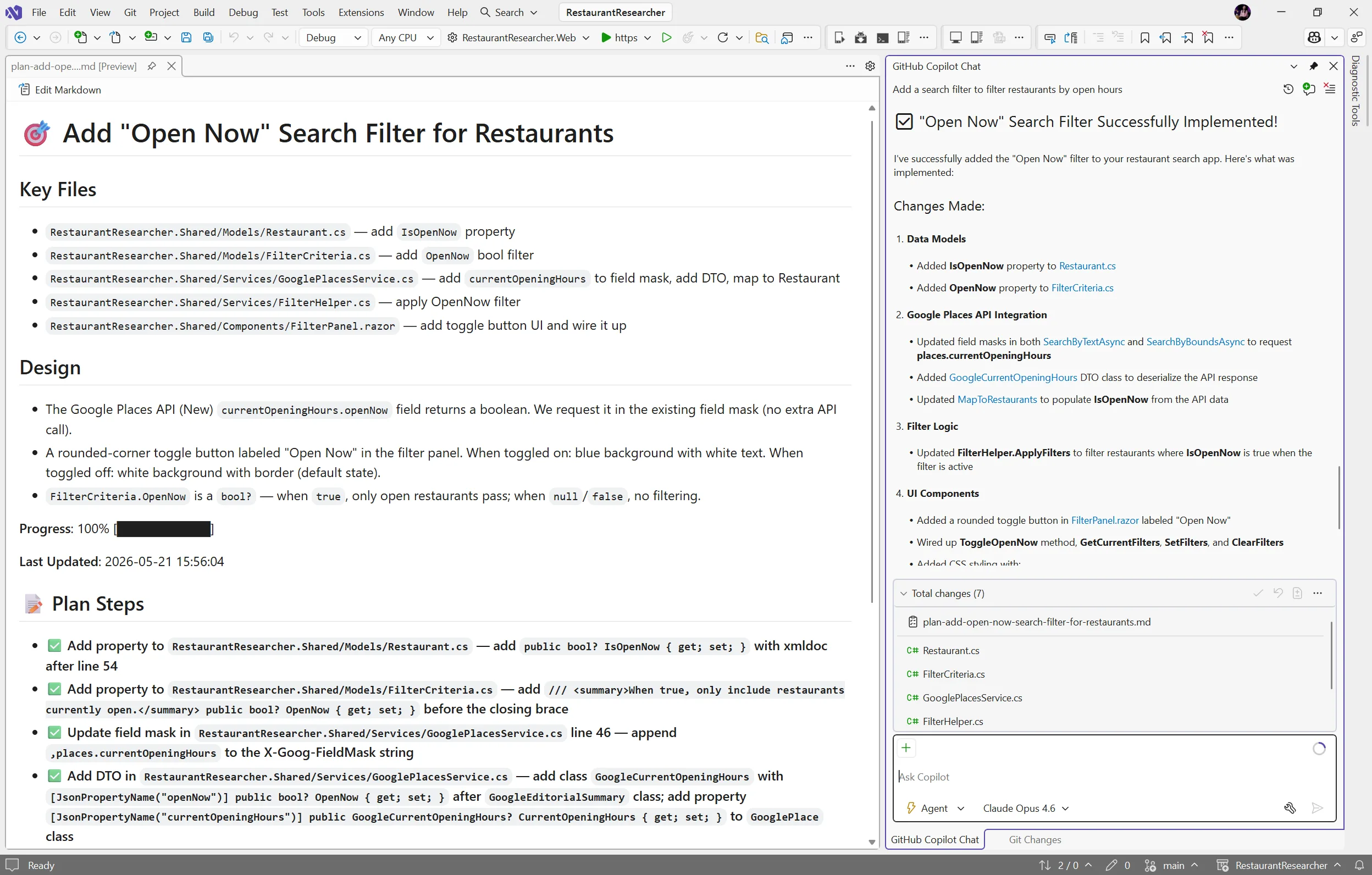
  • Edit the plan directly — Every plan is saved as a markdown file at .copilot/plans/plan-{title}.md. Edit it in your editor, refine it through chat, or share it with your team for review. Copilot picks up your changes and keeps everything in sync.
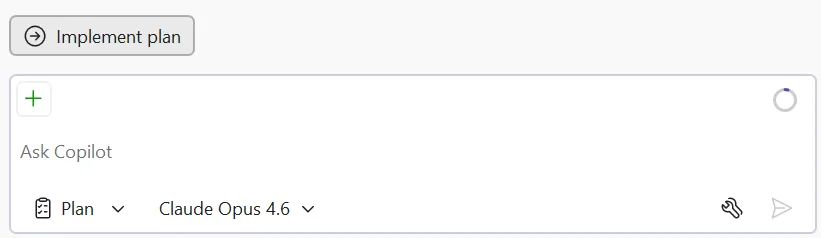
  • Implement — When you’re satisfied, click Implement plan to hand it off to Agent mode to build. No code changes happen until you say so. Copilot works through the plan step by step, creating and editing files while you watch the progress in real time.

plan agent implement plan button image

plan implemented image

Try it today

The Plan agent helps you figure out what to build before you start building it. Give it a try on your next feature or refactoring task, and let us know how it goes!

Share your feedback on Developer Community and let us know what’s working, what’s not, and what you’d like to see next!

Notion just turned its workspace into a hub for AI agents


Productivity software maker Notion is stepping into the agentic era.

In a livestreamed product announcement on Wednesday, the company, known best for its collaborative note-taking app, introduced a new developer platform that extends the capabilities of its custom AI agents, connects with external agents, and allows teams to build automated multistep workflows that can pull in data from any database.

By building an orchestration layer — a system that coordinates AI work across multiple tools and data sources — Notion is positioning itself as more than a note-taker with AI features and instead as a hub where people and agents can collaborate across tools and databases.

In February, Notion first launched its Custom Agents — AI teammates that handle repetitive tasks like answering frequently asked questions, compiling status updates, and automating workflows. Since then, Notion customers have built over 1 million agents, the company says.

However, these agents had limitations. They couldn’t connect with external data or use custom logic. External agents that companies used also didn’t have a way to connect with the Notion workspace. Teams had to work around these problems by using third-party automation platforms or writing their own scripts that run on their own infrastructure.

“It’s true that, historically, Notion hasn’t been the most developer-focused platform,” said Ivan Zhao, Notion co-founder and CEO, during the livestream. “But things are changing.”

Image Credits:Notion

Now, Notion will allow teams to deploy their own custom code. With its new Workers, Notion’s cloud-based environment for running custom code, customers can write their logic and deploy it to a secure sandbox (an isolated environment that keeps the code from interfering with other systems). This allows teams to do things like sync their data into Notion, build custom tools, and trigger work with webhooks — which are automated signals that kick off actions when something happens in another app — without needing to rely on external infrastructure.

You don’t even have to write the code. The company points out that your preferred AI coding agent can do it for you.

The Workers will use the same credit system as Custom Agents, but Notion is making this free through August, so developers can experiment.

Syncing external data sources is also a part of the Notion Developer Platform. Powered by Workers, the database sync feature can pull in data from any database with an API. That means you could access data from places like Salesforce, Zendesk, Postgres, and others within your own Notion databases — and keep the data current.

Zhao noted that this means that Notion’s users can now “use your Notion database as a sheer canvas to power both your workflows and your agents.”

Image Credits:Notion

Workers can also build agent tools with custom logic, for those times when connecting with a third-party via MCP — short for Model Context Protocol, an emerging standard that lets AI tools connect to external data and services — isn’t enough.

Another addition allows Notion’s users to chat directly with external AI agents they use, assign them work, and track their progress, as if they were one of Notion’s own custom agents. At launch, Notion says that Claude Code, Cursor, Codex, and Decagon are supported partner agents, but it plans to add more.

There’s an External Agent API, too, if teams want to connect their own internal agents with Notion, like those they’ve built specifically for their company’s needs.

Image Credits:Notion

Developers and agents interact with Notion’s new Developer Platform via the Notion CLI, a command-line tool for developers, available on the company’s Business and Enterprise Plans.

The Developer Platform represents a shift in strategy for Notion as it becomes more of a programmable platform than just an application, setting it up to compete with other workflow automation platforms. As businesses increasingly look to automate knowledge work and build internal AI systems, a platform that ties together agents, custom code, and live data in one place starts to look less like a productivity app and more like core infrastructure.

It also follows the broader trend among AI companies, which have been moving beyond the AI chatbot to offer agentic tools that can take actions across different software platforms.

“Any data, any tool, any agent — that’s the big picture for the Notion Developer Platform,” Zhao said.

When you purchase through links in our articles, we may earn a small commission. This doesn’t affect our editorial independence.