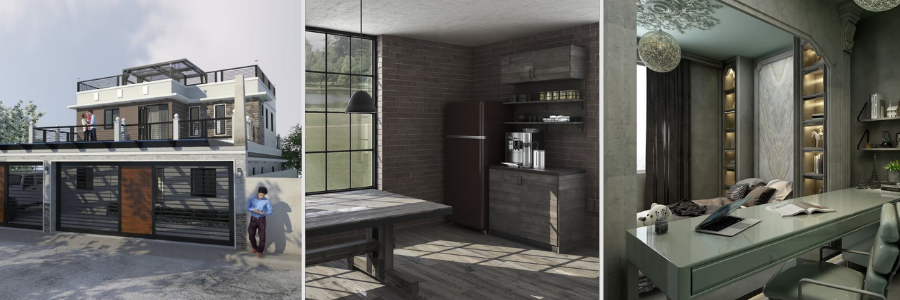
In CAD or rendering projects, setting the right timeline can ensure successful completion. Clients often underestimate the timeline for completing the project. Sometimes, designers underestimate the scope of work. There are instances in which more review time is needed than for the design or modeling itself. Every stage is important in a CAD or rendering project. Being aware of what to prioritize and anticipating how much time it will take are important for accurately setting a timeline. This guide will uncover that. Whenever you are ready to start the design project, Cad Crowd can help connect you with vetted CAD designers.
Timeline: typical reference for common CAD and rendering projects
| Project Type | Typical First Draft | Full Project + revision cycles | Is rush work possible? | |
| Single part: Simple design, 1-5 parts | 1 to 2 business days | 3 to 5 business days | Yes, at -24 hr at max | |
| Single part: Moderate design complexity | 2 to 4 business days | 5 to 8 business days | Yes, at-48 hr at max | |
| Single part: Complex / freeform | 3 to 6 business days | 7 to 12 business days | Limited | |
| Assembly model + BOM (5-15 parts) | 5 to 8 business days | 2 to 3 weeks | Limited | |
| Assembly model + BOM (20-50 parts) | 8 to 14 business days | 3 to 5 weeks | No | |
| Full drawing package (5-10 parts) | 8 to 12 business days | 3 to 4 weeks | Limited | |
| Full drawing package (15-30 parts) | 12 to 18 business days | 4 to 6 weeks | No | |
| Residential floor plan conversion | 1 to 2 business days | 3 to 5 business days | Possible on same day at max | |
| Residential construction documentation set | 2 to 4 weeks | 4 to 7 weeks | No | |
| Commercial construction documents | 4 to 8 weeks | 8 to 14 weeks | No | |
| BIM model LOD 200 (residential) | 5 to 8 business days | 2 to 3 weeks | Limited | |
| BIM model LOD 350 (commercial) | 3 to 5 weeks | 6 to 10 weeks | No | |
| Civil site plan (residential) | 3 to 5 business days | 1 to 2 weeks | Yes, at-48 hr at max | |
| Civil improvement plan set (commercial) | 2 to 4 weeks | 4 to 7 weeks | No | |
| P&ID / piping drawing set (5-15 sheets) | 2 to 3 weeks | 4 to 6 weeks | Limited | |
| Piping isometric package (2-50 iso) | 2 to 3 weeks | 4 to 6 weeks | Limited | |
| Product render: Single image (model provided) | 1 to 2 business days | 2 to 4 business days | Yes, at-24 hr at max | |
| Architectural exterior visualization | 3 to 5 business days | 5 to 8 business days | Yes, at-48 hr at max | |
| Architectural interior visualization | 4 to 6 business days | 6 to 10 business days | Limited | |
| 4-image visualization package | 5 to 7 business days | 8 to 12 business days | Limited | |
| Architectural animation (60-90 sec) | 8 to 12 business days | 2 to 3 weeks | No | |
| Interactive real-time walkthrough | 2 to 3 weeks | 3 to 5 weeks | No | |
What drives CAD project timelines
Scope and deliverable count
Scope and deliverables count have a great impact on project duration. Every additional task or deliverable means more time in review and quality-control requirements. The time spent is not just for the actual 3D modeling design services but for the other review processes. Any design change or size would mean a change in timelines. This is why it is important to take time to review the scope of work and deliverables included in the work to provide a realistic commitment. Professional designers make an effort to fully review the scope, detailing what has to be done. Documenting it allows designers to anticipate timelines.
RELATED: How Can Accurate 3D CAD Modeling Benefit to the Design Process of Your Firm
Complexity of the geometry
In CAD modeling projects, geometric complexity matters. It determines the effort and time needed to complete it. The more complex the geometry or project is, the more it requires advanced techniques. When dealing with complex geometries, designers have to assess and determine the best tools, approaches, and management to use. Complexity does not always show easily, but it can be visible upon thorough review. Knowing this helps in identifying challenges early on.
Quality and completeness of reference material
The quality and accuracy of design and 3D visualization work depend on reliable sources or references. Receiving complete and detailed references lessens assumptions and incorrect interpretations. When the reference includes complete dimensions, clear technical specifications, and other supporting information, the designer wouldn’t have to spend their time on back-and-forth queries. This significantly reduces lead time and delay. For visualization projects, it is important that the reference photos are high-quality and detailed so designers can create an accurate model.
Number of revision rounds
The number of revision cycles significantly influences the project timeline. Although revisions are not unusual in every project, more than 2 revisions would incur a delay to the project. It is important that each revision cycle is handled efficiently. This means that all that needs to be fixed or addressed should be consolidated or collated. The feedback has to be complete and provide clear instructions for the designers to execute what’s expected. It helps when a structured lead time for design, review and approval is established so there’s no uncertainty in waiting.
Designer’s current workload and availability
A designer’s current workload and availability matter in managing the timeline and schedule. During the project brief, it is important to ask how many projects the CAD designer is handling. Transparency matters since it can affect the accuracy of the timeline estimate. Discussing this reflects the designer’s professionalism. Open communication benefits both parties, as the client gains insight into the designer’s capacity and the designer doesn’t have to overpromise their availability to do the work.
RELATED: Common Texture Mapping Mistakes that Ruin 3D Renders for Architectural Design Companies
Client availability and decision speed
Aligning with the client’s schedule and availability is one of the challenges in the project timeline. The whole clarification and approval process can stall a project even though the designer works on it efficiently. The client’s feedback matters. The design and model wouldn’t feel okay if the client hasn’t confirmed. This is why it is important to set regular catch-ups and check-ins. Doing so allows designers to work on the necessary feedback early on.
Communication efficiency
A project with a clear communication process delivers more smoothly and faster. When the email exchanges and correspondence are clear and understandable, designers can easily follow through without issues. No hours are lost in waiting for replies or for composing another query. 3D rendering designers can just focus on their work. Efficient communication does not mean lengthy meetings or always communicating. It means consolidating all feedback and comments into one, as well as the responses and updates. This will also serve as a reference guide for the changes made in the project.
Rush premiums and their limits
Rusch’s schedule and timeline are a matter of prioritization. It does not mean speeding up the whole process, but rather pushing aside other tasks to focus solely on the task at hand. This is why there’s a rush payment involved. In rush work, a careful review should be done to ensure that no items are missed out. Pushing a rush work should be agreed on reasonable terms and outcomes.

Timeline benchmarks by project type
Single part CAD model (simple to moderate complexity)
Modeling a simple single part may seem to take just hours or a day for an experienced 3D designer. However, there are other stages and processes that must be completed before it’s considered the final deliverable. It includes client review, designer review, setting up software and tools, creating the drawings, review and approval, revision, and final approval. The timeline for creating a simple part could take around three to five business days. It reflects and accounts not only for the time spent in technical drawing but also for the whole workflow.
RELATED: Virtual Product Visualisation: Benefits, Challenges & Future Trends at 3D Rendering Firms
Mechanical assembly with bill of materials
Work packages like mechanical assembly take more time than doing a single part. This is because designers have to ensure that every component fits together correctly. Aside from that, it has to function as one. That’s why careful checking of tolerances, clearances, and interferences is done. The bill of materials for mechanical assembly must be meticulously checked for any missing elements or components. A small assembly can be completed within a few weeks, and a larger assembly may take longer because of its complexity.
Full mechanical drawing package
Clients assume that completion of 3D models is project completion. While finishing the model indicates that the project is nearing completion, there’s still a documentation phase to be done. This phase is the most time-consuming and tedious part, especially for mechanical projects. This is because it not only covers the 3D models but also detailed drawings, functionality, specifications, sections, and all necessary industry standards. For a full drawing package from experienced CAD drawing experts, it typically takes several weeks since a detailed quality check still has to be done to avoid manufacturing delays.
2D Architectural floor plan conversion
Turning an existing floor plan sketch, scanned drawing, or PDF into clean parametric AutoCAD or Revit is one of the most common project types. It is also one of the fastest to be done. In this project, accurate references matter for a quick delivery. If there are instances where there’s conflicting information or it requires clarification, the project timeline may extend. Complexity also matters. A large building will need more extensive work and would require more references to be accurate.
Full architectural construction document set
A full set of architectural drawings is one of the most straightforward and comprehensive work packages. A full set, including floor plans, elevations, sections, details, and schedules, would take three to eight weeks to complete. Timeline may vary depending on the size and complexity of the project. If the residential project has an even more detailed interior or roofing, eight weeks would be the minimum timeline. For a medium commercial building, it could take six to twelve weeks just for the architectural scope.
RELATED: Essential Modern CAD Tools for Architectural Design Firms and CAD Drafting Companies
BIM model (Revit)
The timeline for a BIM model depends on the required LOD. A basic LOD 200 includes floor plans, roof, exterior walls, interior walls, and windows. The timeline for this is five to ten business days, just for the architectural scope. While for LOD 300, it takes two to three weeks to complete. For the LOD 350 project that has incorporated structural and MEP works, it would take three to five weeks to complete for a residential project. Commercial projects are different. Because it is large-scale, BIM modeling services could take a lot longer, even at LOD 300.
Civil engineering site plan
Doing a civil site plan for a small-scale residential project would take three to six business days. This includes the grading plan, utility layout, drainage layout, and other civil works. It also covers retrieval and review of survey data. While for commercial site plans like a small office or retail, it will take one to two weeks to complete. This includes parking, access drives, and stormwater management. The timeline may still extend depending on the complexity and completeness of data and information.
Oil and gas P&ID and piping drawings
For project types like Oil and Gas P&ID, it typically takes a two- to four-week timeline. This is based on a typical range of 5 to 15 sheets for a set of process flow diagrams. It includes symbol library setup, instrument indexing, and drawing cross-referencing. For piping isometric packages, a 20-50 iso drawing can run two to four weeks. For these types of projects, CAD drawing designers depend on the process descriptions and engineering markups to ensure the accuracy of deliverables.
Photorealistic product render (single image)
A photorealistic render may seem quick and easy to do because it already has an underlying 3D model. But the work is more about configuring materials, adjusting lighting and reflections, testing camera angles, and adding environmental details. It takes a lot more work than what’s perceived. Even small adjustments matter since they affect visual appeal and realism. The timeline for editing is four to ten hours, depending on the scene complexity. For a single product render, it takes one to three business days to complete. It is also possible to have a rush delivery within 24 hours.
RELATED: Photorealistic Rendering Services: Complete Price, Cost, Rates and Fees for Companies and Firms
Architectural exterior visualization
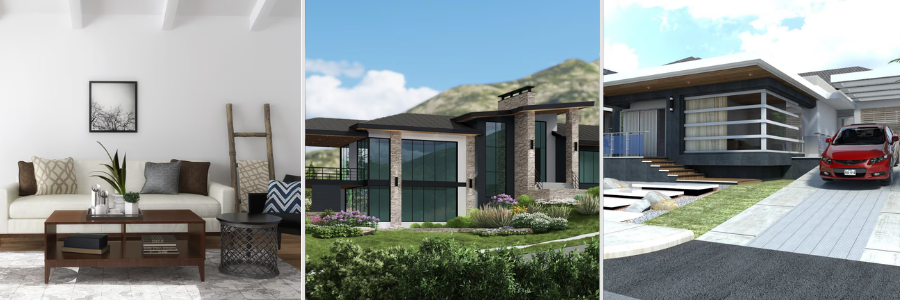
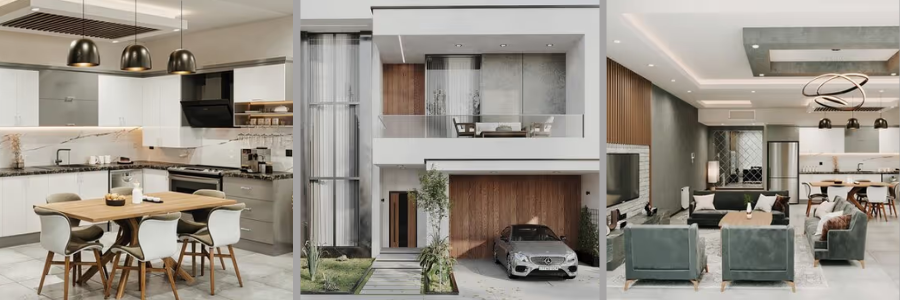
Creating a photorealistic exterior architectural rendering requires much more, since it shows not only the building façade but also its surroundings. These projects take six to fourteen hours for a mid-complex residential project. It includes rendering landscaping, lighting conditions, vehicles, and other elements. The timeline depends on the base model provided, whether it is useful or not. If the model is usable, designers can just focus on adding textures, lighting, and camera position.
Architectural interior visualization
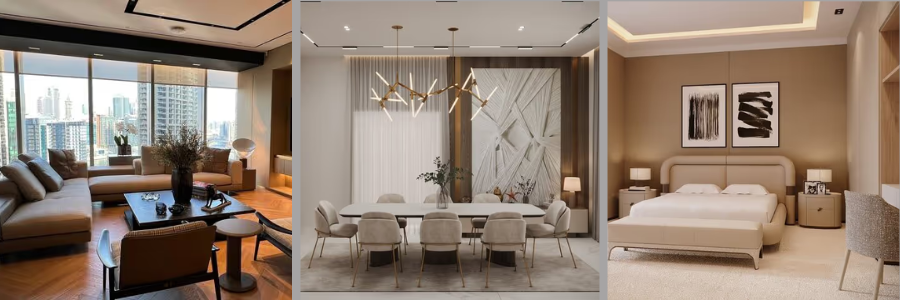
Working on interior visualizations takes a lot more work than exterior ones. It includes accurately polishing materials, lighting, and furnishings. In the interior, a great deal of textures and fabrics are being examined and adjusted to make it look realistic while being natural. The level of detail is demanding. The timeline for a simple high-quality interior visualization render is eight to sixteen hours. It depends on how much detail the designer has to do. Sometimes just tweaking the lighting extends hours of work.
Architectural animation (flythrough)
For a 60-90sec architectural animation project, it would take five to ten business days. This covers the whole process from model to final video delivery. It significantly takes more time for the architectural animation designer since it consists of thousands of frames, adjusting lighting and camera paths. Any small change in movement or timing can increase production time. For a more complex animation, it will take more time since it adds further layers of setup and camera testing.
The five phases of a freelance CAD project timeline
Phase 1: brief receipt and kickoff (1-3 business days)
A project kickoff can define the smoothness of the workflow. It is important to provide all necessary references, specifications, documents, and instructions to ensure that nothing is missed. A clear and cohesive kick-off reduces confusion and ambiguity. It gives the designers and the internal team confidence. It is helpful to set the milestones, review and approval timeframes, and point of contact. In this stage, it is important to discuss all queries, clarifications, and concerns since this stage is where risks should be controlled.
RELATED: Tips for Hiring Freelance CAD Design Consultants & CAD Services Companies
Phase 2: production / modeling (variable)
In this phase, the actual design work is done. This is where the longest duration is spent since it’s working on the deliverable. The work can vary depending on the scope and expected output. It covers the whole discipline. However, the production is not an uninterrupted process. There could still be mishaps like queries or clarifications. Queries have to be sent out and clarified, and designers would have to fix or work on whatever the response is. This phase is not about rushing or speeding up work but making it manageable and efficient to ensure quality.
Phase 3: first draft delivery and client review (3-7 business days)
This phase is when the 3D architectural CAD designer submits their draft for the client’s review and approval. In this stage, feedback and comments are shared for the designer to work on. The efficiency of this stage depends on how the client reacts and handles the review process. It is best to make feedback and comments clear and understandable to reduce misunderstanding and confusion. This client review stage is not stagnant. As the designer is working simultaneously while waiting for feedback.
Phase 4: revisions (3-7 business days per round)
When the designer receives feedback and comments, it is time to refine the working model based on them. In this phase, the designer has to carefully review all the feedback and consolidate it. The duration of this phase depends on how extensive the revisions are. It also depends on how clear the instructions are since the designers’ interpretation matters. When the designer did not fully understand what the feedback was pertaining to, the designer may make wrong assumptions. This could lead to another revision cycle.
Phase 5: final delivery and file handover (1–2 business days)
This phase is the last step in the CAD project process. It involves collating all necessary files into one clean, usable file format. 3D CAD designers must ensure that the files can be accessed by the client and must be in the agreed file format. In this stage, a final quality check is performed to ensure all necessary standards, requirements, and formats are followed. The timeline for finishing up and organizing the final deliverable depends on the size of the project. The larger the project, the more work needs to be done.
RELATED: Types of Architectural Renderings: A Complete Guide to Choosing the Right Visuals
What extends timelines and how to avoid it
Incomplete brief at project start
One of the most consistent drivers of project delay is an incomplete brief at the start of the project. Lack of documents and information could lead to further assumptions, clarifications, and more queries. This extends the timeline since there’s uncertainty. To avoid this, a checklist of what’s to be shared should be prepared before the project brief. This way, all necessary references and documents are provided.
Slow client feedback
Sometimes the timeframe for client review is overlooked. Most of the time, the delay does not come from the actual design work but rather from review and approval from the client. Waiting for the feedback could be compressed in order to perform the necessary feedback or comments. It helps to set a structured timeframe for how long the client review and approval takes. This way, the 3D modeling designer can expect feedback with certainty.
Excessive revision rounds from design indecision
One of the most common causes of delay is design changes. There are instances wherein a project just keeps issuing design changes, and so it extends the project timeline. In the project brief, it is important and helpful to set the number of revisions that can be made in order to keep things systematic and measurable. This allows clients to decide firmly. It allows the team to be focused and make sound decisions efficiently.
Conclusion
Delays are expensive. It not only wastes time but also has cost implications. In CAD, the timeline can be predictable when managed efficiently. It all starts with a good project brief and healthy communication. It is important to take time to carefully review the scope and documents provided before starting the project. Practicing this leads to accurate and consistent quality deliverables. In Cad Crowd, you can explore matching with a vetted design freelancer who’s experienced in managing projects with clearer timelines. Contact us for a free quote.