I spent a fortune on a Copilot+ PC, and I’ve barely ever touched Microsoft’s AI


There is a dedicated Copilot key on my ASUS Zenbook 14 OLED. Months after buying the laptop, it may be one of the least important keys on the entire keyboard. My Zenbook UM3406 runs on AMD’s Ryzen AI 300 series processor, complete with a dedicated NPU offering up to 50 TOPS of AI performance. That qualifies it as a Copilot+ PC, which makes it a part of what Microsoft once described as the new era for Windows.

AI is already a regular part of my workday. I use it for research, brainstorming, and working through ideas. But rather than relying on something built into the Windows OS, I’ve relied on the likes of ChatGPT, Claude, and Gemini.

How Copilot+ created the wrong expectation

The name “Copilot+ PC” implies a computer built around Microsoft Copilot. In practice, the certification mostly describes the hardware and local Windows features. The NPU inside my Zenbook can accelerate experiences such as Windows Studio Effects, Live Captions, improved search, and Recall. The Copilot chatbot itself requires an internet connection. So you can basically run it on even Macs and web browsers, and not just Windows PCs. Pressing the special keyboard button does not open an assistant powered by the entire 50TOPS NPU sitting inside my laptop.

The entire marketing around this has been poorly communicating what Copilot was meant to do. Microsoft marketed Copilot+ PCs around a grand reinvention of personal computing, with local AI changing how we use Windows systems in daily workflows. The NPU is there, and the badge on the machine proves that it’s capable of the various AI menus in Windows. But very few of them address a problem I regularly encounter.

Recall is probably the most useful out of the bunch. It can save snapshots of your activity and help you recover something you previously saw. If you’re constantly dealing with a large number of important files or conversations, this can be a lifesaver. Even then, I have yet to need it badly enough to let Windows build a searchable history of my screen. Live Captions and Studio Effects are also useful in the right circumstances. Though they remain occasional utilities rather than reasons to rethink how I use my notebook.

Other AI services were just more convenient

I already know where I need to go for my workflows. ChatGPT is usually a starting point for broad research and working through ideas, while Claude enters the picture when I’m dealing with longer passages. Each service has their limitiations though, and yet, they are all familiar with their answers now.

Copilot quite literally came bundled with my PC, and up until recently, I never gave it a real shot. After trying it out now, I can see why I initially brushed it off. Microsoft uses the Copilot name across several different products, including its consumer assistant, Microsoft 365 Copilot, GitHub Copilot, and various Windows integrations. Knowing which Copilot does what can require more effort than opening the tool I already trust.

Microsoft reorganized its Copilot teams this year to create a more coherent experience across consumer and commercial products. That move alone suggests the current structure has become difficult to explain.

Putting Copilot everywhere did not make it essential

Microsoft tried to solve the adoption problem through visibility. Copilot appeared everywhere, in Windows, Edge, Office, Paint, Notepad, and other parts of the operating system. PC keyboards gained a dedicated key for the first time in decades.

Microsoft has since started removing or reducing some of those entry points. Even Microsoft’s hardware partners have acknowledged the disconnect. Dell said consumers were buying newer laptops for tangible improvements such as performance and battery life, while AI terminology often left them confused. This is also one of the reasons I picked my laptop. A gorgeous OLED display, thin-and-light design, and reliable battery life.

Even those who tried it find it hard to stick with

After I covered Copilot’s low uptake, an author emailed me about his own experience. He had used the service extensively while writing a book, yet updates and policy changes sometimes caused it to reject tasks it had previously completed. He said he now opens Copilot with one question in mind: “Will it or won’t it?”
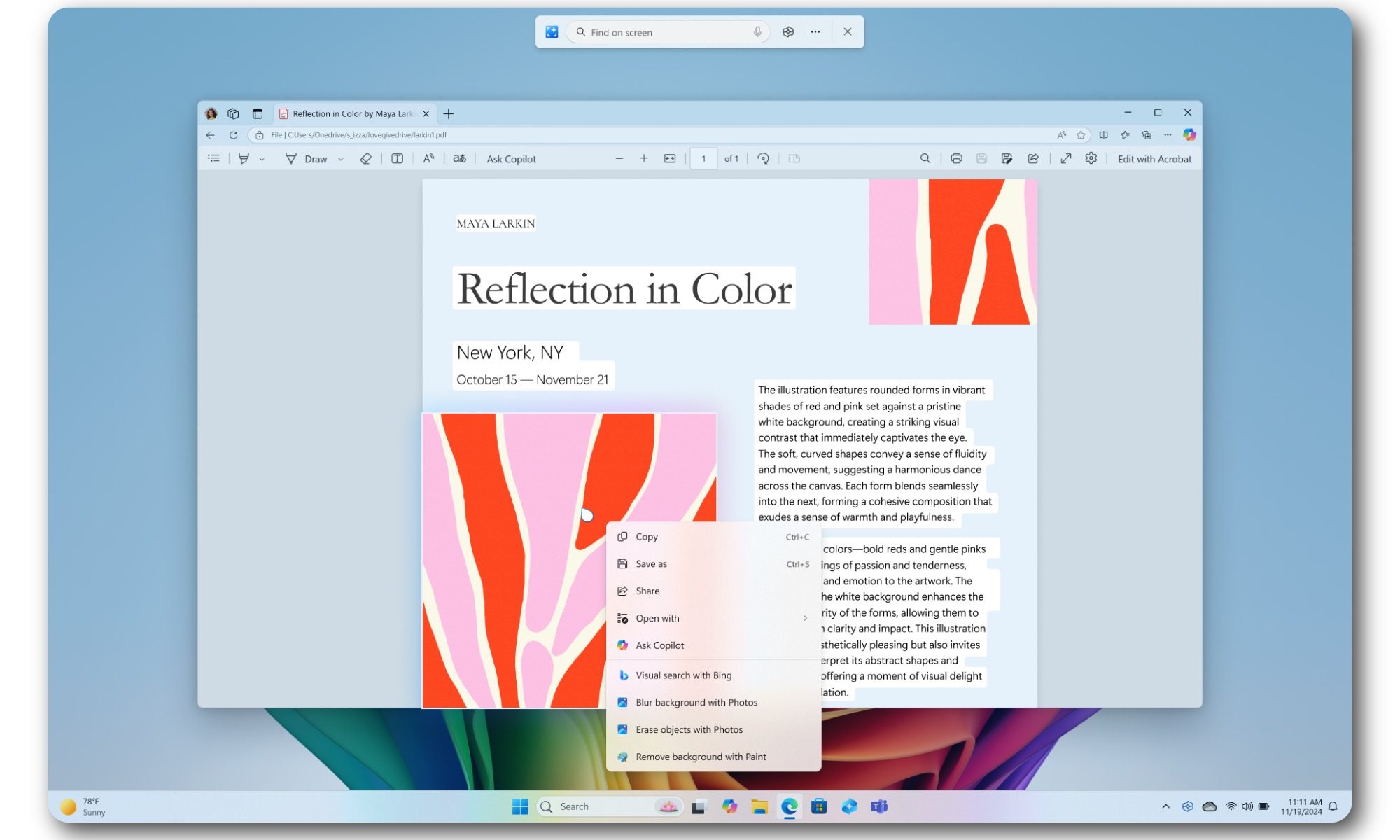
To be fair, generative AI services change constantly, and refusals can happen across Copilot, ChatGPT, Claude, and Gemini. However, Copilot carries an additional burden because Microsoft presents it as an integrated productivity assistant. This means that users expect consistency from a tool built directly into their operating system and work software.

Is this really futureproof?

I do not regret buying the Zenbook. It is a capable laptop, and the NPU may become increasingly useful as more applications run AI workloads locally. Copilot+ certification also provides some reassurance that the machine meets Microsoft’s current baseline for upcoming Windows features. But that just makes it sound like futureproofing rather than being handy right now.

And Microsoft might just move the baseline higher as systems get more advanced and requirements grow. So for now, I will continue using the AI tools that already fit my workflow. Though I’ll be giving Copilot a try more often to see where it really makes a difference for me.
The World’s First 240Hz Video Smart Glasses for Gaming Aren’t Cheap


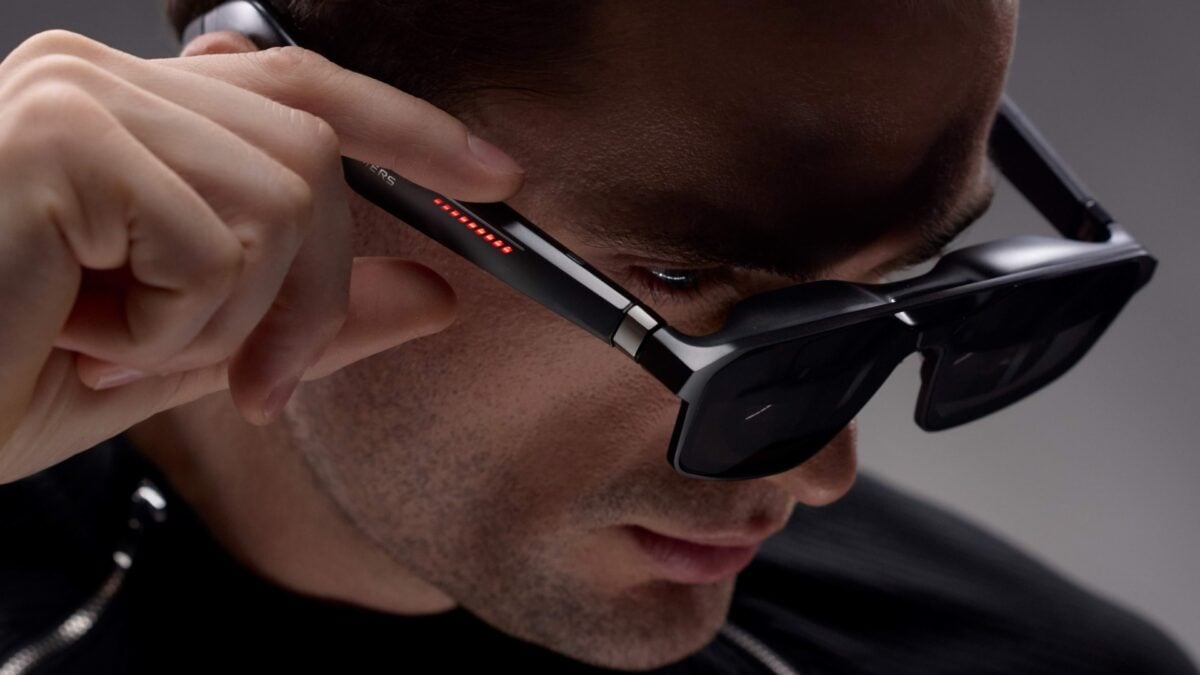
Asus ROG’s Xreal R1, the world’s first pair of AR smart glasses capable of projecting a virtual screen before your eyes with a blistering 240Hz rate, finally has… a price and preorder dates.

Ahead of Google I/O 2026, Asus ROG has announced the Xreal R1 costs $849—$200 more than the $650 MSRP for the Xreal One Pro, which top out at a 120Hz refresh rate. The gaming-focused AR smart glasses can be ordered from Best Buy starting today, May 15. The Xreal store will accept preorders on May 17 at 3 a.m. ET / 12 a.m. PT.

See Asus ROG Xreal R1 at Best Buy

Asus Rog Xreal R1 1
© Xreal

Spec for spec, the Xreal R1 and the Xreal One Pro are the same, except for that refresh rate and the slightly more gamer-y design. You get the same 171-inch (1,920 x 1,080) virtual display through the micro OLED panel, 57-degree field of view, Bose-tuned sound, 3DoF (three degrees of freedom) tracking technology used for anchoring virtual windows, and more. Asus ROG is hoping the 240Hz refresh rate will be worth the additional cost.

Asus Rog Xreal R1 2
© Xreal

The only other difference is that the Xreal R1 comes with an “ROG Control Dock.” This docking station lets you switch between three connected devices (two via HDMI 2.0 and one through DisplayPort 1.4). So for example, with the push of a button, you could flip between a PS5, Switch 2, and a PC. Asus ROG touts the Xreal R1 as requiring no additional software to get up and running. Just plug the AR smart glasses into the Control Dock, select an input, and get gaming on your 171-inch virtual screen. You can also connect the Xreal R1 to any phone, tablet, laptop, or handheld that supports display out. For the Switch 2, you will need to use the Control Dock, as the Xreal Neo adapter/video was canceled before it could launch.

Will a 240Hz refresh rate in video smart glasses make any meaningful difference when you’re gaming? Who knows, but we’re hoping to find out soon when we get a pair to try out.

See Asus ROG Xreal R1 at Best Buy

AMD may have just made these high-end handhelds obsolete after only two and a half years


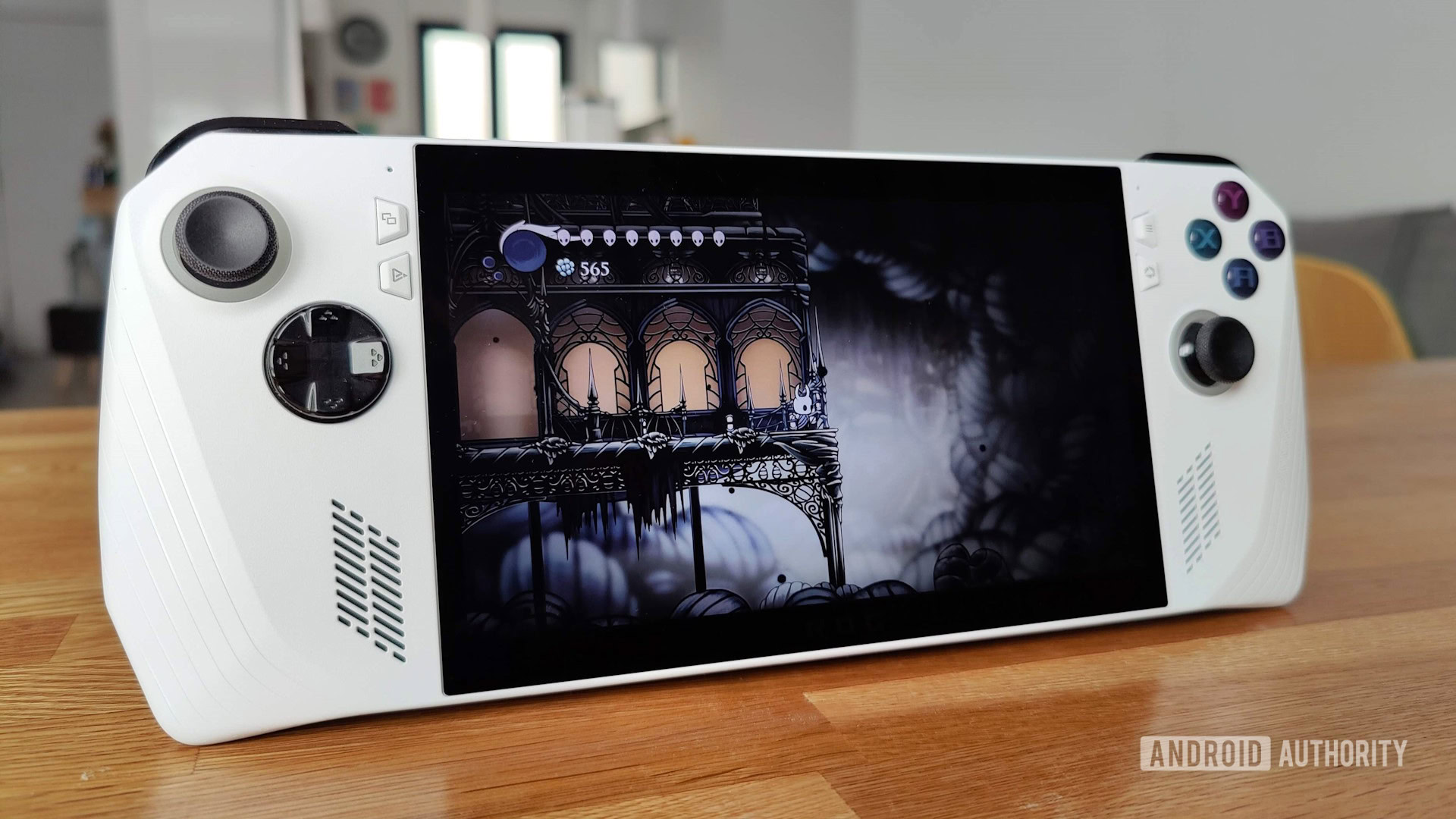
ASUS ROG Ally Hollow Knight

Nick Fernandez / Android Authority

TL;DR

  • Reports from users and comments from hardware manufacturers suggest that AMD may have discontinued support for the Ryzen Z1 Extreme APU.
  • This would mean that several high-end PC gaming handhelds running Windows 11, like the ASUS ROG Ally, will no longer receive new drivers.
  • As a result, these handhelds could miss out on day-one optimizations for major game releases, which could lead to performance issues.

The handheld PC gaming market is full of options to choose from, be it the Steam Deck, MSI Claw, Lenovo Legion Go, and so on. If you’re thinking about picking one up for yourself, you may want to avoid any handhelds with an AMD Ryzen Z1 Extreme APU. Troubling reports cast serious doubt on the longevity of these devices.

Don’t want to miss the best from Android Authority?

google preferred source badge light@2xgoogle preferred source badge dark@2x

According to Tom’s Hardware, reports from handheld users and hardware manufacturers alike suggest that after two and a half years, AMD may have discontinued support for the Ryzen Z1 Extreme APU. This affects several high-end handheld gaming PCs that run Windows 11, including the ASUS ROG Ally, ROG Ally X, Lenovo Legion GO, and GO S. If this is true, then these devices may no longer receive driver updates going forward.

Reportedly, a Korean Lenovo community support representative told one user that there were “no more plans” to issue new drivers for the original Legion Go. Multiple users on Reddit also report that their devices have not received new drivers for several months.

So what does this mean for gamers who own affected handhelds? You’ll still be able to play games on your device, but the experience will suffer. Since you’re not receiving new drivers, you’ll miss out on day-one optimizations for major game releases. As a result, the likelihood of crashes and poor performance will be greater.

If you’re concerned about the longevity of your handheld gaming PC, you could try swapping out Windows for a Linux-based OS, like SteamOS or Bazzite. These operating systems use open-source drivers that don’t depend on AMD’s support.

Thank you for being part of our community. Read our Comment Policy before posting.

Save $150 on the ASUS ROG Ally with AMD Ryzen Z1 Extreme


ASUS ROG Ally Hollow Knight

Nick Fernandez / Android Authority

Gaming handhelds are getting very good, and the ASUS ROG Ally is one of the most popular ones. If you’ve been looking to get yourself one of these, the higher-end model with the AMD Ryzen Z1 Extreme processor is on sale, saving you $150. This slashes the cost to $499.99.

Get the ASUS ROG Ally with AMD Ryzen Z1 Extreme for just $499.99

This offer is available from Best Buy. The discount applies to the AMD Ryzen Z1 Extreme version, which has 512GB of storage.

ASUS ROG Ally (AMD Ryzen Z1 Extreme)

ASUS ROG Ally (AMD Ryzen Z1 Extreme)

ASUS ROG Ally (AMD Ryzen Z1 Extreme)

Take your Windows gaming experience on the road

Looking for a solid alternative to the Switch? Look no further, the ASUS ROG Ally is a powerful handheld gaming computer, with a 7-inch display, built-in gaming controls, and the ability to connect to your TV and remote controllers for a portable console experience.

If you were to ask us, our favorite current handheld gaming console is the Lenovo Legion Go. That said, there are no good deals for that model. You can save yourself a really nice chunk of cash by going with this ASUS ROG Ally deal, and it is still a fantastic gaming device.

This handheld console can be taken anywhere you go, and you can play for about 1-2 hours unplugged when running demanding games. The battery life may not be impressive, but keep in mind you are running PC-quality games with this.

It runs Windows 11, so you can play all your favorite PC games with it. This means it supports pretty much all PC gaming platforms, such as Steam, Epic Games Store, NVIDIA GeForce Now, and more. You could even use it for general computer tasks, like writing documents, checking emails, editing, etc.

Best ASUS ROG Ally accessories

Nick Fernandez / Android Authority

It helps this is the most potent version of the ASUS Rog Ally, with an AMD Ryzen Z1 extreme processor. It is very capable, with the ability to run 2.8 teraflops of processing power. It also gets 16GB of DDR5 RAM, which is in line with full-sized laptops.

The unit has built-in gaming controls and pretty nice ergonomics, so it will be a pleasure for on-the-go gaming. The display is actually pretty nice, too. You get a 7-inch display with a Full HD resolution and 500-nit brightness. The max refresh rate is 120Hz, which is pretty smooth. And it can go as low as 30Hz to conserve battery when not displaying high frame rates.

Some may not be happy with the 512GB of storage, but it does come with a microSD card slot, so you can easily expand. There’s also a 3.5mm headset jack and a USB-C port, which also works with ASUS’ proprietary XG docking solution.

You might want to act quickly. These handheld console deals don’t come frequently, and at $499.99, you’re pretty much getting a free upgrade to the higher-end model. The base AMD Ryzen Z1 model is also $499.99. Catch this deal before it disappears!