Complete Costs of Injection Molding Design, DFM Engineering Rates, & Manufacturing Pricing for CAD Services


Quality injection molding can only happen if you have accurate tooling (mold) to begin with. Although the design – of the mold – essentially follows the geometry of the product or its parts, fabricating the mold presents its own engineering challenges depending on complexity and materials, adding up to the total design cost.

Cad Crowd is one of the leading services in finding the best experts in tooling design, and we’ve collected all we know about its costs (depending on each project) into this one article.

Here’s a simple breakdown of the estimated cost of tooling design services.


🚀 Table of contents


Overview

Task Complexity Estimated price range (USD) Note
Engineering services Feasibility studies and concept development $100 – $250 Hourly rate
Detailed design and structural analysis/optimization $100 – $300
Physical prototyping and testing for manufacturability $500 – $5,000 Per iteration
CAD drawing Straightforward geometry with simple parts $500 – $1,500 Per project
Detailed features and precision components $1,500 – $5,000
Intricate assemblies consisting of multiple parts $5,000 – $15,000
3D modeling Static 3D assets based on well-defined sketches $50 – $150 Hourly rate
Animated models with renderings and animations $100 – $250

To make things much simpler, the following table gives a rough cost estimation based on project size:

Project size Note Estimated cost (USD)
Small Simple products achievable with basic engineering and CAD skills $1,000 – $5,000
Medium Intricate designs requiring advanced 3D modeling and multiple prototypes $5,000 – $20,000
Large Sophisticated or unique products that necessitate comprehensive engineering services $20,000 – $50,000

RELATED: Why prototype DFM services are useful for product design at companies and firms

You should know by now that, like all custom fabrication services, there’s no fixed engineering cost to build injection molds. The exact cost is always affected by a multitude of factors, including but not limited to size, details, complexity, materials, fabrication method, and the company you hire for the job. In general, a small mold for a simple part/design may cost anywhere from hundreds of dollars to a thousand, while an advanced build for intricate objects could cost you tens of thousands.

There are also all sorts of material options, such as stainless steel, aluminum, composites, and even plastic. Steel and aluminum are the most widely used options, as they’re known to have excellent heat distribution and dissipation properties, durability, and suitable hardness for detailed features (the ability to hold shape in high-precision corners). Hard steel is, by far, the most widely used material to build molds thanks to its ability to withstand large-volume production, whereas aluminum is both conductive and cost-effective. It’s worth mentioning that some types of modern hard aluminum (such as 2024 and 7075 alloys) are easily capable of producing 100,000 parts without any major maintenance. Some companies build hybrid molds made primarily of steel and aluminum inserts to get the best of both materials in one package.

A hard aluminum mold costs on average $3,000 for a custom yet basic electronic enclosure design or anything of similar complexity, whereas a machined steel type can go for $20,000 or more. A plastic mold, typically built using 3D-printed polymer, is the cheapest option at around $100 each.

injection moulding plate

RELATED: DFM for new product design excellence: Complete guide for company success

The engineering cost

Injection molding design services are not cheap. Apart from the engineers’ hourly rates, you also have to cover the cost of equipment usage, materials, and labor (fabricators). You don’t have to purchase an entire range of equipment just to build a couple of molds, but the fabricators can’t afford to let you use their machines (whether EDM, CNC machine, or 3D printer) for free. Well, technically, they’re using their own machines, but they do it on your behalf, so you take the bill at the end of the day.

Tooling/mold

Assuming the product parts have already been designed, it’d take around 2 – 4 weeks to build a simple mold and about 6 – 8 weeks to create a complex one. While a custom fabricator can probably take care of the design task for you, there’s nothing wrong with sending them an already-finished mold design, especially if you have the engineering team to do it in the first place. This is to reduce the turnaround time and, ultimately, cost. Furthermore, the engineers know what the final product should look like, so they’re more than qualified to design the mold for it as well. At the very least, send a CAD drawing or STL file to the fabricator to streamline the workflow.

Tooling is the main cost driver. Molds for injection molding are most commonly made using any of the following methods:

  • CNC machining: a high-precision subtractive fabrication technique and the obvious choice because most molds are made of metal, either steel or aluminum. A block of raw material is secured/mounted to a fixed position and then rotated against various cutting blades, drill bits, grinders, and so on. In some cases, depending on the mold design, the material sits still as the sharp instruments maneuver around it along at least two axes (X and Y). The more advanced machines can operate on several additional axes as well.

    CNC machining can produce highly complex molds with intricate cavities and texturing details. The cost, excluding the materials, is around $80 per hour for a 3-axis machine and $200 per hour for the 5-axis type. CNC machines are industrial tools and should be operated by trained professionals only. The aforementioned cost already covers the labor.

  • EDM (Electrical Discharge Machining): in case the molds are too complex, even for a 5-axis CNC machine, EDM is the answer. As the name implies, the machine shapes or cuts through metal using powerful electrical sparks. Both the workpiece (material) and the tool have their electrodes, so they’ll generate electrical discharge when in proximity to each other. Every discharge slowly builds the workpiece into shape.

    EDM is accurate to 1/10,000th of an inch (or about 10 times narrower than the average width of a human hair), and it hardly requires any post-processing. As long as you’re working on metals or any electrically conductive materials, EDM is one of the best tools for the job. A reputable EDM shop will charge you anywhere from $50 to $100 per hour. 

  • 3D printing: to say that you can 3D print a mold would be a bit of a stretch, but it’s not impossible. A 3D printer is, in essence, an additive rapid-prototyping tool that allows you to build just about every shape, simple or complex, using mainly plastic-based filaments with great accuracy. It’s most commonly used in the product development process to build early prototypes.

    One thing to remember is that 3D-printed molds – since they’re made of plastic materials – won’t be suitable for large-volume production. If you intend to make a limited edition of a product in a very low production run, however, 3D printing starts to make sense. The cost for a 3D-printed mold would be around $200 or less for a simple design.

In terms of speed and budget, 3D printing services are the clear winner of the three. Once the STL (printable CAD file) is done, the fabrication process can start right away. Depending on the complexity, the printing process – using plastic filaments – should be done within a few hours. CNC machining and EDM take the throne for efficiency; they’re not as affordable as 3D printing, but they can shape hard metal that you can actually use for mass production.

RELATED: 5 Reasons to hire a CAD Design specialist to bring your company’s concept to market

Other cost factors

A few more variables that are directly related to the cost of injection molding design include:

  • Part size: the mold has to accommodate the part to be molded. A larger mold requires more materials, so you need to consider the cost of steel, aluminum, or 3D printing filament. If you order two identically-designed molds, but they’re in different dimensions, the smaller mold will be cheaper than the larger one.
  • Part design: It goes without saying that the more intricate the mold design is, the more complex the engineering/fabrication process is. A mold design has two sides: the cosmetic (side A) forms the outer layer of the product, and Side B is where you’ll find the hidden support structures. Side A is often aesthetically-pleasing, whereas Side B might be (although not always) rougher, but it’s populated by all the essential parts. You can design the cosmetic side as polished or shiny as possible and texturize in any way you want, as long as the end result doesn’t affect features and functionality. Side B must be fabricated according to the specifications. The more complex they get, the more expensive the engineering and fabrication costs.

As if to reiterate, the intended production volume determines the fabrication method. Large-volume projects definitely called for hard steel or aluminum mold. This means you have to go with CNC machining or EDM; each is more expensive than 3D printing.

Design for manufacturing vs. 3D printed molds

When you plan for product development, you expect the engineering firm to do their job with a DFM (Design for Manufacturing) approach. DFM is an engineering practice in which a product is designed in such a way that it can be mass-produced in the most efficient way possible. Cost reduction is the main goal. Over the last decade, 3D printing has been touted as the revolutionary next-generation manufacturing method to build any imaginable product easily. This is probably true in small-volume production due to the accessibility of filaments and the decreasing price of desktop 3D printers.

Mass manufacturing is a different thing entirely. You’re talking about a product designed to be manufactured in the tens of thousands, if not more. Even the most sophisticated 3D printers today can’t handle such a load, at least not as quickly as the gold-old injection molding anyway. So long as your design is intended for mass-production, your engineering team probably won’t take “3D-printed molds” into account throughout the development process because it would be counter-productive.

Cad Crowd is here to help

Here at Cad Crowd, we connect you with experienced engineers and fabricators to help you design even the most complex products and intricate molds. Whether you intend to mass-manufacture the products or have a limited production run, we have everything covered at affordable cost.

Feel free to call Cad Crowd to get your free quote.

author avatar

MacKenzie Brown is the founder and CEO of Cad Crowd. With over 18 years of experience in launching and scaling platforms specializing in CAD services, product design, manufacturing, hardware, and software development, MacKenzie is a recognized authority in the engineering industry. Under his leadership, Cad Crowd serves esteemed clients like NASA, JPL, the U.S. Navy, and Fortune 500 companies, empowering innovators with access to high-quality design and engineering talent.

Connect with me: LinkedInXCad Crowd

Impacts of BIM Design on Reducing Carbon Footprint for Architectural Firms & CAD Companies


Sustainability has been the buzzword across many industries, leading to a global effort to promote business practices that focus on environmental responsibility.

The architectural design services industry is no exception. In fact, construction activities are considered major contributors to climate change because of their tendency to consume large amounts of naturally occurring resources, generate massive volumes of demolition waste, produce enormous carbon footprints during the fabrication and transportation of materials, and basically use too much energy to build anything. Construction is resource-intensive. The bigger the project, the more energy it consumes and the more waste it generates. It’s a crushing criticism, but otherwise, pretty accurate.

Cad Crowd helps designers and firms find the best BIM modelers, while our extensive experience has allowed us to vet many top BIM design experts who value sustainability. Here’s what we learned about the impact of BIM and how it can make your projects more sustainable.


🚀 Table of contents


What exactly is sustainability?

According to the Brundtland Commission (formerly known as the World Commission of Environment), the word “sustainability” can be defined as an approach to development that fulfills today’s necessities without having to compromise the next generations’ abilities to meet their future needs as well.

To put it in the context of architecture, sustainability talks mainly about design and how to create living spaces that have minimum environmental impacts, efficient power consumption, and effective waste management. Therefore, an architectural product can be regarded as “sustainable” when it implements environment-friendly approaches to material selections, component fabrications, construction methods, power generation, building maintenance, and waste disposal. This doesn’t in any way suggest that architects only have to think about the ecological impacts of their designs; the buildings (or all other architectural products, for that matter) can still be aesthetically pleasing without losing their sustainability credentials.

It’s then no surprise that the architectural industry has become much more environmentally considerate in just about everything it does. Not only is it about addressing the persistent criticisms but also adhering to the new standards in efficiency. Thankfully, with BIM (Building Information Modeling) services, sustainable architecture is no longer a vague concept but a realistic objective.

BIM of a hospital

RELATED: 3D commercial rendering: Effective retail design layouts for your company

From 3D CAD to 6D BIM

Over the last several decades, 3D CAD (computer-aided design) software has been a major driving force in the construction industry and architectural study at large. The ability to see and modify a building as a three-dimensional model on a computer screen has played a crucial role in better workflow, increased efficiency, and improved productivity in general. You’ve probably seen some online renderings of fancy architectural concepts created using 3D CAD services, too; they’re not real buildings but only photorealistic digital assets to showcase what the software is capable of.

BIM takes the sophistication a step higher. It does everything a 3D CAD software can and adds to the equation three more variables, including time, cost, and building operation, hence 6D. When all those aspects are considered, it becomes much easier to plan for sustainability. BIM still uses 3D modeling, but the software can handle a larger dataset that includes every minute detail about the project, like Bill of Materials, off-site and onsite component fabrication techniques, potential green energy output, and power consumption from typical daily operations (such as HVAC), waste collection and recycling, and more.

In addition to three-dimensional modeling and planning, BIM helps you make well-informed decisions about everything that matters in a sustainable design. Here are just a few examples.

Eco-friendly material selection

BIM and services companies allow you to choose from a wide range of construction materials. If sustainability is of the utmost importance, you can always go with certain materials that have the lowest environmental impact. Whether or not this would be the best decision will likely depend on the materials’ overall strength, workability, and durability. For example, it might not matter much if you’re choosing between steel or recycled steel as a load-bearing structure because both options have exactly the same properties anyway. That being said, the latter remains the better option as it takes much less energy to produce than the former.

Things can also get a little bit more complicated when it comes to flooring options. For instance, your client in a residential project wants to use hardwood flooring. Hardwood is indeed renewable, but it takes decades until you can possibly replace the trees harvested to fabricate your floor. Bamboos are also renewable, and they grow much faster than hardwood trees. The good thing is that reclaimed hardwood flooring is a viable option as well, but only if your client can approve the selection. BIM only facilitates the selection. You still have to make the decision.

RELATED: Creating exterior renderings using 3D exterior rendering services for architects

Off-site prefabrication

Not every little piece of the building component has to be assembled onsite. BIM gives you the means to manage off-site prefabrication, which often involves partial installation, before transporting the components to the main construction area. Such an approach is not exactly unique or new and has been used forever to avoid unnecessary use of space, tooling, and, yes, labor. Both modular construction and off-site prefabrication features in BIM can help your project reduce material waste, power consumption, and emissions associated with transportation. Since everything is data-driven, computerized, and visualized in 3D, you don’t have to worry about inaccuracy.

Save power with natural lights

An effective way to save power is to turn off the lights and open the windows instead, but like many other things, it turns out to be much easier said than done. BIM software, through 3D modeling services, offers countless configurations for window layouts, sizes, and positioning to give you a better idea of what configuration works best in any design. More than just a digital modeling service, BIM simulates how the windows and ventilation affect natural light penetration and heating. You can tinker with a lot of options in the software interface to find the best configuration so that the occupants don’t rely too much on artificial lighting and electricity-hungry AC. This helps reduce power consumption but without sacrificing occupants’ comfort.

RELATED: Better 3D rendering and retail store design services for commercial spaces

BIM Clash detection

Environmental analysis

One thing that separates BIM software from typical 3D CAD modeling programs is its ability to offer detailed environmental analysis of a construction project. A lot of things can affect how a building functions or consumes energy, and BIM offers a clear overview of how a building can minimize its power usage.

For example, some materials can absorb heat and retain a comfortable temperature in a house all year round without having to use too much power for heating and cooling. When the temperature outside fluctuates, “thermal mass” materials like concrete or stone masonry help keep the inside temperature steady; drywall made of PCM (phase-change material) has also been found effective in reducing HVAC power consumption. And if the budget allows, water (such as a small indoor pool) has an excellent thermal mass as well.

Another important part of environmental analysis is the feasibility of solar panel installation. Based on the building/house orientation, elevation, and the topographic maps of the area, BIM might be used to measure sunlight duration and the potential amount of solar energy absorbed by a building’s roof and facade. BIM is not actually a solar modeling software, but it comes with capable features to offer useful insights into solar feasibility. You might need additional data, such as solar irradiation and PV cell specifications, to get more accurate results. If you happen to partner with BIM service providers based in the United States, most of them have additional tools to create a detailed simulation for solar panel installation, energy output estimation, and efficiency rate.

RELATED: How 3D rendering enhances great architectural design presentations for companies

Proactive approach to sustainability

You can say that everything about BIM forces you to be proactive in finding the right solutions to achieve sustainable architecture. Its three-dimensional modeling allows you to be creative in design optimization, whereas the environmental analysis opens the door to maximum energy efficiency. The good thing is that BIM does it all not only over the course of the construction activities but continuously even after the building is completed.

The integration makes it easy to devise computerized (automated) monitoring for any building. For example, you can set a predetermined range of power consumption or solar energy generation; if the data falls outside of the range, it’s a sign that there’s a problem with the electrical system. It can be a faulty appliance, loose connection, wiring issues, etc. Thanks to early problem detection and constant monitoring, the building manager can pinpoint the root of the problem before the efficiency suffers too much.

Sustainable architecture is all about creating green designs that blend resource conservation and energy efficiency. The challenge is to make sure that all the reductions in power consumption and the use of non-renewable materials do not negatively affect the occupants’ well-being. And when the architectural planning and design firm’s focus is on environmental concerns, chances are you can’t do much better than tapping into the power of BIM software to help plan and monitor the entire project. At the end of the day, BIM is more than just a software, but a state-of-the-art methodological approach to sustainability that’s applicable at any stage of a project, from design and construction to building operation and maintenance.

BIM professionals at Cad Crowd

Although it’s easy to throw around the terms “sustainable architectures” and “green buildings” when planning for a project, creating a design that does prioritize resource conservation, functionality, and comfort at the same time is a monumental task. BIM is great and all, but you can only make it work to its full potential in the hands of a professional.

Cad Crowd is home to experienced BIM service providers in the United States. Every firm and independent freelancer in Cad Crowd has been vetted for technical skills, educational background, and BIM expertise to ensure their abilities to work effectively as part of your team.

Give Cad Crowd a call and get your free quote today.

author avatar

MacKenzie Brown is the founder and CEO of Cad Crowd. With over 18 years of experience in launching and scaling platforms specializing in CAD services, product design, manufacturing, hardware, and software development, MacKenzie is a recognized authority in the engineering industry. Under his leadership, Cad Crowd serves esteemed clients like NASA, JPL, the U.S. Navy, and Fortune 500 companies, empowering innovators with access to high-quality design and engineering talent.

Connect with me: LinkedInXCad Crowd

How Architectural Millwork Drawings Services are Essential for CAD Drafting Companies


Woodworking is often a crucial element for most architectural works, whether you’re building a new house or handling home improvement of any sort. It won’t be much of a problem if your client (or homeowner) is fine with purchasing mass-produced furniture or wooden decorative elements because then you can bill the client directly for every purchase. However, things can get quite a bit more complex when the client specifically asks for custom woodwork products, which always require millwork drawing services beforehand.

Cad Crowd helps designers, architects, and companies find the best freelance millwork drawing services in the market. We’ve got years of experience and an extensive network of talent that we’ve made easy to tap into as a leading provider of freelance design services. Along that comes a lot of insight that we’d love to share.

In this article, we’ll examine how and why millwork drawing services are an essential part of your CAD drafting company.


🚀 Table of contents


Millworkers produce millwork drawings

The problem is that – and let’s get something straight here – designers (or general contractors, depending on who’s actually in charge of the project) do not produce millwork drawings. You might think that if a CAD drafting company was hired to create 3D modelings of the project plan, it should also be responsible for producing millwork drawings; after all, the drawings are some schematics to be included in the construction documents, so the drafting company should handle it, too. But you’d be wrong. Millwork drawings should remain in the domain of the millworker assigned to build the custom woodwork.

At least in the United States, the typical workflow in such a project requires the designer to provide the millworker with a “design intent” or basic information about the product dimensions, materials, styles, colors, finishes, and other little details (such as the types of fasteners and decorative elements). It’s more or less a sketch or rough visualization of how the final product should look. The millworker then takes the design intent and interprets it into a set of technical millwork drawings.

This is also the main reason why two millwork drawings for the same product can be entirely different from one millworker to another. Millworkers and design and drafting firms probably have different practices, tools, and methods to get the job done. For example, the main components of a desk (legs and tabletops) can be either handcrafted or fabricated using benchtop CNC; each method needs a different drawing. While there are certain standards to follow, such as document formatting and units of measurement, the details are always drawn in accordance with the method.

RELATED: Casework vs. millwork design: A detailed breakdown for freelancers and architectural firms

Designers are not millworkers, meaning they may not always know the tooling specifications in the millwork shop or what processes are employed to build the product. More importantly, this is all about liability in the sense that the designers don’t want to be held responsible for assembly issues or if the final product has installation problems.

millwork drawing for a cabinet

Once the drawings are done, the millworker sends the documents to the designer for approval. The goal is to make sure that the design intent remains intact. In case something doesn’t conform to the original idea, the drawings are sent back for revision. For instance, if the frame of the nightstand is supposed to be made of stainless steel, as indicated on the approved drawing, and the millworker ends up fabricating the parts from aluminum, somebody has to be responsible for the unauthorized change. The client likely blames the designer for the mistake, and yet the designer knows that the millworker is the party in the wrong here.

To avoid unnecessary errors like that, it’s advisable to work only with a local (to the client), reputable millwork shop as a proactive measure. For a small project with no more than four or five custom woodwork products, a one-man operation millwork shop should be able to handle the workload just fine.

Another thing to put in mind here is the cost associated with millwork drawings and fabrications from architectural design firms. As far as the client is concerned, all the custom woodwork products fall within the designer’s responsibility. The client shouldn’t be bothered with how the products are made. This is to simplify the contract agreement and payment. The millworker is a subcontractor of the designer; the former works on the latter’s behalf. So, if you’re the designer, you’re expected to cover the cost associated with the millwork jobs out of your own pocket. But you can always list it as an additional service in the invoice and charge an extra fee to the client.

RELATED: Millwork drawings for drafting and design: Complete cost, rates, and fees for firms and companies

Design intent

To say that a design intent resembles a rough sketch might be a bit insulting to designers. Although it probably isn’t the most visually representative of the product, the “sketch” is pretty comprehensive from a technical standpoint. Let’s say the product in question is a pretty elaborate nightstand with multiple soft-close drawers, cabinet doors, hidden compartments, built-in LED lighting, and a unique locking mechanism. If the client wants to use specific brands for the locks and LED lights, the designer will point it out in the drawing. Details about joinery and door/drawer handles must be included as well. Sometimes, the client also wants different colors for the top, side, bottom, and front panels, so everything must be clearly annotated. So, it’s all those in addition to the general specifications like dimensions and materials.

There have been cases where the sketch comes with some pretty prescriptive notes; for example, edges need to be sanded off and smooth to the touch, metal elements should be chrome plated, the bottom of the legs need to have high-quality non-slip pads, specific types of joinery to use, and so on. With that in mind, design intent is more than just a rough sketch; it can be complicated depending on the product’s intricacy. And most custom woodwork products tend to be pretty intricate.

How millwork services are essential to CAD drafting companies

To reiterate, only the millworker understands the shop well enough to be able to produce the drawings based on the design intent. That said, it’s not uncommon for millworkers to outsource the drawings to professional drafters. If outsourcing is the case here (unless they can do the job themselves), most millworkers will likely hire an independent drafter – rather than an interior design firm – for budget reasons. Hiring a single-person operation is often much more affordable than an entire firm, allowing for a better profit margin.

RELATED: How do companies use millwork shop drawings for 3D furniture modeling and design?

What if you run a small CAD drafting and design company that doesn’t have an in-house draftsperson to produce millwork drawings?

Let’s say a designer hires the company to produce a 3D floor plan for an interior redesign project, which involves replacing old furniture pieces with new custom woodwork. Now, before you rush to the computer and fire up that CAD software of yours, the right thing to do first is to get in contact with the millwork shop assigned to build the new furniture. Without guidance from the millworker (concerning the tooling, techniques, methods, etc.), it’s nearly impossible to know if what you’re drawing is even close to being accurate.

cabinet designed from millwork

And because you don’t have an in-house drafter, you then outsource the job to another millwork drawing service. A CAD drafting company outsourcing a millwork drawing to an independent drafter doesn’t sound ideal indeed, but there’s nothing wrong with it anyway. While it’s the only option, it doesn’t mean you can’t reap some benefits from the practice. Utilizing an external drafter might be not only helpful to the company but also essential to the project’s success.

  • Quick solution: a full-time employee can be expensive. The hiring alone is costly, and the drafter will be on your payroll. Outsourcing the task to an external millwork drawing service is a lot more affordable.
  • Familiarity: an experienced drafter, especially one who has worked with the same millworker in the past, is more familiar with how the shop is tooled and what methods are used to fabricate custom products. The drafter’s familiarity with the shop takes away a lot of guesswork and relieves you from the otherwise obligatory research into the millwork’s production processes.
  • Less likelihood of revisions: if the millwork drawing is done by a professional drafter, there’s less likelihood of the drawing getting rejected by the designer/general contractor. Based on the information provided by the millworker, a capable drafter can easily interpret the design intent and turn it into a detailed technical drawing that precisely represents product specifications and fabrication methods.
  • Efficient manufacturing: with comprehensive drawings, the millwork shop can optimize the production workflow, leading to a faster turnaround time. Also, accurate measurement of every component prevents the shop from over-ordering materials and supplies, hence minimum waste.
  • Cost efficiency: quick approval from the designer means minimum delay. While hiring millwork drawing services is not free; your CAD drafting company still ends up saving time and money from unnecessary reworks that may bottleneck the project.

It’s all about streamlining the project. As a CAD company, you want the millwork drawings done fast by a professional who actually knows their way around the millwork shop. If it can actually save time and money, then there’s little reason not to do it.

RELATED: Hiring freelance woodworking drafting and design services: All you need to know

Effective communication

We tend to think of millwork drawings only as just some kind of technical documents you have to make in every construction project. More than that, they’re a form of communication between the designer and the millwork shop. They’re like instructions to be used by the millwork shop to fabricate custom woodwork products in accordance with the designer’s idea. Clear drawings done by professionals help avoid miscommunication and minimize project delay.

Where Cad Crowd comes in

Not every CAD drafting company has a professional for every job. Many of them specialize in 3D modeling, animated rendering, and 2D-to-3D file conversions, while others are better suited to creating complete blueprints. It makes good sense that some companies turn to independent freelancers or external design firms to cover highly specific jobs, like millwork drawings. Cad Crowd is here to help you connect with some of the most skillful drafters in the United States, with years of experience working with countless different millwork shops for big and small architectural projects.

Get a free quote today.

author avatar

MacKenzie Brown is the founder and CEO of Cad Crowd. With over 18 years of experience in launching and scaling platforms specializing in CAD services, product design, manufacturing, hardware, and software development, MacKenzie is a recognized authority in the engineering industry. Under his leadership, Cad Crowd serves esteemed clients like NASA, JPL, the U.S. Navy, and Fortune 500 companies, empowering innovators with access to high-quality design and engineering talent.

Connect with me: LinkedInXCad Crowd

Shop Drawing Rates, Millwork Drafting Service Costs & Finding the Right Pricing for Your Company


Millwork traditionally refers to any woodworking element produced in a sawmill from hardwood or softwood. In modern professional woodworking, however, millwork might be fabricated using not only lumber but also composite materials, particle boards, and even plastics, such as fiberglass. Although millwork is commonly associated with furniture designs and cabinetry, you might also see them on doors, sashes, fireplace mantels, and ornate moldings.

Unless an architectural project requires nothing but ready-made wood products, it needs millwork shop drawings services as a part of the construction documents to serve as the blueprints for the custom wooden components. And like every blueprint, they contain detailed visual representation of the woodwork, including materials, measurements, finishes, installation instructions, and any other design elements as specified by the client.


:rocket: Table of contents


Millwork shop drawing cost

As a rule of thumb, the cost for millwork shop drawings should not exceed roughly 5% of the woodwork itself. For example, if an interior renovation project involves $20,000 worth of millwork products, the shop drawings fee alone is likely in the $1,000 range. Keep in mind that it’s only an approximation, as the actual cost is affected by several factors, such as complexity, timeframe, and pricing structure. The most common pricing structures are as follows.

Rate per sheet

A single piece of furniture may require multiple pages of shop drawings; each page represents a specific viewing angle. In a typical custom woodworking project, you will need the following viewing angles:

Page Notes
Plan view Millwork design observed from a bird’s eye perspective.
Elevation A relatively simple two-dimensional millwork drawing seen from the front. If the back and sides have noticeably different designs from the front, they also need their own elevation view pages.
Cross-section A view of the object as if it has been cut in half vertically or horizontally. A cross-section view is important if the object has inner components, such as compartments or drawers.
Detail An additional page that highlights certain small components like hinges, locking mechanisms, hidden storage, lighting, etc.
Isometric Visual representation of the design as a three-dimensional object.

RELATED: What are redline drawing costs & CAD drafting rates for construction companies?

A non-intricate product like a rustic patio bench or a plain waterfall coffee table might not need “detail” and “cross-section” views, but a complex nightstand with multiple drawers or an L-shaped office desk can certainly use such elaborate perspectives.

The cost per millwork drawing sheet ranges from $30 to $250, depending on the company providing the quote. At the lower-end of the spectrum, chances are you’re dealing with a one-person business operating as a freelancer; if the cost per drawing is upwards of a hundred dollars, make sure the work is handled by an accredited designer or a reputable company. Of course, you can always opt for something in the middle to get a good balance between cost and quality.

shop drawings cabinet

Why choose cost per drawing structure?

Practicality is the main reason. Rate per sheet simplifies the pricing because the costs are fixed for every deliverable. With simplified pricing, the budget for the project becomes more predictable. Suppose you need three millwork drawing pages for each of five furniture pieces; if the rate is fixed at $50 per sheet, you can expect to pay exactly $750 for all the sheets. The pricing structure might also help encourage efficiency as the drafting expert may strive to get the job done faster without cutting corners in terms of quality. One possible drawback is that it usually comes with less flexible negotiation for revisions.

RELATED: Fabrication shop drawing services: all you need to know

Rate per hour

If the rate per sheet focuses on page count and deliverables, the hourly rate is entirely based on time. No matter how many sheets you need, the final cost calculation is estimated by the number of hours the drafter needs to complete the work. As with rate per sheet, however, the hourly rate varies greatly among drafters.

Someone with a full-time profession as a draftsperson might be willing to produce the drawings for around $20 per hour as a side job. On the other hand, a drafting service company with a reasonably large overhead could charge $100 or more per hour for the same amount of work. Even if the drawing quality from both of them is comparable at the end of the day, the company is likely able to send all deliverables quicker because it has multiple drafters working on the project.

Is the rate-per-hour pricing structure best?

One of the biggest advantages of an hourly rate pricing structure is flexibility. Cost directly correlates with the time spent on the tasks, so it’s ideal for projects with varying levels of complexity because the amount of work put into different drawings can fluctuate a great deal. An hourly rate is probably best in situations where the sense of urgency matters.

The decision to the pricing structure ultimately falls to the client, and there are various situations where one is better than another depending on the project specifics.

Who produces the drawings?

If you’re a client, you probably won’t lose sleep over who produces the drawings, but this is actually an important thing to know to avoid confusion in case problems arise with the design at a later date. Millwork shop drawings are officially created by the person in charge of the project, like an interior designer (but it can also be an architect or a general contractor, depending on how the project is handled). That being said, for practical reasons, they’re allowed to delegate the task to a professional draftsperson or a millworker.

There’s no set of strict rules when it comes to custom woodwork products, so the design can be as creative as possible in accordance with the client’s preference. A millwork shop drawing usually is based on ideas proposed by the interior designer, who provides general outline and specification, before it goes to millwork for further development. Next, the document goes back to the design firm for approval, so it’s collaborative work.

RELATED: Purpose of shop drawings, construction drawings, and as-built drawings for companies: All you need to know

Back and forth process

In most millwork projects, the designer only needs to produce the basic layout, geometry, and dimensions before the millworker takes the document and interprets it into a technical drawing. But just because the initial document contains only “basic” information, it doesn’t mean the designer can produce an overly rudimentary sketch, either. For instance, it needs to contain specifications for decorative hardware, types of joinery, specific hinges, certain opening and closing mechanisms, under-mount glides, side glides, whether or not the product should come with hidden compartments, etc. The designer should also mention the materials, finishes, and colors. All information must be clearly visualized in annotated drawings.

The initial drawings are fairly technical, especially when the products themselves are pretty intricate, but still not detailed enough for the designer to make all the decisions on how to approach the fabrication process. And that’s why the final millwork shop drawings should be in the domain of the millworker – and sometimes the willworker also hires a draftsperson to do the job, too. However, before the millworker can start the production, the drawings must be sent back to the designer for review and approval. The point is to make sure that the original ideas (from the designer) remain in place and that the millworker does indeed have the right tooling for the job.

It can be quite a lengthy process and will be even more so if the designer discovers a lot of things that need to be corrected. Every single change to the design intent suggested by the millworker must be first authorized by the designer. To avoid having too many discrepancies and therefore revisions, the designer or general contractor gets to choose which millworker to partner with. If you’re a client and unless there are uncommon considerations involved, the cost for millwork shop drawing is already covered in the designer’s fee.

millwork cabinet drawing

Contents of millwork shop drawing

The purpose of millwork shop drawings goes beyond outlining the specifications of the woodwork. Every sheet in the document also serves as a communication tool between shareholders to share details about materials processing, fabrication methods, and installation. To fulfill all its purposes, millwork shop drawings should at least include the following information:

  • Dimensions: measurements of the final product and all its components
  • Materials: specifications, including types and dimensions, of all materials required to build the product
  • Assembly: detailed instructions on how to bring the processed materials into the desired design
  • Finishes: the expected final outcome of the project

Shop drawings must also contain notes of comparison to the original construction documentation because even a single modification may alter the production timeline, tooling, and budget.

You cannot stress it enough: millwork shop drawings play an important role in a custom woodworking project. They contribute a great deal to project planning and minimizing errors, as they improve communication between designers, millworkers, and clients. The drawings cover everything, from material procurement to assembly/installation, and help identify mistakes even before the actual production begins to make sure that the result meets the desired specifications and expectations.

RELATED: How do companies use millwork shop drawings for 3D furniture modeling and design?

Cad Crowd and millwork shop drawings

Whether you’re an architect, a general contractor, an interior designer, a millworker, or perhaps a client planning for your next custom woodworking project, Cad Crowd connects you with experienced draftspersons to help you produce professional quality millwork shop drawings at an affordable rate. Reach out to Cad Crowd to understand how we handle the procedures for you and get your free quote at your earliest convenience.

Contact us for a free quote today.

author avatar

MacKenzie Brown is the founder and CEO of Cad Crowd. With over 18 years of experience in launching and scaling platforms specializing in CAD services, product design, manufacturing, hardware, and software development, MacKenzie is a recognized authority in the engineering industry. Under his leadership, Cad Crowd serves esteemed clients like NASA, JPL, the U.S. Navy, and Fortune 500 companies, empowering innovators with access to high-quality design and engineering talent.

Connect with me: LinkedInXCad Crowd

Reduce Product Design Costs Without Sacrificing Quality with Insights from Engineering Firms


Much of the budget for developing a new product for companies goes to the design phase. From the early stage of brainstorming to the final production-ready prototype, you can spend thousands of dollars to build and revise a design; and that’s for a relatively simple, non-electronic product, like a cookware or a backpack. Anything more complicated, such as Bluetooth radio or remote control, will cost you tenfold or more. Designing a product is not cheap, but it doesn’t always mean you can’t keep it to a minimum. The thing is, you have to keep it at near-perfect efficiency every step of the way. For a lot of small companies and startups, the most practical way to achieve that is by working with an engineering firm.

And to be even more specific, the engineering firm has to have at least one professional industrial designer on the team. According to the BLS (Bureau of Labor Statistics), an industrial designer devises an efficient system where workers, machines, materials, energy, and information may work together in harmony to make products or provide services. In other words, the work of an industrial designer focuses on coordinating all factors involved in production to achieve maximum efficiency – or reducing cost whenever possible – without sacrificing quality. Quite a mouthful indeed, but you get the idea nonetheless.

Mind you that most industrial designers typically have at least a bachelor’s degree in engineering, architecture, and fine arts. The vast majority of design programs include multiple courses in CADD (computer-aided design and drafting), 3D modeling, business, industrial processes, manufacturing methods, and drawing, among others. This is where you need to practice some due diligence; not every engineering firm has an industrial designer as part of its core team. An engineering firm that specializes in architectural design would prefer hiring a Bachelor of Architecture rather than a Bachelor of Engineering. And as you would expect, you want to work with a firm loaded with professionals of the latter category.

RELATED: Important benefits of industrial product design – using industrial product design services 

mountainboard outsourced

Note: BLS’ list of occupations can be pretty confusing, but not necessarily inaccurate, at times. For example, the bureau makes a distinction between industrial designers and industrial engineers. They are all engineers, and share similar functions within an organization. Some firms hire both, because their roles are often interchangeable. Industrial designers focus on developing new products or improving the existing ones, whereas industrial engineers hone in on creating efficient manufacturing methods.

To give you an idea of why or how industrial designers can be the defining factor in your design decision, let’s take a look at their typical roles and responsibilities in an industrial engineering firm:

  • Determine the requirements and parameters for product designs
  • Conduct research into how a product might be used and who might use it
  • Create product sketches (or CAD modeling) as visualization of design ideas
  • Produce multiple photorealistic renderings of product designs
  • Create physical prototypes
  • Examine manufacturing requirements, including materials and workforce, to determine production cost
  • Collaborate with other specialists, such as prototype makers, electrical engineers, and manufacturers to evaluate designs
  • Determine whether the materials and manufacturing process can come at a reasonable cost
  • Analyze product safety, function, aesthetics, ergonomics, and general user-friendliness
  • Present product design ideas to stakeholders/clients for approval

An engineering firm doesn’t usually mention if it specializes in any specific product category, but the industrial designers in the firm usually do. It makes perfect sense for the firm to avoid making explicit reference to the matter because there might be multiple industrial designers, each with a different specialization, working in the organization. Some of them are perhaps put in charge of a medical equipment project or home appliances, while others develop ideas for sporting goods, housewares, furniture, jewelry, and so on.

RELATED: Why companies use product design sketches during new product development and design

Regardless of the product category, industrial designers work to minimize the use of resources (which may include energy, workforce, materials, etc.) to reduce production costs as much as possible while still aiming for the best results. Their main duty in an engineering firm is to circumvent design constraints by either mitigating risks of design failures (such as removing unnecessary elements) or using them as advantages to execute minimalist design approaches.

When developing a product, industrial designers take into account how consumers might use the product and test different designs to see how each iteration looks and works. They need to figure out an effective balance between good aesthetics, functionality, durability, and overall ease of use. However, the most important thing of them all is often the target consumers’ purchasing power. It makes little sense for companies to build the greatest product ever, if it ends up being too expensive for its intended buyers. For instance, a tech development company can probably release a high-performance laptop series any day of the week, but if the product is meant to fill the market for high school students with a purchasing power of $1,000 or less, well then there’s definitely something very wrong in the design and marketing aspects of the project.

Every product is intended to fill a market gap. You can also say that a product exists because there’s a demand for it. And the market is segmented by – once again – purchasing power. Each segment contains distinct demographics, priorities, and interests. Product design services are often determined by which segment you’re targeting. You come up with a product that fills specific needs for certain groups of people. This is the main reason companies offer different product tiers. Let’s just say “good” sits at the bottom, followed by “better” in the second place, but both are under the “best” tier. Now if we refer back to our laptop example above, the “student” variant is likely the good option, whereas the business model is a step above, before finally you arrive at the high-end version at the top.

You might think that an engineering firm only does engineering stuff, and you might be right, but not entirely accurate. Industrial designers do not develop a new product design from nothing. They work with other professionals in the firm, such as manufacturing experts, market analysts, and even other engineers. An engineering firm does primarily design a product based on your specifications, but it also provides a range of other services to ensure that the end-product is profitable for your company.

3d apartment living room outsourced

Besides offering the full range of industrial designer services as mentioned earlier, an engineering firm also performs thorough market research on your behalf. The firm typically uses various tools such as phone interviews, focus groups, questionnaires, and surveys to figure out potential buyers’ preferences and purchase history. Market research also helps determine the product’s appeal to the target demographics, existing competitors along with their price points, and trends. While it might not directly provide ideas as to how the product should be physically shaped, the data gathered from such a research give invaluable insights into the design decisions and where to position the product in the market. Some analysts also use data available from external sources, such as census and economic reports.

RELATED: How-to guide: new product design, engineering and prototyping your idea for mass manufacturing

This is how you gain a basic understanding of what products people want and at what price. Combine those insights with industrial designer’s expertise, and you get the right formula to plan for a design and aim for the desired profit margin.

Product design cost

Before you get to the final version of a product, you need to go through a lo t of different steps from ideation to evaluation, which may include safety certification, depending on the type of product. In the old days, prototyping was one of the most expensive design steps. When you work with a modern prototyping firm, almost every single design process is done on 3D CAD modeling software. Think of it as a “virtual prototyping” to test and analyze dozens or more design ideas on a computer screen.

While a physical prototype remains necessary, you won’t likely need it until you get to the final pre-production prototype iteration. Everything else before that is easily accessible and modifiable on the software. 3D modeling enables industrial designers to experiment with countless design iterations in a digital environment, where they can make use of all kinds of shapes, materials, mechanical components, colors, textures, and dimensions as needed. They can make adjustments with only a few clicks, and let the software do the rest. Whether you want to change the geometry, add/remove design elements, or reposition parts, the software can do everything for you almost in an instant. In case something doesn’t work, you can revert the changes or modify something else.

Let’s not forget that you see the design (on the screen) as a three-dimensional object. If your product is supposed to have some moving parts, or mechanical components if you like, the software can animate the model to help you see the product in action. Some programs even allow for full-fledged simulation for FEA, load cases, etc. In general, 3D CAD modeling and simulation software removes the need for physical prototype analysis. Another good thing about advanced CAD software is that you can configure it to calculate the cost of materials based on the model. It’s also easy to replace one material with another to see the difference in production cost. And because it’s automatic, the likelihood of inaccuracy is virtually zero.

RELATED: New product development and design: should your company work with a product design team?

FEA Girder for outsourcing

How Cad Crowd can help

For more than 15 years, Cad Crowd has been working to connect companies, big and small, as well as startups and individual clients with some of the most reputable engineering firms in the country. Whether you plan to create an electronic product, furniture, home appliances, hi-tech drones and everything else in between, Cad Crowd has just the right engineering firms to optimize your design process efficiency.

Get a free quote to create the most engaging products today.

author avatar

MacKenzie Brown is the founder and CEO of Cad Crowd. With over 18 years of experience in launching and scaling platforms specializing in CAD services, product design, manufacturing, hardware, and software development, MacKenzie is a recognized authority in the engineering industry. Under his leadership, Cad Crowd serves esteemed clients like NASA, JPL, the U.S. Navy, and Fortune 500 companies, empowering innovators with access to high-quality design and engineering talent.

Connect with me: LinkedInXCad Crowd

Marketing Real Estate: Top Real Estate 3D Rendering Trends for Companies and Firms


Do you feel like you’re doing everything to pre-sell more properties but that you can still do better? Don’t worry because you’re not alone.

A lot of realtors and developers today use the most state-of-the-art sales tactics only to be disappointed with the slow flow of deals. Is there something you can do to maintain a steady stream of prospects that also brings more sales fast? It is where real estate 3D rendering services can help convince more clients to sign the dotted line.

Thanks to real estate 3D rendering, real estate or development businesses can get and use photorealistic visuals that they can use for promoting properties, including those that are still under construction or aren’t even built yet.

Real estate CGI is made not only with still images but also with interactive 3D panoramas, digital videos, and virtual reality experiences. When used smartly and correctly, these types of content can be elevated to the next level by your promotional strategies: they have the potential to improve effectiveness.


:rocket: Table of contents


3d bedroom for real estate

Artistic and cinematic rendering

Real estate renderings are no longer limited to just technical representations because they have evolved into more enticing cinematic experiences and artistic experiences.

Expert 3D visualization artists and real estate professionals are using new original approaches that blend mood, atmosphere, and storytelling in their renders.

Presentations appeal to the public and clients because they are visually stunning and emotionally engaging.

Setting up the movement and camera position allows real-time exploration and navigation of the 3D model. Companies can manually control the camera and define its paths to show different angles and perspectives of the design.

Movements of the camera can be fluid and smooth to give stakeholders and clients a more immersive experience.

Cloud rendering

Cloud rendering is another trend in real estate 3D rendering. It is an excellent technological solution that helps 3D visualization service providers use the power or remote computer cluster for rendering CG imagery.

Since cloud rendering is a type of on-demand service, it gives access to an almost endless resource of many GPUs and CPUs to work on their files. This only happens while it renders visuals and takes time. It increases computer power allocation—speeding up the whole rendering process.

Most specialists in the CGI production industry have stated that the use of cloud rendering helps them get 3D renders in just a matter of minutes. Using in-house render farms, on the other hand, would have taken hours to do the same thing.

Through this reduced time, 3D artists can simultaneously work on multiple projects. It means a lot to real estate professionals as they can significantly improve their communication with project stakeholders through faster design updates and iterations.

Cloud rendering services are also anticipated to see a significant growth rate in the coming years. Thus, it is safe to say that the surge of ultra-fast visualization will happen and might even become the new norm sooner rather than later.

Emphasis on materials and detailing

The rise of 3D rendering technology resulted in the growing emphasis on accurate and detailed representations of finishes, textures, and materials. Real estate companies can now present intricate details with incredible realism and precision, including meticulous patterns, ornate facades, and interior elements. This trend allows stakeholders and clients to better envision the quality and aesthetics of the design.

It is vital to apply the correct textures and materials to the 3D model to achieve more realistic renderings. Modern real-time rendering supports different material properties, including transparency, roughness, bump maps, and reflections. The textures and materials must be chosen with great care and applied correctly to the model’s different elements for the accurate representation of their counterparts in the real world.

3d real estate exterior luxury hotel

Environmental sustainability

With sustainability becoming one of the primary considerations in real estate, it is only expected for it to be one of the trends in 3D rendering. Real estate companies and firms are using different rendering techniques more and more to analyze and simulate the environmental performance and structure of buildings. These include thermal performance, daylighting, and energy consumption. It lets them optimize designs for sustainability and energy efficiency to create more environmentally friendly buildings.

Vertical gardens are perfect examples of environmentally friendly architectural services. It involves the application of different shapes, textures, and levels of vegetation to create visually dynamic and stunning green walls. 3D vertical gardens use a combination of plants with varying growth patterns, foliage colors, and heights to add dimension and depth to the space. This can also transform flat surfaces into living and vibrant works of art.

This strategic three-dimensional plant arrangement creates an ever-changing and immersive experience wherein the interplay of shadow and light further highlights the complexity and beauty of vertical gardens.

Automation and AI integration

Automation and artificial intelligence, or AI, have now found their way into many industries, including real estate rendering. AI-powered tools and algorithms can help automate repetitive tasks, allow efficient generation of more realistic scenes, and streamline the entire rendering process. The integration of automation and AI can reduce costs, enhance productivity, and give designers more time to focus on design refinement and creativity.

AI techniques, including GANs or generative adversarial networks and procedural generation, can come in handy for generating realistic and complex environments. AI algorithms can also produce realistic 3D assets, including landscapes, buildings, and expert furniture design, according to design constraints and the given parameters.

This trend in real estate rendering makes way for the rapid production of scenes on a larger scale and improves the level of realism and detail in renderings.

Photorealistic rendering

There is an increasing demand and clamor for photorealistic rendering in real estate, and this is no surprise. Clients, after all, expect highly realistic and detailed renderings with close resemblance to the final product. The availability of high-quality materials and textures, enhanced hardware capabilities, and advancements in rendering software all made it possible for 3D renderings to achieve excellent levels of realism.

Photorealistic renderings offer potential investors and buyers a lifelike glimpse of the property before its construction or renovation with the help of elements like specialized landscaping, textures, materials, and lighting.

This trend in real estate marketing is an essential tool for marketing as it helps convey the unique features, aesthetic appeal, and ambiance of a property. It helps clients make better decisions and imagine themselves being in and using the space.

Real estate companies and firms can also use photorealistic rendering to present their designs in such a way that is more enticing while helping them with their pre-selling and marketing efforts.

3d apartment for real estate

Real-time rendering

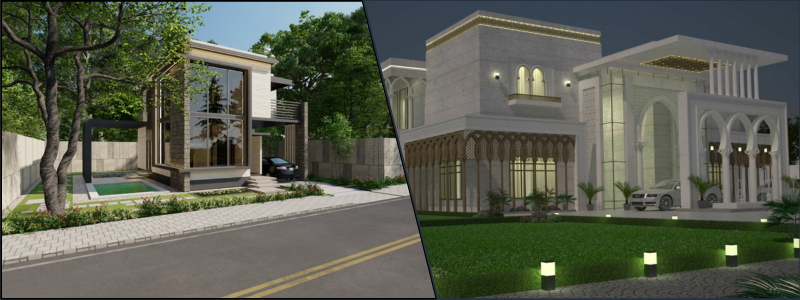
Another significant trend that has been enjoying a surge in popularity for the past few years is real-time rendering. With the rise of real-time visualization software and powerful GPUs, real estate companies can now engage in real-time creation and manipulation of 3D models to make the design process more efficient and interactive. Real-time rendering allows faster decision-making, instant feedback, and quick design iterations.

A specialized rendering software or engine is also used to make real-time rendering possible. These engines use state-of-the-art optimization algorithms and rendering techniques to produce interactive frame rates for high-quality renderings. It is how realistic walkthrough experiences, virtual reality tours, and 3D animation are made.
Storytelling

Storytelling is one of the key trends in real estate rendering. Technically, this is not a new trend, but it’s poised to continue in the years to come without any signs of going anywhere at all.

The use of storytelling puts more aesthetic and thought into images to the point that you will still find yourself mesmerized even after looking at them several times.

If you wish for your real estate ads or project presentations to appeal to the emotions of prospects and clients, tapping into storytelling’s undeniable power is something you shouldn’t miss out on.

AR and VR

Augmented and virtual reality technology firms have been making dramatically immense advancements, which are extensively utilized by real estate. With VR, users can have a more realistic and immersive experience through virtual walkthroughs of a space or a building.

On the other hand, AR overlays the virtual elements into the real world to allow real estate companies to envision their designs in the existing environment. AR and VR make it easier for clients to understand the design and bolster communication among all the involved parties.

A 3D real-time architectural walkthrough is an excellent example of a VR experience. Virtual real-time walkthroughs offer the ability to interact with objects, move freely in a virtual space, and make on-the-spot design modifications. It allows viewers to fully understand and experience the materials, spatial qualities, and design intent of the project in general before its physical construction.

This experience driven by technology improves communication, allows better decision-making, and facilitates visualization of designs in ways that weren’t imaginable in the past.

How Cad Crowd can help

Real estate marketing has never been easier with today’s innovative trends. Reach out to Cad Crowd, and we’ll connect you with top-notch professionals to deliver outstanding results tailored to your needs.

Get a free quote today!

author avatar

MacKenzie Brown is the founder and CEO of Cad Crowd. With over 18 years of experience in launching and scaling platforms specializing in CAD services, product design, manufacturing, hardware, and software development, MacKenzie is a recognized authority in the engineering industry. Under his leadership, Cad Crowd serves esteemed clients like NASA, JPL, the U.S. Navy, and Fortune 500 companies, empowering innovators with access to high-quality design and engineering talent.

Connect with me: LinkedInXCad Crowd

Key Signs It’s Time to Reach Out to Outsourcing Companies to Improve Your Engineering Business


If anybody tells you that outsourcing is a lot of work, you can be sure that they make it sound much more complicated than it really is. Outsourcing is as simple as hiring someone to do a specific job for a specific period of time. You do it when you need to ease the workload for your in-house expert engineering team, or anytime a project requires a talent or skill set your company doesn’t currently have.


:rocket: Table of contents


outsourced class 5 subsea torque tool

RELATED: How to outsource 3D rendering services for your company to visualization studios for 2025

Outsourcing is an option

Outsourcing is neither the answer to every problem nor the only way to improve your engineering business. Also, no one can tell you whether you should embrace it wholeheartedly or avoid it at all costs, but there are certain signs to tell you that it might be time to reach out to outsourcing companies.

You find your companies lacking certain engineering skills

No one knows better than you that “engineering” is a broad term. An engineering firm might do its business in architectural projects, automotive designs, civil constructions, IT infrastructures, electronic products firms, medical devices, footwear, fashion accessories, or just about anything else you can think of. No matter the company and regardless of what industry it’s in, chances are it has a team of engineers of different specializations on the payroll. In other words, there’s a team of engineers behind nearly everything it sells. And unless you run a pretty massive corporation that makes products in every category, you probably don’t have engineers from every single specialization.

Sometimes, you may come across a project (or a portion of a project) that necessitates an engineering skill you currently don’t have in-house. For instance, your company mainly produces mechanical toys, but at the moment, you’re planning to penetrate the RC cars market for the first time. As experienced and talented as your existing team of mechanical engineers might be, it’s probably best to leave the electronics design (for the remote controls and the toy cars as well) to an expert electrical engineer. The only problem is that there’s no electrical engineer in your team. Instead of going through all the troubles of hiring another full-time employee, outsourcing is more practical and less expensive.

The task in question isn’t actually part of your business’s core activities

Let’s say you’re in a furniture business. Most of what you sell include handcrafted chairs, tables, cabinets, nightstands, bedsteads, doors and windows made primarily of wood and metal. One day, a client wants you to build a completely “custom” furniture set for a freshly renovated home. This is an unusual project for you because most of the time you sell products of your own designs. Since you have to build the products based on the custom specification given to you by an interior designer, you also need to produce millwork drawings.

Mind you, millwork drawing isn’t actually a recurring task on your part, but you need it in this case nonetheless. And because it’s not a recurring activity, you have little reason to put someone on your payroll for the task when there’s not enough for them to do the rest of the year. You need a drafter to produce the drawing at the moment only, not all the time. You probably have a mechanical engineer or two in your team, but none of them have any experience producing an actual millwork drawing. For this project only, you must produce and send the drawings to the designer, but then again, it’s not part of your main business activities. So, outsourcing is the clear solution here.

RELATED: How to select a 3D furniture rendering services company for photorealistic results

Or, the tasks are actually easy, but time-consuming

These tasks can be anything from keeping tabs of the to-do list to maintaining social media presence. They’re not exactly difficult, but you just can’t find the time to work on them on a regular basis. For example, making appointments with potential clients doesn’t seem like much, but it’s still an important thing to do. The same thing applies to maintaining your website or social media. Remember that posting a weekly update of your products, uploading pictures of new designs, and replying to comments on your YouTube channel are also parts of your business marketing strategy.

In the middle of a hectic workday due to a looming deadline and all that, is it reasonable to expect an engineer to take photos and edit videos for social media posts? No, it isn’t. Can they do that? Of course, they can. But it’s not a question of whether they can – it’s about whether they should. Asking an experienced engineer to handle social media marketing is an inefficient use of resources. You don’t want a mechanical engineer to get busy with Twitter and YouTube, when you can use the expertise for bigger, more challenging tasks instead. So, why don’t you just outsource the marketing parts to a specialist?

oil and gas instrumentations

It’s time to scale up the business

While it’s always exciting to finally come across the opportunity to scale the business up, you can’t help but to feel a bit overwhelmed by the prospect of handling much more projects than what you’re accustomed to. As your business grows, there will be new challenges and obstacles along the way, but the most difficult part usually happens during the transition period as you’re scaling up. Suddenly you find yourself in need of a bigger engineering team, and there’s no way you can get new hires quickly enough to fulfill the demand.

Suppose you run a startup architectural firm that specializes in small to medium-sized houses. After a few years in the business, your reputation is moving up in the world. More orders are coming in; some of them involve building bigger-than-average houses. It’s the kind of opportunity you’ve been waiting for a long time, but at the moment, with your existing team of engineers, there’s no way you’re going to get the job done on time. Because hiring new people is a slow process and that you need the reinforcements today, outsourcing some of the tasks to a team of experienced engineers is the obvious answer to the challenge. This is how you can maintain the momentum and make progress without getting overwhelmed by the additional workload.

RELATED: How successful companies use industrial design services for product development & CAD design

You’re struggling with time management

Any business has its ups and downs. There are times when you have a good sales number, but there are also those weeks when the business feels like it’s as slow as it can get. But when the latter happens more often than you expect, numerous factors could be at play. It takes a little bit of investigation to pinpoint the exact problem, but if it turns out that clumsy time management is the culprit, you probably stand a good chance at fixing it by hiring an external firm to assist with productivity.

Although poor time management probably doesn’t cause too much trouble at the beginning, leaving the issue unaddressed can negatively affect sales. You have a pile of unfinished projects on the desk, and the pile just keeps getting higher, even if it seems like you work overtime every day. Outsourcing doesn’t necessarily mean handing over an entire project or two to an external firm. You’re still in complete control of what tasks to outsource and what duties for the internal team to handle. Ideally, the in-house engineering team takes care of the most important parts of the job, whereas the external firm works on minor chores. For example, in an architectural project, the in-house team determines the style, design, construction planning, and budget calculation, while the external team does the on-site survey and 3D rendering services.

The business needs to reduce operational cost

One of the most common misconceptions about outsourcing is that it tends to add business operation cost. In reality, it’s the exact opposite. Everybody knows that cost reduction is among the main advantages of outsourcing. When you’re working with an outsourcing partner, you pay for what you need when you need it. If some external talent can get the job done, you save money by not keeping anyone (to do the same job) on your payroll. This is especially true when business is slow.

For instance, you’re hired to do an interior renovation project on a medium-sized house. You have a small team of engineers to handle everything, except the 3D floor plan services. It all comes down to several options: you hire a full-time 3D render artist, you invest in training, or find an external talent to produce the image. Needless to say, the last option is the quickest and most practical. If you’re doing it right, you can even get an experienced outsourcing partner to produce professional-quality rendering – all without spending too much money.

You’re in desperate need for innovation

When your engineering team has been working on the same kind of projects or designs over and over again for many years, there are times when the company feels like it’s not moving toward innovation. It’s true that you should not fix what’s not broken, but sometimes that’s exactly what you need to do to be innovative. A fresh perspective is hard to come by when you’re an insider. You’re too close to the job to the point where you just can’t afford to think outside the box. At the same time, it shouldn’t come from someone who’s too far detached from the job because it might miss the mark as well. The fresh perspective must be from an experienced professional (or an expert if you like, in the engineering industry) who also understands the market. You might hire this person to function as a consultant, an educator, or a mentor to get the creative mindset moving along in the company.

RELATED: How are product concept design services used to innovate during product development?

yoke sub assembly

How Cad Crowd Can Help

Outsourcing might sound scary, and even more so if you haven’t done it before. Here at Cad Crowd, we strive to make things simple and easy for our clients. We help you connect with thousands of experienced professionals and experts from all industries to help you tackle various challenges, ease the workload, and propel your engineering business toward improvements. Give Cad Crowd a call today, and we’ll give a detailed walkthrough on how we get things done and how you can benefit from our partnership.

author avatar

MacKenzie Brown is the founder and CEO of Cad Crowd. With over 18 years of experience in launching and scaling platforms specializing in CAD services, product design, manufacturing, hardware, and software development, MacKenzie is a recognized authority in the engineering industry. Under his leadership, Cad Crowd serves esteemed clients like NASA, JPL, the U.S. Navy, and Fortune 500 companies, empowering innovators with access to high-quality design and engineering talent.

Connect with me: LinkedInXCad Crowd

Casework vs. Millwork Design: A Detailed Breakdown for Freelancers and Architectural Firms


One area in interior architecture and design is usually lost in translation. It relates to the difference between casework and millwork, which can be confusing due to commonalities. In essence, these two terms consist of two essential elements involved in the construction and interior design but provide quite different uses and require more skill in specific applications.

Knowing such points could better help freelancers as well as architectural companies on projects by specifying tasks more effectively, selecting the material to use, reducing efforts for implementing designs, and achieving the best cooperation ultimately.

This article digs deep into the distinctions between casework and millwork services , including their uses, design implications, costs, and best practices for integrating each into commercial and residential projects.


:rocket: Table of contents


RELATED: What casework shop drawings are and why architectural design services use them

Defining casework and millwork: essential differences

Casework and millwork are part of the construction and design vocabulary, especially in interior architectural services. However, they refer to two different approaches to built-in furniture and fittings:

Casework

Casework is those modular, box-like elements that can be mass-produced and assembled on-site or prefabricated off-site. The term is also closely associated with cabinetry and other storage solutions.

Some of the key examples of casework include cabinets, bookcases, drawers, shelving units, and other types of storage. Most of the casework elements usually come in standard sizes, hence it is easy to produce them in large quantities and many different designs.

Casework is usually freestanding or semi-permanent, being removable or replaceable with no effect on the architecture of the space.

Millwork

Millwork is custom, handcrafted pieces typically constructed in a mill and then installed permanently within a building. It includes woodwork and trim that gives buildings their aesthetic character, including moldings, baseboards, window casings, staircases, and paneling.

Unlike casework, the elements of millwork are mostly custom-designed for a given space and most have some intricate details that feature to define the overall architectural style.

Millwork is normally installed as part of a permanent feature of the interior structure, hence providing an integral role in defining the character and layout of the room.

drawing flat pack bed plan

RELATED: Millwork drawings for drafting and design: complete cost, rates, and fees for firms and companies

When to use casework vs. millwork in design projects

This is, of course, useful for both freelance designers and architectural firms to learn when to use casework versus millwork so an effective project management system results in a consistent design outcome and cost-effective means for execution. Consideration shall be made for:

Scale and scope of project

It is much more ideal and beneficial for projects wherein they need functional storage to take place which may be quickly built and installed in the site. For large-scale projects, it has found itself to be able to execute consistency for many rooms and locations by casework approach.

Millwork excels at designs that are defined by aesthetic detail and customization. Luxury residential projects or high-end commercial spaces frequently utilize millwork to introduce unique features such as unique moldings or custom wood paneling.

Customization requirements

Millwork is perfect for spaces that demand some distinct character or architectural cohesiveness because it is in its very nature custom. This creates alignment with most clients’ specific design preferences.

Casework is a cost-effective and feasible option in case customization is not such an issue. However, nowadays most manufacturing firms provide semi-custom casework that balances the degree of personalization with the requirements of keeping the costs within limits.

Time constraints

Casework is a prefabricated product and, hence, it can be manufactured and installed much faster than custom millwork, which is essentially about intricate craftsmanship and lengthy lead times.

In case of tight deadlines, the freelancers and firms look for casework to complete within the deadline. In case a project demands detailed design and if there is enough time in hand, millwork would provide a unique character with longevity.

Budget

Casework is always cheaper than millwork due to standardization in the production process. In the case of budget constraints, casework can offer a more realistic solution with functionality intact but without compromising the quality.

Millwork costs more as this is the work custom to each other, and usually with high-value woods or any other kind of design desired, making it pricey but for all luxury jobs and to acquire an atmosphere in those places or designs required; this one may pay some more amount for this to last a long time as the same.

RELATED: How architectural millwork design and drafting services can easily achieve company success

Materials and finishes: what is best?

Understanding which of the materials to use on casework and millwork best realizes your goals, whether durability and style or both, would be the most effective outcome.

Casework materials

Casework is typically constructed of very rugged yet cost-effective materials used most of the time such as MDF (medium-density fiberboard), particle board, and plywood, often topped off with laminate, veneer, or melamine.

Strength, low cost, and maintenance-friendliness mark these material types, being used in mostly high-traffic areas: kitchens, bathrooms, and offices.

Solid wood or high-end veneers may be used in high-end casework, but these are expensive and add much to the cost.

Millwork materials

Millwork is typically constructed of solid wood, though the most common woods used are oak, walnut, mahogany, and cherry. These woods provide a beautiful yet durable result.

Finishing millwork may include staining and varnishing, but more elaborate finishes can involve hand-carving or painting depending on the finish that will be used.

High-quality millwork also has treatments to accentuate the natural characteristics of wood. These are either glossy or matte finishes that play with the grain.

coffee table

RELATED: Hiring freelance woodworking drafting and design services: All you need to know

Cost comparison: what freelancers and firms should expect

Casework and millwork are not the same regarding material, labor, customization, and installation.

Casework costs

Casework is generally cheaper, primarily in its modular manufacturing. Cost per unit will vary by materials, finish, and manufacturer.

The most basic types of casework average $100-$500 per unit for a prefabricated design. The cost of custom is higher than this but less expensive than millwork.

Millwork prices

Millwork is custom-made in nature, hence it requires more budgets. Labor is a very high-cost component because millwork involves skilled artisans to make complicated designs.

Millwork can be pretty expensive. Decorative molding services and custom cabinetry can run into thousands. However, millwork has long-term value in terms of its quality, durability, and timeless appeal.

Installation techniques: tips for seamless execution

Installation methods of casework and millwork show their differences in use and permanence in a design project.

Installing casework

The installation of casework is not that complex since the units are designed to standard measurements and can be installed on walls or floors without difficulty.

The modular system has the advantage of speedy installation, which is also the case in commercial establishments, where uniformity and saving time are of the essence.

Installing millwork

Millwork installation requires exactness as each part is built to fit into a room. It usually is undertaken by specialists like skilled woodworkers or millworkers; thus, each component finds its way perfectly within the design and architecture of the room well.

Because it does not readily come out, millwork must be very well contemplated during the design stage as a function of other architectural components that have to do with walls, ceilings, and flooring.

RELATED: Fabrication shop drawing services: all you need to know

In the contemporary design landscape, casework and millwork share the spotlight:

Current trends in casework tend toward lines that are smooth and sleek, with a focus on Scandinavian or modern-industrial aesthetic appeal, including clean lines, recessed handles, and matte or semi-matte finish.

Sustainable materials and finishes in casework design are increasingly being used to meet the trend for greener interior applications in both residential and commercial building projects.

Millwork is gaining popularity in luxury design with a focus on craftsmanship and artisanal quality. Modern millwork blends traditional techniques with contemporary aesthetics to create statement pieces that elevate interiors.

Dark wood tones, intricate paneling, and accent moldings are popular in residential millwork, while commercial projects often incorporate custom staircases and built-in seating that blends functionality with visual appeal.

shop drawing cabinet

Choosing between casework and millwork: practical advice for freelancers and firms

For freelancers and architectural firms, the choice between casework and millwork would depend on the budget, scope of the project, and aesthetic. Here are some key tips to guide this decision:

Evaluate client needs

Determine whether the client values customization and aesthetic details, which would indicate millwork, or if they prioritize functionality and cost-efficiency, suggesting casework.

Consider project constraints

Sometimes, because of a tight timeline and budget, casework might be favored, but when the scope is more flexible, bespoke millwork elements add a personal, timeless feel.

Hybrid approach

Usually, a successful design is a hybrid of casework and millwork. For example, a storage module casework can be used, and custom millwork for a focal point like moldings, trim, or even a dramatic staircase.

RELATED: 4 Tips to improve cabinet shop drawings for manufacturing efficiency at companies

Wrapping it up

As such, it is essential for freelancers and architectural firms to achieve a balance between casework and millwork. A couple of them tend to have different benefits and cater to different design aspects functionalities and budgets. It is rather suitable for spaces with heavy flow because it is modular efficient and also budget-friendly. Millwork is that kind that requires custom elegance and durability; it usually becomes a hallmark of luxury interiors.

Yet knowing the strengths of each allows design professionals to gain from both casework and millwork when creating such functional yet visually beautiful spaces. Whether it was in crafting minute details of any custom millwork or an outfitting room with practical casework, rich possibilities now exist to transform interior spaces into lasting, powerful designs.

How Cad Crowd can help

Freelancers and architectural firms will eventually reach the point where they need to determine whether they need casework or millwork design. Good thing that Cad Crowd is here to help connect you with the best professionals in the field. Request a quote today.

author avatar

MacKenzie Brown is the founder and CEO of Cad Crowd. With over 18 years of experience in launching and scaling platforms specializing in CAD services, product design, manufacturing, hardware, and software development, MacKenzie is a recognized authority in the engineering industry. Under his leadership, Cad Crowd serves esteemed clients like NASA, JPL, the U.S. Navy, and Fortune 500 companies, empowering innovators with access to high-quality design and engineering talent.

Connect with me: LinkedInXCad Crowd

Contract Engineering 101: A 5-Step Guide to Becoming a Freelance Engineer


Engineering has always been a dynamic field of work, but freelance engineers have found another way to take the freedom and flexibility with respect to their work. Freelance engineers provide companies with expertise on contract and carry out specific projects.

This practice of contract engineering has nothing to do with long-term employment, and therefore there is an all-around outlet toward diverse opportunities. It extends far beyond technology and manufacturing into environmental or civil engineering.

Freelancing may be a whole new ball game for engineers who are interested in it. Have no fear; below are 5 steps that would help you walk your path to becoming a successful freelancer, from finding clients all the way to managing a project and finances.


:rocket: Table of contents


Step 1: Know what you specialize in and your expertise

Before entering the freelance market, decide on the area of specialty you will specialize in and where you would like to focus. It is a very broad field of engineering with different specialties like mechanical and electrical engineering services, civil and software engineering. A defined niche enhances credibility but also makes it easier for clients to see the value you bring.

How to define your niche

Skills self-assessment: Reflect on your completed projects, the skills you have to offer, and what excites you in engineering. Do you find thrill in designing complex structures, developing renewable energy solutions, or writing automation software?

Hot Engineering Niche Analysis in freelancer markets: Sources such as Upwork, Freelancer, and LinkedIn would give a good basis for knowing what skills and kinds of projects are trending in the market. Obtain your certifications. This will add much value to your profile since you’ll be a certified professional in your niches.

Consider this for instance, an electrical engineer who is a certified Project Management Professional, knowledgeable systematic contractor. Your special skill that takes one-time investment, some training, and some software tools, pays more with more clients and better remunerated projects.

RELATED: 10 reasons to hire a freelance engineering and production design team

bill of materials elevator door

Step 2: get set up with business essentials

With this clarity of the niche you are working within, the next step would be setting a foundation for the freelance engineering business. Creating a business structure, buying necessary tools, and others are steps that would help get you started and established as a professional contractor.

Important business essentials to consider

Legal business structure: Select a form of business structure. For example, most freelance engineers operate under one of two forms, being sole proprietors or LLCs. An LLC, being more expensive to establish, still offers liability protection and will potentially offer tax benefits as well.

Contracts and documents: You can develop a good contract template to show the terms you have agreed upon with clients. That normally includes the scope of the project, timelines, payment terms, and intellectual property rights. At this stage, you may need legal advice to prevent the potential confusion that may lead to the loss of some benefit you deserve.

Insurance: Get professional liability insurance, especially on high-stake projects. That is because they can sue you, should an error occur.

Tools of the trade: Depending on your area of specialization, you will most likely require design software like AutoCAD or SolidWorks or hardware for testing and prototyping. You invest in the right tools since they often determine the quality and efficiency of your work.

You take time to set up these basics as a sign of credibility to clients and get ready for the hands-on side of freelance engineering.

RELATED: 25 excellent freelance design services created by remote experts

Step 3: market yourself effectively

Marketing strategies are required for freelance engineering. Personal branding is something that most engineers underestimate; yet, it would make them stand out in the very competitive freelance market. With a good online presence and active networking, increasing your visibility will attract the ideal clients.

Marketing strategies for freelance engineers

Portfolio is a must: This would comprise past projects, design services, technical skills, and results which would be done online. As you are new, academic projects or some experience developed in a full-time position may help.

Professional profile development: Build strong professional profiles on sites like LinkedIn, Upwork, or industry-specific sites. This would include constructing profiles with respect to some of the certifications achieved and achievements and relevant skills plus active participation in webinars and local industry events. This builds great connections with other freelancers and potential clients.

Content marketing: You can be an authority blogging or article posting. Show the world that you are knowledgeable about matters concerning clients, such as improvement in efficiency or the lastest advances in technology, and you will become a source of credibility and will draw interest.

Your marketing will take some time to earn the fruits of its labor, but you build your brand with consistent efforts ensuring surety of returns.

Rotor Core Machining Center

Step 4: find and manage clients

Freelancing gives engineers the freedom to choose their projects, but managing the right clients and relationships can be a daunting task. Communication and updates with long-term success depend upon delivering good projects.

How to find and manage clients properly

Other platforms from where one can source engineering jobs include LinkedIn, Upwork, and Freelancer platforms. The other is companies that might need one to support their engineering aspect or work with smaller outfits which may require some manpower project-to-project.

Set the expectations: After having had a preliminary discussion with clients, you lay out your timelines, budget, and lines of communication. Using your template of contract, you could then solidify such terms and prevent any misunderstandings.

Tools to manage a project: You can opt for Trello, Asana, or Notion. These will keep track of a project by providing proper tracking of task management and letting clients know about the current situation through regular progress reports, completion of certain milestones, and delays.

Client Communication: Communicate openly. Respond to emails immediately; keep the client informed of where you are in a project; and ask for his or her opinion. Happy clients can come back with another assignment or send you other prospects.

Building good client relations is key to successful freelancing. Happy clients can also give you repeat business or serve as a valuable reference for future projects.

RELATED: Top 30 mechanical engineering expert recruiters and agencies for the US

Step 5: run your finances like a boss

Discussing the finances of being a freelancer is scary; however, this is an essential part that lets a project run for the long haul. The management of taxes, lean months, and planning income requires some sort of discipline as well as foresight by engineers.

Financial tips for freelance engineers

Set your rates: You can set your rates based on the amount of market research you do, the amount of expertise required, and the complexity of the work you’re offering. Do not forget to factor in overheads like software licenses, taxes, and insurance.

Invoicing and payment terms: Always establish clear invoicing policies with your clients. Some freelancers demand advance deposits or payments on the completion of milestones to ensure they get paid for each phase of the project.

Tax planning: Freelancers must pay taxes themselves, hence the consultation of a tax advisor with information on the deduction and best practices for freelancing. Many set aside part of every payment to use for taxes.

Savings and Investments: In order to maintain an emergency fund in case of changing income streams between jobs, one would want to put money into some sort of retirement account. These can be IRAs, SEPs, or 401(k) plans designed for the self-employed.

Taking control of your finances will protect you from the natural ups and downs of freelancing and prepare you for long-term growth.

gear centrifugal pump heart valve

RELATED: What are environmental engineering costs, consulting rates & pricing for companies?

Bonus tips for staying competitive as a freelance engineer

The freelance engineering market is tough, particularly within niche areas like reverse engineering services. For additional tips on how to keep your business relevant and thriving consider the following:

Continuous learning: Due to the change in technology as well as the pace of engineering methodologies, it’s essential to keep oneself abreast with what is current within the industry and applications in use as well as updating software tools related to those applications.

Customer review: As you close every project, take the opportunity to ask clients for feedback for your work. This process, especially the final stage, is priceless because you would hear straight from them. Ask them to speak up about what works best for them and in which aspects they feel improvement can be made.

Adapt to market changes: Stay flexible about the changing demands of the freelance market. For example, if you find the trend of a surge in the demand for eco-friendly engineering solutions, then do whatever it takes to have a sustainable aspect in your working field.

Indeed, it’s exciting to be a freelance engineer: All the flexibility, creative freedom, and financial independence. Five easy steps will prepare you for the ups and downs in contract engineering and pave the way for a promising future.

Take each step slowly because freelancing does require dedication and discipline, but the rewards could make it all worthwhile. Learn the curve, market yourself well, and nurture every client relationship and soon you will find yourself in this ever-growing world of freelance engineering.

How Cad Crowd can help

Freelance engineering jobs can look pretty intimidating as a new career. At the core of it all, though, it just really requires just a couple of steps, skills, and learning to get people to top ranks. Over at Cad Crowd, connecting you to the best possible pool of freelance engineers is important, but so is helping those who aspire to be one to achieve their dreams.

Request a quote and find the best engineers today.

author avatar

MacKenzie Brown is the founder and CEO of Cad Crowd. With over 18 years of experience in launching and scaling platforms specializing in CAD services, product design, manufacturing, hardware, and software development, MacKenzie is a recognized authority in the engineering industry. Under his leadership, Cad Crowd serves esteemed clients like NASA, JPL, the U.S. Navy, and Fortune 500 companies, empowering innovators with access to high-quality design and engineering talent.

Connect with me: LinkedInXCad Crowd

How Companies Use Design for Assembly Services for Product Manufacturing


Methodologies that will allow you to cut costs and optimize your current processes are truly godsend lifesavers, especially in this fast-paced and dynamic manufacturing landscape. This is where Design for Assembly, or simply DFA, comes in and truly enhances the processes in place.

DFA represents a significant change in how companies approach and apply modifications in the process of creating products, from the drawing board to the assembly line. By applying different methods to implement assembly practicalities and design insights, DFA brings about a bunch of benefits to improve both your manufacturing process and final products.


:rocket: Table of contents


PC Fan Assembly

RELATED: How to design effective assembly drawings for consumer products and manufacturing companies

What is design for assembly? 

Design for assembly, or DFA, is an engineering approach that simplifies product design to make the assembly process faster, easier, and more affordable. Its main objective is to reduce the complexity of the assembly process, minimize operation errors, and ensure an accurate and error-free assembly process.

Primary DFA principles

Design for assembly principles are founded on the objective of creating an error-free, cost-effective, and efficient assembly process. The following is a comprehensive breakdown of these DFA principles.

  • Design for ease of access

The main objective of this principle is to ensure easy access to the parts and a seamless assembly of the components. It reduces the risk of errors that may be due to restricted visibility or access to each part and overall view of the whole mechanism. It also minimizes potential damage to adjacent parts during the assembly and thrives on eliminating the need for specialized equipment to have a more customer or client-friendly end product.

  • Define multifunctional parts

Having parts that can serve more than one purpose incredibly enhances even the tiniest aspects and details of your product. Reduced parts can also minimize the size and weight, for example, which can be beneficial for products or projects in industries such as automotive or aerospace, where both factors greatly impact performance. It reduces the number of parts and saves money by removing the need for many specialized parts.

  • Guarantee self-locating parts

The objective is to design parts so that they can all fit together in a single orientation, making the assembly process intuitive. This minimizes the possibility of wrong assembly, which may result in product failures or faults. It also decreases the need for complex fixtures or jigs. Because of the intuitive fitting of parts together, it can also streamline the training process for the assembly workers.

This principle aims to design parts whenever possible that can be joined together without using additional tools, adhesives, or fasteners. Techniques such as interlocking designs and snap-fits are often used.

This eliminates the cost and time often associated with securing and inserting different fasteners. It also lessens the risk of missing or loose fasteners, which helps enhance the product’s reliability. This can also simplify disassembly for recycling or repair.

The purpose is to make parts easy to place, pick up, and orient during assembly. This decreases the odds of damage or errors caused by improper or excessive handling. It also improves the efficiency of the automated assembly process while reducing effort and time.

  • Trim down the number of parts

The main concept here is to minimize the number of different parts in the product. A reduced number of parts can lead to several key benefits:

  1. Faster assembly times because of fewer parts to handle and join
  2. Lesser potential points of faults or failure to improve product reliability
  3. Reduced manufacturing costs because of the lesser need for processing and materials
  4. Simplified process of procurement and inventory

The aim here is to ensure standardization of parts across multiple product ranges or products. It helps achieve economies of scale in the production of parts. It makes production more flexible because standard parts can cater to different product lines. It simplifies inventory management as it reduces the variety of parts that should be stocked.

turbocharger shaft wheel assembly

RELATED: Design for Manufacturing and Assembly tips (DFMA) — Cut your product design company’s production costs

Benefits of design for assembly in product manufacturing

There is more to DFA than being a mere set of guidelines. This philosophy profoundly impacts the conceptualization, design, and assembly of products. Proper integration of DFA can offer numerous benefits both to the actual process of manufacturing and the finished product.

Cost savings

There are several areas where DFA can help save on costs during product manufacturing:

Fewer distinct parts mean more streamlined management of inventory, resulting in reduced warehousing and holding costs.

Simplified assembly procedures will result in fewer man-hours required for assembly. Decreased assembly errors can also reduce wastage and rework.

DFA can dramatically reduce the required raw materials by reducing the number of parts and using multifunctional parts.

Eco-friendly manufacturing

  • Simplified disassembly for recycling

Products made using DFA principles are usually easier to disassemble at the end of their lifecycle, which facilitates component reuse or recycling.

Fewer resources such as auxiliary materials or energy are used up during the production process when the design for ease of assembly is optimized.

Lesser quantities of components and reduced assembly errors may result in reduced wastage in terms of defective products or raw materials.

Improved customer satisfaction

The savings made possible by DFA usually allow manufacturers to provide competitive pricing that translates to value for money for consumers.

The benefit for end users of the product is not just a premium look and feel, as it also boasts excellent reliability.

Enhanced reliability and quality of products

Parts designed with assembly in mind often have a more seamless fit, resulting in a refined appearance for the final product.

A product with fewer parts naturally has fewer potential failure points, making it more reliable.

  • Reduced errors in assembly 

Since parts are designed for intuitive and easy assembly, the chances of errors during the assembly process are reduced.

RELATED: Key differences between prototyping and prototype engineering for companies & firms

Faster time-to-market

A faster assembly process means a shorter timeframe for manufacturing products ready for the market.

Decreased assembly errors will result in fewer units sent back for corrections, which can speed up the overall production timeline.

Enhanced training and worker morale

Workers will experience less frustration and a better sense of achievement when products are easier to assemble.

Temporary or new staff members can be quickly onboarded because the intuitive design can simplify the learning curve.

Increased productive flexibility

Most principles of DFA lean towards a modular design to allow easy variations or upgrades of products without the need to revamp the entire assembly process.

With the changing market demands, manufacturers can easily scale production down or up with the help of efficient assembly and standardized parts.

RELATED: Preparing your firm’s product design for manufacturing: how to streamline development and reduce costs

Modern manufacturing and DFA

Modern manufacturing is characterized by shrinking product lifecycles, a pressing need for sustainable practices, and rapid innovation. DFA has emerged as a key strategy to guide the product manufacturing and design processes amidst all these dynamics.

Here are the different ways that DFA can integrate and interact with the landscape of modern manufacturing:

  • Adaptability to changes in the market

Integrating DFA principles with modern methods such as 3D printing and 3D modeling solutions can pave the way for quick prototyping. Rapid iteration can speed up product development and ensure timely entry into the market.

Alignment with Industry 4.0

In today’s Big Data era, DFA allows manufacturers to acquire insights from the assembly data that help optimize the design for predictive maintenance and better assembly outcomes.

Smart integration

With the rise of Industry 4.0, the world of manufacturing is becoming increasingly interwoven with different digital technologies. DFA can complement this trend by streamlining assembly processes, making them more conducive to robotic assembly and automation.

Eco-conscious manufacturing

Since it’s easier to disassemble products designed using DFA principles, they can support the circular economy model by allowing effective components to be reused and recycled.

Today’s consumers have become more eco-conscious than ever, prompting manufacturers to switch to more sustainable practices. Since DFA focuses on the efficient use of resources and reduced wastage, it perfectly aligns with mandates on green manufacturing.

  • Improved consumer experience
parts for assembly

RELATED: 4 tips to improve cabinet shop drawings for manufacturing efficiency at companies

The Bottom Line

Seeing DFA as just a cost-cutting tool will only undercut its holistic effects on the manufacturing landscape. This reshapes the mindset on design, fosters a balanced relationship between manufacturers and designers, and guarantees a stand-out end product in terms of performance and quality.

With more and more industries dealing with challenges such as rapid technological advancements, sustainability concerns, and changing consumer needs, taking advantage of DFA principles offers a more proactive approach to dealing with these challenges.

How Cad Crowd can help

Embracing design-for-assemblement services for product manufacturing is no longer a mere strategic move; it is a key investment in quality manufacturing in the future. Cad Crowd will connect you with the best services that can turn your products into reality.

author avatar

MacKenzie Brown is the founder and CEO of Cad Crowd. With over 18 years of experience in launching and scaling platforms specializing in CAD services, product design, manufacturing, hardware, and software development, MacKenzie is a recognized authority in the engineering industry. Under his leadership, Cad Crowd serves esteemed clients like NASA, JPL, the U.S. Navy, and Fortune 500 companies, empowering innovators with access to high-quality design and engineering talent.

Connect with me: LinkedInXCad Crowd