Tips To Prevent Burnout and Stay Engaged as a CAD Designer, Engineer, Remote Worker, etc..


I’ve spent the majority of my career as a Designer, working at a desk either in an office or remotely for 95% of my last 16 years working.

Being a Designer/Drafter/Engineer can be quite a sedentary and repetitive career.

To stay engaged, healthy, and happy, it’s essential to make an effort to keep active & learn consistently. Over our careers, we’ll go through periods of boredom, low energy, and doubt…

Tasks become familiar, repetitive, and unchallenging.

Days can feel like they’re dragging on.

Health and energy levels feel like they’re always taking a back seat.

Spending every day sitting at a desk can be draining.

All of these thoughts has gone through my mind over my career and some can still crop up, but years ago I made an effort to fix and change many of them for the better.

I’ve gotten tips and advice from mentors as well as learned along the way and in the end the solutions are pretty straightforward.

Here is some of the best advice & tips I’ve learned so far:

  • Make health a priority
    Scheduling workouts, activities, and eating healthier not only improves how you feel every day but also sets us up for less issues as we get older. Exercise and activities help us relieve stress, keep our energy levels consistent and reduce our odds of getting sick.

    Take breaks throughout the day, go for a walk, do a quick workout, and meet up with friends or co-workers for lunchtime activities. It’s easy to skip these but the improvement to your day and overall health is worth it tenfold!

    Also, try to keep a large bottle of water at your desk and finish it at least once or twice throughout the day, I’m 100% guilty of not drinking enough water and instead drinking coffee all day. But having enough water can improve our days in so many ways including added energy and improved overall health.

  • Continue to learn and explore new things
    I try to learn something new as often as possible. Whether it’s through reading, courses, videos or podcasts, it’s easy now to stay curious and engaged.
    Depending on your work/office space, try to listen to podcasts while doing drawing productions, data processing etc.
    Any tasks that are somewhat trivial or repetitive, as long as you can still complete the work while listening, I highly recommend listening to audiobooks (Audible is my go to, you can get a free trial now using my link here: https://amzn.to/3PCpN08), podcasts or music.
    Not only does it help time go by quicker but I can also tend to get into a focused/flow-state and breeze through projects while also listening to my current Fiction Book or learning something new.

    In addition to listening while working, it’s also important to always be learning when it comes to getting ahead and staying ahead in our industry. Taking the initiative to take a course on a new software package (Like say learning Civil 3D, cough, my civil 3d crash course can be found here) can be a great way to justify a raise or promotion to your supervisor come review time. It can also be highly beneficial for your career to learn about other aspects of the job, taking voluntary courses on Health & Safety, project management, leadership, or engineering courses can help progress your career in addition to helping with your daily tasks.

  • Take your vacation and make time for family & friends
    When work is busy, it can feel like you shouldn’t take your holidays or leave the office at a decent time. When I was younger I definitely skipped vacations/weekends etc to the detriment of my relationships with friends and family.
    It’s important not only for our health but also for the longevity of our careers to keep a good work/life balance. Burnout is real and can seem to come out of nowhere but it can typically be traced back to not listening to our body and minds. Sometimes we just need to get out of the office and take a hike, ride a bike, fish, etc.. taking a break is not a bad thing and many times can increase our engagement when we do get back and even help us come up with new ideas/solutions by freeing up our headspace.

    I know now that taking time away from the office isn’t going to cause a disaster or major project issue.
    The energy & overall engagement is always better after taking some time away to disconnect and recharge, even if it’s just an afternoon off to spend extra time with the kids.

That’s all for today, I hope you were able to take something away from today’s post and I would love if you let me know your thoughts and tips! Lets continue the conversation on Twitter here: https://twitter.com/cadintentions/status/1688955992703377408

As always, thank you so much for reading, I am excited to be back and posting regularly on the blog and hope you all will follow along.
Cheers, and happy Drafting!

PS. If you liked today’s post and want to stay up to date, join the CAD Intentions newsletter on the right at the top of the page or here: cadintentions.com/signup

The following two tabs change content below.

Brandon is a Civil Designer, Aspiring Blogger/Creator, Husband, Father to two Amazing Kids and Tech Aficionado from a small town in Canada. He has been obsessed with design and technology since he can remember and working as a Civil Designer for nearly as long. Brandon’s blog and Youtube channel, CADIntentions.com has been his outlet and excuse for keeping up with new tech and trends in the CAD design world for the last 10 years growing to more than 60,000 subscribers and over 15,000,000 views, while also being the source of many great friendships and unique opportunities.

If you would like to Sponsor CAD Intentions or Work together in some way, Please visit my About Page and send me an email: http://cadintentions.com/about-me/


Must Try Apps for Designers, Drafters & Engineers! Plus my favorite Organization Tips


Morning All!

I hope you’re having a great week and things aren’t too busy for you as we enter the fall season.

Fall can typically be a bit of a crazy time of year in the AEC industry, lots of projects are in a rush to wrap up construction before winter, deadlines are typically looming for large design projects and year-end is just a few months away.

All of this can be tough to keep up with and stay organized, especially when you add in Halloween, Thanksgiving, and Christmas in the span of just a few months.

I’ve written in the past about some of my favorite ways to keep from getting overwhelmed and stay on track with deadlines, tasks, and deliverables.

I highly recommend checking out the Post I wrote about staying organized here:
4 Tips to Staying Organized & Focused when Deadlines & Projects Pile Up

And if you’d prefer to read my posts in email format you can check this one out substack (here) and/or signup here: CAD Intentions Newsletter.

One of the tricks I use and talk about in the post above to help keep things organized and get the often many thoughts/distractions out of my head, is to make lists and notes in a notebook so I can check things off and not forget them!

I really am always keeping lists, whether it’s a simple work-to-do list, writing down questions & outlining potential video & post ideas, or just doodling in my notebook, I’ve always got one nearby and ready.

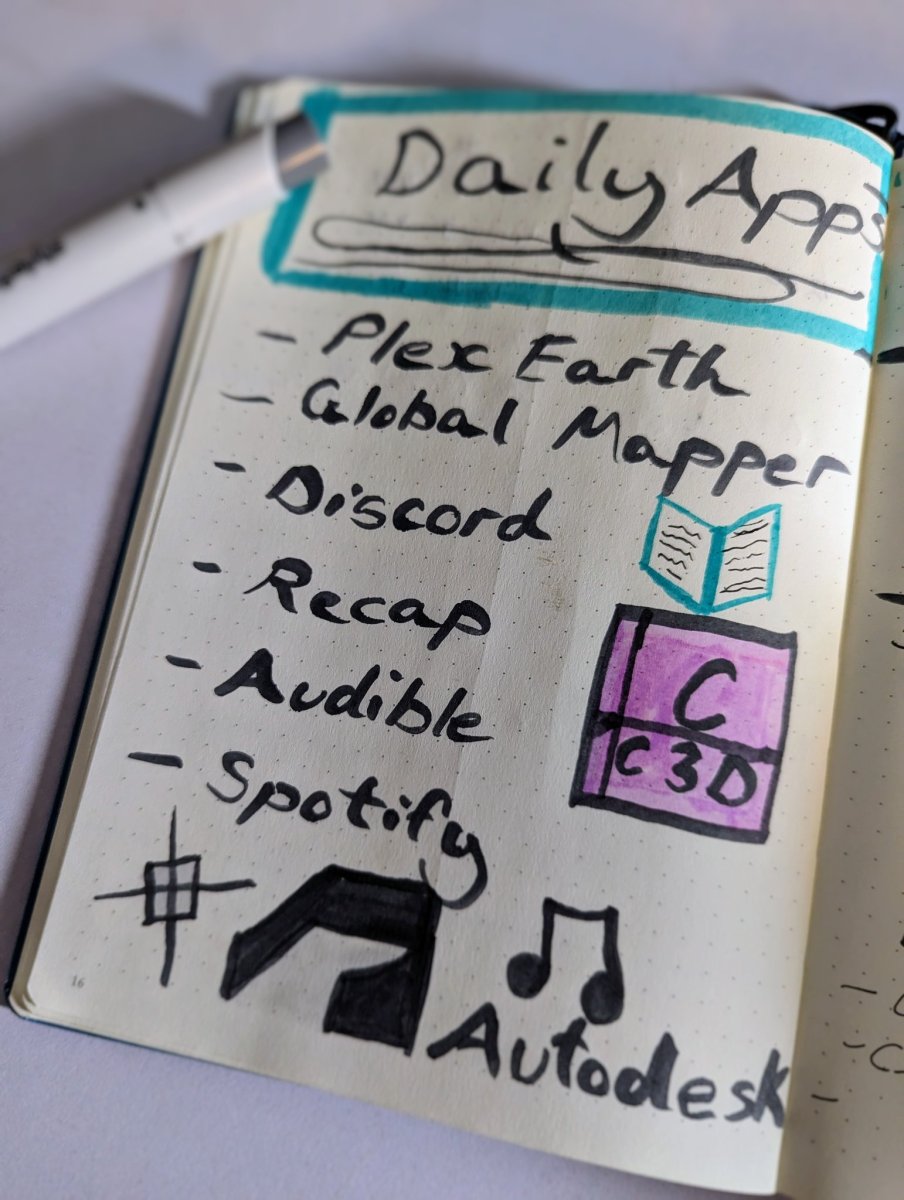
A few days ago I used it to track all the apps/software I used in a day, with the exception of #AutoCAD and #Civil3D which I use every day regardless.

I had recently been asked what apps I recommend and or needed to do my job as a Civil Designer and thought it would be a good idea to occasionally write down the ones I find the most helpful.

This was my list for the day:

  • Plex Earth: I’ve mentioned Plex Earth a bunch over the last few years and they’ve even sponsored some videos on the channel! But that doesn’t mean I don’t actually use their software, I have used it for years and still consistently use and recommend it for designers, especially anyone in Civil, Mining, or Environmental type work where up-to-date Imagery is a must. It makes it easy and fast to import ortho images, contours, and terrain data directly into AutoCAD or Civil 3d.
  • Global Mapper: Global Mapper is another must-have app/software that I find myself using more and more in recent months/years. Global mapper tends to be a jack of all trades when it comes to mapping data. Whether I need to work with Lidar (.las), Shapefiles (.shp), Raster images, Geotiffs, etc… you name it Global Mapper can likely open it. I typically use it to simply process overly large lidar surface data and huge image files. It makes it easy and simple to crop them down, merge them, and re-sample them to make my data work better and smoother in Civil 3d or Recap.
  • Discord: I feel like many of you will already know about Discord but if not, it’s a community chat/forum software with a ton of features! It’s kind of similar to Microsoft Teams but I like the ability to use it as a forum as well as for chat. My CAD Support forum is on Discord and it provides a great alternative for the water cooler type chat and questions that many of us who work remotely don’t have access to anymore. Keeping in touch with either friends or fellow colleagues is important for all of us, having someone to ask a quick question or even just see how their weekend was can greatly brighten our days and keep us from missing those connections from the office.
  • Autodesk Recap: This one doesn’t need much of an explainer, if you work with surfaces or reality capture scans in AutoCAD or any Autodesk software, then you’ll likely need/use recap at some point. It’s not perfect but it does help keep large data sets/scans moving smoothly, allowing us to clean them up and link them into our designs easily. Plus it’s fund and looks pretty cool to pan around a 3d Scan of a project site or building!
  • Audible & Spotify: I try to learn something new as often as possible. Whether it’s through reading, courses, videos or podcasts, it’s easy now to stay curious and engaged. Any tasks that are somewhat trivial or repetitive, as long as you can still complete the work while listening, I highly recommend listening to audiobooks (Audible is my go to, you can get a free trial now using my link here: https://amzn.to/3PCpN08) , podcasts or music. Not only does it help time go by quicker but I can also tend to get into a focused/flow-state and breeze through projects while also listening to my current Fiction Book or learning something new.

These are just some of my go-to daily apps, What are some of yours?

Let me know on Twitter (twitter.com/cadintentions)!

That’s all for today, I hope you enjoyed this week’s post and I would love to hear what you think! 

PS. To stay up-to-date and get Tips, Tricks, Tutorials and News delivered weekly to your inbox sign up for the CAD Intentions Newsletter here for free: cadintentions.com/signup

As always, thank you so much for reading and watching, I am super excited for the rest of the year, growing the content, tutorials, and blog with you all. 

Cheers and happy Drafting!

Brandon

The following two tabs change content below.

Brandon is a Civil Designer, Aspiring Blogger/Creator, Husband, Father to two Amazing Kids and Tech Aficionado from a small town in Canada. He has been obsessed with design and technology since he can remember and working as a Civil Designer for nearly as long. Brandon’s blog and Youtube channel, CADIntentions.com has been his outlet and excuse for keeping up with new tech and trends in the CAD design world for the last 10 years growing to more than 60,000 subscribers and over 15,000,000 views, while also being the source of many great friendships and unique opportunities.

If you would like to Sponsor CAD Intentions or Work together in some way, Please visit my About Page and send me an email: http://cadintentions.com/about-me/


6 Simple Habits & Tips For Designers, Drafters, & Engineers to Succeed in 2024!


Hey All,

Good morning and Happy New year!

I hope you had a great holiday season and got to enjoy some much-needed time away from work to recharge and get ready for the new year.

If you don’t already follow/subscribe to the CAD Intentions newsletter (Signup here: cadintentions.com/signup) I recently wrote a post on it about some of my favorite Habits/Tips when it comes to design/drafting.

There’s never a better time or week of the year to start implementing new habits than this week. you don’t even need to worry about coming up with ideas since I’ve already put together my favorites to share with you all.

These are all habits I’ve developed over the years of working as a full-time designer and want to encourage all of you to try to incorporate some into your routine this new year!
I’m sure that many of you have similar daily routines, tips, and habits as well and I’d love it if you shared yours in the comments below the video.

As an added bonus, many of use may have performance reviews/goal setting sessions coming up in our office and some of these can make perfect goals/habits to strive for and keep up over the coming year.

Check out this week video on the channel here: 6 Simple Habits & Tips For Designers, Drafters, & Engineers to Succeed in 2024!

That’s all for today, I hope you were able to take something away from the tutorial, and if you have any questions be sure to leave a comment below or reach out on Twitter @cadintentions.

As always, thank you so much for reading, I am excited to be back and posting regularly on the blog and hope you all will follow along.

Cheers, and happy Drafting!

PS. If you liked today’s video or any of my videos/tutorials and you want to learn over 15 years of AutoCAD Tips & Tricks in a hurry, you can use this link to get my AutoCAD Fundamentals Course and join 100’s of fellow drafters/designers and get started right now!

The following two tabs change content below.

Brandon is a Civil Designer, Aspiring Blogger/Creator, Husband, Father to two Amazing Kids and Tech Aficionado from a small town in Canada. He has been obsessed with design and technology since he can remember and working as a Civil Designer for nearly as long. Brandon’s blog and Youtube channel, CADIntentions.com has been his outlet and excuse for keeping up with new tech and trends in the CAD design world for the last 10 years growing to more than 60,000 subscribers and over 15,000,000 views, while also being the source of many great friendships and unique opportunities.

If you would like to Sponsor CAD Intentions or Work together in some way, Please visit my About Page and send me an email: http://cadintentions.com/about-me/


AutoCAD Viewports Explained! Layout / Paper Space Tutorial & Must-Know Tips


Hey All!

I hope you’re off to a great week so far and getting some good weather in you’re area. It’s already warming up here and we’re back to an unusually warm “winter”.

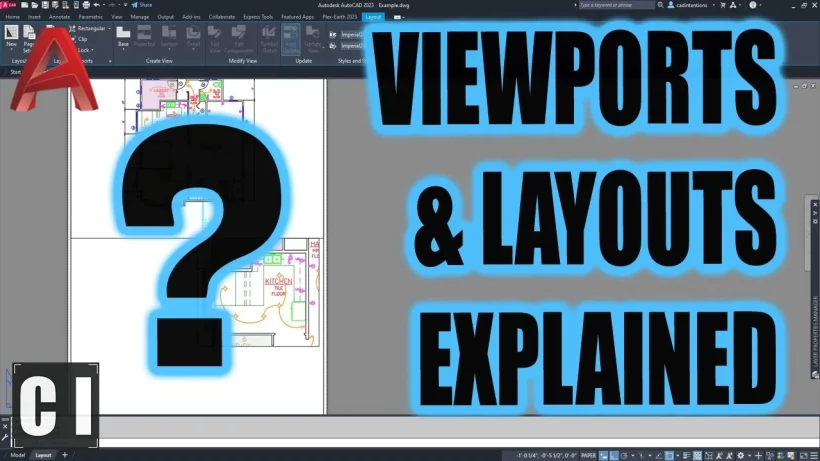
This week, I wanted to share a new video where we are diving into how viewports work in AutoCAD.

Easily one of the most common questions and sticking points when learning AutoCAD is the difference and use for Model space versus Paper or Layout Space.

A big part of the confusion or learning curve is many users have difficulty fully understanding what or how a viewport is used. Along with what it can do for us as designers!

In today’s video we take a look at many of the common questions that come up when learning to create drawings/sheets in AutoCAD, including; what is a viewport? what’s the difference between model space and paper/layout space? How do we create viewports? How to lock/unlock them? How to move them? How to make multiple viewports and much more!

Check out this week’s video below or here: https://youtu.be/5QheAJYcd9o

That’s all for today, I hope you were able to take something away from the tutorial, and if you have any questions be sure to leave a comment below or reach out on Twitter @cadintentions.

As always, thank you so much for reading, I am excited to be back and posting regularly on the blog and hope you all will follow along.

Cheers, and happy Drafting!

PS. If you liked today’s video or any of my videos/tutorials and you want to learn over 15 years of AutoCAD Tips & Tricks in a hurry, you can use this link to get my AutoCAD Fundamentals Course and join 100’s of fellow drafters/designers and get started right now!

The following two tabs change content below.

Brandon is a Civil Designer, Aspiring Blogger/Creator, Husband, Father to two Amazing Kids and Tech Aficionado from a small town in Canada. He has been obsessed with design and technology since he can remember and working as a Civil Designer for nearly as long. Brandon’s blog and Youtube channel, CADIntentions.com has been his outlet and excuse for keeping up with new tech and trends in the CAD design world for the last 10 years growing to more than 60,000 subscribers and over 15,000,000 views, while also being the source of many great friendships and unique opportunities.

If you would like to Sponsor CAD Intentions or Work together in some way, Please visit my About Page and send me an email: http://cadintentions.com/about-me/


Making a Simple Floor Plan in AutoCAD – Must Know Time Saving Tricks & Shortcuts


Hey All,

It’s hard to believe we’re already in March, it seems like just yesterday we were setting New Year resolutions and in the midst of an unusually warm winter.

With March comes spring and typically around here that means renovations, spring cleaning, and general organizing/re-arranging. One thing I’ve always taken for granted in my day-to-day life is the ability to quickly sketch or draft up a floor plan, site plan, or even landscaping plan to help visualize, budget, and prepare for my spring projects!

Whether we’re designing an entire new home floorplan, measuring out a playhouse, or simply want to recreate our bedroom for easier interior decorating/planning, a Floor Plan is a Must-have drawing to get started!

That’s why I’m so excited to share today’s sponsor (Rayon) a simple Floor Plan/Design app that’s free and browser-based, along with today’s new video tutorial!

You’ll learn some more about Rayon in the video but I’ve been using it recently and have loved creating quick and easy Floor Plans/Interior Designs with it!
We can even use it in conjunction with AutoCAD (.dwgs) to really improve the look and feel of our Plans, plus it’s FREE

Check out Rayon now for free here: https://cadintentions.com/rayon

Thanks to Rayon sponsoring today’s video!

Onto today’s video, as I mentioned earlier in it we are creating a simple floor plan in AutoCAD from scratch in just a few minutes.

Throughout the video we touch on a ton of little tricks and commands to help save you time as well as walk through the initial steps to get your floor plan set up, dimensioned, and ready to start designing in.

Plus I share one of my favorite timesaving tricks for any type of AutoCAD drawing, how to create a quick custom tool palette!

And you can even Download my Example File for Free!!

Check out Today’s video here:
Making a Floor Plan in AutoCAD Tutorial – Must Know Timesavers & Commands!

That’s all for today, I hope you enjoyed this week’s email and I would love to hear what you think, have you Tried out Rayon yet? I know I’ve enjoyed using it so far!
 
Be sure to let me know by hitting reply or on twitter @cadintentions

As always, thank you so much for reading and watching, I am super excited for the rest of the year, growing the content, tutorials, and blog with you all. 

Cheers and happy Drafting!

The following two tabs change content below.

Brandon is a Civil Designer, Aspiring Blogger/Creator, Husband, Father to two Amazing Kids and Tech Aficionado from a small town in Canada. He has been obsessed with design and technology since he can remember and working as a Civil Designer for nearly as long. Brandon’s blog and Youtube channel, CADIntentions.com has been his outlet and excuse for keeping up with new tech and trends in the CAD design world for the last 10 years growing to more than 60,000 subscribers and over 15,000,000 views, while also being the source of many great friendships and unique opportunities.

If you would like to Sponsor CAD Intentions or Work together in some way, Please visit my About Page and send me an email: http://cadintentions.com/about-me/