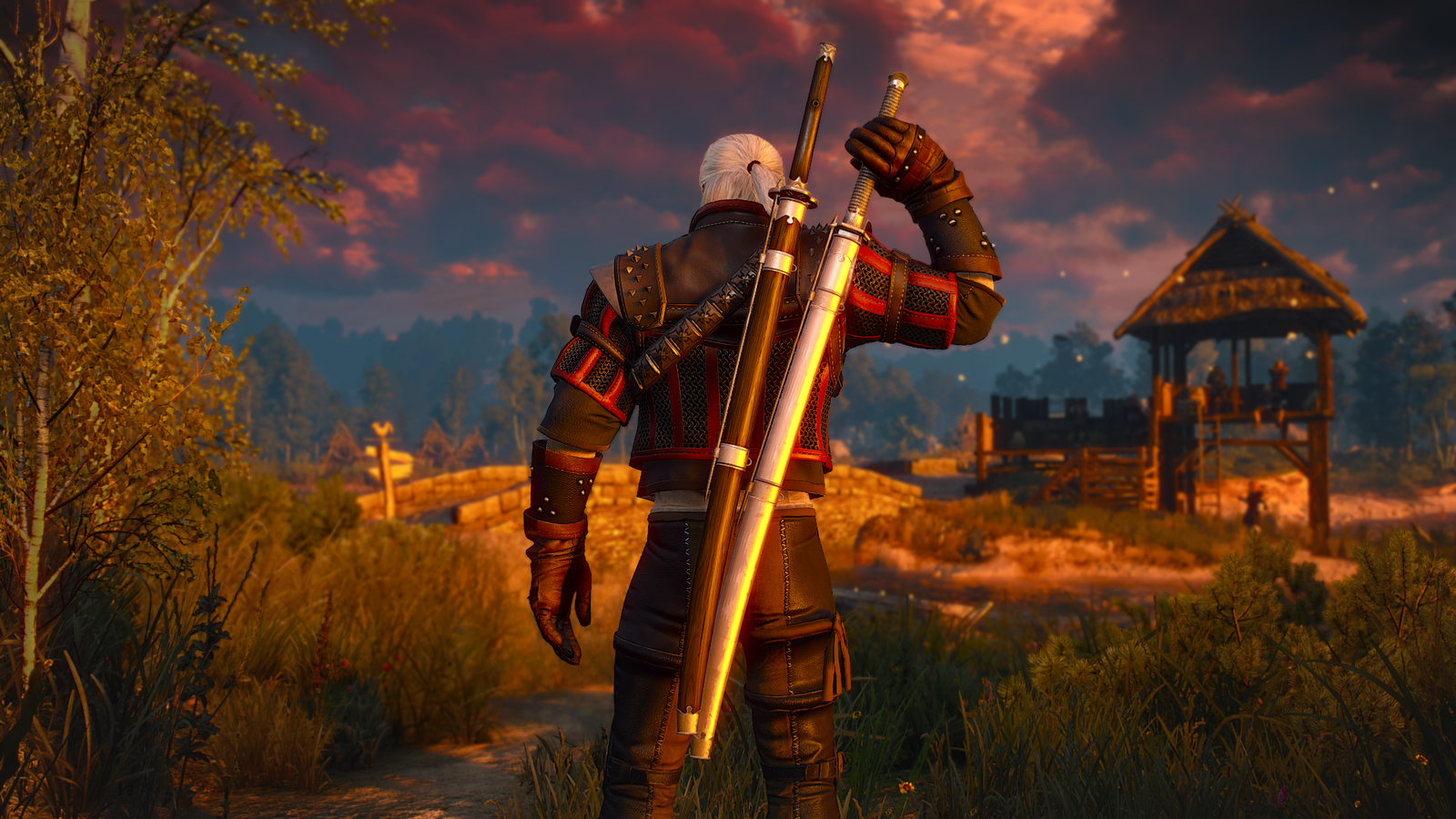
The Witcher 3 came out in 2015, and though the RPG remains a beloved classic, a lot has changed in those 11 years. CD Projekt Red, the Polish studio behind the open-world RPG, fell in and out of the public’s good graces with Cyberpunk 2077. Gwent became a full-on game in its own right, and Netflix turned Geralt’s hair into a meme. But the quietest — and perhaps most meaningful — change in regard to The Witcher 3‘s upcoming Songs of the Pastexpansion is happening behind the scenes.
Before CD Projekt released The Witcher 3, it was an ambitious, mid-sized studio mostly known to hardcore gamers as the company that ran the PC storefront GOG. In 2014, the company said that most of its profits were driven by GOG. It was that money that bankrolled The Witcher 3‘s $81 million budget and extensive marketing campaign. To put that into perspective: Ghost of Tsushima, a 2020 blockbuster game, had a reported budget of around $60 million. Arguably, the guaranteed GOG revenue flow allowed for the massive scope and creative risk-taking that defined The Witcher 3. Well, that and the reported crunch conditions that saw CD Projekt employees pulling long hours. The point here is that the company used to be a modest outfit. It could afford to, and had reason to, curry favor through a long list of free Witcher 3 updates.
These days, it doesn’t even own GOG anymore — and the company is on the threshold of being a big-budget studio. It’s still smaller than the army that makes franchises like Call of Duty, but modern CD Projekt Red has more in common with Take-Two than Sandfall Interactive. In 2023, the studio that once employed only 240 developers was big enough to comfortably lay off 100 people. The Polish company has also spent the last decade acquiring companies — including a Boston-based studio focused on future Cyberpunk projects — and expanding into mobile. The things it makes aren’t just games: they’re intellectual property now.
Image: Studio Trigger/Netflix
Of course, not every single one of those 933 employees is working on Songs of the Past. The DLC is being developed with another studio, Fool’s Theory, a small company made up of former Witcher 3 veterans. As of January 2026, around 100 people who worked onThe Witcher 3 still remain at CD Projekt.
But some specific key figures, like Witcher 3 director Konrad Tomaszkiewicz, art directors Marian Chomiak and Bartłomiej Gaweł, creative director Sebastian Stępień, and lead quest designer Mateusz Tomaszkiewicz, have left the company. Jakub Szamalek, a former senior Witcher 3 writer, is now at Fool’s Theory.
The stakes of an expansion for an 11-year-old title are much lower than a fully-fledged Theoretically, the expansion is a great way for CD Projekt’s newer members to immerse themselves in the world of The Witcher before tackling a sequel. Songs of the Past might even be a good avenue to get creative in ways that The Witcher 4 may not allow.
Image: CD Projekt Red
Songs of the Past will serve as a crossroads, one which many gaming companies have faced. Studios like Larian and FromSoftware have proven that money and mainstream appeal can empower midsize studios to realize their vision in bigger and bolder ways. Then there are companies like Bethesda and BioWare, which, for all their financial successes, some fans regard with a sense of loss. These aren’t perfect comparisons, and the conditions of each of these studios are different. Still, it could go either way for CD Projekt Red. But if The Witcher 3 that you play in 2027 — or Witcher 4 after that — feels a little different from what you experienced before, don’t be surprised.
Not much time has passed since the Motorola Razr Fold hit the shelves. While cases and screen protectors were not immediately available at launch, we’re starting to see dependable picks make their way to us now.
The best Motorola Razr Fold screen protectors come in various finishes and at different price points. Whether you prefer a glossy finish or a matte one, there’s something available to fit your needs, even with the very limited collection that’s on sale right now.
Internal and external screen protectors for the Razr Fold
Why you can trust Android Central
Our expert reviewers spend hours testing and comparing products and services so you can choose the best for you. Find out more about how we test.
Supershieldz is my go-to recommendation as the brand makes high-quality TPU films for phones. The brand’s 2 Pack Motorola Razr Fold Screen Protector TPU includes four pieces of glossy TPU films, two for the front and two more for the inner folding screen.
Puccy 4 Pack Screen Protector Motorola RAZR Fold TPU Film
Best value pack
Puccy branded screen protectors are more popular with smartwatch users, but that doesn’t mean their Motorola Razr Fold film won’t be just as good. This four-pack includes four TPU films, two per screen. It’s not the toughest option, but it is cheap.
The Anbzsign 2 Pack Moto Razr Fold 2026 Soft TPU Screen Protector kit includes two hydrophobic and oleophobic TPU screen protectors for the front screen. It repels fingerprints, water droplets, oil, dust, and other solid and liquid particles.
upscreen Screen Protector Film Motorola Razr Fold
Best hybrid
You won’t find tempered glass screen protectors for the Razr Fold, but this glass-plastic hybrid is the next best thing. The brand called upscreen promises extreme scratch resistance and 9H hardness. A mounting kit is provided in the box.
upscreen Anti-Glare Screen Protector Motorola Razr Fold Film Matte
Best matte
If you don’t want a shiny topcoat, upscreen also offers the Anti-Glare Screen Protector Motorola Razr Fold Film Matte. A comprehensive installation kit is included, and the screen protector has a fingerprint repellent layer as well.
brotect Motorola Razr Fold 2 Pack HD-Clear Protection Film
Best premium grade
The brotect Motorola Razr Fold 2 Pack HD-Clear Protection Film assures the highest grade extremely scratch-resistant, durable, and anti-fingerprint films with high clarity. These premium screen guards for the Razr Fold are made in Germany.
Choose your finish when picking the right Motorola Razr Fold screen protector
Unlike the best Motorola Razr Fold cases, first-party screen protectors for the foldable are nowhere to be found at the moment. Thankfully, brands like Supershieldz have existed for many years, and are catering to consumer needs. There are several other screen protector manufacturers offering various finishes as well, so all you have to do is pick your finish.
Latest Videos From
Anyone who doesn’t mind a glossy finish will be very happy with the affordable four-pack of TPU films from Supershieldz. The brand famously deploys a five-layer technique with its screen protectors, adding robust scratch resistance. Not to mention, you get two inner and two outer screen protectors for under $15, which is an amazing deal.
Supershieldz did not mention whether the four-pack repels dust and other things. If a neat and clean fingerprint-repelling screen protector is your priority, the Anbzsign 2 Pack Moto Razr Fold 2026 Soft TPU Screen Protector is great alternative. It’s affordable, but there’s no internal screen guard included in this kit.
If you want a matte finish, try the upscreen Anti-Glare Screen Protector Motorola Razr Fold Film Matte for size. Although there’s only one matte screen protector included in the box, the brand provides an exhaustive cleaning and installation kit. This set is pricey, though, so weigh out all your options before making up your mind.
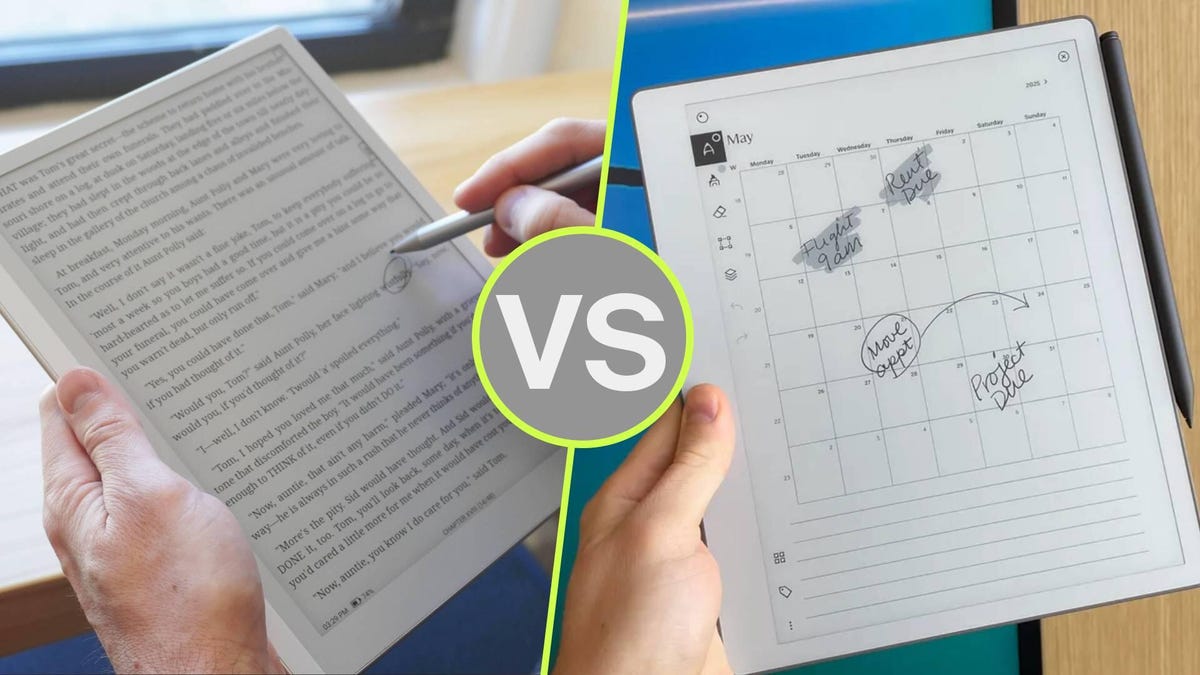
Digital paper tablets are getting very good. But with so many options, it’s hard to tell where different models excel. Two of the best I’ve tested this year are the Boox Go 10.3 Lumi (Gen 2) and the ReMarkable Paper Pure, both starting at $399 — and both of which come bundled with the case for around $50 more.
Despite the similar price, though, these tablets are for very different users. The Boox Go 10.3 is an open-ended, versatile device with access to the Android ecosystem at your fingertips — great for anyone with an extensive library of e-books. The ReMarkable Paper Pure, on the other hand, is a distraction-free work tablet with a minimalist ethos.
I should also mention that the Boox Go 10.3 requires no subscription, offering full access to the Google Play store with the purchase of the device. The ReMarkable Paper Pure has an optional subscription called ReMarkable Connect that unlocks a handful of features and provides unlimited cloud storage for $39/year. Here’s the full breakdown of these two fantastic devices.
Specifications
Boox Go 10.3 Lumi (Gen 2)
ReMarkable Paper Pure
Display
10.3-inch Carta 1200 glass display, 300 ppi, with backlight
If you’ve got a long list of books to read and want a tablet for taking notes, the Boox Go 10.3 is better than the ReMarkable Paper Pure for its rich access to the top e-book platforms. You’ve got the Google Play store, Amazon’s Kindle app, Libby, Kobo Books, and more at your fingertips.
You can certainly read e-books on the ReMarkable Paper Pure, but without access to third-party apps, you’ll just have to manually send the EPUB files to the tablet. This isn’t difficult, but it means that you’ll have to acquire e-books on another device. Conversely, the Boox Go 10.3 runs AndroidOS natively, and comes with an extensive toolkit for note-taking (including voice notes).
2. You want more options, not less
With access to the Google Play Store, you can install all sorts of apps onto the Boox Go 10.3 to personalize your device how you see fit. Combine this with the fact that the tablet itself is highly customizable with respect to the UI and the writing experience, which features a rich toolkit of brushes, paper templates, support for layers, shapes, custom gesture mapping, and the ability to add your own image files — even audio.
Kyle Kucharski/ZDNET
To top it off, the tablet supports virtually all the file types you’d ever imagine working with, including PDF, EPUB, txt, rtf, html, png, jpg, gif, and bmp, to name a few. By comparison, the ReMarkable Paper Pure uses its own minimalist custom UI, doesn’t support third-party apps, and offers a much more streamlined user experience.
3. You need a backlight
The Boox Go 10.3 Lumi features an adjustable light on the display that reaches around 115 nits and can be adjusted to a warm or cool tone. If you do any kind of work in dim environments (or like reading at night), the Boox Go 10.3 is the better option, as the ReMarkable Paper Pro has no lighting on its display.
You should buy the ReMarkable Paper Pure if…
Kyle Kucharski/ZDNET
1. ReMarkable’s distraction-free ethos speaks to you
If the Boox Go 10.3 is all about options, the ReMarkable ecosystem is about quieting the noise and prioritizing focus. Without access to third-party apps or email, you’ll never get notifications or pop-ups. The UI is simple, intuitive, and clean, and it gets out of your way so you can work.
One way I test digital paper tablets is by timing how long it takes to go from power-on to a blank page where I can write. The Paper Pure is by far the fastest, going from powered off to writing in three seconds flat. The Boox Go, by comparison, requires the user to jump through a few menus.
2. You want a tablet for work
Where the Boox Go 10.3 is versatile enough to do a little bit of everything, the ReMarkable Paper Pure is far more specialized for work. Its library of “methods” (templates) is productivity- and project-focused, and if you sync it with your calendar, your handwritten notes can be organized by meetings, complete with a list of attendees. You can also organize notes based on keywords or tags, keeping your documents assigned to the right projects.
Kyle Kucharski/ZDNET
It’s also far easier to share documents and handwritten notes on the ReMarkable. With one tap, you can send to any linked cloud service, direct to email, or create a custom URL that navigates to your note and can be viewed by anyone with the link.
3. You want to screen share
One of the best features on the ReMarkable is the ability to mirror your tablet onto a big screen in real time, turning it into a virtual whiteboard that fits in the palm of your hand. It’s not only the feature itself, but how easy it is to use: Just navigate to a URL in the browser, and you can share your sketches or notes in meetings.
Writer’s choice
Both of these tablets have fantastic pen-to-“paper” writing experiences, and both are remarkably (no pun intended) similar in terms of physical build. They weigh the same, have the same-sized display, and nearly the same resolution. In terms of pricing, they’re also similar, starting at $399 and rising to around $450 when bundled with the case (which I highly recommend).
At the end of the day, I find the ReMarkable Paper Pure is better for my workflow. It’s more focused, optimizing the features I want to use (writing on the digital display, sharing documents) rather than trying to do everything at once. I am not an e-book reader, so I was never seeking a tablet with e-book access. I appreciate ReMarkable’s clean, distraction-free interface and how snappy it is to grab the tablet and use it like, you know, pen and paper.
Turn your balcony into your very own birdwatching spot, and await the arrival of new avian friends! Enjoy a cozy idle game — place a tiny postcard on the corner of your screen, keeping you company with pleasant scenes and visiting birds. Oh, and don’t forget your camera! Cheap Car Repair
Unlock a variety of birding spots! The docks, beaches, deserts, even rainforests. Each place has its own unique scenery, and new bird species to discover. Your Birding Area can be freely manipulated. Zoom, move, and arrange your favourite birding spot however you like the birds will keep you company while you work. The Blueprint System is now live. You can save your builds, share them, and quickly switch between different designs. Sparrows aren’t the only birds that want to hang out. There are dozens of other bird species, too. They have their own preferred times to visit maybe you can capture something wonderful
In today’s post, we’re exploring the benefits of panoramic rendering services for architectural design firms. It’s so hard to understand and imagine buildings or any ideas that concern any architectural projects if we don’t see the whole picture or even its precise designs. In the past, designers relied only on drawings and standard 3D models to present their ideas and show the full picture. However, it doesn’t guarantee all the details, as it leaves clients confused and unable to recreate the exact experience from looking at it. They want to understand the space and the design, not just look at its sketch.
Benefit one: exploration through an immersive experience
Although these tools worked, yes, they lack the in-depth presentation, like how panoramic rendering services present its digital spaces to the clients. Instead of viewing a single image, clients can explore the entire environment through this, which means the design already explains itself. By placing viewers inside a creatively built digital environment, they remove the guesswork and make it easy for clients to understand every detail and view every angle at once.
The design communicates clearly on its own, making it so that architects no longer need lengthy explanations in every presentation. It helps create more confident approval and an engaging process in presenting plans and innovation to every project. Through panoramic rendering, which provides a 360-degree view, clients can explore ideas and feel more confident in their choices.
It can be a challenge for architects or technical designers to present their ideas and projects to clients, especially when they only show drawings and models, since this doesn’t help clients understand or explore every detail. But with panoramic rendering, clients no longer need to imagine what the outcome will be after the project is done.
Through this, they will be able to experience how exactly it will look and how it feels to be there inside, since they can move through the design, look around, and understand how everything just works together. What’s nice about this is that clients are more involved, since they can try design options on their own. They can try out colors, compare materials with one another, and even move furniture inside it. Truly, the confusion can no longer find its place through this panoramic rendering.
Somehow, architects also benefit from it because once the client finally experiences its design, they can spot problems early and cannot make the production complicated since they can fix it as early as they can. It avoids costly damage and can really save time, as it also delivers quality results. Through the 3D rendering design process, everything becomes simpler and more enjoyable for everyone to feel involved in. A design that is smoothly processed from the very beginning up until the end.
Benefit Three: showcasing projects Globally
Showing design is no longer just about presenting static images, especially now that architectural firms are competing on a global level. And in presenting their projects to potential clients and investors, it’s very traditional to just bring sketches and images. Now that we are very technology-advanced, designers can no longer be limited to whom and where they provide their projects, since investors can already be found anywhere in the world.
With panoramic rendering, these 3D architectural rendering designers can present projects not only at a local scale but also reach opportunities across different countries. Virtual walkthroughs make presentations more experience-based and engaging, helping clients to easily remember every detail since they feel more involved through this interactive experience. By using panoramic renderings, firms and businesses can convey a clear message, help clients understand what they are trying to achieve, and lead them to the goal of a specific project that helps it stand out in the competitive global market today.
Benefit four: streamlining design approval
Getting designer approvals usually takes a lot of time, effort, and multiple meetings with clients and designers, providing repeated explanations and sketches, models, and digital pictures of what the project is trying to convey. But with the help of panoramic rendering, everything just becomes so easy and smoothly flowing, especially in today’s technical world. Instead of all those long meetings, clients can already imagine the project designs through this 360-degree view that allows them to explore the space and takes the confusion away. It helps make decisions easier and saves time throughout the approval process.
And even after the approval, this virtual model stays relevant since it acts as a reference for everyone that they can go back to anytime, as they can still have access to it, which makes every detail change, and they can provide updates more easily if they need to change something with it. Thus, it reduces revisions and makes the team work efficiently while keeping everything updated, and provides a smoother workflow for the entire production team.
Benefit five: enhancing marketing and presentation materials
The best way to market any architectural designs is to provide something that will leave people interested. Traditional images and designs can only show a little look nowadays, since everything is all about creativity that exceeds our imagination. In panoramic rendering, you could go further by even feeling that you are involved in a specific design. They let potential clients see how everything goes on and make everything easy to understand, which makes it a very effective way in marketing and promoting business designs. They hooked.
People with interactive presentations that will lead them to explore more into these virtual tours, unlike those typical images and long descriptions designs. This kind of creative content from expert 3D rendering designers doesn’t just show skills, but also a modern way of innovating something that keeps up with the modern world. With the help of this strong impact, they easily win over clients who value creativity that helps their brand stand out and can help them all throughout the way.
A lot of construction problems in creating a project, especially in terms of the rooms or buildings that it needs, are rooted in how the details are presented. It usually comes from confusion or something that is a miscommunication between the construction team and the 3D design teams. But with the help of panoramic rendering, it saves everything and everyone their time and effort, since through this you can view the project more clearly, for it shows you a clear virtual view of every detail, materials, and a more accurate quality in every space.
The early accuracy of the project presentation helps everyone with the planning to become more solid since it guides decisions and confirms little details, as it aligns everyone to be on the same track. Trades easily coordinate their work, making it less likely to encounter risks and errors along the way of constructing it. This result is best for the construction teams, for it will result in fewer delays and better quality, and everyone will be satisfied and happy with the process.
Benefit seven: supporting sustainable design
Sustainability is very important in creating design works, and it all starts with good choices. And with the help of panoramic rendering from 3D visualization designers, architects can have better and best choices for day percentages, real conditions as to how a certain project is going to be, just like how a building reacts to real sunlight and heat. They can test window positions, materials being used, and just using a virtual space, all before the construction starts. What’s amazing about this is that it really helps everyone involved. more satisfied since it tests ideas before anything is built.
It provides a realistic explanation as to how something behaves during different weather or times of the day. It makes the choice of what specific materials to use, what windows, what shading, and if any problems arise during the process, they can be fixed early on, for everyone to save energy, time, and costs. We really can see how sustainable features can work through this advanced presentation of a project, building everyone’s trust and showing that the firm really cares about providing valuable and responsible design that values sustainability and innovation.
Every client has their own style, ideas, and preferences that greatly help in the process of building the design that they have envisioned in their mind. Through panoramic rendering, they are allowed to explore and test those ideas as they move through virtual spaces in their own space. They can just choose or test colors, layouts, even materials, and then they can see how it affects the space or the room of the project that they are about to build.
What’s nice about this as well is that they have more freedom this time, but also with the fact that they are not slowing the project down. This allows both the client and 3D designers to work collaboratively. As they don’t just focus on approving images, but also provide what will make the design appropriately aligned to what they want it to be. Architects also benefit from it since they can spot problems and issues early on, before construction begins. This all makes the process smoother, faster, and more affordable, which keeps track of both budget and time.
Benefit nine: improving team collaboration
In creating big architectural projects, a lot of professionals are involved, such as designers, constructors, engineers, consultants, and it just makes everything hard to communicate with one another since everyone has their own time and ideas, though specified within their own field. And undeniably cause miscommunication that will lead to delays. But through panoramic rendering, things are easily shared by the use of visual tools for the entire team. Everyone can explore the same space together, check designs, details, and plan construction steps early on.
With a 360-degree model, these professionals can have a look at themselves, wherever they are. Engineers can have a look at the structure. The designers can see through every furniture design. The constructors can be flexibly organized. And just by the use of one clear, interactive visual view, the mistakes can be lessened, decisions can be made, and the project moves smoothly. And that’s what makes this design tool a better choice for everyone, for it’s a platform that aligns architectural design teams all throughout the project.
Architecture is undeniably a competitive industry. Providing a design that stands out from everyone else is very important. It needs your design to catch attention. It leaves an impact on potential clients. And panoramic rendering helps these professionals to turn their traditional presentations into an interactive and impressive project that provides presentations that will really leave a memorable impact on potential clients.
By the use of virtual walkthroughs from walkthroughs professionals, clients can have a more involved and stronger impression of the creative. put together, unlike the usual static images or blueprints that are handed out. Using panoramic rendering makes every project firmer and modern. It attracts talented designers and wins projects in many cases. It really is true that this technology sets firms apart, stands out, and makes them unique, as they don’t rely on methods that are already outdated and not modern.
Conclusion: embracing the future of architectural visualization
In today’s modern world, where everything keeps on advancing, especially in the world of architecture, it’s really important to keep up with its technicality in order to provide clients with high-quality and accurate project designs. Panoramic rendering is essential for these modern design projects. It is a must-have tool for every architect nowadays since it helps clients to experience these specific designs before even finally having a touch of its outcome and before deciding to build or start the construction process.
It also supports marketing and client engagement since it doesn’t just stick to the usual static images or sketches that were provided in every repeated meeting. and long descriptions that are now too boring to present to clients, especially since they usually lead to miscommunication and errors in the long run. What’s really amazing about 3D photorealistic firms using panoramic design is that it lets the clients walk through a specific room, even just virtually. It creates accurate and easy-to-understand ideas, which leaves everyone in confusion.
Through panoramic rendering, clients can see the colors, layouts, materials, and furniture, and can even spot design issues early on, which could help in saving both time and money in the long run. Truly, it helps attract talented designers and freelancers. Who wants to experience what it’s like to work with a firm that does not just provide quality designs but also embraces the modern tools that are very important today?
Firms and businesses that use panoramic rendering make presentations more impressive than their competitors. It attracts more clients and skilled talents, which helps them build a strong brand reputation in every project that they undertake. Panoramic rendering technically just turns your ideas into a more experienced flow. and demonstrates innovation with technological sophistication.
You don’t just provide clients with easy-to-understand projects, but ensure that every decision is made with confidence, and you make them feel involved in every part of it as they gain a clear advantage from these realistic experiences. And actually, these renderings are more than just creating visuals. They aim to communicate the intentions of every design, ensuring to enhance every step and stage as they go through the project.
How Cad Crowd can help
From reducing errors and developing marketing materials, which ensures a clear return on investment, it is clear that the process is ongoing. For any business firms that look for the best choice in elevating their designs and attracting clients through panoramic rendering services, they can explore CAD Crowd in order to be linked to multiple skilled architectural design freelancers across the world who could technically bring their visions to life in a more interactive and high-quality project.
They will never go wrong with CAD Crowd since it leads you with clear steps with smooth communication and collaboration for a secure place in the architectural market. Through 360-degree scenes that are creatively made by these experts, you can guarantee a top-notch service all throughout the process of bringing your concepts to life. Contact us for a free quote.
MacKenzie Brown is the founder and CEO of Cad Crowd. With over 18 years of experience in launching and scaling platforms specializing in CAD services, product design, manufacturing, hardware, and software development, MacKenzie is a recognized authority in the engineering industry. Under his leadership, Cad Crowd serves esteemed clients like NASA, JPL, the U.S. Navy, and Fortune 500 companies, empowering innovators with access to high-quality design and engineering talent.
Shift is offering to clean homes for free, but there is one important condition. The company will record those chores to build training data for future home robots.
The New York-based startup is currently offering free cleaning services, in which a vetted operator visits a home and wears a camera-equipped device while performing routine household work. The footage can then help AI systems understand how people clean homes outside controlled lab settings.
A robot cannot learn home cleaning only from staged lab videos. Real homes have cluttered tables, dishes stacked in awkward ways, stains in corners, and objects placed where they should not be. That kind of chaos is what makes household footage useful.
Shift is not the only company chasing this kind of physical AI data. In India, startups and data vendors are already building businesses around this demand, paying workers to record first-person videos of everyday tasks and supplying that footage to AI companies. For robotics firms, ordinary human labour is becoming valuable training material.
This is where it starts to feel a bit dystopian
Cleaning may only be the start. In the announcement video, Shift says it eventually plans to move into other areas like plumbing, cooking, and building.
Today, we’re launching shift. We’re starting by cleaning your apartment in New York City, for free.
Here’s how it works. Book a shift cleaning. A vetted shift operator comes to your home wearing one of our devices. They clean. They leave. You pay nothing.
Trades have largely escaped that conversation because physical work is harder to automate. A chatbot can write an email, but it cannot fix a leaking pipe or clean a messy kitchen. Companies like Shift are trying to close that gap by collecting footage of people doing those exact tasks.
AI and robotics may still need time to match the efficiency and precision of a human worker. But watching companies collect this kind of data to train advanced robots feels like the opening scene of the kind of sci-fi movie that does not end well for humans.
Welcome back to FOV 90, the best and only FPS column at PC Gamer. I’ve been busy preparing for the summer announcements season, which last week included a trip down to Infinity Ward to see and play Call of Duty: Modern Warfare 4. You can read my impressions of 6v6 multiplayer after a handful of matches, but the gist is that Infinity Ward still makes the best-playing games in the series, apex attachments are cool, and the maps I saw were bland.
I also sat down with two senior Infinity Ward devs—multiplayer creative director Joe Cecot and design lead Jacky Reynolds—to talk Modern Warfare 4 and all things Call of Duty. What follows is a transcript of our 30-minute chat, edited for length and clarity.
Topics covered include:
Latest Videos From
The friendly competition between Infinity Ward, Treyarch, and Sledgehammer
Skill-based matchmaking
How weird Modern Warfare 3 was
Why Infinity Ward gets more time to make games
“Ripped from the headlines” campaigns
Apex attachments
Aaaand “update requires restart.”
PC Gamer: Thanks for making the time guys. To start, I’ll say I play every Call of Duty, some more than others. I approach Modern Warfare 4 having a strong preference with Call of Duty. I always like the Infinity Ward games more. That’s what I want to ask about: You guys recently said that Infinity Ward games “hit different.” What does that mean? How would you quantify that feeling?
JOE CECOT, MULIPLAYER CREATIVE DIRECTOR: What I want to make sure we say is that this is not in any way to put down the other Call of Duty studios or anything. We have a history of really pushing ourselves on quality, and I think with [Modern Warfare 2019] we pushed really hard to reinvigorate the franchise. To go back to our roots and say “What is a modernized Modern Warfare for today?” And that’s what we do with every game. It’s something that permeates the whole studio in every department.
This is a little in the weeds of game development, but sometimes you have certain departments that are service departments, and others that are creative departments. At Infinity Ward, every department owns their stuff and is responsible for the quality of their stuff. So our gameplay programmers care, like you would not believe, about how good our gameplay feels. Our animators send out these sizzle reels each month that are like, “Here’s the cool fucking shit we’ve done this week,” and everyone gets pumped. We play the game every Friday, and we have these matches where we’re screaming and having fun. We’re very critical and measured that if we’re not having fun playing our game, then we’re not doing it right.
Do you think that philosophy has made Infinity Ward sort of the “tastemakers” of Call of Duty?
Keep up to date with the most important stories and the best deals, as picked by the PC Gamer team.
CECOT: What I would say is: With Black Ops, they have a flavor and they do it really well. And what we talk about in the studio is that it’s actually really healthy for the franchise if the different lead studios are able to differentiate, so that you don’t get the same game each year. So I think for us, we’re always trying to level up ourselves, and I guarantee at Treyarch, they’re also trying to level up—they’re trying to one-up us, and it’s a friendly competition. We’re all trying to create the coolest, best first-person shooter each go-around, and I think you can feel it in Modern Warfare 4. We had a little bit of extra time with this one too, with the way the developments lined up, and so we were able to take bigger swings with weapon feel and hipfire accuracy and mobility.
JACKY REYNOLDS, MULTIPLAYER DESIGN LEAD: Yeah, and to elaborate as well, I like to think of Treyarch and Sledgehammer as different flavors of ice cream. There’s strawberry, vanilla, and chocolate. They’re all good, and they all taste a little different, and I think we’re very interested in our taste and maximizing flavor.
It feels like Infinity Ward, in preferring its own flavor, doesn’t tend to take aspects of the other series into its games. Like there’s no ominimovement in Modern Warfare 4, no wall bounce. Infinity Ward tends to pare things down, right?
CECOT: We like that we have swim lanes. And again, it’s what’s right for Modern Warfare, right? We take it really seriously when we say we’re a Modern Warfare game. Whenever I talk to audio or animation, we talk about how we’re a fun game, but when you shoot someone, well I just took somebody’s life. I just hurt someone. We want that authenticity and that feel. Everything’s meant to be set in this setting, and because we do that, I think it makes the game feel more cohesive.
Those little touches are often my favorite parts of the Modern Warfare games, to the point that sometimes I feel like I’m playing a different game from some of the hardcore corners of the community. When Modern Warfare 2 came out, I remember that first beta where everyone was talking about red pings on minimap and nametags and muzzle smoke. You guys have clearly taken steps to mitigate some of those things that add flair, but aren’t competitive. Is that a new philosophy for the team?
Of course we care about community and feedback, but we also want to take it further than just giving them what they want.
Joe Cecot
REYNOLDS: With every approach we try to learn lessons and move forward, and I think what we had pushed on [with Modern Warfare 2] was to make the game feel more tactical, but I think it came at the cost of the feel and some of the fun. So what we tried to do when building Modern Warfare 4 from the ground up was tackle these points of friction that make the game feel off or feel more sluggish. How do we improve on them? Rebuild them from the ground up so that you get that fluidity and that feel back, while also making sure that we maintain the kind of grit, groundness, and tactical play that we’re known for. We really want to fire on all cylinders.
Of course we care about community and feedback, but we also want to take it further than just giving them what they want. When they complain about something, we ask what they are really talking about underneath, and how do we approach that problem and build it in a way that surpasses their expectations as well as our own.
CECOT: I think what I’ve been saying is with Modern Warfare 2, we made some changes that were maybe healthier for the game, the way it played, but created friction and removed fun for some players. So whenever we make changes in this game, the changes need to do both. They need to make the game healthier, but also make sure the game still feels fun, still feels responsive.
Can we take a moment to also reflect on Modern Warfare 3? Because that was a strange moment for the series. It was a subsequent sequel. It wasn’t primarily an Infinity Ward game. The campaign was weird, and it also directly reversed several Infinity Ward decisions just a year earlier. How did the studio react to that when going into Modern Warfare 4?
CECOT: I think some of the changes that Modern Warfare 3 made actually felt good. And so we took a step back, we looked at our game, where we’d gone from MW2019 to MW2. We really want to make mantle feel good, not just faster. That’s when we rewrote the mantle system and we made sure that one: it now maintains your momentum, two: you can now strafe in it, and three: you can mantle right into a slide.
Instead of just tweaking some numbers, we pushed hard into making it feel like an extension of movement, like you never lost control. For us it was a learning thing and it was also about taking the time. The nice thing is we identified it early, right at the beginning of the project, and said we want to do this.
You mentioned that you guys had extra time with this game. That’s something that fans always wonder about: Does Infinity Ward just get to take more time with Call of Duty?
CECOT: It just worked out that way, given the strategy of launching multiple [Modern Warfares and Black Ops] in a row. So we looked at it as an opportunity. We said, “Okay, what are the big swings we’re going to take to really improve the game?” And that’s where the mobility stuff came from, that’s where Kill Block came from, and the hip fire and all the fidelity changes.
One of the big swings from last year’s game was limited skill-based matchmaking. Is that something that Infinity Ward is also interested in, based on how well it was received?
CECOT: We’re always interested in matchmaking. We don’t have any specifics today to talk about. What I can tell you is we are working with Demonware. They are heavily looking at and working on Black Ops 7 and reviewing how matchmaking is working there. There will be future communications coming out about matchmaking before launch.
[Activision PR chimed in here to let me know that Demonware, one of the many studios that collaborate on Call of Duty each year, handles all things networking for the series. That includes the inner workings of matchmaking.]
I also wanted to ask about maps. I like how it looks to climb pipes in Modern Warfare 4—it’s very fluid, it’s easy. Though in the few maps I saw today, it seems like where there was a pipe, there could have just been a ladder. I really like that shooting course you guys showed off because it had a bunch of verticality and dynamic angles. It was also a parkour map. Are there maps that feel more like that in Modern Warfare 4?
CECOT: There’s no map that plays like the mobility course, because the mobility course is meant to just stress test movement. Our core multiplayer maps do have a variety of looks and feels. We have a map called Coal that I don’t think you played that does have more verticality.
The pipe climb is a really interesting traversal mechanic that we use in our maps and feels like it makes sense in our world, and it’s fun and fluid to use. But with core multiplayer maps, the most important thing for us is mostly the gunplay. It’s not meant to be all parkour.
Modern Warfare has always had this “ripped from the headlines” attitude with its campaigns. I’m curious: As people, does this stuff get harder when the real world and actual headlines are almost as horrifying as the ones you guys write in campaigns? Has that affected how Infinity Ward makes a Modern Warfare story?
CECOT: We’re an entertainment product, you know, and so even though the world is rough, there’s still really great movies that deal with that content, and they provide an experience, and so we look at it through that lens. We’re no different, right? I play games like World of Tanks, Arc Raiders, I bounce around all these different games where I get to roleplay as a different person, a different thing, a different place. So for us that’s the modern military tier one operation, or the grunts.
When people see this campaign from the outside looking in, one thing they’re going to say is that this is Call of Duty choosing a combination of countries that are not currently in the headlines, experiencing something horrific, because it’s safer that way. As opposed to depicting the fake Middle East, for instance. Is that a conscious choice?
CECOT: Jacky and I aren’t the best people to talk through campaign, but I would say: Korea was really interesting to us. When we look at these games, we do want to be “ripped from the headlines,” we want to be hitting on pop culture and what’s popular, and we want to be globetrotting, so we appeal to a wide audience. Whether it’s Americans, Europeans, Koreans—all of that stuff goes into it.
I noticed we didn’t talk at all about Warzone today.
CECOT: Yes. We want to talk about Warzone, but we’re not ready to. Outside of that, it’s very important to us. We worked on the original Warzone and directed that, so we’re excited to share more about that. We just can’t right now.
Part of me was hoping that Modern Warfare 4 would be a clean split from the Modern Warfare/Warzone marriage, because people have a lot of thoughts about what happens when those guns have to cross into other games, and if that actually works out.
CECOT: We have those thoughts too. We can’t share any specifics.
So, apex attachments. If you’ve ever read one of my Call of Duty reviews, I always talk about how Gunsmith is cool, but everyone wants to make the same laser beam.
CECOT: Yeah.
REYNOLDS: Totally.
The only thing I really loved about Modern Warfare 3 were the aftermarket attachments, because they meaningfully changed a gun’s behavior—defined its role. Does that also represent how Infinity Ward sees guns in Modern Warfare 4? Not just tuning sliders up and down?
REYNOLDS: I think it came from going all the way back to Modern Warfare 2 (2009) and CoDs from that era. You would look at a gun in the killcam, and it had a heartbeat sense and a silencer and was blinged out. You would go, “Damn, I want that.”
I think that gaming tastes have changed, and the way building a weapon has changed over the course of the franchise, and apex attachments is really a culmination of that. We give you a new way to play with a weapon that you already know and love. And the idea is not to not make it more OP, necessarily, but to have a new toy to play with.
CECOT: It allows you to find new reasons to love the weapon you already have, and define your playstyle and your class even further than we have before. We wanted something at the end of the gun leveling process that says “this was worth it.”
One of the best things as designers is if you make something where players think they’re circumventing your system, or they’re cheating or whatever. It’s that kind of reward loop that we wanted, so that hopefully players want to get all guns to max level and have all the apex attachments.
I also like that having an apex attachment makes guns feel closer to a classic shooter, where you’d have a primary and secondary fire.
CECOT: Oh yeah, like Unreal. With the flak cannon and stuff like that. We’ve definitely leaned into that, right? Our underbarrel system has gone nuts.
I’m glad you guys said you’re working on “update requires restart,” because I was going to come in here and ask why Call of Duty is the only game that still makes me do this.
CECOT: Yeah, it’s true. We hate it too. It is something that is being worked on. We want to kill it. This project, I think the only question is can we do it on the Switch 2 or not? But it is something we’re absolutely trying to get rid of. We hate it too.
Not only are drones pretty common these days but they are also in that stage of development where prices are dropping and quality is rising.
The thing with drone footage is that from the outside it looks pretty spectacular at times and seems to be a matter of sending one up, hitting record and we are good to go!
Of course the reality is that there’s a lot more to it than that especially when you factor in that probably for the first six weeks you will just be learning to fly it and not crash!
If you are interested in getting into drone footage for yourself then this video below is a good starting point.
It covers some basic terminology you will need as well as laying out what you will need to learn as you go.
What’s New in Filmora 15.5 – Features That Save Hours
Well it’s another week gone by and of course that means another update from the folks at Filmora!
In this update they have added the ability to customize text that is displayed for either titles or captions.
Now you can isolate text like that by moving it to it’s own track then customizing from there.
An example would be to have one speaker’s subtitling to be of a completely different style than the other’s.
Another update is to the titles module where now you can keyframe around 13 style points you can apply to the text .
So for example you can assign the text to have a 2px outline at the beginning of when it is displayed and by the time it finishes displaying that outline can have expanded to 10px.
Anyway, the full rundown is in the video below.
Text Typing Effect in Filmora 15 – YouTube
OK so this one is not a wildly technical tutorial but like a lot of tutorials I use, very necessary!
The problem with most modern video editing software (at least for me!) is that I know it can do what I want it to do.
In fact often I know I have done it in that program before… I just can’t remember where that dang button, or switch or setting is!
The video below from Jacky is one of those.
It is not so much HOW to create the text typing effect but more how to locate the setting that will do it for you!
How to get started with Paint Designer in PowerDirector
The Paint Designer in CyberLink PowerDirector is actually one of the original modules that was introduced in PowerDirector way back in the day.
At that time it and a number of other modules now accessible under the “Tools” menu were almost free standing items that were called “Rooms.”
It is essentially a basic painting module that you can use over any video or visual asset that is on the timeline.
It is not a tool that I would see anyone using every day but it certainly comes in handy when you need something fast and simple.
With all the marketing these days being very firmly aimed at the latest and greatest in A.I. it’s easy to forget there are a lot tools besides that in PowerDirector and programs like it.
Here’s a closer look at what it can do.
How to INSTANTLY Remove Objects from Video with AI – PowerDirector Tutorial
This is just a very quick demo of how to use the A.I. Object Removal tool in CyberLink PowerDirector.
Not much else to say about it really!
Corel VideoStudio is it still worth in 2026?
Many (too many!) years ago the very first video editing software I purchased was Ulead VideoStudio.
I think the version I stepped onboard with was Ulead VideoStudio 7 and although it may not have been when dinosaurs roamed the earth, it was only a few years later!
Anyhoo, I continued using VideoStudio for many years after that even after it was taken over by Corel and in fact, still have a copy on my current computer.
I came across this video from from Gripps who was always my “go to” guy for when it came to VideoStudio and it led me to thinking about the theme of it.
You can watch it for yourself below but the gist of it is to ask exactly what is it that current video editing software programs are offering that an older program is not BUT… with one caveat.
That caveat is, “Would you actually use those features that are on offer in the latest programs?”
If you look at the bare bones of what you actually need from a video editor and then delete all the wizzbang A.I. stuff, you pretty much end up with something like VideoStudio.
On top of that if start with a bare bones program and need some A.I. work done, it is just as easy these days to just go to the relevant A.I. site and do it there.
5 Pro Video Angles in One Simple Room
For anyone intending to regularly create content for something like a YouTube channel or an Instagram account, one thing becomes clear very fast.
One of the most important things for you to get into place early is a dedicated space for shooting that content.
Having to repeatedly setup your shooting space turns into a buzzkill so fast it takes your breath away!
On the other hand very few of us really have a large sized room just lying around “spare” that we can turn into a sort of studio!
What is very often the case is that we have a tiny little room or even a tiny space in a room already being used for something else that we can use.
Setting up in something like this can be quite challenging and it is very easy to get locked in to seeing the arrangement of it one way.
Very often a new set of eyes may see that situation differently with different possibilities.
So with that in mind here’s a look at how Gabriel VIP took a very small space available to him and turned it into quite the little studio setup.
5 EASY Steps For Sounding Better
In my opinion there are two main areas of video creation that newcomers have the most trouble with.
Of course any newcomer has a world of pain in front of them but these two stand out because really, they don’t stand out!
Those two points are sound and lighting and the reason they don’t stand out is because the audience only gets to experience the result of what went on, not what went on.
The video below doesn’t go into lighting at all so if you like you can check these articles here on the subject of lighting:
But right now check out this video covering the basics and some great tips on getting your voice-overs right.
How to Make ANY Footage Look Correct in DaVinci Resolve (Color Explained)
One of the advantages to moving away from smartphones to a dedicated camera for videos is greater control.
This especially comes into play when you are choosing a video shooting format that allows for an enhanced ability to manipulate those files in editing software.
When I say file format I don’t mean .mp4 or .mov or whatever, I mean the shooting profile chosen “in-camera” that it used for capturing the original footage.
Now I don’t want to go all uber-technical on this but there is a whole bunch of science that goes into how the information captured by your camera sensor is then interpreted into images by the software in the camera.
This results in a few different types of video files such as RAW, or S-Log or even Rec. 709 all of which appear in numerous iterations.
Each has it own advantages and disadvantages which I won’t go into now but one of the main differences is the degree to which you can apply color correction and grading to those captured files.
In reality they pretty much all come out as an .MP4 file but the underlying color information will be very, very different.
That’s why you can aggressively change an S-Log video file and have it come out looking great but try to do the same to a Rec. 709 file and the whole thing falls to pieces!
If you are making a move towards some of these less compressed and color grading friendly shooting profiles the very first thing you need to get under your belt is color management in whatever software you are using.
Here’s a great intro to color management and different color spaces in DaVinci Resolve and because it is Daniel Batal, a lot of explanation as to why things are the way they are.
Key Takeaways
With drones becoming more accessible beginners need to practice flying first for better footage.
Filmora 15.5 introduces new text customization features that enhance title and caption editing.
PowerDirector’s Paint Designer offers simple painting tools for quick video enhancements.
The AI object removal tool in PowerDirector allows for easy and effective video editing.
Choosing the right video shooting profile significantly impacts the quality and editability of footage.
Welcome to the 1.123 release of Visual Studio Code.
Happy Coding!
May 29, 2026
You can now hand off a chat session from VS Code to the Agents window, so you can continue your conversation in the standalone agents experience. #316565
In the integrated browser, you can now add an area screenshot as context to chat by selecting a region of the page. #318791
Prompt file subcommands can now be invoked with a space instead of a colon, for example /chronicle tips instead of /chronicle:tips. #318867
May 28, 2026
Chat now lets you send a request with only attachments and no text. For example, you can attach an image or file and send it directly without adding a message. #317776
Agent mode chat indicators in the title bar are now hidden when Zen mode is active. #318848
Copilot Cloud tasks now renders with the same tool cards, edit diffs, and terminal output as local Copilot CLI sessions. #318646
Fixed /doc placing Python docstrings before decorators instead of inside the function body. #318571
Fixed BYOK reasoning models from OpenRouter, DeepSeek, and similar providers failing with HTTP 400 errors after tool calls. #318809
Fixed the --folder-uri and --file-uri CLI flags failing silently on Windows when not used as the last argument or when combined with --wait. #308150
May 27, 2026
Updated to Electron 42, which includes Chromium 148 and Node.js 22.x. #292445
The AI Customization management editor now uses a compact header mode for a cleaner, more integrated look. #318378
Browser-related settings now appear in their own section in the Settings editor. #318602
May 26, 2026
The Agents window now displays sessions in a grid layout. #317309
Agent feedback in the Agents window now supports threaded replies, so you can respond to individual comments. #318324
Steering messages sent during an agent host session now appear as their own user turn in the chat, instead of being folded into the in-flight turn. #318456
When agent mode runs multiple terminal commands in parallel, completion notifications are now batched into a single message instead of creating a separate agent turn for each command. #316275
We really appreciate people trying our new features as soon as they are ready, so check back here often and learn what’s new.
The M5 MacBook Air hit new all-time low prices this week, with $199 off nearly every model of the computer on Amazon. We’re also tracking an ongoing low price on the AirPods Max 2, plus great discounts from Anker and Samsung.
Note: MacRumors is an affiliate partner with some of these vendors. When you click a link and make a purchase, we may receive a small payment, which helps us keep the site running.
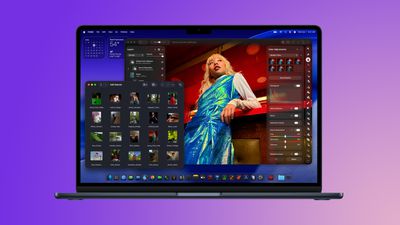
Amazon has sweetened its deal on the 512GB 13-inch M5 MacBook Air this week, dropping the price of the notebook down to $899.99, from $1,099.00. This is a new record low price on the 13-inch M5 MacBook Air, and you’ll find $199 off every 13-inch model right now on Amazon.
Anker
What’s the deal? Save on Anker charging accessories
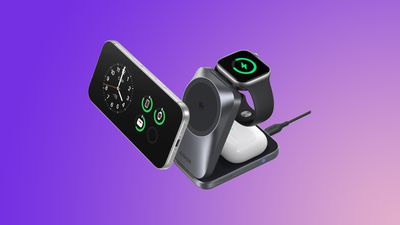
Anker’s new Prime 3-in-1 Wireless Charging Station has been marked down to $109.99 on Amazon, down from $149.99. This is one of Anker’s newest accessories, and Amazon’s sale today is just $5 higher compared to the all-time low price.
Samsung
What’s the deal? Save on Samsung’s new 2026 monitors
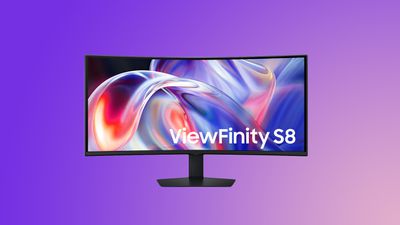
Samsung’s newest monitors are now available to purchase this week, including the Odyssey G8, ViewFinity S8, and Movingstyle Essential. All of these are available with a $50 launch discount, plus your choice of extras including up to $300 in Samsung credit on a future purchase, a free Music Studio speaker, or free Galaxy Buds4 Pro.
Amazon this week has a record low price on the AirPods Max 2, now available for $509.00, down from $549.00. This sale is available in two colors of the headphones.
If you’re on the hunt for more discounts, be sure to visit our Apple Deals roundup where we recap the best Apple-related bargains of the past week.
Deals Newsletter
Interested in hearing more about the best deals you can find in 2026? Sign up for our Deals Newsletter and we’ll keep you updated so you don’t miss the biggest deals of the season!


















 Note: MacRumors is an affiliate partner with some of these vendors. When you click a link and make a purchase, we may receive a small payment, which helps us keep the site running.