Waymo’s commercial robotaxi ramp-up looks expansive, both in geographic reach and in ridership. And by almost every measure, it is — until you pay attention to where the bulk of those robotaxis are actually showing up.
The numbers over the past two years reflect the kind of commercial rollout you’d expect from a deep-pocketed company like Waymo, which spun out of Google and still counts Alphabet as its majority owner. In September 2024, Waymo was operating in just three cities — Phoenix, Los Angeles, and San Francisco. Today, it offers robotaxi service in 15 U.S. cities, with most of those commercial launches occurring in the past year. Ridership has skyrocketed, too, with Waymo now averaging 500,000 paid robotaxi rides every week.
But a closer look at its fleet shows a company concentrating its efforts in just two states. About 80% of Waymo’s roughly 4,000 robotaxis are in California and Texas, and Texas is where the action is now: Waymo’s fleet there has grown by nearly half in the past three weeks, fueled by a new Chinese-built minivan the company is betting will help it scale, even as tariffs drive up its costs.
The other 800 or so vehicles are spread across cities in other states, including Arizona and Florida, another burgeoning hot spot. Most are the familiar white Jaguar I-Pace electric SUVs, but a growing number are the new minivans — a modified Zeekr RT that Waymo has branded “Ojai.”
Waymo’s focus on California is no surprise. It is headquartered in Silicon Valley, and much of its early testing and development work was conducted there. Plus, a segment of the population there is inclined to adopt tech at its earliest stages.
The recent growth in Texas is more interesting. Waymo has increased its Texas fleet by 49% in the past three weeks, according to state vehicle registrations and data from the Texas Autonomous Vehicle Fleet Tracker. As of September 24, Waymo had 1,102 autonomous vehicles registered in the state.
Waymo first launched in commercial service in Austin through a partnership with Uber in March 2025, letting riders hail its robotaxis through the Uber app. Since then, the company has expanded its robotaxi services in Dallas, Houston, and San Antonio.
Waymo’s Texas fleet remained relatively static for most of the summer, inching up from about 600 vehicles in June to more than 700 by the end of August. Then came September, when the fleet surged, driven by an influx of new Ojai minivans, which now make up about a third of Waymo’s Texas fleet.
Expect that share to grow.
The Ojai robotaxi, equipped with Waymo’s sixth-generation self-driving system, is supposed to help Waymo reach mass scale. Its interior is built to withstand heavy use, and it comes with an upgraded rider interface and Google’s Gemini AI, which acts as an in-car assistant for riders.
Strip away that technology, though, and the Ojai is a minivan made by Zeekr, a brand owned by China’s Geely Holding Group (which also owns Volvo). The Ojai is built on Zeekr’s SEA-M platform, a shared vehicle platform designed for uses like robotaxis and delivery vans. The base Zeekr vehicles are shipped to the U.S. without any Chinese connected-car technology on board. Once they arrive, the vehicles are sent to Waymo’s Arizona factory, where they are outfitted with Waymo’s self-driving system.
The Ojai is supposed to drive down costs and ultimately help Waymo reach profitability. For now, though, tariffs are cutting any savings. Under current U.S. trade policy, vehicles built in China face steep import tariffs, raising Waymo’s costs for every Ojai it brings into the country.
Waymo appears willing to absorb that cost. New York-based research firm MoffettNathanson, which tracks Ojai imports using detailed shipping records, said in its September report that Waymo is on track to bring 5,100 of the vehicles into the U.S. by the end of the year.
Where will all those Ojai vehicles go? Texas is certainly on the list. But Florida, where Waymo operates in three cities, and newer markets like Las Vegas will likely see an influx as well.
When you purchase through links in our articles, we may earn a small commission. This doesn’t affect our editorial independence.
Prepare your mower and blower, and get ready to head to the heartland of mowing… Lawn Mowing Simulator 2 is heading to the USA to start a whole new career in the world of lawncare!The Piper of Dawn
Lawn Mowing Simulator 2 (LMS2) is the sequel to Lawn Mowing Simulator, which builds on the rewarding working-sim feel of the original. Listening to community feedback, and internal reflections, LMS2 will offer an expanded take on professional lawn care and use real-world equipment from manufacturer partners Kubota, SCAGⓇ and STIGA!New mowers and string trimmers will be included, as well as much requested leaf blowers! Career mode gets a total overhaul for all you management fans with a 3D fully explorable HQ from which to run your business, as well as enhanced character customisation.
LMS2 will feature a new USA setting, with brand new locations and a wide range of jobs for players to take.From suburban lawns to commercial and municipal locations, LMS2 will feature 11 locations (more than LMS1 did at launch). Most of these locations will have multiple contracts of varying size and theme – while the addition of new tasks like leaf blowing and weed clearance means that there will be more to do than just cutting the grass in every location.
We love that some of you out there have racked up amazing numbers of hours playing the first LMS (some more than 1,000!) and we hope you will in LMS2 as well. So to help those hours of mowing gameplay continuing to feel fresh, we have developed a system where gardens can change over time with new features that change how you approach completing them.
One visit to a house might see it have a new series of flower beds added, then the next time an above ground pool or flagpole has appeared. This ensures that while you’ll want to keep your loyal customers happy, not every visit to the same location is identical each time.We know these have been wanted for a long time, and in LMS2 we have leaf blowers as a part of the core game for clearing up leaves, as well as grass clippings.
Screenshots
SystemRequirements
Minimum
OS: Windows 10/11 64bit
Processor: Intel Core i5-6400, AMD Ryzen 5 1400, or better
Memory: 8 GB RAM
Graphics: Nvidia GeForce GTX 1050Ti, AMD Radeon RX 470 graphics card or better (min 3GB VRAM, DX12 support)
DirectX: Version 12
Network: Broadband Internet connection
Storage: 45 GB available space
Support the game developers by purchasing the game on Steam
InstallationGuide
TurnOff Your Antivirus Before Installing Any Game
1 :: Download Game 2 :: Extract Game 3 :: Launch The Game 4 :: Have Fun 🙂
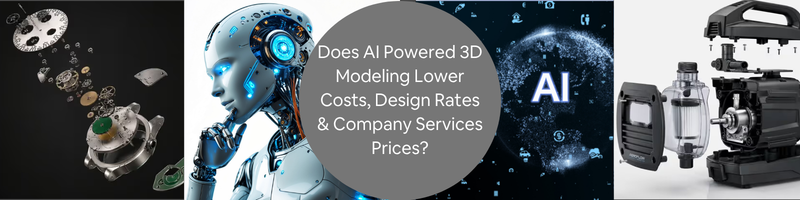
In 2026, AI has become a tool for making workflows streamlined and simplified. Engineering and design have incorporated AI to 3D modeling services not just to make it cheaper but also to improve the overall design process. AI-powered 3D modeling shortened project timelines, improved design concepts, avoided costly reworks and improved collaboration among the team. Using AI is especially advantageous for markets like the United States, which are considered higher-cost markets. For firms and businesses that seek experienced 3D design freelancers who can integrate AI in 3D modeling, Cad Crowd would be the right platform to start.
Quick Comparison: traditional vs. AI-assisted 3D modeling
Project area
Traditional 3D modeling challenge
AI-assisted improvement
Business impact
Concept modeling
Many paid hours before a clear direction appears
Faster first drafts and visual options
Lower early-stage costs
Revisions
Manual changes can raise costs quickly
Quicker edits and alternative versions
Shorter feedback cycles
Generative design
Limited time to test many forms
More design options in less time
Better performance choices
Quality review
Errors may appear late in the process
Earlier checks and cleaner handoffs
Less rework
Visualization
Extra time for renders and presentation assets
Faster visuals for approval and marketing
Faster stakeholder buy-in
Where AI creates the most value
Value area
Cost benefit
Speed benefit
Quality benefit
Early concepts
High
High
Medium
Design variations
Medium
High
High
Generative design
Medium
Medium
High
Rendering and visualization
Medium
High
Medium
Manufacturing review
High
Medium
High
Documentation support
Medium
Medium
Medium
Simple impact graph: where AI helps most
Workflow stage
AI impact level
Concept exploration
██████████ 10/10
Design variations
█████████ 9/10
Rendering support
████████ 8/10
Revisions
████████ 8/10
File cleanup
██████ 6/10
Final engineering validation
████ 4/10
AI’s strongest points lie in fast exploration, design variation and any generative creative concepts during the early design stage. While it is indeed fast in producing a concept or a design, human judgment and refinement is still needed to conduct tolerance checking or any other engineering/manufacturing approval. This is why AI can’t fully replace 3D modelers. Design professionals are still needed to ensure accuracy and functionality.
An idea doesn’t just pop instantly. Early 3D concept design could be expensive because of the time designers have to render to explore layouts and shapes. They have to conduct research, find inspiration and relate to the project requirements. Starting a design takes long hours and could be costly, especially for a high-cost market like the United States. Long hours would mean cost implications to the project cost. This is where AI can help by generating rough concepts, forms, and references related to the project vision. It significantly reduces the time needed to brainstorm and research. The designs generated are also optimized in a way it matches exactly what the designers are in mind, considering constraints, limitations and standards.
2. AI helps teams compare more design options
When the budget and the schedule is tight, the 2D & 3D designers struggle to find time to produce different design concepts. They do not have the luxury of exploring ideas due to the constraints. Every design variation would mean another set of costly labor, and some startups can’t afford such privilege. Having access to a variety of designs is now possible with AI. It does not just help in producing multiple design concepts; it also sets a smoother direction for the project. It allows the team to evaluate and analyze which design concept is more profitable and functional.
Producing a design is not just about how it looks or how it functions. It also is predefined by goals and constraints set for it to become a solution. Making a design that covers all would require a lot of time to research, test and validate. Knowing which method or material is the right fit would be time-consuming and costly. Generative AI design improves engineering efficiency by producing a design that matches the parameters set. It could be about weight, material usage or load requirements. Its advantages lie in speed and optimization. It produces solutions to the problem, making sure it does not sway from the original intent.
During the early design stages, the first concept drafts from the CAD drafting professional are to be approved by the clients. They’d need visual presentations to understand how the concept goes. Traditionally, manually doing it would take a lot of time. AI can accelerate this by producing a concept needed to present to the client in minutes. This helps the communication faster and reduces delays during the design approval stage. Although the quick generated concepts are still rough and need further adjustment, it is still helpful for the client to understand and provide feedback. It minimizes revisions and iterations, resulting in a more efficient design process.
5. AI speeds up design revisions
Revisions are costly. A simple design change or alteration would mean more labor work. It may seem little at first, but the build up over time would have a great cost and time impact to the project. This is why AI-assisted workflows are game changers. It assists in accelerating the repetitive edits and adjustments. It helps product designers to efficiently apply changes. When the revisions are done quickly, the communication between the team and the client is smoother. It reduces the turnaround time just to get approval and feedback. It is critical to stay in the zone or momentum when doing alterations to support clear decision-making.
6. AI helps reduce expensive rework
Time is money. In the United States, wherein every additional hour means higher cost impact, it is important to be cost-efficient. One of the most expensive challenges in design and product development is rework. There are instances wherein the output does not match the expectations or there are clashes observed during construction/product development. AI helps in eliminating such errors by flagging possible issues such as inconsistencies, and clashes. Early detection in product modeling services would mean early fix. This helps in reducing errors before it reaches production stage. It prevents spending more time fixing major revisions and instead helps in focusing more on the detailed modeling.
Not all clients have the sufficient technical knowledge to understand 3D design language. This is why it’s important to communicate in visuals or sketches for a clearer understanding. A shared visual between the client and designer sets the right expectations, making the whole workflow soother. This lessens further revisions and speeds up approval. Since AI can produce quick visuals, the designers can focus on improvement and refinement of it. With AI-generated concepts, it would be easier for the client to grasp the ideas during early design stages and let the designer have more time to come up with a stronger outcome.
8. AI can make freelance 3D modeling more scalable
Most freelancing 3D product renderers use AI as support. They let AI handle the repetitive tasks, layout options and any simple tasks that wouldn’t impact the design quality. It’s more of an efficient support system to improve productivity and speed. With this, startup companies would have access to this kind of professional support without hiring an in-house. This is useful especially when the company is not ready for a full commitment. The projects could scale up and down, and the companies would have the flexibility to outsource when needed. Platforms like Cad Crowd are especially reliable to outsource vetted professionals to have access with AI-assisted 3D modeling.
9. AI supports faster product visualization
Product visualization wouldn’t look real without necessary polishing. It needs to have a good clean model, carefully selected material texture, lighting and camera angles. Instead of blind experimentation, AI can create visualizations that are suitable for market presentations or investor pitches. While it can create compelling visuals, it is still important that the 3D visualization designers would conduct quality checks. The generated output should still match the design’s original attributes and does not mislead the buyers or investors. This is why professional designers still play a critical role.
Small businesses and startups lack resources to keep large in-house 3D departments. Often when needed, they tend to hire outsource the services externally or collaborate with part-time product concept freelancers. They’d benefit more in working with freelancers who use AI tools to speed up the design process and make the workflow more efficient. Project savings come from an efficient timeline. AI makes it more manageable and accessible for small businesses to move quickly from design stage to production, without skipping or sacrificing quality. It just allows them to gain access with smart approaches.
11. AI improves speed in high-cost labor markets
It is understandable that the 3D modeling rates could be costly since they possess skills and technical expertise and software proficiency. AI can help in reducing the number of hours resources would need to complete the task by handling the repetitive work. It does not mean AI will replace the skilled modelers but rather allocate the human expertise more strategically. AI will act as support for generation, exploration and other repetitive tasks and the 3D modelers will be in charge of accuracy, functionality and quality control.
12. AI helps create design variations faster
Making a design variation could be time-consuming. It requires more time to explore different kinds of packaging options, interior designs, or gaming mapping or skins. The more time spent on creating variations, the costlier the project budget would be. AI can speed up this process by generating alternatives, allowing designers to explore ideas. It does not only produce aesthetic designs but also practical results which helps the product more marketable. It also helps the client choose which variation is more aligned with their vision, and speeds up approval.
Applying textures to a 3D model would require a lot of time since the designers have to explore the right one to make it look realistic. Materials such as wood grain, glass, plastic or fabrics would require attention to detail to make it look photorealistic. AI can help in generating visuals, suggesting textures and directions. While the generated visuals are convincing and look realistic, photorealistic rendering designers would still have to review and scale the textures to make it look natural. This is why, AI acts as a support and 3D modelers would still be the core designers to balance realism.
14. AI helps with topology and cleanup tasks
Not all AI-generated models are clean and perfect. It could still have messy geometry and inconsistent elements included in it. However, it could still be cleaned up using AI-assisted tools. Post-processing tasks such as retopology, mesh cleanup, and model reconstruction can be done through AI. It is important for the model to appear clean and structured. Quality control remains a critical process in the design stage. Whenever a cleanup is done, modelers would still do a run through to make sure that the model is still accurate and stable.
15. AI supports faster prototyping
Since AI can generate concepts and ideas quickly, it shortens the time needed from concept to digital prototypes. AI-powered modeling can quickly make variations of a product according to fit, ergonomics, visual or overall performance. Fast prototype design services is an efficient approach to validate design and material options. It speeds up the learning process of the team and avoids costly mistakes in choosing unnecessary materials or methods. It helps the businesses to operate even in tight deadlines, having confidence in their design models.
The design process may slow down when a resource has too much workload or tasks. It could pile up and lead to project delay. AI can help in reducing the bottlenecks by handing the repetitive work and concept exploration. This lets the designers focus on more critical and valuable tasks. Bottlenecks when mishandled are costly and could lead to project delay. This is why it is important that the design process is efficient to support even tight deadlines. AI-assisted workflows keep the project moving without delay, and improve consistency and efficiency.
17. AI makes early-stage design more affordable
Many companies delay design work due to upfront costs. It is undeniably real how costly the early-design stage could be due to time spent in exploration of ideas. Ai can speed up the exploration and come up with various designs to choose from. It makes early-design more affordable. This allows early validation before committing. AI does not only help in making the early design affordable, but it adds value to refinement of outputs. It helps in filtering or narrowing down ideas to come up with the final concept. It makes product designers focus more on the design intent instead of manually doing sketches and research. This creates a more efficient and strategic design approach.
18. AI improves presentation speed
Some projects stall when the stakeholders couldn’t clearly visualize the final outcome of the project. AI-assisted modeling can help create presentations that are clearer and easier to understand. It allows the design team to show different design concepts in a more understandable way. When stakeholders understand the vision, decision-making would be faster. It wouldn’t take a lot of time for a back-and-forth revision-approval cycle. Better visuals allow the clients and investors to have confidence with the project.
19. AI helps optimize parts for weight and strength
Generative AI design can optimize parts to balance weight and strength. A remarkable example to this is Airbus A320 wherein the internal partitional weight has a reduction of 45%. This has significantly help make the walls lighter without compromising safety and strength. In fields like transportation, aerospace and medical devices where balance in strength and weight is important, AI can explore optimized forms to improve its performance. Not only that, but lesser materials would also directly incur project savings.
20. AI supports design for manufacturing
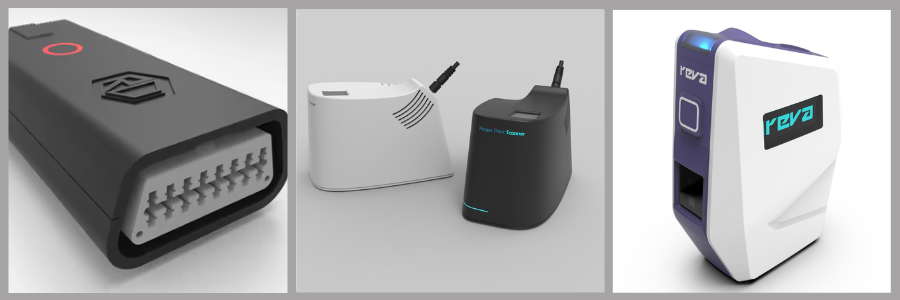
Design for Manufacturing (DFM) services are about producing parts efficiently at a low practical cost. This allows the businesses to come up with cost-efficient parts without compromising safety and performance. AI can assist in identifying optimized geometries and methods suited for the design. One powerful example is the collaboration between General Motors and Autodesk.AI generated a redesign option for a vehicle seat bracket that consolidated 8 parts into 1 and made it 40% lighter and 20% stronger.
This proves how AI can help designing a model that is not only realistic but practical to produce. While AI can produce promising outcomes, human expertise is still needed to review before manufacturing and production begins.
21. AI can reduce outsourcing waste
Outsourcing is only smooth when the instructions and briefs are clear and understandable. A misunderstanding between the company and freelancer can lead to more rework and repeated corrections. AI-assisted workflows can help the businesses and clients to set expectations to reduce ambiguity. When the directions are clear, outputs are more accurate and aligned with expectations. AI streamlines the learning process and allows freelancers to become more efficient and productive.
In estimating 3D modeling work, there are a lot of factors that are assessed like complexity, references, review time, iterations and any other expectations. AI can help in coming up with an estimate by benchmarking from similar project scopes. This way, the estimate is more consistent and accurate. When the estimates are clear and organized, it helps the client to budget. It reduces misunderstandings and unclear deliverables. It improves the project’s overall efficiency and quality delivery.
23. AI improves collaboration between designers and engineers
A 3D modeling project is a collaborative work between designers and engineers. Designers focus on the overall appearance of the model, while engineers focus on functionality and structural integrity. AI generative design allows balance by producing a design that incorporates both creativity and technical requirements into one. It improves the overall project quality and ensures practicality during production. This smoothens collaboration between engineers and designers and lets them focus on decision making and refinement of the design. It supports valuable alignment, reducing risky clashes and costly reworks.
24. AI reduces manual drafting support tasks
3D modeling work is often connected and accompanied by administrative tasks. It includes technical drafting, adding measurements and annotations, documentation, and applying layouts. Most of these supporting tasks are repetitive and time-consuming to do. It is especially tedious for large-scale projects. AI can assist in simplifying the workflow by handling the administrative design work. AI automation can reduce the time spent in doing repetitive tasks so designers can focus on quality checks instead. The generated work would still need four eyes to verify tolerances and dimensions. This ensures consistency and accuracy of the output, reducing possible costly mistakes.
One of the most effective ways to cut costs due to unnecessary revisions is to make a strong brief. It is important that the brief has clearly demonstrated the design intent, project requirements and all expectations. AI can generate a brief that will give clients a structured idea and concept, aligned to their preferences. This makes it easier for designers to understand the scope even better. When the brief is clear and strong, it improves the overall project efficiency. There would be less time for clarifications and assumptions. Product development designers would only have to focus on the actual design models, making the deliverables more aligned to client expectations. This speeds up the turnaround time and improves project quality.
26. AI makes 3D asset creation faster
In 3D AR/VR architectural services, gaming, e-commerce, architecture, and marketing, 3D assets are widely utilized. AI can act as a support to speed up base mesh creation, style exploration, and texture references. This allows the team to come up with more assets in less time, which lowers cost per assets. Studies and developers’ reports from tools like Autodesk and NVIDIA show that AI-assisted modeling can actually reduce asset creation time by approximately 30-70%. It supports a faster iteration cycle, which improves productivity gains.
27. AI helps reduce rendering costs
Rendering is time-consuming and expensive. It is a resource-intensive task since it requires a lot of things to consider such as material texture, lighting and camera angles. AI-assisted tools can help in reducing time and costs with preview generation, scene ideation, and post-processing. This allows the team to explore and test different ideas to come up with the final visual style. It would be more beneficial for e-commerce industries or fields that need several renders per product. AI can speed up the timeline for rendering and improve project efficiency. While it is quick and fast, designers would still need to check if it aligns with the brand and intent.
28. AI supports faster architectural visualization
Ai can help speed up architectural visualization through involvement with concept imagery and visual studies. It generates design directions, style references and any other rough ideas that could help suggest the final concept. It lets the client and designers become aligned before committing to detailed modeling. AI-generated visuals can help in producing concept direction, but the detailed modeling will be handled by designers. Since the visuals would still require strict technical compliance and structural logic, designers would still have to handle it.
29. AI helps with reverse engineering workflows
When there’s a reference photo, scans or CAD, AI can assist with reverse engineering services. Instead of reconstructing it manually, AI can help with shape reconstruction, mesh cleanups and feature recognition. This minimizes time spent in manually editing the model. AI can speed up rebuilding the digital model but to ensure accuracy, designers would have to remain critical to tolerances. The dimensions would have to be verified and validated. AI can speed up the workflow, but designers’ validation is still essential.
30. AI reduces time spent on repetitive shapes
In 3D modeling, there are shapes and patterns that are repeated. There are parts that are considered standards and are copied throughout the model. Manually drafting and editing this is time-consuming, especially for large scenes or detailed models. AI automation can help in streamlining the process. It automates repetitive elements more quickly, minimizing labor work. AI automation combines procedural modeling with patterned generation. It can suggest patterns and generate them accordingly. This lets designers focus more on complex and critical parts of design. AI enhances procedural modeling, reducing manual labor work while retaining technical accuracy.
31. AI can make premium design services more valuable
While AI is one way to minimize costs, it also increases the value of premium 3D design services. Since administrative and repetitive tasks are automated, skilled designers can focus more on higher-level design and logic. They can produce deliverables that are more optimized and have creative direction. The goal is not just to make things cheaper but to add value to the output. It’s more of an efficient approach for designers to have more time to analyze and explore designs that are best aligned with project requirements and client expectation. Skilled designer and AI automation combined justifies professional rates.
Low-cost vs. high-value AI-assisted modeling
Approach
What it focuses on
Risk
Better use
Cheapest possible AI output
Low upfront cost
Poor geometry or unusable files
Rough inspiration only
Human-only workflow
Full manual control
Higher time cost
Complex final deliverables
AI-assisted expert workflow
Speed plus professional review
Requires skilled oversight
Most commercial projects
32. AI helps reduce opportunity costs
A slow design workflow can delay product launches or manufacturing firms. It wouldn’t reach the market sales as planned. Often, the delays in the design stage costs higher than the actual 3D modeling service. AI-powered tools can help in compressing the timeline between idea and design to production. This minimizes opportunity costs. Startups need their timeline to be on point. It is best to quickly generate a model to pitch to investors and secure funding approval. It helps them gain early feedback to work on before full commitment. For large companies, speed helps them in being more efficient.
A traditional design modeling relies on hours spent to work on the task. Every hour matters since it directly implies rates. AI is shifting the workflow by making the tasks faster. Instead of hourly-based services, freelancers or providers sell outcomes or deliverables. This is a more strategic and straightforward pricing approach. It allows clients to compare bundled services, choosing which outcome is more aligned with them. This shift is beneficial to both parties. Designers can justify their rates based on expertise and quality while companies gain better predictability of the budget. AI can make things a lot easier and faster, but value still comes from professional skills.
34. AI works best with skilled 3D modeling freelancers
AI-assisted tools can reliably generate fast results. However, the results are not guaranteed to be correct or accurate. Human expertise is still needed to check, validate and refine it to make it impressive. Professional 2D & 3D modeling freelancers have a deeper understanding of the critical details that need to be checked such as scaling, tolerances, and manufacturing requirements. This is why AI alone can’t fully be a reliable source. It can reduce cost and speed up the work, but the best outcomes would still need professionals. AI is most useful when used by a professional designer.
35. AI makes 3D modeling services more competitive in 2026
AI-powered 3D modeling services are making design services more competitive. It has focused more on the output and deliverables instead of relying on hours-spent to do the work. AI supported the companies by reducing time for administrative tasks, improving the overall efficiency of the project. In 2026, the real question is not about how cheap the model is but rather how efficient the workflow is. AI can indeed make things easier, but companies could benefit even more when they hire or outsource freelancers who understand both modern AI tools and professional 3D modeling workflows.
AI-assisted tools lower costs most when it reduces wasted design time. It adds more value to the project the most when it helps skilled designers to create better results faster.
How Cad Crowd can assist
AI-powered 3D modeling is not limited to just lowering costs. It has significantly contributed to optimizing workflows and supported administrative tasks. It expanded design exploration and allowed higher-quality decision making. It also supported efficient collaboration among the team. AI-assisted workflows are most successful when it is combined with reliable human oversight. Cad Crowd can help businesses to leverage its 3D modeling workflows by connecting with experienced freelancers specialized in AI-assisted design. Contact us for a quote today.
MacKenzie Brown is the founder and CEO of Cad Crowd. With over 18 years of experience in launching and scaling platforms specializing in CAD services, product design, manufacturing, hardware, and software development, MacKenzie is a recognized authority in the engineering industry. Under his leadership, Cad Crowd serves esteemed clients like NASA, JPL, the U.S. Navy, and Fortune 500 companies, empowering innovators with access to high-quality design and engineering talent.
Starting today, XBOX Insiders can join the Chicken Invaders Collection preview from InterAction studios on XBOX consoles and Windows PC.
Chicken Invaders puts you on the front line against invading intergalactic chickens bent on revenge against humanity. For the first time since the series debuted in 1999, the Chicken Invaders saga is together in one collection, featuring fast-paced arcade shooting action, gigantic boss fights, and an original orchestral soundtrack. Save the world alone or team up with up to 8 friends!
Whether you’re a longtime Chicken Invaders fan or preparing to defend humanity for the very first time, now’s your chance to jump in, take on the invasion, and help the development team prepare the collection for release.
How to Participate
On your XBOX console or Windows PC, sign in and launch the XBOX Insider Hub app (or install the XBOX Insider Hub from the Store first if necessary)
Navigate to Previews > Chicken Invaders Collection
Select Join
Wait for the registration to complete and be directed to the Store to install Chicken Invaders Collection Demo
We Want Your Feedback!
Once you’ve had a chance to play, don’t forget to let us know what you think!
Complete the Chicken Invaders Collection surveys available in the XBOX Insider Hub to share your experience with the team. Your feedback can help InterAction studios as they prepare the game for release.
If you run into an issue while playing on XBOX, please report it using Report a Problem.
Hold down the home button on your XBOX controller.
Select Report a problem.
Select the Games category and Chicken Invaders Collection Demosubcategory.
Fill out the form with the appropriate details to help our investigation.
Good luck out there, Insiders. Humanity is counting on you!
At Meta Connect on Wednesday night, Mark Zuckerberg unveiled what could be the next frontier of VR hardware for the company: the Meta VR glasses.
These new specs blend the form factor of regular smart glasses with the stereoscopic 3D and virtual reality capabilities of a Quest headset. But how, exactly, do these glasses compare with the Quest 3? We can’t directly test the glasses just yet, but even on paper, there are some notable differences to consider.
The most obvious difference between these two devices, aside from the way they look, is the price. The VR Glasses, when they launch in 2027, will start at $1,299. The Quest 3, meanwhile, can currently be had for just $599. One of these VR devices costs literally more than twice as much as the other, so set your expectations accordingly.
Meta VR Glasses vs. Quest 3: Specs
There’s that puck. Credit: Meta
Despite the price difference, there are actually a couple of areas where the Quest 3 outperforms the VR Glasses on a specs level.
Here are the basic specs of the VR Glasses:
Display: Micro-OLED display with 2412×2288 resolution per eye
Field of view: 70 degrees by 66 degrees
Processor: Snapdragon Reality Elite
RAM: 12GB
Starting storage: 128GB
Controllers: Not included, but compatible
And here are the equivalent specs for the Quest 3:
Display: LCD display with 2064×2208 resolution per eye
Field of view: 110 degrees by 96 degrees
Processor: Snapdragon XR2 Gen 2
RAM: 8GB
Starting storage: 512GB
Controllers: Included
The VR Glasses have the Quest 3 beat on display resolution and RAM, as well as with a newer processor. But there are some areas in which the Quest 3 wins here, too. Its field of view is significantly larger, as you’d expect from something that completely covers your face. It also comes with significantly more starting storage and a pair of touch controllers. The VR Glasses have a microSD card slot for expandable storage, and the controllers are compatible, but not included.
Mashable Light Speed
Meta VR Glasses vs. Quest 3: Design
That’s a lot more bulky than the glasses. Credit: Kimberly Gedeon/Mashable
Well, this one’s simple. One device is a pair of glasses, and the other is a full-on headset. Whichever you prefer is ultimately a matter of taste.
There are pros and cons to each. The VR Glasses allow the user a greater degree of spatial awareness because they don’t cover as much of the face, but that might also make VR experiences less immersive. Meanwhile, the Quest 3 will probably be a bit more immersive, but it’s heavier and more cumbersome because its computing hardware sits in the headset.
That last part is important, as the VR Glasses don’t actually have any of the real computing hardware built into the glasses themselves. Instead, there’s a computing puck attached to the device by wire, similar to the Apple Vision Pro. That’s what allows the glasses to be as sleek as they are compared to the Quest 3, but it might also explain why the starting storage is so low in comparison.
Ultimately, the glasses weigh about 100 grams and the headset weighs 515 grams. That’s a big enough difference to justify the use of a puck, but again, it’s your call.
Meta VR Glasses vs. Quest 3: Software
There is some overlap in terms of available software features, but there are also some key differences between the VR Glasses and Quest 3. In general, it seems like the VR Glasses can do more.
Both devices run on the same operating system, and the glasses support all of the same content that is currently available on Quest 3. Things get more interesting when you look at what the VR Glasses can do that the Quest 3 can’t. The glasses support eye tracking and face tracking in addition to hand tracking, while the headset supports hand tracking but not eye or face tracking.
As such, there are some VR Glasses-centric gaming experiences, like a new update to Beat Saber that allows the game to be played without controllers. Glasses owners will also be able to watch fully 3D movies from streaming services like Disney+, and the glasses are the first VR device to be IMAX certified, according to Meta. Meta also envisions the glasses being used as a work device, so they can connect to Macs or PCs using USB-C or wirelessly. That will give users the ability to create virtual displays for their workspace.
Last but not least is Hologram, a new method of video calling coming first to the VR Glasses. You’ll be able to join WhatsApp video calls as a face-tracked avatar of yourself, appearing at true scale for the other participants. This feature won’t fully render everyone in 3D at launch, but Meta says that’s coming later. The metaverse is back, folks.
Given that the VR Glasses are newer and much more expensive, it’s not surprising that they seem broadly more capable than the Quest 3. But, as you can tell, there might still be reasons to get a Quest 3 instead.
I grew up in the 2000s with a PC but not a whole lot of money. That’s the kind of combination that gets you bargain-bin Sold Out Software games from Poundland or, more so in my case, an absurd number of free-to-play online and browser-based games that were utterly pervasive across the internet.
My childhood was a never-ending revolving door of these mid-tier Flash and Java games. Some have long left my memory, a fleeting experience. But some continue to rattle around in my brain, reminding me of simpler times where I didn’t have to pay taxes or subject myself to at least one hour of screen-free time before bed lest I wake up with a headache the next morning.
But where are these weird and wonderful games now? Are they still scattered across the internet? Are they in their original forms, practically untouched, or have they evolved into far deeper and darker games than they once were?
Latest Videos FromPC Gamer
Well, as I continue to march into my 30s against my will, I’ve been thinking back to the games I would play as a child and asking myself just that question. So why don’t we go and check in on a couple of them?
Where the hell is Puzzle Pirates now?
Puzzle Pirates is, if you haven’t already guessed, an MMO where you are a pirate and you do puzzles. Every component of a ship’s operation is done through different puzzles—bilging is a Bejeweled-inspired match three, sailing is a buccaneering Doctor Mario, patching the sails is incredibly similar to Pipe Dream. You get the drill.
(Image credit: Grey Havens)
It’s an incredible niche premise, one I expected to have long sunk. Except… it hasn’t? As I popped on the internet to see if the game was still kicking around, I was shocked to discover that it was. Hell, it’s on Steam. Still official and everything! No private, fan-run server to be seen! A couple seconds and a mere 85mb download later and my ears were being thoroughly blasted with jaunty pirate tunes. A search through my ancient childhood email inbox revealed that my original account was unfortunately deleted in 2012, so I made a brand-new pirate called Johnpcgamer (pirates are a singular-named folk, it seems) and dove right in.
And, well, aside from being told how to purchase premium currency within the first 60 seconds of being born, it’s exactly how I remembered it. There are a lot less mateys milling around these days—most of them seemed to be the real for-lifers, ones with more trophies and gold and puzzle proficiency than most of the server combines—so I dove into a few tutorial voyages with some friendly bot pirates.
Keep up to date with the most important stories and the best deals, as picked by the PC Gamer team.
As a child I mostly stuck to bilging—as far as I could remember it was one of the easiest, and it was also one of the main duties assigned to scrubs like myself. I made a start with that one, before moving on to carpentry and rigging. And the minigames still hold up surprisingly well today, unsurprising considering most of them are inspired by iconic, already-established puzzles.
(Image credit: Grey Havens)
The occasional mid-voyage reports were informing me that I was, unfortunately, doing a little bit shit. The puzzles are good, but they require a level of speed, foresight, and cleverness that I clearly do not possess. At least there were no real-player captains there to yell at me about it.
After sailing the high seas for a little while, I went for a quick stroll around the town of the island my ship had arrived at. It was stuffed to the brim with tailors—every business in Puzzle Pirates is player-owned, and as with all MMOs I assume fashion is the endgame—with a single inn wedged between them all.
I nipped in, hoping to partake in drinking games with some NPCs. Unfortunately, they all massively outclassed me and in a display of pirate honour, politely refused to go toe-to-toe with me in a drinking contest lest I end up in some sort of hydrogen bomb vs coughing baby scenario.
(Image credit: Grey Havens)
Unfortunately, much of Puzzle Pirates seems to be gated off to swabs like me. Everything is too expensive (even buying doubloons, the game’s premium currency), a good handful of the minigames are paywalled behind a subscription, along with many of its systems. But that’s exactly how I remember it, so I’m taking a weird sort of comfort in this deja vu.
It’s strange seeing this relic of my childhood stand the test of time. A niche MMO that I’d be surprised if it was drawing even triple-digit numbers these days, still drifting along the ocean slowly but surely. I doubt I’ll be going back anytime soon, but I’m happy I even have the option to in the first place.
Meta’s personal AI agent Muse is only a few weeks old, and the social networking giant isn’t wasting any time building out what may be its biggest bet on consumer AI to date.
CEO Mark Zuckerberg kicked off the company’s annual Connect event in Menlo Park on Wednesday with a keynote that made one thing clear: Meta is going all-in on Muse.
The Muse agent (the physical avatar is named Jolly, according to Zuckerberg) is designed to handle everyday tasks by connecting to users’ apps and services, including email and calendars. At Connect, Zuckerberg introduced a slew of new capabilities and integrations to make Muse more useful and more deeply woven into users’ daily lives. Muse will be everywhere, if the user chooses, including on their Meta AI glasses.
Muse, which launched in early September, interacts across a user’s devices and digital accounts. The agent is powered by Muse Spark, Meta’s multimodal AI model built for agentic work. Meta has touted it as a more accessible agent than those offered by competitors — an AI helper that, from the jump, allows users to automate the busy work in their lives.
“The centerpiece of our vision for what we’re building is Muse,” Zuckerberg said as he kicked off a keynote donning khakis and a black T-shirt with the words “Building is My love Language” emblazoned across the front. “In the coming years, I expect that Muse is going to grow into the personal superintelligence that billions of people around the world are going to use to accomplish their goals and improve their lives.”
Zuckerberg also believes that Muse will make money for its users — and of course, eventually for Meta.
“We’re standing behind this by making Muse free for a huge number of tokens, with the expectation that over time we will profit by taking a small fee from transactions,” he said.
Here are the new features and capabilities that got our attention …
Muse gets its own digital avatar
Image Credits:Meta/screenshot /
One of the more fun announcements made Wednesday is that Muse users will soon have the ability to conjure a distinct digital avatar for their particular agent and then video chat with it in real time. A new AI model, Muse Realtime Avatar, has been developed to power the particular feature, the company says.
The idea is that Meta’s previously faceless AI software will be given a face, body, and voice, making them significantly more personable. There’s certainly a hint of Metaverse-ishness to this feature, which was demoed on stage at Connect. Users will be able to have live conversations with this avatar, giving it tasks and asking it questions.
Muse will also be integrated with Meta’s smart glasses line, the company announced. This means that users will be able to communicate with their agent merely by speaking to their glasses. The agent activates via a wake word, the company said, adding that it will be able to guide users through a personalized workout, log meals, book an appointment, and help them buy products they see.
Meta said Muse will work in the background and check back in when it’s done.
It’s not clear exactly when this feature will become available, although Meta says that it should launch sometime in “the coming months.”
Soon, you’ll be able to let Muse run your Mac
Image Credits:Meta/screenshot /
Meta says it is bringing Muse computer work to Mac. The company had previously talked about Muse coming to Mac, and spent more time on Wednesday providing a few new details. This means that users will be able to delegate tasks to the agent, and — much like other popular AI agents from OpenAI and Anthropic — Muse will be able to operate any app on a user’s desktop.
“You can have it help you run your small business, or just get work done for you,” Meta’s chief AI officer Alexandr Wang said Wednesday during the keynote. “You can walk away from your computer and it keeps working for you on all the jobs you lined up.”
Muse will get its own email address
Since Muse will always be working in the background, it will naturally need its own email address. Meta’s Wang announced it is developing that feature and will make it available “soon,” without providing a more precise timeline.
Users will also be able to add Muse to an email thread or forward emails from the agent to handle on their behalf.
Meta has locked in partnerships with companies like Stripe and Shopify, illustrating that the company sees Muse as an important tool for shopping.
Muse can access the entire Shopify product catalog agentically and use Lync and now Shop Pay to buy almost anything on the internet, according to Wang, who noted that Meta has also added more support for payments with PayPal.
The company also announced a string of new partnerships with retailers, including Best Buy, Gap, Sephora, Walmart, and Wayfair. Muse will be able to connect with these retail apps as well as with Expedia and soon, Instacart. Other connectors include GitHub, Granola, and Notion.
Wang noted that the company wants Muse to connect with small business too. Meta recently opened its platform to allow developers to build their own “connectors.” The company received more than 1,500 applications in less than week, he said, adding “I think this could be a generational opportunity to start building for a new platform as it takes off, and the response so far has been really great.”
When you purchase through links in our articles, we may earn a small commission. This doesn’t affect our editorial independence.
Computing architectures are now able to process increasingly large volumes of data. AI applications, high-performance computing, connected devices, and multimedia need efficient ways to transmit information through processing units. With increasingly complicated chips, traditional techniques might suffer from certain restrictions, including bandwidth, latency, scalability, and power issues. The Network on Chip architecture gives a systematic method of dealing with such issues when there are increasingly large data volumes to be processed.
Managing On-Chip Data Movement
One of the applications of NoC technology is the provision of data flow between various components in a chip. The current processors can comprise several cores, memory controllers, accelerators, and processing units, all of which have to communicate with each other continuously. The use of the communication network, which gets harder to handle the more elements are included in it, is therefore replaced with NoC technology that includes interconnections and routing to send the data from one place to another.
NoC interconnect might prove useful in solving the communication problems that arise with the increase in the volume of communication demands. NoC interconnect enables several lines of communication that enable the efficient sending of data through them. It is especially useful when several processing units need to exchange data simultaneously.
Supporting System Scalability
Higher amounts of data typically coincide with greater amounts of processing elements integrated in the chip. As companies create more powerful processors and systems on chips, the communication architecture should be able to support larger numbers of components without imposing any performance constraints on the design. The scalability provided by NoC architecture enables it to be used in the case of systems which are supposed to become more complex in time.
Scalability may also assist companies in dealing with changes in the technological requirements over the period of product development. If communication architecture is created with scalability in mind, it will allow the company to add new processing elements or other hardware without redesigning the communication system entirely. This can help in developing products which will require more processing power over time.
Improving Performance And Efficiency
The transfer of large amounts of data goes beyond expanding the capability of communications. How data is sent through the chip can determine how fast, efficient, and effective the process will be. Through NoC architecture, the use of structured routing and communications can help direct the data to the right processing resources.
Efficiency also becomes relevant since the more data is moved, the more energy is used. Excess communication can further put a strain on the hardware. With the ability of the NoC architecture to provide structured routes for data communications, chips with high performance capabilities without the unnecessary strain of energy requirements can be produced.
Supporting Data Intensive Applications
Several applications that are emerging use the fast transport of big chunks of data in computing systems. Artificial intelligence computations, for instance, may have high requirements in terms of data transfer between processors, memory resources, and accelerators. This need can also apply to data analysis, networking, graphics computations, and many more applications where it is necessary to process a lot of data fast.
The NoC architecture could serve as a basis for creating a means of communication in the increasingly complex chips. The capability of organizing traffic within a chip can help hardware engineers solve issues related to communication brought about by data-intensive applications. As applications become more sophisticated in generating and processing huge datasets, on-chip communication should also matter in hardware design.
More data means that there is a need for efficient data transfer on today’s devices. NoC technology provides a scalable solution that enables efficient data transmission between various processors and helps solve problems associated with bandwidth, delay, power consumption, and system complexity. With an increase in data-intensive computing tasks, NoC architecture can become a very useful tool for building efficient hardware.
I’ve been hooked on smoothies in an almost superstitious way ever since college: A fruit smoothie is like a good-luck charm, promising the health you feel you deserve despite all your other bad decisions. But in my more recent adult life, a good blender is the passport to taqueria salsas, Oaxacan-style mole, and all the delicate emulsions I once had to buy at restaurants and in jars. Well, Vitamix crushes the blender game, but it usually comes with a price tag to match. Luckily, Vitamix promo codes crop up at various points during the year, and we’re here to help you stay up to date on those discounts.
Vitamix New Ascent X5 With Stainless Steel Container
Vitmix’s top-of-the-line blender, Ascent X5, now features a stainless-steel container. The 48-ounce stainless-steel container is not only large and hygienic but also combines an intuitive touch interface with a refined, timeless design. The non-reactive stainless-steel material resists stains, odors, and corrosion, and it expertly handles hot, cold, and acidic ingredients. This futuristic gadget also has an automatic self-cleaning program and ten blending programs for popular items like smoothies, soups, frozen cocktails, and more, for a precise blend every time.
Get a $50 Vitamix Promo Code Plus Free Shipping
Vitamix offers many ways to save on these handy kitchen gear items, including $50 off when you register your email. All you have to do is enter your email on Vitamix’s website, and you’ll get a discount of up to $50 sent straight to your inbox. Plus, you’ll get free shipping on orders of $100 or more.
IMAGE COURTESY OF VITAMIX
Does Vitamix Offer Free Shipping?
Glad you asked. Vitamix is offering free standard shipping on orders over $99. This means ground shipping is free for blenders at the current discounts. However, priority shipping is not free.
The WIRED Gear Team’s Favorite Vitamix Blenders
WIRED has long sung the praises of the classic Vitamix 5200. The model converted contributing reviewer Joe Ray after he realized that the “model of preference for blender aficionados around the world” was also his key to home mole and Oaxacan-style cookery.
A similar road-to-Damascus moment struck WIRED contributing reviewer Heather Arndt Anderson when she tested the Vitamix Ascent X2, which is currently on a $50 promo discount. “The more I thought about it,” she wrote, “the more I realized that maybe I’ve never been a blender person because I never had a good blender.” Anderson also made a big batch of mole without passing out from chile fumes, then moved on to homemade masa and a Georgian walnut spread. She regretted only that the blender wasn’t easier to clean.
After testing a number of brands’ blenders, WIRED contributing reviewer Emily Peck marveled that even the basic Vitamix Explorian E310 churned almonds frictionlessly into butter without even needing a presoak.
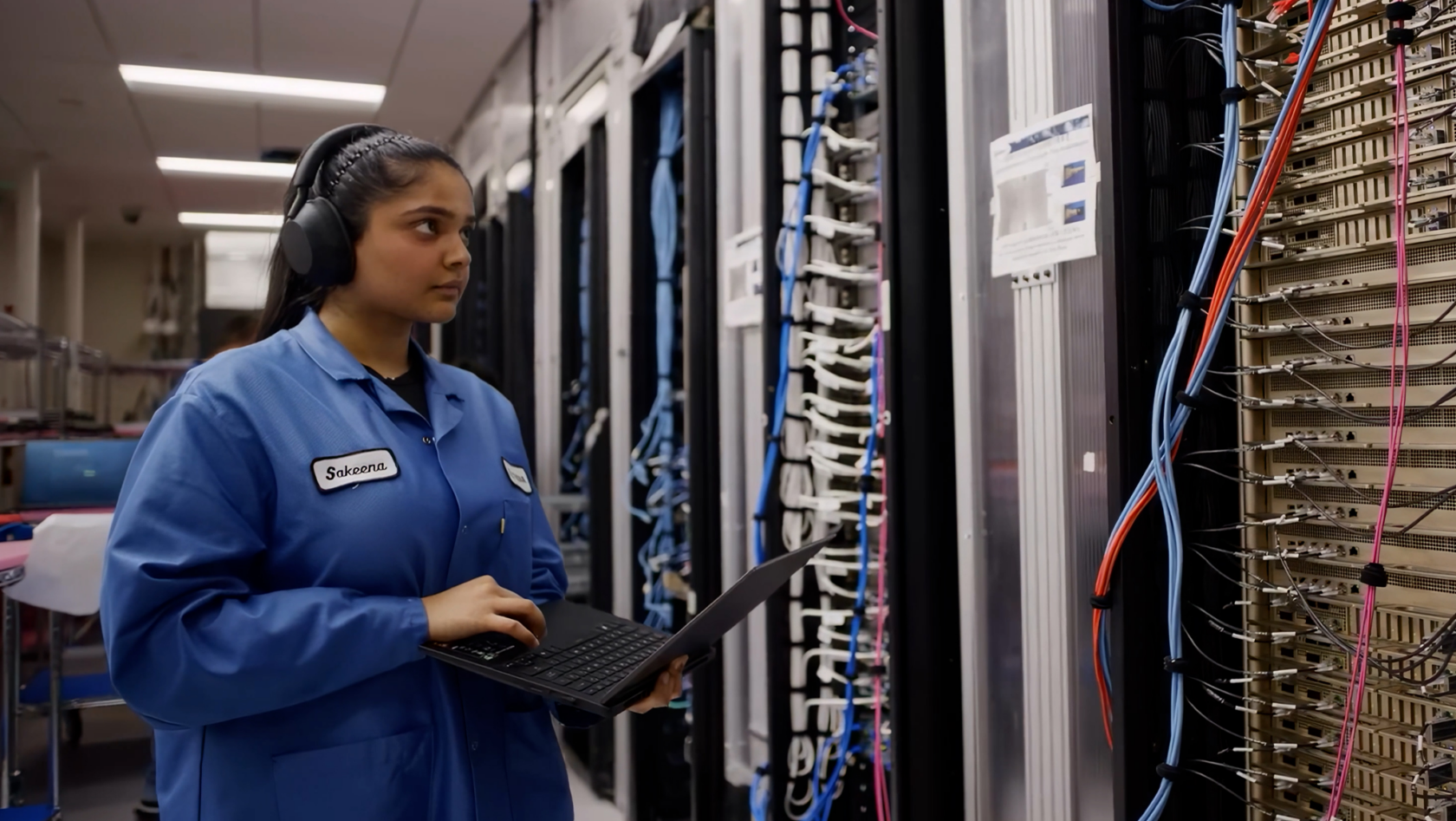
When Sakeena Fiza describes her work as a validation engineer at NVIDIA, she does so in terms more befitting a detective story than a world-class engineering lab.
“Validation engineers look in the shadows and shine a light into every corner,” Fiza said. “Every time we get a system, our first thought is: how can it break?”
And when it does?
“I always like to think of it as a mystery to solve,” she said.
At NVIDIA, the systems Fiza and her colleagues in the data center systems engineering lab investigate are the engines of the AI era. Her work begins before the rest of the world knows a product exists — in the lab — when a new system first receives power.
Components are brought up one by one, boards are integrated, firmware and software teams swarm, and engineers watch for the first signs of life.
One of Fiza’s earliest and most enduring memories of working at NVIDIA is the collective joy she experienced when she saw the NVIDIA Rubin GPU working for the first time at a system level.
“It literally just said, ‘NVIDIA Corporation Device,’” she recalls. “And everyone’s cheering and celebrating because it’s the first time in the world that a Rubin GPU enumerated at a system level.”
Those moments, electric as they are, are only the beginning. From there, the system must be made resilient: from tray to rack to cluster to production line to customer AI factory.
Fiza describes validation — the process of ensuring a physical device works correctly before mass production begins — as becoming “the first customers for the product,” exercising hardware to its limits in a range of real-world conditions before anyone else has to depend on it.
“The goal is to always catch issues before customers catch it,” she said.
Beyond the lab, Fiza and colleagues collaborate in coworking spaces across our Santa Clara offices.
Fiza arrived at NVIDIA after earning her bachelor’s degree at the University of California, Irvine, where she studied computer science and engineering. Her path into hardware was the result of an accumulating fascination with systems.
Growing up in Dubai, she was introduced to coding via the Logo programming language, prompting future forays into systems design that included building Mars rovers at a high school robotics camp and working on unmanned aerial vehicles in college.
What drew her to work with data center systems was the chance to work with the whole machine. At NVIDIA, she said, validation sits at exactly that intersection: firmware, hardware, software, mechanical design, thermal behavior, manufacturing and customer experience.
“I get to be a mechanical engineer when I want to be,” she said. “I get to be an electrical engineer when I want to be. I get to be a firmware engineer when I want to be.”
The failures she chases can be immense or microscopic. A rack-scale issue might involve high-speed signaling, thermal margins or power integrity. Another might come down to a screw tightened too far or the level of dust in a customer facility.
“The solution can be elusive,” Fiza said. “We have to follow the clues, ignore the red herrings and know where to look.”
When a log shows how something failed, Fiza’s job is to discover why. Validation engineers reproduce the issue, vary the conditions, investigate firmware, remove mechanical variables, probe signals, study scope shots and narrow the possible causes.
A single board may contain tens of thousands of components; a rack may approach half a million. Those parts must not merely coexist. They must behave as one system under stress, at scale, in the complex realities of production and deployment across diverse AI factory configurations.
“I wish people understood how complex the hardware is that AI needs to run on,” Fiza said.
For Fiza, the pressure of the work is inseparable from the pleasure of it. Bring-up, she said, is “like the Avengers assembling”: architects, designers, software engineers, firmware engineers, validation engineers, all in the room, racing toward a working system.
“One thing I know when I come to work is I’m never alone,” she said.
To be a validation engineer is to practice a disciplined kind of suspicion: believe a system can work, then try to conceive of every way it might not. The job requires the doggedness of a great detective, as well as the diagnostic abilities of a general practitioner and the temperament of someone who meets catastrophic failure in the way others might a crossword.
Each project brings a new puzzle, a new failure mode and, in turn, a chance to make the next system better.
“With the products we have in the pipeline, I’m so excited,” Fiza said. “They’re going to change the world.”