How to Avoid 3D Furniture Modeling Blunders with 3D Furniture Modeling Services


3D furniture modeling has become an indispensable tool for furniture companies that wish to stand out amid the cut-throat competition in the industry. But while 3D modeling technology is already revolutionary and advanced in its own right, specific errors may arise if you need more trade-specific expertise.

Continue reading to learn how to avoid 3D furniture modeling blunders with 3D furniture modeling services:

Choose the proper perspective and camera angles

The rules of the perspective serve as the basis for any room setup, whether in 3D or physical. The settings’ standard horizon line must be at eye level or right under it. Inexperienced 3D modeling designers need to figure out where to put cameras properly, which can result in 3D objects being rendered too low or too high relative to the viewer’s level. The result is that viewers cannot understand the proportions of the furniture and room because of the confusing angle.

An incorrect perspective will distort items, resulting in misconceptions about the product’s size. For instance, if you capture a photo from high above or below a piece of furniture, the cabinets will look like skyscrapers, while your couch will appear short and squat.

The good news is that 3D furniture modeling services have 3D modeling experts with years of experience who can decipher ideal angles for 3D rendering items. They also have lifelike and well-organized 3D lifestyles. With the help of their mastery of the art, CG artists can even take advantage of risky angles and use them as artistic tools to produce a more dramatic effect.

Provide optimal scaling of 3D objects

Whenever CG specialists render 3D objects, they should ensure the entire scene looks as realistic as possible. This is why every item should have the right proportions to express realism. Expert CG artists are extra careful when checking the scaling to prevent disproportion at all costs. Their renderings never represent colossal furniture items in cramped tiny rooms. Their room setups are always coherent and well-balanced. In addition, CG experts are well-versed in 3D modeling, which helps them avoid distorting the geometry every time they build a scene. Their 3D furniture models never look stretched out and disproportional.

Use 3D objects correctly

furniture-2

Given the context, 3D room setups and 3D furniture models should perfectly match. However, in real life, CG amateurs often pick strange locations for their products, such as putting a dining table in the study. The interior style and design for a room setup are also a big deal. This is why CG professionals should ensure that the room and 3D objects go well together.

3D modeling experts always choose a 3D scene that will match the item and never vice versa. To achieve just that, CG artists often take interior design courses. They are also well-versed in the different styles, from the trendiest to the most traditional ones. Aside from this, far-sighted 3D furniture modeling services also have 3D libraries where they keep all of their ready-to-use 3D scenes. From there, their clients pick the specific room setup they want.

RELATED: 3D Furniture Modeling Services, Costs, Rates, and Pricing for Companies

Provide high-quality textures for 3D furniture models

Bad textures are one of the most visible indications of unprofessional 3D furniture models. Distorted patterns, seams on textures, and blurry surfaces mean that the texture map needs the proper settings and is made of a poor-quality 2D sample.

3D furniture modeling services know how to apply textures to ensure smooth and seamless surfaces correctly. Professionals can even make textures for products from scratch if you need custom or rare materials for your 3D furniture models.

Don’t go overboard with post-production

Newbie CG artists usually produce low-quality renderings only to use intensive post-production to cover up errors. For instance, many use Photoshop to incorporate unnatural shadows, overdo images with color corrections, and add flashy glares without logic.

On the other hand, 3D furniture modeling services always give their best effort to produce the highest quality 3D furniture models. CG professionals know that meticulously rendering 3D objects will help minimize post-production work. They must adjust color contrast and balance and add minor finishing touches to achieve 100% photorealistic results.

Create roomsets that aren’t dark or too bright

blunder-1

Unrealistic lighting is undoubtedly one of the biggest 3D furniture modeling blunders. CG beginners typically need to fix the brightness or put the incorrect number of light sources. This results in either overexposed or excessively dark models.

Unlike neophytes, CG experts can create evening and daylighting schemes to produce a natural look. These 3D modeling professionals know how to adjust the 3D sun’s tonality and the lighting sources required for a night-time scene. Since they can render 3D furniture models with the correct lighting, they can produce 3D images that appear as realistic as the actual photos of the products.

Produce natural intersections

Before CG professionals can render 3D objects, they need accurate 3D modeling since the arrangement of 3D models is the secret to a more realistic image. However, beginners usually must be more focused and ignore item placement in the scene. Thus, tiny but significant details end up slipping their attention.

For instance, in their 3D furniture rendering services, the 3D furniture models may intersect in a way that doesn’t look real. Some furniture pieces may even seem like they are drowning or floating over the floor. The good news is that 3D modeling experts will avoid making this mistake, as these cases can easily damage the studio’s reputation. Trustworthy CG companies only hire professionals as part of their team.

How 3D furniture modeling services speed up the 3D furniture modeling process

The time required to create a perfect and virtually sound 3D furniture model often takes hours. But with the help of specialized and advanced tools, the entire process is faster than traditional photography methods.

RELATED: 3D Furniture Rendering Services for Companies and Firms, Cost, Rates, Pricing

Professional 3D furniture modeling services take specific steps to achieve the best results for your projects.

  • 3D modeling design concept development

3D furniture modeling services will start with a clear perspective of the furniture to ensure that your 3D furniture model captures the response and interest of your target customers. They will then use the best 3D furniture modeling software and conduct thorough analysis and research on different marketing segments. It will help them optimize the furniture model based on your target audience and competition.

  • Understanding of technical details

Having a clear understanding of your product’s technical details will lengthen the completion time of your 3D furniture modeling project. The 3D furniture modeler needs a clear vision of the technical details related to your product, including its layout, material, dimensions, and others. This helps them execute geometrically accurate parameters in the software for furniture model development. It’s more straightforward to develop CAD models with no complexities added. This saves them from making significant corrections later in the furniture development process.

The development stage will begin once the 3D furniture models are ready. This is the stage when your furniture product’s 3D prototype is made. Prototype models function as experimental models that you can use to trace imperfections and errors before the product is submitted for the client’s approval. With the help of CAD modeling software, CG artists can validate the process immediately and make it two times faster than usual. The experimental model can be used later for visual prototyping or 3D printing services.

Visual prototyping is done using VR technology that helps reduce the overall manufacturing cost. On the other hand, rapid prototyping services will produce a larger quantity in the least amount of time possible.

  • Use references for lighting and decoration

Using references for decoration and lighting objects is also an equally helpful method, which is also a popular option among CGI experts. This is because the creation and conceptualization of furniture product details need time.

furniture-1

There is also no assurance that the results will be exciting. When the results end up otherwise, it will harm your project’s progress. This will lead to unsatisfied customers and extended deadlines. But you can enjoy faster turnaround time when the results are more relevant to modular furniture, like readymade models for décor, lighting, and scenes.

How Cad Crowd can help

If you want to avoid all the 3D furniture modeling blunders, Cad Crowd is the best place to look for the most reliable 3D furniture modeling services. Cad Crowd has expert 3D furniture modeling designers and 3D visualization services, ensuring stunning and realistic representations of your furniture designs.


All about Customer Churn Analysis in just 3 Minutes


To prevent losing customers through customer attrition, companies turn to churn analytics. This type of analytics helps them measure, monitor and reduce the churn rate. The need for customer churn analytics is one of the reasons our clients turn to our BI implementation services. In this article, our BI experts summarize the main benefits customer churn analysis can bring and explain how to conduct it.

Customer Churn Analysis

Why analyze customer churn?

To boost profit

As churn analysis provides you with meaningful insights into how to retain your customers, there appears an opportunity for additional profit. Just look at these numbers: increasing customer retention rates by 5% can boost your profits by as much as 25% and even more. We believe that it is already convincing enough to start analyzing customer churn.

To create a better customer experience

Effective churn analysis contributes to a deeper understanding of customer journeys. Considering the point where customers are likely to leave, companies can develop a set of retention activities to create a more comfortable customer experience and fulfill customer needs much better. This creates the conditions for growing a community of loyal customers who will share their positive experiences and become brand advocates.

To optimize products and services proactively

Customer churn analysis gives companies a quite accurate prediction about customer preferences: key attributes they are looking for in products/services, features they are dissatisfied with, triggers that make customers more likely to churn, etc. Empowered with such insights, companies have valuable data, which contributes to optimizing the existing product or creating one anew.

How to calculate customer churn?

Calculating customer (=subscription) churn alone is not informative enough for most businesses, as the percentage of all customers who choose to cease the relationship with your company does not reflect its impact on your bottom line.

Customer churn rate

To learn how customer churn affects business, you also need to calculate gross revenue churn (the percentage of revenue that is lost during a targeted period)

Gross revenue churn

or employ more complex calculating methods.

How does customer churn analytics work?

Once you’ve rated your customer churn, customer data analytics and BI tools empower you to analyze it. To define triggers that cause customers to quit, you need to segment the leaving customers (through cohort analysis, analyses of churn rates by customer life cycle stages and behavior). The triggers empower you to define the likeliness of churn for every customer and set thresholds for defining at-risk customers. This way you can step in and take remedial actions for the sake of churn prevention. To create a predictive customer churn model, we recommend adding big data technologies into the analytical mix.

Stop your customers from turning their backs on you

By 2020, great customer experience is predicted to become the primary brand differentiator. And customer churn analysis allows businesses to continually improve customer experience and the overall brand image. Do you want to be among those companies? Drop a line to our BI implementation experts to stop giving out your revenue to the competition.


Empower your business by replacing guesswork with informed decision-making. We’ll guide you through this challenging but value-bringing process.

Megan Thee Stallion and more celebs pick their My Hero Academia quirks


My Hero Academia returns this Saturday with the highly anticipated premiere of its seventh season. The latest season of the mega-popular superhero action anime is set to adapt the “Star and Stripe” arc of Kōhei Horikoshi’s original manga. That means the arrival of America’s No. 1 Hero, Star and Stripe, in Japan to aid Izuku Midoriya and his classmates in their battle against Tomura Shigaraki and the Paranormal Liberation Front.

Since its debut in 2016, My Hero Academia has grown to become one of the most popular shōnen anime in the world, inspiring a fandom arguably magnified by the pop culture shift instigated by the phenomenon of the Marvel Cinematic Universe and the DCU. During this year’s Crunchyroll Anime Awards, Polygon had the opportunity to speak to multiple celebrity anime fans about their love of My Hero Academia, as well as ask what quirk they think they would have if they lived in the world of Horikoshi’s superhero epic.


Megan Thee Stallion

“If I could choose my own quirk, I would choose to be a part of the Todoroki family because I feel like those are already quirks that I would have. Because I’m Tina Snow; that’s my ice powers, and I’m the Hot Girl coach; that’s my fire power. I just feel like that’s where I would be.”

Iman Vellani

“Freezing time, but without me aging. I would like more sleep; I would like more time to watch TV and movies. Sometimes I feel like when I’m doing press and I get to travel, it’s just all press and I don’t have enough time to just go where I want. So freezing time, or teleportation, though I do like being on a plane.”

Yaeji

“I think [my quirk] would have to do something with time, which is a heavy burden to carry. But maybe there’s more specific rules to it, something that manipulates time that allows you to speed up or slow it down.”

Mercedes Varnado

An invisible person in a blue and white jumpsuit doing pull-ups in a gym in My Hero Academia.

Image: Bones/Crunchyroll

“Either flying or being invisible. Just because I love overseeing things, I love being part of the world, and I love traveling. So just to be able to travel faster would be awesome. I’d like to be invisible so I can escape from any situation; Like, if I don’t like something, I could just go.”


What quirk would you choose to have in the world of My Hero Academia?

My Hero Academia season 7 premieres Saturday, May 4 at 2:30 a.m PT on Crunchyroll.

YoloBox Ultra for Live Streaming Hockey With Multicam, Replay, & NDI


In a recent YouTube video titled “Level up Ice Hockey Live Streaming With Multicam Replay & NDI on YoloBox Ultra,” Todd, a satisfied customer, shares his enthusiastic experience with the YoloBox Ultra. This innovative device offers exciting new features like NDI out capability, replay functionality, and multi-cam support, making it a game-changer for live sports broadcasting.

Todd highlights the seamless integration of YoloBox Ultra into larger production setups, emphasizing its potential value as an NDI viewer. He praises the company’s commitment to staying ahead of industry trends, continually introducing advanced features that enhance the live streaming experience.

For businesses seeking to enhance their sports broadcasting capabilities, Todd’s endorsement underscores the value of upgrading to the YoloBox Ultra. With its cutting-edge features and versatility, this device opens up new possibilities for engaging and professional live streaming experiences.

Watch the full video from YoloLiv below:

powershell – how to install vs on my windows after getting this error?


I’m trying to download Chocolatey in order to download VS (visual studio) ,I opened power shell (run as administrator) and then command prompt (run as administrator) ,here is what I got after downloading Chocolatey :

    PS C:\WINDOWS\system32> Set-ExecutionPolicy Bypass -Scope Process -Force; [System.Net.ServicePointManager]::SecurityProtocol = [System.Net.ServicePointManager]::SecurityProtocol -bor 3072; iex ((New-Object System.Net.WebClient).DownloadString('https://community.chocolatey.org/install.ps1'))
Forcing web requests to allow TLS v1.2 (Required for requests to Chocolatey.org)
Getting latest version of the Chocolatey package for download.
Not using proxy.
Getting Chocolatey from https://community.chocolatey.org/api/v2/package/chocolatey/2.2.2.
Downloading https://community.chocolatey.org/api/v2/package/chocolatey/2.2.2 to C:\Users\Admin\AppData\Local\Temp\chocolatey\chocoInstall\chocolatey.zip
Not using proxy.
Extracting C:\Users\Admin\AppData\Local\Temp\chocolatey\chocoInstall\chocolatey.zip to C:\Users\Admin\AppData\Local\Temp\chocolatey\chocoInstall
Installing Chocolatey on the local machine
Creating ChocolateyInstall as an environment variable (targeting 'Machine')
  Setting ChocolateyInstall to 'C:\ProgramData\chocolatey'
WARNING: It's very likely you will need to close and reopen your shell
  before you can use choco.
Restricting write permissions to Administrators
We are setting up the Chocolatey package repository.
The packages themselves go to 'C:\ProgramData\chocolatey\lib'
  (i.e. C:\ProgramData\chocolatey\lib\yourPackageName).
A shim file for the command line goes to 'C:\ProgramData\chocolatey\bin'
  and points to an executable in 'C:\ProgramData\chocolatey\lib\yourPackageName'.

Creating Chocolatey folders if they do not already exist.

chocolatey.nupkg file not installed in lib.
 Attempting to locate it from bootstrapper.
WARNING: Not setting tab completion: Profile file does not exist at
'C:\Users\Admin\OneDrive\מסמכים\WindowsPowerShell\Microsoft.PowerShell_profile.ps1'.
Chocolatey (choco.exe) is now ready.
You can call choco from anywhere, command line or powershell by typing choco.
Run choco /? for a list of functions.
You may need to shut down and restart powershell and/or consoles
 first prior to using choco.
Ensuring Chocolatey commands are on the path
Ensuring chocolatey.nupkg is in the lib folder
PS C:\WINDOWS\system32>
                                                                                                                                          

and here is what I got after downloading VS :

C:\WINDOWS\system32>choco install vs
Chocolatey v2.2.2
Installing the following packages:
vs
By installing, you accept licenses for the packages.
vs not installed. The package was not found with the source(s) listed.
 Source(s): 'https://community.chocolatey.org/api/v2/'
 NOTE: When you specify explicit sources, it overrides default sources.
If the package version is a prerelease and you didn't specify `--pre`,
 the package may not be found.
Please see https://docs.chocolatey.org/en-us/troubleshooting for more
 assistance.

Chocolatey installed 0/1 packages. 1 packages failed.
 See the log for details (C:\ProgramData\chocolatey\logs\chocolatey.log).

Failures
 - vs - vs not installed. The package was not found with the source(s) listed.
 Source(s): 'https://community.chocolatey.org/api/v2/'
 NOTE: When you specify explicit sources, it overrides default sources.
If the package version is a prerelease and you didn't specify `--pre`,
 the package may not be found.
Please see https://docs.chocolatey.org/en-us/troubleshooting for more
 assistance.

C:\WINDOWS\system32>

so what is the problem here ?why VS is failing to be downloaded ?

Top 11 Slack Alternatives For Work Communication In 2024


Office communication has changed drastically over the past few years. What used to be communicated in an office is now often shared via chat applications, SMS, email messages, or video conferencing calls. In the new world of hybrid working, the need to communicate effeicently online is greater than ever.

If you work with teammates— or even if you don’t —  chances are that you’re familiar with Slack, a communication platform used to send messages, store documents, and create new projects. While Slack was not the first platform to offer these services, it has become one of the most popular team chat apps due to its wide range of features and integrations with other common work tools.

However, while Slack has become a household name in the past few years, it’s not the only tool out there, businesses SMS services for instance is expected to reach USD 79.00 billion by 2030. Several other team chat tools offer similar features — and in some cases, much more functionality than Slack alone.

If you’re in the market for another chat option for your business, or you are just curious about what other tools are trying to de-throne Slack slack from its reign over workplace communication, here are some Slack alternatives that might be of interest.

How to choose a great Slack alternative

Chat software you pick can do more than help your teams communicate. It can pull reports, aggregate data, and even track productivity. So, before deciding what platform to move forward with, take time to evaluate each product based on its features. Aside from the obvious messaging features, try to get a program that includes the following:

  • File sharing and collaboration
  • Video and voice chat
  • Integration with other tools
  • Reporting and analytics
  • Security and privacy

While Slack has all of the above features, there are a few competitors that compare and even others that go above and beyond the standard chat messaging features. Read on to learn about some of the top Slack alternatives on the market.

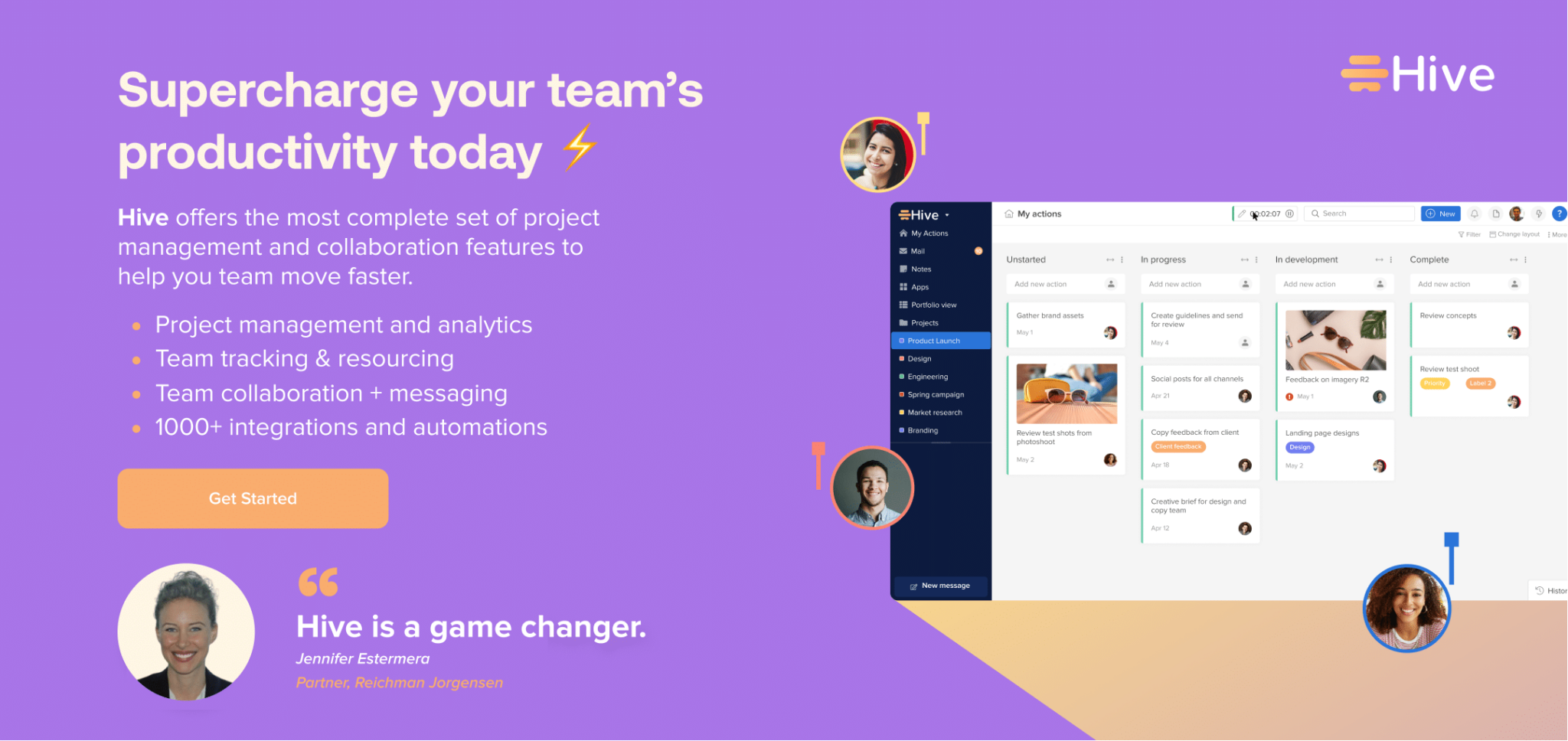
1. Hive

hive home with chathive home with chat

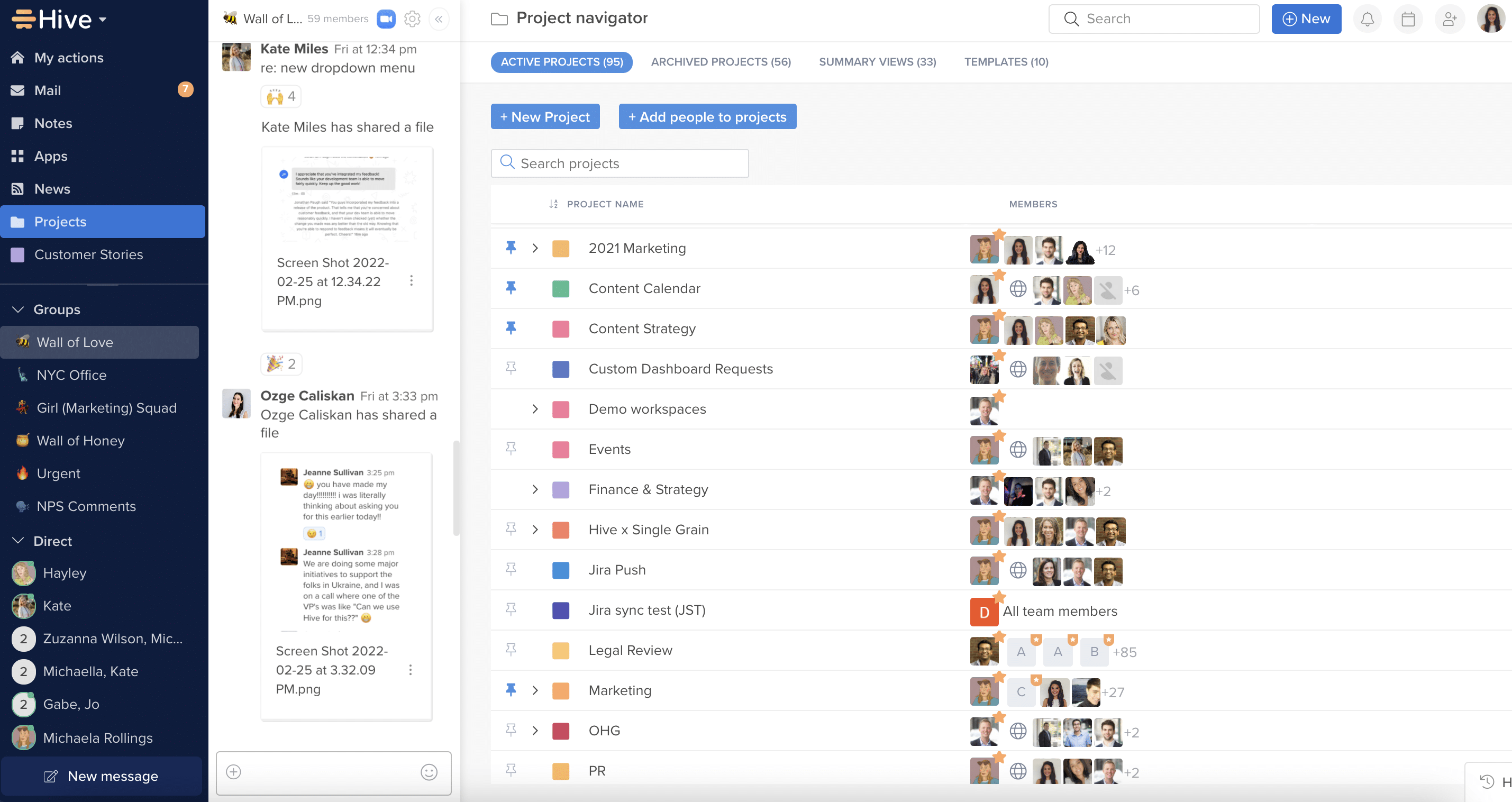
Hive is a popular Slack alternative for project management, as it offers chat as well as robust project management capabilities. In addition to both direct and group chats, Hive offers many collaboration features — such as in-app calendar syncing, note-taking, and task management — that allows users to streamline their workflow and manage team tasks from one interface. Plus, its integration with other third-party tools makes it an ideal choice for businesses that need to collaborate across multiple apps.

Key Features:

  • Chat and messaging capabilities for direct and group communication
  • Task management tools and HiveMindAI.
  • File sharing and collaboration tools
  • Integration with other third-party tools
  • Security features, including data encryption

Pricing:

  • Hive offers a 14-day free trial to get started today
  • Hive Free Plan – Available for up to 10 users
  • Hive Professional – $12/user/month
  • Hive Enterprise – Custom pricing is available for larger organizations.

2. Microsoft Teams

microsoft teams chatmicrosoft teams chat

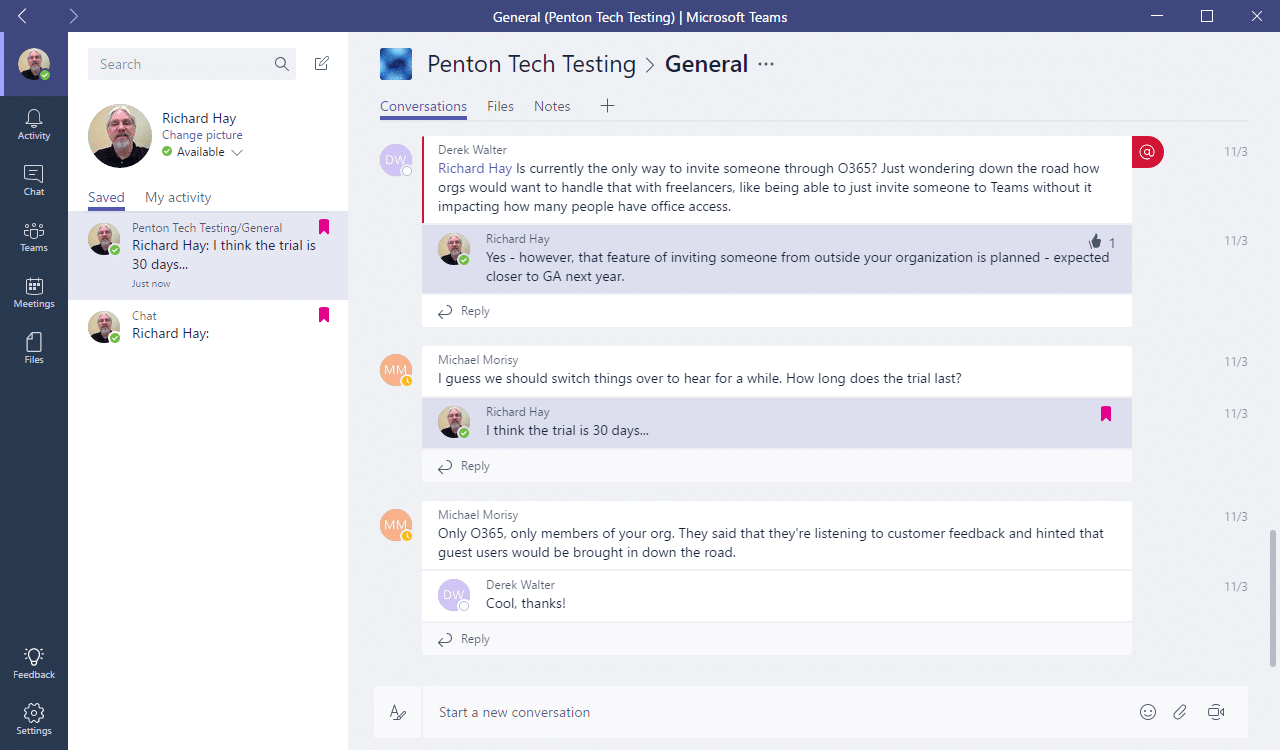
As part of the Microsoft Office suite, Teams is an all-in-one collaboration platform that allows users to share files, chat, and collaborate on projects all in one place. Teams is on-par with Slack, as it offers all of the same features but with the added bonus of Office 365 integration.

Key Features:

  • Chat and messaging capabilities for direct and group communication
  • File sharing and collaboration tools
  • Audio and video calling and conferencing
  • Integration with other Microsoft Office 365 tools and apps
  • Customizable channels and workspaces
  • Project management and task-tracking tools
  • Data encryption and multi-factor authentication

Pricing:

  • Free version available with limited features
  • Microsoft 365 Business Basic: $5/user/month
  • Enterprise pricing available for larger organizations

3. Zoom

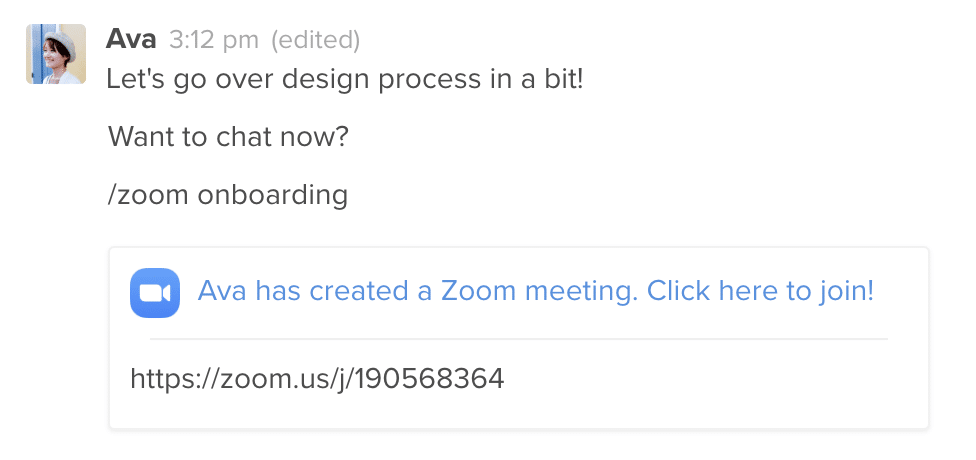
Although Zoom is primarily known as a video conferencing tool, it also has a chat feature that allows users to message each other and share files. Zoom’s popularity exploded during the pandemic, making it a top choice for businesses needing video conferencing and chat capabilities. While it is less robust than Slack with its features, it’s a great option for a team that wants to run their business with videos and chat.

Key Features:

  • Video and audio conferencing for remote meetings
  • Chat and messaging capabilities for direct and group communication
  • File sharing and collaboration tools
  • Screen sharing and virtual background options
  • Integration with other tools and apps, including Microsoft Teams and Slack

Pricing:

  • Basic (Free): for personal or small team meetings, limited to 40 minutes
  • Pro: $14.99/host/month
  • Enterprise: Custom pricing for large organizations and enterprise-level needs

4. Google Chat

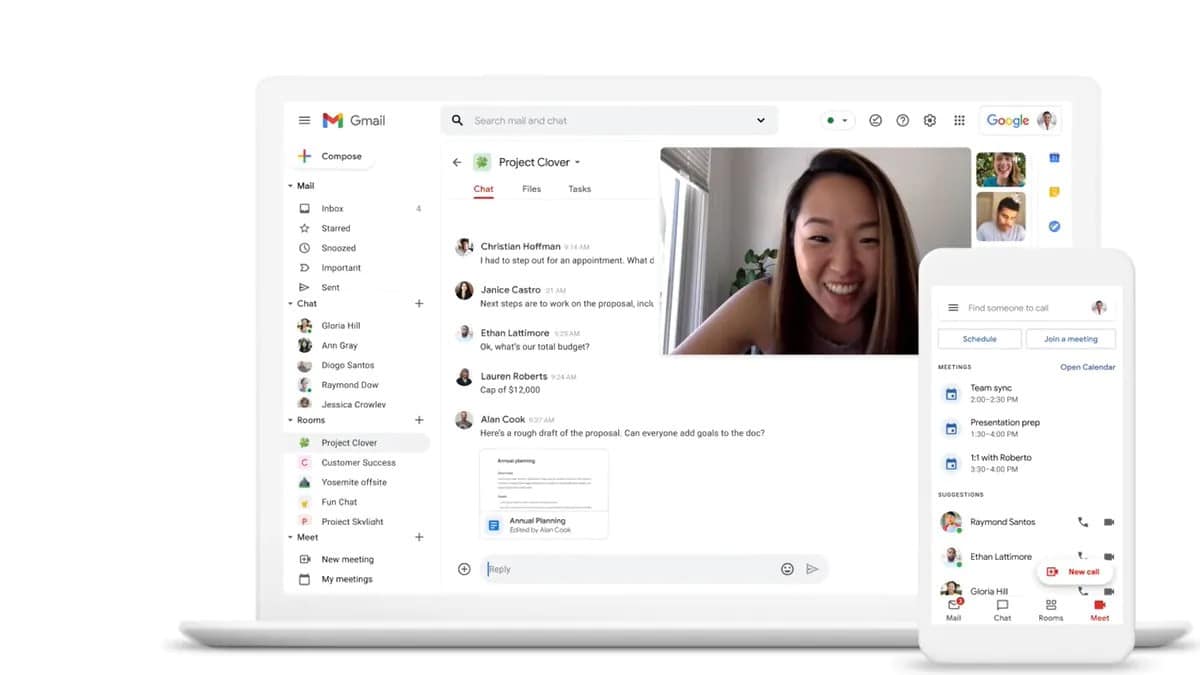
Google Chat dashboard desktop and mobileGoogle Chat dashboard desktop and mobile

Formerly known as Hangouts Chat, Google Chat is a team communication platform that integrates with other Google products like Google Drive and Google Meet. Google Chat is free as part of a Google Workspace account and is an excellent Slack alternative for businesses using other Google products. What’s great about Google Chat is that you can access it from any device with a web browser, making it one of the most versatile options.

Key Features:

  • Chat and messaging capabilities for direct and group communication
  • File sharing and collaboration tools
  • Integration with other Google products like Google Drive, Gmail, and Google Meet
  • Voice-calling capabilities with up to 25 participants in a voice chat
  • Robust security and privacy features, including 2-step authentication

Pricing:

  • Free with a Google Workspace account
  • G Suite Basic – $6/user/month
  • G Suite Enterprise – Custom pricing is available for larger organizations.

5. Chanty

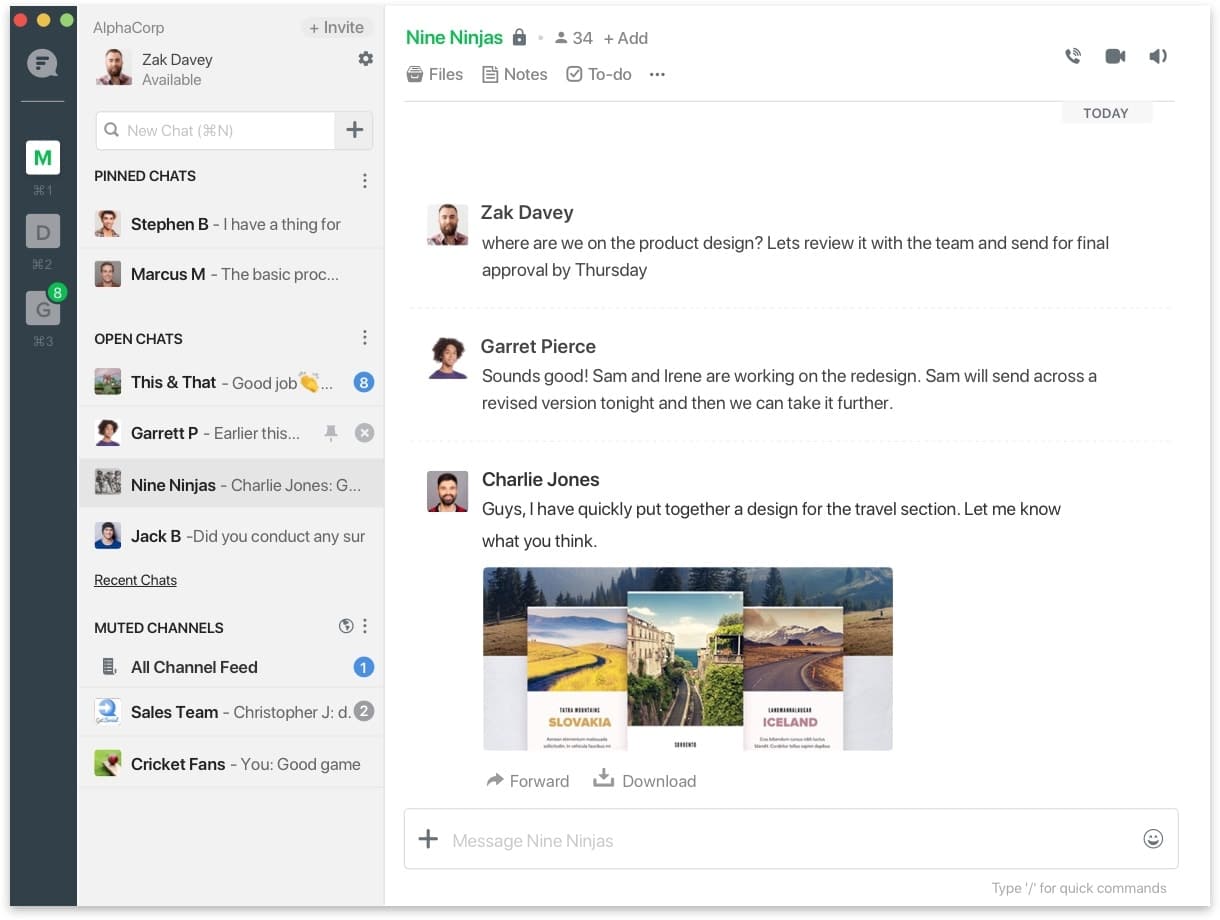
Chanty chatChanty chat

Chanty is a team chat app used for collaboration for teams of all sizes. The solution is a great alternative to Slack, as it lets you create, manage and assign tasks from a text message.

The Kanban board lets you optimize your workflow with a flexible and visual way to execute agile methodology. With 20+ integrations, Chanty also offers audio and video calls with screen sharing available to the entire team or by individual team members.

Key Features: 

  • Audio Calls
  • Public & Private Conversations
  • Voice Messages
  • Built-In Task Management
  • File Storage
  • Group Video Calls

Pricing:

  • Free for the basic version (up to 10 members)
  • Business version is $3/month/user and $4/annual/user.
  • Download For: iOS, Android, Mac and Windows Desktop

6. Flock 

Flock DashboardFlock Dashboard

Flock is a communication app and a great alternative to Slack as it combines messaging, video and voice calls in one platform. In comparison to Slack, Flock offers the best cost-benefit. Its basic plan starts at $6 per month, while Slack starts at $8 per month/user. 

However, most Flock users report a cluttered dashboard and very basic notification settings and integrations. Both tools offer a limited history search, however, Flock lets you have unlimited group members in their basic plan.

The software allows users to convert discussions into tasks, streamlining and automating workflow. Its advanced searching features and an option to bookmark messages allow better organization, facilitating documentation and team collaboration. Flock has a free starter plan that accommodates up to 20 members. 

Key features: 

  • Public company’s directory, closed channels and private messages 
  • Native voice and video calls
  • Document sharing 
  • Integrations and add-ons
  • Manage mailing lists 
  • Create and share code snippets on the go

Pricing: 

  • Free for up to 20 members. 
  • Pro: $4.50/user/month ideal for teams with 20-100 members
  • Enterprise (+100 members): Organizations with more than 100 members can request a quote.
  • Download App for: iOs and Android.

7. RingCentral

ringcentralringcentral

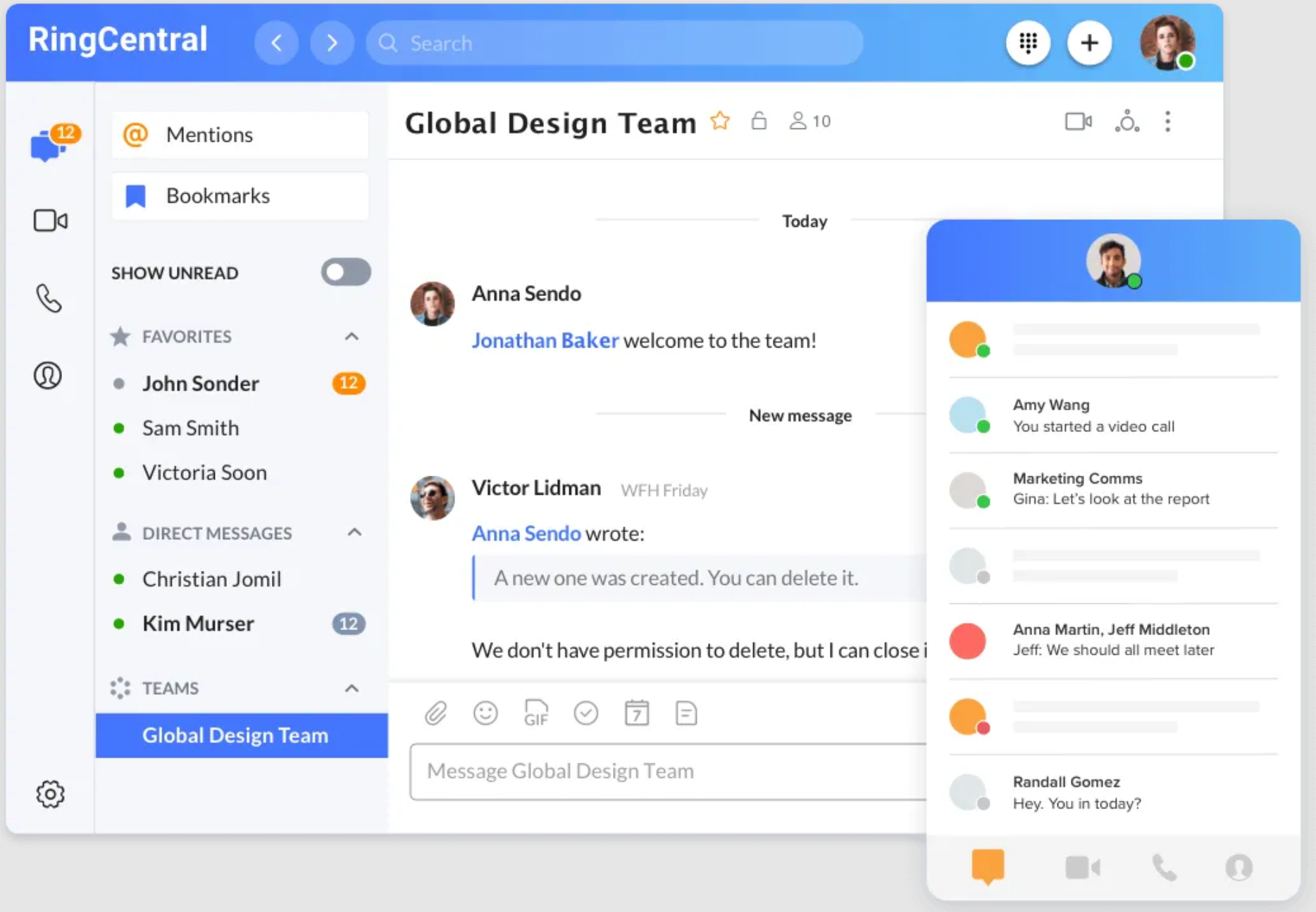
RingCentral is a cloud-based communication platform that gives you the capability to interact with clients and colleagues through: video, message, or a phone call — for free.

The flexibility of the solution is one of its biggest perks: with RingCentral you can work anytime, anywhere and across different devices, including your phone, tablet, laptop, or computer. The tool also integrates with Zapier, Hubspot and has a Google Chrome browser extension.

RingCentral also offers secured file sharing, task creation, and tracking. The solution includes  reporting and analytics features. RingCentral’s free plan has some limitations, such as a limit of 100 users,1000 outbound calling minutes per user per month, unlimited video conferencing meetings with up to 100 participants, but meetings are limited to 40 minutes per meeting. If you get a RingCentral free plan you may also face limited integrations and no customer support.

Key features: 

  • Host RingCentral HD video meetings for up to 50 minutes at a time with up to 100 participants. 
  • AI-powered noise reduction to keep distractions out of meetings.
  • Share files, create notes, and manage tasks across direct messages and teams.
  • Send and receive instant messages.

Pricing: RingCentral has three different plan tiers: core ($20), advanced ($25) and ultra ($35). All prices paid per user/monthly paid annually. Download app for iOs or Android.

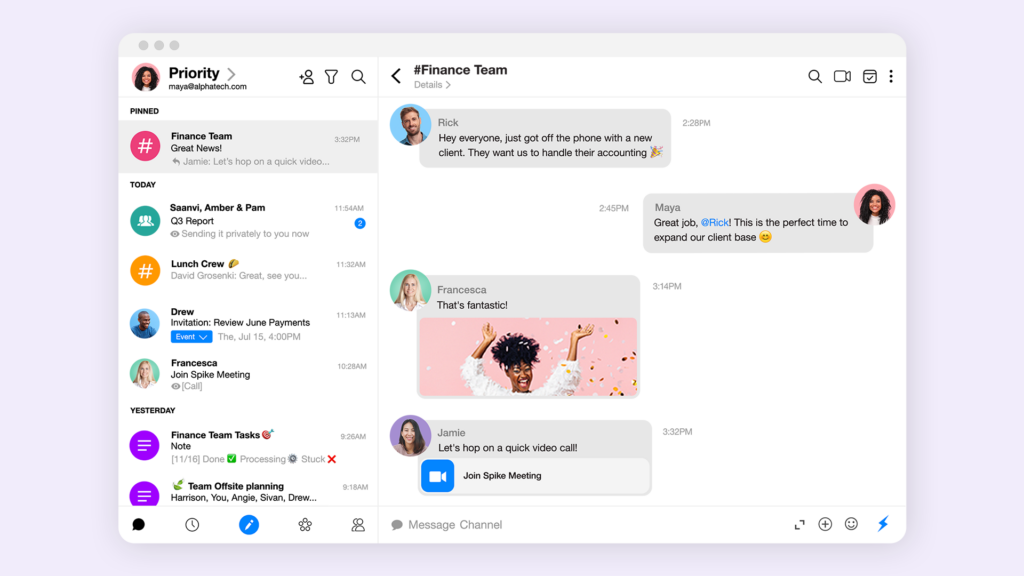
8. Spike

Spike is a unified platform for email, AI chat, notes, video meetings and collaboration. The tool has features that Slack lacks, such as integration with notes and a priority inbox. Spike’s priority inbox feature helps you to maximize your time responding to important messages first, and leaving low priority emails for your spare time. Spike also saves you time with its super search feature, which instantly looks through all your conversations, emails, files, notes and attachments giving you results in seconds. When it comes to interacting with external stakeholders, Spike also offers a smoother path than Slack. You can access Spike on web, mobile and desktop and use any domain for secure messaging.

Key features: 

  • Priority inbox and unified inbox
  • Super search and translation 
  • Voice messages, calendar and file management
  • Collaborative tasks and bulk actions
  • Multimedia messaging, undo send, send later, snooze, quick reply, multimedia and text to speech.
  • Smooth interaction between teams and external stakeholders.
  • Available on web, mobile, and desktop

Pricing: 

Free for small teams (up to 3 members). Paid Team plan starts at $6 per member/month with limited features and Business plan starts at $9 per member/month with 1TB storage space and VIP tech-support.

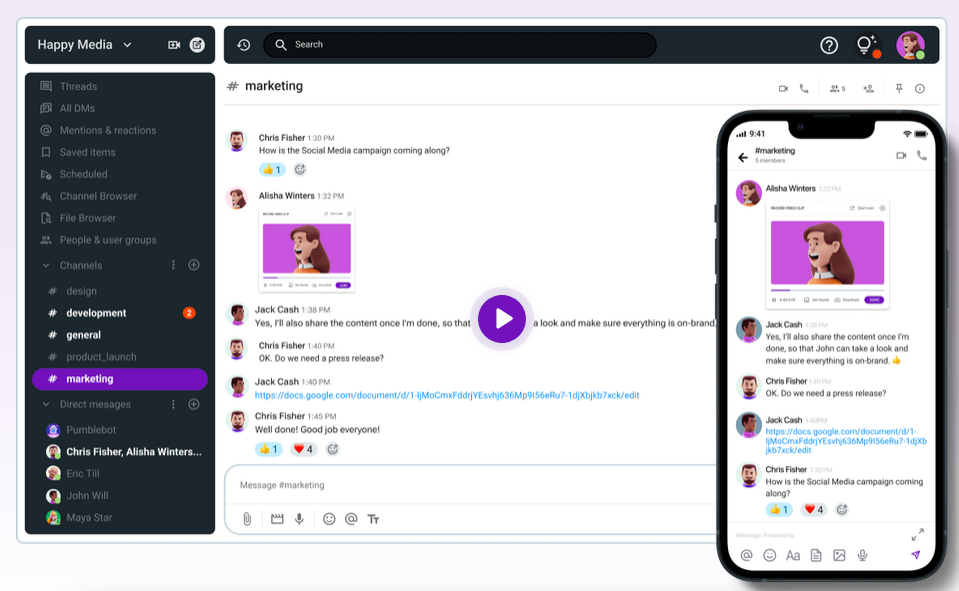
9. Pumble

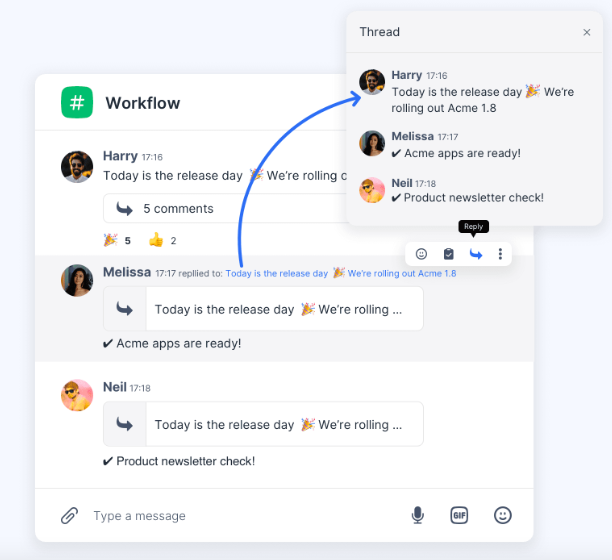
Pumble is a free team alternative to Slack with powerful features such as video chat, conference calls and file sharing. Pumble has a generous free plan with unlimited users, message history, voice and video messages and 1:11 meetings. The app lets you import your chats from Slack and holds up to 10GB storage per workspace. Now, if you need screen sharing for your meetings, you will need to pay for this feature. Pumble has a pro, business and enterprise plans.

Key features: 

  • Channels and threads
  • Direct messages and notifications
  • Video chat and conference calls
  • File sharing
  • Fully searchable history
  • Find files and information
  • Connect with others apps

Pricing: Free with unlimited users and message history. Pro plan costs $2.49 per user/month billed annually and has all features from free plan, plus group meeting (voice and video), screen sharing, customizable sections and 10GB storage per seat. Pumble’s business plan starts at $3.99 per user/month billed annually and includes permissions, guest access, usr groups and up to 20GB storage per seat. If you need more privacy and safety, their enterprise plan offers single sign-on (SSO) with data retention and 100GB storage per seat for $6.99 per user/month billed annually.

10. Ryver

Ryver is a team collaboration application that offers chat, voice and video features, ideal for hybrid and remote work environments. The solution integrates with third party apps. Its Topics feature lets teams discuss specific projects, as they would in a Slack channel, and assign tasks to other collaborators. Ryver also offers task management features which can be an advantage in comparison to Slack. For example, you can assign new tasks from a chat conversation — just like you would on Hive. In comparison with Slack free or basic plans, Ryver offers more capabilities. For example, unlimited collaboration and task management with unlimited data and the ability to invite unlimited guests to collaborate on specific projects. 

Key features: 

  • Voice and video calls;
  • Chat in a private group, 1:1 and forums; 
  • Task management capabilities;
  • Custom invite links and Single Sign-on;
  • News Streaming;
  • Unlimited file sharing;
  • Unlimited searching;
  • Unlimited integrations.

Pricing: 

  • Ryver’s starter plan costs $69 per month and includes up to 12 users. 
  • Ryver’s standard plan starts at $129 per month and seats up to 30 users. 
  • Ryver’s medium pack costs $4 per user and is offered for companies with more than 30 employees. 
  • Ryver also has an enterprise option, with pricing available when you contact their sales team.

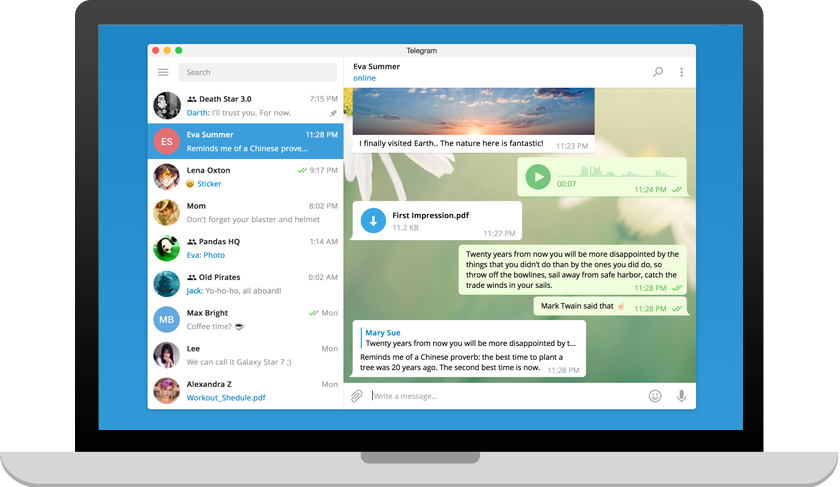
11. Telegram

Mostly known as a consumer messaging app, Telegram offers group chats, file sharing, and bot integrations suitable for some team communication needs. Telegram for Business is in fact a good alternative to Slack and offers many benefits to sales, marketing, and customer support. This top-5 most downloaded apps in the world counted 800 million monthly users in 2023. The platform lets you maintain multiple concurrent sessions across various devices, ideal for remote teams. It also offers free and limitless storage in the Telegram Cloud. Plus, Telegram has the availability of the open-source Telegram Business API for custom development. 

Key features: 

  • Securely encrypted and concerned about privacy, Telegram collects no data about its users – not even a name or a birthday – only a phone number is needed to sign up. 
  • Special verified badge from Telegram for your trusted brand
  • Telegram Secret Chat for privacy
  • Telegram channels work as Slack channels as virtual announcement boards, where an unlimited number of members can be added.

Pricing:

In a 2020 announcement, Telegram informed that all features that were currently free would stay free, but some new features for business teams or power users would be paid for by these premium users. Prices and plans were not publicly announced. As per March 2024, the platform had ads running in-app — as part of their business revenue model.


Communication platforms like Slack have become essential for remote workforces to collaborate, share files, and stay connected. While Slack is a popular choice, several other chat tools offer similar or even unique features.

Among others, Microsoft Teams, Zoom, Google Chat, and Hive are a few popular Slack alternatives that offer various communication and collaboration capabilities, making it essential to assess each product’s features before choosing the right one for your business. 

‘Banned’ Bluey Episode ‘Dad Baby’ Is Finally Viewable in the U.S.


Bluey Dad Baby Banned Episode

Image: Bluey – Official Channel

A Bluey episode originally released in 2020 everywhere except the United States finally gets the green light to be seen—with a catch: it’s only online (for now).

“Dad Baby” was among a number of banned or altered episodes of the hit Ludo Studio global phenomenon that never made it onto Disney+ or the Disney cable channels when it was acquired by the streamer. It’s curious as to why because the official description on Bluey’s official YouTube channel is pretty straightforward: “When Dad shows the kids how to use their old baby-harness, a new game is born: Dad Baby! But dad is unprepared for the harsh realities of giving birth to a baby Bingo.”

It can be suggested that perhaps Disney initially didn’t want to include a very lightly sex-ed centered episode on the show aimed at their kid demographic. io9 watched the now-available episode and it’s not as much of a big deal as the banning was made out to be. “Dad Baby” is a relatable, hilarious depiction of a pregnancy—particularly from the point of view of kids who remember their younger siblings being born. Even the comedic bits—like when Bluey’s dad Bandit carries her sister Bingo as a baby in the “womb” and recalls what he witnessed with his wife Chili—are silly and inoffensive. And yes, he does go through it all down to “pushing” Bingo out, which leans more into the kids’ playacting aspect of Bluey wanting to know how babies come into the world. It’s cute, endearing, and a good emotional episode from the show that’s proved that it knows what it’s doing. If you wanna see if for yourself watch it below!

Dad Baby | Full Episode | Bluey

Most episodes of Bluey are now streaming on Disney+.


Want more io9 news? Check out when to expect the latest Marvel, Star Wars, and Star Trek releases, what’s next for the DC Universe on film and TV, and everything you need to know about the future of Doctor Who.

Computer Screen Replacement: When to Upgrade


Our computers have become integral to both our personal and professional lives. Whether you’re a gamer, a designer, or a business professional, the importance of a quality computer screen cannot be overstated. Over time, however, screens may start showing signs of wear and tear, prompting the need for a replacement. In this blog post, we’ll explore the indicators that suggest it’s time for a computer screen upgrade and repair.

Computer Screen Replacement: Know When It’s Time For an Upgrade 

Resolution Woes:

One of the first signs that your computer screen may need an upgrade is a noticeable decline in resolution. If you find yourself constantly squinting to read text or struggling to discern fine details, your screen may no longer be up to par with modern standards. Higher resolutions not only enhance the visual experience but also contribute to increased productivity and reduced eye strain.

Color Fading or Inconsistency:

Color accuracy is crucial for professionals in fields such as graphic design, photo editing, and video production. If you notice colors appearing dull, washed out, or inconsistent across your screen, it’s a clear sign that your display is no longer performing optimally. Upgrading to a screen with improved color reproduction can significantly enhance your work and entertainment experiences.

Dead Pixels and Display Anomalies:

Dead pixels, stuck pixels, or other display anomalies can be a major annoyance. Over time, screens can develop pixel issues, disrupting the overall visual quality. If you find clusters of dead or stuck pixels on your screen, it may be time to consider a replacement. Newer screens often come with advanced technologies to minimize such defects.

Slow Response Times:

For gamers and professionals engaged in fast-paced tasks, a slow response time can be a dealbreaker. If you notice motion blur or ghosting on your screen, it’s an indication that your current display may not be keeping up with the demands of modern applications. Upgrading to a screen with a faster response time can vastly improve the overall viewing experience.

Outdated Connectivity:

Technological advancements bring with them new connectivity standards. If your current screen lacks the necessary ports or supports outdated standards, you might be missing out on the full potential of your graphics card or other hardware. Upgrading to a screen with the latest connectivity options ensures that you can take full advantage of your system’s capabilities.

Diminished Brightness:

Over time, the brightness of a computer screen may degrade. If you find yourself constantly maxing out the brightness settings and still struggling to see clearly, it could be a sign that your screen is past its prime. Upgrading to a new display will not only provide a brighter image but also contribute to a more enjoyable and comfortable viewing experience.

In conclusion, recognizing the signs that indicate the need for a computer screen replacement is crucial for maintaining optimal productivity and enjoyment. Whether you’re a professional in need of accurate colors or a gamer seeking a more immersive experience, upgrading your computer screen can make a significant difference. Contact us at PC Geeks today for a computer screen replacement! Keeping an eye out for the aforementioned indicators and investing in a new display will elevate your computing experience for many years to come.

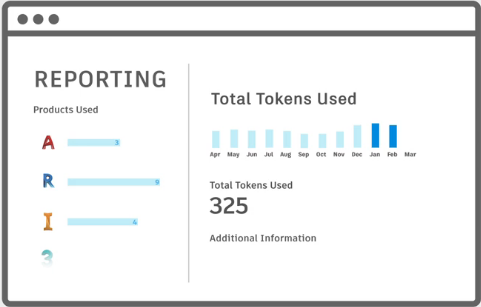
JTB FlexReport can monitor Autodesk Flex


Autodesk Flex is a new option to pay as you go for occasional product use. While you can get some usage reports from Autodesk they are limited.

image

When a user opens and signs into an Autodesk product included with Flex, they will be charged a daily rate per product once every 24 hours.

For example, a user opens and signs into AutoCAD from 8am-9am will be charged 7 tokens, same as a user using it the whole day. Even just starting and closing AutoCAD will cause a charge if 7 tokens (around $21). Revit will take 10 tokens.

With JTB FlexReport and JTB Process Monitor you can get additional valuable reports to identify users that just use a product a short time per day. You can get the total time the product has been running as well as the active time the user used the product. With this users using the products just a short time can be identified.

Contact us for a free trial or if you have any questions.


The Forever Winter is a co-op shooter about scavenging among the wreckage of a never-ending mech war


If I was writing What’s Better, it would be a short series. The first entry would declare that the best thing in video games, obviously, was watching NPCs fight among themselves.

It’s this which most interests me about The Forever Winter, which takes place in a “PvEvE conflict” in which enemy factions – including enormous, stomping robots – are constantly fighting one another while you and your squad try to scavenge and survive in their shadow. Its first trailer showing in-game footage is below.

Continue reading “The Forever Winter is a co-op shooter about scavenging among the wreckage of a never-ending mech war”