4 Ways To Avoid Using Filler Words In Your Writing


While most of think of filler words as using “um” or “uh” in speeches, there are lots of other extras we put in our writing.

These extras can distract from your main message and make your writing come off as less serious.

Keep in mind, the type of writing you do changes what words are appropriate, and what are considered extra.

For example, academic essays will have a more elevated writing style than most social media posts. However, there’s almost always something you can cut.

This article reviews basics of filler words: what they are, why they don’t work, and how to avoid them.

What are filler words?

Filler words are words in speech or written text that could be eliminated and are there to take up space.

In speech this sounds like:

  • Um
  • Uh
  • Er
  • Ah
  • Like
  • OK
  • Yeah
  • Right
  • You know

Writers often use filler words when they are unsure of what they have to say or want to hit a certain word count.

Most of us don’t realize how often we use filler words. I’ve been writing for years and I’m certain there are many in this article! It’s a hard habit to break, especially when you have a lot of writing to do and not a lot of extra time.

Depending on your writing style, some filler words make sense to keep. But more often, you can self-edit to make your writing stronger. At first it may be difficult to identify what is style and what is filler, but if you aim to cut the fluff, you’ll be on the right track.

What’s the difference between filler words in writing and in speech?

For the most part, filler words are the same in both writing and speech. It’s more common to use filler words in creative writing and casual speech.

If you are creating a proposal or a formal presentation, you will want to make sure you focus on cutting unnecessary words so your piece looks and sounds professional.

Why avoid using extra words in your writing?

Filler words are bad because they confuse readers and dilute your writing. If you have too much filler people may think your writing is padded and not enjoy the reading experience.

In particular, if you are doing any kind of persuasive writing, it’s important to avoid fluffy or flowery language because it can bury your message.

There is an argument for using filler words in creative writing or poetry, but for most types of writing, it communicates best when it’s clear, concise, and direct.

Hot take: some creative writers could benefit from learning how to shorten their sentences!

Examples of filler words

This is a brief overview of filler word examples. Keep in mind that each example below is not guaranteed to be a filler word—it depends on the sentence itself and what is being said. This is especially true for character dialogue.

One way to test if a word is filler is if you can remove it and the sentence still holds the same meaning.

Filler Words

  • Really
  • Very
  • Highly
  • Just
  • Like
  • As you know
  • However
  • Finally
  • In conclusion
  • You know
  • You see
  • Right
  • In my opinion
  • I guess
  • I mean
  • Seriously
  • Literally
  • Totally
  • However
  • As mentioned

Filler words take up space and make sentences wordy.

4 ways to improve your writing

Here are four ways to avoid using filler words to improve your writing.

1. Start with a brain dump

Before you worry too much about filler words, start by freewriting until everything in your head is on the page.

Write, then edit. (You can’t edit a blank page!)

Your first draft should be judgement-free so you can let your ideas flow. That way you have something to work with when it is time to edit.

2. Cut every sentence in half

This is a guideline rather than a rule. Sometimes cutting won’t make sense.

Pushing yourself to remove unnecessary words is a good and challenging practice. You might be surprised at how clear your writing becomes when you remove what’s extra.

3. Decide what’s filler and what’s essential

Some words like “in addition” or “however” can be important transition words. Every sentence is unique and sometimes what’s filler in one is essential in the other. If you’re not sure, try reading your sentence aloud with and without the word in question. Your ears will know what’s best!

4. Use an editing tool

Using writing and editing tools such as Hemingway app can help you decide how to cut your writing without losing its essence.

There are a lot of tools available, out there, but that one is a popular one for writers since it edits work based on the short sentence style of Ernest Hemingway.


Advertisement for the Freelance Writers Den, a writing community with more than 300 hour of training for one affordable monthly price

Trailer: Warhammer 40k documentary stars Napoleon Dynamite actor


The film seems targeted both at Warhammer diehards and newcomers alike, as the trailer opens on Heder searching for “the center of grimdark and everything gnarly,” while the camera comically zooms out to reveal he’s standing in front of a massive statue of a Space Marine. The film’s description implies Heder’s search began due to a “chance encounter at a game store,” but the admiration for the art of wargames comes through in the trailer’s cinematic composition and editing. Shots of miniatures and core texts are interspersed with interview clips and medieval architecture (rightfully) framing Warhammer and the culture around it as esoteric and arcane. Heder’s comedic ignorance of the hobby balances the, pardon the phrase, grimdark aesthetic, making the trailer feel like the final documentary will be accessible to even the most uninformed viewer.

The trailer culminates with a directive for Heder: “If you want to talk to the grandmaster, go find John.” This, of course, refers to artist John Blanche, who is credited with defining the visual language of Warhammer during his 46-year long tenure at Games Workshop. Blanche famously retired in June of last year, making rare media appearances that can be found on his personal blog. The trailer ends with a dramatic sequence of Heder knocking on what one could assume to be Blanche’s front door, before quickly cutting to an over-the-shoulder shot of a man, ostensibly Blanche, taking off his glasses in preparation.

How to enable OpenCL syntax highlighting and syntax checking of OpenCL C files in Visual Studio 2019?


To enable OpenCL syntax highlighting in Visual Studio 2019 IDE, install the Intel VisualStudioTools2019_vs16.vsix addin:
(Size=82458 bytes, MD5=c55b3bfa14257cfe136e07c3ba83fe68)

VStools4OpenCL_install1

VStools4OpenCL_install2

…and to enable the syntax checking of OpenCL C files (*.cl) in Visual Studio’s IDE, install this or the intel_sdk_for_opencl_2020_x64_setup.msi package:
(Size=41279488 bytes, MD5=92d65c87f7965e706950bba543b13e7d)

SDK_for_OpenCL_install

This installs the Intel OpenCL SDK headers, Code Builder and OpenCL compilers in %ProgramFiles(x86)%\Intel\OpenCL SDK\7.0\

IMPORTANT: You must set the environment variable INTELOCLSDKROOT to this expanded path manually.

These Intel tools add a new project type to the Visual Studio’s menu File-->New-->Project:

enter image description here

Creating a new GPU OpenCL project for Windows adds the %INTELOCLSDKROOT%\IntelOpenCL.props and %INTELOCLSDKROOT%\IntelOpenCL.targets references to the main .vcxproj file and this causes either the %INTELOCLSDKROOT%\bin\x64\ioc64.exe or the %INTELOCLSDKROOT%\bin\x86\ioc32.exe to be executed with an undocumented switch -VS which checks the *.cl files syntax and generates the following output in Visual Studio’s IDE when the project is built:

Build started...
1>------ Build started: Project: OpenCL_GPU, Configuration: Debug x64 ------
1>Preprocessingg: Template.cl
1>Using build options:  -I "C:\src\OpenCL_GPU"
1>Platform name: AMD Accelerated Parallel Processing
1>Device name: Hawaii
1>Device version: OpenCL 2.0 AMD-APP (3188.4)
1>Device vendor: Advanced Micro Devices, Inc.
1>Device profile: FULL_PROFILE
1>
1>'AddVec' kernel info:
1>  Maximum work-group size: 256
1>  Compiler work-group size: (0, 0, 0)
1>  Local memory size: 0
1>  Preferred multiple of work-group size: 64
1>  Minimum amount of private memory: 0
1>
1>Build succeeded!
1>
1>GPUOpenCLProjectforWindows.cpp
1>utils.cpp
1>Generating Code...
1>OpenCL_GPU.vcxproj -> C:\src\OpenCL_GPU\x64\Debug\OpenCL_GPU.exe
1>Template.cl
1>        1 file(s) copied.
========== Build: 1 succeeded, 0 failed, 0 up-to-date, 0 skipped ==========

The %INTELOCLSDKROOT%\bin\x64\ioc64.exe and %INTELOCLSDKROOT%\bin\x86\ioc32.exe are the OpenCL C compilers which are capable of checking the syntax of the *.cl files and generating LLVM, SPIR and SPIR-V files for Intel GPUs.

This also adds the following project properties to the Visual Studio’s IDE:

VS_properties1

enter image description here

enter image description here

Notice the Device: Intel(R) Graphics (-device=GPU) property.
This is bad news for non-Intel GPU owners because this locks these tools to Intel GPUs only and causes the error message error CL: Failed to get platform id... for non-Intel GPUs. There are two workarounds this problem:

1) Set the project property Device: Intel(R) CPU (-device=CPU) and install the Intel OpenCL CPU runtime that installs a GPU emulator for Intel CPUs (warning: this runtime is bloated, over 250MB !!!).
2) Patch %INTELOCLSDKROOT%\bin\x64\ioc64.exe and/or %INTELOCLSDKROOT%\bin\x86\ioc32.exe to ignore this restriction and compile the *.cl files by the installed GPU driver (e.g. the AMD’s OpenCL GPU driver). This is the only way for systems with non-Intel CPUs and non-Intel GPUs. Fortunately this patch is very easy.

The Best Early Black Friday Tech Deals


November 29, the day after Thanksgiving, is Black Friday. On this hallowed shopping day, retailers around the world drop prices on just about everything in an attempt to grab their share of your holiday spending dollar. But the real trick is knowing which discounts hit before Black Friday officially begins. Here at ExtremeTech, we’ve been scanning through all of the major stores to find advance discounts on tech, from laptops and desktops to TVs and security cameras. Here are our picks for the best early Black Friday deals across all the tech categories we cover. We’ll update this lineup as Thanksgiving draws closer, so check back in for more deals.

Asus Vivobook S Flip Laptop

Asus Vivobook S Flip Laptop


Credit: Best Buy

Laptops are one of the best categories to save on during Black Friday and Cyber Monday, and if you’re on the hunt for a versatile and reliable portable PC with some nice features, this Asus model is a solid choice. The 360-degree hinge lets you use it as a tablet, tent display, or traditional laptop, and the 16″ OLED display is bright, crisp, and smooth. Inside the chassis, you’ll find some seriously cutting-edge components, including a 13th Generation Intel Core i9 processor, 16GB of RAM, and a 1TB SSD. The Asus Vivobook S Flip is a great portable for content creation, and this is a serious discount.

More Early Black Friday Laptop Deals

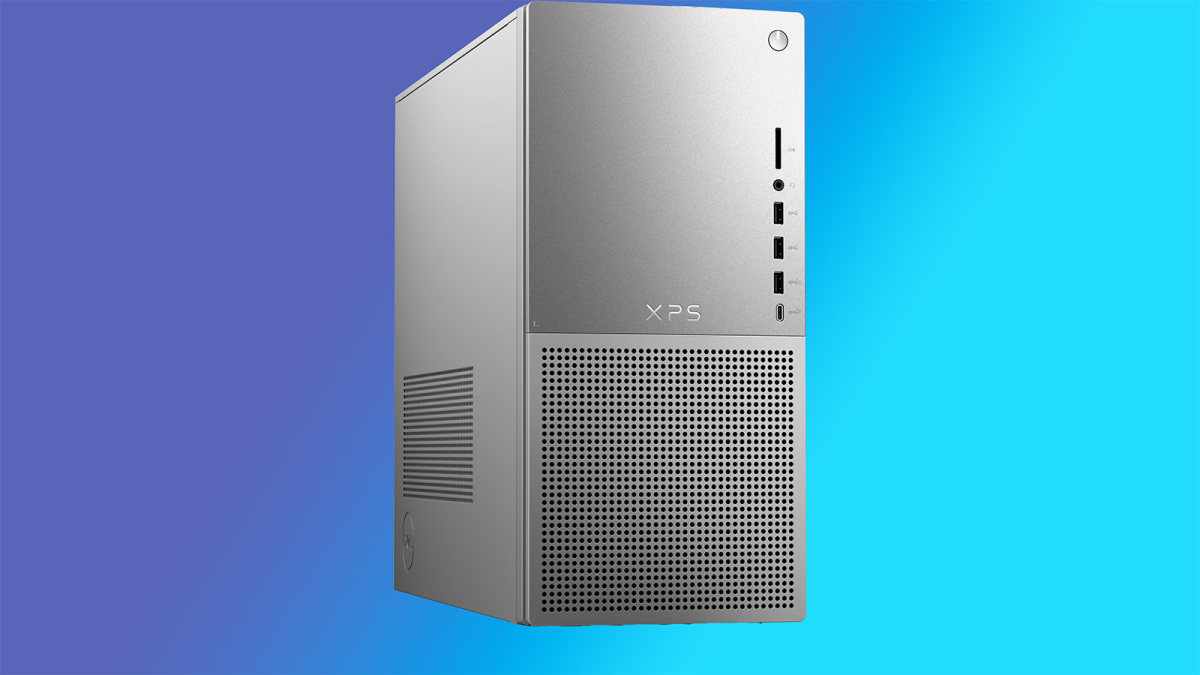
Dell XPS 8960 Desktop

Dell XPS 8960 Desktop


Credit: Dell

Setting up a new home office or family workstation? Give some thought to the Dell XPS line. These are inexpensive, well-apportioned desktop PCs that handle all kinds of activity, and PCMag gave this model an Editors’ Choice award in its review. This configuration is really solid for the price, featuring a 20-core 14th Generation Intel Core i7-14700 processor, 8GB of speedy DDR5 RAM, and a 512GB SSD. It’s not ideal for gaming, but at this price, you can’t beat it for an all-around performer. This bundle ships with a Dell wired keyboard and mouse.

More Early Black Friday Desktop Deals

Hisense U8N 65″ TV

Hisense U8N 65


Credit: Amazon

There are lots of TVs on sale around Black Friday, so it’s tough to pick out just a few that rise above the pack. The Hisense U8N won an Editors’ Choice award from PCMag, where they said it “can put out a nearly blinding amount of light, it’s loaded with features, and it’s very affordable for the performance it offers.” Pumping out colorful and bright 4K images at a 144Hz refresh rate, with full array local dimming for excellent contrast and up to 3000 nits peak brightness, it’s a great picture for movies, sports, games, and more. Getting a discount of 40% makes this an absolutely irresistible deal.

More Early Black Friday TV Deals

Arlo Pro 5S 2K Indoor / Outdoor Camera System

Arlo Pro 5S 2K Indoor / Outdoor Camera System


Credit: Best Buy

Smart security cameras are becoming incredibly affordable, and many of the top models boast cool features like package monitoring, two-way audio, motion alerts, and more. PCMag reviewed the Arlo Pro 5S 2K system positively, saying it “offers nearly every feature you could need” and praising its simple installation and crisp, clear 2K video. Internal dual-band Wi-Fi supports 2.4 and 5GHz networks, automatically connecting to the strongest signal. Battery life runs up to six months, or eight in Low Power mode. This bundle gives you two cameras for the price of one during Best Buy’s early Black Friday sale.

More Early Black Friday Security Camera Deals

Linksys AX1800 Wi-Fi 6 Router

Linksys AX1800 Wi-Fi 6 Router


Credit: Amazon

This Linksys router is perfect for apartments or smaller houses, as it tops out at 1,500 square feet of coverage and support for up to 20 simultaneous devices at speeds of up to 1.8Gbps. It’s currently on sale at Amazon for 54% off, which is a massive discount. Setup couldn’t be simpler, and it also includes a suite of parental control tools to keep your young relatives away from nefarious content. You can also set up separate guest accounts for holiday visitors without giving them the master router password.

More Early Black Friday Router And Mesh Wi-Fi Deals

LG UltraGear 34″ QHD Gaming Monitor

LG UltraGear 34


Credit: Walmart

This is a massive price cut on a high-end ultrawide gaming monitor that combines a gentle curvature with a cutting-edge panel design. LG’s monitors are universally good quality, and this model is no different. Boasting a 3440 x 1440 quad-HD 2K resolution, games look great and play fast with a super-quick 1ms gray-to-gray response time. The refresh rate caps out at 160Hz, and it supports both AMD FreeSync 2 and Nvidia G-Sync. Multiple ports, including HDMI, DisplayPort, and USB type A and type B let you connect all sorts of inputs and outputs. Taking $420 off, dropping it down to less than half price, is a ridiculous deal.

More Early Black Friday Monitor Deals

Apple iPad Mini (A15 Bionic)

Apple iPad Mini (A15 Bionic)


Credit: AMazon

Apple’s pint-sized tablet is still a top performer, and at a generous $150 discount, it’s even more attractive. In PCMag’s review of the A15 Bionic iPad Mini, the site that it was “incredibly powerful, with a battery that can last through the day.” This model adopted the A15 Bionic processor from the previous generation’s iPad Pro for a massive boost in speed and capability, and the increased storage and compatibility with the 2nd generation Apple Pencil makes it a great pick for people exploring their creativity on the go.

More Early Black Friday Tablet Deals

Samsung Galaxy Watch 6

Samsung Galaxy Watch 6


Credit: Credit: Amazon

One of the top non-Apple smartwatches on the market, the Samsung Galaxy Watch 6 does everything you need a wearable to do, with a robust selection of integrated apps for productivity and entertainment, paired with multiple biometric sensors to monitor heart rate, skin temperature, sleep quality and more. In PCMag’s review, the site said that this unit delivered “striking display upgrades” and praised its seamless synchronization with other Samsung devices. This is a staggeringly low price for the best Android smartwatch out there.

More Early Black Friday Smartwatch Deals

Sony WH-1000 XM4 Wireless Noise-Cancelling Headphones

Sony WH-1000 XM4 Wireless Noise-Cancelling Headphones


Credit: Credit: Amazon

PCMag called these over-ear headphones “the gold standard in wireless noise cancellation” in its review, praising their excellent audio performance with rich bass and detailed highs, comfortable fit, high-quality materials, and good battery life. All of those earned them the Editors’ Choice award. At list price, they’re sort of a tough one to swallow, but a discount of $120 makes them incredibly attractive. I doubt the price will fall any further for Black Friday, so pick them up now.

More Early Black Friday Headphones Deals

Stay tuned, because more deals will be added as we get closer to Black Friday.

Which Writing Rate Earns the Most? Per Word or Per Hour?


There’s a lot of discussion online about writing rates. What’s the best way to bid a project? By the word? By the hour? By the project?

They all have their uses, especially since some publications and businesses are kind of in the habit of using one or the other of these methods for deciding what they’ll pay.

Which writing rate is the best way to price jobs?

To my mind, it’s by the hour.

Time is Money for Freelance WritersTime is Money for Freelance Writers

Time is your most precious resource. You only have so many work hours in the year, so you need to make as much per hour as you can. Which leads me to my one important rule of pricing jobs:

No matter how you price the job, track your hours and figure out your hourly rate

Because if you don’t know your hourly rate, how can you work on raising it? How can you compare clients and know which to keep and which to drop?

Now, if you’re working for an ongoing copywriting client, I personally believe bidding by the project is best. Your client is happy because they know exactly what they’re going to pay, and you can budget for the amount you will earn.

The trick to choosing the best writing rate is creating a flat fee for that project that will give you what you want

You can only do that by getting some experience with how long it takes you to do things. Obviously, this setup rewards efficiency. If you’re unusually fast, you can bid on a par with other writers, but end up with a better hourly rate, and earn more over the course of the year.

Before the downturn, I thought high per-article fees were the answer to maximizing earnings. But I’ve learned that’s not always true. When I was scrambling around for a few new clients in late 2008/early 2009, I got an offer from an old editor friend to write some quick articles for $100 apiece, just based on my knowledge of business topics, supplemented with a little online research. (Hey, it’s above my $50 an assignment limit, people!)

At first I was appalled. Prior to this time period, about the very lowest article rate I took was $300. Then I thought what the heck, and gave them a try.

I found I could write them in an hour to 90 minutes. A little quick math and hmmm…that’s $70-$100 an hour. Not too shabby. I’ve kept this work as good occasional filler projects . A quick scan of my bills showed I picked up $1,700 this way in 2010 in maybe 20 to 22 hours. So the lesson is: Any work that earns a high hourly rate is good writing work.

Of course, getting a client where they’ll let you simply bill for however many hours you’re spending on their projects each month is the ideal. Then you know you’re getting paid for every hour you work. I had a client like that at $95 an hour for more than a year, sending me work every month. I think right now, those jobs are harder to come by.

But billing hourly protects you against the evil that is scope creep: the situation where you bid a flat project fee, but then the parameters of the project keep growing, as does your time spent. Been lots of discussion of how to handle this sticky problem on LinkedIn.

Most publications tend to assign a price per word or give a flat article price. In which case, you may need to work on your efficiency to make sure your rate stays as good as possible.

But you can always ask for more money. I’ve gotten companies to add $50-$200 to an article assignment or more if they ended up wanting sidebars, or a longer length, or I knew they were a slow payer.

What do you prefer? Billing by the project, the hour or the word?

Photo via Flickr user zoutedrop

School Did Nothing Wrong When It Punished Student For Using AI, Court Rules


An anonymous reader quotes a report from Ars Technica: A federal court yesterday ruled against parents who sued a Massachusetts school district for punishing their son who used an artificial intelligence tool to complete an assignment. Dale and Jennifer Harris sued Hingham High School officials and the School Committee and sought a preliminary injunction requiring the school to change their son’s grade and expunge the incident from his disciplinary record before he needs to submit college applications. The parents argued that there was no rule against using AI in the student handbook, but school officials said the student violated multiple policies.

The Harris’ motion for an injunction was rejected in an order (PDF) issued yesterday from US District Court for the District of Massachusetts. US Magistrate Judge Paul Levenson found that school officials “have the better of the argument on both the facts and the law.”

“On the facts, there is nothing in the preliminary factual record to suggest that HHS officials were hasty in concluding that RNH [the Harris’ son, referred to by his initials] had cheated,” Levenson wrote. “Nor were the consequences Defendants imposed so heavy-handed as to exceed Defendants’ considerable discretion in such matters.” “On the evidence currently before the Court, I detect no wrongdoing by Defendants,” Levenson also wrote. “The manner in which RNH used Grammarly — wholesale copying and pasting of language directly into the draft script that he submitted — powerfully supports Defendants’ conclusion that RNH knew that he was using AI in an impermissible fashion,” Levenson wrote. While “the emergence of generative AI may present some nuanced challenges for educators, the issue here is not particularly nuanced, as there is no discernible pedagogical purpose in prompting Grammarly (or any other AI tool) to generate a script, regurgitating the output without citation, and claiming it as one’s own work,” the order said.

Levenson concluded with a quote from a 1988 Supreme Court ruling that said the education of youth “is primarily the responsibility of parents, teachers, and state and local school officials, and not of federal judges.” According to Levenson, “This case well illustrates the good sense in that division of labor. The public interest here weighs in favor of Defendants.”

The Devil Within Satgat Free Download (v1.3.0.3) –


The Devil Within Satgat Pre-Installed WorldofpcgamesThe Devil Within Satgat Pre-Installed Worldofpcgames

The Devil Within Satgat Direct Download:

An enormous spiked tower of mysterious origins suddenly appears in the land of Joseon. The Pure White Oil that oozed from the Radiant Spire instantly revitalized the drying land of Joseon, providing the catalyst for dazzling technological advancements including Dimensional Gates. However, the Royal Court of Joseon yearned for more and continued their reckless research to further harness the power of the Radiant Spire. In the end, they made a dreadful mistake, summoning hellish demons to ravage this land… In a world decimated by destruction, the majority of its inhabitants have long since been corrupted into demons and roam aimlessly. Dungeon Clawler

With just a sword in hand, assume the role of Kim Rip and cut down the numerous demons that threaten both you and the world at large. Employ the power of the demon that resides within you to break past your limits and utterly shatter your foes. One thing is for certain: your blade is needed to navigate this desolate world. The fate of the world rests on your shoulders as you face off against hordes of malevolent demons. Make full use of your combat prowess, train your body, and execute strategies to eliminating the mighty demons that stand in your way. Master an array of advanced offensive, defensive, and mobility skills to vanquish the powerful adversaries and rescue a shattered world.

Features and System Requirements:

  • Face off against powerful enemies, each with unique mechanics that test your skills and strategy.
  • Tailor your abilities and equipment to suit your preferred combat approach, balancing between aggression and defense.
  • Upgrade your character’s abilities, unlock new powers, and collect resources to enhance your combat effectiveness.

Screenshots

System Requirements

Requires a 64-bit processor and operating system
OS: Windows 10 64bit
Processor: 3 GHz Quad Core
Memory: 8 GB RAM
Graphics: 4GB Ram , DirectX 11 compliant
DirectX: Version 11
Storage: 15 GB available space
Sound Card: DirectX Compatible
Support the game developers by purchasing the game on Steam

Installation Guide

Turn Off Your Antivirus Before Installing Any Game

1 :: Download Game
2 :: Extract Game
3 :: Launch The Game
4 :: Have Fun 🙂

Common AUTOCAD Mistakes to Avoid for Perfect Drawings Every Time!!


Hey All,

Happy Thursday! I hope you’re having a great week so far, it’s been a busy one here and I’m looking forward to sharing 2 new AutoCAD Videos with you all.

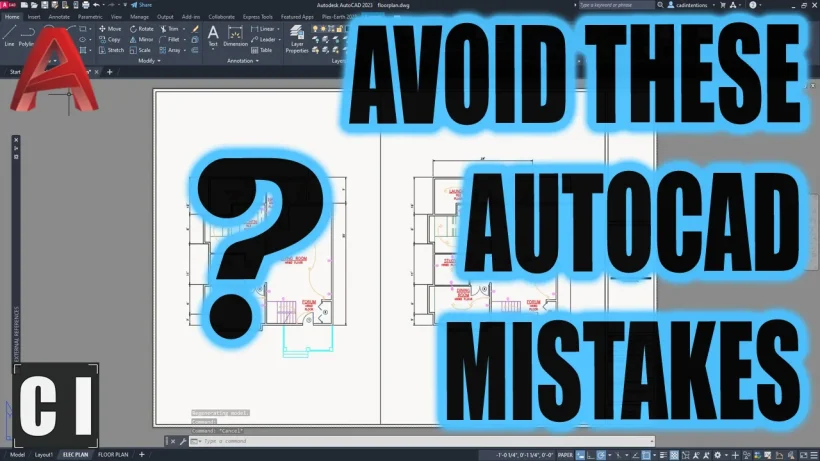
I’ll jump right in since I want to keep today’s email short, in the first video this week we are taking a look at some of the most Common AutoCAD Mistakes that I see new and experienced users consistently making and how to easily avoid them!

Whether you’re a beginner or an experienced user, these essential tips will help you improve your workflow, enhance your design accuracy, and save valuable time.

Common AUTOCAD Mistakes to Avoid!

Let me know in the comments what some common Mistakes you run into or find yourself making on the regular!

Next up we’ve got the second video this week, in it we are taking a look at how to set up Dark Mode in AutoCAD and in particular, how to create a custom dark mode for paper or layout space! Dark mode in software has been around for quite a while, it is well known that it is easier on your eyes and much better when working at a computer for prolonged hours of work.

AutoCAD in DARK MODE is a GAME CHANGER! – Custom Dark Mode for Layouts / Paper Space

That’s all for today, I hope you enjoyed this week’s email and I would love to hear what you think? Be sure to let me know by hitting reply or sending me a message over on twitter @cadintentions ! 

As always, thank you so much for reading and watching, I am super excited for the rest of the year, growing the content, tutorials, and blog with you all. 

Cheers and happy Drafting!

The following two tabs change content below.

Brandon is a Civil Designer, Aspiring Blogger/Creator, Husband, Father to two Amazing Kids and Tech Aficionado from a small town in Canada. He has been obsessed with design and technology since he can remember and working as a Civil Designer for nearly as long. Brandon’s blog and Youtube channel, CADIntentions.com has been his outlet and excuse for keeping up with new tech and trends in the CAD design world for the last 10 years growing to more than 60,000 subscribers and over 15,000,000 views, while also being the source of many great friendships and unique opportunities.

If you would like to Sponsor CAD Intentions or Work together in some way, Please visit my About Page and send me an email: http://cadintentions.com/about-me/


The first new Shiren The Wanderer game in 14 years is headed to PC


Various games in the Shiren The Wanderer (and Mystery Dungeon) series have been recommended to me over and over, but I’ve yet to play any of them. I likely won’t play the next, either. Shiren The Wanderer: The Mystery Dungeon Of Serpentcoil Island is headed to PC via Steam soon.

Continue reading “The first new Shiren The Wanderer game in 14 years is headed to PC”