The Friday Roundup – Video Recording Setups and Audacity 4.0


Getting Your Recording Setup Out of the Way

Sometimes the hardest part of making a video is getting to the point where you can actually hit that record button.

The microphone needs setting up, the lights need switching on and the script is still sitting somewhere on your computer but you’re not sure where!

By then, the enthusiasm you started with may have wandered off somewhat!

Over the past few weeks Gabriel VIP has been working toward a studio he can get ready in sixty seconds.

In this third installment he tackles the audio setup and transferring his script to the teleprompter.

One useful point of note is that he uses a Fairlight preset in DaVinci Resolve, which saves him rebuilding his recording tracks and settings each time.

This is a habit that can be adopted regardless of which video editing software you are using.

The more useful question to ask yourself is which part of your routine keeps getting in the way.

Saving a preset or leaving a suitable connection ready may remove that irritation without replacing equipment you already like.

Gabriel’s final point is that reaching sixty seconds isn’t compulsory, making recording less of a chore is the part that matters.


Audacity 4: Check Your Workflow Before Upgrading

A few months back now, Audacity, the free digital audio workstation introduced the first major upgrade of the software for many years.

Like most redesigns of an interface the aim os to make familiar software much more pleasant to use.

On the other hand, it can also leave you looking for that one command you use every day, which rather takes the shine off the new paintwork!

In this video Mike Russell takes a closer look at Audacity 4, covering both its improved editing experience and the tools missing from the previous version.

He covers moving and trimming clips, arranging the workspace and using effects, then explains why omissions such as macros matter to people with established audio routines.

A macro is simply a saved sequence of operations, useful when the same voice cleanup needs doing repeatedly.

For anyone recording narration, interviews or a podcast, the useful takeaway here is to try a normal job before committing an important project to a new version.

A good example of this is that the Open Vino AI plugins that can be used with Audacity 3.0 versions are not yet compatible for the 4.0 iterations.


Softer Movement for Filmora 16 Animations

Very often you can get a title moving across the screen and still feel that something isn’t quite right.

The timing may be fine, but everything about it seems so sharply defined that the movement looks kind of mechanical.

This short tutorial introduces motion blur for keyframed animations in Filmora 16.

Keyframes mark changes in position, size or rotation over time; the blur adds a trail to that movement.

The example uses text inside a compound clip, which groups the text into a clip that can receive the effect.

The lesson also explains the controls rather than just switching it on and leaving it at that.

Shutter angle changes the length of the trail, shutter phase changes where it sits relative to the frame, and the sample setting affects its smoothness and the processing required.

Those names sound a little forbidding, but the job is simply to control how the movement is drawn.

This is useful for quick title entrances, moving logos and animated graphics.

You need some movement already in place for the feature to do anything, and a little restraint helps keep the text readable.

It is a focused finishing technique rather than a reason to add movement to every item on the screen.

That old rule still applies, “Just because you can, doesn’t mean you should!”


Giving Flat Footage a Direction in Filmora 16

A lot of the time when it comes to color correction and grading you start out with colors that look a certain way and you know you need to do something about it.

Being presented with a panel full of sliders in the color tools doesn’t really tell you what that something should be or how you should change it.

Moving all of them until the picture looks dramatic is certainly an approach… although it can be difficult to repeat and more often than not, gets you some messed up results!

In this tutorial from Filmora, the presenter works through some log footage in Filmora 16 but don’t get distracted by that.

Most of us are not shooting in that format and just for clarity: Log is a recording profile that looks pretty washed out before an appropriate conversion and grading.

The reason it is used by some creators for shooting is that whilst it displays rather gray and flat, a great deal more of the underlying data has been retained allowing for more aggressive color work.

The useful part is the move from auto color correction designed to get you into the ballpark rather than be a total solution unto itself.

A reference image then supplies a direction for AI Color Palette tool, while a color mask lets the you adjust the surroundings separately from the person.

The strengths of the automatic adjustments can be reduced where needed rather than accepted without question.

I look at this as an excellent trade of between totally automatic color correction and it’s inherent problems and AI tools that can’t actually “see” the results.


A First Complete Edit in Movavi Video Editor

I have been looking around for a complete end-to-end run through of the Movavi Video Editor for a while now.

The Movavi tutorial channel on YouTube certainly has a bunch of great task specific videos available, but there seems to be no start to finish one up there.

Learning an editor in a fragmented, one button at a time manner can leave you knowing quite a few buttons without knowing how it all fits together.

Sometimes it is easier to follow one small project from the first import to the exported file and see where everything fits.

Matthias Dangl does that here in Movavi Video Editor 2026, combining a talking-to-camera clip with drone footage and music.

He starts with saving the project and choosing the frame shape, then moves through cutting, silence removal, transitions, beat markers, subtitles and export.

There are also examples of changing speed and tracking a blurred area and the beat detection section is a useful introduction to editing with music.

This is a broad beginner walk-through rather than a detailed course in every feature so if you already have the editor, followinging along with a handful of your own clips should make the layout and basic workflow much less mysterious.


Fewer Ums Before You Reach the Timeline

Listening back to yourself after recording a video can often reveal an impressive collection of ums and uhs that you don’t remember putting there!

Once you’ve noticed them, two things tend to happen:

  • The first is that you realize you can’t unhear them and the more you listen, the worse it sounds!
  • The second is that you are tempted to spend the rest of the day removing every last one.

The article below offers a more manageable approach which is to reduce the problem while recording.

The article also covers trimming the leftovers and distinguishing filler words from silence.

A final reminder is to leave enough breathing room for the you to still sound like a real person.

A tighter cut for a tutorial is helpful and in many cases desirable but a conversation with every hesitation surgically removed can sound stiff and unnatural.


Building a Frosted Glass Graphic in CapCut

A name card or any information panel needs to stand out from the picture without taking over the whole screen.

A translucent glass-style panel is one way to give the text its own space while keeping some of the background visible.

Agnes from Dina and Agnes builds that look in CapCut using rectangle shapes, transparency, masks and blur.

The tutorial runs through creating the panel itself, developing an animated lower third, a moving highlight around the edge and a floating card with layered text.

Masks control which parts of a layer remain visible, so the apparently elaborate result comes from several quite ordinary pieces working together.

Look out for the useful workflow lesson tucked into the construction too: save the basic glass panel as a preset before developing the animations.

Once you’ve done the fiddly work, it makes sense to keep something you can use again with a different name or message.


What Goes Into an AI-Assisted Video Edit

With the releases of Claude Code and Chat GPT Codex versions that have been specifically developed with video editing in mind there has certainly been a lot of chatter going on about it.

The idea of handing over your footage and having a finished edit appear while you do something else is certainly appealing.

The real questions are, how much work has to happen before you get to that point and how effective are the results in the real world.

This tutorial from Content Creators works through an editing setup using Claude, with a ChatGPT/Codex route also described integrating with DaVinci Resolve as the editing software.

The only current consumer level video editor that I am awre of that can be set up the same way is CapCut.

The video shows asking the assistant to remove mistakes, apply a supplied color conversion, build captions and graphics and place sound effects, then turns the refined process into a reusable skill.

There is a fair amount of preparation involved and as far as I know you will need some kind of paid account with Claude or Codex to be able to set it all up.

If you are interested then be warned that this is an experiment to set time aside for, especially if that kind of installation is unfamiliar to you.

My own experience in working with this kind of arrangement from a “start to finish” point of view is that the results are just OK but nothing spectacular.

The projects I have completed were fairly simple in nature and required that I go back into the project a number of times to refine or correct what the AI had done.

At the end of the day I could pretty much manually do the work in about the same amount of time.

I think over time these types of functions will get better but right now for me anyway, I think I’ll stick with the human approach.


Using a Drone for More Than High Views

Getting a camera into the air is exciting enough that it is easy to keep sending it higher and higher because… well you can!

Unfortunately, a distant view of the top of your head doesn’t necessarily help someone follow what you’re saying!

Chris Goor looks at using a drone as a moving camera for a solo presenter but instead of relying on high aerial views, he discusses lower tracking shots, walk-and-talk sequences and preset moves that reveal the surroundings.

The planning advice is particularly useful showing that he writes short lines to fit the length of a preset move and describes matching a turn between a normal camera shot and the drone shot.

That gives the edit a connection rather than simply dropping an impressive aerial clip into the middle of a sentence.

He also explains recording speech separately and using a visible clap to line up the sound with the drone footage.

This example uses a tracking-capable DJI drone, so the available moves depend on your equipment.

If you already have something suitable, it offers a way to think about the shots that could add to your videos giving the camera movement a job, rather than finding another excuse to take off.


Keeping the Subject in a Vertical Crop in DaVinci Resolve

Changing a horizontal video into a vertical one is easy enough until the person you were filming disappears off to the side of the frame.

Casey Faris works through that problem in DaVinci Resolve, starting with the timeline shape and getting the footage to fill it.

He shows ways to apply scaling across several clips, then moves on to the decision that still needs your attention: which part of each shot the viewer should see.

For a fairly static subject, adjusting the position may be enough, when the subject moves, position keyframes can move the crop along with it.

Casey also smooths those changes so that the reframing doesn’t keep calling attention to itself.

The tutorial finishes with Smart Reframe, a Resolve Studio feature that can automatically track a chosen subject.

Casey’s examples also show why an automatic result needs to be checked, and why a few manual keyframes can sometimes be quicker.

If you’re adapting existing YouTube footage for Shorts or Reels, the manual methods give you a useful place to start without needing that Studio feature.

Always check the full shot, not just the frame where you first adjusted it.


Key Takeaways

  • Getting ready to record a video can be challenging; setting up equipment efficiently can boost enthusiasm.
  • Audacity 4 offers improved editing but requires users to adapt their workflows; testing it before essential projects is wise.
  • Filmora 16 introduces motion blur for animations, enhancing movement realism without cluttering the screen.
  • For color correction, using a reference image in Filmora aids in adjusting tones more effectively instead of random slider adjustments.
  • AI-assisted video editing can streamline the process, but preparation and manual checks are still crucial for quality results.

Opera One on iPhone can now make your mobile data last a lot longer


I hate that in 2026, we are paying exorbitant prices for our mobile connection and still getting limited data plans. Instead of battery anxiety, it’s data anxiety that has me more concerned because running out of data at the wrong moment can really throw a wrench in your plans, especially when you need connectivity the most.

Opera wants to solve this issue for its users by bringing its Data Saver feature to Opera One for iOS, and it promises to cut your browsing data use by as much as 80%. Here’s everything you need to know about this feature. 

How does Data Saver actually work?

When you turn on Data Saver, Opera first shrinks the images and other content on its own server before sending that package to your phone, so your iPhone ends up downloading a lighter version of the page and uses less data.

This really comes in handy when you are on pricey roaming data during a trip, trying to stretch a prepaid plan, or nearing the end of your monthly bundle. It can also help when your signal is weak. 

You can turn the feature on or off whenever you like, and the browser shows you how much data you have saved.

Why would you need it if your data plan is generous?

Data plans have gotten bigger, but so have websites. HTTP Archive’s 2025 Web Almanac says a typical mobile homepage was 845 KB back in 2015. A decade later, that number sits at roughly 2.6 MB, more than three times the size. Heavier code and bigger photos mean each website you open quietly eats more of your data.

But if you don’t want to use this feature, Opera is not forcing you. You will need to switch Data Saver on yourself. If you want to use it, download the latest Opera One update, and look for the toggle in the main menu or Settings. It sits next to the free VPN, ad blocker, and AI tools the browser already offers.

Related Coverage

How Much Does It Cost To Create A Blockchain App?


How Much Does It Cost To Create A Blockchain App?

Blockchain is an emerging technology and is used for developing the most secured and transparent, and high-speed mobile apps. Many banking, finance, and insurance companies are attracted to it for offering the most secured online banking services to their customers.

Here are a few reasons behind the popularity of Blockchain App Development Services the are keeping this technology on top of the list of the best technologies for mobile app development.

Advantages Of Blockchain App Development

  1. High-Level Security

Blockchain is the best security solution for mobile app development. Blockchain-enabled banking or investment apps act like firewalls to user transactions and other confidential banking data. They protect data access or illegal transactions, or currency exchange functions in a smart, intelligent, and secure way.

  1. Transparent Platform

Blockchain app development makes entire banking process transparent and creates a healthy relation between users and service providers.

Being maintaining a centralized distributed ledger, Blockchain-based Android apps or iOS apps will send instant privacy alerts to the users after completion of every action. Besides, Blockchain-powered investment apps also inform the users about the best investment options or currency exchanges at the best rate of interest.

  1. Easy Data Access

Here is another significant benefit of Blockchain App Development. Users can access their accounts and data at any time from anywhere through cloud-based Blockchain apps. So, banks or insurance companies are investing in Blockchain Development and giving great flexibility to their customers for improving brand visibility across global markets.

benfits-of-blockchain-1

  1. High-Speed Service Delivery         

Blockchain apps for iOS or Android are also assisting businesses in processing transactions faster and easier. They are also increasingly used for speeding up the process of loan lending and EMI calculating in an automated way. Such an automated and secured process will save users’ time and keep the brand name on top of this digital world.

  1. Reduces Operational Costs

It is one of the best advantages of Blockchain development for businesses. Companies can invest once in highly-secured Blockchain solutions and grab profits. Since Blockchain technology is a decentralized solution, users do not need to pay any extra third-party payments to external parties.

For instance, Blockchain-powered investment apps allow users to buy or sell stocks or ETFs, or options at a zero-percent commission rate.

  1. Fraud Prevention

Blockchain-enabled mobile apps can seamlessly detect fraudulent acts and prevent illegal access to users’ data.

These benefits of implementing a Blockchain solution will let you know how Blockchain development transforms the way you deliver services to your customers.

But, if you are looking ahead to blockchain development, you must remember the below points to create your app within budget.

Blockchain Applications

Which Factors Will Impact On Blockchain App Development Cost?

Blockchain app development is quite costly and time-taking, but it is worth. The cost of blockchain apps varies based on various factors that might be:

  • App size
  • App type (native, hybrid, or cross-platform)
  • Application complexity level
  • Team size
  • App platform (Android, iPhone/iOS, or Web)

The cost of a blockchain app development project will depend on all these factors. For instance, if you hire a small-to-midsize mobile app development company, the mobile app cost will range from $20,000-$70,000. The multinational mobile app developers will charge you around $60,000 to $200,000+.

As part of the price, hiring an expert blockchain app development company is far better than availing blockchain app development services from a new development agency. Blockchain-like decentralized mobile apps development needs vast proven experience to make your application powerful, secure, and efficient.

Accordingly, the cost of Android app development using Blockchain technology will vary from the iOS mobile app development cost.

On top of all, the market has a high demand for both cryptocurrency and non-cryptocurrency-based applications. E-wallets and online investment apps come under cryptocurrency apps, whereas banking and logistics apps come under the non-crypto currency segment. Development of either type of mobile app is beneficial and profitable, but the cost factor varies.

Along with basic app features, UI/UX design complexity, and all the above factors, technology stack and third-party API integration will also matter a lot for estimating the final price of blockchain app development.

If you are planning to create an app with high-level and advanced Artificial Intelligence-based Chatbot features and multi-currency exchange facilities, then the development costs will go beyond your expectations. So, the blockchain app development cost will depend on the app’s features, functionalities, and technology stack.

These are a few most significant factors that impact the blockchain application development cost.

Recommend To Read: How Much Does It Cost to Develop a Cryptocurrency app like Coinbase?

Which Blockchain App Development Process Ensures The Best Results For Businesses?

Being the best mobile app development company, we suggest companies follow and implement a clean end-to-end app development process. It will give you great control over the app development process.

  • Step-1: Gather app requirements, objectives, and vision from clients
  • Step-2: Blockchain app development needs deep market research to make the application unique and powerful
  • Step-3: While building a blockchain application, mobile app development companies should choose the right platform to give it a big success
  • Step-4: Blend AI features in your blockchain-based mobile app
  • Step-5: Confirm what features will keep your blockchain-based app stand out of the box.
  • Step-6: Design and finalize front-end UX/UI designs and always go for the best, simple, and user-friendly design
  • Step-7: Develop application modules
  • Step-8: A thorough application testing will let you fix operational and performance bugs and keep your app clean.
  • Step-9: As per your target audience demand, upgrade the app features too often for offering high-level performance.


Conclusion 

Blockchain app development and AI development are profitable decisions in 2022. Online investment apps, trading apps, and currency exchange apps have already deployed Blockchain capabilities and delivering the most reliable services. With instant and secure money transactions, anytime account accessibility, transparency, and personalization, Blockchain apps are the best.

If you are planning to invest in Blockchain apps and are all set to hire the best blockchain app development company, it would be a great decision in 2022. It is the right time for banking, investment, and finance companies to reach a broad range of audience base.

About USM Business Systems

USM Business Systems is one of the best blockchain app development companies. We have an expert full-stack app development team who are crazy about adopting the latest mobile app technologies. Our team is well capable to create best-in-class native apps on Android and iPhone platforms.

If you have any blockchain app development ideas, get in touch, and we offer you the best app development price quote.


44 Years Later, Star Trek’s Best Quote About Grief Is Still a Near-Perfect Sci-Fi Moment


Franchises often help us understand the pain of loss. Shows like WandaVision have been praised for their exploration of grief and the anguish that exists there. But other franchises have also explored the feelings that surround death and grief. One of the biggest science fiction franchises of all time is known for quite a few poignant moments exploring what death can bring to those who are left behind. That franchise is Star Trek and trying to figure out the best approach to loss is hard because each of the franchise’s iconic series has had moments that are worth talking about.

There are captains known for their moments of clarity for their crew (and the audience), like Sir Patrick Stewart’s Captain Jean-Luc Picard. Characters like Data (Brent Spiner) often toy with the idea of death because he, as an android, is afraid he’ll never understand what makes humans so special. But the quote that truly is the most beautiful exploration of grief and death comes from Captain James T. Kirk (William Shatner) himself when Spock (Leonard Nimoy) has sacrificed himself to protect the crew of the Enterprise after a run in with Khan (Ricardo Montalban).

The quote itself comes from Captain Kirk in The Wrath of Khan and is as follows: “We are assembled here today to pay final respects to our honored dead. And yet it should be noted that in the midst of our sorrow, this death takes place in the shadow of new life, the sunrise of a new world; a world that our beloved comrade gave his life to protect and nourish. He did not feel this sacrifice a vain or empty one, and we will not debate his profound wisdom at these proceedings. Of my friend, I can only say this: of all the souls I have encountered in my travels, his was the most… human.”

It Is the Most Memorable Star Trek Story

William Shatner and Leonard Nimoy in Star Trek II: The Wrath of Khan. Image: Paramount Pictures

The Wrath of Khan has become the most iconic storyline in all of Star Trek. Kirk and his crew are facing off against Khan, a man who wants revenge of Kirk for what has happened to his people. Khan Noonien Singh is such a figure throughout Star Trek that even shows like Star Trek: Strange New Worlds explore his rage with his ancestor, La’an Noonien Singh (Christina Chong). And the film, as a whole, is arguably the one Star Trek property that people can reference easily when talking about the franchise. But there is something special about the final moments between Nimoy’s Spock and his best friend, James T. Kirk that makes Kirk’s goodbye so poignant.

Two friends who defied the odds together are alone, Spock locked in a room that is slowly killing him while Kirk can only watch helplessly. Spock tells him that it is only logical that this happens because “The needs of the many outweigh the needs of the few or the one.” The same moment was mirrored in Star Trek Into Darkness from 2013 with Chris Pine’s Kirk trying to sacrifice himself. Spock (Zachary Quinto) watched as Kirk almost died but saved him. Famously, Spock is brought back to life in The Search for Spock using the Genesis device so his death is not a done deal moment in the franchise. We have plenty more of Spock after The Wrath of Khan.

Still, it doesn’t dismiss or diminish the power of this scene and Kirk’s mourning for his friend. Kirk calling Spock human is, in many ways, a long time coming because Spock did fight often with his human side in comparison to his Vulcan ways. He was taught that Vulcans do not feel and his human side challenged his logic and his ability to deny that. Still, when it mattered, Spock sacrificed himself for the crew and called it a logical decision. In reality, it is his most human moment. He is willing to do what it takes to save his friends and that means he cares so deeply for them that he will make the logical and emotional decision to protect them. That’s the beauty of Spock and the glorious pain in Kirk’s speech for his friend at the end of The Wrath of Khan.

Siri AI Coming to Older Apple TV 4K Models in tvOS 27.2.1


An upcoming tvOS 27.2.1 update will bring Siri AI to the 2nd- and 3rd-generation Apple TV 4K models, according to Apple.

Siri AI Icon
A support document outlining ‌Siri‌ AI requirements across Apple products says tvOS 27.2.1 supports ‌Siri‌ AI on the ‌Apple TV‌ 4K (2nd generation and later), but the software hasn’t yet been released.

While older ‌Apple TV‌ models will need tvOS 27.2.1 for ‌Siri‌ AI, Apple appears to have a special ‌Siri‌ AI build of tvOS 27.2 for the 4th-generation ‌Apple TV‌ 4K. Reviewers were able to test ‌Siri‌ AI on review units, and we can confirm it’s working on our own review unit running tvOS 27.2.

The 4th-generation ‌Apple TV‌ 4K ships with tvOS 27.0, and users are prompted to update it to tvOS 27.2 during the setup process.

Apple hasn’t said when tvOS 27.2.1 will be released with ‌Siri‌ AI for older ‌Apple TV‌ 4K models, but it could come as soon as Friday.

The latest ‌Apple TV‌ is priced at $299, and it features an A19 chip and an updated ‌Siri‌ Remote that has a Find My speaker and Precision Finding support. ‌Siri‌ AI on the ‌Apple TV‌ requires a nearby paired ‌Siri‌ AI-enabled device like an iPhone 15 Pro or later.

Popular Stories

Apple Expected to Release New Products on Next Four Fridays

Apple likely plans to release MacBook Pro models with OLED displays, 14-inch MacBook Pro and iMac models with M6 chips, and/or an iPad mini 8 with an OLED display on Friday, November 6, according to Bloomberg’s Mark Gurman. The devices are expected to be announced on Tuesday, October 27 or Wednesday, October 28. If this timeframe proves to be accurate, then Apple will be releasing new…

Apple Releasing Yet Another Two New Products Next Week

Apple’s massive wave of product launches will finally end next week, with its all-new HomeView smart home hub and the fourth-generation Apple TV 4K set to be released on Friday, November 13 and no other major hardware releases expected for the remainder of the year. Since late August, Apple has announced more than 25 new devices and accessories in one of its busiest stretches…

New Apple TV 4K and iPad Mini: RAM Amounts Revealed

Apple today released Xcode 27.2, and it reveals how much RAM is in the new fourth-generation Apple TV 4K and the new iPad mini with an OLED display. As expected, the new Apple TV 4K with the A19 chip is equipped with 8GB of RAM, while the new iPad mini with the A20 Pro chip has 12GB of RAM. For good measure, Xcode shows the iPhone Duo is equipped with 12GB of RAM. None of these RAM…

Ashes of the Singularity II Free Download (Build 26548681)


Ashes of the Singularity II PC Game


Ashes of the Singularity II Direct Download:

Rise from the Ashes DreamWorks Shrek 2 Remastered
In Ashes of the Singularity II players must choose between humanity, AI Substrate, or the Post-Human Coalition to determine the fate of our solar system. Speed and reflexes will not win the day, but rather the player’s ability to plan and execute powerful strategies to put forces and materials in the right place at the right time.

Massive Armies, Vast Battlefields
Command thousands of units in real time across continent sized battlefields. Use Strategic Zoom to orchestrate movements from orbit to frontline and shape the terrain as you fight—not just to conquer, but to restore. As structures crumble and terrain turns to or from Turinium, witness the real-time transformation of warzones into reminders of your impact.

Play Solo or Online

  • Campaign – Lead humanity with the United Earth Forces against Post-Human expansion and Substrate machinations in a story rooted in a frighteningly familiar, near future scenario of survival and restoration.
  • Multiplayer – Join friends or rivals in PvP or co-op battles online.
  • Instant Action – Pick the battlefield of your choice and take on computer-controlled opponents designed by some of the most experienced RTS developers in the industry.

The War for the Soul of the Solar System
Enter epic battles where every faction fights for control of contested worlds. In instant action or multiplayer, command the humans of the United Earth Forces, the relentless constructs of the Post-Human Coalition, or the overwhelming AI Substrate, each with unique units, strategies, and philosophies that redefine how battles are fought. In campaign, become humanity’s champion as a Commanding Officer with the United Earth Forces in an immersive narrative experience.

A Not-So-Distant Future
Ashes of the Singularity II is the sequel to the ground-breaking 2016 game that envisioned a near future where strong AI would lead to profound changes to our way of life. The aftermath would lead to a battle for control of our solar system and beyond across three key factions: humans, post-humans, and AI.

Point of View of Humanity: Reclaim our Destiny
When a group of Post-Human technologists converted the surface of the moon into Turinium without any governmental approval, the public outrage brought the momentum mankind needed. Major world powers joined to create the United Earth Congress, an alliance meant to usher in a new era of action in response to AI and Post-Human progression. The world’s top minds across environmental science, emergent technologies, diplomatic relations, and military strategy lead the United Earth Force in their fight to regain humanity’s control over its own destiny… while they still can.

Screenshots

System Requirements

Minimum
Requires a 64-bit processor and operating system
OS: Windows 10 / 11 64-bit
Processor: AMD Ryzen 5 2400G / Intel i5-8500
Memory: 8 GB RAM
Graphics: AMD RX 580 8GB or better / NVIDIA GTX 1660 (6GB) or better
DirectX: Version 12
Network: Broadband Internet connection
Storage: 50 GB available space
Additional Notes: SSD is recommended
Support the game developers by purchasing the game on Steam

Installation Guide

Turn Off Your Antivirus Before Installing Any Game

1 :: Download Game
2 :: Extract Game
3 :: Launch The Game
4 :: Have Fun 🙂


3D Floor Plans for Real Estate: Why They Outsell 2D Plans and What They Cost [2026]


A buyer browses the real estate listing to understand what it would be like to live in the space, not the measurements it states. 2D floor plans are an integral part of conveying accurate dimensions and the structural information a buyer needs. Still, a 3D floor plan makes that information visually ready for the buyer.

The usefulness of 2D or 3D floor plan design services is no longer a question for real estate brokers, developers, and agents. It is which one is most appropriate for the task at hand, and when using both makes sense and can have a great impact in selling a property. Browse Cad Crowd to connect with visualization professionals to help bring your next project to life.

RELATED: All You Need to Know About 3D Floor Plan Rendering Services for Companies, Costs, Rates, and Pricing


🚀 Table of contents


2D vs. 3D floor plans: different jobs, different audiences

2D floor plans and their technical accuracy

A 2D floor plan is typically a technical document where all of the basic property and geometry of the space is input together, such as the room dimensions, walls, doors, windows, circulation, and other information that could contribute to the structure. When someone such as a contractor, builder, investor, or professional needs precise documents, a 2D plan helps a lot, especially when it is well produced and includes the information they need for measurements.

What does a 3D floor plan tell?

On the other hand, 3D floor plans greatly aid spatial storytelling in design. Rather than asking the clients for the lines and symbols, it would be easy to determine the visual representation of the space. The details of every floor, walls, furniture, and other things can be easier to comprehend when understanding how the rooms are connected and the feeling and experience it gives when the property is occupied.  

How does it affect the marketing side?

Every marketing approach has its own way of making it an advantage over others. A buyer who has never read a floor plan can struggle to understand the technical drawings, but when a fully furnished 3D representation is provided, it makes it easy to understand.

RELATED: How to Wow Clients with 3D Rendered Floor Plans with Design Services Companies

Feature 2D Floor Plan 3D Floor Plan
Primary purpose​ Technical accuracy and documentation Marketing and Visualization
Typical cost Approximately $50 – $100 Approximately $200 – $1000 above
It shows dimensions Yes Usually simplified
Furniture Symbols are optional Realistic furniture are used
Materials and textures No Yes
Buyer friendliness Moderate Very high
Construction use Essential Not suitable for construction
Marketing value Good Excellent
Best audience Investors, builders, contractors, and rental listings First time buyers, home shoppers, and developers
Production time Usually faster Tends to be longer, depending on the details given
Emotional impact Low High

​The prices vary, and various considerations must be taken into account, such as the property size, the complexity of the project, the level of detailing it needs, the revisions, and the providers. Prices may start at around $50 to $100 for a simple 2D floor plan design services, and a detailed 3D floor plan can range from $200 to $1000 and above.

Depending on the scope, actual freelance pricing may be significantly lower or higher. For instance, individual 2D and 3D floor plan offerings across a wide range of price points are displayed in the current Cad Crowd service listings, demonstrating that project requirements are more important than a single universal rate.

Why do 3D floor plans outsell 2D plans?

One of the main advantages of a 3D floor plan is that it reduces guesswork and interpretation for buyers. When they look at a 2D drawing, even a glance can make it difficult for viewers and buyers to mentally convert the lines and measurements; what more when they need to convert it into a three-dimensional space. But with the 3D floor plan in place, it does the work for them.

RELATED: 3D Floor Plan Services: How to Use a 3D Floor Plan Effectively

Every piece of furniture is there for a reason; it is placed in a location for a purpose. An example of this is a furnished bedroom and a dining table, which shows how the dining area is supposed to be used. The placement of the furniture enables it to demonstrate the circulation and the proportions of every room. An individual who is a first-time homebuyer or is not familiar with reading architectural drawings will find this especially helpful. This visual clarity can help make a listing easier to comprehend and more memorable for real estate marketers.

How a 3D floor plan is made

Typical workflow for a 3D floor plan

A 3D floor plan does not mean that a buyer or viewer of a new property requires a new survey. In many instances, the 3D model services is built using an existing 2D floor plan, blueprint, PDF, architectural drawings, or even a hand-drawn sketch. The artist makes it possible to transform the geometry used from the source material into a three-dimensional plan.

2d-vs-3d-floor-plans-real-estate

The typical workflow may include the following:

1. Examining the sketch or drawing that is available.

2. Rebuilding the room dimensions, its openings, and every wall.

3. Incorporating the architectural features and the furniture.

4. Utilizing the textures and materials to match

5. Establishing the perspective and camera angle to be able to understand clearly

6. Creating the finished, marketable image

7. Making the changes in line with the needs of the client to have fast approval and a fast process in making it

What does the final result look like?

The final result will depend on the quality of the source information given. The process will be easier when there is a clean architectural sketch design services, whereas a professional artist can work with projects that have less formal reference material.

RELATED: Why You Need to Use 3D Modeling Services to Create Floor Plans

The designer is making the three-dimensional plan after the geometry and dimensions have been established. With the use of the chosen marketing style, it can then be applied to the addition of furniture, materials, finishes, lighting, and other visual components. In addition, the platform Cad Crowd does offer a floor-plan service, especially for existing PDFs or 2D plans, which can be transformed into editable CAD or 3D representations, and designers can work from photographs and even hand-drawn sketches.

​Types of 3D floor plans worth knowing

In every 3D floor plan, it is unusual to have the same design every time. Various properties and marketing campaigns aim for a different and unique style of presentation.

1. Furnished 3D floor plans

A furnished 3D floor plan includes furniture design services, finishes, and even decorative elements. It is very efficient and effective for residential marketing as it aids buyers in visualizing how every room should be utilized to make the space work.

RELATED: 3D Floor Plan Costs: Everything You Need To Know for Companies and Services

2. Unfurnished 3D floor plans

An Unfurnished 3D Floor Plan has a focus on architecture and spatial relationships. It can be useful for buyers or viewers who want to have a layout that will align with how they want to design the space themselves. It has the goal of emphasizing the property’s layout without the need to stick to and commit to a direct interior design style.

3. Multi-level floor plans

The multi-level floor plan is built for homes that have multiple floors and has a separate or combined 3D view that shows how the bedrooms, living areas, the stairs, and the other spaces are related to each other.

4. Dollhouse-style cutaways

The Dollhouse-Style Cutaways make it possible to show the property as if the walls and rooms are being removed. This is particularly useful in giving viewers the overall view and understanding of the complexity of a property.

RELATED: Benefits of 3D Floor Plan Rendering and Design Services for Architects and Companies

Where 3D floor plans fit in the listing media stack

A 3D floor plan is not a replacement for every other platform in a listing media stack. But it functions as a property’s broader marketing package.

Photos

The photos show what the property looks like. Their purpose is to capture the viewer’s first impression. Having a high-quality image can drive the majority of viewers online.

real-estate-floor-plan-visualization-guide

Staging

Staging aims to create an attractive and emotionally appealing environment. Its purpose is to maximize the potential of the space, and it sets the mood of the property.

RELATED: 3D Rendering for Marketing Real Estate: What it is and How it Can Improve Your Real Estate Business

3D floor plans

This floor plan makes it easier to clarify and explain how the spaces connect with others. It offers a clear architectural layout.

Virtual tours

The visual tour allows buyers to experience and explore the various properties while being interactive. Some types of virtual tours are guided video walkthroughs and a 360 degree panoramic tour services. Each asset relays and solves a different problem in communication. For the listings, the strongest marketing package integrates high-quality photography, thoughtful staging, a clear floor plan, and an immersive tour rather than having to rely on one format.

3D floor plans are especially valuable for off-plan properties

Pre-construction and off-plan real estate is considered one of the best uses for 3D floor plans. Sometimes, buyers are faced with a difficulty in having a tour on a property or taking conventional interior photos while the property is still under construction. To comprehend what they are buying, they might only have architectural drawings and specifications; having access to a 3D floor plan can make the proposed property much easier to visualize, but a 2D plan can convey dimensions and room relationships.

RELATED: Types of Architectural Renderings: A Complete Guide to Choosing the Right Visuals

For the developers and builders, it means that having a 3D floor plan is one of the most efficient and effective visual assets in selling the property that exists on paper. Before the construction of the property is done, it is needed to help potential buyers understand the locations of the kitchen, bedrooms, living areas, bathrooms, and circulation areas.

Does every property need a 3D floor plan?

No, it does not. It is not necessary to have a 3D floor plan rendering services, as a 2D plan can be helpful and adequate for investors who are evaluating rental properties, a contractor who is reviewing the dimensions, or a buyer who already has the knowledge to understand and comprehend the drawings when it comes to architecture.

In some instances, a 3D plan can add a substantial amount of value to properties where visual marketing and buyer understanding are the main priorities to be taken care of.  Having both the 2D plan and the 3D floor plan can be advantageous for luxury homes, new construction, off-plan projects, and advertised residential listings where the 2D plan can provide a technical truth, and the 3D plan can provide a visual narrative.

RELATED: Why are Companies and Firms Moving from 2D to 3D CAD Architectural Renderings and Models? 

The bottom line: 2D and 3D work better together

Having a lot of discussions between the 2D and 3D floor plans should be more about understanding the various purposes they serve. The freelance 2D floor plan conversion experts communicate precision, and the 3D floor plan communicates various possibilities. 2D is still essential for technical documentation, measurements, construction, and expert review.

3d-floor-plans-real-estate-marketing-guide

The 3D can greatly simplify the layout for real estate marketing, buyer education, and the visualization of an unfinished property. Because of this, a lot of luxury and development listings are utilizing both.  The goal is to communicate and provide a precise 2D plan for those clients who require the specifics, and an engaging 3D plan for those who want to view the area.

Ready to turn a floor plan into a marketing asset?

A buyer or a viewer does not need to have a complicated starting point. Clients can provide some sketches, blueprints, PDFs, or even architectural drawings, and a professional CAD artist can transform all the information into something that is polished and ready for marketing.

RELATED: How 3D Visualization is Transforming Property Sales for Developers & Real Estate Services Companies

A freelance CAD or 3D artist can transform a sketch, blueprint, PDF, CAD drawing services, or other accessible reference material into a polished, marketable floor plan by sending it to a platform. The Cad Crowd provides specialized 3D floor plan and architectural design services, including work based on sketches and conversions from pre-existing 2D data. For professionals such as real estate agents who are working on hectic and tight schedules, having this is the easiest way to turn technical property information into a visual asset that buyers can easily comprehend and grasp.

Conclusion

A 3D floor plan aims to make real estate listings easier to understand, to help clients visualize the spaces and the layouts, compared to 2D floor plans.  Yet, a 2D floor plan is an integral part for accuracy and technical reference. Utilizing both can be a key factor in having strong marketing. For real estate professionals, developers, and architects who need high-quality visualizations, Cad Crowd can connect you with experienced 3D rendering and architectural design professionals. These experts can help create accurate 2D plans and engaging 3D floor plan renderings that present properties clearly and professionally.

How to Build a Real Estate Portfolio Using 3D Renderings & Visualization Services

How Cad Crowd can help

Cad Crowd connects real estate agents, developers, architects, and property marketers with skilled CAD and 3D visualization professionals who can transform blueprints, PDFs, sketches, and existing floor plans into accurate 2D drawings or polished 3D floor plan renderings. Whether you need technical documentation or engaging visuals to help buyers understand a property’s layout, Cad Crowd can help you find the right professional for your project. Contact Cad Crowd today for a free quote and turn your floor plans into clear, professional marketing assets.

author avatar

MacKenzie Brown is the founder and CEO of Cad Crowd. With over 18 years of experience in launching and scaling platforms specializing in CAD services, product design, manufacturing, hardware, and software development, MacKenzie is a recognized authority in the engineering industry. Under his leadership, Cad Crowd serves esteemed clients like NASA, JPL, the U.S. Navy, and Fortune 500 companies, empowering innovators with access to high-quality design and engineering talent.

Connect with me: LinkedIn ✦ X ✦ Cad Crowd

Cartoon-styled “lite-vania” Lola’s Familiars: Prison of Argnoh will have you springing yourself, and your summoned pals, from magic jail


Since we’re already sharing trailers from non-Geoff awards shows, here’s another: a first in-motion look at Lola’s Familiars: Prison of Argnoh, a 2D side-scroller and “lite-vania” that sees its shy witch-in-training making her first summonable friends. Then, borrowing their powers to bust out of a dark fantasy oubliette.

Continue reading “Cartoon-styled “lite-vania” Lola’s Familiars: Prison of Argnoh will have you springing yourself, and your summoned pals, from magic jail”

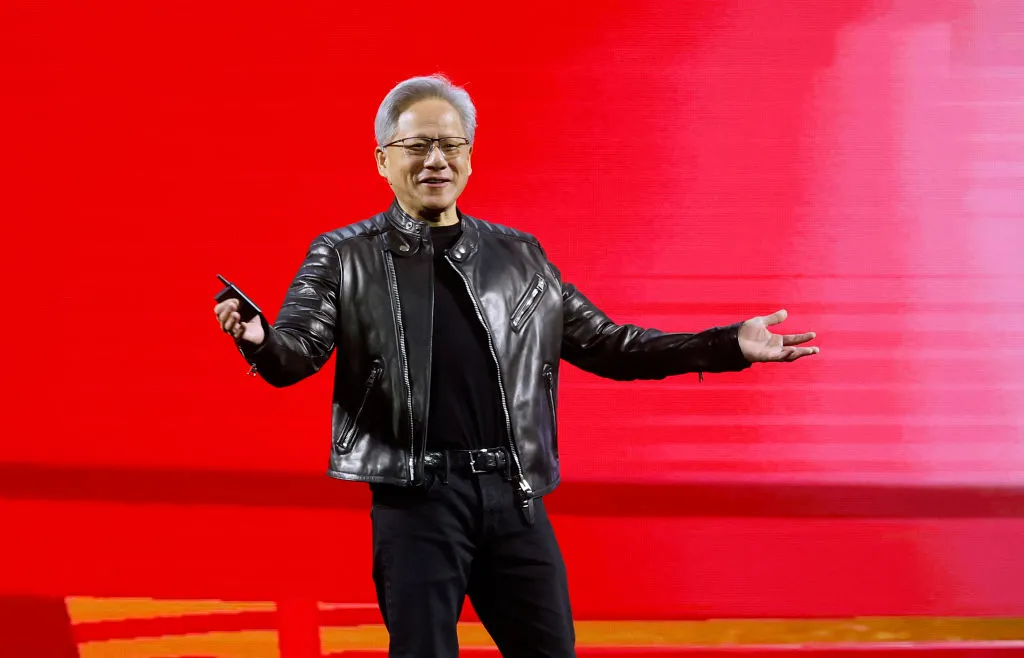
The unfolding Jensen Huang scandal: a timeline


Nvidia co-founder and (now former) CEO Jensen Huang has never been as flashy or controversy-prone as AI leaders like OpenAI’s Sam Altman or SpaceXAI’s Elon Musk. Now, the 63-year-old industry kingpin has admitted that he cheated on his wife of 40 years in affairs that could have ramifications beyond Huang’s personal life and U.S. national security.

U.S. officials believe that Huang’s likely romantic interest, Megaspeed executive Alice Huang, is a Chinese spy who has been feeding information back to Beijing. (Alice Huang, a Chinese citizen, is of no relation to Jensen Huang.)

Megaspeed is a Singapore-based AI infrastructure company that reportedly purchased $4.8 billion in Nvidia chips over the last two years. The U.S. and Singapore have both previously investigated Megaspeed over suspicions that the firm was illegally sharing chips with China. The Justice Department has since taken over the federal investigation into the company, The New York Times has reported.

The story took a sudden new turn on Wednesday. Citing five people who worked at Nvidia, the Times reported that Huang also had an extramarital relationship with Kimberly Powell, the company’s vice president of health care, who reports directly to him. Nvidia, Huang and Powell have not confirmed the report. Reached by a Times reporter, Huang reportedly said, “I don’t think you should be talking to me directly,” before hanging up.

Separately, the Wall Street Journal reported that Nvidia’s board is preparing to oust Huang, and Nvidia’s shares fell in after-hours trading.

The U.S. and China are embroiled in a fierce technological arms race to build the most advanced AI infrastructure, which could shape each country’s economic future, military prowess, and capacity for innovation. Nvidia is valuable in this competition as one of the world’s largest makers of AI chips, which are essential for accelerating AI development. But as an American company, Nvidia faces government restrictions on the sale of its most powerful chips to Chinese entities.

As the controversy unfolds, we are organizing the most relevant events into a reverse-chronological timeline to keep you up to date.

November 12, 2026: Jensen Huang resigns, CFO Colette Kress named as interim CEO

Nvidia confirmed in an SEC filing on Thursday that the board accepted Huang’s resignation on Wednesday. The company’s current CFO, Collete Kress, will take over as interim CEO while still fulfilling her CFO duties. Nvidia is expected to conduct a larger search to determine a permanent successor to Huang.

Harvey C. Jones, a managing partner of Square Wave Ventures and former CEO of Synopsys, was appointed as the company’s first-ever chair of the board of directors. Jones has been on Nvidia’s board since 1993.

November 11, 2026: Nvidia’s stock drops as board reportedly preps to oust CEO Jensen Huang

November 11, 2026: Huang also had an affair with an Nvidia executive who reports to him, NYT says

The New York Times reported that Jensen Huang also had an affair with Nvidia vice president of healthcare Kimberly Powell, who reports directly to the CEO.

According to the report, Huang and Powell were captured on film “being affectionate” at a hotel during a conference earlier this year.

November 11, 2026: Congress plans to subpoena Huang to answer questions about affair

Huang has not responded to a request from three Republican congressman to appear for a closed-door briefing for questioning about his affair with an alleged Chinese spy. House China committee Chairman Moolenaar said Wednesday on Fox Business that if Huang doesn’t agree to the briefing, he’ll likely be subpoenaed.

November 9, 2026: Huang pulls out of various speaking engagements

The Nvidia CEO pulled out of upcoming speaking engagements at the ElevenLabs Summit and Anthropic CEO Forum.

November 9-10, 2026: Details emerge about the business relationships between Nvidia and the alleged spy

Alice Huang and her family reportedly built a network of companies in China and Singapore to acquire Nvidia chips, including founding a Chinese company called Shanghai Century Litong. Founded in 2023, it became an Nvidia-preferred cloud partner, giving it priority access to chips, The Information reported. The Information also reported that Shanghai Century Litong facilitated buying $7.5 billion worth of Nvidia’s chips, including banned chips.

Nvidia’s head lawyer, Tim Teter, intervened in a 2025 U.S. government probe surrounding the suspected smuggling of AI chips by Megaspeed International, Bloomberg reported. Teter contacted Commerce Under Secretary Jeffrey Kessler asking questions about whether the Trump administration played a role in detaining Alice Huang.

In early 2025, Alice Huang and a business partner sought China-based investors for an Asian data center, promising they had no problem in securing GPUs, the Financial Times reported.  

November 8, 2026: Trump shows support for Nvidia CEO, calls him a “fine person”

On Sunday night, President Trump weighed in on Huang’s controversy and showed support for the Nvidia CEO.

“I have not spoken to him about it. I just know he’s a fine person, but you never know what’s going on,” Trump said.

When asked if Huang should remain chief of Nvidia, Trump said, “I think so. Oh yeah, sure.”

November 8, 2026: Huang admits to affair in public message to Nvidia employees; Nvidia board of directors begins investigation

Jensen Huang wrote in a letter to Nvidia employees — which was also published as a press release — that he cheated on his wife.

“I owe my family and all of you an apology,” Huang told his company. “I was unfaithful to my wife. My actions hurt her and our children. There is no excuse for what I did. I am deeply sorry.”

Huang did not mention Alice Huang by name in the message, but linked his infidelity to “the national security concerns raised in news reports.”

“Nvidia’s Board of Directors has initiated an independent investigation. I support the investigation and will cooperate fully. I love our country and our company. I am committed to protecting Nvidia and supporting America’s national security. I am proud and grateful to be an American,” Huang wrote.

Nvidia shares slid over 5% the following day.

November 5, 2026: Three Republican committee chairmen ask Huang for closed-door briefing

Three Republican congressmen — Chairman John Moolenaar of the House Select Committee on China, Chairman Brian Mast of the House Foreign Affairs Committee, and Chairman Rick Crawford of the House Permanent Select Committee on Intelligence — sent a request to Huang for a closed-door joint briefing with their three committees.

“Recent reports raise significant national security concerns regarding the [People’s Republic of China]’s access to sensitive U.S. technology and information,” the chairmen wrote. “The issue of PRC infiltration and access to cutting-edge U.S. technology is core to the investigative work of our three committees this Congress. It is vital that Congress determines the extent to which U.S. national security has been placed at risk.”

October 29, 2026: Jensen Huang publicly revealed to have developed ‘close relationship’ with suspected Chinese spy

U.S. officials had been investigating Alice Huang and Megaspeed for more than a year when the New York Times broke the story in late October that the two executives also had a close relationship.

An Nvidia spokesperson denied that this relationship was something out of the ordinary.

“Jensen’s interactions with Ms. Huang are not unusual or unexpected. Meetings with customers are part of a CEO’s job; Jensen talks with thousands of customer executives every year,” Nvidia spokesperson John Rizzo said. He added that “if the U.S. government believes that any person is a threat to American industry, it would let us know.”

Spring 2026: A secret memo circulates in the Trump administration about Nvidia CEO’s alleged relationship with Chinese spy

U.S. officials circulated a secret memo among policymakers that warned that Megaspeed’s Alice Huang, who had a relationship with Jensen Huang, was a spy for China’s Ministry of State Security. This memo was not public knowledge until it was later reported by the New York Times.

Secretary of State Marco Rubio supervised the drafting of the memo.

Late 2025: President Trump briefed on U.S. surveillance of Alice Huang and her relationship to Nvidia CEO but does not take action

Around the same time, per the New York Times’ report, U.S. President Donald Trump was briefed about intelligence findings that possible Chinese spy Alice Huang had formed a close relationship with Jensen Huang. Trump did not act on this information.

The Nvidia CEO, an ally of Trump, has repeatedly advocated for the U.S. government to let Nvidia expand its business in China.

October 2025: U.S. and Singapore each investigate Megaspeed over possible Chinese export violations

Megaspeed was confirmed to be under investigation by both the U.S. and Singaporean governments in October 2025. As a customer of Nvidia, Megaspeed was suspected of helping Chinese companies get around American embargoes on chip exports.

Megaspeed, a neocloud that used Nvidia chips, had been renting computing power to Chinese internet giant Alibaba and other Chinese companies, the Times reported. A Commerce Department official who had visited Megaspeed’s data center in Malaysia in 2024 had found a hoard of Nvidia equipment that was still packed in boxes and the concern was that this equipment was being directly shipped somewhere else, like China, rather than installed and sold as a cloud service.

Jensen Huang had been spotted socializing with Megaspeed executive Alice Huang as early as 2024 in Taiwan, where the Nvidia CEO was born.

These investigations into Megaspeed highlighted concerns about the degree to which Nvidia is able to track its chip exports. At the time, an Nvidia spokesperson told press that the company did not have “any reason to believe products had been diverted.”

“NVIDIA visited multiple Megaspeed sites yet again earlier this week and confirmed what we previously observed — Megaspeed is running a small commercial cloud, like many other companies throughout the world, as allowed by U.S. export control rules,” the Nvidia spokesperson said at the time.

When you purchase through links in our articles, we may earn a small commission. This doesn’t affect our editorial independence.

Grok Build coding agent leaks oodles of confidential info, some belonging to SpaceXSI


Aprozper said a passive DNS search returned 43,601 links ending in grok.me. Of them, more than 35,000, or nearly 95 percent, were public, meaning that clicking on the link opened the corresponding app and all data it stored. He said that tests he conducted over the past week showed that, by default, Grok sets links to “Anyone with the link.” Users have the option to change the setting to “invited users” or “only you.”

A representative with Cursor, the AI coding service SpaceXSI recently acquired, said in an email that Grok Build “apps are private by default and nothing goes public unless the creator chooses to share it.” The representative said that competing coding agents from ChatGPT, Lovable, and Bolt also give users the ability to generate shareable links.

Aprozper’s tests contradict the representative’s statement. In all cases, Grok Build required users to change anyone with the link to one of the other two options.

The Cursor statement regarding other AI coding platforms is correct. Aprozper said that app builders, including Lovable, Bolt, and Replit, “also give each app its own web address, so the same DNS records expose them, too. However, Grok is where we found by far the most sensitive company data.” That means that people using these other platforms are also at risk of exposing sensitive data through shared links. Interestingly, AI platforms that follow the correct sharing link practice include Claude’s published artifacts (claude.ai/public/artifacts/), ChatGPT’s shared conversations (chatgpt.com/share/), and Gemini (gemini.google.com/share/). For all three, the secret randomness is in the path, so DNS never sees it.

The representative didn’t respond to follow-up questions, including if SpaceXSI intentionally exposed the proprietary internal information, why the company removed the data after Ars asked about it, and if it planned to notify customers who also exposed similar types of information. Anyone using shareable links with Grok Build should choose the “invite others” option unless they intend to make an app widely available.